I never imagined I’d actually need a free JPEG to JPG converter until I started to work actively with these formats. At FixThePhoto, I’m constantly prepping images for articles, landing pages, and blog posts. For the longest time, I genuinely thought JPEG and JPG were identical formats.
Turns out, that small difference can cause problems when you least expect it. My first wake-up call came during a regular content upload. I had a bunch of images with the .jpeg extension from one editing tool, and our CMS plugin just wouldn’t accept them. I get neither warnings nor helpful error messages. There were just blank thumbnails staring back at me.
Renaming one file by hand worked fine, but doing that for an entire folder of images was impossible. That’s where I drew the line. I needed a dependable free JPEG to JPG converter that wouldn’t add watermarks, degrade my image quality, or turn into a time sink.
Paying for software didn’t cross my mind. This is such a straightforward need, and the internet’s loaded with free options. The tricky part wasn’t finding tools.
I started asking around at FixThePhoto, scrolling through Reddit conversations, checking out YouTube breakdowns, and collecting advice from photography and design communities. Together with the team, we tested 20+ free JPEG to JPG converters, including web-based tools, lightweight programs, and many other options.
Before I get into my recommendations, here’s what I looked for during tests:
Most of the tools on this list let you convert JPEG to JPG for free, and many of them also support saving to other file formats. If you’re after converters with broader capabilities, check out these alternatives:
I spent years assuming JPEG and JPG were completely interchangeable. From a purely technical standpoint, that’s accurate. But when you’re deep in the trenches working with websites, content management systems, plugins, or external platforms, that seemingly tiny distinction can flip from trivial to genuinely problematic faster than you’d imagine.
Technically, JPEG and JPG represent the exact same image format. The variation stems from old-school limitations: ancient operating systems couldn’t process file extensions longer than three letters, which pushed .jpg into widespread adoption. Even though current technology handles both seamlessly, those outdated compatibility issues haven’t completely disappeared.
Here’s where that extension difference can cause real frustration:
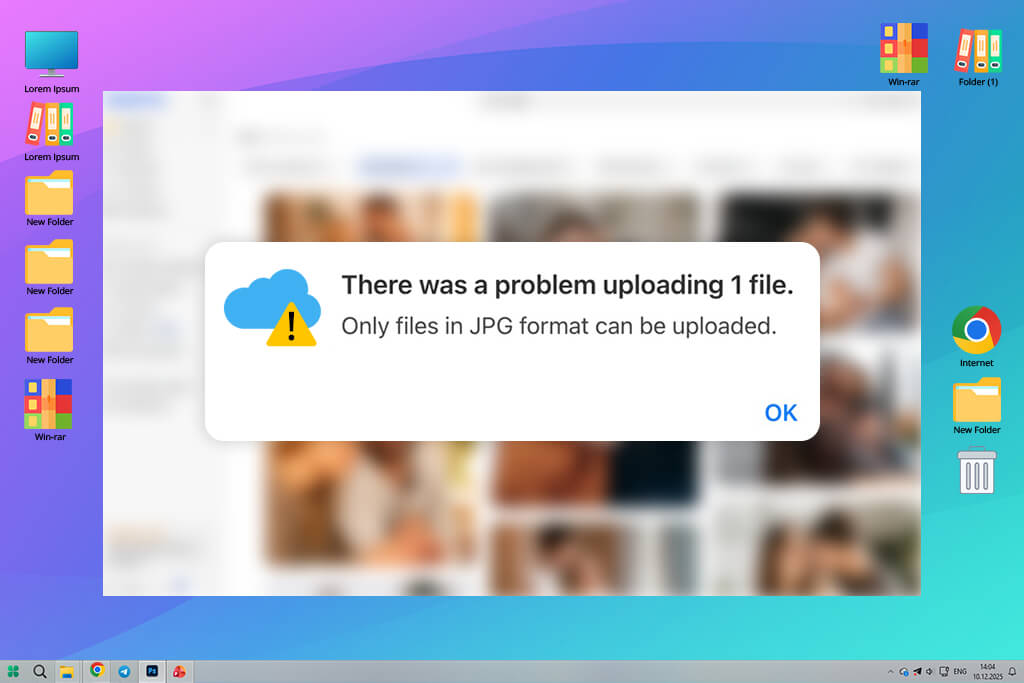
One especially annoying situation hit us right before a timed article went live. Everything seemed good to go, but once published, half our images simply vanished from the page. It happened because of an inconsistent jumble of .jpeg and .jpg files mixed together.
Fixing it was quick, but only after we’d already wasted time hunting down what went wrong. If we had a solid JPEG to JPG free image converter on hand, we could avoid the mess completely.
Can you just do it by hand? Yes, you can manually change a file from .jpeg to .jpg. I’ve personally done it more times than I can count. But here’s what actually happens:
During my testing, I also found that some “simple rename” tactics triggered glitches with preview rendering or catalog systems on particular platforms. Specialized converters handle these situations far more reliably and uniformly.
I was particularly impressed by several things:
I’ll give you a real example. Thanks to CloudConvert’s batch feature, I sorted through a jumbled photo collection twice as fast as previously. Adobe Express turned out to be more reliable than those dedicated converter apps. It was a true surprise for me.
Best for: designers, content teams
Platform compatibility: web, Windows, macOS
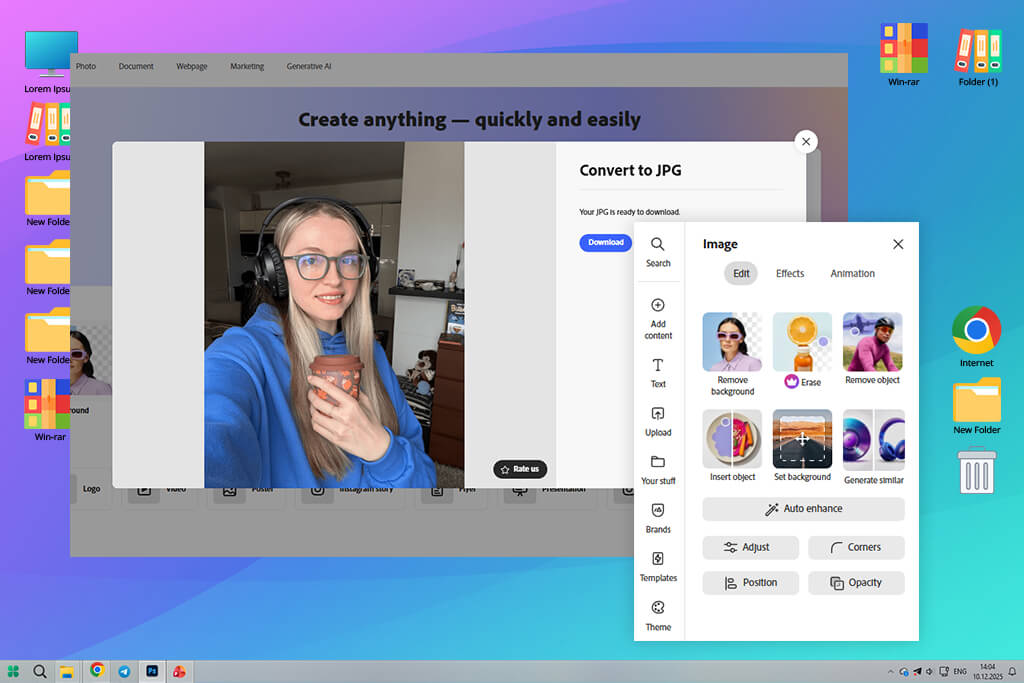
I’ve spent years working within Adobe’s suite of tools, and Express had already become my go-to for creating fast graphics, building social content, and adjusting image sizes for articles on FixThePhoto. So, when I needed a dependable free JPEG to JPG converter, it made sense to test Adobe Express.
I like that the conversion feature doesn’t feel bolted on as an afterthought. It blends right into the bigger picture of what I’m already doing. That integration actually matters more than you’d think, especially when you’re prepping images for online publishing and want to keep focused without constantly switching between different tools.
“It is convenient to import images straight from my working folders, convert them, and tweak the needed parameters in one workspace.”

I tested it with crisp high-resolution pictures, desktop screenshots, graphics loaded with text, and even images with delicate gradient transitions. Each time, the quality held up perfectly. I saw no compression issues or artifacts. The metadata handling was spot-on. That’s honestly rare for a free web-based tool.
I use Adobe Express when I’m in the middle of design work, converting images before they go into a content system, making sure entire folders have the same file format, or dealing with compatibility problems at the last second. After my team and I stress-tested a bunch of options, this one is the best tool to convert JPEG to JPG free when quality is non-negotiable.
Pricing: Adobe Express free plan; from $9.99/mo, $99.99/year
Best for: batch conversions, speed
Platform compatibility: web
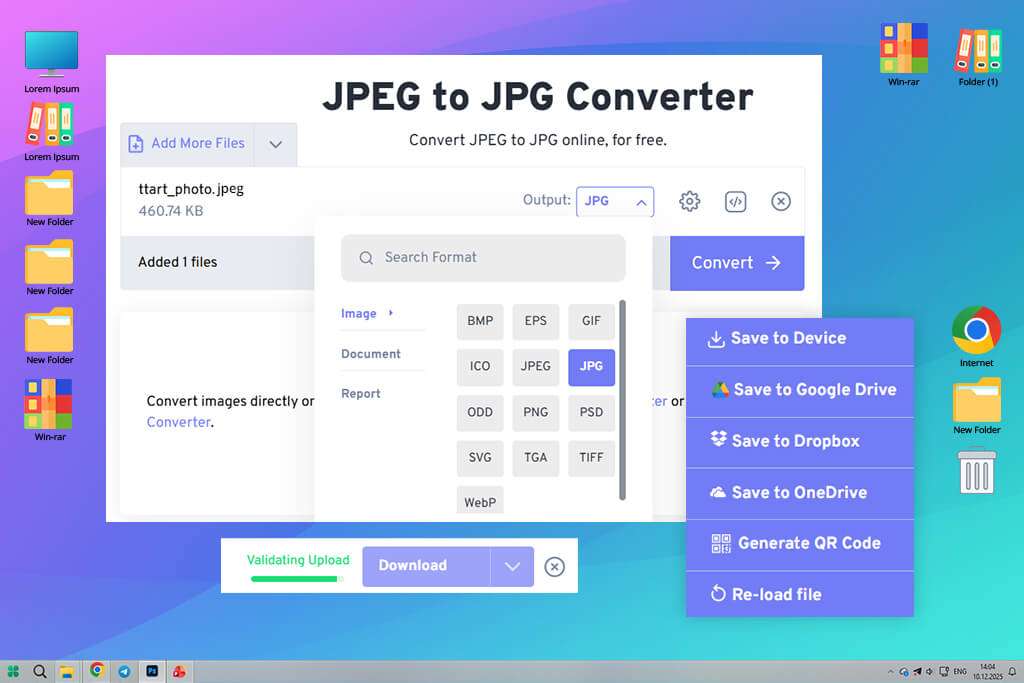
A teammate at FixThePhoto turned me onto FreeConvert when they were stuck dealing with tons of images that needed converting fast. I wasn’t expecting much. Most free image converters promise speed but deliver garbage quality. So, I decided to test it.
What strikes me about FreeConvert is its straightforward operation. You drag your files in, click convert, and you’re good to go. There’s no flashy interface or unnecessary bells and whistles getting in your way.
I used several images during testing, including some pretty hefty batches, and it chewed through them without breaking a sweat. It’s my favorite free online JPEG to JPG converter for situations when you have a folder full of random file types that need standardizing before a website upload or client delivery.
“FreeConvert is impressively fast. It saved me when I was converting an entire article’s image folder within a short time and when I needed to fix a CMS problem with .jpeg files.”

I kept a close eye on quality throughout my testing. I used product images, lifestyle shots, and simple graphics. Everything came out looking good and consistent. The compression didn’t trash the files, and fine details like text edges stayed nice and sharp. For the kind of work most people do, the results are totally acceptable, particularly given how lightning-fast the whole process is.
Still, you may dislike the free tier’s restrictions on file size and how many conversions you can do per day. If you’re constantly dealing with enormous files or huge volumes, you’ll run into those limits fast. But for simple everyday projects, it is one of the handiest free image JPEG to JPG converters I’ve tested.
Pricing: free (size & daily limits); from $9.99/mo, $99.99/year

Best for: advanced users, batch tasks
Platform compatibility: web
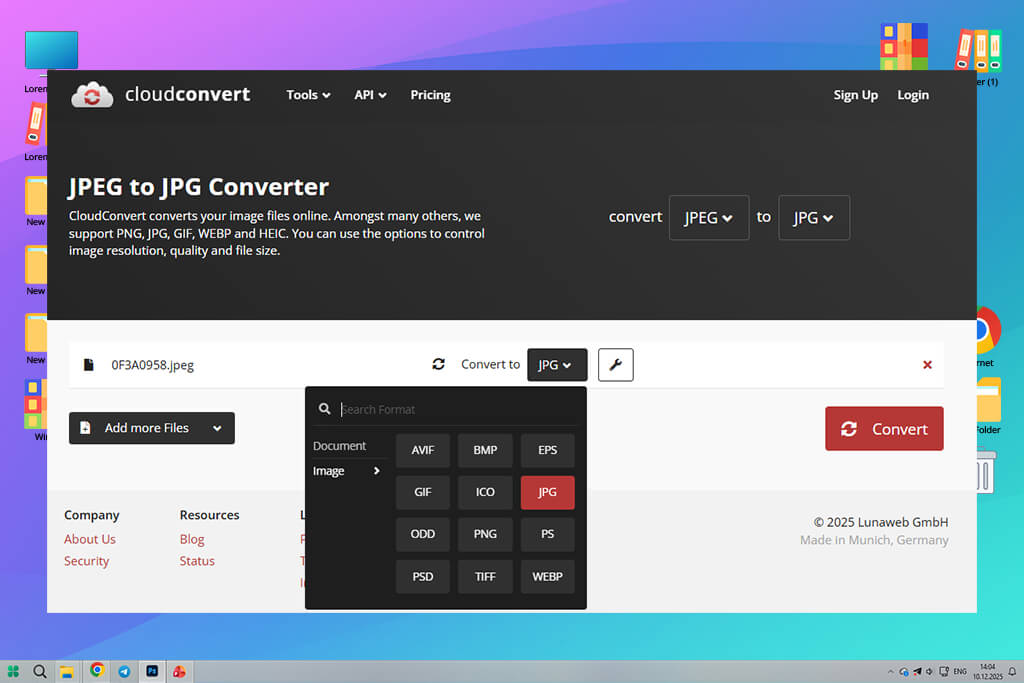
I discovered CloudConvert while browsing Reddit threads where people were talking about quick JPEG to JPG online free conversion. What distinguishes it is the clarity and flexibility built into everything. Even for basic tasks like converting JPEG to JPG, you get full visibility into what’s happening with your file.
“CloudConvert helps a lot when I need to manage larger batches or mixed file sources. It always gives predictably good results.”

I tested it with the highest quality image format files, random images from the web, screenshots packed with text overlays, etc. The quality was spot-on. The colors looked exactly right, and there were zero strange distortions. Another thing I noticed is that it handles metadata well, which is important if you’re working with editorial content or managing a CMS.
This JPEG to JPG free converter online is handy when you’re organizing image files before sending them to developers or uploading to platforms that get nitpicky about what formats they’ll accept. The free tier works on a credit system, so it’s not endless, but for regular content projects it’s usually more than sufficient.
Pricing: free (credit limits); from: $9/mo, $99/year
Best for: content creators, marketers
Platform compatibility: web, iOS, Android
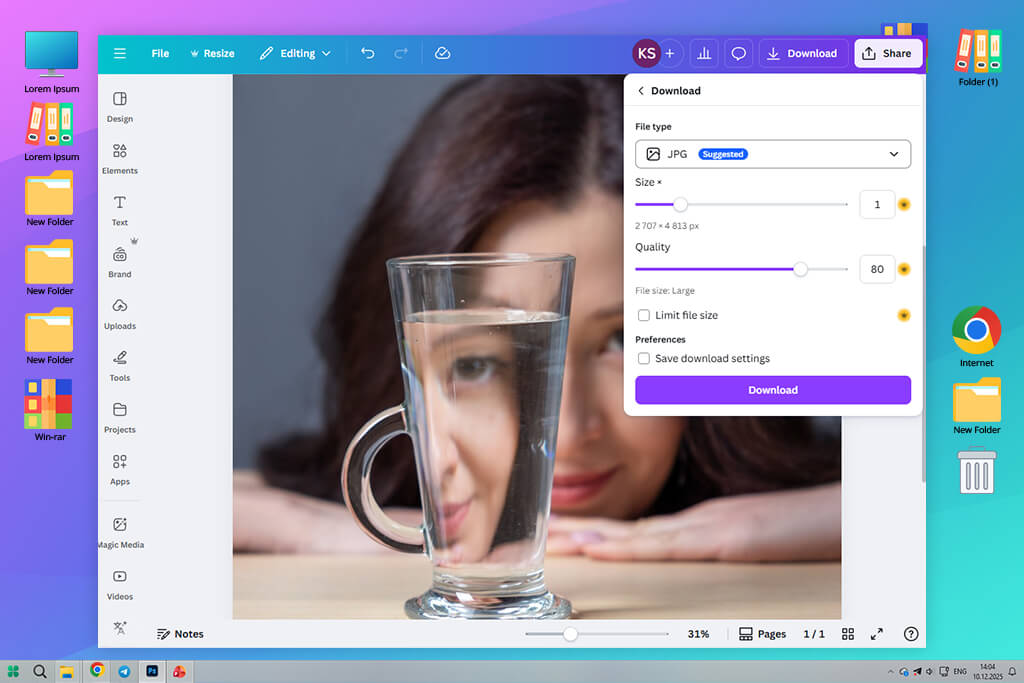
I’d already been using Canva here and there for making quick designs, but it never crossed my mind to use it as a file converter software until I started digging into it for this piece.
It’s baked into this whole design platform, so when you toss a JPEG in there, you’re not stuck with just hitting “convert” and calling it a day. You can tweak the size, trim it down, play with the colors, or get it web-ready before you pull it back out as a JPG.
“Canva’s converter is my favorite tool when I’m already working on visuals. It is a lifesaver when I realize that I need a JPG instead of a JPEG at the last moment.”

I tested this JPEG to JPG web tool with regular photos, simple design elements, and pictures with text overlays. I have no complaints in terms of quality. Everything came out clean and consistent. I didn’t spot any compression weirdness, and when I deployed these images, they matched the originals perfectly.
After comparing Canva vs Adobe Express, I should say that Canva lags behind when you need to process multiple files at once. Besides, some features are paid. But if you want to convert JPEG into JPG free inside a tool you’re already comfortable with, it works well.
Pricing: free (feature limits); from: $12.99/mo, $119.99/year
Best for: quick one-off tasks
Platform compatibility: web
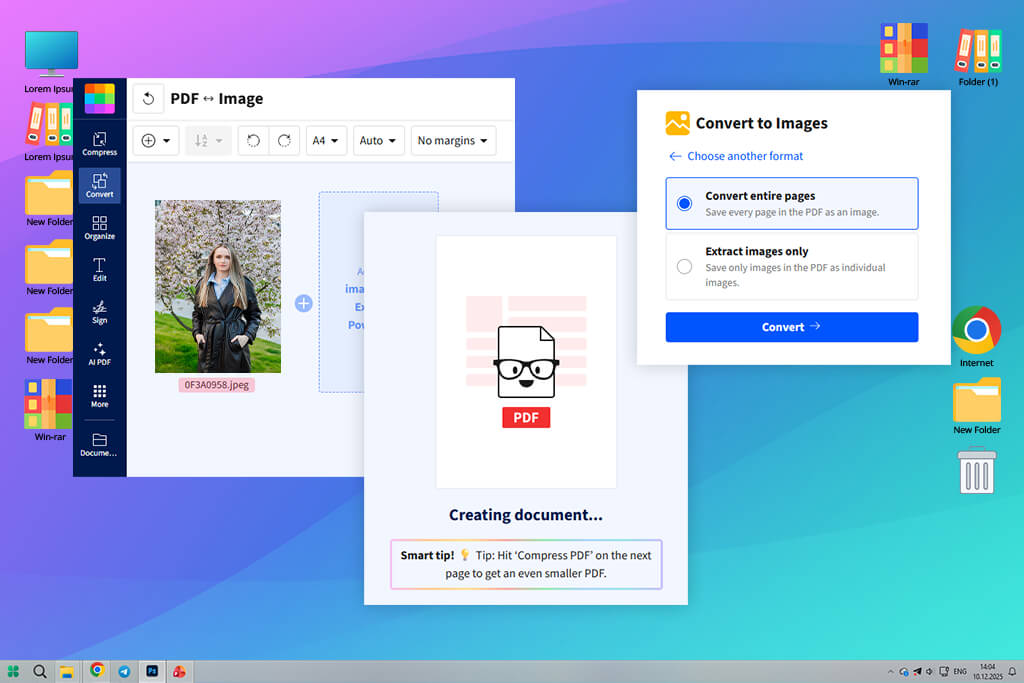
Someone at work suggested Smallpdf after they’d been using it for their PDF needs. What I liked most was how easy it is to navigate. Just drag your file, click convert, and you get the result. Everything is stripped down to basics in this simple JPEG to JPG free tool.
I used photos from my phone, screenshots, and images saved from websites to test its capabilities. The JPGs turned out pretty well, without noticeable loss in sharpness or weird glitches. For day-to-day tasks that don’t involve heavy-duty design work, it gets the job done without fuss.
“Smallpdf works perfectly if you need quick results. For example, when a teammate sends me a JPEG and I just need a JPG version for upload or sharing, I rely on this tool.”

It’s also useful when I’m on someone else’s computer or a shared device, as I don’t have to sign into anything complicated. The downside is the limit on the free version. You can’t just keep converting files all day without paying, and handling multiple files at once isn’t really an option. But if you only need it here and there, it is a good JPEG to JPG free web tool.
Pricing: free (daily limits); from: $12/mo, $108/year
Since I’m constantly prepping images for FixThePhoto content (everything from blog posts to comparison pages) I couldn’t just trust what these free JPEG to JPG converters claimed to do. My colleagues at FixThePhoto and I put over 20 free JPEG to JPG converters through actual, real-world tests to separate the useful ones from the duds.
Tracking down which tools to even test took serious work. I scoured YouTube reviews, Reddit discussions, and design community boards, plus tapped into my team’s experience with image automation and content management systems. I intentionally threw lesser-known tools into the mix alongside the big players to avoid playing favorites.
During testing, I worked with high-res images, screenshot files, solid-color graphics, and folders where JPEGs and JPGs were jumbled together. The real test wasn’t “does it convert?” but “can I trust it every single time?”
Not every JPEG to JPG free tool passed muster. iLoveIMG, Online-Convert, Convertio, Zamzar, and ImageResize.org started strong but crumbled under pressure. Some over-compressed everything, others slapped on restrictive file limits, and a handful had sneaky limitations that made bulk jobs a nightmare.
We tested what really counts in daily use:
Ease of use. Can you jump in and convert files right away, or do you hit a wall of sign-ups and confusing menus?
Quality. We put converted files under the microscope, looking at sharpness, color transitions, and whether text stayed crisp.
Performance. Does it handle multiple files smoothly, or does it choke when things get busy? Reliability. We wanted converters that work properly no matter what.
Privacy. If a tool won’t tell you what happens to your files after upload, that’s a red flag.
Just a few tools hit all the marks for being fast, clean, and trustworthy. Those are the ones that actually stayed in my toolkit.





![Stable Diffusion Alternatives [1 Prompt – 9 Competitors]](http://fixthephoto.com/blog/images/gallery/news_main__preview_28384.jpg)

![7 Best AI Wallpaper Generator Tools in {{%year}} [Reviewed & Tested]](http://fixthephoto.com/blog/images/gallery/news_main__preview_28192.jpg)
![7 Best HEIC to PDF Converters in {{%year}} [Windows, Mac & Online]](http://fixthephoto.com/blog/images/gallery/news_main__preview_28447.jpg)

![AI Bratz Doll Filter Online [FREE]](http://fixthephoto.com/blog/images/gallery/news_main__preview_28411.png)

















