I realized that I urgently needed a strong resume when I started actively looking for projects in the photo industry. I work as a photographer and retoucher, but every time I sent my CV to studios, brands, or agencies, I felt that it did not show my real level. I had experience with commercial shoots, fashion projects, retouching for e-commerce, and social media, but on paper, it all looked dry and unorganized.
My main problem was that I didn’t know how to present my creative experience clearly and professionally. I needed a resume that highlighted my skills in lighting, composition, post-production, and working with clients and deadlines. It was also important to focus on real projects, brands, and shooting styles, not just a list of tools.
I wanted something that could help me organize my experience and easily adapt it for different roles - from studio photographer to retoucher working with marketing teams. It was important for me to have a clear structure, a modern design, natural wording, and the flexibility to quickly tailor my resume for each client or company. That’s when I realized I needed an AI-powered approach to turn my creative path into a strong, competitive resume that truly reflects who I am.
I reached out to my colleagues from the FixThePhoto team, who have experience in hiring, and asked them to help me test different AI resume tools and give a professional, objective review of the results.
A strong resume is not just a record of past jobs - it’s a clear and focused summary of who you are as a professional and why you’re right for a particular position. Below is a simple, well-organized explanation of what truly helps a resume stand out.
ChatGPT can help you write a resume, but it isn’t a dedicated AI resume generator. Unlike tools such as Rezi or Jobscan, it doesn’t walk you step by step through the process. It works only with the instructions you give it, which means you get more freedom, but you’re also responsible for making sure the content is correct, well-organized, and properly tailored.
So, how do you actually use ChatGPT to write a resume? You can use it to suggest structure, rewrite bullet points to sound more impactful, and help with keyword matching. It’s especially helpful for brainstorming and polishing wording when your mind feels stuck.
However, there’s a clear downside - ChatGPT doesn’t give you ready-made templates, only text. You need to move the content into a real resume layout yourself, which takes extra time compared to using a full resume builder. And realistically, recruiters are starting to recognize obvious AI-style wording, so you’ll need to adjust the text to make it sound more natural.
Here’s my tip: ChatGPT is a helpful writing helper, but it won’t create a finished resume for you in one step. Use it to generate ideas, improve wording, and polish your text, but don’t expect it to do the full resume build. And always verify anything it produces.
Here are some simple ways to use ChatGPT effectively when working on resume ideas:
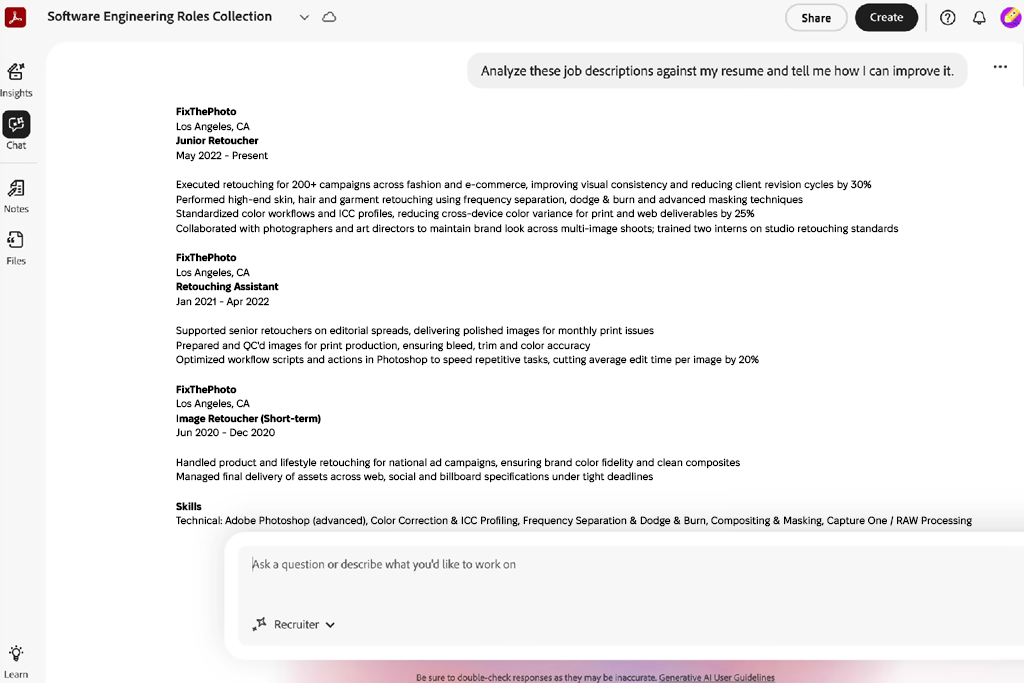
When I first used Adobe Acrobat, I liked that it could scan my existing files and turn them into editable sections. I tested this by uploading several older versions of my resume from past photography work, and it quickly предложed layout changes that made the document look clean, organized, and professional.
I really liked that this AI word generator pointed out formatting inconsistencies and helped my resume look more refined. The AI suggestions felt natural and helpful, offering guidance without being pushy.
Then I tested its wording help for my job descriptions, mainly for creative roles. It suggested clearer action words and helped show results, which was useful for explaining photo campaigns and client projects. My descriptions became shorter and stronger. The AI balanced technical skills with creativity well.
“It turned my messy resume into something clean and confident. The wording improved, the layout issues were gone, and it highlighted details I had missed. It looked great on any device and saved me a lot of time.”

I also tested its design features. Adjusting fonts, spacing, and section order was easy, and the AI suggested layouts that focused on clear reading. I used it for a recent freelance photography application, and the result looked much more professional than my earlier versions. It even gave gentle tips on how to show awards and publications without overdoing it.
In the end, the export options saved me a lot of time. I was able to create PDFs optimized for ATS systems or ready to send to clients and agencies. During testing, the resume layout stayed consistent on every device. Overall, the tool sped up my application process and helped my photography work make a stronger first impression.
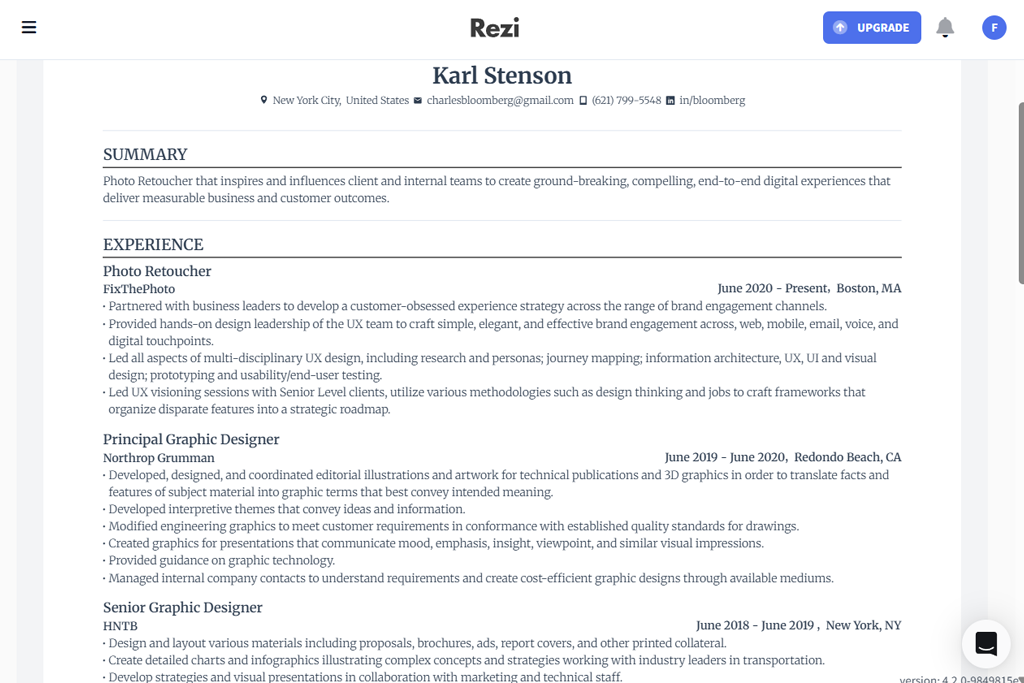
I began testing Rezi by adding information about my photography projects and previous clients. It automatically created a clear resume structure that focused on results instead of basic tasks. The bullet point suggestions were very specific, pointing out project numbers, exhibitions, and published work. I also liked that it helped me include skills important for both commercial and creative photography.
I then moved on to keyword optimization. Based on the roles I was targeting, Rezi’s AI suggested role-specific phrases that could help my resume get through automated screening systems. Once I added them, the resume felt more refined and clearly tailored. Overall, this AI resume writing tool felt more like guided collaboration than an automated process.
“I uploaded my draft, and it quickly became a clean, ATS-ready resume. The keyword and bullet point suggestions boosted my confidence, and the process was fast and helpful.”

I also tested the design options. While this resume writing software offered fewer visual templates, the formatting was clean and professional. I tried it for a creative director role, and the simple layout clearly showcased my portfolio link and client list.
In the end, exporting was very easy. I could create one version for ATS systems and another, cleaner version for creative applications. Overall, Rezi stood out for its accuracy, clear structure, and strong focus on real results.
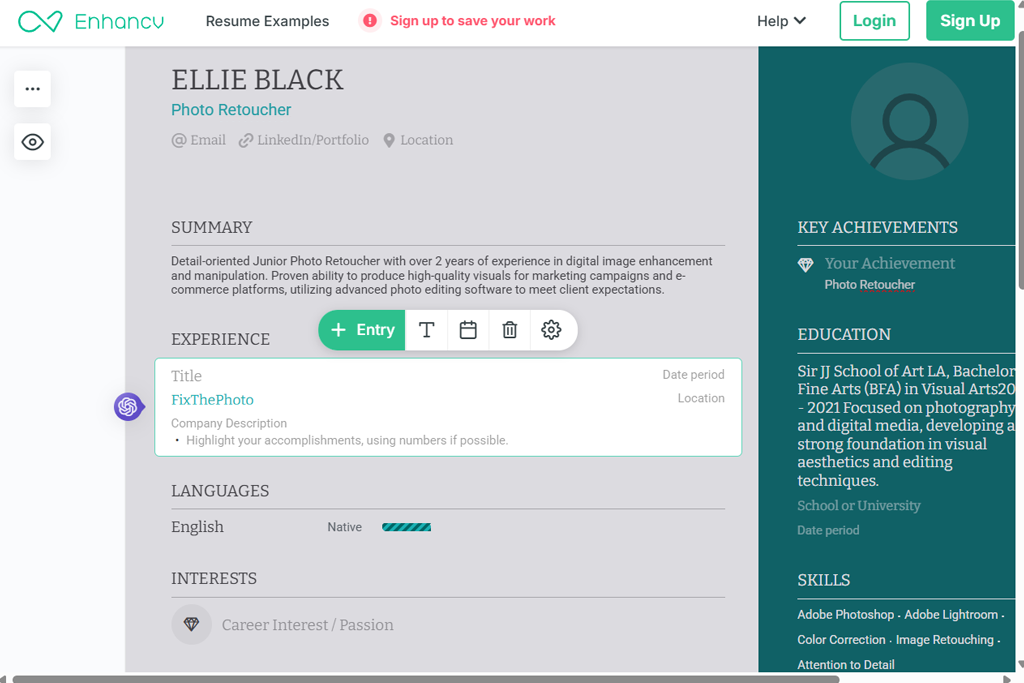
I started by adding all my photography work, awards, and personal projects. Enhancv suggested new sections I hadn’t thought about, like “Creative Highlights” and “Side Projects,” which made my resume feel more engaging. I liked how it balanced creative design with a professional feel - it clearly fit creative fields. The artificial intelligence software storytelling tips helped my freelance campaigns sound more lively and real.
Next, I worked on balance. It showed me how to avoid packing in too much information and keep each section easy to read. For example, it suggested placing technical skills in a side column so the main achievements stood out. The visual hints made the resume more interesting without feeling overdone.
“I liked how it made my resume stand out visually without looking too busy. It suggested sections for side projects and portfolios, which was ideal for my photography work. Clean, modern, and professional.”

Then, I worked on my wording. The AI resume tool suggested better ways to write my job descriptions. For example, I changed "photographed events for corporate clients" to "captured visual stories for important corporate projects," which sounded stronger. I updated several job entries with this better language, and my resume suddenly felt much more powerful.
Finally, I tested the different ways I could share my resume. I could save it as a PDF, create a version ready for printing, or even get a link to host it online. I sent one to a photography agency, and they liked how clear and professional it looked. Using Enhancv gave me the confidence to present my work to both potential clients and hiring specialists.
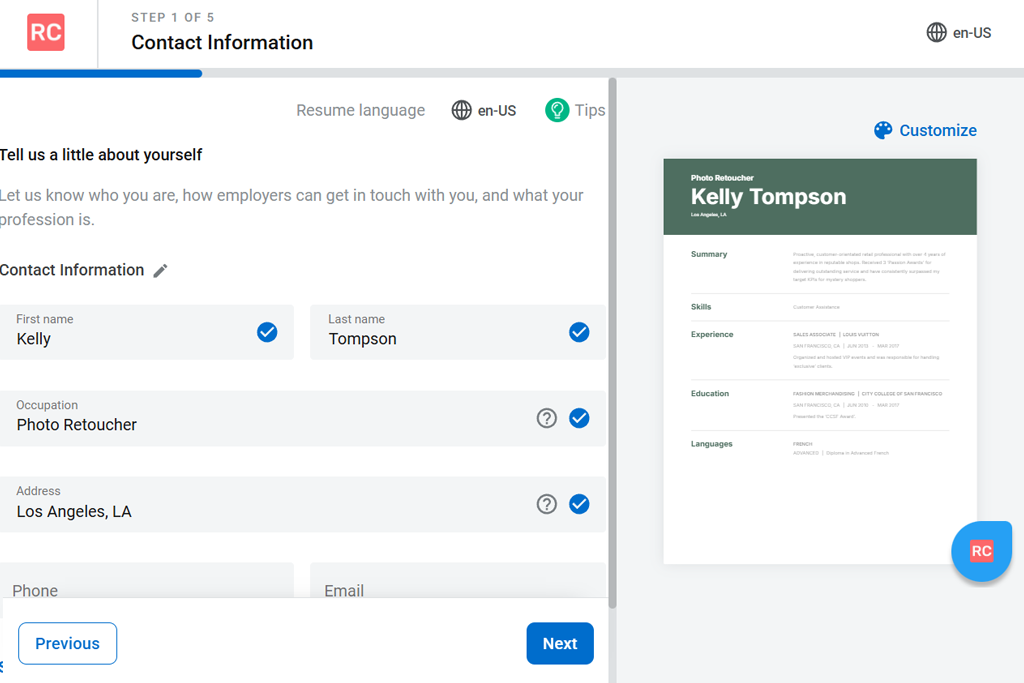
I began by entering my photography projects and client work. ResumeCoach pushed me to highlight results instead of daily duties. It suggested adding simple numbers, like noting that my photos “boosted social media engagement by 30%.” This made my achievements clearer to employers. The AI tips felt practical and human, and they helped me improve my resume without rewriting everything from scratch.
“This tool helped me shift the focus from basic tasks to real results. It suggested stronger action words and numbers, making my experience sound more impactful. The changes were quick, easy, and made an immediate difference.”

Next, I looked into keyword optimization for freelance photographer roles. ResumeCoach showed me which terms would catch the attention of ATS systems and recruiters, helping my skills stand out. Adding keywords like “portrait photography” and “digital retouching” made my resume clearer and more focused.
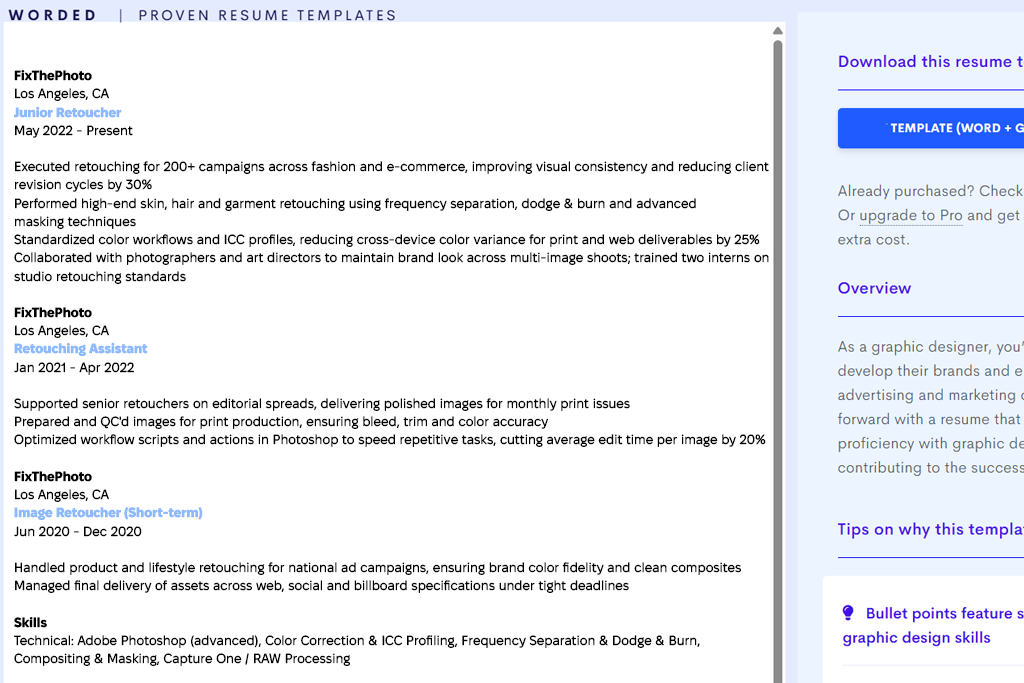
I tested Resume Worded by uploading my existing resume, which listed my freelance photography projects. The AI quickly checked my writing style, structure, and how clear everything was, and gave me a score with specific feedback. Its suggestions focused on using stronger action words and highlighting my role as a leader on team projects. I liked that it didn't just fix grammar - it helped me tell a better story.
“The feedback was on a whole new level. It made my resume sharper and easier to read, and my freelance work suddenly felt much more valuable. Getting a clear score for my resume was also very motivating.”

Next, I used it to adjust my resume for different positions. It suggested replacing “wedding photography” with “event photography portfolio management” for some job posts, which made my applications feel more targeted. I was able to try out several versions in a short time.
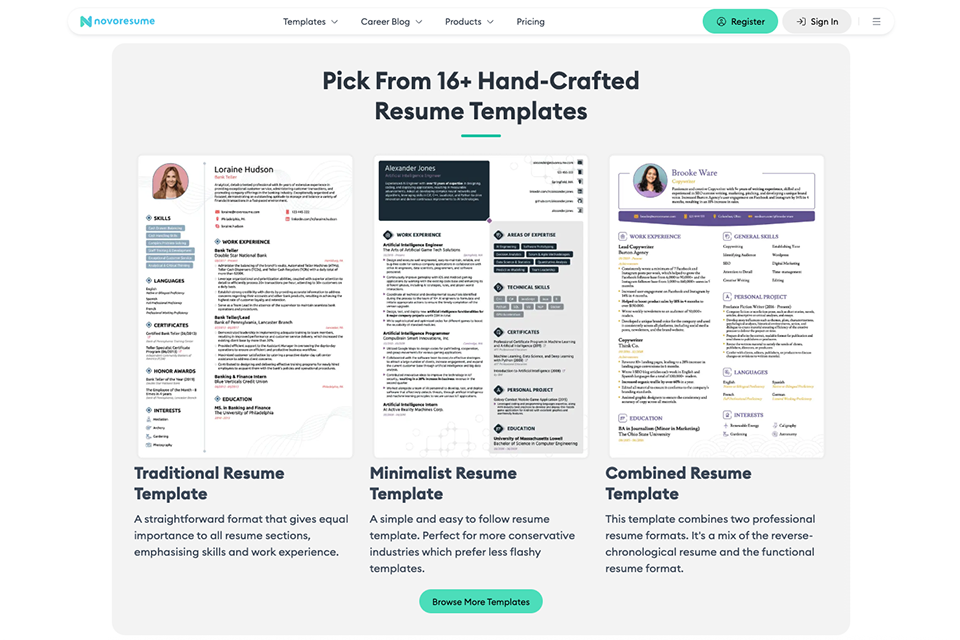
I used Novorésumé to create resumes for both normal and creative professions, and its neat, organized templates made it stand out right away. As an AI resume builder, it helped me navigate each part with practical advice, which made it simpler to highlight the most essential abilities and clearly convey my expertise.
After that, I looked at the various template alternatives, which ranged from simple to intricate layouts, and each one seemed to strike a balance between readability and aesthetic appeal. It is particularly helpful when applying to various professions because the framework makes it simple to highlight both experience and talents without overpowering the layout.
“I built my resume in under 15 minutes, and the templates made it look clean and professional without any extra effort.”
Lastly, I concentrated on exporting and general usage, and the procedure was simple and fast. The final resume appeared polished, ATS-friendly, and professional enough to email immediately without further editing, despite the fairly restricted personalization.
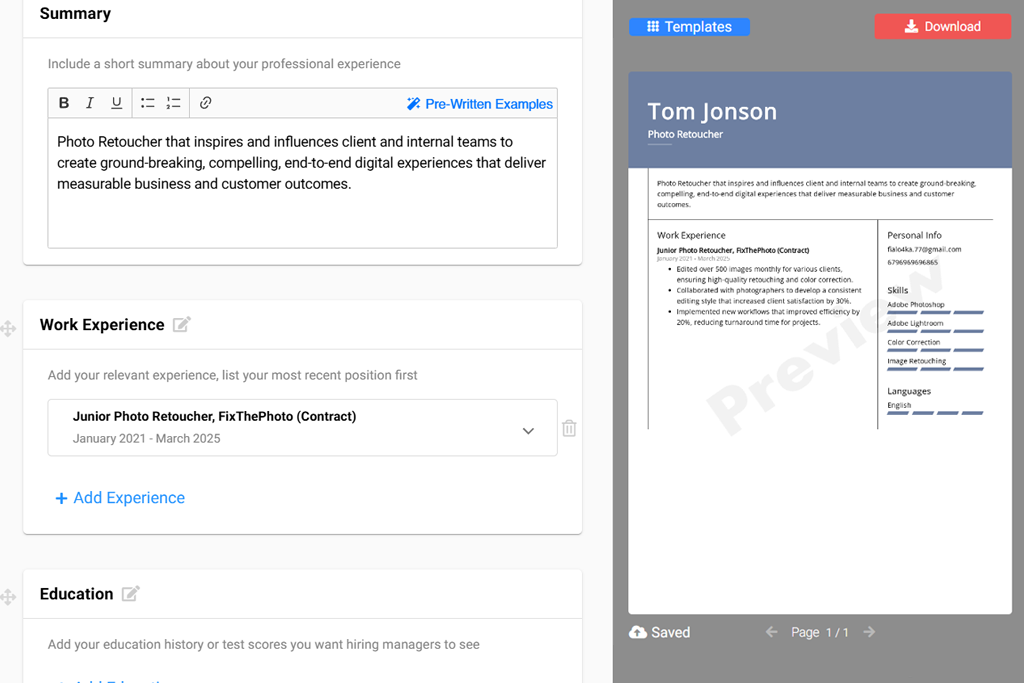
I first entered my client projects and exhibitions. Based on that, the AI reorganized my achievements into a clear timeline and pushed the most impactful work to the front. It also produced a clean layout that highlighted my strongest projects and suggested adding links to my photography portfolio.
“It felt like having a personal editor available anytime. It rewrote my statements, pointed out missing skills, and organized everything cleanly. In just minutes, I had versions ready for both ATS systems and client reviews.”

I tested its wording improvements as well. It suggested adding clear numbers, for example, saying “Photographed over 100 events with 99% client satisfaction.” This made my experience sound more trustworthy and solid.
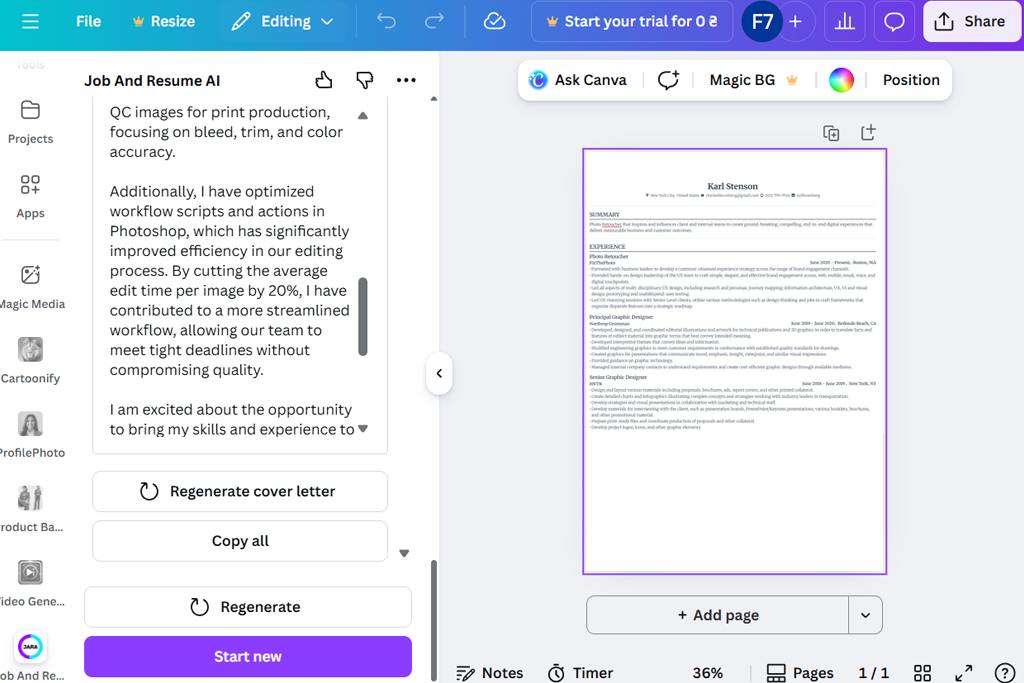
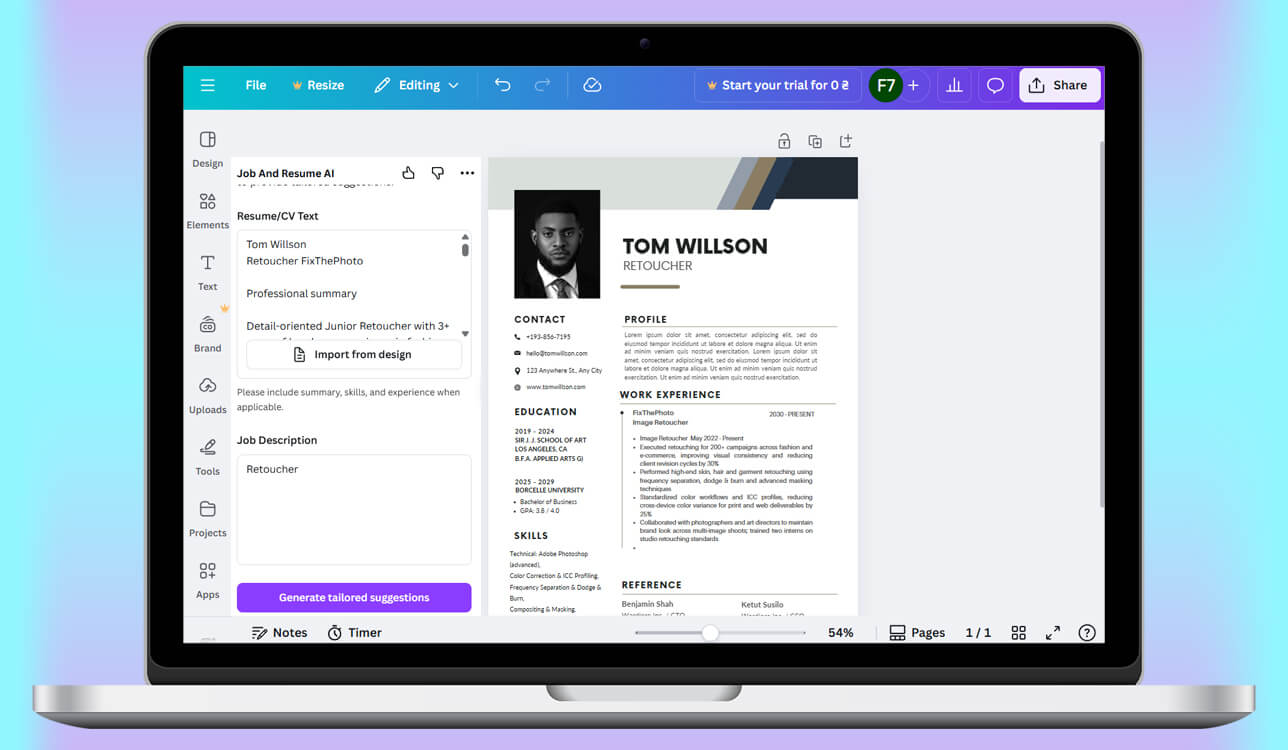
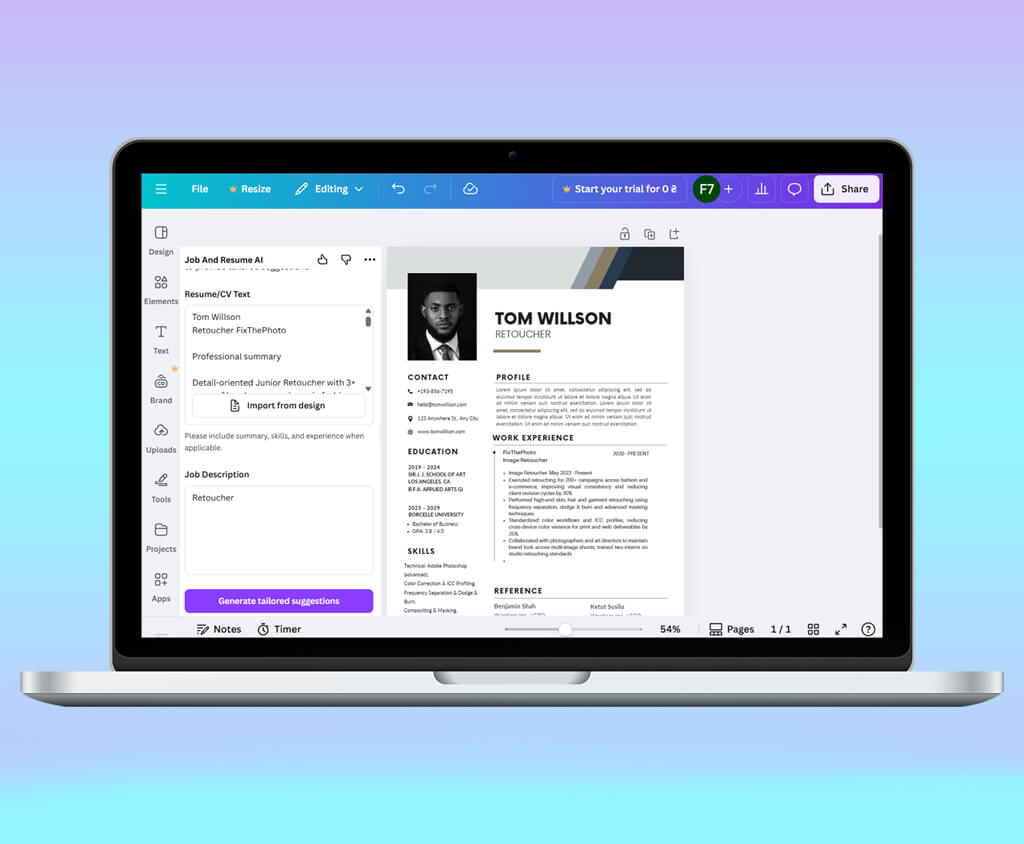
I began by using Canva’s AI help to design a visual resume for my photography work. It recommended clean layouts that let my photos stand out, without filling the page with too much text. The simple drag-and-drop tool made it easy to rearrange sections, so I could make sure my strongest projects were easy to see.
“Perfect for making something that looks impressive. It easily managed portfolio links and project highlights without making the page look messy. The drag-and-drop feature made the whole process incredibly simple.”

Next, I tried its wording and content advice. Canva suggested ways to shorten sentences and use stronger action words, which made my photography campaign descriptions sound clearer and more engaging.
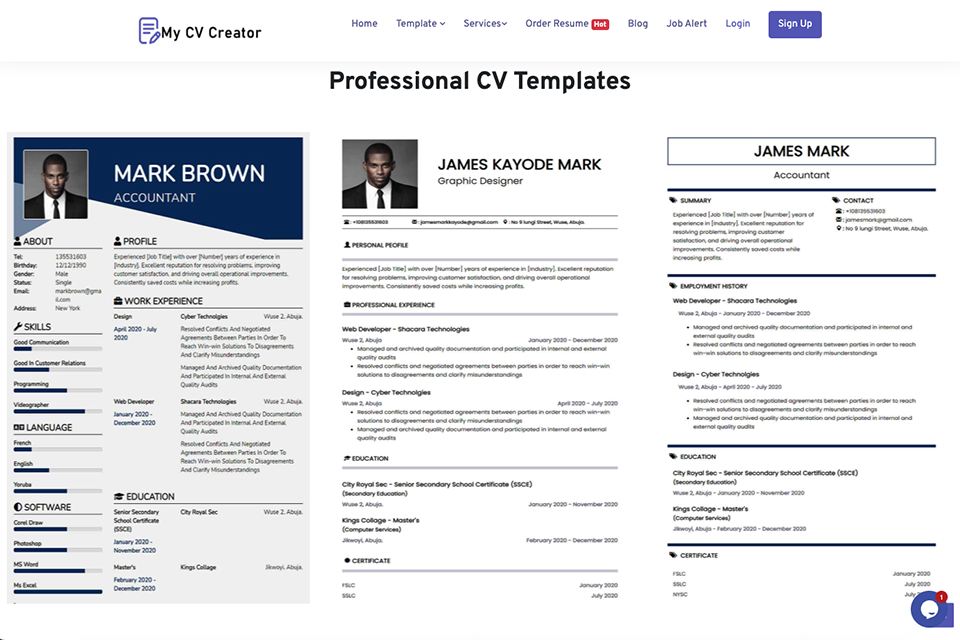
MyCVCreator is an AI resume builder designed to help job seekers create polished, professional resumes with less effort. The platform offers a clear step-by-step process, making it easy for beginners to build, edit, and update their resumes while keeping the design consistent and organized.
“I liked how MyCVCreator structured my resume quickly and kept everything clean and professional. The AI suggestions helped improve my descriptions without extra effort”
When I tested MyCVCreator, I added photography projects, freelance work, portfolio links, and notable clients. The builder quickly suggested a professional structure and helped present my experience in a stronger way.
The AI also made it easier to identify achievements worth highlighting and improve how they were written. Overall, MyCVCreator is a practical choice for anyone looking for an AI resume builder that combines ease of use, professional formatting, and helpful writing support.
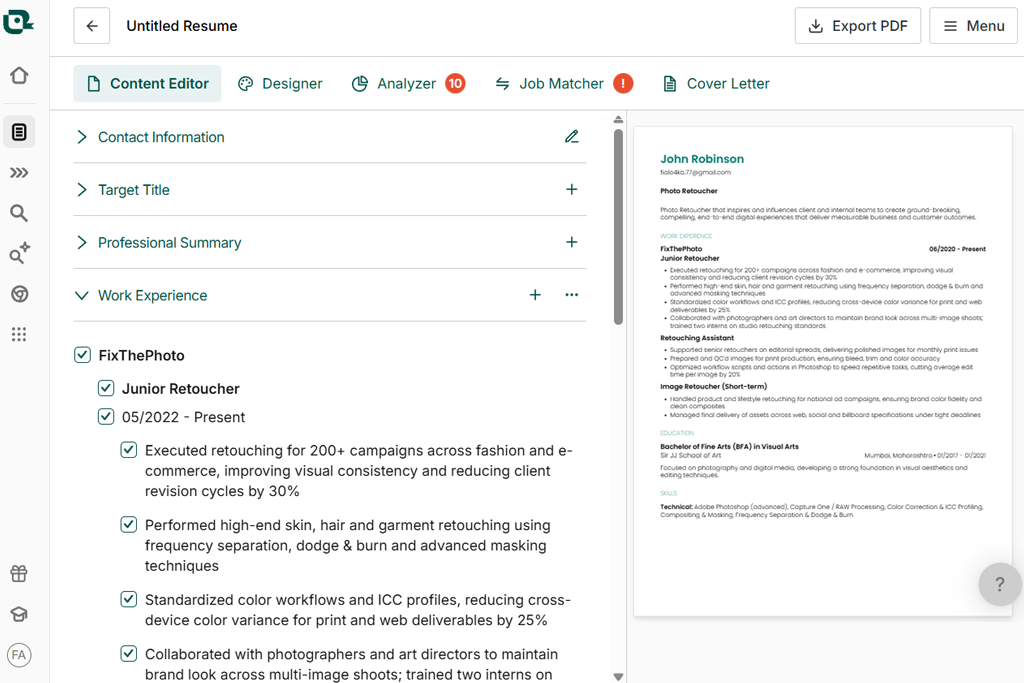
I began by adding my freelance photography work and client projects. Teal quickly recommended reorganizing sections to focus on achievements instead of daily tasks, which made my resume more engaging. It suggested highlighting clear results, like increased social media engagement from my campaigns. The AI resume builder also advised stressing niche skills, such as drone photography and lighting expertise.
“Clear and helpful guidance. It showed me the right sections, pointed out missing skills, and gave role-based tips. I felt in control and supported.”

Then I looked at design and layout tips. Teal’s AI showed me how to use headers and bullet points in a smarter way, which helped my portfolio sections stand out - something that really matters in photography marketing. It also suggested small visual touches that kept the focus on the content.
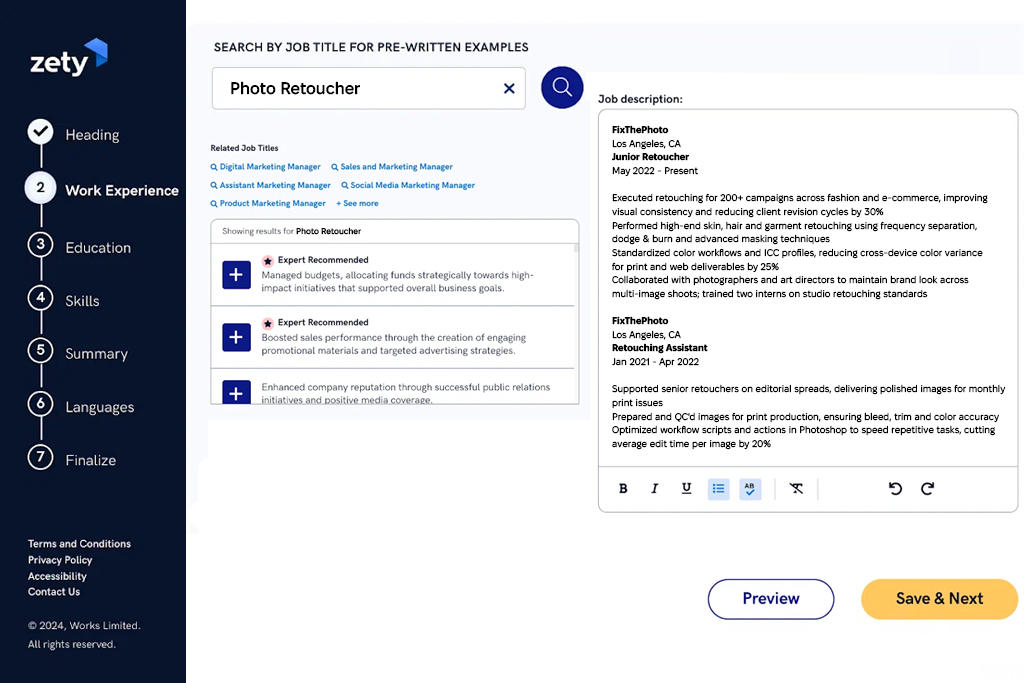
I tried Zety by entering all my past photography projects and freelance jobs. The AI instantly gave me tips to improve how I described my work. It told me to focus on results, like saying I "increased brand visibility through event photography." It helped me add numbers to my achievements and rewrite my bullet points to sound more powerful.
“Polished templates that make your resume look great. It quickly helped me rewrite my work history to stand out and included keywords I had missed.”

The AI resume tool also suggested useful skills and keywords for photography jobs and careers with photography. It highlighted terms like “studio lighting,” “editing software,” and “digital retouching.” This made my resume clear for recruiters and friendly for ATS systems.
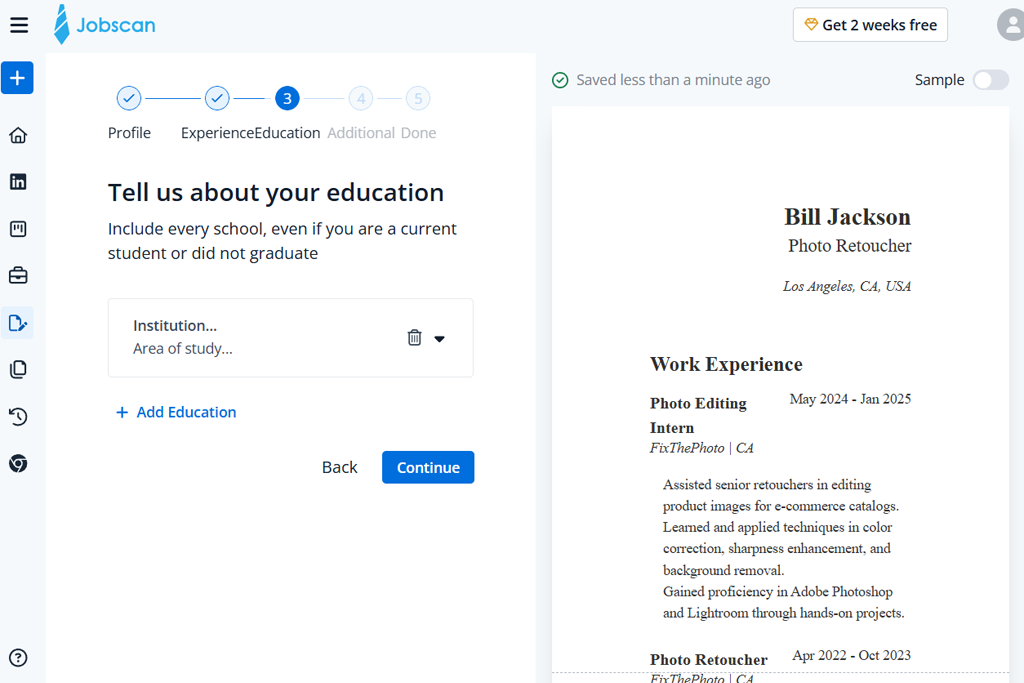
I tried Jobscan to see if it could improve my resume for photography jobs. I uploaded different versions and compared them to actual job postings. The AI pointed out keywords I was missing, suggested skills to include, and gave my resume a score based on how well it would pass through automated screening software.
“I like that it focuses on matching job descriptions. It pointed out missing keywords, suggested ATS improvements, and made online applications much less stressful.”

In the final step, I exported the optimized resumes as PDFs without needing extra free PDF editors and tested them with ATS systems. The match scores with job descriptions were higher, which gave me more confidence when applying. Jobscan did a great job of keeping resumes easy to read while also working well with automated systems.
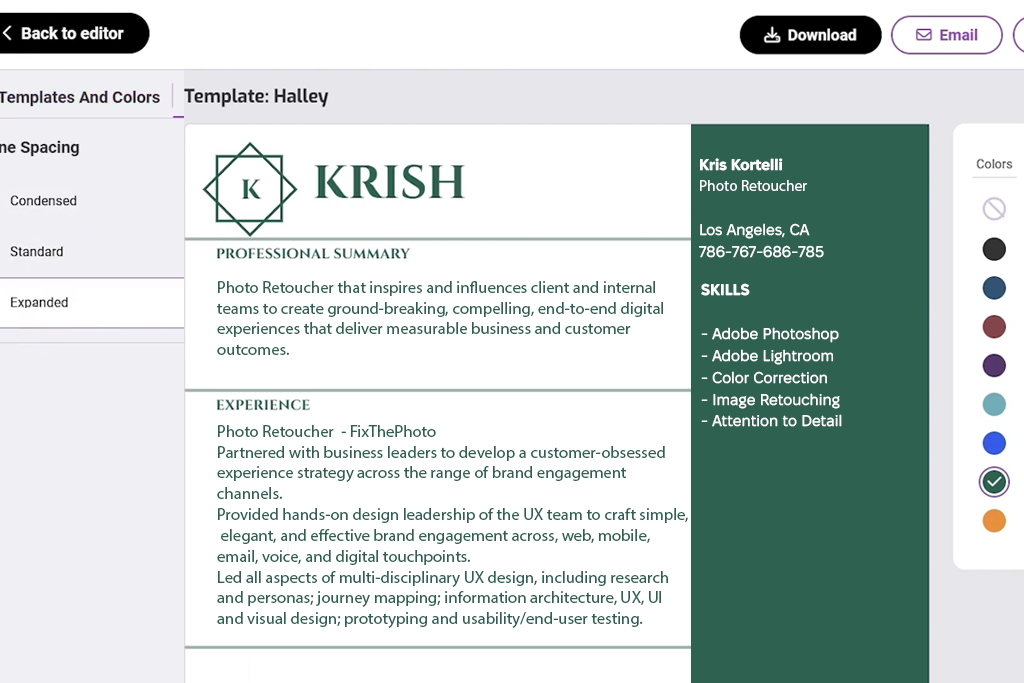
I began by adding all my photography projects and freelance work. Resume Nerd quickly recommended a clear layout and pointed out achievements I might have missed. The AI also gave advice on how to highlight my portfolio links and well-known clients.
“Great for organizing creative and freelance work. It made my achievements stand out without clutter, and exporting was smooth. Made me feel professional.”

Next, I tried its content tips. It suggested clearer and stronger wording, turning basic descriptions into real results. For example, “photographed weddings and events” was changed to “shot over 50 weddings with 98% client satisfaction.”
To run a complete test, our team (Julia Newman, Tani Adams, and Tati Tailor) gathered real resumes. We collected them from past clients who were photographers, graphic designers, content creators, and marketing specialists. We made sure to include both polished resumes and rough drafts. This way, we could see how well AI resume tools improved resumes for different professions and experience levels.
We organized our testing process around three main areas: improving content, optimizing keywords, and refining layout. First, we looked at content and how the AI rewrote experience sections, suggested stronger action words, and brought achievements forward.
For example, a resume that originally said “photographed events” was upgraded to “covered more than 50 professional events with 98% client satisfaction,” which made the experience sound clearer and more impactful.
We also tested creative wording for portfolio projects. For example, “worked on marketing campaigns” was rewritten as “created strong visual stories for well-known brand campaigns,” which made the work sound more impressive to recruiters.
Next, we reviewed keyword optimization, which is key for getting through ATS systems. We added job descriptions for roles such as social media photographer, content creator, and visual designer, then watched how each AI tool recommended the most relevant keywords.
Some tools, including Rezi and Jobscan, pointed out missing phrases like “digital retouching,” “studio lighting,” and “campaign photography,” and suggested adding them to the experience sections. This made sure the resumes stayed clear for recruiters while also meeting the requirements of automated screening systems.
The third focus area was layout and formatting. We checked how well each tool could create clean, professional, and easy-to-read designs. Canva stood out with eye-catching resumes that showcased portfolio links and images, while Adobe Acrobat and Enhancv focused more on clear, well-balanced layouts with a professional look.
We also tested export options, including PDFs for printing, online-friendly files for sharing with clients, and ATS-ready text formats. For example, a marketing content creator’s resume exported from Zety kept clean bullet points and correct alignment, so it was ready to send right away.
To reflect real-life use cases, we carried out practical tests using multiple job listings. For each role, we submitted applications with resumes created or refined by different AI resume builders and tracked responses related to readability, layout, and how well keywords matched the job requirements.
Resumes optimized with ResumeCoach and Resume Worded performed better in ATS-style screenings, while design-focused resumes made with Canva and Enhancv stood out to creative employers thanks to their strong visuals and built-in portfolio features. We also measured efficiency and found that some platforms could turn rough notes into a complete, job-ready resume in less than 20 minutes.
The findings were very insightful. Every tool stood out in its own way: Adobe Acrobat helped refine wording and improve layout details, Rezi and Jobscan were especially strong at boosting ATS compatibility, while Canva and Enhancv delivered eye-catching resume designs that work well for creative roles.




![7 Best Websites for Painters in {{%year}} [Portfolios & Sales]](http://fixthephoto.com/blog/images/gallery/news_main__preview_28423.jpg)


![9 Best Ghibli AI Generators in {{%year}} [100% FREE]](http://fixthephoto.com/blog/images/gallery/news_main__preview_28431.jpg)
![7 Best AI Wallpaper Generator Tools in {{%year}} [Reviewed & Tested]](http://fixthephoto.com/blog/images/gallery/news_main__preview_28192.jpg)



















