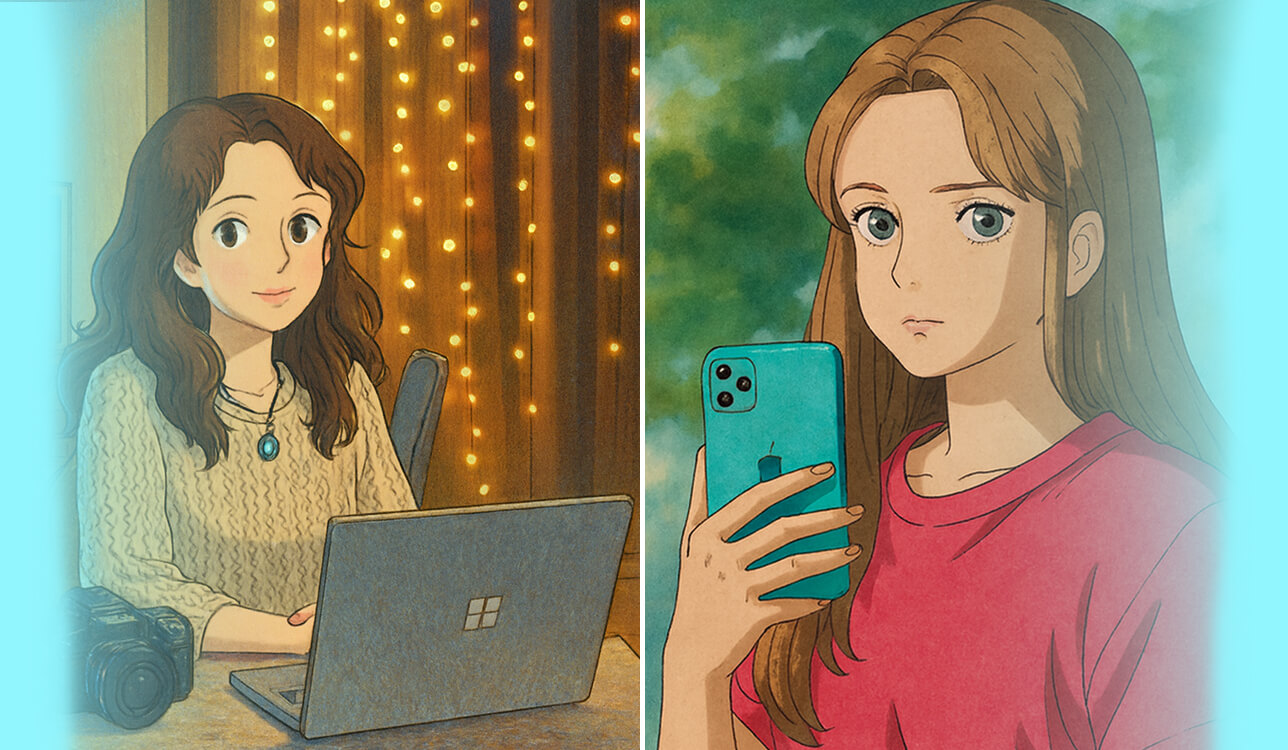
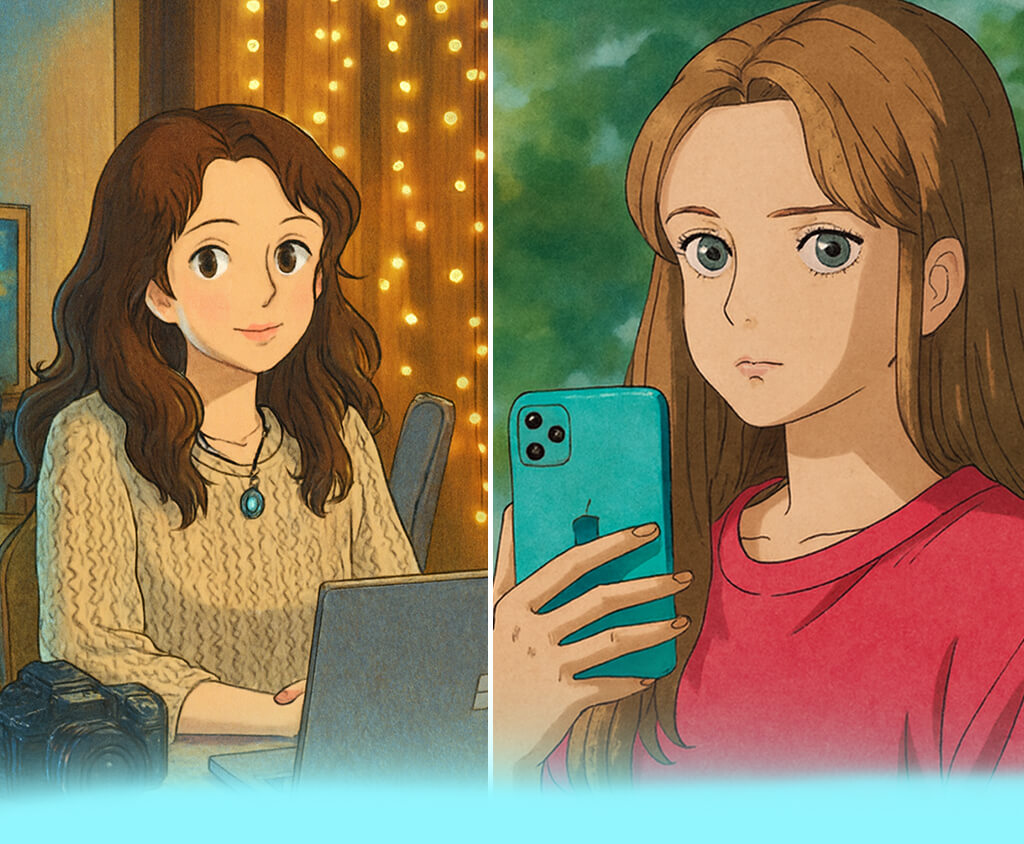
I decided to find the best Ghibli AI generators because I often need such software when working on my projects at FixThePhoto. I mostly work as a photographer and retoucher, and often test AI tools to find solutions that could help me streamline my workflow. However, this time, I decided to choose a suitable tool for a personal project.
As our Christmas corporate party was coming, I decided to convert the photos of my team into Ghibli-style illustrations. While initially this idea seemed to be fun, I spent a lot of time testing 15+ Ghibli AI generators to see which options would allow me to choose the desired style settings, try out various prompts, and convert a photo to Ghibli AI portraits.
After thorough testing, I discovered that Studio Ghibli’s signature style is all about a certain atmosphere and emotion. It’s always better to prioritize authenticity to generate Ghibli-inspired results.
Core style phrases. When using a Ghibli style AI generator, it’s important to choose the right wording to create text prompts that will allow you to generate better outputs. I used the following phrases to achieve authentic results:
There is no need to write complex prompts. Combine 2-3 of these phrases and describe the scene you want to create to achieve the best results.
Visual descriptors that allow generating better images. Use certain visual cues to help the AI understand how to recreate the Ghibli aesthetic:
When using a Ghibli style photo generator, provide some information about the desired composition, lighting, and mood. Avoid restricting the AI by asking it to generate something too specific.
Avoid terms like. It’s better to avoid using certain keywords, as they do not associate with the Ghibli style. If you use them, an AI Ghibli art generator may produce generic anime illustrations or realistic digital artworks. Here are some of the examples you should stay clear of:
When a person uses some of these terms, lighting may become too harsh. Facial features will be excessively exaggerated, and textures will look artificial, making it impossible to generate images with a soft, hand-drawn feel.
Price: Free (limited generative credits) or $9.99/per month
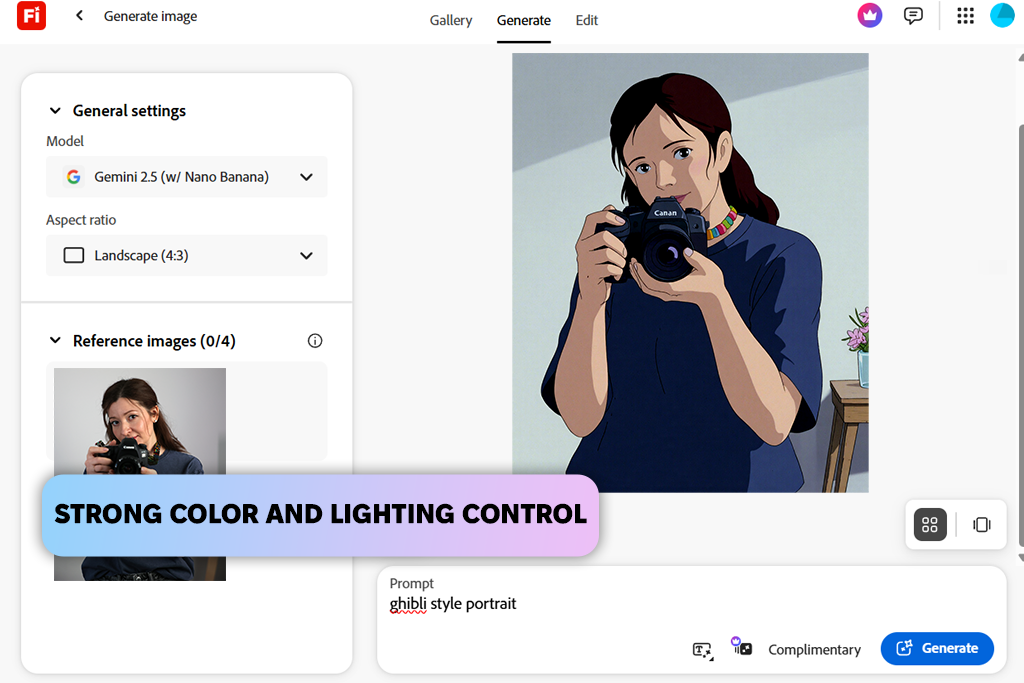
Adobe Firefly is a powerful AI image generator with many advanced features. This is why it’s often used by creative professionals who want to find the best Ghibli AI generator. I decided to use it to see whether it will generate high-quality illustrations in the Ghibli style that will have a hand-drawn look.
I mostly used this software to generate illustrations based on portrait and lifestyle photos. I wanted to see whether it would preserve facial features, create stylized backgrounds, and add soft colors. This Ghibli style AI generator handled these tasks perfectly. I experimented with different prompt lengths, changed style intensity, and compared different outputs.
I used this prompt to generate one of my illustrations: “Portrait in Studio Ghibli style, subtle watercolor shading, warm pastel hues, soft lighting, expressive eyes, hand-drawn animation effect.” Firefly generated pictures with nice color transitions, magical lighting, and well-balanced compositions. The faces were easy to recognize.
You can quickly adjust styles and preview the outputs in real time. However, while Firefly often produces professional outputs, its style can be characterized as illustrated realism. This software is perfect for recreating environmental scenes with half-body portraits. You will need to fine-tune your prompts to achieve unique results.
“I was impressed that Firefly interprets prompts with high accuracy and allows users to upload reference images. It allows me to create visuals in the Ghibli style quickly.”

Price: Free or from $20/per month
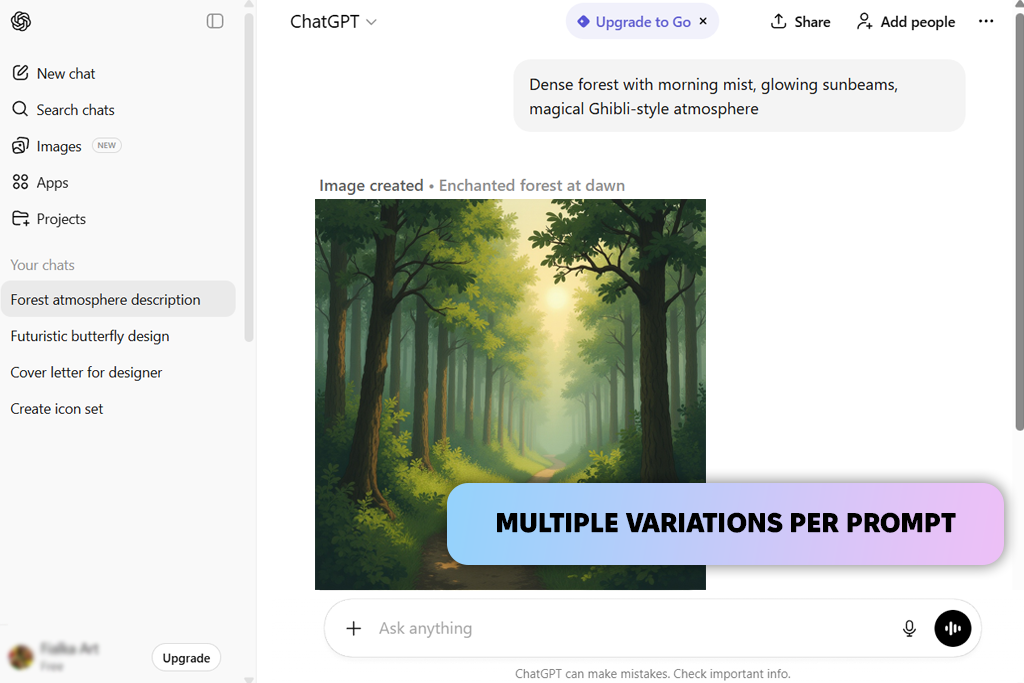
I decided to test ChatGPT with DALL-E 3 (via GPT-4o) to see whether it could be used as a free Ghibli AI generator. I was pleased with the excellent quality and consistency of outputs. It allowed me to generate lovely illustrations that looked as if they were hand-drawn. They had warm lighting and welcoming atmospheres.
When testing this AI software, I used several prompts. I asked it to create a picture with “Dense forest with morning mist, sunbeams, Ghibli-style atmosphere.” In addition, I uploaded reference images. Using the chat interface, I was able to quickly make the necessary adjustments and create different variations of my images.
This Ghibli AI photo editor and generator is equally suitable for creating full scenes and portraits. Another advantage of this solution is that it allows users to edit and improve results via chat. Kate, my colleague from FixThePhoto, discovered that some backgrounds became overly simplified. The visuals generated in the Ghibli-inspired style often require additional fine-tuning.
Price: Free (with watermark) or $4.16/per month
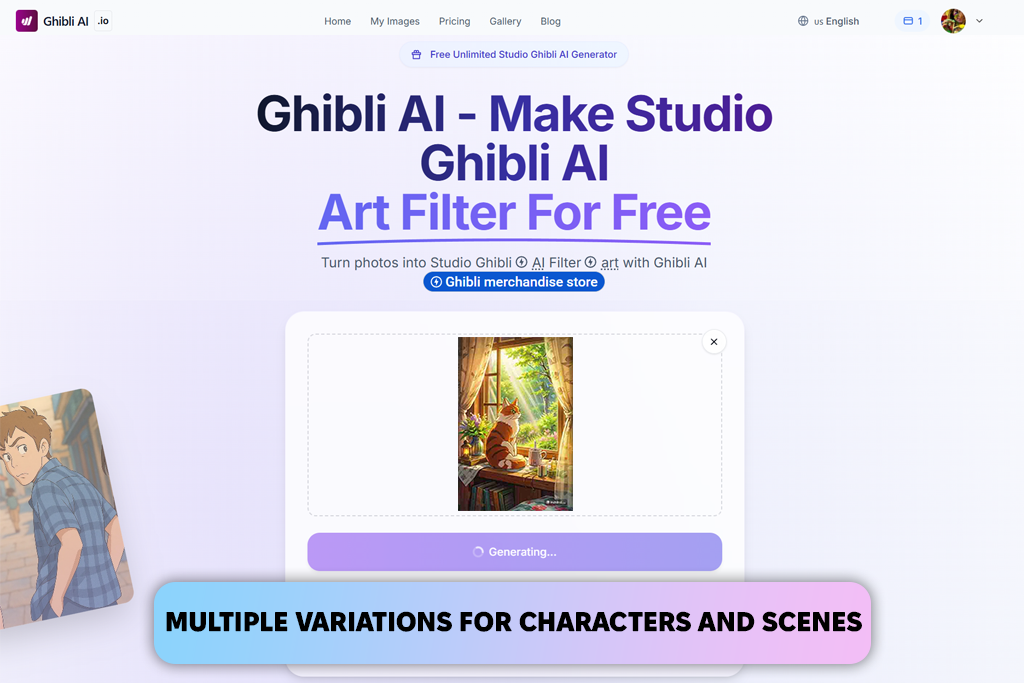
Ghibli AI comes with a set of advanced tools that allow users to create Ghibli-style artwork based on regular photos. When I started to test this AI art prompt generator, I uploaded portraits and lifestyle photos, selected suitable style preferences, and indicated that I wanted to generate pictures in the style of Spirited Away and My Neighbor Totoro.
When working on one illustration, I used the following prompt: “A cat sitting by a window, in the sunlight streaming in through it, storybook Ghibli style, subtle lighting, and warm hues.” I decided to use reference pictures to ensure that the characters will stay recognizable.
The interface is extremely streamlined, which allows me to adjust facial features and expressions, clothing, poses, and scene elements with ease. This service allows users to create multiple variations of each character or background. Its AI tools support multi-layer generation.
This Studio Ghibli AI generator is suitable for converting portraits and landscape photos into stylized scenes. Besides, it supports text-to-image conversion. The only shortcoming that I have discovered is that it makes scenes with many people or complex poses less detailed.
“The key advantage of this service is that it has style presets for various Ghibli films, which allows me to turn my illustrations into beautiful pictures in Miyazaki’s style.”

Price: Free or $9.99/per month
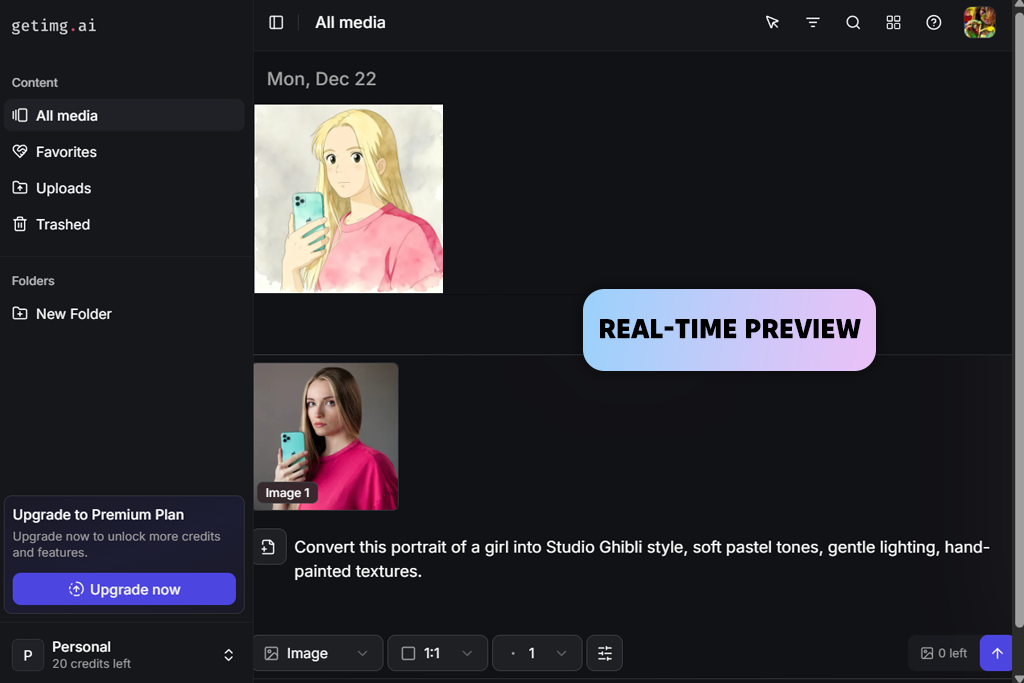
Getimg AI is a well-known Ghibli-style photo generator, designed to turn regular pictures into hand-drawn illustrations in Miyazaki’s style. I decided to test this generative AI tool by uploading casual pictures and portraits. I wanted to test the available tools that allow users to convert photos into Ghibli pictures and use text prompts to produce pics.
I used the following prompt: “Turn this portrait of a girl into a picture in the Studio Ghibli style, with soft pastel hues, soft lighting, and hand-painted textures.” I also decided to utilize AI Image References to generate images in a consistent style. Users can upload images with ease, change prompts, and produce several images from a browser.
I was impressed with the speed and flexibility of this service. It allows you to create multiple variations of the scene with different backgrounds or produce original characters. The AI tools allow you to convert portraits and landscape photos into consistent images.
However, I noticed some problems when working on complex scenes with many characters. Besides, it took me several attempts to adjust poses and expressions.
Price: Free or $3.33/per month
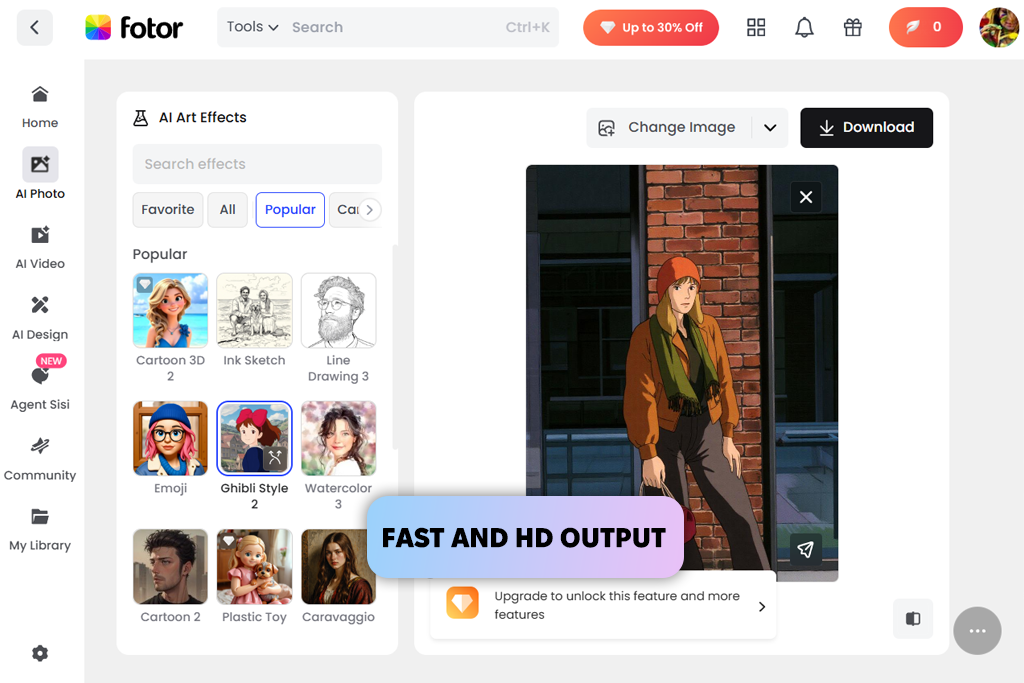
I decided to test Fotor to learn whether it could be used as a Ghibli animation style generator. With it, I was able to convert my illustrations into Ghibli artworks with ease. It’s suitable for generating Ghibli-style pictures of pets, portraits, landscapes, and even memes. All images look as if they were drawn by real artists. I uploaded various pictures to test out the automated tools.
Besides, I tried using elaborate text prompts. For instance, I asked this service to perform the following task: “Convert this portrait into a Miyazaki-style image with soft lighting, hand-drawn textures, and slight watercolor shading. The character should have expressive eyes.”
I tested several formats, including JPG, PNG, and WebP. The conversion process was quite simple. As a result, this service produced an output of high quality. It kept facial features recognizable. Each generated image looked like an illustration produced by Studio Ghibli artists. This AI tool is suitable for creating pictures with single characters and full scenes.
However, I noticed some shortcomings when working on complex scenes. Some details were blurry. Besides, I had to use text prompts after the automatic conversion to stylize outcomes.
“The Ghibli filter available in Fotor will appeal to novice users. It’s enough to upload an image, click on it, and get outputs that look like storybook illustrations.”
Price: Free (with watermark) or $6.99/per month
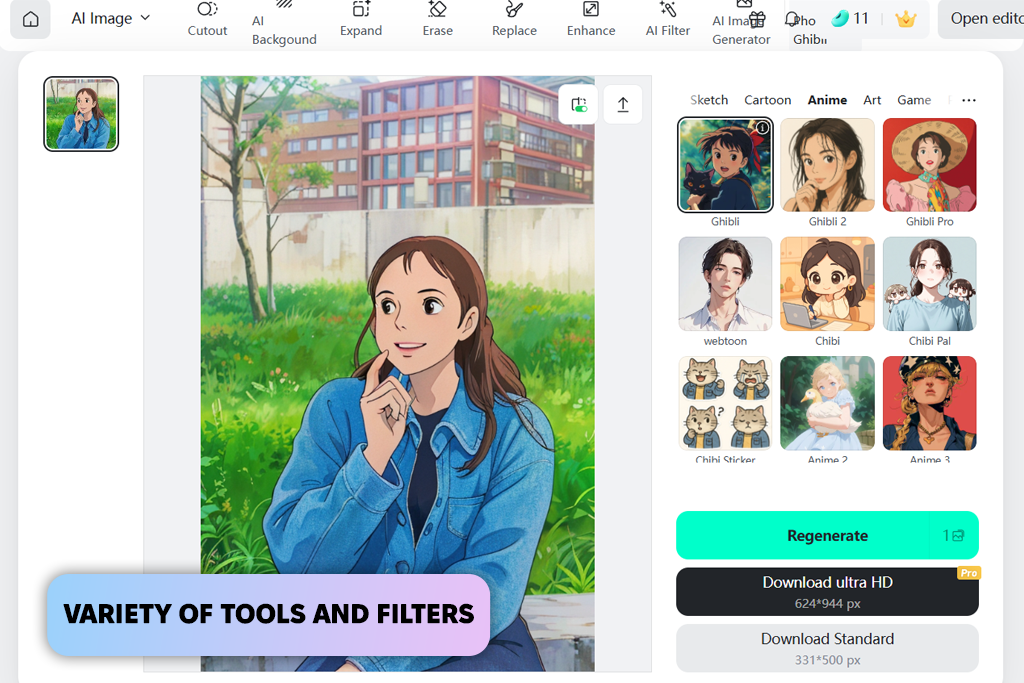
insMind is a powerful service that allows me to generate illustrations in the Ghibli style that look as if they were hand-drawn. I used it to generate new images based on portraits, landscapes, and pet photos. I uploaded reference pictures to achieve better style consistency.
Facial features were easy to recognize, the colors looked soft and realistic, and landscapes looked like backgrounds from Ghibli animations. However, it was difficult to adjust poses or generate pictures with the right character expressions on the first try, as this service does not support extensive customization.
Price: Free (50 credits) or $6.99/per month
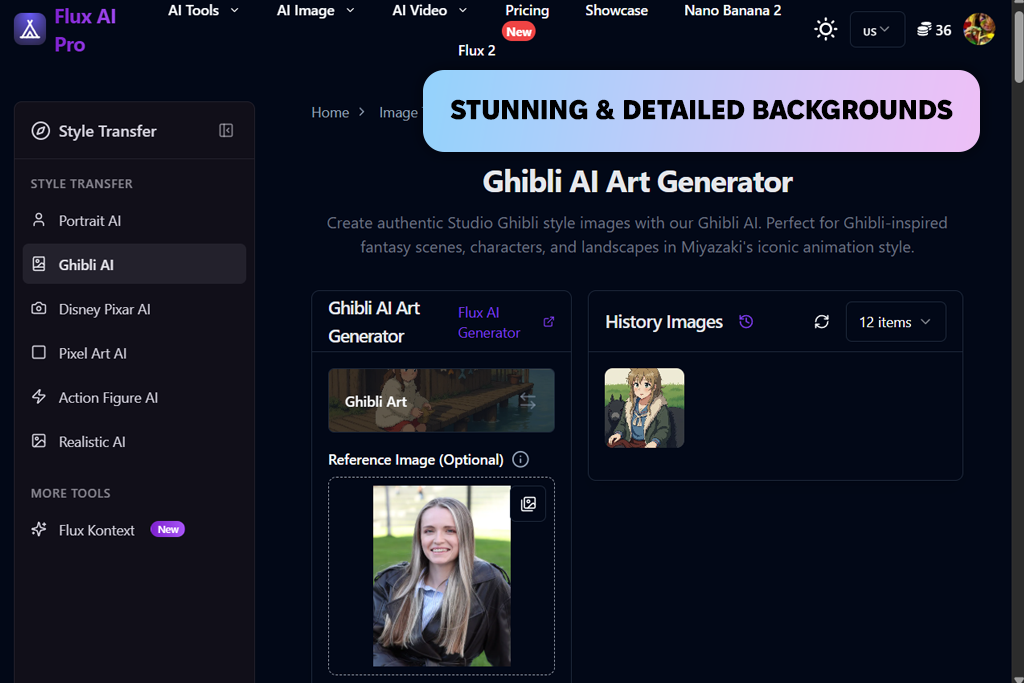
When testing Flux AI Pro as Ghibli AI tool, I experimented with various prompts and types of images. When working on some projects, I decided to upload samples. You can drag and paste images, specify the number of outputs, and choose the most suitable modes. You may specify inference steps, seeds, and content filters.
I liked that this service has real-time previews. This feature helped me test different versions of outputs and generate better images. Faces were recognizable. Colors and lighting were perfectly balanced. As a result, the backgrounds looked carefully elaborated and enticing, as if they were hand-drawn for storybooks.
Using subtle artistic descriptors helped me make my outputs more unique. The only shortcoming of this AI art generator is that its advanced settings are difficult to master. The free version is quite limited. You may also notice some inaccuracies when trying to create complex details.
“With the help of this platform, I can generate new Ghibli-style images based on my pictures and further enhance them using various artistic effects.”
Price: Free (40 trial credits for 7 days) or $14/per month
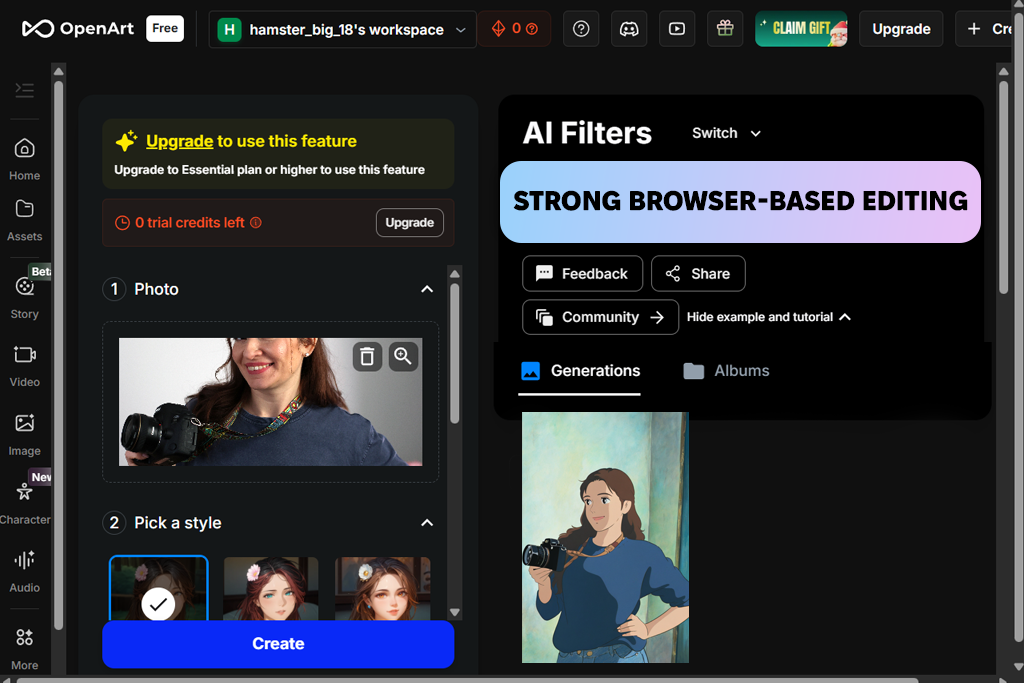
When I decided to test OpenArt AI, I applied the available Ghibli filter to various pics, from close-up portraits to landscape photos. After uploading my images and choosing a suitable filter, I selected the desired creativity level and generated multiple versions. I tested some subtle prompts to experiment with different facial expressions, lighting, and backgrounds.
This free Ghibli AI generator has a streamlined, intuitive UI, making it perfect for novices. Faces were easy to recognize, backgrounds looked as if they were painted by storybook illustrators manually, and the outputs recreated the aesthetics of Studio Ghibli perfectly.
However, the quality of the produced outputs is not consistent enough. When working on complex tasks, I noticed that some images were distorted.
Price: Free or $9.99/per month
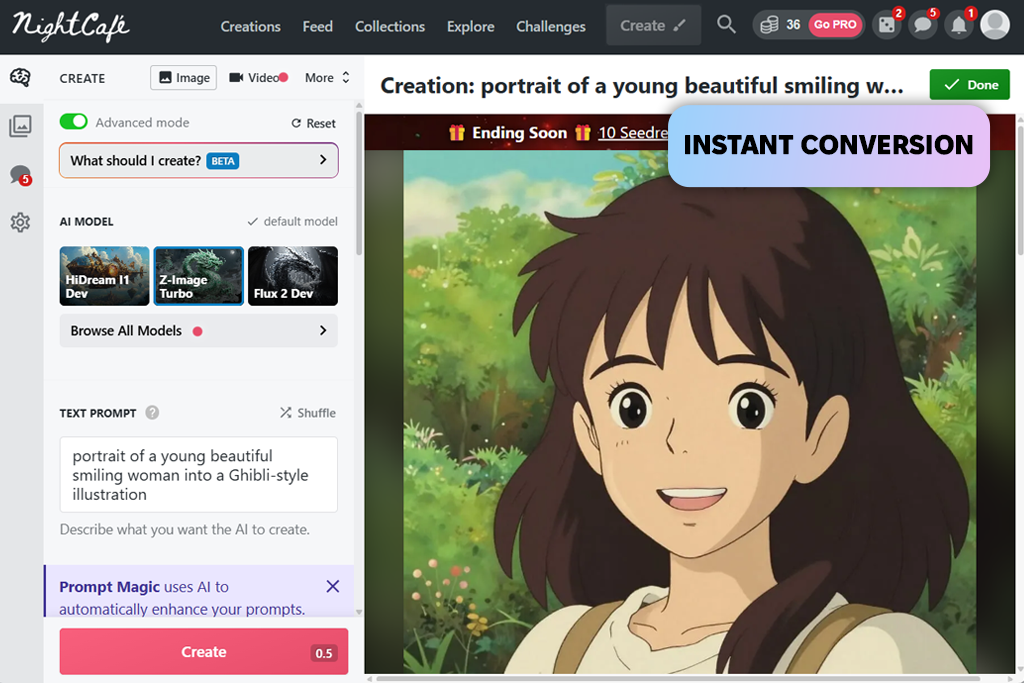
NightCafe makes it easy to convert regular images into beautiful Ghibli-style art. I decided to test this AI tool for designers to convert portraits and various imaginative scenes into Miyazaki images. I started by creating prompts. I also made some references to certain Ghibli films.
This Ghibli Art AI Generator has an intuitive interface, making it suitable even for beginners. You just need to enter a prompt, choose a suitable AI model, and click the “Generate” button. This service produces outputs quickly, which allows you to download and share high-quality images without delays.
As a result, faces and characters were easy to recognize, while landscapes looked like illustrations from storybooks. Nonetheless, outputs are occasionally inconsistent. Faces might look distorted, while some details might look strange.
“NightCafe allows users to generate lovely Ghibli-style illustrations with subtle textures and gentle lighting, making it perfect for portraits and landscapes.”
Most services use trained AI models to analyze thousands of references. Upload a picture or write a text prompt to create a Ghibli-themed illustration with certain colors, lighting, and textures.
Yes. Many Ghibli style AI generators like Getimg AI and Fotor allow user to conver photos to artwork. Upload a photo, apply the filter, and the AI transforms it into a hand-drawn illustration.
Portraits, half-body pics, and images with simple backgrounds are best suited for this task. You can also convert landscapes and cityscapes. Complex scenes may require multiple attempts.
Use words like soft lighting, pastel hues, magical atmosphere, hand-drawn animation, or fantasy landscapes. Specify mood and time of day to achieve better results.
Solutions like OpenArt AI and Flux AI Pro allow one to choose a style based on a certain movie. It will allow you to choose suitable color palettes, character design, and environment elements.
AI has issues with facial symmetry, expressions, and hands. Use simple photos, upload reference pics, and write detailed prompts to avoid common problems.
Not quite. Ghibli style is all about warmth, natural hues, and detailed environments. General anime AI highlights sharp lines, bold colors, and stylized characters.
As I wanted to write a thorough review, I decided to test dozens of Ghibli style AI generators to see whether they would be able to recreate the soft, elaborate aesthetics Studio Ghibli is known for. Even though many services entice users by promising to produce authentic illustrations, only some of them actually deliver on their promises.
We decided against including some widely used services in this review, including popular solutions as Pixelbin, Grok, Midjourney, Leonardo AI, and Artbreeder. They have a limited choice of tools that allow users to recreate Ghibli aesthetics. Many of them are difficult to master, have limited free versions, and fail to produce consistent results.
As I wanted to conduct an unbiased assessment, I used the same testing method when using every service. Here are the main things I tested:
When I adopted this thorough approach, it helped me prioritize the practical use of my images instead of focusing on how visually enticing they are. Ghibli style AI generators allow me to produce consistently professional outputs instead of generating basic anime-style images.



![How to Remove Emoji from Photo for Free [9 Apps Tested]](http://fixthephoto.com/blog/images/gallery/news_main__preview_27775.png)

![7 Best AI Background Generators [Real Tests]](http://fixthephoto.com/blog/images/gallery/news_main__preview_28187.jpg)
![7 Best AI Font Generators in {{%year}} [+Test Results]](http://fixthephoto.com/blog/images/gallery/news_main__preview_27830.jpg)
![Stable Diffusion Alternatives [1 Prompt – 9 Competitors]](http://fixthephoto.com/blog/images/gallery/news_main__preview_28384.jpg)
![Blush Filter: Add Blushing to Photo Online [FREE]](http://fixthephoto.com/blog/images/gallery/news_main__preview_27728.png)
![7 Best AI Icon Generators [Not for Designers Only]](http://fixthephoto.com/blog/images/gallery/news_main__preview_27831.jpg)
![8 Best AI Tattoo Generator Tools [+Good Prompts]](http://fixthephoto.com/blog/images/gallery/news_main__preview_28202.jpg)

















