Working as a graphic designer, I first started to use Stable Diffusion alternatives to discover the solutions that did not require installation and were less resource-intensive. I often use AI image generation tools, as they have become an important part of my daily routine.
At first, I liked using Stable Diffusion. It allows one to generate a variety of creative visuals based on text prompts and control the outputs with high precision. All my colleagues used it as well. However, after testing it many times and trying to adjust our prompts to achieve better results, we discovered that it had some limitations.
While Stable Diffusion runs models locally and allows users to customize the styles to their liking, it has several notable issues that are hard to overlook. We discovered lighting and anatomy issues when working with portraits, noticed some problems with text rendering, and saw undesired objects when trying to create detailed compositions. Besides, this software is difficult to set up and requires extra extensions to achieve professional results.
As AI technology became more advanced, our expectations changed as well. We discovered that there were plenty of alternatives to Stable Diffusion that had more intuitive interfaces, supported high-quality rendering, and had better generation speeds. This is why, together with my colleagues, I decided to analyze information published on Reddit, watch comparison videos available on YouTube, and read Discord chats. As a result, we created a list of competitors and tested 35+ Stable Diffusion alternatives to discover the most reliable options.
We decided to use the same prompt for each AI image generator to achieve consistent results:
“A city with a futuristic feel at sunrise, as seen from a balcony decorated with plants, with cinematic lighting, extremely detailed and realistic.”
This prompt helped us test how a service would handle lighting, texture, perspective, and storytelling.
We wanted to see whether a particular service would be better than Stable Diffusion, so we used the following criteria:
When Stable Diffusion was released back in 2022, many professionals were enamoured with this software. It allowed users to generate high-quality outputs based on text prompts with ease and run models locally instead of paying for pricey servers. Many users wonder: “Is Stable Diffusion open source?” The short answer is “yes.” This free solution opened a lot of creative possibilities, allowing artists to visualize concepts and scenes or experiment with different styles.
However, like many first AI image generators, Stable Diffusion has both advantages and shortcomings:
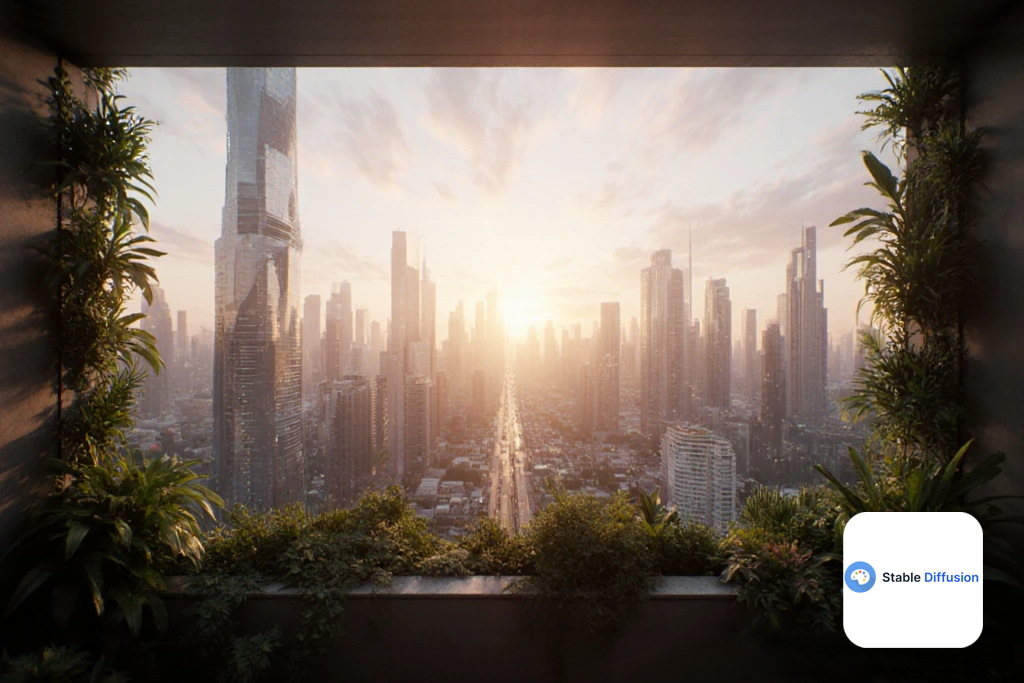
When I used my prompt, Stable Diffusion generated outputs that looked quite attention-grabbing but were a bit outdated.
The lighting was a bit flat, while the architectural details did not look realistic enough. While this software accurately interpreted the idea, it failed to convey the right emotion. The plants on the balcony were blurry and blended with the glass structures, while the textures lacked sharpness. The output looked like an AI image generated back in 2022. While it wasn’t necessarily bad, it looked quite outdated.
After OpenAI’s announcement of DALL·E 3 on September 20, 2023, everything changed overnight. Nowadays, I see many Stable Diffusion competitors that have even more impressive functionality than this software and do not require one to have a high level of technical skills. They allow one to generate creative outputs.
Services like DALL-E 3 and Firefly produce highly realistic visuals, while Midjourney allows one to work on more artistic projects. I believe that soon enough, we won’t even need to tweak prompts or edit the results, as AI tools will be able to interpret our prompts with higher accuracy.
If you are no longer satisfied with Stable Diffusion tools, you can choose a suitable alternative that will become an integral part of your workflow:
If you don’t want to look for a Stable Diffusion source to download this software on your PC, you can replace it with solutions that do not require installation. While this AI image generator still has many uses, it might be better to replace it with more modern and advanced software that delivers faster performance.
At the same time, the future of AI image generation depends not only on models and prompts, but also on training quality. Photo edit DataSets for AI training created from professionally edited images help AI systems better understand realism, lighting, textures, and visual consistency.
As AI tools evolve, high-quality human-edited datasets will play a key role in making generated images look more accurate, natural, and usable in real-world creative workflows.
Best for: Writers, marketers, and illustrators who want narrative-rich, high-accuracy visuals with minimal setup
Ease of use: 9/10 | Speed: Fast | Style variety: High | Prompt enhancement: Excellent | Collaboration: No | Customization: Medium | Detail level: 9/10 | Integration: Bing, ChatGPT
I heard a lot of positive things about DALL-E 3 before I got an opportunity to test it. Many people on Reddit, YouTube, and Discord praised it as the “most human” AI art generator. When OpenAI integrated it into ChatGPT, it became easier to test it. If you compare Stable Diffusion vs DALL-E, you will see that the former might misinterpret subtle prompts while the latter understands context and handles storytelling better than its competitors.
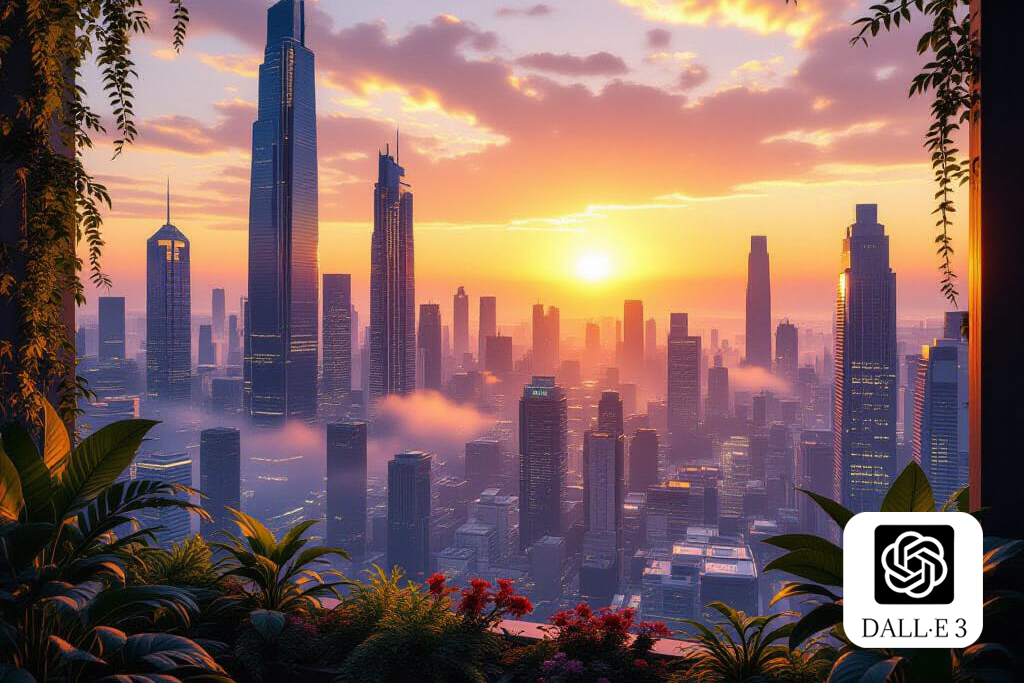
When I tested it using my prompt, I was pleasantly surprised with the result. The scene had a strong cinematic feel about it. Golden light between skyscrapers had a magical look, the reflections were realistic, and small details like potted plants on the balcony rail added to the overall realistic effect. Stable Diffusion can produce similar results, but something will be lacking. DALL-E 3 provides highly accurate interpretations and understands user intent perfectly.
“To get better results, I use long prompts with detailed descriptions. DALL-E 3 produces excellent outputs when one uses context-rich language instead of short phrases.”

The main advantage of this service is that it has advanced text interpretation and image generation capabilities. I prefer to use it when I need to visualize narrative-driven concepts quickly to create visuals for a blog, generate marketing sketches, or create client previews. This tool creates well-balanced compositions that look as if they were created by an art director.
The only shortcoming is that it’s impossible to adjust styles or train custom models. Besides, outputs may look too polished when you try to generate gritty or surreal images. However, this service does not have equals when it comes to the consistency of outputs.
Many users wonder: “Is Stable Diffusion free?” While one can use it without paying a dime for commercial purposes, it’s important to pay for it to generate images for commercial use. Similarly, DALL-E 3 requires a paid subscription to use its functionality to the fullest.
Pricing: Free (ChatGPT Plus access), from $20/mo, from $240/year
Best for: Concept artists and creative professionals who prioritize mood and atmosphere over technical realism
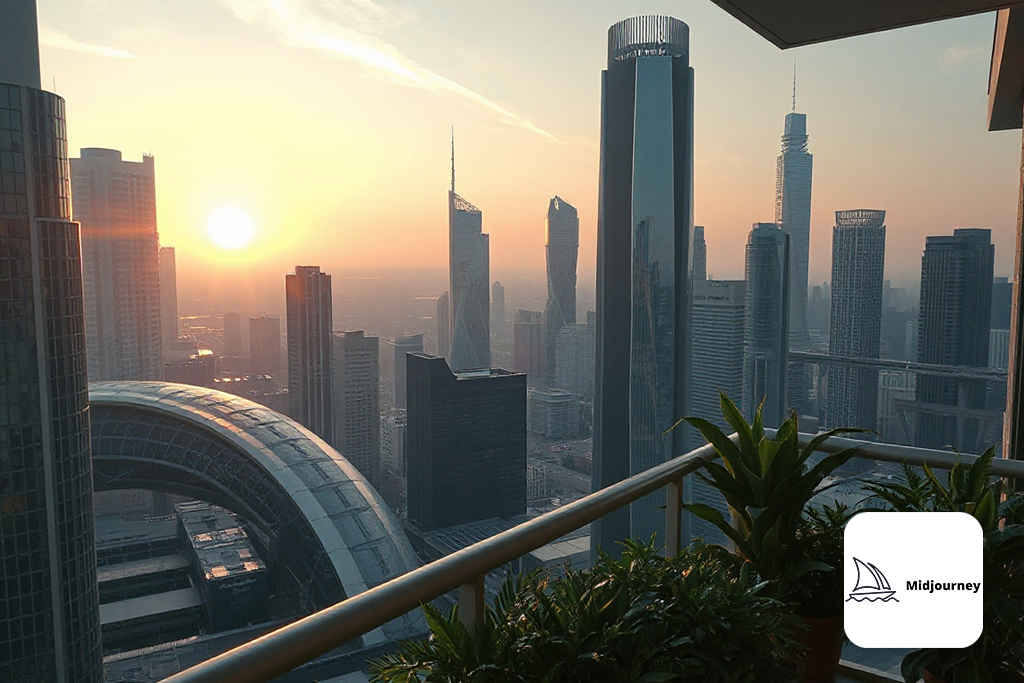
Ease of use: 7/10 | Speed: Medium | Style variety: Very high | Prompt enhancement: Strong | Collaboration: Discord-based | Customization: High | Detail level: 10/10 | Integration: Discord
My colleague designer advised me to take a look at Midjourney and showed me their amazing concept art created in Discord. I’d already used Stable Diffusion when working on all sorts of artistic tasks, but Midjourney felt different and allowed me to create illustrations with a strong cinematic feel and emotional impact.
When I tried generating an image using my prompt, Midjourney created an illustration that looked like a scene from a professional sci-fi movie. The sunlight looked realistic, the balcony plants had a natural feel about them, and the perspective created a compelling effect. Generative AI Stable Diffusion tools can’t produce outputs of the same level. The images generated with their help require professional post-processing.
“I often utilize “--ar” (aspect ratio) and “--v” (version) commands to try out different composition styles and compare different outputs.”

The key advantage of Midjourney is that it has impressive aesthetic intelligence capabilities. When interpreting a prompt, it subtly improves it. This capacity makes it better than all free Midjourney alternatives. I use it to create concept art, client moodboards, and cinematic key visuals. Besides, I learn a lot of new things when reading about other people’s experiments with prompts on Discord.
This solution has its disadvantages as well. The Discord UI may seem a bit convoluted when you start using it. Besides, this service does not allow one to achieve a photorealist effect. However, when you master the ropes, it becomes invaluable.
Pricing: No free tier, from $10/mo, from $96/year
Best for: Designers who use Adobe Creative Cloud software and are looking for a program that integrates with it to achieve professional results
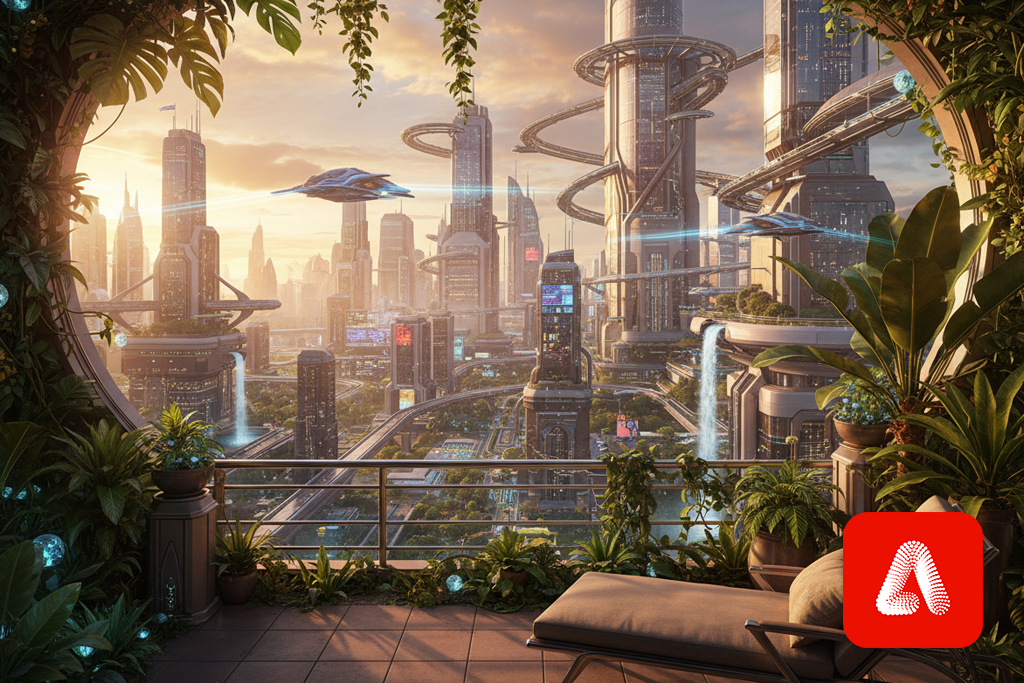
Ease of use: 10/10 | Speed: Fast | Style variety: Medium | Prompt enhancement: Excellent | Collaboration: Team libraries | Customization: Medium | Detail level: 8/10 | Integration: PS, Illustrator
I first heard about Adobe Firefly right after it was released. My colleagues from the FixThePhoto team were discussing this solution and its integration with other Creative Cloud software. As I often use Photoshop, Illustrator, and Lightroom when working on my projects, I decided to give it a try.
“I often use Firefly’s image generation tools with Photoshop’s inpainting features to get more refined outputs. It’s nearly impossible to achieve a similar result in Stable Diffusion without plug-ins.”

While Stable Diffusion open source software may seem too convoluted for newbies, Firefly is better organized. Everything in the studio functions perfectly. The interface is intuitive and easy to use. Besides, the program integrates with other popular apps I often use. I was pleased with “Generative Fill” and “Text to Image” tools. They understand a user’s intent perfectly and generate high-quality outputs.
I used my prompt once again, and Firefly generated a beautiful image. The reflections looked sharp, the soft morning light looked lovely, and the shadows looked perfect. If one compares Stable Diffusion vs Firefly, they will see that the latter generates outputs with fewer artifacts and does not distort buildings and other details.
I often use Firefly when working on moodboards, ads, and compositional previews. Like other Adobe software, it is perfectly suitable for working with colors. The only shortcoming is that it delivers a slower performance than Stable Diffusion. Besides, it adds watermarks to images generated for free.
Pricing: Free with watermark, from $4.99/mo or $59.88/year
Best for: Artists and designers seeking detailed, stylized art with high control and customization
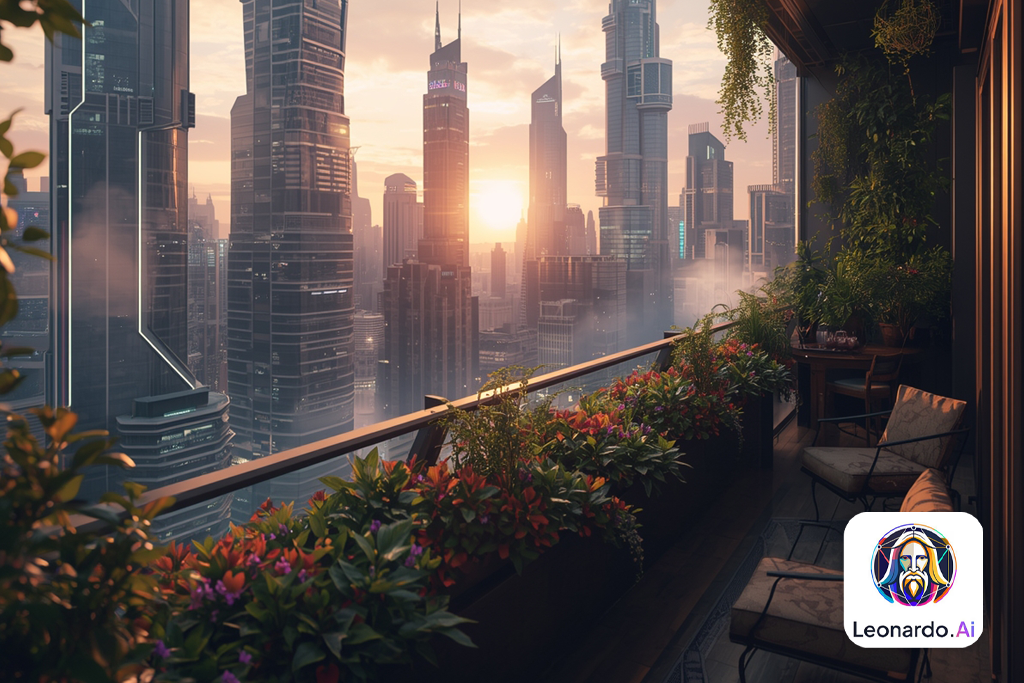
Ease of use: 8/10 | Speed: Medium | Style variety: High | Prompt enhancement: Moderate | Collaboration: No | Customization: High | Detail level: 9/10 | Integration: API
I discovered Leonardo AI when reading a Reddit thread discussing a “prettier” alternative to Stable Diffusion. It got me hooked.
Leonardo AI has a more user-friendly interface. You don’t need to install a lot of plugins. However, it still allows you to customize the output. You can train your models, combine different styles, and use sliders to adjust prompt weights. Is Stable Diffusion AI more powerful? Probably, but Leonardo is a perfect alternative for designers.
“When using Leonardo, I often upload sketches, and this service generates beautiful visuals based on them. In contrast, Stable Diffusion often distorts shapes.”

When I used my test prompt, the output exceeded my expectations. The reflections looked as if they were captured by a camera, with beautiful architectural lines and realistic depth. Stable Diffusion often makes such elements look blurry or flat. As a result, they require extra editing. However, Leonardo handled the task perfectly. This solution recreated realistic plant textures and generated morning fog without any issues.
I now often use Leonardo when working on product concepts, fashion mockups, characters, or environment designs. Texture Generation and Prompt Magic tools make it suitable for many uses. The only shortcoming is that it is still in the development stage. Besides, you will have to wait in a queue unless you pay for a subscription.
Pricing: Free (credit-based), from $10/mo, from $96/year
Best for: Professionals and studios interested in full Stable Diffusion flexibility in the cloud without hardware issues
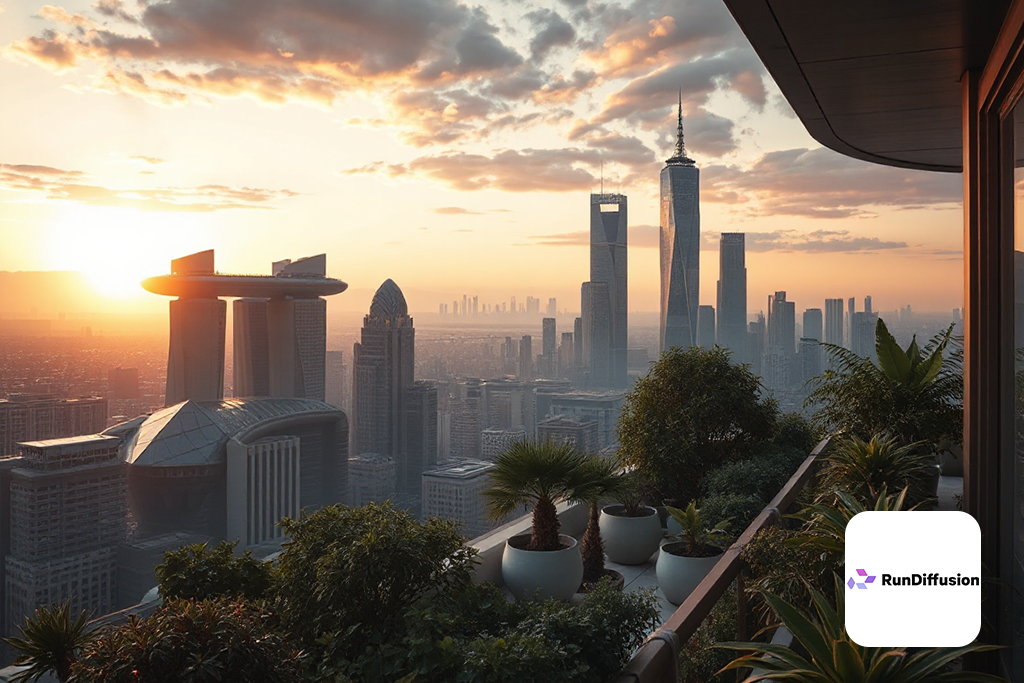
Ease of use: 6/10 | Speed: Depends on plan | Style variety: High | Prompt enhancement: Manual | Collaboration: No | Customization: Very high | Detail level: 10/10 | Integration: SD models
One of my colleagues from my photo editing team advised me to try using RunDiffusion. Many designers who do not have a powerful computer to install Stable Diffusion use this service instead. It runs in the cloud and uses powerful servers to solve resource-intensive tasks. I like using it, as my laptop often overheats when I run big models.
I was able to start using it without delays. After selecting a model, I configured its parameters and generated the output. I did not have to worry about the GPU or install anything on my laptop. It supports ControlNet, LoRA, and other extensions that we use when working on our projects. Summing up, it’s almost the same as Stable Diffusion but without any complications.
“I prefer to use the “Autosave sessions” feature, as it allows me to maintain consistency when reusing my best models and settings in different projects.”

When I tried generating an image using the same prompt as before, the output looked like one of the visuals produced by professional CGI software. Lighting gradients had a soft and nice look, the reflections looked perfectly sharp, and the textures were quite realistic, with a lot of detail. This service delivers a better performance than Stable Diffusion. It can easily beat it in terms of output quality and speed.
I often rely on this AI image generator when working on projects that require large-scale generation. It can create concept batches and print-sized renders. Besides, it’s suitable for model training. While it is quite similar to Stable Diffusion, you won’t have to deal with any technical issues when using it.
The only noticeable shortcoming is that one cannot use the free version for a long time. Besides, it’s less suitable for artistic projects than Midjourney, and its outputs look less professional than the visuals you can create with the help of Firefly.
Pricing: Free trial, from $5/mo, from $60/year
Best for: Beginners and solo creators needing fast, accessible visuals and a friendly UI
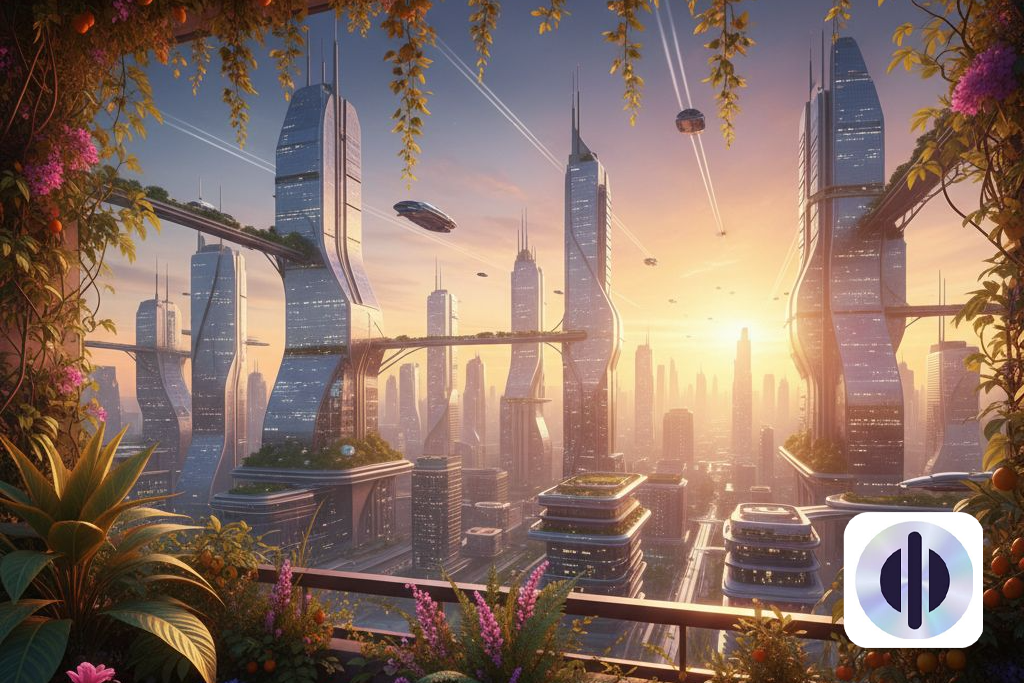
Ease of use: 9/10 | Speed: Fast | Style variety: Medium | Prompt enhancement: Basic | Collaboration: Yes | Customization: Limited | Detail level: 7/10 | Integration: Browser only
A concept artist I know recommended Playground AI to me and told me that this service was quite similar to Stable Diffusion but had more intuitive functionality. This is why I decided to test it on my prompt.
I was pleased with its intuitive interface. While Stable Diffusion has a more convoluted UI that looks like a developer’s sandbox, Playground stands out for its streamlined functionality and feels like an artist’s studio. The interface is quite responsive. Everything works smoothly. Besides, it’s easy to find various features, including model selection options and style guidance.
“I often utilize the “Cinematic Style” mode and tweak the output manually. It allows me to create a model relevant to my prompt and achieve a cinematic effect.”

I was genuinely pleased with the output. This service generated a cityscape with a lovely warm glow, with beautiful reflections on the glass elements of the buildings and realistic botanical elements. Unlike Stable Diffusion, it produced less experimental results that look more consistent. There are fewer distorted objects. Lighting is more balanced, and the edges look smoother.
The key advantage of Playground is that it comes with a set of live editing tools. Using them, one can delete and regenerate certain elements without generating the image anew. It saves me a lot of time and allows me to quickly fix issues with distorted elements or uneven lighting.
There are some shortcomings as well. The free version supports low resolution and a limited number of generations. Even though it produces realistic outputs, its visuals are less creative than the ones you can generate using Stable Diffusion.
Pricing: Free (limited gens/resolution), from $10/mo
Best for: Storytellers, filmmakers, or concept art workflows where context and emotion matter more than accurate details
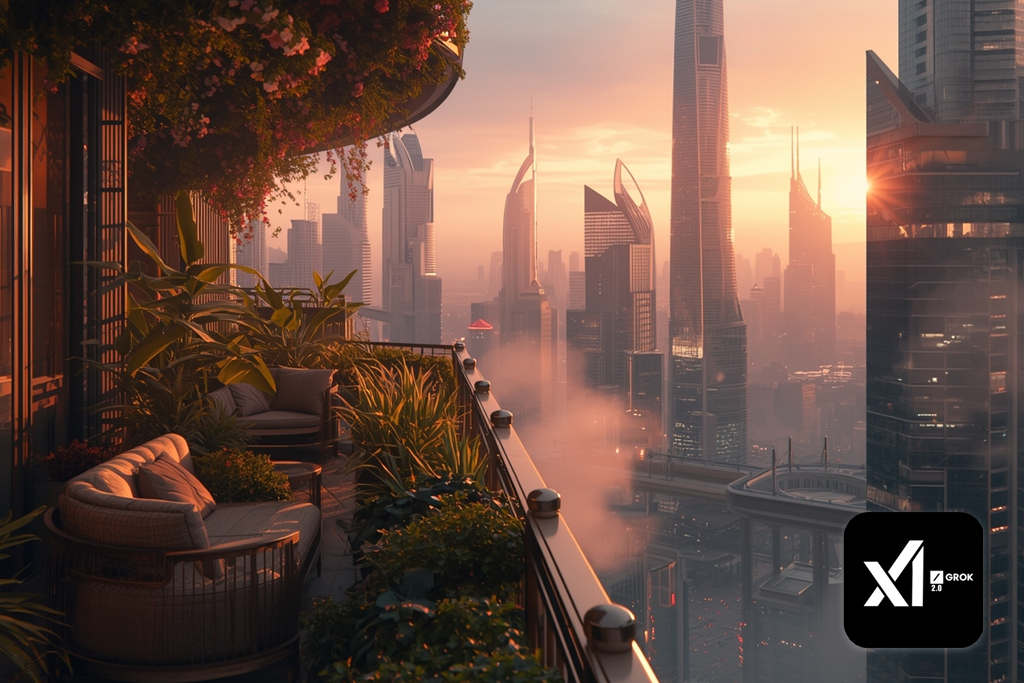
Ease of use: 8/10 | Speed: Fast | Style variety: High | Prompt enhancement: AI-assisted | Collaboration: X platform | Customization: Medium | Detail level: 8/10 | Integration: X (Twitter)
I first heard the Grok 2 Image on X (Twitter) when it was advertised as part of the upcoming Grok AI update. I did not set my expectations high, knowing that social media AI tools have limited functionality. However, I still decided to test it out using my prompt.
The result exceeded my expectations. Grok 2 provided a visually appealing and emotionally filled interpretation of my prompt. The sunrise light looked subtle and nice, like in a movie. The plants were swaying gently, and the city looked busy and animated. While the image was a bit blurry, it has a unique atmosphere. Stable Diffusion sometimes fails to achieve such an effect when it generates overly realistic outputs.
“It’s better to use emotional prompts with a certain narrative. This service will generate better outputs if you use words like “golden hour,” “quiet city,” “hopeful dawn” instead of technical jargon.”

What makes Grok 2 different from Stable Diffusion is that it creates the whole realistic scene instead of rendering objects. While it’s hardly suitable for creating detailed artworks or performing product-rendering tasks, this service is an excellent choice for creating conceptual works or atmospheric illustrations.
The main shortcoming of this service is that it’s impossible to adjust parameters like CFG scale or sampling manually. Everything is generated automatically. However, it makes it suitable for novices who do not want to bother with the technical side and want to generate cinematic imagery without installing professional software.
Pricing: Free (X Premium+ required), from $16/mo
Best for: Product designers and photographers looking for ultra-fast photorealism

Ease of use: 9/10 | Speed: Ultra fast | Style variety: Medium | Prompt enhancement: Context-aware | Collaboration: No | Customization: Low | Detail level: 9/10 | Integration: Google AI Studio
I discovered Gemini Nano Banana almost by accident when I was testing Google’s AI Studio. I performed regular testing tasks to see how it would handle the prompt. What immediately struck me about this service is its rendering speed. It generated a high-resolution picture in a few seconds. The output looked as if it were created with the help of professional software.
The reflections on the skyscrapers did not have any sign of blur, the light hues were well balanced, and the green hues looked natural.
“I can use camera terms like “shot on 35mm lens” or “add a soft bokeh effect,” knowing that Gemini will interpret them with higher accuracy than any AI I’ve tested.”

The key difference between Gemini and Stable Diffusion applications is that the former produces more realistic outputs. Stable Diffusion is more suitable for those who are interested in creative interpretation of prompts. Gemini is the best choice for those who want to combine the power of AI and photography. It recreates the effect of focal depth, does not produce any exposure issues, and produces subtle lens effects without making them too noticeable.
Gemini is hardly suitable for those who want to experiment with different styles. It might be difficult to achieve a painterly effect or stylize an image. This service was built to produce realistic outputs. I prefer to use Gemini to create concept references or mood boards when I need to create realistic scenes and environments quickly.
Pricing: Free (Google AI Studio only)
Best for: Casual experimentation, teaching, hobby use, and anyone who wants entirely free access
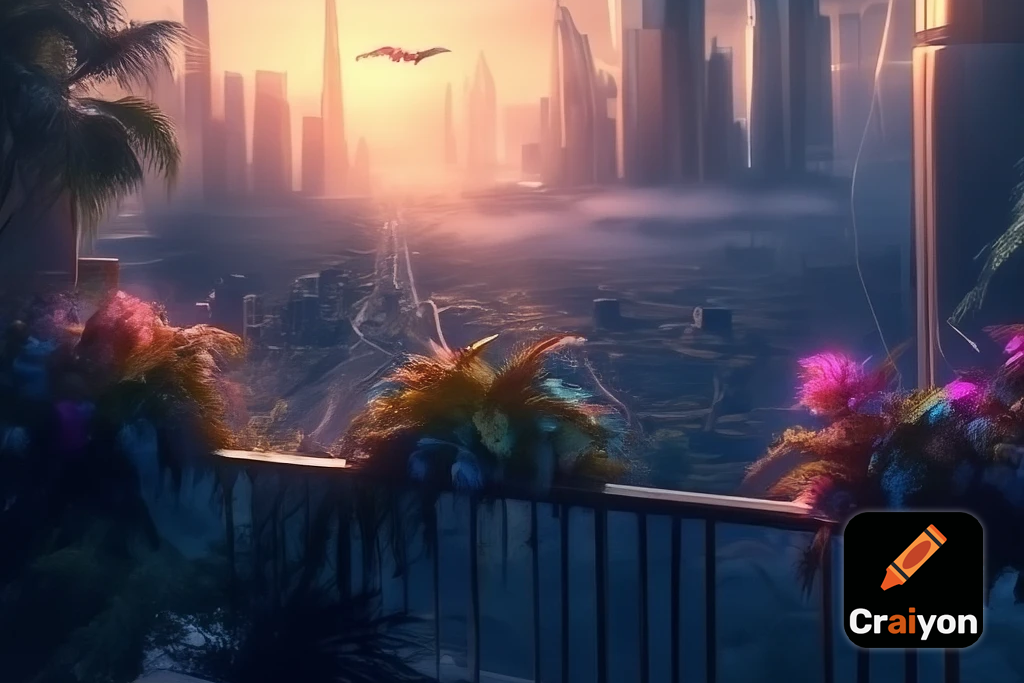
Ease of use: 10/10 | Speed: Slow | Style variety: Low | Prompt enhancement: None | Collaboration: No | Customization: Minimal | Detail level: 6/10 | Integration: Web
I was told about Craiyon when it was still known as DALL-E Mini. It became one of the first AI-based image generators I have used. I tested its tools before Stable Diffusion was released. This is why I decided to try using it again to see whether it was able to replace Stable Diffusion models.
It’s unlikely that Craiyon will replace advanced services like Firefly or Midjourney.
However, it remains quite accessible. This free AI website is available from any browser. Besides, you can use it without signing up. While you will need to install Stable Diffusion and have a lot of GPU power to use it, Craiyon consumes fewer resources.
“I decided to test all the features and used short prompts to ensure that there won’t be any unnecessary adjectives. Craiyon delivers better performance when instructions are easy to comprehend.”

When trying to generate an output, I discovered that the result had lower quality than outputs generated with the help of professional tools. They had a bit cartoonish look. Besides, blended colors looked off, and the depth level was inconsistent. However, the output conveyed the tone of the scene I was aiming for. I was pleased with the fact that the atmosphere also felt right.
Nowadays, I often use Craiyon when I need to experiment with different ideas and see how they would look when I visualize them. This option is also suitable for educational purposes, as it allows one to master the basics of using AI tools without installing desktop software. While you won’t be able to use Stable Diffusion free of charge, this service does not cost anything.
This solution still has several notable shortcomings. Its outputs do not look realistic enough, it offers a limited choice of styles. Besides, you may notice occasional glitches. However, this free tool is an excellent option for those who want to try out something creative.
Pricing: Free (no limits)
As I am a graphic designer and work with different platforms and formats regularly, I decided to test AI image tools together with my colleagues at FixThePhoto. We wanted to discover the best Stable Diffusion alternatives.
We were focused on the single objective. We wanted to discover the tools that could become a part of a professional workflow, including ideation tasks. Besides, we wanted to discover tools suitable for working with client visuals, moodboards, and professional-level assets.
Tool selection and process. The first thing we did was create a list of potentially suitable software. We read Reddit threads, watched YouTube demos, read Discord communities, and read industry blogs. Then, we narrowed down the selection and left only tools that were potentially better than Stable Diffusion.
Some of them had better speed, others stood out for their output quality. There were also options with intuitive functionality that had commercial licensing. After sifting out similar options and tools that were too outdated, we were left with a list of tools to test.
We used the same prompt when testing each tool:
“A city with a futuristic feel at sunrise, as seen from a balcony decorated with plants, with cinematic lighting, extremely detailed and realistic.”
This approach helped us achieve consistent results. Together with the team, I tested each tool to understand how much it would take us to set it up. Besides, we compared their ability to handle prompts and considered output quality.
We checked whether there were any lighting issues, considered the level of detail, and compared compositional coherence. In addition, we were interested in editing tools, speed, and user experience. We compared them with Stable Diffusion to understand whether their performance would match or be better than that the performance delivered by Stable Diffusion.
We decided against including some options in this list. For instance, we did not include the following options:
We decided against including these options, as they did not significantly exceed the baseline performance of the tools that can be found on the Stable Diffusion model website. Besides, some of them were too difficult to set up and use.
Hands-on testing insights. For each tool, I personally logged time from first login to first usable render, noted how many prompt iterations it took to reach a clean “final” image, tested in-tool edits (when available), and compared the render to what I produced in Stable Diffusion:
My colleagues wanted to find the best free Stable Diffusion alternatives and test whether these services were suitable for batch generation of multiple high-quality images in a row. Besides, we wanted to test free and paid versions to compare them in terms of memory/credit budget, licensing issues, and export options. Besides, we wanted to see whether these tools would integrate with Photoshop and Illustrator.
Summing up, we tested each tool using the same prompt to see whether it would be suitable for client use. We compared their outputs and selected the tools that supported the highest quality and had an intuitive workflow.





![Put a Santa Hat on Photo Online [FREE]](http://fixthephoto.com/blog/images/gallery/news_main__preview_27824.png)

![8 Best AI Tattoo Generator Tools [+Good Prompts]](http://fixthephoto.com/blog/images/gallery/news_main__preview_28202.jpg)
![11 Designhill Alternative for Graphic Designers [Real Tests]](http://fixthephoto.com/blog/images/gallery/news_main__preview_27909.jpg)


















