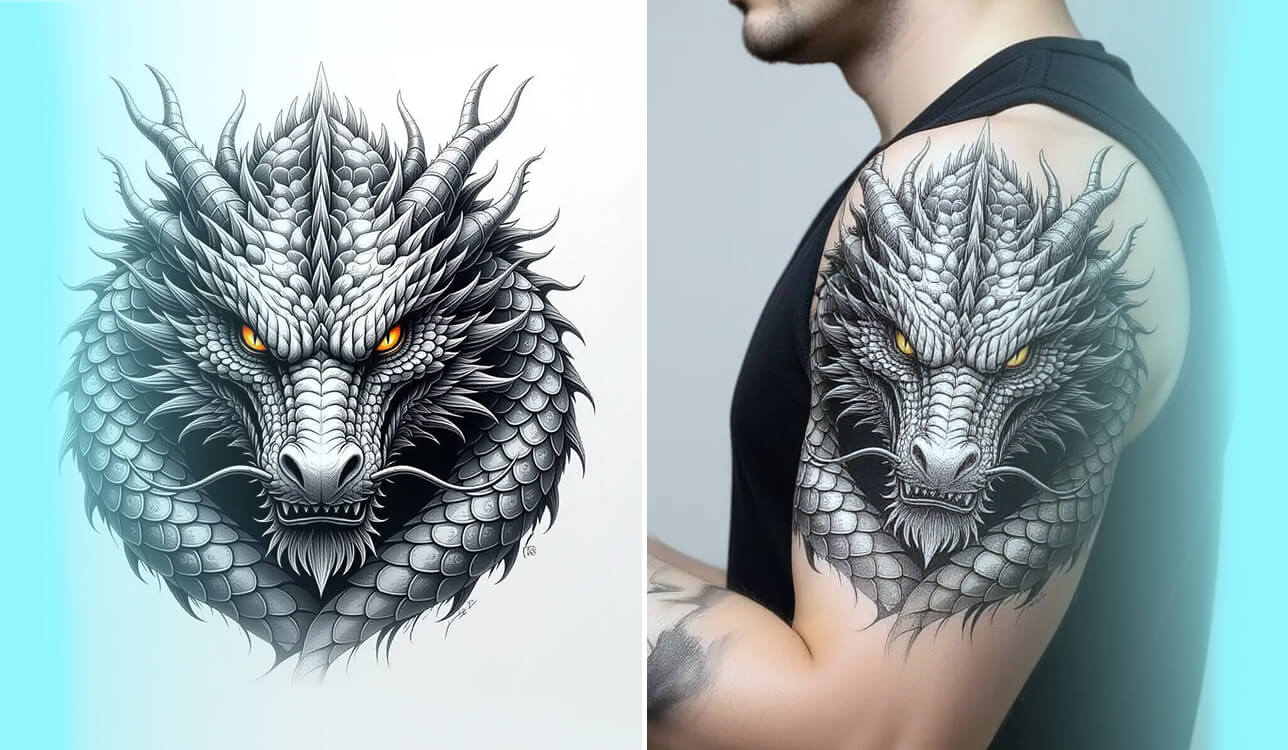
I had been considering my first tattoo for a long time, but I could never choose a design that truly fit me. Whenever I browsed Pinterest or Instagram, I kept finding ideas that were close but not quite right - a wolf that looked too common, a geometric pattern that didn’t feel meaningful, or a quote that didn’t really speak to me. I wanted something unique, full of personal meaning, and visually clean, a design that genuinely represented who I am.
One evening, after tossing out yet another round of rough sketches in Procreate, I came across an article talking about AI tools for creating tattoo designs. I wasn’t sure what to think - it seemed impossible for a program to grasp something as meaningful as a tattoo. Still, my curiosity kicked in, so I tried a few of these generators to see how well they actually worked.
I was looking for a few specific things. First, it had to create delicate, thin lines for my preference for simple tattoos. Second, it needed to grasp the meaning behind my words and weave it into the design. And crucially, the final image had to be super clear and detailed so a tattoo artist could easily trace it. I also wanted to see how creative I could get, like mixing different styles, such as combining Japanese art with a cyberpunk vibe.
I began putting together ideas that represented parts of my life - things like “a phoenix lifting out of metal gears,” “a compass built from circuits,” and “a wolf outline filled with stars.” My goal was to see how each AI tool managed detailed designs, clean lines, and overall layout.
Over the following days, I tested many different prompts in several AI generators, lined up the results, and even asked my tattoo artist what they thought. What really caught me off guard wasn’t only how good the images looked - it was how imaginative and surprising some of them turned out. A few platforms even captured feelings through shapes and symbols. One transformed my idea of “lost time” into a dream-like clock that looked as if it were melting into a feather.
After I showed my friend the tattoo designs I generated and told him about my experience, he wanted to try making some cool ideas for his next tattoo, too. So, I decided to create a list of the best generators with detailed reviews to help other users. I asked my colleagues from the FixThePhoto team to help me, and together we started testing them.
When I conducted my little experiment, I finally found an AI-generated design that matched exactly what I’d been searching for. I also saw how helpful these tools can be for both tattoo artists and clients - they make it much easier to share ideas clearly and quickly. It felt like I finally had a visual tool to express something I’d been trying to describe for years.
Definitely - AI can create tattoo designs for you, and it’s truly becoming a go-to method for brainstorming fresh ink ideas today. These AI tattoo generators rely on text-to-image models trained on extensive collections of tattoo artwork, illustrations, and design motifs.
All you have to do is describe your vision, for example: “Fine-line style minimalist wolf tattoo, geometric lines with moon phases.”
Within a few moments, the AI generates several designs from what you describe. You can switch the style (realistic, line-art, tribal, watercolor, anime, and more), choose where you want the tattoo to go (like the arm, shoulder, or back), and fine-tune the symbols or layout until it feels exactly right.
Why it’s helpful:
However, AI isn’t a substitute for an actual tattoo artist - think of it more as a helper for inspiration. You’ll still rely on a skilled professional to fine-tune the lines, adjust the size, and choose the right placement, so the tattoo heals nicely and lasts over time. It’s also important to check that the design isn’t too similar to someone else’s artwork.




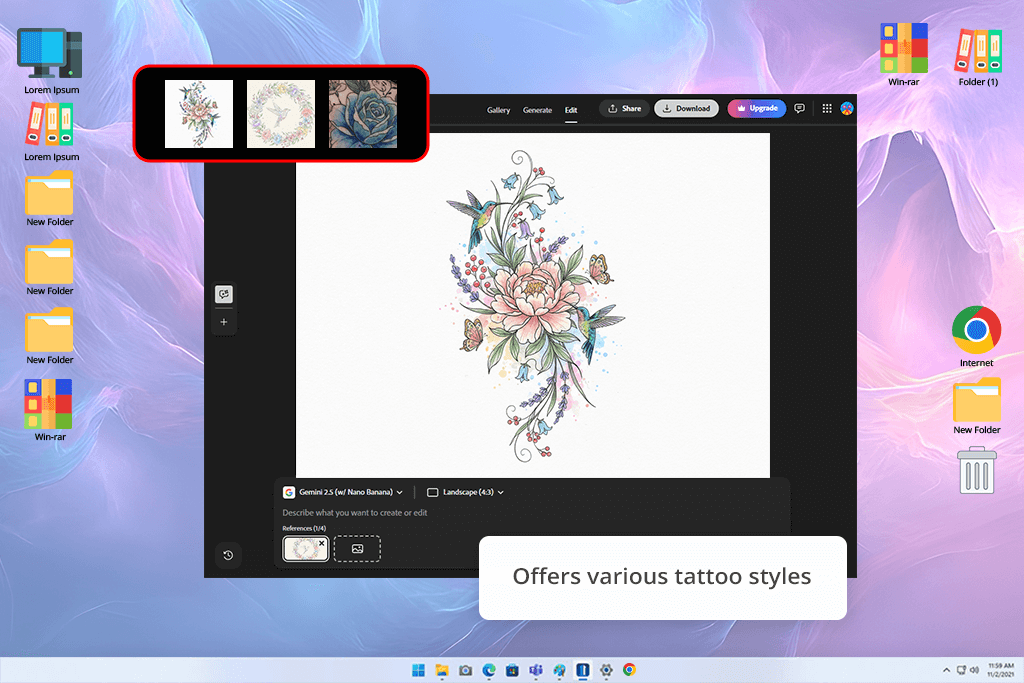
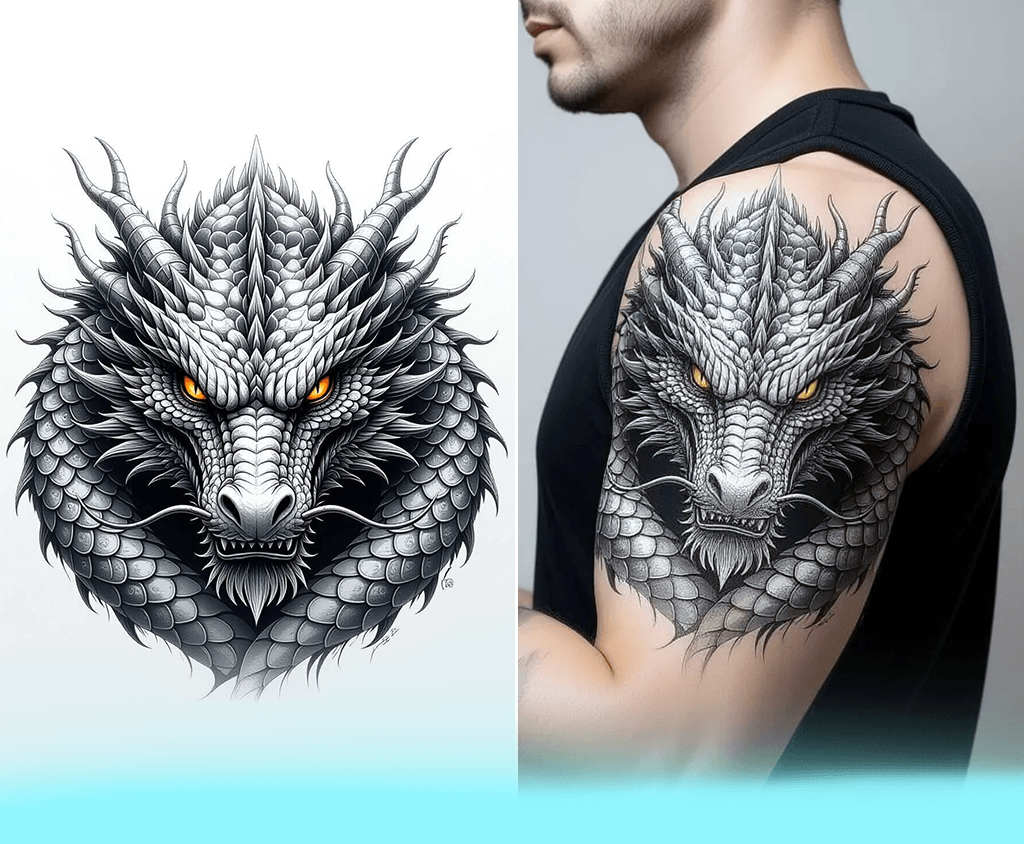
I started experimenting with Adobe Firefly with prompts like “phoenix rising from geometric flames” and “wolf filled with a galaxy,” and the AI produced designs that were crisp, well-structured, and seemed ready for stencil use.
What stood out most to me was how accurately this AI tattoo maker handled fine lines and textures - something many AI tools struggle with. The phoenix’s geometric feathers looked intentionally sketched, and the shading shifted smoothly in the gradients. There were no rough outlines or strange proportions at all.
“Honestly, this one really surprised me. The designs looked like they came directly from a skilled tattoo artist’s notebook. I just entered a short prompt and instantly got a crisp, detailed design I could genuinely take to a studio. It looked refined, stylish, and completely tattoo-ready.”

Firefly’s strongest advantage is how much freedom it gives you when shaping the final tattoo. After pulling the AI designs into Photoshop, I could easily change the line weight, soften the shading, or tweak the contrast without losing any of the original detail. It also surprised me with how well it understood symbolic words, adding prompts like “rebirth” or “resilience” that gently shifted the layout to match those themes.
The software felt like a professional tool that's also easy to figure out. It's great for tattoo artists and for people like me who want to perfect a design concept before taking it to an artist. In short, this free Adobe software is like a digital sketchbook that really gets the creative process of tattooing.
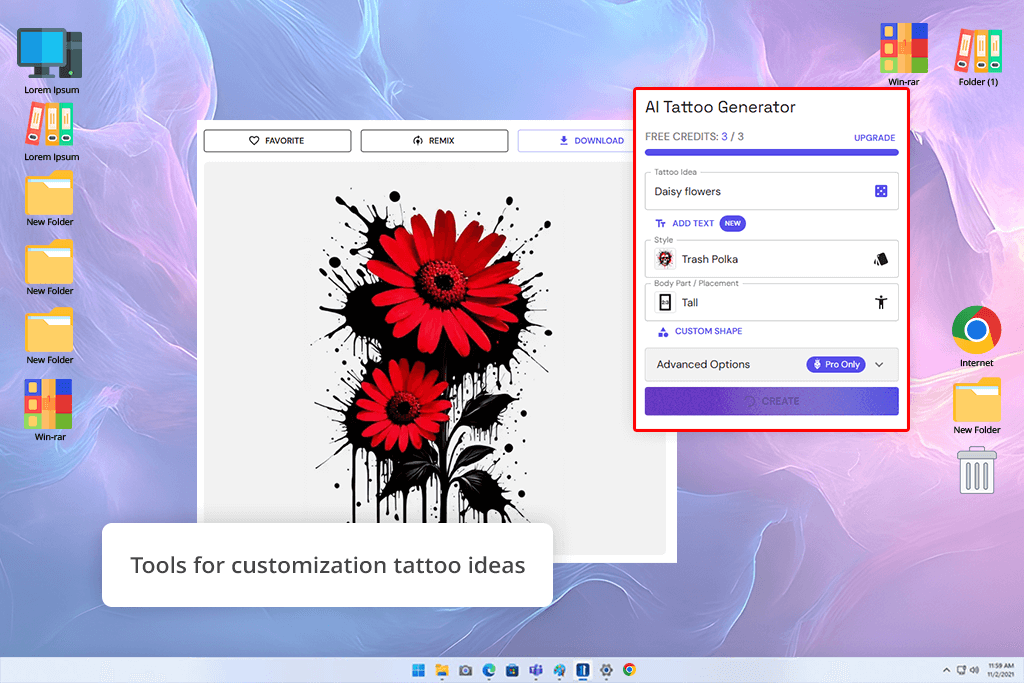
BlackInk AI is definitely built for people who love blackwork, neo-traditional, or darker tattoo styles. When I tried my first prompt - “skull wrapped in roses and chains” - the result looked like something a professional tattoo artist would have sketched by hand.
The shadows were rich and rough in a good way, giving the AI tattoo design strong texture and personality. Each result felt full of energy, almost as if the artwork itself had emotion in it.
“This software is excellent for bold black tattoos. I made several dark designs, and they all looked really striking. While it's not ideal for colorful tattoos, it's perfect for achieving a high-contrast, edgy style.”

This was one feature I really appreciated about this tattoo drawing app is that it has a bold visual style. It seemed to know exactly how to use strong contrast to give each design real impact. The dark areas looked rich, the empty spaces were used thoughtfully, and every line felt purposeful.
I tested more ideas like “raven in storm clouds” and “snake wrapped around a dagger,” and the AI tattoo generator matched that dark, dramatic vibe really well. It’s not the best choice for tiny line tattoos or colorful designs, but when you want something bold and striking, it does an amazing job.
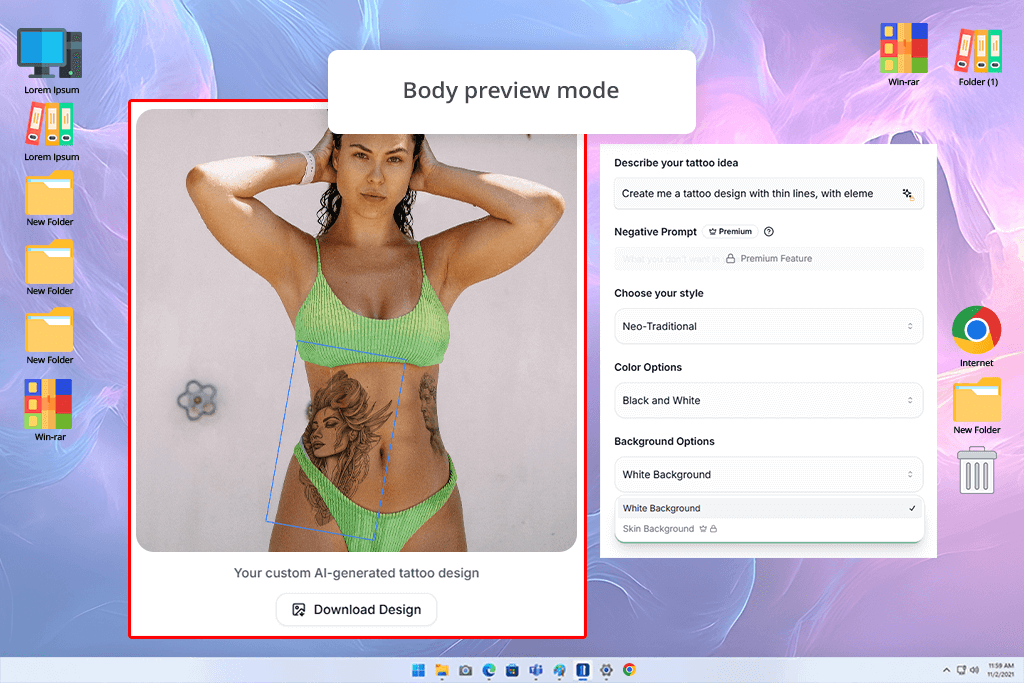
Unlike many AI image generators that only give you a flat picture, Ink Studio AI lets me play with different versions and see how they would look on the body right away. I began with an idea that mixed “mechanical wings,” “space-themed symbols,” and “abstract shapes,” and the generator turned it into designs I could instantly preview and adjust.
In seconds, I got four totally different versions. One was futuristic, one was spiritual, one looked like a photo, and one was very simple. The controls were easy, letting me switch styles and adjust the details and colors until I got exactly what I wanted.
“This AI tattoo creator was incredibly easy to use - I could actually check how the tattoo would appear on real skin, which was amazing. I tested different styles and body spots, and everything looked surprisingly realistic. It’s perfect if you want to preview how the design will sit on your arm, back, or anywhere else before getting the actual tattoo.”

The best part was the body preview. It let me see how the tattoo would fit on a real arm or back, bending naturally with the body. This made it much easier to judge the size and how it would flow, which is hard to do with a traditional mockup. The platform is easy to use and great for trying out ideas before you commit to one.

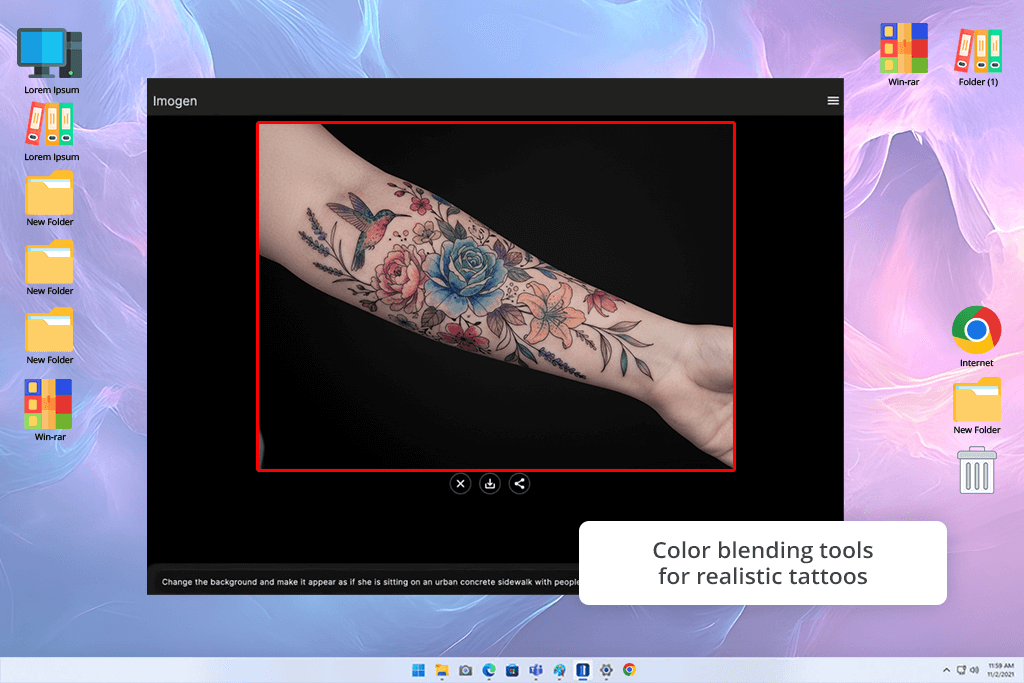
When I tried Imogen, I realized it wasn’t just creating tattoo art - it was helping me explore feelings. I used more emotional prompts than usual, like “healing after struggle” and “time fading into the natural world.” The designs it produced were beautifully expressive, with gentle color transitions, meaningful imagery, and a soft, surreal style.
Imogen didn’t just make tattoo designs - this AI art generator produced meaningful symbolic images. One design showed a tree growing out of a broken clock, with its roots wrapped around metal gears. It was simple, but it carried a deep message.
“I used this for a tattoo with a deep, personal meaning. The design it created was beautiful, and it felt like it really understood the feeling I was going for. It's ideal for large, artistic tattoos that tell a story.”

Imogen's style creates tattoos that look more like soft paintings than drawings with sharp lines. It uses gentle textures and dramatic lighting that blend softly together. This makes it perfect for large, detailed tattoos, but not for small or simple linework. Its true strength is with emotional tattoos that tell a story. It felt like the AI could understand the feeling I wanted and turn it into an image, without me having to describe it in perfect detail.
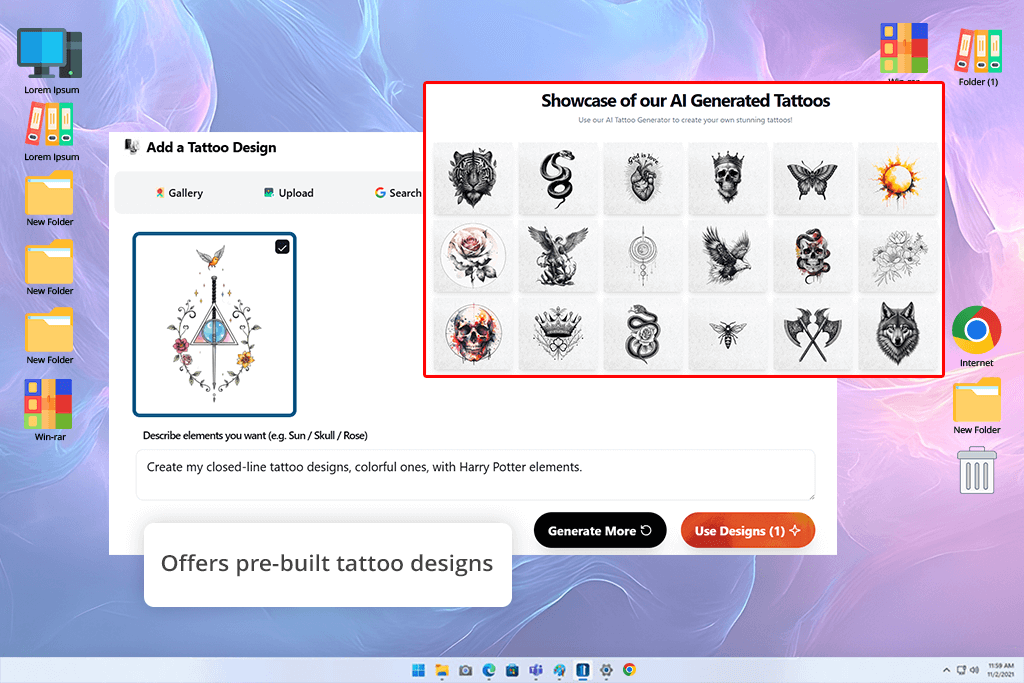
Tatship goes beyond simple image generation - it also works like a creative space where people can share and build on each other’s ideas. I uploaded a couple of pictures I saved from Pinterest, added a short prompt like “dragon in watercolor style,” and the AI merged both the visuals and the text into one smooth design. The mix-and-match feature lets you blend your own drawings or photos with written descriptions, giving you tons of freedom to shape the style and message exactly how you want.
“This tool felt more like a creative community than just an AI tattoo generator. I could look at what others had made, mix those ideas with my own, and create something different. It’s enjoyable, interactive, and great for anyone who likes sharing and shaping ideas together.”

The best feature was looking at tattoos other people made and changing them. I could mix someone's flower design with my own abstract shapes to create a completely new one.
The best part was looking through designs made by other users and creating new versions of them. I could take someone’s floral sleeve outline, blend it with my own abstract ideas, and end up with a completely fresh design.
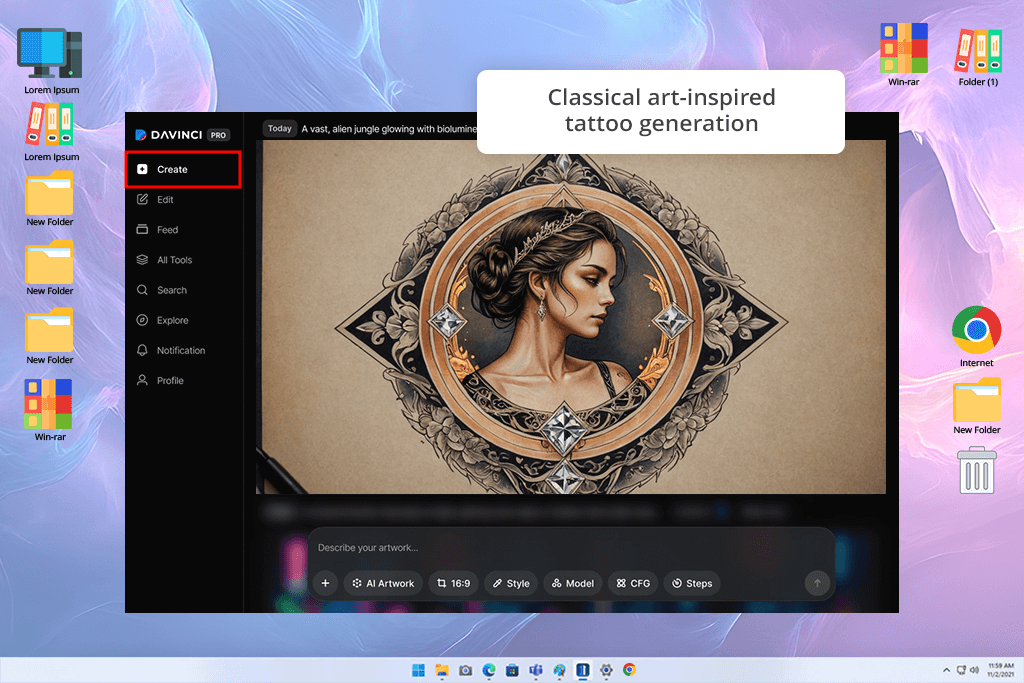
Using DaVinci AI felt like creating art in an old-school painter’s studio, just in digital form. This tool focuses on classic, detailed artwork, and you can really see that in the results. When I tried prompts like “angel holding a broken clock” or “warrior woman in old-style armor,” it generated designs that looked like they came from a traditional painting turned into a tattoo design.
Every character was drawn with accurate body proportions, a well-arranged layout, and beautiful, detailed features. The AI seemed to “see” light, texture, and emotion the way a real artist would.
“The artwork looked like something from a museum - elegant and highly detailed. It felt like getting a tattoo design from a classical artist. Amazing for portraits or realistic pieces, but a bit too fancy for tiny or simple tattoos.”

DaVinci AI really shines in the way it creates realistic, deep-looking artwork. The shadows feel smooth and purposeful, and even when I switched everything to black and gray, the images still kept their sense of depth. It’s not the best choice for tiny tattoos or basic icons, but for big, story-rich designs, it’s incredible. This is the tool to choose if you want a piece that looks classic, artistic, and museum-worthy - something that feels truly timeless and beautifully made.
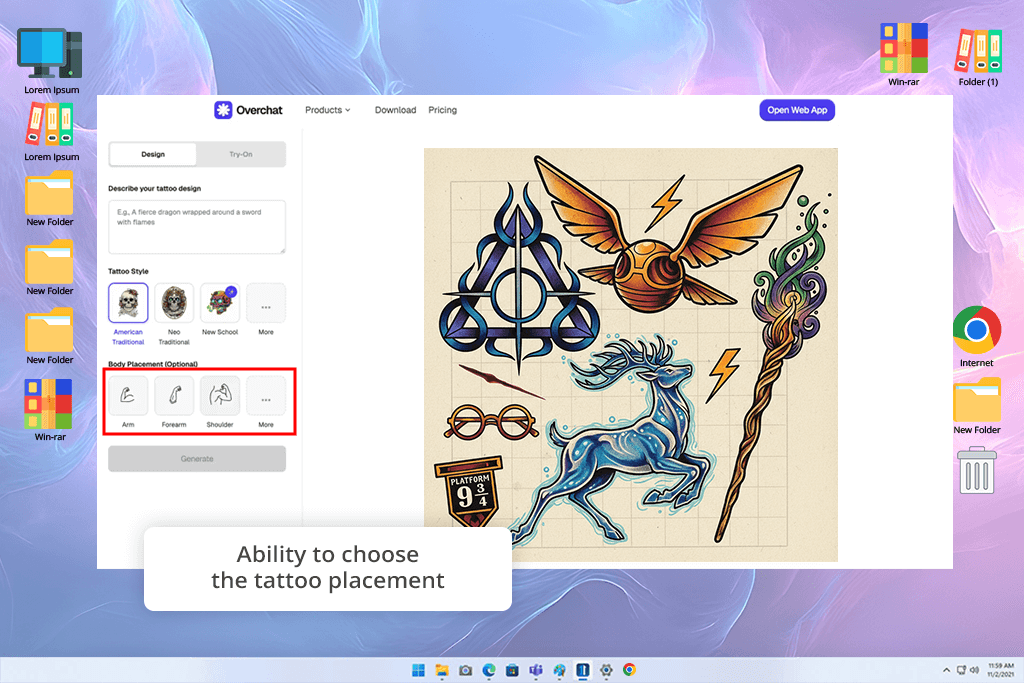
What really surprised me about Overchat AI is that it's not just a tool that makes images for you. It's more like a creative partner. I didn't just type a command. I had a conversation with it. I said, "I want a tiger made of stars - make it simple but strong." It then asked me questions to understand better, like, "Should the fur look real, or should it be a design?" This back-and-forth felt natural, like brainstorming with a friend, not just giving orders to a machine.
“It felt like talking to a helpful friend. I shared my tattoo idea, and it kept asking questions and adjusting the design until it was just right. It’s very easy to use and fun, even if the final art isn’t the most detailed.”

The designs it created looked modern and clean, focusing mostly on layout and meaning. What I really appreciated was that Overchat kept track of our whole conversation - I could change one small detail and update only that section instead of restarting everything.
The artwork isn’t as detailed or intricate as what you’d get from more advanced AI tattoo generators, but the back-and-forth chat makes the creative process really easy. It’s a great choice if you’re still figuring out what you want and prefer exploring ideas through simple conversation.
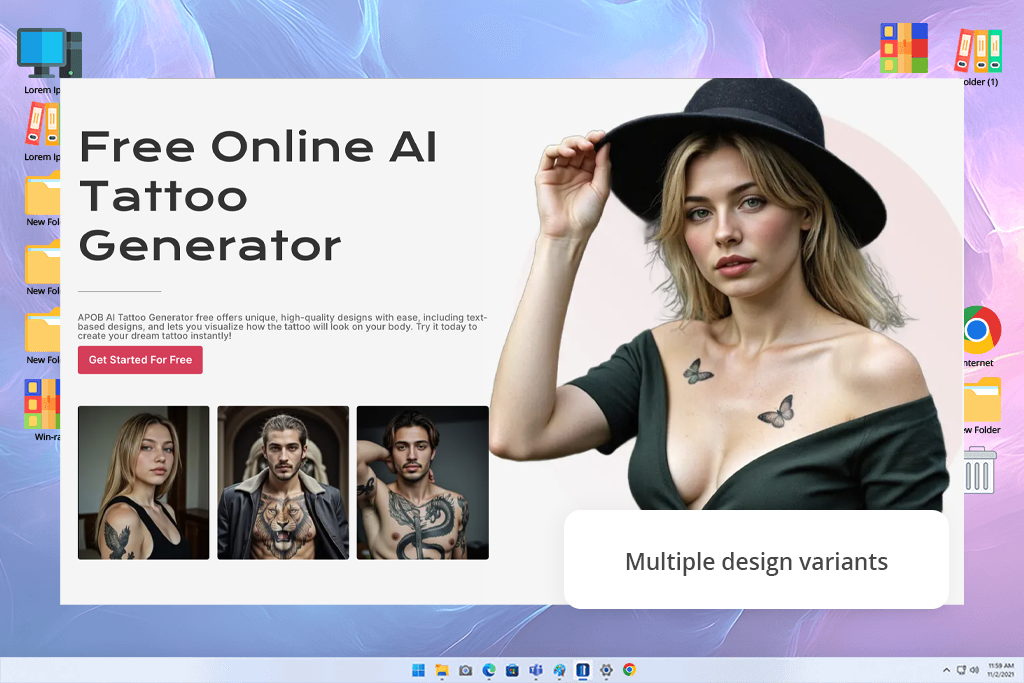
I tried the APOB AI by generating tattoo ideas from text prompts and testing them on submitted pictures. As an AI tattoo generation tool, it swiftly generated several styles and allowed for easy comparison of alternative concepts.
The virtual try-on option was extremely valuable for ensuring proper positioning and scaling on real skin. This AI tattoo creation application also allowed for minor adjustments via conversation, which helped polish details without regenerating everything.
“I recommend fixing the placement first and only then adjusting style and details to avoid distorted results.”
The procedure felt simple and adaptable for experimenting with designs. This AI tattoo generation tool is ideal for brainstorming tattoo ideas before discussing them with an artist or putting them online.
When our FixThePhoto team set out to test the best AI tattoo generators, we had one main goal - to see which tools could actually produce artwork a real tattoo artist could use. I teamed up with Tata Rossi, Vadym Antypenko, and Julia Newman, and together we spent several weeks trying out each platform, checking how well they transformed ideas into clean, professional designs ready for tattooing.
We began by coming up with lots of tattoo ideas - everything from tiny fine-line designs to big, detailed pieces and bold symbolic blackwork. Each of us entered the same prompts into different generators to see how well they handled shading, detail, and overall style in a simple, consistent way.
The team tested different parts of the software. Tata focused on whether the designs looked good, were clean, and could work as real tattoos. Meanwhile, Vadym analyzed how well the AI performed, seeing if it understood the requests and produced a good variety of accurate designs. And Julia evaluated the user experience, checking how intuitive and customizable the interface was, and how quickly they could get a useful result.
By the time we finished our testing, we had a huge collection of AI-made tattoo designs - some amazingly beautiful, others unexpectedly funny. We also got a clear picture of which tools truly help you create great art and which ones still need more improvement.





![Put a Santa Hat on Photo Online [FREE]](http://fixthephoto.com/blog/images/gallery/news_main__preview_27824.png)
![7 Best Fotor Alternatives in {{%year}} [Free & Cheap]](http://fixthephoto.com/blog/images/gallery/news_main__preview_27745.png)

















