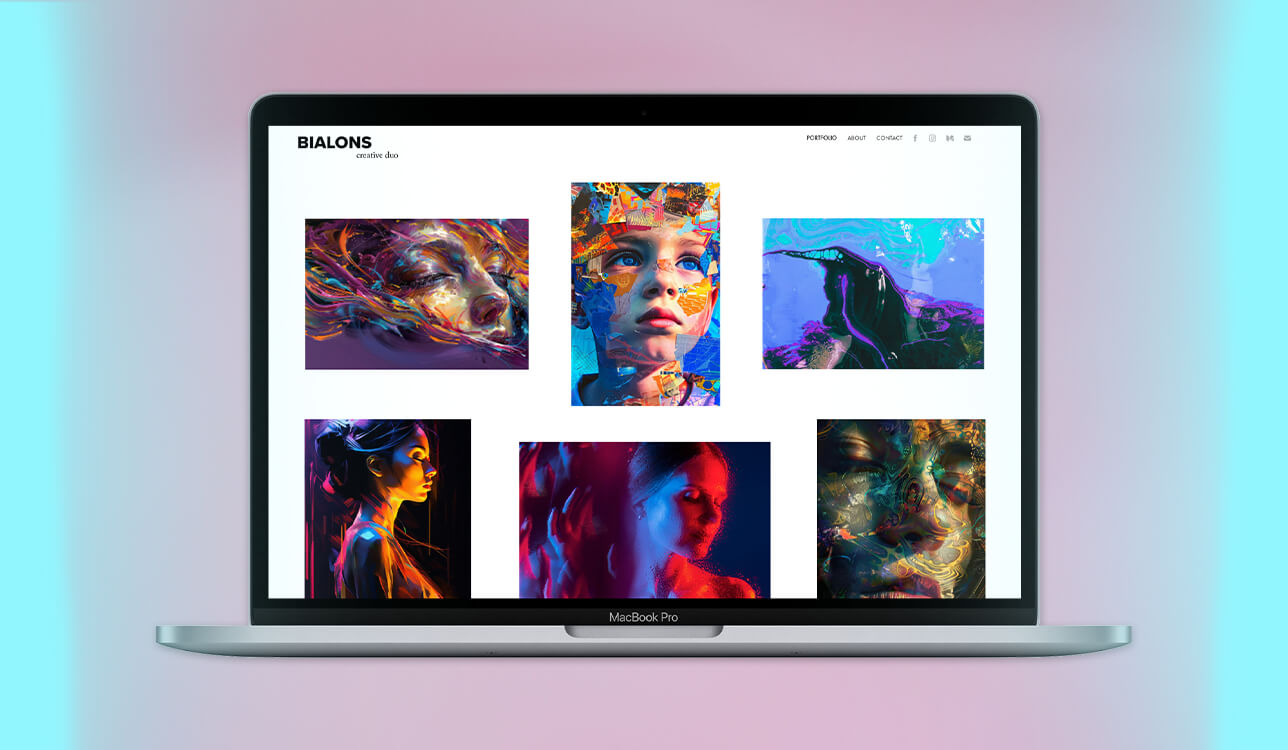
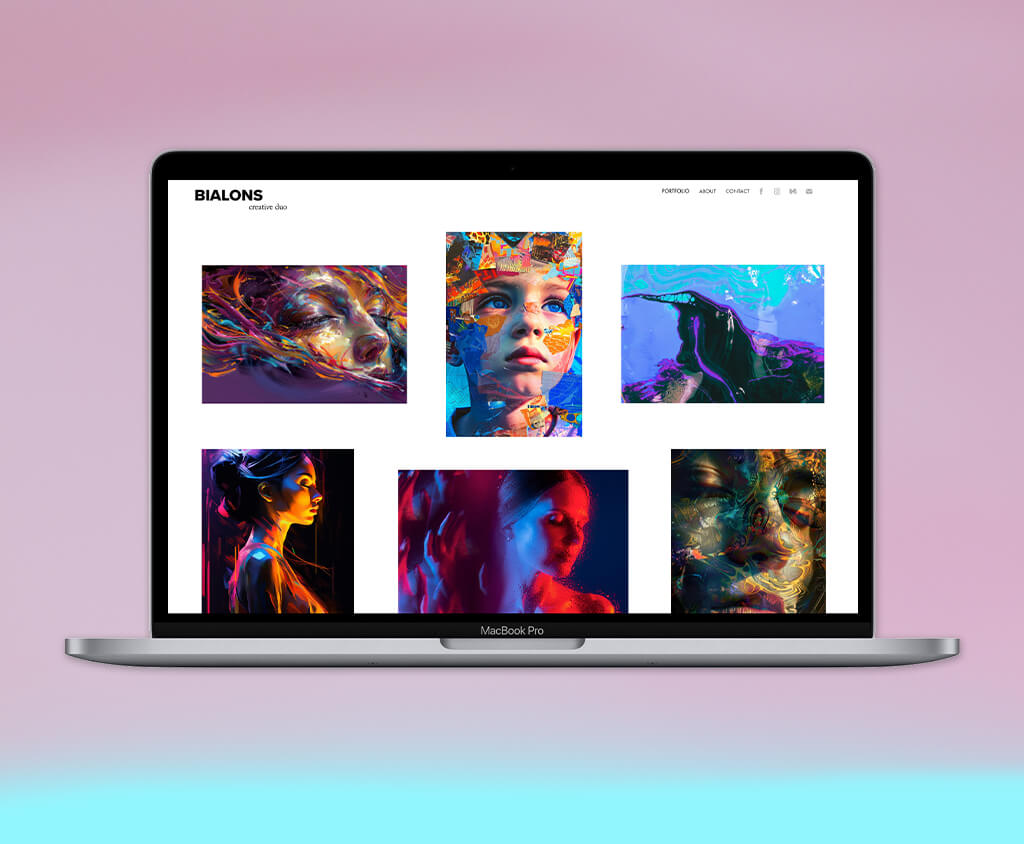
At FixThePhoto, we frequently get requests from artists who have trouble finding the best website for painters that would let them properly showcase their work. I wanted to dive into this subject since I’ve also encountered this problem. Solutions that look great but don’t allow importing high-resolution files, site builders that aren’t suited for painters, and marketplaces that take exceptionally greedy commissions.
To prepare this article, I tried over 15 websites for painters, including art-oriented marketplaces and versatile site builders, to determine which options are best suited for presenting their creations efficiently. I also collaborated with my teammates to ensure my selection is based on real-world experiences and not just technical specifications.
Advertising your paintings online isn’t limited to uploading photos. You need to provide a professional environment that will entice your audience and convert followers into collectors. Over the years of working at FixThePhoto, I’ve learned several tips that can help artists establish and expand their online presence to sell their creations:

Price: Free for 14 days or from $16/month
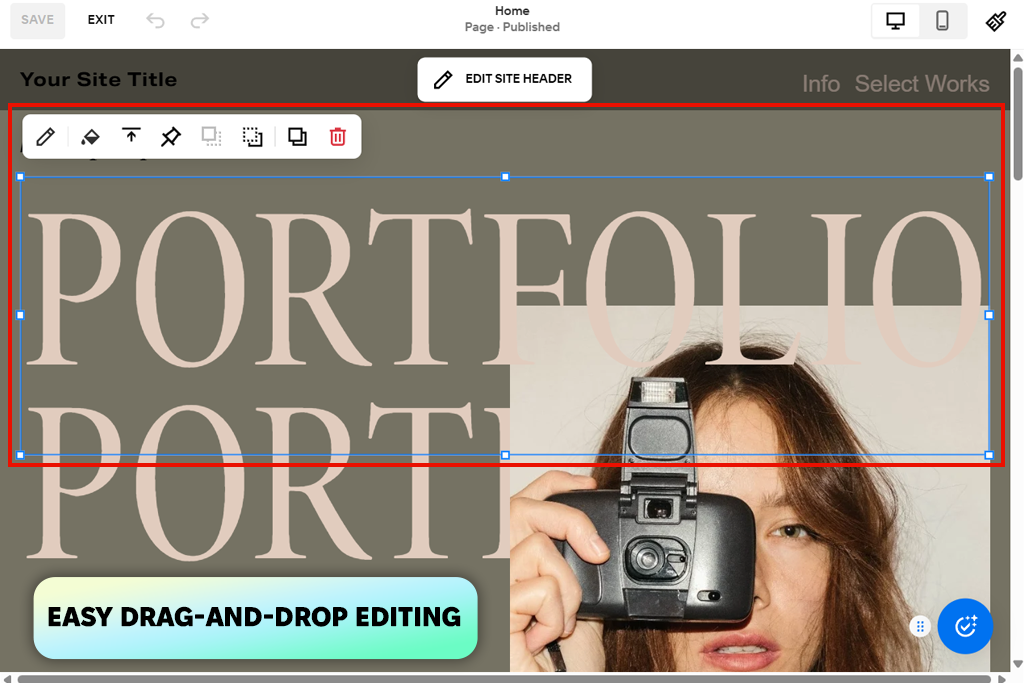
When I was in the process of determining whether Squarespace is a good website for painters, my main goal was to learn if it really is as elegant and intuitive as I kept hearing. I’ve put together an artist's site with a portfolio, bio page, and shop section – and I was instantly enamored with this platform.
The UI is minimalistic and user-friendly, allowing you to drag and drop different elements as you see fit. Its templates are perfect for highlighting the beauty of your paintings, while the integrated image optimization functionality ensures all your pictures look eye-catching while loading incredibly fast.
I particularly enjoyed how quickly I could prepare and launch an online store. It only took me a couple of minutes to make listings for paintings and prints, customize them, and test the checkout system. The eCommerce functionality is perfectly integrated, allowing you to start selling your work without having to deal with various plugins. The gallery feature is also pleasantly versatile, allowing you to display images in grids, slideshows, or lightbox views that highlight color and texture beautifully.
My test has also shown that Squarespace is one of the best website builders for photographers. Additionally, I checked out its AI site builder, which helps make a ready-to-edit website that is relevant to your art style and goals. AI automatically recommends layouts, color schemes, and webpage structures.
The biggest drawbacks of this painter website builder are its expensive subscription and restrictive non-CSS customization. Even though the templates are fantastic, they will feel a bit generic if you don’t invest the time to customize them.
“Squarespace provides stunning templates and built-in eCommerce functionality, but it requires a bit of time to master all the available tools if you’ve never used site builders before.”

Price: Free plan or from $17/month
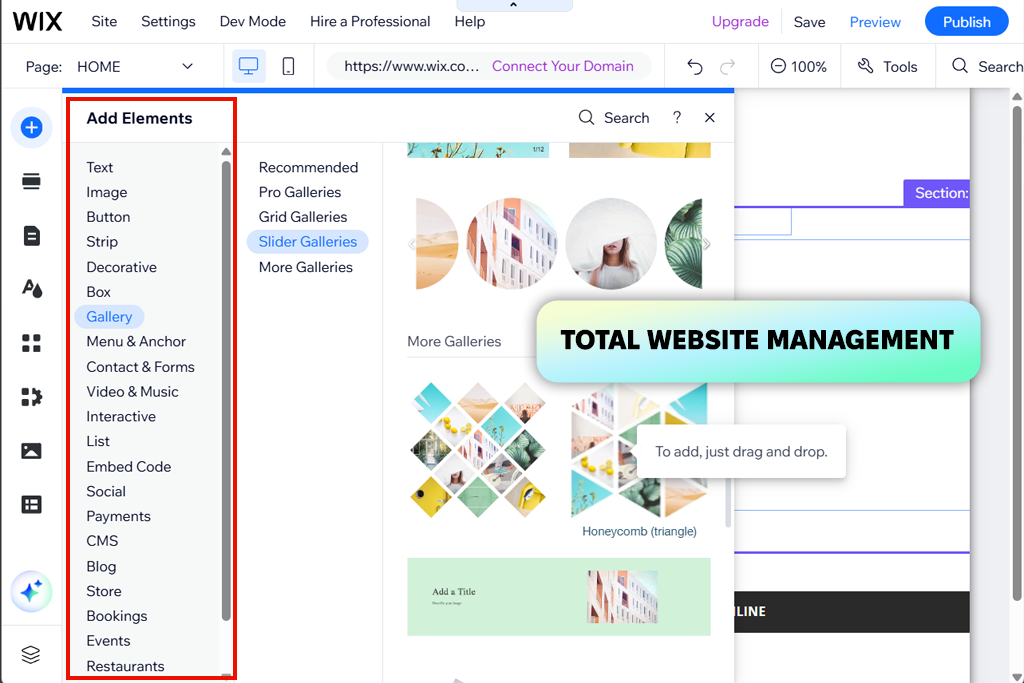
Wix is an extremely versatile platform that lets you create terrific painting websites for artists. I made a site from scratch, while picking one of the art-optimized templates as a foundation. Wix’s drag-and-drop controls made it easy to rearrange different elements, text, and photos as I saw fit. The final gallery looked clean and professional, while preserving the colors and texture of my images.
Additionally, Wix comes with a robust eCommerce feature set that allows you to sell paintings, create blog posts, and leverage SEO functionality to increase your reach. I also liked its website hosting services for photographers and artists, as they offer free hosting, security monitoring, and 99.99% uptime, making sure your website is always available. Meanwhile, Wix’s AI features can help write descriptions and promotional materials, making your site look even more professional.
That said, such versatility can make this platform somewhat intimidating to inexperienced users. With so many customization options to choose from, you might get lost in the details. Additionally, while the free version is useful for testing, such professional tools as multicurrency selling and automated tax calculations can only be accessed for a monthly fee.
Price: Free with Creative Cloud subscription or $9.99/mo
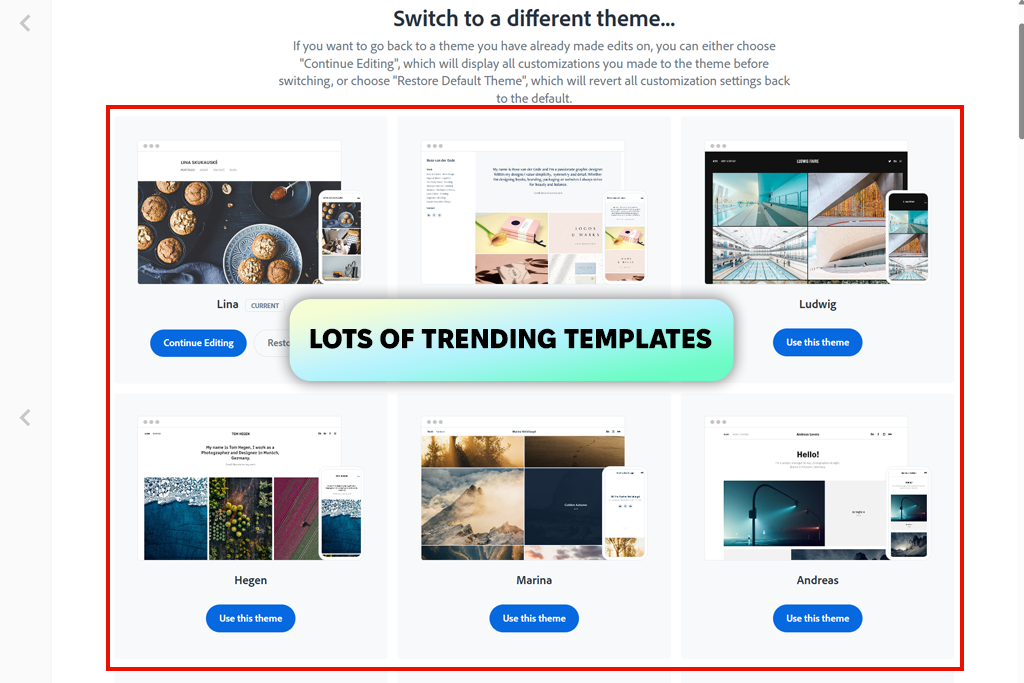
I tend to employ Adobe Portfolio for all sorts of visual projects, so it only made sense to check if it’s capable of making painter websites. It’s included in the Creative Cloud suite, making it an easy choice for anyone who already has Photoshop or Lightroom as a part of their workflow. I decided to make the site from scratch by creating a gallery, uploading images, and personalizing the layout and different elements.
The entire process was pleasantly fast. I uploaded images straight from Lightroom, grouped them into sets, and created a personalized painting site within a couple of minutes. Adobe Portfolio's template selection is small, but all of them look fantastic – minimalist grids, great use of negative space, and professional typography that makes your gallery look clean and professional. Additionally, this platform automatically optimized the images to be displayed on mobile and desktop screens, while preserving their visual fidelity and composition.
The UI will feel intuitive to all users who own Adobe software. You can conveniently integrate into your Photoshop or Lightroom workflow, conveniently editing images without having to re-upload them. Sadly, this platform doesn’t have any eCommerce features or extensive template customization, so if you’re looking to sell your artwork online directly, you’ll have to find a different tool.
“I think Adobe Portfolio is a great choice for painters interested in an intuitive, elegant website dedicated entirely to their artwork.”

Price: 14-days free trial or from $10/month
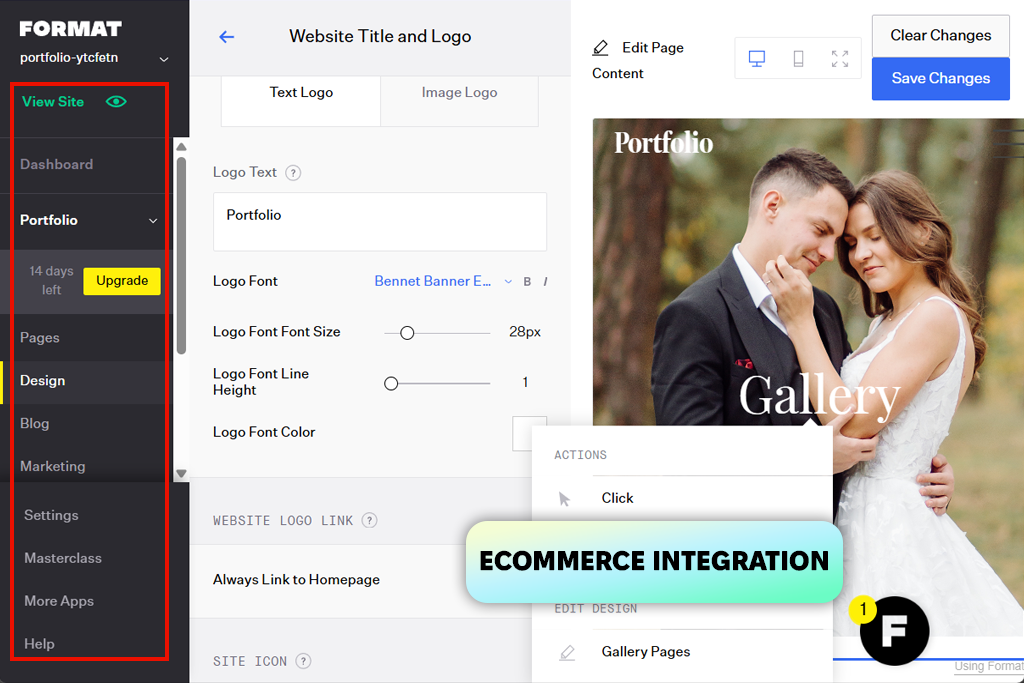
I’ve seen plenty of painter company website examples on the web that used Format, and I wanted to check it out for myself. I created a relatively simple site by picking one of the available fine art templates and importing a few dozen painting photos to test the layout versatility, design features, and overall presentation.
Making the website was quick and simple. Format navigated me through every step of creating a portfolio, from picking a layout to adjusting the colors, fonts, and overall structure. I liked the emphasis that all templates place on my paintings, ensuring the viewer doesn’t get distracted. The upload process was very convenient, and my photos preserved their clarity and colors. That said, Format struggled a bit when dealing with bigger uploads.
Web design for painters is all about visuals and aesthetics, and the developers behind this platform know that. It utilizes clever spacing and a contemporary gallery-like layout that highlights each artwork. When testing Format, I also examined its store and client proofing tools. Both performed as intended and are great for artists who sell originals, prints, or commissioned paintings.
The biggest weak points are the restrictive customization and the rather expensive access to more advanced features. As such, Format isn’t recommended to painters who prefer to adjust all the elements of their websites to their liking.
Price: $0.20 per listing, a 6.5% transaction fee, payment-processing fee (3% + $0.25) per sale
While dedicated painting company websites are popular, you can also consider using a dedicated platform for selling art instead. Etsy is among the most popular marketplaces for artisans and creatives, allowing them to sell their craft without having to make a personal site. I made a shop and uploaded a couple of paintings to check whether this platform is a good fit for artists.
The setup process is fast and intuitive. I imported pictures of my artwork, provided the descriptions, and set the prices in less than an hour. The platform’s minimalistic, visual-focused UI does a great job highlighting the appeal of my paintings. Both payments and shipping are done without ever having to leave Etsy, which makes it a great pick if you’d rather avoid dealing with the technical aspects of owning a website.
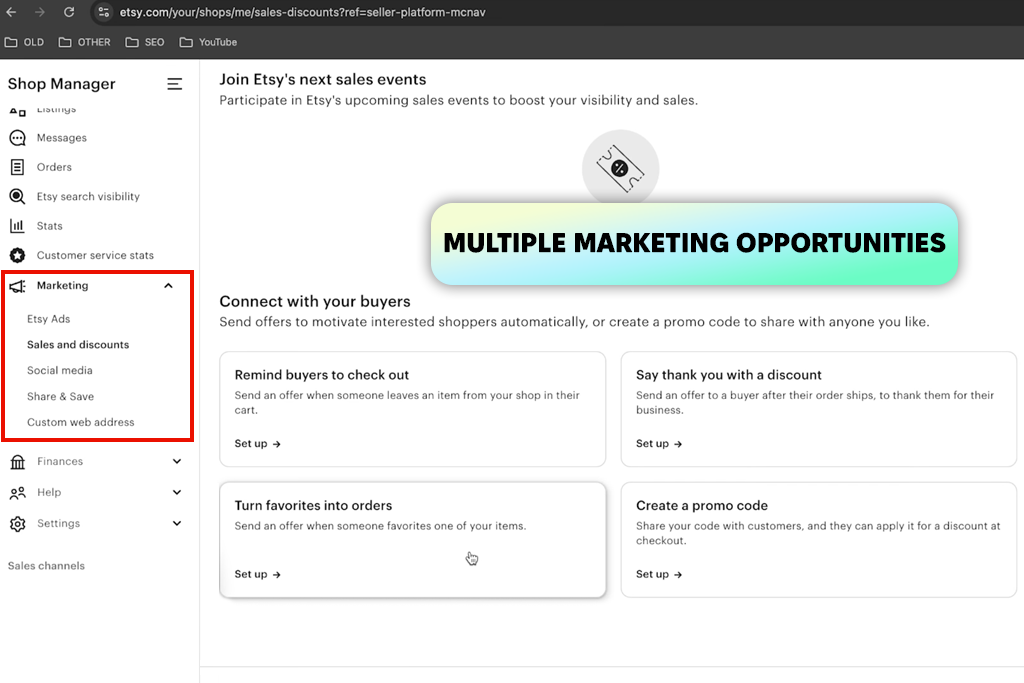
In contrast to regular eCommerce platforms, Etsy already has millions of active users looking for original art. Additionally, it provides useful analytics and marketing functionality. Sadly, you can’t personalize the look of your store as much as you can with a dedicated portfolio. Additionally, the listing and payment fees can pile up, and the competition on this platform is also very fierce, so making a name for yourself requires time and effort.
“I think Etsy is a good choice for painters interested in selling their work on a popular platform as long as they’re willing to put in the necessary effort into professional photos and well-written descriptions.”

Price: Free to explore
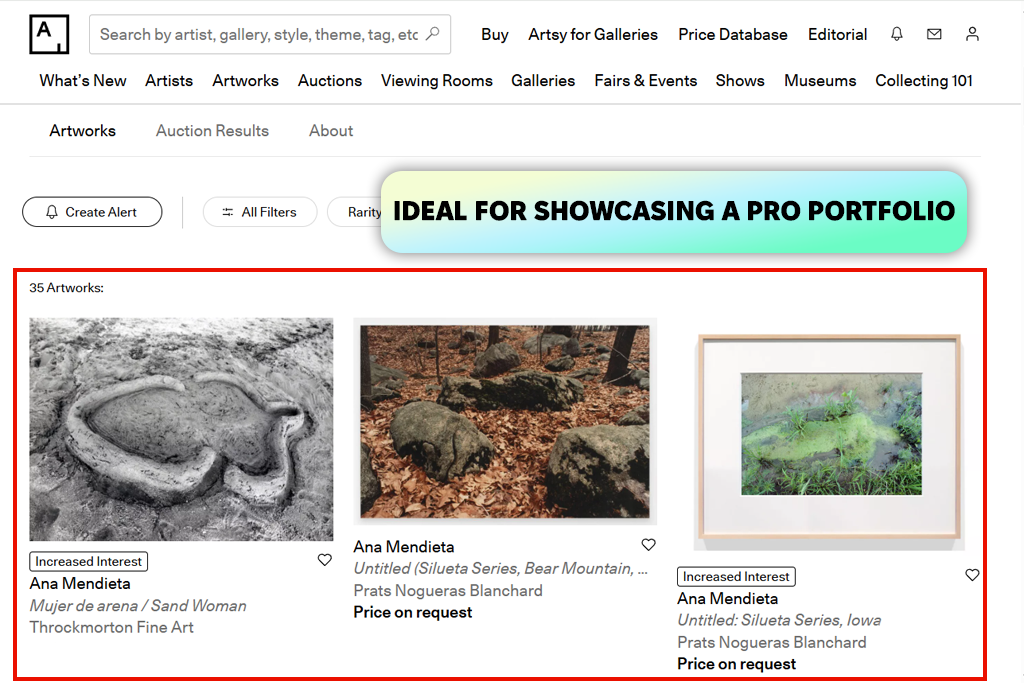
When checking out different painting websites, I got inspired to try Artsy. It’s among the most reputable online marketplaces for modern art. It’s also a fantastic source of inspiration, providing hundreds of examples of professional artist portfolios. Unlike most other platforms that open their doors to everyone, Artsy is a heavily curated marketplace aimed at established artists, galleries, and collectors.
To get a better idea of what this platform offers, I studied featured artists, looked at their profiles, and visualized the process of uploading artworks through a partner gallery. Additionally, I learned how Artsy showcases paintings, from layout to photo resolution. It allows you to upload large-format images, provide enticing descriptions, and fill out a bio page. The UI is designed to highlight the art, presenting all images in a professional, gallery-like format that emphasizes color and texture.
My favorite part about Artsy is its worldwide reach. The platform is partnered with thousands of galleries from around the world, making it easy for artists and collectors to find each other. It also offers a transparent pricing policy and useful analytics. Sadly, its premium nature is also a drawback since independent artists can’t join unless they’re represented by a gallery or verified partner. Additionally, it has rather limited customization since all pages need to adhere to a standardized design.
Price: Free to join and list, 35% to 40% on sales
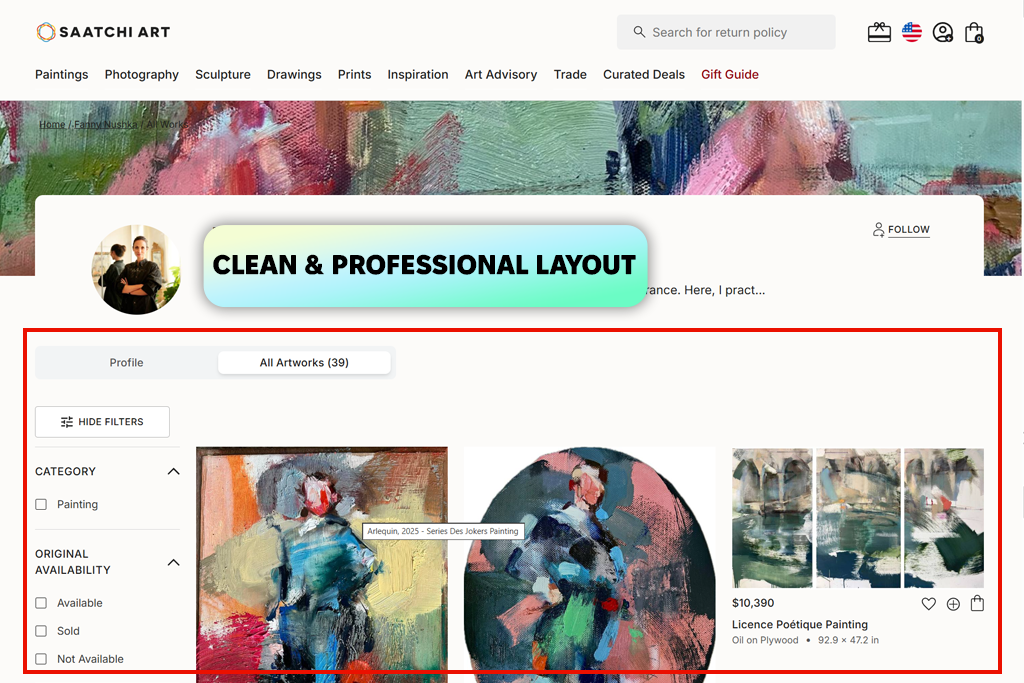
Saatchi Art is among the best painting websites you can find today, helping you find collectors from all around the globe. It allows streamlining the sales process while presenting your artwork in a professional environment, aiming at both aspiring and experienced painters. I used Saatchi to make a profile page featuring a selection of paintings while checking out its UI and functionality. Additionally, it’s a fantastic place to sell photos online.
The gallery creation process was easy; I uploaded photos, wrote the descriptions, and set the prices. Saatchi Art optimized the pictures for the web, preserving the colors and texture. Each artwork is presented in a clean, balanced way, while the gallery page includes a bio section and your artist statement.
I particularly appreciate the huge reach of this platform and the integrated sales functionality. Saatchi takes care of payments, shipping, and marketing, enabling you to spend your time creating paintings instead of handling your website. This site promotes featured artists and shows relevant pieces to actual collectors, providing much-needed exposure for painters. Sadly, Saatchi Art has a high commission rate while also feeling very restrictive in terms of customization, as nearly all user profiles look identical in terms of presentation.
“I think Saatchi Art is a great platform for finding serious collectors, but make sure your page and photos are perfect since the competition here is fierce.”

They don’t. Options like Wix, Squarespace, and Adobe Portfolio provide convenient drag-and-drop controls, allowing you to create pro-grade portfolios without writing a single line of code. However, more in-depth customization can sometimes require a bit of CSS knowledge.
Yes. Websites like Squarespace, Wix, and Format come with integrated eCommerce functionality. They let you upload originals, prints, or commissioned artwork, process payments, and take care of shipping. Marketplaces like Etsy and Saatchi Art also handle sales and logistics, while taking a commission for each sale.
Organize your work by series, style, or medium. Make sure to design a clean gallery with high-resolution photos, an “About the Artist” section, and, if monetizing your paintings, a store page. Minimalist layouts with a lot of negative space are always a good choice since they help keep the focus on the artwork itself.
Yes, you can use your site to attract new collectors. If you combine a professional-looking website with good optimization, social media marketing, and store functionality, you’ll increase your reach and will have an easier time finding buyers, galleries, and fans of your work.
Yes. Plenty of platforms now come with AI features for producing layouts, color palettes, and generating painting descriptions. They are particularly helpful if you want to create a professional website quickly without having to dedicate hours to customizing all the different elements.
If you value customization, then you can’t beat the freedom of creating your own painter website design. However, if sales and wider reach are more important, then choosing a platform like Etsy, Saatchi Art, or Artsy is a much more promising option. Plenty of artists use both to ensure they’re capitalizing on every opportunity available to them.
To find the best websites for painters, I, along with my colleagues from FixThePhoto, tried out a broad range of options, from portfolio makers to huge global marketplaces. We wanted to prepare a shortlist of platforms that cater to different types of painters, allowing them to showcase and sell their artwork.
Other than the sites included in this overview, we’ve also tested Canvy, Webflow, and Hostinger when making personalized portfolios, and marketplaces like Singulart, Behance, and Shopify when looking for different sales channels. For inspiration and reference images, we looked at platforms like Pexels and Unsplash, which allow you to visualize layouts, color palettes, or gallery presentations.
To rank every platform, we prioritized multiple essential aspects and performed hands-on testing. Here is how we tested:
By evaluating all these factors, we managed to draw a fair comparison between all the options, helping you decide which of these platforms is better suited for your specific needs.





![Remove Logo From Clothes AI App [FREE]](http://fixthephoto.com/blog/images/gallery/news_main__preview_27732.png)

![How to Remove Emoji from Photo for Free [9 Apps Tested]](http://fixthephoto.com/blog/images/gallery/news_main__preview_27775.png)


![7 Best AI Wallpaper Generator Tools in {{%year}} [Reviewed & Tested]](http://fixthephoto.com/blog/images/gallery/news_main__preview_28192.jpg)

















