So, I talked to a few coworkers, some clients, and spent loads of time scrolling through Reddit. Two tools kept popping up: CapCut and Descript. Both seemed promising. Simple interfaces, smart features, and none of the unnecessary bulk. Naturally, I had to test them out for myself.
What followed was testing of CapCut vs Descript in real-world projects, not just reading specs or watching tutorials. Whether you're a content creator, a freelance editor, or just someone looking for an easier way to put videos together, this review should help point you in the right direction.
When choosing CapCut vs Descript, CapCut ended up being my top pick. It really stands out when it comes to visual storytelling. It’s ideal for creators who want quick, stylish edits with plenty of built-in effects and templates to speed up the process.
|
|

CapCut |

Descript |
|
Key features
|
|
|
|
Free plan
|
✔️
|
✔️
|
|
Pricing
|
From $9.99/month
|
From $12/month
|
|
Best for
|
Quick, stylish social media videos, mobile-first creators
|
Podcasting, video/audio transcription, content repurposing
|
|
Ease of use
|
★★★★★ (5/5)
|
★★★★☆ (4/5)
|
|
Platforms
|
iOS, Android, Windows, Mac, Web
|
Windows, Mac, Web
|
|
AI features
|
✔️
|
✔️
|
|
Supported formats
|
MP4, MOV, AVI, etc.
|
MP3, WAV, MP4, MOV, etc.
|
|
Collaboration
|
✔️
|
✔️
|
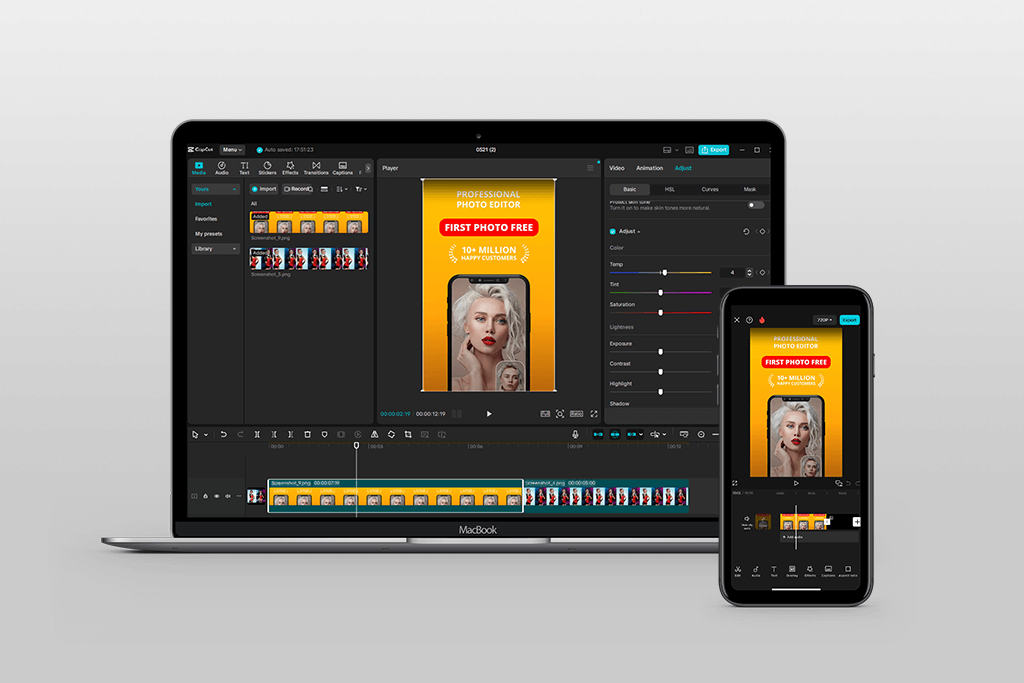
CapCut is a free video editing app made by ByteDance, that can be used on your phone or computer to make fun and cool videos. It’s easy to use and has lots of music, effects, filters, and video templates available.
When I used CapCut, I was surprised by how simple it was to make good-looking videos fast. I compared CapCut vs Adobe Premiere Pro, and I think it kind of feels like a smaller version of ess complicated Premiere Pro.
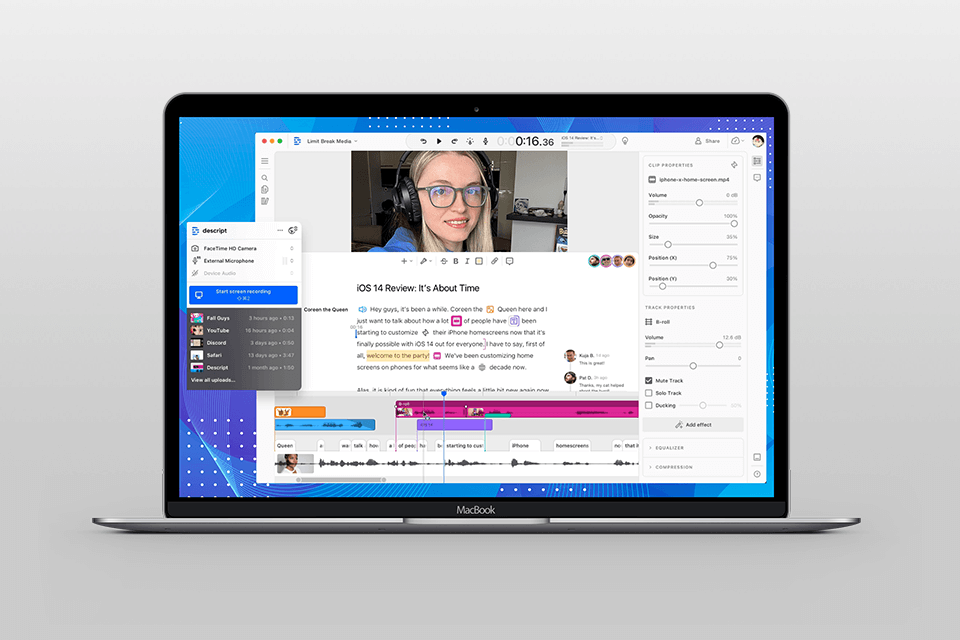
Descript is another editing tool, but instead of editing video by dragging clips around, you edit it like you’re editing a document. If you delete a word from the text, that part also gets removed from the video or audio.
At first, this transcription software seemed too simple. However, once I understood how it worked, it became super helpful for editing podcasts and talking videos.
CapCut is great for:
Descript is best for:
I use CapCut to make quick and fun videos for social media. It saves time and makes them look professional. But when I’m working on podcasts, interviews, or behind-the-scenes videos, Descript is my go-to app. It helps me fix the audio, cut out long pauses, and remove “uhms” and “likes” without doing complex editing.
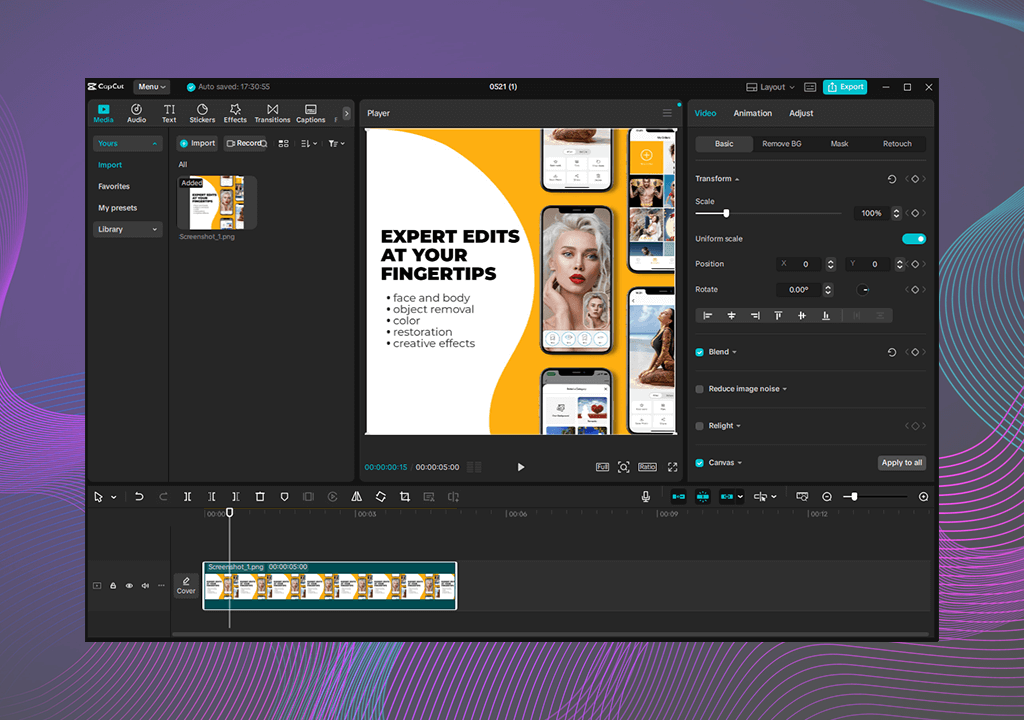
It’s clean, simple, and you don’t need to watch a tutorial to figure it out. If you’ve ever used a free video editing app, CapCut will feel familiar.
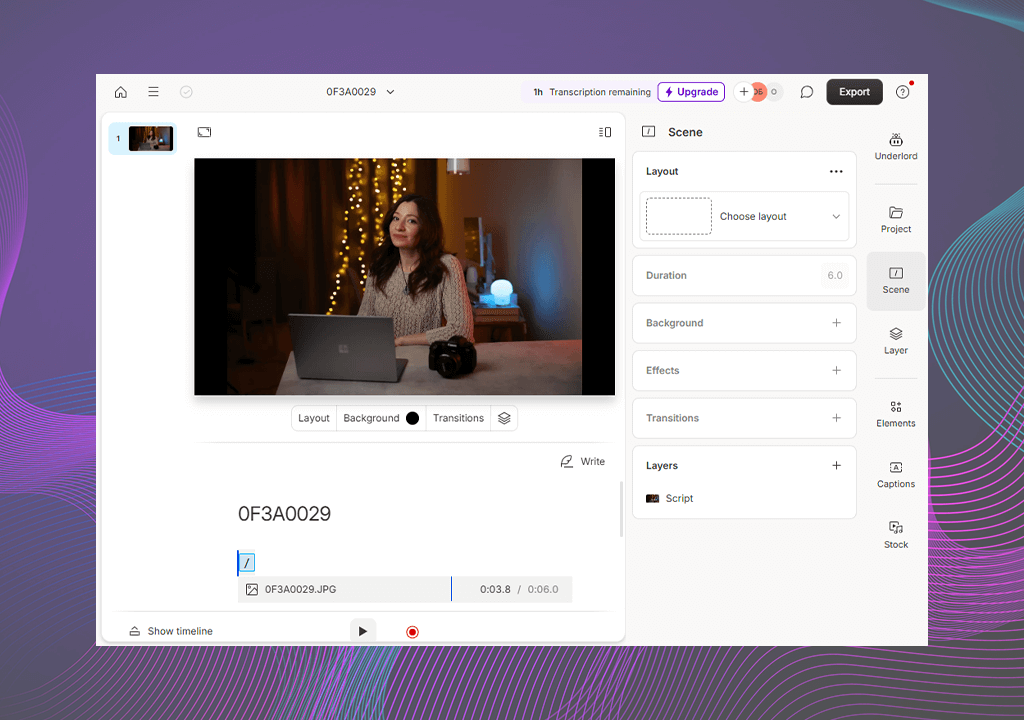
Descript is very different. It looks more like Google Docs than a video app. Instead of moving clips, you change the text. When you delete a word in the script, it also deletes that part in the video. It feels weird at first, but once you get it, it’s great for editing videos where people talk a lot.
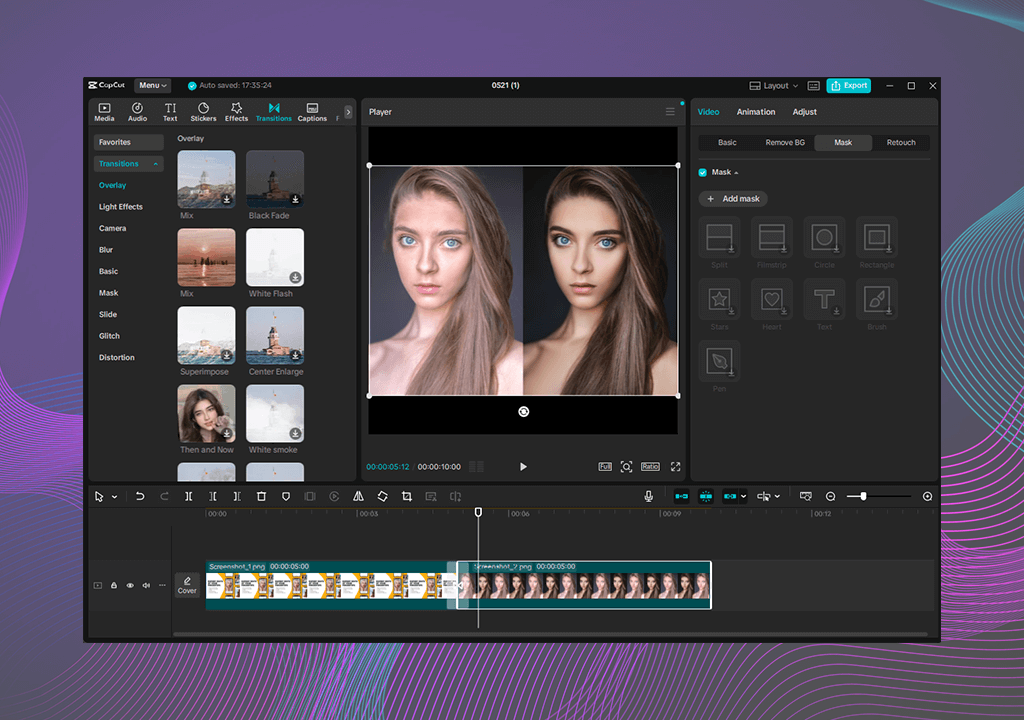
You can add stickers, filters, music, effects, and more. Unlike Descript, CapCut is more of a Reels, YouTube Short, and TikTok video editing app, which creates fun, eye-catching videos fast.
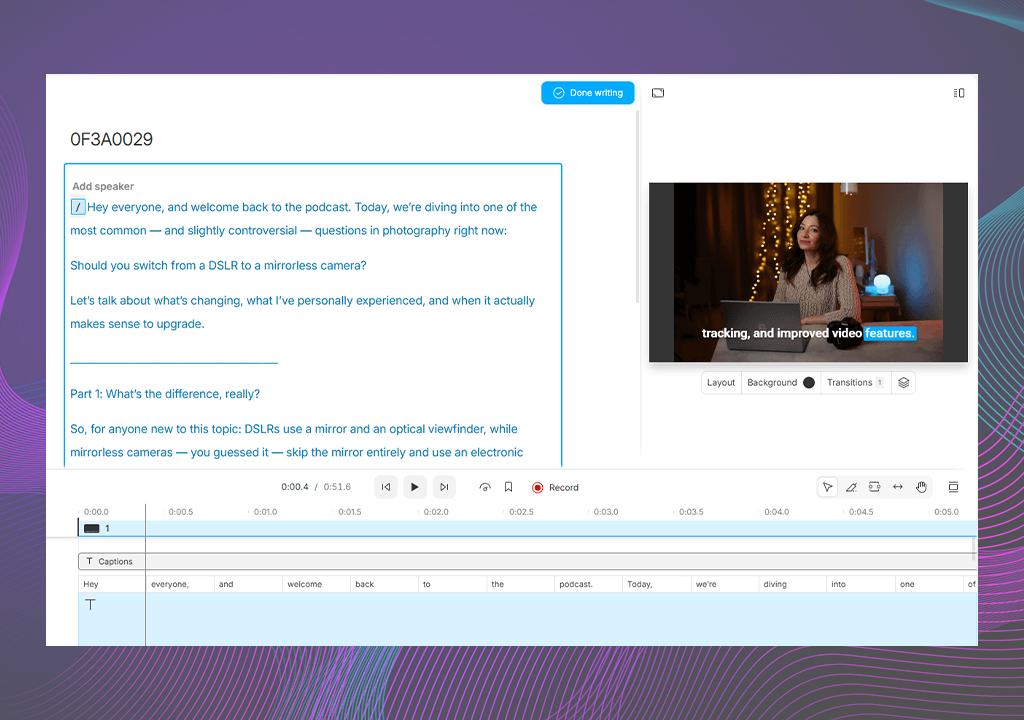
Descript is simpler. You can cut parts of the video, move clips around, and add pictures, but that’s pretty much it. You won’t find cool effects or fancy transitions. It’s better for editing videos where the talking part matters more than the visuals.
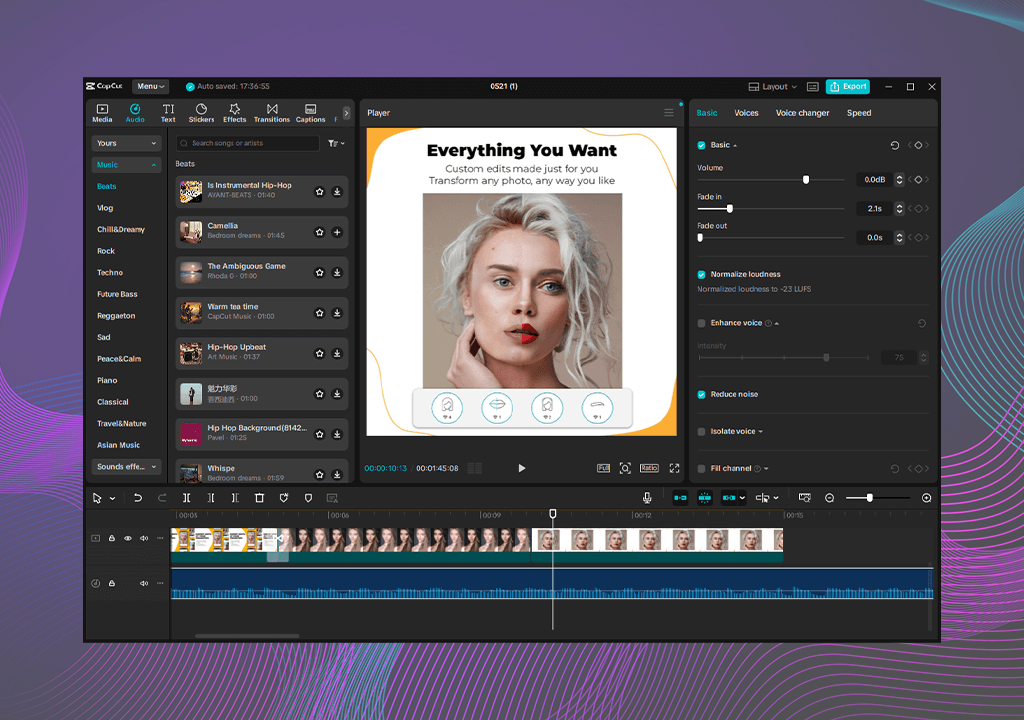
CapCut has basic sound tools. You can turn the volume up or down, fade the music in or out, and use some filters. It also has a big music and sound library. This works fine for short videos, but it’s not great for podcasts and other audio content.
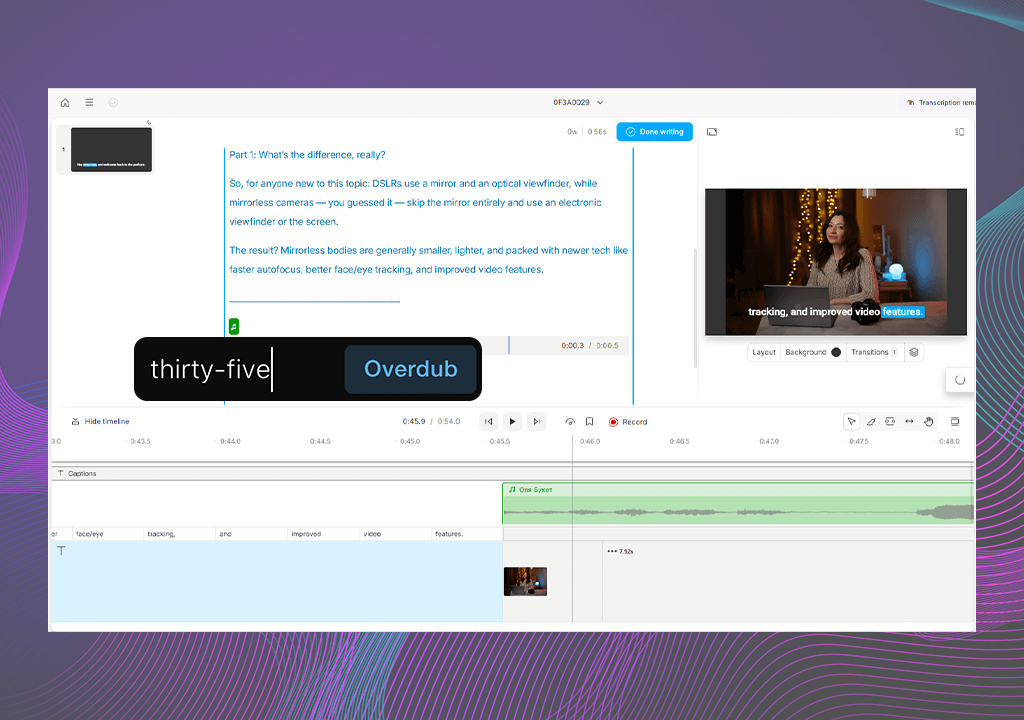
Descript is much better for audio. It can remove filler words, cut out silence, and even fix mistakes by using a fake voice that sounds like you with the Overdub feature. If you're making a podcast or a video where people talk a lot, Descript makes it easy to clean up the sound without touching a waveform.
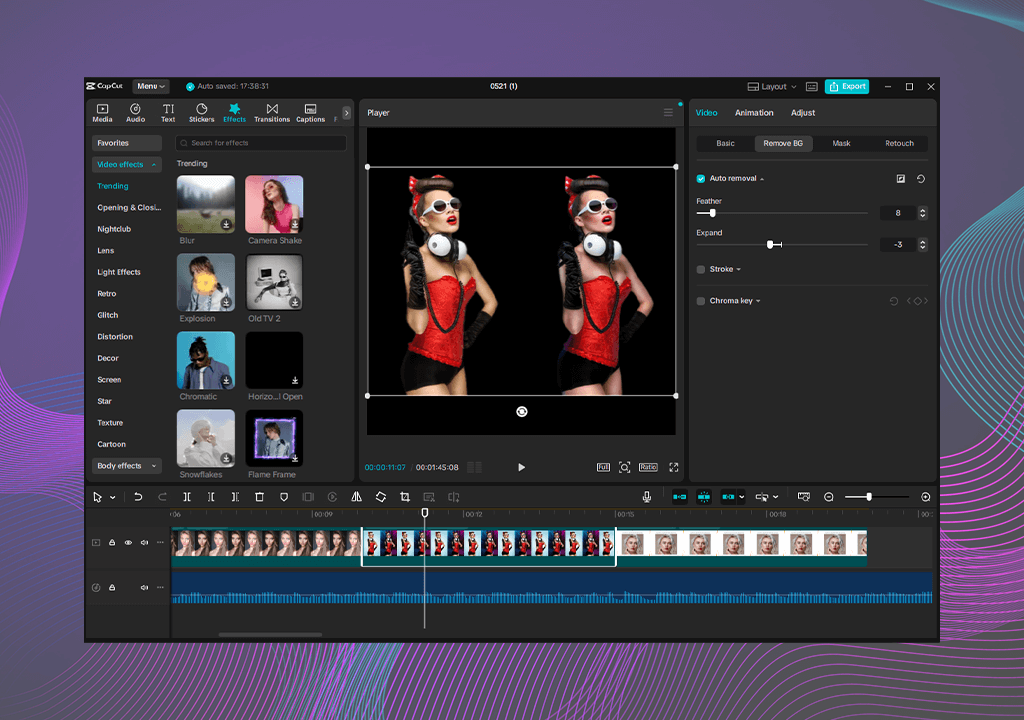
CapCut has loads of AI tools for editing visual content. It can add captions, remove backgrounds, resize clips for Instagram or TikTok, and even fix shaky videos just like an online video stabilizer. I used a tool that matched my video to music beats, and it worked great.
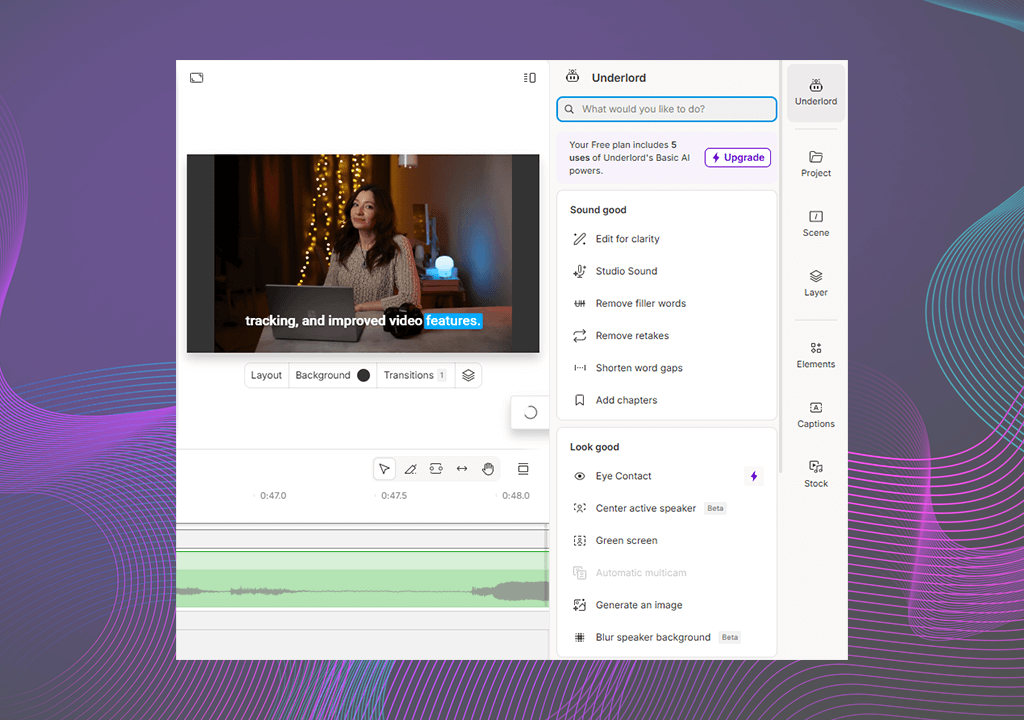
Descript, on the other hand, has various AI features for audio editing. It can copy your voice so you can fix or add words just by typing. It also writes out everything you say and can clean up filler words with one click. When comparing CapCut vs Descript, the second one is great if you are working on podcasts or videos where people are talking all the time.

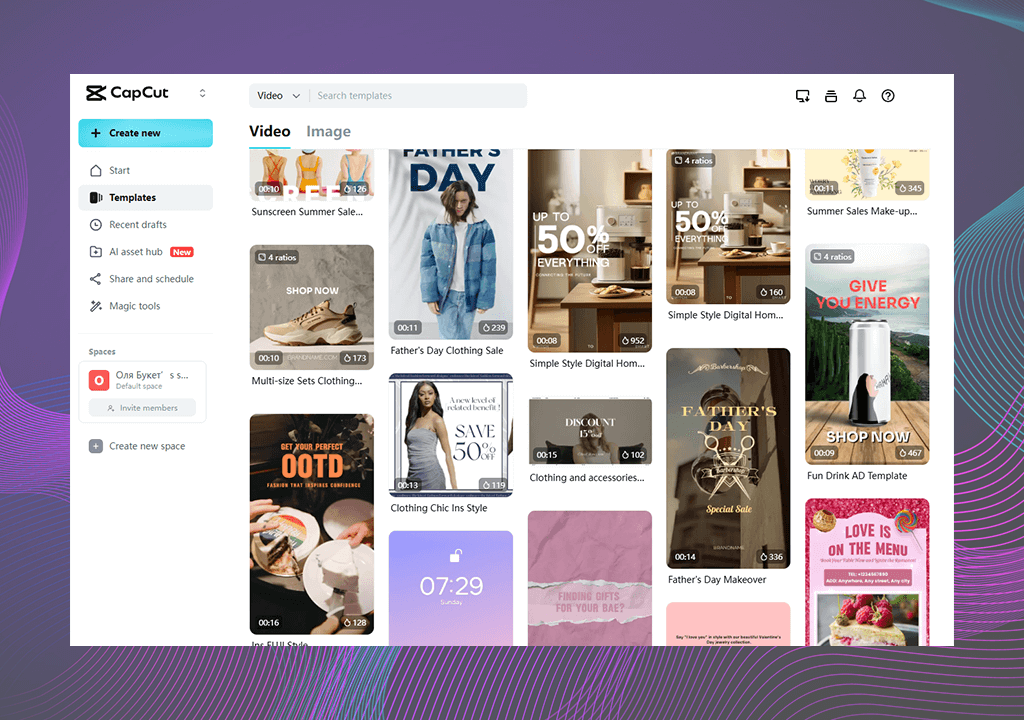
CapCut is super strong in this area. It’s full of ready-made designs you can use right away for TikTok, Instagram, and YouTube Shorts. I made a whole product video just by dragging things around- it was super simple. Unlike Descript, this Reel editing app is made to help you post stylish videos quickly.
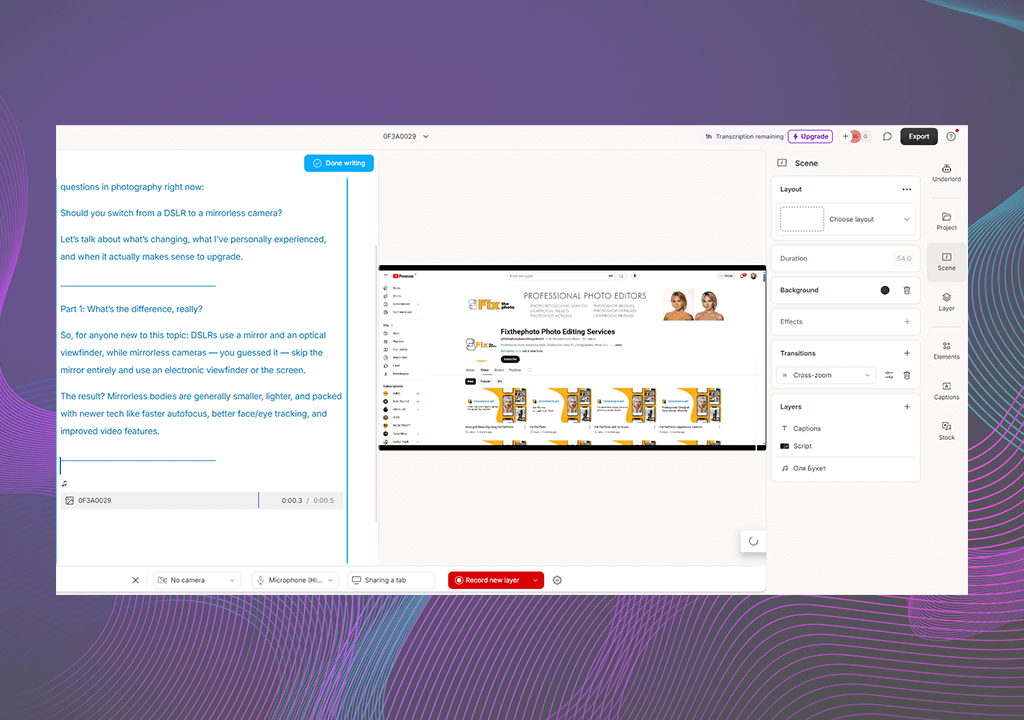
Descript gives you a few basic layouts for things like audiograms or screen recordings, but not much else. It’s more about creating clean and simple videos from the beginning.
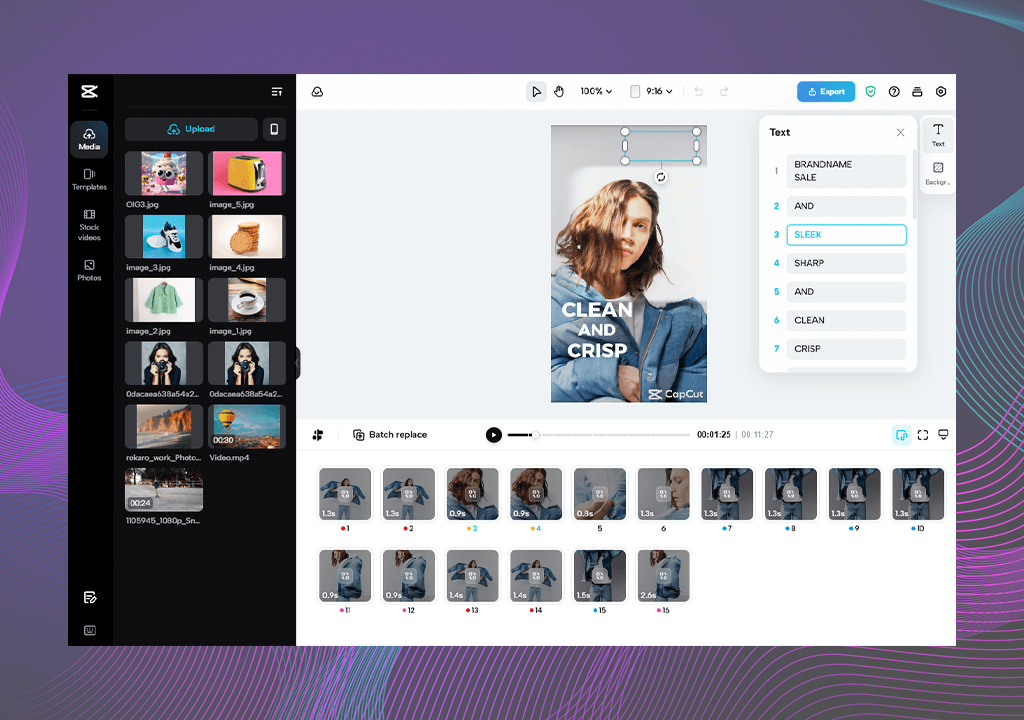
Both CapCut and Descript give you free assets to use, like music and pictures, but they’re pretty different. CapCut has way more choices: you can find music, sound effects, stickers, filters, and even short video clips. I made a summer travel video using just things available in the app.
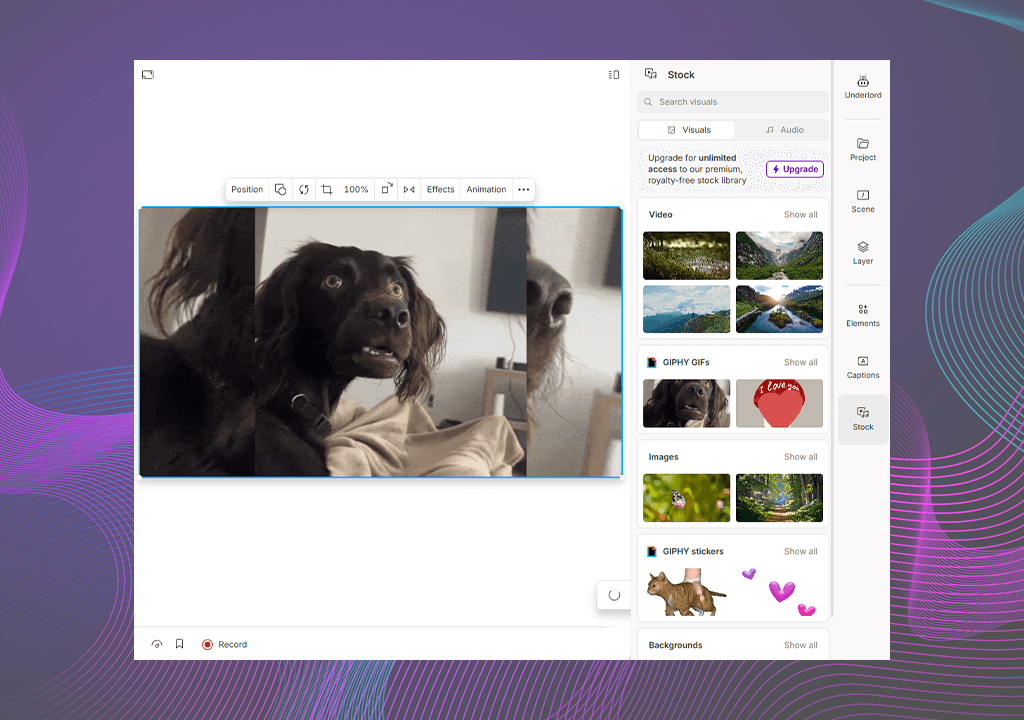
Compared to CapCut, Descript has more tools. You get background music, animated waveforms, and some screen recording features. Unlike other apps like CapCut, it doesn’t have the flashy visuals and is more for podcasts and corporate explainers.
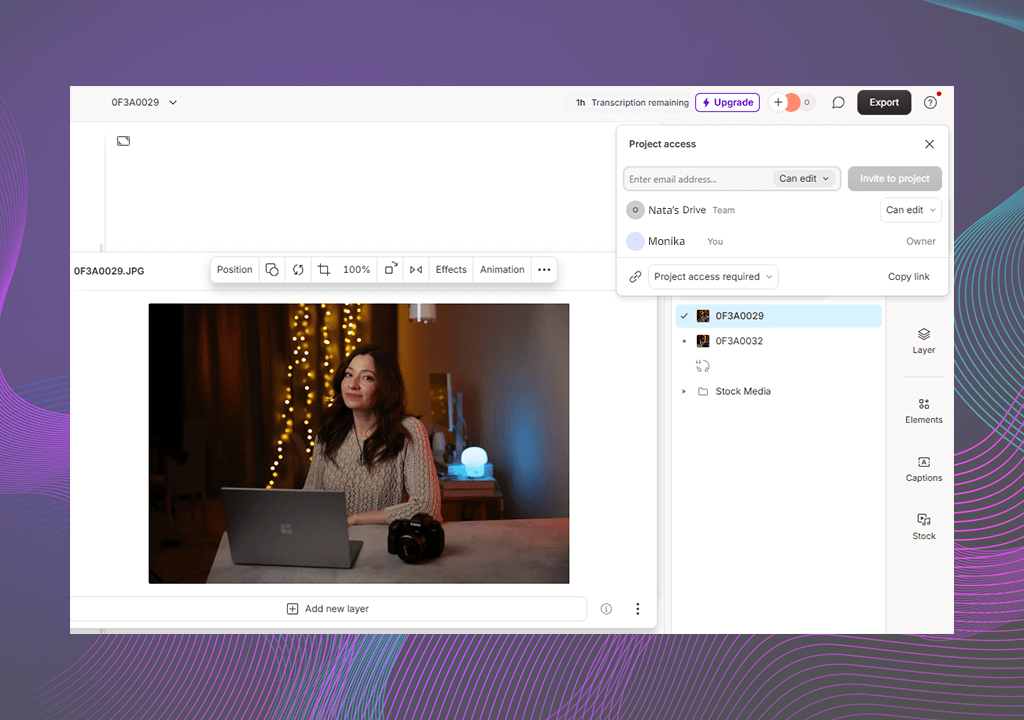
Descript is great for team projects. It works kind of like Google Docs: you can send someone a link, and they can leave comments or even edit with you at the same time. I’ve used podcast recording software for remote podcasting with clients, and it was super easy to work together, even from different places.
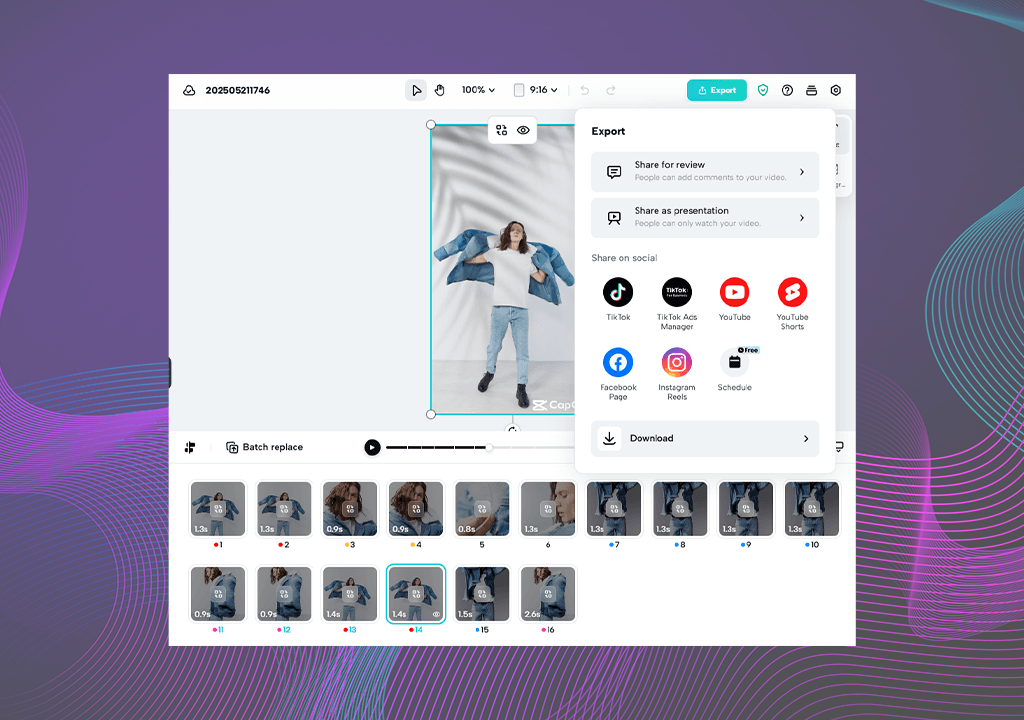
CapCut now lets you save files in the cloud and has team spaces, but it’s still better for working alone. It’s great for making videos quickly and sharing them on TikTok or Instagram. But if you need people to give feedback or help you edit, Descript is the better choice.
CapCut is super flexible. You can use it on iPhones, Android phones, Macs, Windows computers, or even online. It works well across all these devices, so I often start editing on my phone and finish on my laptop with no problems. It’s great for people who are traveling a lot or like editing wherever they are.
Descript is mostly for computers. It's a great video editing software for Windows and Mac, and it has a small online version, but no app for phones. So, if you want to make quick changes while you're on the move, you can’t really do that with Descript.
Both CapCut and Descript have resources that can help you learn how to use their tools, but they do it differently. CapCut has a lot of tutorials on YouTube and TikTok. These are great if you like watching videos to learn cool tricks or find fun edits.
Descript, though, has clear guides built right into the app. It also has a help center with answers and a team that replies when you have a question. I once had a question about Overdub, and they replied within a day. So CapCut is more about learning from creators online, while Descript gives you more structured help right within the app.
CapCut:
Descript:
After trying out CapCut and Descript, I discovered that each app is best for different types of creators. CapCut is fast and great for making fun, eye-catching videos, like TikTok, Reels, or YouTube Shorts. It focuses a lot on visuals and cool effects. Descript, on the other hand, is a script-based editor. It’s great if you’re working with sound, like in podcasts or educational videos. It has tools for clear speech, fixing voice recordings, and collaboration.
Both apps are helpful, but the ideal choice would depend on what you need and if you care about visual assets, having a phone app, or having powerful tools for audio and script editing.
I make short videos for social media, longer tutorial videos for YouTube, and even client projects, so I needed to see how well each app could help with all of that. When testing CapCut and Descript, I didn’t just rely on my opinion, I also talked to my FixThePhoto teammates, especially the ones who work on podcasts and social media videos. I also checked out Reddit and Discord groups, watched tutorial videos, and read user reviews to see what other creators thought.
Step 1: Testing how easy they are to use. I used both apps on my computer and phone to try them in real situations. I used CapCut on my phone while being out and Descript on my desktop for a longer video project. I paid attention to how easy each app was to learn, how fast I could do basic edits, and whether I needed to look things up. I even made one short and one long video in both apps to see which UI helped me finish faster.
Step 2: Checking how well they edit videos. I made a short promo video for FixThePhoto in CapCut, using transitions, text, and auto-captions. Then I did the same in Descript but added a voice cleanup using a tool called Studio Sound and made cuts by editing the text. I timed how long it took, looked at how smoothly the video played, and how easily I could trim parts. CapCut was better for visuals but Descript made my voice sound super clean without much effort.
Step 3: AI tools and templates. I tested CapCut’s smart cut, background remover, and TikTok-style templates. Then, in Descript, I checked how well it could turn speech into text from a noisy Zoom call. I used Overdub to fix parts of my voice that didn’t sound right. I also removed filler words with one click. I looked at how much time these AI tools saved me and whether I had to fix anything manually.
Step 4: Collaboration tools and exporting files. To see how well each app works for collaboration, I invited a teammate to co-edit in Descript. We added comments, changed the script, and edited the audio together. It worked well for teamwork.
In CapCut, I tested how easy it was to export videos in different sizes, like 1080p and 4K. I also checked if the project synced properly between my phone and computer. I made sure the final videos were acceptable for clients and didn't have low quality.
Step 5: Using them in real projects. Lastly, I used both apps during my normal weekly content work. I used CapCut for short, TikTok videos that needed quick captions and effects. I used Descript for longer videos, like interviews and online courses. I kept track of the tools that streamlined my workflow and helped me meet deadlines without getting stuck.
CapCut and Descript are both video editing software for Mac and Windows. They’re both easy to learn and have powerful tools. But which one is better depends on what you usually work on. If you're making short, fun videos for TikTok or Instagram and want something simple that works well on your phone, CapCut is a great choice.
Yes! You can take a video or audio from Descript and open it in CapCut to add cool effects, transitions, or text. This is a great combo if you want to turn a podcast into a short video for TikTok or Reels.
CapCut can create subtitles automatically and supports several languages. But Descript is better for this kind of thing. It has stronger tools for translating and making subtitles, especially if your video is long or uses more than one language.
Even though CapCut is mostly known as a video editing tool for social media, you can still use it for professional work. You can make clean and nice-looking videos for clients, like ads or event videos. Just be careful not to use too many trendy effects if they don’t fit the project and always export in high quality.
Yes. That’s one of the best things about Descript. You don’t have to move clips on a timeline. Instead, you just edit the words in the script, like in a Word document, and the video changes with it. It’s great if you think better in words and don’t like traditional video editing.
If you make short videos often and want extra templates, special filters, and cloud storage, then CapCut Pro may be worth paying for. But if you don’t need all the fancy assets, the free version still works very well.
CapCut now lets teams work together with Team Spaces and cloud projects, but it’s not as smooth as Descript, where you can edit with others in real time, leave comments, and share links. CapCut is getting better but Descript is still the best for team projects.
It has AI audio tools like Overdub (which lets you clone your voice with AI), filler word removal, and lets you edit by changing the transcript. You don’t even need to re-record parts, which saves a lot of time.
Descript lets you record your screen right inside the app, which is great for tutorials. CapCut doesn’t have this feature built-in, so you’ll have to record your screen using another app first, then bring the video into CapCut to edit.




![9 Best Video Delivery Platforms [Simple & Free]](http://fixthephoto.com/blog/images/gallery/news_main__preview_28433.jpg)

![8 Best AI Tattoo Generator Tools [+Good Prompts]](http://fixthephoto.com/blog/images/gallery/news_main__preview_28202.jpg)
![11 Designhill Alternative for Graphic Designers [Real Tests]](http://fixthephoto.com/blog/images/gallery/news_main__preview_27909.jpg)



















