When trying to create engaging content for my TikTok channel, I was struggling to increase the number of videos while maintaining high quality. Besides, I was tasked with small marketing projects for local companies. I needed to produce engaging short promos for a newly opened café, edit lighthearted videos for a client’s fashion line, and publish behind-the-scenes videos for my channel.
I had to handle so many tasks at once that I felt completely exhausted. I did not have enough time to edit videos as well. This is when I realized that I needed to find a solution for generating unique videos and implementing my creative ideas.
I started to look for the best AI TikTok video generator, hoping to find a solution for editing my raw clips. I wanted to discover the tools that would allow me to stitch various segments, choose suitable music, and add captions automatically. In addition, I wanted to be able to adjust parameters, including video length (15-60 seconds), aspect ratio, style or theme, pacing, and text animations. Besides, I was interested in services with intuitive interfaces.
When working on my projects, I needed to create different types of videos. For the café, I wanted to create videos with a nice and cozy feel. I decided to add quick transitions to make drinks and pastries look more appealing. I wanted to create fashion line clips in a trendy style and use music that will grab the attention of the younger audience.
For my personal project, I wanted to produce unique and experimental content, using various filters, transitions, and AI-generated effects.
Next, I tested a variety of AI-powered services. I would upload raw footage, adjust the pacing, use music recommended by AI, and add text overlays to generate captions. When testing these services, I ranked higher those that helped me expedite my workflow and achieve professional outputs.
In addition, I asked my colleagues from the FixThePhoto team to assist me with choosing the best AI TikTok video generators. They offered their feedback, which helped me create a list of the most practical AI solutions. Due to this, I was able to expedite the testing process and assess popular AI video generators.
Yes, for sure. Let’s consider this issue in detail to see whether the AI allows one to produce professional TikTok videos. You will discover how to create content that meets your criteria and can be used for your projects. Below, I have outlined the main things you should be aware of.
What makes AI suitable for creating videos
AI tools are suitable for creating short TikTok clips, as they support the following functionality:
What AI struggles with
Even though the AI allows users to simplify their routines, it has its limitations, especially when one needs to use a more creative approach:
How to ensure AI videos meet your requirements
To make the most of the AI, be sure to provide detailed instructions, specify the desired input, and iterate:
Practical Examples for Projects
AI TikTok video generators can be used as full-fledged digital assistants. They produce outputs quickly, generate trendy content, and allow users to benefit from using automated tools. However, it’s important to check whether a video meets your requirements and refine it manually if you need to achieve better results.
The AI is perfect for creating the first draft of a video, however, you will need to adjust the output to make it truly unique. The usage of AI and manual editing will help you improve your productivity and produce engaging content that will stand out in the feed.
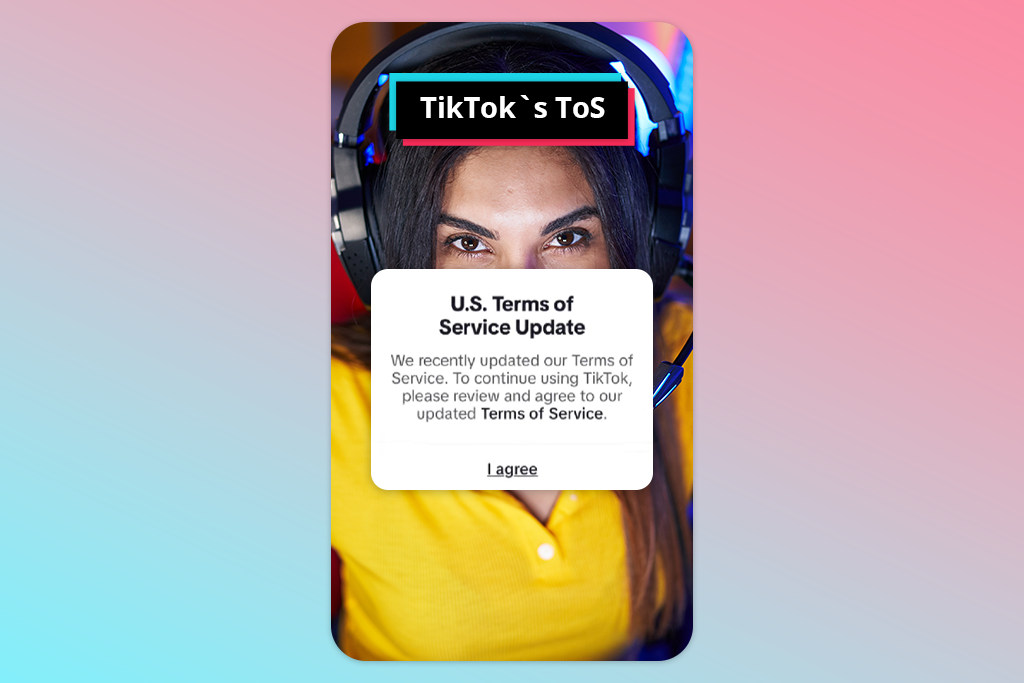
According to the U.S. Copyright Office, it’s impossible to own a copyright for AI-generated TikTok videos that were created fully automatically, without human input. This is why, when you click the “Generate” button to produce a video and do not make any further edits, it may be impossible to prove that you own the rights to such content.
However, if you cut out scenes, edit timing, add text and music, edit a video in a certain style, or provide detailed instructions when writing prompts for the AI, you will be considered the author of the output. In this case, the AI will be considered a tool. Be sure to consider the terms of use of an AI video generator. Some platforms hold licenses for all produced content or limit commercial use.
TikTok Terms of Service (US) state that when an author uploads a video, they give the platform an extensive license for the usage and sharing of this content. The author keeps the copyright. A person can be considered the author of AI-generated content only if they have made a significant contribution to the output and understand the licensing terms of the AI service they use perfectly.
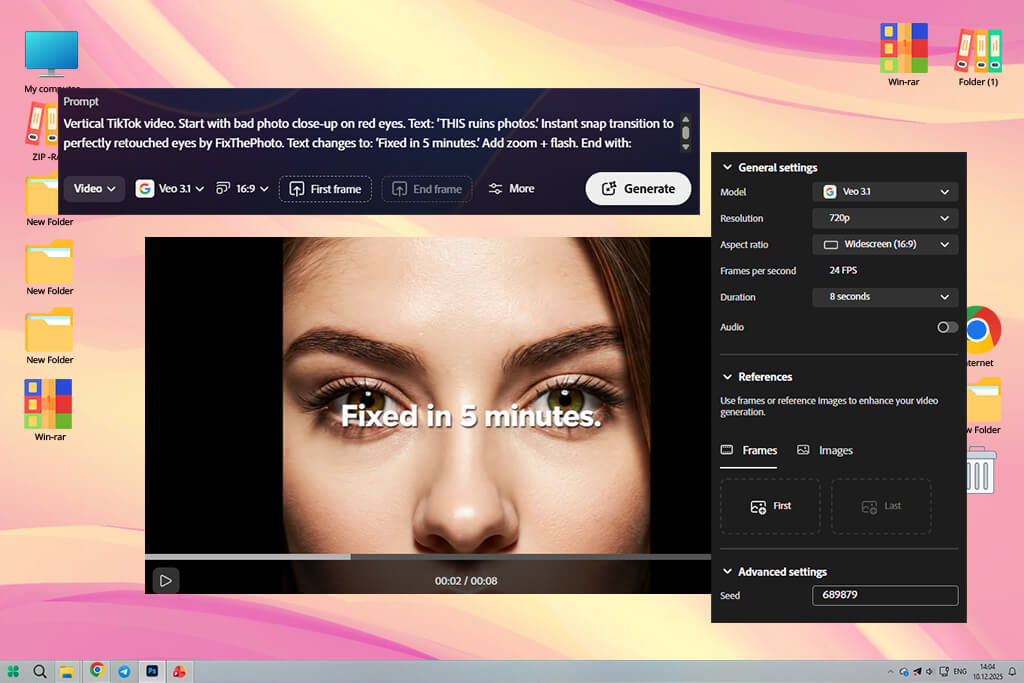
When I started testing Adobe Firefly Video, I uploaded my café promo footage. It suggested I use a “sunlit” mood and recommended I use certain color presets. I adjusted pacing and synchronized music as well as tested out integration with other Adobe programs. It was easy for me to swap assets and choose the right timing using professional tools.
When working on content for the fashion line, I used the motion smoothing effect and added frame extensions. It helped me spend less time on slow-motion transitions. Firefly turned out to be a great choice for producing TikTok videos consistent with the brand style.
When I decided to add captions in the style of the brand, I used Firefly’s controls to choose the right placement and adjust animation timing. I tested Firefly on a batch of headshots and product clips to see whether outputs would be consistent, and I was impressed with the results. I noticed some delays only when I decided to achieve a vintage grain effect. Firefly will be perfect for your needs if you are interested in advanced controls and want to expedite your workflow.
“This service helped me produce professional and polished videos. I use it when I want generate clean branded videos and achieve better consistency of my outputs.”

I liked the fact that I was able to choose a 9:16 export with specific frame timing. It allowed me to upload my videos to TikTok with ease. I used Firefly to generate videos for my personal project more quickly and then trimmed them manually. Besides, I used this service to produce content for the café owner. My client liked the fact that the colors looked consistent across three videos. If you are interested in branding and want to use an AI service that follows your instructions, Firefly is a good option to consider.
When using this free Adobe software, be sure to focus on the details. If you want to create a viral clip with little to no effort, this service might not be the best choice. Despite this, it helped me save a lot of hours, as I did not need to perform cuts manually.
I like the fact that it balances high speed and advanced controls. It helped me generate professional content for my personal feed, make sharp fashion edits, and achieve better outputs when working on café clips. I often use this tool when I need to produce creative outputs of high quality.
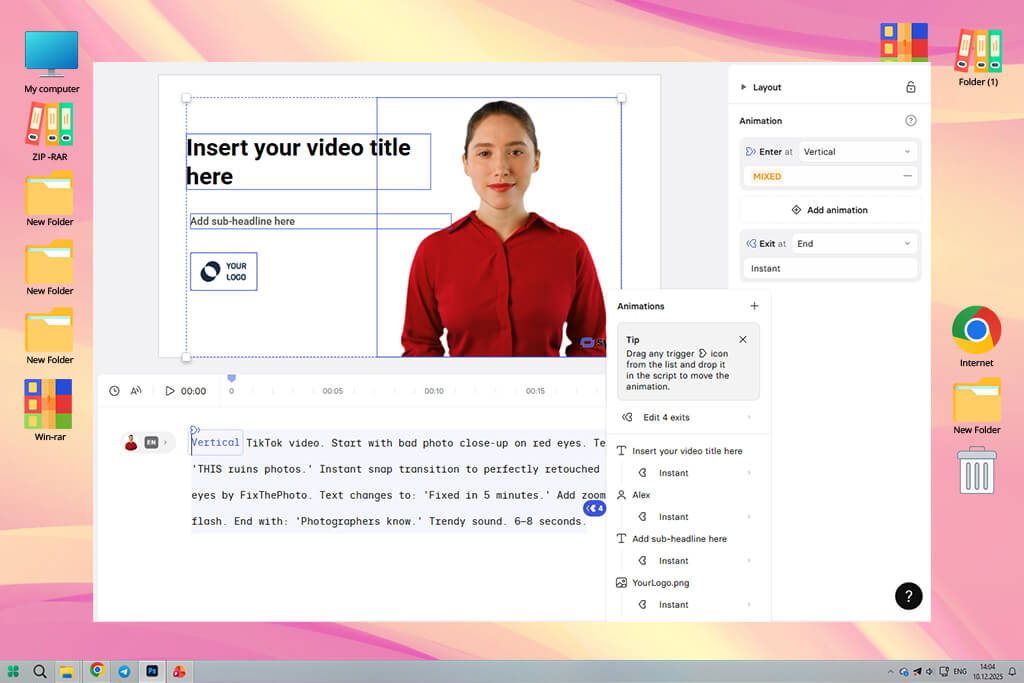
When testing Synthesia, I uploaded a script for a promotional café video. Within a few minutes, it generated a talking-head clip in several languages and added realistic avatars. It makes it the perfect fit for those who want to create videos with owners' testimonials and announcements.
When working on the fashion line project, I added an avatar to tell more about the product features. It helped me save money on voiceovers and perform A/B testing to check which tone and language work best for generating engagement.
I was able to use it for personal projects as well. My explainer clips looked professional because I was able to choose different avatar styles and adjust delivery speed. This AI clip maker allows me to add a virtual presenter to any video with ease. It’s especially suitable for maintaining consistent narration across several short clips.
“It’s the top solution for creating talking-head style videos. I did not need to record my own voice every time, which simplified my workflow.”

The testing process was quite streamlined. I decided to produce 30-second clips and select the desired language and avatar. After I uploaded B-roll, Synthesia added the avatar and generated captions automatically. I asked it to speed up the pacing to match the footage and a trending beat. The service solved this problem by adjusting pauses and timing. Due to this, the speech sounded natural.
The only disappointment was that it was difficult to match the avatar expressions to my footage. The avatar still cannot fully replace a human actor. However, this AI video translator is a great choice for those who want to create multilingual promos or explainer content based on scripts. It helped me maintain a consistent voice and branding.
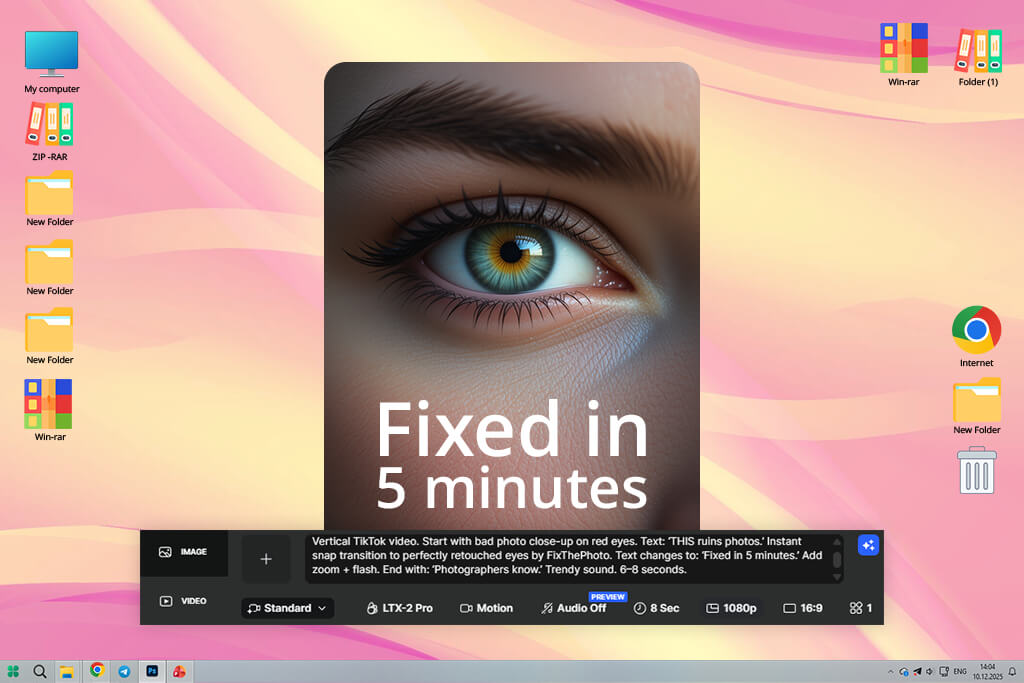
When I started to use LTX Studio, I was impressed by its powerful performance and advanced functionality. I started by uploading my raw clips and text prompts with recommendations regarding mood. This generative AI tool quickly produced rough cuts with the right pacing. It helped me create café promos and the fashion lookbook.
I experimented with synchronization features, and it produced 15–60 second versions with different beats per minute. LTX produces clean outputs that do not require a lot of manual editing. This service was especially suitable for enhancing landscape shots for my wedding event footage. I was able to highlight important details and trim my video on my mobile phone.
“This service has advanced tools that are difficult to master. However, when I learned how to use them, I was able to significantly improve the quality of my edits.”

I tried out several performance modes to see which of them would allow me to achieve higher accuracy. I discovered that the fast mode was more suitable for producing experimental clips, while the “pro” mode enabled me generate more professional outputs that met clients’ requirements perfectly. The timeline interface is intuitive. It was easy for me to adjust timing after using the AI to generate the first draft.
When working on the fashion line project, I used motion fluidity controls to make accurate cuts when editing runway clips. It helped me create smooth videos. LTX is one of the best solutions for those who want to expedite their workflows using AI and edit videos at a professional level.
As LTX allows users to create several versions of clips with various music, I was able to add different music to my footage and compare chill and upbeat tracks. I was impressed by the output quality and liked using the available tools to perform subtle color grading.
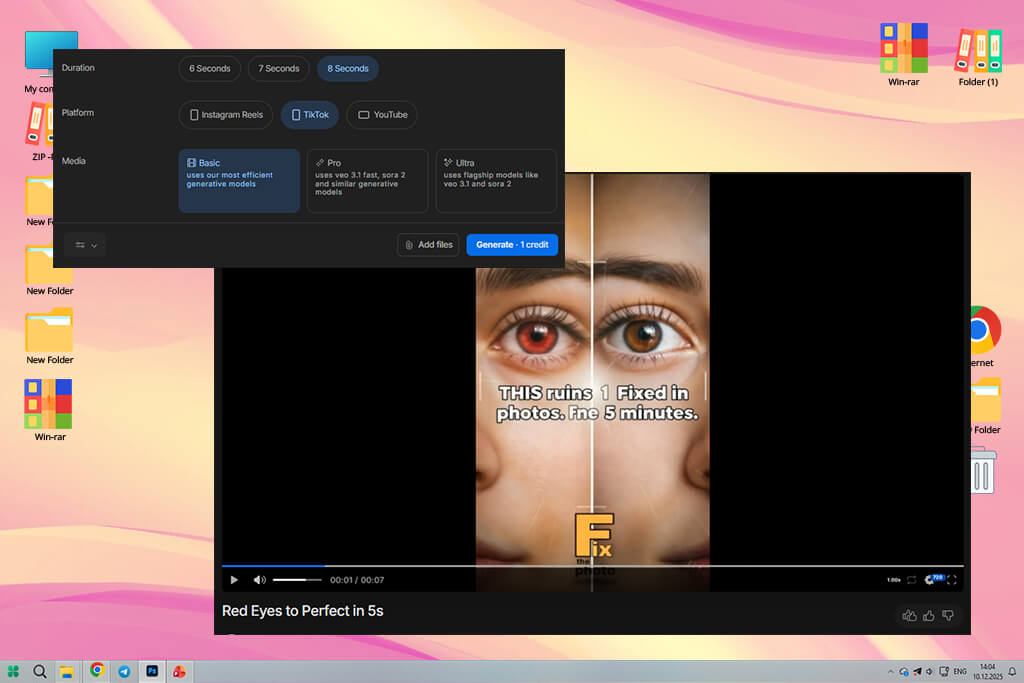
I uploaded my scripts to InVideo and added clips for the café announcements. This service helped me to convert text into a TikTok video with voiceover, captions, and pacing. The AI templates recommend the right trim points and music that aligns with my prompts. It helped me finish many small projects quickly.
When testing this service, I tried out various voice styles. The AI created several voiceovers with different tones. I tested them to see which option would generate more engagement. I especially liked the auto-captioning and subtitle styling tools. Using them, I was able to create content that will be engaging even when viewers watch it without sound. However, I did not like the fact that I had to edit custom transitions manually.
“I often use it when I need to produce content quickly. I write my idea, it creates a TikTok video without delays.”

Another thing that impressed me about InVideo was that I was able to upload a script and wait until it placed B-roll and text automatically. This solution is especially useful when you have a clear idea you want to implement, but do not want to use timeline tools. When working on experimental clips, I was able to switch between different templates and test out new visual voices without recreating the edit from scratch.
While it’s not the most advanced AI video editor for custom projects, it allows one to generate social media content of consistent quality quickly. I use InVideo to generate nice-looking shots without delays.
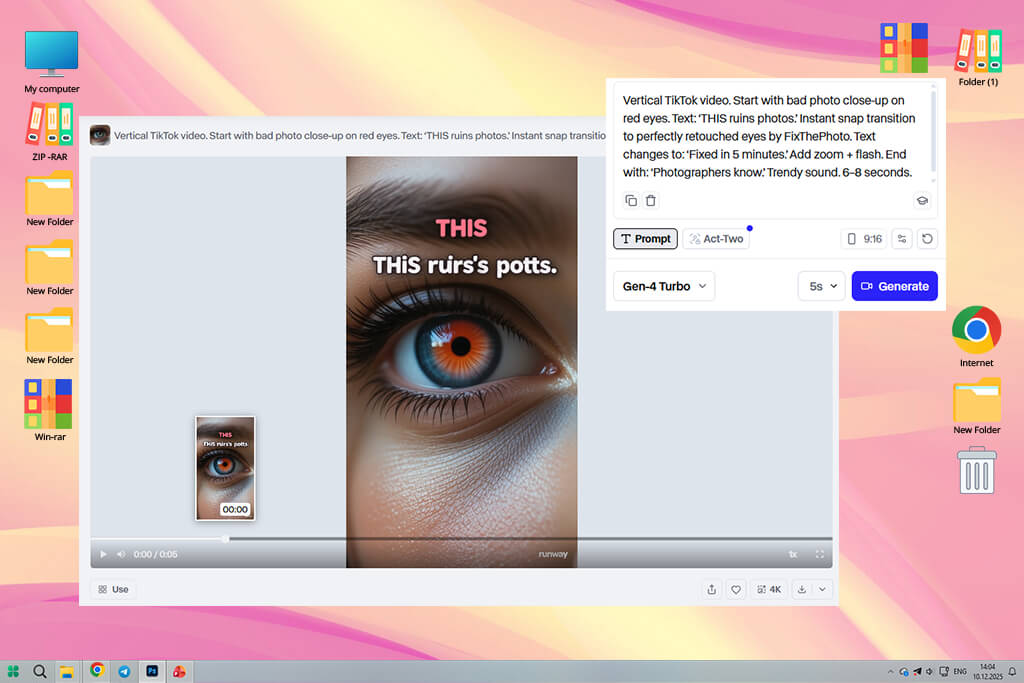
Runway is best suited for all sorts of creative experiments. I used text prompts to generate clips for my personal projects and perform subtle inpainting on fashion footage to remove imperfections. It uses the Gen models that allow users to produce content with a cinematic feel or achieve surreal outputs and iterate on them. I liked the fact that it supported frame-by-frame editing.
When working on the café promo, I used the background replacement and color tools available in Runway to make espresso shots more appealing without re-shooting them. I often use this service when I need to produce unique content that is not based on standard templates.
“This option is suitable for those who enjoy experimenting. With it, I was able to experiment with the most creative ideas.”

When testing this service, I used this model to produce short vertical sequences. I was able to test out different styles, adjust lighting, and change pacing. Runway allowed me to perform remixing and experiment with new ideas. With it, you can create engaging TikToks to grab the attention of your audience.
When working on brand projects, I relied on more traditional tools to clean footage and perform stabilization. This service has plenty of high-end editing features. The only issue I discovered with this AI replace tool was that its outputs were rather inconsistent. They often differ on tone and may require manual editing.
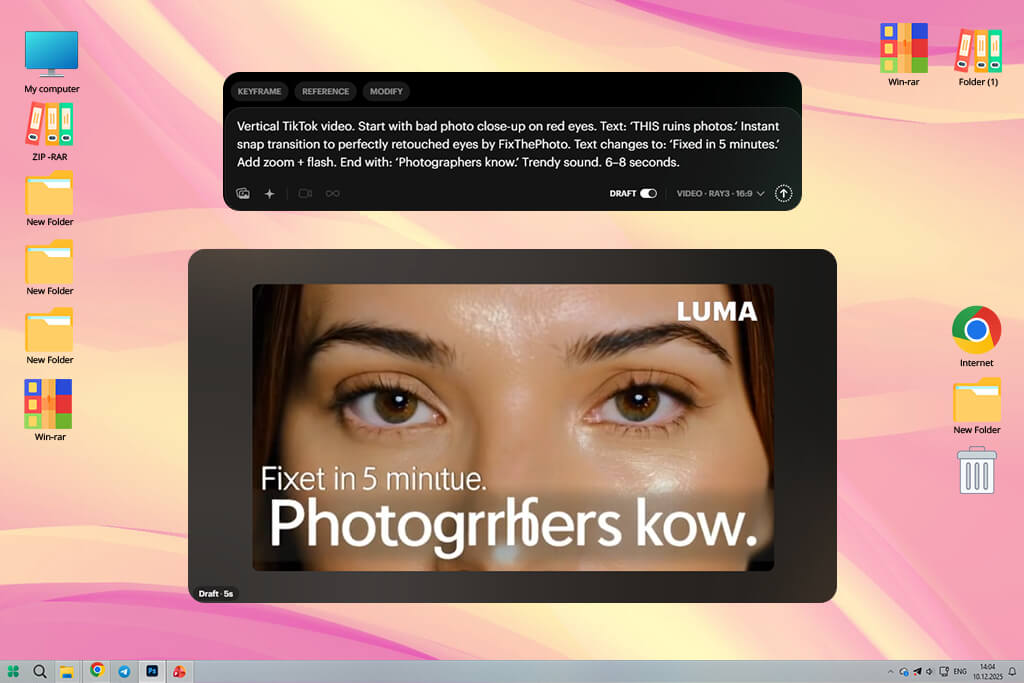
When I started to use Dream Machine, I was pleased by its text-to-video tools. Using them, I created lovely clips for my personal projects and generated café B-roll edits. I used its scene generation tools and camera-movement recommendations. It helped me create short vertical sequences of professional quality, even when I used static source files.
When working on the fashion line project, I created background loops to make the viewer’s attention focus on product shots and simplify the composition. This AI background generator helps me produce creative content more quickly.
“Suitable for creating quick, artsy videos. It’s more intuitive than traditional editing solutions.”

I experimented with pacing settings to add trending music. Dream Machine adjusted camera moves and timing to achieve a more natural result. This service allows me to quickly create a draft based on a prompt and iterate with ease. It helped me save a lot of time between shoots.
The only shortcoming I discovered was that it was difficult to achieve character consistency across multiple clips. You may need to edit your content manually to achieve the exact likeness. However, Dream Machine is a great solution for creating aesthetic fills, atmospheric clips, and engaging introductions.
I decided to further enhance my outputs in other programs, but Dream Machine helped me speed up my workflow and experiment with new ideas. It’s especially suitable for ideation and quick prototyping.
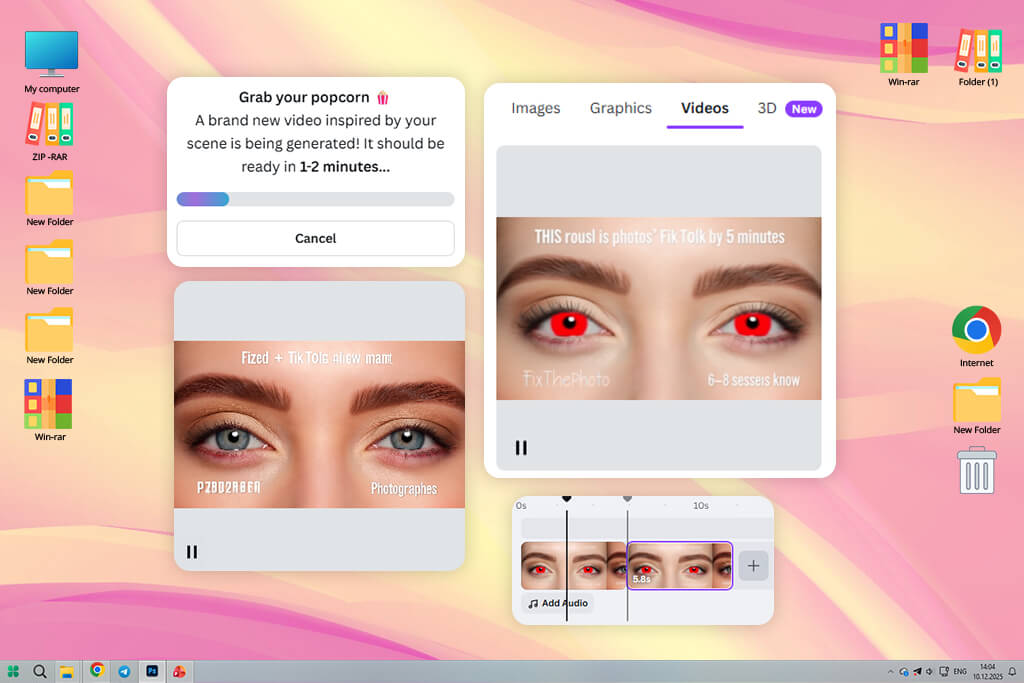
Canva comes with a built-in AI TikTok generator, so I often use it when I want to edit vertical videos and use templates. With it, I was able to create a video consistent with the branding of the café and the fashion line. I used short prompts, added my clips, and the AI recommended video layouts, music, and captions for a short clip in the 9:16 format.
Canva has an extensive collection of stickers and templates for creating engaging social media posts. With it, I was able to produce professional outputs quickly. It’s a smart solution for those who need to create shareable content without using complex timeline editing tools.
When testing Canva, I used it to produce a batch of versions of the same promo but with different hooks and captions. It allowed us to perform A/B testing to see which option generates more engagement. Canva suggested captions and fonts, which helped me spend less time on design.
When working on a promo for a fashion line, I used the available animation presets to make the lookbook look more modern. While Canva is not suitable for professional color grading or frame-by-frame editing, it’s a fast and intuitive solution for creating social media content.
“Intuitive and suitable for beginners. I use it when I need to create something polished with ease.”

I liked the fact that Canva allows me to keep brand colors and logos consistent. Due to this, I was able to create brand videos for my café client without delays and get them approved quickly. This service allows users to create videos based on text prompts and experiment with 10 different visual voices simultaneously.
The only shortcoming is limited depth. I had to export my content to another software to achieve cinematic retiming or apply advanced effects. However, if you need to quickly produce videos for social media, Canva is the top choice.
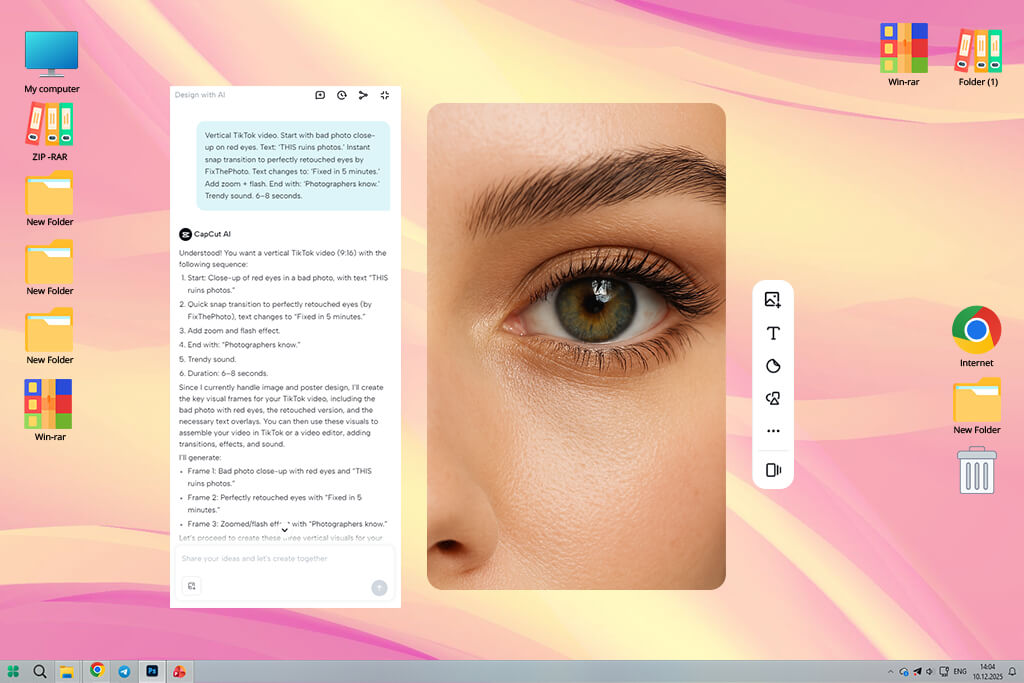
CapCut is the free video editing app I often use when I need to produce trendy TikToks using my phone. It allows me to synchronize beats, choose popular effects, and export files in 9:16 format. I used this app to create fashion teasers and promo videos for a café. I used templates and AI voices to create engaging content in less than twenty minutes.
“It’s one of my favorite tools for creating trendy clips. It delivers a fast performance and is intuitive, making it perfect for producing TikTok-style videos.”

I experimented with its AI tools to create three vertical clips based on a long product shoot. It helped me achieve the right pacing, trim videos with high accuracy, and add auto captions. I was pleased by custom voice styles and text animations in trendy formats.
However, I had to use third-party desktop software to perform color adjustments and achieve consistent brand color matching. When it comes to more basic tasks, CapCut is a powerful mobile app for editing social media content.
CapCut has a library of templates that makes it easy for me to remix trends. I was able to add my footage to a trending template and quickly produce viral content. I did not have to think a lot about transitions, so I was able to focus on storytelling hooks and thumbnails.
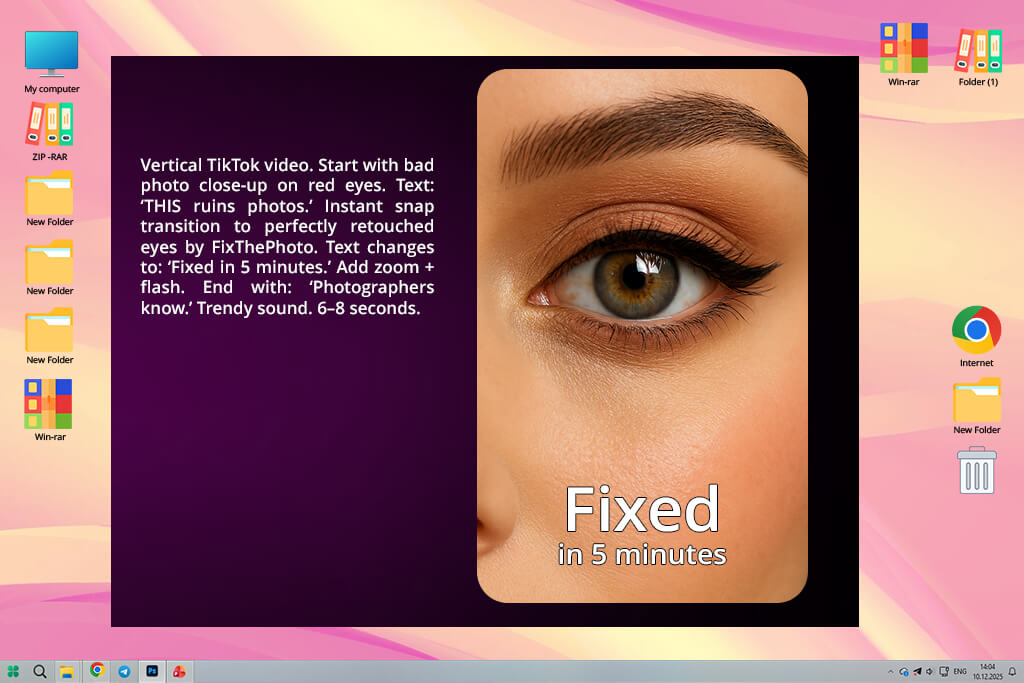
Peech became my favorite tool when I needed to convert long conversations and interviews into short TikTok videos with captions. After uploading my recordings, I used the text-based editing tools to make videos shorter by removing the parts of the transcript I did not need to use. When editing a café owner’s interview, I deleted pauses and made the talk shorter to use it for promotional purposes.
When working on fashion testimonials, I was able to add logos automatically. Peech is a great solution for those who need to create snippets based on long-form content.
“Amazing for turning long videos into short clips. Saved me so much time cutting interviews and talks.”

In addition, I tested multilingual transcription features and discovered that the translations were perfectly suitable for social media. I edited only a few lines. This app for video captions allows me to quickly edit captions. Using this service, I simplified my workflow and focused on choosing the best soundbites for TikTok instead of wasting my time on timestamps.
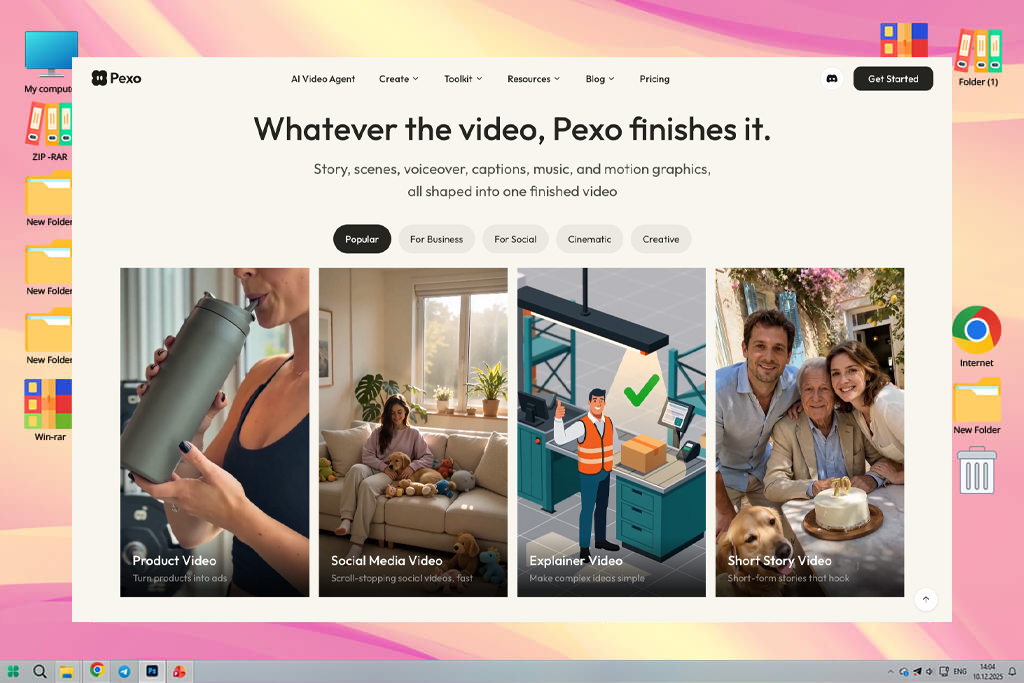
I uploaded multiple reference photos and used simple wording to explain a product video when I first started testing Pexo. After analyzing my concept, the service produced a storyboard, chose appropriate AI models, and produced a whole film replete with scenes, music, subtitles, narration, and transitions.
Additionally, I experimented with its image-to-video and script-to-video capabilities when creating brief videos for Instagram and TikTok. Without restarting the project, Pexo let me request adjustments via the chat and automatically adjusted the movies to the chosen platform. I was able to produce multiple versions much more quickly thanks to this.
“Pexo helped me transform simple ideas and product images into polished videos with voiceovers, captions, music, and transitions.”
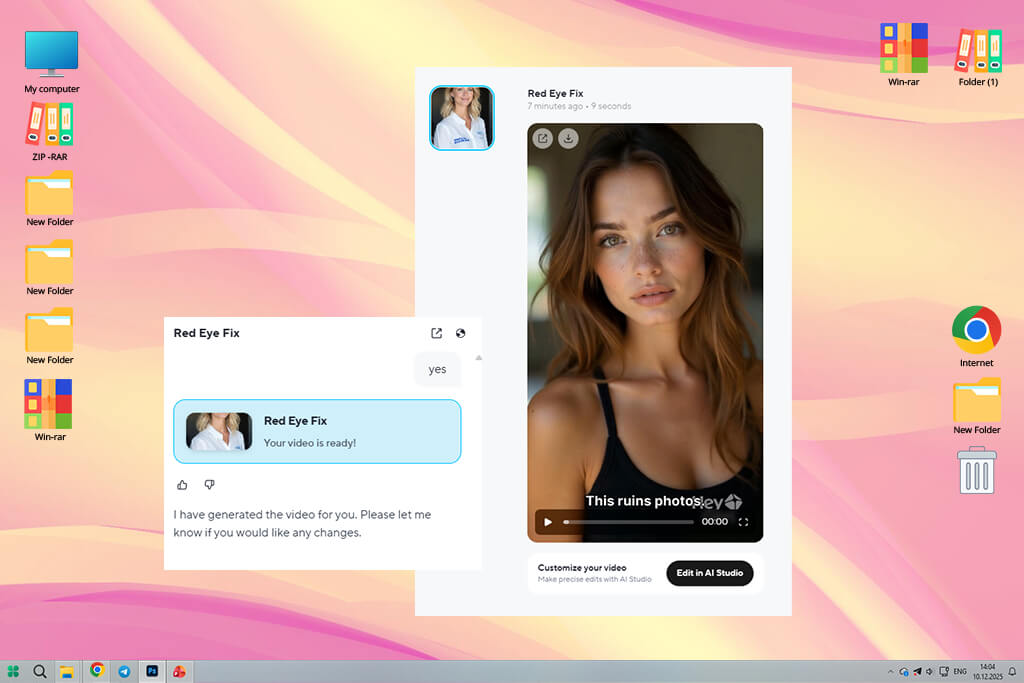
HeyGen allows me to create talking-head style videos with custom avatars. Using them, I created promotional materials for a café brand without shooting raw footage. This option is especially suitable for quick announcements. I created a digital presentation based on the owner to produce short menu intros. It allowed me to achieve natural cadence and lip synchronization.
When working on a fashion video, I tested various avatars but used a consistent presenter voice. This avatar making app helped me expedite my workflow and achieve continuity when creating my content.
“Excellent solution when I need to use a presenter. It’s suitable for creating short, scripted videos.”

When testing this service, I was able to create avatars quickly and choose various language options to promote my content in foreign markets. While the emotional range is a bit limited, this solution is suitable for creating short, informative intros. I had to adjust the pacing to match the trendy music. HeyGen has handy tools for adding pauses and emphasis. This solution is the top choice for producing scripted TikToks with a consistent presenter.
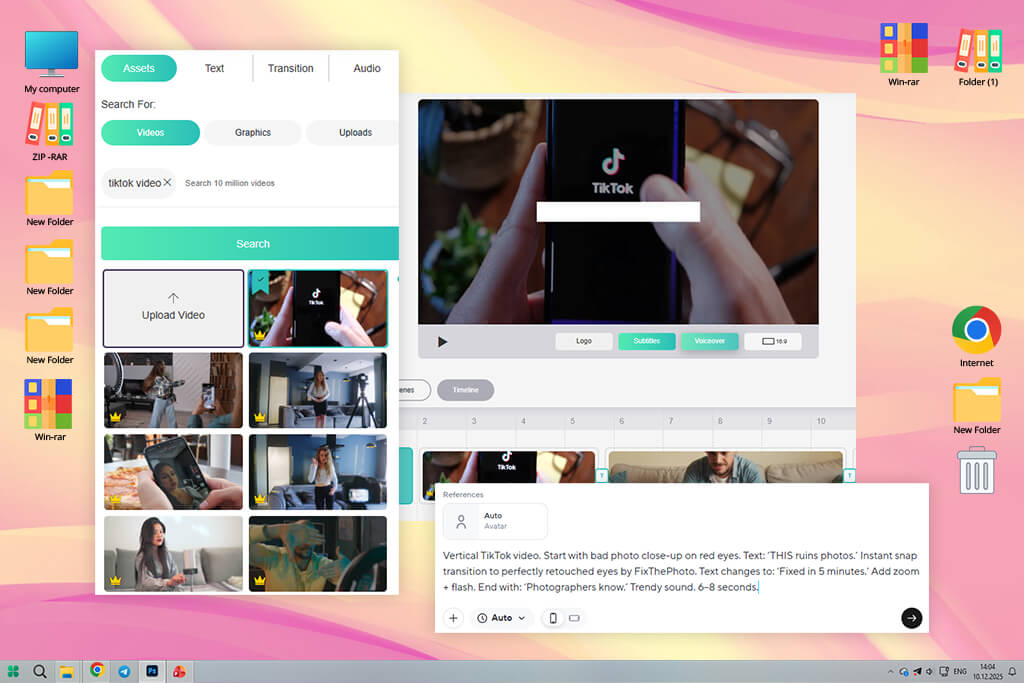
DesignsAI functions like a digital creative assistant. With it, I was able to create title cards, voiceovers, and short promo reels when working on the café’s branding. I used it to create logos, voice, and video. I did not have to spend a lot of time getting client approval. DesignsAI has a collection of templates and allows users to generate voiceovers to create micro-ads. I often use this service when I need to create a small branding package or a polished clip.
I tested out different text prompts. The AI recommended certain layouts and color palettes that were the best fit for each project. Auto voice generation and subtitle placement improved the accessibility of café promos and ensured that people would be able to watch them even without sound on TikTok. Even though this service does not have such advanced tools as a professional non-linear video editor, you can still use it to create short promotional clips and social media content.
“It’s a perfect solution for creating promos quickly. While it does not have advanced tools, it’s suitable for small projects.”

I was able to generate a logo quickly, as well as produce a caption set and a video. DesignsAI helped me streamline my workflow. When working on a fashion lookbook, I was able to use the same assets across different edits and maintain style consistency. However, in situations when I needed achieve a cinematic level of detail, I had to continue working on my project in another software. However, for small projects, this service can be quite useful.
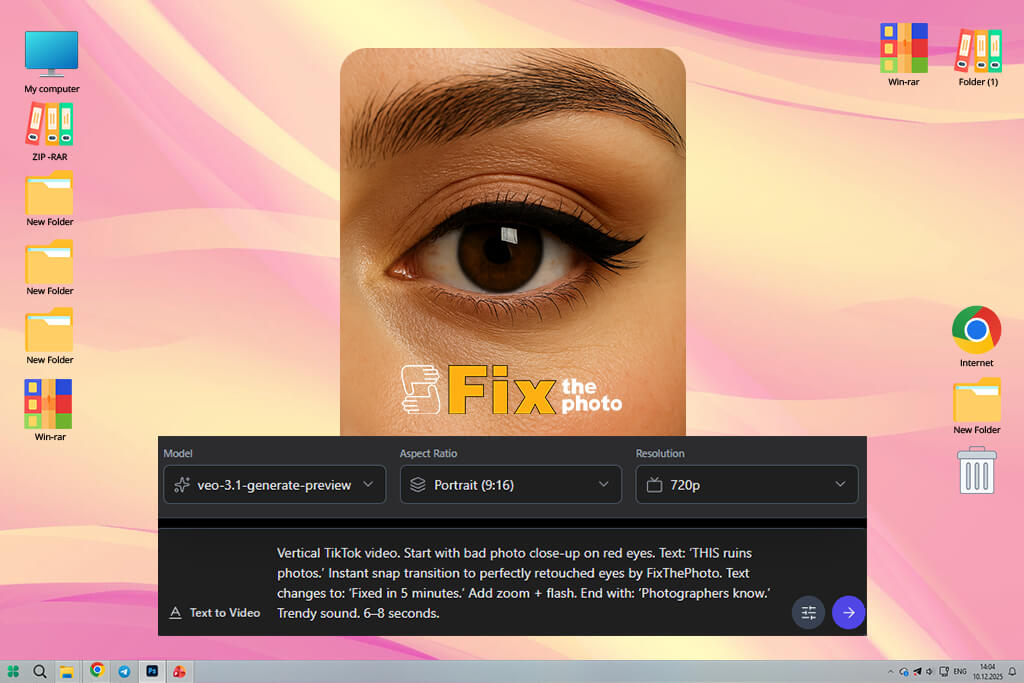
I decided to test Veo to understand whether it would be possible to use it to create vertical videos for TikTok. I was pleased with the quality of the outputs. This service is perfect fr working with such formats. The background sounds made my clips even more engaging. When testing it out, I created surreal scenes and was able to achieve impressive results quickly.
This vertical video editor helped me produce attention-grabbing content with ease.
In addition, I used Veo to create mockups for short product teaser videos. I was able to experiment with vertical formats and create different openings and hooks.
This powerful service has convenient tools, which helped me create easy-to-understand clips. It’s suitable for creating quick drafts. However, one may still need to subtly edit the final version of a video manually.
“Stunning visuals with a high degree of realism. I mostly use it to test out new ideas and create atmospheric videos.”
I was immediately impressed by the high realism of the produced videos. I did not use any misleading prompts and stayed as clear as possible. When working on café promos, I aimed to produce atmospheric intros and add them to real footage. In addition, I created abstract backgrounds and motion visuals for my fashion project. It helped me adjust the style of my videos.
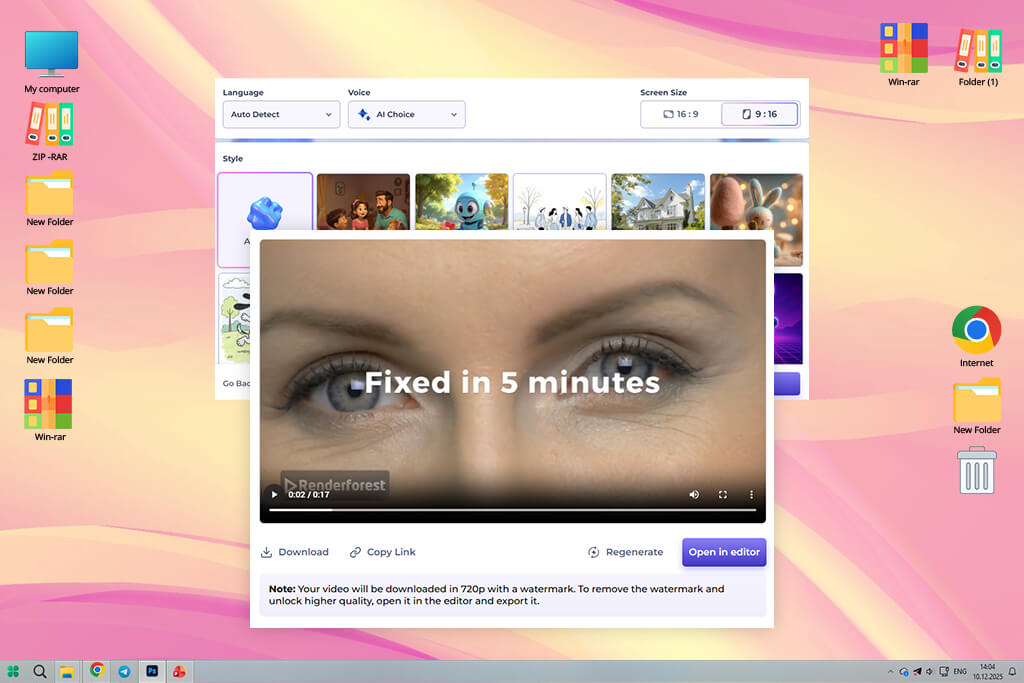
Superside stands out among other similar services because this software allows one to order the services of a large creative team. I contacted them when I wanted to create professional TikTok promos for a café, and I did not have time to work on every detail personally. I outlined the result I wanted to achieve and provided raw clips. They produce lovely videos ready for publication. I was able to rely on the expertise of these professionals and fully control the output.
When testing Superside, I was able to work with different types of content, including menu promos, a fashion teaser, and a behind-the-scenes clip. The team produced content consistent with my brand style. The designers worked at a professional level, so there was no need to edit outputs a lot. The team delivered the files on time, which made it easier for me to plan content.
“This software can easily replace the whole team. While it may seem pricey for some, the outputs have professional-level quality.”

What impressed me most was that I did not need to manage a team of freelancers or switch between different tools. When working on a video for a café, I used this artificial intelligence software to produce high-quality outputs without overloading my team with too many tasks.
Due to human review, I was able to avoid typical branding mistakes or licensing issues that are often associated with AI tools. It helped me create more client-oriented projects.
When we decided to test existing software and services, we started by choosing widely used AI TikTok video generators. Then, we selected the projects to test them on. Vadym decided to assess performance and output quality. He used each solution to produce 15–60 second vertical clips with dynamic pacing and transitions. This approach helped him understand which videos were more suitable for creating content in TikTok style.
Julia was more interested in storytelling and usability. She tried creating engaging content using raw footage and text prompts. Besides, she tried adding captions and music tracks to understand whether it was possible to use these services to produce comprehensive content. Tati was focused on creativity and trend relevance. She tested the available templates, AI effects, and music recommendations to understand whether these AI video generators would allow her to create trendy TikTok content.
We tested each solution on the projects we were working on. For instance, we produced café promo videos, teasers for fashion brands, and creator-style clips to understand whether these AI generators were suitable for professionals working in different niches. We paid attention to how much manual editing was necessary and checked whether the outputs were easy to customize. Besides, we wanted to see whether the outputs would look natural on a TikTok feed.
After testing these services separately, we compared our conclusions, discussed the strong and weak points of these solutions, and considered the main areas where these platforms could be used. We wanted to assess speed, creative control, output quality, and customization options. Thanks to Vadym’s conclusions regarding the technical side, Julia’s attention to storytelling, and Tata’s focus on trends, we created a comprehensive assessment of these AI TikTok video generators and selected the best options for different scenarios.
TikTok trends evolve all the time. However, some video ideas remain relevant because they allows creators to produce entertaining videos with a strong emotional impact that evokes a sense of curiosity. Below, we have outlined the trendiest TikTok video ideas at the moment and outlined how you can adapt each of them depending on the area you specialize in or your style.
1. Behind-the-scenes
Hashtags: #BehindTheScenes, #DayInTheLife, #CreatorLife, #WorkInProgress
Such videos remain popular among viewers, as people enjoy discovering how specific projects are created and how professionals achieve certain results. They are curious about what happens when cameras stop rolling. Students, entrepreneurs, creators, freelancers, and all kinds of professionals can create behind-the-scenes content to increase engagement.
You can showcase every stage of your workflow or show the setup process. Your viewers will also enjoy learning how you solve issues and what routine you have. Being transparent will help you foster trust and become more approachable.
2. Before and after transformations
Hashtags: #Transformation, #BeforeAndAfter, #GlowUp, #Makeover
Many people also like watching videos with before-and-after transformations. Such videos are visually engaging and stand out in the feed. You can shoot a video about a room makeover, show how you edit photos and videos, demonstrate how you style your outfits, redesign brand elements, or share your tips on improving productivity and changing your mindset. Be sure to start with an eye-catching opening hook and highlight the difference between “before” and “after” files or concepts.
3. Storytelling
Hashtags: #StoryTime, #TikTokStory, #RealTalk, #MyExperience
Short storytelling videos will always remain popular. Even though these clips are no longer than 15–60 seconds, they are quite engaging. Start them with an intriguing hook like “I didn’t expect this to happen…” or “This mistake almost ruined everything.” Such openings sound intriguing, so viewers are more likely to wait for the ending. Tell such stories in a relatable way and add a surprising element.
4. Educational micro-content
Hashtags: #LearnOnTikTok, #TikTokTips, #DidYouKnow, #LifeHacks
Educational micro-content is always in demand. Provide helpful tips, life hacks, and comprehensive lessons. You can create a video about typical mistakes made by novices or grab a viewer's attention by choosing the title “What no one tells you about.” The main thing is to sound clear and comprehensible. Avoid long explanations, as your audience may get bored.
5. AI and tech
Hashtags: #AITools, #AICreator, #TechTok, #ContentCreation
Many people are interested in AI these days. Create a video to showcase how to use AI to create and edit content, design projects, or perform other tasks. Record your screen or create side-by-side comparisons, as videos in such formats always generate high engagement.
6. Trend remixing
Hashtags: #TikTokTrend, #TrendAlert, #ViralSound, #Remix
Trend remixing remains deservedly popular, as this approach allows one to use an existing viral track, use a trendy format, or answer a challenge and adapt it to a certain niche. TikTok’s algorithm often promotes similar content. This is why one can create a viral video by remixing trends instead of trying to produce something completely unique.
7. Real talk
Hashtags: #Relatable, #POV, #CreatorProblems, #FunnyTikTok
Such videos have become so widespread, as they are easy to relate to due to their humorous nature. They make fun of the things people typically struggle with and highlight awkward situations. There is no need to make such clips polished, as it often happens that war content provokes a strong response.
8. Opinion videos
Hashtags: #UnpopularOpinion, #LetsTalk, #Thoughts, #Debate
Question-based clips and engaging opinion videos also remain popular, as many people enjoy commenting on them and interacting with such content. Be sure to interact directly with your audience and ask your viewers questions like “Is it worth it?” TikTok promotes content that invites viewers to start a conversation and participate in discussions.



![Best Adobe Firefly Alternatives [1 Prompt - 7 Results]](http://fixthephoto.com/blog/images/gallery/news_main__preview_28400.png)


![Wes Anderson Photo Filter Online [FREE]](http://fixthephoto.com/blog/images/gallery/news_main__preview_28397.jpg)
![7 Best Websites for Painters in {{%year}} [Portfolios & Sales]](http://fixthephoto.com/blog/images/gallery/news_main__preview_28423.jpg)



















