I’ve been working with video editing for a long time, but sound design has always been the hardest part for me. I can spend hours looking for the right sound effect - whether it’s a dramatic swoosh, a fireplace crackle, or a gentle background tone - and still not find one that fits. Most sound libraries are overpriced, too basic, or just not quite right.
Last week, I was working on a short travel video. The visuals were ready - the colors, cuts, and transitions all looked good - but when I watched it, it felt flat. It had no atmosphere. That’s when it hit me: I didn’t need just background audio, I needed sound that supported the story.
So I began searching for an AI sound generator that could actually understand what I was asking for, instead of giving me random sound effects.
Here’s what I wanted:
After testing several tools, I realized that most so-called “AI” platforms were just reusing stock sound libraries. But one tool stood out - it actually generated the sound from the prompt itself. When I entered “old metal door slowly opening in a dark hallway,” it produced a sound that felt real, detailed, and matched my scene perfectly.
For the first time, I wasn’t struggling to fit a sound to my video - I was shaping the sound to my story.
Now, instead of spending hours searching through sound libraries, I just describe the sound I want - like “soft rain tapping on glass in the evening” - and the AI creates it in seconds.
I decided to choose the best tools for myself and share them in this article. To do that, I asked my colleagues from the FixThePhoto team to help. We selected several projects - some from my professional work and some lifestyle videos for social media made by my coworkers.
We wrote down what each project needed and began exploring different sound generators. We checked forums, looked at recommendations, and then started testing each tool.
Great video sound doesn't start on the computer. It starts in your head. First, figure out the emotion of your story. Every scene has a different vibe, like calm, energetic, or mysterious. When you know the feeling you're going for, you can design the sound to create it, rather than just adding it as a last step.
Creating sound for your videos is simpler now, thanks to AI. You don't have to search through endless sound libraries anymore. Just describe the emotion, scene, or atmosphere you're trying to create, and the AI will build the sound for you. Being specific with your description will give you the best results.
The same rule works for voices. Choose a voice that matches your video's style: a strong, clear voice for a tutorial; a soft, slow voice for a sad story; or an energetic voice for a fast-paced clip. Thanks to AI, these voices now sound natural and real, fitting perfectly with your video.
After you have your voiceover and sound effects, the real work happens during editing. Adjusting volume, timing, and how the sounds fit with the video helps make everything feel natural and alive. Even small details - light background noise, a soft echo, or slight EQ adjustments - can make the audio feel like it truly belongs in the scene.
In the end, getting great sound isn’t only about the tools you use. It’s about knowing the mood and message of your video. When you understand the story and the feeling you want to convey, AI simply helps you express it. The sound design stops being a technical problem and becomes a smooth part of the storytelling process.
| Do’s | Don’ts |
|---|---|
|
✔️ Decide the mood and feeling of your video before making the sound.
|
❌ Don’t start generating audio without knowing what atmosphere you want.
|
|
✔️ Write detailed prompts with clear descriptions.
|
❌ Don’t use short or vague prompts like “background music” or “voice.”
|
|
✔️ Choose a voice style and pacing that fits the visuals and message.
|
❌ Don’t use the same voice tone for every project.
|
|
✔️ Adjust timing, volume, and blending when editing sound.
|
❌ Don’t drop sounds in without syncing them to the video.
|
|
✔️ Add small ambient sounds to make the scene feel real.
|
❌ Don’t leave the audio feeling empty or too clean.
|
|
✔️ Use AI as a tool to support your creativity.
|
❌ Don’t expect the AI to do all the creative work for you
|
When I opened Adobe Firefly video, for the first time, I wasn’t sure what to expect. I had heard a lot of talk about it, but I’d never really explored what it could do - especially since I usually searched for sounds and voiceovers manually on stock libraries.
I chose to try it out on a project that had been difficult for me: a dramatic scene of a person walking through an empty city at sunset. Normally, I’d spend a long time searching through sound libraries for footsteps, wind, and soft city ambience - and even then, I would likely end up with something that didn’t feel quite right.
“I entered a quick prompt for a seaside soundscape, and it generated the ideal blend in seconds - waves, breeze, and distant birds. I didn’t have to search through any sound libraries at all. The audio lined up with my video really well. I do wish there were a few more adjustment settings, but the speed is impressive.”

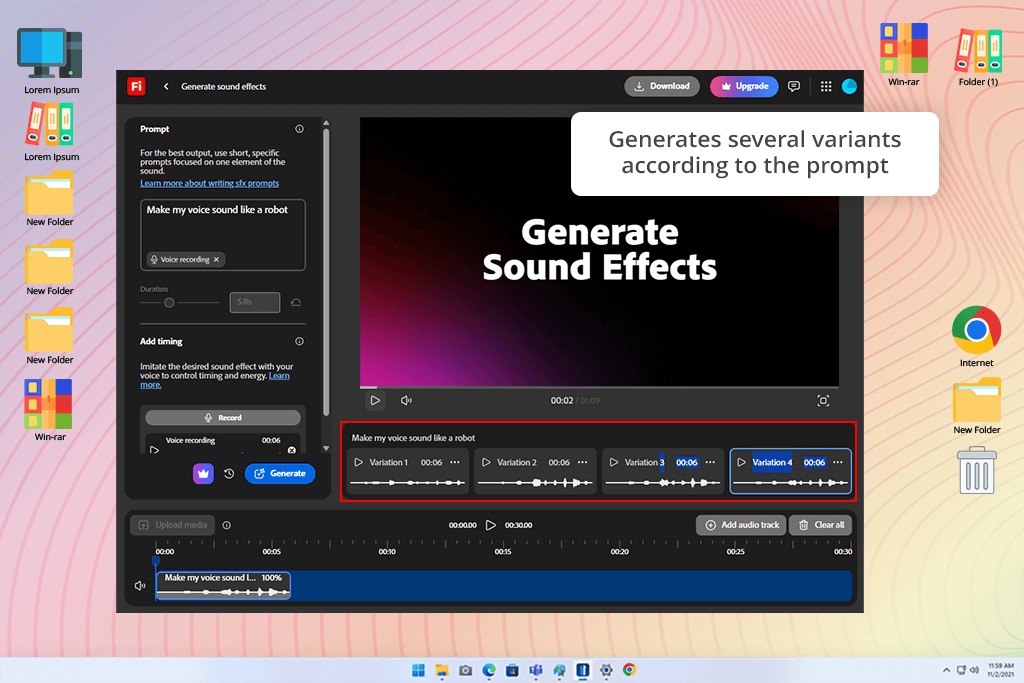
I entered a detailed prompt into this sound effect generator: “Echoing footsteps in a quiet city street at sunset, gentle wind, faint sirens far away, cinematic mood.” In just a few seconds, it generated multiple sound versions. The quality surprised me - the footsteps had a realistic pace and weight, the wind created atmosphere without drowning anything out, and the distant sirens added subtle tension. The result felt rich and multi-layered, not like one short sound repeated over and over.
Then I checked how much I could adjust the sound. I was able to change how strong the wind sounded in this free Adobe software, add or reduce echo to make the footsteps seem nearer or farther away, and even separate different parts of the audio mix.
I placed the sound created by Firefly right into my video timeline. It matched the visuals perfectly, and the scene immediately felt more real. The interface made trying different versions easy - I could generate, listen, adjust, and swap sounds without leaving my editing workspace.
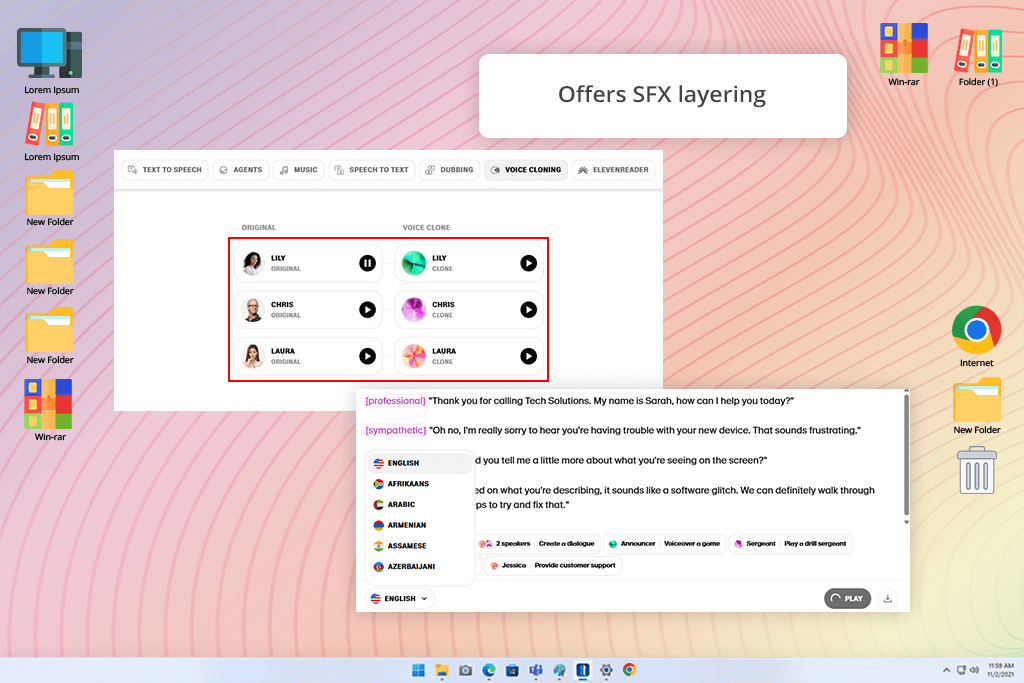
I tested ElevenLabs on a scene that needed a narration for a short documentary. I wrote a short prompt describing the tone I wanted: calm, clear, and steady. In just a few seconds, ElevenLabs generated a voiceover that sounded very natural - the rhythm, emphasis, and even small breaths felt realistic.
“The AI voice sounded extremely realistic. People even assumed I worked with a professional voice actor. The tone, pacing, and emotion were all accurate. It’s not the best tool for complex sound effects, but for voiceovers, it works amazingly well.”

The main thing that impressed me was how easily I could adjust the voice details. I could change the speed, tone, and emphasis without using any complicated free audio editing software I used before. For sound effects, I tried adding things like wind and light rain.
Even though ElevenLabs is mainly designed for voices, the ambient sounds it created fit well with my video. Overall, ElevenLabs is an excellent choice if your project relies mostly on narration, with the option to add some background effects when needed.
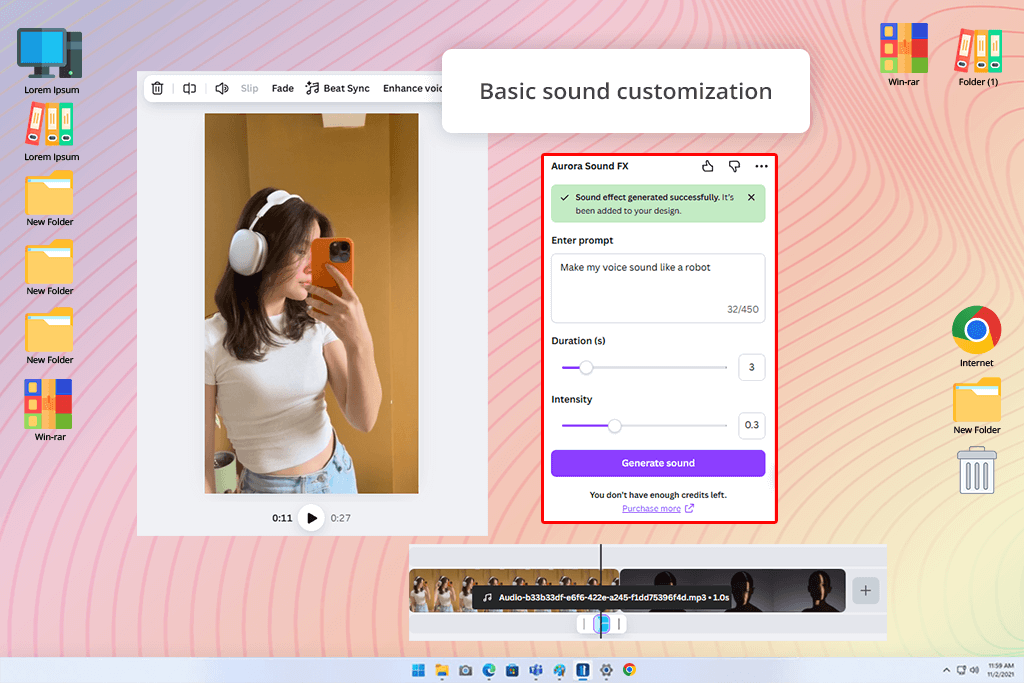
I didn’t think Canva would be strong in sound creation, but its AI audio features turned out to be very easy to use. I uploaded a short promo clip and needed gentle background audio - a soft breeze and light chime sounds to match the upbeat mood.
Canva allowed me to enter a short description, and it quickly produced several sound options that I could preview and place right on the timeline.
“I created a small promo clip and asked the tool for a gentle acoustic backing track - and it matched the mood immediately. I didn't even have to fix the timing. It’s ideal for fast edits when you don’t want to spend time adjusting audio settings.”

The main advantage is how easy and connected everything feels. You don’t need any audio skills - the AI gives you several ready-made sound options that you can place directly into your Canva project. It’s not designed for detailed sound editing, but for fast, convenient work where you want the audio to match your visuals right away, which is perfect for marketing and social media videos.
The best part is that you can do everything inside one editor. No exporting, no switching apps, and no using separate AI music generators. For creating quick social content, that’s incredibly helpful.
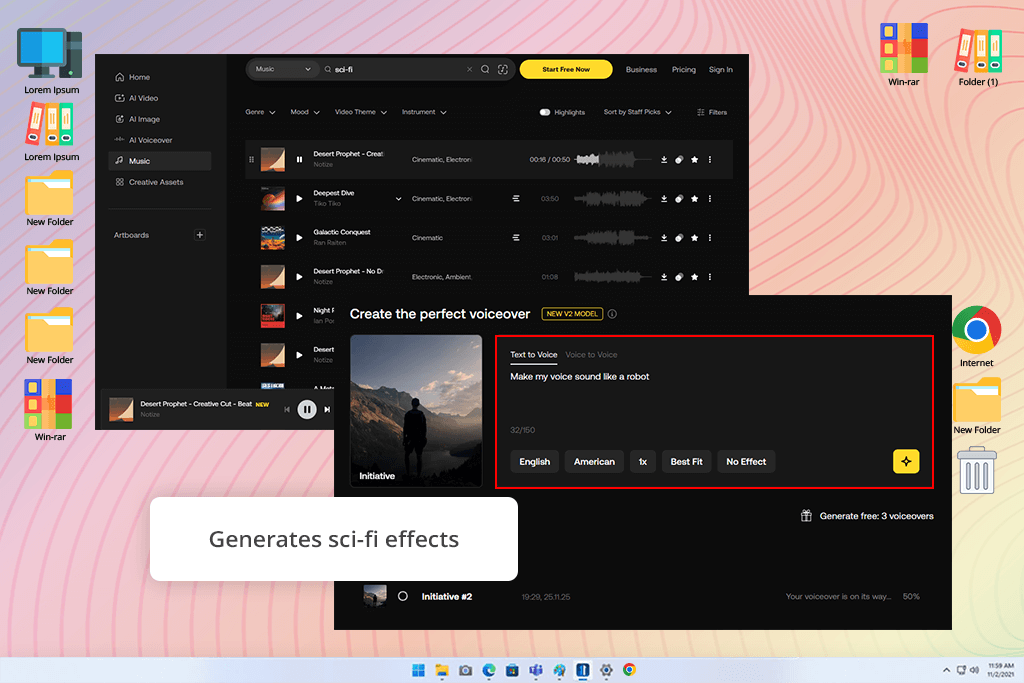
SFX Engine felt like using a professional sound effect generator. I tried it by building layered sci-fi sounds - laser shots, metal impacts, and a low spaceship background hum. The tool let me change things like pitch, echo, and where the sound sits in space, giving me a level of control I normally only find in full free DAWs.
The most striking part was how authentic the sounds felt. Many AI tools produce repetitive or flat effects, but SFX Engine created audio that sounded rich and cinematic, like something taken straight from a professional movie soundtrack.
“I tried it for my sci-fi film, and the level of control was amazing. You can adjust everything, like how much echo a sound has, how far away it seems, or how high or low it is. There's a small learning curve, but when you figure it out, it sounds incredibly professional.”

SFX Engine isn't the best AI voice over generator for making quick social media clips. It's for creators like filmmakers, animators, and game developers who want total control and realistic sound. The downside is that it takes time to learn and needs a powerful computer. But if you want professional-quality sound, it's one of the best tools available.
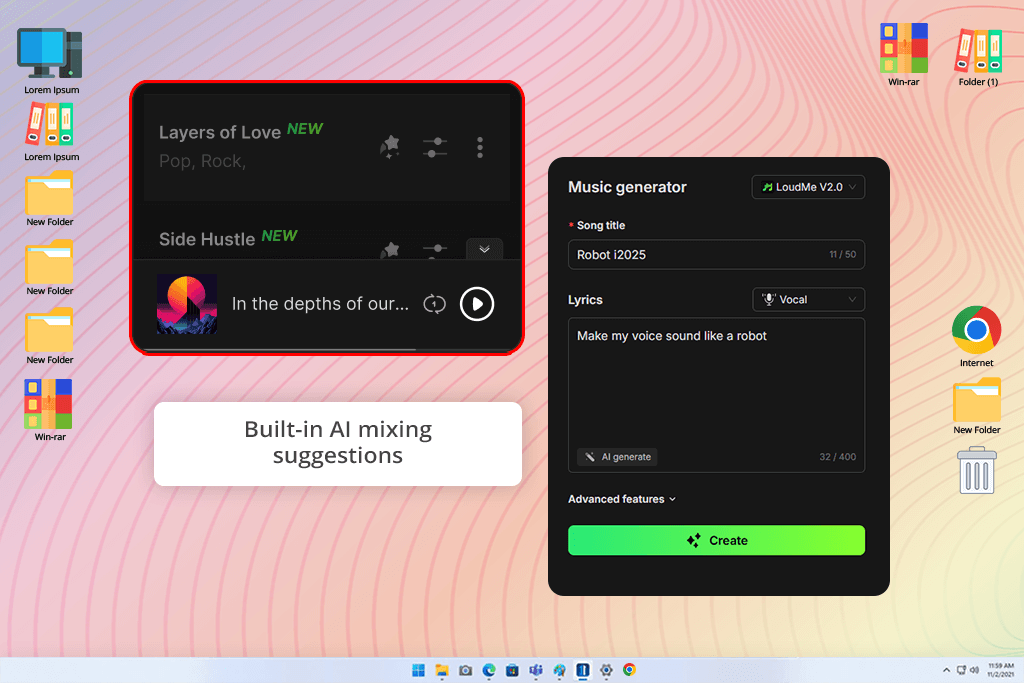
Using LoudMe felt like having a helper who already understands the atmosphere I’m trying to create. I was editing a café vlog and wanted background audio that felt real but didn’t take attention away - quiet conversations, coffee machines, light dish sounds.
I typed a description of the environment, and in a few seconds, LoudMe gave me several versions to choose from. Each one had a different level of background noise and tone. I picked the one that sounded the most natural and placed it in my edit - it matched perfectly without any extra adjustments.
“I used this AI sound effect generator to create café ambience for my vlog - voices, coffee machines, and gentle cup sounds. Everything felt natural and well-mixed. The best part? It automatically kept my voice clean and easy to hear. You just add the audio and it works - no extra tweaking needed.”

The best part was that this voice over software automatically suggested the right volume balance based on my video’s audio. I didn’t have to manually adjust the background sound and speech.
It’s not the most advanced option for detailed sound editing, but it’s great for quick, realistic results. For vloggers, creators, or anyone working fast, LoudMe provides a clean, natural atmosphere with almost no extra work.
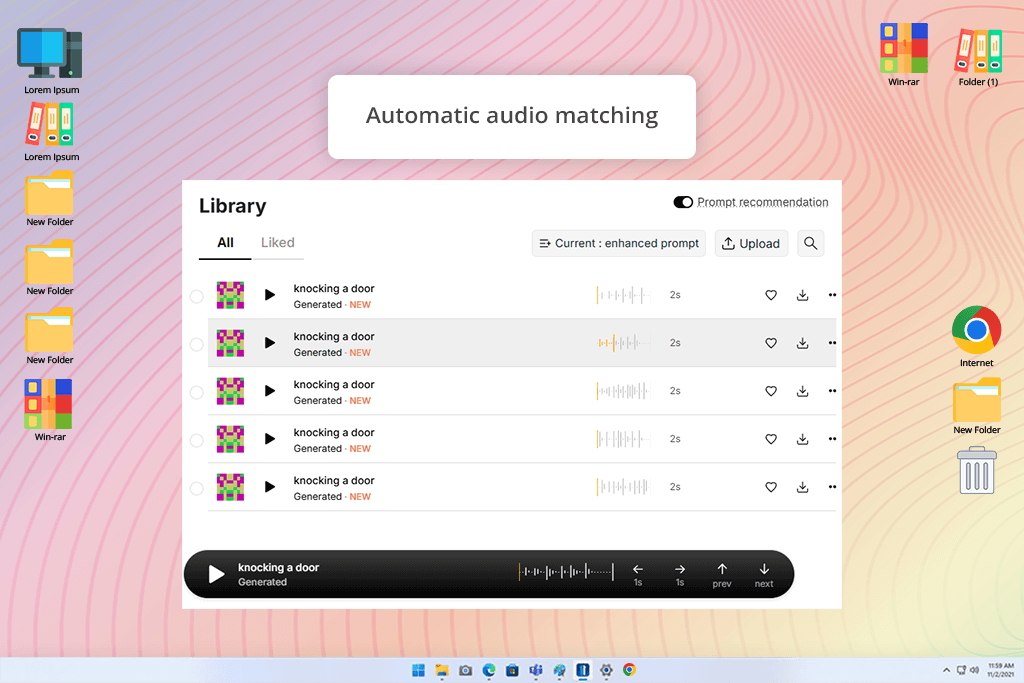
OptimizerAI stood out to me because it claims to create audio that automatically fits the visuals. I wanted to see if it could actually analyze a video and produce sound that matches the scene. I also saw people on forums saying it works well to сreate animated voices, so I wanted to test that too.
I uploaded a short battle scene from one of my projects - quick shots, sword hits, and heavy footsteps. OptimizerAI automatically read the timing and movement in the video. Then, after I entered a short prompt like “intense medieval battle atmosphere,” it created sound effects that matched the action right away.
“I dropped a sword fight clip, and the tool created all the sound effects on its own - and everything lined up perfectly with the movement. I didn’t have to adjust anything. It doesn’t offer a lot of creative freedom, but it cuts the work time down dramatically.”

What surprised me most was how the AI synced the sounds with the action on its own - footsteps matched the movement, the clashes hit exactly on the swings, and the background echo shifted naturally. I hardly needed to adjust a thing.
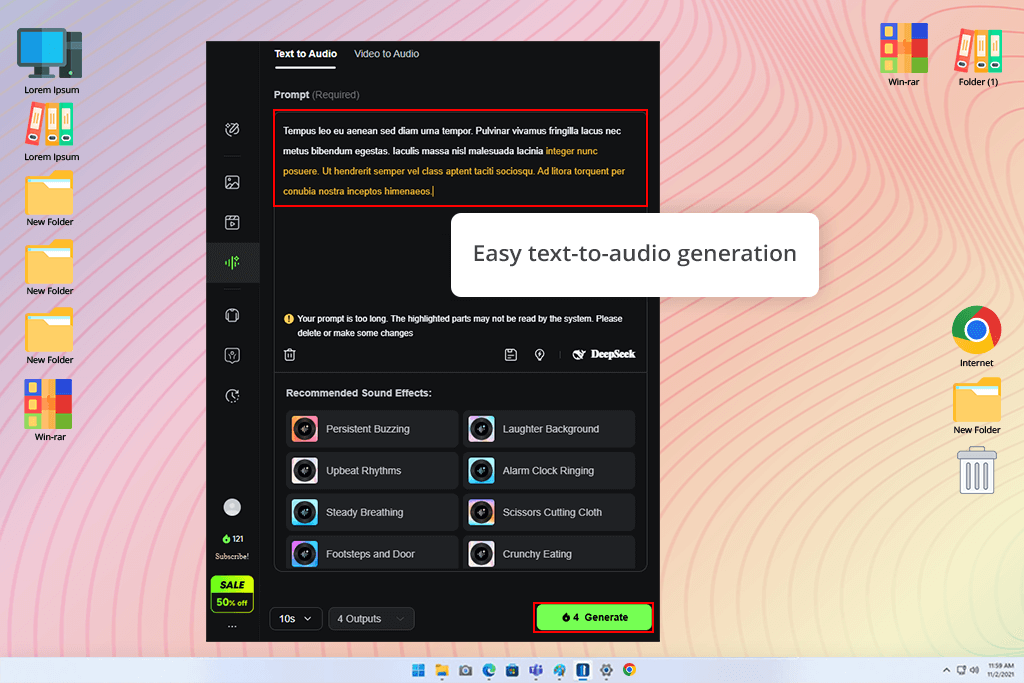
KlingAI is made for creators who want sound that feels imaginative and unreal. I tried this AI voice over generator on a dreamy animation and needed audio that felt soft and floating. I wrote a short prompt: “gentle chimes with deep humming tones and slow, wave-like pulses.”
A few seconds later, KlingAI produced sounds that felt almost alive. They didn’t sound like common effects you’d find on typical royalty free music sites. Instead, they had depth and atmosphere. I combined a few of the generated clips, and the final result felt original - something I couldn’t get from a standard sound library.
“I used it to create soft, dream-like audio for an art video, and it produced sounds that felt almost alive - gentle tones and airy textures. Some results weren’t perfect, but when it works, it’s really special. It’s definitely better for creative or abstract projects, not realistic sound design.”

KlingAI isn’t designed for natural or literal audio environments - it focuses on expressive, atmospheric sound. It works best for artistic openers, mood transitions, or experimental films where you want something emotional and distinct.
The trade-off is that the results can vary, and you may need to regenerate a few times to get the exact feel you want. But when the output aligns, it delivers something truly special.
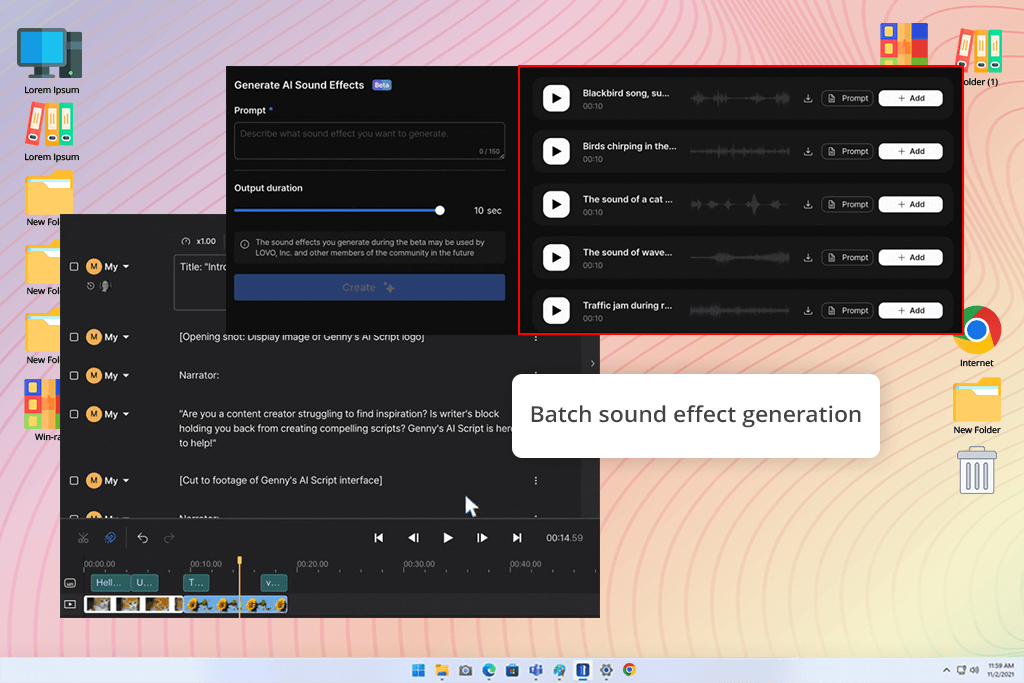
I tried Genny while working on a 2D animation project that had several short scenes. I needed a range of sounds like footsteps, doors opening, laughter, and city background noise, but I didn’t have the time to create each sound separately.
Genny’s batch feature really surprised me. I entered several prompts at once, and it produced many sound effects in a single pass. All the sounds matched well and were already balanced and clear, which is rare when using artificial intelligence software without extra editing.
“I needed lots of tiny sound effects for an animation, and it created them all in one go. No duplicates, no strange artifacts - just clean, consistent sounds. It saved me a huge amount of time when working with multiple clips.”

It’s designed to work fast and smoothly. Switching between different sound versions took almost no time, so I could test options without interrupting my editing process.
Genny isn’t meant for deep, detailed sound editing, but it’s perfect for animators, YouTubers, and small creators who need a lot of good-quality audio in minutes. It’s easy to use, dependable, and saves a lot of time.
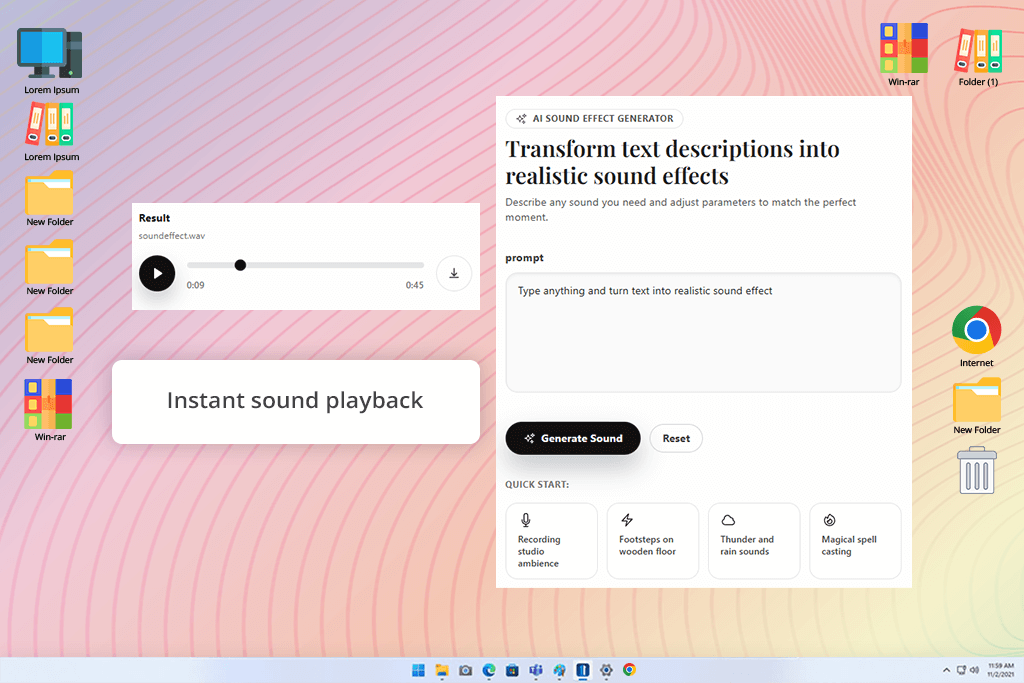
This AI sound generator impressed me more than I expected. The interface is straightforward and focuses only on turning text into sound. I typed a plain description, “rain on a metal roof with soft thunder in the distance”, and it created a believable, usable audio clip in just a few seconds.
What I liked most was how easy it was to use - no installation, no complicated controls. It runs right in the browser, so anyone can start instantly. The audio it produced sounded clear and natural, with good depth and tone balance.
“I simply wrote something like “rain on a metal roof,” and it produced the sound right away. No setup, no complicated controls. It was very quick, sounded surprisingly real, and worked great for short edits or social videos. It just does the job.”

It’s definitely not designed for full-scale sound design or complex mixing - it’s more for creators who need fast, ready-to-use audio. I ended up using it for quick edits, short social videos, and temporary sound placeholders in bigger projects.
It’s basically the easiest way to start using AI for sound. Ideal for beginners or anyone who wants quick results rather than deep control. And if you use it together with a DAW for beginners, it can become a surprisingly strong setup.
At FixThePhoto, we tested the most popular AI sound effect makers to see which ones actually work as well as advertised. The idea was straightforward - to find out if these tools could realistically cut down the time spent on manual sound design and editing by using AI to help create audio more efficiently.
The testing process was a mix of technical checking and creative judgment. Each member of our team (Nataly Omelchenko, Tata Rossi, and Kate Debela) tested the tools from their own professional perspective.
Nataly, who specializes in video editing and visual storytelling, focused on how well the AI-generated audio aligned with actual footage. She uploaded various clips like travel sequences, lifestyle shots, emotional mini-films, and assessed whether the sounds matched the pacing, mood, and action happening on the screen.
Tata focused on how real and well-balanced the sounds felt. She listened to how the different layers worked together, whether the volume and tone sounded natural, and if the audio fit into the video without a lot of extra fixing. She also noted which tools were better for creating a general background atmosphere and which ones were more useful for sharp, detailed sound effects.
Kate, on the other hand, concentrated on how easy the tools were to use. She checked how fast each AI audio tools produced sound, whether the controls were simple to understand, and how smoothly the sounds could be added to video editing programs. She also looked at how well the tools worked for beginners who don’t have experience in sound design.
We worked together to test every AI sound generator in real, everyday editing situations. We used the same video clips (from quiet street scenes to fast, action-heavy shots) and compared how each tool responded to the same description or mood. Some generators impressed us with rich, layered, cinematic sound, while others stood out mainly for speed and ease of use.
During testing, we didn’t only evaluate how good the final audio sounded. We also looked at how easily each tool could fit into a creator’s normal workflow. The differences were very clear: Firefly blended smoothly with other Adobe programs, ElevenLabs produced voices that sounded incredibly lifelike, SFX Engine allowed very precise sound control, while Canva focused on quick, simple sound creation with minimal effort.
By the time we finished testing, it was obvious that there isn’t one perfect AI tool for every situation - each one works best for different needs. What really stood out is how advanced AI audio has become. The results were often surprisingly natural and creative, and it made us excited to see how these tools will continue to improve in the future.





![Best Image to Prompt Generators [Free & Cheap Tools]](http://fixthephoto.com/blog/images/gallery/news_main__preview_27350.png)


![7 Best Mocha Pro Alternatives [{{%year}} FixThePhoto Choice]](http://fixthephoto.com/blog/images/gallery/news_main__preview_28055.jpg)


















