

When working on a small indie game, I realized that it was necessary to use the right music to make it more engaging. As an independent developer, I can’t afford to hire a professional composer. This is why I decided to explore AI music generators that can produce fast-paced, original tracks to capture the mood of each level perfectly.
I wanted to use music that could adapt depending on various gameplay scenarios, including exploration of the environment, boss fights, and action scenes. I needed to generate professional music quickly, without spending a lot of time mastering advanced software.
I decided to test 50+ AI music generators, hoping to find the solutions that would allow me to adjust multiple parameters, choose the right style, and achieve the desired quality.
When testing popular AI tools, I used descriptions of the various levels of my game, including prompts like “mysterious forest and a bit tense atmosphere” or “dynamic boss fight with electronic drums.” I wanted to see whether AI would interpret such prompts well. Some options produced generic tracks, while others generated unique compositions.
I decided to create a list of the best AI music generators to use in my current and future projects. To avoid biases, I asked my colleagues from the FixThePhoto team to help me, and they agreed to participate in testing.
Yes, it’s possible for AI-generated tracks sound natural, as if they were written by a human composer. However, the output depends on several factors.
First, the quality of the AI model is extremely important. Professional-level music producing apps have a better grasp of musical structure. They understand rhythm flow, chord progressions, and track resolution better. These solutions produce complex compositions with intros, transitions, and endings instead of creating simple loops.
Clarify your objective. Ask yourself where you are going to use the music. For instance, you may need to create tracks for YouTube videos, ads, games, podcasts, or social media content. The complexity of your composition, as well as its tempo, duration, and mood, will depend on your choice.
Be sure to describe mood and style in detail. Instead of writing the prompt like “calm music,” write something like “calm, warm, atmospheric music for the background, without sudden changes, with subtle piano sound, and soft synths.” AI services interpret emotional prompts with associations and examples better than abstract concepts.
Remember that you need to specify technical parameters if they are available. Choose tempo (slow, fast), genre, instruments, duration, vocal parties, if you need them. If you need to generate a loop or a track without a resolution, mention this as well.
Don’t expect your output to be perfect on the first try. Generate several versions based on the same prompt and compare them. It often happens that the AI creates the best version when you subtly adjust the prompt.
Another thing you should remember is that it’s better not to make your prompt too convoluted. If you write too many requirements, it might be impossible to achieve a natural result. Start from the main parameters and then specify the style, instruments, or mood.
Finally, consider the context. Standalone tracks that sound nice when you listen to them might be less suitable for a video or a game. Check whether your track aligns with visuals or gameplay. If it’s necessary, adjust your request.
Experiment with different prompts for AI music generators and choose the options that suit specific types of content best, be it videos, games, ads, or social media content.
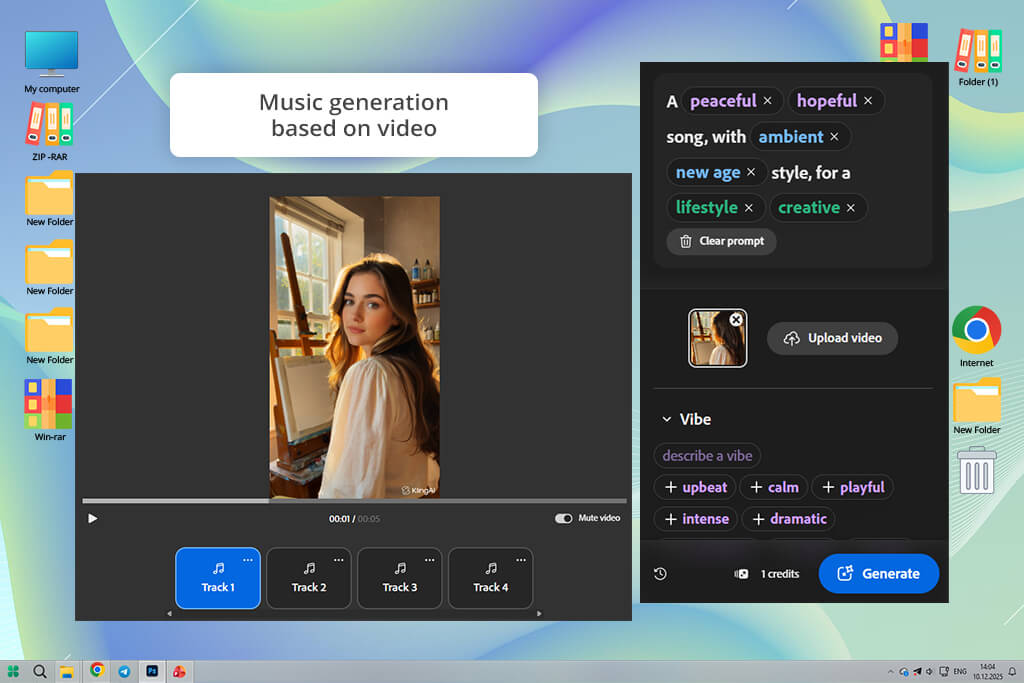
When testing Adobe Firefly Video, I decided to use short text prompts. I specified the desired mood, tempo, and instruments. After this AI song generator generated outputs, I asked it to adjust the tempo and try using different instruments to ensure that the feel matches the level.
I was pleased when Firefly produced several professional-sounding variations without delays. I was able to export stems and use them in my game engine without any issues. The interface is quite streamlined, making it easy to change mood and instrumentation. It helped me expedite A/B testing when working on game scenes.
I also checked whether the output tracks looped well. As I wanted to create background music for my game, I asked Firefly to create 30- and 60-second versions. It created loops with fade-free endings that did not require much editing. The AI recommended some harmonic variations that made my tracks more engaging.
“I was impressed that it allowed me to generate professional-sounding tracks quickly. I was able to adjust the mood and tempo with ease.”

To test Firefly’s orchestration capabilities, I asked it to add strings, synth pads, and subtle percussion. The outputs were similar to the tracks one can create with the help of dedicated music orchestration software. In some cases, I had to adjust EQ a bit, but it was possible to use the raw files as well.
Firefly creates several stylistic variations based on the same prompt. It helped me save a lot of time when I wanted to experiment with different moods. The licensing policy is easy to understand. I was able to choose the royalty-free option quickly. It allowed me to use the generated tracks for commercial purposes.
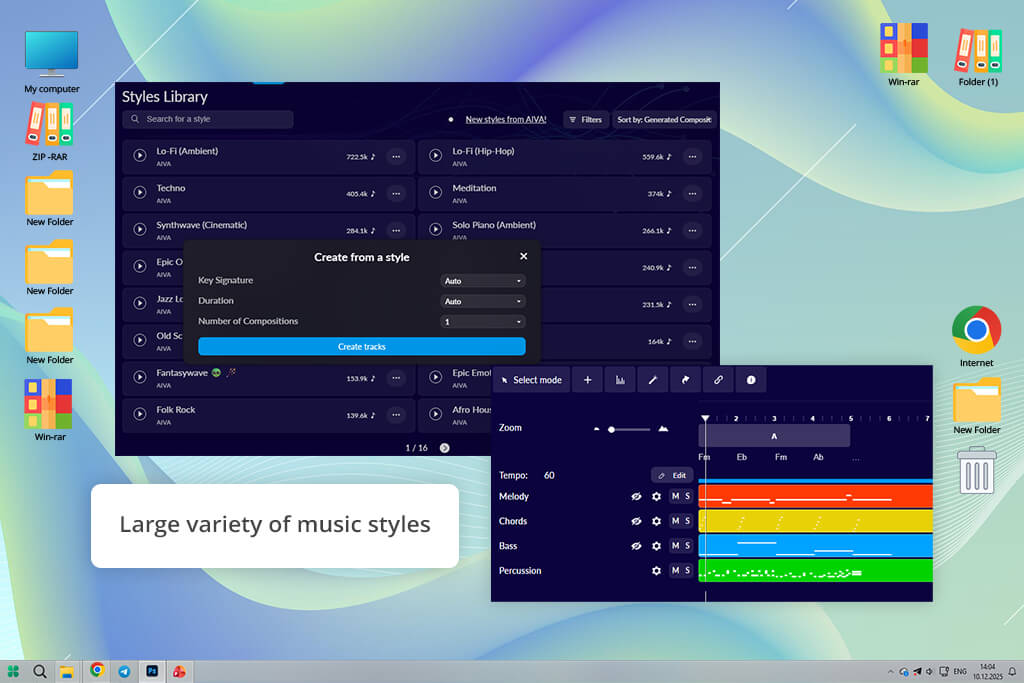
To test AIVA, I wrote detailed prompts with scene descriptions, target tempo ranges, and the instruments I wanted to use. It produces several versions of arrangements. I liked its classical presets. Using them, I was able to generate coherent orchestral compositions with ease. This free AI music generator has a very musical scoring feel, so I had to make only minor tweaks.
I was also interested in AIVA’s arrangement capabilities. I asked it to create several versions of the same theme but with different moods (calm, tense, or triumphant). The melodic motifs remained consistent across several variations. The transitions between themes were natural.
“It creates music with a structure and emotion, instead of generating basic loops. I highly recommend it for those who are interested in storytelling.”

To test whether this free DAW software is suitable for creating adaptive music, I created short loops, the intensity of which changes depending on game events. It produced loopable phrases that layered perfectly. I was able to crossfade them in the engine.
It was possible to humanize performance and swap virtual instruments using MIDI control. The generated music had a bit classical feel, so I had to work more on prompts for electronic or pop styles.
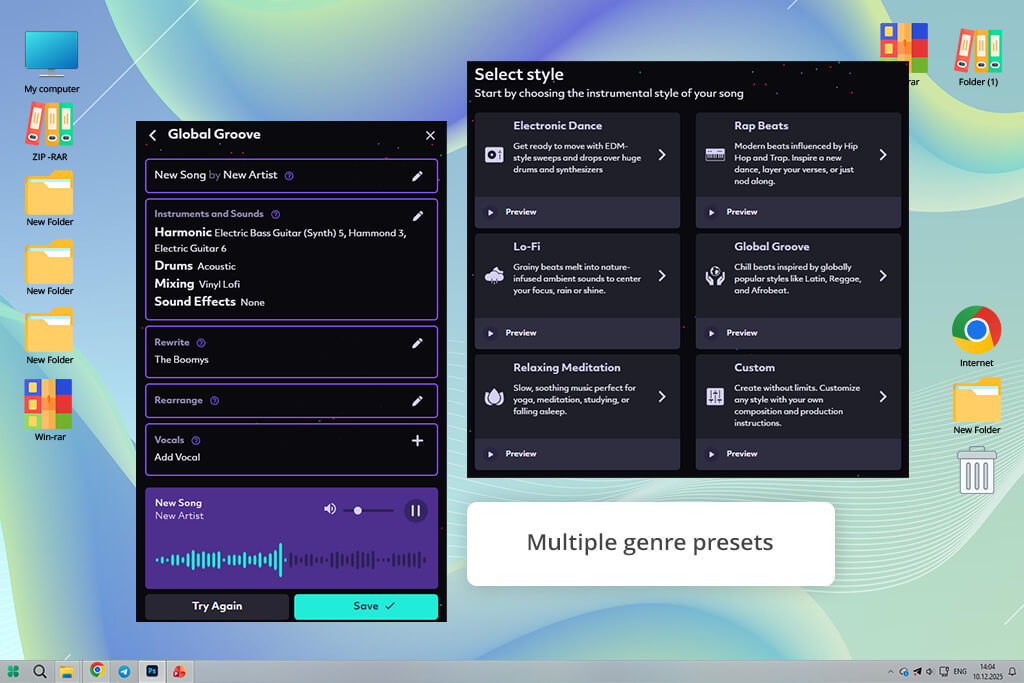
I started testing Boomy when I wanted to generate quick, catchy background tracks with various stylistic options when working on my game menus and trailer. I specified the desired genre and mood when writing prompts. Then, this AI music creator generated several full mixes in a few seconds.
Even though it produced outputs so quickly, I was able to use them as ambient or promotional music, as they sounded so nice. This service is perfect for fast prototyping, as it helped me generate tracks with different moods quickly.
Then, I decided to test Boomy’s controls and tried adjusting tempo and changing instrumental emphasis. Even though it did not support stem export in every case, the outputs were quite decent. I was able to choose a suitable option and continue working on it in my audio editor.
“It’s extremely fun and fast to use. After selecting a few options, I was able to generate catchy tracks quickly. It’s suitable for social media content and quick audio generation.”

I decided to test Boomy to generate several short cues for different UI screens. This free sound enhancement software produced upbeat tracks and select the right tone for menus and splash screens quickly. I was able to generate dozens of variations without delays and choose the ones that fit best. Licensing was intuitive, so I was able to use the outputs in trailers and promotional assets.
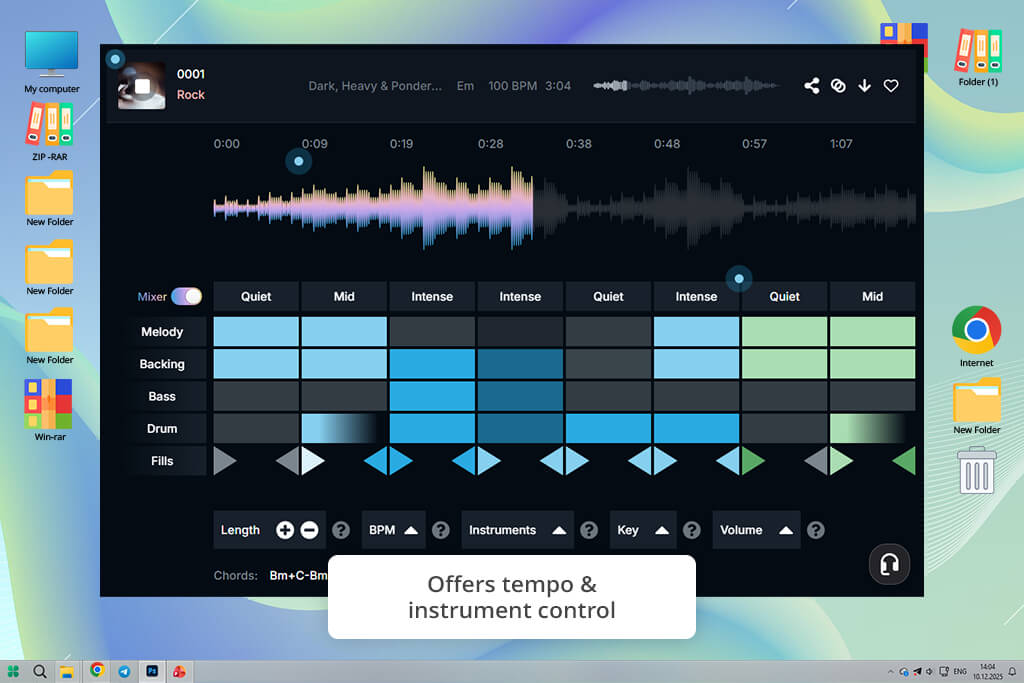
To test this AI beat generator, I used its scene mood sliders and structure controls, specified the desired intensity, length, and instrumentation, and waited until it created variations with such settings. I was pleased with its ability to configure emotional intensity and keep the melody intact.
In addition, I tried creating a loop of a specific length. I liked that the start and the end points aligned nicely. This helped me produce many clips with great loops that required only subtle adjustments.
This AI sound effect generator allowed me to create adaptive layers for combat and exploration gameplay. I was able to export stems, add them to my engine, and trigger them dynamically.
“I like that I can fully control the vibe. I use AI to create the first version and then adjust it to suit my needs. It feels as if I were co-creating a track instead of generating it.”

I wanted to create the effect of textured, hybrid sounds and produce a composition with well-balanced orchestral and synth elements. With Soundraw, I was able to create coherent arrangements that did not require much post-processing. In some cases, percussion sounded a bit generic, but I was able to swap sounds in my DAW with the help of the stems.
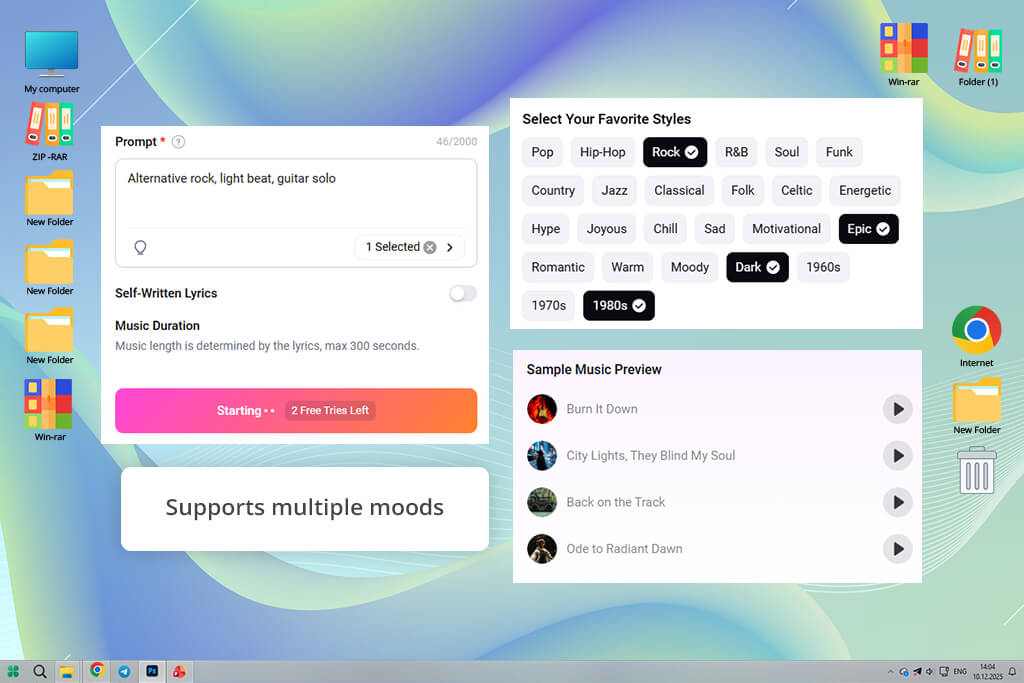
FlexClip is mostly used as a video editor, but it also has advanced music generation tools. I wanted to create background tracks for promo videos, so I entered simple prompts and described the desired mood, style, and tempo.
The AI audio generator produced loops that matched the video, which allowed me to produce engaging content without delays. The integration of music and video editing tools makes the process quite streamlined.
I was impressed that the generated music adapted to the videos I was working on. When I was trying to change video pacing, FlexClip suggested audio segments that helped me to maintain the right rhythm. While it can hardly be considered a professional music composer, it is suitable for producing background tracks aligned with content.
“It was useful when I was editing videos and needed to generate music quickly. The tracks matched the visuals perfectly. This service is practical and easy to master.”

I was a bit disappointed about the limited musical customizations. It was impossible to dive into stems or replace certain instruments.
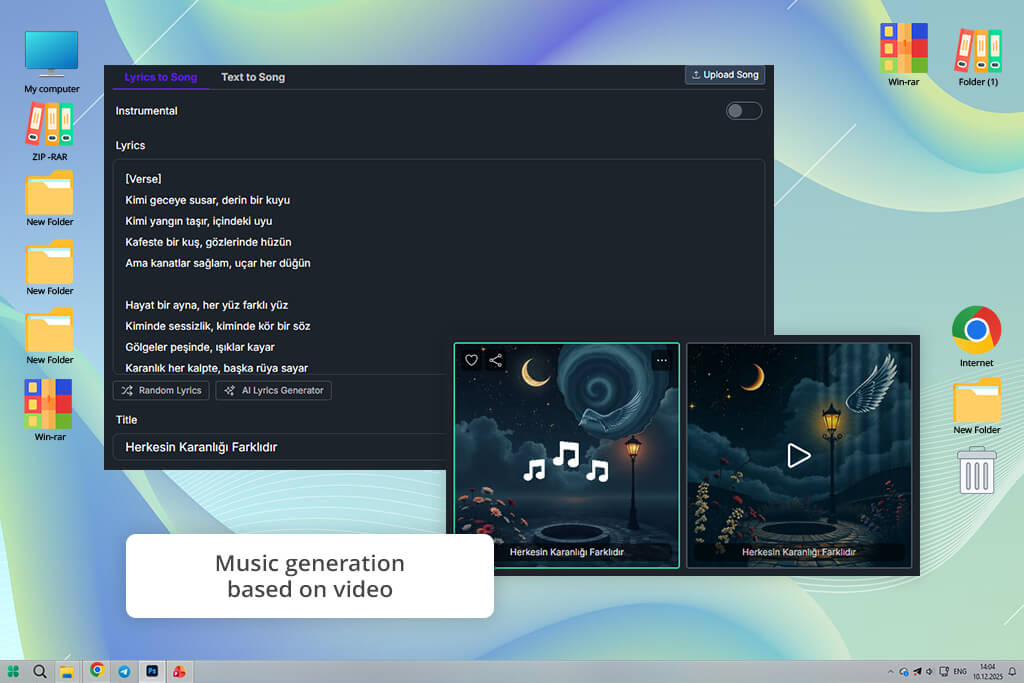
AISongMaker was the first solution that I tested as a songwriting partner instead of producing repetitive loops. I used prompts like “melancholy guitar with soft vocals” or “funky bass groove with synth accents,” and it created engaging sketches based on these inputs. Each track sounded unique, making it better than just background music.
What struck me about this AI instrumental generator is that it handled melodic direction perfectly. Its progressions sounded unique and unpredictable. This service has basic lyrics generation capabilities, but it is quite fun to try pairing text with melodies. I was able to export MIDI and stems to continue editing them in my DAW.
“This service helped me experiment and express my creative ideas. I was pleasantly surprised by some generated tracks. Use this solution to find creative ideas.”

I immediately discovered that the audio quality was inconsistent. I was able to achieve nuanced results using more basic prompts. Detailed prompts with contradictory instructions were too convoluted for this service. This service functions rather as a creative sketchpad than a plugin.
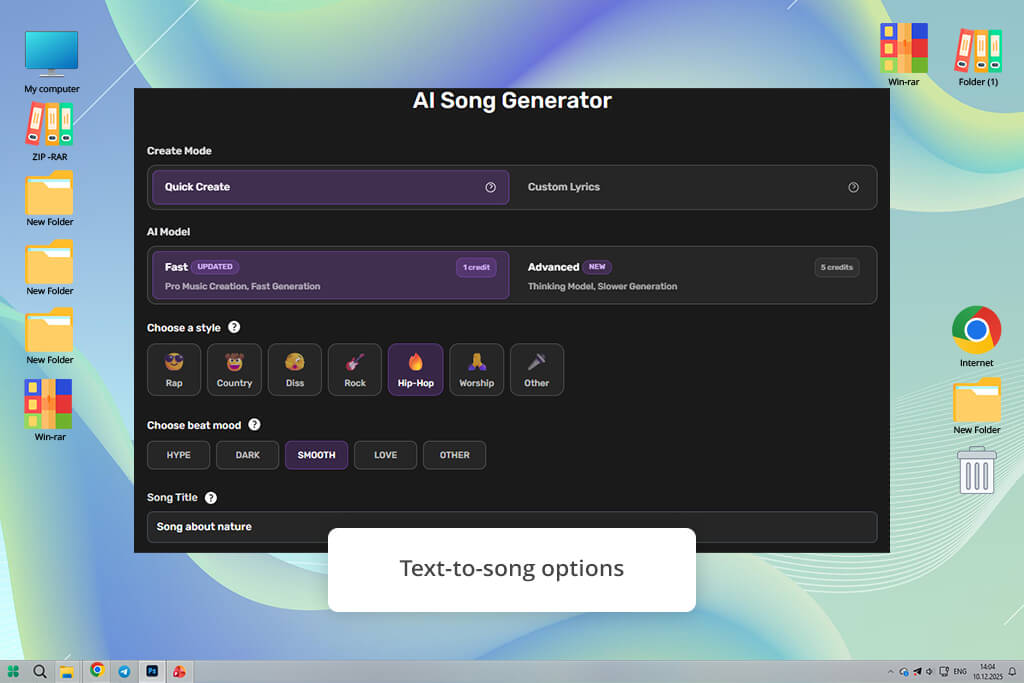
SendFame is a collaborative environment for music creators who want helpful feedback from other pros. When testing it, I tried using vibe prompts like “uplifting electronic anthem.” I was pleased that it was able to produce catchy prompts quickly. I was impressed with the variations and community suggestions. It made it easier for me to work on my projects.
This AI melody generator supports a variety of music styles. I was able to generate hip-hop beats, orchestral compositions, and ambient textures with ease. The AI suggested unexpected variations that sounded more unique than the outputs produced by generic generators.
“I was pleased with the community vibe when using this service. It was a joy to generate tracks. Some of them were less impressive, but the best ones were quite fun.”

One issue that I noticed was that the community feedback loop was a bit slow. It made it difficult for me to use it for generating content on the go.
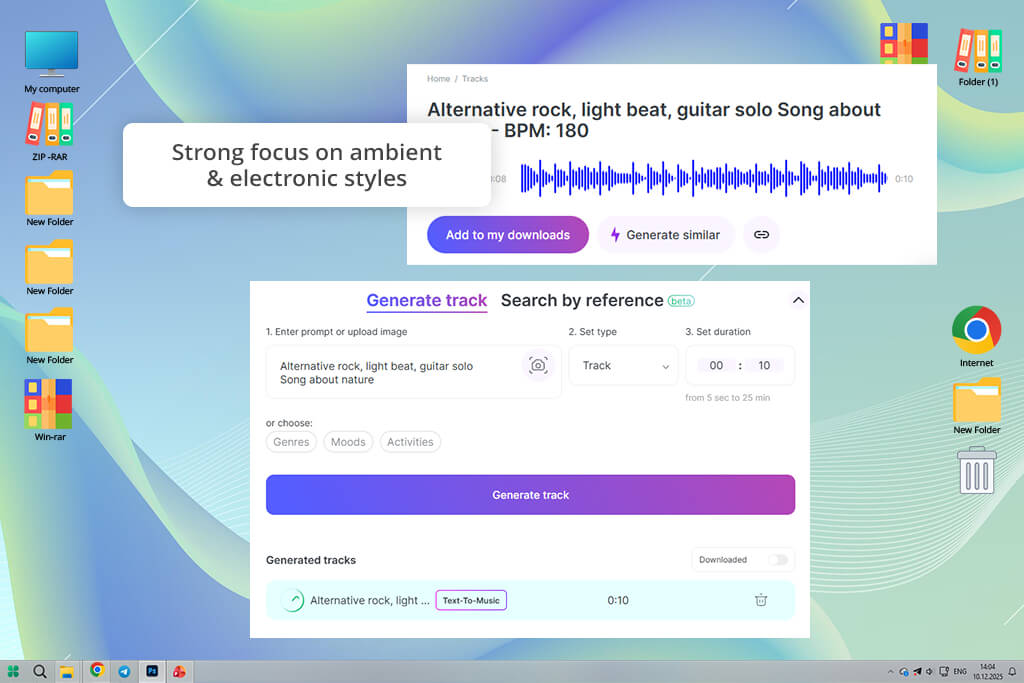
I decided to test Mubert after hearing that it is a free AI music generator in real time. I wanted to create dynamic background tracks and loop them indefinitely when creating live streams and interactive content. I used keywords like “chill lo-fi vibe” and “downtempo ambient,” and this techno music software produced evolving music that didn’t feel repetitive even after long playtimes.
The AI can produce music based on mood and energy level, which makes it suitable for projects where it’s necessary to adjust a track and make it longer without making it sound too mechanical. I was able to change the intensity and style mid-stream, and this service changes the output in real time.
“Use it for creating long background music that remains dynamic and engaging. The sound will evolve, making it perfect for streams.”

The only shortcoming that I noticed was that some tracks occasionally did not have memorable hooks. It was disappointing when I needed to generate tracks with a defined structure.
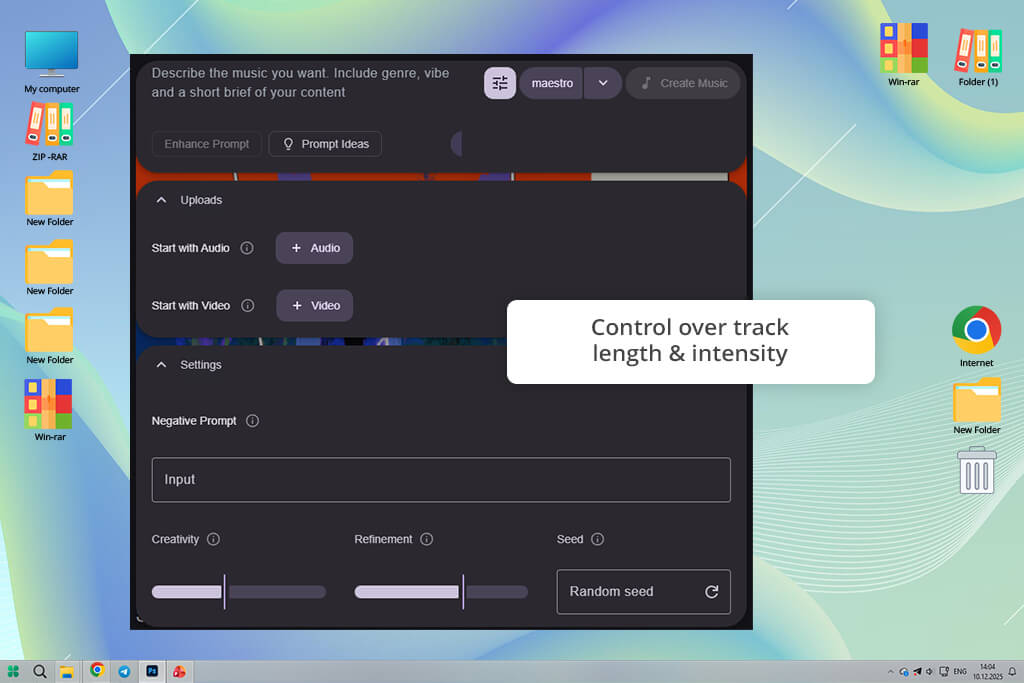
To test Beatoven AI, a powerful web-based AI sound generator, I used such prompts as “nostalgic piano with subtle build” or “energetic rock groove with cinematic flair” to create tracks with the right mood. The AI produced tracks that conveyed the right emotion. The outputs have a dynamic feel instead of repeating patterns.
The UI allows me to choose the desired intensity of the mood, maintain instrumentation balance, and customize the length of my tracks. I was especially pleased with transitions. The AI added crescendos, breakdowns, and endings in the right places. This service is perfect for creating storytelling videos or producing emotional social media content.
“it is suitable for creating tracks with the right emotion. The outputs sounded natural and expressive. It’s the top choice for storytelling or meaningful content.”

Despite these advantages, this ADM software might be less suitable for niche genres, including electronic dance tracks. The outputs may sound less detailed in these cases.
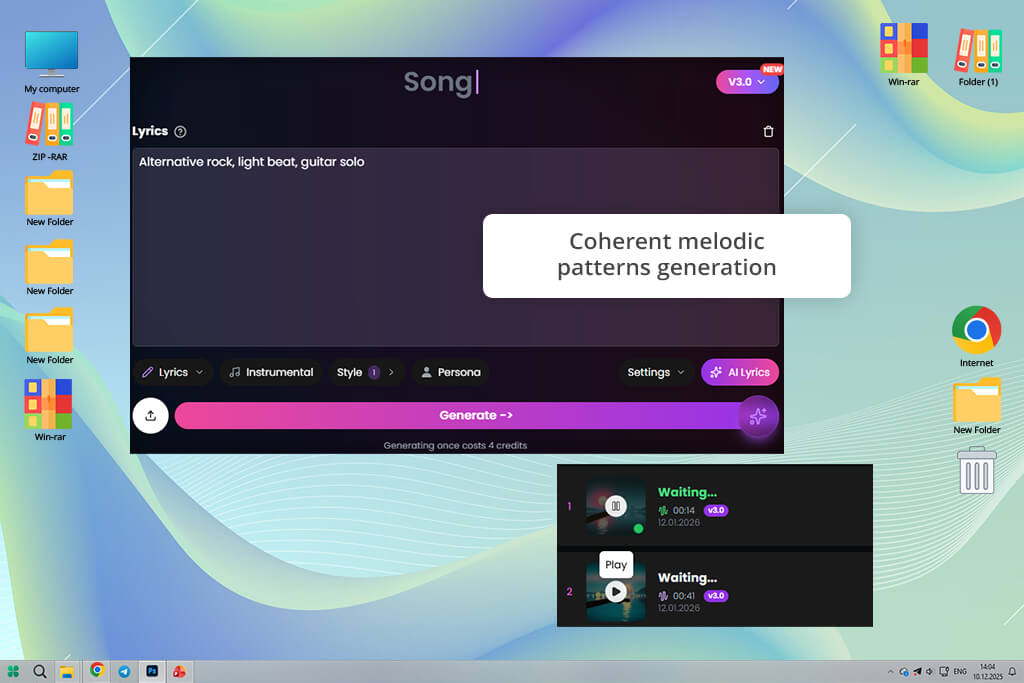
When I started to test AISongGenerator, I discovered that it was quick to understand what I wanted. I used prompts like “jazzy piano loop,” “dark synth beat” to achieve the desired results. What makes it different is that it masterfully combines themes, instead of creating tracks with random patterns.
Even though the produced tracks sounded basic at first, I was able to achieve more unique results when I realized how to improve my prompts. I liked that the interface was not cluttered. It was easy for me to find the tools I needed to use.
“Intuitive, quick, and streamlined. I used it when I needed to generate music for my project without delays. The outputs were quite decent.”

The most significant shortcoming of this free AI music generator is that it’s hardly suitable for working with complex arrangements. Unlike Soundraw or AIVA, it produces less professional outputs when I ask it to create more complex arrangements.
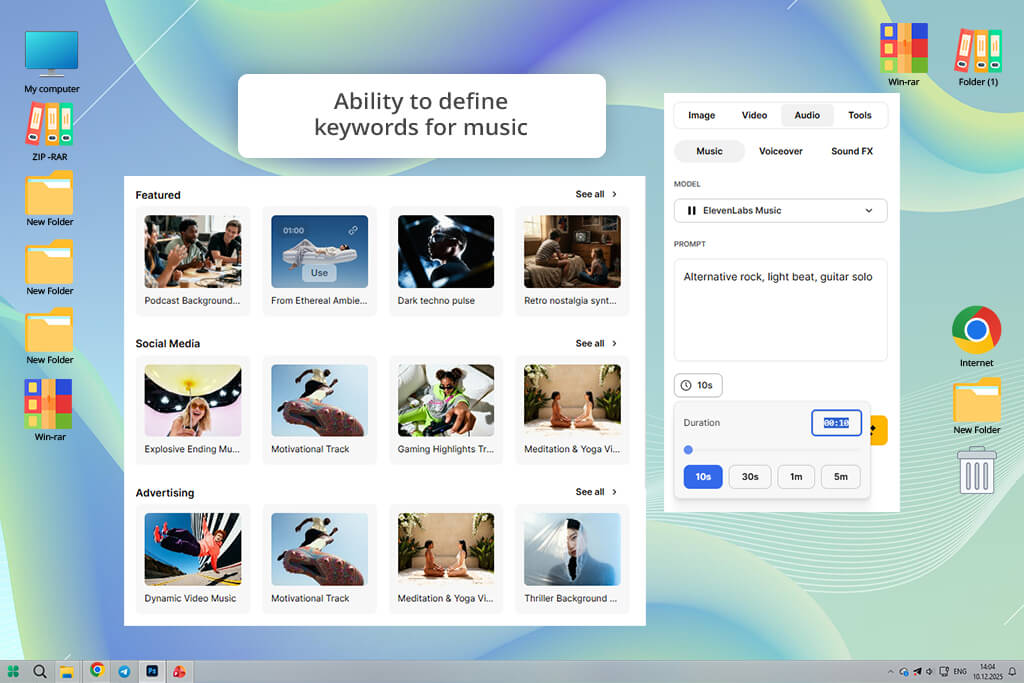
I was pleased to discover that Freepik had a built-in music generator. This platform is typically used by those who want to generate images, but it also has handy AI music features. I used keywords like “upbeat corporate” and “relaxing acoustic” to generate tracks with the right mood. This service produced audio that met all my requirements.
The UI was streamlined and easy to navigate. I was able to quickly create several versions and compare them to choose the best option. In addition, I was able to access the image catalog, which made it easier for me to synchronize music with video. This service produced simple tracks, but they sounded quite professional, so I was able to use them for my videos.
“It’s suitable for clean and attention-grabbing background tracks. I use it for promos, presentations, and general content. I do not have to worry about licensing.”
I was a bit dissatisfied with the limited depth in niche genres. I asked this AI track generator to create experimental electronic sounds, but the outputs sounded too predictable to my liking.
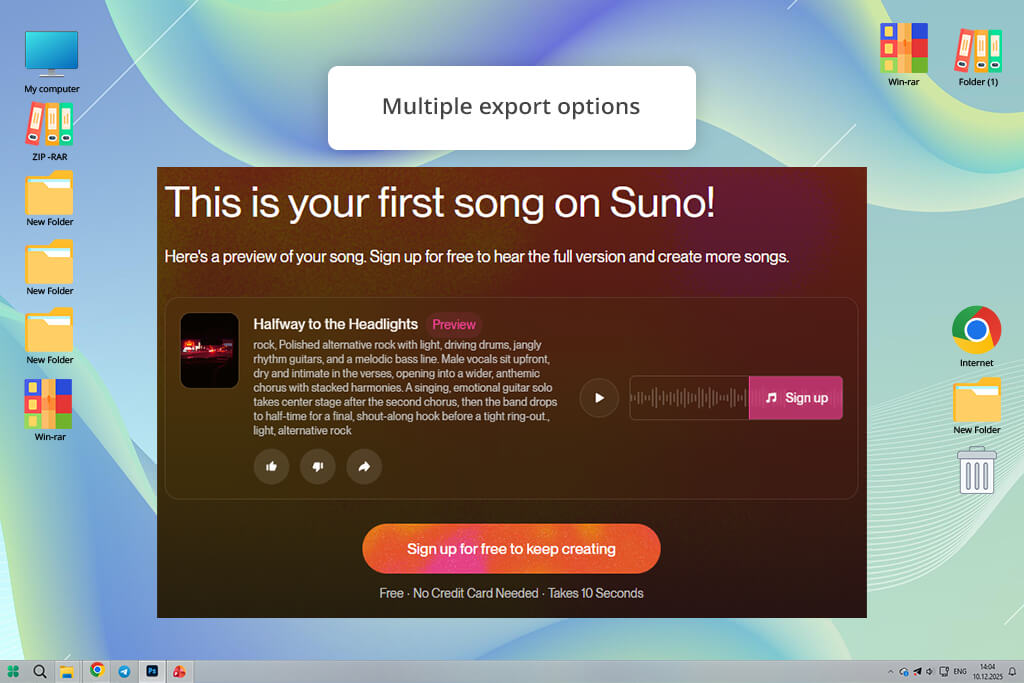
When I started to use Suno, I was extremely pleased with the natural sound it generated. I used prompts like “moody jazz with soft brass” or “dance synth with emotional hook” to generate catchy tracks with engaging chord movement. The AI helped me achieve creative results without compromising on musical logic.
I tested this free audio editing software to see whether it would allow me to experiment with different genres. The outputs were quite consistent. With it, I was able to achieve ambient pads or create the effect of funky basslines.
Suno is perfect for producing tracks on the go. I was able to compare multiple options and select the best one. I was also impressed with the export quality. The tracks had a professional feel about them.
“This service helped me achieve the most impressive results. The generated tracks sounded natural and catchy. It was impossible to guess that they were created by AI.”

The only minor disadvantage of this AI music app is that it may come up with unusual instrumentation choices.
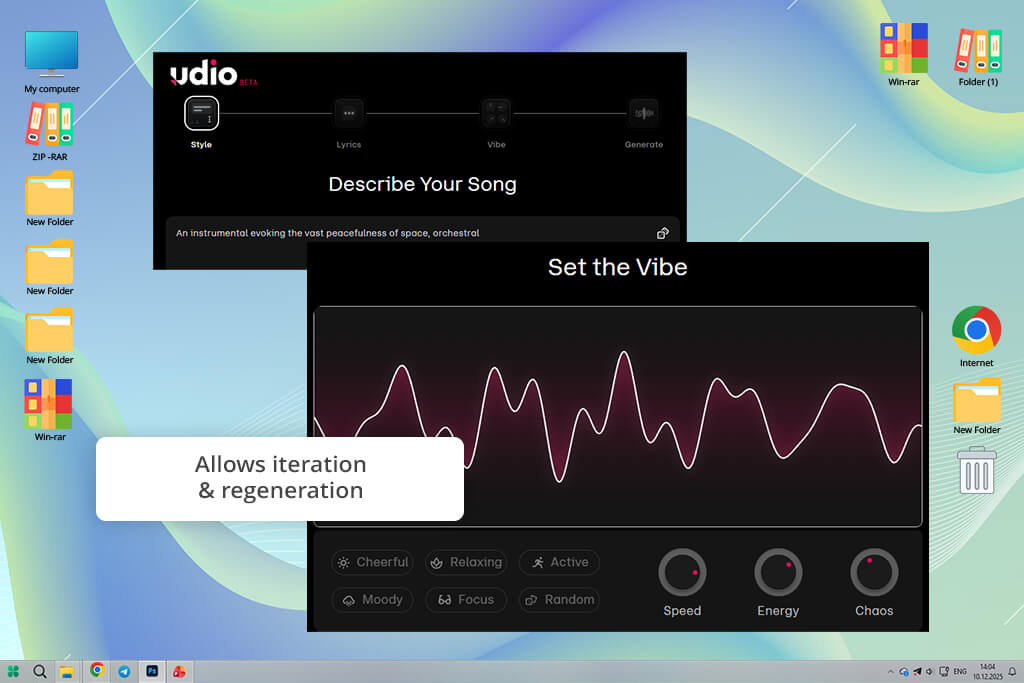
To test Udio, I used prompts like “trap beat with melodic piano” and “lo-fi chill hop” to produce grooves suitable for such styles. The AI produced excellent rhythmic tracks with nice beats and backing elements. The output loops sounded modern and danceable. I was able to publish them almost immediately without any substantial improvements.
I noticed that this open source music software produced great tracks in beat-driven genres. The rhythm sections seemed well thought out, and the patterns weren’t repetitive. It was easy to configure the energy level and instrumentation emphasis. The AI implemented the changes in real time. It’s perfect for shorts, promo videos, and background music with a focus on groove.
“An excellent solution for beats and rhythm. I decided to use it to create short videos and intros. The grooves had a trendy and energetic feel.”
I noticed that melodies occasionally appeared secondary to the beat when I was creating tracks in certain genres. While it’s hardly a problem when one focuses on rhythm, it’s less suitable for situations when one needs to produce harmonious compositions.
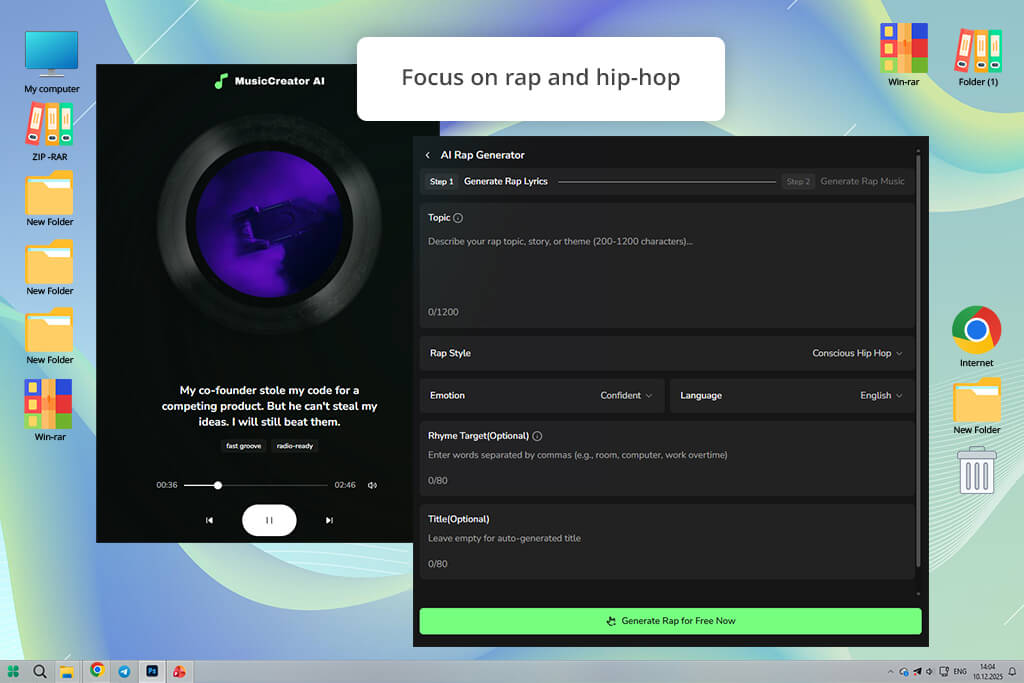
When I first heard about Rap Generator, I became curious about whether this AI platform could generate engaging beats and flows.
I used prompts like “boom-bap with deep bass” and “trap groove with melodic hook.” The outputs were catchy and attention-grabbing. This platform generated beats and suggested natural rhythmic text. Some verses and hooks sounded quite impressive.
I was pleased that it balanced groove and variation perfectly. The beats changed over time. The AI track generator added engaging breaks and fills. In addition, I used this service to create tracks for freestyle sessions.
However, the loops had limited development, which made them less engaging than they could have been. The platform also provided some lyric suggestions. I used them as ideas for writing my own text.
“It’s a great option for generating beat-driven content. The tracks had a distinct punch. I enjoyed using the instrumentals and decided to use my own vocals. It is suitable for all sorts of creative experiments.”
The main shortcoming of this service is that the vocal side for rap generation still requires some improvement. The beats sound more powerful than the AI-generated lyrics.
When testing these services, we wanted to determine whether they would help us expedite our workflows, meet deadlines, and complete complex projects. I wanted to discover the solutions that would help me handle the challenges I face daily. Nataly, Kate, and Tati joined me to test each AI music composition tool thoroughly. Each of us had a slightly different approach.
We started by creating a real project scenario. We wanted to create original background music for short promotional videos, social media content, and a small creative video project that required us to use unique compositions instead of generic stock music.
Our goal was to produce royalty-free tracks, adjust their length, choose the custom mood, and work on audio of different types, including intros, middle parts, and endings. In addition, we wanted to produce tracks that do not sound as if they were generated by AI or feel too repetitive.
We tested each AI music generator using the same prompts. For instance, we would ask them to generate “soft ambient music for a game menu,” “energetic electronic track for a short promotional video,” and “emotional cinematic background for a storytelling video.”
Nataly wanted to see whether the generated tracks sounded natural when she added them to videos. She checked whether they blended perfectly or were somewhat distracting. If she noticed that some services produced artificial-sounding tracks, she excluded them from the list.
Kate wanted to check whether these tools could become a part of our workflow. She tested how long it would take her to generate a track based on her idea. Her objective was to understand whether these services were suitable for those who need to meet tight deadlines, prepare tracks for YouTube Shorts, or Instagram Reels.
She wanted to check how many versions of tracks these tools could produce. Besides, she tested whether she could adjust her mood or tempo quickly. Her goal was to find services that helped her experiment with various ideas instead of getting stuck. If some tools required too much effort, she ranked them lower.
Tati prioritized testing creative flexibility and emotional control. She wanted to see whether it would be possible to change moods in the middle of generating a new track. Besides, she decided to focus on the services that had tools for adding all sorts of transitions, including calm, intense, minimal, or dramatic.
In addition, she was trying to detect any signs of repetition, as repetitive patterns are common for low-quality AI music. If a track started in a powerful way but quickly became boring or had noticeable loops, she ranked the platform lower.
After producing dozens of new tracks, we tested them to create different types of content, including short videos, concept trailers, background audio tracks for our presentations, and game demos. This approach helped us notice that some tracks sounded great when we listened to them at first, but they did not complement visuals perfectly.
There were also cases when the tracks started to sound better when they were paired with videos. We ranked AI music generators higher if they helped us to achieve more creative outputs and had more advanced tools.
Yes, you can use music generated with the help of AI tools for commercial purposes. However, you should consider several important factors:
Most popular AI music generators were built specifically for commercial use. However, you should always read the license and terms before downloading AI-generated tracks and using them for your work-related projects.






















