



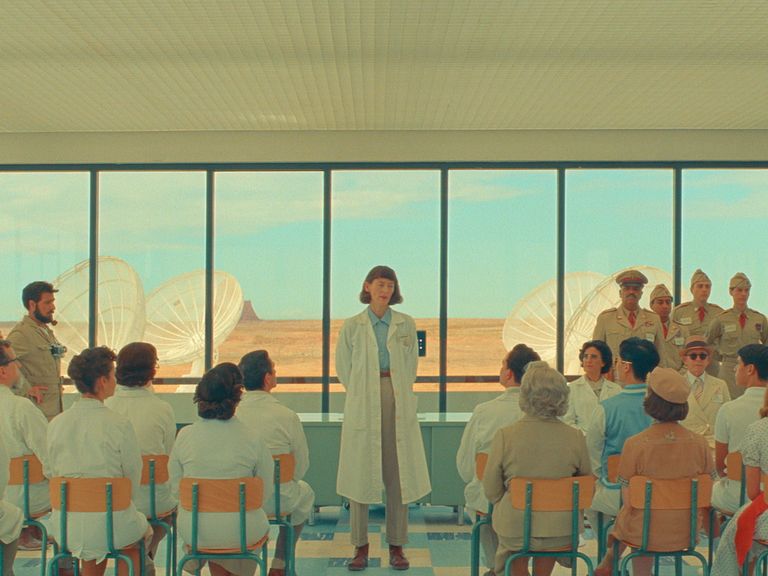
Our Wes Anderson filter app lets you convert regular photos into cinematic masterpieces that resemble Moonrise Kingdom, The Royal Tenenbaums, and other movies.
Created by experienced retouchers and backed by AI, such a filter recreates the trademark features of the filmmaker’s style – a dreamy color scheme and an emphasis on symmetry. Moreover, you can get the first photo for free, and it won’t even have a watermark!
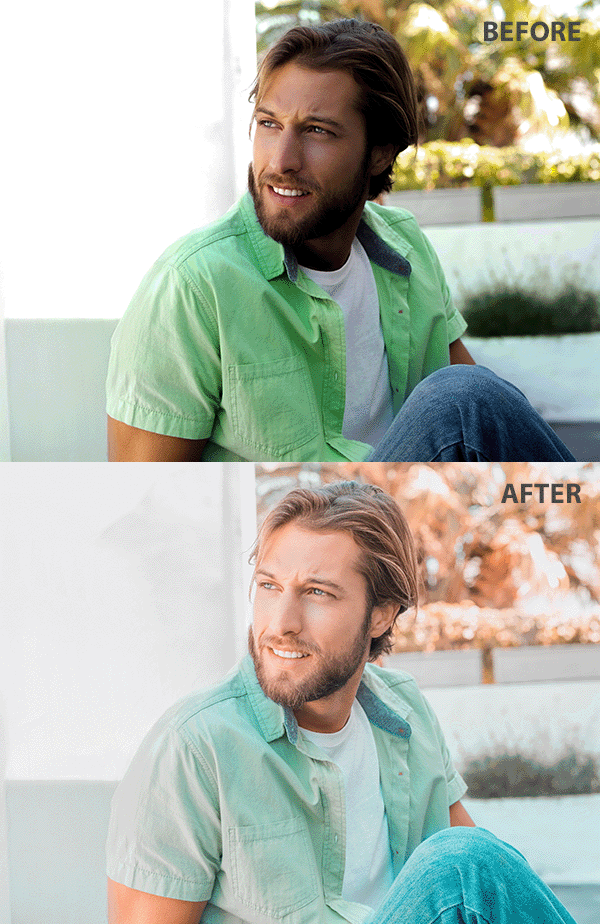


Unleash your creativity and infuse your images with the mesmerizing aesthetic of Wes Anderson’s movies like The Grand Budapest Hotel and Moonrise Kingdom. Our Wes Anderson camera filter enables you to wow your audience with the same vintage pastel hues, subtle contrasts, and intricate compositions.
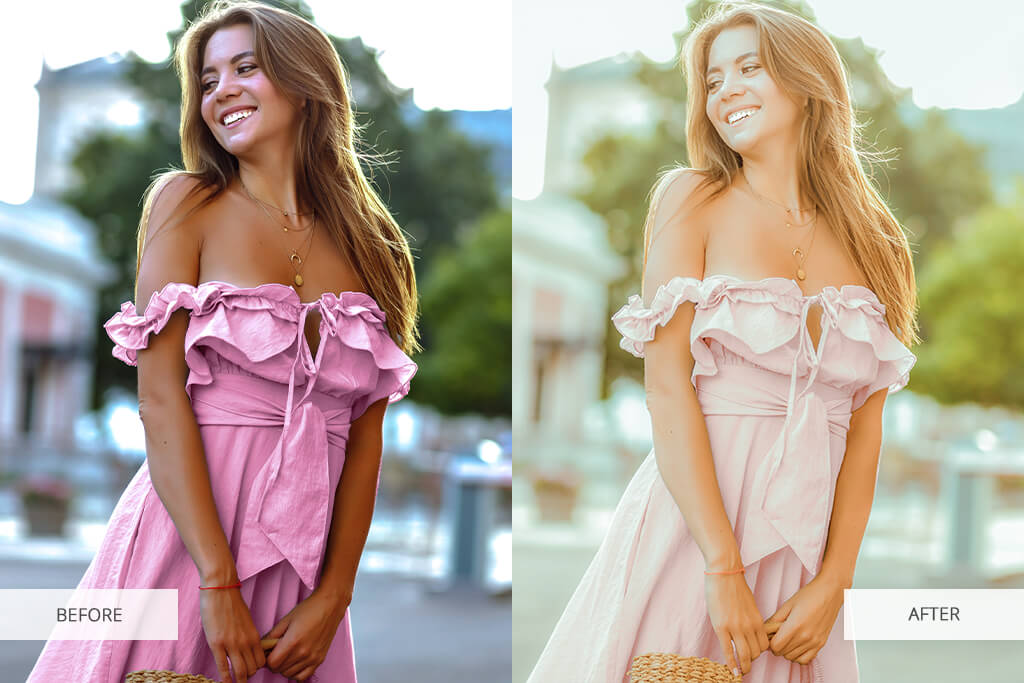
Whether you’re enhancing a picture taken in a retro café with your phone or a professionally composed pet photo, you'll receive an aesthetically pleasing result that doesn't look unnatural or over-edited.
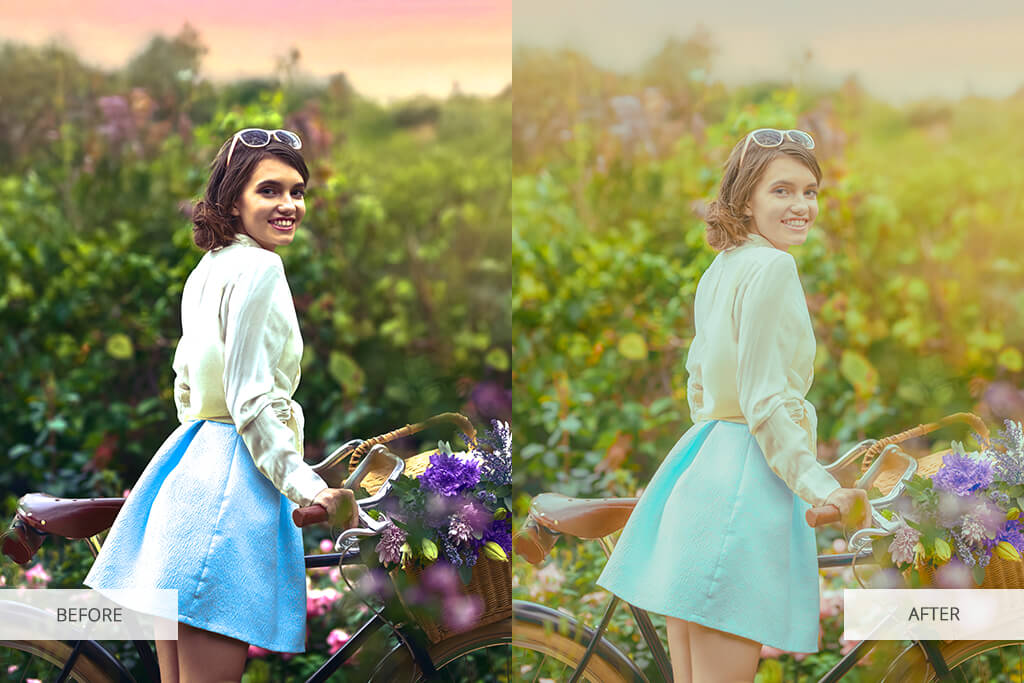
You can see the results of the Wes Anderson trend for filters all over TikTok and Instagram, as people are constantly styling their content in the style of The Grand Budapest Hotel or Moonrise Kingdom. If you’ve been missing out and want to jump in, simply import your picture into our app, and our team of retouchers will take care of the rest.
To ensure optimal results, we suggest picking a well-lit picture with clean lines and a sufficient amount of negative space. Moreover, you can ask for additional retouching services, like replacing colors, strengthening the pastels, or applying a bit of film grain or orange teal hues to bring your image even closer to Wes Anderson’s work.
The app relies on both AI and manual editing to provide a cinematic-quality photo that retains its natural appeal, which is unattainable for most AI filters.
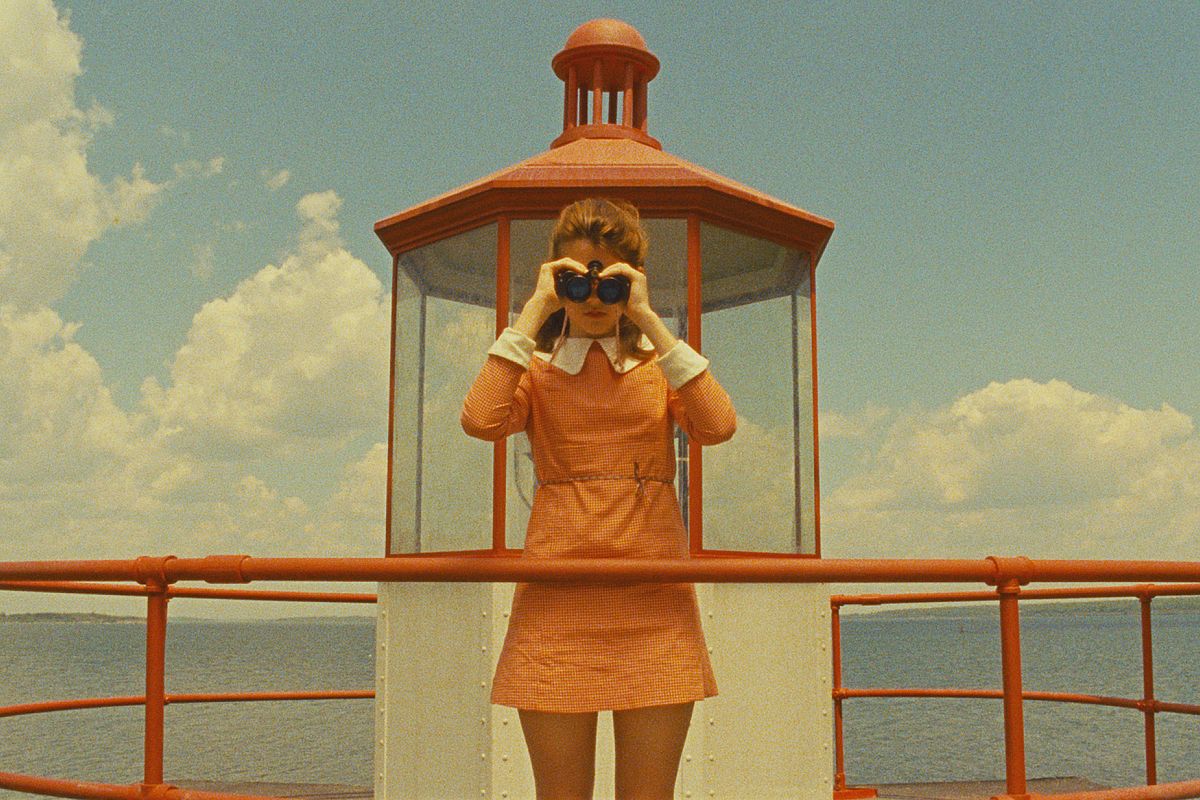
You can instantly recognize a Wes Anderson photo filter by:
By adjusting the settings for a Wes Anderson filter, you can fit right into this popular trend and turn everyday moments into aesthetically overwhelming masterpieces that ooze nostalgia and style, which is bound to resonate with your followers.
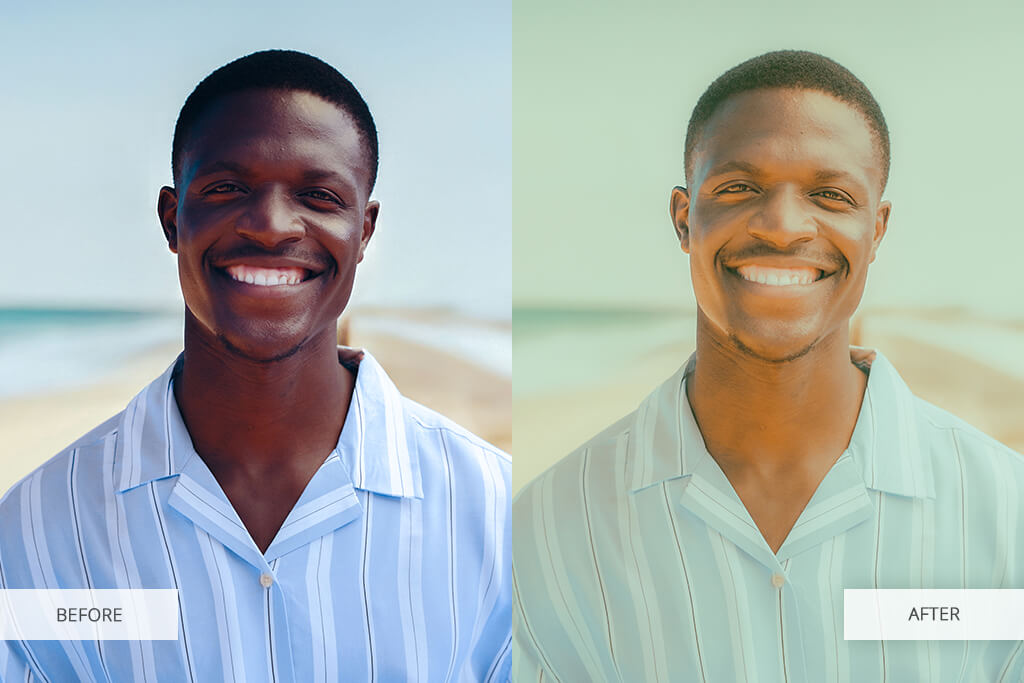
If you’re wondering how to get a Wes Anderson filter, all you need to do is download our app, and we’ll leverage our retouching expertise with AI technology to deliver a realistic, professional result that can’t be matched by a simple preset.
Even though you can find a Wes Anderson filter for Lightroom, getting the look right would demand a lot of image retouching experience and a huge time investment. Meanwhile, Fix The Photo Body Editor & Tune lets you receive the same visual style in a few clicks, saving time and ensuring the quality will be top-notch.
You simply need to describe the exact changes you want to see – for instance, more warm colors, or dreamlike pastel skies, or to fix facial asymmetry. Our professional retouchers will make sure the result adheres to your requirements while embodying The Grand Budapest Hotel or The French Dispatch visual style.
You can find a Wes Anderson filter by downloading the Fix The Photo Body Editor & Tune app from the App Store or Google Play. Get it today and turn your images into eye-catching masterpieces. You can add it to your photo by doing the following:

You can find multiple Wes Anderson filter apps for TikTok online, but the majority of them demand you make manual edits to the image after applying the preset or fail to completely recreate the desired visual style.
Instagram. Even though it doesn’t have a dedicated Wes Anderson filter, it allows you to combine vintage filters (like Juno and Clarendon) and then tweak the contrast, warmth, and vignette by hand. You can further enhance the result by adjusting the framing and adding pastel tones to the background.
TikTok. The Wes Anderson TikTok filter is usually created by applying specific presets. The app lets you manually set the color tones, center the subject, and add vintage music. However, the overall look can come across as exaggerated and isn’t suited for long-form content.
InShot (from $3.99/month). InShot doesn’t have a separate filter for imitating Anderson’s iconic style. You can create a Wes Anderson filter in InShot by tweaking the tone curves, saturation, and applying one of the available retro filters.
YouCam Video. YouCam Video allows you to add a retro preset and perform basic color grading, but you can’t simply apply a dedicated Wes Anderson video filter. Instead, you have to mix and match various features to create a similar look while also trying to ensure your video doesn’t look over-edited.
Akin to most other similar apps, all these options leverage automated AI edits, which tend to fail to account for your unique facial structure, overall shot composition, and lighting. This often leads to the edited images looking artificial or unprofessional.

That’s why the Fix The Photo Body Editor & Tune has a huge advantage, as it’s backed by a large team of experienced retouchers who utilize both AI and manual editing, creating a natural and stylish Wes Anderson look that matches your specific image.
Fix The Photo Body Editor & Tune is a lot more than just a Wes Anderson filter app on iPhone and Android, as it’s a full-fledged professional editing service that relies on both a human touch and AI functionality. We don’t simply apply a lazy preset, but instead diligently stylize every photo to satisfy all your requirements.
We tweak the color balance, add orange and teal hues, and infuse all elements with a vintage feel. Moreover, you can ask for additional edits, like adding accessories or props to make your imitation of The Royal Tenenbaums or Fantastic Mr. Fox atmosphere even more immersive.
In contrast to most alternative apps that apply aggressive filters that don’t account for the context of the image, we provide a cinematic, customized approach to each photo we get.





![7 Best AI Font Generators in {{%year}} [+Test Results]](http://fixthephoto.com/blog/images/gallery/news_main__preview_27830.jpg)
![7 Best Design Wizard Alternatives [{{%year}} FixThePhoto Choice]](http://fixthephoto.com/blog/images/gallery/news_main__preview_27934.jpg)


![8 Best AI Tattoo Generator Tools [+Good Prompts]](http://fixthephoto.com/blog/images/gallery/news_main__preview_28202.jpg)
![7 Best AI Background Generators [Real Tests]](http://fixthephoto.com/blog/images/gallery/news_main__preview_28187.jpg)

![7 Best Mocha Pro Alternatives [{{%year}} FixThePhoto Choice]](http://fixthephoto.com/blog/images/gallery/news_main__preview_28055.jpg)

















