I had found several photography jobs that seemed perfect for me – roles at studios, creative agencies, and even a magazine I’ve liked for years. I was very excited, but I knew each cover letter had to feel personal and match the job. A basic, copy-paste letter wouldn’t help me stand out. Each one needed to show my camera skills, editing experience, and love for telling stories through photos.
The problem was that I didn’t have enough time to spend writing and adjusting every single letter. Between photo shoots, editing, and updating my portfolio, I needed a way to save time without losing quality. That’s when I decided to look for the best AI generators for writing cover letters.
I had a few specific things I wanted. The tool had to make letters I could easily customize – like using a fun tone for a creative studio, a more technical style for a photo editing job, or a formal one for a marketing team.
The letters also had to sound natural and be free of mistakes, because first impressions are very important in this field. I wanted the AI to give me tips on how to talk about my skills, or how I plan and manage big photo shoots, in a way that sounded human, not robotic.
I pictured using it for different kinds of jobs, for example, portrait photography, product photography, or even as a photo editor at a big magazine. My main goal was simple: make the process faster, reduce stress, and make every cover letter stand out so that employers could see why I was the right person to help bring their visual ideas to life.
I also have friends on the FixThePhoto team, and I asked them to help me test different AI cover letter generators. Some of them work in hiring, so they know how to tell if a cover letter is good and can actually impress employers.
The first few lines of your cover letter should grab the reader’s attention and sound professional. Start by saying who you are and what job you want. If you have any connection with the company, mention it early: it helps you seem more genuine and helps your letter stand out.
Example:
Why it works: it shows that you’re excited, have the right experience, and know something about the company.
A basic cover letter is easy to ignore. Take time to read the job post carefully. Find the main skills and qualities the company wants and use some of their words in your letter. This shows you understand what they need and helps you get noticed by Applicant Tracking Systems (ATS).
Example:
If the job post says it values “project management and teamwork,” you could write:
This shows the company that you have the exact skills they’re looking for and that you’ve done similar work before.
Instead of just saying what you did in your past jobs, try to show clear results that prove how your work made a difference. Numbers help your letter stand out and make your achievements easier to see.
Bad:
Good:
Whenever you can, use numbers like percentages, money earned, or time saved to make your statements stronger.
Employers want to hire people who understand their company’s goals and values. Before you start writing, take time to learn about the company. Mention something specific that you like about them: maybe an award they won, a value they care about, or a recent project they completed.
Example:
This shows that you’re not just sending the same letter everywhere – you care about what the company stands for.
A good cover letter should fit on one page and include three or four short paragraphs. Use simple, clear language – don’t make your sentences too formal or complicated, because that can make them hard to read. Pick clean, professional fonts like Arial, Calibri, or Times New Roman. Match how you write to the type of job: sound more formal for office jobs, and more casual for creative ones.
Remember, hiring managers have to read many letters, so clear and short writing will help yours stand out.
The last paragraph should explain why you’re a great fit for the role, thank them for their time, and show that you’re open to talking more. Don’t sound like you’re begging for the job; instead, write with calm confidence.
Example:
Even if you use an AI cover letter generator like Adobe Express or ChatGPT to make your first draft, always take time to edit it. AI can save time, but the letter should still sound like you. Check for spelling and grammar mistakes, as even small errors can hurt your chances. You can use proofreading software or ask a friend or teacher to read it and give feedback.
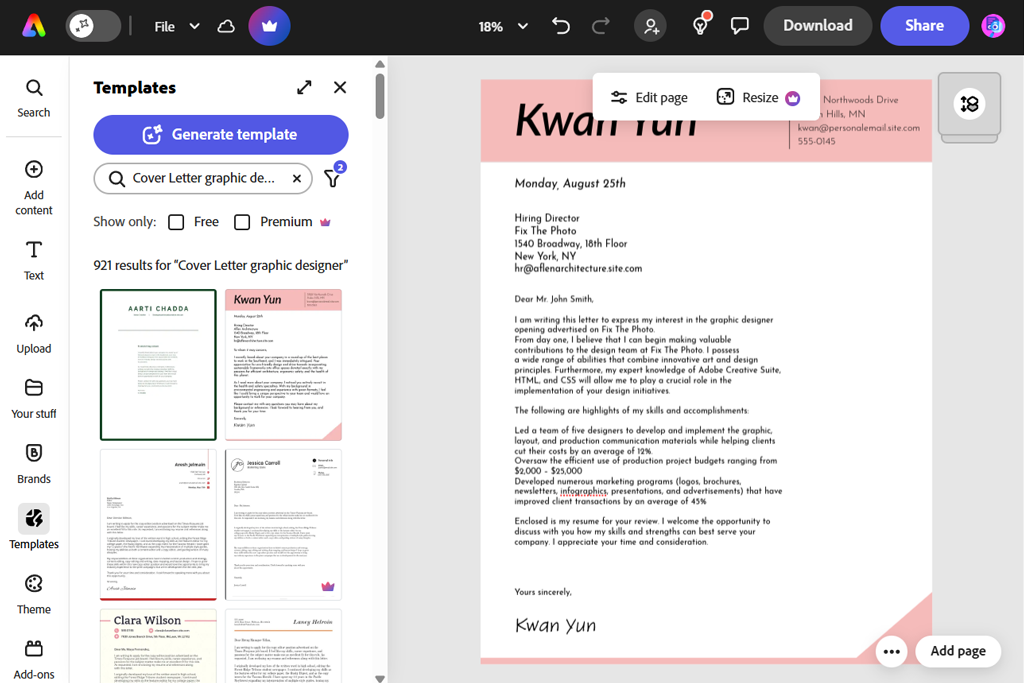
I’ve used free Adobe software (like Photoshop and Lightroom) for years to work on my photography, but I never thought they could help me with job applications. Then I decided to try Adobe Express. All I had to do was enter information about the job and my skills, and within seconds, it created a full draft of a cover letter.
The first thing I noticed was that the letter didn’t sound AI or like something generic. That’s a problem I’ve had with other AI cover letter generators before. Adobe Express seemed to understand the tone of writing very well, making letters that sounded both professional and natural. I also liked how easy it was to edit everything right in the program. For example, I could change sentences, fix the layout, and even adjust how formal or casual it sounded, depending on the company.
“Honestly, I used Express because I already use Photoshop for work, and it did a great job. It was fast and helped me make a clean, good-looking cover letter that matched my personal style.”

One of the best parts was its writing tips. Instead of just giving me plain text, Adobe Express suggested what I could add, including my best results, important skills, or photography terms that would catch an employer’s eye.
It felt like having a helpful coach sitting next to me, showing me how to make my letter stronger. Another great thing was that I could easily change one base letter into a few versions for different jobs. I used it to make three cover letters for different photography roles, and it saved me hours of rewriting.
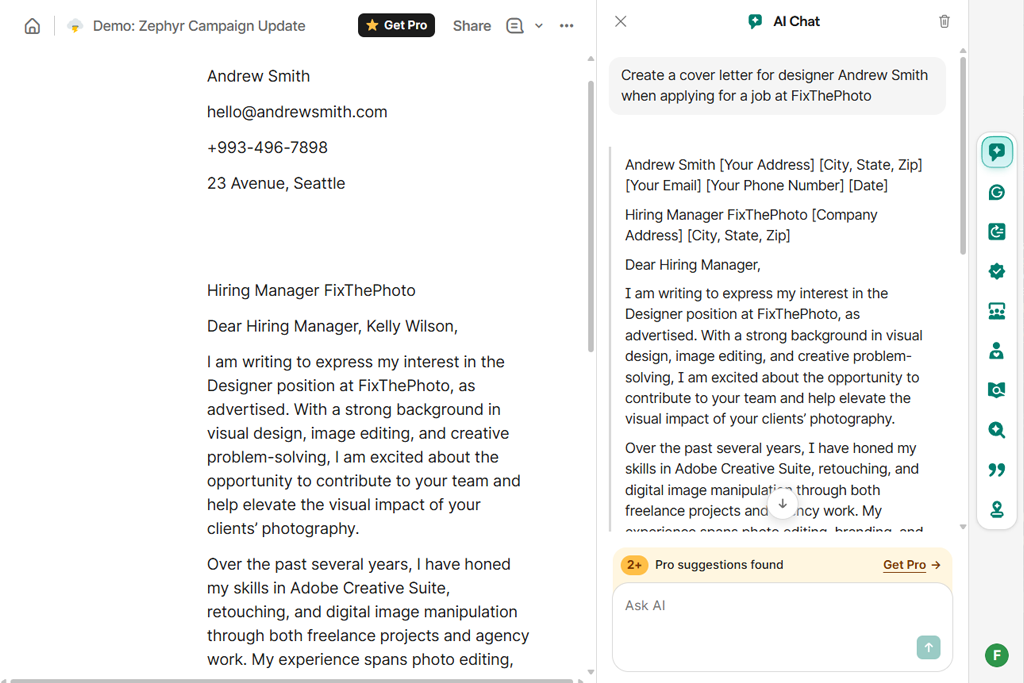
Since Grammarly is known as a grammar checker app, I wasn’t sure how good it would be for writing cover letters with AI. But from the start, I could tell it worked uniquely. Instead of making a full letter all at once, Grammarly let me build it slowly, step by step.
The AI gave me ideas for sentences and paragraphs as I wrote, almost like a tutor helping me through each stage. This made my final letter sound more natural and personal, not like something written completely by a robot. I also liked that I had full control over how everything was organized and worded, which was important because I wanted my letters to match my own style and portfolio.
“It’s like having a super careful editor looking over your shoulder in a good way. It helped me polish my cover letter and make it sound just right. You can’t expect it to write everything for you, though; it’s better at fixing and improving your writing than starting from scratch.”

Grammarly didn’t just fix grammar mistakes; it also helped adjust the way my writing sounded. It gave tips on how to make my cover letter sound more confident, professional, or friendly, depending on the type of job I was going for. For example, when I wrote a letter for a creative agency, I wanted the tone to be more passionate and inventive, and Grammarly helped me achieve that balance perfectly.
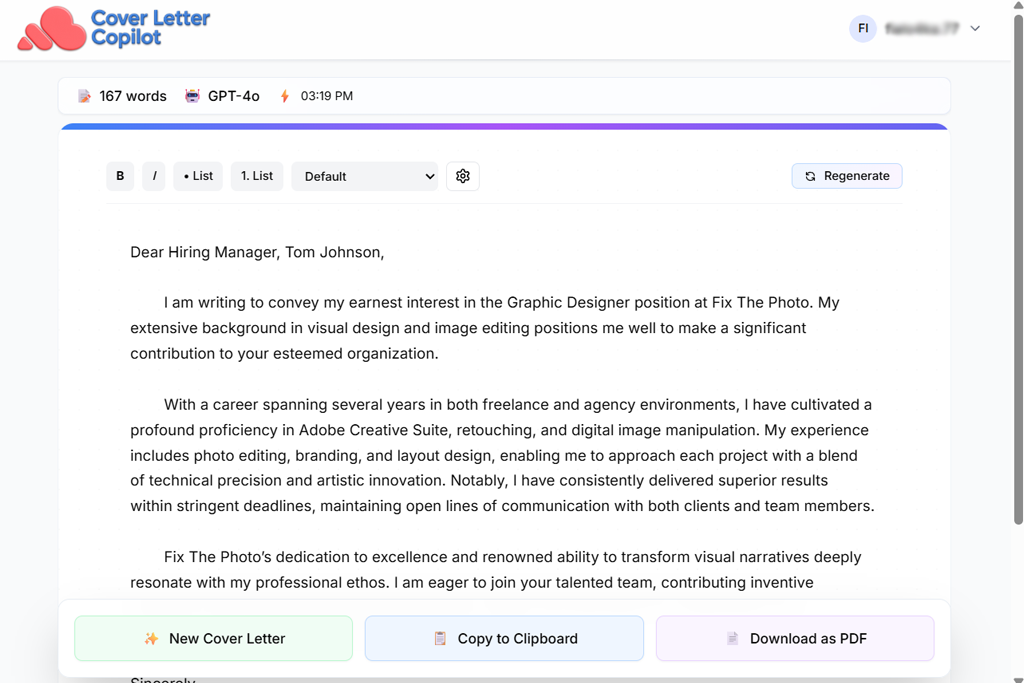
To test another tool, Cover Letter Copilot, I followed the same steps I used with the other AI cover letter generators. First, I entered details about my background: how many years I’ve worked, the programs I use like Lightroom and Capture One, and key moments from my projects, including a big campaign shoot I finished recently. Then I added information about the jobs I wanted, focusing on the skills and traits that each employer mentioned in their job posts.
The first draft that this AI writer created was very impressive. It didn’t look like a plain template filled with empty phrases. It had a natural flow, sounded professional yet friendly, and included personal details that matched my experience and achievements.
“This one felt the most personal to me. I could easily switch between tones and styles, and it felt like I was working together with the AI instead of just letting it do everything.”

For instance, when I applied for a photo editor position, the AI pointed out my strong attention to detail and my skill at managing complex projects. For a studio photographer job, it focused more on my creativity and storytelling skills, showing how my portfolio stood out visually. It seemed like the AI actually “understood” what each job wanted instead of just changing a few words.
One of the most useful things about this tool was how flexible and interactive it was. Instead of giving me a finished letter that I couldn’t change, it let me edit different parts as I went. It also offered many options for rewriting sentences and adjusting tone. If I wanted a paragraph to sound more confident, short, or friendly, I could instantly change that part and pick the version that fits best.
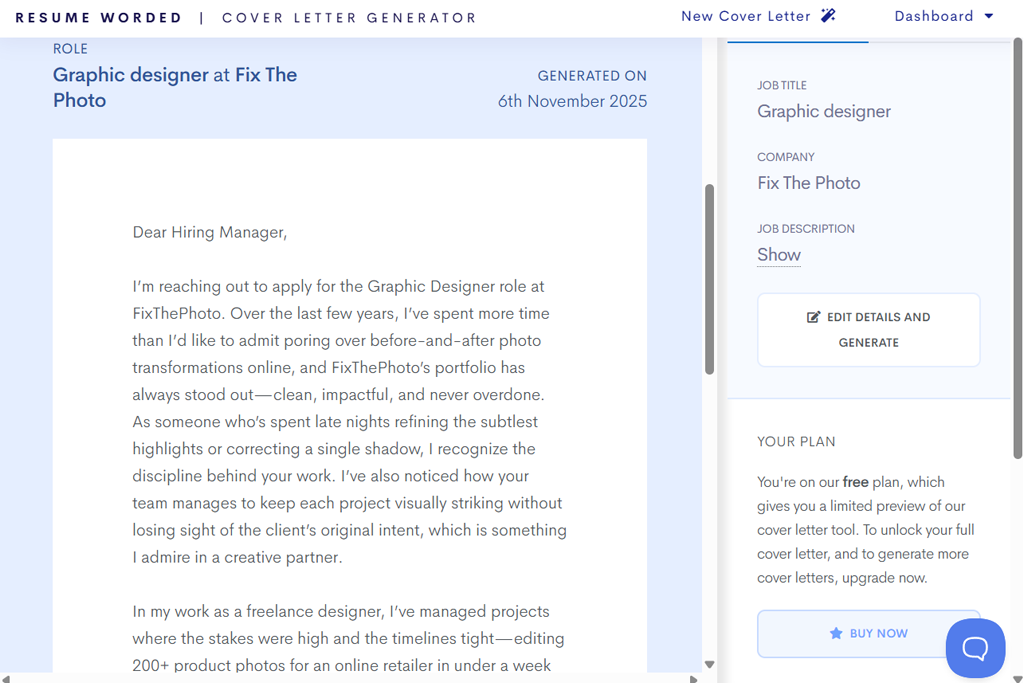
Most resume writing software and cover letter tools just make a quick draft and leave you to figure out if it’s good or not. But Resume Worded works differently. It checks each part of your cover letter while you’re writing and gives it a score, explaining what’s strong and what needs improvement.
When I wrote my first draft for a studio photographer job, I only got 65 out of 100. That felt a bit disappointing at first, but the feedback I got was super helpful. The tool showed me where my opening was weak, told me to use stronger action verbs, and even suggested better ways to talk about the best parts of my portfolio. After I followed its advice and made the changes, my letter looked much better, and my score went up to 89.
“I was amazed by how much feedback this AI cover letter generator gave. It didn’t just say if my cover letter was good or bad – it explained what to fix and how. It’s great if you like improving your writing, but if you just want something quick, it might feel like too much work.”

When I used it for a photo editor job, Resume Worded was especially helpful with keyword use. Photography jobs often include specific technical words, and the tool made sure those keywords were included naturally in my letter. I wouldn’t have thought to do that myself, but I know it helped my application stand out to the ATS. It even suggested changing the order of a few sentences to make my writing flow more smoothly, which made the whole letter easier to read.
Another thing I liked was how it focused on results. Instead of just telling me to “mention my editing experience,” it encouraged me to describe the outcomes of my work. For example, when I wrote about a big campaign shoot, it told me to highlight how my photos increased client engagement by 30%. That turned a simple task description into proof of my impact as a photographer.
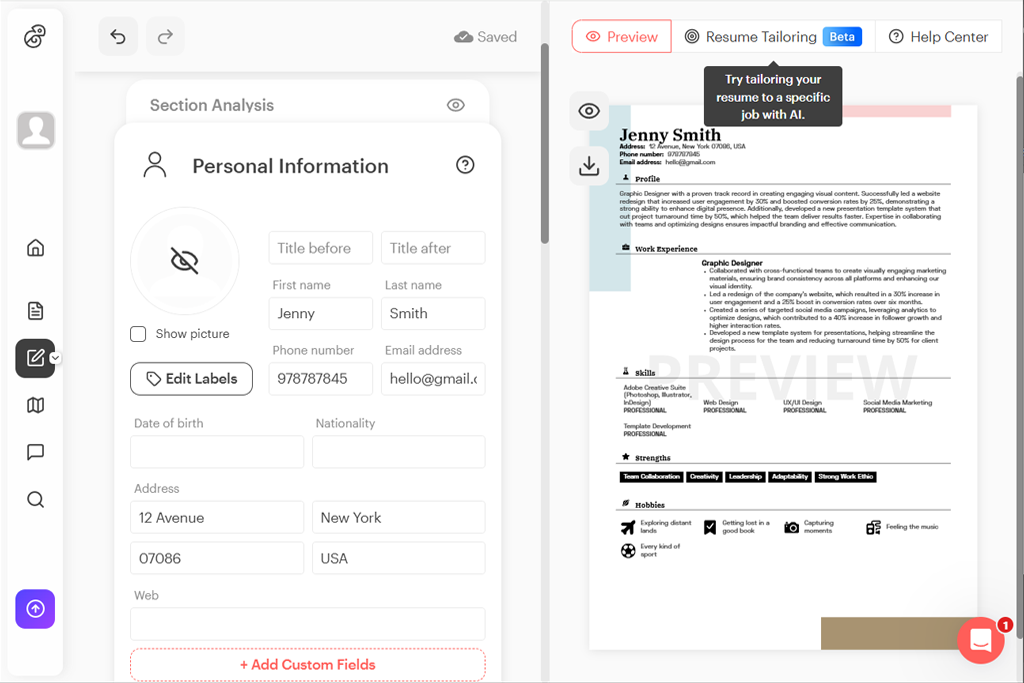
When I tried Kickresume, the first cover letter it made really surprised me. It didn’t sound like a basic, copy-paste template. The writing had a natural rhythm and highlighted my achievements in a personal way. For the studio photographer role, it focused on my creativity and artistic vision and even mentioned the storytelling style of my portfolio.
For the photo editor job, it emphasized my precision and technical ability, talking about my experience with detailed post-production work. It felt like the AI understood how to adjust my tone to fit each job.
“I’m a designer, so I loved Kickresume’s templates. My cover letter and resume looked like they belonged in a professional portfolio. The writing was solid too, but you have to give it enough details because if you don’t, it can sound plain.”

The thing that stood out most while testing this AI cover letter generator was its built-in design system. It didn’t just give me text – it also offered great-looking templates that made my cover letter and resume match perfectly. Seeing my letter neatly designed as I worked on it gave me extra confidence and saved me from worrying about formatting later.
Its editing tools were also very strong. I could change sentences, adjust the tone, and instantly rewrite parts that didn’t sound right, all without starting from the beginning. However, it wasn’t perfect.
While Kickresume made my documents look amazing and was easy to use, sometimes the writing sounded a bit plain if I didn’t give the AI enough information. I quickly learned that the more details I shared about my experience and goals, the better and more personal the final letter became.
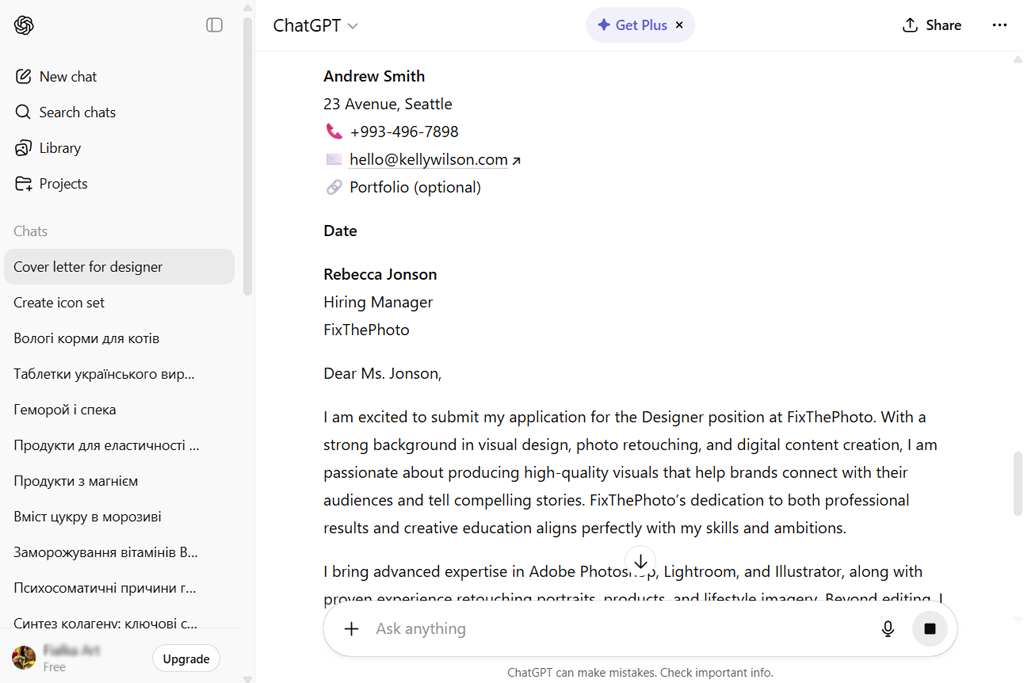
To start, I gave ChatGPT a lot of information about my background. I shared how many years I’ve worked as a photographer, my skills with editing programs like Lightroom and Photoshop, and a few major achievements, such as leading a big campaign shoot that greatly increased a client’s engagement. I also added the job descriptions for each role I was applying to, pointing out the key skills and traits each employer wanted.
What made this conversational AI platform stand out to me was how natural and flexible it felt to use. Instead of answering strict questions or filling in boxes, I could just explain my goals and experience in normal sentences. The AI would then ask follow-up questions to make my cover letter more detailed and accurate. It felt like working with a real writing coach.
“ChatGPT is my favorite AI tool for planning cover letters. I tell it what job I’m applying for, and it gives me a strong draft to start from. You still have to edit and format it yourself, but the flexibility is amazing – it can adjust to any tone or style.”
One of my favorite features was the editing process. After reading through a draft, I could ask ChatGPT to change specific parts. For example, make the opening paragraph more interesting or shorten sentences that felt too long. This back-and-forth editing gave me more control than most other AI tools. I even asked it to add photography-related keywords that would help my letter get noticed by ATS, and it did that smoothly, making my application stronger.
Nevertheless, using ChatGPT does take a little more work than other tools. It doesn’t instantly create a finished, formatted letter with one click. Instead, it works more like a partner who helps you write. The better and clearer your instructions are, the better your final cover letter will turn out.
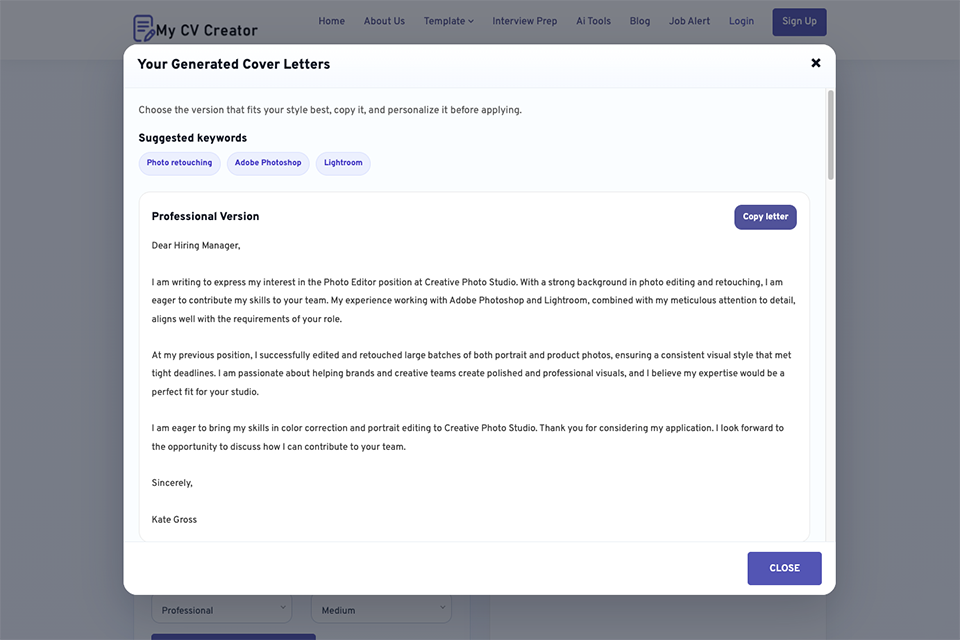
Using your target job title, company name, skills, experience level, accomplishments, and job description, MyCVCreator is a free AI cover letter generator that assists in crafting customized, ATS-friendly cover letters. I appreciated that the program provides you with six various versions of the basic letter, allowing you to examine tone, structure, and phrasing before selecting the best one.
The process is straightforward: you complete the form, select the tone and length, input the job description for a more precise outcome, and a cover letter is produced in a matter of seconds. Because of this, MyCVCreator is particularly helpful when you need a solid first draft fast and don't want to start from scratch.
“Always paste the full job description into MyCVCreator, because the tool gives much stronger and more relevant results when it can match your letter to the exact role.”
Job description matching is an additional benefit. In order to make the letter more role-specific and ATS-friendly, the program can automatically incorporate pertinent keywords from the job advertisement. Additionally, the final document sounds more convincing than a generic cover letter because it emphasizes accomplishments, abilities, and role alignment.
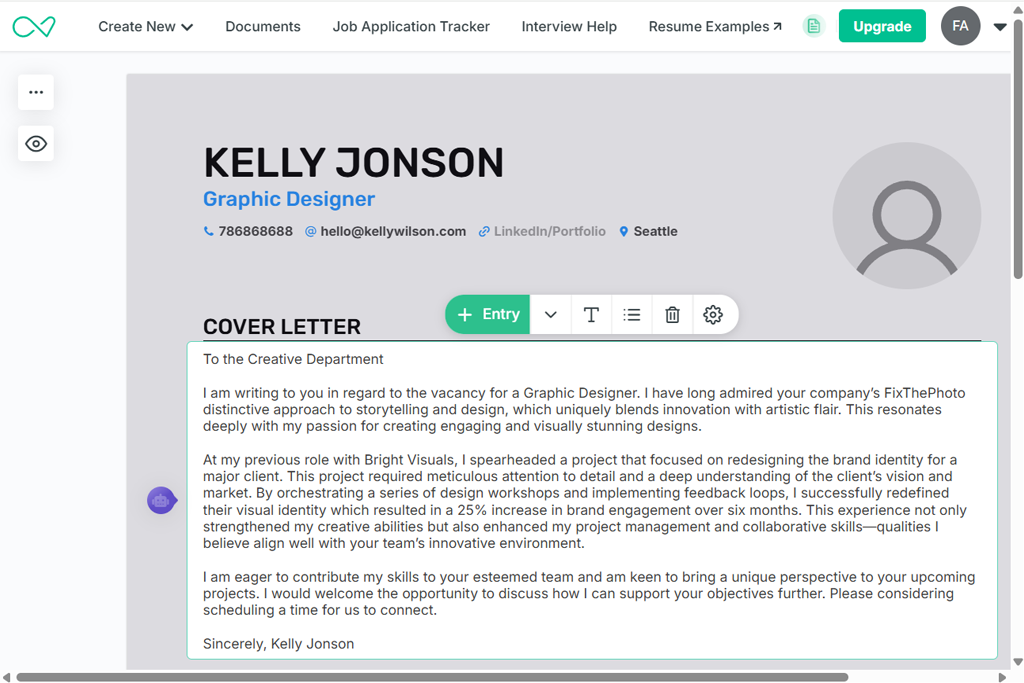
From the very beginning, Enhancv impressed me with how organized and visual it was. Unlike some AI for cover letters that only focus on text, Enhancv combines both writing and design.
It asked me specific questions about my experience, achievements, and goals, so I included details about my photography work: my technical skills in Lightroom and Capture One, my creative storytelling abilities, and major moments in my career, such as managing multi-day photo shoots with large teams. I also gave it the job descriptions so it could tailor each cover letter to match what employers were looking for.
“This platform made me feel like I was building both a cover letter and a visual portfolio at the same time. It’s very design-focused, which I loved, and it made my application look more unique. The only downside is that some of the best templates cost extra, but they’re worth it if you want a strong, professional look.”

One feature that stood out to me was the live customization option. I could easily edit sections, rewrite single paragraphs, and even compare different openings or closings side by side. Enhancv also offered visual templates that showed exactly how my cover letter would appear next to my resume.
This was especially helpful for someone like me working in a creative field, where both appearance and content matter. Having a complete, professional-looking application ready to send gave me extra confidence. That’s why I highly recommend this artificial intelligence software as a great way to create strong and visually polished cover letters.
Testing the best AI cover letter generators with my team at FixThePhoto turned into a very detailed project. From the start, we wanted to do it in an organized way – not just by casually trying the tools, but by copying what real job seekers actually go through. With Tani Adams, Kate Debela, and Vadym Antypenko on the team, we divided the tasks based on what each of us was best at, so everything would run smoothly.
We began by creating several realistic job situations in different fields to see how well each AI generator could handle various needs. My part focused on creative jobs, so I used examples related to photography and storytelling. Tani worked on corporate-style positions, and Kate focused on technical job listings. Vadym managed the overall testing process, making sure we collected all the important data and followed the same steps for each tool.
Once we had our job scenarios ready, we entered the same basic information into every AI cover letter generator (details about background, career highlights, and job descriptions) to make sure the comparison was fair. We paid close attention to how each tool handled tone, structure, and personal details. If a generator made every cover letter sound too generic or copy-pasted, we noticed right away. Some programs gave us complete letters instantly, while others worked more interactively, letting us rewrite and edit the text together with the AI.
After we finished generating the cover letters, we placed the letters into fake job application systems to see how they performed with applicant tracking software. We also shared them with professionals from different industries to get honest opinions on how natural and convincing the letters sounded. Kate focused on whether the letters were easy to read and flowed smoothly, while Tani checked if they clearly showed the candidate’s strengths and value. Vadym kept records of how fast, easy, and efficient each tool was to use.
As we went through the process, we also paid attention to the unique features each generator offered (like design options, keyword use, and live editing features). This helped us understand not just how good the final letters were but also how user-friendly each tool felt. By the time we finished testing, we had a full picture of which AI cover letter generators were best at making personalized, professional cover letters and which ones didn’t quite meet expectations.




![7 Best AI Font Generators for Creatives [+Test Results]](http://fixthephoto.com/blog/images/gallery/news_main__preview_27830.jpg)
![Thanksgiving Photo Editor [FREE]](http://fixthephoto.com/blog/images/gallery/news_main__preview_27826.png)



















