I’ve always been a big admirer of Adobe products. The latest Firefly updates are pretty amazing, as usual. Now, it is integrated directly into Photoshop, so it’s easier than ever to create an image and immediately improve it. Still, there are situations when even such upgrades aren’t enough. Besides, it is always exciting to explore new tools.
If you’re searching for a good alternative to Adobe Firefly, don’t worry. I took care of the most tedious part of the selection process. Together with my team, I tested 50+ Firefly alternatives with the same prompt. During the evaluation, I paid close attention to the speed, lighting accuracy, and texture quality.
At this point, I’d like to clarify that I still use Adobe Firefly regularly. It’s a powerful program, but it is always great to have some free alternatives at hand.
Me and my FixThePhoto team didn’t just take marketing promises at face value when testing Adobe Firefly alternatives. We wanted honest answers. That’s why our testing process was fair and transparent. We did our best to compare how each tool performed.
We chose this prompt because it’s challenging in different ways:
Thus, we managed to understand how good each alternative for Adobe Firefly was in terms of composition, realism, and detail handling. Our team paid special attention to such factors as:
Prompt understanding. Did the AI program understand the prompt correctly, or did we get weird results?
We tested these tools online and on mobile devices. This is typically how users perform their tasks, as many of them avoid downloads or third-party plugins. We wanted to mimic average scenarios. There were several Adobe Firefly alternatives that impressed us greatly.
Price: Free (up to 100 fast generations per day, after that, you switch to slow mode)
What hits me first about Bing Image Creator is how easy it is to use. Built mainly around DALL·E 3, it offers impressive results that I wouldn’t expect from a free AI art generator. The interface is very minimalist, without any tricky settings or restrictions. I just opened it in my browser, typed what I wanted, and the images started coming to life.
This Adobe Firefly AI alternative did an amazing job at realizing my ideas. The skin tone looked natural, the freckles were perfectly defined, and the window light had a soft, gentle glow I specifically requested. The tool really understood what I wanted.
Compared to Adobe Firefly: The Firefly’s latest update gives you more editing power, which is great if you like refining your images in Photoshop. However, if you just want to create something fast without needing extra tweaks, Bing holds its own really well. Besides, you can’t beat the fact that it’s totally free.
What I like:
What is missing:
“The best free alternative. You can get great images without paying. Still, you should be precise with your prompt, otherwise, you’ll receive a strange output.”


The result I got for the prompt in Bing Image Creator
Price: From $10/month (no free version)
I’ve been using Midjourney long before Firefly entered the scene. The platform always produces jaw-dropping visuals. Its images are full of mood, artistry, and deep textures. The downside is that you have to work through Discord chats, which can be confusing and frustrating for beginners.
For my test, Midjourney generated a beautiful face with dreamy lighting, but the result looked more like a piece of digital art than a real photo. The freckles appeared a little too perfect, and the expression was more dramatic than natural.
Compared to Adobe Firefly: Firefly is all about precision and control, while Midjourney focuses on art and mood. If you need a clean, sharp portrait for an ad layout, go with Firefly. But if you’re after a dreamy, artistic cover illustration, Midjourney is the better choice.
What I like:
What is missing:

The result I got for the prompt in Midjourney
Price: Free (10 images every 3 hours), $12/month for Pro
If Bing is all about ease and Leonardo is about control, Playground AI sits right in the sweet spot.
Using this Firefly Adobe alternative, you can generate an image and then jump straight into editing. There are features to fine-tune the style, colors, and lighting. The test image I got looked surprisingly realistic, with soft light and sharp details. No strange glows or overly smooth faces.
Compared to Adobe Firefly: Firefly appeals to many users thanks to Firefly and Photoshop integration. Playground, in its turn, lets you handle the whole process in one place. You can generate and edit your images without switching tools. However, the free version has a daily image cap, which can be a bit limiting if you need to create a lot.
What I like:
What is missing:
“It will surely please designers. If you are an active Adobe user, you can take full advantage of this AI tool.”


The result I got for the prompt in Playground AI
Price: Free (with watermark), from $10/month for Dream Premium
I’d call this my “light” test. Wombo is a mobile app that leans more playful than professional. But it definitely has its charm. I chose the “fantasy” style and got a portrait that felt like a screenshot from an RPG or anime series.
In terms of realism, this free Adobe Firefly alternative leaves much to be desired. The freckles looked stuck on, and the lighting was too even. But if you’re going for something dramatic and expressive, it absolutely works.
Compared to Adobe Firefly: While Firefly gives you control and all-purpose quality, Wombo is where the personality kicks in. If you’re after something fun, artistic, and a bit wild, Wombo can satisfy your needs.
What I like:
What is missing:
“Works best for fast and easy image generation. If you need creative elements and want to delegate the task to AI tools, Wombo has you covered.”

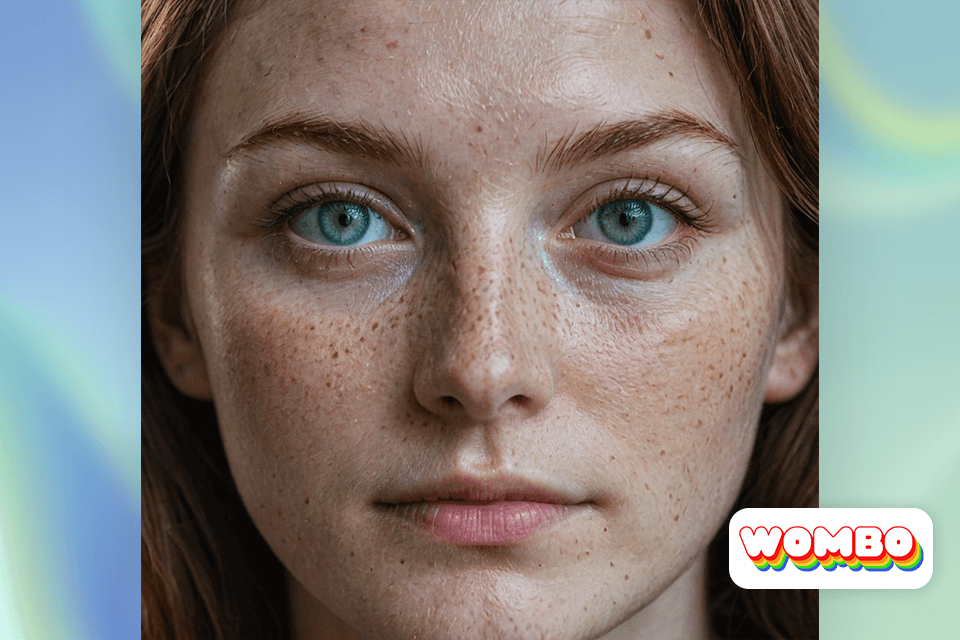
The result I got for the prompt in Dream by Wombo
Price: Free (150 tokens/month), paid version - $12/month
Leonardo AI is a dream come true for designers. You can not only enter a prompt, but also build your designs from scratch - choose your styles, control the rendering, and even upload your own models. It’s a semi-professional tool packed with impressive features.
When I tried my portrait prompt, the results were stunning. This AI software produced an image with intricately detailed skin, deep lighting, and glowing eyes as if it were a real photograph. Plus, the option to play around with filters is a welcome feature that’s often missing in free generators.
Compared to Adobe Firefly: Firefly takes the lead in terms of accessibility. It’s simple to understand and start using right away. But Leonardo stands out for its flexibility. If you want an AI that works on your terms, it’s the perfect choice. Just keep in mind, it may take a bit of time for beginners to get comfortable with it.
What I like:
What is missing:
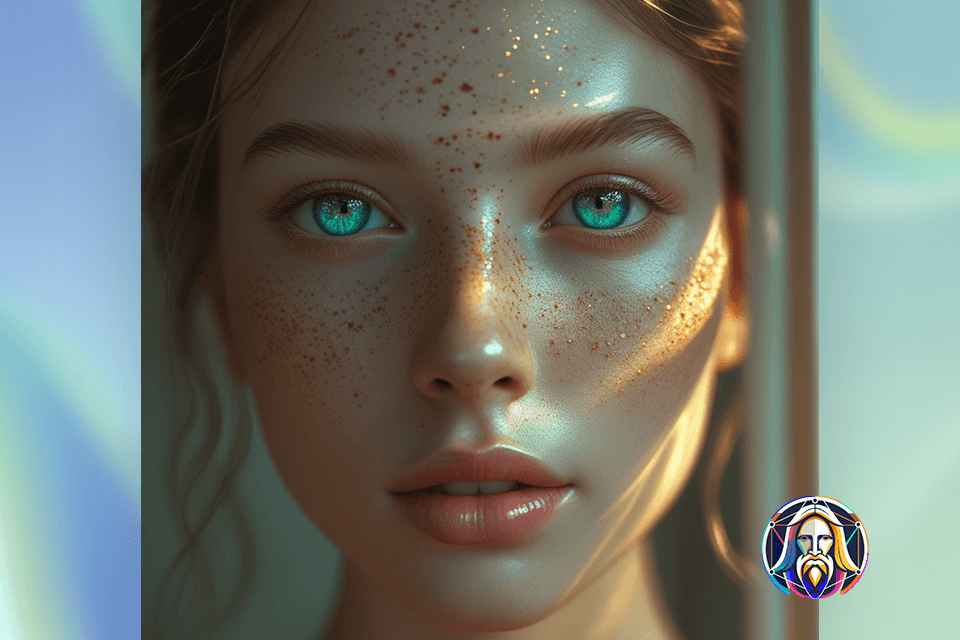
The result I got for the prompt in Leonardo AI
Price: Available only in ChatGPT Plus - $20/month
DALL·E 3 powers Bing Image Creator, but if you access it through ChatGPT Pro, you get a lot more features. Beyond generating images, you can also use the “inpainting” tool to alter specific elements right during the creation process.
This Adobe Firefly alternative handled my test prompt nearly perfectly. There were freckles, glowing eyes, and the window light looked amazingly realistic. But the biggest win for me was that I could say, “Can you make the hair a bit darker?” and it actually did.
Compared to Adobe Firefly: Adobe Firefly AI art generator in Photoshop fits perfectly into a designer’s daily process. But when it comes to both image generation and precise adjustments, DALL·E 3 has a lot more to offer. It simply sticks to a different approach.
What I like:
What’s missing:
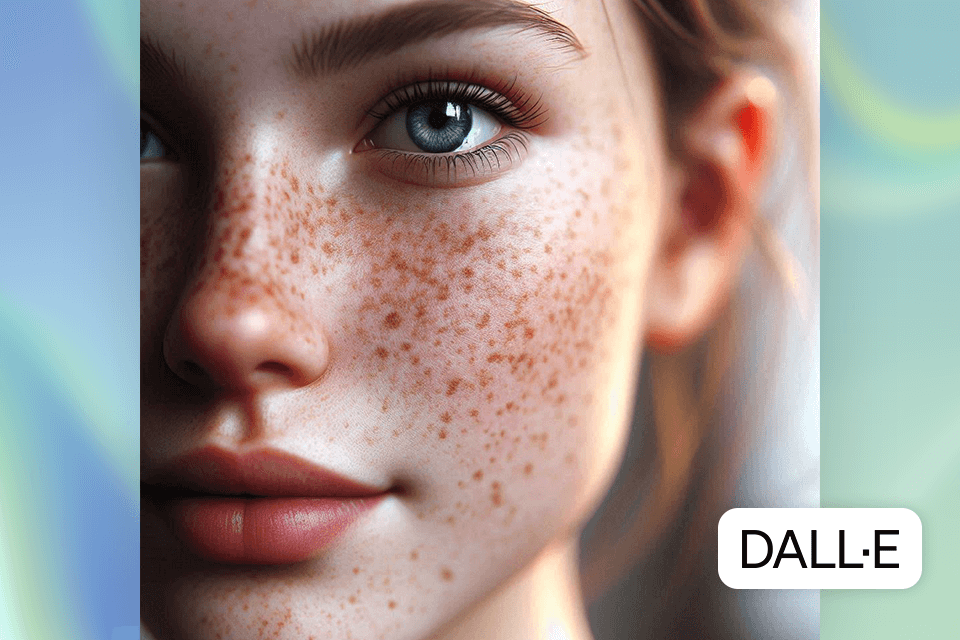
The result I got for the prompt in DALL·E 3
Price: Free (with limitations on renders and resolution), paid from $12/month
Runway is well-known as an AI video generator, but it also supports image generation with text prompts. I was surprised that it encourages you to think about visuals in motion from the start. So, if you create a portrait, you can animate it afterward. Firefly doesn’t offer anything like that.
I tried a test prompt and received a stylish result, which wasn’t as detailed as what I’d get with DALL·E or Leonardo. Still, it’s very convenient to experiment. You can change the style, add effects, or bring more life to the face.
Compared to Adobe Firefly: Firefly is perfect for photos, whereas Runway leans more toward “images that can move.” It’s ideal for video creators and social media managers. However, if you need static images with more detail, I’d recommend looking at other options.
What I like:
What is missing:
“A wonderful option if you are interested in quick edits and detailed corrections. It combines simplicity and functionality in one place.”

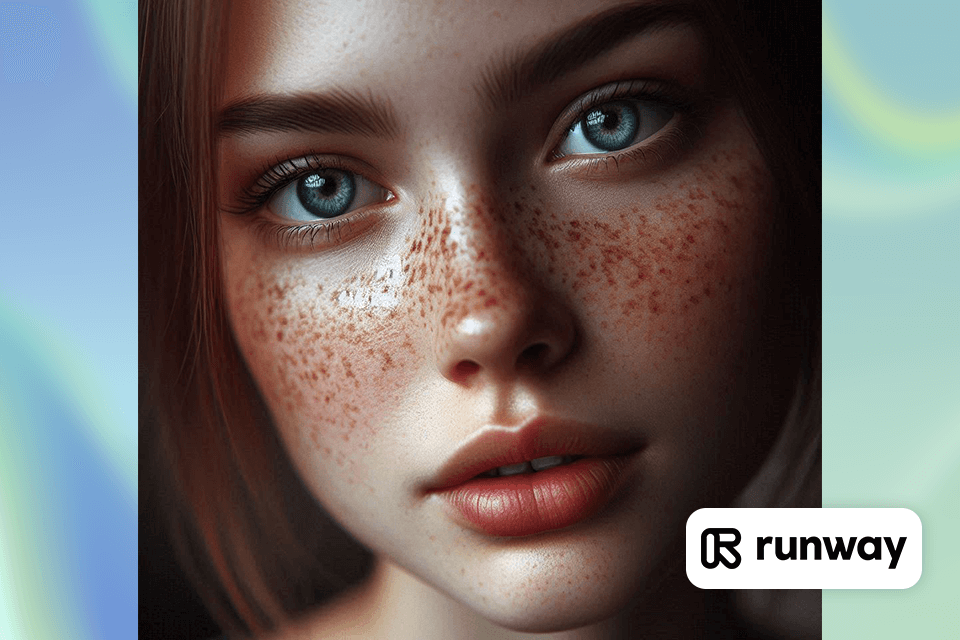
The result I got for the prompt in Runway
This is a hot topic these days, and it’s easy to see why. AI image generators like Adobe Firefly, Midjourney, and DALL·E can create breathtaking images in a jiffy. It’s no surprise that artists and designers are worried. If AI can work that quickly, will there still be a place for human creatives? The truth is:
Sure, AI can handle smaller tasks like making images for social networks or quick drafts. In fact, that’s today’s reality. But when it comes to the big projects, like creative direction, brand design, and custom illustrations, humans are still in the driver’s seat.
All in all, AI won’t “take over” your job. But it may change how we work. Frankly speaking, that can be a positive shift if you remain adaptable and learn to use it as a tool rather than seeing it as a rival. To sum it up: AI is here to expedite your work, not to steal it from you.




![7 Best AI Wallpaper Generator Tools in {{%year}} [Reviewed & Tested]](http://fixthephoto.com/blog/images/gallery/news_main__preview_28192.jpg)
![Imagen AI Review from Wedding Photographer [2000+ Edits]](http://fixthephoto.com/blog/images/gallery/news_main__preview_28342.png)


![7 Best AI Background Generators [Real Tests]](http://fixthephoto.com/blog/images/gallery/news_main__preview_28187.jpg)

















