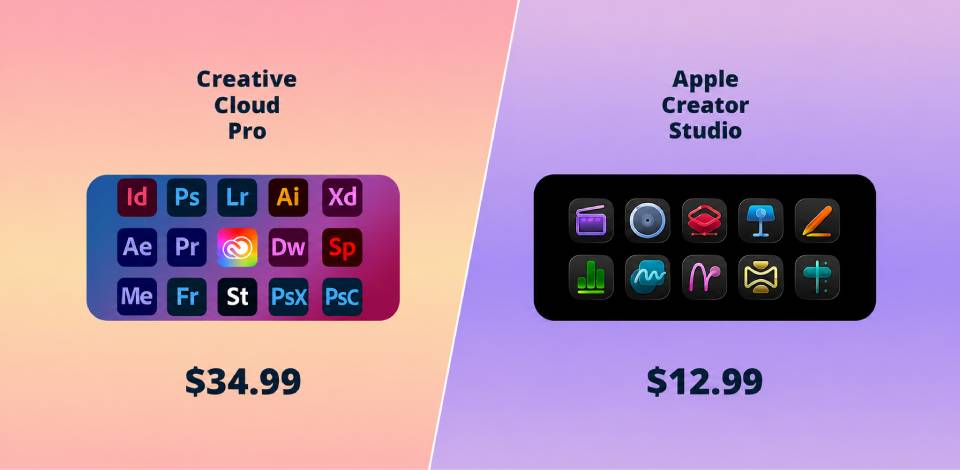
At first, Adobe Creative Cloud Pro vs Apple Creator Studio comparison was just a small experiment within our team. I was curious why there was so much buzz around Creator Studio, especially since the subscription is noticeably cheaper than Adobe. At FixThePhoto, we use Creative Cloud every day, so it was important to figure out if Apple offers a strong alternative, or if its appeal lies only in its lower price.
The test included real tasks similar to those we perform for clients and for our own projects: photo editing, quick videos for social media, longer video editing, brand design, audio work, audio cleaning, presentation preparation, and the usual team routine involving files, revisions, and approvals.
It’s precisely in these small details that it usually quickly becomes clear whether a platform is convenient for work or just looks good in the description.
If you look only at the price and the list of features, comparing Adobe Creative Cloud and Apple Creator Studio seems pretty straightforward: Adobe is more expensive but more powerful; Apple is cheaper and perhaps more convenient for basic tasks. But after the test, things turned out to be more complicated.
Therefore, the main issue for me was not just Creative Cloud vs Apple Creator Studio pricing comparison. I wanted to understand something else: Can Apple really replace some professional software, or is it just a more budget-friendly option that’s only good until your first serious project?
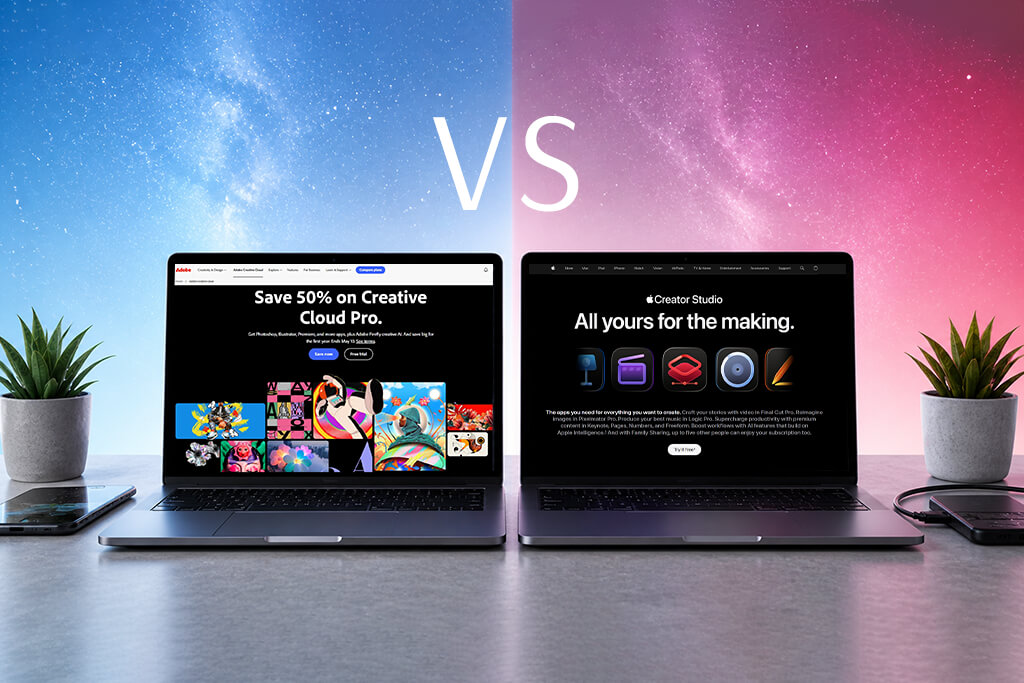
When I began to compare these two ecosystems in greater depth, it quickly became clear: Adobe Creative Cloud Pro is a vast collection of tools for almost any professional task, while Apple Creator Studio has fewer apps, and they are primarily designed for creators who work extensively with video, music, images, and polished visual presentations.
And that’s an important difference. At first glance, both suites may seem “complete,” but in real-world use, they are suited to different teams and different types of tasks.
In addition to its core applications, Adobe offers additional apps and services: Animate, Dreamweaver, InCopy, Character Animator, Fresco, Bridge, Media Encoder, Portfolio, Behance, Adobe Fonts, cloud storage, and other tools. Adobe promotes this plan as a suite of 20+ apps that are interconnected and work on a computer, in a browser, and on mobile devices.
Premium content and AI/intelligent features in Keynote, Pages, Numbers, and Freeform, which expand the bundle into presentation design, documents, spreadsheets, and visual planning. Apple presents it more as a suite of creative and productivity apps than as a vast, all-purpose professional ecosystem.
My quick take is this: Adobe offers much broader coverage and more highly specialized tools. With Adobe, it’s easier to handle almost any creative task without leaving a single ecosystem. Apple Creator Studio looks more compact and is noticeably more affordable. It’s well-suited for video, music, image editing, and tasks that involve a lot of presentations and visual content. At the same time, though, it’s clear that Apple isn’t trying to replicate Adobe app by app across the board.
When my team and I moved from a simple list of software to a proper Apple Creator Studio vs Adobe Creative Cloud features comparison, it was this part of the test that turned out to be the most important. Price may be appealing, but it’s not the deciding factor in day-to-day work. What matters is whether the platform can support the entire creative process, from the initial idea to the final file.
Over the course of two weeks, we tested both suites using the same approach: we assigned them similar tasks and observed where work progressed faster, where it was easier to make edits, where there were fewer unnecessary steps, and where someone on the team would almost immediately say, “No, I’d rather do this in the other program.”
Winner: Adobe, because it handled the more complex processing faster and gave us much more flexibility when the client edits started

For photo work, Adobe still appears to be a more comprehensive professional environment. Photoshop alone covers high-level retouching, compositing, masks, AI tools, working with smart objects, and preparing multilayer files. And Lightroom Classic adds powerful RAW processing, convenient image organization, and batch processing for a large number of files.
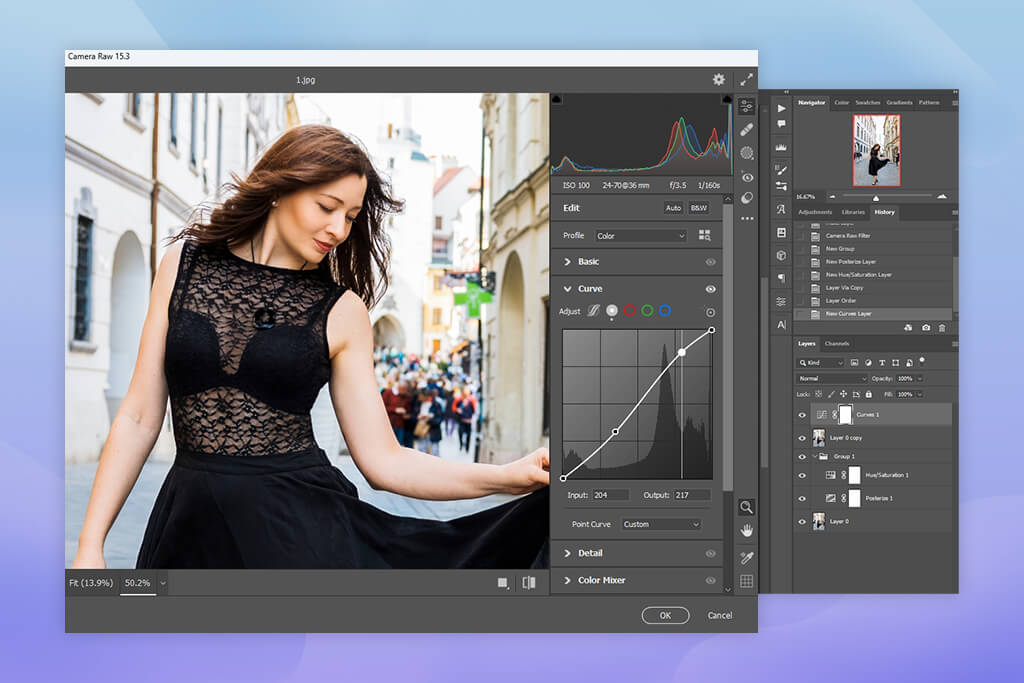
Plus, Creative Cloud Pro already has built-in Firefly capabilities for images and vector graphics. For example, Generative Fill and Text to Image work directly within the overall Adobe ecosystem, rather than as separate, standalone tools.

For Apple, the main answer in this regard is Pixelmator Pro: it is included in Creator Studio as the primary image editing app. And this is one of those tools that really makes the Apple suite worth considering. Pixelmator Pro is fast, neat, intuitive, and noticeably more powerful than many would expect from a “budget alternative.”
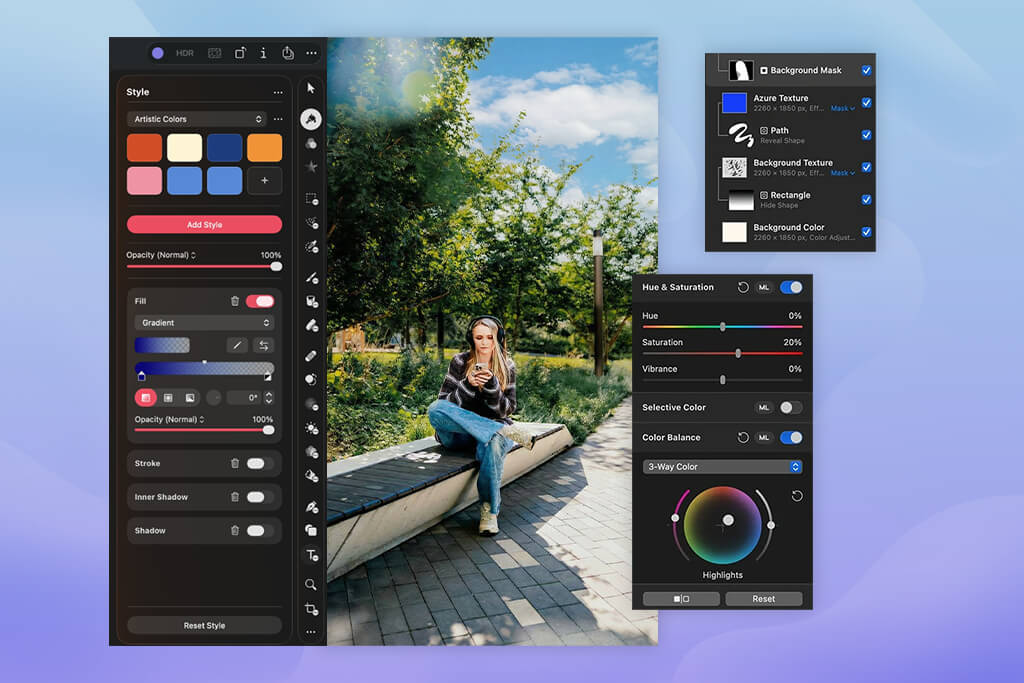
However, Apple is betting on Pixelmator Pro as its main image editor, rather than on the same broad suite of apps for photos, cataloging, RAW processing, and advanced production as Adobe offers.
“For quick edits and simple compositing, Pixelmator Pro is a very pleasant experience. But when it came to retouching with lots of layers and multiple rounds of edits, I still wanted to go back to Photoshop.”

Testing setup: This was one of the most obvious cases where Adobe won without much debate. We had a product photo: we needed to remove the distracting background, expand the frame to fit a wide banner for the website, and slightly soften the dirty reflections on the glossy packaging.
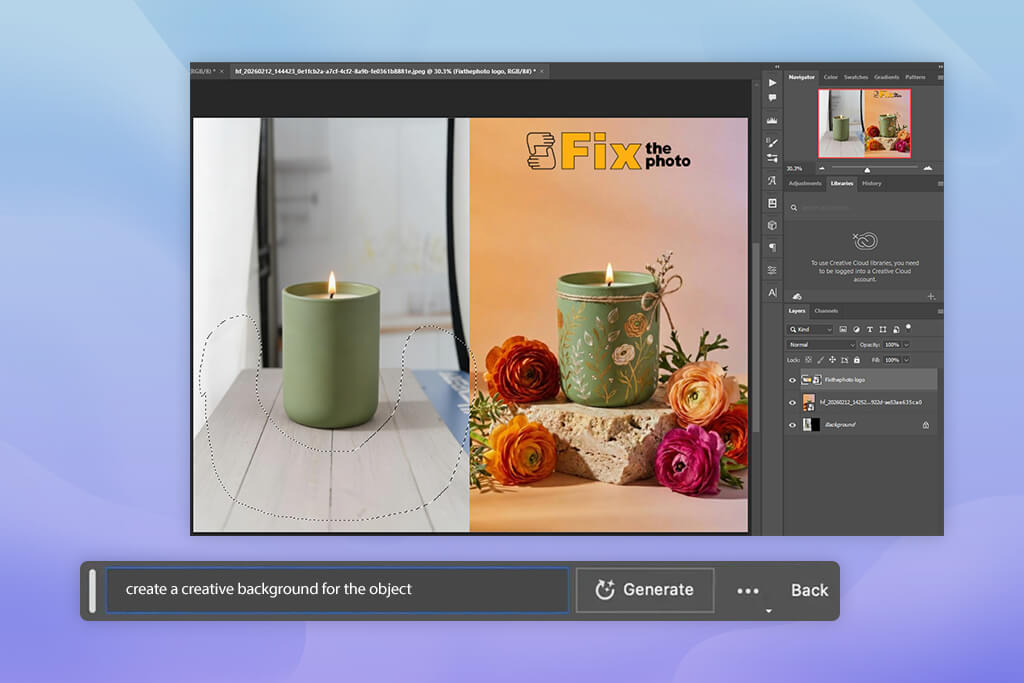
In Photoshop, one of our retouchers used Generative Fill and Generative Expand to produce the first clean version in about 12 minutes. We repeated the same task in Pixelmator Pro. The result was acceptable, but it took almost 25 minutes, because we had to do more manual work to expand the background, clean up the edges, and make the final touches.
The difference between Adobe Creative Cloud Pro vs Apple Creator Studio became even more noticeable in the second round. For client edits, we needed to change the cropping, soften the highlights, and prepare a separate export for social media. In Photoshop, this took only a few additional minutes, because the layered file structure was already in place.
With the Apple solution, the initial result looked good, but as soon as the task involved working with multiple versions, the file became less convenient for further edits.
Comparing Pixelmator Pro vs Photoshop, my conclusion is this: Apple is well suited for simpler image editing, but Adobe comes out on top when a project becomes professional, multi-layered, and requires constant editing.
Winner: Apple was faster with basic editing, but Adobe performed better with the full production process. And it was in this category that Apple gave Adobe the toughest challenge
To be honest, this was the section of the test where the Adobe Creative Cloud Pro vs Apple Creator Studio comparison was most unfavorable for Adobe. In video, Apple came very close, not just as a “cheap alternative,” but as a genuinely strong, workable option.
Adobe’s video ecosystem is broader. Premiere Pro handles editing, After Effects takes care of motion graphics and compositing, and Media Encoder is responsible for exporting, transcoding, and preparing files for different platforms.
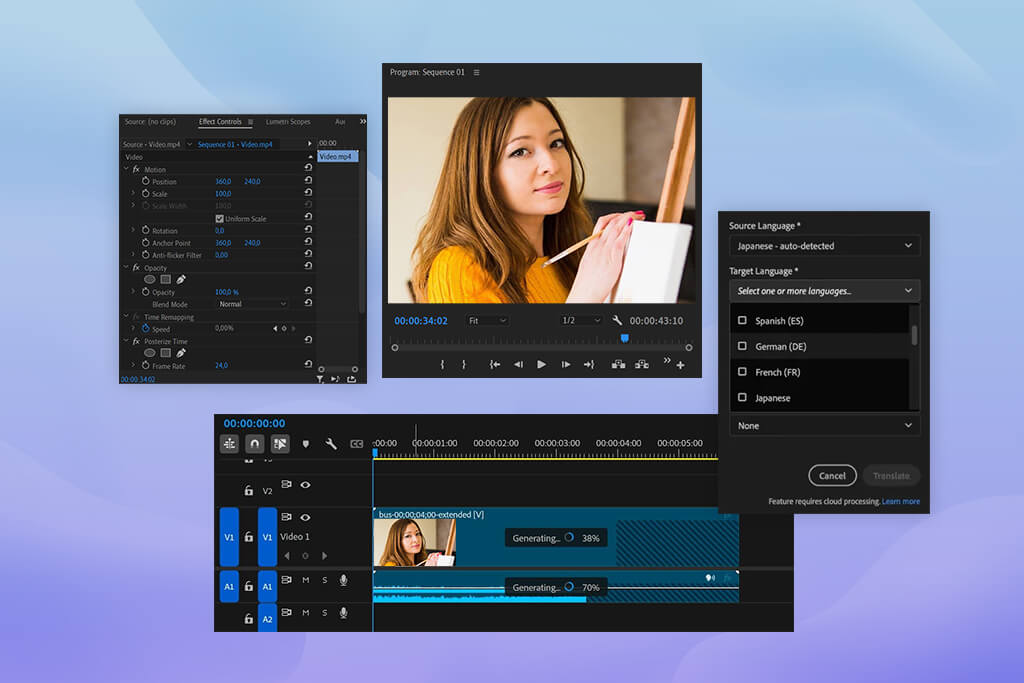
All of this operates within the larger Creative Cloud ecosystem. Creative Cloud Pro also includes Firefly-based AI tools for video and audio, and Adobe specifically highlights this.
But with Apple Creator Studio, it’s also clear who it’s aimed at. This is a suite that was clearly put together with video creators in mind. Here, Final Cut Pro is one of the main apps, Motion helps create motion graphics, and Compressor handles export and transcoding.
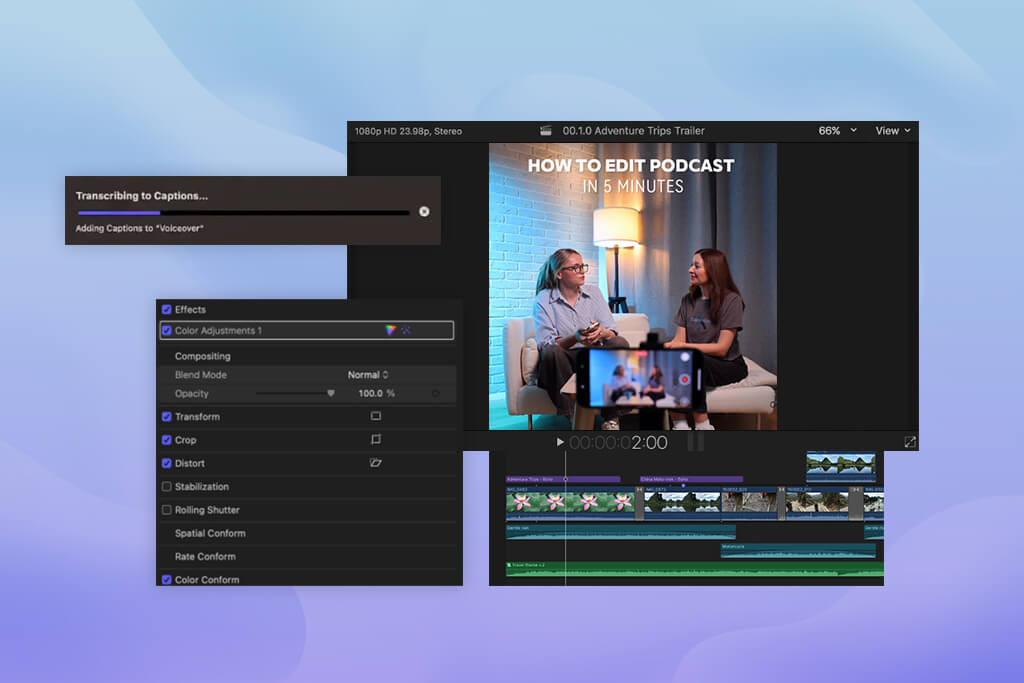
In my day-to-day work, this combination turned out to be surprisingly convenient. This is especially true if the editor prefers a more cohesive and intuitive environment rather than Adobe’s large, modular system, where they often have to switch between multiple programs and panels.
“Final Cut really did help us work faster on simple, straightforward edits. When I didn’t have to constantly jump between different windows, tabs, and apps, my work was easier.”

Testing setup: We used a short talking-head video where a person speaks on camera. Here, Final Cut Pro pleasantly surprised us. The Transcribe to Captions feature worked quickly, and one of our editors added fully functional captions to the timeline in just a few minutes. For such a straightforward task, Apple felt easier: open it, do it, and move on.
But the situation changed when we needed to create not just an edited version of one video, but a full content package. Using the same source file, we created a main version, a short vertical version, a teaser with motion graphics, and another version after edits.
This is where Adobe once again took the lead in this Adobe Creative Cloud Pro vs Apple Creator Studio comparison. Premiere fit better into our team workflow because it was easier to move from Premiere to graphics, motion graphics, audio cleaning, various exports, and alternative versions. We didn’t feel like we were limited by the constraints of a single tool.
“Final Cut helped us get started faster. And Premiere was faster at bringing the entire project to its final result.”

Therefore, when comparing Final Cut Pro vs Premiere Pro, my conclusion is this: Apple is great for quick editing, especially if the task is clear and not overly complex. But when the real post-production chain kicks in, with graphics, sound, edits, formats, and versions for different platforms, Adobe still proved to be the stronger option.
Winner: Adobe, because with it, the iterative design work went faster and was much more stress-free
Illustrator is still one of the main reasons why many design teams stay with Creative Cloud. And InDesign adds another important layer: layout, publications, brochures, multi-page documents, and marketing materials.
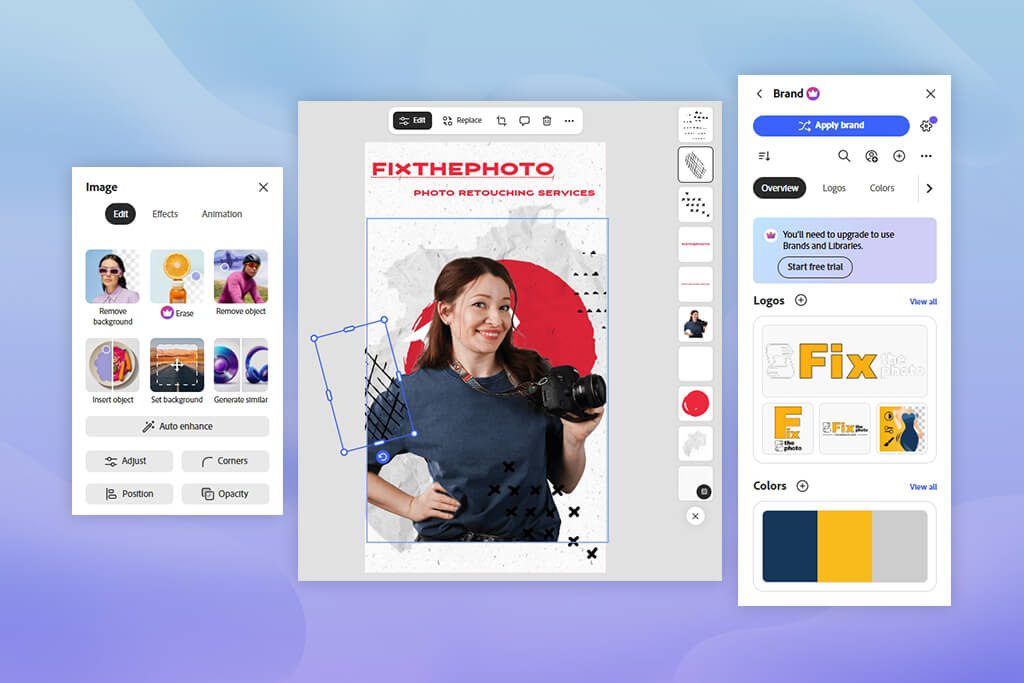
Adobe Express also proved useful when we needed to quickly put together branded content, create social media graphics based on a template, or handle simple production tasks where speed was more important than in-depth manual control.
In this area, Apple Creator Studio is clearly not trying to directly replicate Adobe’s design suite. Pixelmator Pro can handle some visual tasks, especially when it comes to raster graphics, advertising, mockups, and simple brand materials. Meanwhile, the premium features of Keynote, Pages, and Numbers help with presentations and polished client materials.
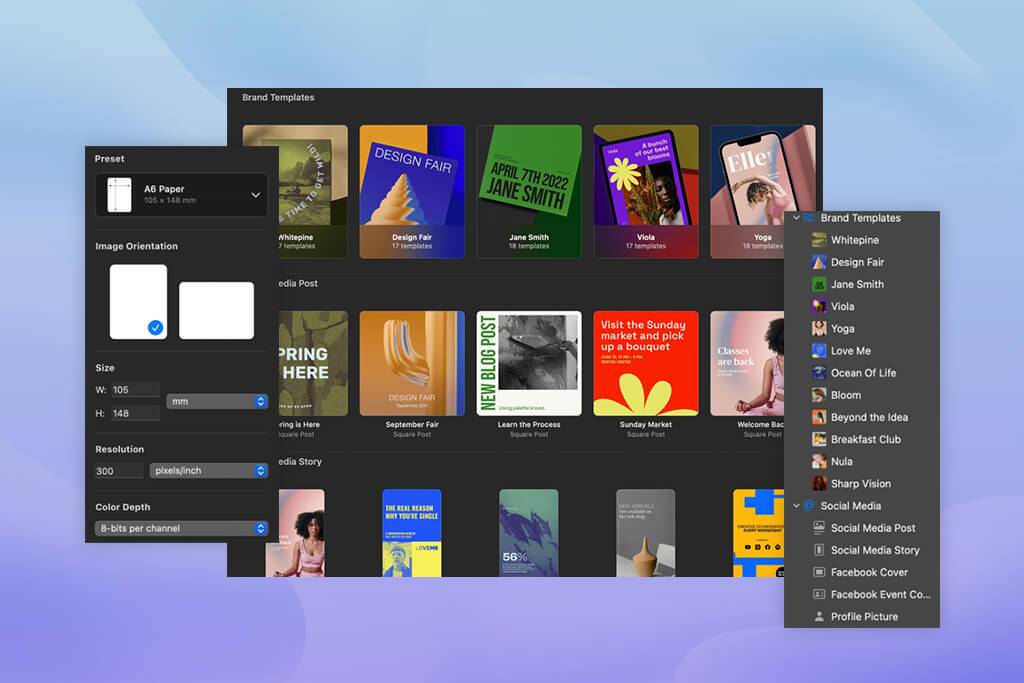
“During the test, I constantly had the feeling that, yes, I could create something beautiful using these tools. But if, in the end, I need a proper Illustrator file, my mind still wanders back to Adobe.”

Testing setup: The difference became evident as soon as the task went beyond simple visuals. We gave both ecosystems a branding-style assignment: refine a logo, create social media graphics, and put together a packaging mockup in several color palettes.
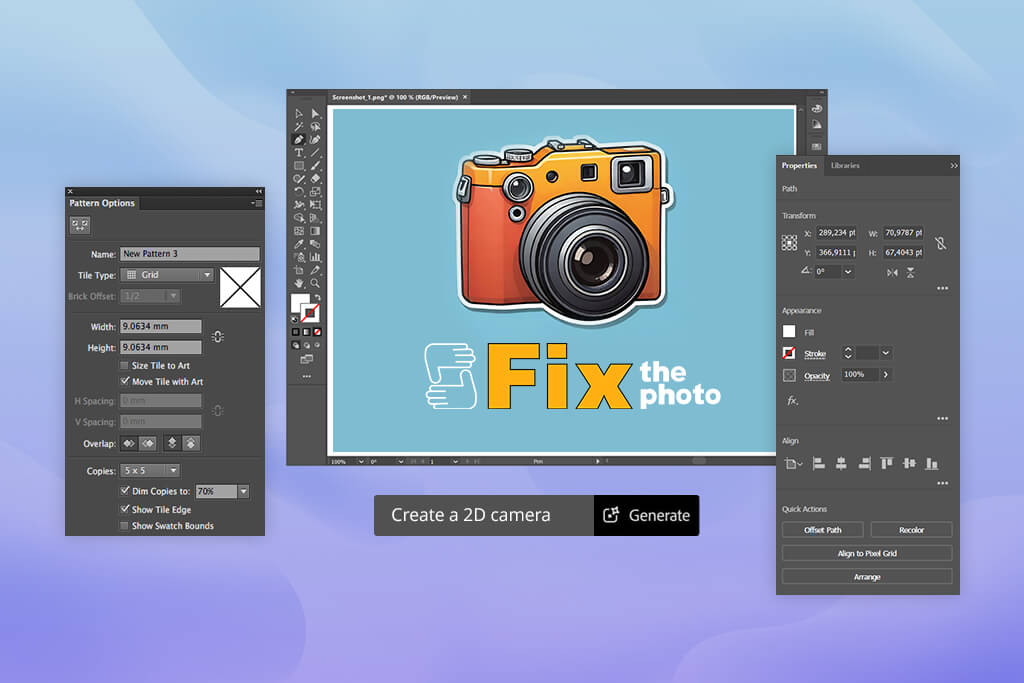
In Illustrator, the Generative Recolor feature unexpectedly saved our designers a lot of time. What would normally take 20–25 minutes of manually going through palettes was reduced to about 7–10 minutes for the first version, which was already ready to be shown for internal review. We spent less time on the mechanical assembly of each version and more time on refining the most successful color schemes.
Pixelmator Pro did a great job of polishing raster visuals and producing quick promotional materials. However, when comparing Adobe Creative Cloud Pro vs Apple Creator Studio for serious brand logic, it still didn’t feel like the right work environment.
“With Apple apps, you can create a beautiful image. In Adobe, you can build a full-fledged system.”

From a branding perspective, our designers kept running into the same limitation over and over again: Apple’s tools are quite capable, but they are not built around the vector and publishing workflows that are common in the industry.
Therefore, just like in the Pixelmator vs Lightroom comparison, Adobe seemed to be the place where professional brand materials could be created, reviewed, edited, and finalized. Apple was more like an environment where you could quickly put together nice visuals, as long as the design task itself remained simple.
Winner: Apple, because Logic Pro and MainStage make this suite much more powerful specifically for music production, not just for basic audio work
This is yet another category of this Creative Cloud Pro vs Creator Studio comparison where Apple has proven to be significantly stronger than people who don’t work directly with music might expect.
Adobe offers Audition, a user-friendly tool for editing and cleaning up audio. It is well suited for voiceover, podcasts, dialogue correction, and general audio tasks within a larger content workflow.
However, if you consider Apple Creator Studio as an Adobe Creative Cloud alternative, Apple has a significant advantage here: Logic Pro and MainStage. Thanks to these tools, the suite looks much more compelling specifically for music production. Logic Pro is a professional tool in its own right, and MainStage extends this suite to include live performances as well.
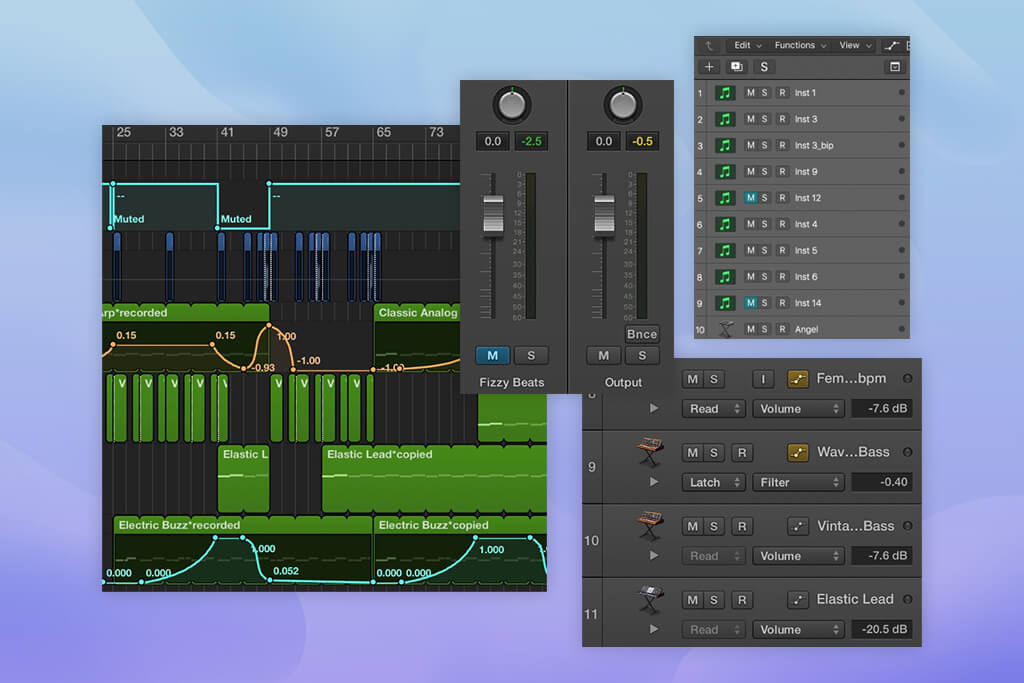
In Logic Pro, the Stem Splitter came in especially handy for us. It quickly separated vocals and instruments into distinct regions, which proved to be really useful for creating quick remix versions, cleaning up the track, and preparing alternative versions without having to put everything together from scratch.
“Adobe is great when audio is part of a larger project. And in this category, Apple is seen as a platform where audio can be the main project, not just an additional layer.”
Testing setup: One of our audio colleagues took an already mixed track for which he needed to quickly create an alternative version: mute the vocals and process the instruments separately.
In Logic Pro, Stem Splitter made this a fairly straightforward task. The entire process took about 5 minutes, whereas with a more roundabout, “patchwork” approach, it would easily have taken around 20 minutes. This one test alone showed that Apple is very strong for creators whose work starts with music rather than with visual production.
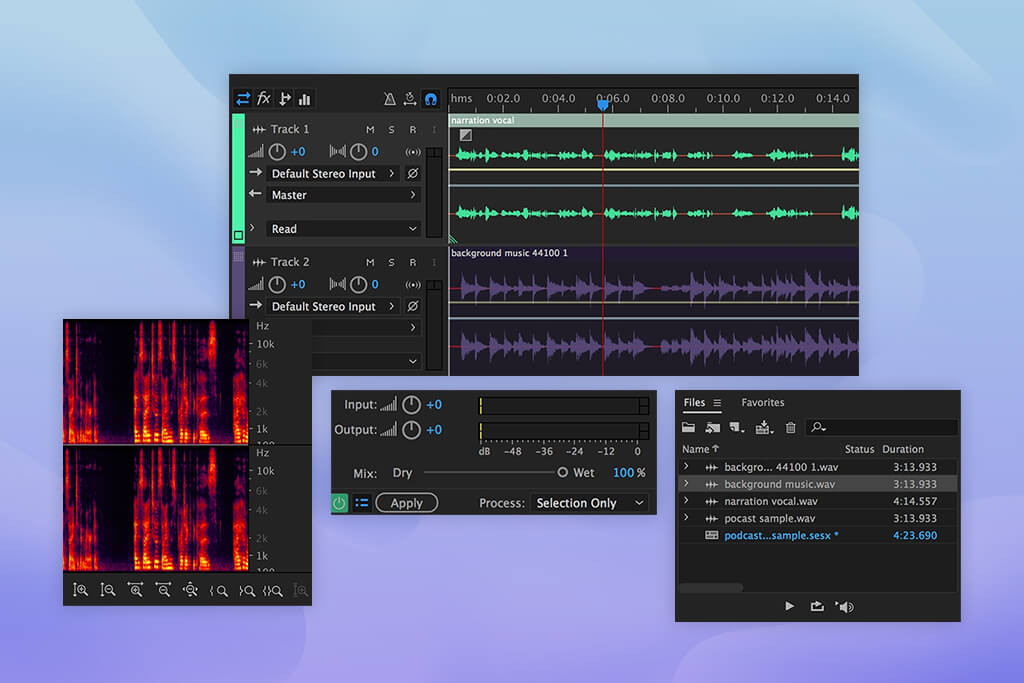
At the same time, Adobe still had an advantage in cases where audio was not the main element of the project but part of a broader media task. For voice cleaning, auxiliary audio, and tasks related to video, design, and final deliverables, Adobe fit more naturally into the overall workflow.
Therefore, I would call this a victory for Apple, but with an important caveat. Apple performed better when the project was built around sound. Adobe was more convenient when sound was just one element in a larger creative chain.
For me, this is an important distinction. If your work involves composing music, arranging, producing and performing, rather than just cleaning up audio for video, then when comparing Logic Pro vs Audition comparison, Apple’s Creator Studio has a real advantage in terms of features.
Winner: Adobe, because it handled complex motion graphics, layers, and subsequent edits much better
In this category of our Creative Cloud Pro vs Creator Studio comparison, Adobe’s lead is hard to miss. After Effects still remains one of the key applications within Creative Cloud when it comes to motion design, titles, visual effects, animated graphics, and complex layer compositing.
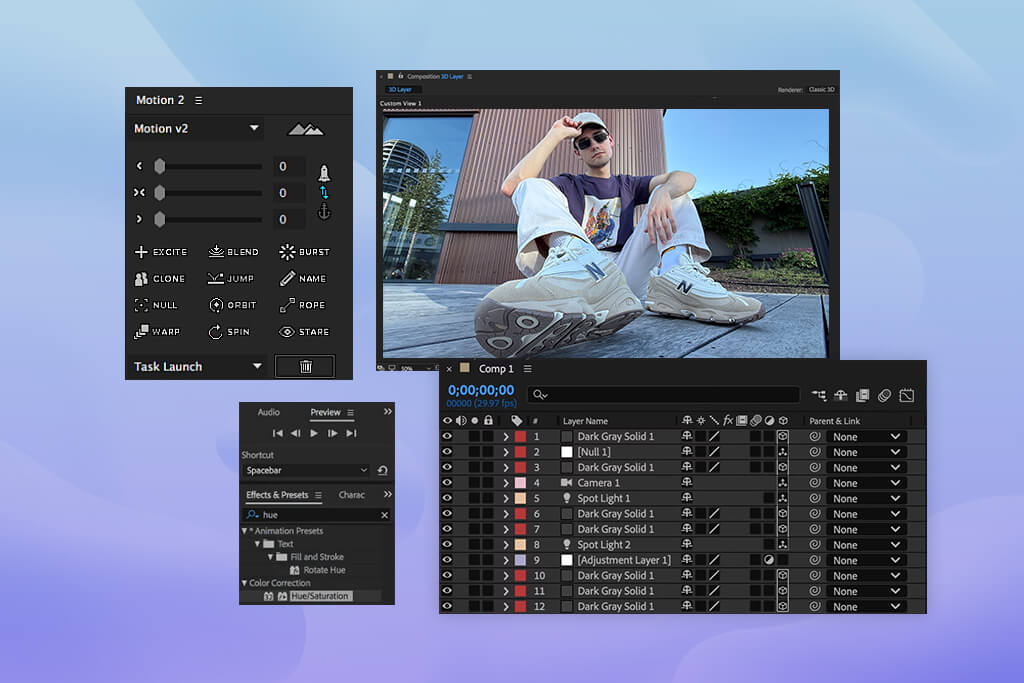
For teams like ours, this is especially important. Motion graphics rarely exist in isolation. Typically, it’s linked to timelines in Premiere Pro, assets from Photoshop, vector art from Illustrator, and files with client edits. And it’s clear from Adobe that the entire system was originally designed for this kind of asset transfer between programs.
Apple has Motion, and I liked how fast and responsive it is. For titles and some animation tasks related to Final Cut Pro, it’s a very practical tool. However, our 3D and motion specialists generally agreed that Motion is more of a powerful auxiliary application than a full-fledged replacement for After Effects for complex projects with many layers, effects, and edits.
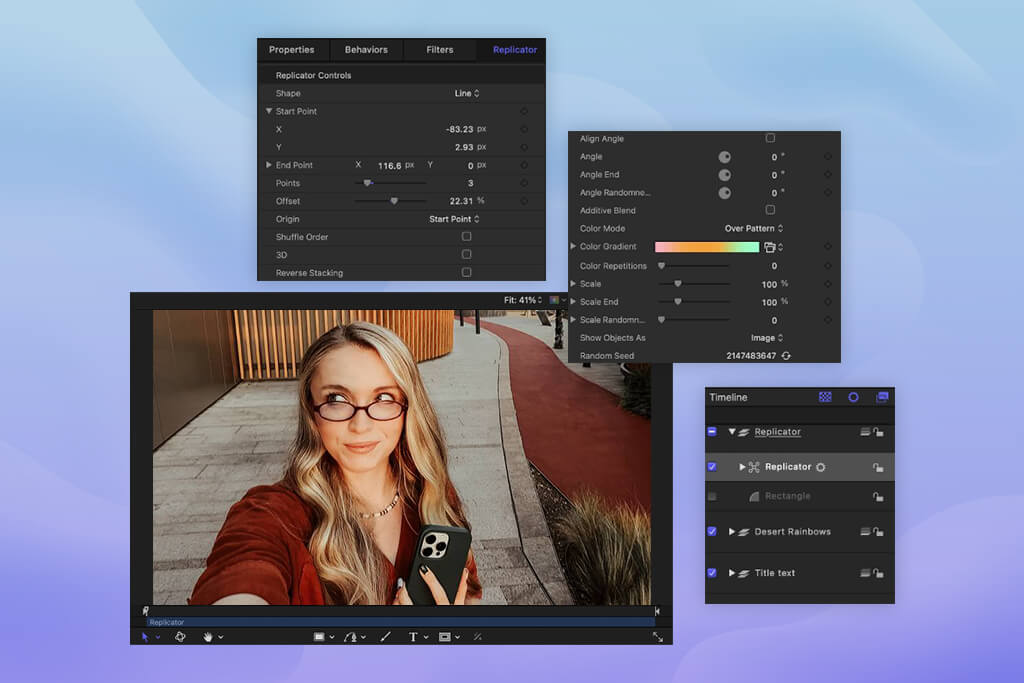
“Motion was convenient when we needed to quickly add graphics to a finished edit. But when the task itself involved motion design, After Effects still felt like a more reliable choice.”
Testing setup: We took the same set of lower thirds and a promo animation and assembled them in both environments. Initially, Apple Motion was actually a bit faster. One of our editors created a simple, basic animation faster in Motion than in After Effects.
But this advantage didn’t last long. As soon as the task became more complex, like additional text states, fades through masks, alternative versions, timing adjustments, and a few client requests, After Effects became much more user-friendly and predictable.
In general, this pattern repeated itself frequently when comparing After Effects vs Motion comparison: Apple got off to a faster start when the task was simple and clearly defined. However, Adobe handled the workload better as the project began to expand.
“Motion helped us get started faster. After Effects made it faster to keep making changes and refinements.”
Therefore, my conclusion for Apple Creator Studio vs Adobe Creative Cloud features comparison in this filed is this: if you need to create simple graphics to accompany your editing, Apple Motion is quite good. But if motion design is a separate, significant aspect of your work, Adobe still looks much more robust and professional.
Winner: Adobe, because it saved more time when documents went through numerous revisions, approvals, and reviews
Apple performed very well in the presentations. Keynote, Pages, and the other apps in the office section of Apple Creator Studio looked clean, modern, and were pleasant to work with.
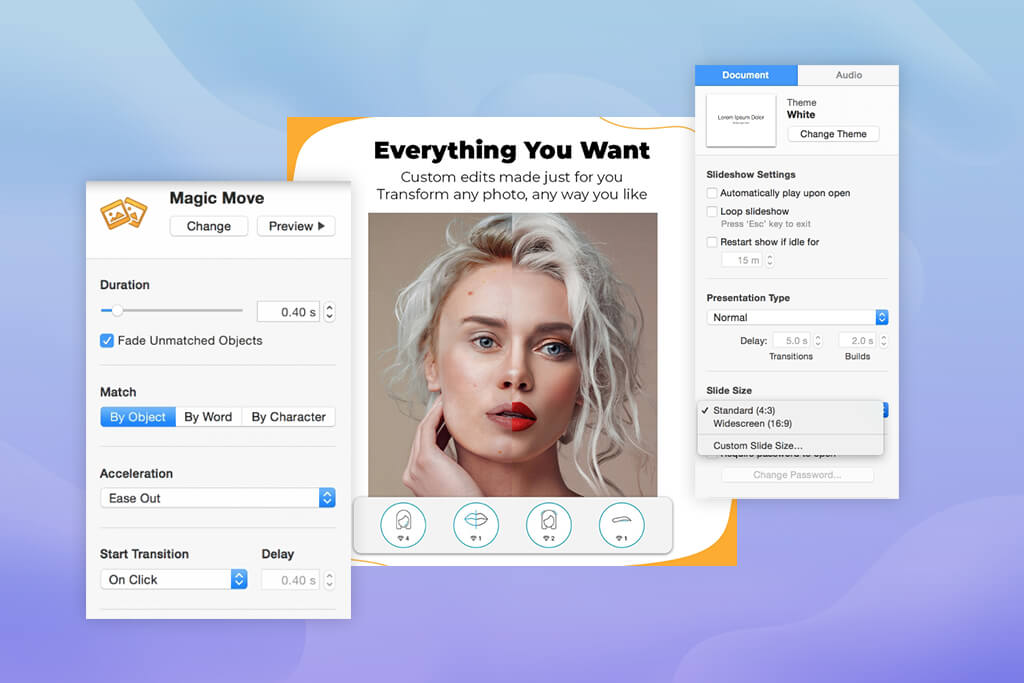
Keynote did indeed prove to be convenient when we needed to quickly put together a beautiful, clean presentation. It’s pleasant to work with, especially if you want your deck to look less dry and more visually appealing and vibrant.
“Keynote was genuinely enjoyable for fast, polished deck work. It felt less corporate and more creative.”

But Adobe won the day when the task shifted from simply “making it look nice” to a standard workflow involving revisions. At Adobe, this part of the workflow is structured quite differently.
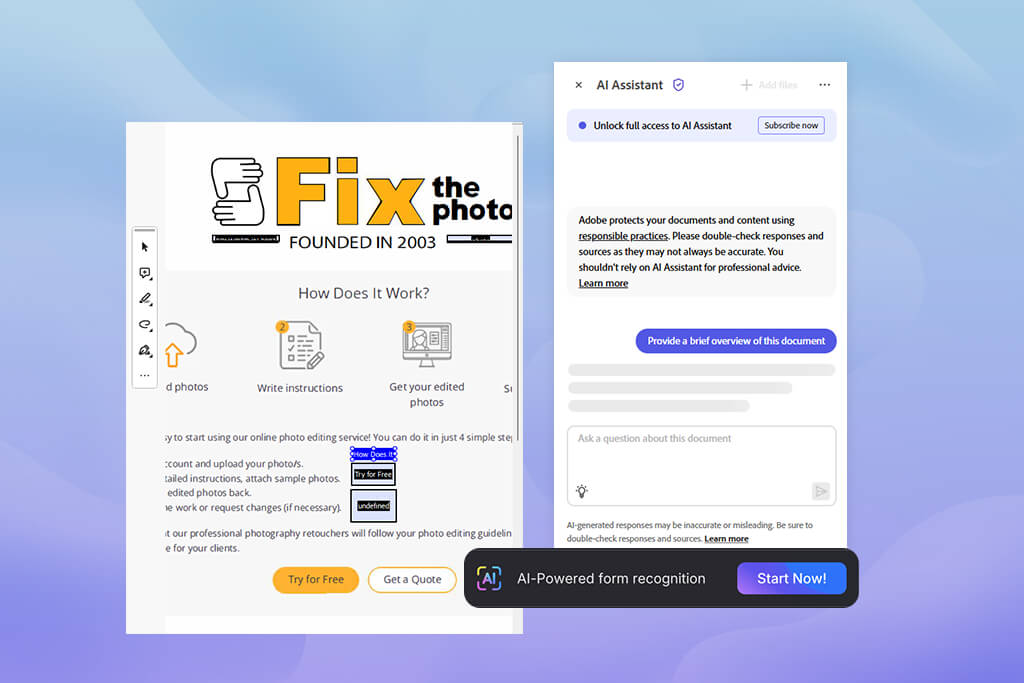
Creative Cloud Pro includes Acrobat Pro, which immediately provides a strong advantage when working with PDFs, comments, and document review. Plus, there’s InDesign, which is much more powerful than standard office applications when it comes to professional layout and materials for print or publication.
“Whenever a file required comments, approvals, export control, or more formal document work, I immediately wanted to switch back to Acrobat.”

Testing setup: We took a client PDF that needed revisions: we had to make changes to the text, replace a few small graphic elements, and correct the formatting. Acrobat AI Assistant reduced the review time from about 15 minutes to less than 5. This was one of the most noticeable and practical time savings throughout the entire experiment.
In the end of this Apple Creator Studio vs Adobe Creative Cloud feature comparison, Apple proved more enjoyable for quick presentations, especially when you needed to create neat visuals without unnecessary complexity. However, Adobe excelled when it came to approvals, version control, working with PDFs, and any documents where a mistake could later cost extra hours.
Winner: Adobe, because its AI tools saved time across multiple departments, not just within a single application
In Photoshop, Premiere Pro, Illustrator, Acrobat, Express, and the entire Firefly ecosystem, Adobe offers AI features that are truly integrated into daily workflows.
With these tools, you can generate visuals, expand images, remove or replace objects, test design variations more quickly, speed up video workflows, and work with audio and documents; all within a single, comprehensive environment.
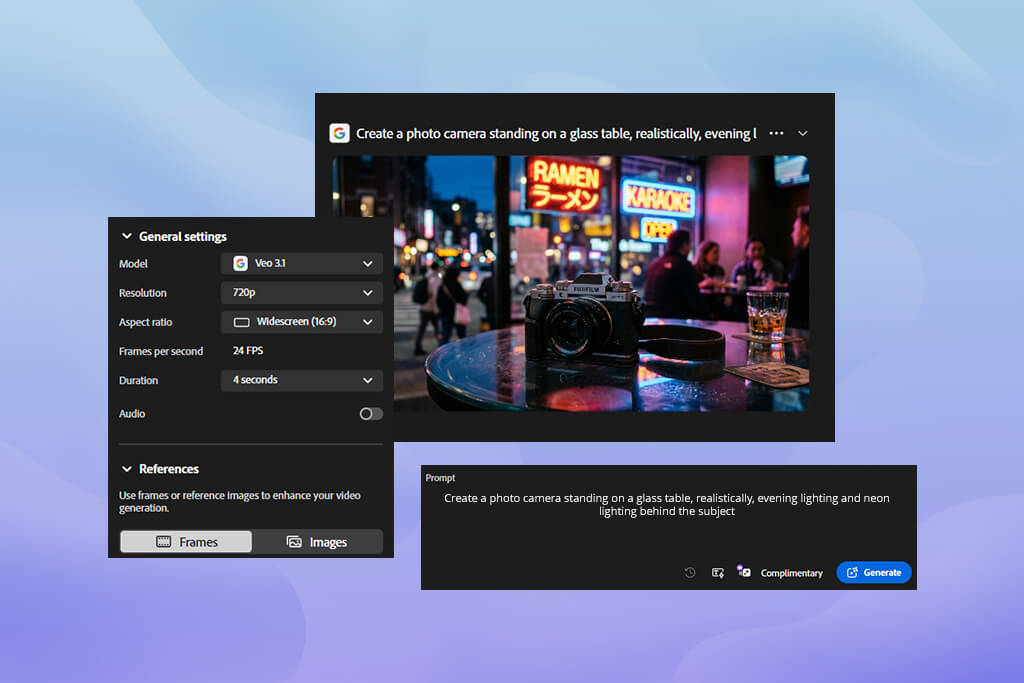
Creative Cloud Pro includes Adobe Firefly with unlimited access to standard AI features for images and vector graphics, plus premium credits for more advanced video and audio tools. In practice, this gave Adobe a very noticeable sense of momentum.
We didn’t have to constantly switch to third-party services or piece together our workflow from different AI apps. Our team stayed within the Adobe ecosystem and simply moved faster.
“With Adobe, AI was seen as part of the workflow, not as a separate “try-it-out” experiment.”
What impressed us the most was not even the number of AI features, but the fact that different team members used them for different tasks within the same week.
One retoucher was able to speed up image cleaning in Photoshop. A designer could more quickly test visual concepts in Illustrator. The video team tested Firefly’s broader capabilities for production. As a result, the AI didn’t feel like a gimmick or a one-off feature. It genuinely worked as part of the process.
It was here that the difference from Apple became particularly noticeable. Apple Creator Studio also has intelligent features, and some of them are genuinely useful; it’s just that they work more subtly and unobtrusively, in the background.
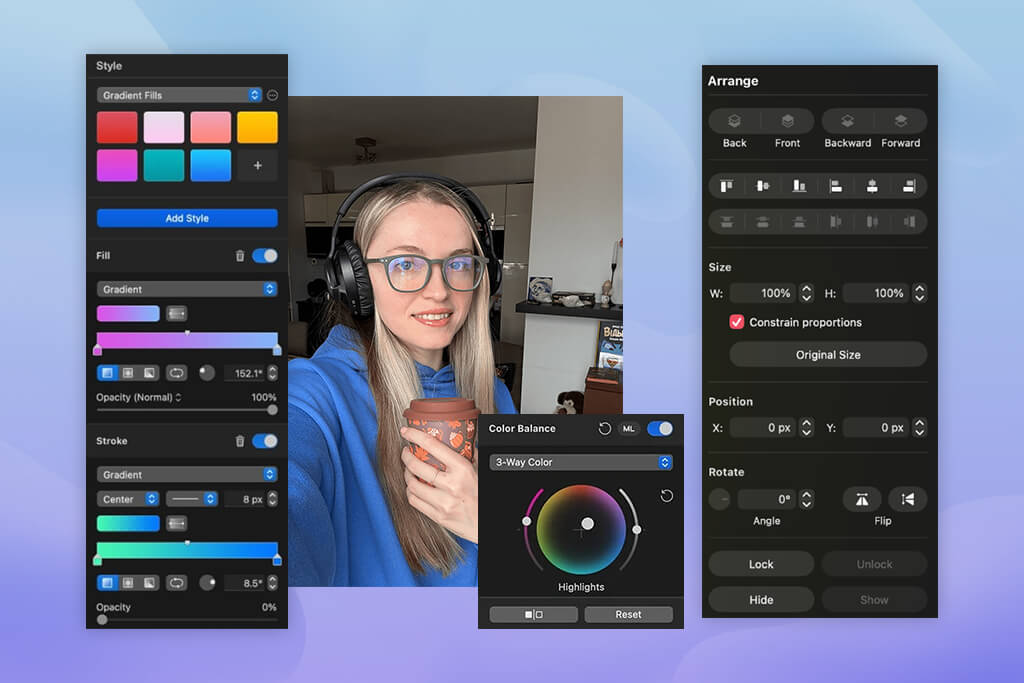
Apple’s tools seemed more subtle, polished, and at times even less distracting. But we rarely had moments where someone would stop and say, “That just saved me 10 minutes.” With Adobe, there were moments like that.
“Apple’s smart tools are nice when they appear in the right place. But Adobe’s AI tools really made a difference in how quickly I could complete a task.”

This is probably the best way to summarize this part of the Apple Creator Studio vs Adobe Creative Cloud test. Apple’s AI features are convenient and unobtrusive. Adobe’s features are more practical, noticeable, and measurable in terms of time savings.
Winner: Apple is a much lower financial commitment, making it highly appealing for students, solo creators, video editors, music producers, and users who are already part of the Apple ecosystem and want a robust suite of apps without Adobe-level prices.
When I got to the Creative Cloud vs Apple Creator Studio price comparison, this is where Apple initially looked particularly strong.
Apple Creator Studio is significantly less expensive and is clearly aimed at creators who are on a budget. The student discount looks particularly attractive. For regular users, Apple Creator Studio costs $12.99 per month or $129 per year, while for students and teachers, it costs $2.99 per month or $29.99 per year.
Creative Cloud Pro is currently priced at $69.99 per month, while Adobe discount is $34.99 per month for the first 3 months. Yes, Adobe is more expensive. However, for that price, you get a much broader ecosystem: over 20 apps, Firefly AI tools, Acrobat Pro, Adobe Fonts, cloud storage, and Creative Cloud Libraries.
However, in our team’s experience, a low price alone does not necessarily mean the best value. Apple Creator Studio shines brightest when your workflow is primarily focused on video, music, simple design, and visually appealing presentations.
As soon as your tasks become more extensive – advanced retouching, vector branding, multi-page layout, PDF approval, complex motion graphics – the comprehensive Adobe suite starts to make more sense, even from a financial standpoint. It simply covers more work areas at once, without the need to purchase additional standalone tools.
“Apple seemed cheaper. Adobe covered more tasks right from the start, even before we had to consider additional services.”

My conclusion here is simple: if the main criterion is affordability, Apple Creator Studio wins. However, if you’re paying not just for a lower monthly bill but for a fully-fledged professional workflow, Adobe Creative Cloud Pro offers stronger overall value. Plus, before you pay, you can first try the Adobe Creative Cloud free trial period.
Winner: Apple for simplicity, Adobe for professional control
Here, usability really depends on what kind of creator you are and what tasks you perform. Apple Creator Studio is easier to master right from the start. The apps look more cohesive and neat, and they’re less intimidating at first, especially if you’re working alone and just want to get started on a project instead of figuring out the entire ecosystem first.
“With Apple, I more quickly felt like I was already working, rather than trying to figure out where things are and how they’re connected.”

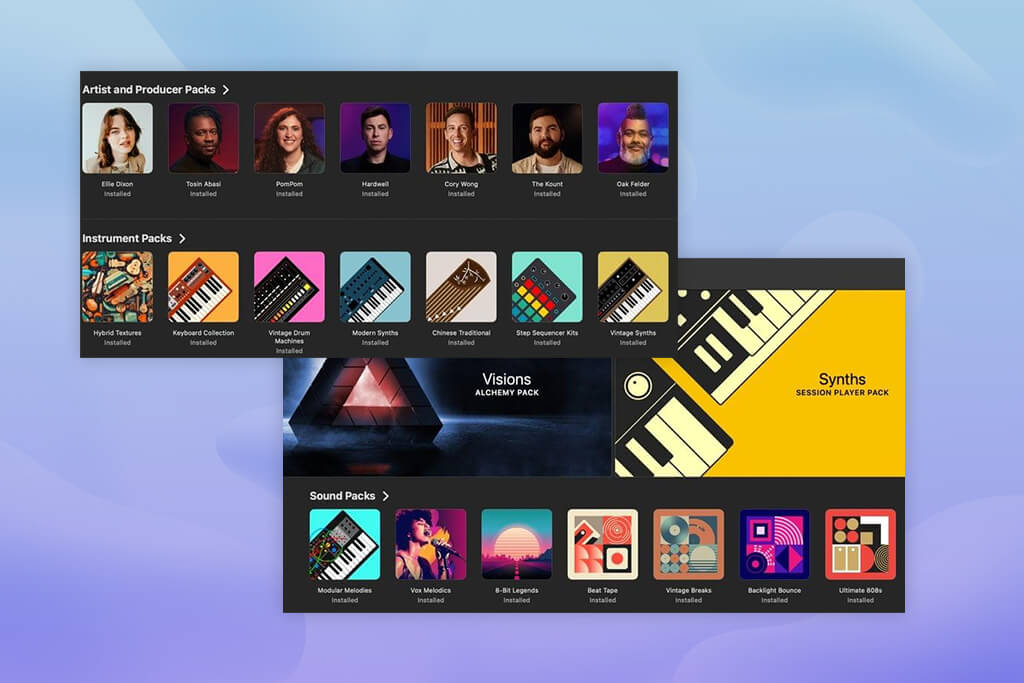
Final Cut Pro, Pixelmator Pro, Logic Pro, and Apple’s office apps are visually and logically similar to one another. As a result, the entire suite feels easier to use: you don’t get the feeling that each time you open a completely new program with its own rules.
With Adobe Creative Cloud Pro, the entry threshold is higher. There are more apps, more settings, and more switching between tools as well. But it is precisely this complexity that becomes an advantage when the work is no longer simple.
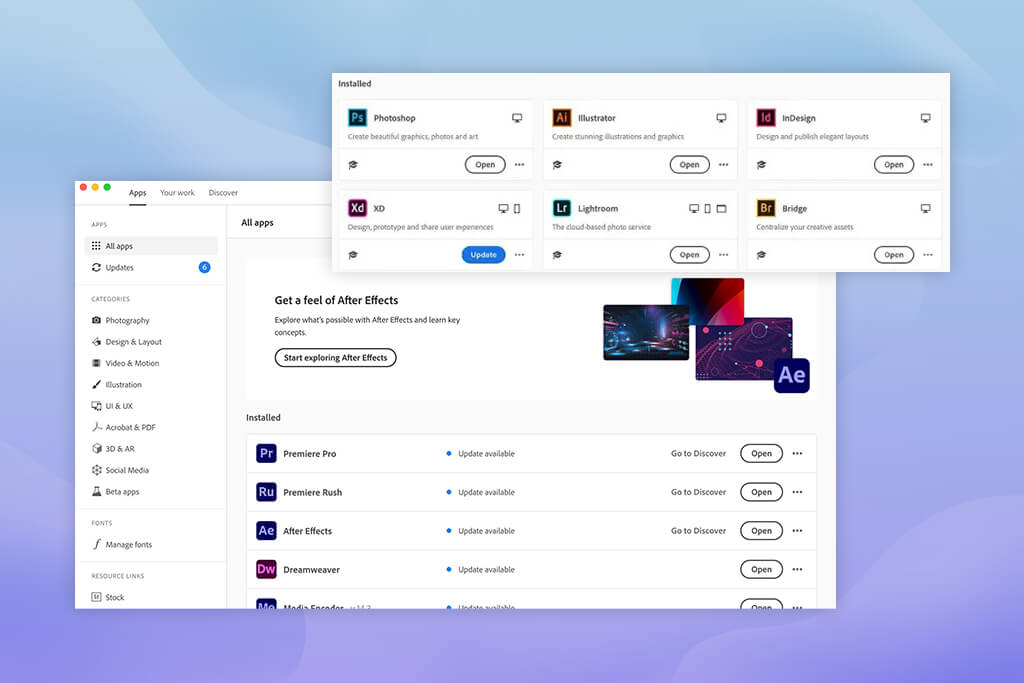
On our team, Adobe was harder to master quickly, but we relied on it more for complex, multi-phase projects. This was especially true when a single task involved a combination of photo editing, design, motion graphics, documents, and multiple rounds of revisions.
“It was easier to like Apple right away. Adobe started to gain the upper hand as the project became more complex.”

My takeaway is this: Apple is easier to pick up and start using right away. It makes a positive first impression more quickly, and it’s easier to recommend to creators who need a clean, intuitive environment without unnecessary complexity. Adobe takes more time and a longer learning curve, but in return, it offers much more professional control.
Therefore, for me in this Creative Cloud vs Creator Studio comparison, Apple wins in terms of simplicity, while Adobe wins in terms of the depth that is truly needed for complex work.
Winner: Adobe, because its ecosystem is better suited for professional workflows where different disciplines intersect within a single project
Adobe Creative Cloud Pro has a clear advantage in terms of cross-application connectivity. Creative Cloud Libraries, Adobe Fonts, and cloud storage make it easy to move assets between Photoshop, Illustrator, Premiere Pro, After Effects, InDesign, Acrobat, and Express without disrupting the workflow at each transition.
For our team, this has been one of the most valuable Creative Cloud tips and one of the key strengths. Projects flowed naturally from retouching to design, then to motion, export, and document review. We didn’t feel like each stage existed in isolation and that we had to constantly piece everything together manually.
Of course, Apple also has its strengths. Within its ecosystem, it works very smoothly, especially if someone uses a Mac, iPad, and iPhone together. In this scenario, Creator Studio can indeed seem almost seamless: there’s less friction between devices, and it’s easier to pick up where you left off.
“The Apple ecosystem was perceived not as a collection of separate apps, but as a unified environment across different devices. If you’re fully committed to Apple hardware, it’s very convenient.”
But from a broader perspective, Adobe has handled a wider range of professional tasks better. It covers more creative disciplines, provides more specialized tools, and better supports complex team workflows within a single subscription. Apple’s integration is beautiful and very polished, but it is still narrower in scope.
My conclusion is simple: Apple works more seamlessly within its own ecosystem of devices. However, for teams that need to collaborate on photos, videos, design, motion graphics, documents, and client materials, Adobe remains the stronger choice.
After a comprehensive test of Adobe Creative Cloud Pro vs Apple Creator Studio that I conducted with my team, my conclusion is quite simple: Adobe Creative Cloud Pro still remains the stronger choice for serious creatives and teams where different types of work come together in a single process.
It’s broader, more in-depth, better connected within the ecosystem, and, overall, more ready for true production, where a single project can span photo, video, design, motion, documents, and AI tools.
Here’s the short scorecard:
| Category | Winner |
|---|---|
|
Photo editing & retouching
|
Adobe
|
|
Video editing & post-production
|
Apple
|
|
Graphic design & branding
|
Adobe
|
|
Audio & music production
|
Apple
|
|
Motion graphics & effects
|
Adobe
|
|
Office workflow
|
Adobe
|
|
AI features
|
Adobe
|
|
Pricing
|
Apple on cost, Adobe on value
|
|
Ease of use
|
Apple on simplicity, Adobe on depth
|
|
Integrations
|
Adobe
|
At the same time, Apple Creator Studio pleasantly surprised me. It is more affordable, more capable than I expected, and can be a very good choice for a certain type of user. I would especially recommend taking a closer look at it if you:





![7 Minecraft Banner Makers [Design Examples]](http://fixthephoto.com/blog/images/gallery/news_main__preview_28947.jpg)
![7 Adobe Capture Alternatives [Free for iOS & Android]](http://fixthephoto.com/blog/images/gallery/news_main__preview_28909.jpg)

![7 Best Loom Alternatives [{{%year}} FixThePhoto Choice]](http://fixthephoto.com/blog/images/gallery/news_main__preview_28902.jpg)


















