At FixThePhoto, I regularly put together training guides and tutorials for our photographers and retouchers. Since our lessons include a lot of visuals and step-by-step instructions, everything must be clear, easy to follow, and quick to create. That’s why I began looking for Easygenerator alternatives - I needed a tool that could better support image-heavy content and offer more flexible ways to present information.
Easygenerator is easy to use - it has drag-and-drop tools, templates, and lets you add videos and PDFs. But when you try to build more detailed courses, it falls short. You can’t customize much, the interactive features are limited, and teamwork tools aren’t great. The built-in learning system may not work well for bigger programs. Plus, it depends a lot on employees taking time to participate, which isn’t always realistic in busy teams.
Also, the price starts at around $116 a month for one person and $582 for teams, which can be too much for smaller budgets. So I decided to test over 15 Easygenerator alternatives to find more flexible tools, have better features, or cost less, while still being easy to use.
I’ve used Easygenerator on actual client projects, and over time, I realized it really only works well for certain types of tasks. Depending on what I needed to do, it sometimes felt too complicated, and other times, not powerful enough.
From my experience, the right tool depends on the size of the project and what you're trying to do. If you're running a stable, long-term training program in a corporate setting with clear rules, Easygenerator works well. But for teachers, creative teams, or fast-moving businesses, it often feels like overkill for simple tasks and not enough for advanced ones. That's exactly why I now make it a habit to explore Easygenerator alternatives on a regular basis.
Price: Adobe Captivate free for 30-day, then 39.99/mo.
Availability: Windows, MacOS
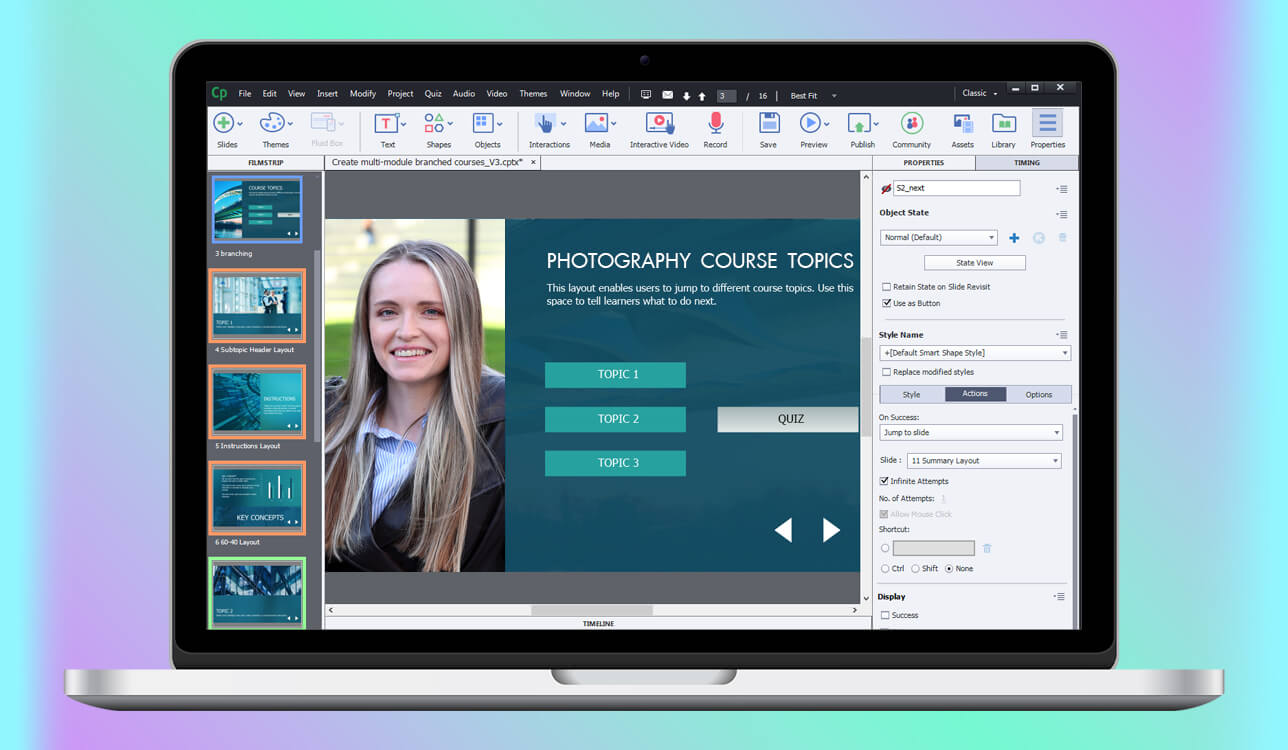
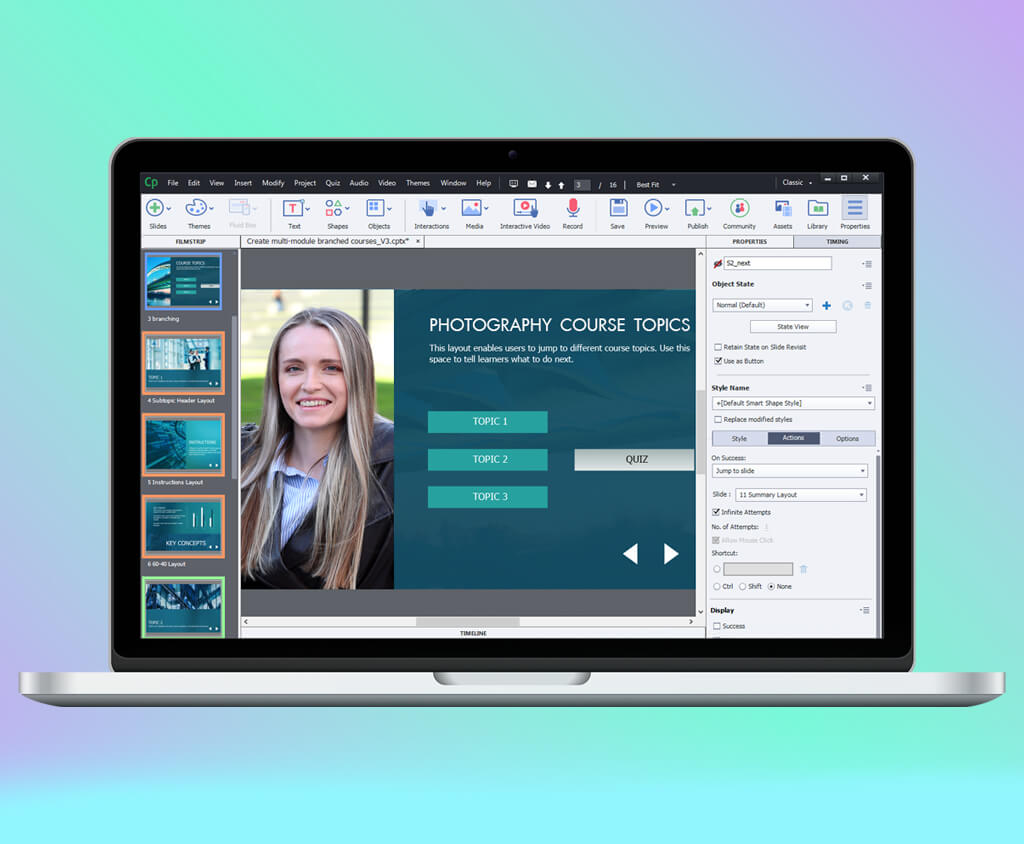
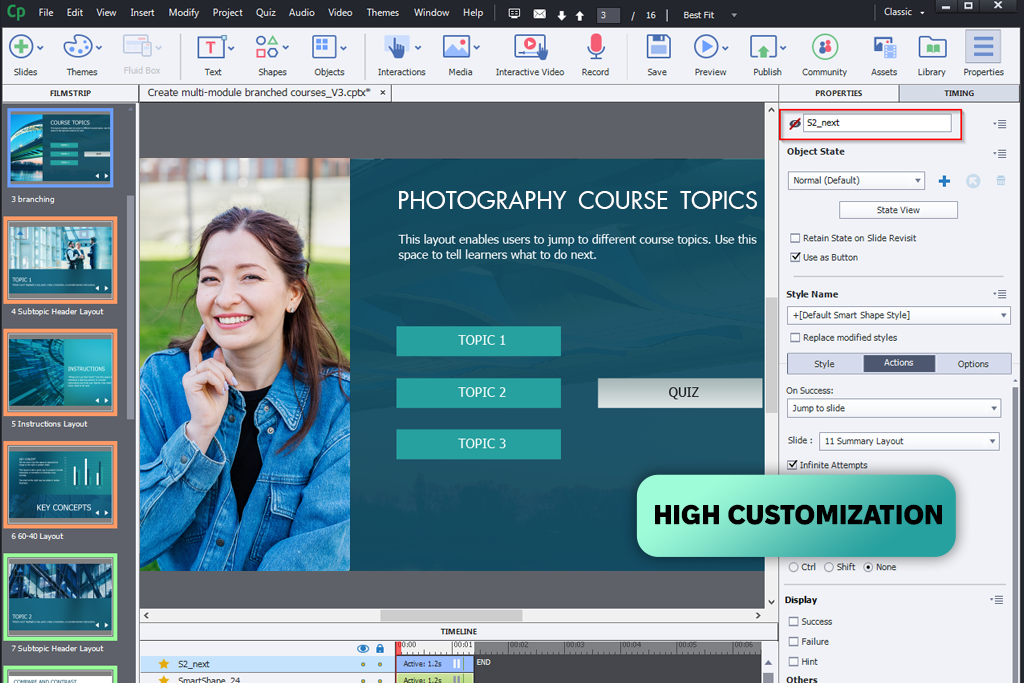
I gave Adobe Captivate a try when I was searching for a more powerful Easygenerator alternative. At FixThePhoto, we build courses that are very visual and focus on practical skills. Easygenerator is built for speed - it lets almost anyone put a course together and share it quickly. Captivate works differently. It’s not as focused on fast results; instead, it gives you more creative freedom and better ways to hold learners’ attention. For example, instead of simply showing static images of Photoshop tools, I could create interactive walkthroughs where users actually click and perform the steps themselves.
Where Captivate really shines is engagement. It offers tools like branching scenarios, simulations, and interactive videos that let learners make decisions and see what happens as a result. Easygenerator only supports this kind of thing in a very limited way. It’s a solid choice for sharing basic information, but Captivate gives much better results when the training involves real, hands-on practice. That’s exactly why this free Adobe software stands out as a strong Easygenerator alternative - especially for learning that focuses on building actual skills, not just presenting facts.
While Easygenerator is quicker to learn in the beginning, Captivate can save more time once you become familiar with it. Its AI-powered tools help speed up course production. I was able to import PowerPoint lessons and turn them into engaging courses by adding avatars, voiceovers, quizzes, and animations. Easygenerator also supports PowerPoint-style content, but courses built in Captivate usually look more polished and interactive.
Captivate manages responsive design more effectively by automatically adjusting courses for different screen sizes, which cuts down on manual effort. Collaboration works differently between the tools: Easygenerator is quicker for real-time team co-creation, while Adobe Captivate’s organized review links make it easier for educators and subject experts to handle feedback.
“Captivate gives me complete control over animations, quizzes, and on-screen interactions. When I created a multi-step lighting tutorial, every element felt fully customizable and professionally polished.”

Price: Free trial or from $1.499/year
Availability: Windows, MacOS
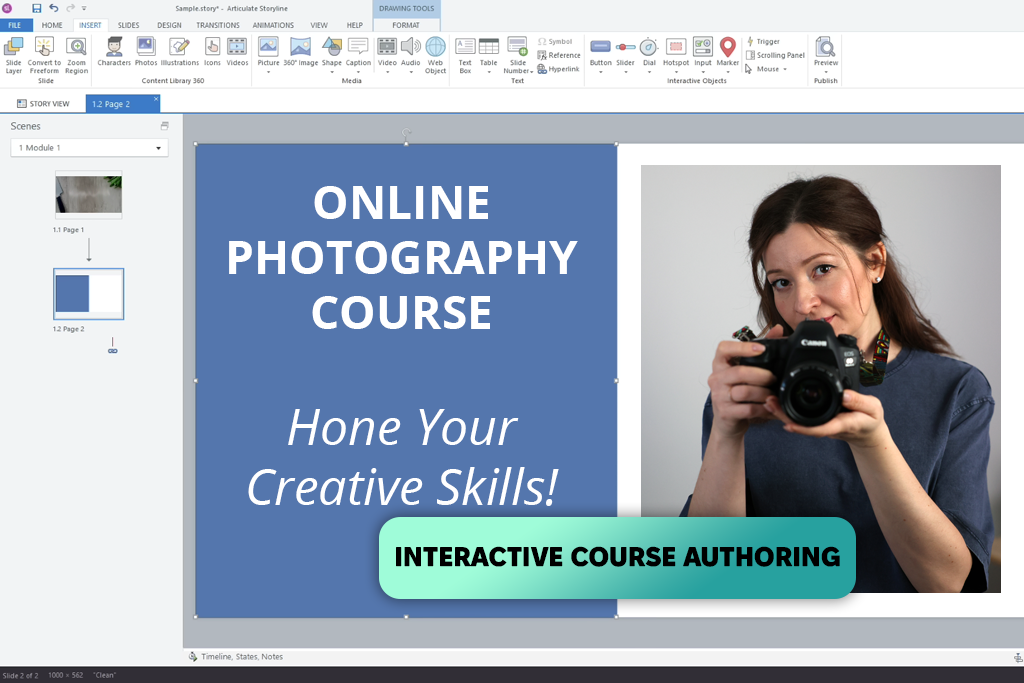
As an Easygenerator alternative for corporate training, Articulate 360 feels like a complete professional toolkit rather than just a quick course builder. Easygenerator is still faster when I need to publish simple internal training, but Articulate 360 gives me far more control. With Articulate 360, I created branched scenarios and interactive decision paths - features that Easygenerator doesn’t really support well. At the same time, Articulate 360 keeps some of the simplicity I like in Easygenerator, but with stronger visual polish and better responsiveness.
Articulate really stands out when it comes to creative freedom. Easygenerator keeps layouts structured and somewhat limited, which can be helpful for beginners. In contrast, Articulate allows full customization of interactions, animations, and branding. Because of this flexibility, the courses I built felt more engaging and realistic to workplace scenarios - especially valuable for onboarding and process training.
Easygenerator is still the simpler option when it comes to AI and speed, but Articulate is quickly improving. With its large content library, ready-made templates, built-in characters, and automated workflows, course creation becomes much faster. Because of this, Articulate is becoming a practical Easygenerator alternative with AI for larger teams.
SCORM and LMS integration work well in both instructional design software, so tracking and course delivery are dependable either way. The real difference appears in how teams work together. Easygenerator is better for quick, simple co-creation by non-experts, while Articulate fits structured team workflows better thanks to its review tools and strong community support for experienced designers.
Price: 14-day trial or from $970/year
Availability: Windows
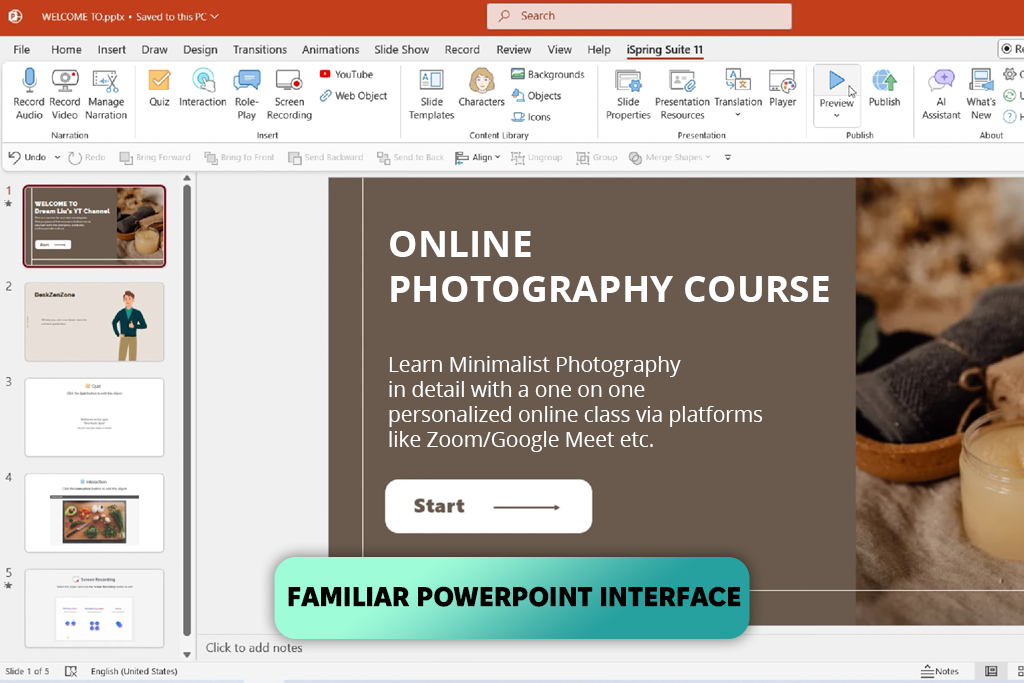
iSpring Suite provides a quick method for transforming PowerPoint presentations into engaging lessons, making it a strong competitor to Easygenerator for developing training materials. I took a 40-slide Photoshop guide and turned it into an interactive module featuring assessments, video content, and synthetic voice-overs - a process that would have required significantly more time if I had used Easygenerator. However, iSpring only functions on Windows, meaning Mac users need additional software to operate it, which adds an extra layer of complexity.
iSpring provides greater control over slide-based courses and interactive elements, while Easygenerator is more straightforward when creating courses from the ground up. iSpring’s AI features for voice narration and translation also help reduce production time - capabilities that Easygenerator lacks. iSpring additionally offers a built-in video editor that allows you to record your screen, trim and edit footage, and use it as voice over software for video-focused training.
Interactivity works differently in these two tools. Easygenerator is good for basic quizzes and simple branching, but iSpring makes it much easier to add slide-based questions, videos, and branching, especially for users who are familiar with PowerPoint. Collaboration is one of iSpring’s weaker areas. Easygenerator’s cloud-based platform supports smooth team co-creation, while iSpring’s desktop-focused workflow makes real-time teamwork more challenging, particularly for larger teams.
“I love how fast iSpring is. The AI voiceovers and quick quizzes help me publish courses faster than Easygenerator -and they still look great and keep learners interested.”

Price: Free or from $30/mo.
Availability: Web
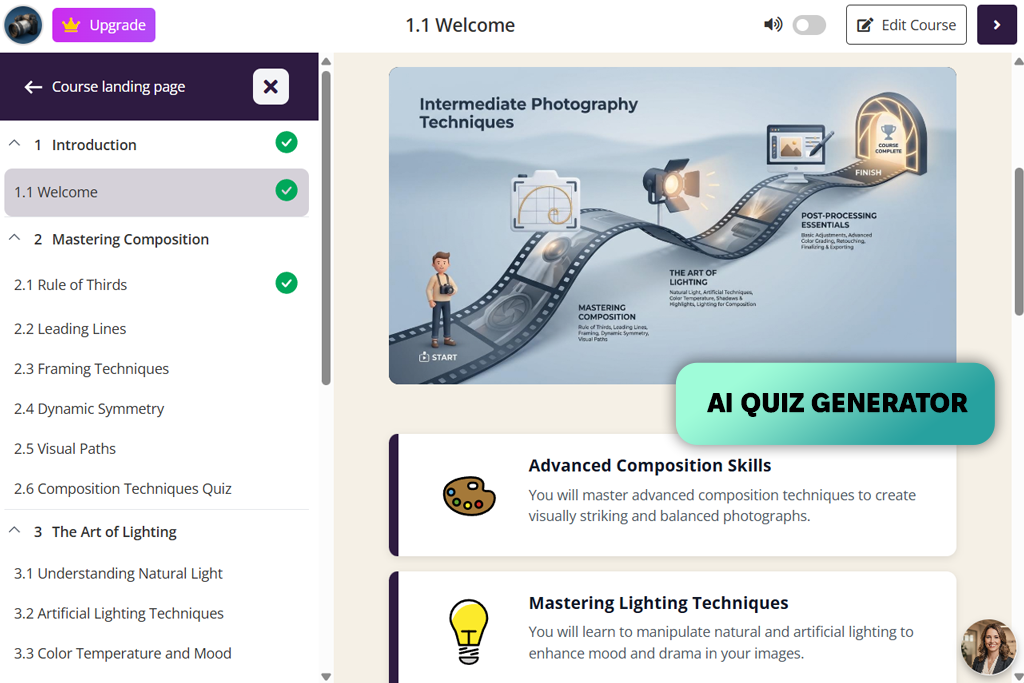
As an AI-focused Easygenerator alternative, Coursebox AI stood out for speed in business and corporate training. It allowed me to create content, quizzes, and interactive pieces for retouching workflows much faster than I could with Easygenerator. Like Easygenerator, it is easy to use and suitable for subject-matter experts. However, Coursebox AI goes further by adding time-saving AI features. It also lets me translate courses into more than 100 languages.
For example, I converted a bundle of video lessons and documents into an organized course in just a few minutes. The AI-built quizzes and assessments graded answers automatically and provided immediate feedback - something Easygenerator doesn’t offer out of the box. I also tried the AI chatbot, which gave learners live help with course topics. This made the training feel more interactive and engaging.
Easygenerator still has the advantage in ease of use. Its layout is very clear, and teamwork is simple to manage. Coursebox AI requires a bit more familiarity, but it delivers much greater automation and flexibility - such as AI-based course building, dynamic materials, video creation, and white-label capabilities. It also links smoothly with Zapier and other services, making this online learning platform much easier to connect with company systems, which is a major plus for corporate training initiatives.
Price: By request
Availability: Web
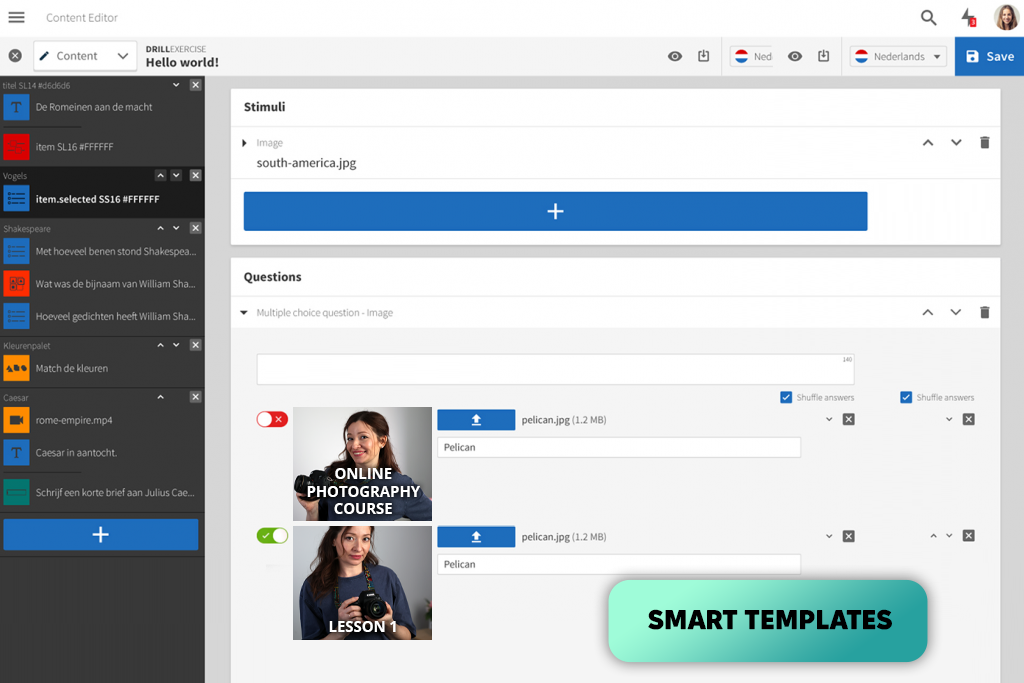
Easygenerator works well for basic courses with text, images, and videos. FLOWSPARKS, on the other hand, lets me build more advanced learning experiences with over 26 templates based on instructional design. For example, I created a Photoshop workflow course that included interactive self-assessments, branching scenarios, and tips that pop up based on context - things that weren't easy to do in Easygenerator.
One thing this Easygenerator alternative for educators does really well is handling translations and updates. In Easygenerator, if you need a course in multiple languages, you have to make copies for each one. And every time you update something, you have to upload each version separately. With FLOWSPARKS, all translations are kept within the same course. When you make a change, it updates everywhere at once with just one click. This saved me a lot of time when I was updating our company training materials.
FLOWSPARKS has a smart AI tool called Co-Author that builds entire course drafts from your files in minutes - it even adds pictures and clickable activities on its own. Easygenerator doesn't have this kind of feature, so if you're part of a growing team or business that needs to put out training content fast, FLOWSPARKS gives you a real edge. That said, Easygenerator is still the easier tool to pick up, which makes it a solid choice for beginners or tiny teams that don't have someone handling training full-time.
“Flowsparks’ layered translation system and real-time LMS updates saved me a lot of time - a single content change automatically synced across every language and version with no need to duplicate anything.”
Price: Free trial or $8/registered user per month
Availability: Web
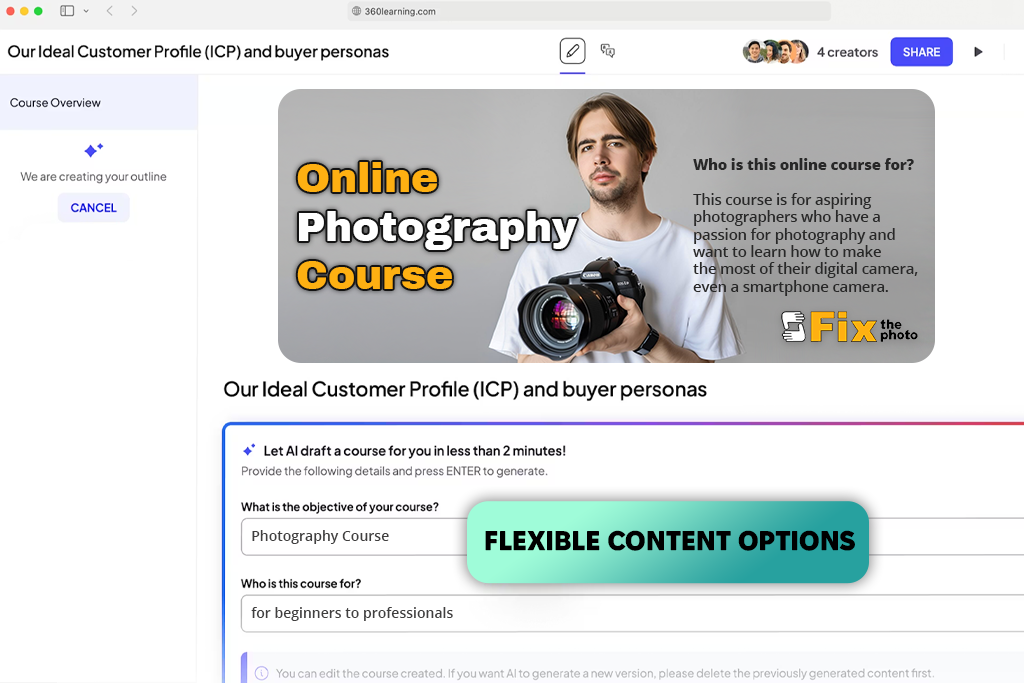
When I checked out 360Learning, what stood out right away was how teamwork and AI are woven into everything. Easygenerator is mostly about helping you build courses fast on your own. But 360Learning puts the focus on working together, which makes this e-learning software a great EasyGenerator alternative for educators or anyone creating online courses as part of a group.
With 360Learning, getting input from experts is straightforward. When I worked on a Photoshop course, one of our senior retouchers jumped in and added their own tips and examples on the spot. The AI then took that material and quickly shaped it into interactive lessons. Easygenerator doesn't have this kind of team-based automation, so putting together a similar course would have meant a lot more back-and-forth and manual work.
The way 360Learning tracks skills is also impressive. Its AI keeps an eye on how learners are doing and recommends specific lessons to help them improve - this really helped our team build skills more quickly. Easygenerator offers simple quizzes and basic progress tracking, but it doesn't adapt or respond to learners the way 360Learning does. If you're looking for a free Easygenerator alternative, this team-focused approach is a huge plus - especially for groups running online courses that need regular updates and want to keep learners engaged.
Price: Free or from $39/mo.
Availability: Web
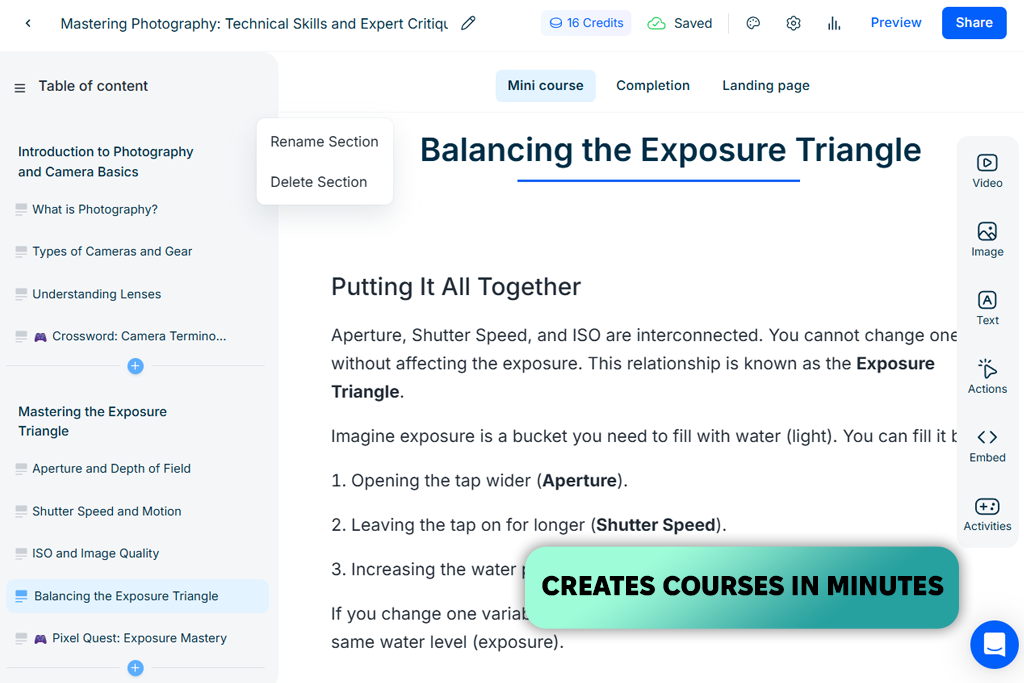
I gave Mini Course Generator a try when I wanted a simple and adaptable free Easygenerator alternative for putting together short, targeted lessons. Both platforms are user-friendly and let you build courses by dragging and dropping elements, with AI lending a hand along the way. Similar to Easygenerator, Mini Course Generator can pull content from files you upload and turn it into a course. But it takes things a step further by using AI to create its own images and quiz questions.
As an example, I took a short guide on retouching, uploaded it, and within minutes had a full mini course complete with images and quizzes. It came together faster and looked more engaging than what I typically build in Easygenerator. That said, Easygenerator still has the upper hand when it comes to enterprise needs. Its support for multiple languages and tools for compliance training make it a better fit for large companies and complex corporate settings.
When it comes to creative freedom, Mini Course Generator gives you more to work with. You can personalize landing pages, make branding your own, and adjust settings to help your courses perform better - ideal for teachers or anyone sharing courses publicly. The pricing setup is also much friendlier. Instead of being locked into yearly plans like with Easygenerator, you can pay month by month, which works better for smaller budgets. For smaller corporate training needs or trying out a new program, Mini Course Generator offers solid results without the heavy commitment.
“I was really impressed with how Mini Course Generator uses AI to build courses. It created quizzes and images for our short lighting course in just minutes, giving a small project a polished, professional feel.”
If you're looking for a tool to handle corporate training, it helps to choose one that supports teamwork, uses AI, and works smoothly with your LMS. Options like Adobe Captivate, 360Learning, and Articulate 360 are built with these needs in mind. They offer stronger features for collaborating with team members, tracking learner progress, and delivering content at scale—areas where Easygenerator tends to keep things more basic.
Yes, a growing number of platforms now come with built-in AI that can handle tasks like creating course outlines, writing quiz questions, adding voiceovers, translating content, and even powering chatbot tutors. With tools like Adobe Captivate, 360Learning, and Mini Course Generator, you can cut down on production time considerably, especially compared to Easygenerator, where most of the work is done manually.
You usually can't move everything in one click. But you can save your videos, text, images, and quizzes, then add them to a new tool. If the new platform works with SCORM or xAPI, reusing your content is much easier.
Yes, plenty of them are built with regular users in mind - not just tech or training pros. Tools like Mini Course Generator and iSpring Suite fit right into programs people already know, like PowerPoint, or offer helpful AI guidance every step of the way. So, even if you've never designed a course before, you can still create something solid.
Yes, some do a much better job than Easygenerator. For example, FLOWSPARKS stores translations within the same course instead of creating separate copies. That means when you update something, it automatically updates in every language - saving time and keeping everything consistent.
We tested many Easygenerator alternatives, not just by looking at their features, but by using them for real training tasks. We wanted to see how well they actually work for different needs - from putting together quick lessons for new team members to building more complex courses for corporate or educational programs.
My colleagues from FixThePhoto joined me in testing these tools firsthand. We all shared our thoughts on how easy they were to use, how well they fit into our daily work, and whether we could depend on them. As a team, we looked at things like how fast we could put a course together, whether the design made sense to people without a tech background, and how well each platform adapted when we needed to do something more advanced.
We didn't include some well-known tools like Gomo Learning, Calibr, Elucidat, and others in our final review. Mostly, it was because we couldn't access them easily, they were priced for big companies, they focused more on managing courses than creating them, or they felt too similar to tools we already tested. We wanted to focus on options that are practical, easy to try, and a good fit for small teams, teachers, and growing businesses.
We tested every platform the same way:
I also checked out any AI tools each platform offered, like helping write content, making quizzes, translating, or automating tasks. I paid close attention to whether these features really saved time compared to doing everything by hand.
In the end, we focused on what actually matters when using these tools day to day: how easy they are to keep up with, how fast we can make updates, and how well they handle courses packed with images and visuals - something we really need for creative and technical training. Testing things this way helped us figure out which Easygenerator alternatives actually help you get more done, and which ones just sound good in ads.




![9 Best Facebook Story Makers [Online, Desktop, iOS & Android]](http://fixthephoto.com/blog/images/gallery/news_main__preview_28495.jpg)
![7 Best ODT to PDF Converters [{{%year}} FixThePhoto Choice]](http://fixthephoto.com/blog/images/gallery/news_main__preview_28601.jpg)

![5 Best EML File Converters to PST in {{%year}} [Windows & Mac]](http://fixthephoto.com/blog/images/gallery/news_main__preview_28894.jpg)
![7 Best CDA to MP3 Converters in {{%year}} [100% FREE]](http://fixthephoto.com/blog/images/gallery/news_main__preview_28878.jpg)

![5 Best Real Estate Datasets for Machine Learning [{{%year}} FixThePhoto Choice]](http://fixthephoto.com/blog/images/gallery/news_main__preview_28903.jpg)

















