After handling a large number of emails and attachments every day, I understood how difficult it can be to manage EML files. Many email programs use EML format, but problems start when you want to move those emails to Outlook, which uses PST format. Manual methods often cause missing emails, damaged attachments, and even broken layouts, making email management stressful and wasting a lot of time.
Because of these problems, I started looking for EML to PST converters. My goal was to find a solution that could save time, keep emails safe, and make email handling easier. To understand which tool works best, I tested over 15 EML file converters to PST. I searched online, read opinions on Quora and Reddit, and also spoke with a colleague who has experience managing email data.
For my work, especially when dealing with client emails or large email collections, converting EML to PST has become very important:
Related Tool Tip: Along with converting EML files to PST for Outlook, I often use Adobe Acrobat to manage important email attachments. It helps me convert PDFs into editable formats for client work while keeping the original quality. This makes handling email-related documents much easier.

If you want to move your emails without losing data, there are two traditional manual ways to convert EML files into PST files using older Microsoft programs. These methods can work well, but both email software must be installed on the same computer. The process also takes time, but it is safe if you carefully follow each step.
If you want a quicker and easier option, professional EML to PST tools like SysTools, Advik, Aryson, and BitRecover allow you to convert many EML files at once. These tools work without needing Outlook installed. They keep attachments, email details, folder structure, and also offer filters to help you select specific emails.
Price: Free (up to 10 emails) or $39 (one-time)
Availability: Windows, MacOS
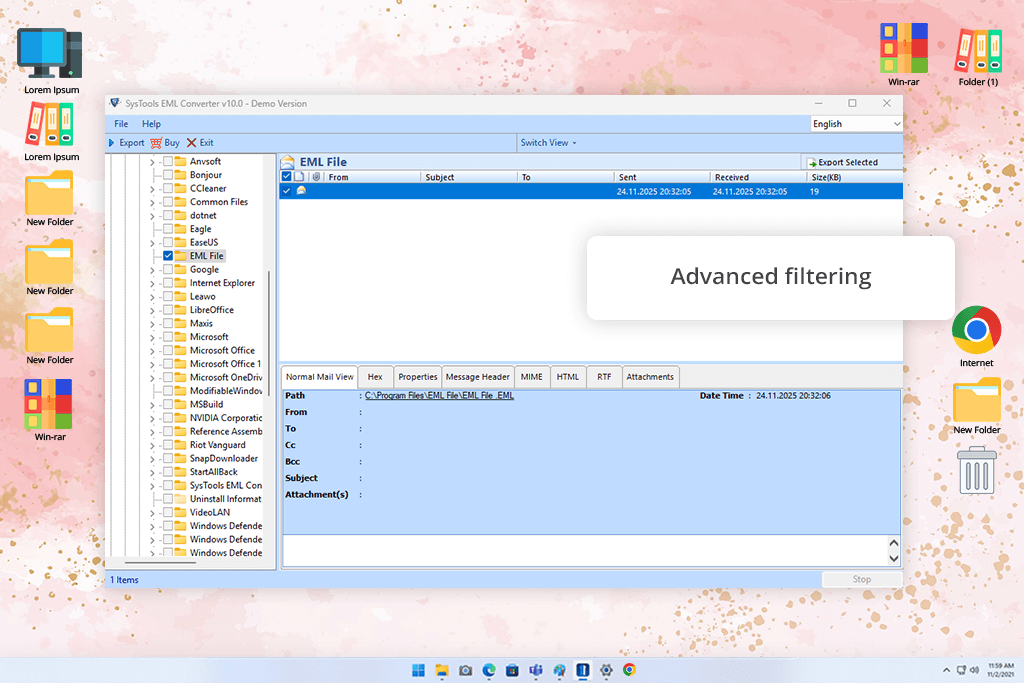
Among all the tested tools, SysTools EML to PST converter stood out to me. It has a simple UI and an easy step-by-step process for both single and bulk conversions. Adding EML files or folders is simple, and the software automatically shows all emails with their details. I tested it with folders that had hundreds of emails, including ones with images, attachments, and formatted text.
The preview option is helpful because it lets you check emails before converting them. The PST conversion worked smoothly, and all formatting, images, and email details stayed the same. This file converter software also supports many other formats, such as MSG, MBOX, NSF, Office 365, and EMLX, which makes it useful for more than just PST files.
What impressed me the most, though, was how well the tool preserved email information. Details (like sender, receiver, date, subject, and IP addresses) stayed unchanged. The original folder layout was also kept. The tool allows you to split PST files by size, create separate PST files for each folder, and use date filters. Nevertheless, it may use more system memory when converting very large folders, and some advanced features take a little time to understand. The Mac version works well too, though its design looks slightly different from the Windows version.
“What makes SysTools special is its smart filtering feature. I was able to convert only chosen emails based on date or sender, which saved a lot of time.”

Price: Free trial (up to 25 EML files) or from &29/onetime payment
Availability: Windows
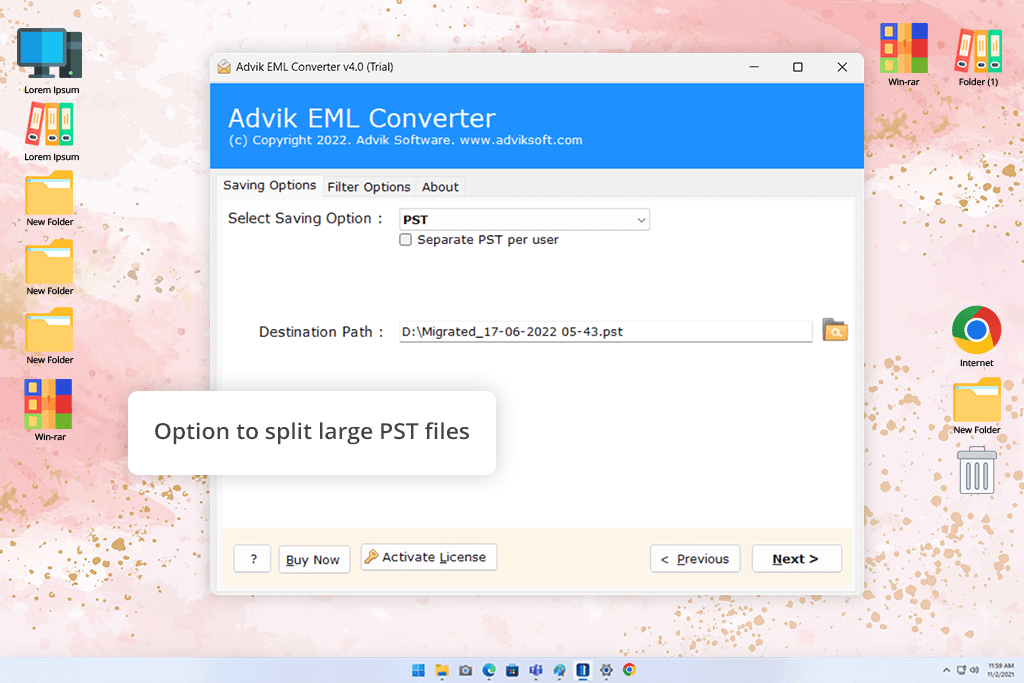
While trying out different tools for converting EML files into PST format, Advik turned out to be one of the easiest and quickest options to use. Its design is very simple. You just add your EML files or folders, select PST as the output format, choose where to save the file, and start the conversion. One thing I liked is that it works even if Microsoft Outlook is not installed. It also supports emails from Windows Live Mail, Thunderbird, Apple Mail, and other email programs.
To test Advik, I used several folders, which included about 300 emails from Windows Live Mail, some mixed EML files from Thunderbird, and emails with HTML layouts, images inside the message, and attachments. The tool handled everything without problems.
It kept the original folder structure, saved all email details such as CC, BCC, date, and attachments, and allowed me to merge all EML files into one PST file. This feature is helpful when you want to bring scattered emails together into one Outlook archive.
However, I noticed a few small issues. The software design looks a bit old, and some extra settings are placed behind small buttons, so new users might miss them. Also, during large conversions, the program uses more system power, so it’s better not to run heavy software at the same time.
Price: Free (up to 25 items) or from $49/year
Availability: Windows
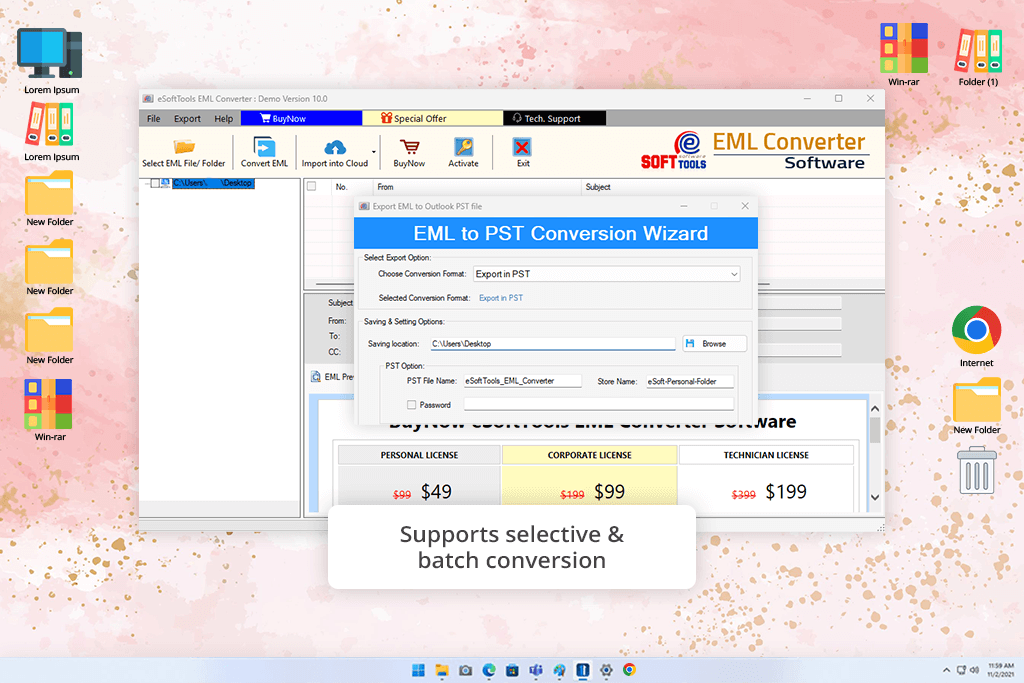
eSoftTools is a lightweight EML to PST converter made for Windows users. The steps are simple: open the tool, load your EML folder, preview the emails, choose PST as the output format, and start the conversion.
For testing eSoftTools, I used different EML collections, including Windows Live Mail emails, Thunderbird messages with attachments, and long HTML email threads with images. The preview option helped me check emails before exporting them.
What I liked most was how well it saved email details, images inside messages, formatting, and attachments. I also tested converting only selected emails, and the process went smoothly. The conversion speed was good, and the final PST file opened in Outlook without any problems.
On the negative side, the software may pause for a short moment during large conversions. This is not a serious issue, but it is noticeable. Also, to use all features, users need to buy the paid version.
“eSoftTools is easy to use but still powerful. I tested bulk EML conversions, and all emails moved into Outlook PST without any data loss.”

Price: Free (50 emails) or from $39/year
Availability: Windows, MacOS, Linux
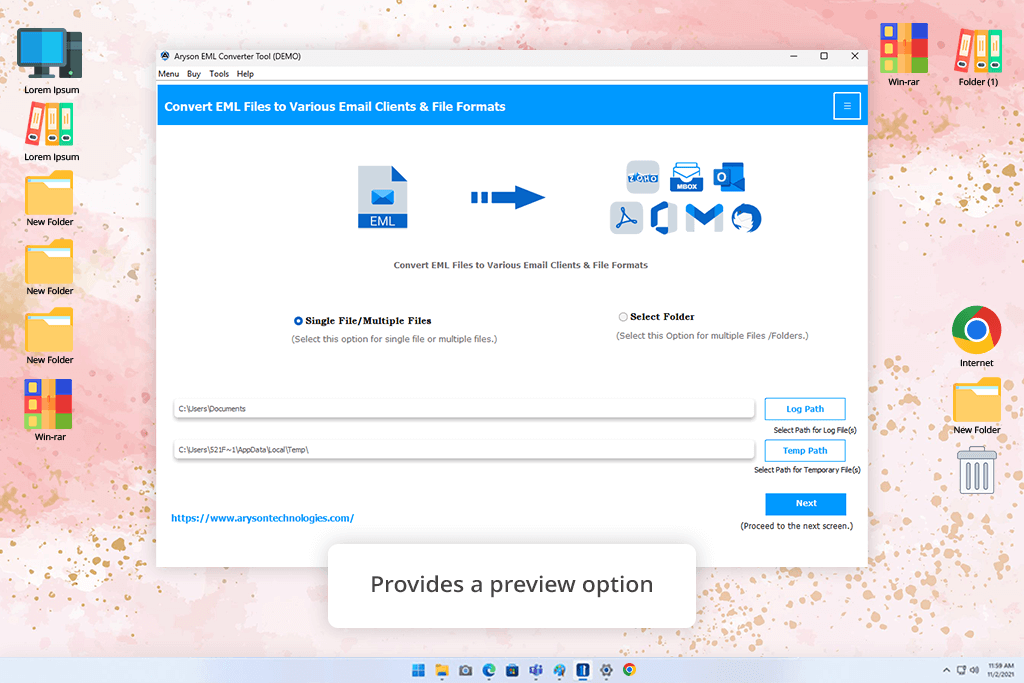
Aryson EML to PST converter offers many features at a reasonable cost. The interface looks organized, with folders shown on the left side and a detailed email preview on the right. Because of the wide range of tools, it feels more like a small data management platform than a basic converter. It supports bulk conversion, cloud email migration, removing duplicate emails, splitting PST files, and more.
For my testing, I added a large folder of old EML files from Windows Live Mail and Thunderbird. Some emails were small, while others were very large with many attachments. The preview feature helped me review emails before converting them.
The tool handled different email styles, HTML messages, attachments, and long conversations without issues. I also tried the option to remove duplicate emails, and it successfully cleaned up repeated messages from older backups.
The export to Outlook PST was accurate, and the file opened perfectly in Outlook. The only downside is that the interface includes many controls and settings. This is useful for experienced users, but beginners may find it overcrowded. Also, the free version allows conversion of only 50 emails, so the full version is a must for larger tasks.
Price: Free (25 items/folder) or from $29
Availability: Windows, MacOS
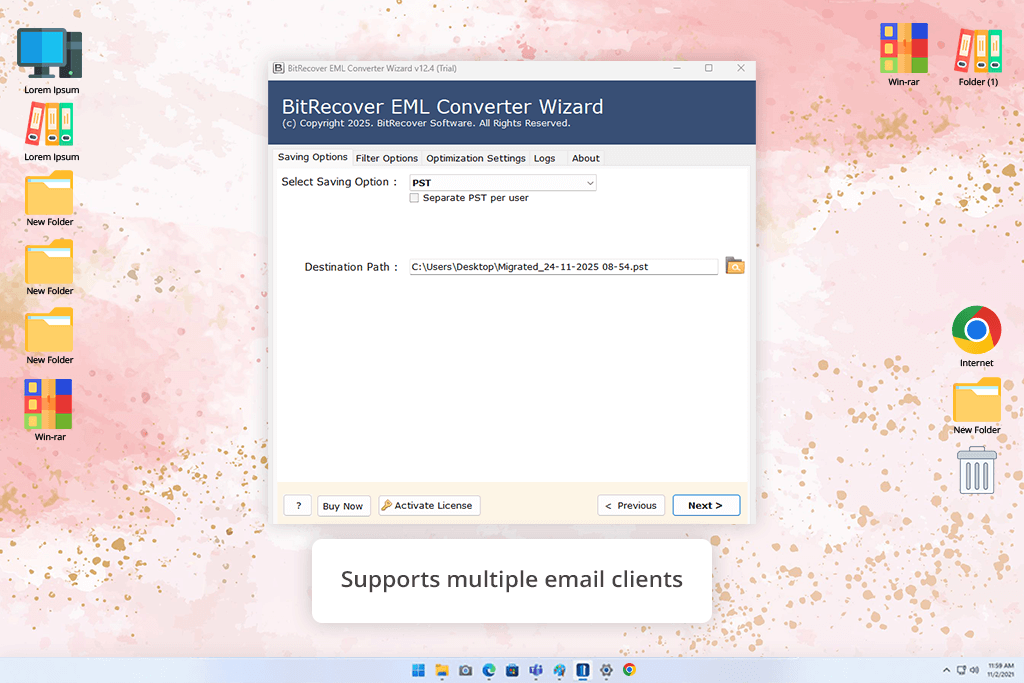
BitRecover provides a flexible and dependable option for people who need software to convert EML files into PST format. I tested it using mixed email folders from Thunderbird, Windows Live Mail, and Apple Mail. The tests included small batches of emails as well as folders with more than a thousand files. BitRecover PST file converter handled large conversions without trouble, kept the original folder layout, and worked just fine without Microsoft Outlook installed. This made it easy to prepare PST files ahead of time.
What stood out most to me were the filtering tools. I tried converting emails based on date, sender, and subject, and each PST file included only the emails I selected. Even emails with large attachments and long conversations converted cleanly.
I also tested merging both .eml and .emlx files into one PST file, and the tool completed the task smoothly. Another strong point is that BitRecover supports over 35 output formats, such as MSG, MBOX, and DOC, so it can be used for more than just EML to PST conversion.
The main drawback is the free version. It allows only limited conversions, which is not enough for full testing. Most advanced features become available only after purchasing the full version.
“The PST splitting option in BitRecover works very well. I was able to convert large email archives without worrying about file size limits.”

Yes. Most modern EML to PST converters support bulk conversion. You can select full folders or multiple files, and the software keeps the original folder structure and email details.
Not in all cases. Desktop tools like SysTools and BitRecover work without Outlook. Some online tools also allow you to upload EML files and download PST files without installing software.
Yes. Trusted EML to PST converters keep attachments and images inside emails, and formatting exactly as in the original files.
Yes. Many tools, including Advik and eSoftTools, offer filters. You can select emails by date, sender, subject, or skip certain folders.
Yes. Some browser-based tools, like Zamzar or Aspose, allow quick EML conversions. These are useful for small tasks but often limit file size or require uploading emails to outside servers, so privacy should be checked first.
Yes. Most converters support EML files from popular email clients such as Thunderbird, Windows Live Mail, Apple Mail, Zimbra, and others.
Yes. Advanced tools often support formats like MSG, MBOX, PDF, HTML, CSV, and more, which help with backups or sharing emails.
I tested many EML to PST converters, including RecoveryTools, MailsWare, Yota, MailsDaddy, Kernel, ZOOK, ToolsCrunch, SameTools, MacSonik, TrustVare, Softaken, and Shoviv. Not all of them were included in the final review. Some were removed due to slow performance, limited features, or compatibility problems.
My colleagues from FixThePhoto and I created a real testing setup to see how each tool worked with EML files from different email programs, including Thunderbird, Windows Live Mail, and Apple Mail. Here is how we tested them:
We also paid attention to how easy the software was to use, how clear the interface looked, and what support options were available. Only the EML to PST converters that performed well in these areas were included in the final list, so readers can trust the recommendations for safe and smooth EML to PST conversion.





![7 Best Websites for Painters in {{%year}} [Portfolios & Sales]](http://fixthephoto.com/blog/images/gallery/news_main__preview_28423.jpg)

![13 Best AI YouTube Shorts Generators [+BONUS]](http://fixthephoto.com/blog/images/gallery/news_main__preview_28463.jpg)

![9 Best Ghibli AI Generators in {{%year}} [100% FREE]](http://fixthephoto.com/blog/images/gallery/news_main__preview_28431.jpg)
![7 Best HEIC to PDF Converters in {{%year}} [Windows, Mac & Online]](http://fixthephoto.com/blog/images/gallery/news_main__preview_28447.jpg)

















