The idea to compare Adobe Firefly vs VEED came to me during a real task for FixThePhoto. I was preparing a short vertical photography tutorial. For it, I needed to quickly create several original B-roll that I couldn’t shoot myself, then add voice, captions, music, and brand elements, and format the video for social media.
Initially, my workflow was simple: I was going to generate the missing scenes in Firefly and finish the entire editing in VEED. But now Firefly has its own video editor, and VEED has learned to create original clips using several generative models. Therefore, I became curious whether one of them could already be considered a complete solution for the entire project.
To test this, I gave them the same tasks. In both, I created a subject frame, animated the same camera photo, and put together a short tutorial with voiceover and subtitles. I evaluated the quality of the movement, the accuracy of the request, the ease of editing, the work with sound, the options for creating captions, the export settings, and the number of corrections that had to be made manually.
The results were not as clear-cut as I had expected. Firefly gave me more control over each AI scene and did a particularly good job with subject interruptions and neat visual concepts. VEED turned out to be faster when it came to assembling a full-fledged video from ready-made fragments with clear speech, subtitles, branding, and the correct format for social media.
|
Feature |

Adobe Firefly |

VEED |
|
Key focus
|
Generative video and creative production
|
AI video creation and online editing
|
|
Timeline editor
|
✔️
|
✔️
|
|
AI models
|
Firefly Video + partner models
|
Multiple third-party video models
|
|
AI avatars
|
✔️
|
✔️
|
|
Dubbing
|
AI translation and dubbing tools
|
Multilingual AI dubbing with lip-sync
|
|
Voiceover tools
|
✔️
|
✔️
|
|
Brand tools
|
Strong Adobe ecosystem support
|
Logos, fonts, colors, brand assets
|
|
Generative control
|
★★★★★ (5/5)
|
★★★★☆ (4.5/5)
|
|
Commercial workflow
|
Strong with the Firefly Video Model
|
Depends on media and model terms
|
|
Content editing
|
★★★★☆ (4.5/5)
|
★★★★★ (5/5)
|
|
Best for
|
Original AI visuals and branded production
|
Tutorials, social videos, and explainers
|
|
Platforms
|
Web, mobile, and Adobe apps
|
Web and mobile options
|
|
Free access
|
✔️
|
✔️
|
|
Paid plans
|
From $9.99/mo
|
From $10/mo
|
|
Ease of use
|
★★★★★ (5/5)
|
★★★★☆ (4.5/5)
|
Both platforms now combine video generation with editing tools. However, my Adobe Firefly vs VEED review shows that Adobe is developing Firefly as a universal creative space with multiple AI models, while VEED is primarily focused on the rapid creation and final processing of full-fledged online videos.

Adobe Firefly video model is part of Adobe’s generative AI platform, which allows you to create images, video, sound, vector graphics, and other design materials.
At first, I used Firefly mainly for Generative Fill and image generation. Now the video space of the service is no longer perceived as a small addition to the graphic generator, but as an independent and more serious product.
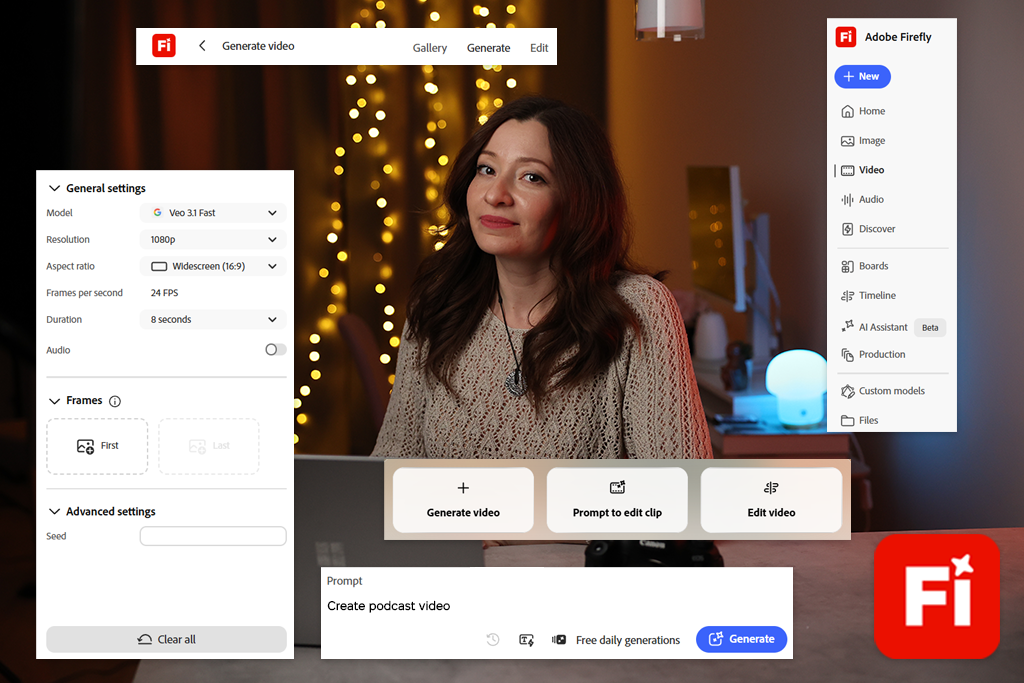
Firefly can create videos based on a text description or an uploaded image. The proprietary Firefly Video Model and several models from third-party developers are available in one interface. This allows me to run the same request in different engines and see which one better conveys motion, faces, highlights, lighting, or camera work.
You don’t have to open multiple sites, pay for different subscriptions separately, or constantly transfer files between services.
“The main reason I choose Firefly is the ability to control the result. When I know in advance what the scene should look like, I can set the light direction, camera movement, depth of field, atmosphere, and frame composition in detail.”


VEED is a browser-based platform for generating, recording, editing, translating, and publishing videos. Previously, I perceived it mainly as a simple online editor for videos with captions and content for social networks. However, after the introduction of new AI functions, the service’s capabilities have become much broader.
In VEED, you can generate original video scenes from text or images. The AI Playground section combines several generative models in one interface. At the same time, different engines consume different amounts of AI credits.
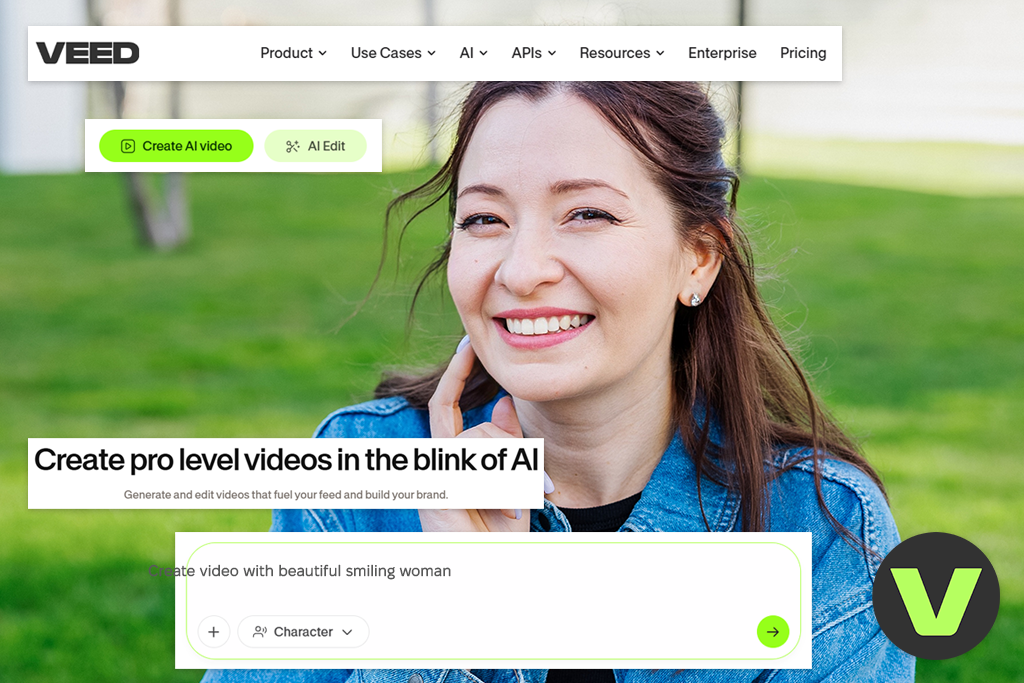
The service also has Gen-AI Studio, but this tool works on a different principle. It creates a short video based on a request or a ready-made script, adding stock videos, AI voiceover, subtitles, music, and, if necessary, a virtual presenter. Each scene is not generated from scratch.
During testing Adobe Firefly vs VEED for AI video, this difference turned out to be very important. When I needed an original cinematic shot with a camera, I launched AI Playground. If I needed a full-fledged photography lesson with multiple scenes, voice, and structure, it was more convenient to open Gen-AI Studio.
“I like that there is almost nothing to configure before starting work. I could upload a draft recording and then gradually improve it, immediately seeing how the entire video was taking shape.”

Winner: A tie, because Firefly creates visual material, and VEED turns it into a complete story.
The Adobe Firefly vs VEED comparison became much easier when I stopped considering these AI video generators as direct competitors. Firefly more often helps me create something that didn’t exist before. VEED is needed to organize this material, present the information clearly, add a corporate design, and prepare everything for publication.
Adobe Firefly is great for:
I open Firefly when a scene needs to look original and is difficult to find on stock sites. For example, I might need a close-up of a lens that rotates under studio lighting. Sometimes it’s faster to create several controllable versions on your own than to spend a long time searching for a suitable ready-made video.
“Firefly is convenient to use when you need to test an idea before organizing a real shoot. I can show the team in advance how the product will move, how the lighting will change, or how one frame will transition to another.”

I choose VEED when I already know exactly what message the video should convey. This AI tool for content creation helps to format the message with voiceover, subtitles, cut-ins, music, logos, and a clear structure.
VEED is great for:
In the case of my photography tutorial, my Adobe Firefly vs VEED review shows that VEED proved to be more useful than Firefly. I needed an introduction, three tips, text captions, a voiceover, visual examples, and a final screen. VEED allowed me to combine all these elements more quickly and gave me more options for managing the overall presentation of the material.
“I generated the most complex visual scenes in Firefly and edited the full video in VEED. Thanks to this combination, I was able to add more original footage without delaying the final production.”

Winner: VEED, because its timeline and editing panels seem more familiar from the very first project.
Firefly has a neat and modern interface. The tools for working with images, video, sound, boards, and editing are separated quite clearly. I didn’t get the feeling that Adobe had simply put all the new AI features on one overloaded page.
It’s easy to create a clip. First, I select a model, then I write a request, upload a reference if necessary, specify the format, and view the resulting options.
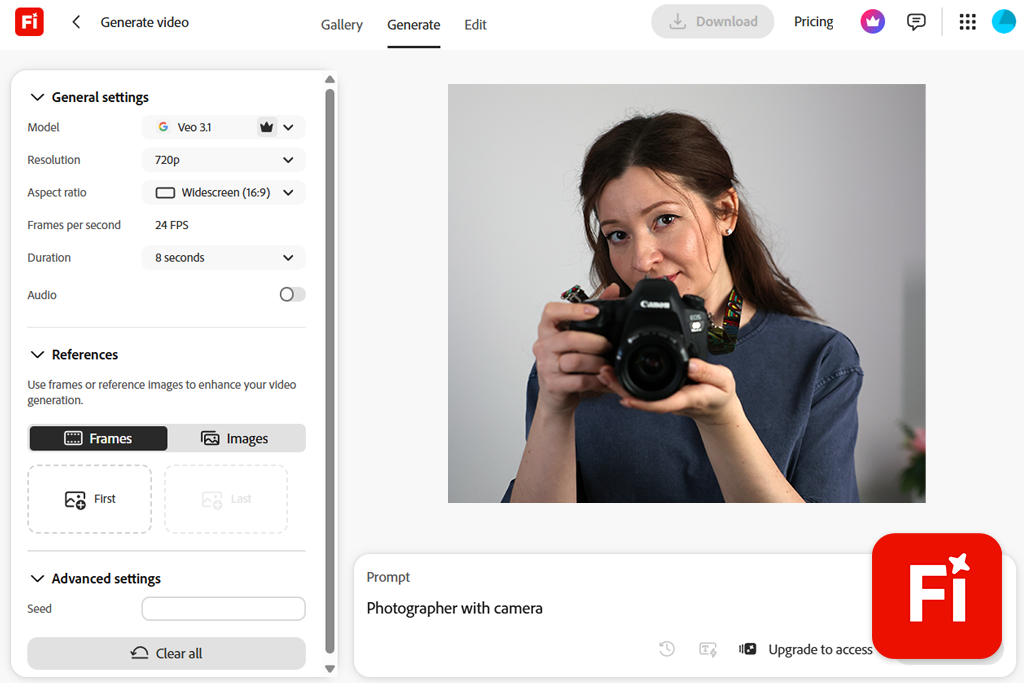
However, for a more accurate result, the interface requires more than just writing a couple of words. Firefly suggests thinking through the composition, camera movement, lighting, atmosphere, and overall style of the scene in advance. This is a plus for creative control, but you have to make more decisions before pressing the Generate button.
The built-in editor with a timeline is suitable for short projects. I can arrange clips in the desired order, trim them, add sound, create a new scene, and continue editing without leaving the browser.
Currently, the Firefly video editor is mainly designed for use on a computer. It runs through Chrome on macOS and Windows, and the generation itself is also available in Firefly mobile apps.
The VEED interface will be more familiar to those who have previously used Canva, CapCut, or another VEED alternative. The preview window is in the center, the timeline is at the bottom, and media files, text, subtitles, sound, templates, and AI tools are on the sides.
When comparing Adobe Firefly vs VEED for content creators, it was easier for me to work in VEED when the source material was not yet prepared. I uploaded an unedited lesson, automatically generated subtitles, removed pauses, cleaned up the sound, replaced unsuccessful fragments, and converted the project to 9:16 format without rebuilding the timeline.
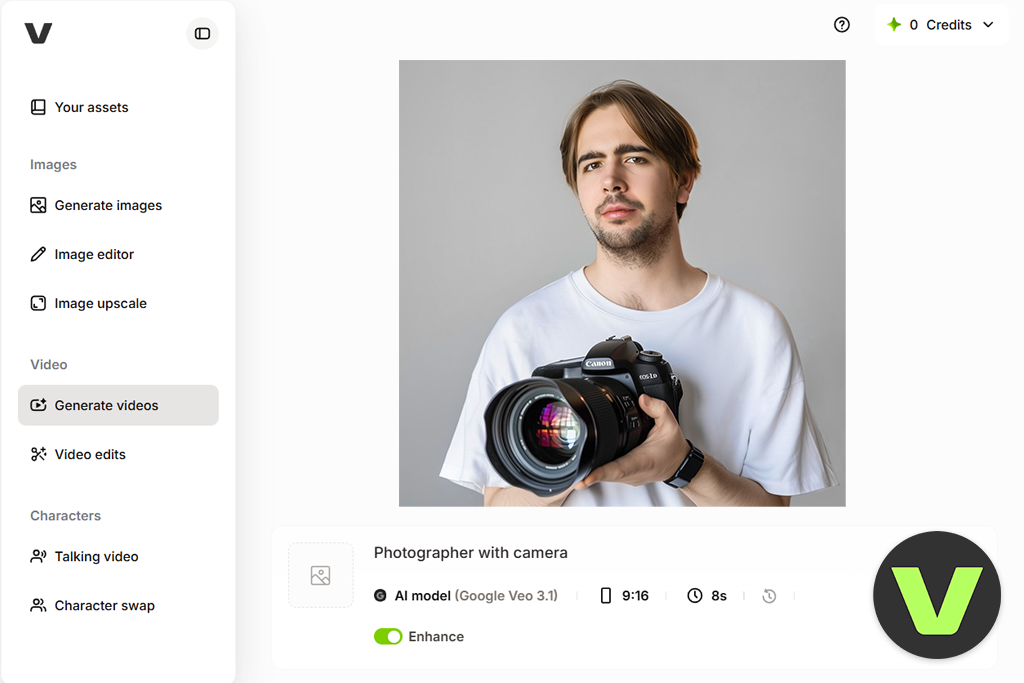
The main problem with VEED is the large number of different AI scenarios. A beginner may open several sections before realizing where the generation of the original video ends and the automatic assembly of the video begins. Therefore, it is better to choose the right tool right away:
“In this section, VEED turned out to be more convenient because I was able to start editing right away. Firefly only became as comfortable after I thought through the scene in more detail in advance.”

Winner: A tie, because Firefly covers more creative formats, while VEED offers more tools for full-fledged content production.
Firefly has a broader range of creative capabilities. The platform supports image generation, Generative Fill, video creation, vector graphics, storyboards, audio translation, voice generation, music, sound effects, and visual editing.
The advantage is not just in the number of features. I can create an image, animate it, add the resulting clip to the timeline, generate a suitable sound, and then continue working in another Adobe program.
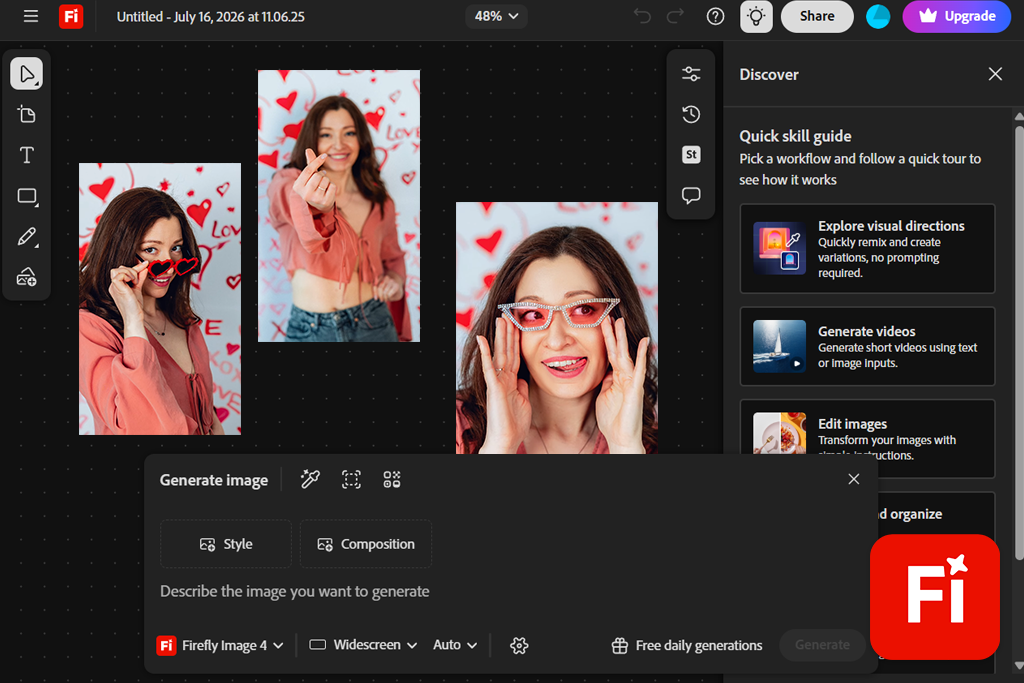
For campaigns that require several types of materials at once, this saves a significant amount of time. I can define the visual direction once and then use it for a short video, a social media post, a preview, a banner, or graphics for a presentation.
Several AI models are available in one Firefly workspace. Adobe allows you to compare partner solutions with its own Firefly Video Model.
VEED is more focused on video communication. The platform offers original scene generation, scripted video creation, subtitles, AI avatars, text-to-speech conversion, voiceover, voice editing, audio cleaning, gaze correction, interruption generation, an AI audio silence remover, transitions, and content repurposing features.
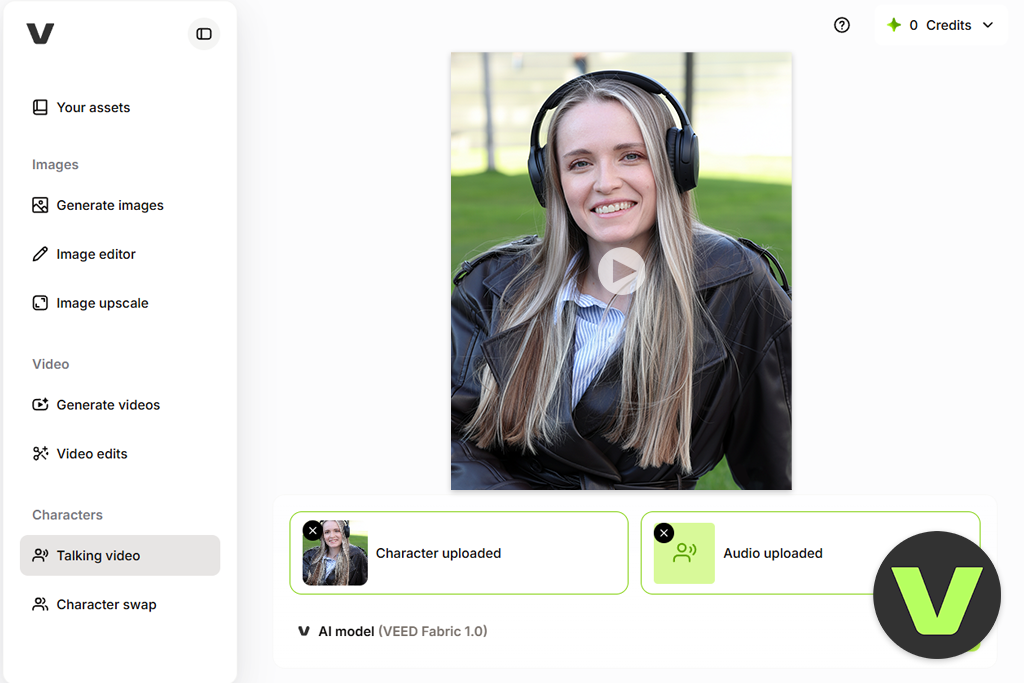
If we compare Adobe Firefly vs VEED for content creators, these features are especially useful in projects where speech is the foundation. For example, I can improve a lesson without rewriting every unsuccessful fragment. VEED can remove pauses, clean up background noise, create subtitles, and even change the spoken wording using AI Rephrase.
VEED also has the Fabric tool. It allows you to create a video with a talking character based on a static image and an audio track, synchronizing the movement of the lips with the voice.
“I can’t say that one set of tools is objectively better than the other. Firefly helps me create the initial creative materials, and VEED helps me assemble the finished content around them.”

Winner: Adobe Firefly, because it gives more predictable control over each individual frame.
To test text-to-video generation, I used the same basic idea on both platforms. I needed a black mirrorless camera on a dark wooden table. The scene was supposed to have soft light from the window, a slow circular fly-around, a shallow depth of field, and a restrained commercial color correction.
First, I entered a very short query into Firefly: “Cinematic video with a camera on a table.” The result looked beautiful, but it resembled a camera advertisement that was too generic. The camera movement also turned out to be more dramatic and abrupt than I wanted.
Then I rewrote the request and added more production details: “Black mirrorless camera on a dark wooden table, soft light from the window on the left, slow clockwise pan, shallow depth of field, realistic reflections, restrained commercial color correction, no hands or text.”
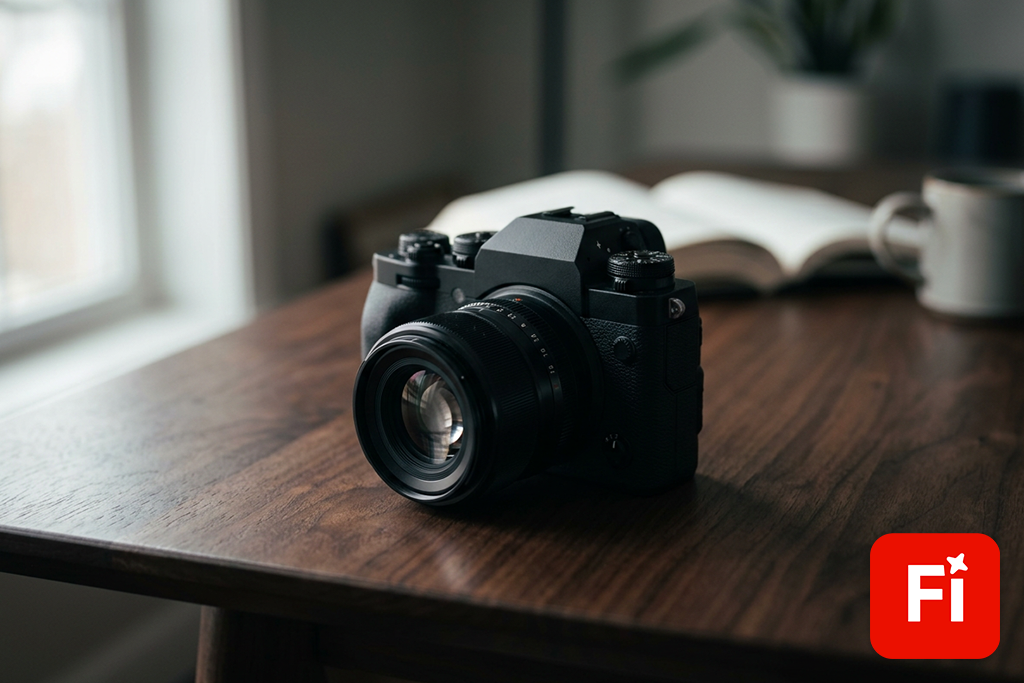
The second version was already much closer to my idea. The light fell from the right side, the movement became slower, and the scene itself was more like a product cut-in rather than a vivid demonstration of AI capabilities.
Adobe recommends specifying motion, style, object, lighting, camera angle, and mood in video requests. Based on the test results, I came to the same conclusion.
Unlike most Firefly alternatives, the platform allows you to test the same idea in multiple models. I could see which engine more naturally renders the camera body, reflections, and movement without transferring the entire project to another service.
AI Playground in VEED was also able to create an original video based on my request. However, the result was highly dependent on the chosen model. One option gave smoother camera movement, while the other more accurately preserved the shape of the product itself.
When we talk about Adobe Firefly vs VEED for AI video comparison, this flexibility is useful, but at the same time it makes the process less predictable. Instead of mastering one clear style of requests, I had to figure out how each model perceives movement and small details.
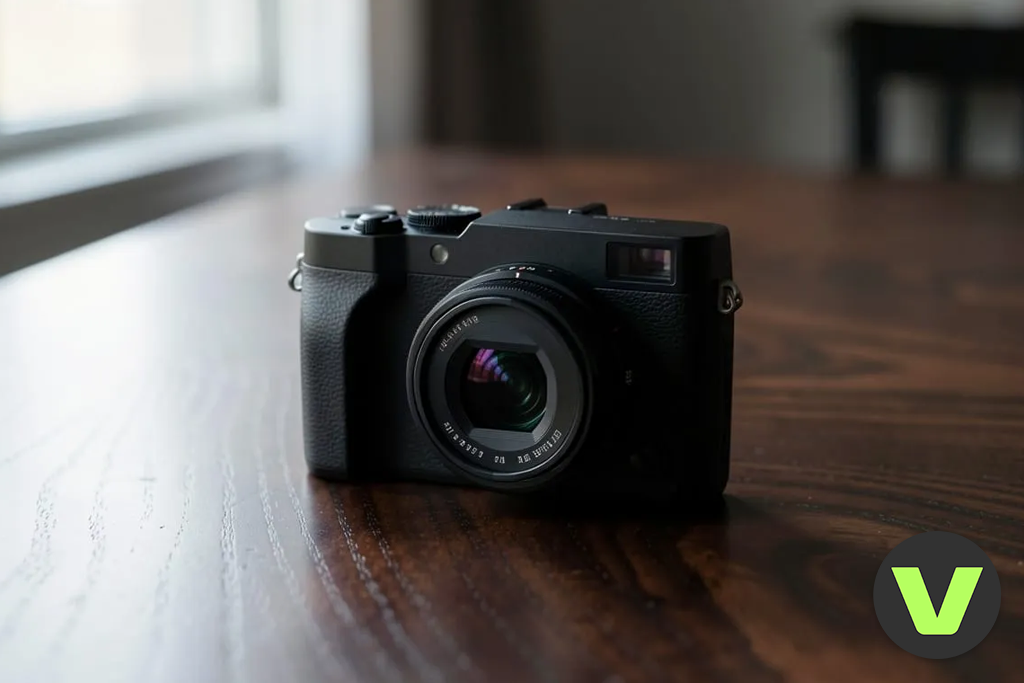
I liked that VEED shows in advance how many credits will be required for the generation. The cost depends on the selected model, and unsuccessful attempts are not charged.
The resulting clip can be sent directly to the main VEED editor. After that, it’s easy to add a title, voiceover, subtitles, or logo to it.
“For managed B-roll, subject shots, and visual scenes for advertising, I would start with Firefly. It is better for designing the frame. VEED is an editing platform that additionally provides access to several powerful generators.”
Winner: Adobe Firefly, because it preserves the original appearance of the image more consistently.
For the test, I took a neat studio photo of a mirrorless camera. The object had clear edges, even lighting, and enough free space around it. I deliberately chose a simple background without unnecessary details so that the platforms would have fewer opportunities to create unnecessary movements.
In the request, I hardly described the camera itself, but focused on the animation: “Slow camera zoom-in, slight movement of reflections on the lens surface, a barely noticeable swaying curtain in the background, realistic studio lighting, the shape of the product should remain unchanged.”
Firefly produced a fairly restrained result. The body and lens retained a recognizable shape, and the movement added depth to the frame without turning the camera into another object.

In my experience, image animation tools work better if you don’t repeat in the request what is already visible in the source. It is more useful to specify in detail the movement, the behavior of the virtual camera, and the elements that should remain stationary.
With the Image to Video feature, Adobe allows you to bring pictures to life, illustrations, concept art, as well as 2D and 3D renderings.
When comparing Adobe Firefly vs VEED, VEED offered more varied animation options. One model added a noticeable fly-around of the camera. Another beautifully animated the light, but slightly changed the proportions of the lens.

Such freedom can be useful for unusual content on social networks. But when creating a real product advertisement, I would use it carefully. Even a small change to the button, the logo area, or the shape of the lens can render the entire video unusable.
At the same time, VEED has a separate advantage for videos with virtual presenters. The Fabric tool combines an image with an audio track and creates a talking character with synchronized lip movement. This feature is suitable for digital presenters, mascots, localized advertising, and training videos.
“Firefly does a better job with neat animation of products and illustrations. VEED is more interesting to use when I need expressive movement or a talking image, rather than the accurate representation of the product.”

Winner: VEED, because it is more convenient to work with long videos, speech, and a large number of different elements.
Firefly now has a full-fledged editor with a timeline. In one multi-layer project, you can combine generated clips, uploaded video, audio, Adobe Stock materials, titles, voiceover, and sound effects.
This is a significant step forward compared to the previous workflow.
Previously, the AI video editor usually created a separate file, after which editing had to be continued in another program. In Firefly, you can generate a new scene directly inside the editor and immediately place it in the desired location within the project.
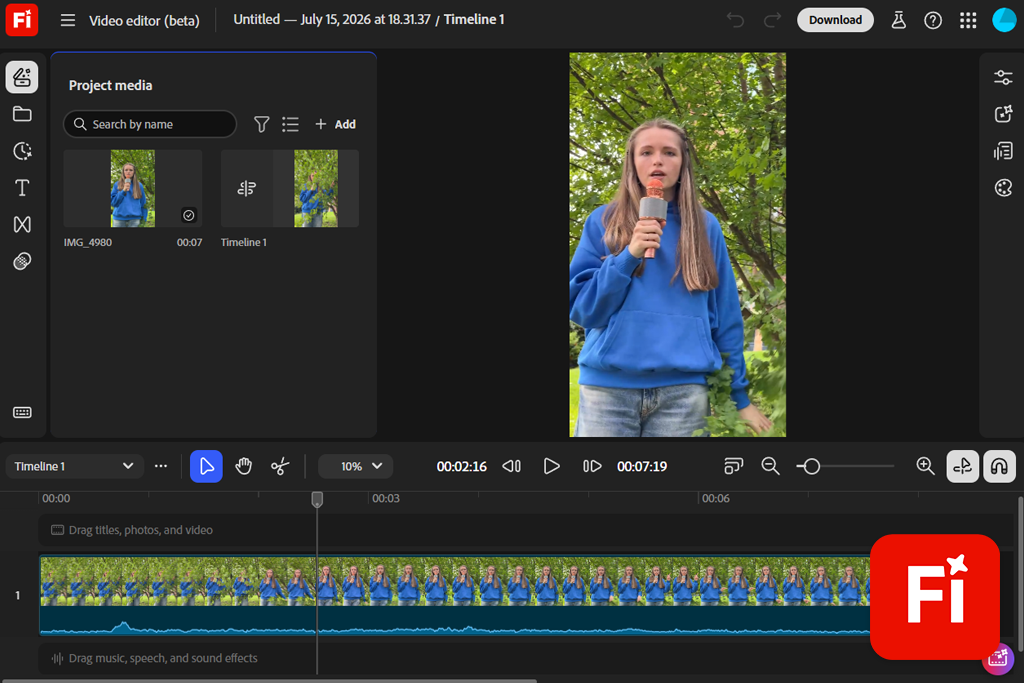
I used this approach for a short advertising concept. In the first scene, the camera was on the table; in the second, a close-up of the lens was shown; and in the third, a wider shot of the studio appeared with slight movement in the background.
I was able to trim the clips, swap their positions, add a title, and put together a simple soundtrack. There was no need to open Premiere Pro for a short visual sequence.
However, Firefly becomes less convenient if the project has a long speech transcription, many corrections in the voiceover, several subtitle styles, and different versions of the same video for social media.
When I compared Adobe Firefly vs VEED for video editing, VEED handled my full lesson much faster. I uploaded the recording, created subtitles, cut out the bad parts, removed the long pauses, added interjections and music, changed the colors, and prepared a vertical version.
The editor itself is originally built around such tasks. Text, speech, stock materials, overlays, transitions, corporate design, and subtitles are treated here as regular project components, not as additional creative features.
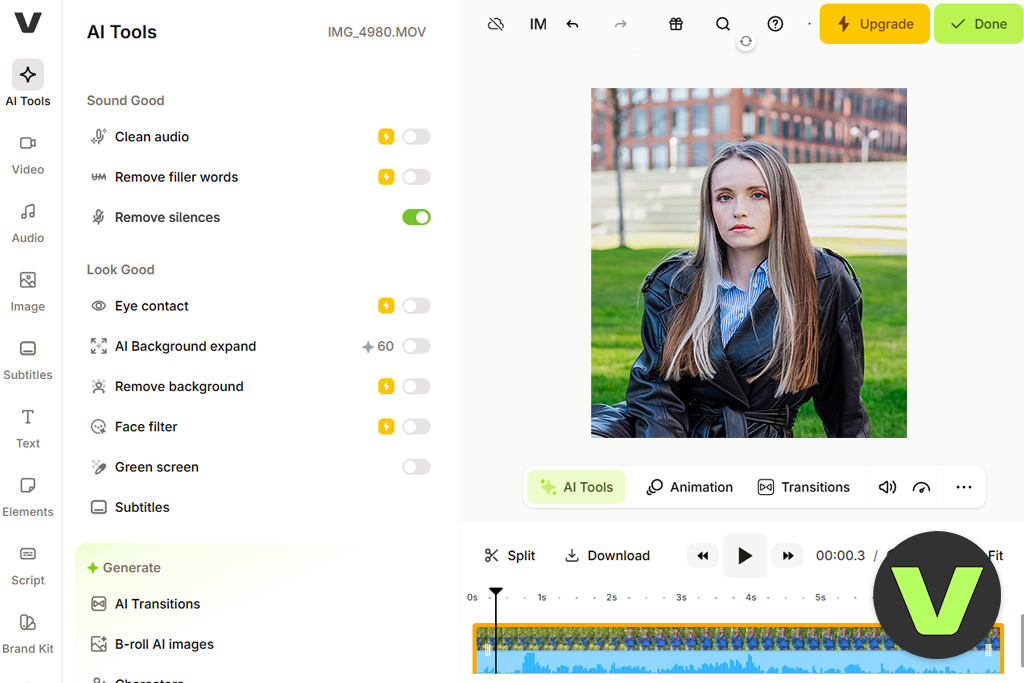
Gen-AI Studio also prepared a decent first draft. I specified the topic and the target audience, and then VEED created the script, voiceover, stock-based scenes, music, and subtitles. This feature is primarily designed for short videos for social media.
The result could not be called completely finished. Two stock footage clips looked too generic, the pace was rushed, and several subtitles had to be corrected manually. I also rewrote the introduction because it was more like a template than my usual style.
If we compare Adobe Firefly and VEED specifically for editing, VEED is better suited for managing the entire project from start to finish.
“VEED really saved me time. Instead of an empty timeline that I would have had to build from scratch, I got a ready-made structure and then improved it.”
Winner: Adobe Firefly, because small changes in the query text had a more noticeable impact on the visual result.
Firefly understood me best when the request resembled a brief technical assignment for a photo shoot. I specified the object, action, environment, light, camera movement, composition, style, and elements that should not be in the frame. Now I most often use the following scheme: Object + action + location + lighting + camera movement + composition + style
For example: “A silver camera lens slowly rotates on a matte black stand, soft studio light on the right, controlled reflections, smooth camera movement forward, close-up, high-end commercial style, no text.”
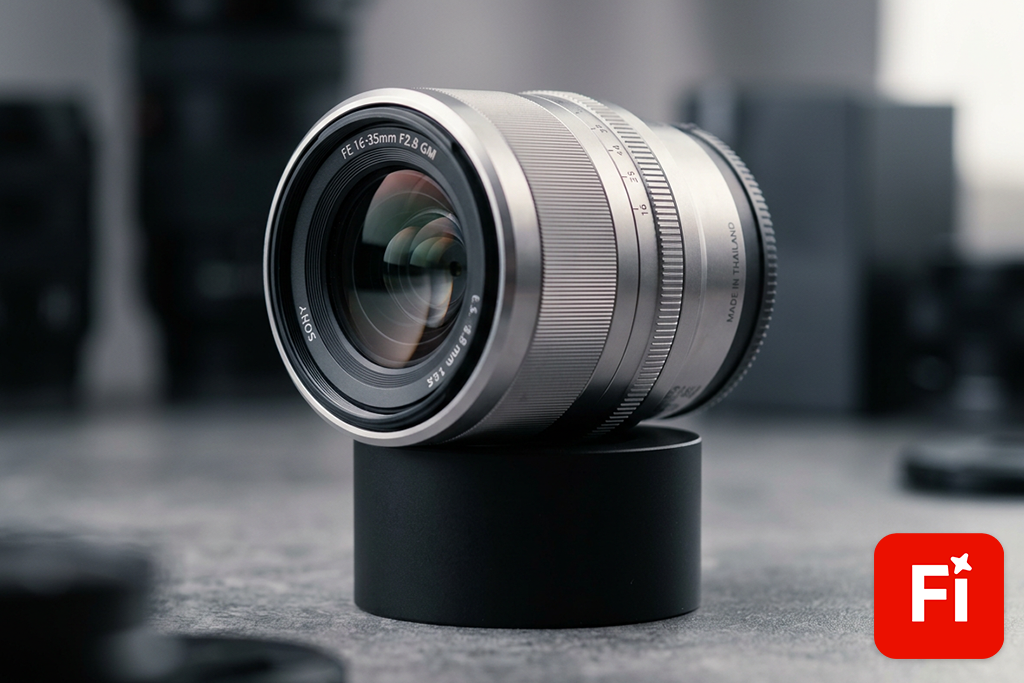
When I changed only one detail, Firefly usually responded quite clearly. After replacing “smooth forward camera movement” with “stationary camera,” the movement did indeed decrease. Colder lighting changed the atmosphere, but the scene was not completely rearranged.
Reference images further enhanced stability. They left the model less freedom to change the product design or move the object to another part of the frame.
AI Reel generator in VEED also understand detailed descriptions. But during testing, the selected model sometimes influenced the result more than my wording. The same text in two engines could produce completely different motion, composition, and level of realism.

However, VEED handled requests better when I described the purpose of the entire video rather than an individual frame. For example: “Create a 30-second vertical tutorial for beginner photographers. Tell me about three ways to avoid blurry photos indoors. Use a friendly female voice, clear subtitles, practical visual examples, a fast pace, and a short call to action.”
Such a request does not explain what one specific frame should look like. It specifies the audience, duration, structure, tone, and format of the publication. VEED uses this information to assemble a complete draft of the video.
“Our Adobe Firefly vs VEED for social media testing has shown that Firefly understands the visual direction more accurately. VEED better recognizes the overall purpose of the video and the message it should convey.”
Winner: VEED, because it turns the original video into a full-fledged social media post faster.
Firefly is especially useful for social media when I need a visual that doesn’t look like ordinary stock footage. It allows you to create an unusual product animation, design your own background, generate a cinematic transition, or a short scene for a specific advertising campaign.
The AI TikTok video generator and other Firefly tools support vertical, square, and horizontal formats. In the built-in editor, you can combine generated scenes, titles, sound, and voiceover. For further design, it’s convenient to use Adobe Express, which offers templates, resizing, branding tools, and ready-made solutions for different platforms.
I often work according to this scheme when the main focus should be on the visual. I create the main frame in Firefly, and then I add the text, logo, and final composition in Adobe Express. The result is more thoughtful and design-oriented, but preparation takes more time.
Essentially, Firefly provides me with individual creative elements. You still have to decide for yourself how to assemble a finished post from them and what structure to choose.
VEED is more convenient for regular content on social networks. The main editor already has subtitles, animated text, music, voiceover, corporate design, transitions, stock materials, and popular aspect ratios.
Dynamic subtitles are especially useful. I can choose the design, highlight the spoken words, change the colors, add animation, and position the text so that it reads well on a vertical screen. VEED can automatically create subtitles in more than 125 languages. At the same time, you can change the font, color, animation, and the way individual words are highlighted.
It’s also easier to rework existing content here. For example, I can take a horizontal interview, select the desired fragment, automatically rebuild the frame for a vertical format, add subtitles, and prepare a Short without rebuilding the project.
Another useful tool is AI Background Expand. It fills in the empty areas of the frame when converting video from a horizontal format to a vertical or square format and vice versa.
“For unusual visuals for an ad campaign, I will choose Firefly. But if we compare Adobe Firefly vs VEED for social media, VEED works faster and provides a more complete set of tools.”
Winner: VEED, because working with subtitles, audio cleaning, dubbing, and voice is an important part of its core workflow.
Firefly’s audio capabilities have been significantly expanded. Now I can add a voiceover, generate music and sound effects, translate audio, and assemble a full sound layer directly in the video editor.
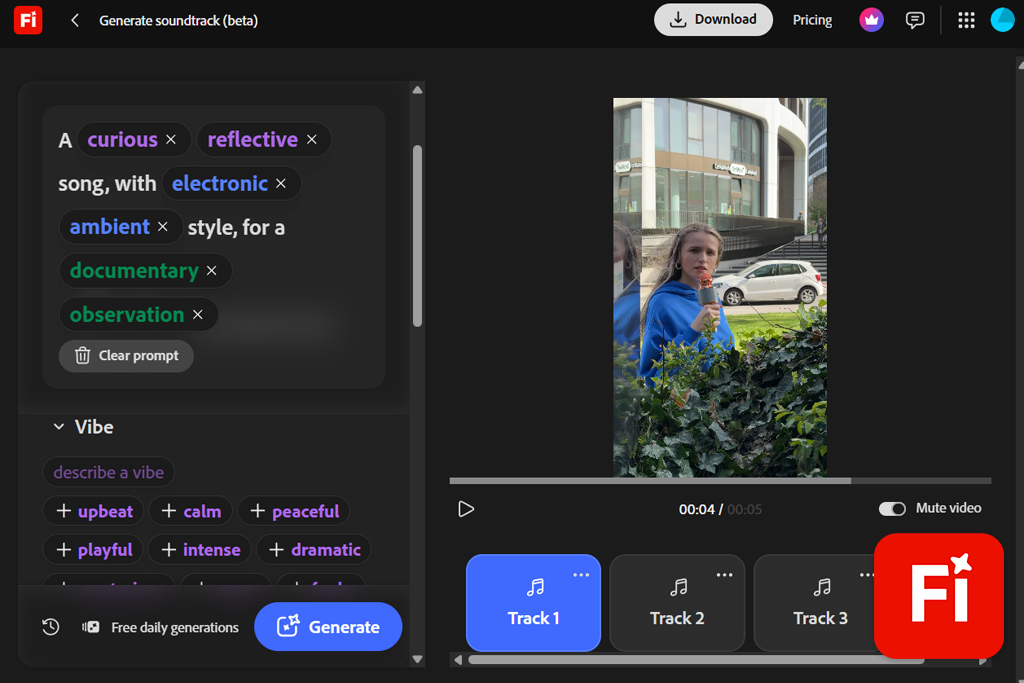
The sound effect generator proved to be especially useful during the test. I used it together with its AI B-roll generator. When the video with the camera was running in complete silence, it looked unfinished. So, I added a subtle room background, a quiet mechanical sound, and a soft transition effect.
These little details made the scene more natural. It was no longer perceived as a separate experiment with AI. Firefly is also convenient when the sound needs to be original. Instead of a long search through a large audio library, I can simply describe the desired atmosphere or effect and generate a suitable option.
VEED is noticeably stronger in projects where there is already speech. One editor combines automatic subtitles, their design, text-to-speech conversion, dubbing, silence removal, voice tools, and one-click audio cleaning.
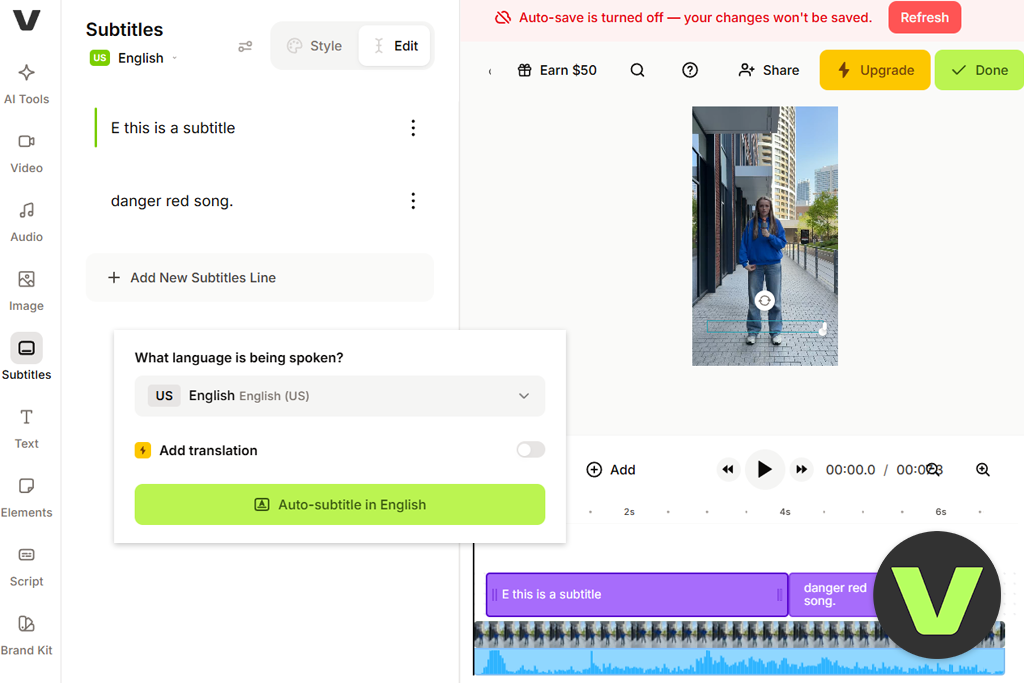
The Clean Audio feature reduces hum, wind, static noise, and echo. It also makes speech more intelligible and equalizes the volume. I tested this tool on a lesson that I recorded in a room with a quietly running computer fan.
In terms of accuracy, the result cannot be compared to manual audio restoration, but the voice became noticeably clearer, and the background noise was not as distracting.
The dubbing tool in VEED can translate speech, create a new voice track, and synchronize lip movement if necessary. The number of minutes available and the set of settings depend on the selected plan.
If we compare Adobe Firefly vs VEED for content creators, VEED turned out to be more convenient for my lesson. In one project, I created a voiceover and subtitles, corrected the text, changed the style of the captions, and manually adjusted their timing.
“After testing, I can confidently say that Firefly is better suited for creating original sound design. VEED excels in working with speech, subtitles, content accessibility, and localization.”
Winner: Adobe Firefly, because its best scenes looked more polished and professional as individual visuals.
Firefly more often created a cleaner composition and smooth camera movement. The most successful videos really looked like ready-made cut-ins that could be used in a project, rather than a vivid demonstration of the generator’s capabilities.
This was particularly noticeable during the product test for my Adobe Firefly vs VEED review. The camera remained in the center of the frame, the reflections looked controlled, and the lighting resembled a real commercial studio shoot.
At the same time, Firefly cannot be called flawless either. Small details sometimes changed from frame to frame, complex movements of people required several attempts, and unnatural glare could appear on shiny surfaces.
I always checked each video in full size. In a small preview, the result may look convincing, although in reality, fingers, buttons, labels, edges of objects, or background details change in it.
The quality of the unprocessed generation in VEED was less stable, since I used several different models. Some of them created motion even more smoothly than Firefly. Others worked faster or gave a more impressive result, but at the same time changed the product itself too much.
In certain situations, this choice becomes an advantage. For example, for an AI real estate video generator, I can choose a more realistic model, and for an experimental post on social media, I can choose a more expressive one.
But it is more difficult to predict the quality in advance. Until you test a specific engine, it is impossible to understand exactly how accurately it will render the object and movement.
After editing, VEED looked much stronger. Even a simple clip began to be perceived as a finished video when I added voiceover, subtitles, music, transitions, color accents, a logo, and a call to action.
“Firefly more often creates a stronger individual frame. VEED more often gives a more convincing finished presentation of the entire video.”
Winner: Adobe Firefly, because Adobe explains more clearly how materials created using its own video model can be used.
For me, the issue of commercial use is especially important, as FixThePhoto’s content is not limited to personal tests. The generated video can be used in advertising, reviews, product pages, branded posts, or paid client projects.
Images created using the Firefly AI art generator in Photoshop and videos obtained through the Firefly Video Model are designed for safe commercial use.
The model was trained on licensed materials, including Adobe Stock, as well as on content from the public domain, the copyright of which has already expired. User files are not used for its training.
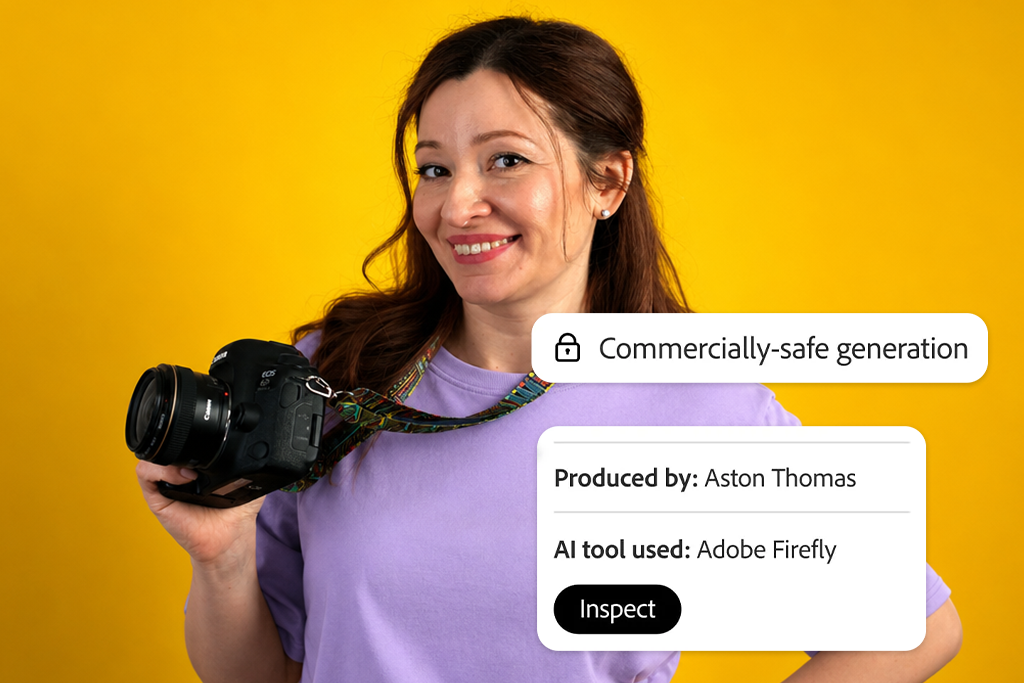
But that doesn’t mean I publish any result without checking it. Before use, I still carefully review logos, recognizable characters, trademarks, product appearance, text, faces, and any other details that could lead to legal or reputational issues.
Third-party models are also available in Firefly. Adobe specifically warns that the possibility of commercial use depends on the selected engine, and the terms of partner models may differ.
I always record which specific model created the final material. This simple habit greatly simplifies the re-checking of rules, especially when the platform adds new engines or changes the available set of models.
VEED also combines several AI models, stock materials, voices, avatars, and editing tools. Therefore, the finished project may consist of elements that are subject to different terms of use. Thus, if commercial safety is a priority, VEED is obviously inferior to its rival in this Adobe Firefly vs VEED comparison.
“I can use VEED in commercial projects, but before publishing, I need to separately check the rules of the selected model, stock content, avatar, and voice. Adobe’s explanations seem more understandable and transparent to me.”
Winner: A tie, because the cost of generation in Firefly is easier to calculate, and VEED includes more tools for full editing.
Adobe Firefly has a free version with a limited number of daily generations. The limit is updated every day, so you can test the features for images, video, and sound without purchasing a subscription right away. Current individual Firefly plans:
Standard includes 2,000 generative credits per month. Pro offers 4,000, Pro Plus offers 10,000, and Premium offers 50,000.
The Premium plan also gives you unlimited access to the proprietary Firefly Video Model. Credits are still used for other premium features for generating video, audio, and working with partner models. Adobe also regularly offers Firefly deals.
VEED has Free, Creator, Pro, Studio, and Enterprise plans. Currently, the cost of paid plans starts from $9 per month when paying for a year or from $19 when paying monthly. With the free plan, export is limited to 720p resolution, and a watermark is added to the video.
Creator supports export up to 1080p. With the Pro, Studio, and Enterprise plans, you can save videos in resolutions up to 4K. Credits are used for AI generation. Their cost depends on the selected model, and VEED shows the required amount even before the process starts. Monthly credits expire at the end of each month. With the annual package, the available volume is updated once a year.
Firefly is easier to calculate if the main part of my work is related to the generation of images, video, and sound.
VEED may be more cost-effective when, in addition to generation, I need subtitles, dubbing, full editing, avatars, templates, stock materials, and export for social media.
After completing the Adobe Firefly vs VEED comparison, I got the result I least expected: the same number of points. But this does not mean that the winner simply could not be determined. Rather, the platforms are designed for different stages of the same workflow.
Firefly is stronger as a tool for creating visual material. I would choose it for original cut-ins, product animations, controlled image transformation into video, advertising concepts, cinematic scenes, and a set of related materials for a single campaign.
Firefly is especially convenient for those who already work in Photoshop, Adobe Express, or Premiere Pro. The generated scenes can be immediately included in a larger professional process, rather than being left as a separate AI file.
VEED is stronger as an editor of finished content. I would use it for tutorials, videos with a speaking person, interviews, podcast clips, explanatory videos, Reels with subtitles, translated videos, and regular social media posts.
It does a good job with the less spectacular but mandatory part of production. Subtitles, voiceover, tempo, branding, sound cleaning, resizing, and final export often take more time than creating one beautiful frame.
Choose Adobe Firefly if:
Choose VEED if:
Use both platforms if: you want to create the most complex visual scenes in Firefly, and then assemble, design, subtitle, translate, and export the finished video in VEED.
During my Adobe Firefly vs VEED test, this option turned out to be the most effective. Firefly created shots that I couldn’t quickly shoot on my own. VEED helped turn them into a clear, logical, and fully publishable story.





![9 Best AI Virtual Try On Outfits Tools in {{%year}} [100% FREE]](http://fixthephoto.com/blog/images/gallery/news_main__preview_29082.jpg)



















