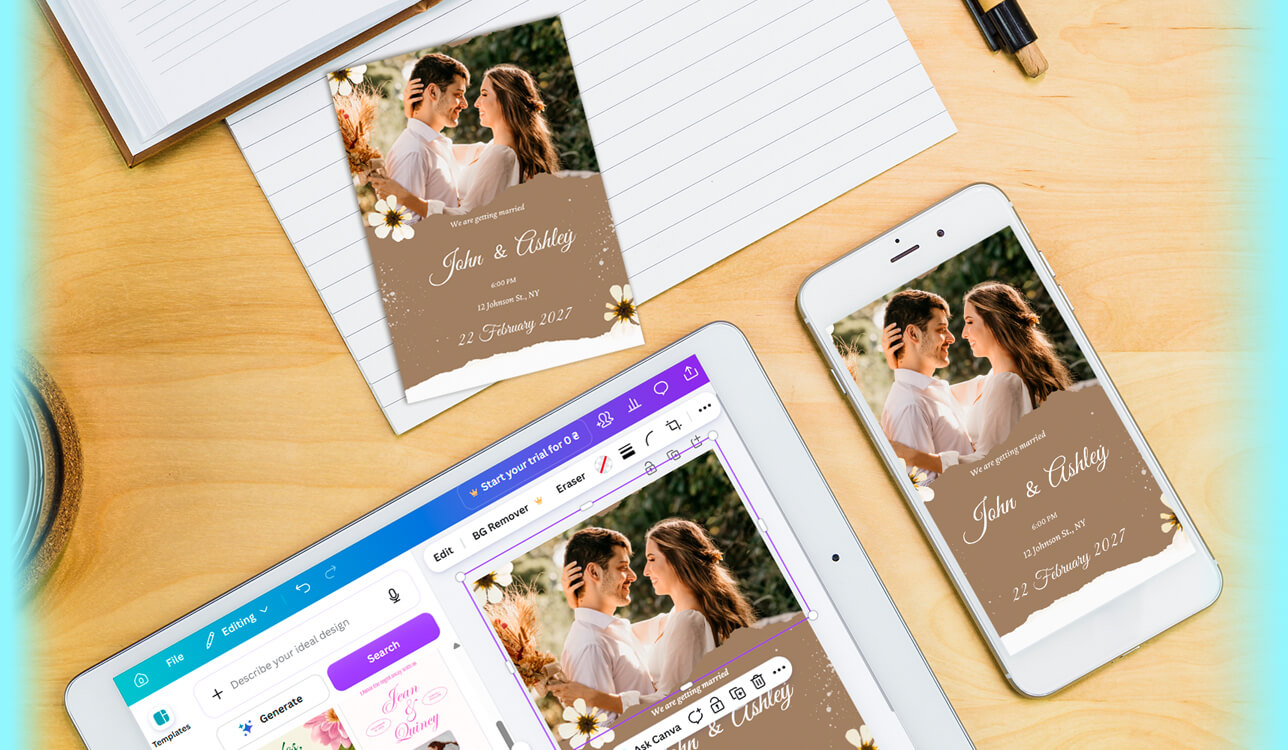
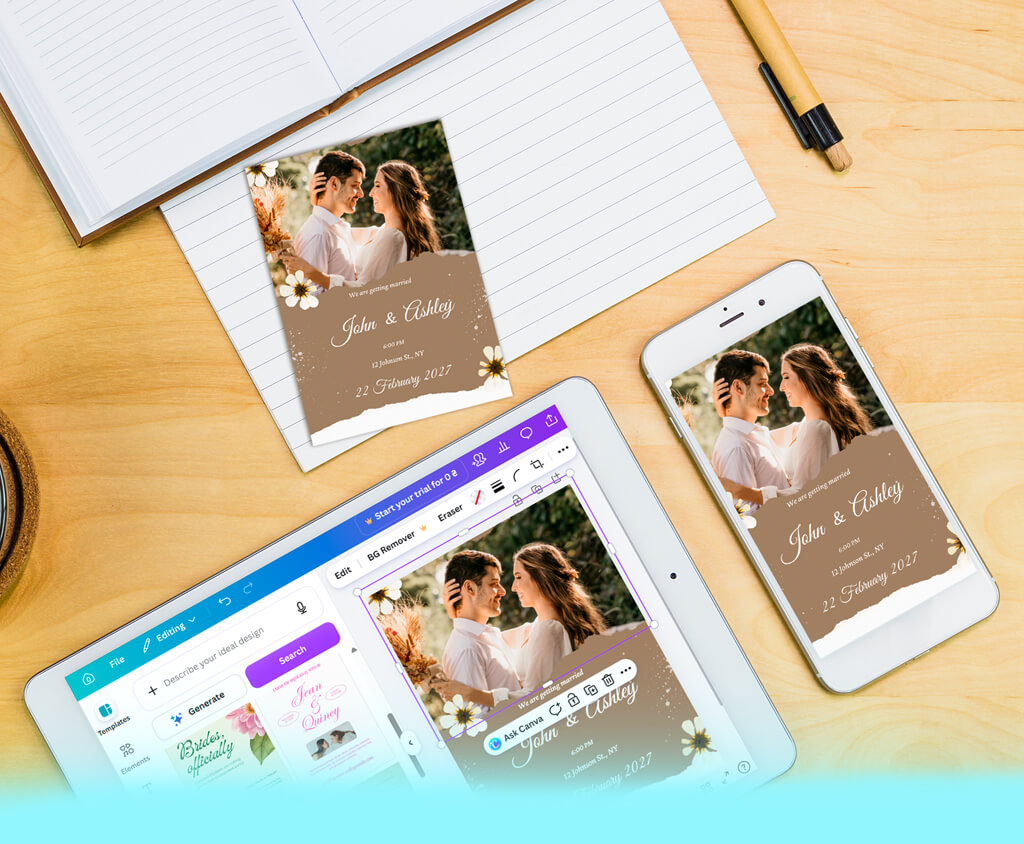
Planning my wedding, I assumed the invitations would be simple to handle. That assumption turned out to be completely wrong. I reached out to a few FixThePhoto designers for pricing first. Their quotes made it clear hiring a professional wasn't realistic for my budget. Still, I refused to settle for invitations that looked bland or thrown together last minute.
The challenge was that I had zero design experience going into this. Design isn't my field, and professional software was completely unfamiliar territory for me. Spending days mastering complex programs just for invitations seemed pointless and exhausting. I needed a free wedding card maker built for non-designers like me that could turn out beautiful cards without demanding any technical skill at all.
This project meant a lot to me personally. Friends and distant relatives would receive digital invitations. A smaller batch needed actual printing, reserved specifically for grandparents and close family. Generic designs were completely off the table for this occasion. We wanted our wedding style to take center stage throughout the design. Guests opening these invitations should feel the personal touch immediately, not catalog-sourced templates.
Browsing through various wedding card maker free platforms, I had clear priorities almost instantly. Budget concerns topped everything since wedding expenses were already stretching us thin financially. Starting from a blank canvas was intimidating, so we opted for pre-made templates. Editing colors, fonts, and text had to be quick and painless. Uploading our engagement photos and exporting a high-quality final file mattered, too.
Designing the invitation wasn't the hard part. Wading through countless competing platforms turned out more frustrating instead. Many sites looked promising during editing, then demanded payment right before final download. Other supposedly free options skimped heavily on templates, often featuring designs that looked dated.
So, I narrowed everything down to a handful of core factors: usability, template variety, customization depth, output quality, and whether the free plan was worth using. Advanced editing suites never made my priority list at all. I was more interested in ease of use.
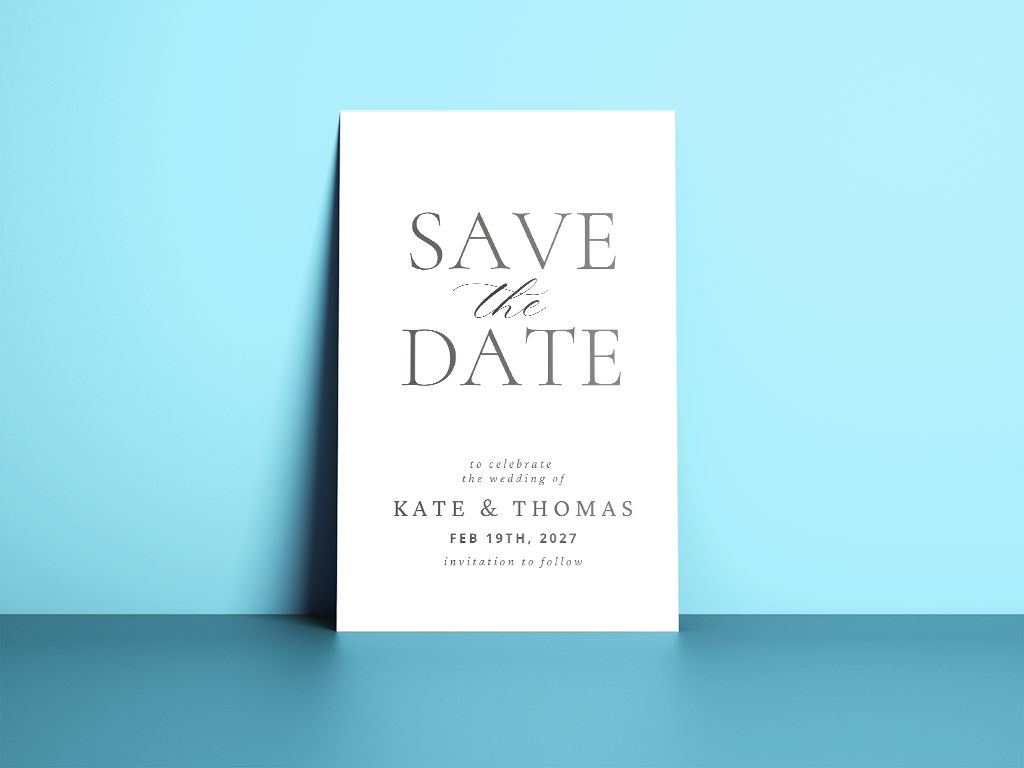
Right now, simplicity dominates invitation design more than ever before. Couples are stepping away from busy florals and decorative borders altogether. Open white space and precise alignment define the modern aesthetic. Font choices carry most of the visual weight in these designs. Pairing graceful serif headlines with cleaner sans-serif details provides this look. The overall effect mirrors something you'd find in a stylish magazine spread.
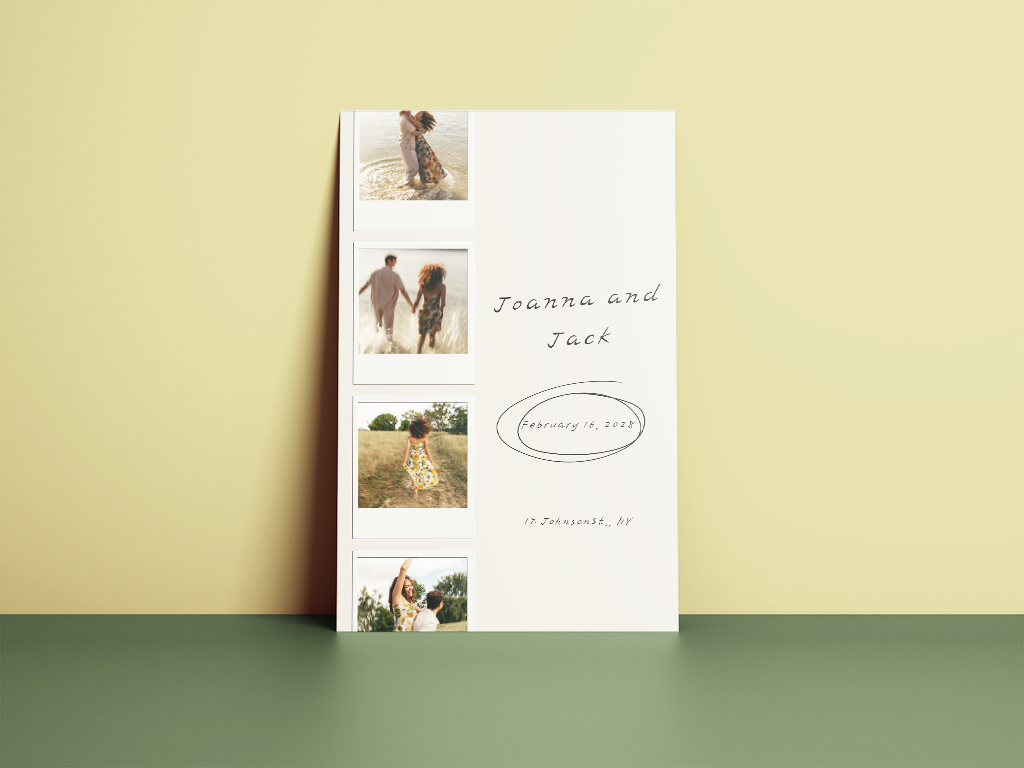
Couples no longer treat engagement photos as a small design accent. These images now anchor the entire invitation's visual identity and mood. Edge-to-edge photo layouts have surged in popularity among recent couples. A well-cropped portrait can be just as striking and emotionally resonant. Many designers add gentle color grading and soft, cinematic lighting touches. The goal is to make each invitation seem like a personal keepsake.
Improving your wedding photos doesn't mean you need advanced editing software experience. FixThePhoto's straightforward app handles the technical work for you instantly. You can refine facial features, even out skin tone, or adjust your silhouette. Cleaning up distracting backgrounds takes only a few simple taps to complete.



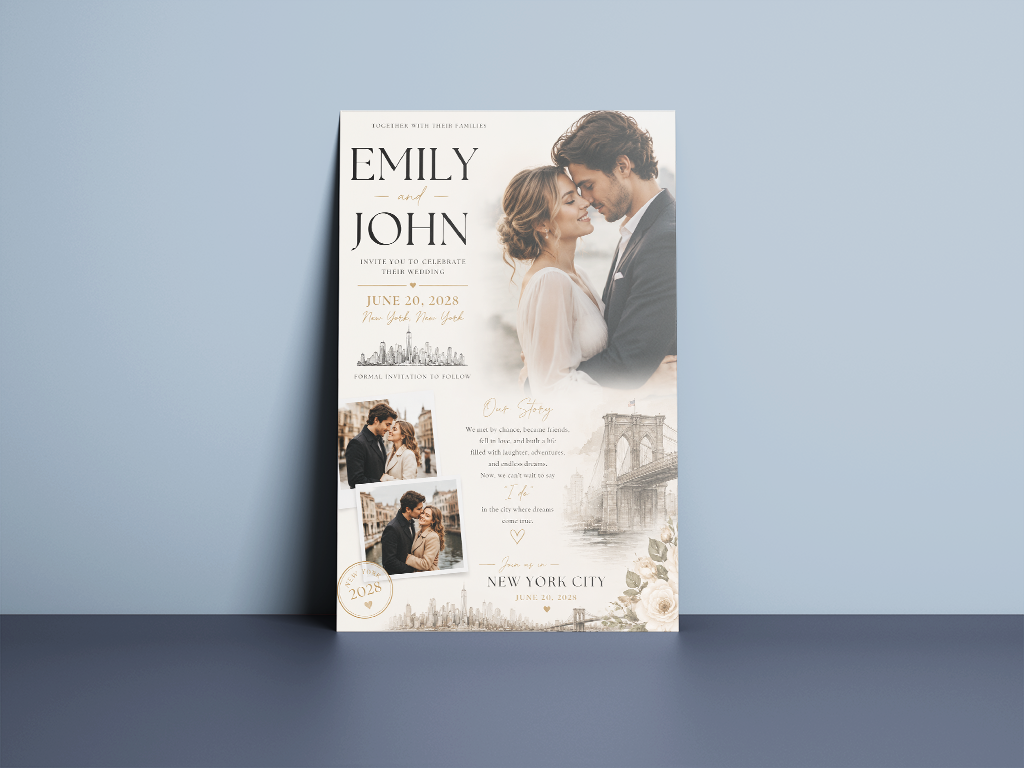
Storytelling has moved to the forefront of contemporary invitation design choices. Couples weave in custom artwork, sentimental locations, and brief relationship narratives throughout. These details transform invitations from purely functional into something genuinely expressive.
Each card increasingly reflects the couple's unique personality rather than generic wedding conventions. The invitation becomes a small chapter of their story, not just an announcement.
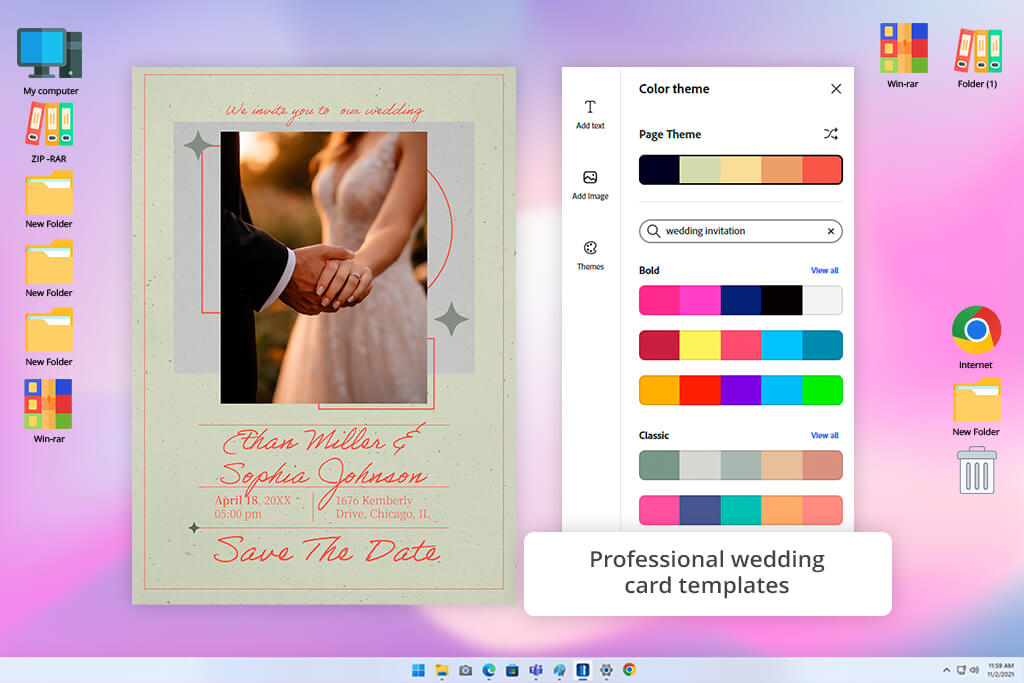
While hunting for a truly free wedding invitation maker, Adobe Express caught my attention first. I needed to make elegant invitations on my own, avoiding designer costs and tedious software mastering.
Testing it properly meant starting from scratch, scrolling through countless wedding templates, then adding our engagement photos directly. From there, adjusting every visual detail was intuitive and straightforward throughout. My finished invitation looked more impressive than I'd initially expected possible.
Template variety in this free Adobe software impressed me most during this entire testing process. Sure, plenty of platforms offer wedding-themed layouts, but these looked thoughtfully designed. Options spanned everything from timeless floral arrangements to sleek, modern minimalist styles entirely. Since matching our actual wedding aesthetic mattered enormously, this breadth proved incredibly useful immediately. Having so many quality starting points cut my overall design time a lot.
“The invitation looks professionally made, though navigation confused me initially. Once things clicked, my cards turned out impressive. Annoyingly, many features are paid.”

Editing is absolutely easy even for someone with zero design background like me. Dragging elements around, testing different fonts, and tweaking colors takes little effort. Some wedding invitation makers free bury useful tools inside confusing menus, but Adobe Express avoided that entirely. Even after making drastic layout changes, everything stayed visually balanced and cohesive throughout.
I also like the possibility of blending photos, graphics, and text. Adobe's underlying design technology quietly ensures things look professional regardless of creative skill level. This meant amateur users like myself still produced top-notch results.
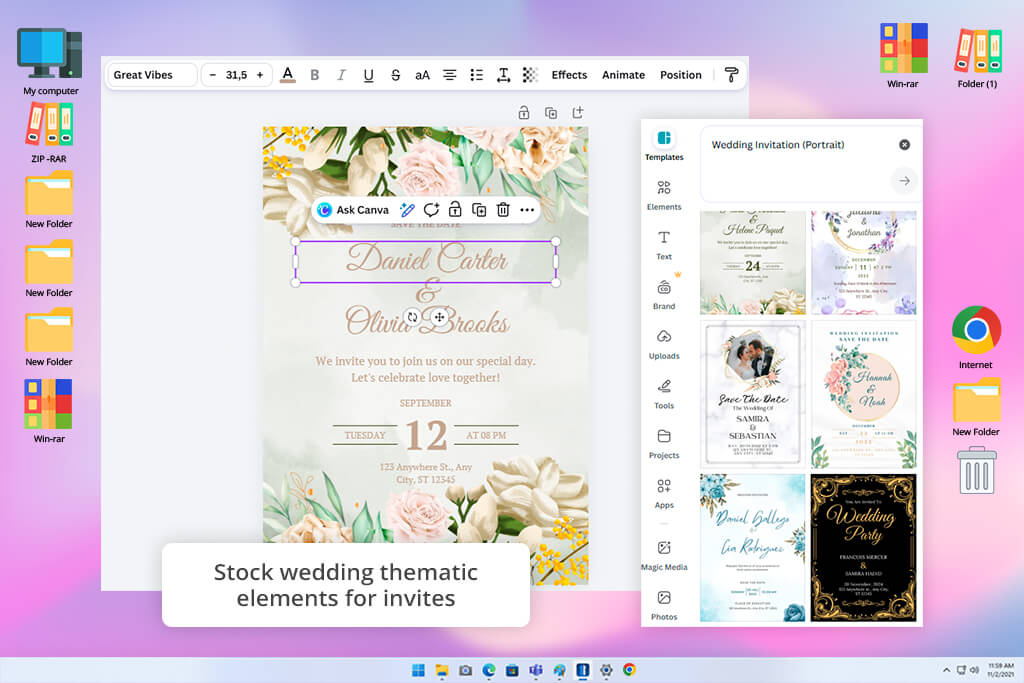
Friends kept telling me to try Canva for making wedding invites, so I finally tried it. Instead of settling on one design right away, I played around with a bunch of completely different ones first, just to see what worked.
The template selection in this online wedding card maker truly surprised me. There's the whole barn-and-fairy-lights rustic look, gold-foil fancy assets, simple clean designs, and more. Basically, anything you're picturing for your big day is probably in there somewhere. I spent longer than planned just clicking through options, comparing a cozy country vibe against something more modern and minimal.
Editing the invites was easy, too. I dropped in engagement photos, experimented with a few fonts, and moved some text around without dealing with complicated settings. Since saving a new version takes two seconds, I sent my mom and sister three or four options to get their honest opinions before deciding. Wedding plans change quite often, so being able to tweak stuff without starting from scratch saved me a lot of stress.

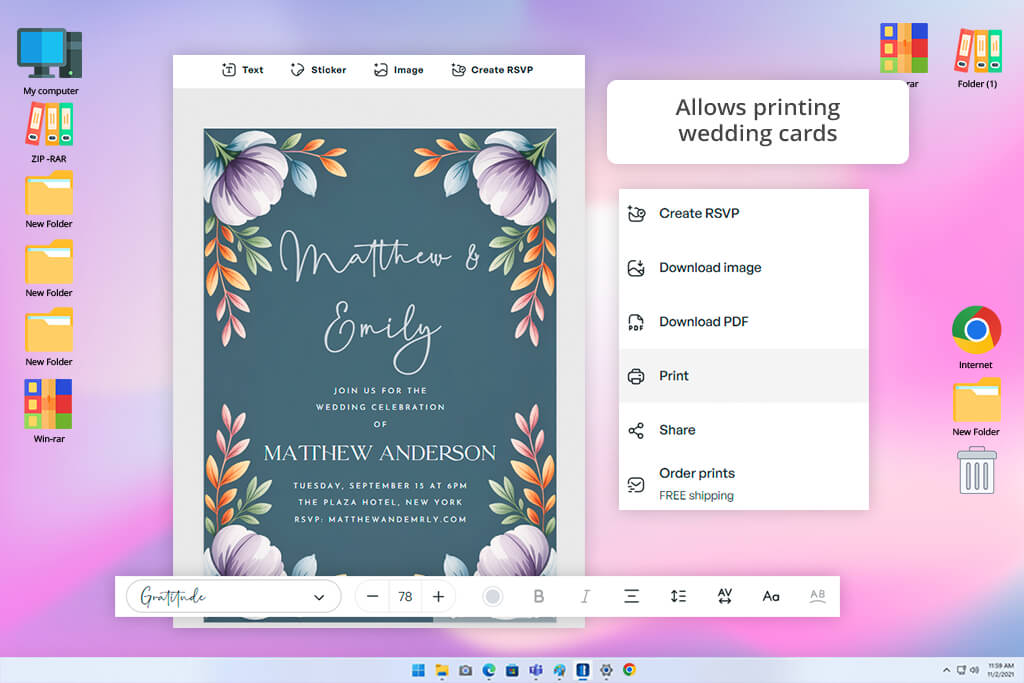
Greetings Island took a different approach than most free wedding card creators I tried. Instead of piling on tools and options, it kept things simple and focused on speed. I grabbed a couple of free wedding templates, dropped in the date, our names, and one photo, and that was basically it. I figured I'd be at this for a while, but the result was ready surprisingly fast.
This program is very user-friendly. Every button and setting on screen tied directly back to the card itself, so you can instantly understand the functionalities. If your goal is just getting a decent invite finished without turning it into a whole project, this platform handles that better than most.
“Very simple and fast to use — picked a design, edited the text, and that was it. Great for basic invites, not for fancy designs.”

Flexibility is one of this tool's strongest features. Plenty of design platforms force you to choose either screen-focused or paper-focused. Greetings Island skips that tradeoff and supports both formats with equal care. My testing included quick designs meant for texting friends and family. I also built more sophisticated versions meant for printing at home. Switching between the two was never clunky or complicated. The export step stayed smooth no matter which direction I went.
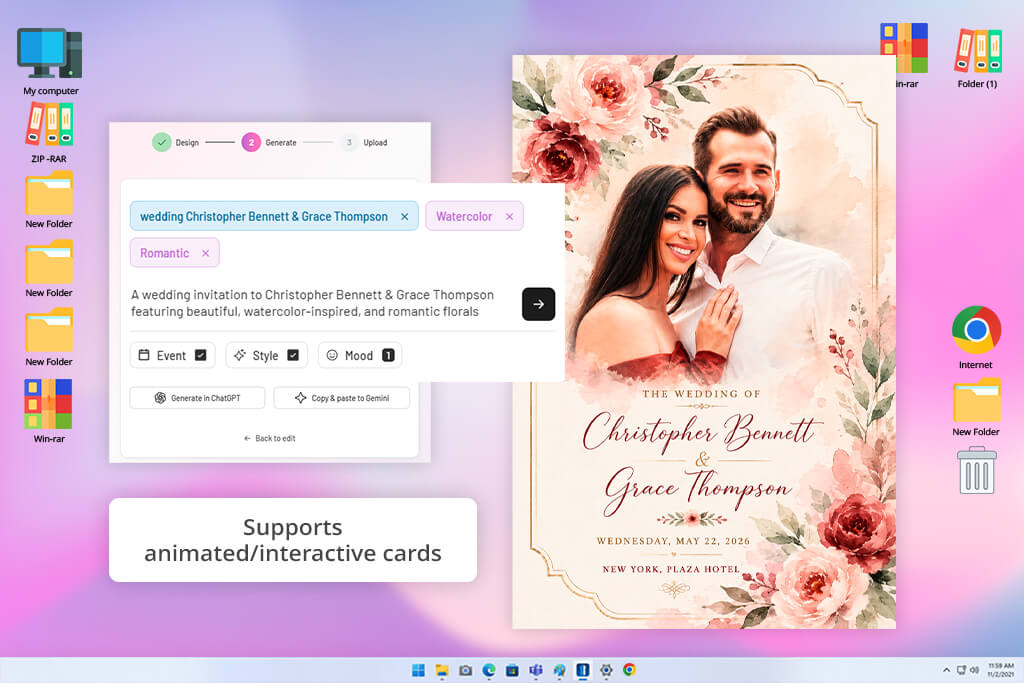
When using CreatEcard, I was particularly interested in the speed of building and sending wedding invitations. Since I needed to reach a large guest list digitally, an electronic-first platform made sense. I picked a template, then added text, photos, and a few decorative touches. The whole setup took barely any time at all.
This wedding card creator free outperforms analogs with its digital-first approach to design. Rather than chasing print quality, it leans into features built for online sharing and display. Several templates stood out for their motion and visual flair, well-suited to digital invites. They appeared livelier and engaging than typical static designs.
Beginners will likely feel comfortable navigating this free greeting card software right away. It doesn't match the design depth of bigger platforms, but it covers the basics well. Adjusting colors, editing wording, and matching the invite to our wedding's vibe was painless. Nearly every edit took just a couple of clicks to finish.
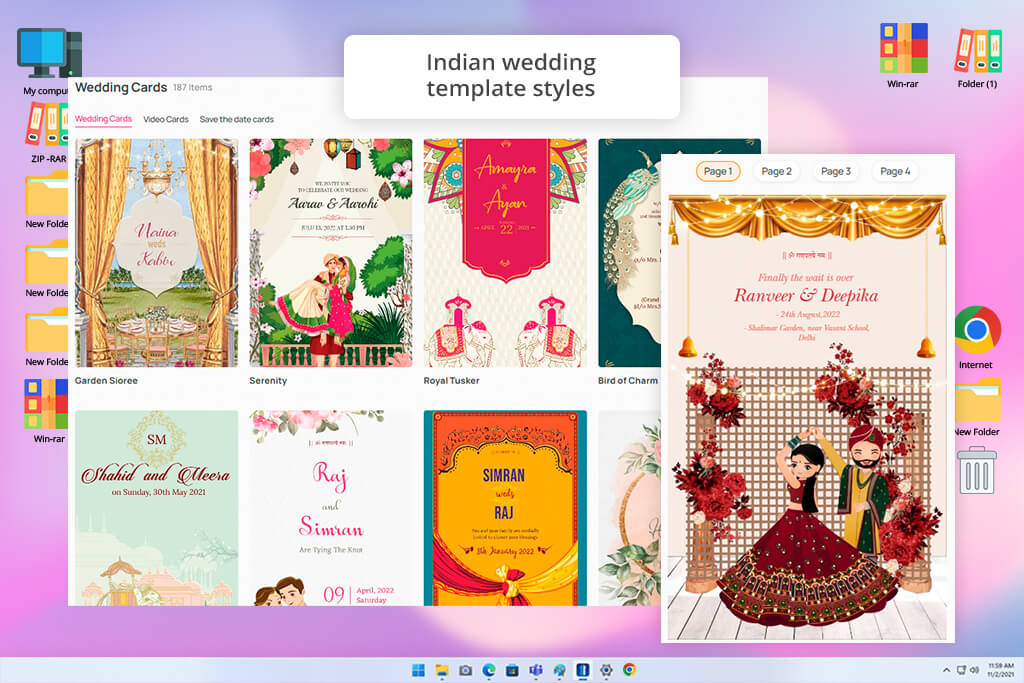
WedMeGood stood out among free wedding invite makers thanks to its tie-in with full wedding planning. As I tested it, I browsed invitation templates right alongside other free planning tools on the site. Thus, I got a better sense of how invites connect to the bigger event picture. The whole process was more like one connected workflow rather than separate tasks.
It only took a moment to notice how wedding-specific everything looked. Each template clearly reflected real traditions, color palettes, and seasonal wedding themes. Nothing here resembled a repurposed birthday or generic celebration card. Because of that, the finished invitations carried a sense of authentic celebration other tools missed.
“Feels like a wedding-planner app, but fine for invites. Suits Indian-style weddings well. Design options are limited, yet creates invites quickly and reliably.”

Working on the design while inspiration popped up resembled browsing a wedding blog. Phrasing suggestions and theme ideas kept appearing right as I worked through customization decisions. That steady stream of ideas simplified the whole process. In some moments, those sparks of inspiration were more useful than the editing tools themselves.
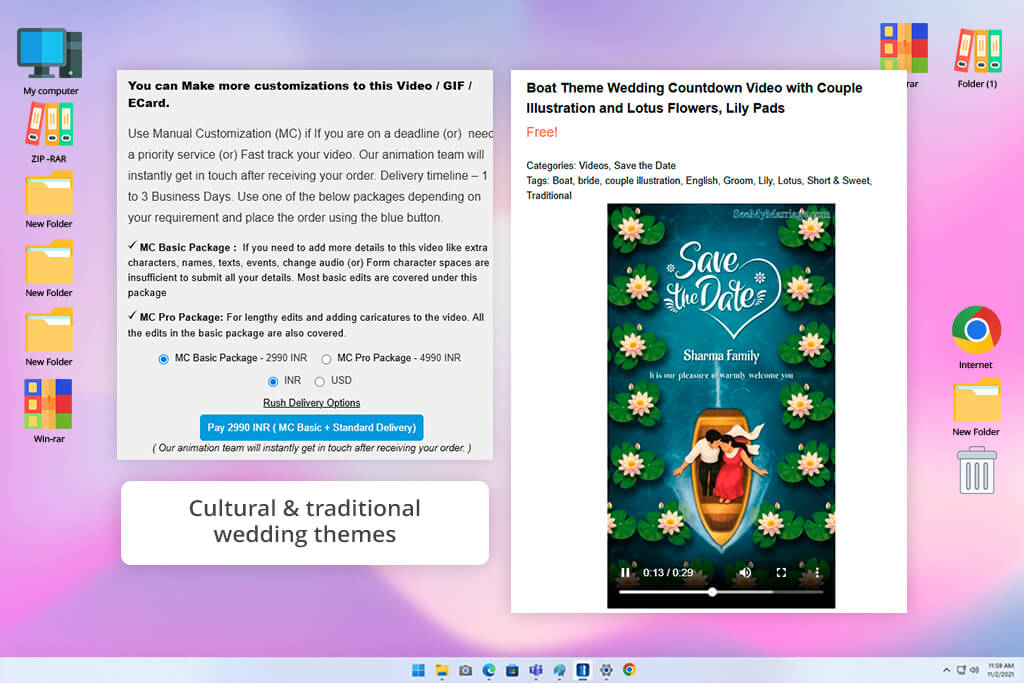
I came to SeeMyMarriage out of genuine interest, since it's built entirely around wedding content rather than trying to serve every occasion. During testing, I built a mock invitation using details from my own wedding, then measured that experience against broader, all-purpose design tools. The whole process centered on one goal, namely, helping couples get their event details across in a clear and visually appealing way.
Most of the templates leaned into classic wedding styling, yet they still left plenty of room to make each one appear personal. Swapping in my own wording, adding photos, and tweaking layout elements was easy. None of it demanded any background in free graphic design software. I liked that the platform anticipated specific details couples need on an invitation. It simplified my working process a lot.
The other thing working in its favor of this wedding invite maker free tool was how narrowly the platform stays in its lane. Instead of wading through templates meant for birthdays or corporate events, I landed straight on options built for weddings. If you're someone who wants to move quickly without sacrificing quality, such a focused setup pays off.
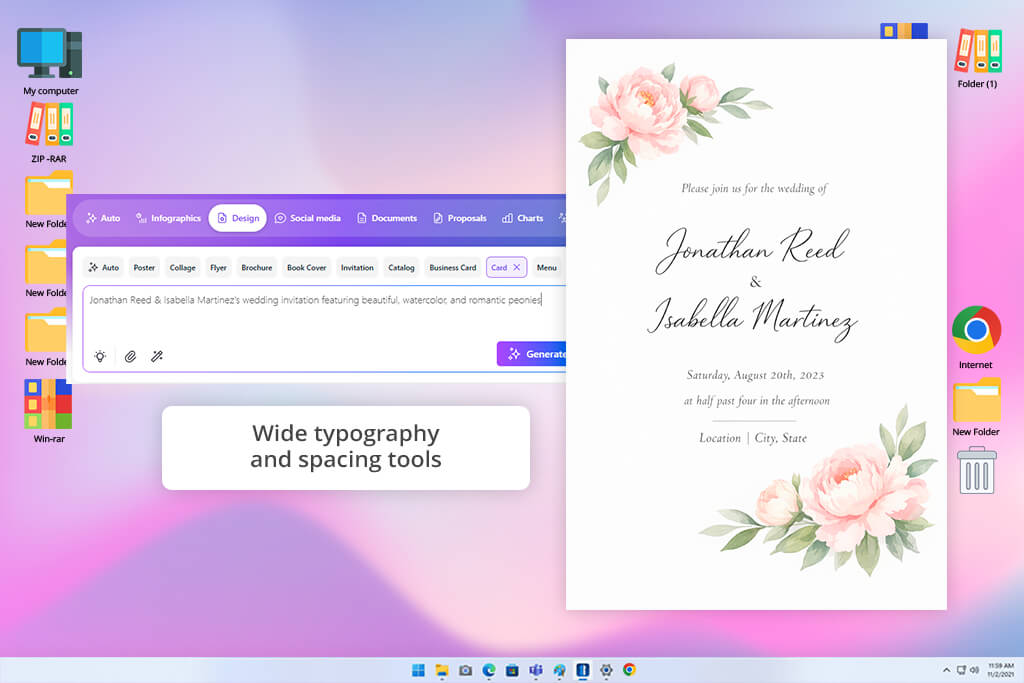
I went into Venngage without much expectation that it would work for wedding invitations at all. In my mind, it was a tool for charts and infographics. So, I took a handful of its templates and reshaped them into wedding card layouts, pushing the customization options as far as they'd go. I found out that Venngage was a platform with more range than its reputation suggested.
The biggest strength here is the extensive control you get over layout. I could rearrange elements, restructure how information appeared, and end up with something that looked nothing like a typical wedding card. That mattered to me, since I was after a design that broke from the expected mold. Even with that much freedom, the tool never became cumbersome or hard to navigate.
"It's clearly designed for business use, not weddings. I got a workable invite out of it eventually, but it took me a bit of fumbling to get oriented."

Using it as a wedding invitation design tool, I was pleased with typography and visual hierarchy. It's packed with options for laying out information, so it stays both legible and accurate. Even after I'd edited in names, dates, venues, and event timing, none of it lost clarity. So, you wedding invitation will look good without sacrificing readability.
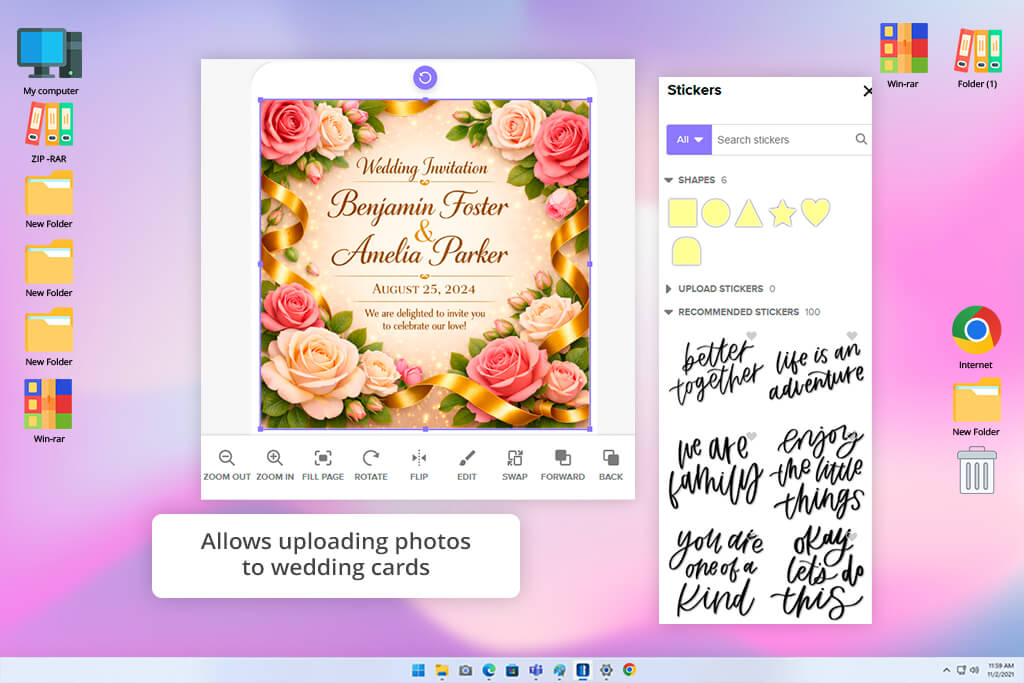
Mixbook landed on my list mainly because of its name recognition in personalized photo products. It's a brand people usually associate with making photo books, rather than wedding stationery, so I went in wanting to see whether that photo-first approach would translate well to invitation design. I loaded up some engagement pictures, picked through a few wedding-style layouts, and built out several test invitations. The result exceeded my expectations.
Images are clearly the main focus of this platform, which makes it a strong pick for couples who want their pictures front and center. The photos I uploaded came through sharp and looked neatly woven into each layout, not just dropped in as decoration. That photo-forward approach gave the invitations a more personal, story-driven feel.
Working inside the editor was intuitive from the start. Repositioning layout pieces, shifting text around, and swapping between different photo arrangements came easily. Quality stayed consistent throughout. Even more basic free wedding invitation templates came across refined, largely because the whole platform is engineered around making images the centerpiece.
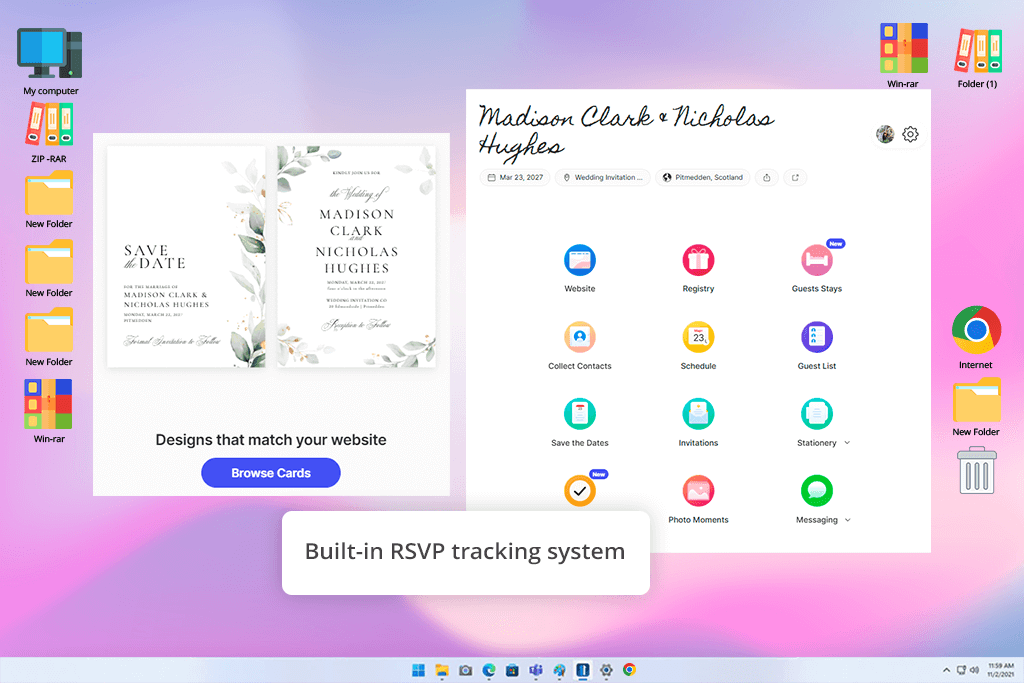
Of all wedding card design online platforms I tried, Joy appeared to be the most fully committed to weddings specifically. It doesn't stop at invitation design, but folds in guest list management and broader planning tools alongside the free invitations themselves. I made a test invite and then poked around to see how well it tied into the rest of the planning suite. That all-in-one structure gives it a competitive edge right away.
Building the invitation itself required zero design experience. The templates struck a clean, modern tone clearly built with wedding communication in mind. I liked that it was easy to drop in event details without getting tangled in technical settings.
"Really convenient for getting invites out and keeping tabs on who's coming. Everything stays organized in one place. Just don't expect anything visually elaborate. That's not what it's for."

I was impressed that invitations weren't siloed off from everything else. Joy links them directly to RSVP tracking and event details. That connection makes the whole experience smoother, both for the couple managing things and the guests responding. The more I used it, the more convenient it turned out.
My colleagues from the FixThePhoto team and I tested these platforms as real engaged couples would. Eva Williams, Nataly Omelchenko, Julia Newman, and I split the workload across different tools. Our shared goal was building genuine wedding invitations using only free digital wedding card makers. None of us relied on prior design experience or paid upgrades during testing.
We used one consistent process across every platform we tested. First, we picked a wedding template suited to the occasion. Then we customized it with real names, dates, and photos. Finally, we exported each finished invitation to check the output quality. We also noted how each platform felt within the first 10–15 minutes. Eva tested Adobe Express and Canva for her portion. Nataly worked through Greetings Island and Joy during her review. Julia covered Venngage, Mixbook, CreatEcard, WedMeGood, and SeeMyMarriage.
According to Eva, Adobe Express got her to a clean result almost immediately. Canva, by contrast, asked for more patience but offered far more creative range. Nataly's verdict on Greetings Island was that it barely worked for designing. Joy impressed her by folding in RSVP and guest-list features alongside the invites. Julia walked away thinking Venngage and Mixbook both had serious customization muscle. The tradeoff, she noted, was extra time spent fine-tuning the layout.
With individual testing finished, we gathered to stack every invitation up against each other. Our scoring criteria covered usability, design flexibility, visual quality, and export reliability. Adobe Express and Canva consistently rose to the top of our rankings. For sheer speed and simplicity, Greetings Island and Joy were tough to beat. Anyone craving more artistic freedom would likely gravitate toward Venngage or Mixbook.
If there's one lesson from all this, it's that "best" is subjective. Your ideal pick hinges on whether you value speed, creative depth, or built-in planning tools.



![11 Best Favicon Generators [{{%year}} FixThePhoto Choice]](http://fixthephoto.com/blog/images/gallery/news_main__preview_29010.jpg)
![7 Best TIFF to PDF Converters [{{%year}} FixThePhoto Choice]](http://fixthephoto.com/blog/images/gallery/news_main__preview_29305.jpg)


![5 Best Podcast Cover Art Creators in {{%year}} [100% FREE]](http://fixthephoto.com/blog/images/gallery/news_main__preview_29304.jpg)
![7 Best Photo Grid Makers [No Design Skills]](http://fixthephoto.com/blog/images/gallery/news_main__preview_29018.jpg)

















