At first, I wasn’t sure an AI storyboard creator was something I’d actually like. Storyboarding has always been a creative and personal part of my workflow. As a videographer at FixThePhoto, I work on weddings, events, brand videos, and content for my own YouTube channel, so planning shots with storyboards is an important step in almost every project.
Storyboards help me experiment with camera angles before filming, plan transitions, communicate the mood and vision to clients, and keep the visual narrative consistent when multiple people are working on the same project. For years, I created them manually. While the manual approach worked, it often took a lot of time.
That’s why my colleagues at FixThePhoto kept encouraging me to try AI storyboard generators. I was interested, but also doubtful. I wondered whether these tools could genuinely improve the pre-production process or if they would simply generate attractive images with little practical value. To get a clear answer, I decided to test them myself.
AI has become a regular part of many creative workflows rather than a niche technology. Mozilla Foundation reported that nearly all surveyed professionals in the film industry had already tried AI in some form. Seeing how common these tools had become in the industry, I decided it was time to give them a proper try and see if they could actually make planning and preparation easier.
To get a complete picture, my team and I tested 30+ AI storyboard generators recommended by filmmakers, content creators, and video pros across various online communities. We then evaluated each tool using real production scenarios, including a wedding preparation sequence, and scenes that required multiple camera angles and shot variations.
When testing these AI storyboard makers, I had a clear idea of what the best AI storyboard generator should offer:
| Tool | Use case | Free plan/trial | Cost |
|---|---|---|---|

|
High-quality storyboard creation for creatives and Adobe users
|
✔️
|
From $19.99/mo
|

|
Script-to-storyboard pre-production
|
✔️
|
From $35/mo
|

|
Cinematic frame and style tests
|
✔️
|
From $12/mo
|

|
Character-consistent pitch boards
|
✔️
|
Upon request
|

|
Fast ad and social storyboards
|
✔️
|
From $17/mo
|

|
Motion-first cinematic boards
|
✔️
|
Upon request
|

|
Production-style storyboards
|
✔️
|
From $32/mo yearly
|
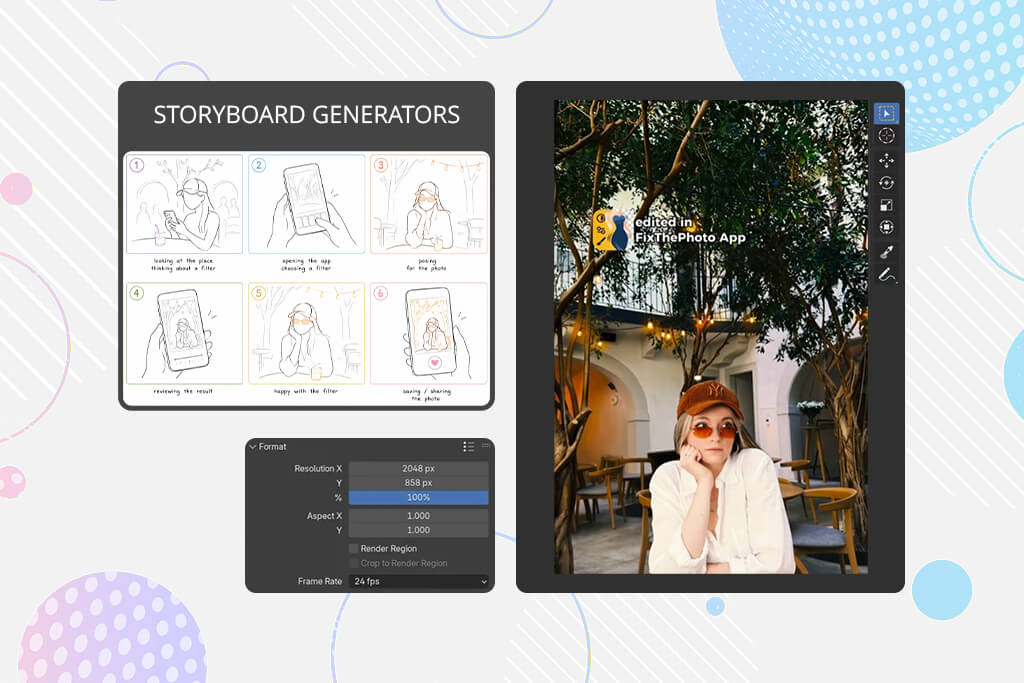
You don’t need a big film crew to use AI storyboarding tools. My team at FixThePhoto tried them out, and we found that AI in filmmaking can help just about anyone show what their video idea looks like before they start shooting.
Filmmakers & pre-production teams. Once you have a script but aren’t sure how the video will look, tools like LTX Studio can quickly turn each scene into a simple shot plan - like a wide shot, close-up, reaction, camera movement, and the final frame. It won’t replace a director, but it helps the whole team see a visual starting point much faster.
Marketing teams & ad creators. InVideo worked well for short product videos, brand openings, and user-generated-style ideas because it thinks in quick, ad-friendly shots. My advice: give it instructions like a producer would. Instead of saying "coffee commercial," write: “6-shot vertical ad, morning kitchen, hands pouring coffee, show the product in shot 3, last frame with room for text.”
Editors & post-production specialists. I often plan how a video will move from one shot to the next before I even film anything - for example, from a dress detail to a bouquet, from hands to rings, or from a dance floor to a slow-motion close-up. Adobe Firefly helped with this because I could build a rough emotional flow and then use it as a guide later in Premiere Pro.
YouTubers, vloggers & indie creators. This group probably gets the most out of AI. Since you often don’t have a storyboard artist nearby, AI helps you quickly test things like B-roll, openings, camera angles, and mood. I liked Leonardo AI for creating polished, movie-like frames, and Higgsfield when I wanted the storyboard to feel more guided and focused on movement.
Agencies & client-facing teams. Clients often use vague words like "premium," "cinematic," or "modern," but each person pictures something different. A storyboard turns their feedback into something concrete. With tools like Katalist AI or Storyboarder.ai, a client can point to a specific frame and say, "I like this lighting," or "This angle is too dramatic," instead of giving unclear comments.
My most useful tip: don’t try to get the AI to make the whole storyboard with just one instruction. Build it step by step.
And here’s something I learned fast: don’t believe a nice-looking frame just because it’s pretty. A useful storyboard panel should answer a real production question. Where’s the camera? What’s the person or object doing? What feeling should this shot have? How does it lead into the next shot?
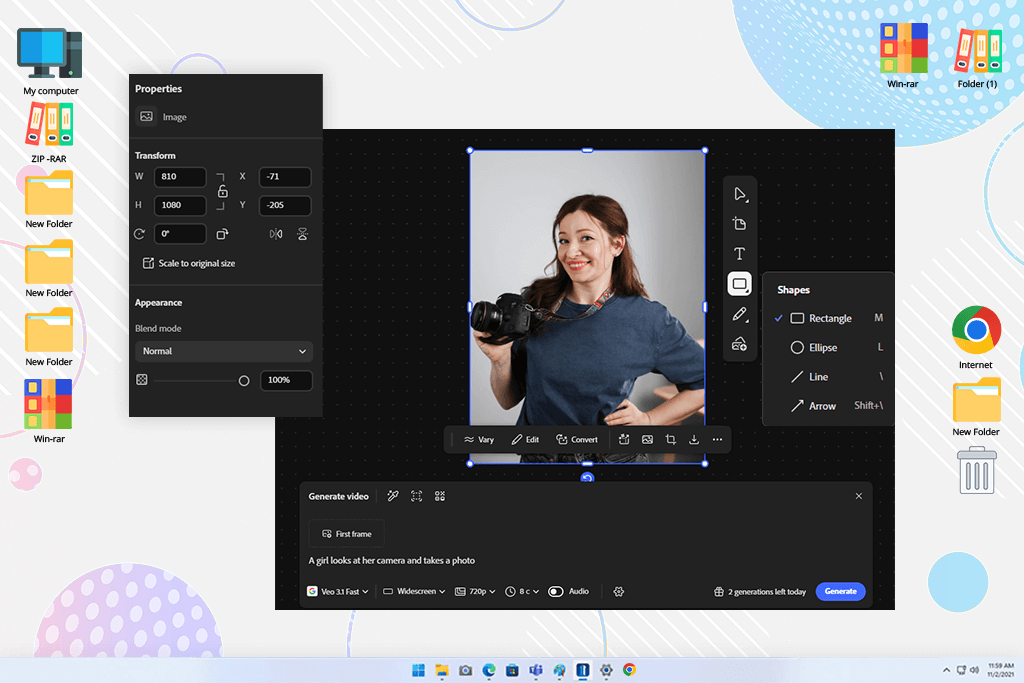
A FixThePhoto editor told me about the Adobe Firefly video tool video feature. They had already been using it to put together rough concept visuals. That clicked with me, since I already rely on Premiere Pro for cutting footage, Photoshop for retouching, Lightroom for matching colors, and so on.
The storyboard tool in Firefly works through something called Firefly Boards. It lets me take written ideas and sample pictures, then turn them into visual panels. I can move those panels around, adjust the feel of each shot, and save single frames or whole sequences.
My favorite part is starting with a rough idea, adding image examples, tweaking one panel, shifting where the light comes from, and still ending up with a neat board that’s ready to present to a client.
When I tried it, I asked for a “calm morning bridal prep scene with soft window light, close-ups of a dress, hands, perfume, and an emotional mother-daughter moment.” Firefly got the feel right. It handled mood and framing better than keeping details steady. Faces occasionally drifted between frames, which was a little annoying, but the mood was usually strong enough for planning purposes.
“This AI storyboarding tool is a great fit for ad agencies, video editors, content teams, and anyone who relies heavily on Adobe products.”

What makes this tool stand out from other AI storyboard generators is how well it works with Adobe. I can picture taking Firefly images into a client presentation, polishing them later in Photoshop, or placing the whole visual series into Premiere as a loose guide for timing.
I still use it for projects where mood matters most, like wedding previews, fashion clips, YouTube openers, and client pitch boards. The free plan is good for trying it out. For me, it’s worth paying for if you already use Adobe or need Firefly as part of your creative work.
My tip: to get good results from Firefly, don’t just tell it what’s happening. Add details like how close the shot is, what the lens looks like, where the light comes from, the mood, and the screen shape. For instance, "close-up, soft 85mm lens, warm window light, blurry background" works much better than simply writing "romantic wedding scene."
Why it’s in my top:
Pricing: Free, from $19.99/mo
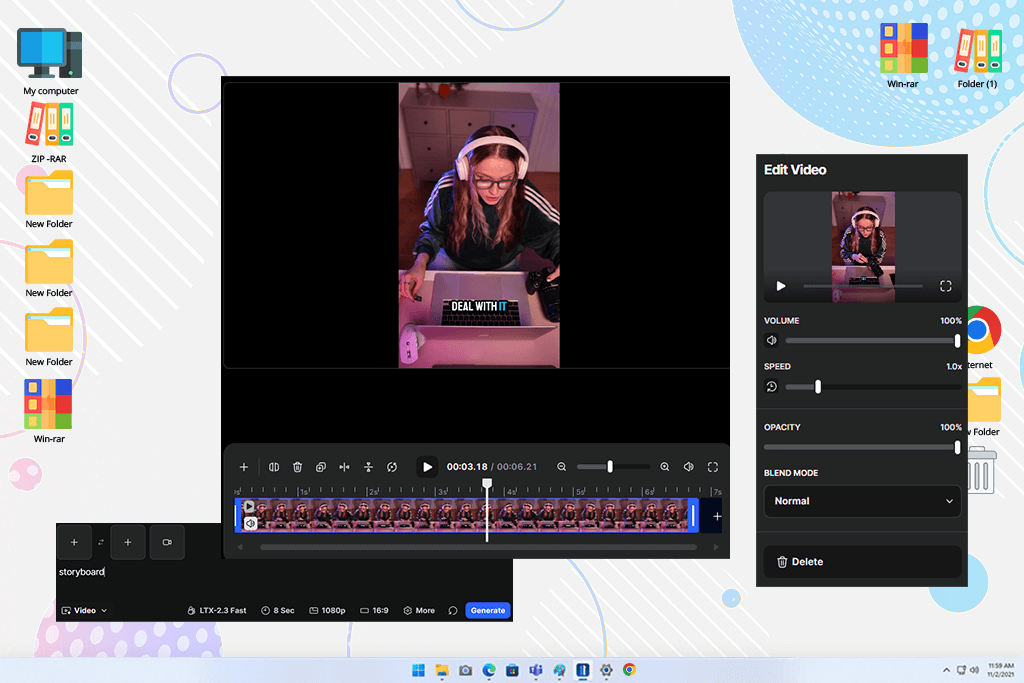
Reddit is where LTX Studio first appeared on my radar. Some filmmakers there were talking about AI video generators that could take a basic script and turn it into something almost like a real pre-production storyboard. When I tried it, I used LTX Studio to make a YouTube opening based on three different places: a home studio, a city street, and a desk setup at night.
This storyboard generator felt more focused on filmmakers than many other options. It helped me turn a script into a clear shot plan, create characters and visuals, and organize each scene step by step. I also liked that I could export projects as MP4 files and generate a professional PDF pitch deck, making it easy to share ideas with clients or my FixThePhoto team before filming.
“This tool is ideal for filmmakers, studios, agencies, and creators who want to transform scripts into clear visual storyboards.”

The first thing that surprised me about LTX Studio was that it felt more like pre-production software than an image generator. It didn’t just create images. It made me consider the whole video: the story, the look, the order of shots, camera motion, and the final output.
The tool handled detailed instructions well, especially when I added things like "wide opening view," "view from behind someone’s shoulder," or "slow moving forward feel."
I still use LTX Studio for structured video ideas, especially when a project has several different scenes. The downside? The free plan isn’t enough for real storyboard work - you need the Standard plan for that. But for client projects, the price is worth it because it replaces many separate planning tasks in one tool.
My tip: LTX Studio worked best for me when I split scenes into short steps before generating. LTX works best with short, clear parts, not one long emotional paragraph.
Why it’s in my top:
Pricing: Free for exploring basic features; from $35/mo
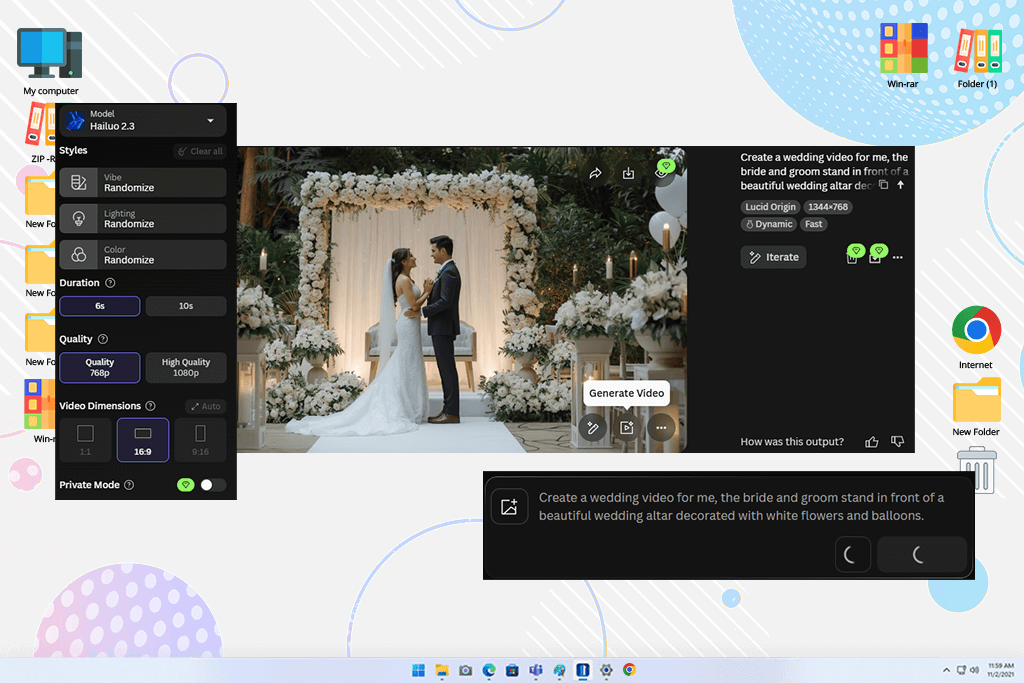
I first came across Leonardo AI while exploring AI art generators online. What caught my attention was how detailed and polished the results looked, especially for creative projects like movie ideas and game-inspired scenes. Compared to most storyboard tools I tested, the image quality felt noticeably stronger.
I used this online AI storyboard generator to plan a fashion video and an opening scene for my YouTube channel. Leonardo AI did a great job matching the atmosphere, lighting, and visual style I wanted. Even with detailed directions like “low-angle close-up, rainy street reflection, neon shop light, 35mm cinematic feel,” it created images that fit the look I had in mind instead of a typical AI picture.
Leonardo also shows camera angles, subject placement, lighting, and depth of field as part of the workflow, which matches the way I think when planning video shoots.
What I liked most was using rough drawings or sample pictures to guide the results. I could upload a quick sketch and let the AI improve it while keeping the same layout and positions. The Collections tool also helped me organize my shots. And turning still images into short motion clips let me check if a scene would actually look good in video.
“Leonardo makes the most sense when visual quality is the top priority. Indie filmmakers, YouTubers, game trailer artists, music video makers, and ad teams creating strong pitch images will benefit from it.”

My tip: pick one look, lock it in, then generate every frame with that style. Otherwise, your scenes won’t feel like they belong together.
Why it’s in my top:
Pricing: Free; from $12/mo
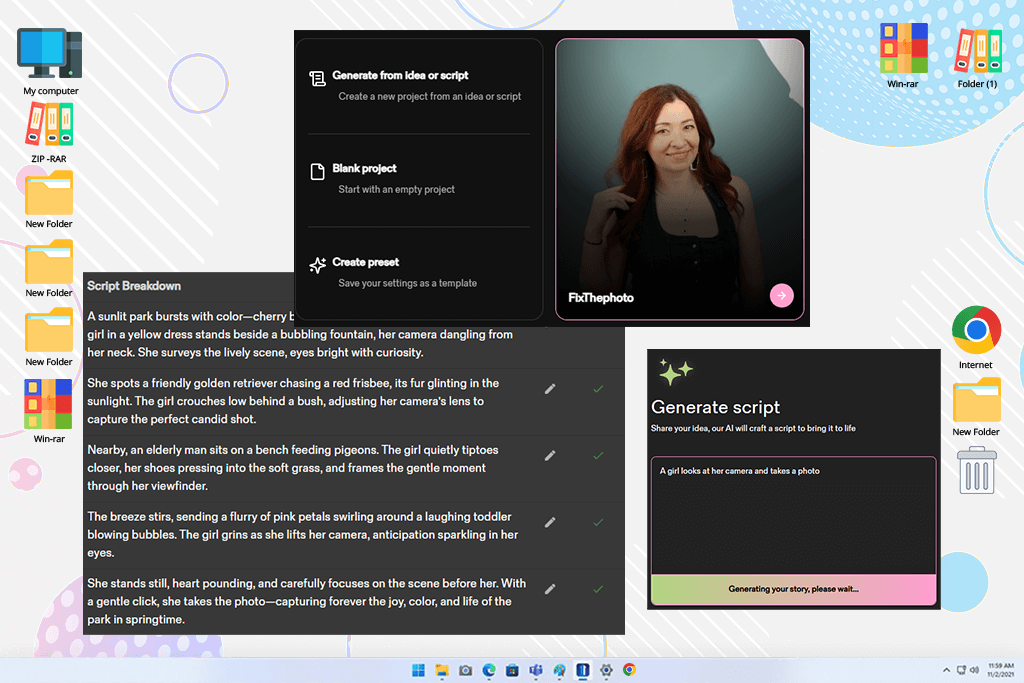
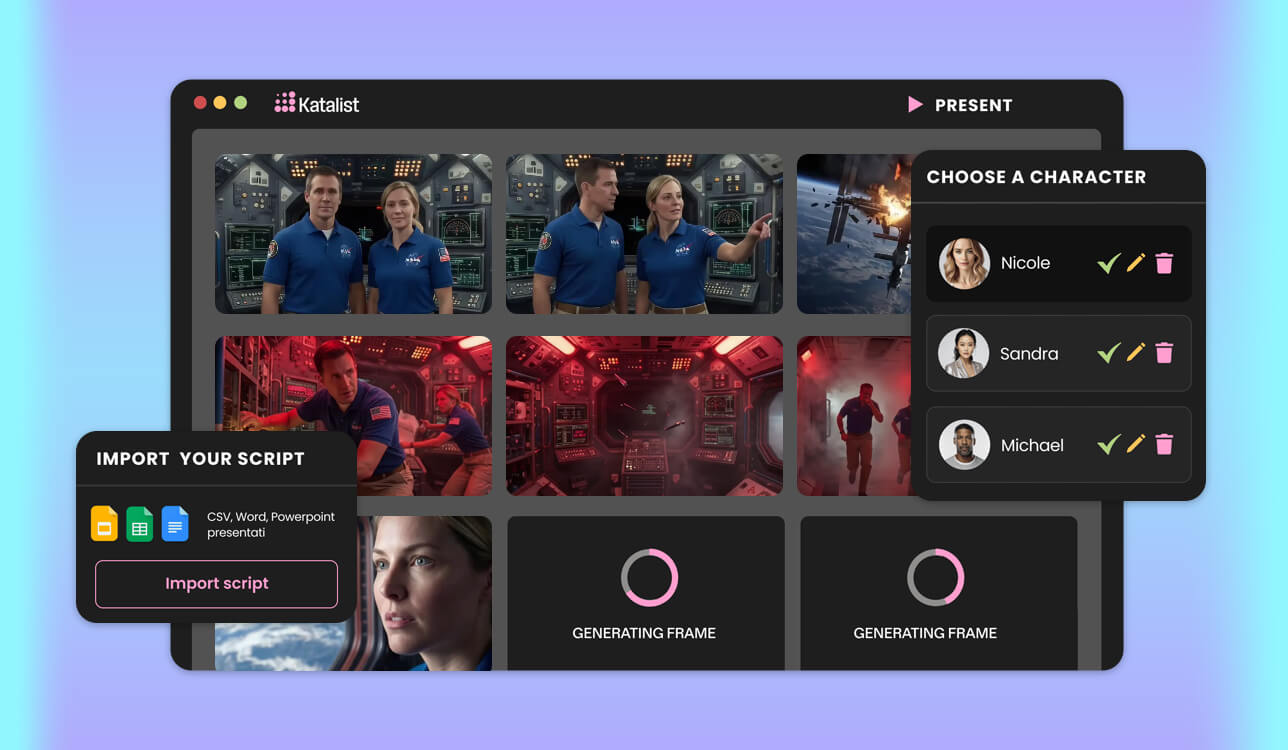
I decided to try Katalist AI after a fast poll on Instagram. A handful of folks pointed it out, especially for keeping characters looking the same across shots. For weddings and live events, I don’t usually need made-up people. But for brand stories, planned commercials, or YouTube skits, having the same face and look throughout can either save or ruin your visual plan.
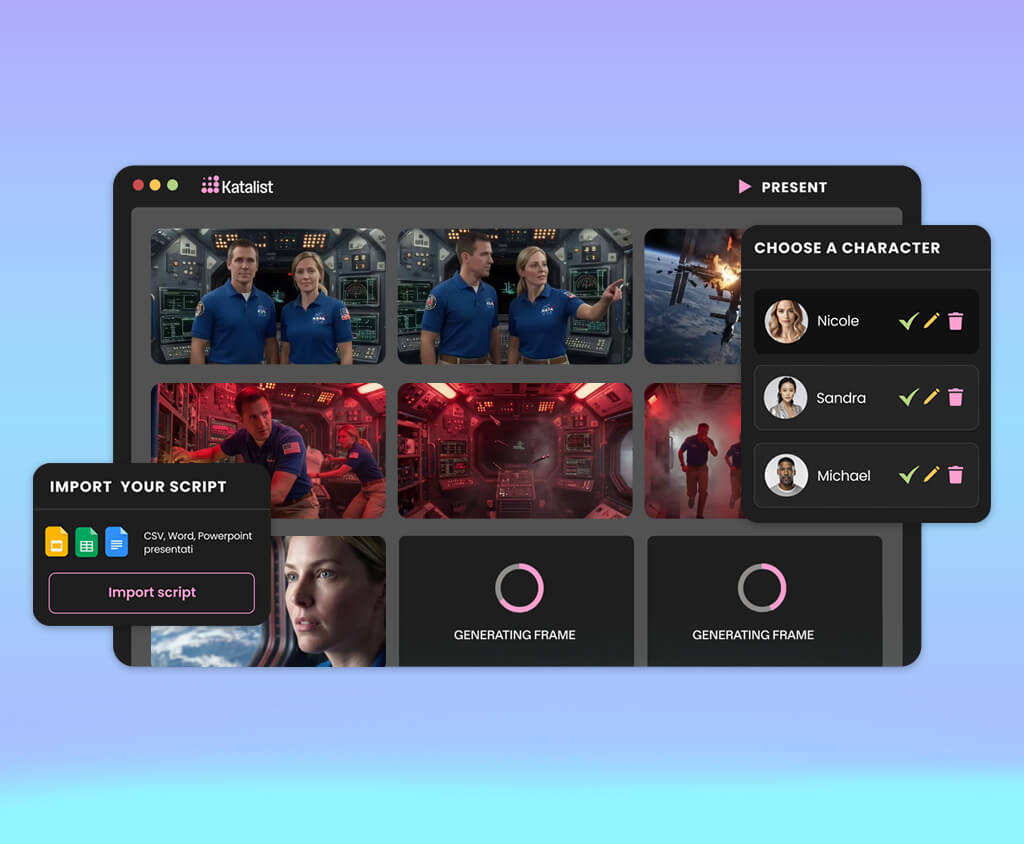
Katalist can turn a rough idea or written script into pictures, build a full storyboard, and let you tweak each scene in its Storytelling Studio. What helped me the most was managing the characters. It keeps the same faces across all frames, and you can adjust scenes, redo images, change body positions, and upload sample photos.
“Its best feature is keeping characters the same. I’d recommend it for agencies, teachers, YouTubers, ad teams, and anyone making stories with returning characters.”

I ran a test using a short branded lifestyle video. The scene went like this: a model walks into a small studio, arranges a product setup, records content, and finally checks the result on her phone. What surprised me was how well Katalist understood the flow of the story - much better than I expected.
It worked best when I gave clear instructions like “she places the product near the window,” “close-up of hands adjusting the light,” “medium shot from behind the camera.” The results were not perfect every time, but they were easier to fix because I could improve existing frames instead of starting from scratch.
My tip: start by designing the main person and keeping their appearance unchanged. After that, add the shots and scenes, which helps maintain a consistent look across the whole storyboard.
Why it’s in my top:
Pricing: 7-day free trial; upon request
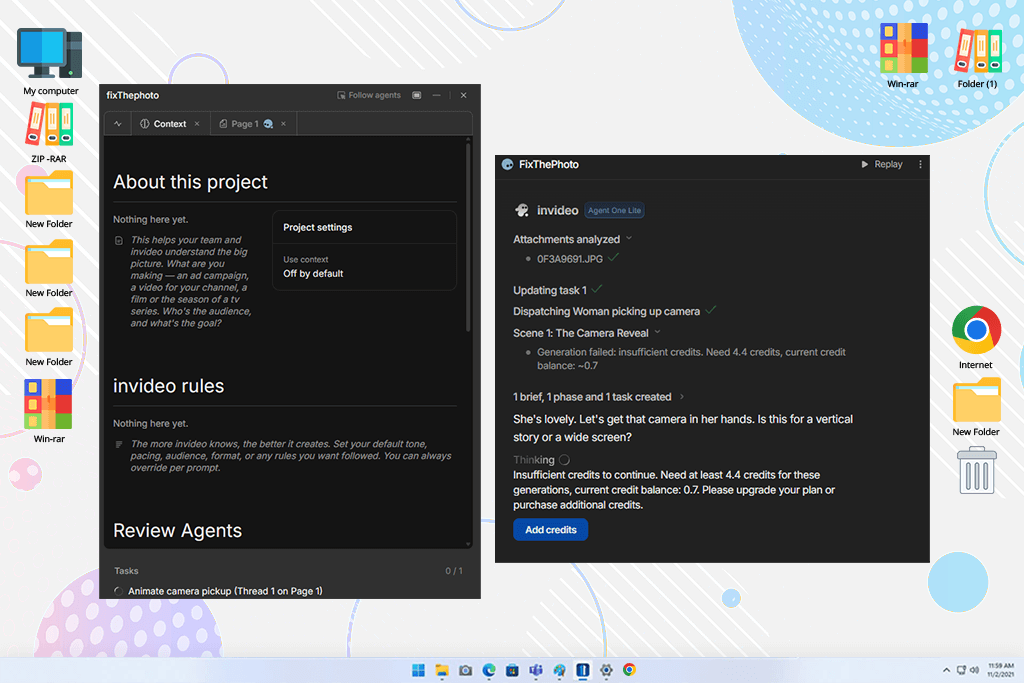
I came across InVideo’s AI storyboarding tool on TikTok. Creators on this platform were sharing fast ad ideas and short film boards. You just give it a script or a short prompt, and it builds a storyboard. It’s great for custom styles, ready-to-use frames, AI films, ads, music videos, and keeping characters consistent.
There’s a tool called InVideo Looks that keeps a character looking the same across different scenes. You also get to choose from various camera angles, such as close-up, wide shot, over-the-shoulder, or bird’s-eye view.
At FixThePhoto, I tested it on a brief vertical ad for a creator tool. That ad ran just 20 seconds. My goal was fast cuts, a catchy start, a clear shot of the product, and an ending that told viewers what to do next.
“Marketing teams, social media creators, agencies, YouTubers, teachers, and small brands are who I’d recommend it for.”

I still use it for quick ads and short videos. But not for fancy wedding films, emotional stories, or as an AI TikTok generator.
My tip: give InVideo clear details about the platform and video length. For example, prompts like “9:16 TikTok ad, 6 shots, first frame must work as a hook” usually produce better results than broad storyboard instructions.
Why it’s in my top:
Pricing: Free; from $17/mo yearly
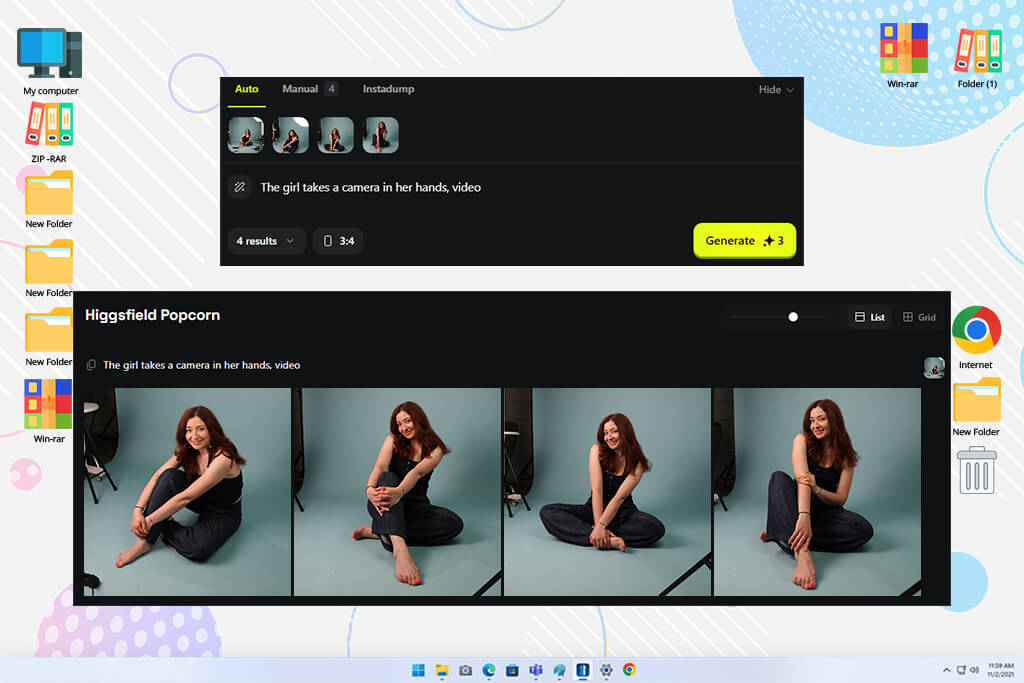
Higgsfield approaches storyboarding more like planning a video shoot, combining keyframes, movement, mood, characters, and scene flow in one workflow. It can create multiple shots with a consistent visual style, which was exactly what I wanted to test for my FixThePhoto video projects.
I tried Higgsfield on two projects: a dark fashion clip and a short wedding preview idea. It worked best when I acted like a visual director instead of handing it a script. Rather than feeding it a long paragraph, I broke things into small scene notes like “bride by the window,” “slow zoom forward,” “veil moving gently.”
The results felt more cinematic than what I got from most other generators I tried, especially in how the shots were framed and the mood they created.
“It’s a useful AI storyboard tool for music videos, fashion campaigns, film ideas, trailers, and social videos where camera movement is as important as the visuals.”

I still use it as an AI Reel generator or when I want to quickly test different camera moods before filming or editing.
My tip: start with one strong key image, then create different versions by changing the camera distance and movement. Higgsfield produces better storyboard sequences when the first frame already captures the style and mood you want.
Why it’s in my top:
Pricing: Free; upon request
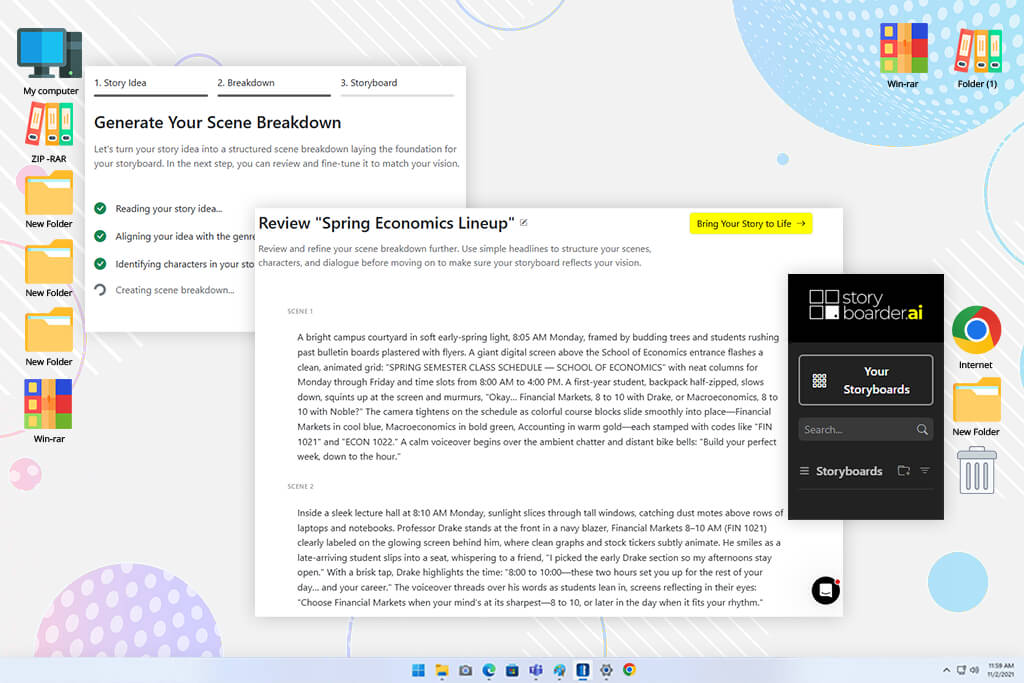
Storyboarder.ai popped up whenever I searched for storyboard tools. I added it to my list because it focuses on real pre-production, unlike many AI image generators, which just make random pictures. The tool is built around your script, shot list, and storyboard. That makes the results much easier to go over with a client or teammate.
“This tool is ideal for filmmakers, agencies, film students, and brand teams that need clear storyboards for planning and production, not just visual ideas.”

What makes this AI storyboard software stand out is the level of editing control. Features like the Location Editor, 3D Camera Angle tool, Object Editor, Iterate, and editable Shotlist make it easy to fix issues such as changing locations, unwanted objects, or camera angles that don’t look right.
It also offers business features like SSO, dedicated support, custom branding, and added security for studios, agencies, and universities. I don’t use it as often as Firefly or LTX for my daily FixThePhoto projects, but it’s a solid choice when preparing professional presentations. The biggest drawback is the cost - the free version is mainly for testing, while regular use requires a paid subscription.
My tip: start by uploading or writing a clear script. Storyboarder.ai works best when the action, location, and goal of each shot are listed separately rather than combined into one long description.
My FixThePhoto team and I ended up running a long, organized test of AI storyboard tools. We handle wedding films, event videos, branded reels, YouTube content, and short promos nearly every week. So, our goal was straightforward: figure out which AI storyboard tools can help in real pre-production, not just make pretty sample pictures.
I didn’t just test these tools with fake fantasy ideas. Each one had to handle real work I do, like a wedding morning scene, a short fashion clip, a YouTube opener, or a social media ad. I wanted to see how each AI storyboard tool handled actual production needs, such as camera angles, shot order, character consistency, mood, lighting, frame sequence, and export options.
A few tools didn’t end up in my final list:
We tested each AI storyboard generator the same way:
Setup, onboarding, and usability. I rated tools higher if they let me begin with a script, a short prompt, or a sample image without a long setup process. In real video work, I often have to put together a quick concept between shoots or before a client meeting. So, if a tool takes 40 minutes to figure out, that’s already a problem.
Prompt understanding and shot logic. I didn’t rely on simple prompts like “cinematic wedding scene.” Instead, I described specific moments, such as “close-up of hands fastening a necklace” or “over-the-shoulder shot of a creator filming a product.” The best tools understood not just what should appear in the frame, but also the camera viewpoint and how each shot fit into the overall sequence.
Character and visual consistency. My team helped me review this part because it’s easy to focus on one great-looking image and overlook changes in later frames. We checked whether each tool could keep the same character, clothing, atmosphere, and visual style throughout the storyboard. Tools that generated inconsistent frames, even if they looked good on their own, scored lower.
Quality of generated frames. I paid attention to framing, lighting, depth, realism, and whether the image would actually be useful during pre-production. A storyboard frame doesn’t have to look like a finished movie poster. But it does need to clearly show what the shot is supposed to be. If the AI storyboard software made hands look weird, swapped the main subject, ignored the setting, or created beautiful but impossible-to-film images, I gave it a lower score.
Editing, regeneration, and control. I checked how simple it was to redo just a single frame, change a character’s pose, tweak the lighting, add sample pictures, adjust the camera angle, or keep the same person while moving to a new setting. On these points, software like Firefly, LTX Studio, Leonardo.Ai, and Katalist AI performed much better than most others.
Workflow integration and exports. Because I edit in Premiere Pro and often put together visual guides for clients or coworkers, how I can save my work really matters. I looked at whether I could export still images, video clips, presentation decks, shot lists, or useful files for a production folder. My team also looked at how easy it was to share, review, and discuss the results with others without needing much explanation.
Team use and client presentation. I also looked at how well each tool handled feedback. Some are great for brainstorming alone, but fall short when you need to show an idea to a client or work with another editor. I liked storyboard generators that kept the storyboard neat and structured, not just a messy folder of random AI pictures.
Pricing, free limits, and real value. I’m fine with paying for a tool if it cuts down production time. But I dropped any option that seemed promising at first, but became too restricted after just a few uses. The tools that ended up in my final list were worth their cost because they saved time, made communication easier, or gave me better control over the visuals.



![9 Best Wan AI Alternatives [{{%year}} FixThePhoto Choice]](http://fixthephoto.com/blog/images/gallery/news_main__preview_28961.jpg)


![Photoshop App on Android [NEW Release] {{%year}} Update](http://fixthephoto.com/blog/images/gallery/news_main__preview_29048.jpg)
![9 Best 2x2 Picture Makers [{{%year}} FixThePhoto Choice]](http://fixthephoto.com/blog/images/gallery/news_main__preview_29017.jpg)
![9 RunwayML Alternatives [Better, Faster & Cheaper]](http://fixthephoto.com/blog/images/gallery/news_main__preview_28969.jpg)



















