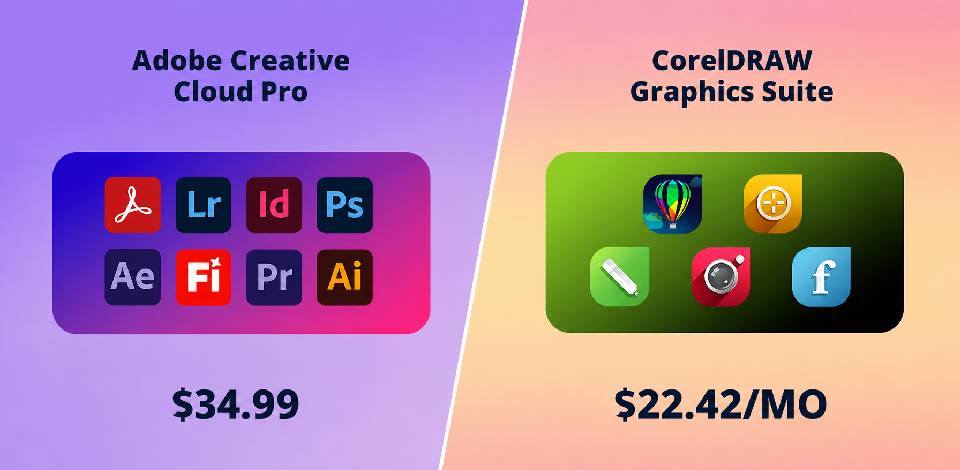
Working as a graphic designer for FixThePhoto, I tend to use Adobe Creative Cloud Pro for the majority of my projects. It’s robust, multifunctional, and can handle anything from image editing to layout creation. However, it can feel underwhelming whenever I need to prepare a vector design or print-ready packaging.
As such, I began searching for a more specialized solution that can tackle vector projects without feeling overwhelming or too basic. I spoke to several of my colleagues, looked into client preferences, and browsed a ton of design forums. In the end, it all came down to an Adobe Creative Cloud Pro vs CorelDRAW comparison. Both have a great reputation. The former provides a comprehensive creative ecosystem, while the latter was designed for precision and a polished production workflow. I decided to test them both.
I performed thorough testing of Adobe Creative Cloud Pro vs CorelDRAW in real-world scenarios. I employed both for packaging layouts, label designs, and preparing print files. I didn’t just quickly check its features, but put them through proper design projects from the concept stage to the final output. Whether you’re an experienced professional or just a beginner, this overview will help you determine which is better – CorelDRAW or Adobe.
When pitting Adobe Creative Cloud vs CorelDRAW, I’ve noticed that Adobe is still the more flexible solution. It can tackle all possible design projects within a single ecosystem, allowing you to handle various creative tasks without skipping a beat.
|
|

Adobe Creative Cloud Pro |

CorelDRAW |
|
Key features |
|
|
|
Free plan |
❌
|
❌
|
|
Pricing |
From $59.99/mo |
From $36.58/mo |
|
Best for |
Full creative workflows, branding, multi-format projects |
Print design, packaging, vector-focused work
|
|
Ease of use
|
★★★★☆
|
★★★★☆
|
|
Platforms |
Windows, Mac, Web |
Windows, Mac |
|
AI features |
✔️
|
✔️
|
|
Supported formats |
PSD, AI, JPG, PNG, PDF, etc. |
CDR, AI, EPS, PDF, PNG, etc. |
|
Collaboration |
✔️
|
✔️
|
Adobe Creative Cloud Pro is a robust design suite made by Adobe, available on both desktop and web. You can use it for image retouching, graphic design, video editing, and much more. The suite includes industry-leading solutions like Photoshop, Illustrator, and Premiere Pro, among many others.
From the moment I first began using Adobe Creative Cloud Pro, I appreciated the level of control I have over even the tiniest details. Compared to more streamlined software, these applications feel more versatile and powerful, particularly when I need to handle more complex projects.
Adobe Creative Cloud Pro is a comprehensive solution for all possible creative solutions. You receive a lot more than a single application. You get an interconnected ecosystem that was developed to help you get professional results. It’s particularly invaluable when dealing with complex projects that encompass a wide range of formats and assets.
“Pair different Adobe solutions up - Photoshop for images, Illustrator for vectors. That’s how you establish a more efficient workflow and receive cleaner results.”

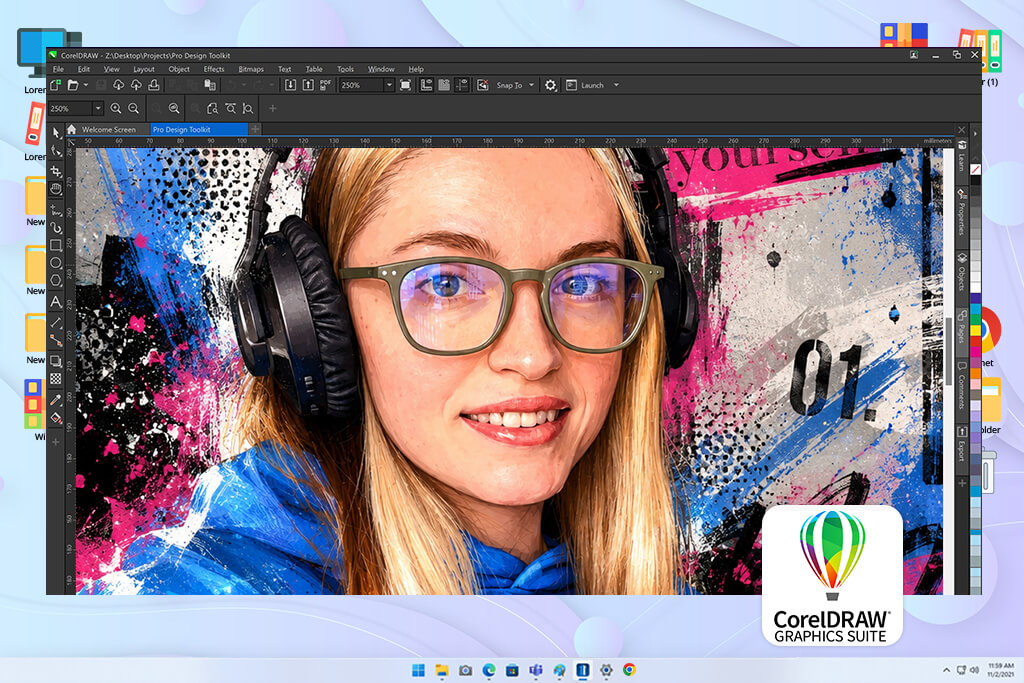
CorelDRAW is a vector-based design application made for producing logos, layouts, packaging, and print-ready graphics. It’s available on desktop is a particularly great fit for tasks that require precision and clean structure, be it labels or box design.
When I began trying out CorelDRAW for free, I appreciated how focused and streamlined it felt compared to more complex design suites. It doesn’t invite me to do everything at once, instead focusing specifically on vector and print layout projects, while offering an unparalleled level of speed and precision.
Both parts of the CorelDraw Graphics Suite vs Adobe Creative Cloud battle are versatile and robust, but they’re aimed at different types of projects. The former prioritizes precision and structure, particularly for print and packaging, while the latter focuses on flexibility and being able to tackle a wide range of creative tasks within a single ecosystem.
Adobe Creative Cloud Pro is great for:
CorelDRAW is best for:
I pick Adobe Creative Cloud Pro whenever I need flexibility and don’t want to use different software that can’t be integrated with each other. It’s ideal for combining different types of media like images, layouts, and branding. However, whenever a project deals with packaging or demands clean vector precision, CorelDRAW is a significantly more efficient solution.
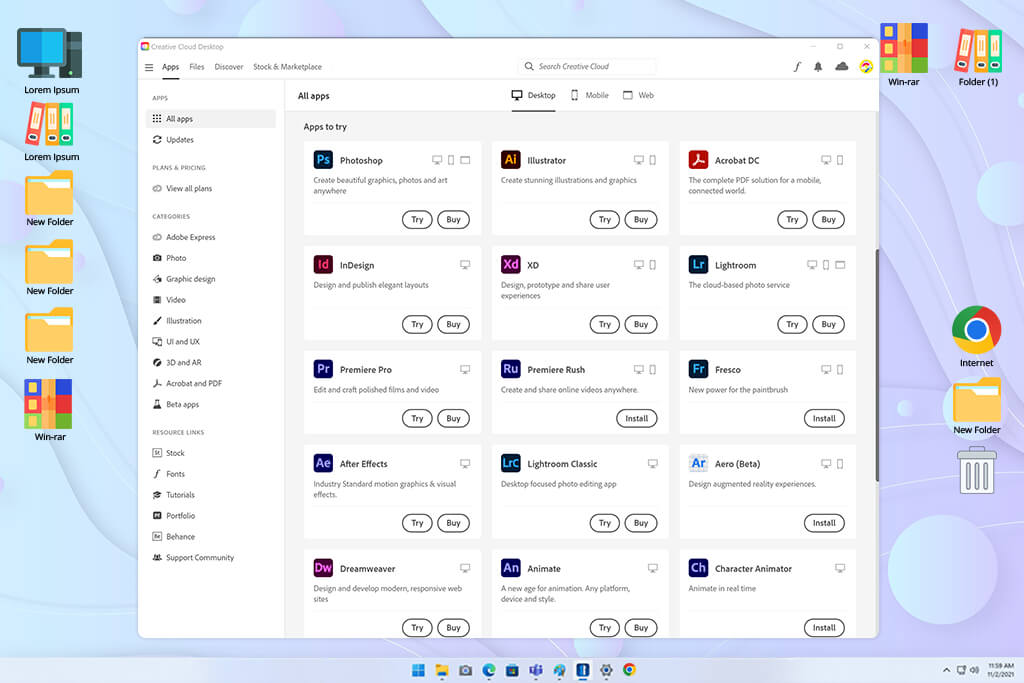
It has a bit of a learning curve, but once you spend some time with these tools, you’ll soon enjoy having complete control over everything. If you’re accustomed to using pro-grade software, the Adobe ecosystem will feel like a return to form.
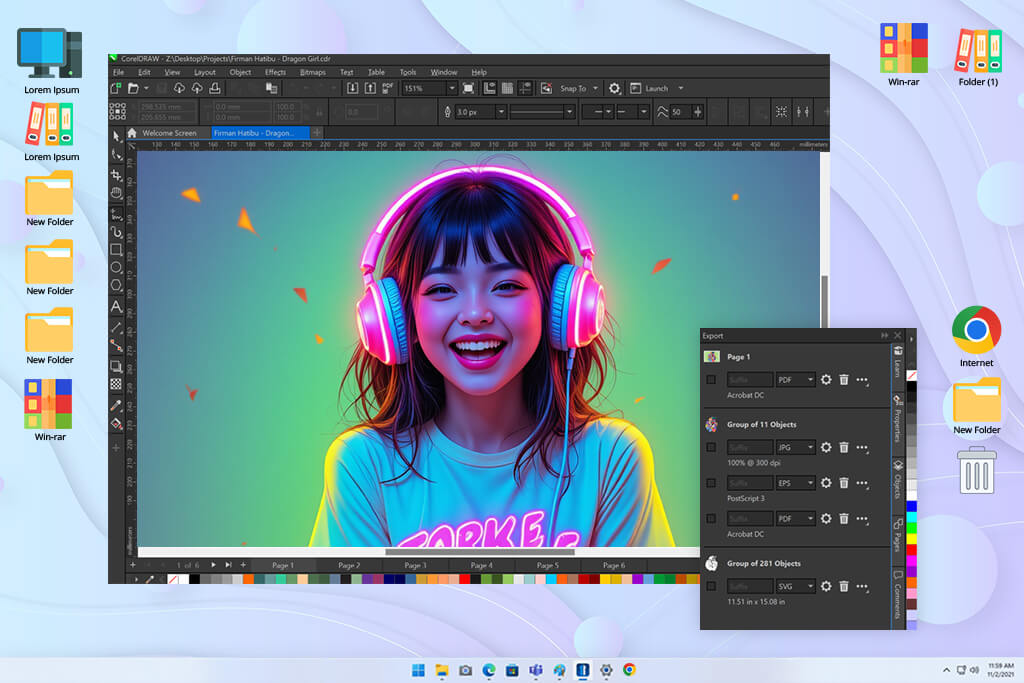
CorelDRAW is more straightforward and specialized. It offers a polished workspace that is a lot simpler to navigate. Instead of having to use multiple applications, everything is done in one place, developed primarily for vector and layout-based projects. It’s a lot more focused, particularly when it comes to print and packaging design.
If your goal is to find the best free Adobe CC alternative, CorelDRAW should be near the top of your list due to its more intuitive UI and optimized workflow.
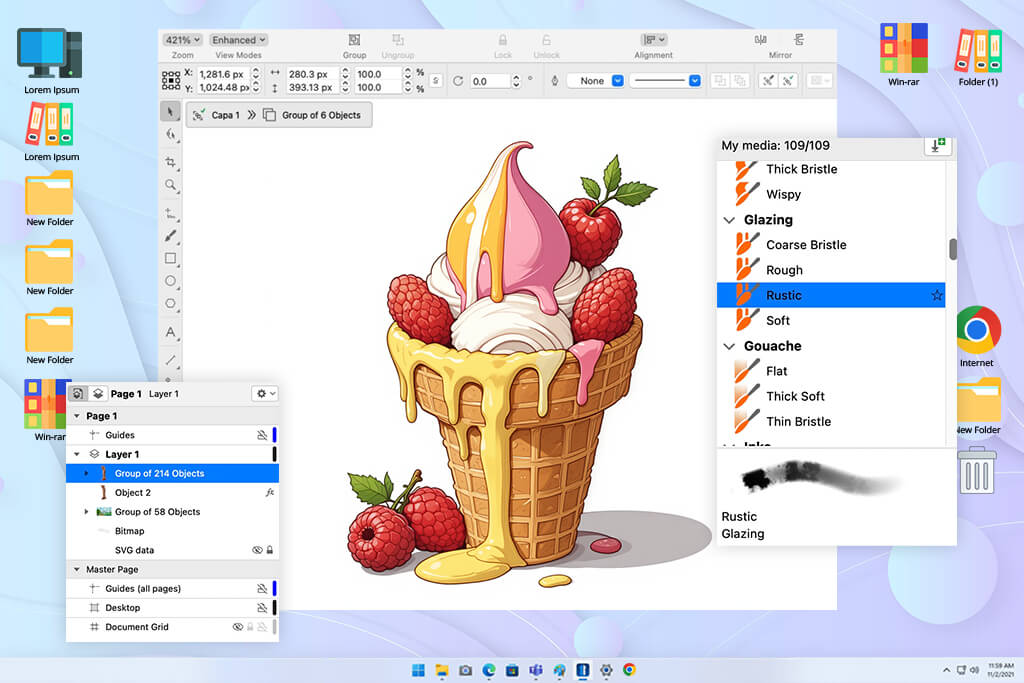
CorelDRAW ensures you can conveniently design logos, shapes, and intricate layouts with highly precise tools. It lets you adjust lines, curves, and dimensions without lowering their quality. It's particularly helpful for working on packaging, labels, and other projects that require exact sizing for print.
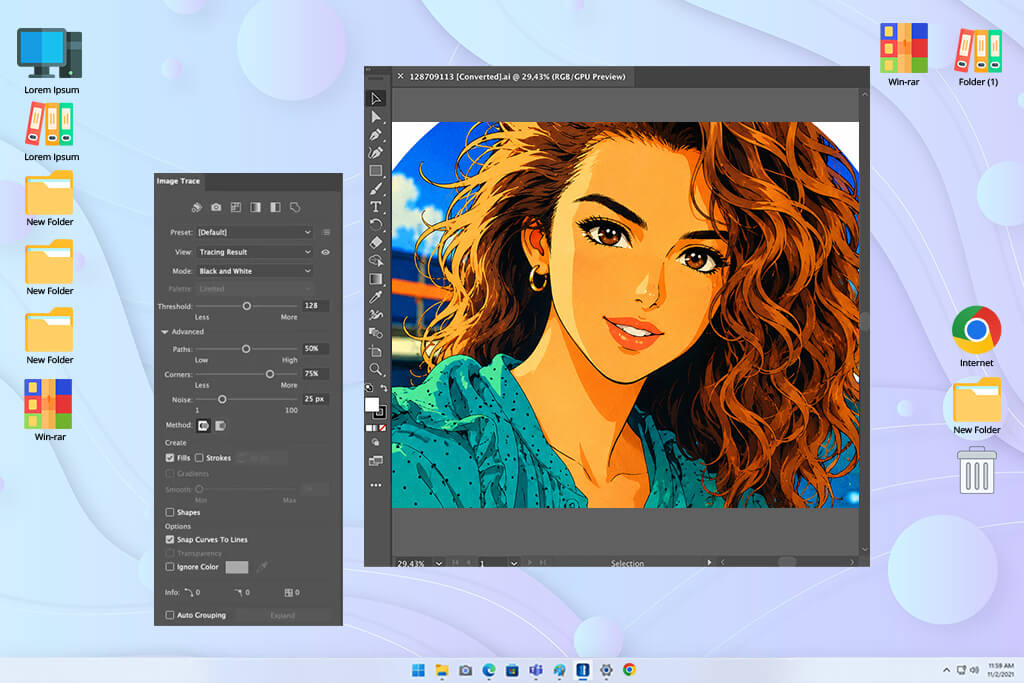
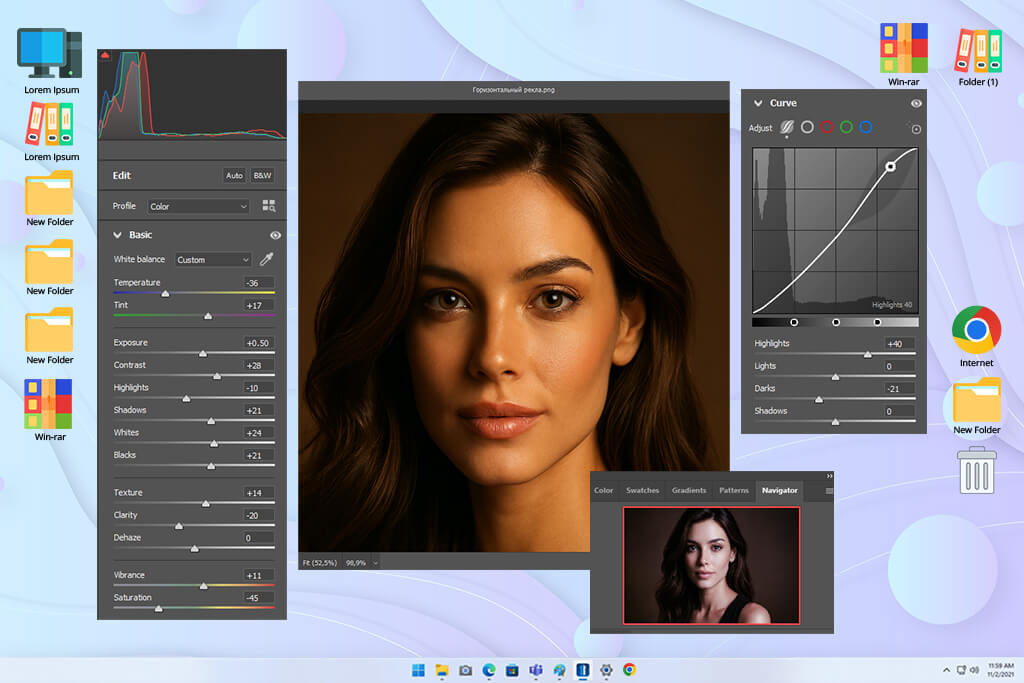
Photoshop offers unlimited control over your photos. It allows you to retouch images, adjust lighting, get rid of unnecessary elements, and produce pro-grade visuals. It’s particularly helpful for product photography, advertisements, and branding assets.
The creative freedom you receive outperforms the majority of alternative solutions. If you pit Adobe Creative Cloud Pro vs Affinity, you’ll notice that the former offers more robust tools, AI functionality, and superior image editing flexibility.
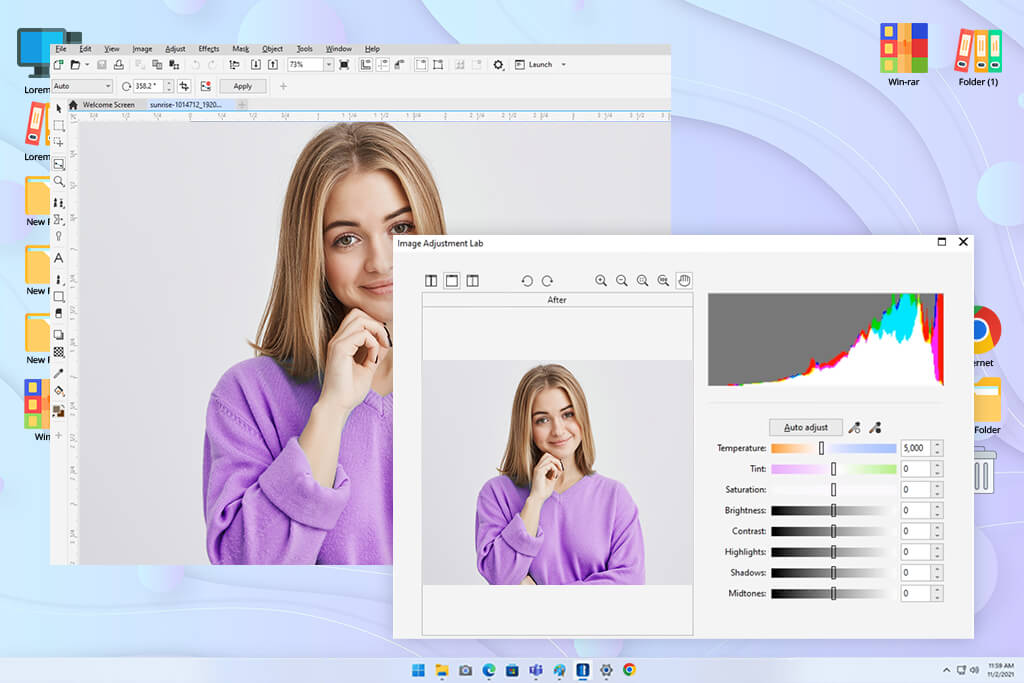
CorelDRAW is a lot more restrictive when it comes to photo editing tools. It allows you to enhance the colors and make basic adjustments, but it’s unsuitable for intricate photo editing. More complex changes require a different solution, which is another item you can add to the Adobe Creative Cloud vs CorelDRAW pros and cons list.

One of the main benefits of picking Adobe Creative Cloud Pro is that you receive a holistic, interconnected system. It allows you to begin working on a project in Photoshop free, move to Illustrator, and then make the finishing touches in a different solution without ever disrupting your workflow. It’s ideal for larger projects that demand the use of multiple applications.
CorelDRAW is a lot narrower in its focus and functionality. Everything is done within a single workspace, which is why it’s better suited for specific design tasks, particularly when dealing with vectors and layouts. That said, it can’t compare to Adobe in terms of integration across multiple creative areas.
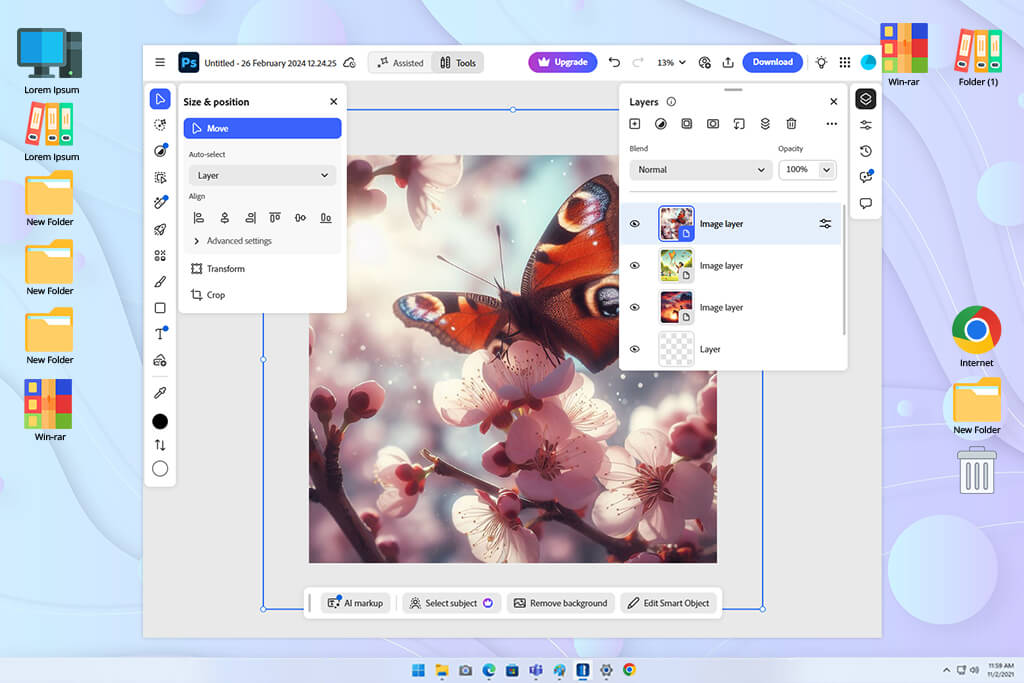
Adobe employs AI in a variety of ways to improve productivity. It lets you delete backgrounds, fill in missing parts of a photo, generate variations, and make smart adjustments in a single click. These features are very time-efficient and help you experiment with different ideas more quickly.
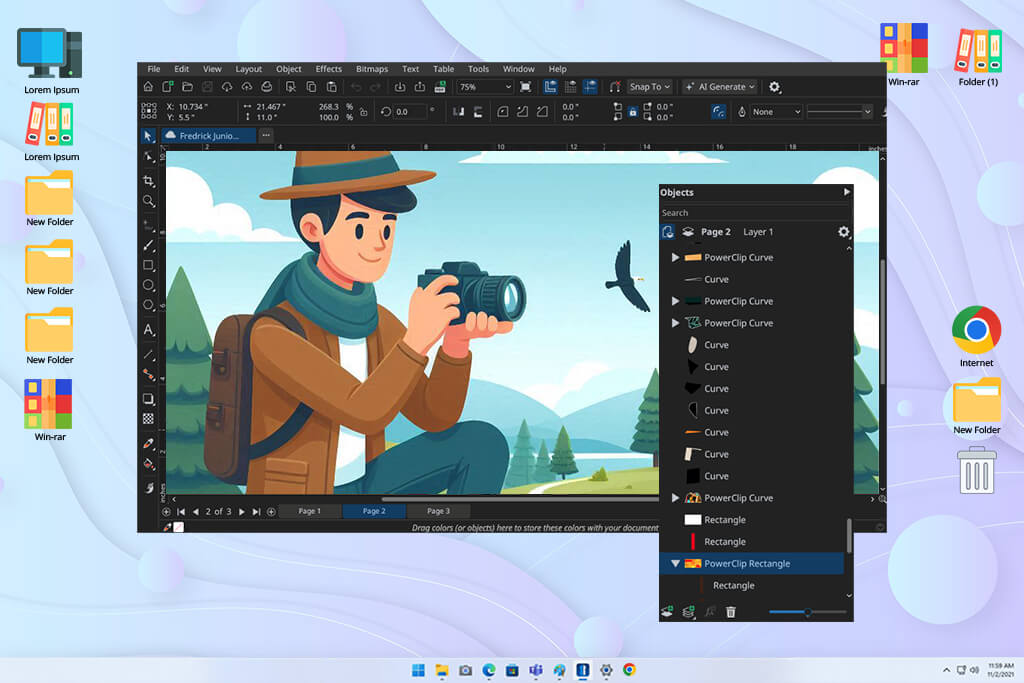
If you compare CorelDRAW and Adobe Creative Cloud’s AI features, you’ll notice that the former is a lot more limited. It offers image tracing and quick edits, but they lack the depth you’ll find in Adobe’s products. CorelDRAW relies on manual control and precision rather than automation.
“Employ Adobe’s AI features to lay down the groundwork – background removal, generative fill, and auto adjustments can handle 80% of the mundane tasks. It’s the quickest way to remain creative without wasting time on repetitive actions.”

Adobe Creative Cloud Pro can be used on Mac and Windows devices, with some solutions also offering browser support. You can utilize cloud syncing to work on the same project using different devices. It’s versatile, but most serious tasks are handled on a desktop, primarily using Photoshop or Illustrator.
CorelDRAW is also compatible with Windows and Mac, and has a browser version too. It’s a great desktop solution, particularly if you’re looking for stability and precision. I also know people who utilize Corel Portable versions to use the software without installing it, but such editions aren’t official and can be a security threat.
That said, similar to Adobe, CorelDRAW wasn’t made for mobile editing, so it’s a suboptimal option if you do a lot of editing and design work on the go.
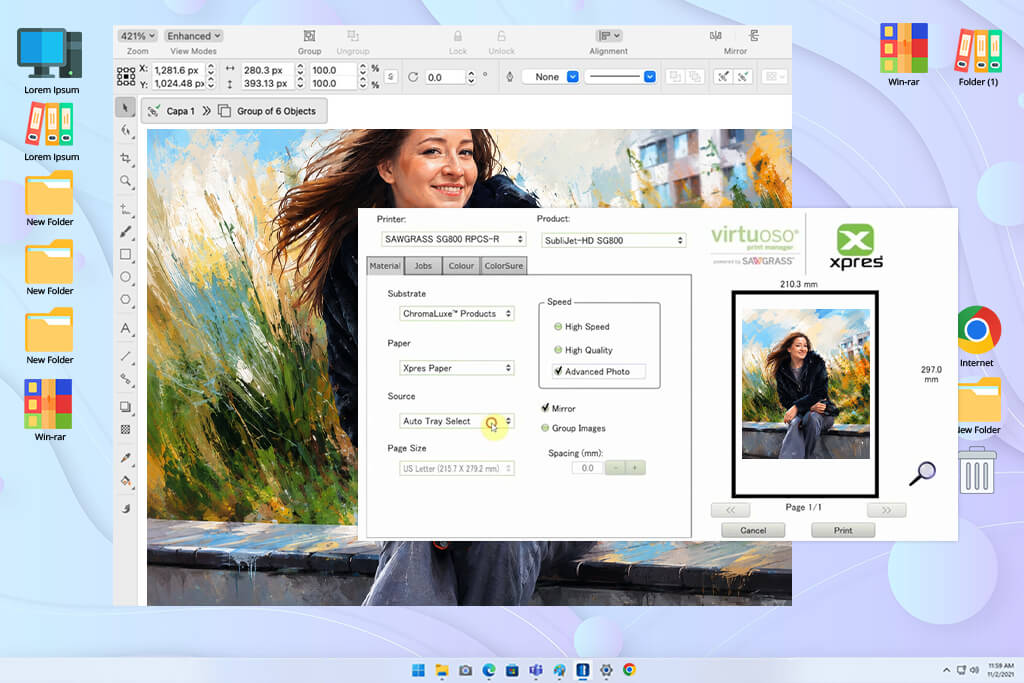
If you compare how you can use CorelDRAW and Adobe for graphic design, especially when dealing with packaging, labels, or any print-based layout, then the former is a significantly more attractive option. It allows you to conveniently adjust the dimensions, margins, and alignment without disrupting the layout. The process of preparing a design for print is intuitive, and you don't need to stress over unexpected errors during export. That's why a lot of users prefer it over Adobe for packaging workflows.
Adobe is also suitable for print design, particularly if you use Illustrator and InDesign. Creative Cloud Pro offers cutting-edge tools, but the workflow requires you to switch between multiple apps, which can waste a lot of your time if you’re simply interested in a clean and polished print layout.
After testing both options for multiple weeks, I decided it was time to make an Adobe vs CorelDRAW pricing comparison. Since I deal with a wide range of projects, it was important for me to determine the long-term value offered by the two solutions.
I looked at the USA pricing, since it’s the go-to frame of reference for most people.
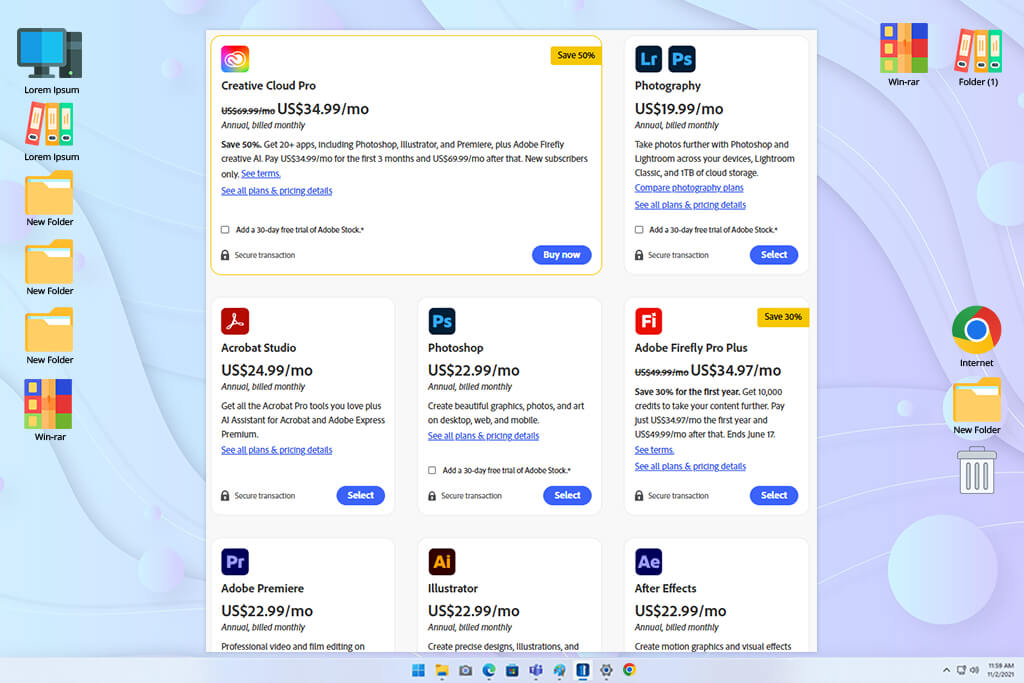
Adobe follows a subscription-based approach that initially feels very expensive. The complete Creative Cloud plan will send you back about $59.99-69.99/month, based on the chosen plan and region. If you only need a specific tool like Photoshop or Illustrator, you can subscribe to a single application for around $20.99-22.99/month.
What flipped my perception of Adobe’s pricing on its head is the overall value. You receive access to an entire ecosystem that encompasses Photoshop, Illustrator, InDesign, Lightroom, and several other premium-grade solutions. For complex projects, such versatility is exactly what you need.
Adobe also has regular discounts. During seasonal sales or partner deals, the price can be reduced significantly, sometimes as low as $34.99-41.99/month for the entire suite in the first year. This is a lot more reasonable, particularly for new users.
Another important benefit is AI. Adobe provides a wide range of integrated AI features (like generative fill and Firefly), ensuring you don’t have to pay extra for using separate AI platforms. This is both time- and cost-efficient.
Once you understand that you’re not paying for individual applications, but rather for a complete, integrated creative workflow, the price starts looking a lot more attractive.
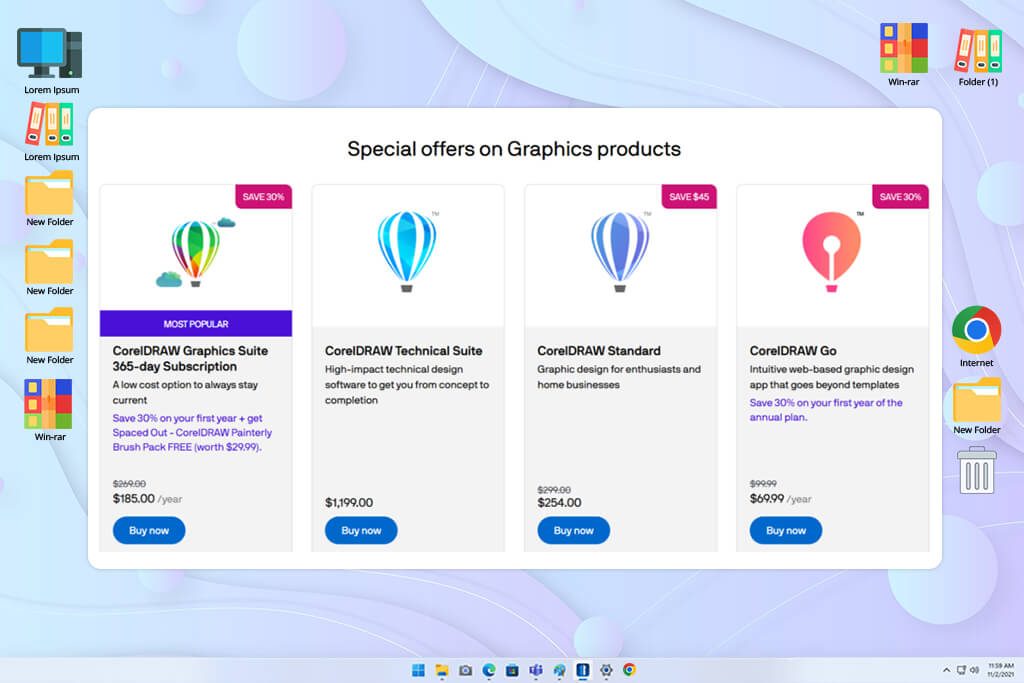
CorelDRAW is a lot more flexible when it comes to pricing. You can pick between a monthly subscription that costs $36.58 or make a single-time purchase (~$549) if you’re not a fan of monthly payments.
This is a great option if you’re looking for a reliable, long-term application that doesn’t incur ongoing expenditures. Some people also try to find versions like CorelDRAW 12 free, but such dated or unlicensed editions come without the latest tools, updates, and support.
For vector design, layout work, and packaging, CorelDRAW has all of your needs covered without forcing you to get multiple subscriptions.
That said, compared to Adobe, CorelDRAW’s scope is significantly smaller. While it’s perfect for vector and print design, it can’t match the former’s level of integration, AI tools, and cross-media functionality.
If you’re working on a more straightforward, focused project, then the smaller scope actually makes it a winner in an Adobe vs CorelDRAW workflow comparison. You save money while using an application that covers all your needs without unnecessary complexity.
Before we focus on the numbers, it’s vital to remember that Adobe represents an ecosystem that requires a continual investment, while CorelDRAW offers a more controlled and reliable cost structure.
| Plan / Model | Adobe Creative Cloud Pro | CorelDRAW |
|---|---|---|
|
Pricing model
|
Subscription only
|
Subscription + single-time purchase
|
|
Monthly cost
|
$20.99–69.99/mo
|
From $36.58/mo
|
|
Annual prepaid
|
~$779.99/year
|
Included in plan / varies
|
|
One-time purchase
|
❌
|
✔️ (~$549)
|
|
Discounts / deals
|
Frequent (up to ~50% first year)
|
Occasional
|
|
What’s included
|
Full creative suite + AI tools
|
Vector + print design tools
|
|
Best value
|
Complex, multi-format workflows
|
Focused design tasks
|
This breakdown makes the differences evident. Adobe is a lot more expensive over time, but offers a wider range of tools. CorelDRAW is cheaper and more focused, being a better fit for graphic designers with specific needs.
After completing my review of Adobe Creative Cloud and CorelDRAW, it became evident that both options are aimed at different kinds of design projects.
Adobe Creative Cloud Pro is a complete creative ecosystem. It’s the best choice if you’re dealing with a wide range of formats, including images, layouts, branding, and video. It’s a lot more versatile, but can also feel overwhelming.
Meanwhile, CorelDRAW is significantly more focused. It was developed for precise vector design, packaging, and print-ready layouts. It’s more streamlined and efficient if you’re handling structured design tasks that demand absolute accuracy.
Both options are impressive, and the choice between them depends on your needs. If you require flexibility and an all-in-one solution, Adobe is the way to go. However, if your priorities include speed, user-friendliness, and precision for vector and print design, then CorelDRAW is a better fit.
When trying to figure out if CorelDRAW is a good alternative to Adobe Creative Cloud, I worked on a wide range of projects, from branding to packaging layouts. When testing, I didn’t rely solely on my personal thoughts. I collaborated with the FixThePhoto team, particularly the designers working with print and product visuals. I read forums, watched tutorials, and examined user feedback to determine how each solution performs in real-world scenarios.
Step 1: Testing ease of use.
I utilized both platforms to tackle actual design tasks to determine how much time it took to begin and finish projects. I focused on how intuitive the UI was, how simple it was to locate specific features, and how quickly I could perform basic actions like creating layouts or adjusting elements.
Step 2: Testing design capabilities.
I made packaging layouts, label designs, and vector graphics in both options. I evaluated the precision of the available features, how well elements aligned, and whether it was difficult to handle complex designs. Adobe provided more versatility, while CorelDRAW felt like a better fit for structured layouts.
Step 3: AI tools and automation.
I used Adobe's AI functionality to remove backgrounds and generate visuals to check how time-efficient it is. For CorelDRAW, I utilized features like image tracing and automatic adjustments. I evaluated the amount of manual work that was still required.
Step 4: Export and print readiness.
I saved files in various formats to evaluate the quality and accuracy of the results. I ensured the files were prepared for print without any mistakes. CorelDRAW was fantastic here, particularly when it comes to packaging and print layouts, while Adobe involves more steps but also provides more flexibility.
Step 5: Real workflow usage.
Lastly, I utilized both platforms for actual projects. Adobe Creative Cloud Pro is great at handling bigger, multi-step projects, while CorelDRAW is more efficient when dealing with focused tasks like packaging and vector design. I evaluated which option allowed me to finish quicker and with fewer edits.
Both are professional solutions, but they aim at different things. Adobe is better for complete creative workflows, while CorelDRAW excels at vector design and print projects.
CorelDRAW is recommended for packaging due to its precision and print-oriented tools. That said, Adobe Illustrator is also suitable for creating packaging design while offering an even higher degree of flexibility.
Yes, CorelDRAW is more streamlined and focused compared to Adobe. The latter has more tools, but is harder to learn.
While it’s the industry standard, many other experts employ CorelDRAW for specific projects. That said, Adobe is more flexible if you work across different types of tasks and media.
Yes. Many professionals rely on CorelDRAW for layout and vector work, then transition to Adobe software for advanced editing or additional tasks.
Yes, Adobe provides more robust AI tools like generative fill and smart editing tools. CorelDRAW has a couple of simple AI features, but it prioritizes manual control.
If you compare how suitable CorelDRAW and Adobe are for beginners, you’ll notice that the former is more intuitive, particularly if your priority is vector design and layout projects. Some people search for previous versions like CorelDRAW 11 free, but they are missing all the newer tools and don’t offer support.
CorelDRAW is usually priced lower, especially if you pick the single-time purchase option. Adobe Creative Cloud Pro costs more but offers a wider range of applications.
Yes, both support print-ready formats. CorelDRAW is easier to use for print, while Adobe provides more in-depth customization.



![Top 7 Bookmark Makers [Printable & Custom]](http://fixthephoto.com/blog/images/gallery/news_main__preview_28951.jpg)


![7 Best HEIC to JPG Converters [{{%year}} FixThePhoto Choice]](http://fixthephoto.com/blog/images/gallery/news_main__preview_29011.jpg)


![9 Best AI PDF Editors in {{%year}} [Expert Tested Guide]](http://fixthephoto.com/blog/images/gallery/news_main__preview_29012.jpg)


















