I understood I needed an AI Reel generator while working late. I had a long, 20-minute video, and I was trying to turn it into a short, vertical clip that grabs attention. I create social content for a small brand and for myself, and cutting clips by hand was taking me hours every single week.
The most frustrating part was that I knew how to make a good Reel, but I never had the time to try out different openings, adjust the speed, or write catchy text. That’s when I realized I didn’t just need another tool - I needed something that could help me think. That’s why I decided to test 50+ AI Reel generators popular among creators to find the one for my needs.
When I began my search, I knew exactly what I needed. The tool had to take long videos and break them into several short clips for Reels, not just one. I wanted to adjust the tone and speed, and fine-tune the opening hook without starting over every time.
Most importantly, the final videos had to be exported in high quality – blurry results were simply not an option for my brand. The key for me was collaboration, not full automation. I wanted an AI that could do the tedious tasks, leaving me in control of the creative vibe.
Good Reels are short, vertical videos. Their job is to catch your attention in the first few seconds and hold it all the way through. They feel genuine, and they always give you something worthwhile - whether it’s a laugh, a good idea, or a helpful tip.
Visually, they’re clear and move at a good pace. Captions are often added, so you can understand them even on mute. Most importantly, the best Reels don’t feel like polished TV ads; they feel genuine, relatable, and made to fit right into someone’s social media feed.
Key traits of good Instagram Reels:
Reels are crucial because they’re one of the quickest ways to get discovered on Instagram and Facebook. The algorithm actively shows Reels to new people who don’t already follow you, unlike standard posts. Because of this, a single successful Reel can get more reach than weeks of your usual content. For creators and businesses, this makes Reels essential for growth.
Finally, Reels are important because they’re highly efficient. You can reuse one video across different apps, test new ideas fast, and see what your audience likes almost instantly. Whether you want to grow a following, promote something, or build your personal brand, good Reels deliver the best results for the time you invest.
AI Reel maker apps can now create personalized and trendy Instagram Reels for you. It does this by mixing smart data analysis, creative design formulas, and ready-to-use templates. Here’s how it works and why it’s so useful.
Ultimately, AI creates smart Reels: aware of trends, personalized for your audience, and fine-tuned for engagement. It’s the ultimate tool to save time and amplify your reach.
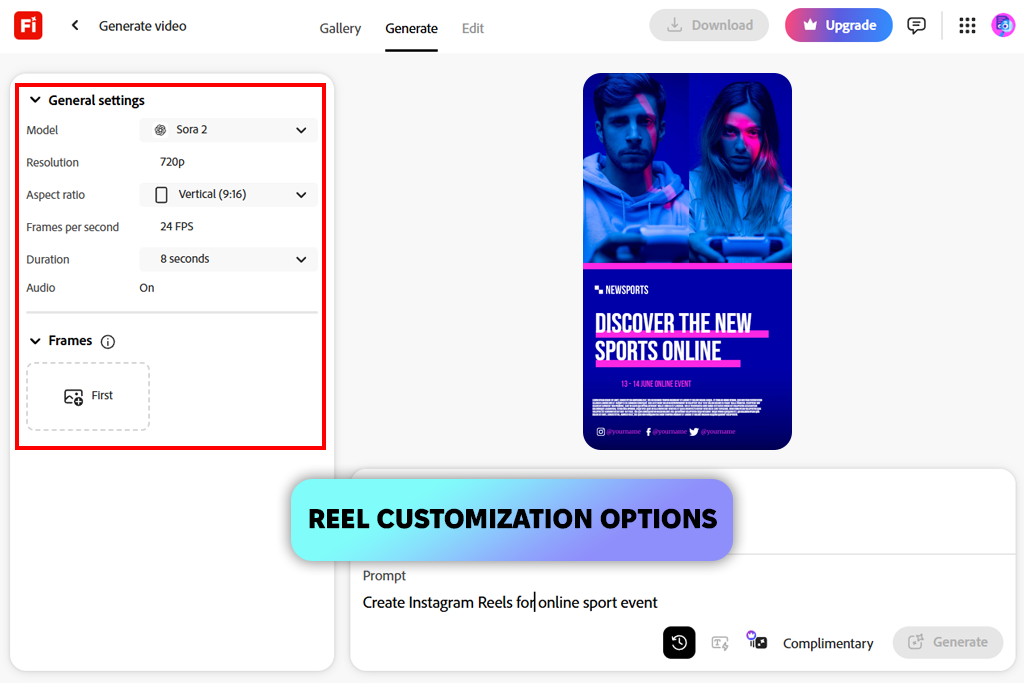
When I first tested Adobe Firefly video model for creating Reels, I treated it like a creative assistant. I entered short text prompts that described the mood and idea, and it produced animated video clips that aligned well with what I asked for.
I was most impressed by how well it understood creative prompts. I could ask for an “energetic city montage with text overlays,” and it would deliver a polished, on-brand video. Since it’s built for professionals, I could make quick tweaks and export in crisp, high quality. It felt like working with someone who understands both design and social media really well.
The real strength of this AI Reel maker app was its creativity. It didn’t just edit clips; it constructed entire scenes with a natural flow and trendy feel. Best of all, it understood social media fundamentals like vertical video and fast pacing, delivering Reels that needed almost no extra work. This saved me hours when I was under a tight deadline.
“I gave it a simple idea, and it gave me back a polished, vertical video. The look and feel matched the exact mood I had in mind; nothing felt random or out of place.”

Since it’s a new tool, there’s a cap on how many videos you can make for free, which slowed me down. Also, if my instructions were vague, the results could feel a bit repetitive. I fixed this by being more specific.
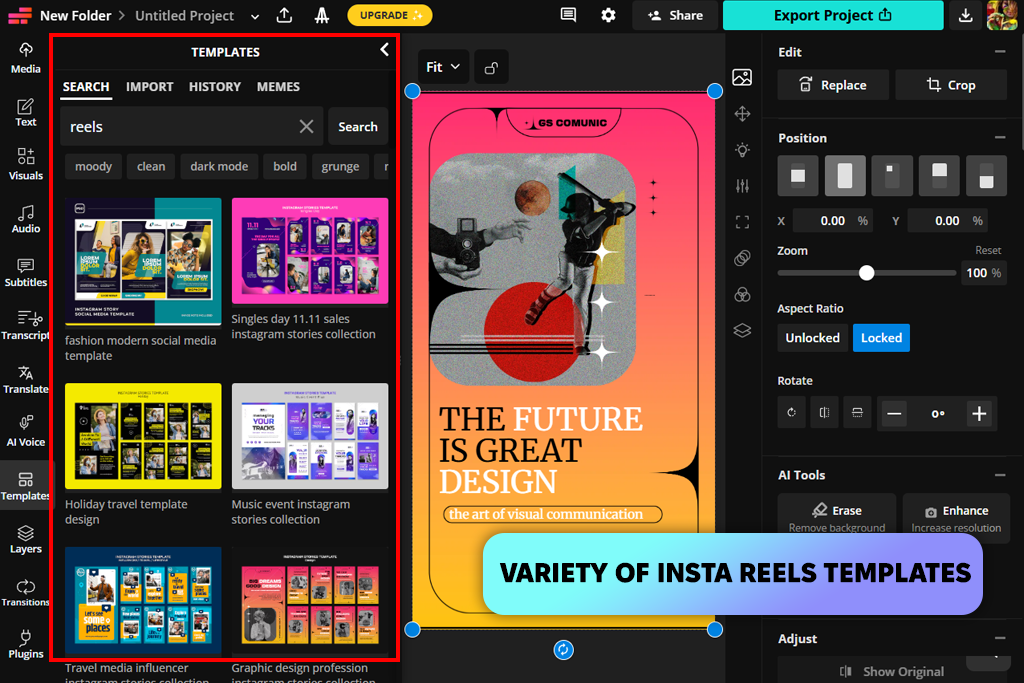
I mostly used Kapwing to change long videos into short Reels. Its AI Reel editor, named Kai, was very useful and could do a lot. You could give it any text, an article, or a script, and it would make a complete video draft for you with music, captions, and pictures that fit. It also included extra B-roll clips and smooth scene transitions.
What was really good about this AI video generator is that it did two things at once. First, it can make a video just from text. Second, it can find the best parts of a long video you upload and turn them into short, interesting clips. This meant I could give it a long video, and it would automatically pick out the most important moments for me.
“The short clips it made were automatically formatted for phone screens and had captions added. It felt like the AI knew which moments were the most important.”

Because the tool works online, it can be a bit slow, and the free plan is limited. Free videos have a logo on them, and you can only save a few. This made me pay for the full version so I could use them for work.
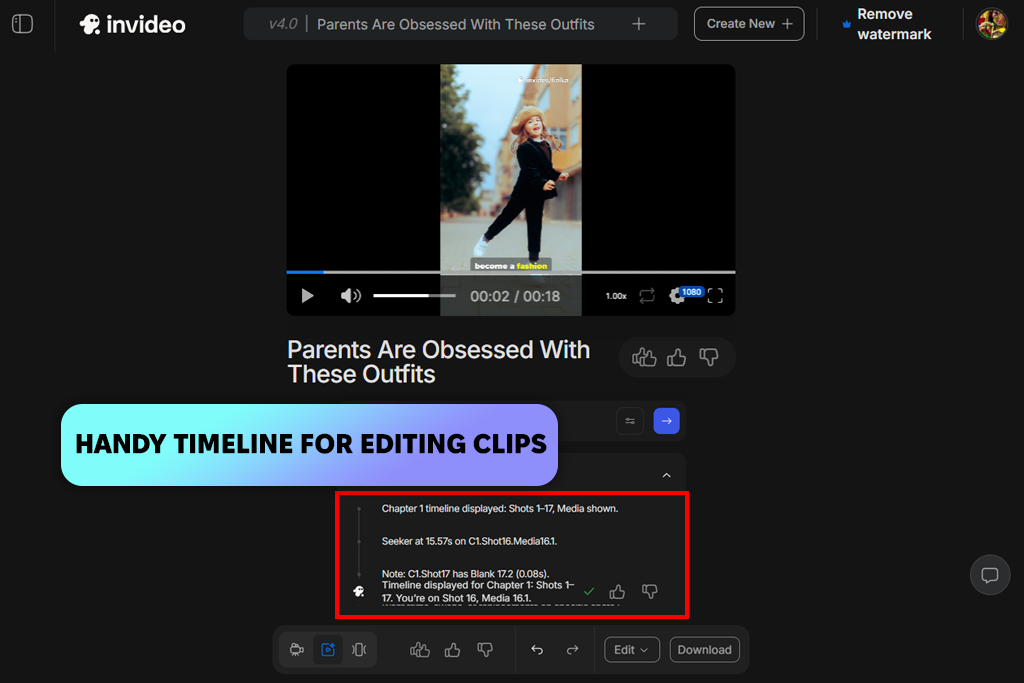
When I tried this tool, I wanted to see if it could take a written idea and automatically make a complete Reel for me. I gave it simple topics, like “quick tutorial on morning routines” or “product highlight reel.” The AI then made full video drafts with scenes, music, and captions that looked ready to post.
The AI was good at making the whole video for me. I didn’t have to build it step-by-step or look for clips and music. It chose the speed, added extra footage, and picked the background track, so everything felt well put together. Then, I could open it online and just change the parts I wanted, without having to start over.
“It didn’t just edit clips - it created full scenes with a voiceover and fitting stock footage, which saved me a lot of time on writing and planning.”

One drawback of this AI clip maker was that sometimes the video clips it picked didn’t fit the vibe or look I wanted. I had to change my script a little and try again. But once I got better at describing what I needed, it made good Reels every time.
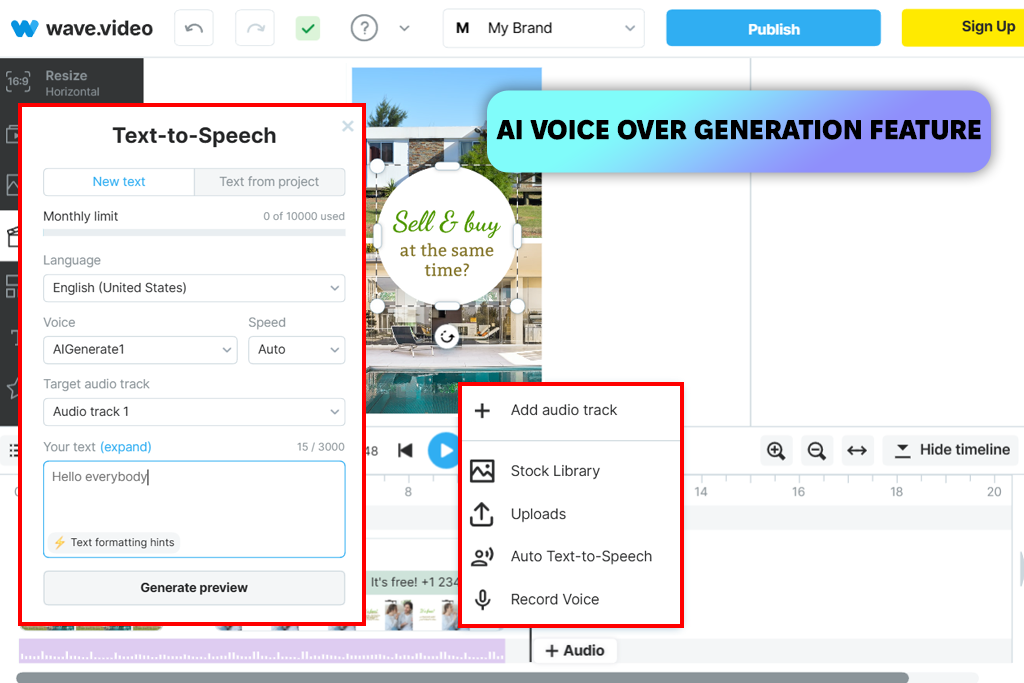
I tested this AI Reel generator to see if it could make a finished video from just a short prompt. Right away, I noticed a big help: it automatically puts together scenes using stock clips and moving graphics, so I didn’t have to build every shot myself. Even when I just typed a simple idea, Wave Video suggested a good speed and where to cut the clips – perfect for short Reels.
Its AI did a great job picking transitions and arranging scenes to match the feeling of my prompt. This kept the video smooth and connected, saving me the time I’d usually spend putting the flow together. This video editor for Instagram felt like it was made for creators who want ready-to-post Reels, with AI building in the right rhythm from the start.
“It doesn’t offer the most creative options, but it always makes useful drafts with very little extra work needed. For everyday social media posts, it’s a dependable choice.”

The one downside was that the music and beat it suggested could feel a bit plain. Sometimes I wanted something with more energy or a trendier sound. However, it was very easy to swap the music track afterward without having to remake the video.
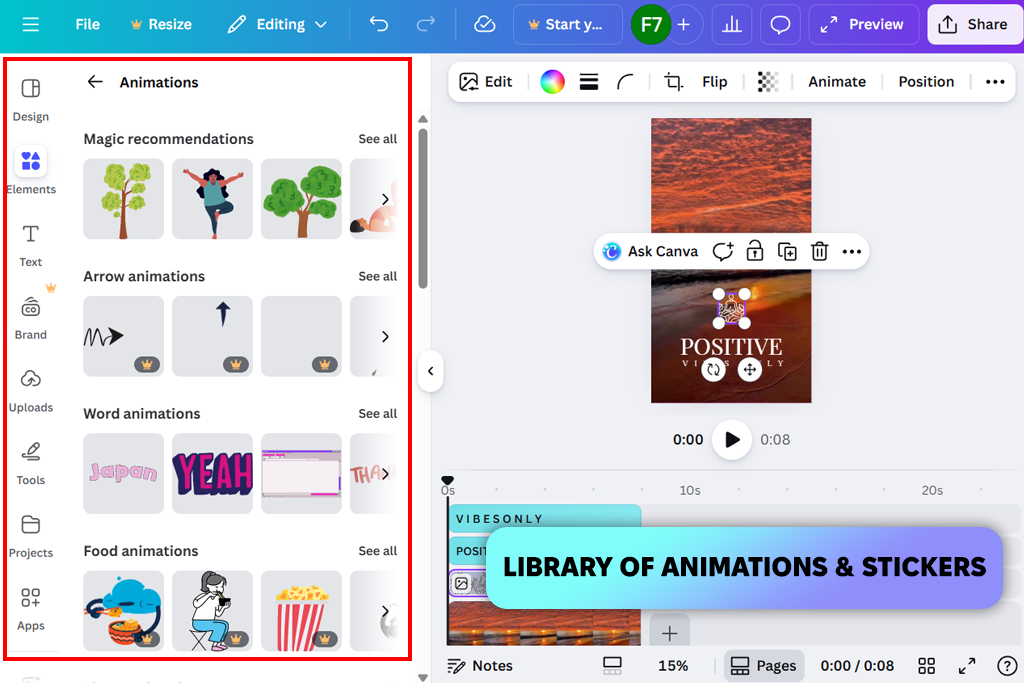
I often use Canva photo editor for design work, so I was curious to try its AI Reel maker. The good part is that it combines images, ready-made styles, and AI ideas all in one place.
I simply typed the idea for my video, and the tool suggested scenes, layouts, and transitions that fit. The best part was its huge collection of templates, fonts, and graphics - the AI could instantly add these to my draft, saving a lot of time.
What was really helpful was how the AI knew how to tell a simple story. It didn’t just make random clips - it suggested a series of scenes that fit together to explain an idea.
“I like that it automatically makes the video the right size and format for Instagram, which makes posting much simpler.”

Because it relies on templates, the visuals sometimes felt familiar, not original. That isn’t a downside - just a consistent style. If you want strong brand consistency and ready-made visuals, that predictable look can actually be a benefit.
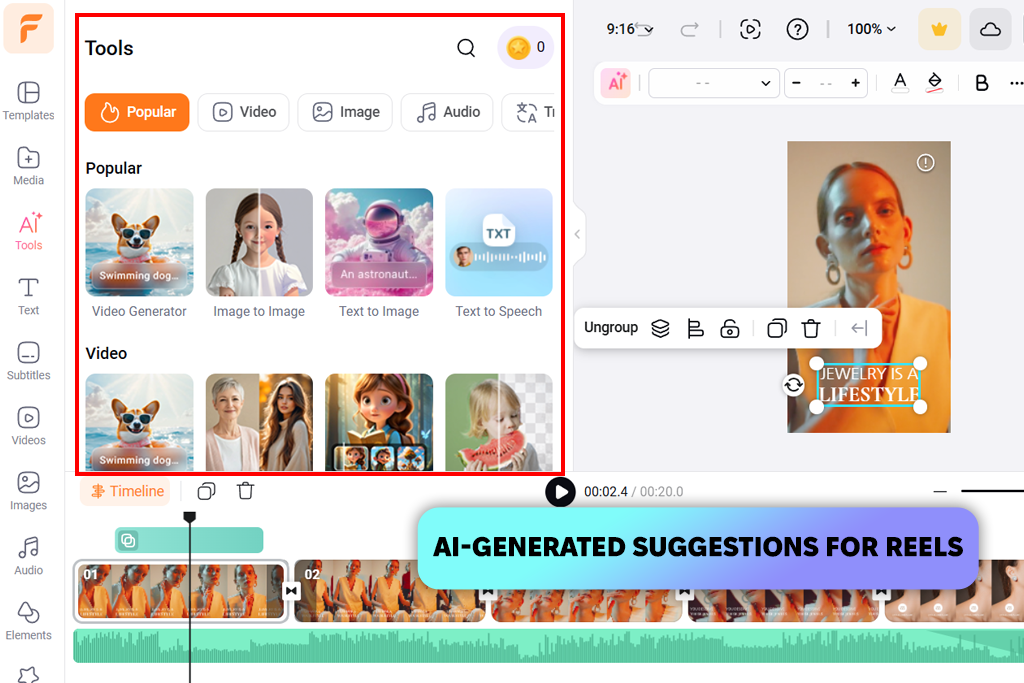
I tried FlexClip when I needed Reels that looked good but didn’t want to edit them by hand. I just typed in what my video was about, and the AI put together scenes with smooth transitions and fitting background music. This AI reel editor was easy to use right away, which was perfect for making videos quickly.
When making Reels, I liked that it gave me automatic ideas, but also let me make changes after. The AI usually picked images and clips that fit the video’s purpose, like if it was for teaching, fun, or promotion, so the first draft already felt almost done. Exporting was quick, and I got videos formatted perfectly for Instagram, ready to post right away.
“I was impressed by how fast it turned a few sentences into a complete Reel. The video was well-organized and clear, not confusing.”

One small drawback was that the AI didn’t always make very unique videos - the visuals could feel a bit safe and similar to others. However, for regular posts where being clear and fast is more important than being totally original, it worked perfectly.
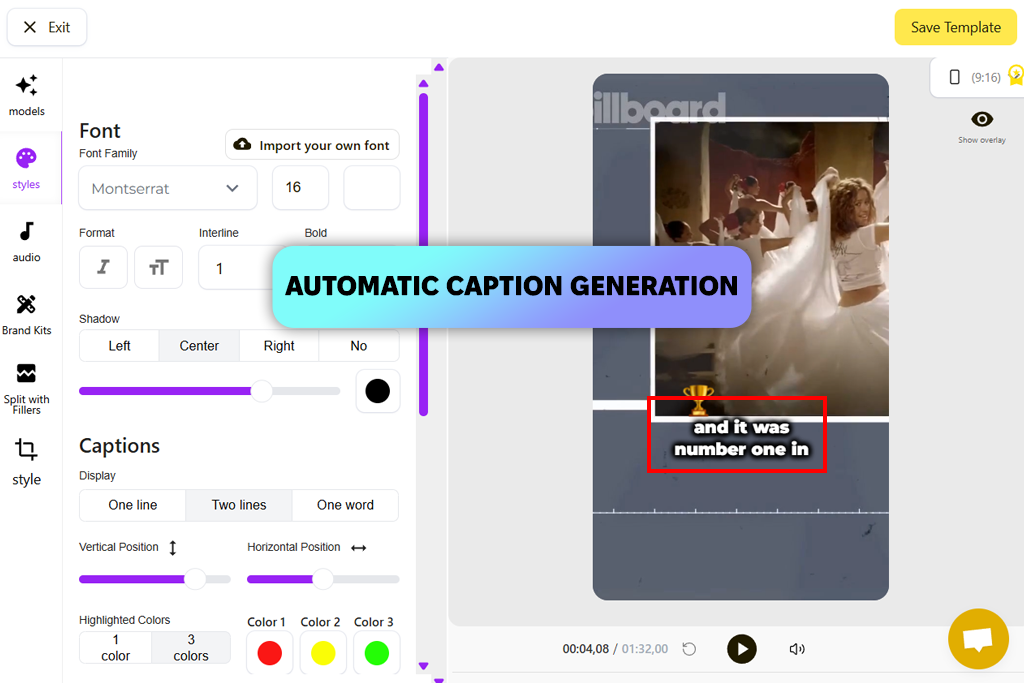
When I tested SendShort, I wanted to see if it could easily turn long videos into short, engaging Reels. This vertical video editor automatically found the most important parts and made short clips that fit what I asked for. It saved me a lot of time.
I was impressed by the auto-generate feature. It saved me time by scanning full-length videos (like seminars or tutorials), pulling out the best moments, and building vertical reels from them. I didn’t need to select timestamps or make edits manually. The AI Reel creator app handled it, acting like my personal editing assistant.
“This tool is excellent if you already have longer videos. It automatically finds the best moments and turns them into short clips. I hardly had to do anything.”

I also liked that it could make “faceless Reels.” This means the AI puts together images, text, and music without needing to show a person on camera. It was perfect for brand posts that don’t show a face or for when I want to keep things private.
This tool is perfect for anyone with a lot of long videos who needs to make short clips quickly. It’s not for deep edits, but for making many engaging Reels fast, it works very well.
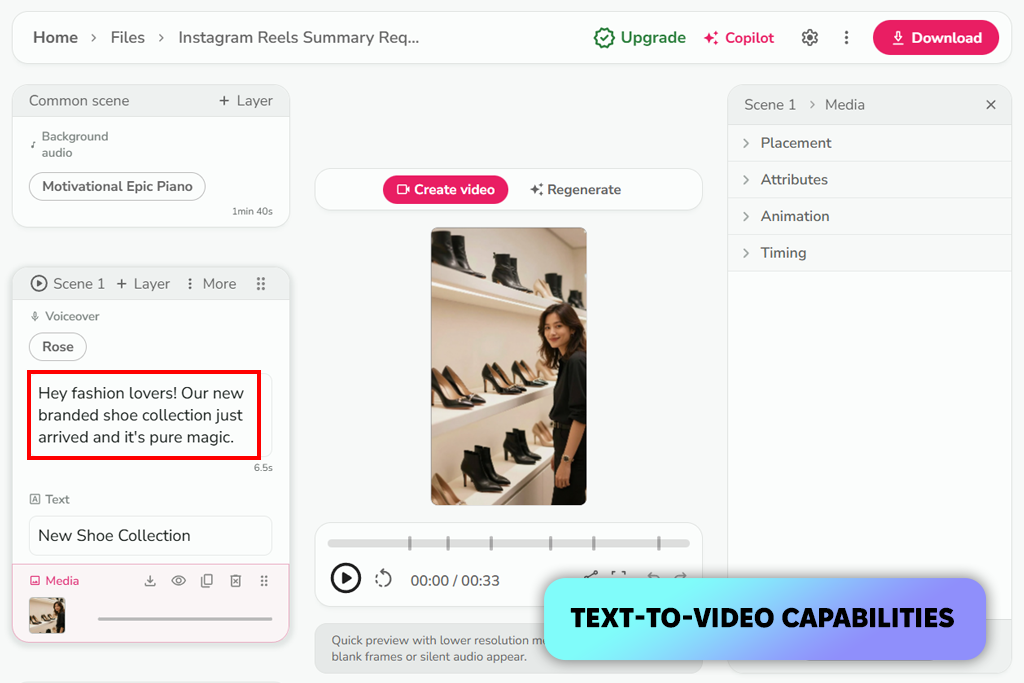
I tried Fliki, expecting a simple tool, but it had a lot of useful features: AI presenters, custom voices, and automatic video ideas based on my text. I just typed what I wanted the video to be about, like a “quick explainer” or a “brand story”, and the AI created the full video with a voiceover and subtitles.
Its AI presenters and voices were very useful when I didn’t want to be on camera. I could create a professional-sounding video with a voiceover without having to record anything myself, and I didn’t need to use a separate AI sound effect generator. The platform also matched the audio and visuals together smoothly, making the final Reel feel lively and ready to post.
“Making Reels felt like collaborating with a virtual host. For content that needs a narrator and character without showing your face, this was one of my top choices.”

This Reel tool was great at letting me customize things like voice, language, and style, while it automatically handled the timing and transitions. It also offered many pre-made formats for short Reels, which saved me from having to format them myself.
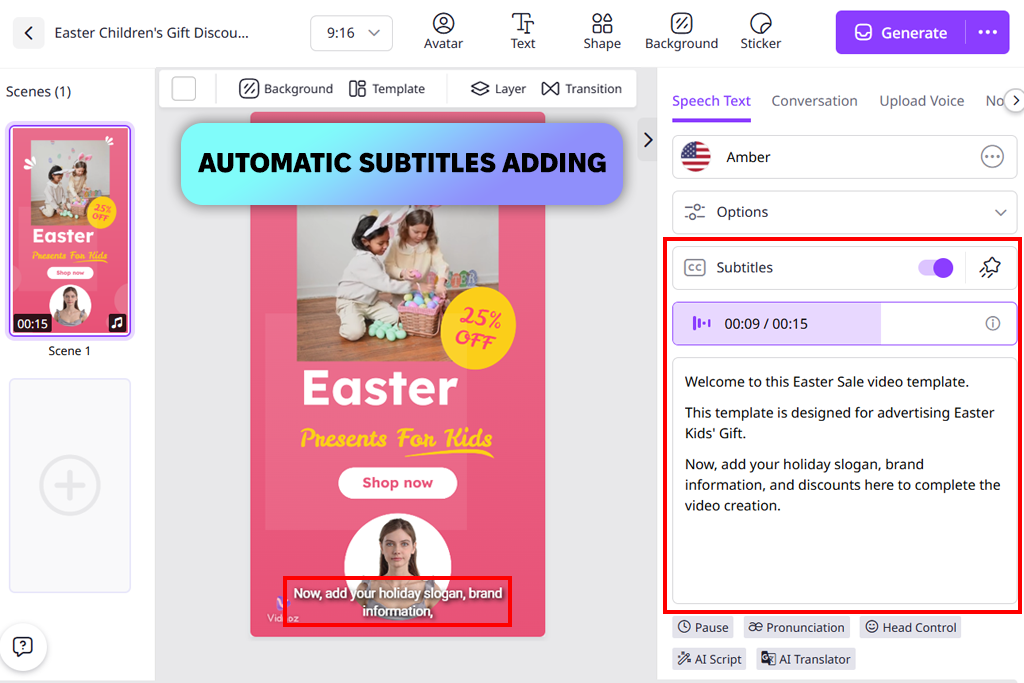
I typed my ideas, the mood I wanted, and what the video should achieve into Vidnoz. Right away, the AI proposed short video outlines that matched trending social media styles. The process was straightforward and fast. Typically, I had a solid Reel concept ready in minutes, saving me the effort of designing each scene from scratch.
This Reel creator app prioritizes speed over complexity, so it avoids complicated settings. It generates neat, direct video clips that work perfectly for specific content like tips, promos, or simple guides. I really liked that the AI kept up with what’s popular. The suggested speed, designs, and looks felt current, not old-fashioned. This helped my content stay fresh and timely.
“Fast and easy. Type in words, choose a style, and get a Reel fast. Not many options, but that’s the trade-off. Perfect for making a lot of content quickly.”

Even though there weren’t many settings to change, the benefit was simplicity and reliability. I could count on this free video editing app to create something ready to use without needing a lot of adjustments.
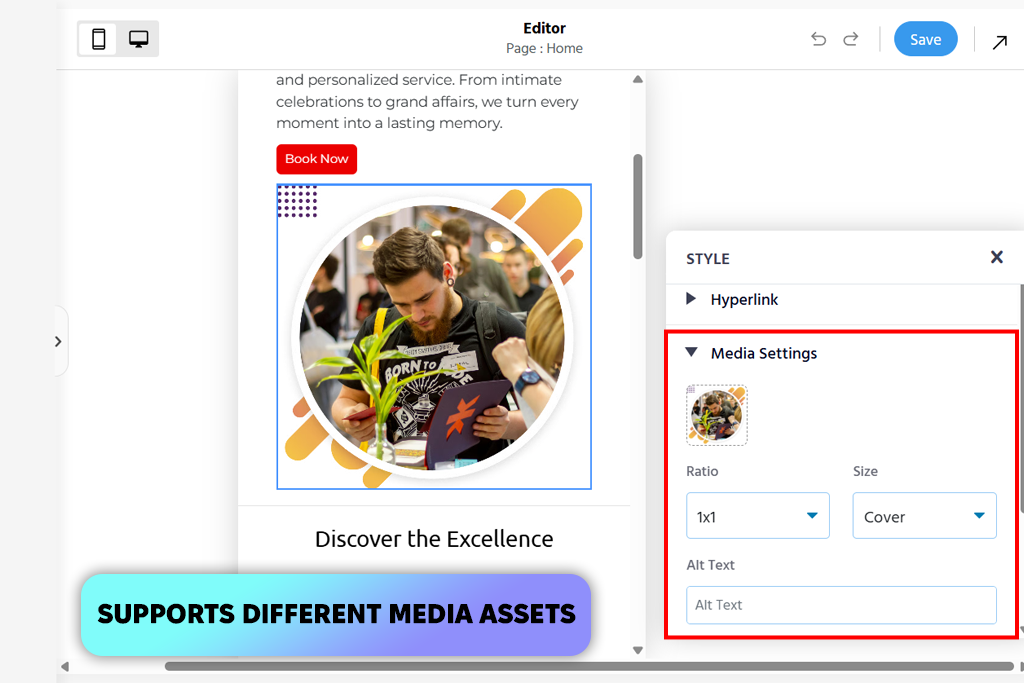
I tried Appy Pie when I wanted an AI tool to easily make Reels from text or images. It quickly turned my ideas into videos - I just described what I wanted to show and say. The results were practical and ready to post, saving me the time of creating each part myself.
“The AI automatically uses the correct vertical size and timing for Instagram, so the videos feel ready to post. It doesn’t have as many features, but creating videos is dependable.”

What I noticed was how well this reel editing app handled different kinds of media. You could combine stock footage, AI-created clips, and text, all directed by your instructions. This made it simpler to customize Reels for different topics without needing multiple apps.
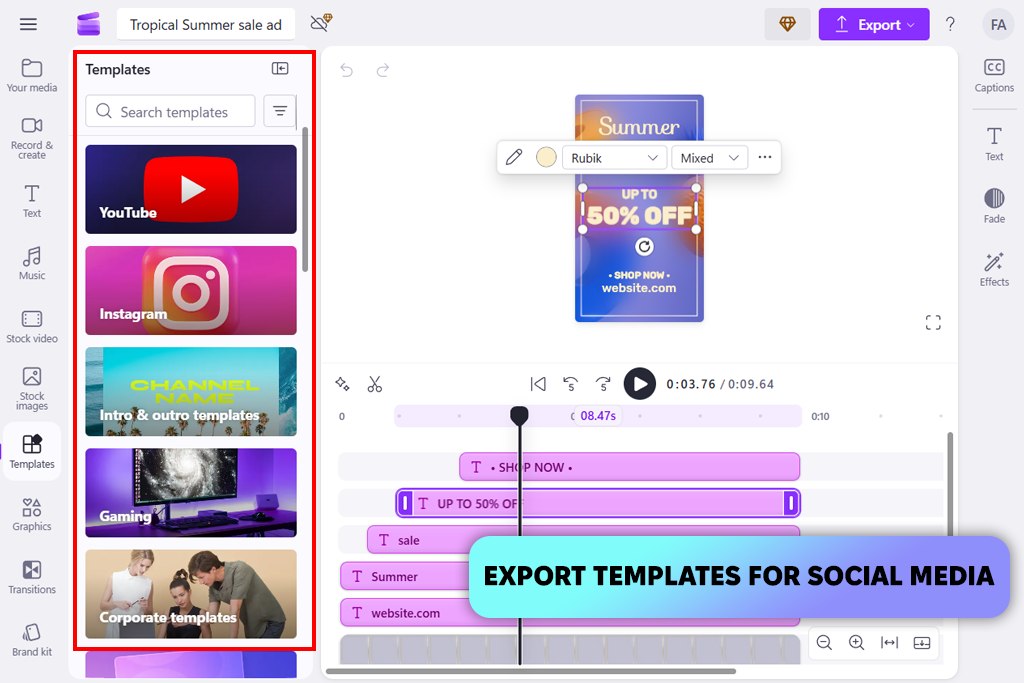
I tried Clipchamp for its regular editing, but also to see how its AI makes Reels from simple prompts and clips. It’s more of an editor than a full AI creator, but it still has helpful features like automatic scene building and captioning to speed up making short videos.
I liked that once I described my idea, the AI easily suggested the right speed and smooth scene changes for a Reel. It felt less like it was creating new scenes and more like it was making my existing clips more engaging. The tools that added captions and changed the video size automatically saved me a lot of time.
“It’s a smart helper, not full automation. The AI assists with speed, text, and flow while you stay in charge. Everything works smoothly together.”

This app to make Reels is part of a bigger editing suite. Because of that, I could quickly fix or change the video the AI made without having to open another app.
Our FixThePhoto team decided to carefully test the best AI tools for Instagram Reels, because short videos are now essential for creators and brands. We wanted to find out which tools truly save time, keep up with trends, and make videos that feel like they belong on Instagram.
Our main content team, including Julia Newman, Tata Rossi, and Kate Debela, did the testing. Each of them brought their own creative experience to the reviews.
We used real examples, not fake tests. Julia focused on lifestyle and personal brand videos, like daily routines and tips. Tata tested business and promotional videos, such as ads for a café and product highlights. Kate tested on creator and anonymous videos, including inspirational quotes and trendy clips using stock footage and an AI voice.
Each AI Reel tool was tested the same way. We gave each one simple prompts, like “3 quick productivity tips,” “before-and-after room makeover,” or “a fun, upbeat café ad.” We then checked how well the AI followed the instructions, if it made the video in the correct format for Reels, and how ready the first draft was to post. We also noted how much extra editing we had to do afterward.
For example, when making trendy Reels, we checked if the AI used quick cuts, lively text, and modern music. Some tools immediately made sharp clips with a strong opening, while others needed clearer instructions. For promotional videos, we looked at how well it placed logos, text, and clear call-to-action moments without making the video feel choppy or awkward.
The results were quite different. Some AI tools were very fast, making a usable draft in under two minutes, though the visuals were more basic. Others focused on better quality and narrative, creating more refined videos that took a bit longer. We also saw that tools with built-in trendy templates usually made better Reels for getting likes and shares.
Our team valued practicality above all. Tools that needed a lot of editing after creating the video received lower scores. The ones that produced Reels looking ready for Instagram - with the right speed, clear text, and smooth changes - were the most impressive.
After all our testing, we now know which AI Reel generators work best for individual creators, businesses, and making a lot of content quickly. By actually using the tools ourselves, we could see past the ads and understand how they perform in the everyday creative work that our audience does.
“Show a fast morning habit that increases energy in under 30 seconds.”
“Reveal a quick room makeover with a clear before-and-after change.”
“Capture a playful pet clip that makes people smile right away.”
“Share a 15-second healthy snack anyone can prepare easily.”
“Give three simple fashion tips for looking good on a budget.”
“Teach a quick makeup or skincare trick that’s trending right now.”
“Turn a short workout into a high-energy, bite-size Reel.”
“Display a relaxing time-lapse of an art or DIY project from start to finish.”
“Share a smart travel or packing tip that saves time or space.”
“Show a useful phone shortcut or hidden feature in seconds.”
“Create an inspiring Reel using three short motivational quotes.”
“Post a funny mistake or blooper paired with popular audio.”
“Make a short product showcase that clearly shows its main benefits.”
“Show a fast transformation in hair, makeup, or style.”
“Share a quick life hack that fixes a common daily problem.”



![Stable Diffusion Alternatives [1 Prompt – 9 Competitors]](http://fixthephoto.com/blog/images/gallery/news_main__preview_28384.jpg)


![7 Best TXT to PDF Converters [Free Desktop, Online & for Mobile]](http://fixthephoto.com/blog/images/gallery/news_main__preview_28480.jpg)
![13 Best AI Character Generators [Free & Easy-to-Use]](http://fixthephoto.com/blog/images/gallery/news_main__preview_28476.jpg)

















