Many AI creators are interested in comparing Adobe Firefly vs Google Veo 3. Both solutions allow professionals to speed up their production workflows using AI tools, even though they follow different approaches.
Adobe Firefly belongs to a wide creative ecosystem built by Adobe and prioritizes controlled generation, brand consistency, commercial licensing, and integration with professional workflows.
Google Veo 3 was developed specifically for creating videos. It prioritizes cinematic content generation and stands out for its improved prompt interpretation qualities and AI-powered storytelling capabilities, making it especially suitable for producing dynamic visual content.
After using both platforms, I decided to compare them in terms of their practical usability instead of focusing on the marketing materials.


Adobe Firefly
This generative AI platform was developed as a part of the larger Adobe ecosystem, making it suitable for creators who use Creative Cloud apps.
It has excellent image generation and growing video capabilities, making it a practical solution for designers, marketing professionals, and creative teams.
Google Veo 3
An edgy AI video generation model built for achieving cinematic motion, scene realism, and visual storytelling based on prompts.
It generates pro-grade videos that look like movie scenes and allows creators to achieve dynamic camera behavior.
As I work as an AI creator at the FixThePhoto team, I often look for new creative tools that can help me expedite my production workflow. However, as there are so many generative AI platforms, it’s impossible to choose the solution based on the list of its tools. This is why I decided to thoroughly test and compare Adobe Firefly vs Veo 3.
Modern AI tools change all the time. Nowadays, creators are no longer satisfied with basic image & video AI generators. They are looking for services for producing commercial content, creating social media images and videos, visualizing concepts, generating branded assets, producing cinematic videos, and expediting creative iteration.
Many creators are also interested in practical usability. They do not solely focus on output quality but also check whether it’s possible to get reliable outputs based on prompts, edit the results, license outputs for different types of use, integrate these AI tools into existing workflows, and perform rendering tasks.

Even though both Google Veo 3 and Adobe Firefly are considered generative AI services, they use different approaches. Firefly prioritizes controlled creation and integration with an extensive professional ecosystem. Google Veo 3 is all about AI-native video generation and cinematic storytelling.
As I wanted to keep my assessment unbiased, I tested both tools using the same prompts to solve various creative tasks and check whether they were suitable for different types of workflows. I considered how well they handled my prompts and checked whether they were convenient to use.
|
|
Adobe Firefly
|
Google Veo 3
|
|
Key features
|
|
|
|
Best for
|
Designers, marketers, creative teams, branded content, multi-format production workflows
|
Filmmakers, AI video creators, storytellers, cinematic content, and experimental video workflows
|
|
Pricing
|
From $9.99/month
|
From $19.99/month
|
|
AI models
|
Adobe Firefly Image Model, Adobe Firefly Video Model
|
Google Veo 3
|
|
Pros
|
✔️ Powerful image generation capabilities |
✔️ A high degree of cinematic realism |
|
Cons
|
❌ Less suitable for cinematic videos
|
❌ Limited workflow controls |
Adobe Firefly
Google Veo 3
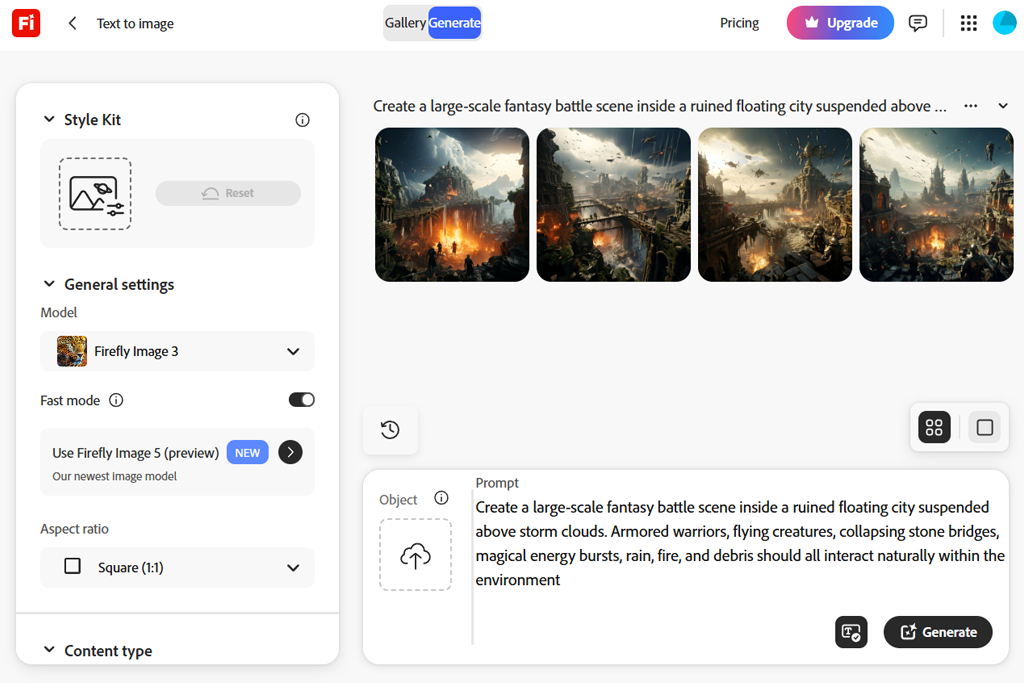
After using Firefly for the first time, I realized that Adobe decided to simplify its interface and ensure that those who already use Creative Cloud software won’t face any difficulties when using this solution. It was easy to enter prompts, adjust generation settings, choose the right style, and use editing tools, which streamlined my creative workflow.
I was impressed with workflow continuity. Firefly integrates with other Adobe apps, so its UI feels like a pro-level production toolkit compatible with other apps. It was easy for me to use Adobe Firefly in Photoshop. I could switch from generation to tweaking and editing with ease. Those who already know how to use Adobe apps won’t have any difficulties mastering Firefly.
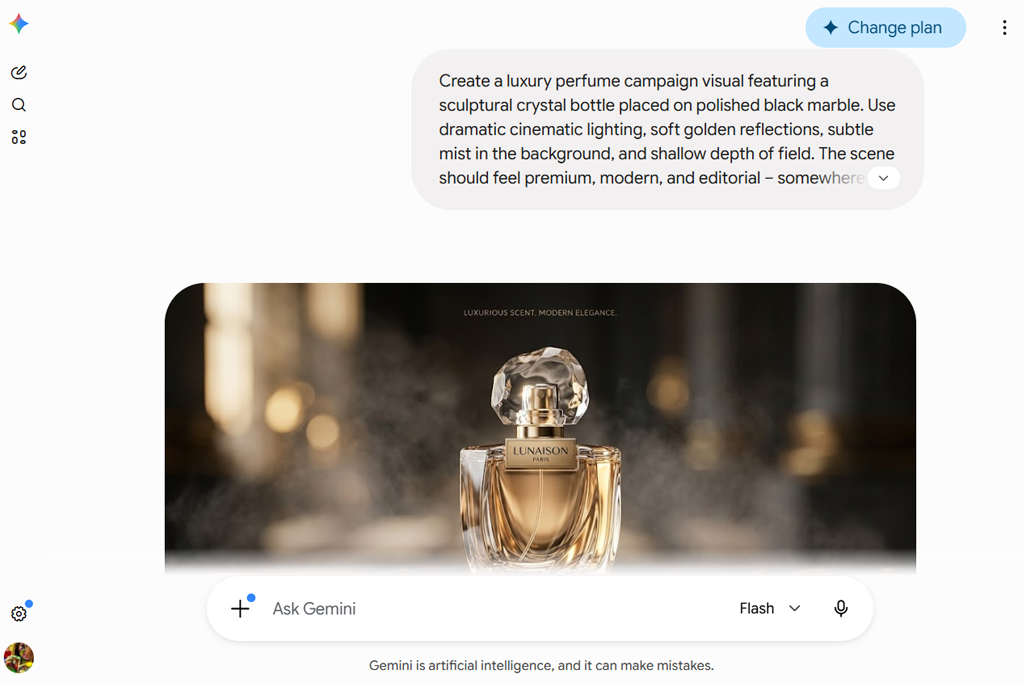
When I started to use Google Veo 3, my first impression could not be more different. It facilitates generating videos based on prompts, making it less suitable for general creative production tasks. Its UI has features that facilitate describing scenes, specifying visual style, and using AI generation logic to achieve the desired results.
“It was much easier for me to master Firefly. Every feature was where I expected it to be, so I did not need to spend a lot of time trying to master the navigation.”

However, if you compare Adobe Firefly video generator vs Google Veo 3, you will see that the latter may seem a bit more difficult to master. Its ecosystem is more oriented toward Gemini and Flow. While testing this service, I was pleased with its powerful performance, but realized that one should understand how Google organizes its AI generation workflows.
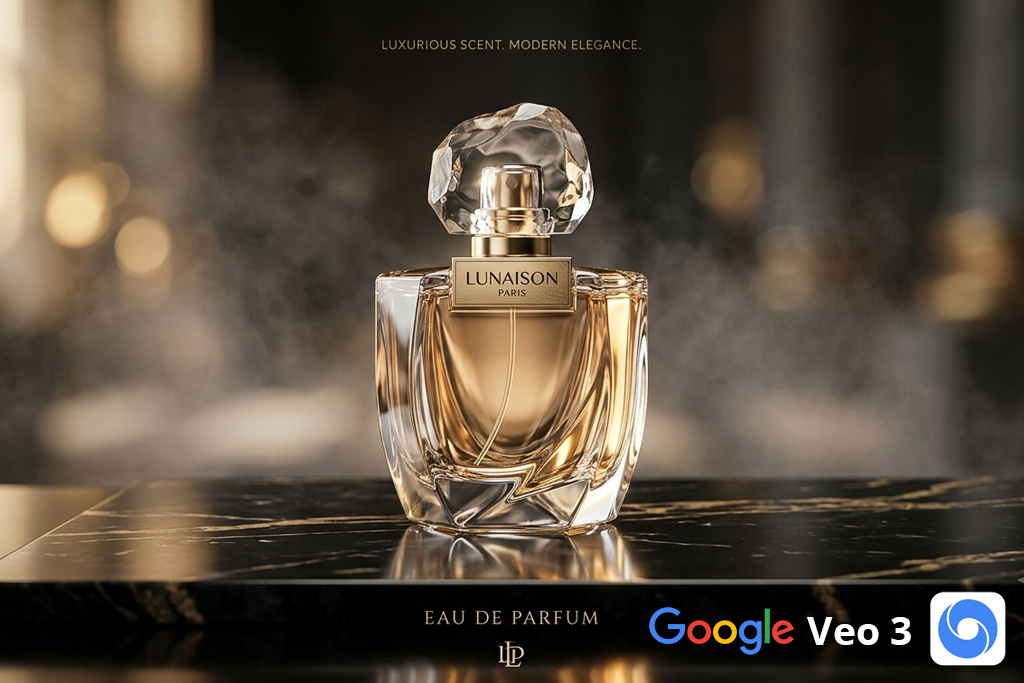
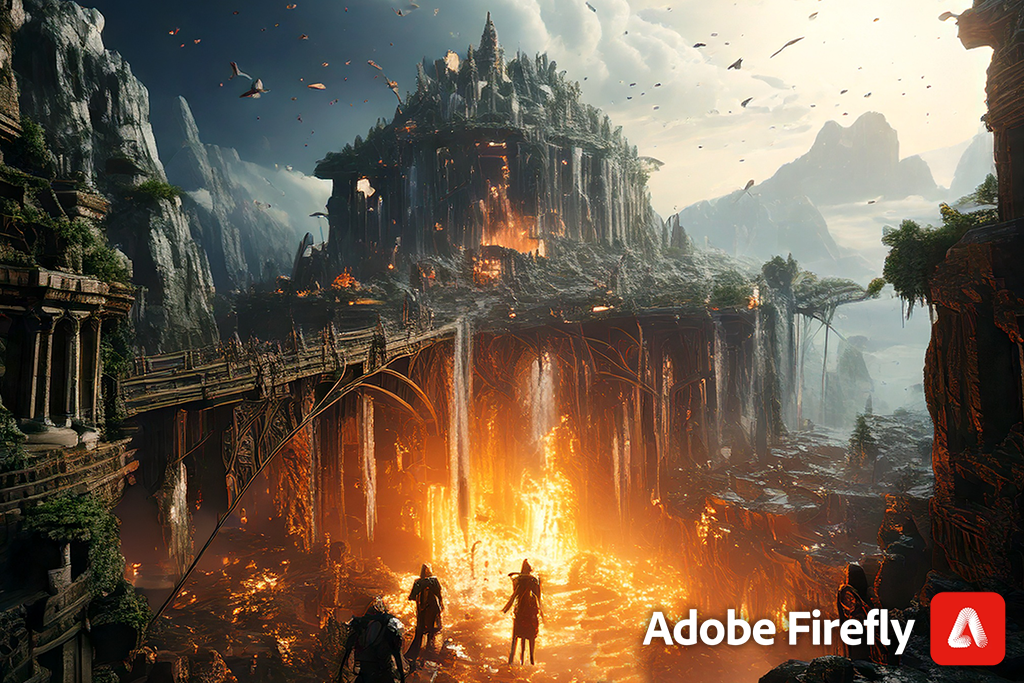
When I decided to compare these tools in terms of image generation quality, I used the same prompt to see whether there would be any differences in outputs:
Adobe Firefly handled this prompt at a professional level. The resulting visuals looked polished and had a strong commercial feel. They stood out for clean lighting, realistic textures, and intentionally looking compositions. I was also pleased that Firefly used consistent branding language.
“I like using it when I need to produce visuals that look like ad concepts or brand visuals. Veo 3 created images with lovely scenes, but I would occasionally feel that it was trying to create a still frame from a movie.”

Firefly demonstrated that it is suitable for a wider range of use cases. Its generative AI tools are suitable for recreating the style of commercial photos, implementing stylized concepts, producing minimalist branding visuals, and creating outputs in decorative aesthetics.
There were some issues with character consistency, but it was possible to reproduce the same visual traits across variations. I noticed some limitations with typography and test rendering. However, Firefly’s focus on design still makes it easier to work with texts in this environment than in many video-focused AI tools.
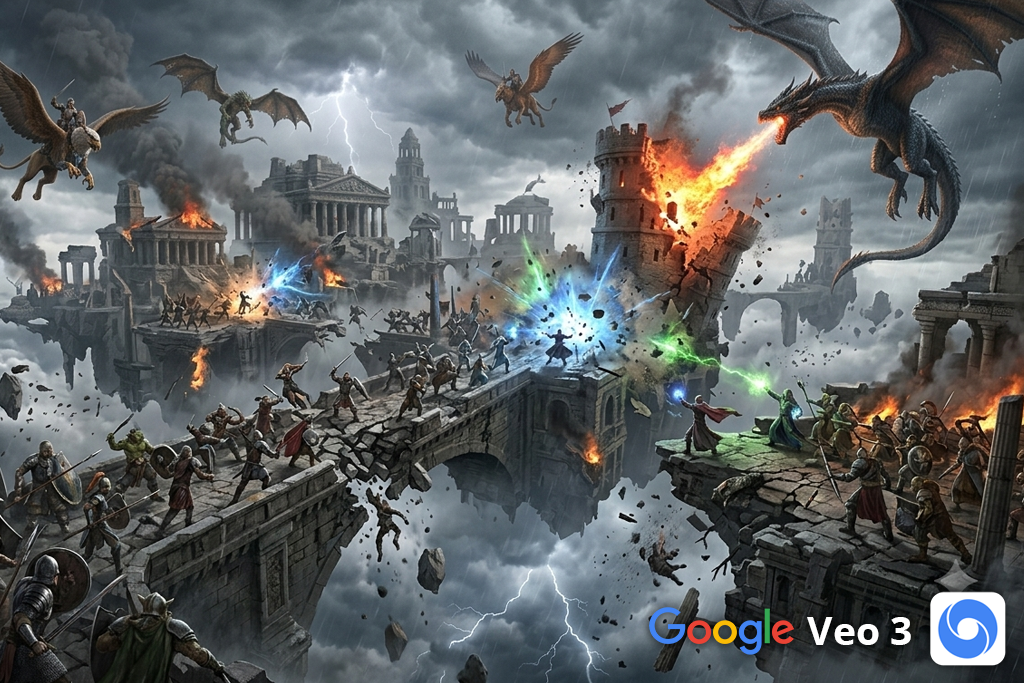
Google Veo 3 handled the same prompt in a different way and produced a cinematic interpretation of it. This service created the output with dramatic lighting and atmosphere. The visual looked more like a still frame from an expensive film than a regular product ad. I was pleased with the level of realism, mood lighting, image depth, and details.
However, unlike Firefly, it creates compositions that do not fully suit commercial image purposes. Even though it maintains character and scene consistency, it might be difficult to use it for creating reusable assets. Besides, it has issues with typography and accurate text rendering. It’s clearly better suited for using AI to generate cinematic videos.
| Adobe Firefly | Google Veo 3 |
|---|---|
|
✔️ Suitable commercial image generation |
✔️ Cinematic visual mood |
|
❌ Less visually creative |
❌ Less predictable image-prompt results |
After comparing Adobe Firefly AI video vs Google Veo 3, I noticed that they have different approaches to video generation. When testing them, I used the same prompt to see how they would handle motion, lighting, camera behavior, continuity, and scene realism.
Adobe Firefly generated outputs based on prompts with high accuracy. The generated videos had the right scene structure, camera setup, lighting direction, and visual tone. It was easy to use text prompts to achieve the outputs I needed.
Besides, I could tweak prompts between iterations. The outputs had polished commercial aesthetics but were less suitable for cinematic experimentation.
When using images to produce videos with Firefly video model, I could maintain fidelity to the source material. It supports consistent scene organization through long-form videos. Motion quality was at a decent level.
Even though I noticed some issues with physics, facial behavior, and environmental interaction, I was mostly pleased with lighting and visual consistency. It is suitable for creative pre-production workflows, visualizing marketing concepts, and producing branded visuals.

When I used the same prompt in Google Veo 3, I managed to create the output that looked more like a film scene than a traditional production brief. I could make camera movement more realistic and intentional. As a result, my clip acquired cinematic-level quality.
This is suitable for generating videos based on prompts that contained descriptions of atmosphere, scene progression, and visual storytelling.
“Firefly delivered a more stable performance and made it easier to achieve the results I needed, but when I wanted to get cinematic outputs, I typically used Veo 3.”

Veo 3 supports realistic camera dynamics, natural lighting adaptation, and improved environmental movement, making it suitable for creating complex scenes. This helped me achieve realistic facial behavior, fabric texture motion, rain reflections, and longer-sequence continuity.
The only shortcoming is that it makes it difficult to achieve predictable outputs. When trying to produce video outputs based on images, I noticed that some of the results weren’t too similar to their sources. Besides, this service has limited use for following a certain creative direction.
| Adobe Firefly | Google Veo 3 |
|---|---|
|
✔️ Consistent text-to-video outputs |
✔️ Powerful cinematic video generation |
|
❌ Less cinematic motion |
❌ Less predictable results of tweaking |
High video generation quality might be essential when one works on real projects, but convenient editing controls may be even more important. Adobe Firefly has then, making it suitable for a wider range of creative production tasks.
It can be used as a part of a larger Adobe ecosystem, as it integrates with Premiere Pro, Generative Extend, Firefly Video Model controls, and other Creative Cloud apps.
I discovered that it facilitates working on my projects when I have already set my mind on a certain creative direction. It allows me to improve outputs and achieve stylistic consistency. Instead of using it for creating short videos using AI tools, I utilize it as a starting point for producing content and then refine my outputs with the help of other Adobe apps.
“After using Firefly, I can continue improving the output. In Veo 3, if something looks wrong, I need to re-create the output from scratch instead of refining it.”
What makes Google Veo 3 different from any traditional AI video editor is that its generation capabilities are powered by different technology. When writing a prompt, you can specify camera behavior, scene pacing, visual atmosphere, and cinematic framing. The output won’t require a lot of tweaking.
However, if you want to perform any minor adjustments, keep in mind that Veo 3 is less suitable for granular improvement. Such a compromise on limited output refinement might be acceptable for those who are mostly interested in filmmaking, storytelling, or AI-native video experimentation.
| Video editing & creative precision | Adobe Firefly | Google Veo 3 |
|---|---|---|
|
Creative workflow integration
|
✔️
|
Limited
|
|
Timeline-friendly editing support
|
✔️
|
❌
|
|
Post-generation refinement options
|
✔️
|
✔️
|
|
Integration with professional editing tools
|
✔️
|
❌
|
|
Creative direction control
|
✔️
|
Limited
|
|
Prompt-driven scene steering
|
✔️
|
✔️
|
|
Camera behavior control
|
Limited
|
✔️
|
|
Style consistency management
|
✔️
|
Limited
|
|
Production pipeline usability
|
✔️
|
Limited
|
Adobe Firefly is perfect for short creative tasks and optimizing iterative workflows. It facilitates achieving predictable results. Google Veo 3 allows you to produce more professional outputs based on detailed cinematic prompts. However, it may occasionally take you longer to produce the results, depending on the prompts and your subscription plan.
Rendering time and output processing. Firefly has more intuitive functionality and allows me to experiment with different concepts quickly and perform multiple revisions. Veo 3 facilitates building complex scenes, achieving natural motion behavior, and producing content with a high level of cinematic detail. Even though it produced better outputs, rendering is longer.
“Firefly is more suitable for my needs, especially when I want to create several iterations quickly. Veo 3 occasionally helps me to produce more professional clips, but I have to spend more time tweaking prompts and generating videos.”
Iteration workflow. Firefly is perfect for improving prompts, adjusting instructions, and experimenting with different versions. It’s a predictable environment that streamlines workflow optimization. Veo 3 is more suitable for experimentation. However, you will need to use different prompts and re-generate content from scratch, as it does not support incremental tweaking.
Workflow efficiency in real production workflow. Firefly might be more suitable for generic content production tasks, due to its extensive integrations and convenient refinement options. Google Veo 3 is the best choice for producing more impactful cinematic content. However, this AI clip maker is unlikely to help you expedite your production workflows.
| Plan / type | Monthly cost | Included features |
|---|---|---|
|
Firefly Standard
|
$9.99/mo
|
Standard generative credits, AI image creation, basic video generation access, and commercial use rights
|
|
Firefly Pro
|
$19.99/mo
|
Increased generation limits, expanded AI image/video usage, faster creative workflows
|
|
Firefly Pro Plus
|
$49.99/mo
|
Larger credit allocation, higher-volume generation, professional production workflows
|
|
Firefly Premium
|
$199.99/mo
|
Maximum generation capacity, enterprise-level usage, complex professional workflows
|
|
Google AI Pro (with Veo access)
|
$19.99/mo
|
Gemini premium tools, Google AI ecosystem access, Veo tools (availability dependent)
|
|
Google AI Ultra
|
Premium pricing tier
|
Extended model access, increased usage limits, advanced AI generation features, including Veo ecosystem tools
|
*Subscription plans, pricing, feature limits, and availability of Veo 3 depend on the region, rollout stage, and product updates.
If you consider both solutions only in terms of price, Firefly looks like the better choice for professional needs. The subscription plans are easy to understand, and the basic plan is cheaper. The Creative Cloud package has great value for money. Besides, you can benefit from Adobe discounts.
Paying for Google Veo 3 makes sense if you are ready to invest in the whole ecosystem. The pricing can be acceptable for creators who are interested in AI video generation or using Google’s premium AI tools.
If you are interested in a wide range of creative production workflows that require you to work on design, image creation, editing, and publishing tasks, Adobe’s model will be easier to use.
Yes, it would be smart to integrate both of them into a single workflow. If I needed to create a complex creative pipeline comprising multiple stages, I would use Adobe Firefly to generate concept images and branded visuals, experiment with style, and polish my assets. Then, I would use Google Veo 3 to generate cinematic videos or storytelling sequences with dynamic scenes.
Google Veo 3 is more suitable for this. It allows you to make scenes more atmospheric, achieve realistic camera behavior, and get unexpected visual storytelling solutions. Firefly tends to follow instructions literally. It’s more suitable for those who already understand what creative direction they are going to choose.
If you need to create marketing videos, branded content, or creative short-form clips using Premiere Pro and Creative Cloud, Firefly might be a better option to consider. If you need to use AI to produce cinematic content or experiment with film-style motion, Google Veo 3 is a more narrow-focused solution that suits your needs best.
Google Veo 3 requires users to have some prior experience. You will need to write detailed descriptions of each scene, understand camera language, choose the right pacing, and provide comprehensive visual storytelling instructions to get the results you need. Firefly is easier to use, as you can write shorter prompts to get the outputs that meet your criteria.
Firefly is more convenient to use for repeated revisions, well-organized iteration, and production-focused workflow. Google Veo 3 occasionally helps me achieve amazing results, but it requires me to spend more time on experimentation, prompt customization, and multiple generation attempts.
If I had to regularly work on the projects that required me to develop design-intensive workflows, produce branded content, develop social media campaigns, create marketing visuals, come up with product concepts, or use a variety of creative tools to optimize production processes, I would prefer to use Adobe Firefly.
This practical solution is the best choice for daily creative tasks. It has powerful image generation capabilities and supports a high degree of creative control. Due to its integration with other Creative Cloud software, it allows professionals to streamline every stage of their workflow, from developing a concept to producing outputs.
I would recommend Firefly to teams, agencies, marketing professionals, designers, and content creators who want to achieve consistent quality when working on their projects, need to use outputs for commercial purposes, and focus on iteration. Firefly prioritizes content production. It can also be used as an AI tool for designers, which makes it more convenient to use than many other similar solutions.
Despite the undisputed advantages of Firefly, I would prefer to use Google Veo 3 when working on projects that involve cinematic storytelling, experimental visuals, AI-driven filmmaking, sequences with changing mood, or pro-grade motion generation. These are the main use cases for Veo 3. It’s more suitable than Firefly for creating professional-level cinematic scenes.
If I mostly worked on short films, AI concept videos, visual storytelling, music video ideation, or creative AI-generated content, I would mostly use Veo 3.
So, which solution is the ultimate winner?
I believe that Adobe Firefly is a more powerful all-in-one solution for my needs. It allows me to work on a variety of creative tasks, optimize my professional routines, and create content with little to no effort.
Google Veo 3 is the best choice for those who prioritize the generation of cinematic AI videos. If you mostly produce such content, this platform will be the best solution for your needs, as it was specifically designed for this purpose.
| Feature | Adobe Firefly | Google Veo 3 |
|---|---|---|
|
AI image generation
|
✔️
|
Limited
|
|
AI video generation
|
✔️
|
✔️
|
|
Text-to-video creation
|
✔️
|
✔️
|
|
Image-to-video workflows
|
✔️
|
✔️
|
|
Generative fill / expand tools
|
✔️
|
❌
|
|
Editable AI outputs
|
✔️
|
Limited
|
|
Layer & mask-friendly editing workflow
|
✔️
|
❌
|
|
Reference-based creative control
|
✔️
|
Limited
|
|
Camera movement & motion quality
|
Limited
|
✔️
|
|
Complex cinematic prompt handling
|
Limited
|
✔️
|
|
Brand consistency workflows
|
✔️
|
Limited
|
|
Professional design workflow support
|
✔️
|
Limited
|
|
AI storytelling workflows
|
Limited
|
✔️
|
|
Commercial production readiness
|
✔️
|
Limited
|



![9 Best Image Brighteners Online [{{%year}} FixThePhoto Choice]](http://fixthephoto.com/blog/images/gallery/news_main__preview_29194.jpg)
![7 Best AI Quote Generators [People Actually Save & Share]](http://fixthephoto.com/blog/images/gallery/news_main__preview_28979.jpg)


![7 Best Cricket Logo Makers [{{%year}} FixThePhoto Choice]](http://fixthephoto.com/blog/images/gallery/news_main__preview_28973.jpg)

















