Working in graphic design, I occasionally need to make a unique cricket logo for teams, clubs, and personal brands. In most cases, I rely on professional solutions to achieve high-quality designs that meet all of the client's requirements. That said, lately I received multiple questions from our subscribers regarding the availability of free online cricket logo makers that don't require you to use complex features or have advanced design skills.
To ensure I provide the best answer possible, I decided to do some research. I reached out to my FixThePhoto coworkers, and together we examined the most popular options while focusing on their usability, versatility, and result quality. This helped us form a more objective stance based on real-life testing instead of theoretical abstractions.
The cricket logo makers I picked for the test provide a wide range of handy tools for beginners and inexperienced users. The majority of them come with premade templates, customizable icons, font libraries, and convenient drag-and-drop controls. Some even offer AI-powered design recommendations, allowing you to produce appealing logos within just a couple of minutes.
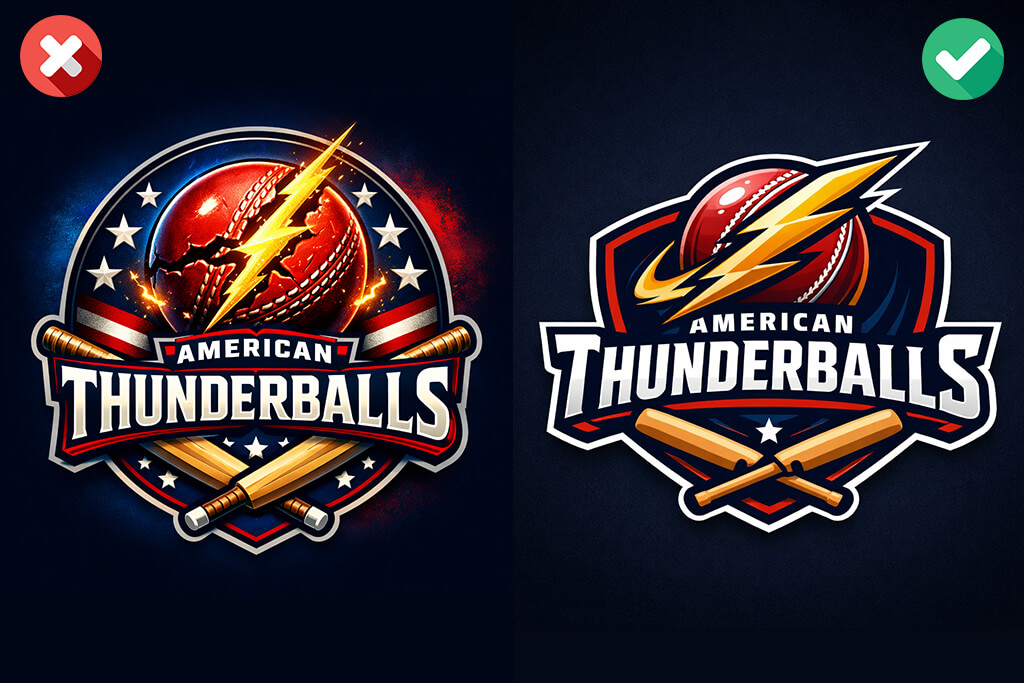
The main distinction between a regular design and an impactful one is the clarity of identity. A high-quality cricket logo doesn’t just feature a bat and a ball – it serves to convey the team’s attitude, status (amateur, semi-pro, academy), values, and possibly playing approach. Before you even start preparing a logo, you should determine what message you want your design to reflect: aggressive, classic, youthful, or premium. Otherwise, even the best cricket logo makers will fail to deliver a satisfying result.
It’s essential to establish and preserve a visual hierarchy. Many inexperienced designers want to make all elements look equally important, the icon, text, background, and effects, and that rarely works out. When creating a cricket logo, the emblem (bat, ball, shield, mascot) should receive the most attention, while typography supports it. If all elements fight for attention, nothing stands out. I suggest picking one leading element and building the rest around it.
It’s also important to think about motion direction. Cricket is a dynamic sport, and the logo should convey that. For instance, angled bats, flying balls, or forward-leaning mascots help make the design feel dynamic. Static, ideally centered compositions tend to look dated unless you're purposefully trying to establish a traditional club vibe. When using different cricket logo makers, I noted that templates offering some asymmetry or diagonal flow tended to look more contemporary and eye-catching.
Many users tend to overuse effects – gradients, shadows, flames, outlines – stuffing all of them into a single design. While individual elements can be great decorations, they also reduce scalability and clarity. Even if your design looks great on your device, it doesn’t mean it will be just as appealing on uniforms or merchandise. I suggest following this rule: if you delete the effects and the logo looks generic, then the base design is lacking. Establish a strong foundation, then enhance only when necessary.
Lastly, a lot of graphic designers underestimate typography. Picking a generic sporty font without tweaking the spacing, weight, or alignment can make even a great icon look unappealing. I dedicate some time to adjusting the letter spacing to ensure it’s a good fit for the emblem. Additionally, I recommend avoiding complex fonts since readability in small sizes is very important for a cricket logo. Polished, tastefully personalized typography will usually look better than flashy text that is difficult to read.
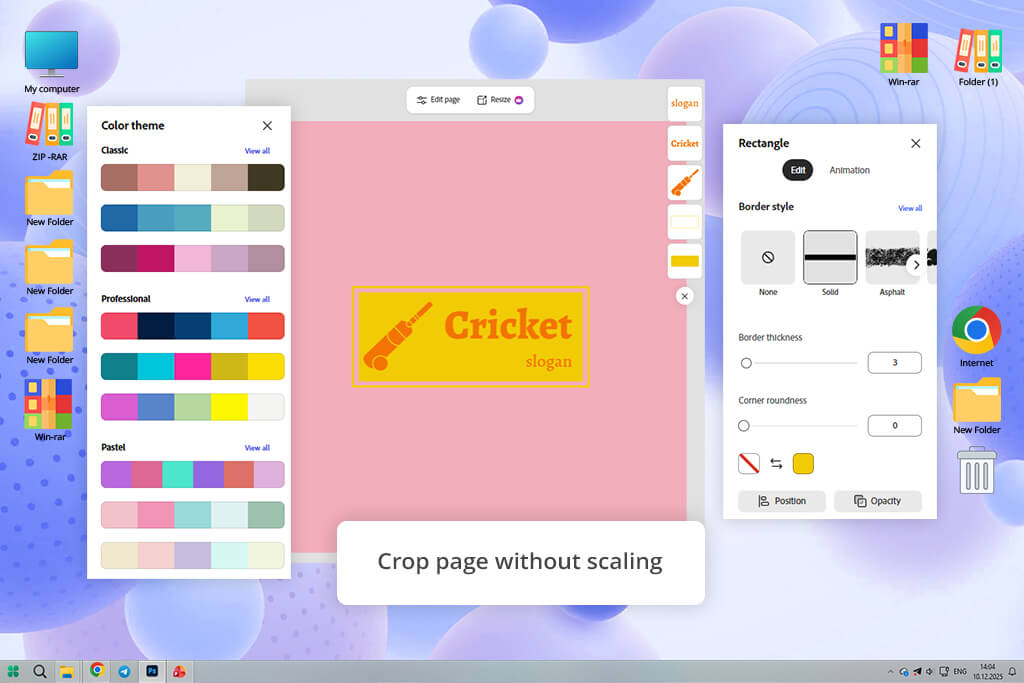
Adobe Express has been my go-to solution for making social media content, quick banners, and design drafts, so I wanted to see how it performs as a custom cricket logo creator. The first thing I noticed was the enhanced Crop Page feature.
I clicked on “Resize” → “Custom size” → “Crop page”, and instead of having to deal with the regular auto-scaling mess, I could conveniently tweak the canvas without the design elements being shifted. This was particularly useful when I wanted to prepare square and round variations of the same logo for different platforms.
“The improved crop tool is incredible. I adjusted the logo size for several formats, and none of the elements shifted, which allowed me to avoid redoing the layout. With other simpler solutions, this is the part where the design breaks. Small quality-of-life features like this matter a lot.”

When I started working on the actual logo, I went to the “Templates” tab and looked for sports logos. I chose a cricket-style badge and clicked on the “Colors” panel to test different combinations. I made a yellow ball against a purple background, and it looked a bit too bold. Next, I checked the color palettes recommended by Adobe, which helped me save a lot of time. Afterward, I clicked on “Text” → “Add your text”, tweaked the spacing, and used a clean sans-serif font along with a slightly heavier club name. The entire process took me around 12 minutes.
I was also pleasantly surprised by the collaboration functionality. I pressed “Share” → “Invite”, sent a link, and had my teammate edit the icon. We left comments right on the design, which was more convenient than exporting the project back and forth. Next, I duplicated the design before resizing. I used the provided “Resize” presets for social media and manually made a round version for profile images. While some templates look too bland, you can freely customize the logo until you’re happy with the result.
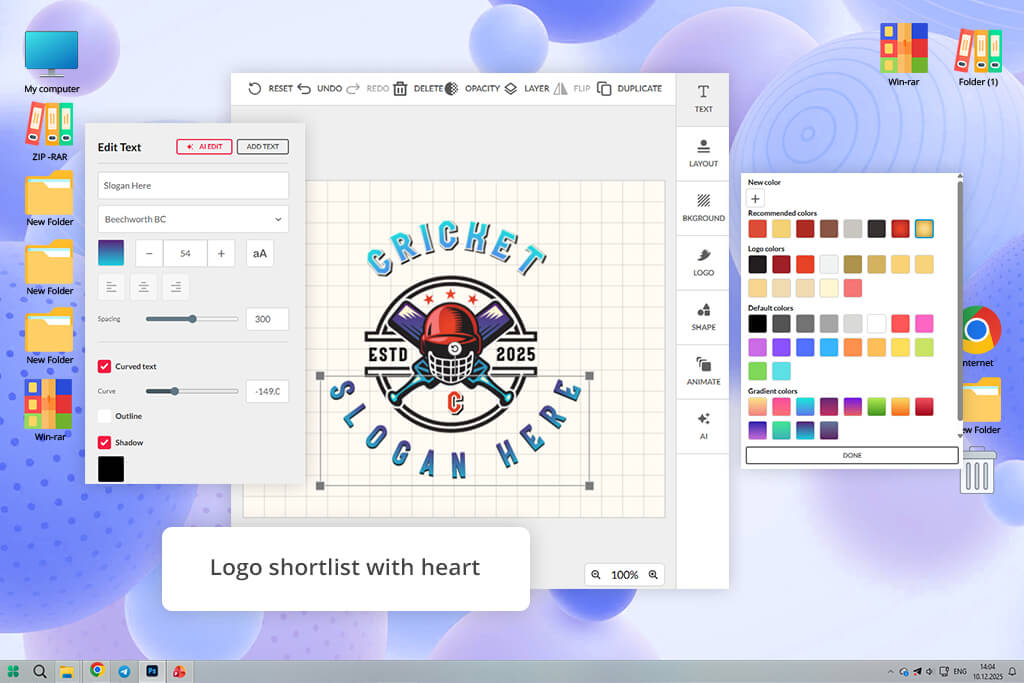
One of the main reasons why BrandCrowd is arguably the best logo maker for cricket teams is that it’s focused entirely on logo design, unlike most alternatives on this list. Rather than being forced to browse through endless templates, I began by typing a club name into the search bar. Within seconds, the logo maker delivered a collection of cricket logo variations adjusted to that name. It felt like I was navigating a designer-level library, which has made the entire process a lot smoother.
I couldn’t find the perfect option initially, so I tweaked the results by adding extra keywords like cricket bat, shield, and sports badge. The results are updated instantly, and I started leveraging the heart symbol (shortlist feature) to save my favorite designs. Afterward, I could conveniently compare them side by side. After choosing one design, I pressed “Edit” and proceeded to alter the colors, typography, and element layout. The editor is straightforward while providing a sufficient amount of control to customize the logo without breaking it.
However, even though BrandCrowd’s workflow is pleasantly smooth, it’s somewhat restrictive when it comes to making drastic layout changes. You can preview your results before downloading them and check how they would look on uniforms and different merchandise types. This helped me visualize how the logo will look in the real world. Additionally, I appreciated the inclusion of multiple export options, including PNG and SVG formats, with the latter being very useful for scalability.
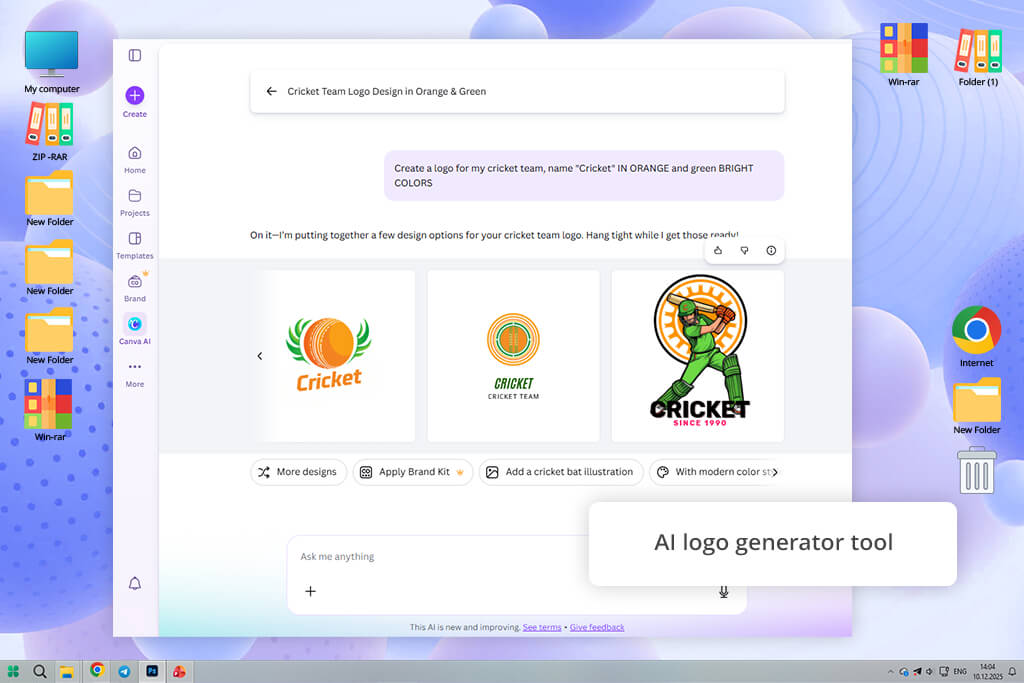
One of my favorite things about Canva is that it doesn’t restrict your creativity. When using this free online cricket logo generator, I could either pick one of the available logo templates or start from scratch with an empty canvas. Both approaches are valid, which is uncommon for beginner-oriented solutions. When using a template, I chose an eye-catching 3D-style cricket badge before moving to the editor.
“I appreciate that Canva doesn’t pigeon-hole you into a single workflow approach. Sometimes, I simply adjust a premade template. Other times, I create the design from scratch. It’s not ideal for intricate adjustments, but when it comes to receiving high-quality results quickly, this is one of the best platforms around.”

I selected the text block to change the team name, then went to the “Styles” section to try out different color schemes. Canva auto-applied color combinations to the whole logo, which was pleasantly time-saving. Afterward, I clicked on “Elements” → searched “cricket bat” and replaced the default symbol for a cleaner option.
All edits are done using intuitive drag-and-drop controls, so tweaking the spacing and alignment felt smooth and quick. Additionally, I tried the AI Logo Generator, which provided several surprising layout ideas – not flawless, but useful as a foundation if you’re lacking inspiration.
Next, I decided to make a logo myself, so after opening a blank canvas, I manually selected a shape from “Elements," layered a bat symbol, and added all the other elements gradually. This way, I felt in control of every single aspect, even though it was still difficult to make highly precise or advanced edits since Canva isn’t a full-fledged graphic design tool. However, if all you need are customizable templates or access to a wide range of visual assets, this is a great option to consider.
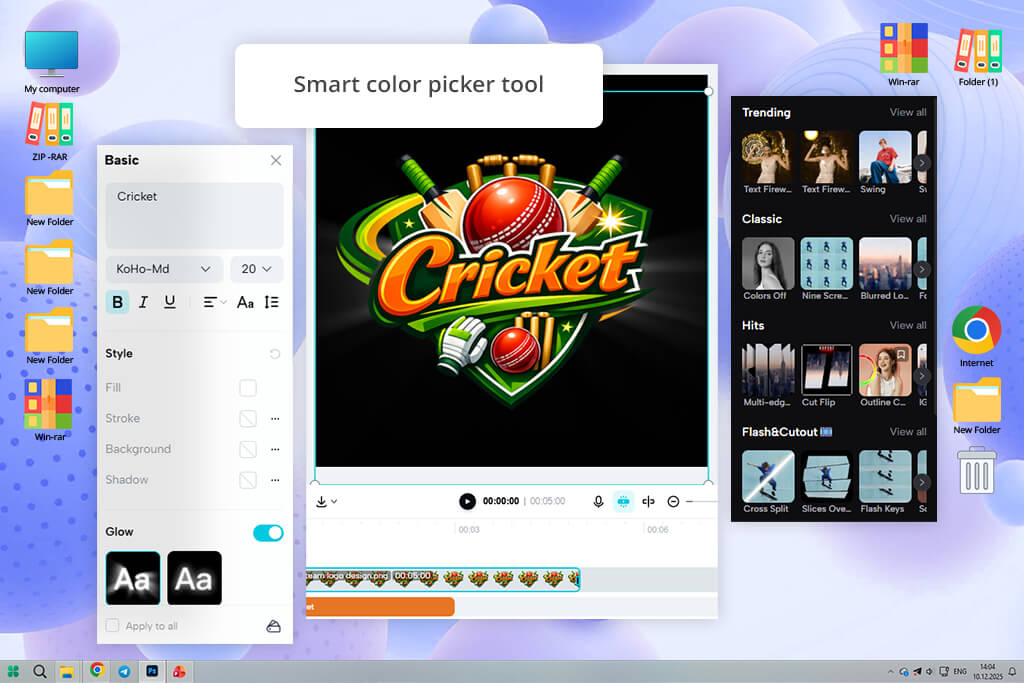
I initially didn’t think CapCut could be used as a free cricket club logo maker since it’s mainly a video editing app, but since the developers kept expanding its design functionality, I wanted to try it out. I logged into my account and selected “Image” → “New image”, which led me to a clean workspace. Next, I could leverage lightweight design tools while navigating an “editor-style” UI.
“I’ve never tried using CapCut for making logos in the past, but it turned out to be a great tool for the job. The layering and text controls are flexible, particularly if you’re used to this software’s UI. It requires a tad of effort to ensure all elements are aligned, but for a free solution – CapCut is great.”
To make the logo, I chose the “Photos” section from the left panel, then typed in “cricket sport logo”. This brought up a selection of templates and assets that I could use for my designs. I dragged and dropped the elements I was interested in onto the canvas and then picked the “Text” tool to write the team’s name.
The typography functionality was more elaborate than I expected, allowing me to tweak the font, size, spacing, and even opacity and shadow. Next, I clicked on the “Design” tab, where I tried out various color themes. The color picker tool is particularly handy, allowing me to copy a shade straight from the icon to ensure visual consistency.
I particularly enjoyed the ability to layer elements. I applied stickers, frames, and shapes from the left panel, creating a unified composition step by step instead of relying on generic templates. The biggest drawback of this option is that CapCut wasn’t developed with logo design in mind, which is why your workflow can feel somewhat chaotic. For instance, aligning different elements requires manual oversight and tweaking. Once I was done, I saved my logo in PNG format without any issues and could use it for any purpose I saw fit.
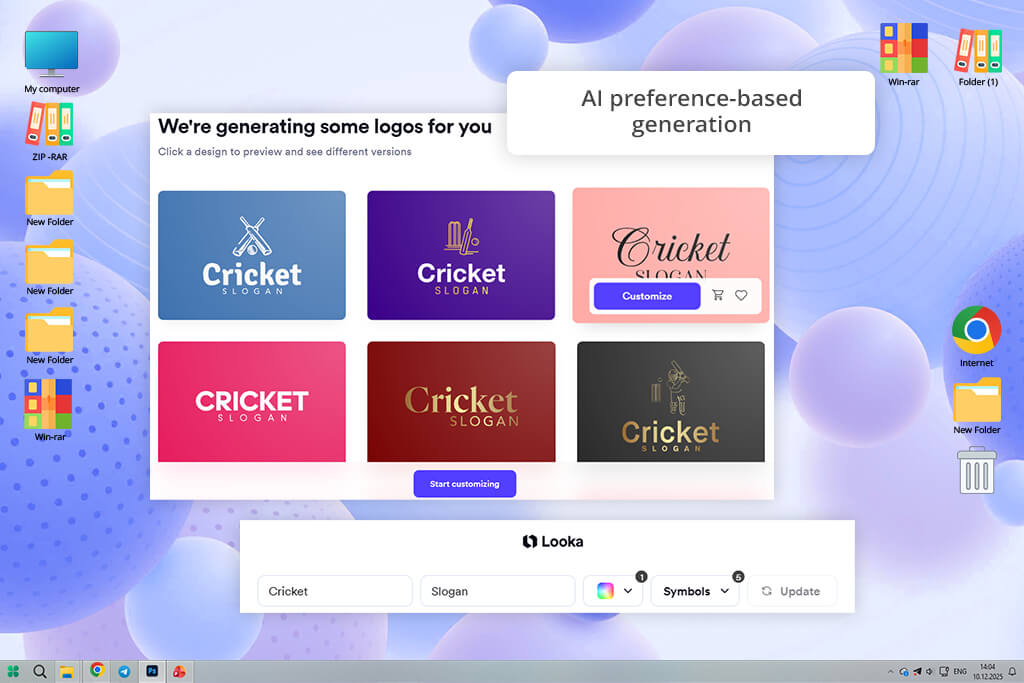
Looka was recommended to me by my coworker Kate. She said that it helped her produce a logo within minutes, so I wanted to give it a shot myself. I started by typing in the team name, clicked on “Get started”, and then I was guided through a convenient process that had me choosing appropriate styles, colors, and symbols.
The workflow resembles completing a short quiz rather than a skill-intensive design process, and after just a couple of seconds, I was browsing an entire gallery of generated logo concepts.
“I employed Looka to create a quick logo and managed to receive a good result without any issues. The AI provided several useful directions, but I don’t recommend depending on it when making a highly personalized design. Instead, use it to prepare a foundation before making further refinements.”

I browsed through dozens of variations, choosing a couple of them as favorites, and then selected one to move on to the next stage. This AI logo generator instantly produced mockups – T-shirts, business cards, and even signage.
Once I entered the editor, I began by tweaking the colors, opting for a green and dark blue color scheme to convey that traditional cricket feel. Additionally, I introduced a bat icon, placing it near the team’s name by leveraging the symbol placement feature, which gave my logo a more balanced, structured appearance.
This AI cricket logo generator also lets me adjust the layout, typography, and spacing. Other useful additions include the ability to apply subtle gradients or add a container shape. However, while the customization is pleasantly user-friendly, you’re still limited to predefined structures. Looka allows you to conveniently refine and polish your designs, but it’s not suitable for producing logos from scratch.
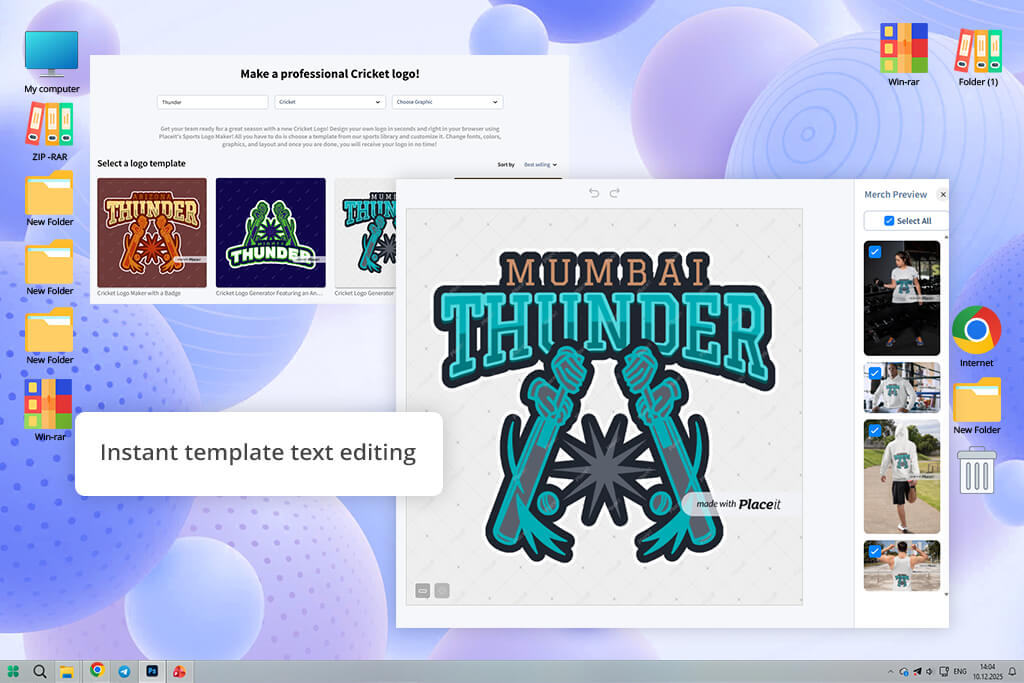
I found Placeit when I was browsing Google to find a way to create a cricket logo online. I opened the website and wrote “cricket logo” in the search bar, and was instantly presented with a huge selection of premade designs. The UI is pleasantly intuitive and doesn’t require any setup. You simply need to pick a design and edit it to your needs.
I chose a template with a badge-style layout and was redirected to the editing section. Next, I selected the text field to rename the team, then tweaked the font with the help of the dropdown menu. Afterward, I adjusted the colors while experimenting with several color schemes.
Dark green with white provided the most appealing combination and introduced a pleasant traditional vibe. The editing is extremely user-friendly, as you’re mostly just filling in predefined fields. I could go through each step quickly, without having to worry about alignment or composition since the structure already looked professional.
After testing this logo making app for a while, I concluded that the optimal way to use Placeit is to pick a template and simply enhance it since manual customization is fairly limited. It doesn’t allow you to freely restructure layouts and rearrange different elements. After I finished editing my logo, I clicked “Download”, and the export process was quick and straightforward, though it does require you to pay to save the result.
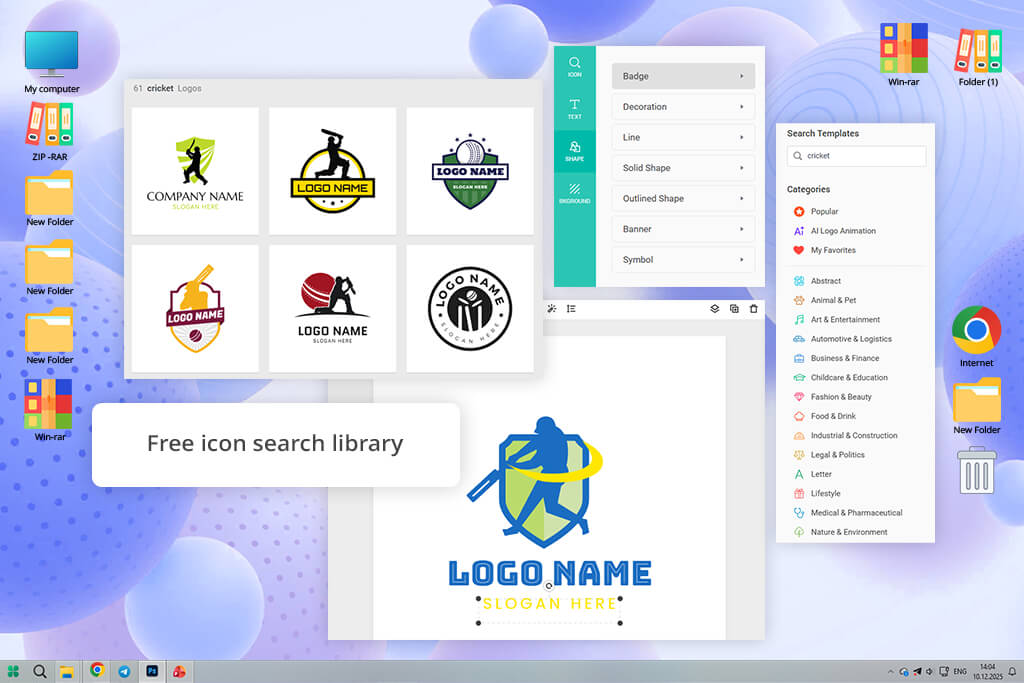
When I first started using DesignEvo, I thought it was a very basic tool, but it offered a lot more flexibility than I had hoped. Once on the website, I clicked “Make a Free Logo" and wrote “cricket” into the search bar. This cricket team logo maker immediately displayed a huge selection of templates, and I chose one with a polished badge layout to check how much I could edit it. The editor offers smooth performance, and the UI is easy to navigate without feeling too restrictive.
I began by selecting the text and tweaking its font and size before moving on to selecting a fitting color scheme. Next, I clicked on the “Icon” section, which I used for finding cricket assets like bats and wickets, and replaced the default symbol. In contrast to some alternatives, DesignEvo allows you to rearrange and resize elements as you see fit. However, it’s worth noting that snapping and alignment can lack precision, so it can be difficult to ensure everything is properly centered.
I also tried the layering functionality, which let me enjoy even more control over the final result. After making all the adjustments, I pressed “Download”, and was offered to pick between free and paid export options depending on the desired file quality and usage. DesignEvo sits in the middle between instant cricket mascot logo makers and comprehensive graphic design solutions.
When choosing the best cricket logo maker, we prioritized determining how easy it was to go from a rough concept in your head to a finished design. As such, we started testing, how quickly each option let us create a new project, find appropriate templates or visuals, and create a logo without prior setup. I also checked if the solution offers guidance or lets you figure everything out on your own. The best platforms need to minimize friction, not increase it.
Next, I evaluated the customization depth. Many tools can generate a logo, but it also has to look unique. I examined the level of control I had over the color palette, typography, layout, and individual assets. It was also important for me to check if it was easy to make changes like tweaking the spacing, replacing symbols, or applying consistent color schemes, or if the platform demands elaborate workarounds that might frustrate beginners.
It was also important to evaluate design flexibility versus structure. Many platforms force you to become fully dependent on templates, while others offer a lot more creative breathing room. Ann checked out both approaches to see how much she could personalize each logo. As such, Anna managed to figure out which cricket logo makers can provide quick, rigid results, and which let you change the layout and arrangement of different elements.
Kate focused on examining how designs translate into real-world use. She previewed the logos on various surfaces like clothing, uniforms, or social media, experimenting with different resizing options, and ensuring the layout was preserved across formats. Result quality is also essential, as the platform needs to deliver high-resolution files, support transparent backgrounds, and ideally provide scalable formats that can be used digitally and for print.
Lastly, I evaluated the overall user experience. This aspect has nothing to do with functionality and everything to do with how intuitive each option is. I checked the UI responsiveness, whether different steps felt logical, and how much time was required to produce a viable result. My goal was to learn if I could design a cricket logo without feeling frustrated or stuck.





![7 Best Speechify Alternatives [{{%year}} FixThePhoto Choice]](http://fixthephoto.com/blog/images/gallery/news_main__preview_28954.jpg)
![Golden Hour Filter Online [FREE]](http://fixthephoto.com/blog/images/gallery/news_main__preview_28916.png)



















