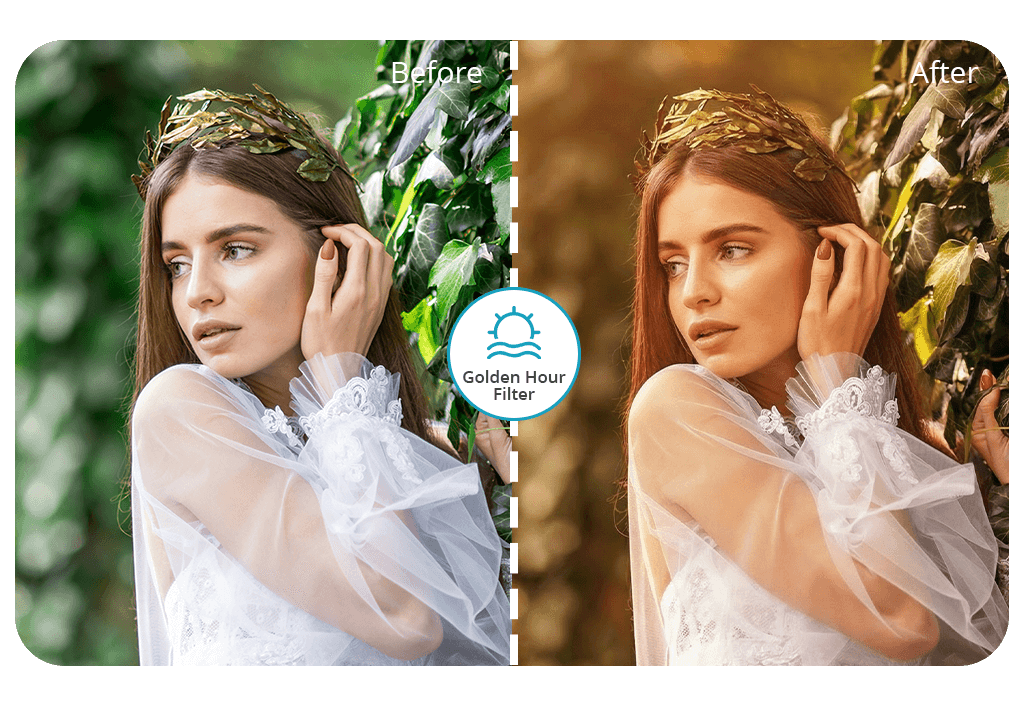


The Fix The Photo Body Editor&Tune app does an amazing job at giving photos a warm, dreamy golden hour vibe. Thus, regular pictures look like they’re glowing in perfect sunset light. Even when you’re dealing with tough lighting, like when shadows are too dark or bright spots are way too harsh, you can fine-tune everything until that golden hour effect is balanced and believable.
The app uses cutting-edge AI that automatically adds the golden hour look. After that, actual photo editors jump in to polish each image until it looks professionally done. This approach makes sure every edit comes out smooth, natural-looking, and fits right in with the original photo. Plus, you can get your first picture edited completely for free with no annoying watermarks slapped on it.



You don’t need pro photography skills to achieve amazing soft golden hour aesthetics. You can do that easily with this app. Just toss up your image, indicate the style you’re after, and wait for the specialists to handle the most complicated part.
Apart from creating a golden hour atmosphere, the app comes with bonus tools to remove shadow from photo, adjust overall color schemes to make each shot look lively and film-like, remove objects from photos, and more. Even with this high-quality professional editing, FixThePhoto app delivers results fast, which is awesome for people working against the clock.
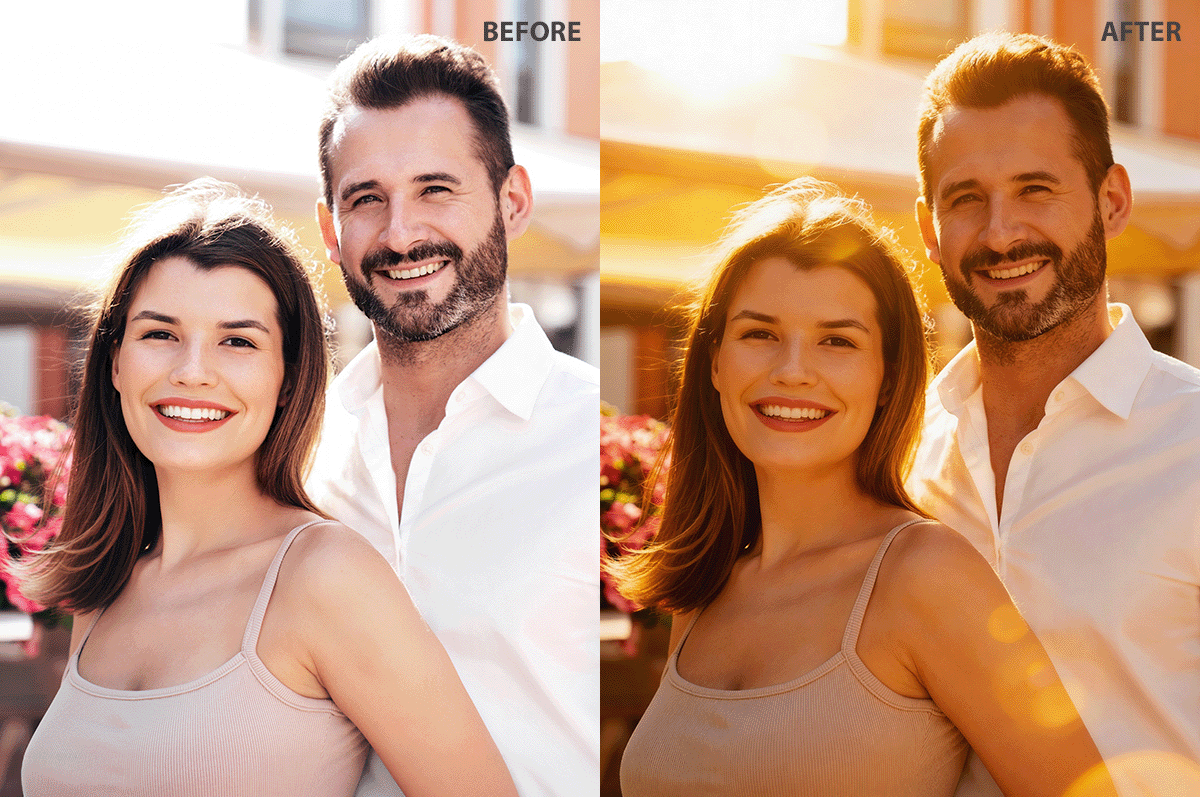
Golden hour photography is absolutely gorgeous, but such fleeting moments are tough to capture. The biggest problem is that you’re racing against the clock.
Such mesmerizing lighting only hangs around for a tiny bit after the sun comes up or right before it goes down (usually 30-60 minutes), and if you’re even slightly late, you’ve lost that perfect glow. This makes scheduling shoots super tricky, especially when you’ve got to line up people, spots, or trips.
Weather is an important factor too. Clouds, fog, or haze can totally mess with how the light works, sometimes killing a warm vibe completely. In urban areas, structures, foliage, or hills may block the sun when it’s sitting low. So, gentle, angled light won’t hit your subjects. Even if the sun’s out there, the direction may not fit the shot you’re picturing.
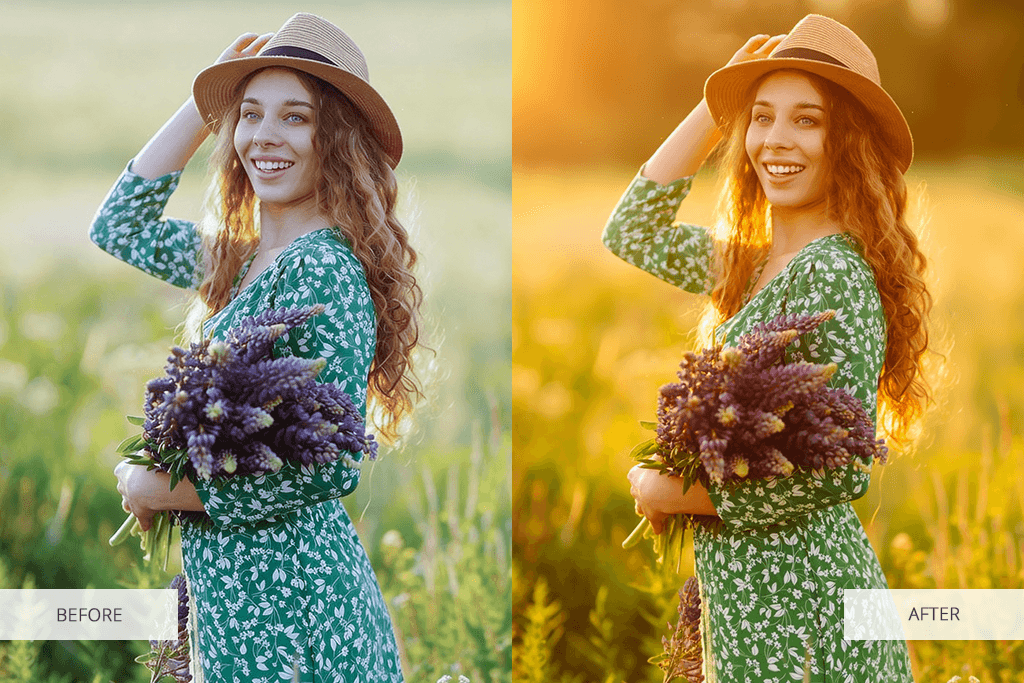
Camera issues pile on extra problems. Since the brightness bounces around so much, you’re constantly fiddling with settings. The highlights can get washed out and the darker sections lose their depth. This is a frequent problem if you’re just starting out. On top of that, hues transform super quickly, making it tough to get matching looks between different pictures.
Since actual golden hour relies on tons of things you can’t control, it is sometimes impossible to get a cozy, movie-like look when you’re out shooting. That’s why many photographers and content makers use golden hour editing tools that let them bring back that golden hour feel without needing perfect timing, clear skies, or the right spot.
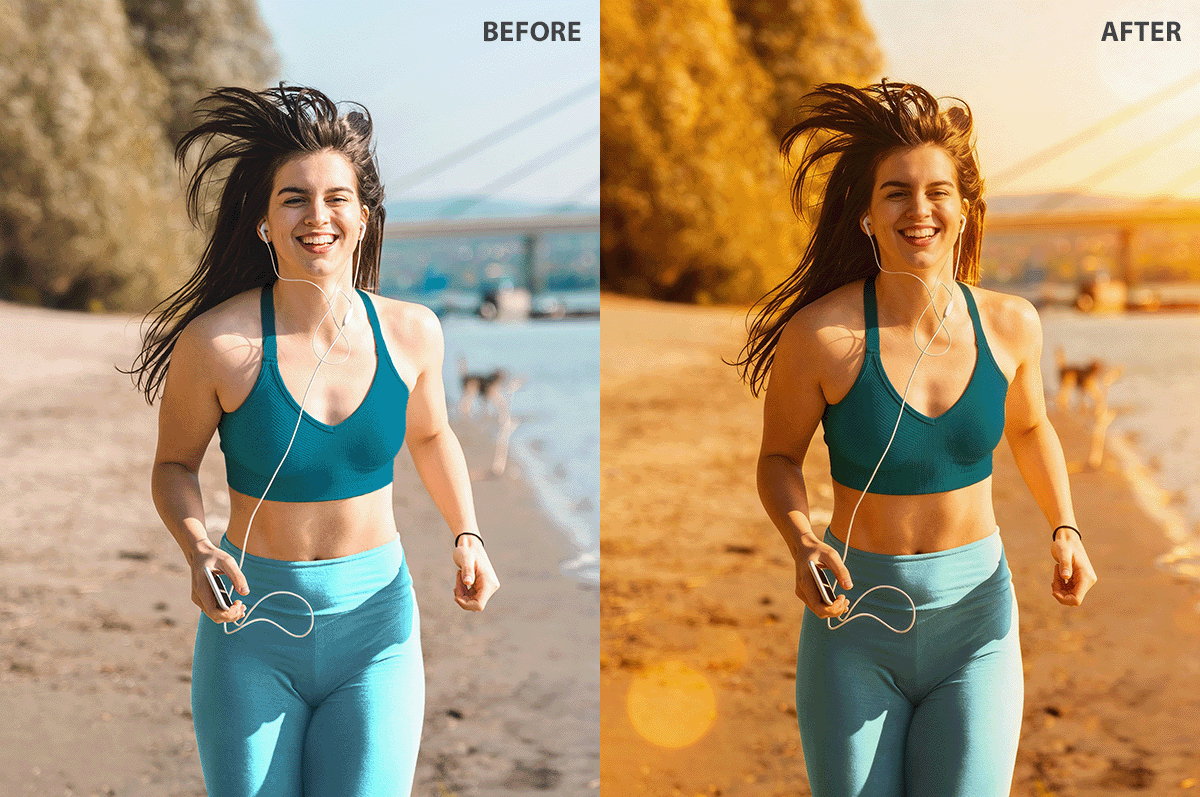
Your regular photos can get a totally different mood with a golden hour filter app. Pictures snapped in boring daytime light, brutal noon sunshine, or inside under lamps usually feel cold and one-dimensional. Apply a golden hour effect to give them gentle glowing spots, matching shadows, and cozy amber hues that make people want to keep looking.
Fix The Photo Body Editor&Tune lets you apply this effect anytime you want. Whether creativity hits at 3 PM or 3 AM, you can turn your vision into reality right away without any delays. The app lets you spell out precisely what kind of golden hour vibe you’re after, from a soft shimmer to full-on dramatic sunset energy.
Have a particular example you’re thinking of? Just upload it or write out clear details so the final output has exactly what’s in your head.

Fix The Photo Body Editor&Tune works incredibly quickly. You’ll typically get your edits back in mere minutes, so you can tweak pictures even when you’re faced with a tight deadline. What you end up with appears authentic and believable, like the shot was actually taken during genuine golden hour conditions instead of tweaked later on.
When you mix that lightning-fast delivery with custom tweaks, FixThePhoto transforms basic snapshots into gorgeous, movie-like visuals whenever you want. No need to wait around for ideal outdoor lighting to get sunlight golden hour aesthetics.
Getting started with a golden hour filter app is super easy and won’t require any editing know-how. Everything is straightforward, but you’ll still get results that look like a pro made them. Downloading costs nothing.
Here’s what to do:
Inside the Fix The Photo Body Editor&Tune app, real expert retouchers check out your requests and fine-tune exposure, color warmth, shadowy parts, and bright sections until you get a believable, gentle golden hour feel.
The final images look lifelike as though the shot was originally taken during an honest-to-goodness sunrise or sunset rather than modified afterwards. When your image is all set, you can just save it and drop it anywhere you need.
Besides the golden hour photo edit option, the app lets you tap into a whole bunch of other handy editing features. You can improve portraits, adjust colors, blur background, add sparkles to photo, and more.
Even with all the detailed manual tweaking involved, experts deliver your images pretty fast, so this app is perfect if you’re craving stunning golden hour-type pictures but don’t have time to chase down ideal natural lighting.
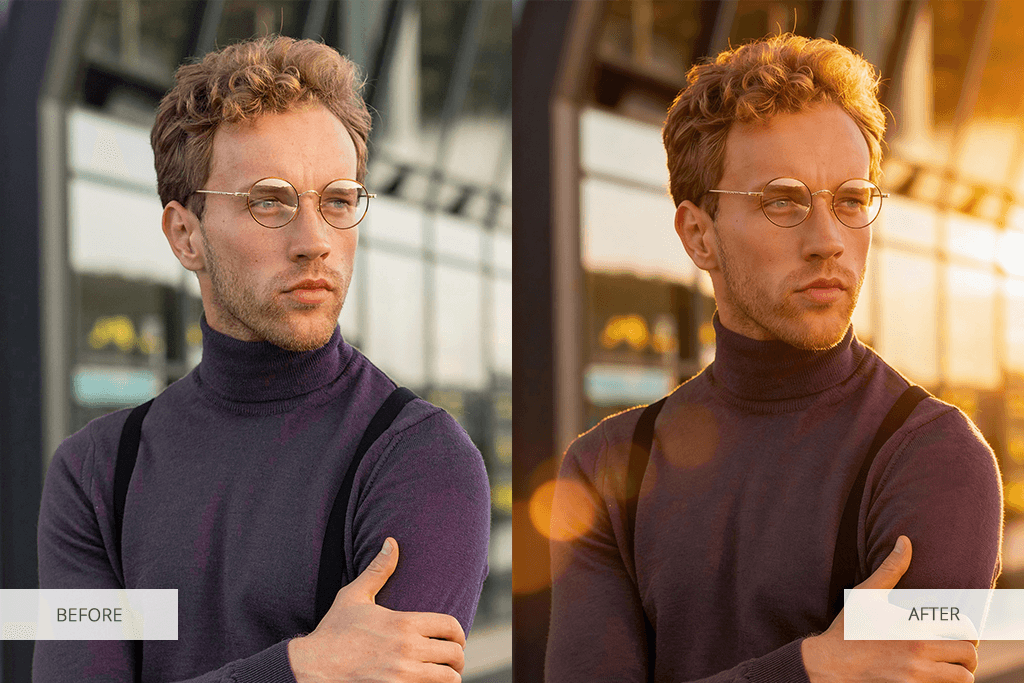
When your photos look lifeless or uninteresting, a golden hour filter app is your answer. Pictures captured in that unforgiving noon sunlight typically get hit with harsh shadows and bleached-out colors. Through golden hour editing, you can smooth down the contrast while adding cozy warmth.
A golden hour photo edit works wonders, especially for portraits. It makes skin tones pop, throws on a soft glow, and gives you beautiful lighting, even if your original shot happened inside or under sketchy light conditions. The outcomes look organic and welcoming instead of obviously tweaked.
Another killer way to use this is with travel and outdoor pictures. When the weather sucked, or you totally missed that sunset, golden hour filters let you bring back a cozy, movie-like atmosphere.
Your landscape shots, city views, and nature images pick up more dimension and feeling once you add a sunlight golden hour effect. It comes off peaceful and classic.
Golden hour editing also works perfectly for social media content. When you slap the same kind of warm vibes on a bunch of photos, it keeps your visual game consistent. Thus, your whole feed looks tighter and more eye-pleasing. This really helps out influencers, bloggers, and brand accounts.
Lifestyle shots, family memories, and couple pics are totally centered on emotion, and golden hour photo editing amps up that vibe like crazy. Just by adding sunlight golden hour aesthetic, regular everyday snapshots become warm, unforgettable images. The best thing is that you don’t even need perfect lighting conditions to pull it off.







![11 Best Videoleap Alternatives for Filmmakers [Online & Free]](http://fixthephoto.com/blog/images/gallery/news_main__preview_28875.jpg)
![7 Adobe Capture Alternatives [Free for iOS & Android]](http://fixthephoto.com/blog/images/gallery/news_main__preview_28909.jpg)
![7 Best Sketchbook Alternatives [{{%year}} FixThePhoto Choice]](http://fixthephoto.com/blog/images/gallery/news_main__preview_28913.jpg)
![9 Best Online PDF Translators in {{%year}} [Reviewed & Tested]](http://fixthephoto.com/blog/images/gallery/news_main__preview_28499.jpg)
![5 Best SWF Players [{{%year}} FixThePhoto Choice]](http://fixthephoto.com/blog/images/gallery/news_main__preview_28899.jpg)

![5 Best Free JPEG to JPG Converters [Without Watermarks]](http://fixthephoto.com/blog/images/gallery/news_main__preview_28485.jpg)
![The Best Lecture Recording App for Students [Tested & Ranked]](http://fixthephoto.com/blog/images/gallery/news_main__preview_28904.jpg)

















