
With each update, Videoleap got clunkier and more crash-prone during edits. Plus, exporting became a tedious waiting process even for short clips, and the subscription price crept up too, so I started to think seriously about Videoleap alternatives.
For more than a year, it was my reliable companion for quick video edits, especially for social media projects. I enjoyed the straightforward workflow, when I just needed to drag clips in, make cuts, export, and move on.
But when I faced the abovementioned cracks, I asked me team to help me test 40+ Videoleap alternatives to find more reliable and affordable apps.
My list of requirements was specific. I wanted Videoleap alternative with multi-layer editing capabilities, solid color correction, and motion tracking. Still, I wanted it to be as intuitive as Videoleap was in the beginning.
Mobile performance mattered a lot, along with speedy exports and AI tools. Since practically everything I create goes straight to Instagram Reels and YouTube Shorts, strong short-form support was a must.
People hunt for Videoleap alternatives because it’s great until it isn’t. It works fine for creating quick edits on your phone, but once you try anything more serious, you’ll experience cracks.
Besides, most of the cool features like the premium effects, AI editing tools, high-quality exports are subscription-only. That adds up fast, especially if you’re not editing videos every single day or if you’re already drowning in subscriptions. No wonder people start shopping around for alternatives to Videoleap.
Videoleap is created for mobile devices, which is a huge problem if you like editing on a large screen with proper controls. If you try juggling multiple layers or creating cinematic sequences, you’ll quickly feel that the process is very inconvenient. Plus, some pro-level features just don’t exist in the app at all, no matter how much you squint at your phone.
Many users complain about the app lagging out, rendering footage at a snail’s pace, or just straight-up crashing when they’re working with high-res videos, lengthy clips, or complicated timelines. This is particularly rough if you’re using an older device. But even people with brand-new phones gripe about how long renders take.
The interface is sleek and easy for newbies to pick up, but seasoned editors may perceive it as too dumbed down. You’re stuck with bare-bones keyframe options, limited room to work with multiple layers, and zero support for advanced plugins or third-party integrations.
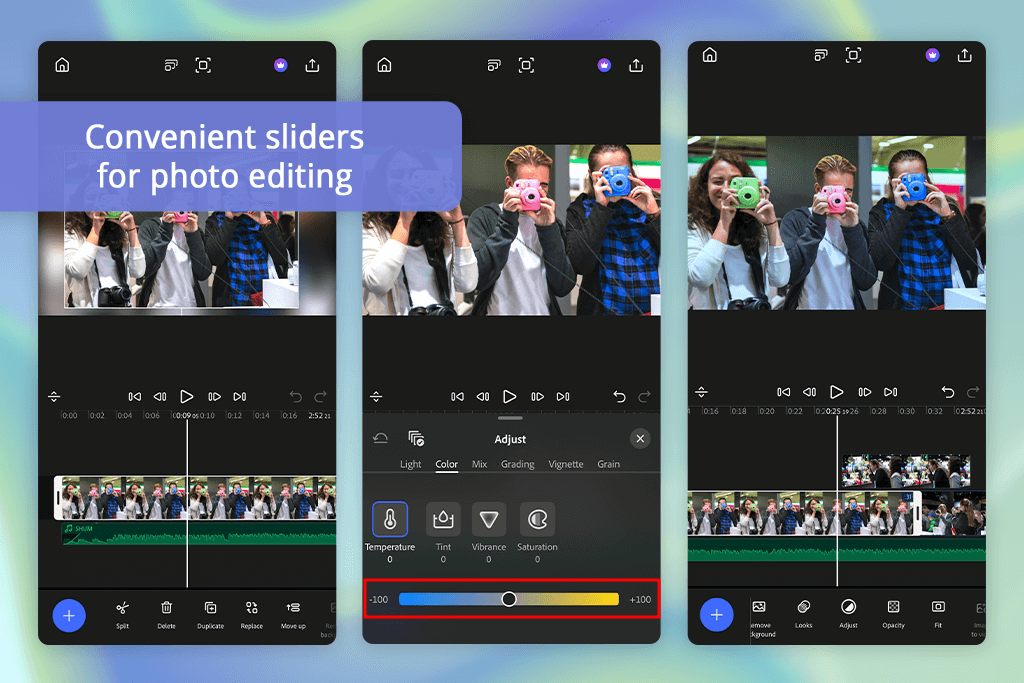

Moving from Videoleap to Premiere on my iPhone was an interesting experience. It felt like I had my full desktop editing suite right there in my hand. I tested this alternative to Videoleap by moving a travel vlog I’d been working on straight from my MacBook to the free video editing app.
Thanks to Creative Cloud, the process was easy and fast. I liked how timeline managed several 4K clips without any stuttering. Plus, it handled proper keyframes, transitions, and layered effects. Videoleap struggles with such procedures.
“This program is very professional yet easy to master. Editing 4K clips and correcting colors is easy. There are no crashes or delays.”

The mobile Lumetri Color toolset is so great. I like the full tone curve adjustments, exposure tweaks, and contrast control. The selective masking for color grading worked better than I expected. Exports can drag on bigger projects, but considering it maintains full-res quality and handles different codecs, I’ll take that trade-off.
You won’t find Videoleap-level simplicity here. The program is designed for creators who obsess over details and want granular control. But that’s precisely the point. When you’re serious about your narrative and need accurate color representation, Premiere on iPhone just hits different.
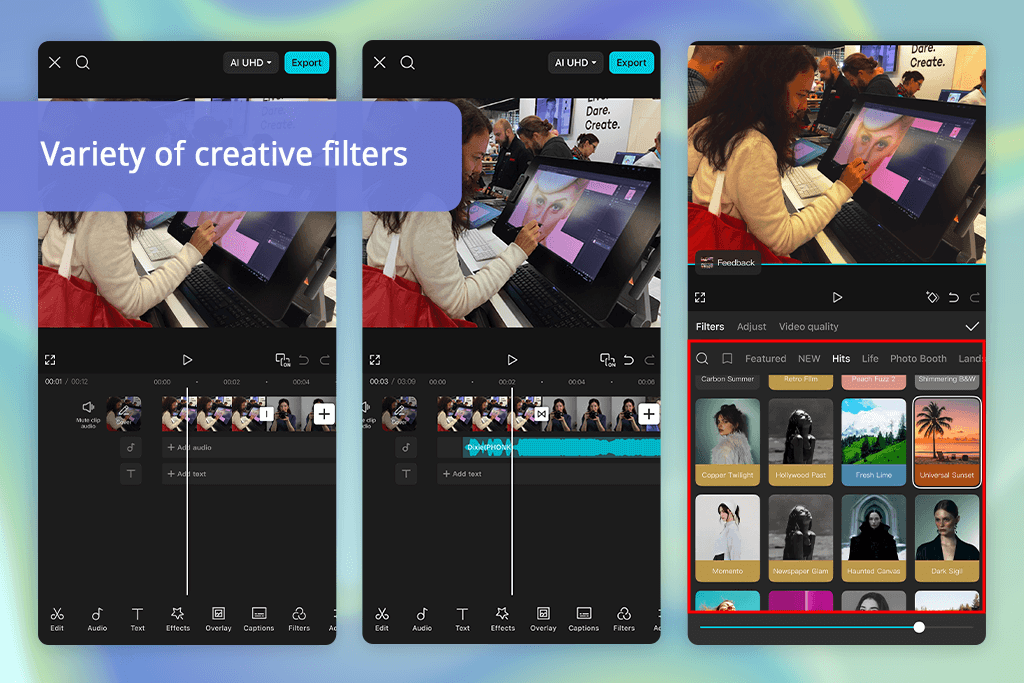

CapCut totally caught me off guard with its enjoyable and understandable editing process. I added several clips from my recent photoshoot, and the Auto Beat Sync feature had everything matching the music within minutes. Then I tried out Auto Captions and Smart Cutout. Thanks to them, I can forget about tedious manual masking and receive results promptly.
“This is a terrific Videoleap replacement for quick TikToks and short edits. You can apply different effects and transitions, and use AI tools to get the desired results.”

I always feel annoyed when Videoleap freezes up whenever I stack multiple effects. CapCut just sails through complex edits like it was nothing. The cloud sync between devices is clutch, too. The template library in this Videoleap free alternative is huge. There are thousands of pro-level social media transitions, filters, and music tracks.
If you’re a creator chasing high-quality, on-trend content without spending hours on it, this video editing software for Windows and Mac crushes Videoleap. It’s user-friendly, rock-solid stable, and shockingly capable for something that’s completely free.
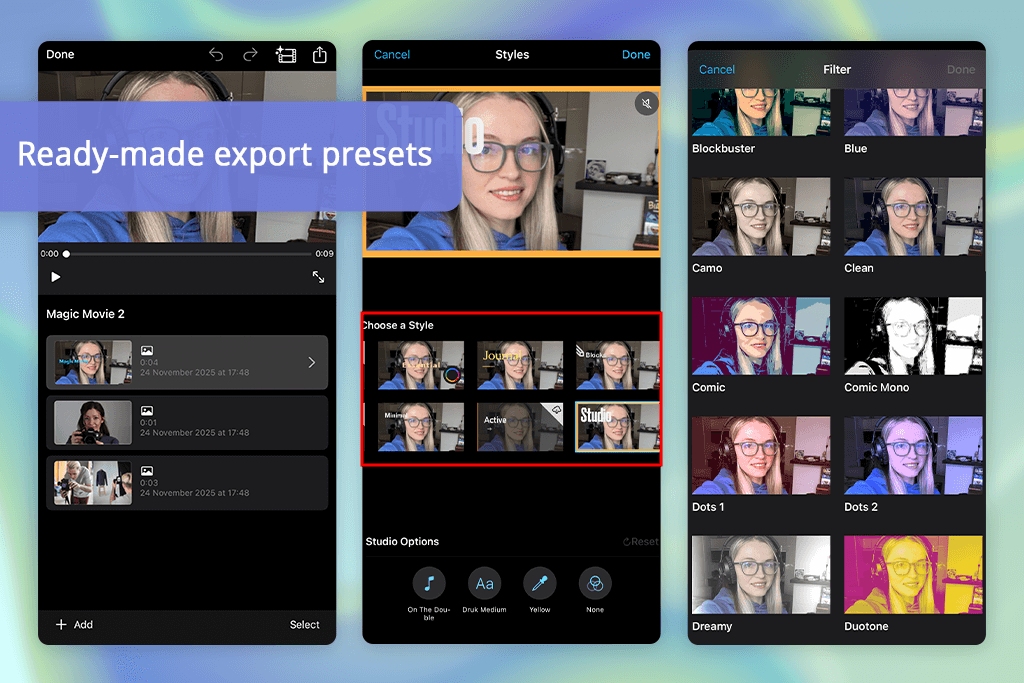
I was curious whether iMovie could stay on par with other Videoleap competitors. I was hunting for something dependable that could sync between my iPhone and iPad without the constant technical hiccups. I tested it with a short family vacation montage, and I have to say, the performance exceeded my expectations.
The entire editing experience was remarkably intuitive. While Videoleap had consistently fumbled with exporting larger files, this video editing software for Mac breezed right through them.
“Great, classic tool. I used it for a simple family vlog, and it copes with all the processes amazingly. There aren’t many pro tools, but it provides intuitive video editing.”

The trailer templates and included music library impressed me. They may look simple at first glance, but the time they free up is invaluable. Color adjustment and sound mixing capabilities are stripped-down yet dependable. With seamless iCloud integration, I could begin editing on my iPhone during a trip and complete everything on my iPad at home without losing a single frame.
iMovie may not offer AI enhancements or flashy visual effects like Videoleap does, but it excels where Videoleap lags behind. This program stands out with rock-solid reliability, straightforward workflow, and stunning final products. It’s tailor-made for creators who choose dependability over an overwhelming selection of filters.

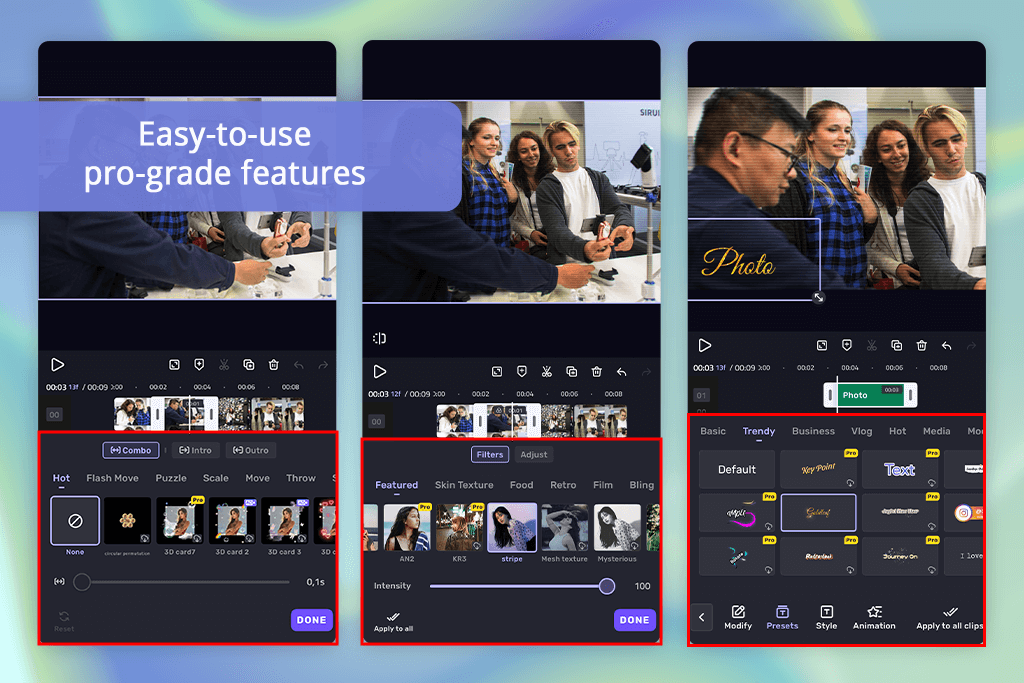
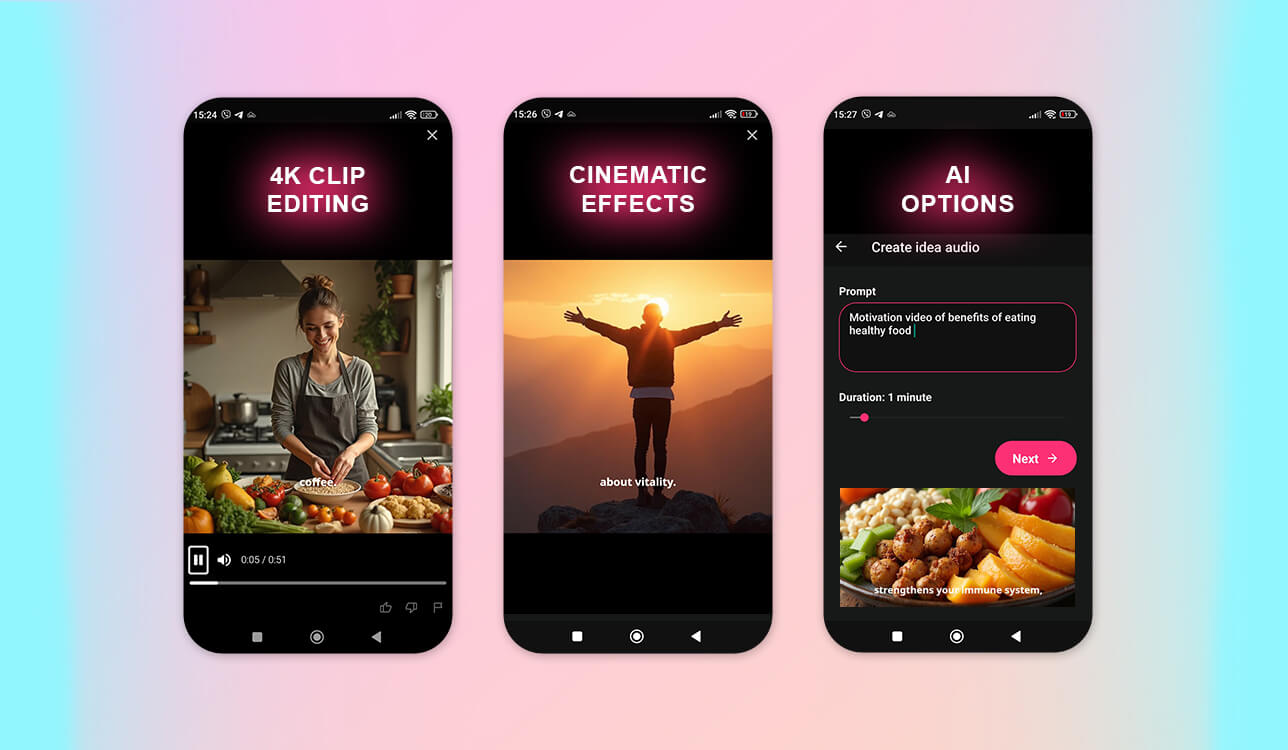
When I opened VivaCut, it struck me as a sophisticated version of Videoleap. I put together a cinematic promotional clip, and the AI background removal stunned me with its precision.
I also experimented with motion tracking to anchor text to a moving object. It was flawless. This Videoleap pro alternative impressed me with a multi-layer timeline. It resembled a pro desktop editor, not a mobile app.
“VivaCut has so many creative AI effects. I tested the background remover and cinematic filters, and I’m pleased with how everything works.”

The bragging point of VivaCut is its AI transitions. They automatically respond to your footage and produce matching scenes. Even with several layers and effects, exporting was fast and trouble-free. Compared to Videoleap’s restricted track options and hit-or-miss rendering, VivaCut’s AI workflow was more consistent and suitable for experiments.
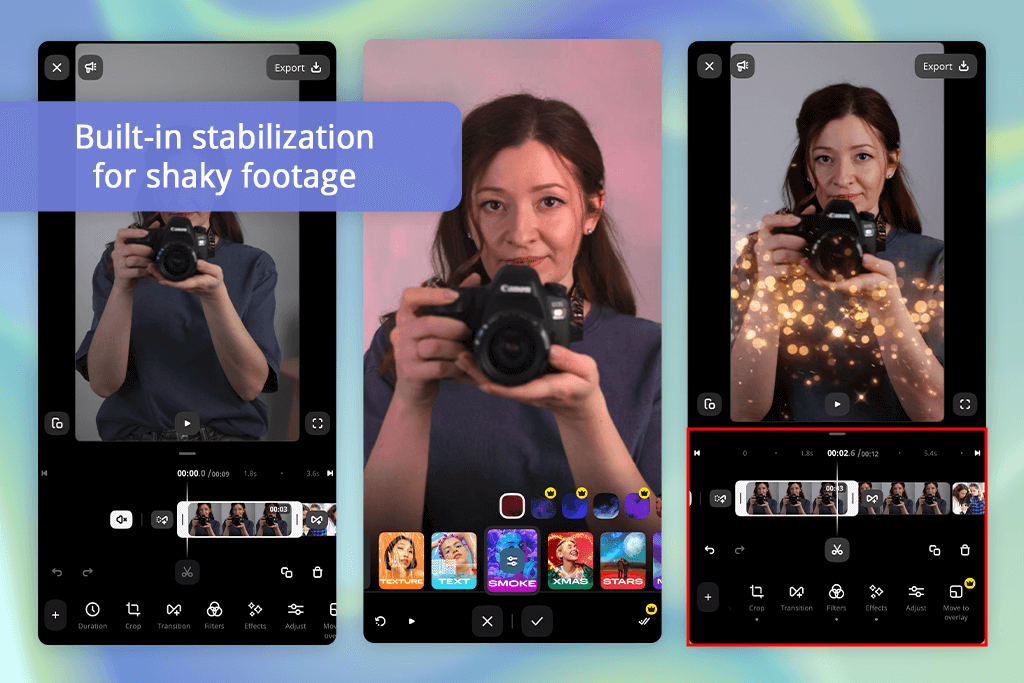
I have to say, Movavi video editor impressed me as a solid jack-of-all-trades option. When I tackled a product demo project that needed overlay elements, green screen work, and exports in various formats, it managed everything with ease.
Unlike Videoleap, it let me fine-tune bitrate, codec selection, and resolution. Such controls became genuinely valuable when I was optimizing videos for different social platforms.
“There are basic features and controls over transitions and color tones. I think this is a great option for semi-pro tasks.”

The timeline setup is easy to navigate. The stabilization feature is also very helpful. It smoothed out my shaky footage without creating weird digital glitches you sometimes get. The LUT support deserves special praise, as I was able to improve my videos without having to use third-party add-ons. Though the interface can’t compare to Videoleap’s stylish look, it is less cluttered.
When it came to handling longer videos and exporting them, this Videoleap desktop alternative performed better across the board. If you’re doing professional work or just want something more dependable than Videoleap for the whole editing process, this is definitely worth the investment.
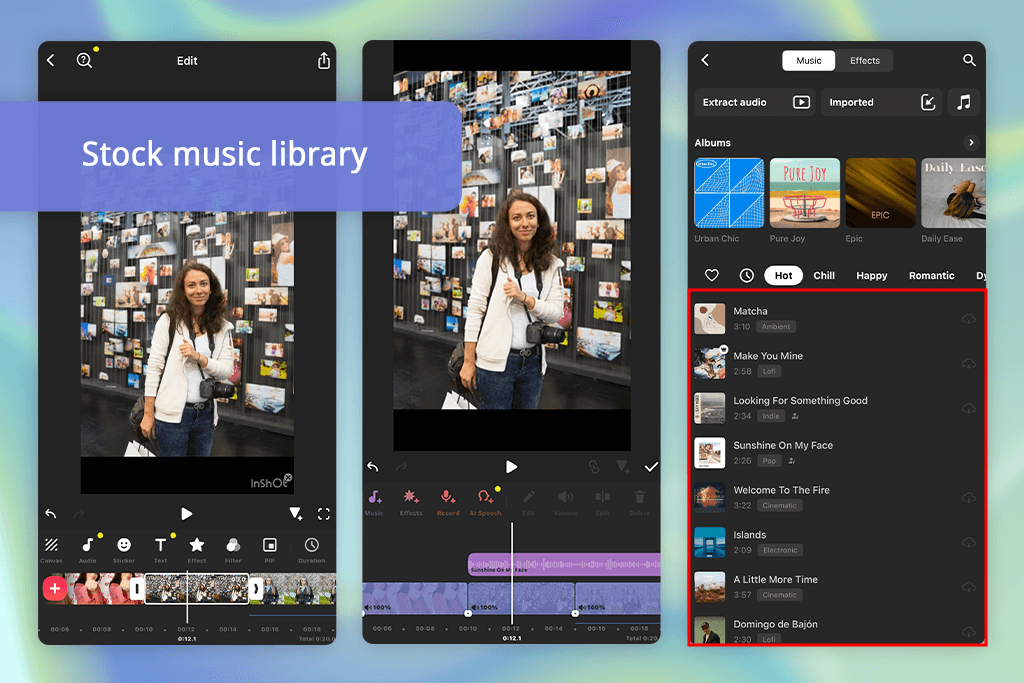
InShot has become my default app whenever I want quick results. I was churning out Instagram Reels with it recently. Trimming footage, slapping on filters, adding captions and audio tracks was so easy. Videoleap tends to overcomplicate the simplest tasks, but InShot makes the process streamlined.
“If you need to create videos for social media, this program is a terrific option. Here you can add text, music, filters, and export vertical videos in seconds.”

The export quality pleased me a lot. Everything stayed crisp without creating massive files that clog up my phone. Switching between aspect ratios with one tap (16:9, 9:16, 1:1) was very helpful when I was preparing posts for different social media accounts.
This Videoleap similar app is not packed with AI tools or professional-grade color correction, but that’s actually why I like it. For creators who want something straightforward and fast, this is a wonderful program.
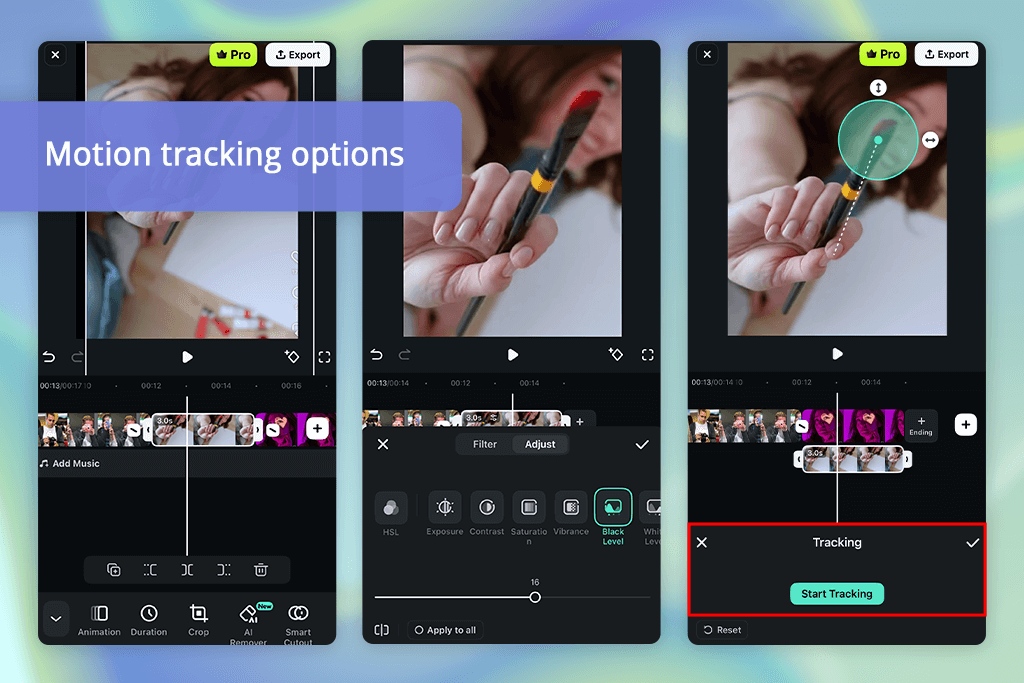
Filmora video editor punches above its weight class. When I created a cinematic vlog, I was impressed by how it added transitions and color adjustments compared to Videoleap.
The motion tracking stuck to subjects better than I expected, and there’s a handy color match tool. I had footage from three different times of day, all with wildly inconsistent lighting, and it evened everything out with a single tap.
“Great combination of professional tools that are easy to use. The motion tracking and keyframe animations are amazing.”

The preset collections are awesome. There’s enough variety that you’re not starting from scratch every time. The AI audio sync feature deserves a shoutout, too. It lined up my voiceover with the music track without any manual fiddling.
Export speeds were solid, and I didn’t deal with annoying lag or audio drift that Videoleap throws at me now and then. Plus, the mobile app syncs with the desktop version properly, so I could tweak things during my commute and pick up right where I left off.
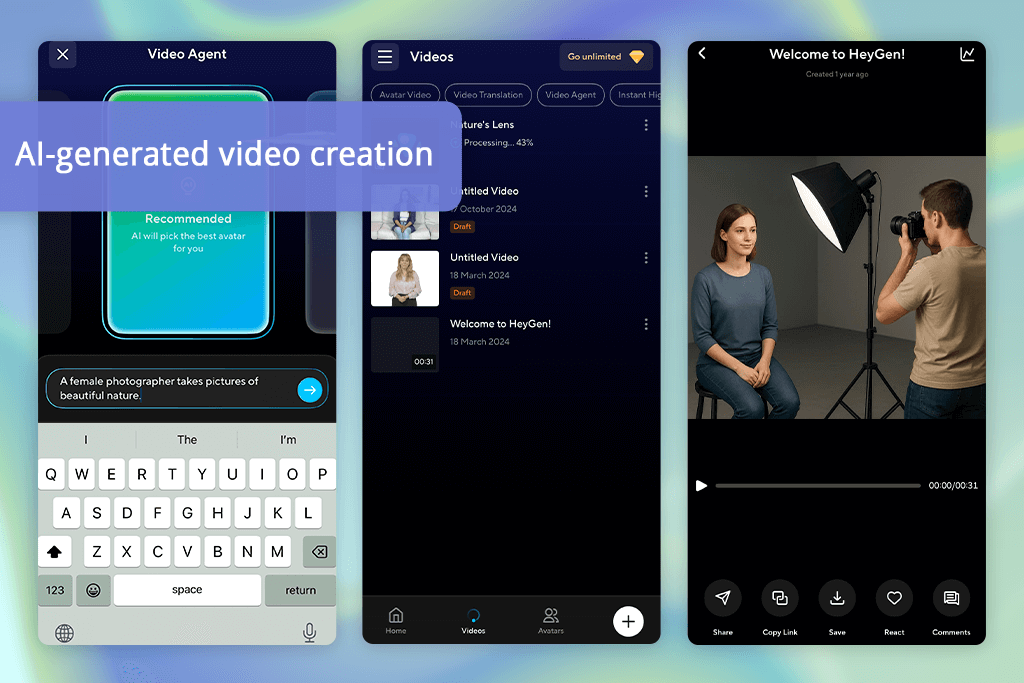
I wasn’t sure what to expect from HeyGen because it’s a different tool compared to typical editors. It’s built around AI-generated content rather than cutting and arranging clips you’ve filmed yourself.
I tested its capabilities with an explainer video. The speed of producing avatars delivering my script in different languages was genuinely impressive. Videoleap is great for tweaking existing footage, but HeyGen creates the video from scratch.
“This tool doesn’t offer traditional video editing, but pleases users with AI-generated videos. I created a talking avatar for a YouTube intro here. It was so realistic.”

Customization possibilities here are mind-blowing. You’re not stuck with generic-looking avatars or robotic voices. There are tons of options for appearance, setting, and tone. It is one of the best Videoleap alternatives for anyone who needs video content quickly but doesn’t have the time or resources to shoot everything themselves.
You’re not “editing” in the traditional sense, and that’s the whole idea. The AI does the production work for you. If you’re a marketer cranking out ads, a teacher making lessons, or a small business owner creating pitches, this AI video generator replaces manual grinding with smart automation.
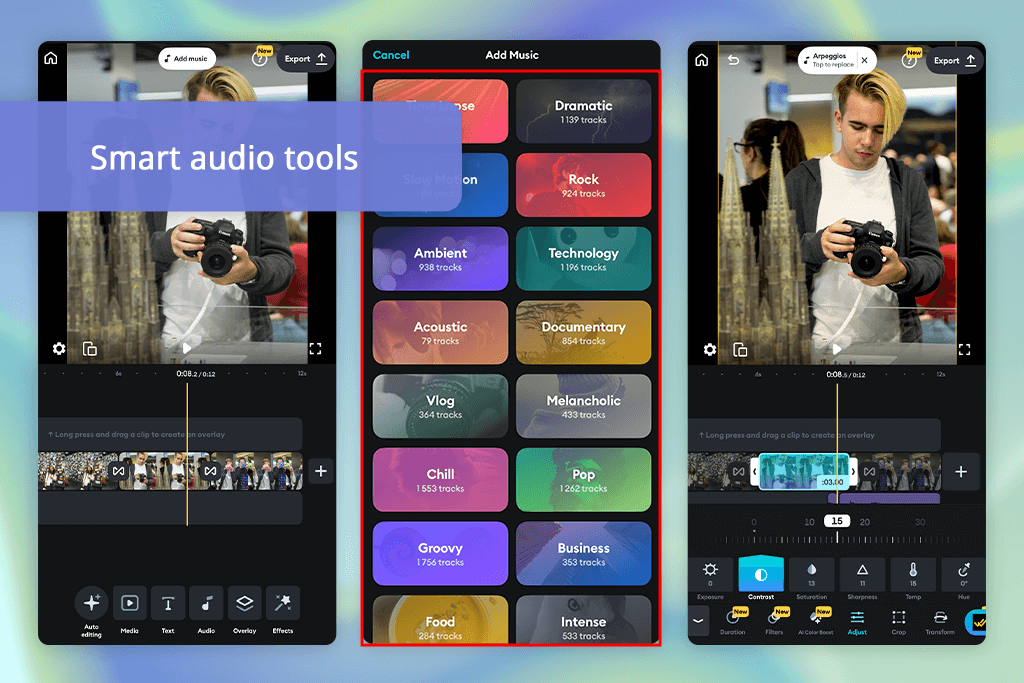
Splice turned out to be one of the most well-rounded Videoleap editing app alternatives I tried. I threw together a travel montage to see how it coped.
The timeline interface was more intuitive than I expected. I was able to dial in audio settings, lock music to the right moments, and stack cinematic filters without any problems. Videoleap has a habit of freezing up when I push it too hard, but Splice stayed stable the entire time.
“Splice is so fast. The timeline is very responsive, and the transitions look professional. Still, you can’t do much without subscriptions. Still, the feature set is worth paying.”

The precision of clip trimming and speed ramping made a noticeable difference. I could hit exact timing marks easily. Exported clips looked clean and had better detail retention. Another advantage was the built-in royalty-free music library.
For anyone who films regularly on mobile, Splice is a lightweight yet powerful mobile editor. Besides, this program works as a video editor for low-end PCs, which makes Videoleap feel unnecessarily heavy-handed.
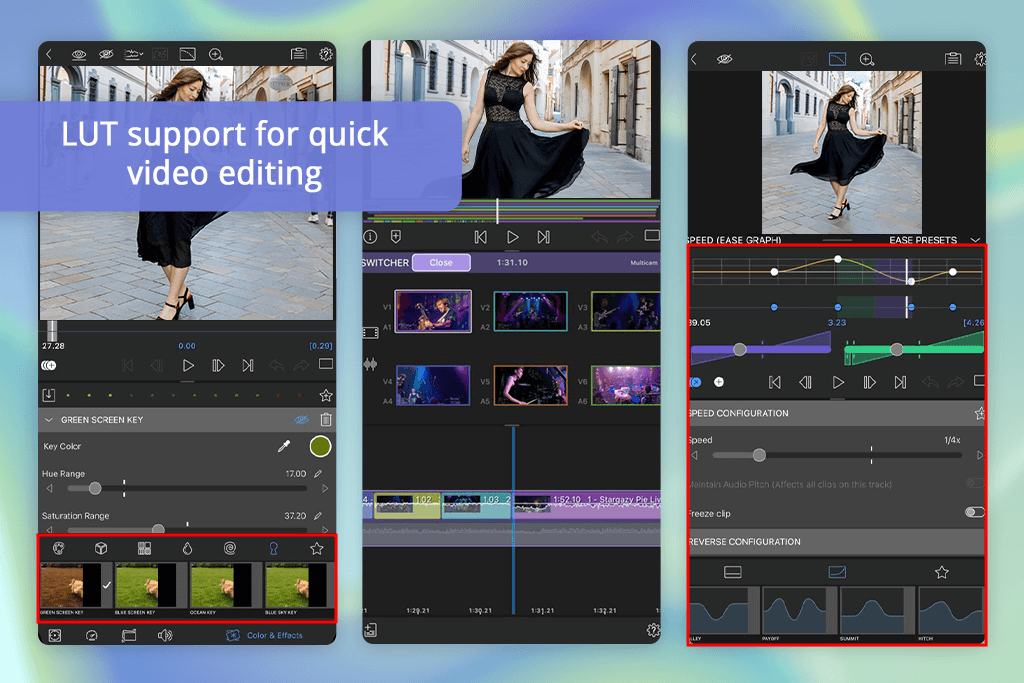
LumaFusion is one of the most pro-level software like Videoleap I tested. I decided to test it hard with a 10-minute interview that had multiple camera angles. I edited it on my iPad without transferring anything to a computer. It juggled several 4K video tracks at once, kept audio perfectly in sync, and offered precise color correction tools.
“This app is like a mini desktop editor on my iPad. You can take advantage of multi-layer editing, precise trimming, and pro-grade color tools.”

The performance was impressive. Even when I was dealing with long clips, adding keyframes, or working with color scopes to dial in the grade, there was zero lag. While exporting my projects, I could customize bitrate, codec selection, and format. You rarely have this in mobile editing apps.
If you’re serious about editing on a tablet, this 4K video editing software doesn’t compromise.
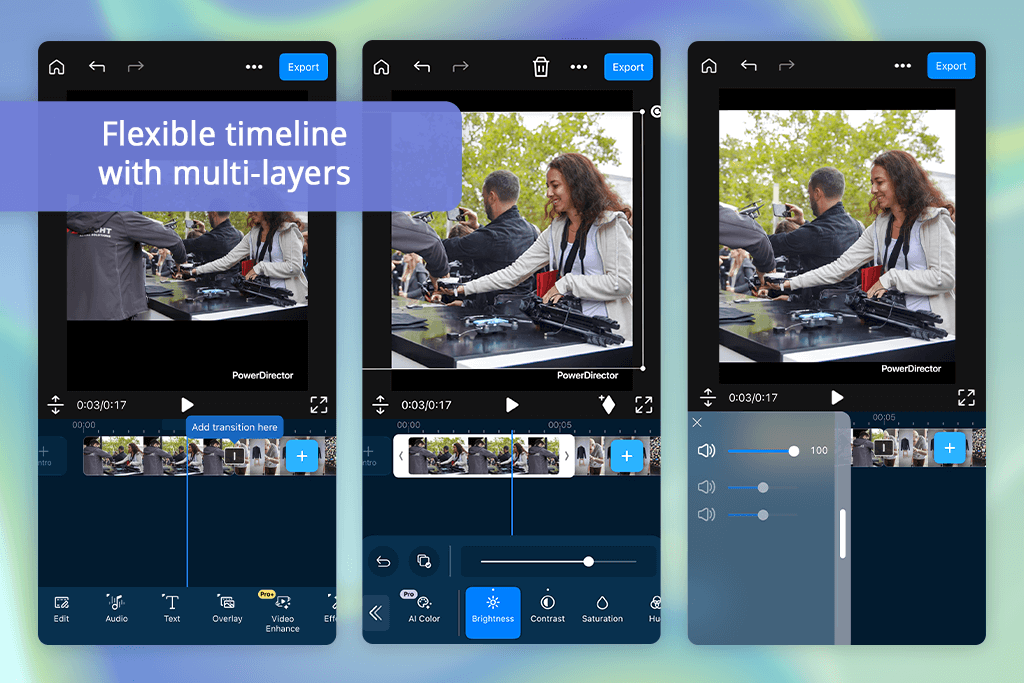
PowerDirector surprised me, offering a user-friendly interface and a range of powerful tools. I stress-tested it with 4K footage. The timeline stayed smooth even when I stacked multiple layers and effects.
The AI features in this motion tracking software are also amazing. It follows subjects properly, and stabilization works without hiccups.
“There are lots of effects and templates, but they are intuitive to use. The AI sky replacement feature is terrific. Still, you have to put up with ads in the free version.”
I used the built-in voiceover tool more than I expected. It is convenient to have everything in one place. The interface can be tweaked to match how you work. Generally, I believe this is the best Videoleap Android alternative.
Our testing FixThePhoto team consisted of Ann Young, Julia Newman, and Tani Adams. Together, we evaluated the capabilities of dozens of video editors to find the best Videoleap alternatives. We each tackled different angles.
Ann focused on advanced features, namely, color grading and keyframing, Julia checked how intuitive the interfaces were for beginners, and Tani concentrated on social content – vertical videos, quick exports, and social media content.
We spent a week editing the same 90-second travel clip across every app, testing transitions, effects, and audio sync. We tracked timeline responsiveness, rendering speeds, and whether you’d need a tutorial just to add a filter.
We worked with both free and paid versions to see if upgrades were actually worth it. We stuck to the same footage, music, and settings to directly compare export quality and speed. Doing our best, we managed to find editors that aren’t just feature-packed, but genuinely practical for creators who need reliable, daily-use tools.





![7 Best Websites for Painters in {{%year}} [Portfolios & Sales]](http://fixthephoto.com/blog/images/gallery/news_main__preview_28423.jpg)


![13 Best AI YouTube Shorts Generators [+BONUS]](http://fixthephoto.com/blog/images/gallery/news_main__preview_28463.jpg)



















