When I started to look for a Format alternative, I wanted to create a professional archive of my video projects and did not expect to embark on a quest to find a replacement for this software together with my team.
I work as a video editor at FixThePhoto and often take freelance tasks. This is why I realized that I needed to discover a more flexible solution than Format that would allow me to build more attention-grabbing portfolios.
The platform has many handy features, but I quickly discovered its limitations. I needed to have more control over video layouts, integrate client-friendly pages, and customize the design.
I discussed website builders like Format with my colleagues, read Reddit threads, analyzed YouTube reviews published by other creatives, and asked the FixThePhoto team to help me test 30+ Format alternatives. We tested both popular platforms and niche tools used by many videographers, designers, and photographers.
After several weeks of testing, I narrowed down the selection. I did not want to find a generic Format competitor. I was more interested in finding the best solution for creative professionals. When looking for a Format alternative, I prioritized the following:
Consistent video support. Streamlined playback, no compression issues, and quick embedding from YouTube/Vimeo or direct uploads.
Adjustable templates. I wanted to be able to adjust layouts without coding.
Client-friendly features. Private albums, password-protected galleries, proofing features, and download settings.
Streamlined editing experience. Drag-and-drop UI, batch processing tools, intuitive style adjustments.
Branding control. Typography elements, custom color palettes, custom domains, and favicon control.
AI features. AI layout suggestions for quick page creation, AI Digital Marketing tools for editing metadata and alt-text, AI image optimization to ensure that pages load quickly.
Security. SSL support, reliable hosting, and 2FA.
Price transparency. I wanted to find a program without hidden fees for the main features.
Format is a convenient platform designed for a specific purpose, and it handles everything well. Its interface is simple and streamlined. Besides, it allows one to create and publish a portfolio online within an hour.
However, after testing dozens of portfolio builders like Format, I discovered that Format is hardly suitable for modern creative professionals who work on complex projects. It’s not for those who need to create portfolios that include photos, videos, before/after retouching examples, reels, and long-form content.
I discovered that the main problem with Format is that it lacks flexibility. When using it, I would often get frustrated with the fact that the platform decides what my portfolio design should look like. As a result, it becomes too rigid and does not allow me to showcase my work in the way video editors and retouchers prefer to do.
The templates looked quite eye-catching. However, I faced a lot of restrictions when I tried changing grid spacing, adjusting video preview layouts, or adding interactive sections. I decided that I won’t use a site builder that restricts my creativity instead of helping me promote my services.
Many creatives believe that their websites are too small and insignificant to warrant hackers’ attention. However, when you start publishing high-quality images, you might suffer from the following attacks:
This is why I use portfolio platforms that have several important features and lack notable shortcomings:
Many creative professionals, including myself, started to pay less attention to portfolio layouts that allow one to showcase their work and focused on designs that help them increase conversions. Your website should help you sell your services. This is why it’s crucial to use storytelling components, focus on UX flow, add curated sections, and create a recognizable identity.
Many platforms, including Format, create static galleries instead of modern portfolios. This is why I started to look for solutions that allowed me to develop my business instead of simply showcasing my skills. A modern portfolio builder should allow a user to add landing pages, publish case studies, experiment with different testimonial layouts, and add interactive elements.
If you want to build a portfolio that will motivate a potential client to order your services, you need to build a powerful platform that will allow you to increase your conversions.
Best for: Creatives already using Adobe apps; video editors, photographers, retouchers.
Pricing: Adobe Portfolio free with any Creative Cloud plan (full access).
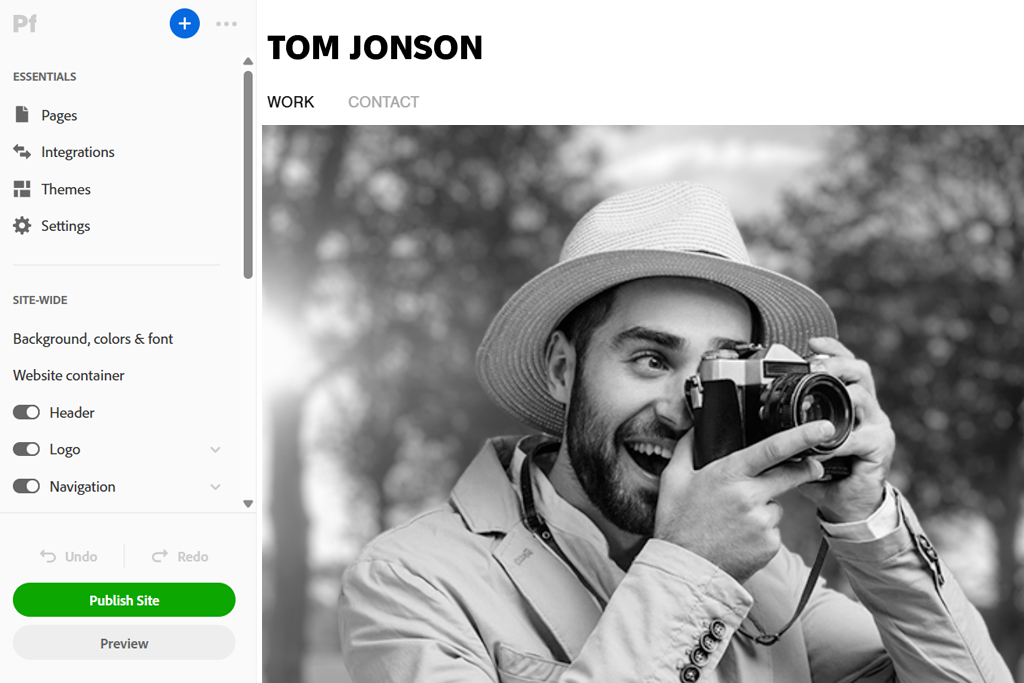
My colleagues at FixThePhoto advised me to test Adobe Portfolio and recommended it as a powerful Format alternative. After giving it a try, I was surprised I had not used it before. I use many Adobe programs, so I was surprised that I hadn’t considered using the free portfolio builder available within the Creative Cloud plan.
Adobe Portfolio has a streamlined dashboard with a few toggles. You will easily figure out how to customize its typography-centered layouts. The program has a more minimalist UI than Format and most other Adobe Portfolio alternatives. Format may help you create attention-grabbing designs, but Adobe Portfolio helps you create a custom visual story the way you see fit.
Another thing that pleased me a lot was that this Format alternative for photographers integrates perfectly with Lightroom albums. I created several sample video project pages using stills and BTS pics from Lightroom. Everything was synchronized quickly, so I did not need to upload anything manually or perform batch renaming.
“The fact that Adobe Portfolio directly integrates with Behance adds to its appeal. I was able to publish my photo editing case studies there in one click.”

The only serious shortcoming is that it’s more difficult to work with custom layouts than in some other builders, which makes this solution not the best fit for those who need to build an advanced blog or add storefront features. However, as I needed to create only a portfolio page, it turned out to be much better than I expected.
My advice: Use other solutions from the Adobe ecosystem as well. Create LR collections for your portfolio, create brand-new cover frames for your videos, and use the auto-sync feature to expedite your workflow.
What I like:
Best for: Designers, videographers, and mixed-media creatives.
Pricing: Free (with branding & limited pages); From $3.50/mo; From $35/year
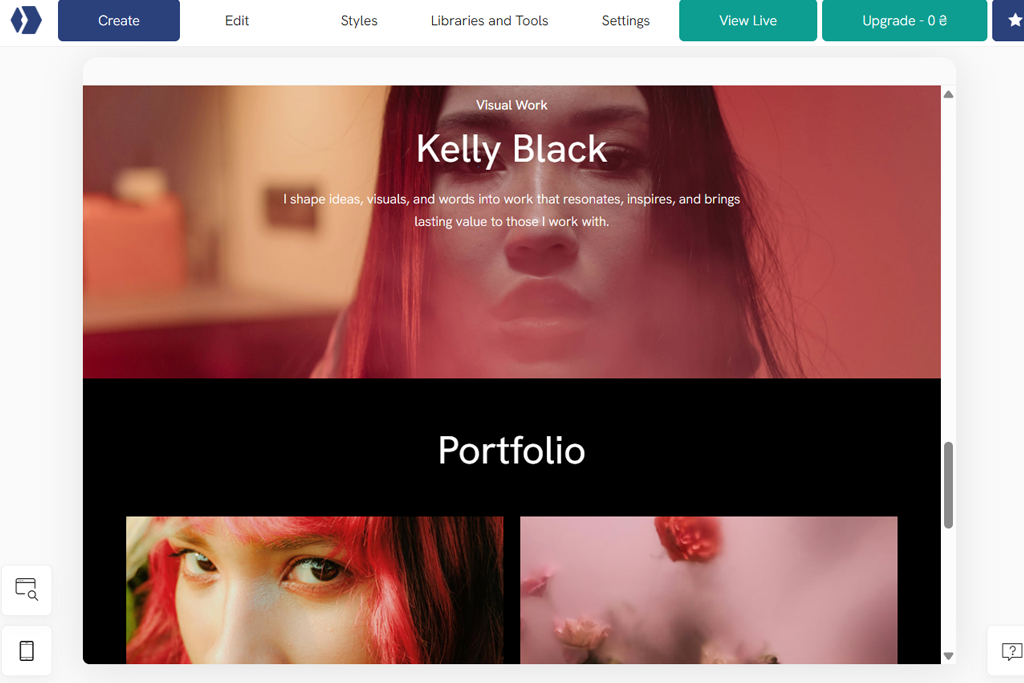
I discovered Portfoliobox while reading Reddit threads where designers claimed that it was a heavily underrated tool among portfolio website builders. When I started to use it, I was impressed by how easy it was to navigate through its editing interface. Unlike Format and other creative portfolio website builders, it does not require you to use strict template structures.
There is no need to choose a single theme and try to use it on every page. Portfoliobox allows users to combine different types of layouts on the same site. It makes it especially suitable for people like me who work with mixed media and need to edit videos, show pictures before and after they have been retouched, and work with photo sets and BTS clips.
When testing this Format replacement, I created a page for case studies. I added a text block, a vertical video, a color-accent section, and a side-by-side comparison slider. While it was difficult to create such a page using Format, Portfoliobox helped me to build it quickly.
However, I was a bit disappointed with the basic controls, especially when I needed to access more advanced spacing and video embedding options. Despite this, I discovered that I enjoyed the process of building the website pages quite a lot.
My advice: Test out the “section-based” site-building method. There is no need to drop everything into one gallery. You can build narrative pages. It will be easier for your clients to scroll through a story instead of clicking thumbnails.
What I like:
Best for: Photographers with heavy client workflows; studios; teams.
Pricing: No free plan; From $12/mo; From $120/year
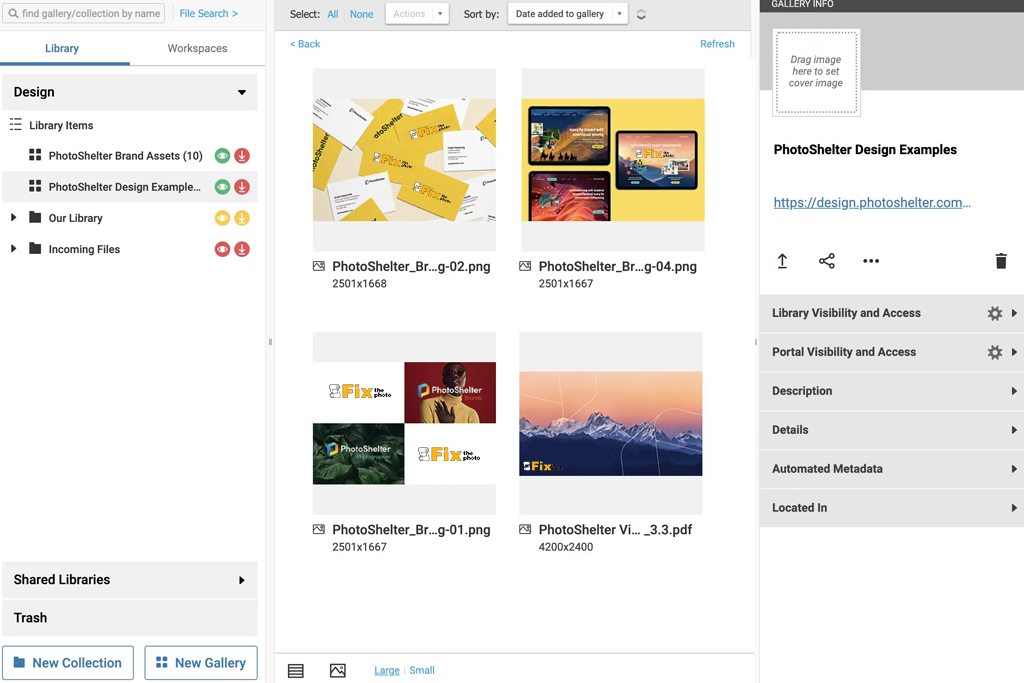
The first time I heard something about PhotoShelter was when I was listening to a YouTuber who claimed that it was the only solution built specifically for professional photographers. When I started to test it, I discovered that it was more suitable for business needs than Format and other portfolio website maker alternatives, which made it perfect for streamlining client workflows.
PhotoShelter is less focused on creating a polished portfolio. Instead, it facilitates developing a professional ecosystem for developing your business. When testing it, I uploaded a series of high-res stills and preview videos. I liked that it organized my assets into collections and client libraries. It is impossible for me to structure and control my content with such precision when using Format.
“The client proofing system is one of the main advantages of this service. I was able to create a mock gallery quickly, enable downloads, configure permissions, and utilize the feedback tools.”

The key shortcoming of this service compared to other portfolio website builders is that it is hardly suitable for those who want to fully control the way their website looks. The templates are highly functional, so it might be difficult to make them more artistic. A user has access to limited design options. However, this solution is perfect for workflow-heavy photography portfolios.
My tip: Remember to use collections and gallery permissions to make your site easier to use. If you prefer to create clean, labeled libraries, PhotoShelter will help you store and present your projects in the best way.
What I like:
Best for: Creatives who want a premium, polished look.
Pricing: No free plan; From $16/mo; From $144/year
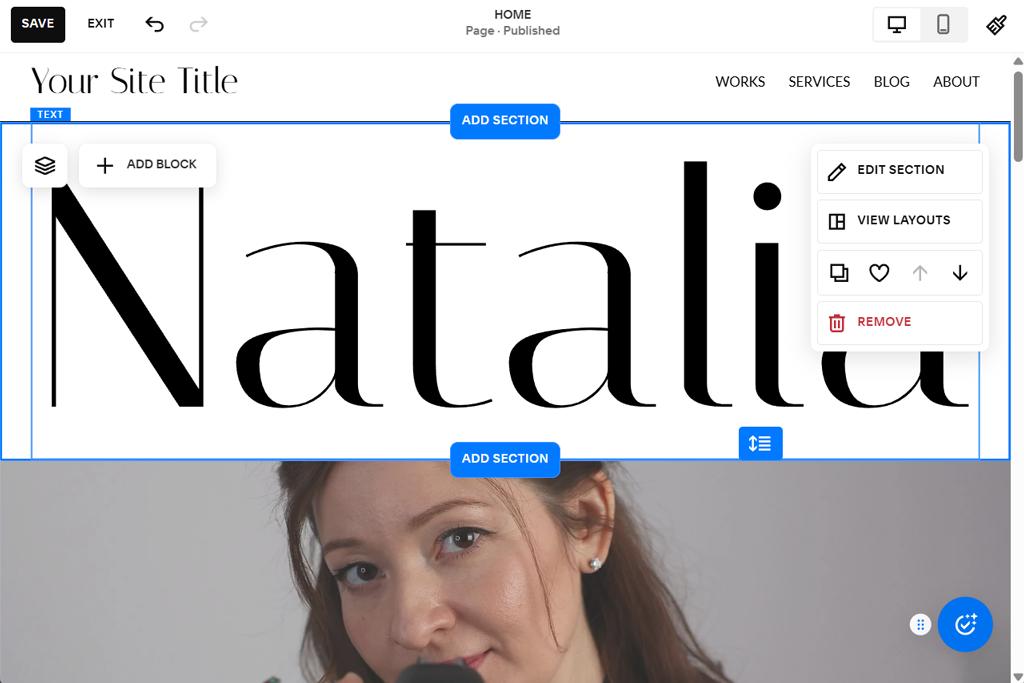
I decided to give Squarespace a try when one of my clients told me that he used it to create a photography-and-video site without coding. He does not have any technical background, so I became interested in this solution.
When testing this online portfolio builders alternative, I realized that it might be the perfect choice for those who want to make their projects look pricey. The templates have a cinematic, editorial feel. I liked their wide margins, roomy layouts, and well-balanced font pairings. When I uploaded screenshots from my video projects, Squarespace immediately created a premium-level page.
What makes it different from Format and various Squarespace alternatives is that the whole user experience is quite streamlined. The styling options are simple and useful. It’s easy to integrate videos to make pages more informative. Besides, the site we created has impressive mobile responsiveness, which makes this solution one of the best builders we have tested.
There are some notable weak points as well. When I decided to compare Squarespace vs Adobe Portfolio, I noticed that the former is more restrictive. It’s not the best choice for those who want to experiment with different layouts and custom page structures. Besides, it might be difficult to find some of its editing features.
My advice: Choose a template that matches your style. Don’t change it too much to align it with your design. Leverage the main advantages of Squarespace, namely bold typography, clear visual hierarchy, and narrative-based layouts.
What I like:
Best for: Beginners, students, and simple creative sites.
Pricing: Free (Weebly branding); From $10/mo; From $96/year
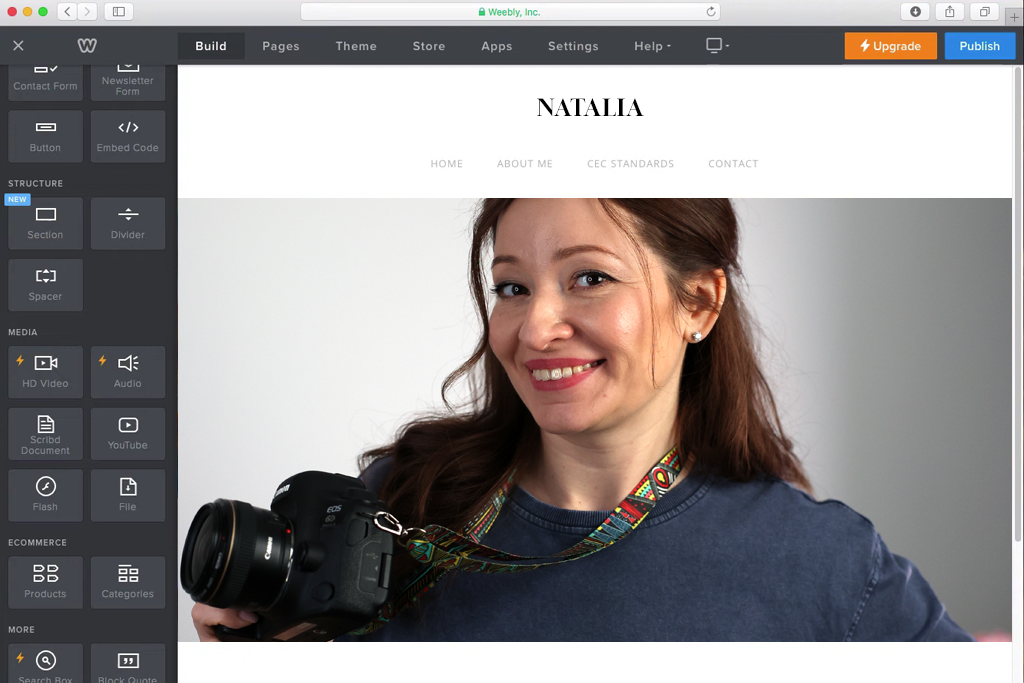
I was not aware of Weebly until I saw it on my Google search while I was looking for a basic builder my junior colleagues could use. Format and some other well-known Weebly alternatives may seem a bit too complicated for beginners. This is why I wanted to understand whether Weebly could be a more useful Format alternative for those who do not want to master complex software.
When testing, I was pleased that it was simple for beginners, but also had extensive functionality. Thanks to its drag-and-drop UI, every task was easy to complete. I was able to quickly add videos, text, and galleries. There is no need to look for hidden menus or deal with template restrictions. Its simplicity makes it perfect for novices to create their first portfolio or build a side-project website.
While Weebly may look less advanced than a visual portfolio builder like Format, it is much more comfortable to use and supports higher speeds. When testing it, I created a small landing page for my video project in less than 20 minutes. Weebly is hardly suitable for creating award-winning designs, but its UI is clean, highly functional, and responsive, making it perfect for mobile devices.
“I was a bit surprised by the limited customization options. If you work on more advanced projects, you will need to have control over spacing, animations, and the grid.”

My advice: It’s better to use Weebly when creating simple portfolios or one-page sites. Don’t use this Format alternative for designers for complex projects. It’s better to keep your layouts clean and avoid adding too many elements.
What I like:
Best for: Creatives who need speed and business tools.
Pricing: Free (limited features, GoDaddy branding); From $11.99/mo; From $119.88/year
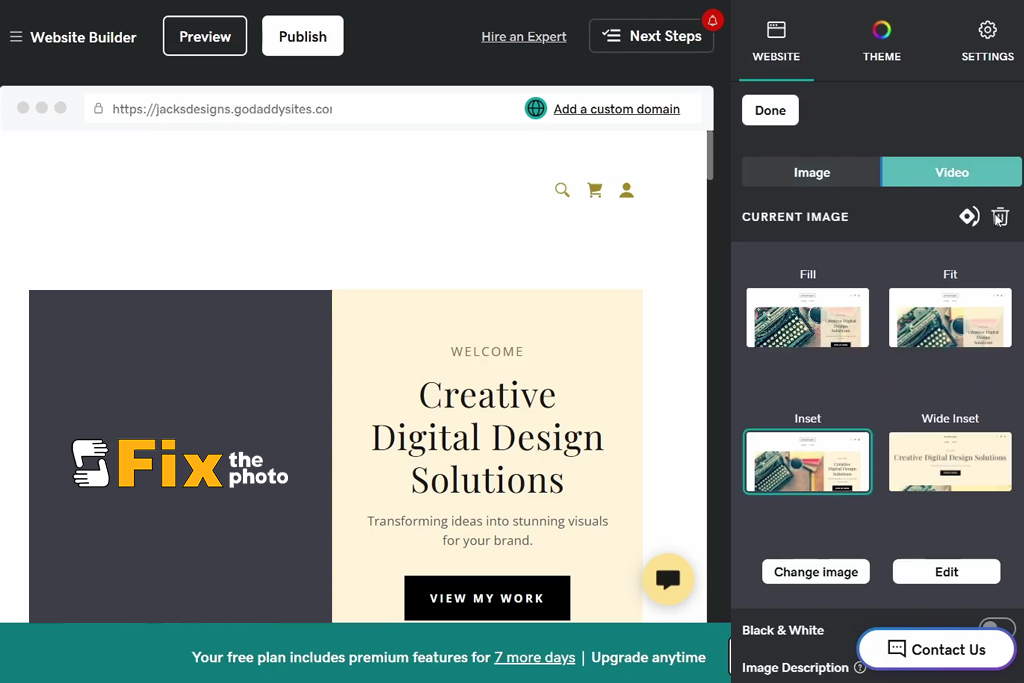
One of my colleagues mentioned GoDaddy when we were discussing the fastest builders for creating single-page portfolios for client proposals. Some of my teammates had already used this builder when working on temporary project sites. They advised us to add it to our list of Format alternatives, arguing that it supported impressive speed and came with handy marketing tools.
I didn’t set my expectations high. GoDaddy is mostly known as an ecommerce website builder, so it might not be the first choice for creative portfolios. However, I discovered that it was extremely easy to set it up. Using the AI starter layout tool, I uploaded my branding colors, fonts, and sample visuals. The builder analyzed my needs and produced ready-to-use output.
Unlike many portfolio sites similar to Format, GoDaddy prioritizes visual storytelling. It is all about practicality, visibility, and small-business features. After testing it, I understand better why some creative professionals prefer to use this service. It allows them to build a fully functional professional website in less than an hour.
Despite this, I noticed that this solution has limited creative flexibility. Templates are simple but have a corporate feel about them. The design controls aren’t advanced enough, and some sections are impossible to adjust. However, if you are looking for free Format alternatives with fast performance, it’s a good option to consider.
My tip: Use the available marketing suite to launch email campaigns, prepare social posts, and access analytics. It will help you to use your portfolio to develop your business.
What I like:
Best for: Agencies, freelancers onboarding clients, creators who need more structure than Format.
Pricing: Free trial available; From $19/mo; From $180/year
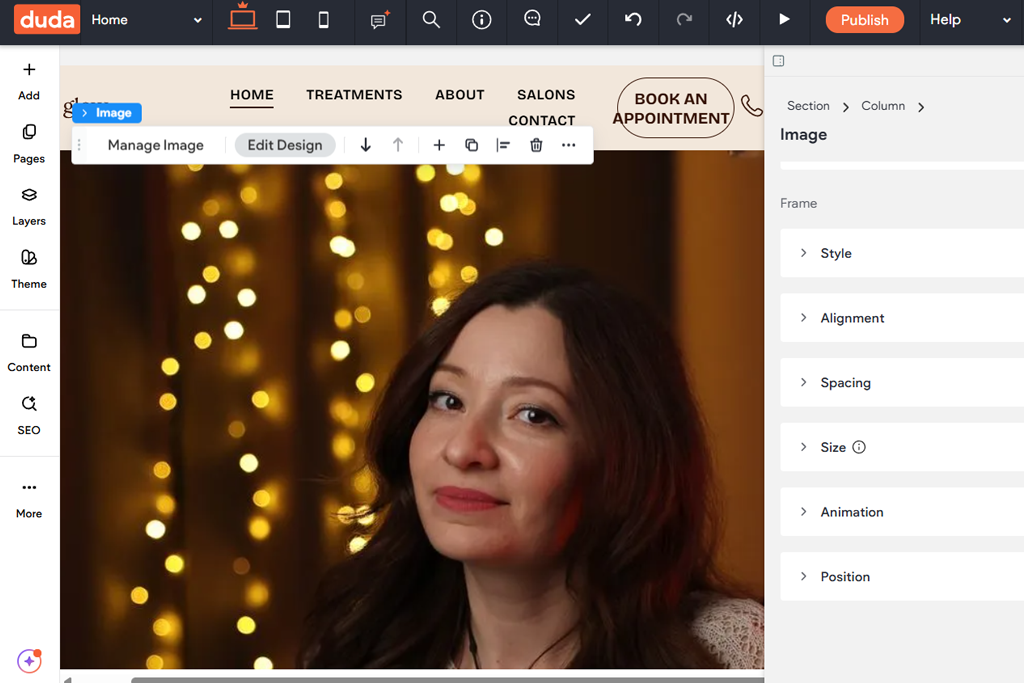
The first time I heard something about Duda was when I was reading a Reddit thread where designers recommended relatively unknown website builders that are more suitable for client-oriented projects than Format. Some users specifically mentioned that Duda was created for those who work at agencies, which is why I decided to add it to the list.
When I started to test this editor, I immediately discovered how streamlined it is. Format is more minimalist, which makes it hardly suitable for multi-page websites for business needs. Unlike other photography portfolio website builders, Duda prioritizes structured design. It allows users to add smart sections, automatically adjust layouts, add dynamic content, and configure permissions.
As I often need to switch between portfolio and marketing tasks at FixThePhoto, I liked that it was so easy to adjust layouts depending on the purpose, without creating it from scratch.
“What makes Duda different from Format is that it facilitates client collaboration. I was able to specify roles and permit clients to change specific fields without affecting the rest of the site.”

Duda has some shortcomings as well. Some of its professional tools are available only to those who pay for higher-tier plans. Besides, unlike some other design portfolio website platforms, it does not allow you to perform pixel-precise adjustments.
My advice: Be sure to master its automation tools to streamline your workflow and discover how to integrate dynamic content faster.
What I like:
Best for: Freelancers, agencies, photographers, and creators who need to share polished, on-brand presentations with clients quickly.
Pricing: Free trial/plan available; paid plans depend on selected features.
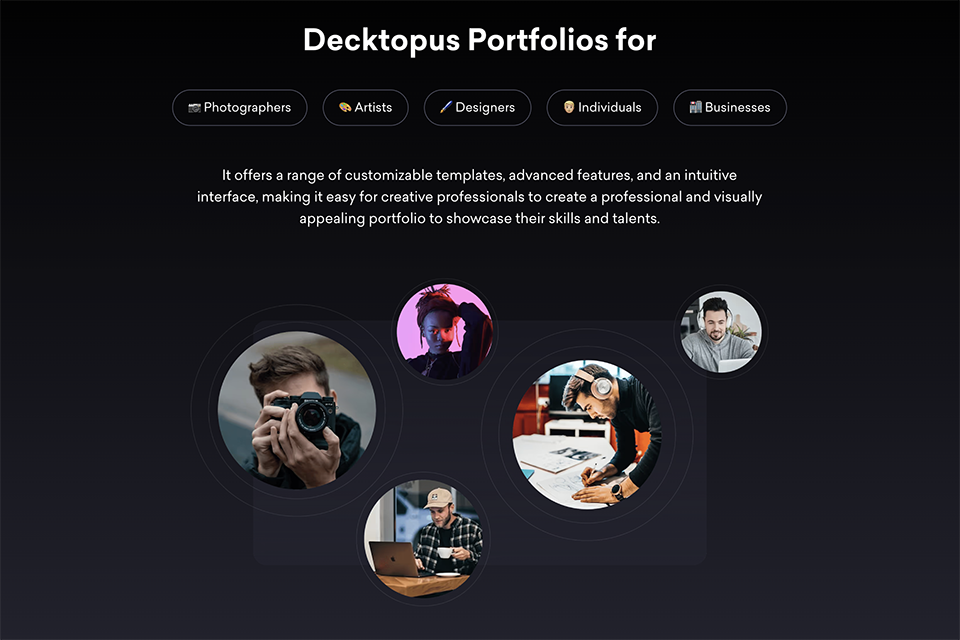
I used Decktopus to build a client-ready portfolio presentation without spending hours designing each section manually. It generated a complete structure from a brief description, including layout, content, and visuals, so there was no blank page to deal with.
What stood out immediately was how it handles branding. You can import your brand directly from your website URL and Decktopus pulls your colors and fonts automatically. For more control, the full Brand Kit lets you set colors, fonts, logo, and reference slides manually so every presentation is styled to match exactly.
A built-in brand compliance check flags anything off-brand before you share, which is genuinely useful when sending work to clients. Prompt-based slide editing meant I could refine any slide by describing the change in plain text, no design skills required. The Loop AI Delivery Coach also lets you practice inside the app and get real-time feedback on delivery, which goes beyond just creating the content. Finished presentations can be shared via link or exported as PowerPoint or PDF without rebuilding the page each time.
My advice: Use Decktopus when you need to create a client presentation or portfolio quickly and share it via link without rebuilding the whole thing every time.
What I like:
Together with my colleagues at FixThePhoto, I decided to conduct thorough testing of Format alternatives to discover the best options. Instead of focusing solely on templates, we wanted to check which modern portfolio builder alternatives were suitable for creative professionals like us who often need to work on projects related to photography, videography, design, and marketing.
The first thing that I did was to create a short list of tools that were often recommended by creatives and on Reddit threads. Some were widely praised, but I decided against them. For instance, while Cargo, JournoPortfolio, Webwave, etc. have their advantages, they do not support extensive customization, have outdated templates, and lack powerful client collaboration tools.
When using every creative website builder alternative, I tested the speed of creating a portfolio using FixThePhoto assets and the video projects I was working on. I wanted to see whether it would be easy to add high-res galleries, case studies, blog posts, behind-the-scenes videos, etc.
We also focused on onboarding, as we wanted to see whether an editor was intuitive and had flexible layout tools. In addition, I wanted to understand whether it was possible to switch between mobile and desktop versions with ease.
We also assessed performance by uploading bundles of images, embedding videos, and testing interactive elements. Some builders were perfect for working with media files of all sizes. Others compressed images too much or slowed down during edits, making them hardly suitable for photographers.
My colleagues helped me test Digital Marketing tools and blogging, and client-proofing features. Besides, we were interested in export flexibility. Security was also one of our top priorities. We excluded services with insufficiently transparent hosting or data policies.
Finally, we compared pricing plans to understand what you can get after paying for a subscription. I ranked lower the builders that do not allow users to access fundamental features unless they pay for a pricey premium plan.



![9 Best Online PDF Translators in {{%year}} [Reviewed & Tested]](http://fixthephoto.com/blog/images/gallery/news_main__preview_28499.jpg)
![9 Best YouTube Transcript Generators [{{%year}} FixThePhoto Choice]](http://fixthephoto.com/blog/images/gallery/news_main__preview_28474.jpg)

![7 Best AI Handshake Video Generators [{{%year}} FixThePhoto Choice]](http://fixthephoto.com/blog/images/gallery/news_main__preview_28493.jpg)

![9 Best Facebook Story Makers [Online, Desktop, iOS & Android]](http://fixthephoto.com/blog/images/gallery/news_main__preview_28495.jpg)



















