AI podcast generators have become incredibly useful in the last few years. As a photographer and tech expert at FixThePhoto, I have a podcast about the use of AI in photography and videography. Ever since AI rose to prominence, I’ve been trying out every possible handy or popular AI tool that is relevant to the industries I’m involved in.
For years, my go-to solution was Adobe Podcast. I continue to employ it frequently and have been recently leveraging its AI-based Enhance Speech tool to cut down hours of editing time, as it automatically gets rid of echoes, background noise, and improves the overall microphone quality.
However, my curiosity eventually took over, so I wanted to see what a fully automated podcast production workflow would look like. I decide to test solutions that can transform a script or prompt into a complete, fully voiced episode. My goal was to determine if a podcast generator can become a viable alternative to a real recording.
To explore a wider range of opinions, I browsed a ton of Reddit threads, YouTube reviews, indie podcaster Discords, and recommendation articles. Next, I collaborated with my FixThePhoto coworkers to test 20+ AI podcast generators over multiple weeks, while inputting the same scripts, prompts, and actual production scenarios.
Some software was disqualified immediately, and others felt too gimmicky, but there were also several impressive options. This review reflects the results of our findings that are based on factual experimentations rather than empty marketing promises. However, before we dive into specifics, here are the aspects that we prioritized when evaluating different AI podcast makers:
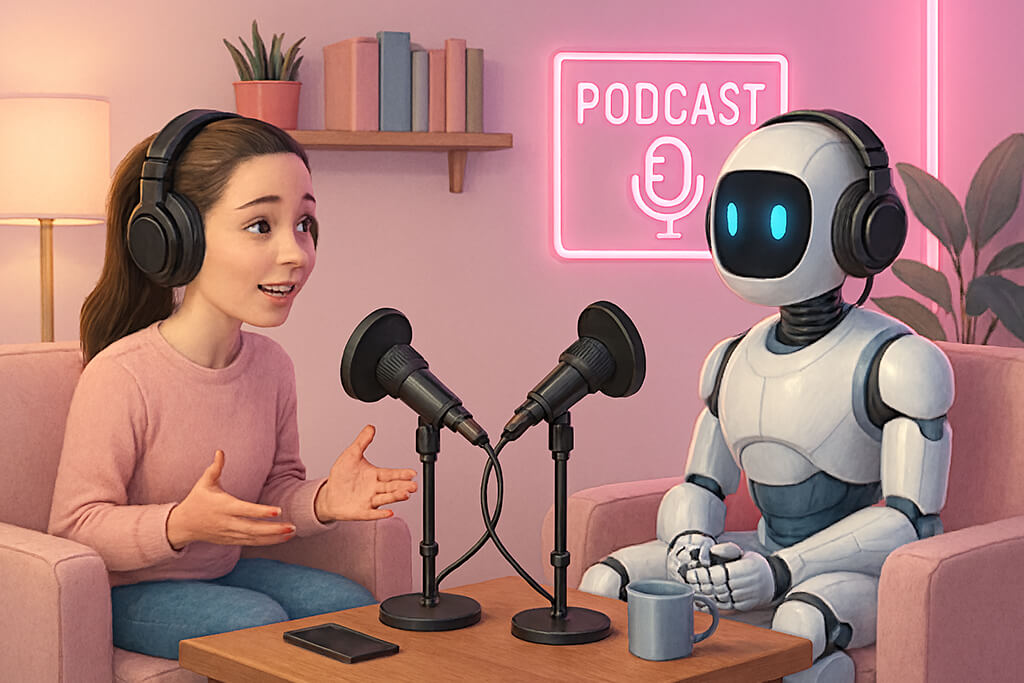
AI has dramatically changed the podcast production pipeline, both for beginners and professionals. According to recent stats, about 40% of podcasters have already introduced AI functionality into their workflow, and 15% regularly post AI-generated content, witnessing an increase in listenership by up to 45% thanks to AI-based recommendations.
Those statistics correlate with what I’ve seen in the industry myself – higher episode release cadence, cleaner sound, and a variety of new podcast formats.
Both paid and free AI podcast generators can be great for helping new podcasters get started. They can help you achieve great results without premium gear or proficient audio editing skills. For many of our followers and fellow creators, this advantage alone makes them interested in such AI tools.
That said, having dedicated weeks to testing, I can firmly state:
Where AI is at its best:
Where AI falls short:
We input similar prompts into all the tested platforms. Here’s an example of a description I used:
“Generate a 6-8 minute podcast episode in a calm, professional tone. Topic: how AI is changing photography and video editing. Audience: intermediate creators. Include an intro, 3 key points with examples, and a short conclusion. Avoid buzzwords, sound natural, and keep the pacing relaxed.”
The results are incredibly different. Some platforms got the structure right but sounded stiff. Others had produced natural voices, but the script lacked logic. I got the best results when I used the AI as an assistant rather than a complete replacement, focusing on generating drafts, intros, or segments that I would later enhance manually.
One surprising drawback: overconfidence. AI-generated podcasts tend to sound polished enough that users avoid doing the necessary fact-checking or making tone adjustments. That’s dangerous since while the AI can sound convincing, that doesn’t mean it’s being correct.
While the creation process is important, proper scheduling is also essential for ensuring success. I can highly recommend the following AI tools for media management and episode scheduling:
Hootsuite. Suitable for multi-platform podcast promotion
Buffer. Minimalist UI and convenient scheduling
Notion + AI reminders. Great for planning episode pipelines
Spotify for Podcasters (AI insights). Useful for timing and analytics
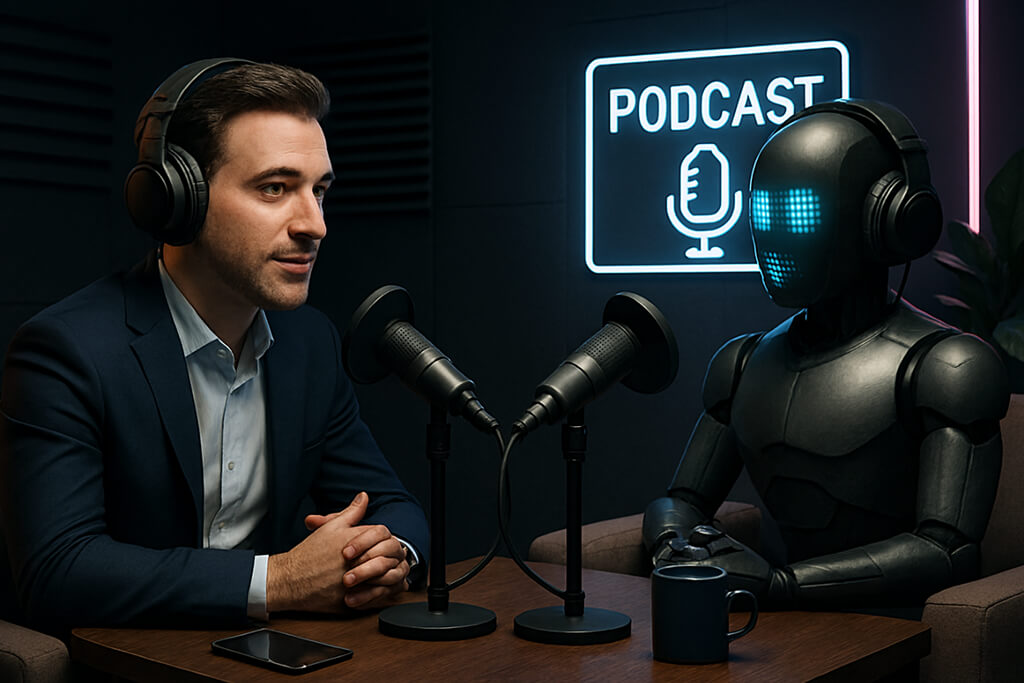
My hottest verdict based on all the tests: AI won’t kill podcasts – but it will expose the lazy creators. In a world where anyone can quickly pump out podcast after podcast, people will start gravitating toward authenticity, fresh ideas, and interesting perspectives more than ever.
If employed smartly, an AI podcast generator is more of a valuable assistant than a mindless human creativity replacement.
Best for: creators enhancing AI podcast audio
Pricing: Free (limited generations); from $4.99/month, $59.99/year
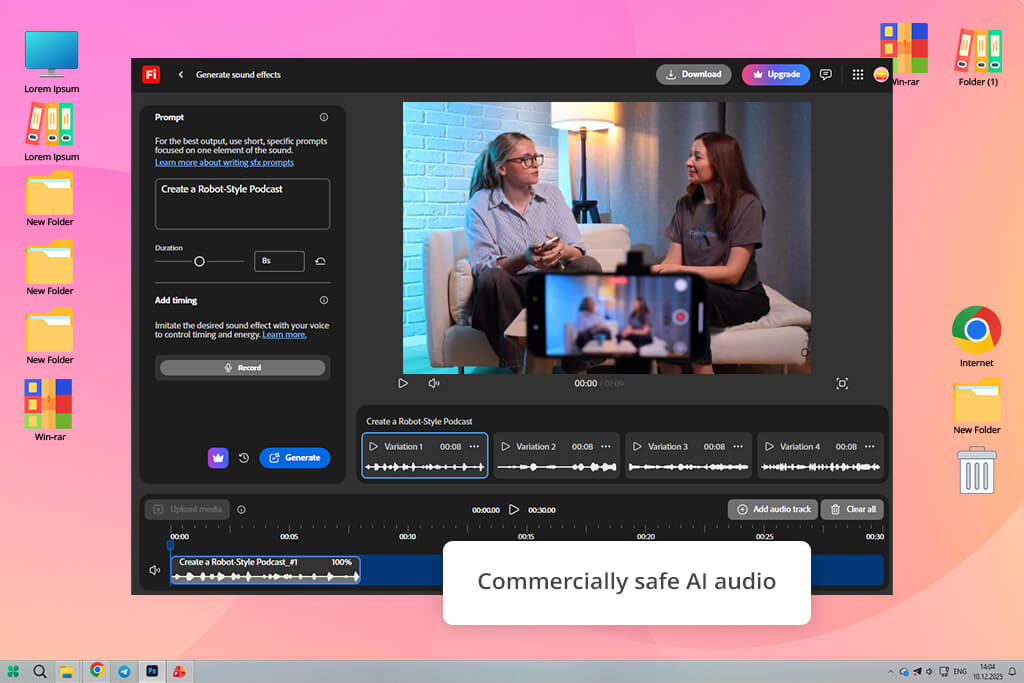
I often employ Firefly-generated videos and images in Photoshop and Illustrator, but I didn’t use the Sound Effect Generator until recently. It’s not advertised as an AI voice podcast generator, so I started wondering if it could still be used for this purpose.
Firefly can’t generate entire podcast episodes or voices. However, it’s the best AI sound effects generator that transforms your text prompts into sound, which can be incredibly useful for podcasters who want to improve their production values.
For my test, I created intro stingers, background sounds, subtle transitions, UI-themed clicks for tech demonstrations, and some “digital” textures that I used for the episodes I dedicated to the topic of AI.
“Firefly excels at interpreting lengthy prompts. You can be as descriptive and detailed as you want, specifying the length, intensity, mood, texture, even spatial feel.”

For instance, I wrote a “soft futuristic intro whoosh, minimal, calm, 3 seconds” prompt and received an audio clip that was a great match for my podcast branding without forcing me to browse through stock asset libraries.
Firefly is an irreplaceable part of my Adobe-focused workflow. Ordinarily, my production pipeline looks like this: I record my voice → tidy it up in the Adobe Podcast AI Enhance → produce transitions and sound effects in Firefly → put all elements together in Premiere Pro or Audition. All these features complement each other instead of competing.
However, Firefly isn’t a universal solution. If you’re looking for a complete text-to-podcast AI tool, you’ll have to look elsewhere. It’s also not capable of generating music – only audio effects.
My advice: use Firefly as a creative sound designer, not a podcast host. Stick to descriptive prompts, generate several variations, and try to use the AI sparingly to maintain the authenticity of your content.
Top features:
Best for: scripted AI podcast production
Pricing: Free (limited exports); from $19/month, $180/year
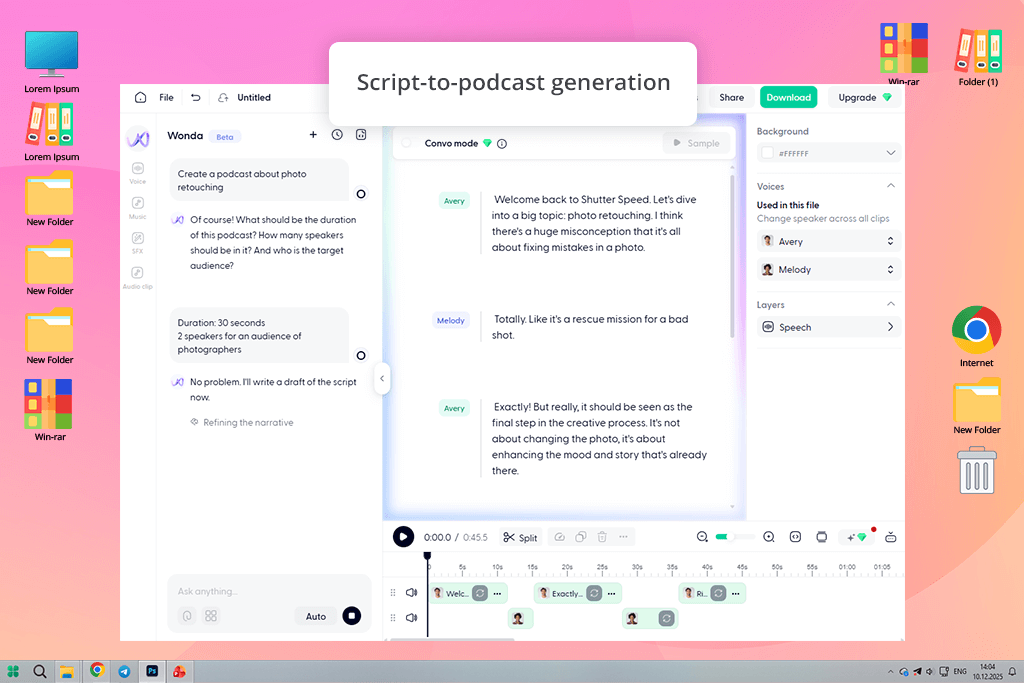
Wondercraft was recommended to me by a FixThePhoto coworker. He advertised it as the closest thing to full-fledged AI podcast software, and my personal experience confirms such a claim.
It was made specifically to convert scripts into fully-voiced podcast episodes. It provides narration while also allowing you to adjust the pacing, background music, and general flow. This is why it stands apart from regular text-to-speech solutions.
For my test, I added my own scripts to Wondercraft, including tech tutorials, AI news reviews, and brief opinion-focused episodes. I love the editorial approach offered by this tool. This is the best AI podcast generator if you’re looking to fine-tune the tone, speaker style, background OST, and overall delivery.
“Wondercraft does a great job tackling scripted formats. Educational podcasts, branded content, internal corporate podcasts, and explanatory side projects can all be effortlessly created here.”

After the test, this AI audio tool remained in my rotation, whenever I had to quickly deliver a new episode or had an idea I wanted to experiment with before committing to manual recording. Wondercraft can be used for making drafts before re-recording the final version using your own voice.
Drawbacks? The voices sound believable, but they fall short compared to ElevenLabs. Additionally, if your script isn’t interesting enough, this software isn’t going to fix it. Lastly, it’s not suitable for voicing emotionally engaging narratives or interviews due to the neutral tone of the generated voices.
My advice: dedicate enough time to polishing the script, stick to short paragraphs, and don’t add too much content to a single generation. I recommend using it as a production assistant, not a miracle-worker that will do everything for you.
Top features:
Best for: turning documents into AI podcasts
Pricing: Free trial; Acrobat Studio from $24.99/month
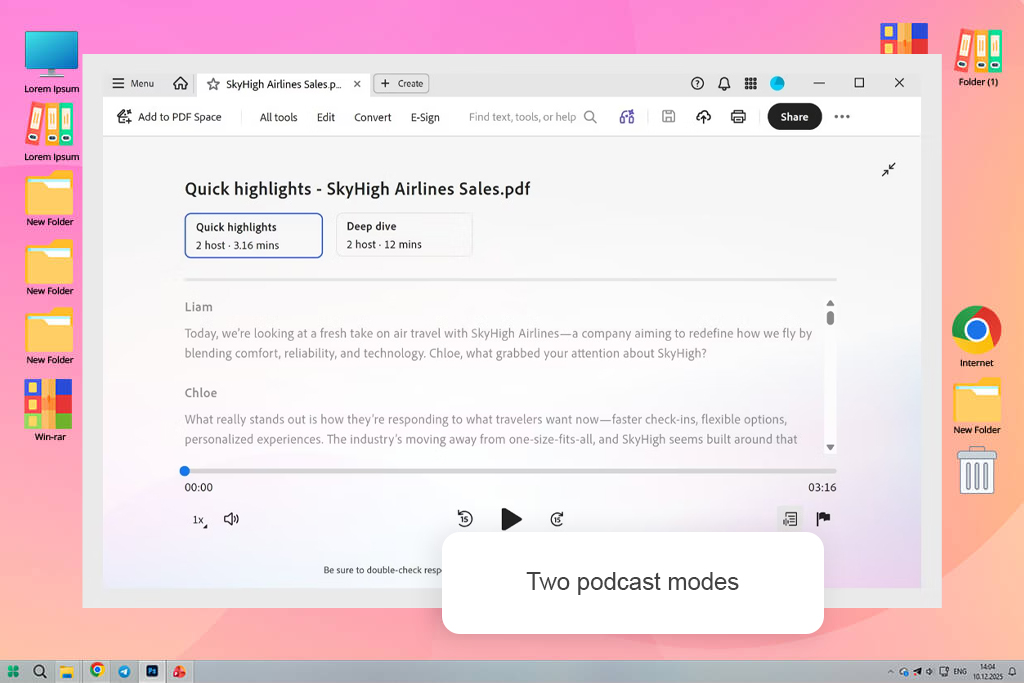
I used to make sound effects for podcast transitions and intros with Adobe Firefly, but Adobe Acrobat now has a more comprehensive podcast capability. Its AI assistant is capable of analyzing PDFs, URLs, and other project files, summarizing their content, and turning the important details into an AI-produced podcast.
I added multiple papers to a PDF Space during my test and asked the AI Assistant to highlight the most crucial details. I could rapidly grasp the key points by listening to the created audio rather than reading every page. Research papers, reports, transcripts of interviews, and other lengthy documents benefited greatly from this.
“The podcast feature turns dense documents into a more convenient audio overview, making complex information easier to absorb.”
Additionally, Acrobat offers citations, summaries, important insights, and recommended next steps. I could share the completed workspace with others, ask follow-up questions, and arrange several sources in a single PDF space. Compared to Firefly, which simply produces individual sound effects, it is therefore more beneficial for research-based podcasts.
My advice: use Acrobat when you need to convert reports, PDFs, or research materials into a quick audio overview. For branded podcast episodes with custom voices and music, choose a dedicated AI podcast platform.
Top features:
Best for: research-based podcast scripts
Pricing: Free (with usage limits); from ~$20/month (Google One AI)
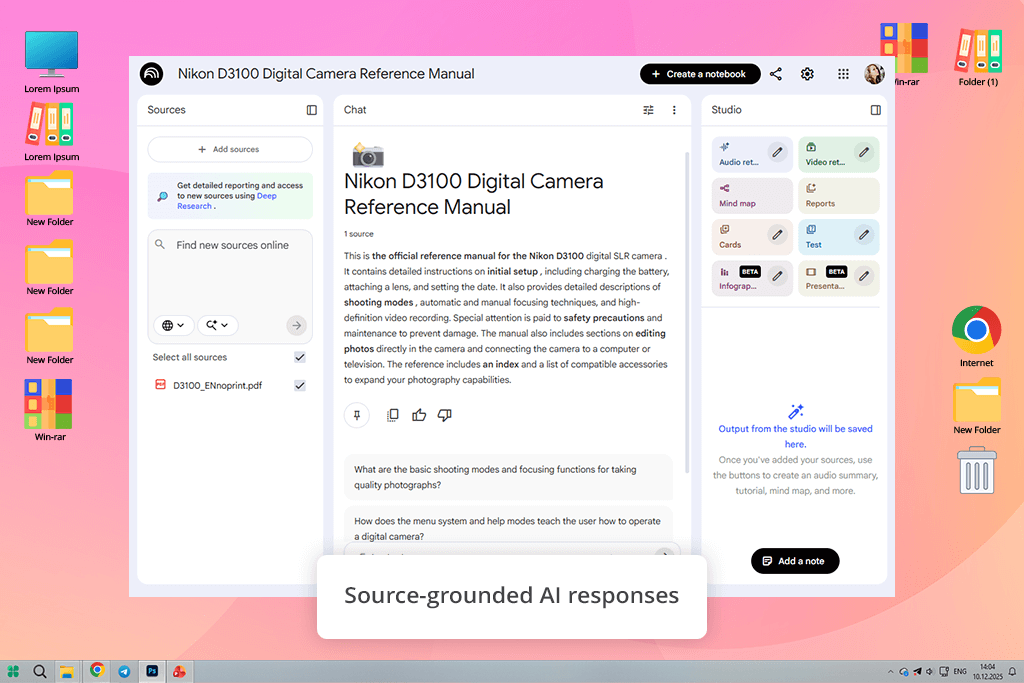
When it comes to podcasts focused on research, education, and other similar content, the go-to recommendation I’ve seen was NotebookLM. Its biggest strength comes from how “smart” it is.
This AI podcast creation tool is based entirely on the sources you provide – documents, articles, transcripts, notes, or links, as the AI focuses solely on that database. When I used it to make a podcast, I was happy to see how great it is at staying on top and basing all content on factual information, as a lot of general AI tools constantly include misinformation and unreliable sources.
It helped me create several episodes on AI trends in photography. I imported research articles, my own thoughts, FixThePhoto internal docs, and even several interview transcripts. Next, I instructed NotebookLM to summarize, sort talking points, and produce spoken-style explanations. Even though it doesn’t generate a complete audio episode, it produces impressive podcast-optimized scripts.
“I particularly like the editorial feel of the generated script. It’s great at finding contradictions, recommending follow-up questions, and even identifying conflicting sources.”

It’s a great AI podcast production assistant for educational or analytical content. While it can’t be used as AI voice cloning software, it does its main job of improving your scripts incredibly well. You can use it before recording the podcast in Adobe Podcast or inputting the script into Wondercraft.
The drawback is that you have to use it in combination with other tools, as it doesn’t offer music, voiceovers, or sound effects. It’s also oriented toward educational and scientific content rather than emotional fictional stories.
My advice: use NotebookLM as your research assistant. Infuse it with credible sources, ask highly specific questions, and ask for “spoken-style summaries” to improve the quality of your results.
Top features:

Best for: beginners & quick podcast tests
Pricing: Free (watermarks, limits); from $15/month, $144/year
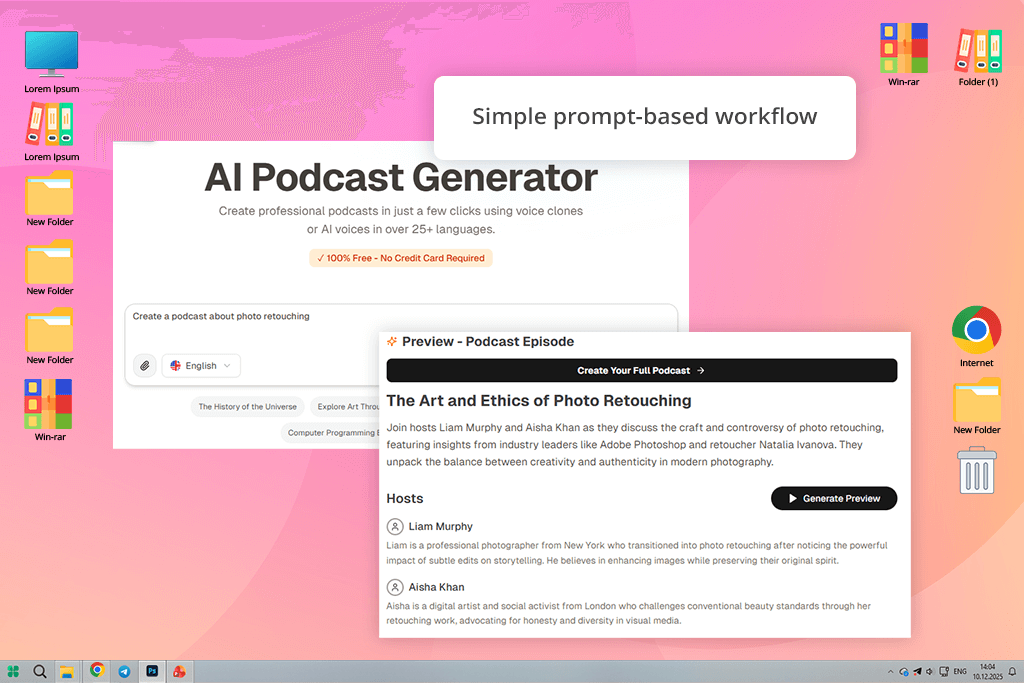
Jellypod is an AI podcast platform that prioritizes user-friendliness and efficiency. You select a format, provide a prompt, pick a voice, and wait for the software to generate a podcast-stylized output without setting up a home podcast studio. This solution is a lot more streamlined and automated compared to other options featured above.
“It’s handy for experimenting with ideas, trends, and quick podcast generation. I use it to make brief AI news overviews and guides, which saves me hours I’d have to spend on recording.”

What sets it apart, even from Adobe AI podcast tools is how intuitive Jellypod is. You don’t need to study elaborate menus or deal with dozens of parameters. The generated voices sound mostly natural, and the AI does a decent job sticking to a podcast structure. It prioritizes speed over sophistication, so set your expectations accordingly.
Did Jellypod become a part of my everyday workflow? No, I rarely use it for my podcasts. However, it is useful whenever I have an idea brewing in my head, and I want to create a draft for it to see if it has potential without going through the entire process in my studio.
The streamlined structure comes at the cost of depth. Long episodes tend to become repetitive, and customization feels very barebones compared to Wondercraft or Descript.
My advice: stick to short episodes (3-6 minutes), rewrite the prompt to ensure it sounds conversational, and don’t use Jellypod for scripts that are supposed to be emotionally charged.
Top features:
Best for: tidying up real podcast recordings
Pricing: Free (with limits); from $9.99/month, $119/year
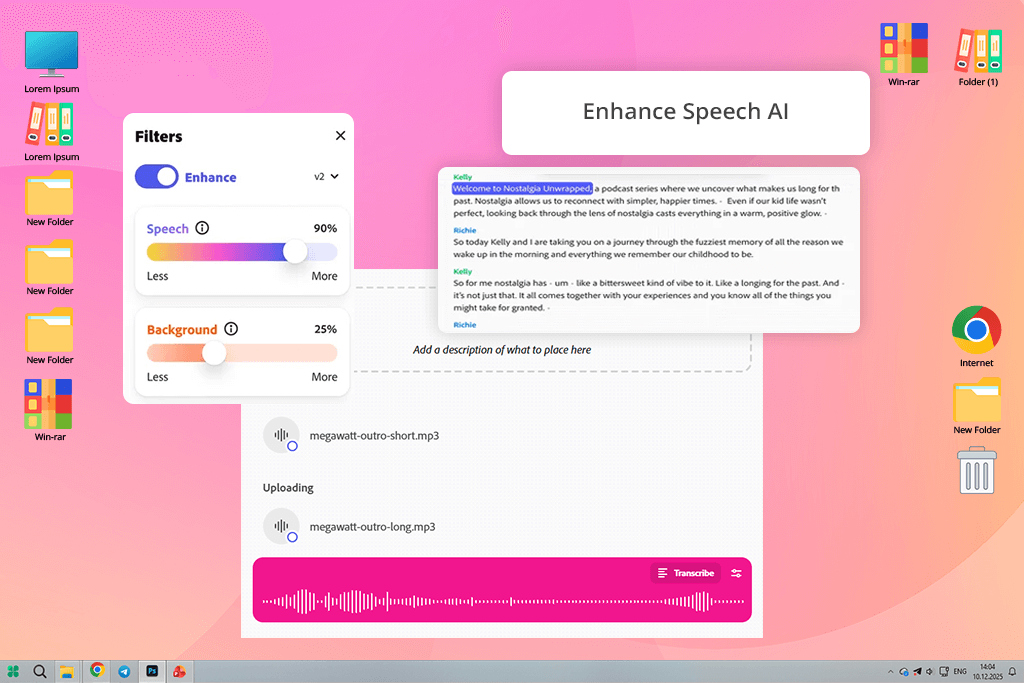
As I mentioned before, Adobe has been a part of my workflow for years, and even though you can’t use this solution as an AI podcast generator, it’s still incredibly useful when it comes to enhancing your content.
The main reason why I so heavily rely on Adobe Podcast AI is the Enhance Speech feature. It does a great job getting rid of background noise and reshaping the audio to make it sound like it was captured with a premium-grade mic in a professional studio.
I employ it to edit notes, Zoom calls, hotel-room recordings, and even improvised episodes recorded with my laptop mic. The improvements made by the Adobe Podcast Enhance tool are usually substantial enough to prepare my recordings for publishing without having to make any other edits.
I also appreciate how user-friendly this software is. In contrast to DAWs that overwhelm you with knobs and plugins, this solution is focused solely on speech.
“Automated leveling, clarity improvements, and background noise reduction are all performed quickly, in the browser. That’s why it’s perfect if you care about content more than sound engineering.”

For my work, I import my recordings into Adobe Podcast to clean them up before making the final adjustments in Premiere Pro or Audition. It’s a natural fit for the Adobe ecosystem that makes your life a lot more convenient. Sadly, it doesn’t offer much in terms of manual controls, as you can’t adjust the EQ or compression by hand.
My advice: employ Adobe Podcast AI tools early in the workflow, not when you’re getting ready to publish. Tidy up the audio, then build the episode around it.
Top features:
Best for: natural-sounding AI podcast voices
Pricing: Free (limited credits); from $5/month, $55/year
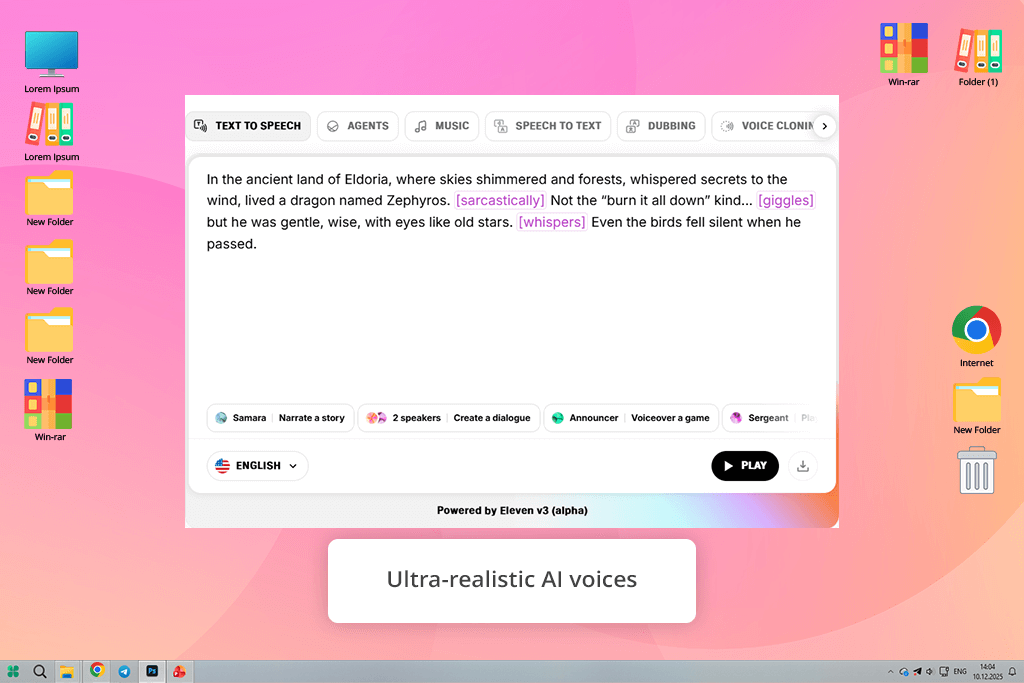
I added ElevenLabs to the list after a coworker kept pestering me about it, and now I understand why. When it comes to natural-sounding voices, this is undoubtedly the best AI podcast generator on the market, even if the rest of its functionality is rather limited.
ElevenLabs is focused solely on providing realistic, customizable voices, allowing you to adjust the tone, stability, pacing, and emotional delivery, which isn’t something you’ll find in other software featured above.
I used this tool to produce narrated segments, intros, and experimental voiceovers for AI-themed episodes. Some of them came out so realistic that members of my audience even asked where I found this voice actor.
“I love how well ElevenLabs tackles long-form narration without making the audio sound robotic, since that is a common flaw in similar software.”

This AI video translator is particularly well-suited for solo podcasts, explainer videos, and multilingual variations of the same content. I still have ElevenLabs as a part of my toolkit, but I primarily employ it for intros, translations, or situations that require a neutral, professional voice that doesn’t compete with my own personality.
The biggest setback of this platform is that it’s voice-only. It doesn’t structure the recording, doesn’t provide editing tools, and doesn’t allow adding background music. For those features, you’ll need to use a different solution.
My advice: avoid over-editing the audio you get from ElevenLabs. Stick to conversational scripts, add pauses manually, and employ Adobe Podcast to fine-tune the result before publishing.
Top features:
Best for: efficient podcast editing
Pricing: Free (watermarks, limits); from $15/month, $144/year
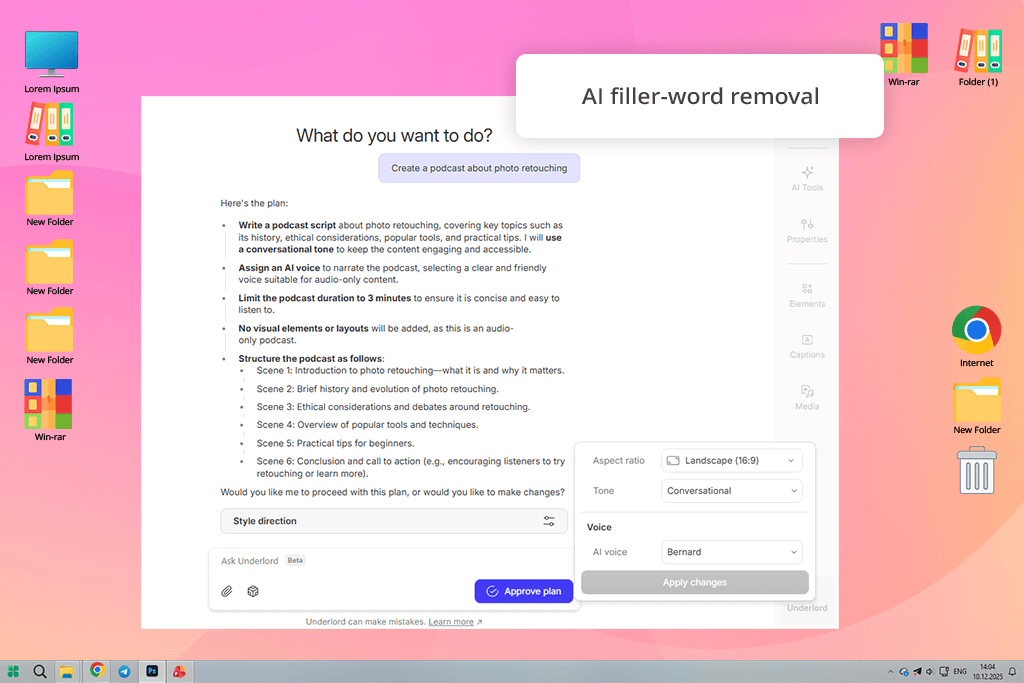
I found Descript on Reddit, as many people kept recommending it as a useful AI podcast creator for anyone who wants to improve their editing efficiency rather than use it to generate recordings from scratch.
I particularly enjoy the text-based functionality of this solution. You’re working on the transcript, not the waveform. Erase a part of the script, and that part of the audio will be removed as well. You can conveniently rearrange different segments in a far more convenient manner than having to listen to them.
For my test, I utilized this AI dubbing software to tidy up my podcast recordings and cut out parts that felt too long and unnecessary. The filler-word removal feature on its own can already do wonders for saving you time on audio editing.
“Its AI-powered overdub tool is great at dealing with minor mistakes without having to re-record lengthy sections.”

It’s not a tool that I need for all my podcasts, but if I feel like the structure of an episode needs some work, Descript is the first solution that comes to mind. Sadly, it lacks most advanced editing tools. However, you can utilize its overdubbing feature as long as you feed it with clean, consistent audio samples.
My advice: employ Descript once you’ve cleaned the audio in a different tool. It’s more of a smart editor than a sound engineer.
Top features:
Best for: remote interview podcasts
Pricing: Free (watermarked exports); from $19/month, $180/year
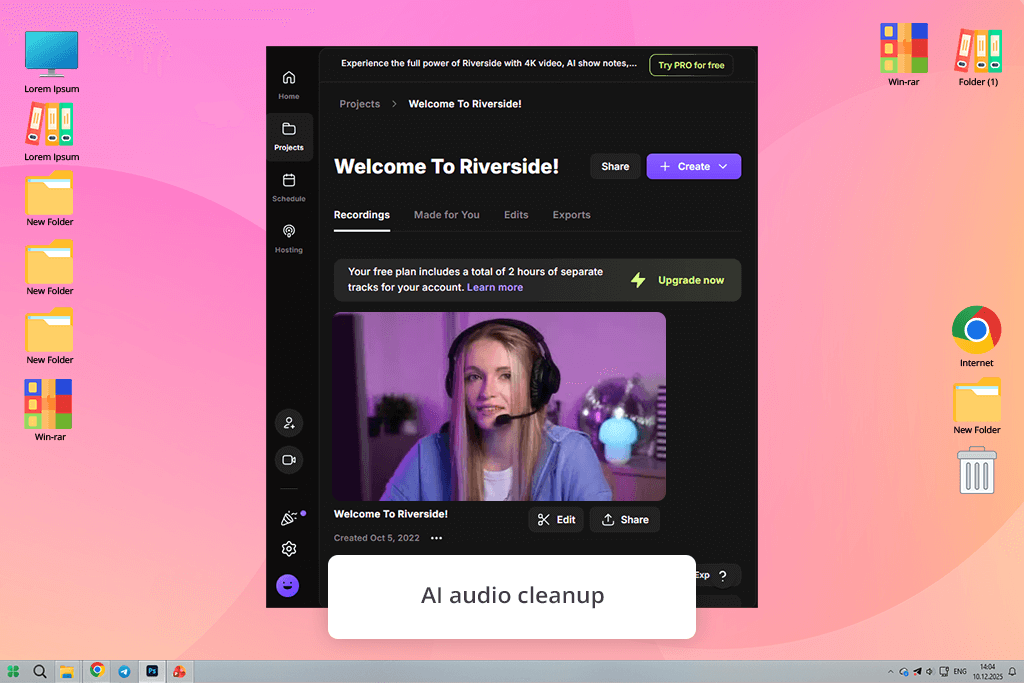
This is a great option for interview-style podcasts. During my first session, it already became evident that this podcast recording software is primarily aimed at improving remote recording quality rather than providing dozens of advanced features. This AI podcast editing tool earned its spot on this list by offering pro-grade recording quality and AI-based cleanup features.
Riverside can capture audio and video locally on each participant’s device before uploading it, ensuring it doesn’t go through online compression, which tends to ruin the audio quality. Next, the AI functionality comes into play, reducing noise, balancing audio levels, and making a variety of subtle adjustments.
“I’ve employed Riverside for recording guest interviews and panel-style discussions, enjoying consistently high-quality results. It allows me to forget about remote recording issues.”

The main drawback is the lack of flexibility. Riverside can’t match the freedom you get from dedicated DAW software, and it’s also incapable of AI voice generation.
My advice: record individual tracks and entrust Riverside to clean up the recordings before importing them into your main editing solution.
Top features:
Best for: podcast social repurposing
Pricing: Free (watermarks); from $12/month, $120/year
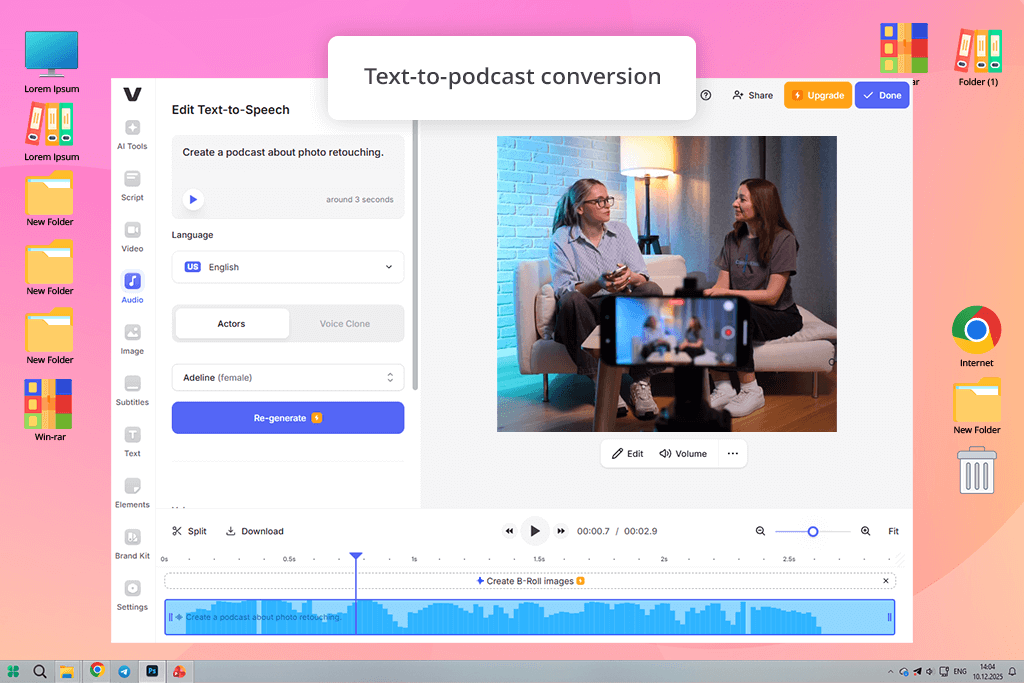
I found VEED after seeing it brought up on Reddit as a great solution for transforming text into podcast-style content, particularly if you’re also using video footage. It’s a cross-platform AI podcast generator that makes it a lot easier to post your content everywhere.
This solution does a fantastic job combining sound, text, and video. VEED helped me produce multiple short podcast segments from text as well as convert them into vertical videos with subtitles, which is an essential format for discoverability.
“The AI voices are of acceptable quality, but the biggest selling point of this tool is speed. I primarily use VEED for repurposing content rather than complex storytelling or long episodes.”

VEED isn’t robust enough for my main podcast, but it does come in handy when working on promotional clips and experimenting with shorts for social media. Sadly, you can’t fine-tune the different aspects of your recordings, forcing you to turn to other software if you’re looking for highly polished audio.
My advice: stick to short scripts and content that includes visuals. VEED excels at dealing with videos, not just pure audio podcasts.
Top features:
Trying out all these AI podcast audio generators and editors took a lot of time and effort – both from me and the entire FixThePhoto team. I actively involved my coworkers in sanity checks, feedback loops, and real-world tests. We checked out more than 20 solutions over the course of multiple weeks.
We put together our list of AI tools by browsing through hundreds of Reddit threads, YouTube reviews, indie podcaster Discords, and newsletters. I handpicked options that got multiple recommendations from actual users and weren’t just heavily promoted by the developers. Next, my coworkers helped shorten the list by cutting out all underwhelming platforms.
We got rid of several popular options, including Podcastle, Play.ht, Lovo, Soundraw, and Speechify. Some eliminated AI podcast generators provided somewhat natural voices but had weak structure. Others resembled bland text-to-speech solutions rather than full-fledged AI podcast creators. I also cut out options that enforced stingy limits on exports or pay-walled basic tools behind expensive plans.
Every solution was put through a set of identical tests:
My colleagues assisted me with edge cases – lengthier scripts, other voice tones, non-English text, and repurposed content for social media.
Additionally, we noted points of friction: account registration, convoluted UI, hidden limitations, bugs, and crashes. If a podcast generator slowed us down or had many technical issues, its “groundbreaking AI-powered” functionality didn’t matter anymore.
The final selection features solutions that can become a valuable part of your workflow, and don’t just have an impressive landing page.




![7 Best Mocha Pro Alternatives [{{%year}} FixThePhoto Choice]](http://fixthephoto.com/blog/images/gallery/news_main__preview_28055.jpg)


![9 Best AI Headshot Generators [{{%year}} FixThePhoto Choice]](http://fixthephoto.com/blog/images/gallery/news_main__preview_28142.jpg)



















