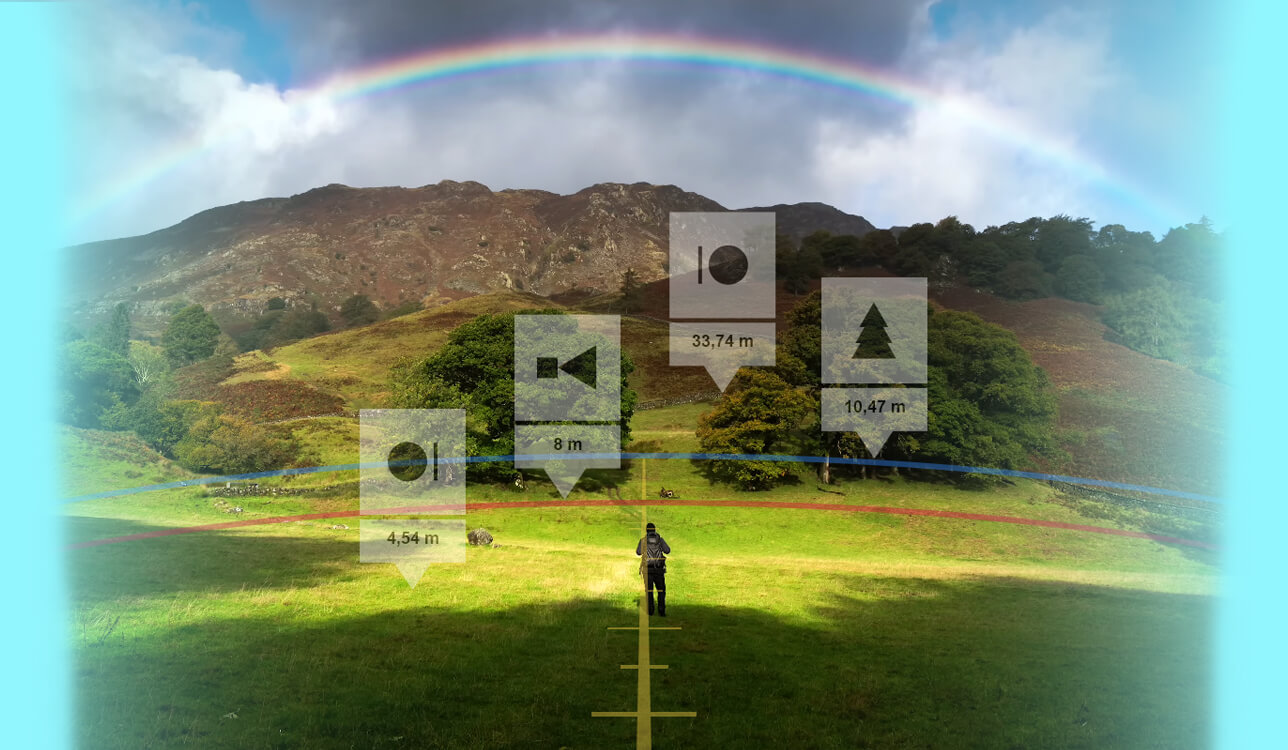
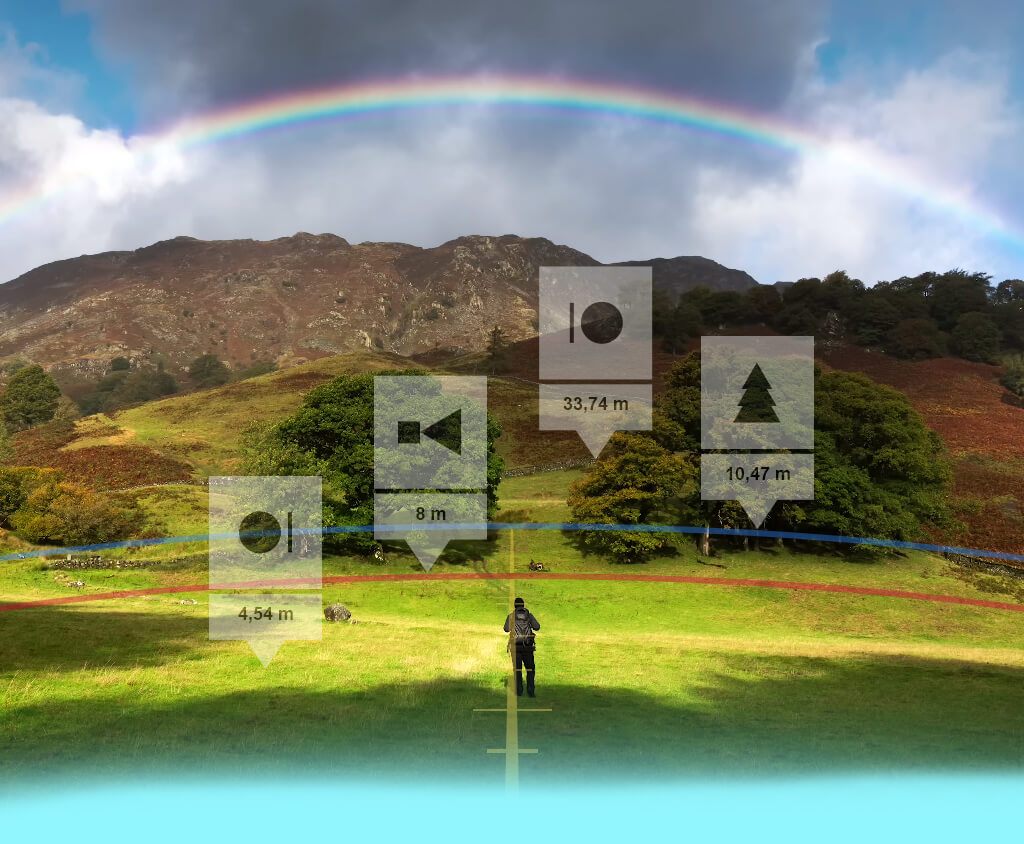
Once I added a depth-of-field calculator to my workflow, I became a lot better at adjusting focus and achieving backdrop blur to make the subjects in my photos stand out.
Such a tool is essential for all photographers interested in masterfully planning their shots rather than improvising on the go.
I chose to test all the camera depth of field calculators featured below while preparing for an editorial bridal photoshoot scheduled for the golden hour, which is ideal for experimenting with the DOF setting. Additionally, I tested each option during an indoor product shoot, which was even more demanding when it comes to precision.
After talking to my FixThePhoto coworkers, customers, and studying Reddit threads and photographer communities, I tested over 20 depth of field calculators and prepared a shortlist that came down to the following options:
When choosing the best depth of field calculator, I prioritize:
If there’s anything my years of working at wedding celebrations and studio product shoots have taught me, it is that mastering the use of aperture and depth of field is essential for any professional photographer.
Plainly speaking, a focal length, aperture, and depth of field calculator allows you to estimate which part of the shot will be captured with maximum sharpness and where that blur will start subsiding. As such, a DOF calculator allows you to:
DOF calculators are highly recommended if you’re:
Several recently released depth of field calculators now come with smart AI-generated recommendations. For instance:
PhotoPills employs an AI-backed "Spot Stars" tool for estimating the maximum exposure time without star trails, which helps you determine the optimal depth of field at night.
pCAM Pro comes with robust AI-assisted hyperfocal and focus split calculators to recommend appropriate focus margins.
These AI tools prevent common mistakes, as many photographers underestimate the depth of field when setting it to wide open (f/1.2 or f/1.4), particularly in highly dynamic settings like weddings or fashion shoots.
Platforms: iOS, Android, online
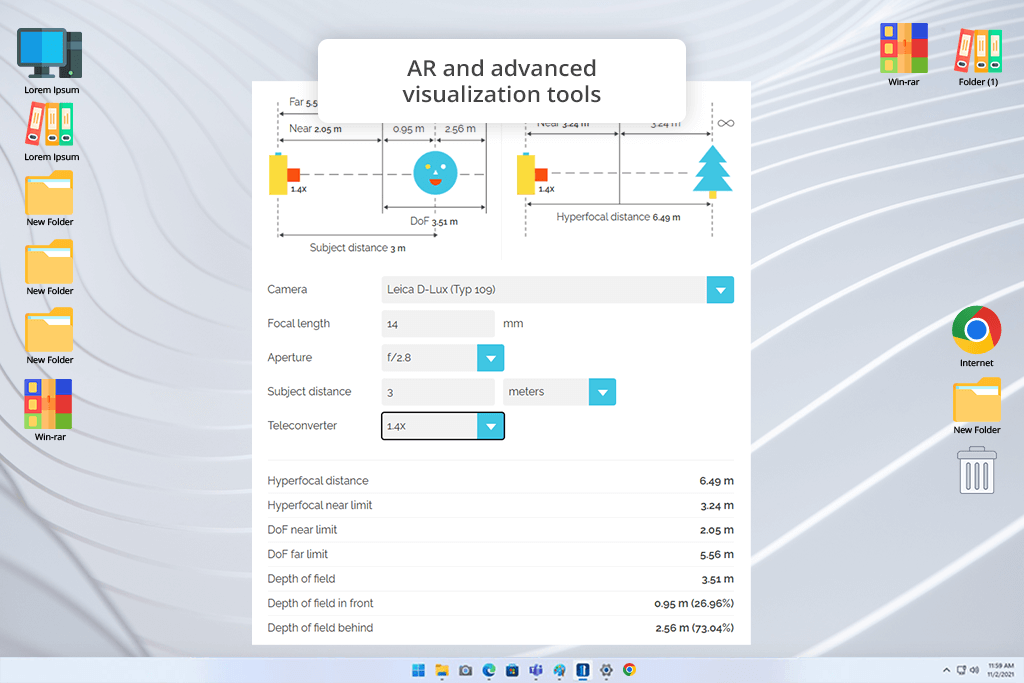
My coworker suggested I try PhotoPills, and it has proven to be the best depth of field equivalent calculator I’ve tried. I used it for my golden hour engagement photoshoot, prepping for wide-open shots at f/1.4 to achieve a creamy bokeh. I like that it also functions as a photography spots app, allowing me to create perfect backgrounds.
“PhotoPills visual diagrams displaying near and far limits are very easy to track, particularly when working in dynamic environments.”

That said, the UI can be a tad overwhelming to inexperienced users, as it comes with a wide range of features, since it’s also a night photography app. However, once you acquaint yourself with PhotoPills, everything will flow naturally.
When juxtaposed against more straightforward alternatives like Digital DOF, this option is more flexible and accounts for real-world context (sun paths and star tracking), which helps us be better prepared for a wider range of scenarios.
Pricing: Free online calculator; app for a single-time $10.99 payment
Platforms: iOS
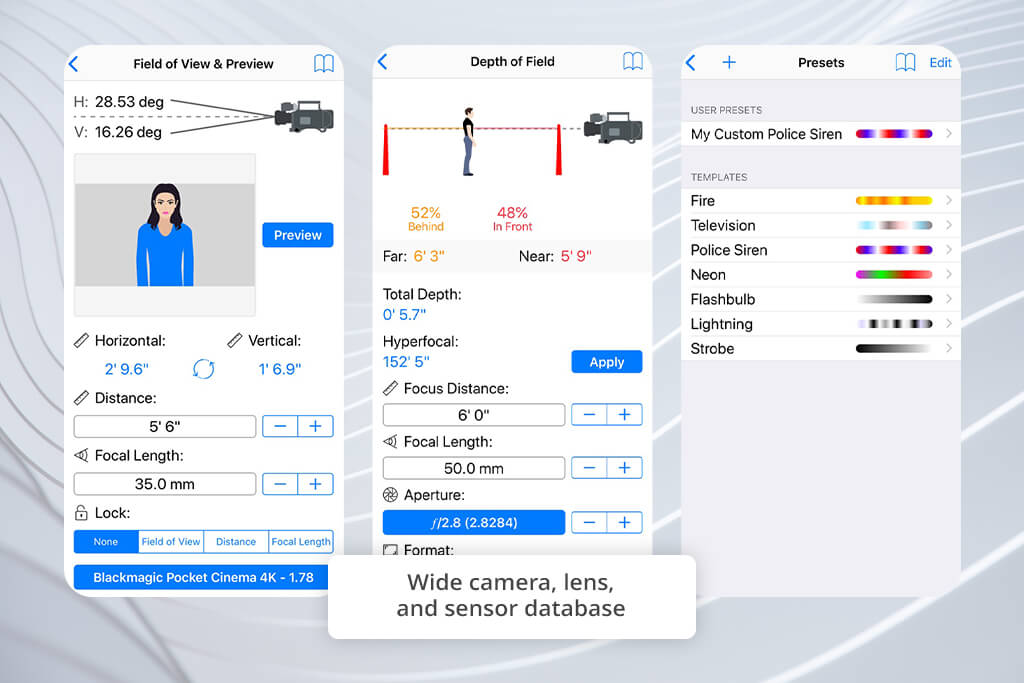
pCAM Pro was frequently recommended on Reddit, so I decided to give it a go when preparing for an indoor bridal photoshoot that was supposed to have challenging lighting. This is an advanced application made by professionals and for professionals. It offers impressively accurate focus split and hyperfocal tools and can even display focus breathing information.
I particularly appreciate how conveniently I can switch between various sensor sizes and focal lengths, which is great for me since I tend to go from 85mm to 50mm last minute. While it’s primarily an app for photographers, it also caters to cinematographers, providing highly precise depth charts.
The main drawback is that the UI looks very utilitarian, which might drive away newer photographers. However, if you’re looking for a professional tool – you can’t go wrong with pCAM Pro.
Pricing: $29.99 single-time purchase
Platforms: Online, Windows
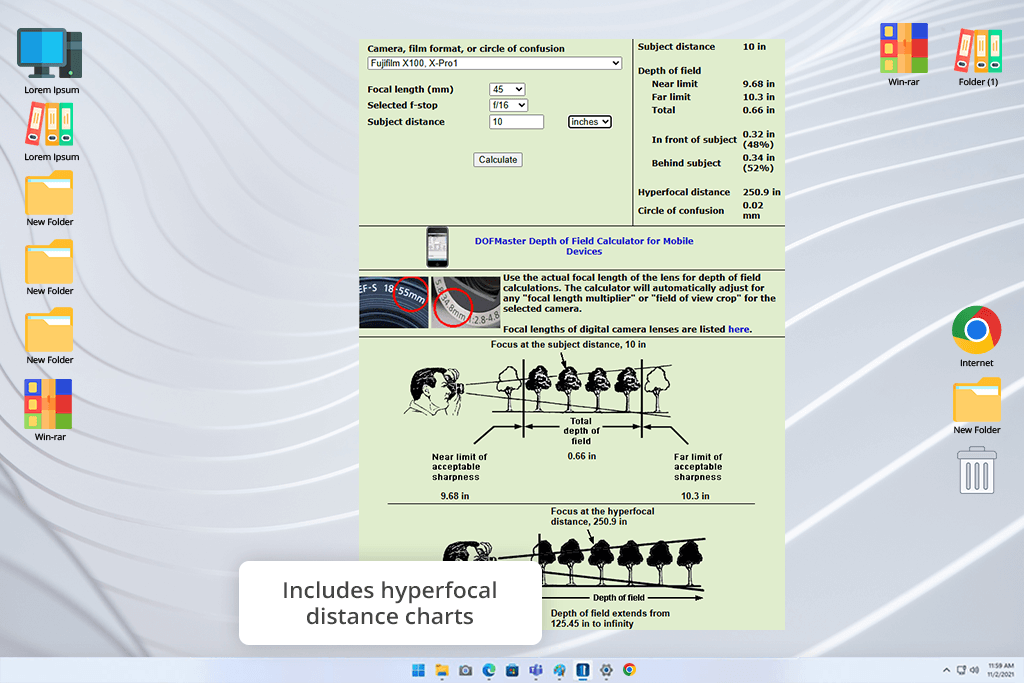
A loyal FixThePhoto client praised DOFMaster to high heavens, which is why I used it when prepping for a product photoshoot that involved reflective surfaces. It’s a straightforward online depth of field calculator for photography that is very easy to get the hang of. It instantly provided a precise hyperfocal distance, which is essential for intricate table-top photos.
It’s particularly useful for people who know the principles of fstop full stop photography and would like to adjust all settings manually. The minimalist UI is easy to navigate, but the lack of visual simulators or AI recommendations found in other apps is a bit disappointing.
When juxtaposed against premium alternatives like Cambridge in Color, DOFMaster feels rather dated, but it’s still exactly what you’re looking for if your main priority is pure data.
Pricing: Free online & Windows software

Platforms: Online
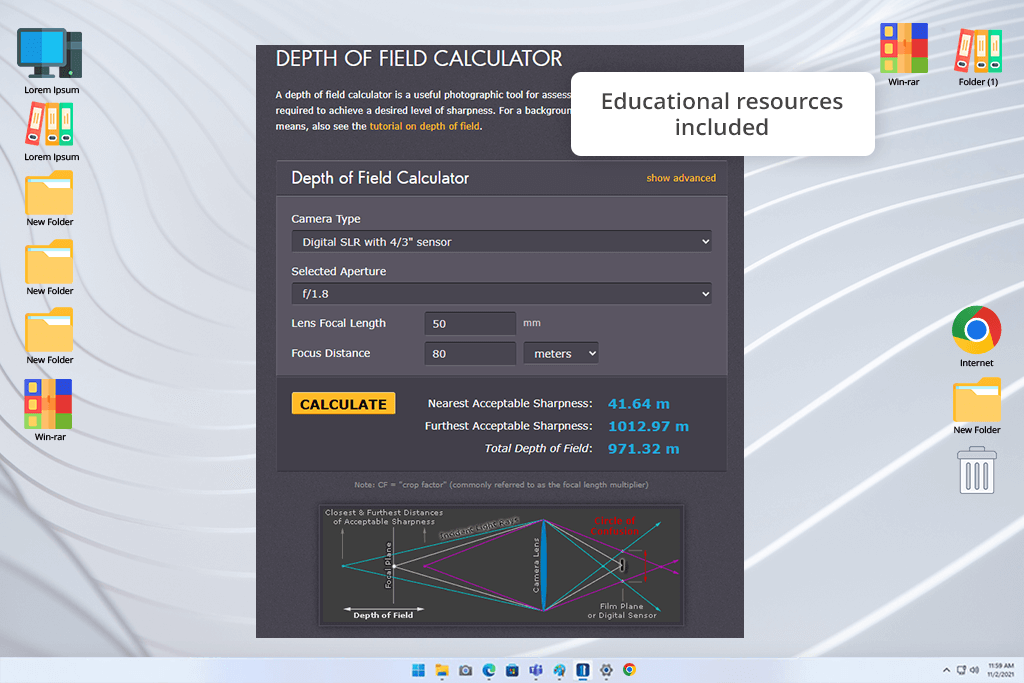
A tech-savvy coworker of mine recommended I try Cambridge in Colour. I used it when preparing to take dreamlike maternity photos on the beach. I appreciated the provided in-depth, interactive visual graphs that display the aperture, distance, and focal length, resembling a live physics demonstration for photographers.
“Cambridge in Colour is not only a handy tool but like a mini photography school you can carry in your pocket.”

The diagrams allowed me to convey how my approach works to my clients on location (essentially organizing an improvised mini-lesson). In comparison to a more straightforward option DOF Master, this depth of field calculator can also be used as an educational tutorial, acting like photography cheat sheets that are always within reach.
However, being an online solution, it’s not quick enough to handle highly dynamic photoshoots like wedding parties. But if you want to deepen your photography expertise, Cambridge in Colour is perfect.
Pricing: Free online
Platforms: Online
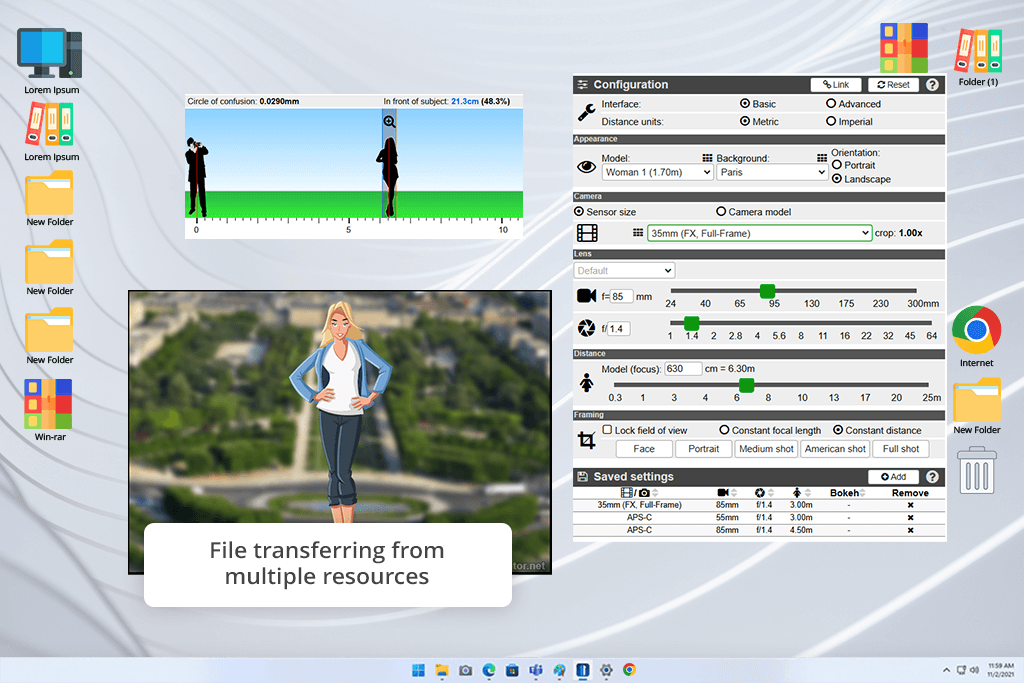
Our client suggested DOF Simulator, which led to me using it for a stylized engagement photoshoot with a vintage car. This depth of field calculator software is very intuitive to use, providing sliders that let you see the applied change instantly. It resembles an online camera simulator with how user-friendly it is.
I particularly appreciated the ability to view various focal lengths (like 35mm vs 85mm) without even having to use a camera. It’s ideal if you like to experiment with different ideas without having to make guesses on the fly.
Its biggest drawback is that it processes requests slower than dedicated apps and it isn’t as accurate when calculating hyperfocal distance numbers. However, if you’re a visual learner – DOF Simulator should satisfy both you and your clients.
Pricing: Free online
Platforms: Online
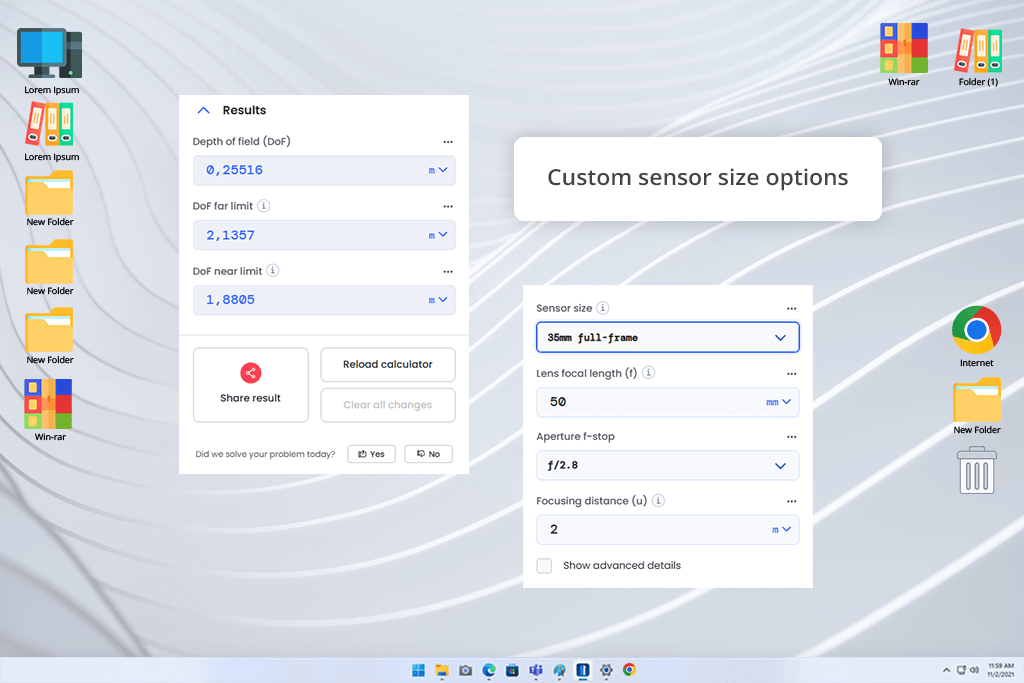
Omni Calculator has incredibly high Google scores, which is why it ended up on my shortlist. It helped me prepare for taking a series of headshot photos. This solution is quick, intuitive, and straightforward, ensuring you’re not bombarded by unnecessary data.
I use it to conveniently test different camera settings for portraits, particularly if you don’t have a lot of time. Simply type in the focal length, aperture, and distance, and you’ll be provided with the near/far focus limits instantly.
But Omni Calculator doesn’t generate visual diagrams or detailed comparisons between lenses and represents more of a basic tool than a creative solution. However, if you’re on a tight deadline or are explaining something to a beginner, the straightforward nature of this option is actually a bonus.
Unlike more advanced applications like pCam, Omni Calculator is more of a simple, dependable cheat card you can look at when the situation calls for it.
Pricing: Free online

Platforms: iOS
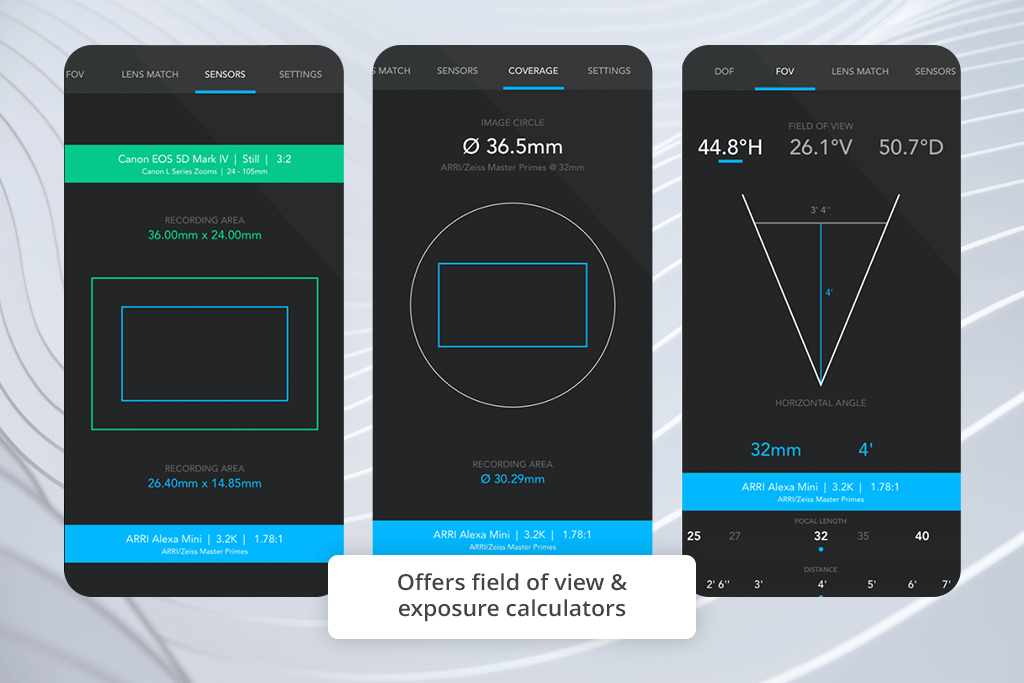
I’ve seen several Reddit threads insist that f8 Lens Toolkit is the best depth of field calculator they’ve tried. I used it for a romantic elopement photoshoot in the woods that benefited from a very soft backdrop that still ensured the couple looked like a natural part of the setting.
The first thing I’ve noticed is how diligent it is when it comes to lens data. You can easily pick up lens, choose different focal lengths, and check how they would affect the depth of field. It offers impressive accuracy, particularly when switching from prime to zoom lenses. During my test, this app convinced me to pick my 85mm lens over the 70-200mm.
The biggest drawback is the lack of visualization present in other simulators, as f8 Lens Toolkit is aimed at photographers interested in pure data and in-depth lens breakdowns.
Pricing: $9.99 single-time
Platforms: iOS
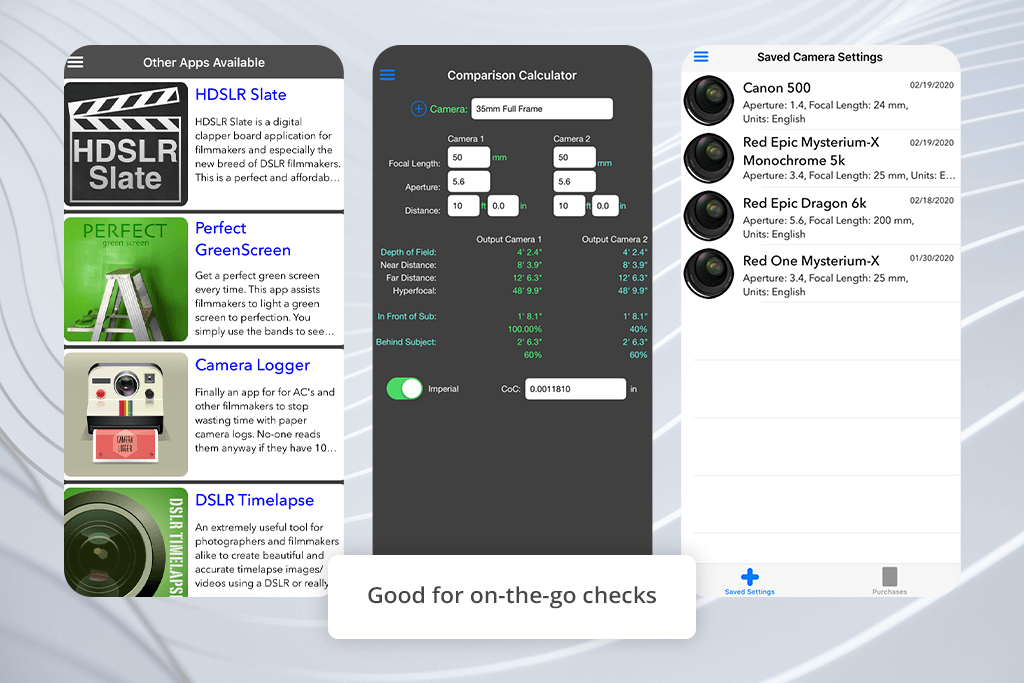
A coworker recommended Digital DoF, so I used it for a studio portrait photoshoot that had several dramatic lighting switches. Before you even pick up your camera, this depth of field calculator lets you type in the relevant numbers and instantly receive the calculation results. It’s quick and can help you efficiently switch between multiple camera modes.
“Digital DoF is my go-to calculator whenever I need to quickly prepare a shot and don’t have much time to spare.”

The lack of any visualization aids was a big disappointment, and it made it hard to recommend Digital DOF to digital learners. However, if your priority is speed, this app should be right up your alley.
When juxtaposed against PhotoPills and other alternatives, Digital DOF is more of a quick note written on your palm before a photoshoot – straightforward, to the point, and dependable.
Pricing: Free with in-app purchases
Platforms: Android
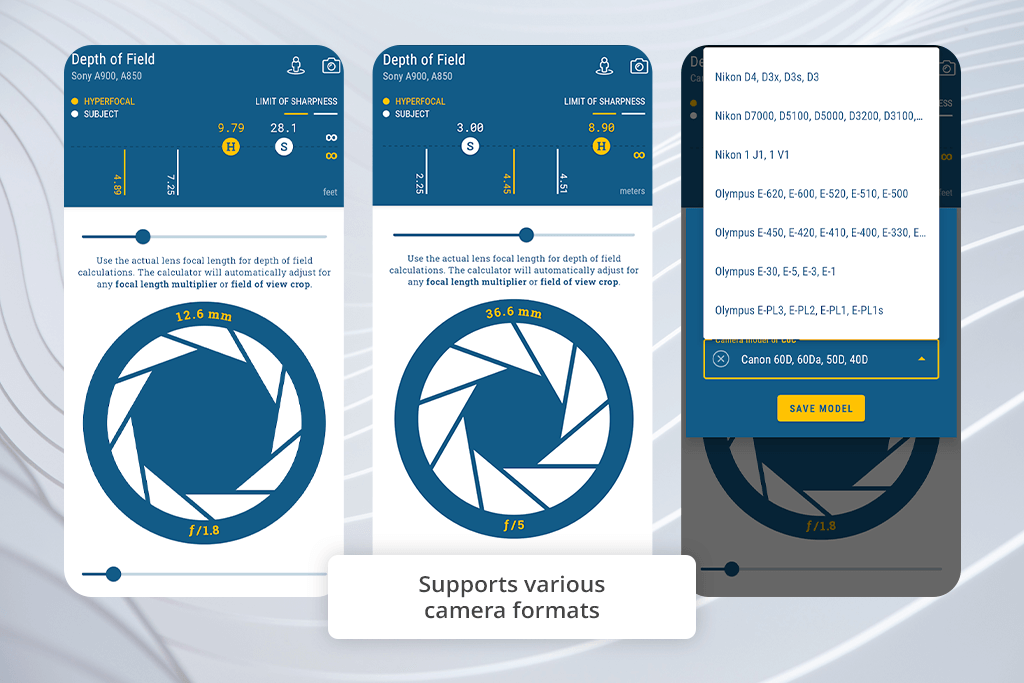
This is another DOF calculator that has a high Google Play rating, which is why I tested it during an outdoor beach photoshoot. I particularly appreciate the precise hyperfocal distance calculations, enabling me to increase the backdrop sharpness whenever I need to ensure the entire scene is in focus.
This option also shows you the correlation between the depth of field and the exposure triangle in photography, so that you know how aperture, shutter speed, and ISO affect each other. This is exactly what you need when preparing for wide scenic shots.
Sadly, the UI looks a bit dated, and figuring out what each tool does took a bit of time. However, once you get used to the layout, you’ll have no trouble leveraging the versatile functionality of this app.
In contrast to DOF Simulator and other graph-focused options, this calculator is more of a field notebook – straightforward and goal-oriented.
Pricing: Free with in-app purchases
Being a photographer and retoucher, I asked my FixThePhoto teammates to help me try out 20+ depth of field calculators. We wanted to determine which options are the most useful for photographers preparing for a variety of photoshoots, including romantic elopements, premium product promotions, or dreamy newlywed portraits.
When choosing the best DOF calculators, I went through user suggestions on Reddit, photographer forums, and client recommendations. I put together a list that features dedicated apps, browser solutions, and hybrid software. When testing, I made sure all options went through actual prep and on-the-field work while evaluating their precision, user-friendliness, and feature completeness.
Several aperture and depth of field calculators failed to make our list. For instance, Simple DoF Calculator feels bad to use on modern smartphones, SetMyCamera has an annoyingly unintuitive UI, Reikan FoCal DOF Tool requires additional hardware to work properly, TrueDoF-Field Depth Calculator is too complex even for experienced users, etc. For all the apps that I selected, I paid attention to:
Real-world photoshoot preparations. I used them ahead of wedding and product shoots, adjusting aperture and focal length to check how each app predicted focus zones.
Precision and visual feedback. I evaluated if the near and far focus limits corresponded with the actual test photos in-camera, which is essential when dealing with subjects like lace veils or jewelry.
User-friendliness on location. Can I tweak the parameters quickly in between photos? Or am I constantly battling against a clunky interface? I particularly appreciate DOF calculators that offer intuitive controls and easy-to-understand tools.
Lens and sensor support. I compared various cameras (full-frame, APS-C, micro four thirds) to check if the app adjusts its calculations based on sensor size and crop factor.
Educational value. Some calculators can be used as miniature workshops, allowing me to explain depth of field to clients or inexperienced photographers.
My coworkers and I made sure the options we chose are reliable and performed well across all platforms they were available on. We tested the same aspects we tested when looking at image retouching solutions: precision, speed, and versatility.
While a basic depth of field calculator might be sufficient for a casual photographer, my list only includes options that have proven themselves in the field. However, if an app lacked some important tools (like hyperfocal distance, sensor options, or clear diagrams), I removed it from consideration since it would only disappoint professional photographers.
Plainly speaking, if a DOF calculator wasn’t robust enough to help me achieve the desired balance between a dreamy bokeh and intricate detail, it was cut from the list.



![7 Best HEIC to PDF Converters in {{%year}} [Windows, Mac & Online]](http://fixthephoto.com/blog/images/gallery/news_main__preview_28447.jpg)


![8 Best AI Tattoo Generator Tools [+Good Prompts]](http://fixthephoto.com/blog/images/gallery/news_main__preview_28202.jpg)


![Imagen AI Review from Wedding Photographer [2000+ Edits]](http://fixthephoto.com/blog/images/gallery/news_main__preview_28342.png)

















