Product photography has always been one of those areas where the gap between "good enough" and "actually works" is painfully visible. A blurry label or a reflection that doesn't match the light source quietly undermines trust in a product before a customer even reads the description. I work on visual content for brands regularly, and a few months back I was deep into a skincare campaign that needed fresh visuals for website headers, ad creatives, marketplace listings, and seasonal rollouts.
Traditional photoshoots for every format and every concept were no longer sustainable. That's when I started taking AI product photo generators seriously and wanted to find credible and helpful AI product photo generators.
I pulled in colleagues from the FixThePhoto team so the evaluation would cover more ground than my own workflow preferences. Besides, I wanted to run each platform through different tasks that regularly show up in client briefs like maintaining visual consistency across a product range, handling reflective packaging, adapting the same product to different scene aesthetics, and producing output that doesn't need a full round of manual correction before it's usable.
The first thing that became obvious during testing was that some of the much-hyped tools can’t deliver purely realistic results. I wanted the product to look like itself. AI image generators can produce beautiful scenes, but if the bottle changes shape or the logo softens while zooming in, the image is commercially useless.
I used every product photo generator AI with a set of reflective skincare packaging specifically because those surfaces catch every rendering error instantly. Anything that couldn't hold up there got removed from review early.
Consistency across different environments was the other major filter. A client doesn't just need one great image. They need the same product to look recognizable and accurate across a minimal white studio shot, a warm lifestyle scene, a seasonal campaign composition, and a banner-format ad. That cross-context reliability is a real challenge for most tools. But it was helpful for us to differentiate the stronger and weaker platforms.
The short answer is yes, but with a meaningful distinction that matters for anyone using these tools professionally.
AI is already embedded in real e-commerce production workflows. Background generation, scene creation, lighting enhancement, and seasonal banner production are standard applications across platforms like Adobe Firefly and Photoroom-style editors. The output regularly appears on websites, in paid social ads, and on landing pages. The visual results are good enough that most viewers cannot distinguish them from traditional photography in the contexts where they appear.
The line that cannot be crossed is product misrepresentation. In marketplace listings, e.g., Amazon, Shopify stores, any platform where customers are making purchase decisions, the image needs to accurately reflect what they are buying. Shape, color, texture, packaging structure, and any visible branding must match the actual product. When AI generation drifts from that accuracy, even subtly, it creates legal exposure.
The U.S. Federal Trade Commission's FTC – Truth In Advertising guidelines require that commercial imagery not be deceptive, and AI-altered product representations can fall into that territory.
In practice, the most reliable professional approach is a hybrid. Real product photos should supply the base, while AI handles background generation, environmental staging, lighting adaptation, and scene variety. The product stays accurate. The production value goes up significantly. That combination makes AI product photo generators valuable tools in a professional workflow.
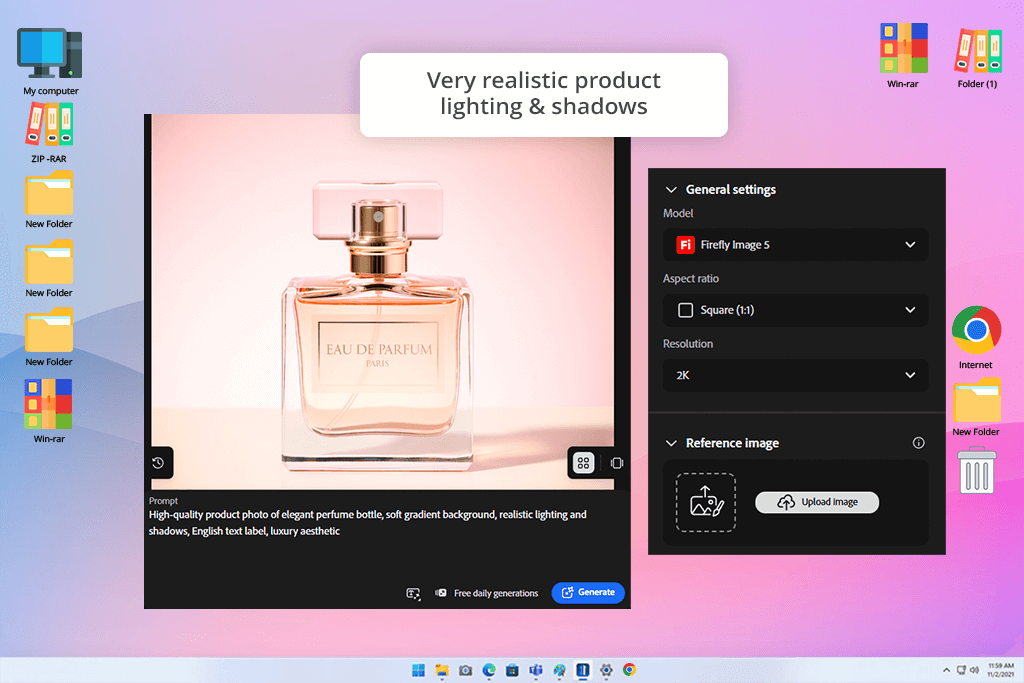
Product photography is one of the most demanding applications for AI generation because the subject is non-negotiable. You cannot creatively reinterpret a bottle of serum or a pair of sneakers the way you may reimagine a landscape or an abstract concept. The product has to look right. That's the standard I applied to every tool in this evaluation, and it's why Adobe Firefly consistently came out ahead.
I used it throughout a real skincare campaign that needed premium commercial imagery across multiple formats. Rather than testing it in isolation with ideal conditions, I ran it under the same constraints that apply in actual production, namely, tight timelines, varied product types, and clients who notice when packaging details aren't accurate. I fed clean studio reference shots into this free Adobe software and used generative backgrounds to build out luxury marble surfaces, soft-lit studio setups, and seasonal compositions around them.
Firefly surpasses most alternatives by accurately handling lighting relationships. Studio shadows fell at the correct angle relative to the product, and the fill light behavior across curved surfaces like glass and metallic caps was consistent. Reflective skincare packaging exposed weaknesses in every other platform, but this AI product photography generator delivered results with no distortions and logo blurring.
"Lighting quality is strong here. It doesn't always grasp it properly on the first try, but a bit of prompt adjustment usually gets you somewhere worth using."

Generation was also faster than expected. Making variations for A/B ad testing with the same product, but different backgrounds and slightly different moods, didn't require rebuilding prompts from the ground up each time. Such efficiency matters when a campaign needs 10 creative directions reviewed before noon.
However, Firefly still needed support with fine label detail at high zoom, which required a sharpening pass in Photoshop. Plus, very complex lighting scenarios sometimes needed prompt refinement across multiple generations to land correctly. For concept-level visuals and production-ready marketing assets, those are minor friction points in an otherwise dependable product photo generator AI. It became my consistent starting point throughout this project.
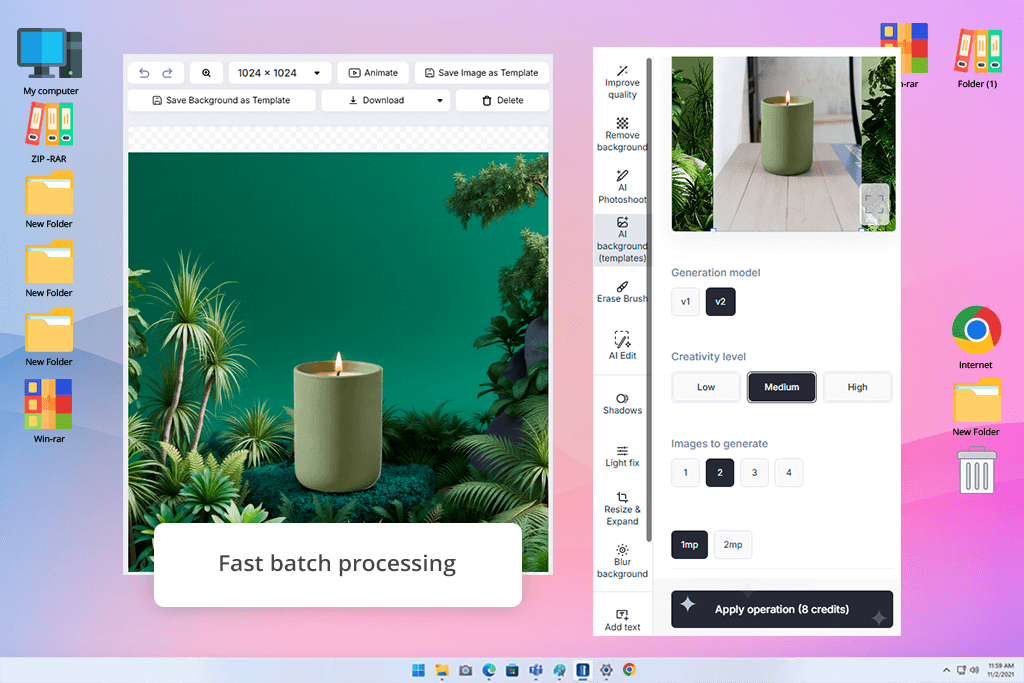
Most AI product photo tools let you generate one image at a time. You choose a prompt, wait, evaluate, and adjust. Claid approaches the problem from a completely different direction, allowing you to get two hundred consistent images before the end of the day.
I tested it specifically for e-commerce catalog scenarios, uploading raw product images from shoots covering cosmetics and small accessories. The setup required almost no configuration. You just upload, select a style, and wait for the process to finish. Such simplicity is a genuine advantage for batch production when visual uniformity across a product range matters more than artistic quality. Products came back centered, cleanly isolated, and consistent with each other in a way that would have taken hours to achieve manually.
“Honestly, this is a very powerful tool for generating product images. There is a handy batch mode for streamlined workflow.”
The tradeoffs show up when you look closely at surface detail. Glass reflections and metallic finishes came back somewhat simplified. They are not broken, but lacking the fine variation that makes high-end product photography feel premium. Such an aspect is not very crucial for product thumbnails, category banners, and marketplace listings at standard display sizes. For luxury brand campaigns where every frame gets magnified scrutiny, it plays an important role.
In practice, Claid became my drafting layer. This AI image generator handled the volume work, generating multiple variations quickly so the strongest candidates could be identified for deeper refinement. Treating it as a first-pass production tool rather than a finished-output generator made it more useful.
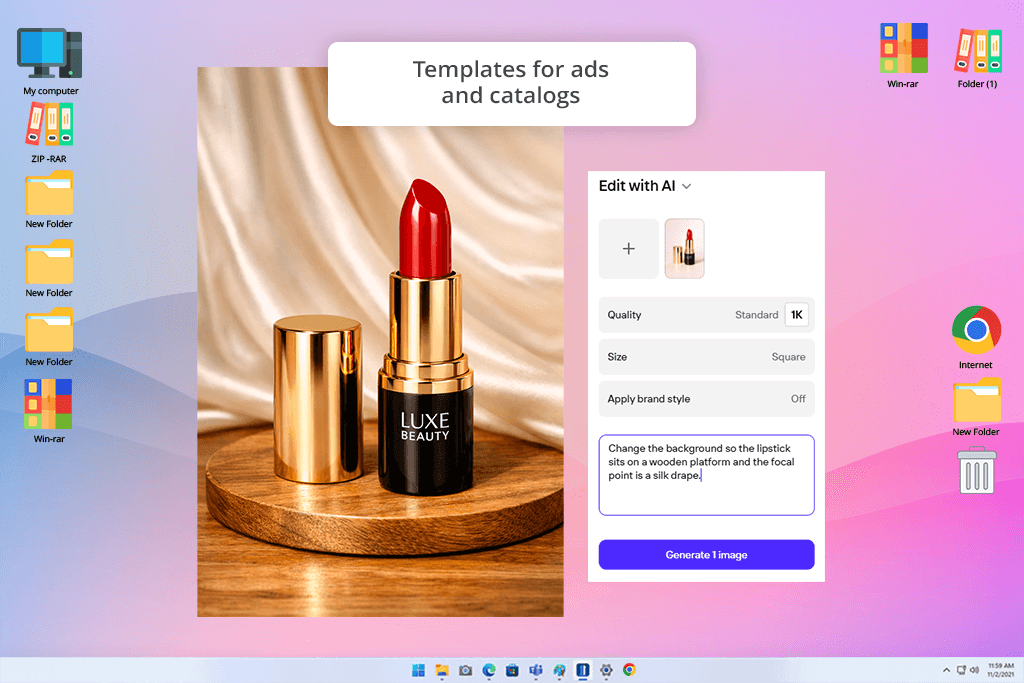
When dealing with product photography, you may not need to produce something extraordinary. It happens that the main thing is to process a large number of images to a consistently acceptable standard in a quick way. Photoroom is built for exactly that, and it's genuinely good at it. I tested this app for product photography during a period of high-volume catalog work where the priority was throughput rather than artistic refinement.
Background removal was the first thing I evaluated, because it's the foundation everything else is built on. Even on technically demanding products like transparent packaging, glossy surfaces, and items with irregular edges, Photoroom preserved shapes with more accuracy than I expected from such a simple AI product image generator. Clean studio backgrounds generated from that base came back ready for marketplace use without any manual masking.
“This is a very user-friendly program that works perfectly for quick product cutouts. I regularly use it when preparing content for Etsy and Shopify, but choose other options for creative campaigns.”

When I moved into more creative territory with multi-element lifestyle compositions and campaign-grade environments, the tool reached its limits quickly. It defaults toward clean, minimal presentations and doesn't really push into complex visual storytelling. For Amazon listings, Etsy shops, and Shopify product pages, that restraint is noticeable. For advertising creative that requires visual ambition, you need a different tool at the center of the workflow.
Photoroom gives little creative control in exchange for speed and simplicity. This tradeoff is reasonable in many professional contexts, including high-volume catalog production, rapid social assets, and small brand launches without a large design budget.

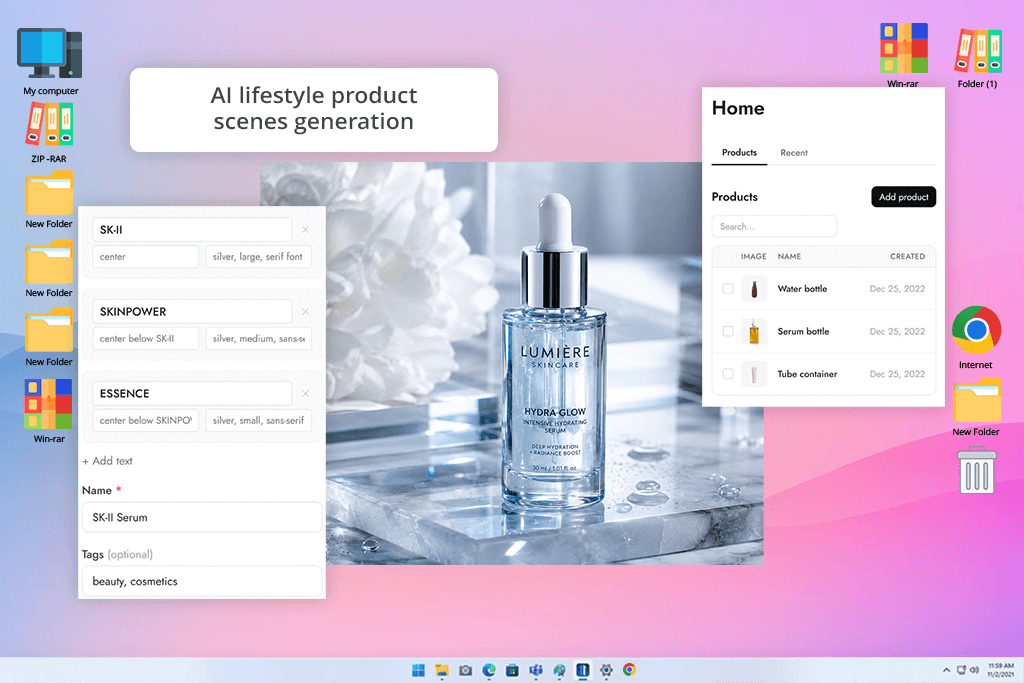
Pebblely sits in an interesting position in the market. It is clearly designed for people who want professional-looking product images without thinking too hard about how to get them. I tested it on a full set of cosmetic and fragrance products. The experience matched that design intent closely. You upload, prompt lightly, and get results. The waiting time was minimal, and the interface is very understandable. I like that you can get something visually appealing on first generation.
Aesthetic cohesion is the highlight of this generative AI tool. It has a well-developed visual sensibility. Soft backgrounds, considered color palettes, and compositions don’t look generic. For Instagram-facing brand content, especially for smaller businesses that do not have an in-house creative team, this can be the best AI product photography tool. The images look like they were made with intent, not just assembled by an algorithm.
When it comes to professional photography, the program is less promising. I have noticed slight geometry shifts in product shape and subtle inaccuracies in small branding details. Reflective and metallic surfaces also lost some of their fine material character. These issues do not undermine Pebblely's value for marketing teams producing high-volume social content. They do matter for any scenario where brand accuracy is non-negotiable.
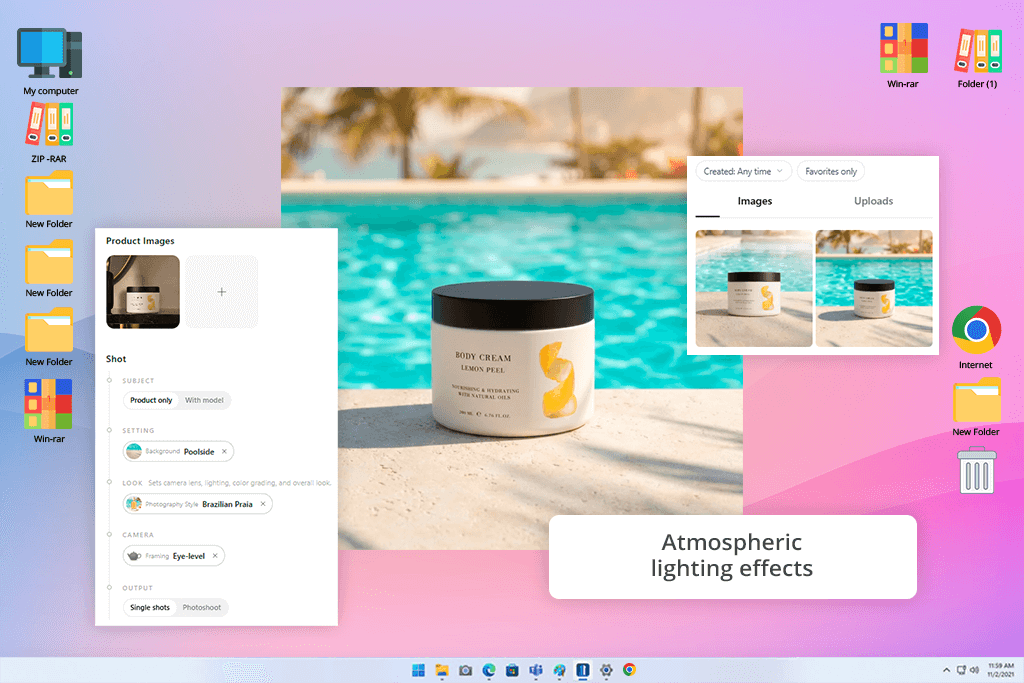
I reach out to Nightjar when I need to answer creative questions rather than production questions. Most AI product photo makers try to simulate a convincing studio shot, while Nightjar is more interested in building an atmosphere. I tested it on conceptual advertising work, namely, abstract lighting scenarios, editorial compositions, and moody scenes.
That distinction shapes its strong points. The generated outputs have genuine visual character. They feel directed, not templated. For pitching campaign concepts, exploring brand direction, or presenting a client with a range of visual possibilities before committing to final production, it moves faster and more interestingly than programs aimed at precision. I used it for pre-production ideation, and was pleased with the result.
"Great if you want images with a strong mood or atmosphere. Just don't expect it to handle every product detail perfectly."

Realism is a real tough challenge for this AI product image maker. Output that looks strong at a glance often reveals issues under closer inspection. I noticed slightly softened label edges and reflections that look approximated rather than physically accurate. That is why it is unsuitable as a primary production tool for anything going straight to a client or a marketplace.
In my workflow, it sat at the beginning of the process, not the end. I recommend using it as a concept tool & AI background generator to envisage ideas before moving into more precise tools for execution.
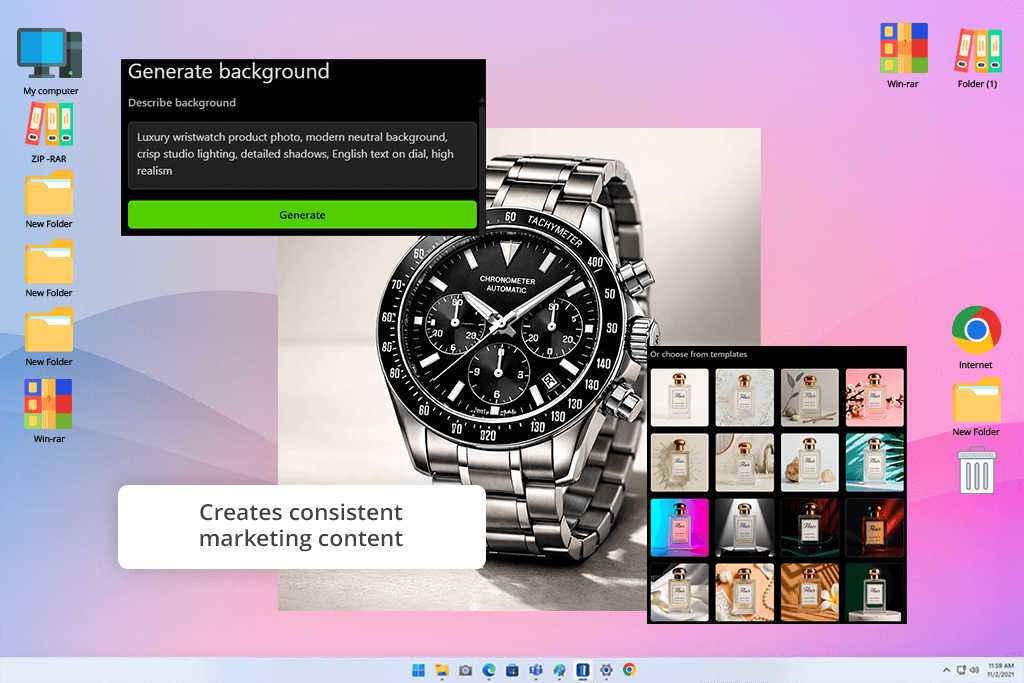
Flair is not a basic generative image tool. It is more like a virtual studio with AI-powered features. Most AI tools for designers ask you to describe what you want and then interpret the prompt in unpredictable ways. Flair lets you make deliberate compositional decisions, like where the product sits in the frame, what kind of lighting environment surrounds it, how the background relates to the foreground, before the AI fills in the rest.
I used this AI product photography tool for a structured skincare campaign, where multiple products had to look consistent. The possibility to lock in placement and lighting direction meant I could produce 10 different product shots that clearly belonged to the same campaign without rebuilding the scene for each one. Not all AI tools can brag about such cross-image consistency, though many brands need it.
Still, you should be aware of the complexity tradeoff. Simple, clean setups like a single product, controlled background, and studio-style light looked nice and professional. More ambitious scenes with layered environmental elements sometimes lost depth or introduced lighting inconsistencies that required correction.
When it comes to glass and metallic surfaces, you need to scrutinize them accurately. Flair is more capable than a typical generative tool and more demanding than a purely automated one. That middle position makes it well-suited for photographers and designers who want structure alongside AI assistance.
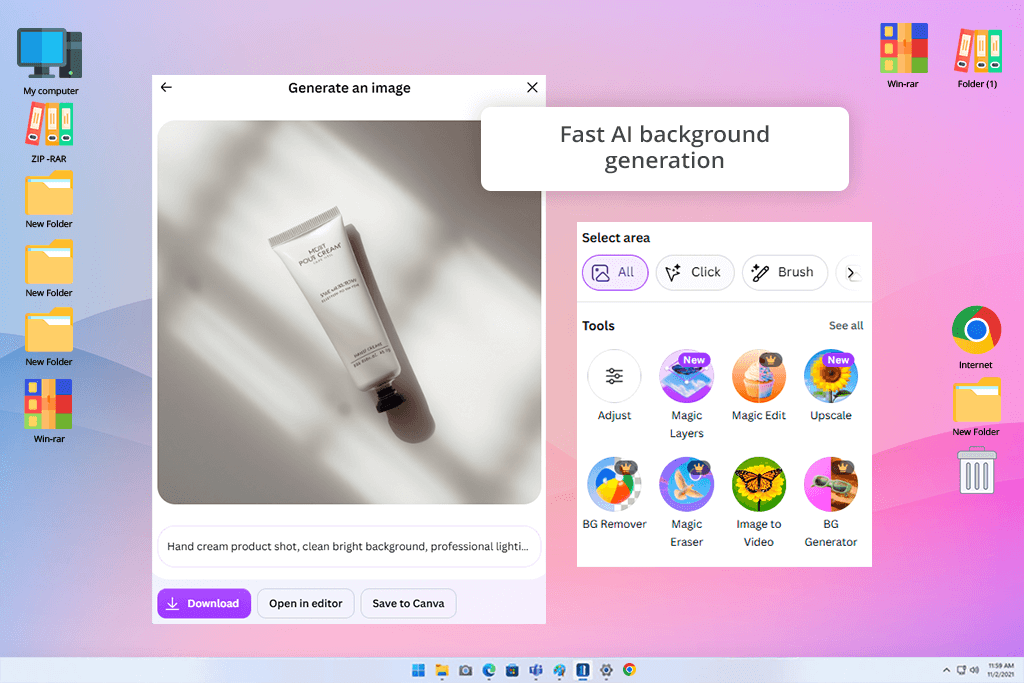
The reason Canva deserves a place in this review has nothing to do with photorealistic rendering. It doesn't compete with Firefly or Flair on that axis. The reason it belongs here is that it gets a marketing team from a product photo to a publishable social ad without switching between five different applications.
I tested its AI product features during a fast-turnaround social campaign and focused specifically on the integrated workflow rather than the raw image quality. The sequence of generating background, adding text, applying branding, and resizing for the platform happened inside one browser tab. For teams that are not staffed with image retouchers and need to produce social assets quickly, this production process has real value.
"The workflow is genuinely quick. I can create a product post in just a few minutes. The results are not photorealistic, but they work properly for social media content."

The limitations become apparent the moment you evaluate it as a photographer rather than a designer. Fine surface texture on packaging does not always survive the AI background generation process at high resolution. Lighting relationships between product and environment are not physically grounded.
What Canva does extremely well is rapid social content production, collaborative creative workflows, and brand-consistent ad layouts. This free AI product photo generator is truly useful and genuinely hard to replicate elsewhere with the same efficiency. It is not a replacement for production-quality tools, but it copes well with the tasks it is created for.
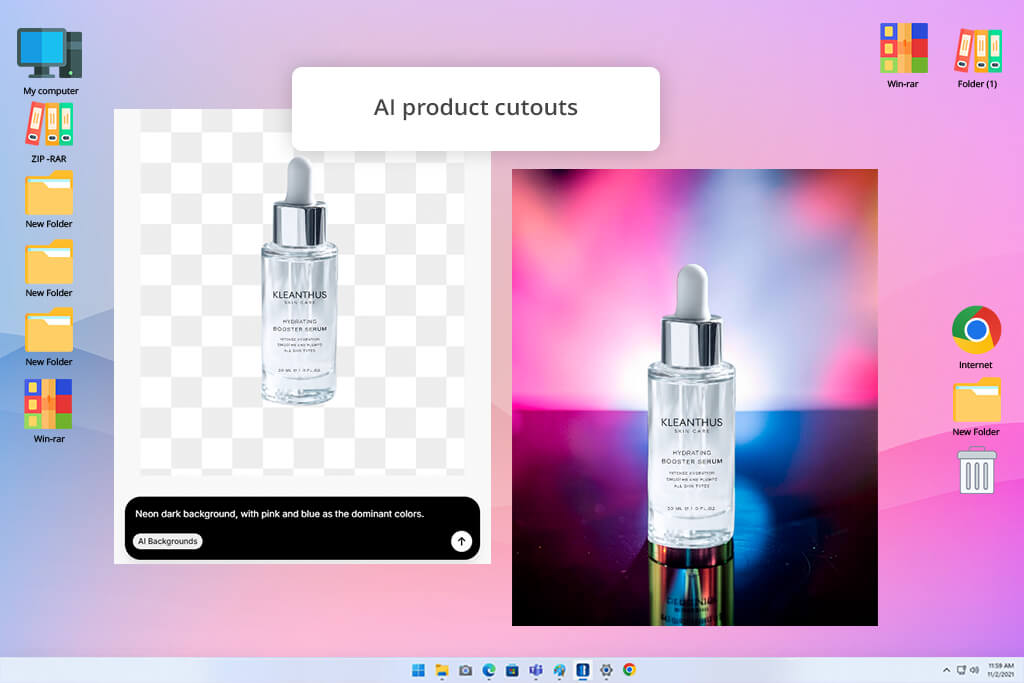
Pixelcut's value proposition is speed. It delivers on it more reliably than some other AI product photo creators on this list. I used it on catalog batches where the objective was turning raw studio photos into clean, platform-ready product images at volume. The workflow required almost no setup time. It performed well on that specific brief.
Background replacement for straightforward product compositions, namely, white or neutral surfaces, soft drop shadows, and a clean studio aesthetic, came back looking marketable and technically correct. It met Shopify and Amazon listing standards without any manual correction on the majority of outputs. Processing speed for batch jobs was faster than most competing tools offer.
The issue appears when you move into advertising territory. Lighting setups with depth and complexity, reflective surfaces requiring accurate environmental response, and scenes that need to communicate brand character rather than just product presence push past what this AI photo editor is designed to handle. The platform knows what it is, and it does that thing well. If you work with catalog and listing production at scale, you should treat Pixelcut as a speed utility rather than a creative studio.
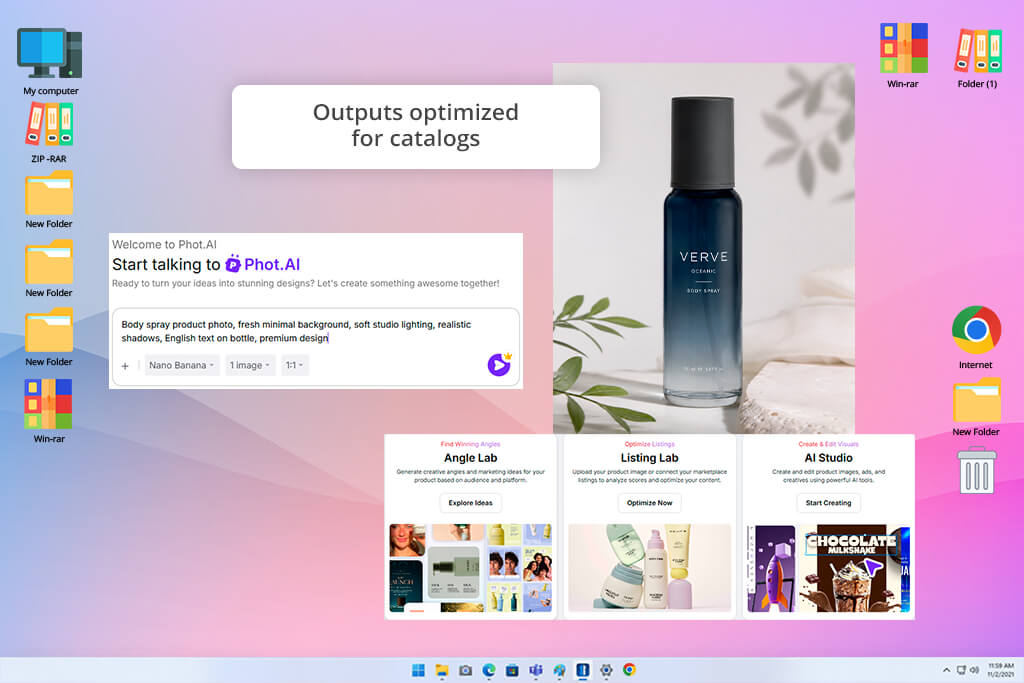
PhotAI approaches the problem of product visuals from a different angle than most tools in this review. It is less focused on building scenes from scratch and more focused on improving what you already have. I tested it specifically for enhancements, taking existing product photographs and running them through the AI tools to see how much could be recovered, cleaned, or elevated without a full regeneration pass.
For exposure-related issues and background refinement, it performed better than expected. Slightly underlit product shots gained meaningful detail without the overprocessed look that enhancement tools often produce. Background cleanup worked perfectly for catalog use. If you are a photographer dealing with large volumes of slightly imperfect source material that needs to reach marketplace standards quickly, you can make good use of this AI product photo editor.
"It handles straightforward product edits well, particularly when you need to correct lighting. The tool is easy to use, but it has clear limits if you want something detailed or creative."
PhotAI steps back when it comes to full scene generation. It does not compete with Firefly or Flair for building environments around products, and the texture handling in complex materials shows its limits. I ended up treating it as a finishing step, rather than a starting point for my projects.
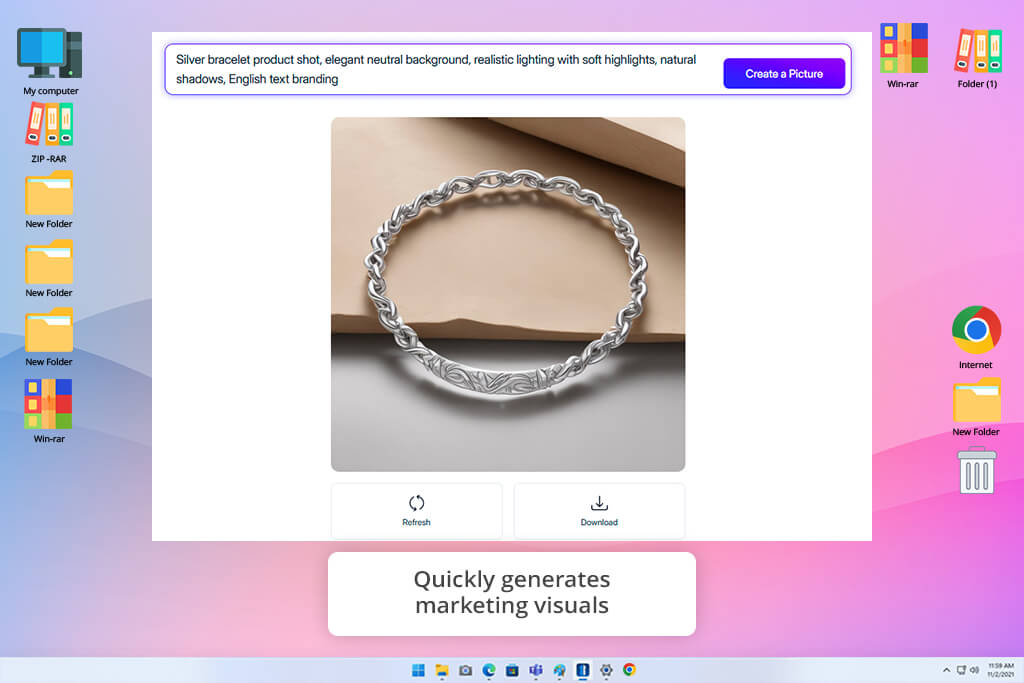
Magic Studio is aimed at users who need professional-looking product images without any background in photography or image editing. I tested it on a fast-moving e-commerce project with multiple SKUs, paying special attention to how quickly it could take raw product photos to something publishable.
Social media marketing assets and standard e-commerce platform banner formats came back quickly and looked visually appropriate. Background generation for clean studio setups was consistent, and the overall production speed reduced early-stage manual work. Such a time-efficient workflow is a big win for small businesses launching new products or teams running rapid promotional campaigns.
Detail accuracy is worth special attention. This AI product photo generator may fail to preserve fine textures, surface reflections, and brand-specific packaging characteristics. Marketing imagery that needs visual appeal and shows the product that is already well known to the audience, such imprecision is manageable. But it introduces risk for primary product listings where the image is a customer's first direct encounter with the item. I highly recommend using Magic Studio for campaign support and visual promotion rather than product documentation.
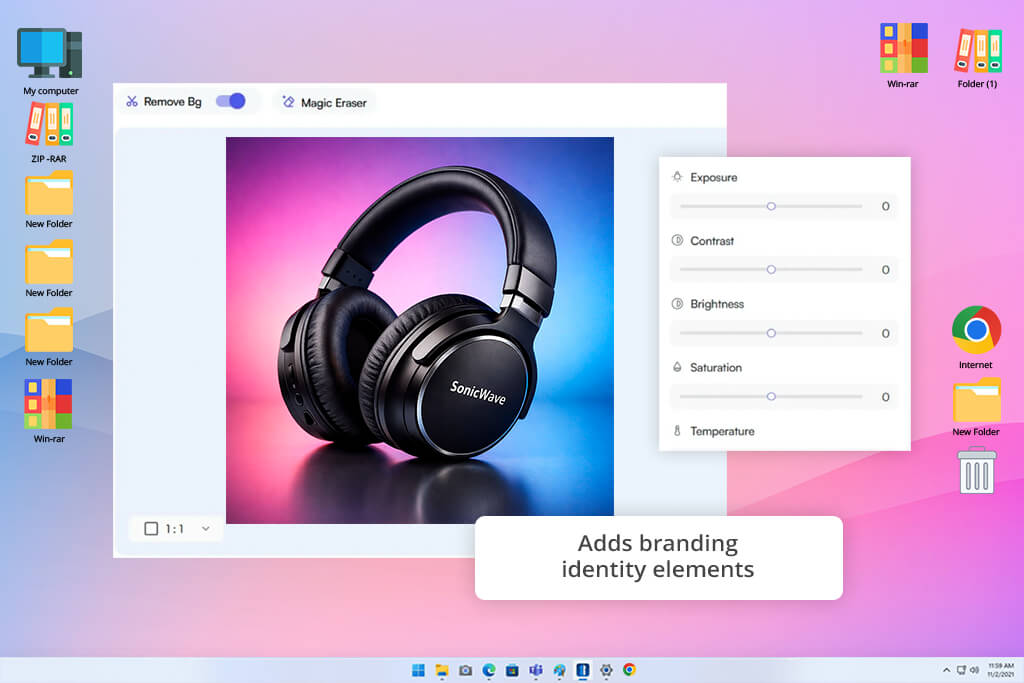
While testing WizStudio, I wanted to learn how it handled product visual development, where you are cycling through creative options rather than producing a defined output. Most AI generators make creation slow because each adjustment feels like starting over. I wanted to see whether WizStudio handled that process differently.
Background adjustments, lighting mood changes, and composition variations could be applied without completely regenerating from the beginning. That is why the creative exploration process was noticeably smoother. For campaign concept work, including testing different visual tones before committing to a final direction, this is a very helpful time-saving approach.
“It is good for trying out different product backgrounds and scene ideas. However, the results vary too much to rely on it for professional commercial projects.”
The consistency question is the one WizStudio cannot fully answer yet. Some outputs were professional and realistic. Others showed subtle distortions in product geometry or material texture, so I had to correct them manually before sending to a client. That is why it is difficult to rely on WizStudio for high-stakes commercial production. However, for creative development, early-stage concepting, and campaign ideation, it is a good product image generator AI. For final production output, it still needs a stronger tool alongside it.
While testing different programs, we mainly focused on whether the output looked like a real product. Everything else followed from there. Our team wanted to know how each tool performed under real production conditions with actual images and standard prompts novices and experts typically use.
Tetiana Kostylieva focused on visual fidelity and material accuracy, specifically how well each AI product photography generator preserved product texture, surface reflections, and fine packaging detail across different scene types. Reflective skincare bottles and metallic accessories served as the primary stress-test category, because those surfaces amplify rendering inconsistencies that would be invisible on matte objects.
Robin Owens evaluated speed and workflow efficiency, trying to learn how quickly each platform moved from raw product photo to publishable output, how smoothly batch processing handled larger volumes, and how much manual correction was required before images were ready for an online store or ad campaign.
Nataly Omelchenko assessed branding consistency across an extended product range. An AI product photo maker that produces one strong image is useful. A tool that produces twenty images of different products that visually belong together is considerably more useful for real commercial work. She tested whether each platform could sustain a coherent visual identity across a full product collection without requiring a complete rebuild for each new item.
We built a standardized test dataset covering cosmetics, sneakers, tech accessories, and home decor objects. Each item was evaluated in clean studio-style backgrounds, lifestyle scenes with environmental context, and banner-format promotional compositions. Identical prompts were used across all platforms where applicable, so results reflected genuine capability differences rather than prompt engineering advantages.
All 3 people from the FixThePhoto team had similar thoughts. For e-commerce catalog production at speed and volume, Photoroom and Pixelcut led the group. For large-batch workflows requiring cross-product consistency, Claid held its position reliably. Creative lifestyle generation with strong marketing aesthetics was best handled by Pebblely and Flair, with Nightjar useful for directional concept work earlier in the workflow. Canva stood apart as the most efficient path from product image to finished social ad creative.
Adobe Firefly sat above the rest of paid and free AI product photo generators for professional-grade output. Generally, we summed up that no single platform covers every scenario at equal quality, but Firefly was the one tool none of us wanted to remove from the workflow entirely.



![11 Best AI Sticker Generators [Simple for Non-Designers]](http://fixthephoto.com/blog/images/gallery/news_main__preview_28980.jpg)

![9 Best AI Label Generators [{{%year}} FixThePhoto Choice]](http://fixthephoto.com/blog/images/gallery/news_main__preview_28972.jpg)
![11 Best AI Virtual Assistants in {{%year}} [Reviewed & Ranked]](http://fixthephoto.com/blog/images/gallery/news_main__preview_29081.jpg)

![7 Best Photo Grid Makers [No Design Skills]](http://fixthephoto.com/blog/images/gallery/news_main__preview_29018.jpg)



















