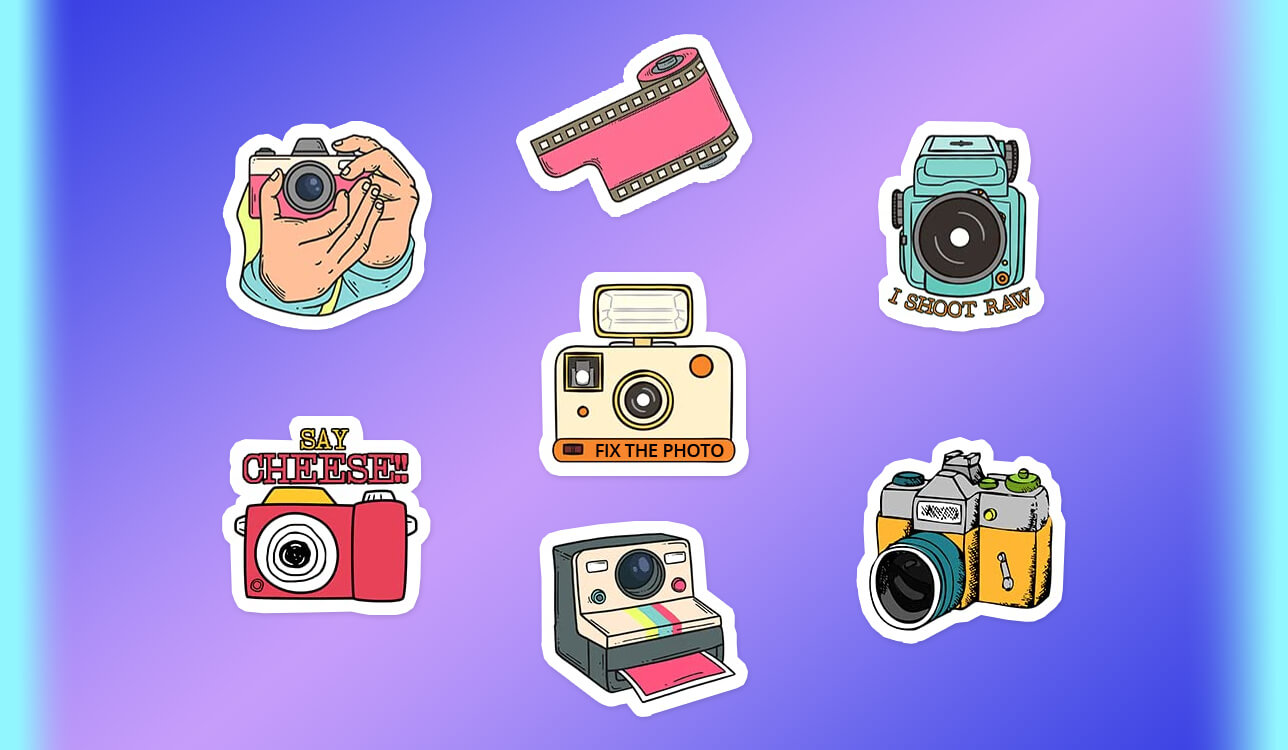
At first, I did not even consider the possibility of using AI tools. I wanted to create stickers for our small family product line and ensure that they will be designed in a consistent style. We wanted to promote honey blends, dried fruit snacks, and herbal tea. However, when we created stickers manually, we noticed that their fonts, layouts, and styles were different. As a result, these products did not look as if they were released by the same brand.
The problem became more noticeable when we started to promote our brand online. We published posts on Instagram, sent updates via WhatsApp, and joined Discord communities. Many potential buyers judge products by small previews they can see online. Our stickers did not have a consistent style, which made it more difficult for us to build a strong digital presence. We wanted to create labels that would look great on physical packaging and in digital formats.
This is when we realized what kind of AI sticker generators we needed. We did not just want to produce eye-pleasing stickers. We needed to generate scalable images that would look great on jars, bags, and other products. Besides, we wanted to be able to use them in a digital format on Instagram, WhatsApp, and Discord. We wanted to create simple, scalable designs that would be easy to read in any size. In addition, we needed to maintain consistency across the whole product line.
We realized that it would take us too long to design such stickers from scratch manually. It was too expensive to hire a designer for this task. We were interested in a faster solution that would help us create images in a consistent style. This is why I started to look for AI sticker generators capable of handling such tasks.
Instead of having fun with AI tools, we wanted to use them to solve an actual issue and optimize our workflow. I wanted to create print-ready stickers suitable for printing and online use and needed to maintain full control over branding. I started to test popular solutions to check whether they would allow me to achieve the desired consistency and create simple designs that would work well in physical and digital formats.
My colleagues from the FixThePhoto team decided to help me test AI sticker makers, as they use AI tools daily when working on their projects and know which solutions might be best suited for my needs.
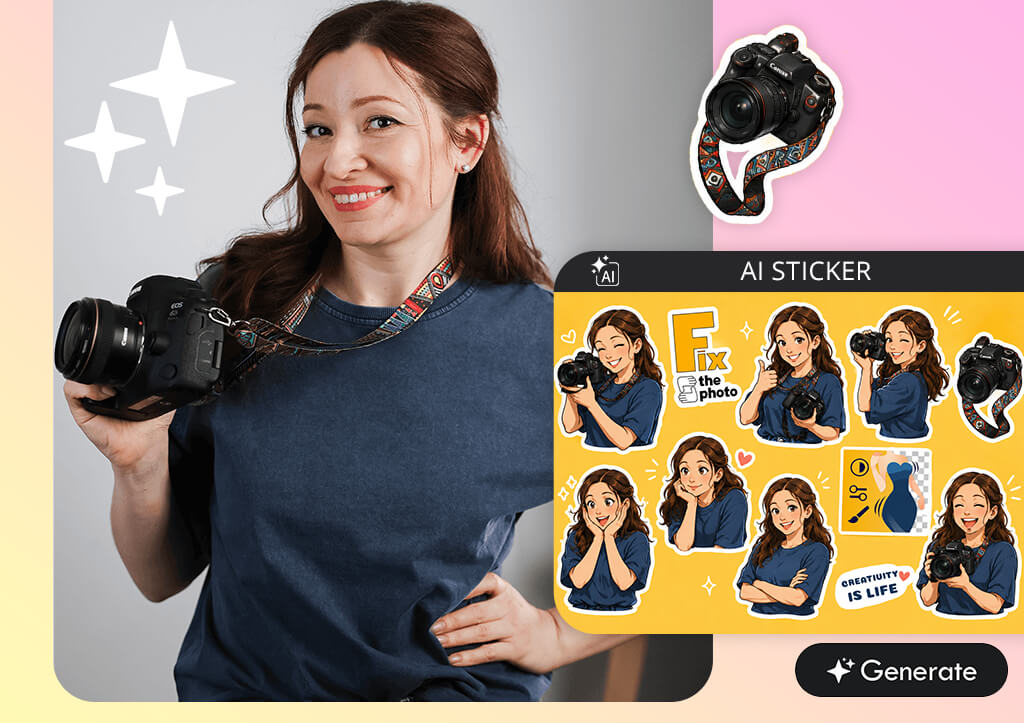
Before you start generating stickers with the help of an AI sticker maker online, you need to consider several important things. Otherwise, you may spend too much time creating pictures that look perfect on screen but do not really work when you put them on products.
| Parameter | Digital Stickers | Printed Stickers |
|---|---|---|
|
Resolution
|
72–150 DPI (screens)
|
300 DPI or higher
|
|
File format
|
PNG (transparent background), GIF, WEBP
|
PDF, PNG, TIFF
|
|
Background
|
Often transparent
|
Transparent or with bleed
|
|
Color mode
|
RGB
|
CMYK
|
|
Size
|
For social media & messengers (512–1024 px)
|
Physical size + bleed margin (2–5 mm)
|
|
Edges
|
Clean but can be softer
|
Extremely sharp, no blurring
|
|
Detail level
|
Medium (focus on readability on screen)
|
High (for print quality)
|
|
Transparency
|
Required for most platforms
|
Optional depending on print type
|
|
Compression
|
Light compression allowed
|
Minimal or lossless preferred
|
|
Usage
|
Telegram, Instagram, Discord, social media
|
Physical stickers, packaging, branding, merch
|
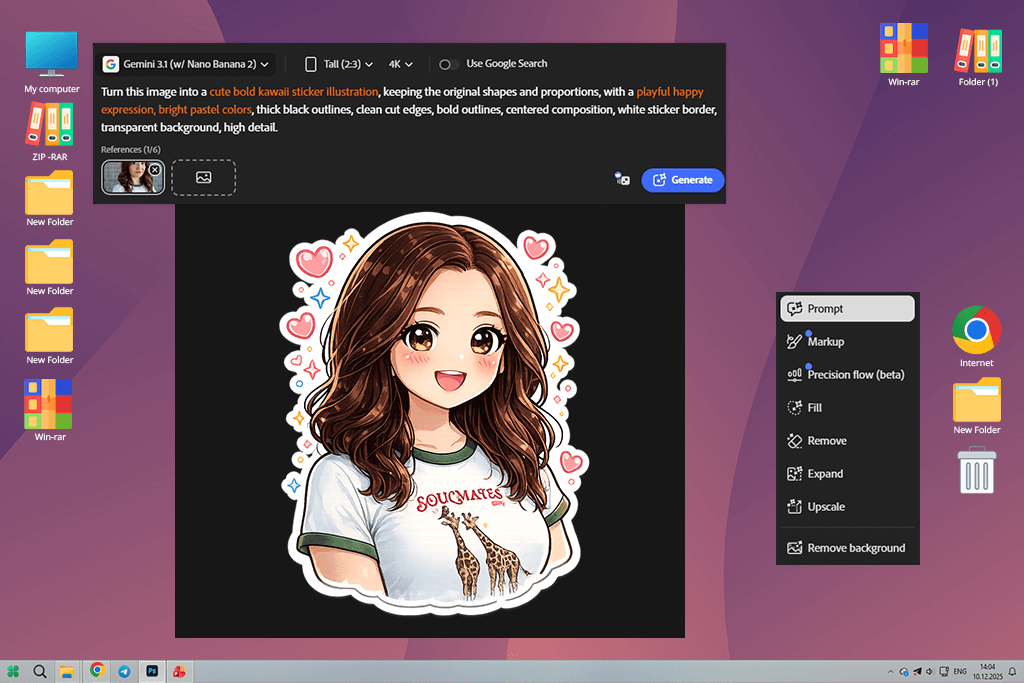
When I started to use Adobe Firefly, I decided that I would try creating basic fruit images for honey jar stickers. I did not need to create any complex designs. My main goal was to create icons that could be used across various products.
This is why I started to experiment with simple prompts. I would replace a few words in them and assess the output. I liked the fact that I was able to achieve consistent results. Unlike some other apps I’ve tested, this service does not switch styles suddenly, which makes it more reliable.
I wanted to check whether there would be any issues with backgrounds. However, when I used it to create stickers, I liked the fact that my illustrations were perfectly clean, so I did not need to spend a lot of time cutting them out. I liked the fact that this solution was designed to help people work on real tasks.
“I used it to generate some stickers and was pleased with the professional quality of the outputs. They have high quality and look polished. However, it does not always produce results that are ready for printing. In some cases, I had to make some adjustments to get the desired outcomes.”

I was pleased by the fact that I did not need to re-create my designs from scratch when I wasn’t fully satisfied with them. I could use it as an AI sticker generator from photo and change certain parts of my images instead to achieve the results I needed.
It made my projects better organized. I was able to fine-tune my designs instead of hoping to achieve the desired outputs by randomly experimenting with prompts. It’s essential to have such control over the result when designing product labels.
I printed several stickers to see whether there would be any issues with them. Some apps produce outputs that look great only on the screen. However, overly detailed images may look worse when printed. Firefly helped me create simple designs that looked perfect both in digital and printed formats. The images looked clear, and the text was easy to read.
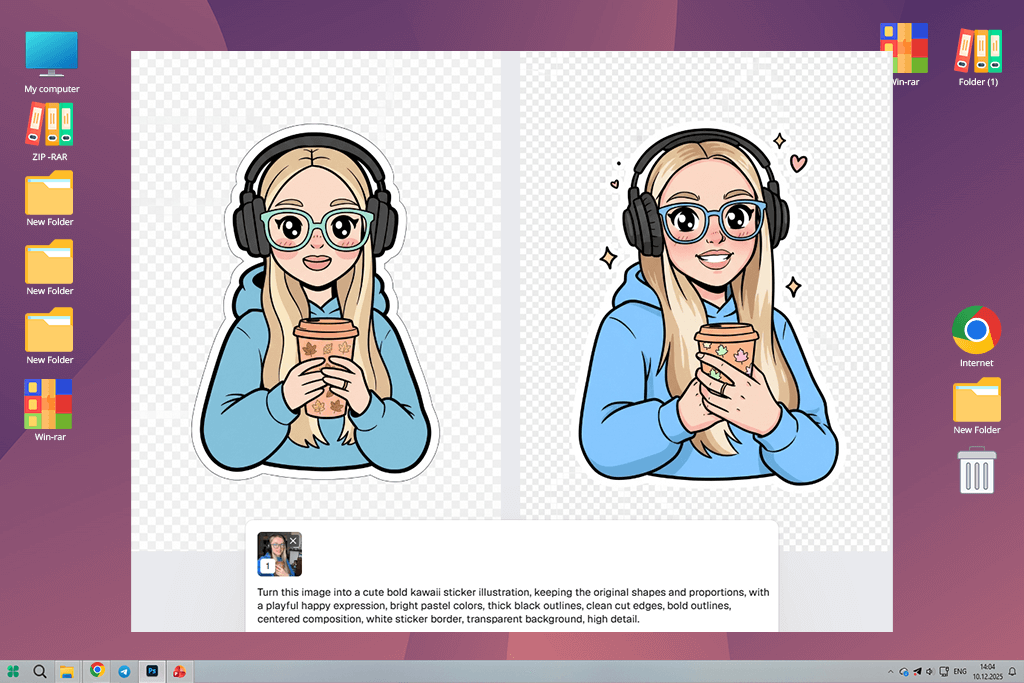
When I started to test RecraftAI, I decided to adopt a different approach. Instead of using this free AI sticker maker online no login version to generate full stickers, I decided to create small elements for my future designs. I used it to create images of leaves, berries, and ingredients. I wanted to create a library of visual assets and then use them to create stickers. I liked the quality of the outputs, as they looked more structured, making them suitable for different types of designs.
I was impressed by the fact that this AI image generator helped me produce polished results. Even when I exported pictures in a usual way, they looked like vector graphics and were sharp and easy to enlarge. I tried resizing the same elements to see whether they would fit on the labels in different formats and liked the fact that the enlarged versions did not have many issues. It makes RecraftAI more reliable than many creative AI sticker generators.
This app followed my instructions perfectly when I wrote clear prompts. I could ask it to generate a minimalist design and get the result I expected. Even though the outputs weren’t always truly creative, they helped me achieve consistency when creating all sorts of designs for the brands I worked with.
I discovered that RecraftAI is hardly the best choice for generating finished stickers. However, I liked to use it to create the elements I needed. It helped me create batches of icons and use them later when working on my designs. This service has streamlined my workflow because I use it only for specific tasks.
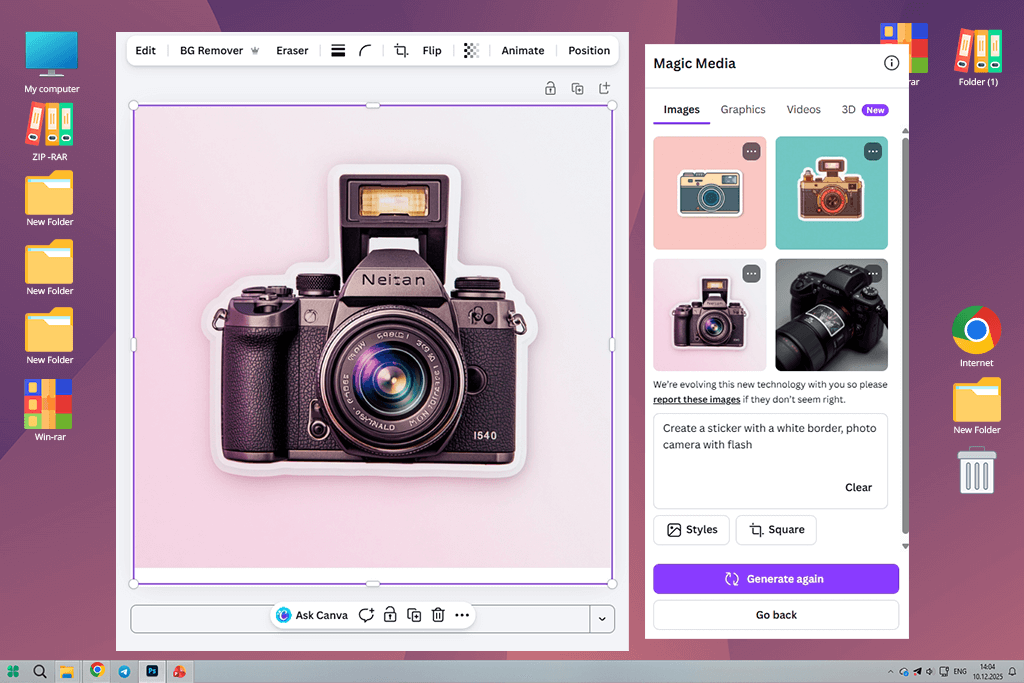
When I started to use Canva, this service helped me organize my workflow and follow a more structured approach. I had already created some random illustrations using AI tools, but did not know what to do next.
Canva helped me to turn them into polished sticker designs. Even though it’s hardly suitable for creating unique images, it helped me to assemble separate elements to create designs that looked great in printed format.
Firstly, I decided to design a simple template for my stickers. I created a template with an easy-to-understand structure. It included the title, an image, and some text. Then, I used the same template for multiple projects. I just needed to replace the image and write another brand’s name. This AI sticker generator for WhatsApp and other messengers saved me a lot of time.
“This service is extremely intuitive. I dragged and dropped my images, and it generated stickers instantly. The UI is easy to navigate. It’s an excellent solution for situations when I need to generate something quickly.”

While working on my project, I did not rely on the AI features available in Canva much. However, I liked the fact that this platform made it easier for me to move and combine various elements, align text, and adjust spacing. Thanks to the drag-and-drop functionality of this platform, I was able to achieve more professional results.
In addition, I tested how my designs looked when I printed them. Most of my designs looked the same on the screen and in a printed form. It saved me a lot of time and made my editing experience less stressful. I did not need to edit my images much.
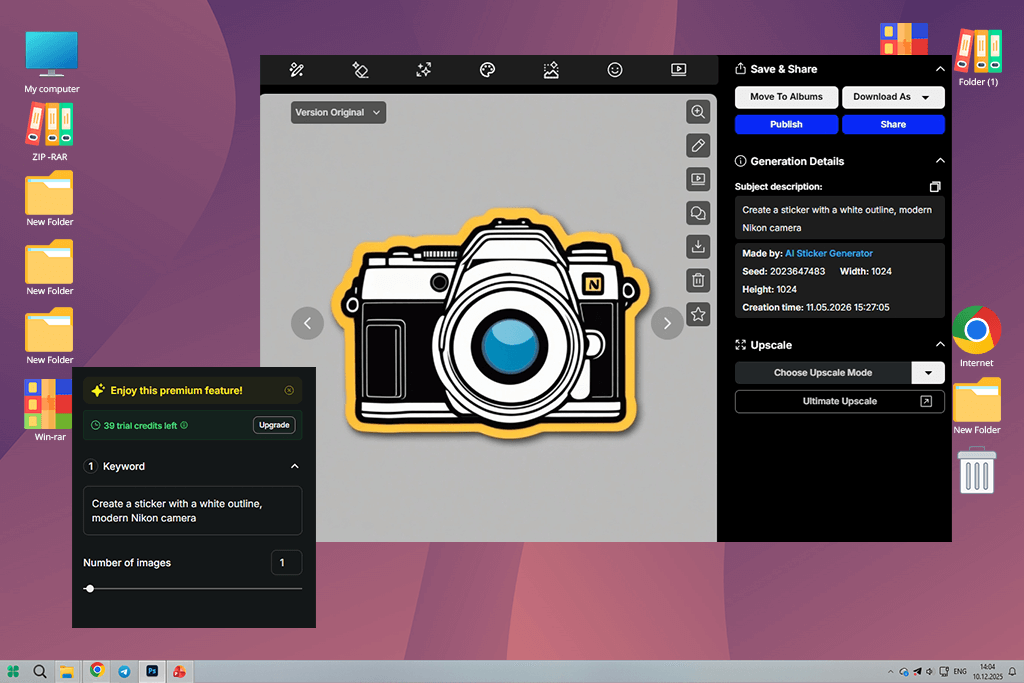
I did not set my expectations high before using OpenArt. I wanted to try out creating images in different styles. This is why I experimented with prompts that included descriptions of the mood, texture, and vibe. However, even though I was impressed by most outputs, I realized that some of them looked more like standalone illustrations than images I could use on stickers.
I was pleased to see that it was so easy to switch between styles. I could create visuals in a minimal style and then decide to generate more detailed images or produce pics with a high degree of realism. However, I could not help but notice that such extensive functionality made it more difficult for me to maintain consistency.
It was perfect for the early stages of my projects when I had to decide what style to choose. However, unless I wrote very strict requirements in my prompts, the output stickers looked as if they were created for different brands.
Besides, it was difficult for me to simplify my stickers. Well-designed stickers should be clean and easy to read, especially when they are printed in small sizes. This AI art generator creates visuals with a lot of detail, which may look nice on a screen but are impossible to read in smaller sizes. This is why I had to find a way to make my prompts simpler right from the start. This approach saved me a lot of time during post-processing.
I did not use OpenArt to create the final versions of my stickers. This service is best suited for brainstorming. Using it, I would generate some ideas, choose the style I liked, and try to generate stickers in this style using more advanced tools. It helped me achieve consistency while experimenting with new creative ideas.
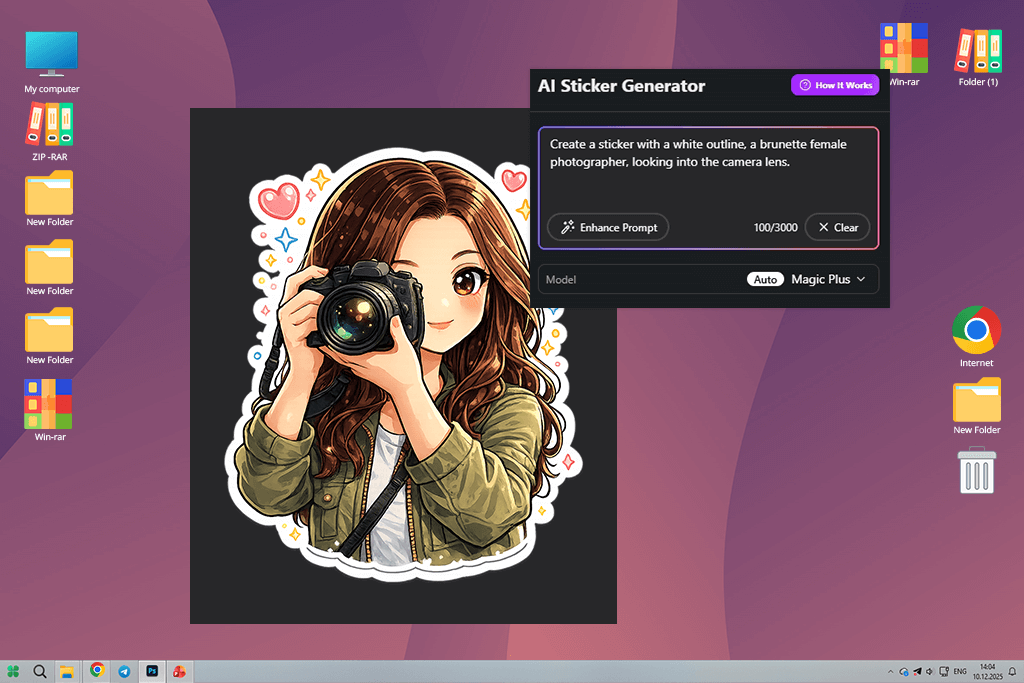
MagicShot is an easy-to-use app suitable for basic tasks. When I started to use it, I knew that it wouldn’t help me produce perfect outputs. However, I wanted to discover whether it could help me come up with some fresh ideas quickly. I used simple prompts like “a fruit sticker in a minimalist style” or “honey label with a clean look.” I was impressed by its image generation speed. It makes it the perfect solution for brainstorming.
What I like the most about this sticker maker app is that it allows me to compare different versions with ease. I can generate multiple outputs based on the same prompt and choose the best option. It helped me achieve better results when I wasn’t sure about the style I wanted to choose.
However, the shortcoming of this solution is that there are occasional issues with outputs. Proportions and details may look wrong. Besides, there could be some other inconsistencies as well.
“This service delivers fast performance and is suitable for implementing all sorts of sticker ideas. While it does not always allow me to achieve high precision, it’s extremely fun to use.”

I wanted to see whether I would be able to maintain consistency across several images, but I failed. Even when I used similar prompts, this service produced outputs in different styles. It wasn’t noticeable when I looked at the produced images separately, but when I decided to use them as a part of a branding kit, I realized that the style did not match. It makes this platform hardly suitable for those who want to design branding materials.
This is why I used this AI sticker generator for Instagram only when I started to work on my project and decided to generate some quick ideas. However, I never used the images it generated as finished outputs. I decided to use them as sketches and generate the visuals I needed with the help of other tools.
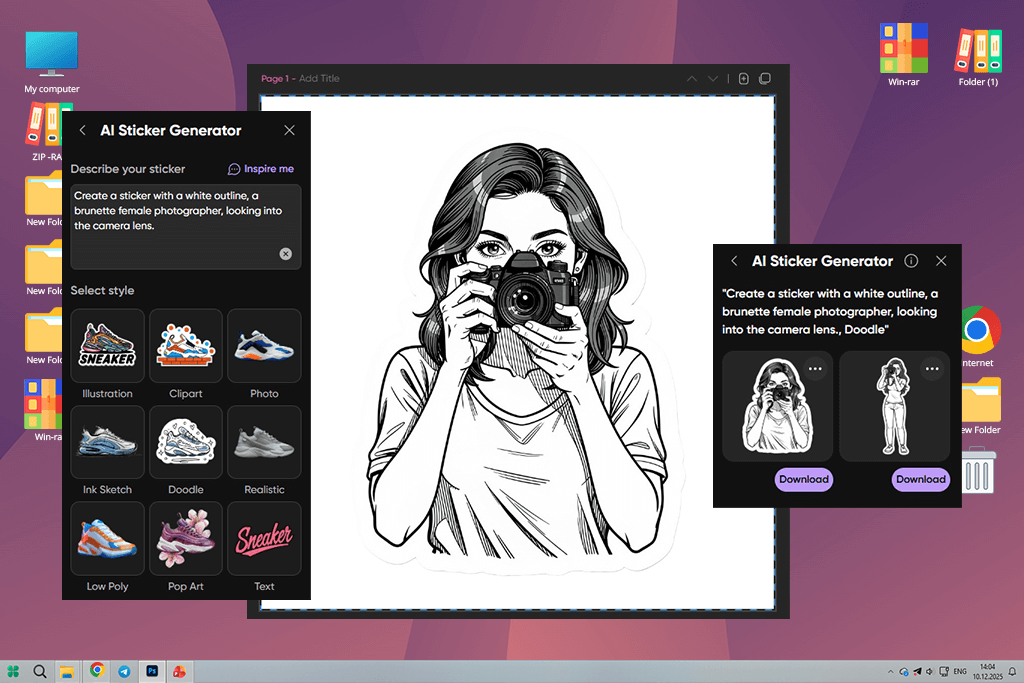
When I started to test Picsart, I already had some images I had previously generated using other AI tools for designers. I realized that I can use Picsart to make them more polished, as it’s an excellent solution for fixing issues and making minor adjustments. It does not have advanced AI sticker generation capabilities.
What I like most about its toolset is that it includes a useful background removal feature. It helped me fix the images with unwanted elements, artifacts, and wrong edges. With the help of Picsart, I managed to isolate the main subject and make my images more polished. In addition, I tweaked the colors to ensure that my stickers will stay consistent on different products.
I even tested some of the available AI tools when I needed to perform small fixes. Using them, I could extend an edge or remove small defects. Even though this AI sticker maker app is not powerful enough to act as an alternative to AI generation tools, it’s best suited for adding finishing touches. I switched between manual and automated tools to expedite my workflow.
Picsart became invaluable when I decided to prepare my stickers for printing. Using it, I could change contrast and sharpness to make my designs clear and tweak colors. Many pictures look great when viewed on a screen but look blurry when printed. Using Picsart saved me a lot of time.
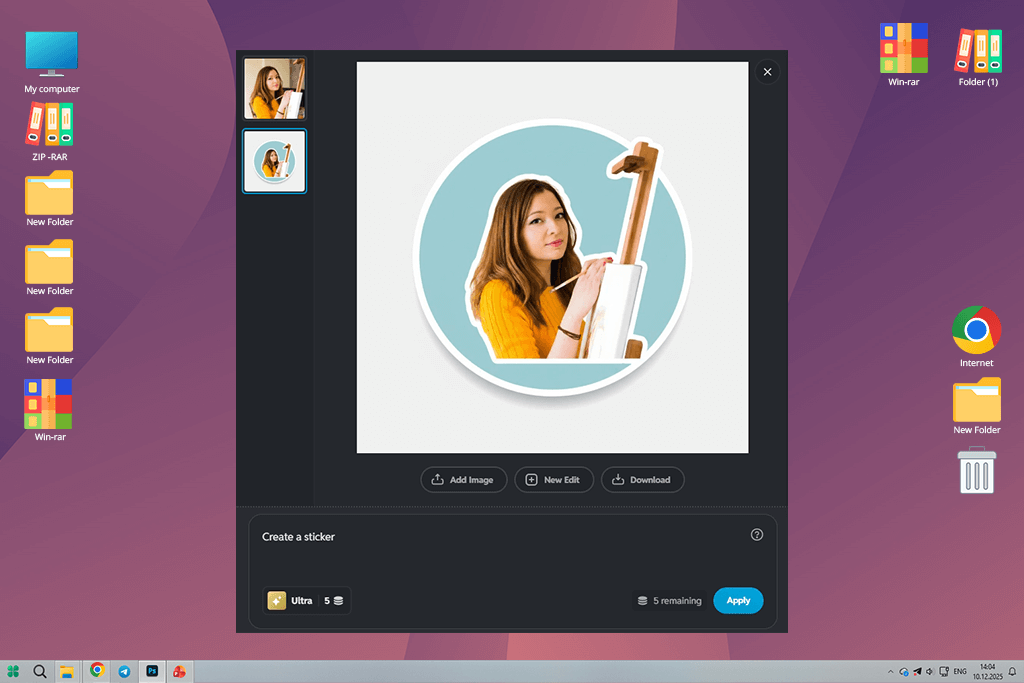
I decided to give Pixlr a try because I wanted to find a quick and lightweight service for minor editing tasks. While working on my designs, I do not always need to use something advanced. This is why I used this AI sticker generator for business to crop my images, resize them, or adjust colors. It delivers a fast performance and does not require installation.
However, I quickly discovered the limitations of this service. Even though it’s an excellent choice for simple edits, you won’t be able to handle complex tasks using its tools. When I tried creating more advanced designs, I noticed that it wasn’t possible to make more accurate adjustments. Besides, the experience of using layers was less seamless than I had hoped.
“This lightweight solution is extremely intuitive. It generates simple stickers with ease. Even though its AI tools are pretty basic, it’s suitable for quick sticker generation tasks.”

Another limitation that I’ve discovered is that this service is not particularly suitable for creating multiple designs simultaneously. I was working on a set of stickers, so I needed to find a service that supported batch processing. However, when using Pixlr, I had to repeat the same steps several times, which complicated my workflow and made it difficult for me to work on complex projects.
Despite these limitations, I decided that this service was still suitable for quick fixes. I used it to make minor adjustments before printing my stickers. It’s the right service for those who need to remove small imperfections. This is why I mostly use it as my backup option. Even though it hasn’t become a part of my daily workflow, I use it when I need to do something quickly without using any advanced tools. Even though its functionality is quite limited, this service has its uses.
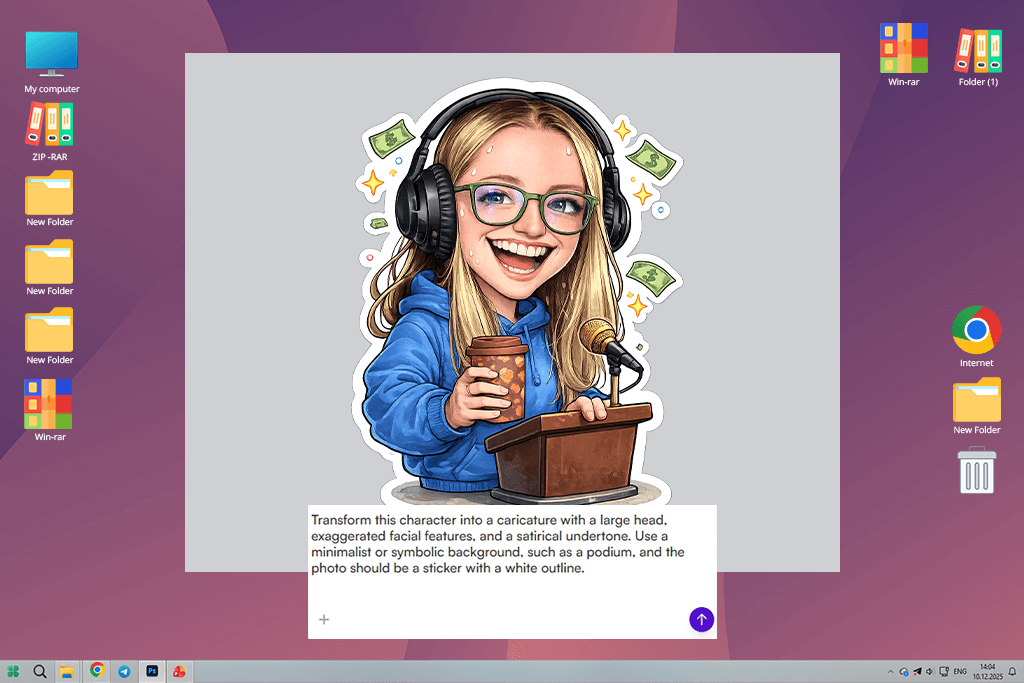
StarryAI stands out among other free graphic design software, as it’s more suitable for those who are interested in creative experimentation. I decided to test it to see whether this AI sticker generator for Discord would help me try out unique sticker styles while working on my projects.
This is why I indicated the desired mood and texture in my prompts instead of simply describing the objects I wanted to see in the outputs. I was pleased by the results, as they were truly mesmerizing. Some of them looked like paintings.
However, this focus on artistic styles can also be considered the main limitation of this service. The outputs were too detailed for my liking. I needed to create small stickers that are easy to read. However, StarryAI often generates too complex designs that are impossible to comprehend when they are printed in a small format. An enlarged image may look perfect, but you won’t be able to use it.
In addition, when I used this service to generate several images in the same style, I failed to achieve consistent results. Each generated sticker looked like a standalone image and not a part of a branding set. It made it impossible to use these visuals for designing a consistent product line. This is why StarryAI is hardly suitable for branding purposes.
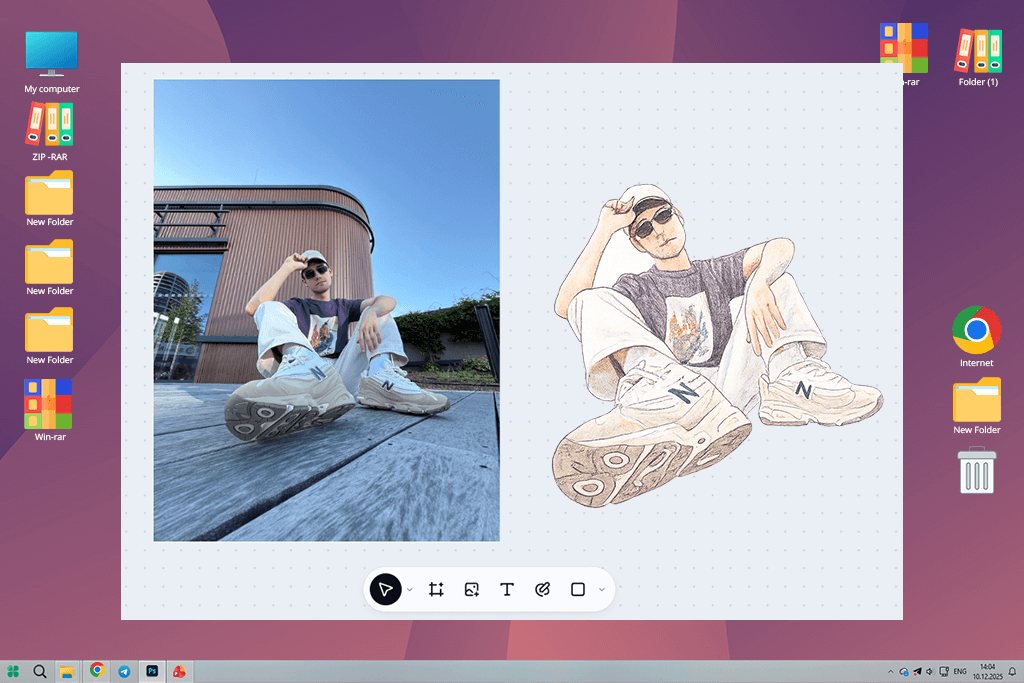
When I decided to use CapCut to create stickers, I did not set my expectations high. I have been using it for some time for short clips, which is why I decided to test its AI sticker generation tools as well. I wanted to see whether it would allow me to quickly create images that can be used as stickers for packaging or promos.
This AI sticker generator with templates generated the outputs quickly. However, I immediately realized that this platform was more suitable for creating social media content than working on serious design projects.
“This service is especially suitable for creating quick social media stickers. It has handy tools for producing video content. However, even though it’s quite convenient to use, it does not support deep customization.”

This free video editing app prioritizes content creation. You can use it to produce videos, experiment with storytelling ideas, or create quick images. However, it’s hardly the best choice for creating precise designs.
The outputs occasionally look too complex or have too many elements. It makes this solution less suitable for creating small labels, as it should be simple instead of overly stylized.
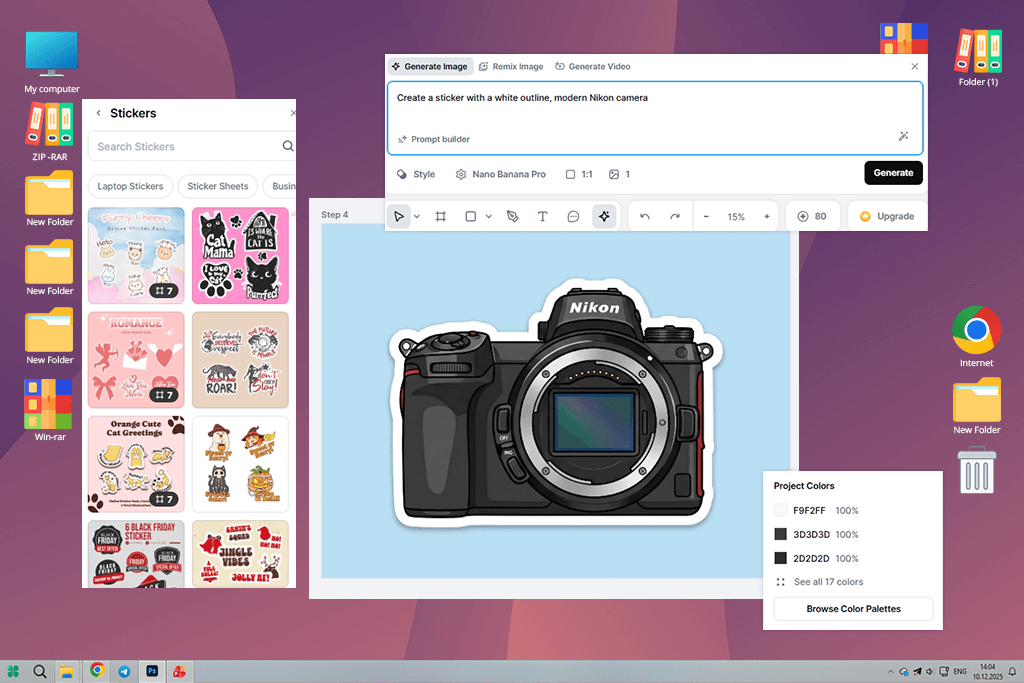
When I started to use Kittl, I was pleasantly surprised at how different my workflow became. Other AI sticker generators require me to upload images and wait for the result. However, I should have a clear understanding of a structure while using Kittl. Instead of focusing on creating more images, I prioritized creating sticker layouts.
This AI app stands out among the rest for its design tools. Due to this fact, I managed to transform my workflow.
What impressed me most about Kitts is that it handled text and layout perfectly. I could add easy-to-read typography to my visuals. I could control everything with high precision. Using the available tools, I adjusted spacing, experimented with different fonts, and achieved a consistent look across different products. This service helped me create designs, in which every element looked harmonious when put together with others.
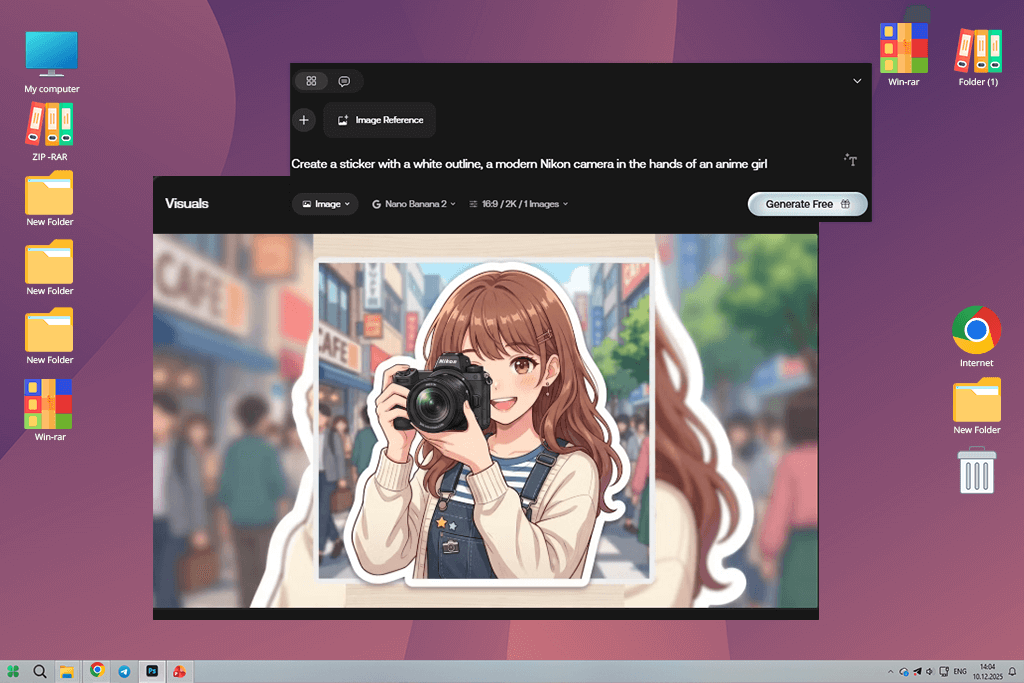
When I started to use Artlist, I did not consider it as a simple sticker tool. I was already working on my project and was looking for some fresh ideas. Artlist stands out among other services on this list. It allows one to choose a new creative direction instead of trying to get print-ready design outputs.
Even though it helped me generate some eye-catching visuals, it was impossible to use them as print-ready stickers. They were similar to branding concepts or mood pieces. It was possible to use them as part of a larger campaign. However, they were nowhere near ready to be printed and put on a jar. Despite this limitation, Artlist helped me understand how my products could look.
“When I started to use this service, I thought that it was more similar to a full creative asset tool. It produces polished outputs that are ready for printing. Even though it’s hardly the best choice for experimenting, it stands out for high output quality.”

As a result, I started to mostly use it as a reference service. While working on my projects, I would use the color combination or composition it suggested and use it when implementing my ideas using another software. This approach helped me complete my projects faster. Even though I do not use this AI sticker generator to create final PNG transparent files, it allows me to understand what ideas I want to bring to life.
When our FixThePhoto team decided to test and assess the available AI sticker generators to find the best option, we focused on discovering a practical solution that could be integrated into our workflow with ease. We wanted to choose the apps that enable small businesses to develop branding and e-commerce packaging.
Besides, our goal was to discover apps that would enable firms to create content more quickly without hiring a team of in-house designers. Together with my colleagues, Tani Adams, Kate Debela, and Eva Williams, I tested these apps by following a consistent structure. We wanted to conduct thorough testing to get unbiased results instead of testing random tools.
Tani Adams decided to start by specifying the standard assessment framework. She used several testing categories, including style consistency, suitability for printing, text editing tools, and batch processing capabilities. Kate Debela focused on prompt engineering to ensure that we used the same detailed prompts across different apps and services to achieve consistent results and compare AI sticker generators without any bias.
Eva Williams decided to assess whether these services were suitable for real-world use cases. She used them to prepare printing samples, check whether there were any color shifts, and try adding the stickers to physical packaging materials. My task was to assess the suitability of these services for practical workflows and discover the AI sticker generators that could become a part of our production pipeline.
We tested these tools by following the same steps to ensure consistency. We decided to use them to generate stickers for a small craft product line, as we needed stickers for honey jars, dried fruit packaging, and herbal tea labels. While testing each solution, we created a standard set of stickers, including fruit icons, labels, and branding elements.
For instance, we used a simple prompt like “orange illustration, natural pastel style, centered composition, neutral background,” and then compared the results we achieved with the help of various apps. Some solutions helped us achieve creative outputs but failed to maintain consistency. Others delivered a reliable performance but generated only basic illustrations. When comparing them in terms of performance, we were able to see their strong and weak points clearly.
Eva Williams decided to use a special printer for making stickers to print batches of images created with the help of three different services. She wanted to check whether there would be any significant differences in terms of actual performance.
When we used one AI sticker generator free of charge, it produced outputs that looked great when enlarged on the screen, but became difficult to read after being printed in a smaller size. Another app generated polished results, but has issues with color shifts after the conversion to CMYK. These options produced inconsistent outputs, which is why we ranked them lower.
Kate Debela discovered that solutions similar to Adobe Firefly stood out for their reliability when it came to maintaining structure, while AI sticker generators suitable for more creative tasks produced outputs that required extensive post-processing. Tani Adams documented the process and created a comparison table to ensure that we would rank the tested apps in terms of output quality and overall efficiency.
After testing these tools, we concluded that there is no all-in-one solution that can be called the best AI sticker generator for any purpose. However, we selected the best services for specific workflows. For instance, some of them were built for ideation, others were perfect for production tasks, and a few could be used as supporting utilities. I concluded that the best outputs could be achieved when one combines several tools.
My colleagues agreed with me on that. The most important thing is not only to find a suitable AI sticker generator but also to make it a part of your workflow and use it to create print-ready stickers for all sorts of products.



![9 Best Play HT Alternatives in {{%year}} [100% FREE]](http://fixthephoto.com/blog/images/gallery/news_main__preview_28920.jpg)
![7 Adobe Capture Alternatives [Free for iOS & Android]](http://fixthephoto.com/blog/images/gallery/news_main__preview_28909.jpg)

![7 Best YouTube Banner Generator [Real Channel Tests]](http://fixthephoto.com/blog/images/gallery/news_main__preview_28946.jpg)



















