Freelancers and small studios working on visual projects treat their work differently with the rise of AI. Previously, they offered basic template libraries. Nowadays, they are full-blown creative suites battling it out over font quality, brand sophistication, and creative control.
Canva is a feature-rich solution, bragging about quick turnaround. Kittl, on the other hand, is aimed at brands caring about letterforms, logo craft, and specific aesthetic vibes.
Both tools claim to be fast and user-friendly. But when you’re working on real projects, you need more than just speed. If you’re creating social media posts, designing product labels, making graphics for websites, or preparing files for printing, you’ll quickly see the gap between something that’s “simple to use” and something that’s actually “powerful enough to get the job done.”
To figure out which tool really works in the real world, I compared Canva vs Kittl, using an actual brand project. I gave them the same assignments, the same materials, and the same time limits to see what each one does well, and where each one struggles.
There came a moment when my regular design routine started working against me. I’m managing a small brand project by myself, which means I’m responsible for all the visuals, including social media content, email graphics, product labels, and web page designs.
Constantly switching from one tool to another was draining hours from my day, so I set out to make an in-depth Kittl vs Canva comparison. The goal of my test was to see which platform could handle my workload while still delivering professional results.
The toughest part for me was finding the right fit. I needed a tool that was quick to learn and easy to use, but still powerful enough to create professional-looking designs for real brands. I knew what I was looking for: control over fonts and text, simple ways to work with colors, hassle-free exporting for digital and printed materials, and templates that didn’t look generic or overused.
Beyond all that, I wanted something that would help me keep everything looking cohesive whether I was designing social media posts, product packaging, or promotional graphics. I decided to give both tools a proper challenge. The main task was to create an entire brand identity and launch campaign for a made-up product.
Using identical content across both platforms really highlighted their strong and weak points. After comparing Kittl vs Canva, I understood that this wasn’t about picking a clear winner. Each tool excelled at different things. One was ideal for quickly pumping out daily marketing materials, while the other was unmatched when I needed intricate, text-focused designs.
Canva’s biggest strength is its speed and usability. The simple drag-and-drop setup lets you create everything from Instagram graphics to full slideshows without needing any design experience. With its massive collection of ready-made templates, icons, and photos, you can create professional-looking content in no time.
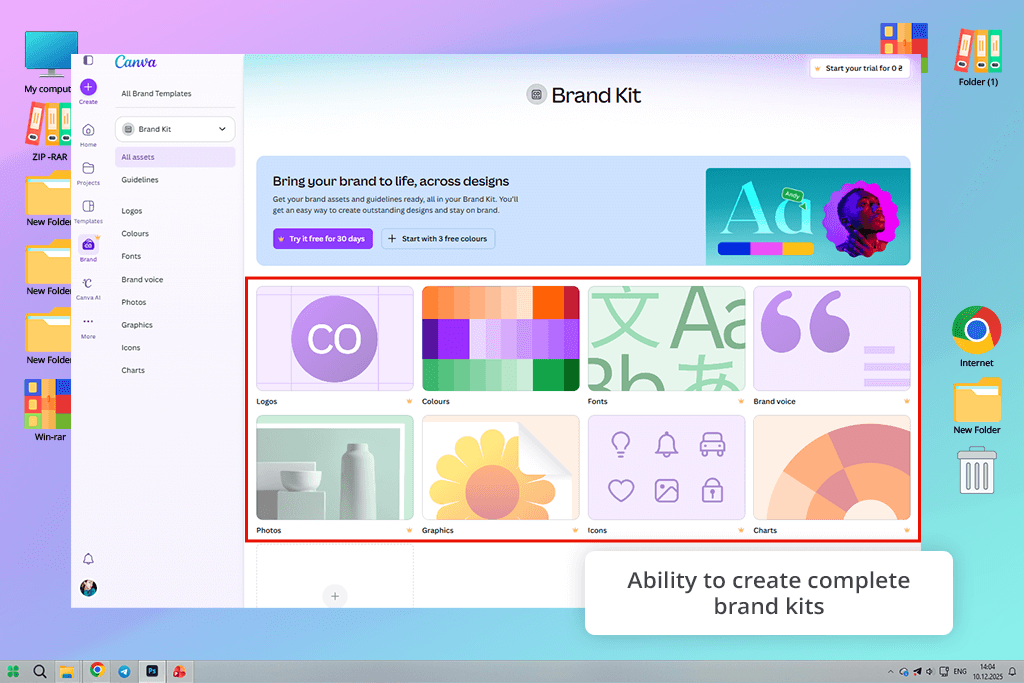
When it comes to branding, Canva offers brand kits that store your go-to fonts, color palettes, and logos in one place. So, it is easy to keep everything consistent. You can also set up reusable templates for social posts, business cards, and promotional materials, meaning you don’t need to redesign layouts every single time.
Plus, its AI features, including image generation and Magic Write, can help you come up with visuals and text that fit your brand’s vibe.
Strengths:
Weaknesses:

Kittl is made with vector design and high-end print or branding projects in mind. It gives you the tools to create logos, posters, and custom artwork that stay sharp and clear at any size. You get detailed control over layers, shapes, and typography, which makes it perfect for more intricate branding tasks.
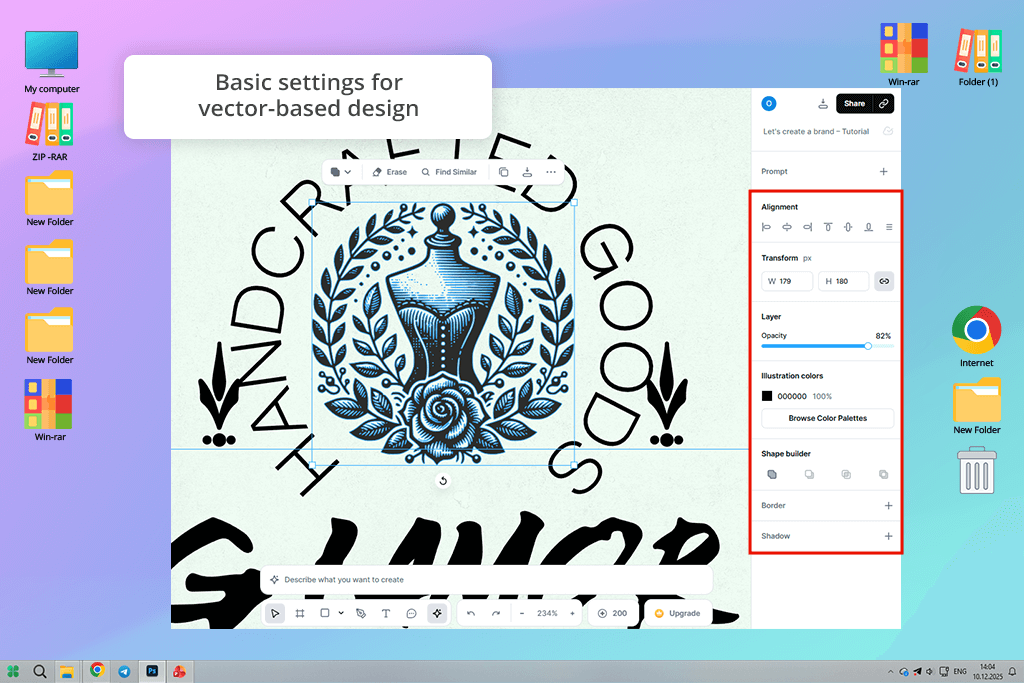
In terms of branding, this free graphic design software excels at creating tailored logos, promotional posters, and vector-based visuals. You can blend original templates with polished text effects and outlines to establish a unified, memorable brand presence.
You can also take advantage of AI suggestions for layouts, color palettes, and typeface combinations that align with your vision. With Kittl, it is simple to achieve high-quality designs without any professional background.
Strengths:
Weaknesses:

Canva’s AI quietly works behind the scenes, serving up smart recommendations, handling the tedious tasks automatically, and delivering print-ready visuals in just a few clicks. It’s the go-to companion for social media creators, marketers, and small business owners who’d rather spend time growing their vision than wrestling with complicated tools.
Its AI tools for designers are baked right into the editor, which means zero technical headaches and nothing standing between you and a great-looking design.
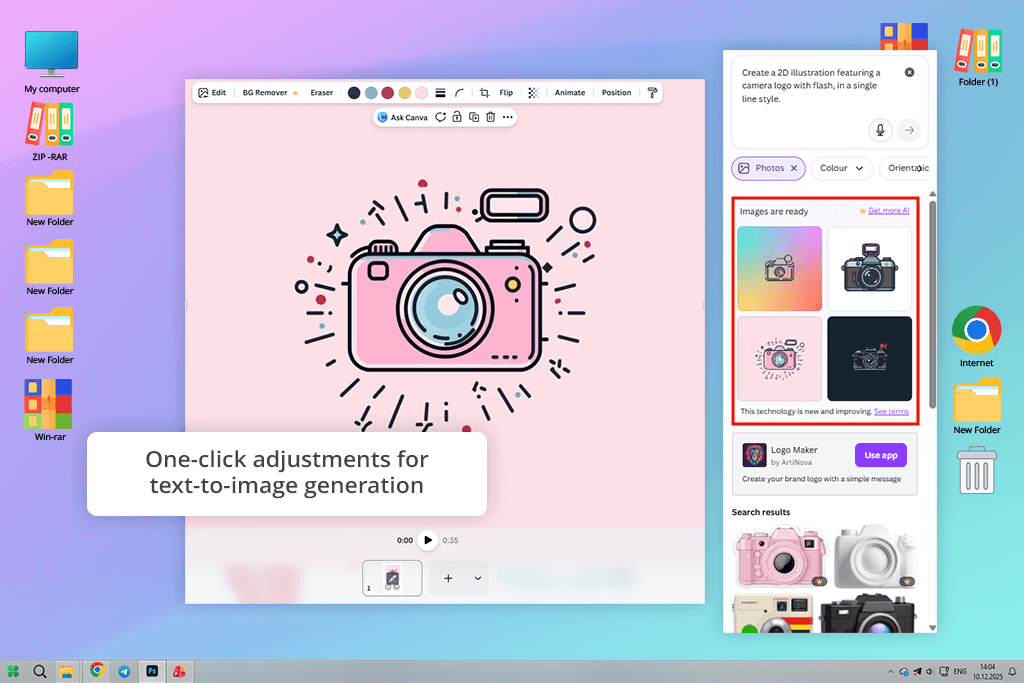
Text-to-image & style-based generation. With Canva, turning words into visuals is as simple as describing what you have in mind. Just type your idea, choose a style and mood that fits, and pick the right size. You can get an Instagram post, a presentation slide, or a polished ad in no time.
You won’t get pixel-level control over every detail, but you can enjoy fast, good-looking results that slot perfectly into your design without any extra fuss. Canva delivers eye-catching backgrounds, decorative touches, and quick concept visuals without breaking your creative flow.
Magic design & automated layout creation. Ever stared at a blank canvas with no idea where to start? Magic Design fixes that instantly. Feed it a few words, drop in some images, or hand it your brand colors, and it builds you a complete, ready-to-use design from scratch. You don’t need to adjust margins, grids, or fonts manually.
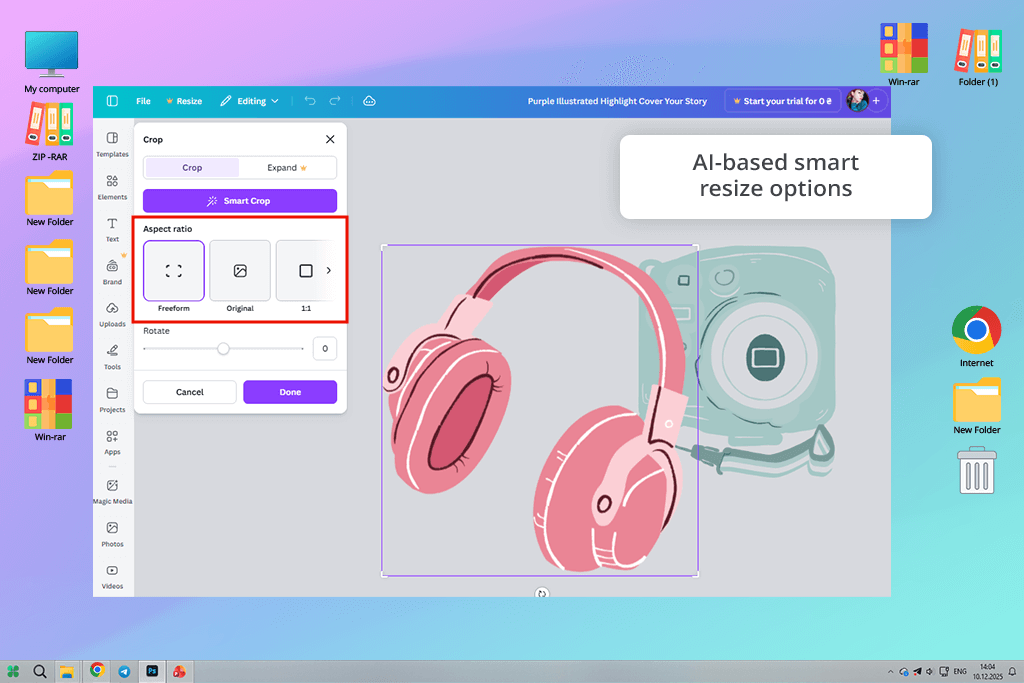
Smart resize, background removal & one-click enhancements. Why rebuild the same design over and over when Canva’s AI can do it for you? Magic Resize takes your finished work and instantly reshapes it to fit any platform without you lifting a finger.
And when it comes to cleaning up photos, Canva offers the AI background remover, which zaps unwanted backgrounds in one click, leaving your subject crisp and isolated. Whether you’re showcasing a product or editing a portrait, you need to make just a single tap.
AI-assisted text & content tools. Great visuals deserve equally great words, and Canva’s AI makes sure you’re never stuck searching for the right ones. Need a punchy headline? A caption that actually stops the scroll? A quick line of marketing copy that hits the right note? Canva reads the room, picks up on the tone of your design, and serves up text suggestions that genuinely fit.
Collaboration & brand consistency automation. Keeping a brand consistent across a whole team can be challenging, but Canva’s AI takes that headache off your plate. Hook it up to your Brand Kit, and it automatically pulls in the right fonts, colors, and design elements every single time. Everyone on your team can design in real time, drop comments, and build visuals together.
“I frequently use the Magic Write feature in Canva Docs. It works perfectly, no matter whether I need a catchy caption for my Instagram post or Facebook post.”

Kittl’s AI isn’t built for speed. Rather than churning out templates on autopilot, it’s made for creators who genuinely care about how letters look, how a logo feels, and how a brand tells its story visually. The AI steps in as a creative partner, helping you explore ideas faster, while you stay firmly in the driver’s seat when it matters most.
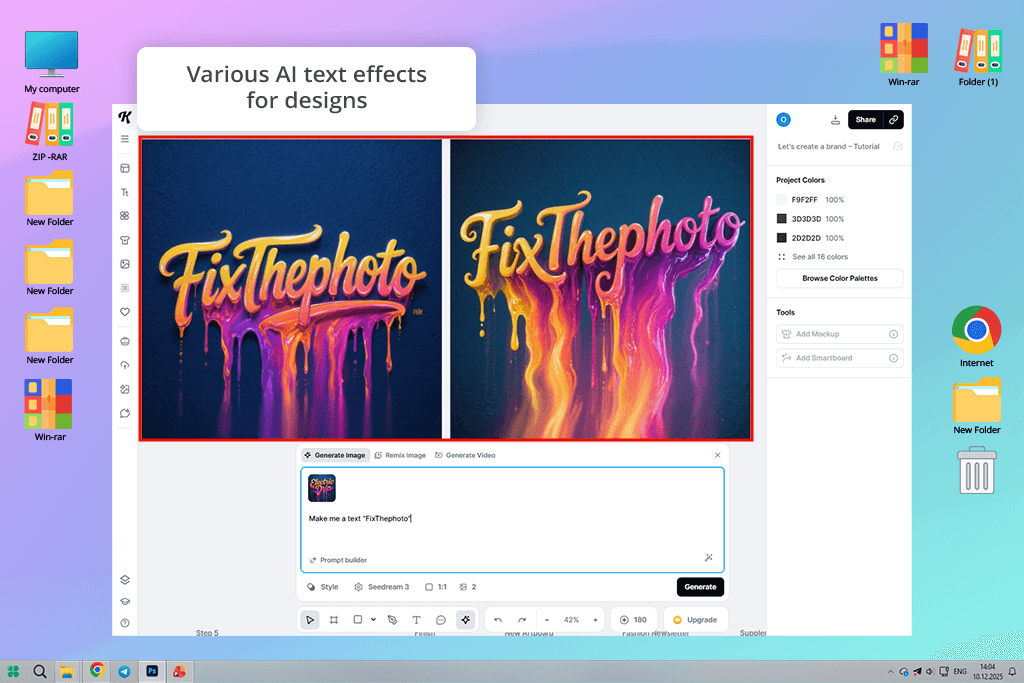
AI text effects & typography generation. Comparing Canva versus Kittl, I was impressed with what the latter can do with typography. Its free AI text effect generator let you transform plain words into something worth staring at, like deep engravings, raised emboss effects, moody shadows, gritty distortions, and vintage textures.
One click gets you there, but you’re never locked in. Every effect stays fully editable, so you can push the curves, tighten the spacing, adjust the depth, and tweak the outlines until it looks exactly the way you imagined.
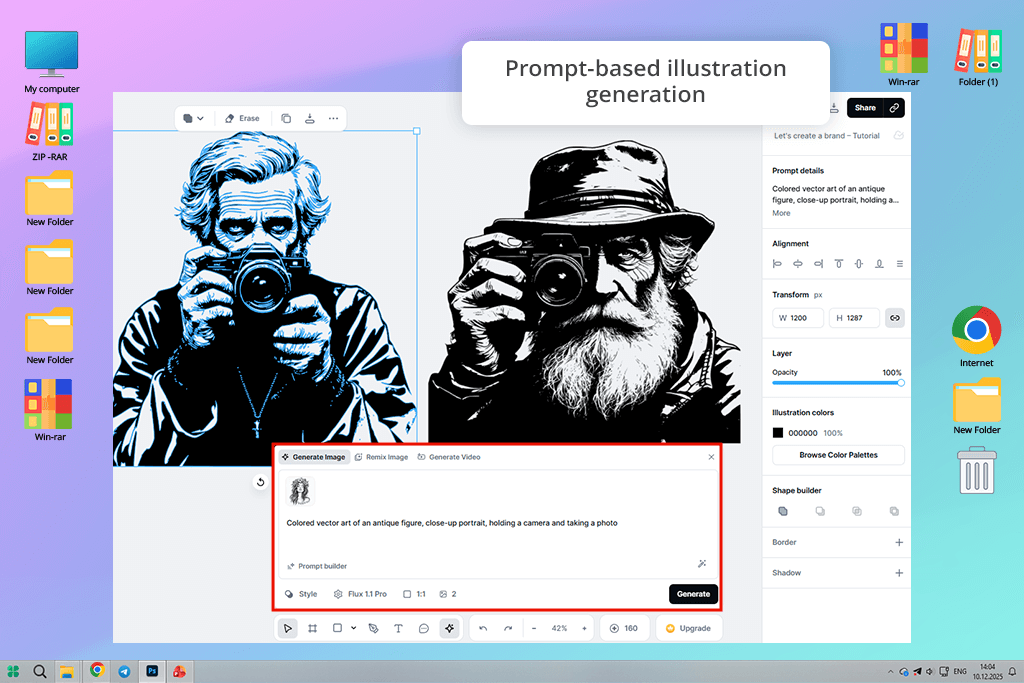
Prompt-based illustration & graphic generation. Just describe what you want, and the AI gets to work generating decorative graphics, badges, and ornamental details that look like they were made by hand. These visuals aren’t meant to steal the spotlight. They’re built to sit beautifully around your text, supporting it rather than competing with it.
Style presets & brand-driven customization. Kittl ditches the one-size-fits-all template approach and gives you style presets that bend to your vision. Once you pick an aesthetic direction, whether that’s worn-in retro, clean minimal, or punchy bold, the AI gets to work suggesting font pairings, effects, and layouts that fit the mood.
Vector-friendly AI workflow. Most AI-generated elements are optimized for vector output, which means your designs stay razor-sharp whether they’re printed on a business card or blown up across a billboard. The tool handles the heavy work of layout and styling, but you keep full control over every path, shape, and curve underneath.
Creative control & iteration tools. Instead of handing you one result and calling it done, Kittl lets you spin up multiple variations of text effects and compositions in seconds, lay them side by side, and decide what is actually working. From there, the fine-tuning is all yours. Adjust, refine, and push the details until it clicks.
“Kittl’s AI style suggestions are always accurate. I was designing a flyer, specified the theme, and received proper layouts, colors, and text effects.”

Templates were the first thing I looked at when I put Canva vs Kittl features head-to-head, and for good reason. Running a small brand on my own means I rarely have the luxury of building every design from the ground up.
That’s where Canva caught my attention right away. The sheer number of templates it offers is almost overwhelming in the best way possible. The surprising part is that even without spending a dime, I could tap into a huge collection of layouts, including those for social media graphics, presentations, flyers, product promos, and basic print materials.
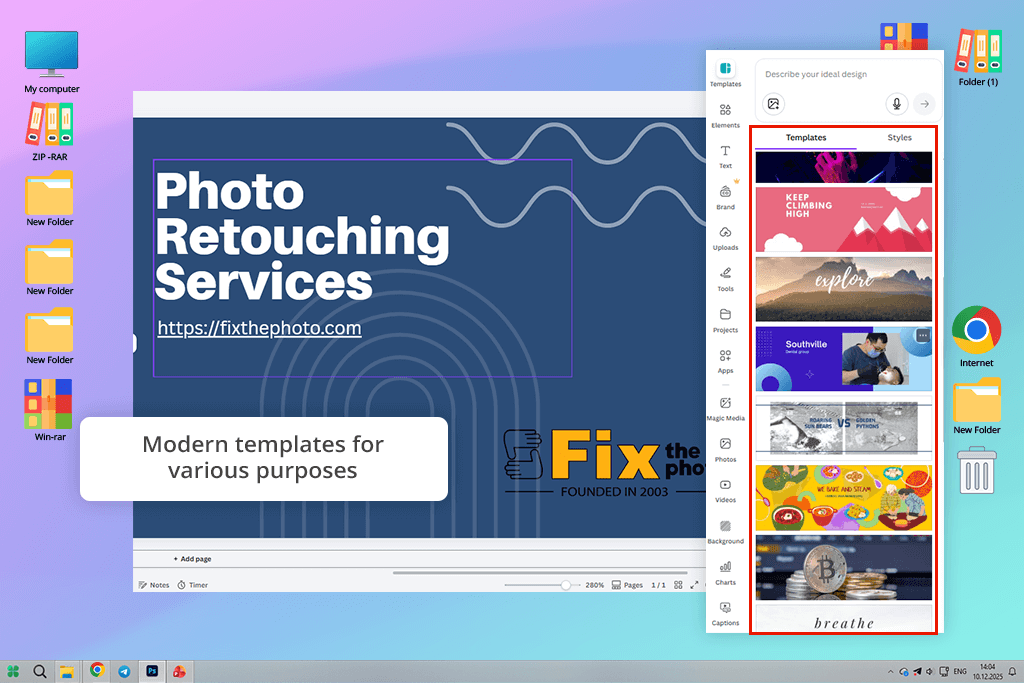
I liked that I could track down exactly what I needed. I’d type something like “product launch Instagram” or “minimal brand banner” into the search bar, and within seconds got a variety of spot-on options. Moreover, Canva lets you narrow things down by style, theme, format, animation, and even color palette, so you can keep everything looking consistent.
Canva’s templates aren’t just pretty to look at. They’re suitable for everyday use, be it marketing campaigns, ecommerce, education, events, or social media. Whenever I was in a crunch and needed something done fast, I picked a template, dropped in my text and images, and was ready to go in just a few minutes.
Canva’s templates are a perfect fit when speed and consistency take priority over building something totally from scratch. Without much effort, I was walking away with sharp, polished designs every single time.
Strengths:
Weaknesses:
Kittl’s method of managing templates is different compared to Canva’s. The library is noticeably smaller, but the real priority here is style, typography, and a strong artistic direction. Rather than endlessly scrolling through layouts for every scenario, you’re picking from hand-selected designs built around distinct visual identities.
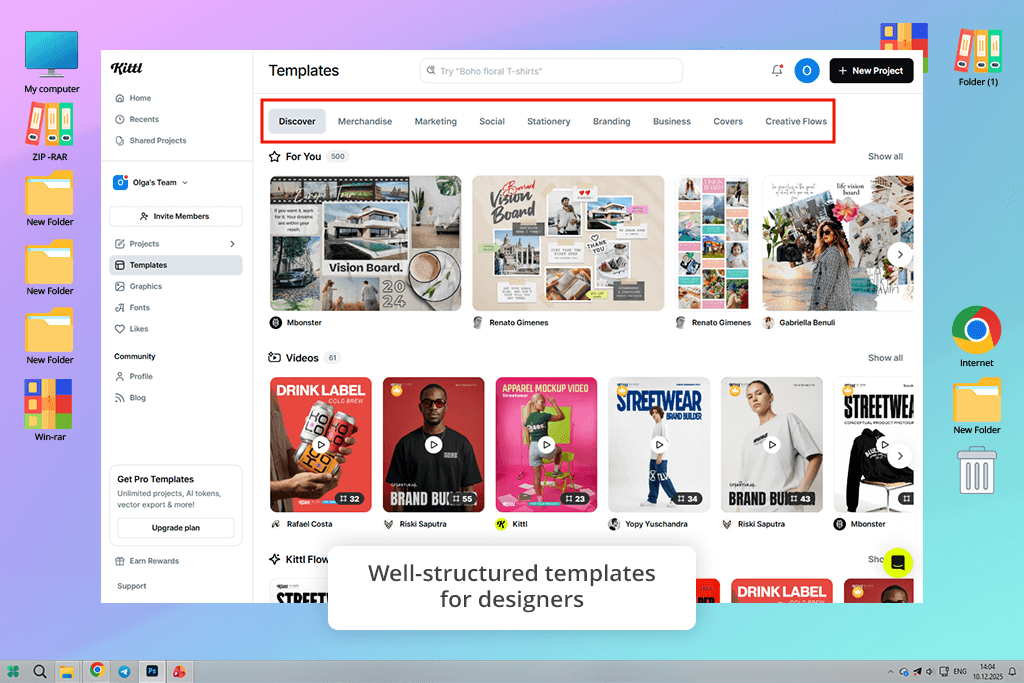
The templates are sorted by artistic vibes and moods, not by business type or social platform. There are vintage, psychedelic, minimal, bold, handcrafted, and many other options. For branding work, this clicked instantly. Designing a logo concept, label artwork, or a standout headline visual is grounded and intentional.
Kittl’s templates proved their worth most when designs needed real personality and visual punch. I put them to work across logo explorations, poster-style compositions, and product label concepts where typography was the whole story. Where Canva hands you something practically ready to publish, Kittl hands you a creative foundation and encourages to apply tweaks.
On the quality front, Kittl’s template library amazes users. These templates are a natural fit for brand-conscious graphic designers who treat visual identity as a priority. Throughout my project, Kittl became my go-to the moment when the visual needed to truly stand out and turn heads, rather than simply fill a spot in the content calendar.
Strengths:
Weaknesses:
Creating brand visuals in Canva, I noticed the typography set is clearly made with speed and ease in mind. With over 3,000 built-in fonts at your fingertips, jumping between styles for social media graphics, landing page headlines, and promotional banners takes almost no effort at all. The possibility of uploading your own custom fonts means your brand identity stays consistent.
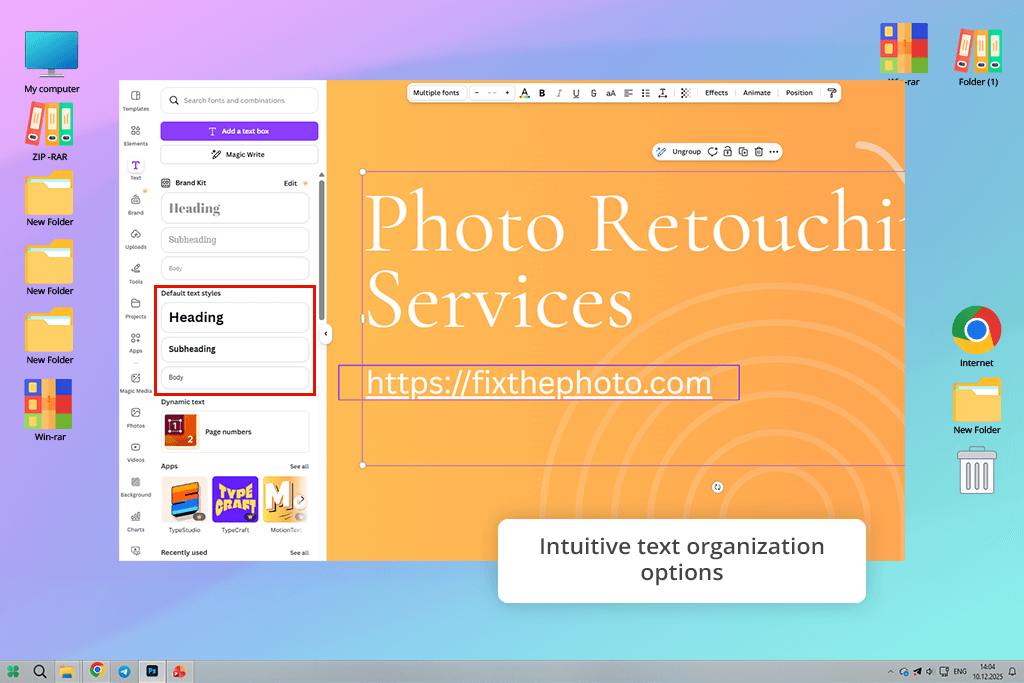
Text editor in Canva is simple and easy to pick up, even if you’re just starting out. You can tweak spacing, alignment, line height, and letter spacing without having to wade through complicated menus.
The text effects panel gives you roughly a dozen built-in styles to choose from, like shadow, outline, hollow, lift, and curve. Every effect comes with basic sliders you can adjust, so achieving a clean, professional look doesn’t take much time or effort.
Still, limitations with typography became hard to ignore once I started experimenting beyond simple layouts. The tool only lets you apply a single text effect at a time, which puts a hard stop on creative exploration.
The platform tries to bridge this gap with its TypeCraft app, which unlocks more elaborate text transformations. The catch is that it runs outside the main canvas and forces you to manually update your text every time something changes, which throws off your rhythm. You should prefer this tool in the Canva vs Kittl battle when you need fast, neat designs, without much creative control.
Strengths:
Weaknesses:
When it comes to typography, Kittl appears to be a platform made for design-driven creators. While its built-in font collection is on the smaller side (roughly 700 choices), this typography app makes up for it with flexible and dynamic text effects. The moment I began working on logos and labels, it was plain to see that Kittl was purpose-built with creative, expressive typography at heart.
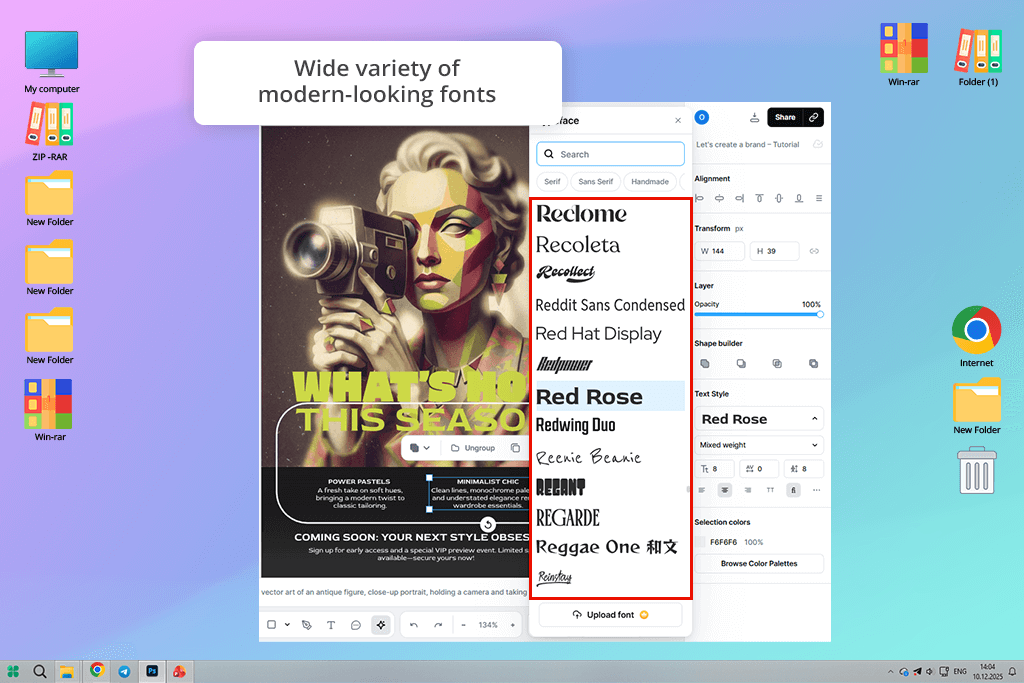
Kittl breaks its text effects down into three main groups: transformation, shading, and decoration. What sets it apart from Canva is the freedom to mix and match these effects however you like. I was able to curve text along a custom path, stack layered shadows, and throw in decorative outlines on a single piece of text.
Kittl’s text transformation tool deserves special attention. It comes with anchor points and adjustable handles that give you precise control over how your text curves and moves. Shaping text into smooth arcs, waves, or even more intricate forms is surprisingly natural, even if you don’t have a deep design background.
Though there are fewer fonts in the library, Kittl genuinely invites you to experiment and explore them all. When it came to branding work, logo concepts, and bold headline designs, it offered me far greater creative flexibility than Canva could match. All in all, Kittl puts a serious emphasis on typography.
Strengths:
Weaknesses:
Canva is great for people who want results fast. The moment you upload a photo or grab one from its stock library, you can start tweaking brightness, contrast, saturation, and sharpness right away. This is all you need most of the time for putting together quick marketing graphics.
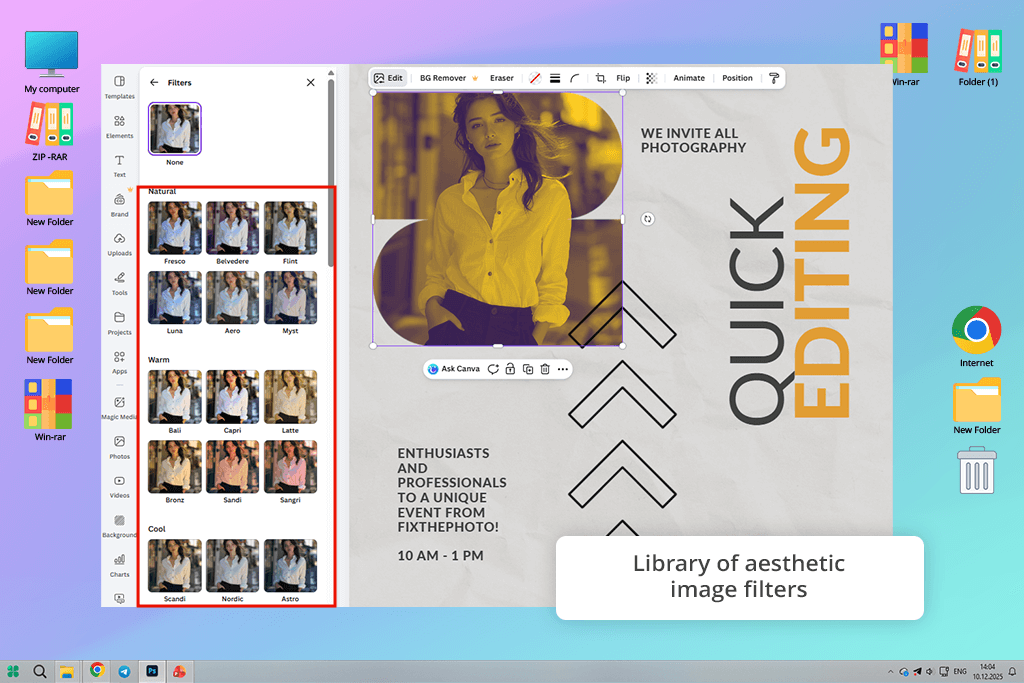
Moreover, Canva offers an extensive filter collection. With over 40 options, including vintage vibes, clean black-and-white, fresh natural tones, and bold color pop, you can completely change the feel of an image in just a couple of clicks. What makes it even better is the intensity slider, which lets you dial each filter up or down to get exactly the look you want.
This filter app also packs in some smart tools. The AI background removal available in a paid version, did a solid job on product photos, while auto-focus and face retouch made it easy to clean up portraits.
But the real standout for me was the Copy Style tool. Being able to take one set of edits and instantly apply them across multiple images is very helpful when you’re trying to keep everything looking cohesive throughout a whole campaign.
Canva’s editing tools are clearly built with everyday users in mind. You don’t need to know what blend modes are, wrestle with layers, or spend hours learning complicated techniques. Everything just makes sense from the start.
Strengths:
Weaknesses:
Kittl takes a different route when it comes to photo editing. It covers the basics like photo tweaks and AI-powered background removal, but you won’t find one-click preset filters that Canva users love. It looked like a drawback at first. But the more you use it, the more you realize that Kittl is built for people who want to be in the driver’s seat, not just pick from a menu.
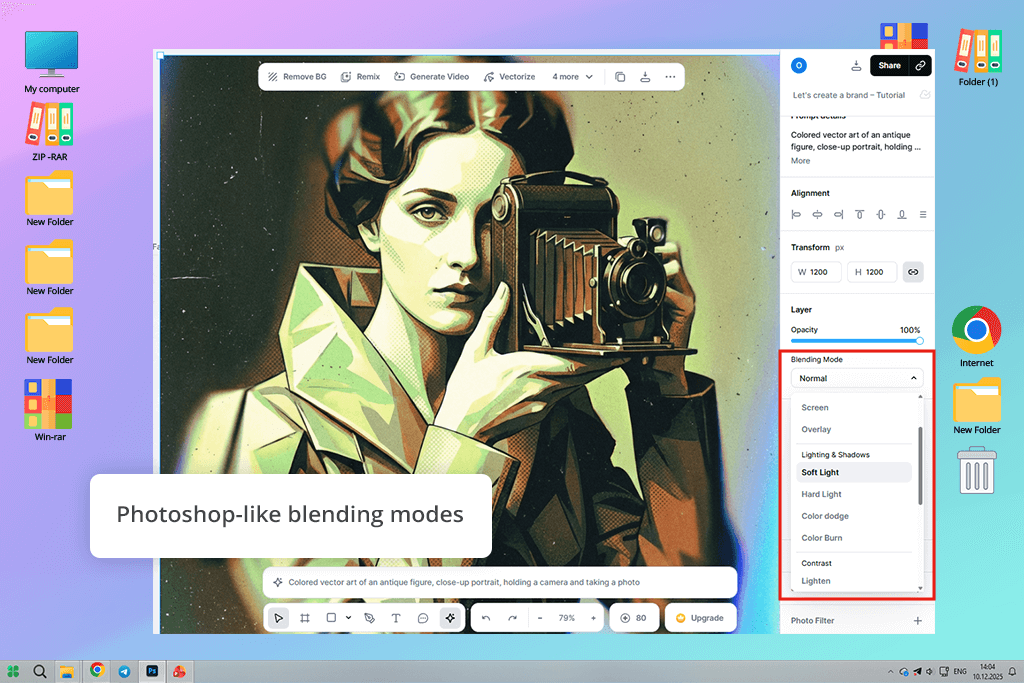
It surpasses its competitor in the Kittl vs Canva stand-off when it comes to blend modes and clipping masks. They let you decide how different image layers play off each other, whether that’s mixing colors, layering textures, or adding visual depth to a composition. I used them constantly to weave photos into graphic layouts and build a textured look that Canva just couldn’t replicate.
Clipping masks push things even further, letting you lock images or textures inside shapes or text. This is crucial for branding work. Filling bold typography with patterns or textures while keeping clean, sharp edges? That’s the kind of detail that makes a design look polished and intentional. Together, these tools meant I could build complex, layered visuals entirely within the platform.
Kittl’s photo editing tools aren’t the kind you master in five minutes. A little patience and experimentation go a long way here. Where Canva is built for speed and simplicity, Kittl is designed for those who want to dig deeper, shaping exactly how images look, feel, and interact within a composition. For designers who value control over convenience, it’s absolutely worth it.
Strengths:
Weaknesses:
Canva is unmatched when it comes to creating social media content fast and in bulk. Pick your format be it Instagram posts, Stories, Reels covers, YouTube thumbnails, or TikTok videos, and everything snaps into place, already sized and ready to go. No guessing about aspect ratios or worrying whether your text will get cut off.
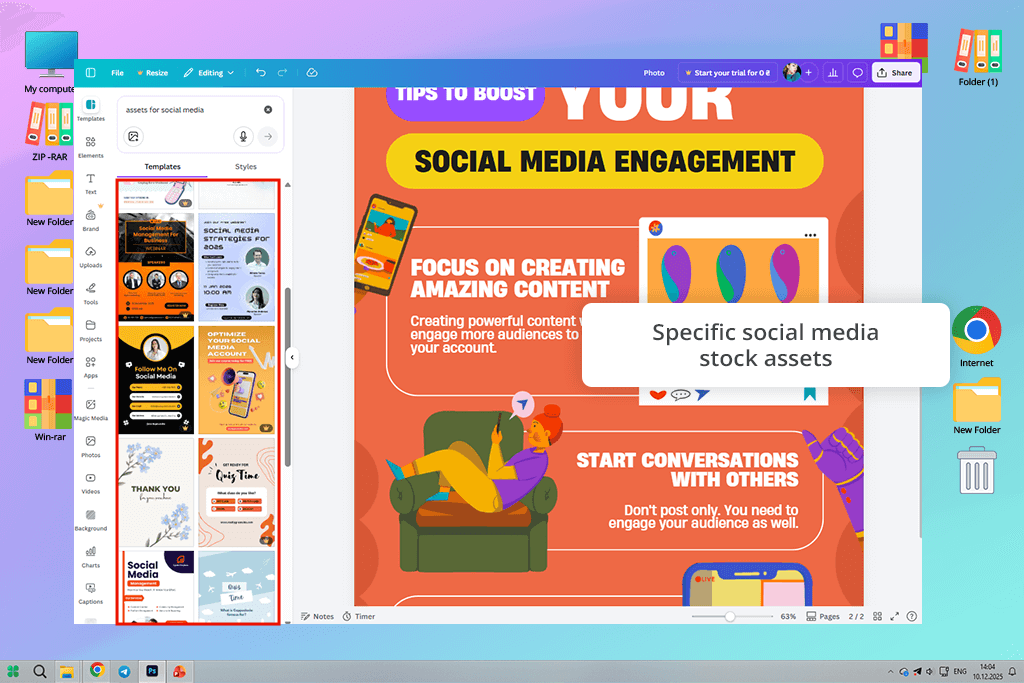
If you’re making content for social media for photographers, Canva’s stock library is worth checking out. There are 141 million+ assets on paid plans, including photos, videos, animations, icons, background music, you name it.
Even if you stick to the free plan, you’re still sitting on a collection of 4.7 million+ assets, which is more than enough to put together something that looks professional. The best part is that you never have to leave the editor to hunt down outside resources. An entire Instagram carousel, a story sequence, or a Reel cover is available in one place.
Canva is equally strong with animation. From smooth transitions and text effects to animated stickers and lightweight video tools, everything you need to create scroll-stopping content is already built in. I leaned into short looping clips and gentle motion on text to give promo posts a platform-native feel. Exporting for Instagram and TikTok was seamless.
What really sets Canva apart in the Canva vs Kittl design tools comparison is how effortlessly it handles brand consistency. The Brand Kit contains logos, colors, fonts, and reusable graphics ready to go whenever you need them.
Strengths:
Weaknesses:
Social media design with Kittl is a slower and more thoughtful experience. It gives you more room to be creative. It doesn’t flood you with pre-built social media templates the way some tools do, but it still covers the basics like Instagram post and story dimensions. The real focus here isn’t on agile workflow. It lets you build a look that is purely yours, largely through strong typographic choices.
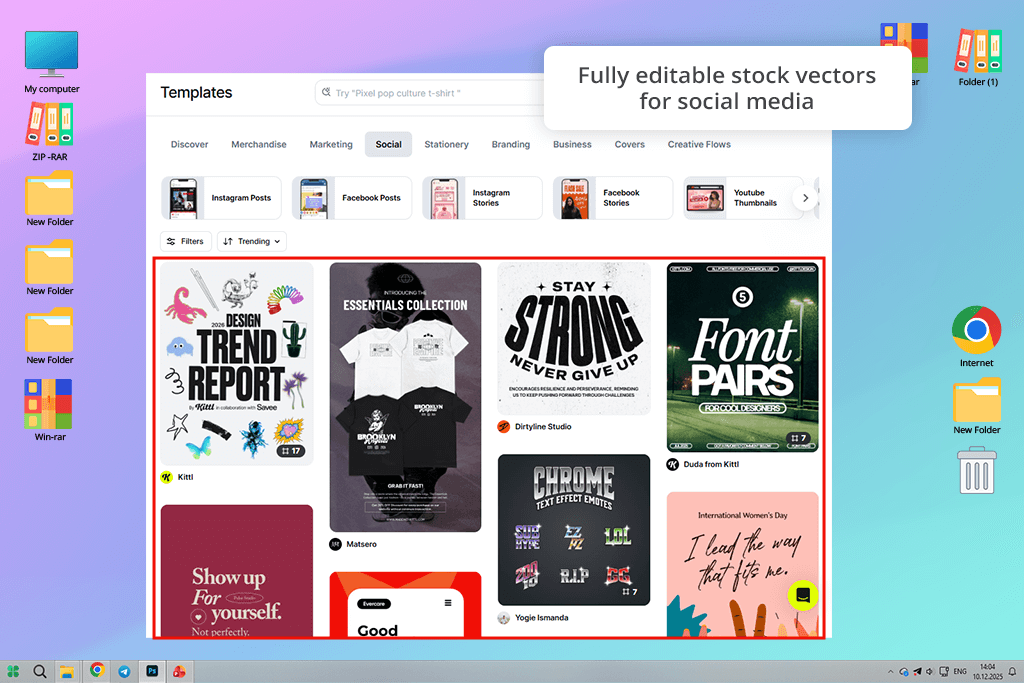
This stock photography site won’t overwhelm you with quantity, but it holds its own – around 100 million assets total, including over 40,000 vector illustrations, 4,000+ shapes and ornaments, and more than 6,000 texture images.
I liked the character of those illustrations. A lot of them carry a handmade, vintage, or artistic quality that you just don’t find in generic design tools. If your brand is going for something bold, nostalgic, or visually striking, these assets feel tailor-made for that direction.
If there’s one thing Kittl genuinely excels at, it’s designs where text takes center stage. I used it to put together Instagram quote posts, announcement graphics, and promo banners built around typography as the hero element. With text transformations, shading effects, blend modes, and clipping masks, the end results look like custom artwork.
Kittl isn’t the right fit if you’re pushing out content at high volume or need animations, video clips, or background music. None of that is built in, and the overall process is more hands-on than automated. But for brands that would rather post less and make every piece count, Kittl comes out on top in the Canva vs Kittl comparison.
Strengths:
Weaknesses:
Working with a team and deciding Canva or Kittl? Canva makes the process surprisingly convenient. Bringing collaborators on board takes seconds – just share a link and choose whether they can view, comment, or edit.
The real-time editing is impressive. Multiple people can work on the same design at once, with live cursors showing exactly who’s doing what. When building social graphics and landing page visuals, this cut feedback cycles dramatically. The possibility to leave comments directly on specific elements is incredibly helpful.
Keeping your brand consistent across a team is usually a headache. Canva’s brand kits make it much less so. Colors, fonts, logos, and other assets sit in one shared place, so everyone’s working from the same playbook. For solo brand managers who occasionally bring in freelancers or outside collaborators, this is wonderful online collaboration software.
Strengths:
Weaknesses:
Kittl treats collaboration differently, and that’s not a bad thing. Sharing designs is straightforward via link, with options for viewing or commenting that work well for client reviews or gathering team feedback.
Where it differs from Canva is the pace. Kittl leans toward async collaboration – one designer drives the work, others weigh in. For detail-heavy projects like logos or typography-focused pieces, that structure actually makes more sense. Too many people editing at once can do more harm than good.
It may lack Canva’s real-time depth, but for focused, design-led workflows, it doesn’t really need to. Kittl lets you organize everything through shared workspaces where brand assets and design files live in one place. It doesn’t have Canva’s advanced brand kit controls yet, but its clean project structure makes juggling multiple design directions or iterations surprisingly manageable.
Strengths:
Weaknesses:
| Plan | Monthly | Annual | Key features | |
|---|---|---|---|---|

|
Free
|
$0
|
$0
|
Access to basic templates, limited stock assets, basic text & image tools, cloud collaboration, free AI tools
|
|
|
Pro (Monthly)
|
$14.99/mo
|
~$179.88/yr
|
Unlimited premium templates & stock, Brand Kit, Magic Resize, advanced AI tools (Magic Design, Text-to-Image, Magic Write), background remover, high-res export
|
|
|
Pro (Annual)
|
~$9.99/mo
|
~$119.99/yr
|
Same as Pro but ~30% cheaper with annual billing
|
|
|
Team/business
|
~$30+/mo per team
|
Varies by seats
|
All Pro features + team collaboration controls, shared Brand Kit, admin roles, priority support
|
|
|
Education/non-profit
|
Discounted
|
Discounted
|
Nearly full Pro access at a reduced rate (available with qualification)
|
When comparing Canva vs Kittl pricing, keep in mind this data:
| Plan | Monthly | Annual | Key features | |
|---|---|---|---|---|
|
|
Free
|
$0
|
$0
|
Access to limited templates, basic fonts, basic exports, simple text & image editing
|
|
|
Starter/personal
|
~$9–$12/mo
|
~$108–$144/yr
|
Access to premium templates, AI text & logo tools, high-resolution exports, advanced text effects
|
|
|
Premium
|
~$13–$15/mo
|
~$156–$180/yr
|
More curated templates, advanced typography & shading effects, blend modes, clipping masks
|
|
|
Annual premium
|
~$10–$12/mo
|
~$120–$144/yr
|
Same as Premium with savings for yearly billing
|
|
|
Team /studio
|
Custom
|
Custom
|
Shared project folders, team licenses, priority support, larger asset libraries
|
When picking between Canva vs Kittl for beginners with limited funds, consider the following:
Canva wins when:
Kittl wins when:



![11 Best AI Brochure Makers [Free Tools]](http://fixthephoto.com/blog/images/gallery/news_main__preview_28906.jpg)
![The Best Lecture Recording App for Students [Tested & Ranked]](http://fixthephoto.com/blog/images/gallery/news_main__preview_28904.jpg)


![9 Best Runway Alternatives [{{%year}} FixThePhoto Choice]](http://fixthephoto.com/blog/images/gallery/news_main__preview_28896.jpg)



















