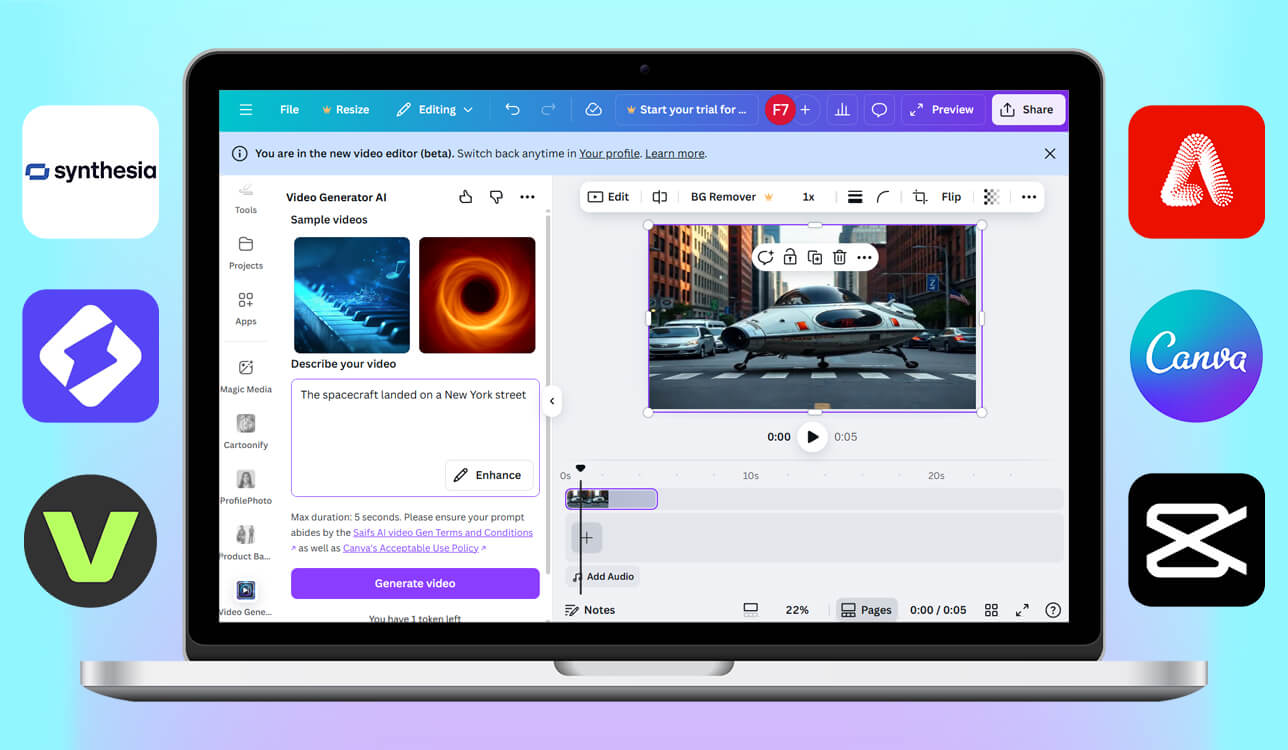
You've probably heard about Runway. It's become a popular tool in the AI video world because it's easy to use, removes backgrounds instantly, and can generate videos from text. However, the developer recently made their best features rather expensive with tighter usage limits on Gen-2 and advanced inpainting. That’s why many users are hunting for more budget-friendly Runway AI alternatives that can still produce quality results. Plus, some people dislike the whole cloud-based setup. This become a serious problem when dealing with spotty internet or not having much storage space.
When looking for good Runway alternatives, I wanted to find tools that could handle everything Runway does. I needed programs with AI-powered video creation tools, motion tracking, object removal, and artistic style transfers. But I also wanted options with more flexible pricing and maybe the possibility to work offline. To keep things fair and not just base everything on my own experience, I asked several people from the FixThePhoto team to join me. Everyone tested these platforms using their actual creative work, then shared honest feedback about how fast they were, how good the final videos looked, and how user-friendly the whole experience was.
There are lots of powerful AI video tools coming out lately. When choosing a program for you, it is necessary to concentrate on your style and the must-have features you value most of all. Each alternative to Runway has its own special features and advantages, so the right choice for you depends on your workflow, what your creative goals are, and whether you prefer to have control over the process or rely on automation.
For anyone who's primarily focused on marketing or business videos, Synthesia is the top Runway AI alternative in terms of time savings. It works perfectly for training content, explainers, and promotional videos where you need consistency across the board, support for different languages, and sleek AI presenters. With this solution, you can create materials that communicate clearly and represent your brand in a professional way.
CapCut is the most practical option for social media creators and freelancers. It blends fast editing capabilities with current AI features while keeping everything straightforward and user-friendly. You can go from a basic idea to a ready-to-upload video in under an hour. That's a speed advantage Runway usually can't compete with.
For users with a design-heavy workflow, Canva or Adobe Firefly are probably the best matches. Canva copes well with making short-form video content and branding projects. Firefly integrates well with the rest of Adobe's products, which is important if you're already “living” in Photoshop or Premiere Pro.
If you're after a realistic, cinematic look, keep your eyes on Kling AI and Sora. Though they're still pretty new, they can create gorgeous, lifelike videos that look like actual film, unlike typical AI-generated stuff. In case you're more into short creative experiments or fun, playful effects, Pika or VEED are great choices. They'll let your creativity run wild without throwing technical obstacles in your way.
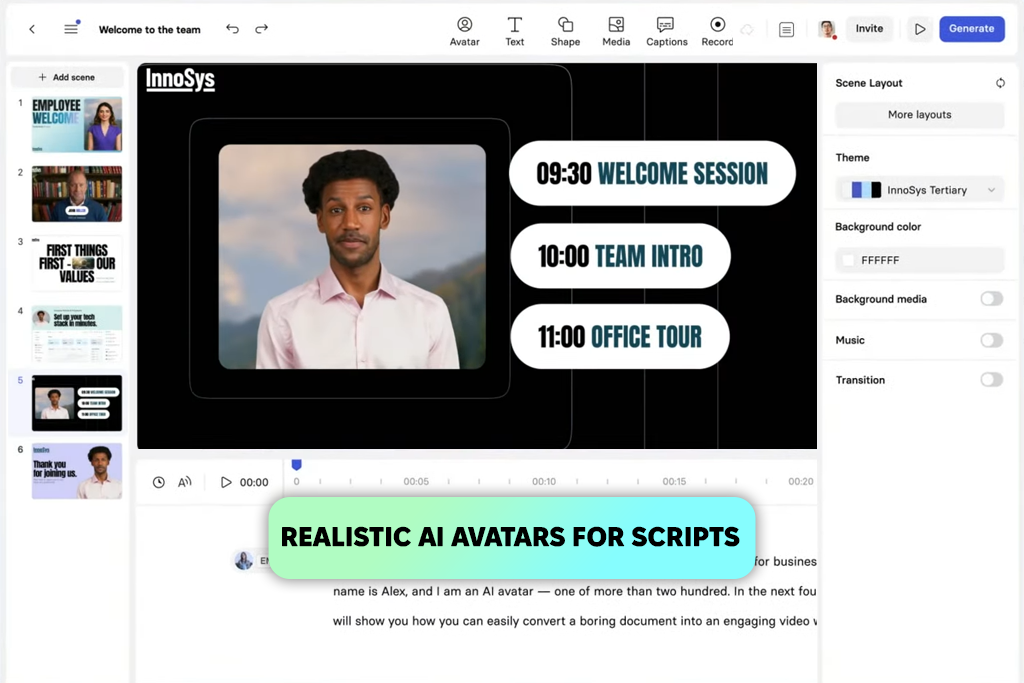
We liked Synthesia a lot. This program is built with marketing in mind, and it is very quick to use. I created a short tutorial video for one of our products. The whole process, including script writing, video generation, and exporting took under fifteen minutes. That's amazing compared to how long the same project would take in Runway.
The avatars look clean and professional, so you can use them in training materials or promotional stuff right away. Still, keep in mind that there is a slightly robotic vibe in longer videos, though.
Synthesia and Runway are very different tools. While Runway is focused on a cinematic, artistic vibe, Synthesia is devoted to a straightforward and professional workflow. This Runway AI art alternative is perfect when you need to create clear, corporate-style videos rather than an artistic masterpiece. My coworkers loved how Synthesia handled multiple languages. One person in our team made the same marketing video in three different languages with just a few clicks. However, if you like to tinker with every detail, you may think that this AI video generator is a bit limited. Runway gives you more editing control and customization options.
Best for: Creating marketing, training, and e-learning videos quickly with realistic talking avatars.
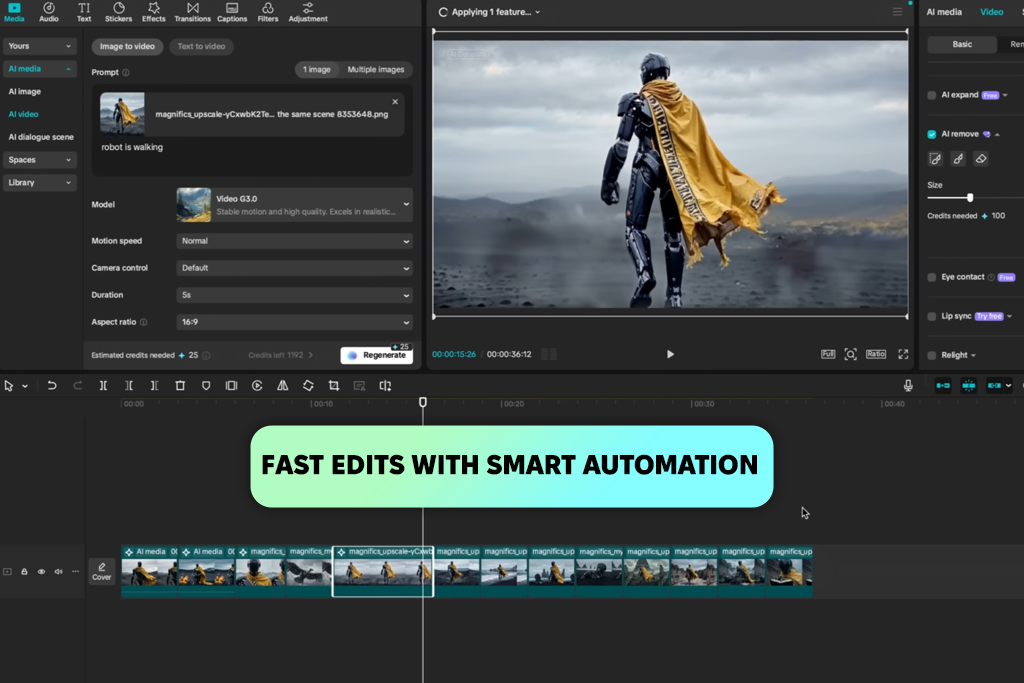
I've been relying on CapCut for years now. I discovered it when I needed to edit behind-the-scenes footage for our projects quickly. It's still my go-to whenever I'm putting together social media videos. Runway is amazing for generative AI effects, but CapCut provides a perfect mix of classic editing tools and cool AI features.
Here you can remove background, turn text into video, and apply automatic captions. Typically, I get my rough cuts from Runway, then jump into CapCut to polish everything up. It's just faster and easier to use. Besides, I can experiment with multiple effects.
The developers constantly add new features without making the program cluttered or confusing. The desktop and mobile versions work together seamlessly, and even the trickier processes, e.g., keyframe animation or motion tracking, are surprisingly straightforward.
Still, some professionals are wary about using it for paid work because of content ownership rules in the Terms of Service. But if you're a creator who prioritizes speed, flexibility, and creative control, CapCut is one of the best Runway AI alternatives out there.
Best for: Social media creators and editors who need fast, flexible video editing with a mix of classic and AI-powered tools.
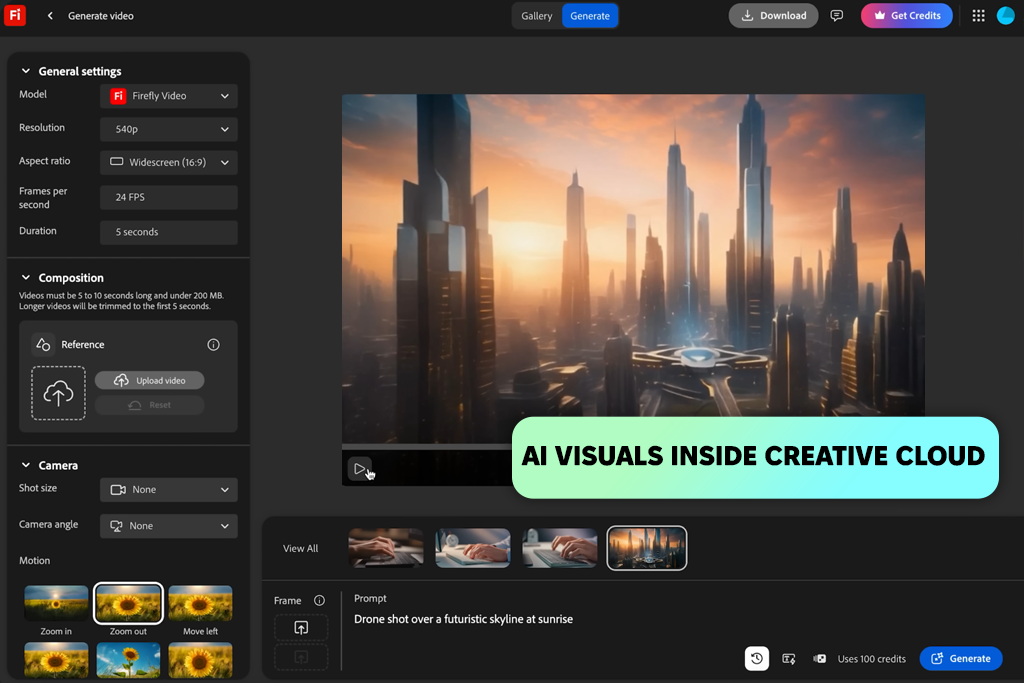
I've been using Adobe products forever. But this new Firefly video model really impressed me. It works perfectly with the rest of Creative Cloud, which is great for people already knee-deep in Photoshop and Premiere. I tested it out making some AI backgrounds for a client's promotional video. I was very happy with what came out. Everything looked quality and cohesive.
Comparing it to Runway AI, I'd say Firefly comes out ahead on image sharpness and color management. Runway still wins if your main focus is video editing or storytelling. But Firefly added Firefly Boards. Basically, you can mix and match assets and pull in AI models from different sources, including Runway. It's an important feature for anyone who wants to move between AI-generated content and professional editing without switching between a dozen different apps.
Best for: Adobe users who want integrated AI image generation and design tools.
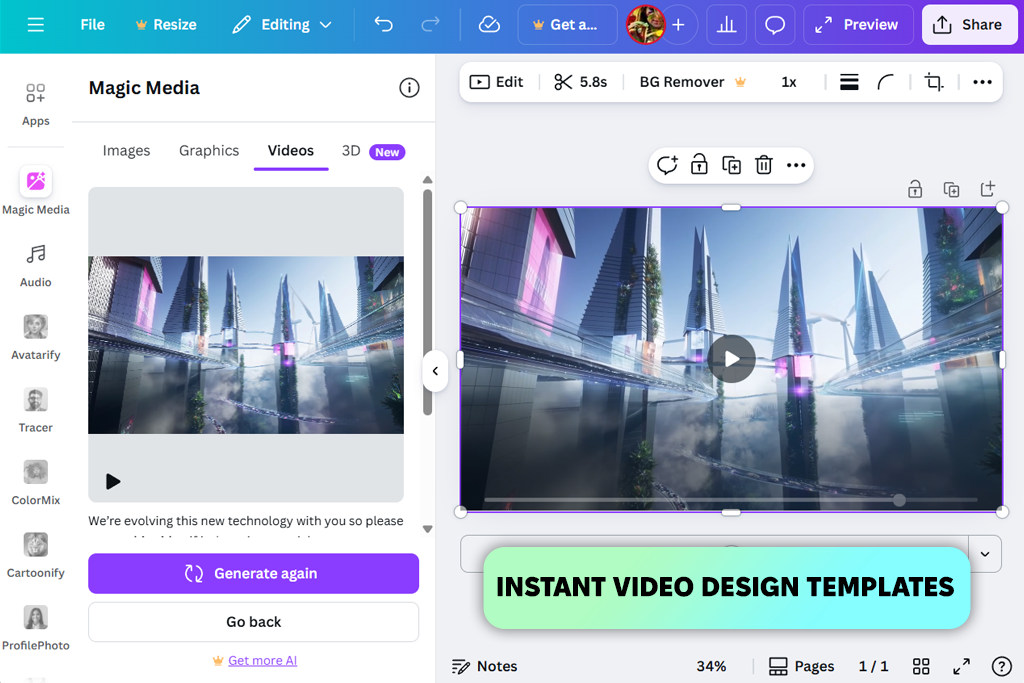
I've been a Canva user for ages, mostly for thumbnails, infographics, and similar materials. But I had no idea it could work as a decent Runway alternative until I tried it myself. I created a promo reel using just their templates, the AI background remover, and that text-to-video feature.
The whole process took approximately 20 minutes, and the result looked pretty professional. Sure, it's not going to replace Runway when it comes to AI options, but if you need to make something quality in a quick way, Canva will come in handy.
Canva sticks out from the crowd with its team features and a huge library of stock assets. Our design team was able to jump in and swap scenes, tweak fonts, and change up visuals all at the same time. The process is easier than in Runway.
Still, you can’t make the next Hollywood blockbuster with Canva. However, if you need to put together branded content or social videos, Canva gives you speed and simplicity that Runway trades away for advanced features.
Best for: Marketers, educators, and small teams who need fast, branded video or design creation.
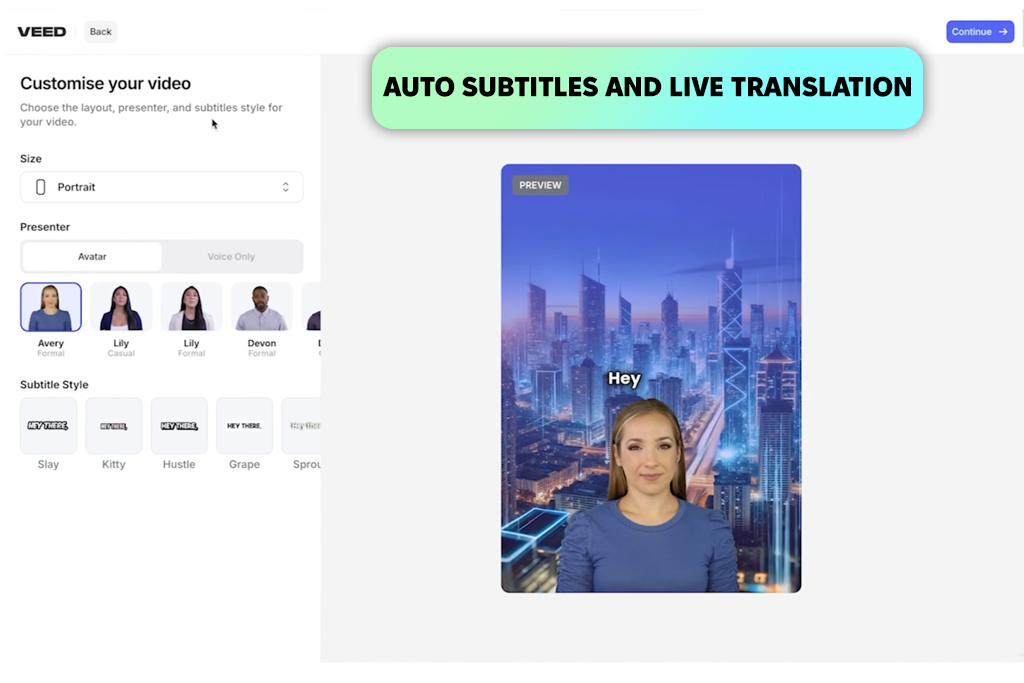
I have Ann to thank for introducing me to VEED. We were editing some short clips together and she brought it up. Turns out it's one of those tools that's just incredibly easy to start using. There's nothing to install, and you can get down to work straight away. I ended up using it to subtitle a product teaser. I liked the auto-caption feature a lot because it delivered very accurate results. I didn't expect that at all.
If you compare it to Runway photo editor, VEED is definitely a simpler option. But when all you need is to edit something quickly, add captions, and export the result, VEED can't be beaten. The subtitle translation tool alone is worth it if you're creating content in different languages. It saves so much time. Of course, you're not getting Runway's sophisticated AI features or deep creative control, but that's not really the point. VEED brags about convenience and ease of use.
Best for: Fast, subtitle-driven social media videos and quick browser-based edits.

I wasn't expecting Lumen5 to be this good at transforming lengthy articles into watchable videos. Just for fun, I imported one of my blog posts to this AI website, and it picked out images, transitions, and key text snippets within minutes. Still, don’t expect movie-quality like what you'd get from Runway's AI clips. Anyway, the result looked good enough, and I'd happily share it on our YouTube channel and social media.
I liked how the AI storyboarding system picked out the important sentences and matched them with the right footage automatically. Such tasks usually take me forever when I do them by hand in other editors.
Though Lumen5 is not trying to compete with Runway in terms of visual customization, it solves a different problem. It can quickly convert text into professional-looking videos without much work on your end. If Runway AI tool is great for creative experiments, then Lumen5 is your shortcut for transforming written content into video content fast.
Best for: Converting blog posts, scripts, or articles into short marketing videos.
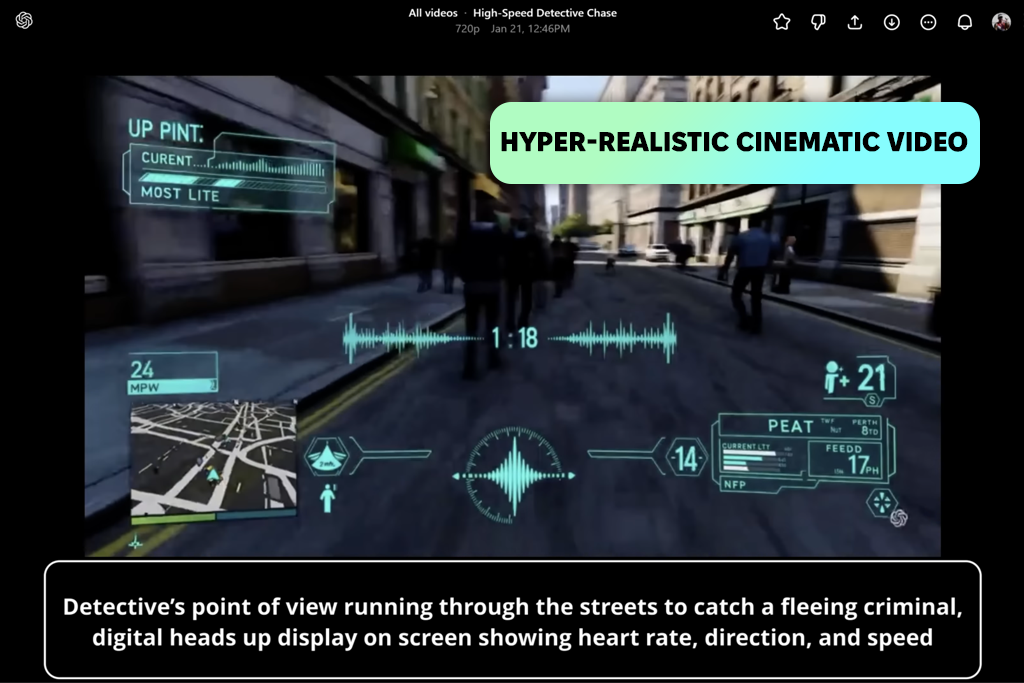
I couldn't pass up trying a new tool from such a prominent developer. The moment OpenAI released Sora, everyone in the video world started buzzing about it. The realism is incredible. The motion is natural, and the lighting stays spot-on. It's way beyond what I've experienced with Runway or similar Runway AI alternatives.
Sure, Runway wins when it comes to ease of use and flexible editing, but Sora pushes the boundaries on that cinematic feel and deeper storytelling. These videos genuinely look like they're straight out of a real movie, not generated by AI.
Technically speaking, this generative AI is seriously capable. It is possible to make minute-long videos with several characters, perform realistic camera work, and keep everything visually coherent.
Still, Sore is not open to everyone yet, and once it does launch, you'll need a paid ChatGPT plan to jump in early. But if Sora actually delivers on what those previews are showing us, it could totally reshape how we perceive AI-generated films.
Best for: Professional creators and studios aiming for hyper-realistic, story-driven AI videos.
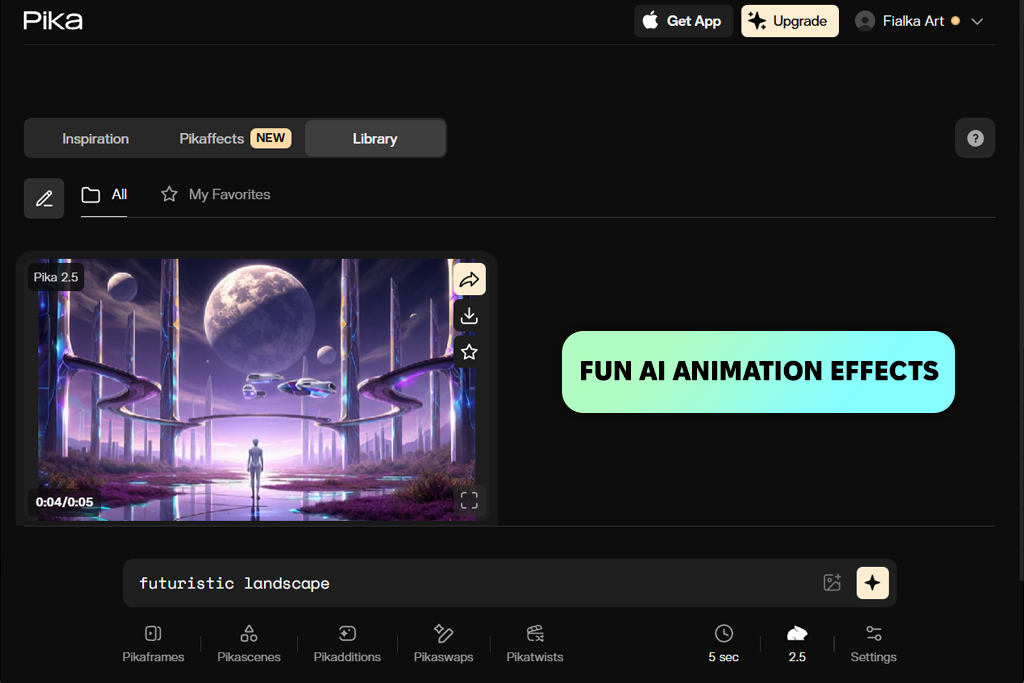
I discovered Pika by chance when I was googling different programs for my Runway research. It grabbed my attention right away. It's definitely one of the most playful tools I've gotten my hands on. The focus is on short cinematic clips about 10 seconds max in 1080p.
Plus, the fun effects are hard to resist. I uploaded some still images, and they became cool little animated clips within seconds. While it's not designed for heavy-duty professional storytelling, it works properly for social content or for experimenting with creative ideas.
I discovered that Pike is more straightforward than Runway. There are no advanced editing tools or text-to-video features. But such an approach makes it special. The animations have a spontaneous vibe, and the interface is beautifully simple.
I frequently see creators turning to Pika for snappy product teasers or cool TikTok transitions, then switching over to Runway when they need something more refined for storytelling projects.
Best for: Quick, playful AI animations and visual experiments.
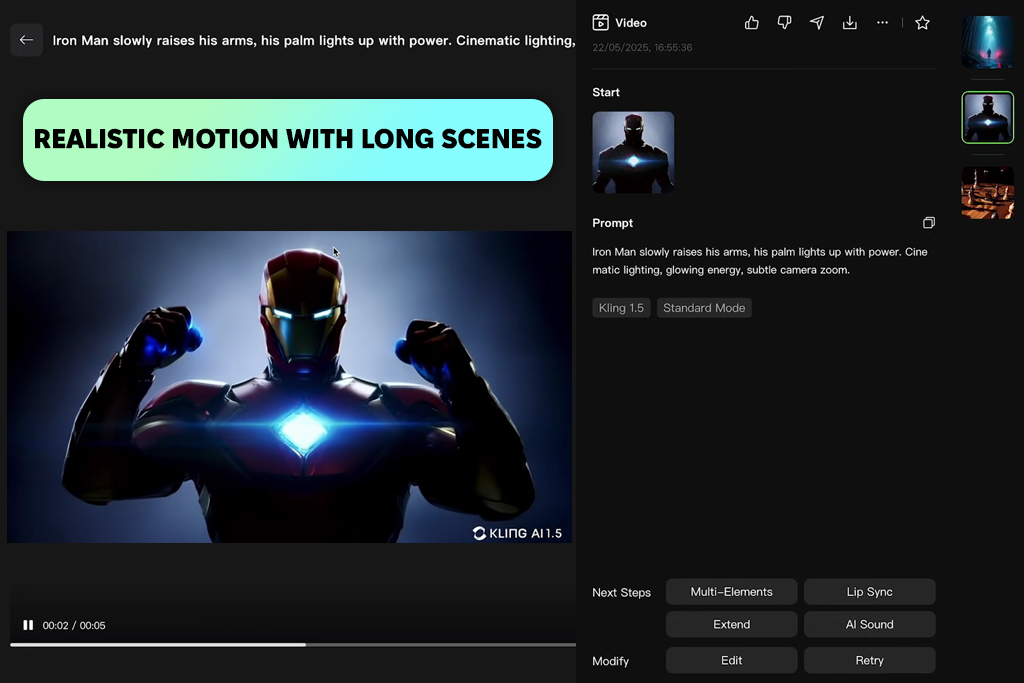
When TikTok's creators drop an AI video generator, you can't help but get curious about it. I tested Kling AI by recreating a camera fly-through scene for a product video. The realism was next level. The movement was natural, and the lighting looked believable. I think it completely outperformed Runway. Since it can handle up to two minutes of full HD footage, this is a solid Runway alternative for narrative-style videos.
Kling is still in its early days, so you can’t access all the features straight away. I had to wait a few days for my account to get approved. I have to admit it doesn't have as many features as Runway's full editing suite yet. But, if you want to make cinematic, lifelike pictures, Kling beats Runway hands down. Plus, it's surprisingly user-friendly even if you're not a tech-savvy user. I'm genuinely curious to see what they add in the future.
Best for: Creators and businesses producing dynamic, high-fidelity videos that rely on smooth camera motion and realistic action.
When we started testing Runway against other tools, we wanted to find something that actually works for professional video projects. I tested all the tools, using real content from our library, including promo clips, tutorial intros, and product teasers. This way, I could see how each platform handles actual editing work instead of just looking at their demos or polished example videos.
To keep things fair, Ann tested each platform with the same video scripts and images. She looked at rendering quality, how smooth the motion was, and how realistic the AI elements looked. She also checked how well each tool integrated with Premiere Pro and other editors.
The usability and workflow speed varied a lot. Julia breezed through Synthesia and Canva in minutes, while Firefly and Kling required more technical work. Ann timed everything because when you're managing multiple projects, speed is paramount.
I didn't want this to be just my opinion, so Ann, Tati, and Julia joined in to test tools on different setups. We checked stability across various devices and internet connections, then talked through which platforms could truly replace Runway and which were better as add-ons.
I also looked at the practical stuff, namely, pricing policy, licensing rules, and team collaboration options. Such aspects matter a lot for commercial projects. After weeks of real testing, we figured out which Runway alternatives are professional tools and which ones are better suited for amateurish tasks.





![11 Best Jasper AI Alternatives in {{%year}} [Reviewed & Tested]](http://fixthephoto.com/blog/images/gallery/news_main__preview_28888.jpg)
![7 Best JFIF to JPG Converters in {{%year}} [Fast & Free]](http://fixthephoto.com/blog/images/gallery/news_main__preview_28570.jpg)
![Stable Diffusion Alternatives [1 Prompt – 9 Competitors]](http://fixthephoto.com/blog/images/gallery/news_main__preview_28384.jpg)
![7 Best TXT to PDF Converters [Free Desktop, Online & for Mobile]](http://fixthephoto.com/blog/images/gallery/news_main__preview_28480.jpg)



















