I started searching for Play.ht alternatives after using Play.ht for a long time at FixThePhoto to create voiceovers for tutorials, promotional videos, blog posts, and short clips for social media.
Play.ht produces natural-sounding voices and has a simple text-to-speech system. However, it was not always dependable for everyday work. We faced different problems, including downtime, a slow interface, and occasional voice generation errors. These issues caused frustrating delays, especially when we had strict deadlines.
The cost also became an issue. Plans begin at $39 per month and can increase quickly if you need more usage. For teams that create large amounts of audio, this can become expensive over time. In addition, Play.ht works best in English. When we tested other languages, the quality and voice options were not as good.
Because of this, I tested 20+ Play.ht alternatives, focusing on tools that offered stability, wider language support, smoother workflows, and pricing that makes more sense for professional use.
After completing many projects with Play.ht, I understood that the experience depends on what kind of content you are producing:
From my experience, Play.ht is excellent for quick and realistic voiceovers. But for detailed editing, precise video syncing, and multilingual projects, I need a more flexible tool.
Price: Free or from $9.99/mo
Availability: Web, Windows, MacOS
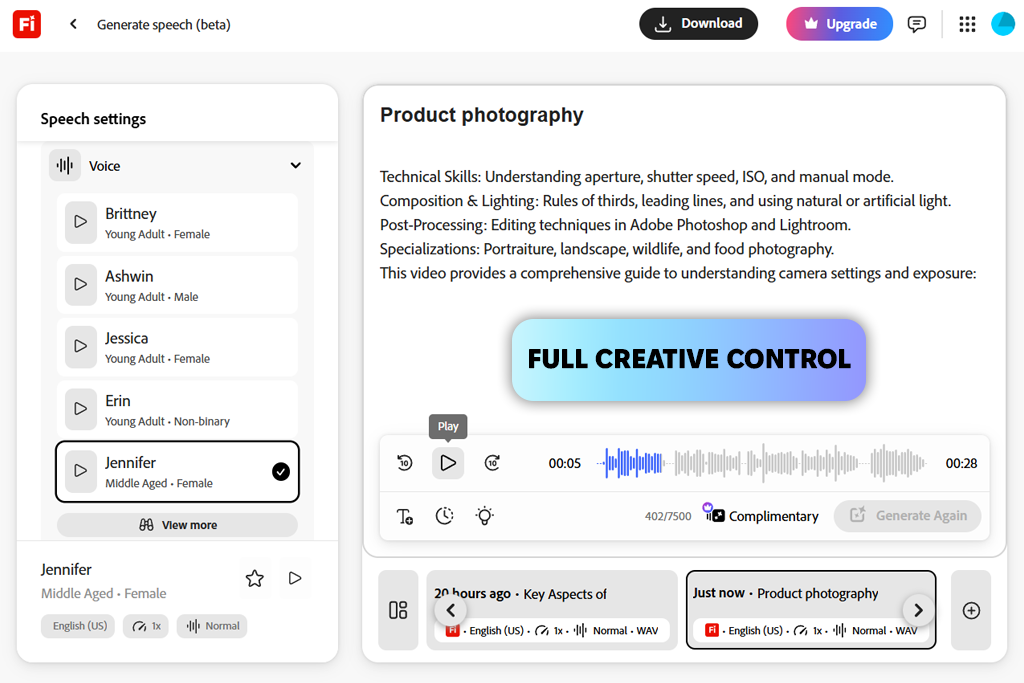
Firefly’s Generate Speech works similarly to Play.ht by turning text into human-like speech and allowing control over speed, emphasis, and different languages. In practice, the output sounds cleaner and more stable.
While Play.ht can sometimes sound more expressive in casual scripts, Firefly provides more consistent timing and fewer technical issues. This makes it easier to match the voiceover with the video.
The workflow in Firefly also feels smoother. Because it connects closely with other free Adobe apps, there are fewer export steps. When I needed to update a script at the last minute, I could regenerate the audio quickly without facing the interface slowdowns that sometimes happened with Play.ht.
Firefly supports more than 20 languages and keeps the quality balanced across them. Play.ht also offers multiple languages, but the results with other language except for English vary, especially for professional or instructional content.
This Play.ht alternative also includes an AI video translator and dubbing tools, which help adjust the voiceover to match different languages more naturally.
While both platforms allow you to change pitch, speed, pronunciation, and emotional tone, Firefly’s emotional control is more subtle, so I’d say it may not be the best option for dramatic storytelling or character-based narration. But for e-learning courses, business videos, and accessibility content, Firefly’s steady and clear voice works well.
“I use Firefly every day for social media content and client projects. Thanks to its multilingual features, I create localized versions of videos without hiring voice actors.”

Price: Free (10k credits per month) or from $5/mo
Availability: Web
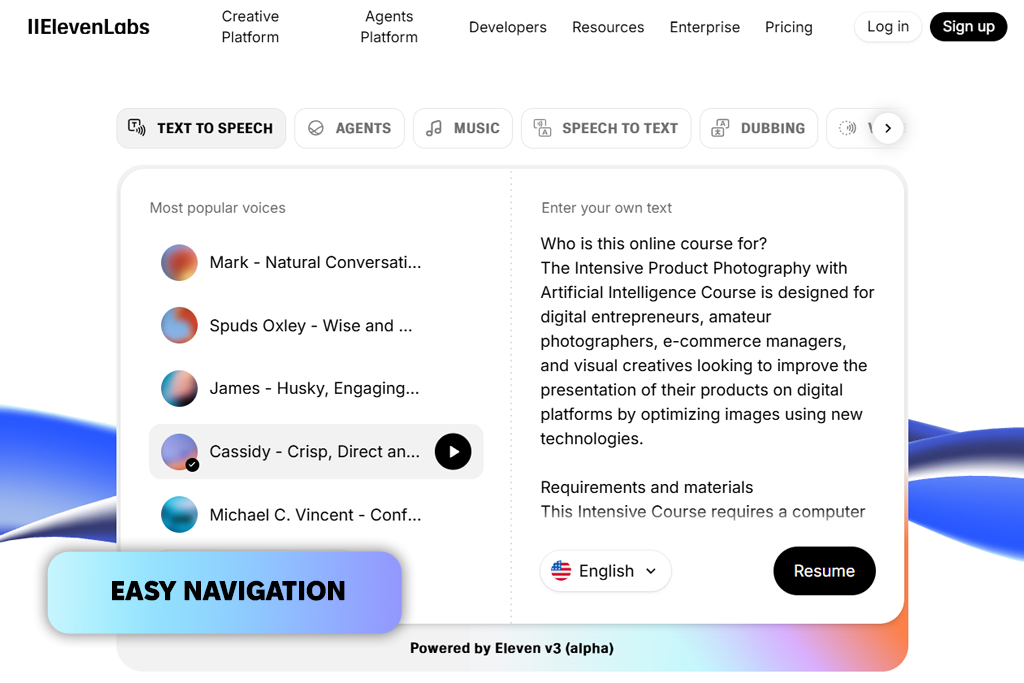
When I was looking for an alternative to Play.ht, I tried ElevenLabs tutorial voiceovers, explainer videos, and short clips for social media. The voices sounded natural and showed emotion clearly. It handled tone and emphasis better than Play.ht, which can sometimes sound flat in casual or conversational scripts.
I also tested ElevenLabs as an AI voice cloning software. I uploaded a few client voice samples, and the cloned results were accurate and consistent. Play.ht has a voice cloning tool too, but ElevenLabs gives more control over how the voice sounds, including style and intonation.
ElevenLabs has a responsive interface: I could quickly create several versions of the same script without delays or errors. This makes it a strong option for large projects that need many voice-overs. For English content, it often sounds more natural and emotionally engaging than Play.ht. The downside is that it supports fewer languages.
Another benefit is that ElevenLabs offers a free plan. This makes it a good choice for people who want to test the tool or work on smaller projects without paying right away. Nevertheless, advanced voice cloning and longer scripts require a paid subscription.
Price: Free (10 mins of voice generation) or from $19/mo
Availability: Web
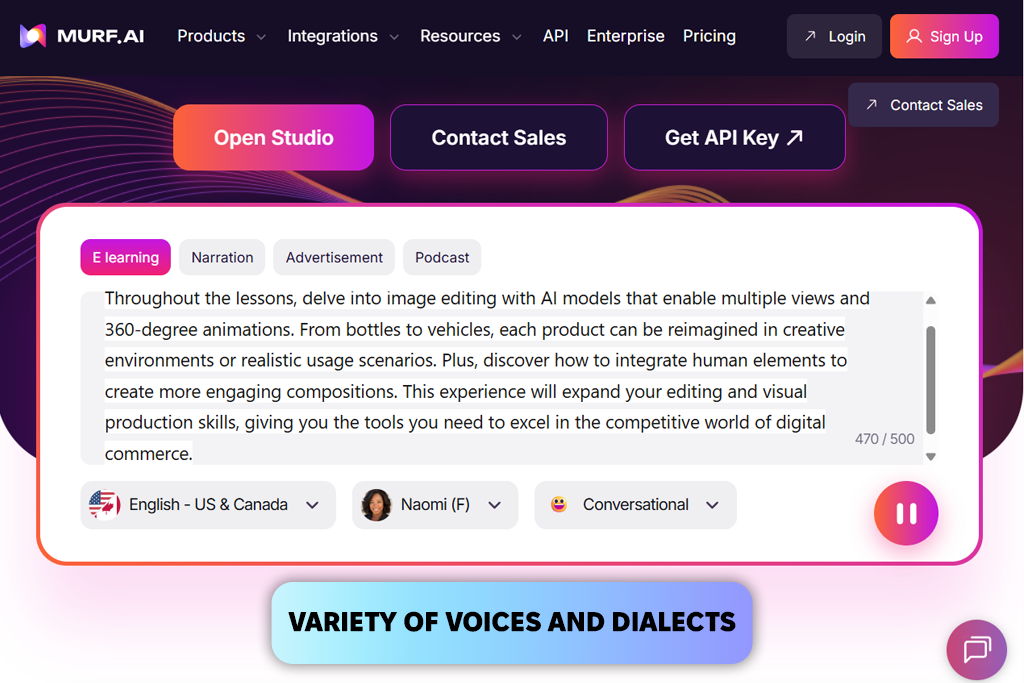
Murf AI is designed for projects where you need careful editing and perfect timing with video. Murf’s voices sound natural and can be adjusted in detail. When I tested tutorial scripts, Play.ht sometimes sounded more emotionally, but Murf allowed me to control pitch, tone, speed, and pronunciation more easily, which gave me more control.
Its built-in studio editor made it easier to match the voice with video scenes, while Play.ht often required an extra AI video editor for proper syncing.
Murf also includes a voice changer, and it can clean up recordings, remove filler words, and turn regular audio into studio-quality narration. Play.ht does not offer this option. For international projects, Murf supports dubbing in 40+ languages and provides 200+ multilingual voices. You can even clone your own voice.
It also works well with tools like Articulate 360, WordPress, and Adobe Captivate. These helped me save time, especially for online training content. In my opinion, Play.ht is still strong when you need fast and expressive voiceovers for streaming or short content, but for detailed video work that requires accuracy, Murf feels more complete.
“Murf is my first choice for large projects like product demos. It feels closer to working in a real recording studio than using Play.ht.”

Price: Free or from $29/mo
Availability: Web, MacOS
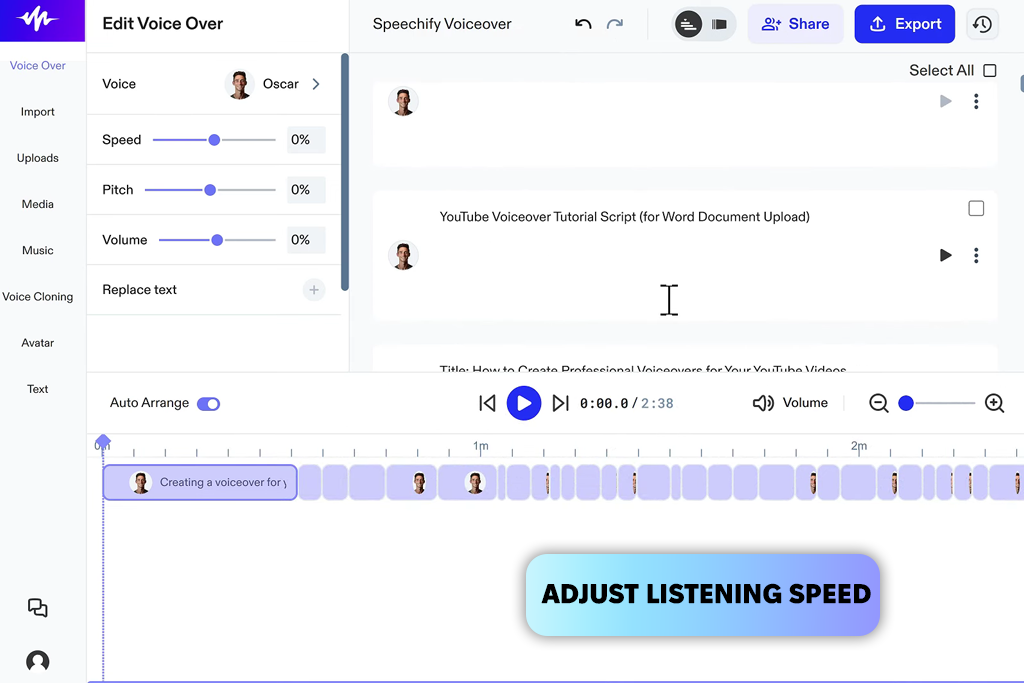
I tried Speechify as another AI voice generator like Play.ht for making voiceovers, mostly for tutorials, blog posts, and social media content. What I liked most is that it can turn documents, PDFs, websites, and even emails into clear, natural audio. This made it very helpful for long scripts and text-heavy work.
When I compared it to Play.ht, Speechify’s voices sounded very clean and natural, but they were a bit less emotional for storytelling or casual conversations. Play.ht does better with deep emotion and expressive tone. However, Speechify is steadier with long texts and works better with multi-page documents.
I also liked that I could use this text-to-speech converter on desktop, mobile, and browser extensions in real time, which made it easier to work anywhere. Play.ht feels more focused on desktop use.
Speechify offers many voices, with 30+ languages and 100+ accents. I could change the speed and even listen offline. Play.ht also supports different languages, but Speechify feels more practical for academic content and quick tasks. The downside is that the paid plans are expensive, and there are monthly limits.
Price: Free (watermark) or from $15/mo
Availability: Web
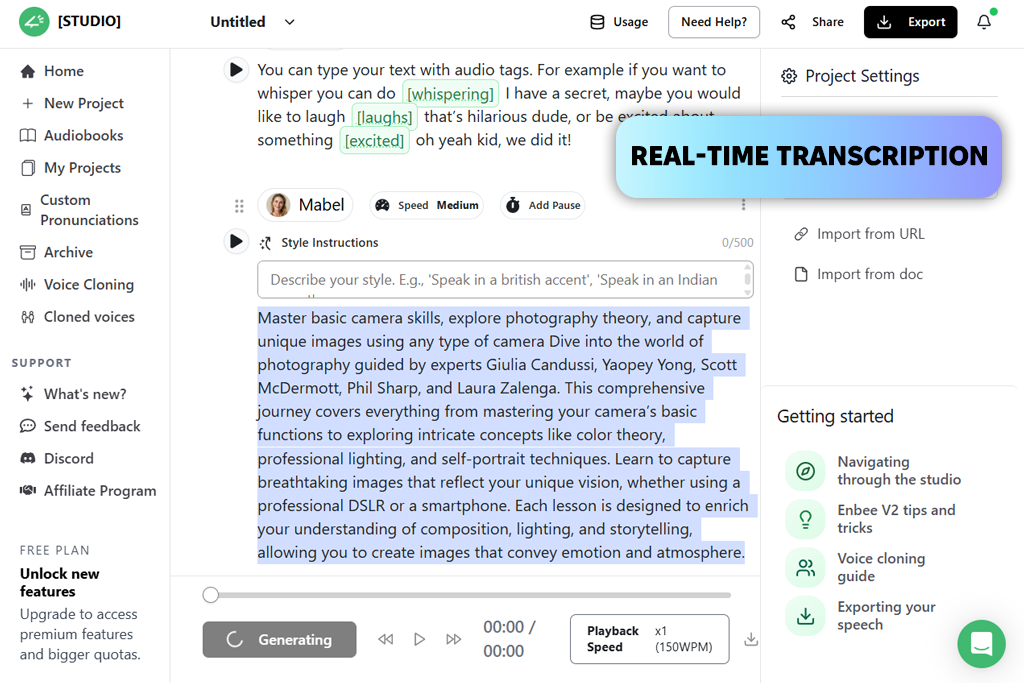
I also tested Narration Box, which has more than 700 voices in over 140 languages and dialects, making it great for creating content for people around the world. The voices sound very natural, and options like Ariana can automatically adjust tone, speed, and emotion based on the script.
For e-learning scripts and YouTube demos, Narration Box felt a little less realistic than Play.ht, but it gave me more steady pacing and better emotional control, which is important for structured lessons. The platform is harder to learn at first, and it costs more than Play.ht.
Its voice cloning feature helped me reuse the same brand voice in many projects. Play.ht also has cloning, but Narration Box felt more flexible for long projects. The built-in Studio made it easy to import text from documents or websites, organize projects, and export files. Play.ht sometimes needs extra steps for this.
“I was surprised by how many voices and languages Narration Box offers. I can easily work on scripts in Hindi and different local accents without any trouble.”

Price: Free (watermark, 5 mins/mo) or from $24/mo
Availability: Web, Windows, MacOS
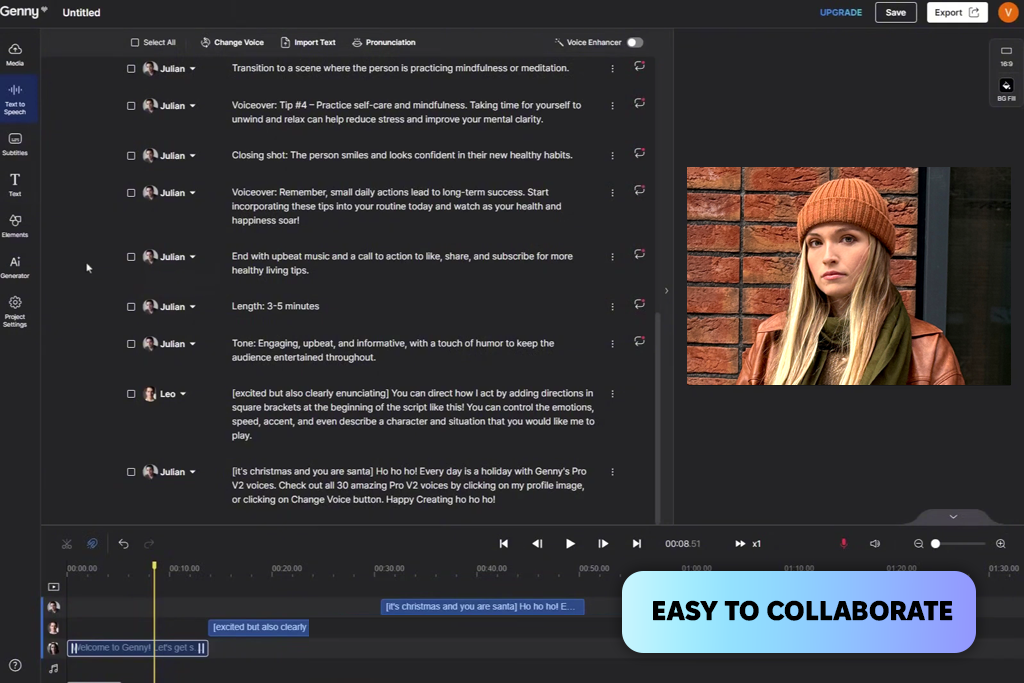
I also tried LOVO AI through its Genny platform. It offers 400+ voices in 100+ languages. I was impressed by how emotional and detailed the voices sounded, especially for scripts that need small tone changes. Compared to Play.ht, LOVO felt more expressive for storytelling, while Play.ht was better for very fast and realistic short voiceovers.
I used LOVO AI for social media videos and training clips. Its voice cloning worked like Play.ht, but it gave me more control over pitch and emotion. It also has built-in video editing tools, which make it easier to match the voice with visuals. Play.ht usually needs separate editing software.
Both AI software allow customization, but this Play.ht alternative felt better for projects that need more emotion and a professional feel.
Play.ht is still strong for fast workflows and API use. LOVO AI is better for organized projects where steady tone, emotion, and multiple languages are important. The UI is easy to use, but a bit more detailed than Play.ht, and some advanced tools require a paid plan.
Price: Free or from $4.99/mo
Availability: Web
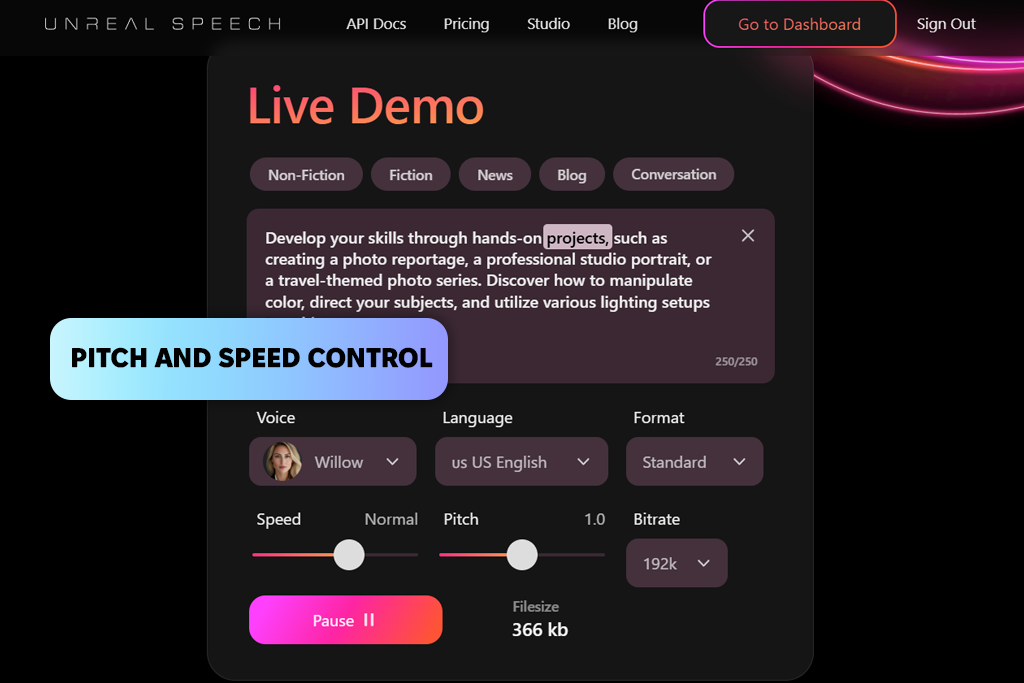
Unreal Speech is a more affordable Play.ht alternative. I tested it for tutorials, social media clips, and internal training voiceovers. The voices sound realistic, and it offers word-level timing, pitch and speed control.
One big advantage is its free plan, which allows up to 250,000 characters, much more than Play.ht’s free limit (which is only 12,500 characters). This makes it great for testing or large projects.
The pitch control was very useful for changing the tone of the narration, something Play.ht does not offer. However, Play.ht is better for voice cloning and for supporting more languages, which helps with global or brand-focused work.
Unreal Speech supports 48 voices in 8 languages, including US and UK English, Mandarin Chinese, Hindi, Spanish, Portuguese, Japanese, French, and Italian. Both content creation apps handle mobile audio formats and word-level timing well, which helps when matching voiceovers with video or other audio editing tasks.
“I often use Unreal Speech when I need fast voice-overs. I like being able to adjust pitch and speed to match the video clips.”
Price: Free (3 videos per month, watermark) or from $29/mo
Availability: Web, Windows, MacOS
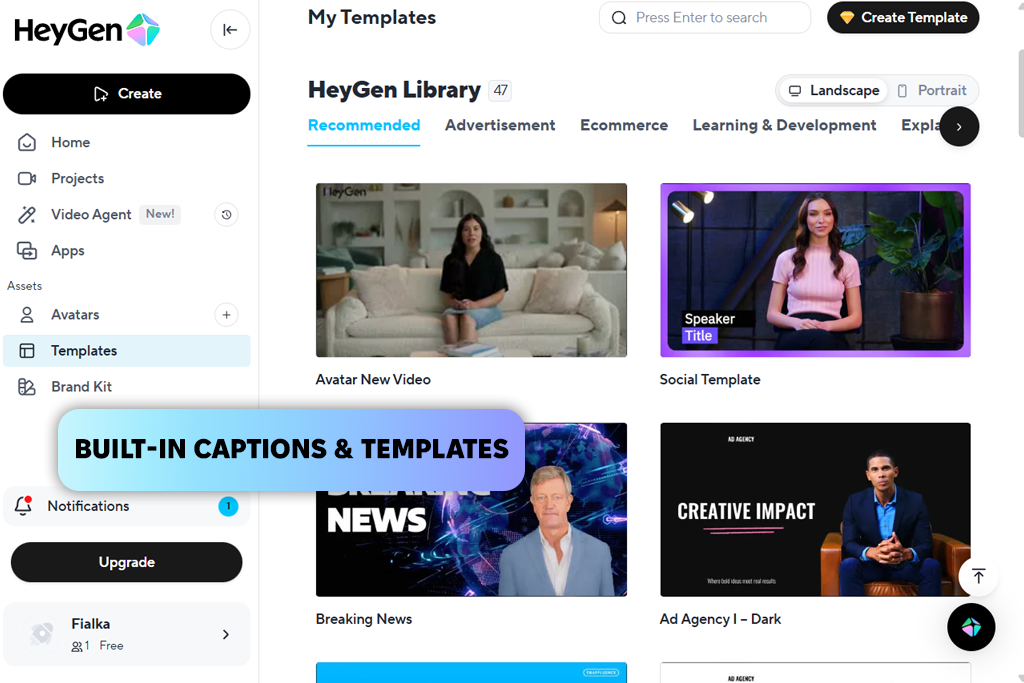
When I tested HeyGen, I needed more than just a voice recording. I wanted a full video with a speaker on screen. That’s where it felt very different from Play.ht, that focuses only on audio. I used this AI video generator for training lessons and marketing videos, where seeing a presenter made the content more interesting.
Play.ht still sounds a bit more natural if you only need a voiceover, like for podcasts or blog narration. However, HeyGen’s avatars look real, and you can change their gestures, facial expressions, clothes, and background. I was able to turn a simple written script into a full video in just a few minutes.
Another big difference is language support. HeyGen can translate videos into more than 175 languages and dialects, and it keeps the lip movements matched to the new language. That makes the final video feel more natural. Nonetheless, if I only need a fast audio file or API-based voice generation, Play.ht is my go-to option.
Price: 7-day free trial (no downloads) or from $50/mo
Availability: Web
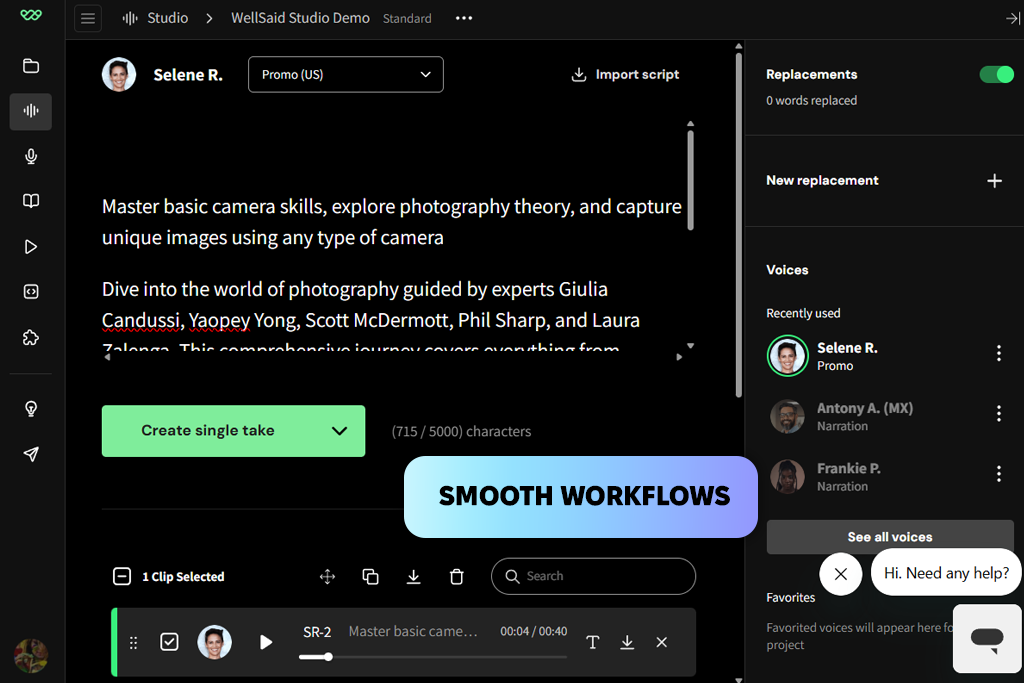
When I tried WellSaid as Play.ht alternative, I noticed that its voices are based on real voice actors. The sound feels clean and professional, like it was recorded in a studio. Compared to Play.ht, WellSaid sounds more controlled and ready for production, but sometimes it feels less lively for relaxed or emotional scripts.
The pricing is also higher, which may not suit small creators or businesses with tight budgets. For structured projects, WellSaid worked very well: I could paste my script into the studio, edit lines quickly, and redo parts as many times as needed. This felt faster than how I normally revise content in Play.ht.
The built-in pronunciation tools were especially helpful. I could set rules for brand names or technical words, so they were always said correctly, while in Play.ht I often have to fix these things manually.
Both platforms let you change tone, speed, and pronunciation, but WellSaid offers better tools for team projects, making collaboration easier through shared workspaces, comments, and role permissions.
“The voices from WellSaid sound like real people performing my scripts. I don’t have to fix pronunciation as much, so it’s a lot simpler than Play.ht.”
Beyond these platforms, I explored many other Play.ht alternatives. I tested Descript, Resemble AI, Voices.com, Synthesia, VEED.io, etc. But their voices did not sound realistic enough, emotional control was limited, language support was narrow, exports were unstable, or the focus was on video editing instead of high-quality voice generation.
To make the comparison fair, my colleagues from FixThePhoto worked with me during testing. Since I work with video and post-production every day, I paid special attention to how well each voice fit into real projects like YouTube videos, tutorials, ads, and educational content. We tested each Play.ht alternative by following the same steps:
First, we created voiceovers using identical scripts that covered storytelling, e-learning, promotional, and standard narration styles.
Then we checked pronunciation, pacing, and emotional tone.
We also tested how consistent the voices sounded in different languages and accents. When voice cloning was available, we compared its accuracy.
We measured how fast each workflow was, and we edited the audio inside real projects to see how it performed after processing.
This hands-on method helped us understand not only which tools sound good in demo examples, but which ones actually work well in daily production.
In the end, I organized all the results into a detailed comparison table so it would be easier to see the differences clearly.
| Tool | Voice realism | Languages | Best for | Strength over Play.ht | Where it’s weaker |
|---|---|---|---|---|---|

Adobe Firefly |
★★★★★ (5/5)
|
20+
|
Video creators, teams in Adobe ecosystem
|
Smoother workflow, consistent results, strong multilingual balance
|
Less expressive, limited voice cloning
|

ElevenLabs |
★★★★★ (5/5)
|
30+
|
Storytelling, YouTube, branded voices
|
More emotional, ultra-realistic voices, powerful cloning
|
Fewer languages, mostly web-based
|

Murf AI |
★★★★☆ (4/5)
|
40+
|
E-learning, training, marketing videos
|
Studio editor, voice control, audio cleanup tools
|
Slightly less expressive
|

Speechify |
★★★★☆ (4/5)
|
30+
|
Articles, blogs, document-to-audio
|
Best for converting documents, mobile-friendly
|
Voice limits, less storytelling nuance
|

Narration Box |
★★★★☆ (4/5)
|
140+
|
Global content, audiobooks, education
|
Huge language & dialect range, context-aware voices
|
Higher learning curve
|

LOVO AI |
★★★★☆ (4/5)
|
100+
|
Marketing, social, expressive scripts
|
Emotional delivery, built-in video tools
|
Slightly slower for bulk TTS
|

Unreal Speech |
★★★★★ (5/5)
|
40+
|
Developers, large-scale TTS
|
Huge free tier, pitch control, scalable API
|
Weak multilingual support
|

HeyGen |
★★★★☆ (4/5)
|
175+
|
Avatar videos, presentations
|
AI avatars + voice + lip-sync translation
|
Not ideal for audio-only projects
|

WellSaid |
★★★★☆ (4/5)
|
15+
|
Corporate training, enterprise
|
Actor-based voices, team collaboration, pronunciation control
|
Less expressive, fewer cloning options
|



![7 Best AI ASMR Video Generators in {{%year}} [100% WORKING]](http://fixthephoto.com/blog/images/gallery/news_main__preview_28804.jpg)

![5 Best SWF Players [{{%year}} FixThePhoto Choice]](http://fixthephoto.com/blog/images/gallery/news_main__preview_28899.jpg)

![9 Best Online PDF Translators in {{%year}} [Reviewed & Tested]](http://fixthephoto.com/blog/images/gallery/news_main__preview_28499.jpg)
![7 Best YouTube to MKV Converters [{{%year}} FixThePhoto Choice]](http://fixthephoto.com/blog/images/gallery/news_main__preview_28907.jpg)

![7 Best Loom Alternatives [{{%year}} FixThePhoto Choice]](http://fixthephoto.com/blog/images/gallery/news_main__preview_28902.jpg)

















