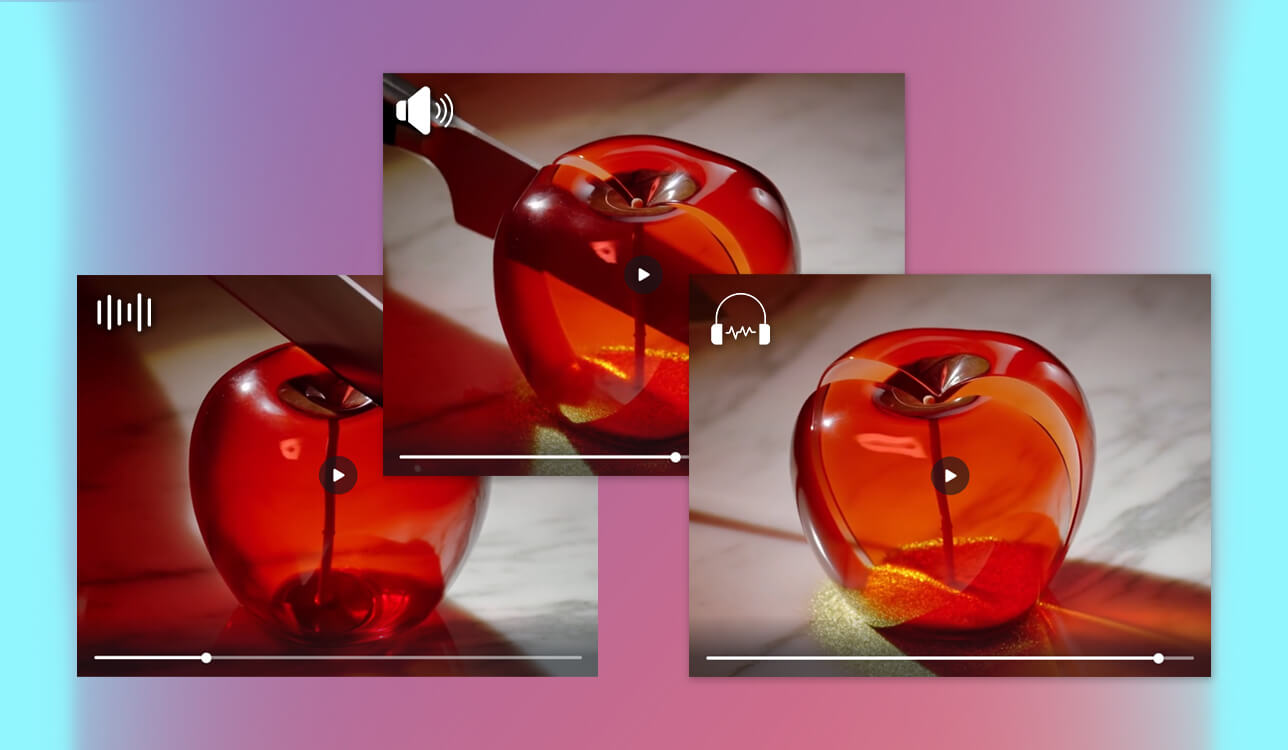
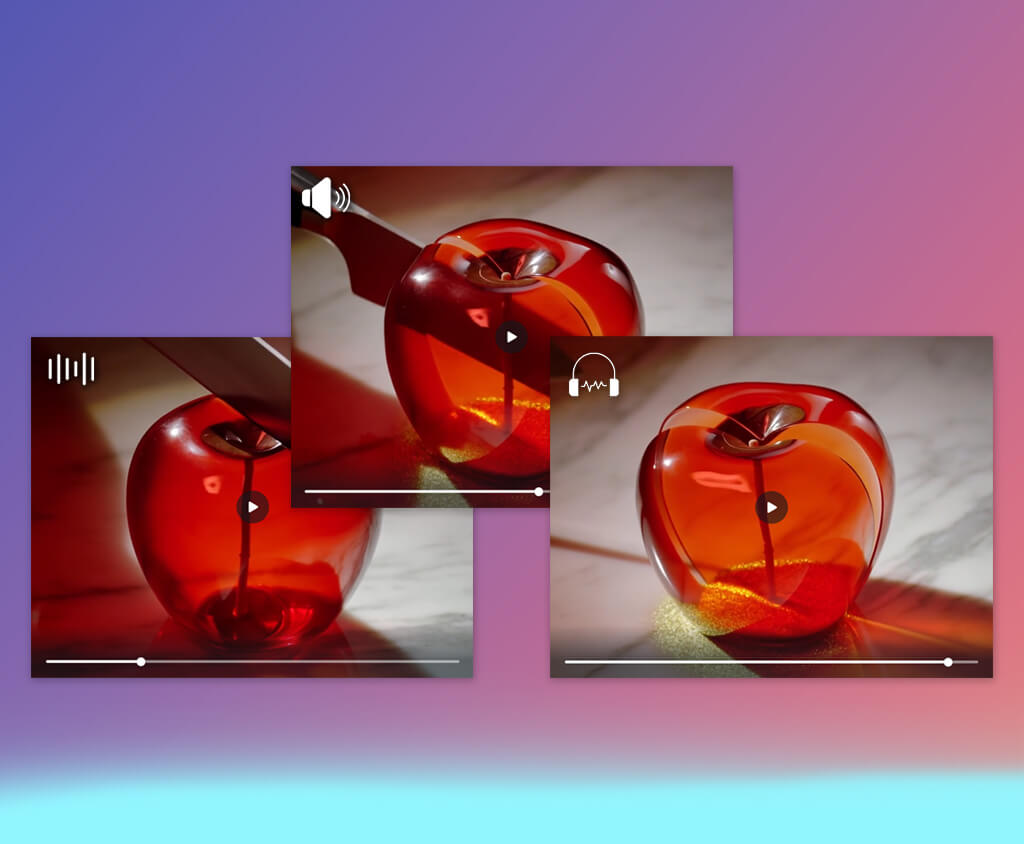
When I started to use AI ASMR video generators, they helped me optimize my workflow and create content more efficiently when working on FixThePhoto projects. At first, I mostly used them to generate soothing loop videos, product visuals, and experimental ASMR content.
These tools were perfect for situations when it was too expensive or resource-consuming to use a traditional video production approach. Using these services, I was able to expedite ideation and test a variety of visual concepts before focusing on production.
Testing over 15 generators helped me discover their advantages and shortcomings. Even though AI tools are suitable for quick content generation and producing visuals with a certain mood, they are less suitable for projects where one needs to achieve a natural motion flow, perform natural sound layering, and avoid repetitions.
Nevertheless, despite some limitations, AI tools facilitate experimenting with various ideas and producing engaging social media content.
When I started to wonder how to make ASMR videos with AI, I decided to test popular tools to discover whether they could help me work on my projects. It helped me come up with some tips that can be used for creating more immersive and satisfying content.
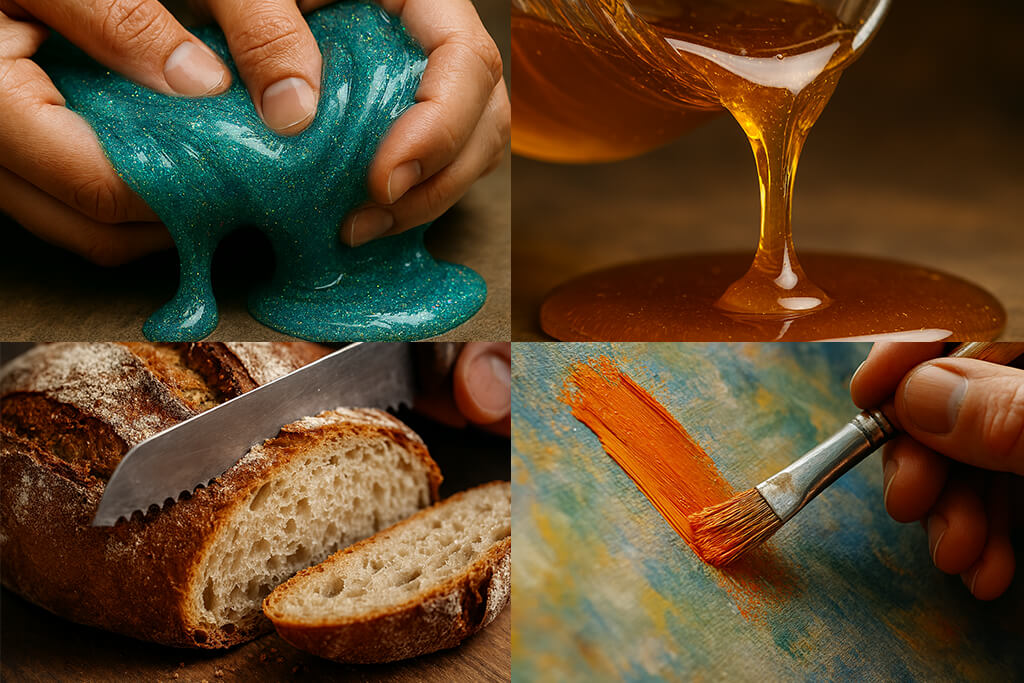
AI ASMR technology has quickly advanced during recent years. By the end of 2026, its innovative potential will be fully realized, as creators will discover new ways of producing ASMR content. The usage of biometric feedback is predicted to further transform the industry. Developers work on creating powerful AI tools that would be able to monitor a user’s heart rate, facial expressions, skin conductance, and other barely perceivable body responses to automatically configure sound intensity, trigger types, and pacing.
Complete personalization of ASMR experiences will make them more enjoyable for a regular viewer. Services like Freebeat AI already rely on adaptive audio-visual generation, making the difference between human-recorded and AI-generated content barely noticeable. Using AI tools, creators will achieve true creative freedom. They will be able to combine layered visuals, create advanced soundscapes, and make adjustments in real time without using pro-grade recording equipment.
Innovative AI ASMR solutions will provide extremely realistic, interactive, and highly personalized experiences. As a result, it will become virtually impossible to see the difference between real and AI-generated ASMR, which will open a new field of possibilities for creators and viewers.
Price: Free (limited generative credits) or $9.99/per month
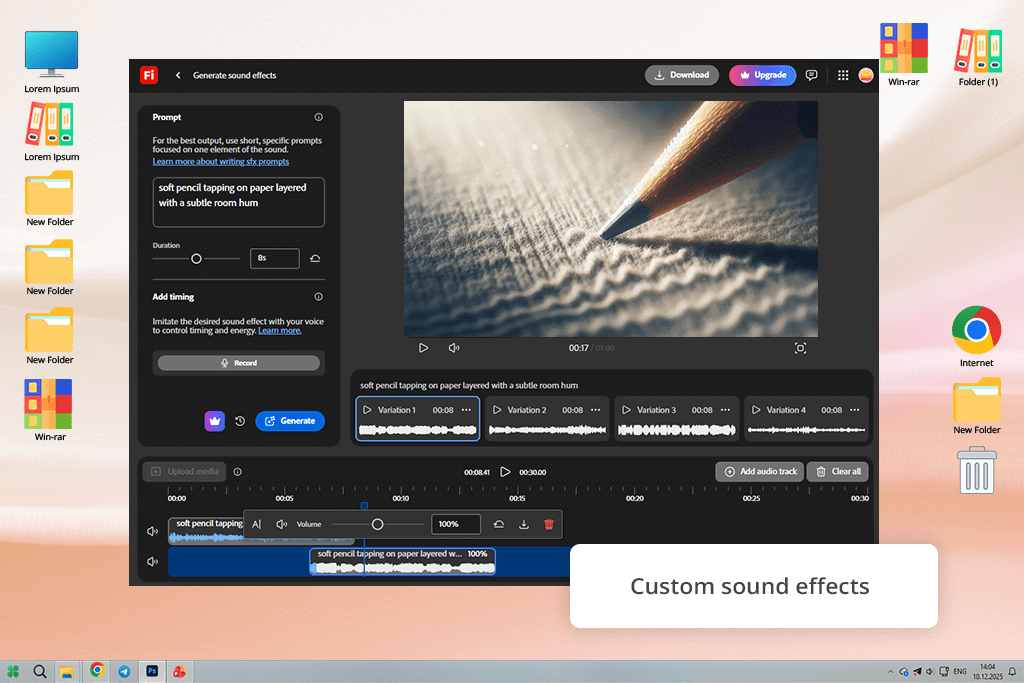
Adobe Firefly is the best AI ASMR video generator for those who want to produce visual content with sound using algorithmic tools. With it, I was able to generate enticing ASMR videos without accessing any sound libraries. It comes with the Generate Sound Effects feature, which helped me create custom sounds using text prompts, voice recordings, or uploaded audio samples.
I was able to add them to a video timeline with high accuracy. It’s important to be able to control timing, softness, and texture when creating ASMR content, as it allows users to create a more immersive experience.
As I wanted to thoroughly test Firefly, I used it to create short ASMR reels, relaxing loop videos, and experimental AI content. I used effects like gentle tapping, fabric movement, subtle clicks, breathing-like ambiences, and clean room tone. For instance, I produced a clip using the prompt “soft pencil tapping on paper layered with a subtle room hum.”
It helped me generate a video with a calming soundscape. In addition, I layered several sounds, including soft tapping, the sound of rustling fabric, and ambient room tone, to create more realistic ASMR experiences without using third-party DAW software.
Firefly has a streamlined, modern interface that is easy to navigate for anyone who has ever used Adobe software. This AI service understands timing, intensity, and rhythm perfectly, which allows it to produce professional ASMR content. However, the quality of your outputs depends on how you use the model. When using Firefly, I discovered that it was better to combine voice input with detailed text prompts to create relaxing ASMR outputs.
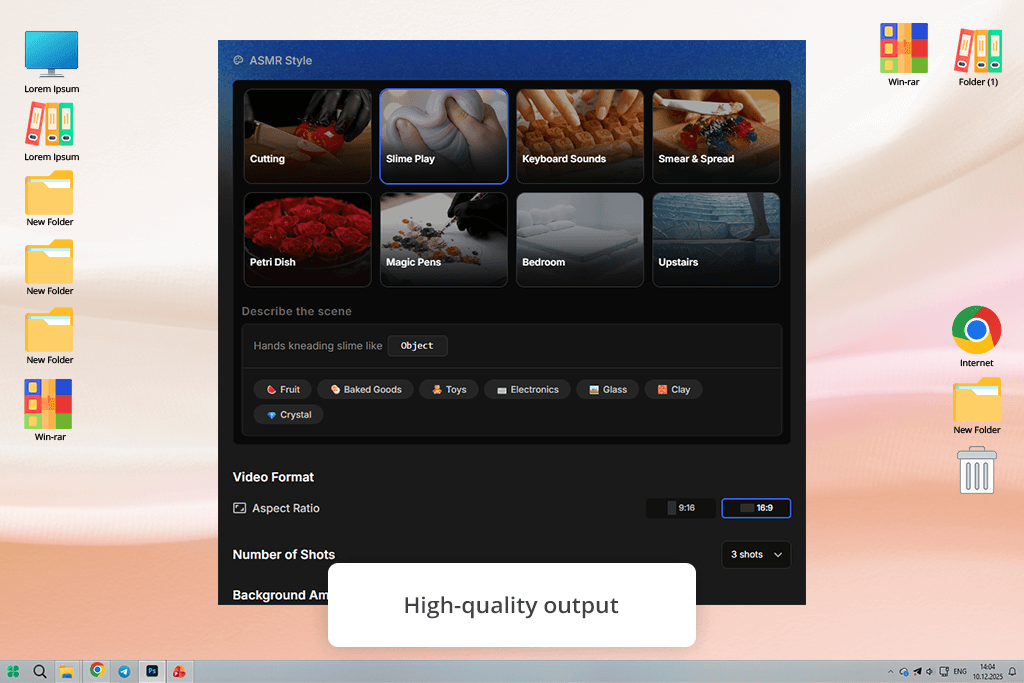
Price: Free (one-time 40 trial credits for 7 days) or from $14/per month
OpenArt is a visual-first AI ASMR generator, designed to produce AI ASMR videos based on text or image prompts. I liked the fact that it supports a variety of ASMR styles, including Cutting, Slime Play, Keyboard Sounds, Smear & Spread, Petri Dish, Magic Pens, Bedroom, and Upstairs. Besides, I can choose the aspect ratio (9:16, 16:9), specify the number of shots, and control background ambience.
While using OpenArt, I decided to check whether it would be suitable for creating short ASMR clips for social media and reels. I used simple prompts like slime spreading, cutting motions, and keyboard clicks to create slow, repetitive videos. This software helped me generate a slime spreading sequence with realistic motions that looked quite relaxing. I also generated bedroom and upstairs scenes to make background visuals more relaxing.
The only shortcoming was that some sequences were a bit inconsistent, so I had to add ASMR audio to achieve a better result. This AI software has a modern and streamlined interface, which allows me to arrange shots and change the visual flow quickly. However, when I tried generating longer clips of higher quality, I noticed that I spent too many credits.
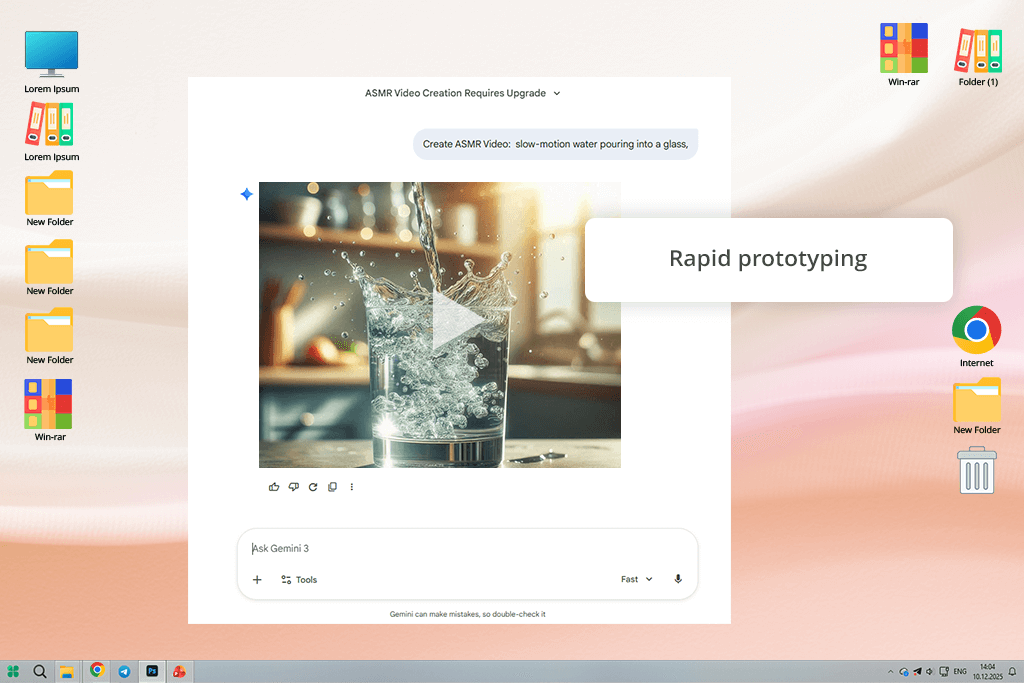
Price: Free (100 monthly AI credits) or from $19.99/per month
Gemini (Google Veo 3) is a popular AI video generator with advanced functionality that allows users to create ASMR videos with AI tools. This ASMR video AI software allows users to work both with visuals and audio. What makes Gemini stand out among other AI tools is that it produces short clips with audio, making it easier to create realistic ASMR content.
I decided to test Gemini by producing short clips for social media and some experimental projects I had been working on. I used visual triggers like liquid pouring, gentle tapping, soft pen and brush movements, and ambient bedroom scenes. For instance, I used the prompt “slow-motion water pouring into a glass” to generate a simple and relaxing clip with synchronized audio.
Gemini comes with integrated audio tools. Using them, I was able to layer external ASMR sounds to make a viewing experience more immersive. I had to adjust prompts, camera angles, motion speed, and layering elements to create realistic, repetitive actions that helped me create smooth ASMR visuals.
The interface is well thought out and easy to navigate. The program supports timeline editing and scene layering. Besides, users can adjust motion intensity using special controls. I was able to test out a variety of ASMR triggers. Using this program, I generated enticing visuals with lovely slow-motion drips, tapping, and layered pen or brush movements.
However, I had to deal with some audio and visual synchronization issues. Besides, I had to spend a lot of credits to generate long or high-quality videos. In addition, it took me several iterations to achieve the desired motion effect when working on complex scenes.
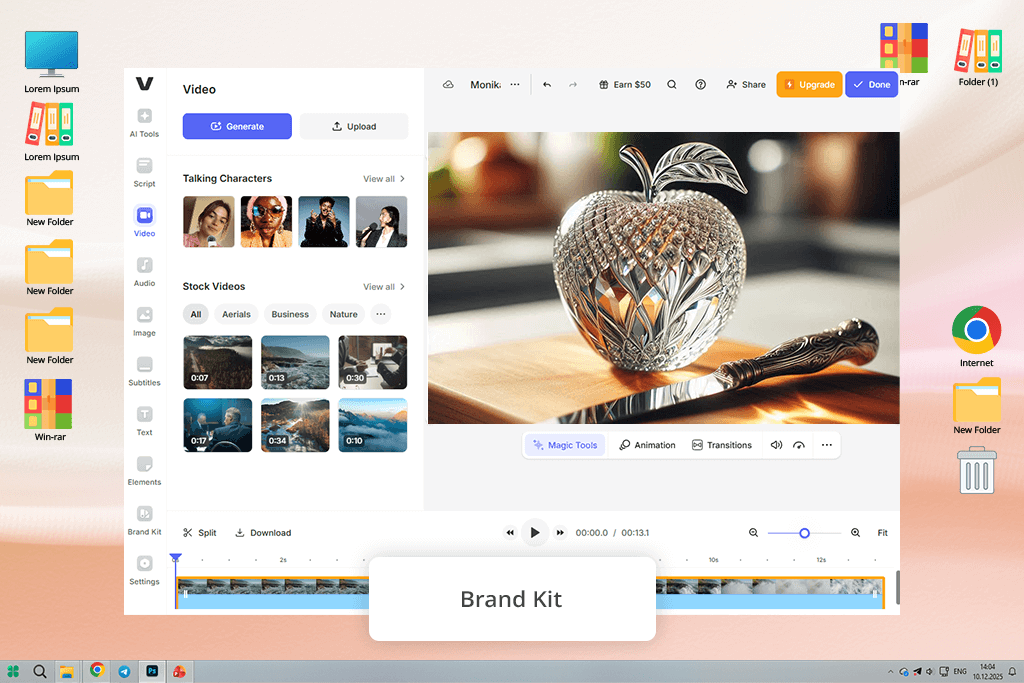
Price: Free (2 AI videos/day, watermark) or from $9/per month
VEED is a powerful platform with a choice of AI-based script generation, voice cloning, audio denoising, and video editing tools that can also be used as a free AI ASMR generator. You can use it to produce ASMR content, record or clone whispering voices, clean audio, add visuals, sounds, and effects, as well as add intros, outros, or branding elements to your videos.
When I decided to test VEED IO, I created short ASMR videos for social media. With the help of its AI tool, I generated scripts, cloned my voice to create whispering narration, and added a variety of effects, including soft-motion backgrounds, immersive music, and relaxing animations.
I used the “glass apple cutting” prompt to create a short ASMR clip with crisp slicing sounds that were nicely synchronized with visuals. The Clean Audio feature helped me produce professional-quality sound. The drag-and-drop interface allows users to edit files quickly and use layers.
I achieved the best results when generating short-form ASMR content. This solution produced clean, immersive sound, a visually enticing background, and professional video outputs. However, Eva, my colleague from FixThePhoto, had to deal with lags when processing large files using this AI video editor for ASMR. Besides, the program has a limited choice of top-grade customization options, compared to professional software, and its free version adds watermarks to outputs.
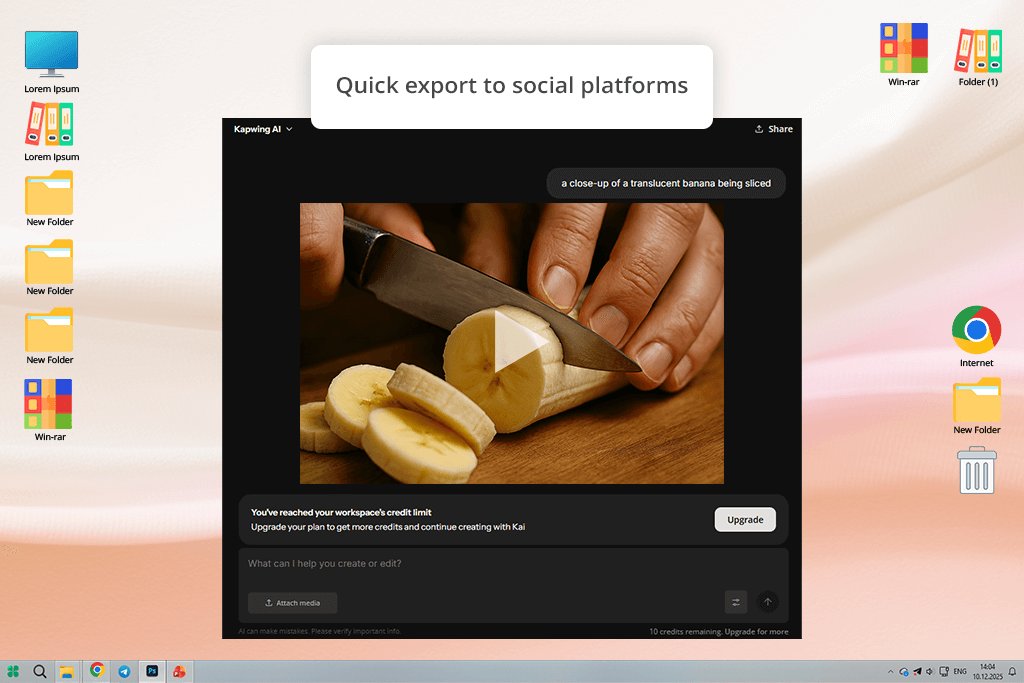
Price: Free (10 credits/month) or from $16/per month
I became interested in Kapwing after learning that it can be used as an AI ASMR video generator. I decided to give it a try to understand whether it would help me produce pro-quality ASMR content without using any recording gear. I used Kapwing’s AI Studio, Kai, and the Veo 3 model to create high-quality ASMR content.
I was able to generate several ASMR scenes by describing the triggers I was interested in, including ice cracking, glass tapping, and water droplets. I used the following prompt: “a close-up of a translucent banana being sliced”. The output visuals were sharp enough, the knife moved smoothly, and the AI sound effects for ASMR were well synchronized. As a result, each slice was accompanied by a crisp, realistic sound.
This generative AI tool gives you full control over each scene. You can adjust camera angles, change lighting, and tweak textures, colors, and background. You can choose any from the available prompts, including Glass Fruit Cutting, Fizzy Water, Babbling Brook, and Water Xylophone, or produce an entirely custom one. The program automatically synchronizes audio with visuals, which saved me a lot of time and helped me create smooth, immersive videos.
You can access Kapwing from any browser. It comes with handy tools that allow users to edit generated videos. I liked the fact that it allows me to use waveforms, AI audio enhancers, and add overlays with branding elements. Besides, I was able to quickly export my videos to TikTok and YouTube. However, I noticed some issues when working with detailed or complex prompts. It took me several generations to achieve the desired results. The program often simplifies complex textures. In addition, I noticed delays when exporting longer projects.
Price: Free (30 free tokens) or from $8/per month
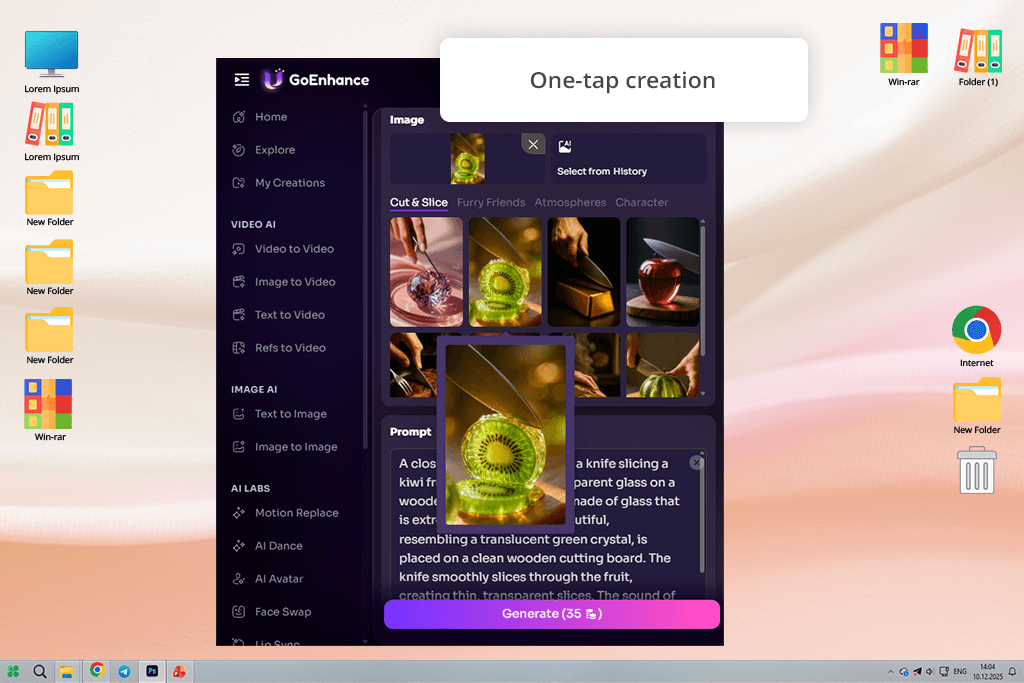
I decided to test GoEnhance AI to understand whether I would be able to use it as an ASMR video generator online. I accessed a convenient dashboard with AI tools and generated multiple clips based on prompts. I uploaded reference images and used prompts like “Cutting glass crystal lemon with knife” to create a video with clear slicing sounds without using any recording gear.
Then, I used another text prompt (“Raindrops on window”) to generate an ASMR loop based on a still image. The prompt “Neon slime stretch” helped me make my videos more immersive and generate high-quality sounds.
The program has a clean and intuitive interface. I need to upload a photo or type a prompt, click the “Generate” button, and wait for a few seconds until this software creates a professional ASMR video.
Another thing that I liked about this program is that it has an in-built audio enhancer. It balances EQ, stereo width, and reverb, which allows me to generate binaural audio. GoEnhance AI supports customization of props, textures, and backgrounds. You can save your videos in formats suitable for TikTok, Instagram, and YouTube.
The only notable shortcoming is that the free version has limited functionality. Besides, the paid plans might be too expensive for some budget-conscious users. The AI tool may oversimplify some small details. As a result, a person’s facial features may look insufficiently realistic.
Price: Free (up to 1080p) or from $10.99/per month
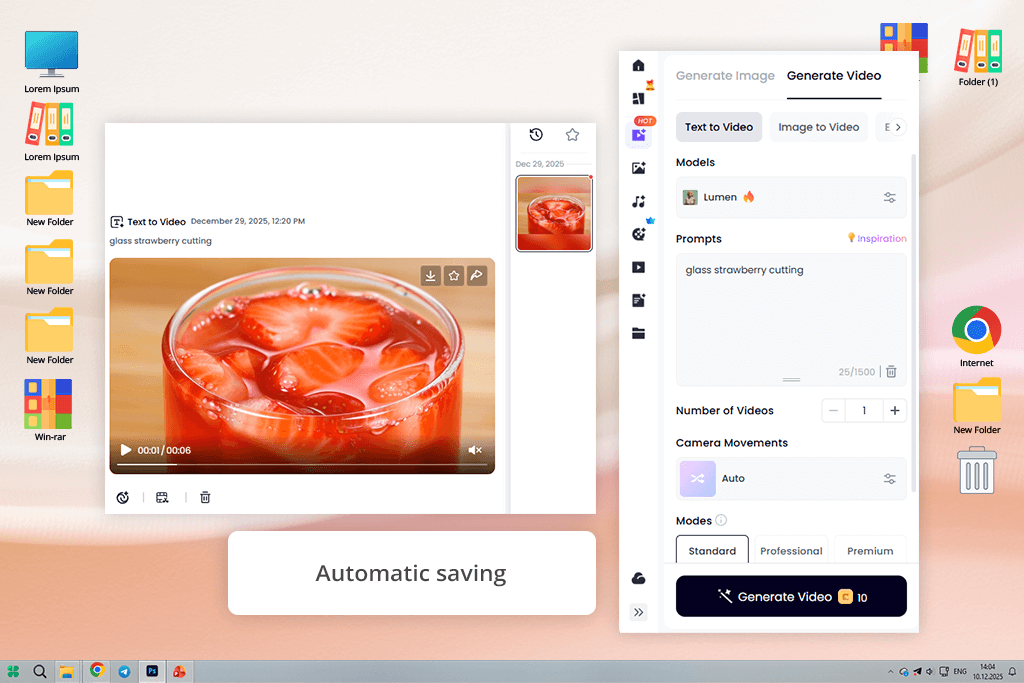
Clipfly generates highly realistic ASMR videos with synchronized audio quickly. While using it, I was able to produce studio-level visuals with ease. I used text prompts like “glass strawberry cutting” to produce high-quality clips with perfectly synchronized sounds. In addition, I tested the available effects, including soap slicing, jam spreading, and kinetic sand. It helped me give my videos a more immersive feel.
This AI ASMR video maker has a streamlined and intuitive interface. You just need to enter a detailed text prompt and describe everything in detail, including the subject, texture, lighting, and action. Then, click Generate and wait for a few seconds until the AI service creates a video. You won’t need to use any third-party AI video editor, as the results are polished enough. The program supports native audio generation, so its outputs do not require post-production. I was able to download outputs without a watermark.
This AI ASMR content creator also makes it easy to customize textures, experiment with different aesthetic styles, use sound triggers, and produce unique videos. With it, I can change glass fruit to transparent ice cubes or switch from jam spreading to toast biting scenes. However, I noticed some limitations of this software when working with complex prompts. I had to generate some of my videos twice, as some rich textures became a bit simplified.
Most AI ASMR generators use prompts uploaded by users to understand what scene they need to generate. They add objects and sounds requested by a user. When using some programs, you can also use your own reference audio and images. The AI tools will analyze them and produce realistic ASMR outputs.
No, there are plenty of AI ASMR programs like Adobe Firefly or VEED that generate media files based on text prompts, voice cloning outputs, or pre-recorded samples. You can use them to generate professional ASMR content without using traditional gear.
Yes, advanced AI models like Veo 3 are capable of generating hyper-realistic sounds. Using them, you can create tapping, whispering, water dripping, glass clinking, and other effects. Some ASMR generators allow users to synchronize audio and video to achieve a more immersive effect.
Most AI ASMR video makers like Kapwing and GoEnhance AI allow users to adjust camera angles, change lighting, choose custom colors, add textures, work with different objects, and customize audio. Some programs like Clipfly or OpenArt permit you to add branding elements, intros, and outros. While using them, you can also combine multiple clips for longer videos.
The generation time depends on the service you use and the complexity of your project. It takes most services from a few seconds to several minutes to generate clips that last 3-10 seconds. Longer and more detailed sequences are more complicated, so it will take many programs longer to generate them. A user can combine several short clips to save time.
While AI tools are quite advanced, which makes them suitable for prototyping, creating short-form content, and implementing ASMR ideas, they are hardly suitable for producing full-length ASMR content with rich and nuanced sound. This is why it’s better to rely on traditional recording, especially when one needs to capture the human voice with natural sounds.
We tested a variety of AI ASMR video generators to assess their functionality, usability, and performance. We decided to exclude some programs from our list, as they do not have an extensive set of features, have limited accessibility, or deliver outputs of low quality. For instance, we decided against including such tools as Envato, ChatGPT, Kling AI, JoggAI, Leonardo AI, Freebeat AI, LTX Studio, Murf AI, CalmifyAI, SuperMaker, and Pollo AI.
We have thoroughly tested each AI ASMR video generator. Our hands-on approach helped us assess both video and audio. We assessed platform accessibility to understand whether each program is accessible from different devices and browsers. Besides, we wanted to see whether these programs have free trial versions and certain registration requirements. Some of them had limited free plans, so we ranked them lower.
Eva and Kate wanted to test ASMR video creation. They created several clips using text prompts, input images, and uploaded audio. They paid attention to tapping, liquid pouring, brushing, whispering, and ambient sounds. We were more interested in visual quality, including output resolution, realism, slow-motion effects, and scene layering.
In addition, we were interested in audio quality. When testing sound, we focused on its clarity, synchronization, and realistic feel. We wanted to avoid software that produced glitches and background noise or had issues with timing. I decided to test the available editing tools and customization options. I tested whether it was possible to work with different camera angles, adjust lighting and textures, perform audio cleaning, add overlays, use voice cloning tools, and utilize waveforms.
Finally, we assessed each option in terms of usability to understand whether it could become a part of our workflow. We tested their speed, interface responsiveness, and the supported export options to see whether it would be possible to quickly save our files in the formats supported by social media. After comparing short-form and long-form outputs, I ranked programs lower if they added watermarks, required third-party software, lagged, or had a limited number of credits.
This thorough approach helped us write a detailed review of AI ASMR video generators and assess their usability and output quality. Besides, we checked whether these programs for suitable for novices and experienced creators working on professional projects.



![7 Best HEIC to PDF Converters in {{%year}} [Windows, Mac & Online]](http://fixthephoto.com/blog/images/gallery/news_main__preview_28447.jpg)


![AI Bratz Doll Filter Online [FREE]](http://fixthephoto.com/blog/images/gallery/news_main__preview_28411.png)
![13 Best AI Character Generators [Free & Easy-to-Use]](http://fixthephoto.com/blog/images/gallery/news_main__preview_28476.jpg)
![Wes Anderson Photo Filter Online [FREE]](http://fixthephoto.com/blog/images/gallery/news_main__preview_28397.jpg)



















