When working on my professional projects, I realized that I need to produce and publish content more often than I am used to. I started to worry that I may not be able to come up with new ideas. Besides, I discovered that it was challenging to write attention-grabbing captions, edit visuals, create thumbnails, and maintain consistency when publishing content across multiple platforms. At some points, I started to spend more time on production than on creative tasks. This is why I decided to try finding AI tools that could help me handle routine tasks automatically.
I did not have enough time to create polished content from scratch. I discovered that it took me a lot of time to write scripts, design visuals, and edit videos using manual tools. There were days when I failed to upload any content because I was short of time. This is when I started to look for reliable AI tools for content creators that could help me simplify my routine.
This is why I started to look for the best AI tools for content creation. I quickly realized that it would be better to find several services, each of which would be suitable for a particular task. For writing and idea generation, I started to look for services that could produce engaging captions and write scripts.
For images, I decided to find platforms and apps that would allow me to create thumbnails or social media posts without extensive experience in design. For video, I wanted to find solutions that would help me automate my video editing routine.
Another thing I decided to focus on was intuitive functionality. I did not want to waste a lot of time trying to master advanced software. This is why I wanted to find solutions that were easy to use, even for beginners, and were suitable for creating content for different platforms. Besides, I wanted to find services that would allow me to create short clips, Stories, and longer videos.
My colleagues from the FixThePhoto team recommended the AI-driven apps and services they use to generate content quickly. Together with Nataly Omelchenko and Tati Tailor, we decided to test these solutions to write unbiased reviews of their tools.
Discovering new ideas and planning content. AI can help you see any topics from a new angle, write engaging headlines, and discover the ideas that might be of interest to your target audience. Such tools are especially useful for those who are looking for a source of inspiration or want to achieve consistency. Using AI, you can quickly write posts, create videos, and produce Stories.
Writing scripts, captions, and text. AI tools are especially suitable for generating captions, blog posts, video scripts, and product descriptions. For instance, solutions like Adobe Firefly are especially useful for writing engaging social media posts. They will help you expedite your workflow and maintain tone consistency.
Creating visuals and graphics. The best AI content creation tools can quickly generate thumbnails, social media posts, and marketing materials. Using AI-based tools, you can remove backgrounds, create layouts, and generate design elements. AI makes it easier for beginners to create professional-level content.
Editing photos and videos. AI can help you expedite your editing workflow, as it allows you to trim videos, insert transitions, tweak colors, and stabilize footage quickly. You can use apps like CapCut and iMovie to create engaging videos quickly.
Adding captions and subtitles. AI tools automatically generate subtitles, which can help you make your content more accessible and ensure that people will be able to understand the main message of your videos even when watching them with sound off. You can upload such videos on Instagram and YouTube to boost engagement.
Saving content in specific formats supported by different platforms. Using AI tools, you can save your content in suitable formats. The AI will resize your videos automatically, adjust the layout, or recommend the best posting times. It will enable you to create content that will generate a lot of buzz on social media.
Saving time and achieving consistency. AI tools facilitate creating content quickly. By automating a part of your workflow, you can focus on creative tasks and storytelling.

When creating content, one should be cautious when using AI tools. It’s important to check the produced information carefully to avoid spreading misleading data. Be sure to check whether your content is mistake-free before publishing it. AI sometimes uses outdated information or comes to misleading conclusions, so it’s important not to trust it fully. If you need to create and publish informational content, you can double-check information using trusted sources.
Another thing you should focus on is transparency. If you decide to generate text or visuals using AI, be sure to disclose this information. It will allow you to use such content safely in different contexts and avoid misleading your audience.
Do not use AI to produce content that imitates people, brands, or events. It’s deeply unethical to generate fake quotes, misleading news, or edited video footage. Content creators who do something like this can be charged with defamation.
Be sure to review and edit any content generated with the help of AI. Instead of copying it blindly, reread it carefully, fix potential inaccuracies, and add your own thoughts. It’s better to consider AI as a time-saving tool, and not as a replacement for humans.
Finally, consider the impact of your content. If you think that your blog post or article can be misleading or harm other people, avoid publishing it. Responsible use of AI requires one to prioritize accuracy and ethics.
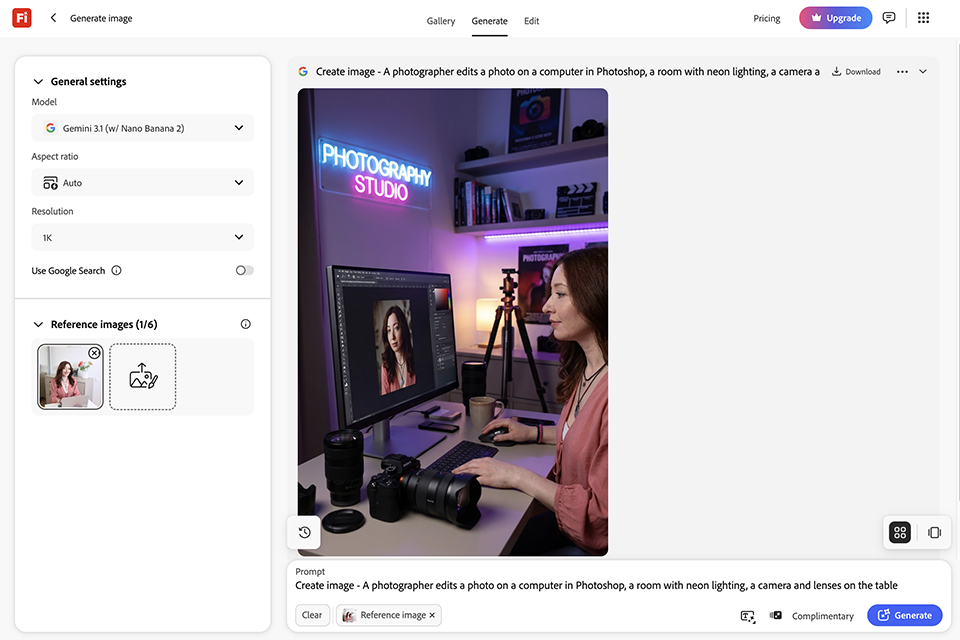
I opted to use Adobe Firefly because I needed a faster approach to produce images for social media posts, blog graphics, and creative campaigns. I utilized its text-to-image tool to develop fresh ideas, and I also experimented with Generative Fill to add or delete elements from photographs. The UI seemed easy, so I didn't have to spend much time learning how to use the primary features.
“I prefer to use this software whenever I need to create polished AI visuals for social media posts quickly.”

While testing this approach, I came up with numerous creative ideas for mock Instagram posts and article graphics. What I loved best about its AI content generation capabilities was that they allowed me to start with a text prompt rather than creating each design from scratch. I was able to swiftly produce many picture versions, expand photos, and alter visual aspects for various content formats.
With these features, I was able to create professional content considerably faster. Adobe Firefly is particularly effective for short creative drafts, background concepts, and picture modifications for internet projects. The only drawback is that some generated graphics still require minor manual adjustments, particularly when the details appear little odd.
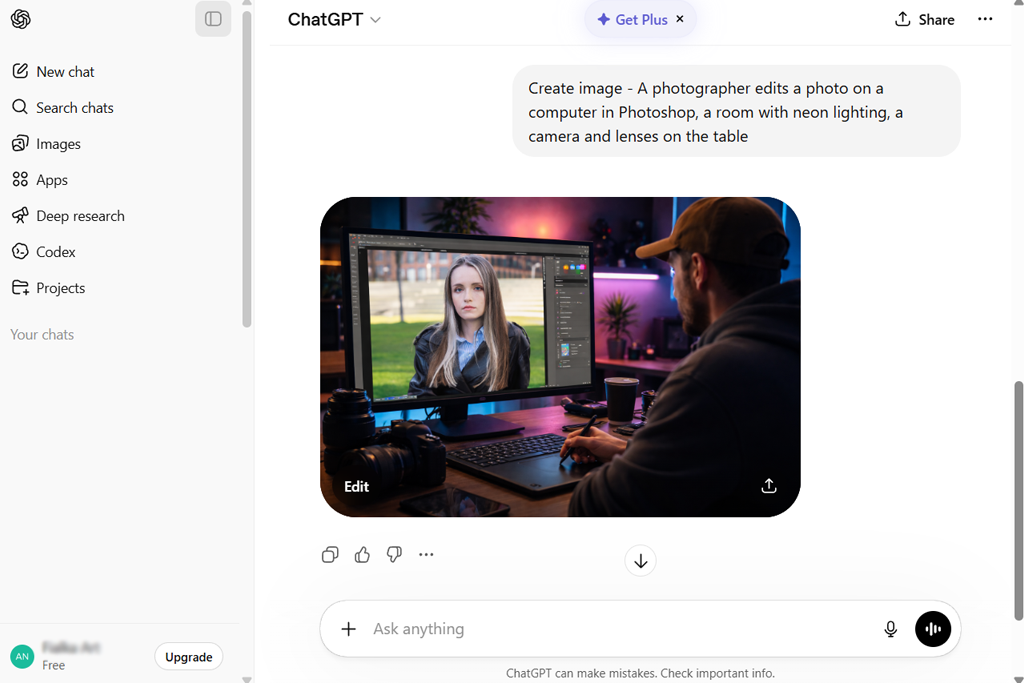
At first, I mostly used ChatGPT to generate ideas and produce some initial drafts. I used simple prompts like “generate engaging Instagram captions” or “create a short video script,” and it instantly generated high-quality text. This practical tool made it easier for me to perform content planning.
I also asked this service to come up with different variations of the same idea. When it generated 10 captions, I selected the most attention-grabbing ones. This platform allows me to produce texts in different tones and styles without rewriting them. Thanks to its AI tools for creating content, I was able to save a lot of time and get the desired results quickly.
“I mostly use this service to come up with unique ideas. When I do not know how to approach a certain topic, I write a prompt, and it offers some suggestions regarding the topic. The generated text typically sounds quite generic, so I have to rewrite it.”

Next, I decided to use it to make my blog posts and video scripts better structured. Using this generative AI tool, I organized my ideas and made my content easier to comprehend. I edited some outputs to make my content more polished. As I did not need to write texts from scratch, I saved a lot of time when working on my projects.
After testing this service for several days, I decided that it’s perfect for creating drafts. It makes it easy for you to start writing something. I often use it when I need to come up with some interesting ideas.
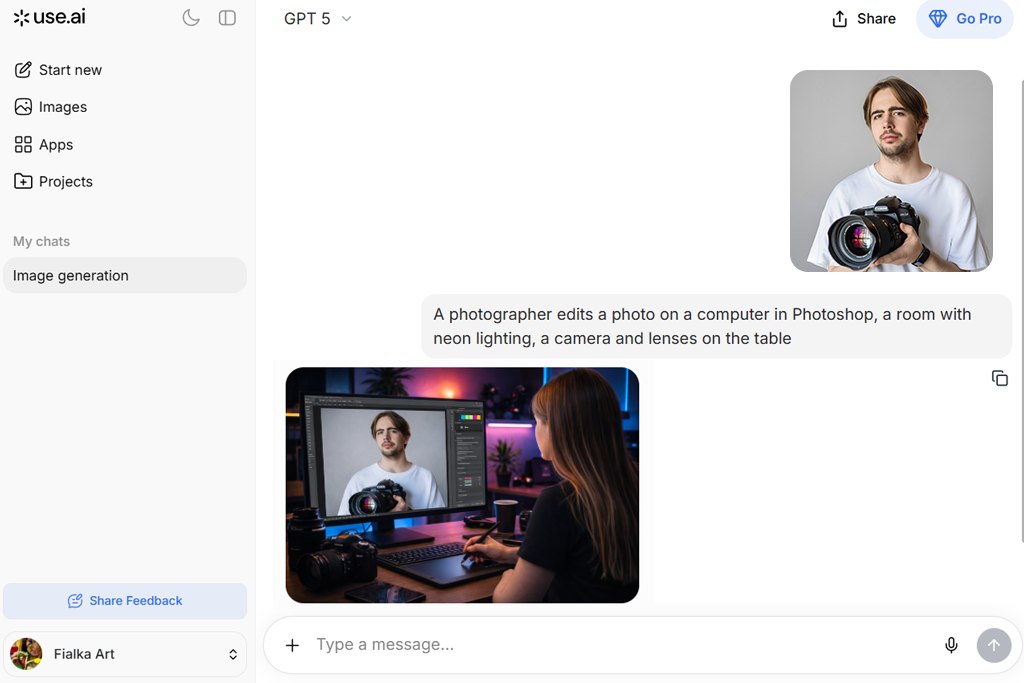
I immediately noticed that Claude was quite different from other programs I had tested, as it was more suitable for generating longer and more detailed articles and blog posts. With its help, I wrote drafts for my blog posts and created captions. It produces human-sounding, structured content and interprets prompts with high accuracy. Such functionality makes it perfect for advanced content writing projects.
I experimented with different prompts and specified tone requirements to achieve better results. Claude generated consistent outputs, written in accordance with my wishes. It grasps the subtle meaning of detailed prompts, making it perfect for storytelling or informative writing. I did not need to spend a lot of time editing my content.
“I discovered that this service writes more natural content when I ask it to generate long-form text. It’s especially suitable for writing articles or other types of content based on research. However, it’s less suited for creating short catchy captions.”

In addition, I used this service for rewriting and improving the materials I had already written. I did not need to generate everything from scratch because I could just upload my drafts and ask Claude to improve them. It makes the tone more polished and makes my content easier to comprehend. It was especially useful for situations when I needed to enhance my content quickly.
While using this platform, I realized that it’s one of the best solutions for creating long-form content. Unlike many free AI text effect generators, it does not prioritize visuals. Instead, it focuses on producing well-structured text content of the highest quality. I enjoy using it for writing blog posts and detailed scripts. Then, I use other services to create visuals for my texts.
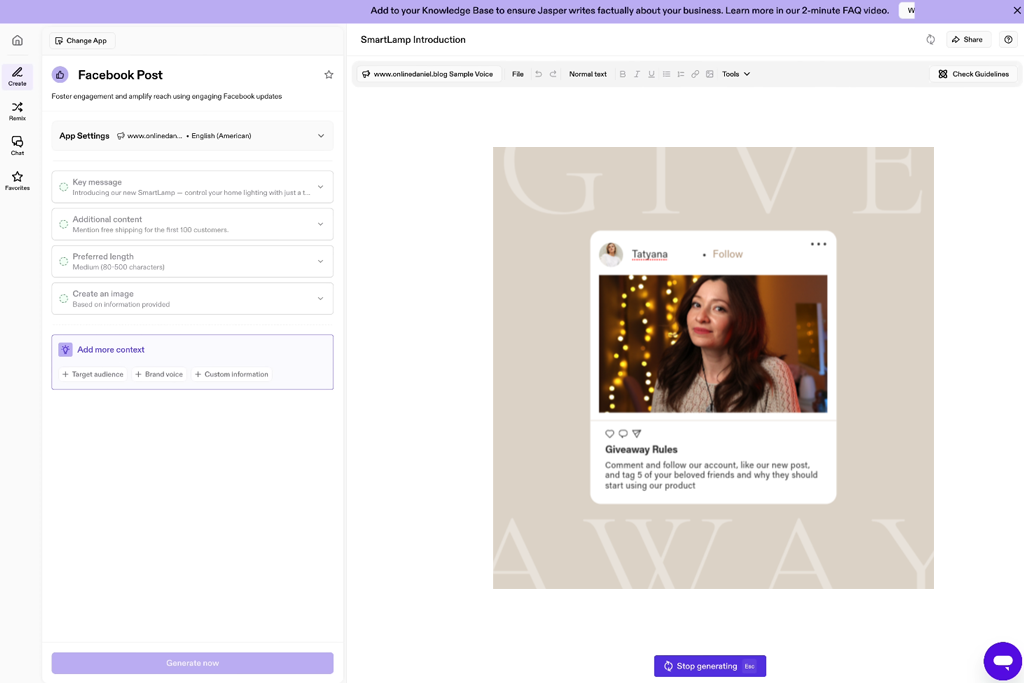
When I started to use Jasper, I was mostly interested in its suitability for creating marketing materials. I used it to write ad copies, product descriptions, and content for landing pages to understand whether it would produce high-quality content. The key advantage of this service is that it generates different types of content written in a consistent brand voice. It makes it more suitable for professional use than other AI tools for blog writing.
I configured the initial settings to write text in a simple brand voice. Jasper produced consistent outputs when tasked with writing promotional content. It recreated the style I wanted to use and applied it when producing different texts. It saved me a lot of time when I was working on our marketing campaign.
“I decided to use it for writing blog posts and managed to produce some decent outputs. However, even though the outputs were well-structured, they required some manual editing to sound more unique. Some content writers say that it saves them a lot of time, which I can agree with.”

Next, I decided to use it for generating materials for a mock product launch. Using this service, I created a complete content set, including captions, ads, and emails. This solution is especially suitable for those who want to launch marketing campaigns across multiple channels. It helped me simplify my workflow and solve routine tasks faster.
After using Jasper for different tasks, I concluded that it’s the best fit for marketing professionals. It allows content writers to maintain consistency and use a recognizable brand voice when creating content.
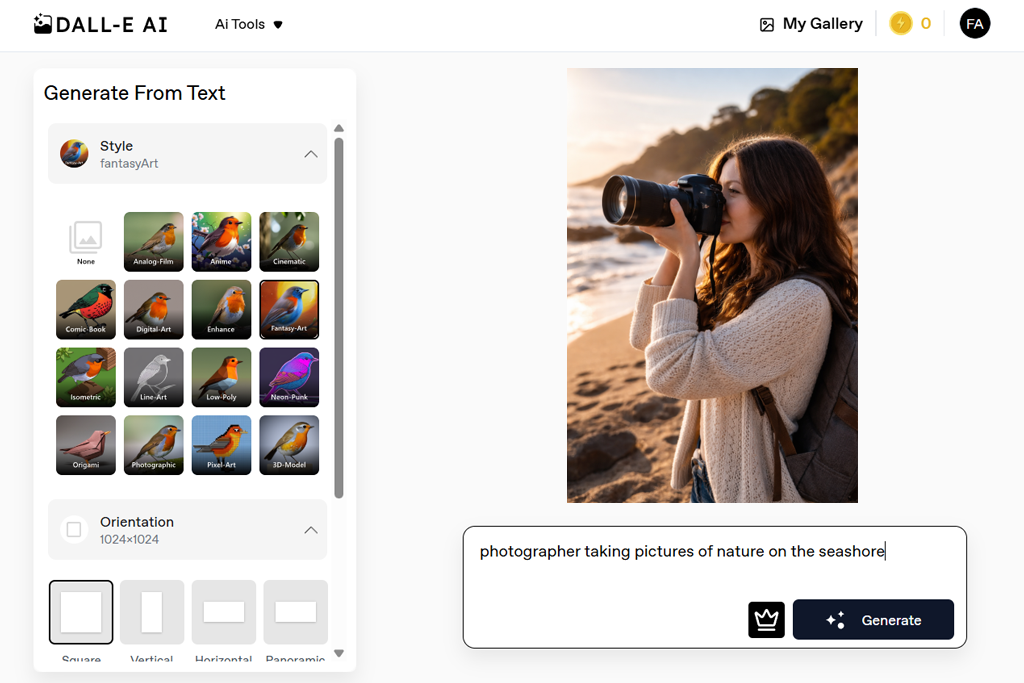
I became interested in DALL-E after hearing that it could help one produce custom illustrations without using stock images. At first, I mostly used simple prompts, but then I started to experiment with more detailed instructions. This AI image generator created unique images that meet my requirements perfectly. Using this service, I was able to fully enjoy my creative freedom.
I tried creating visuals in different styles, including realistic, artistic, and minimalistic. The output varied depending on the prompt. Gradually, I learned how to write more precise instructions to improve output quality.
“This service is especially suitable for situations when I need to quickly generate some images for my blog posts. You just need to describe the output you want to achieve and wait for a few moments. It occasionally fails to follow detailed prompts with high accuracy, but it’s an excellent choice for producing content quickly.”

With the help of its AI tools for social media content, I quickly created thumbnails and images. They looked more unique compared to the pictures produced by other services. Thanks to this solution, I increased the recognition of my content without using any third-party design software.
While testing this service, I was impressed by its set of creative tools. It is perfect for visualizing ideas and generating unique content quickly. DALL-E is the best choice for content creators who want to improve the visibility of their content.
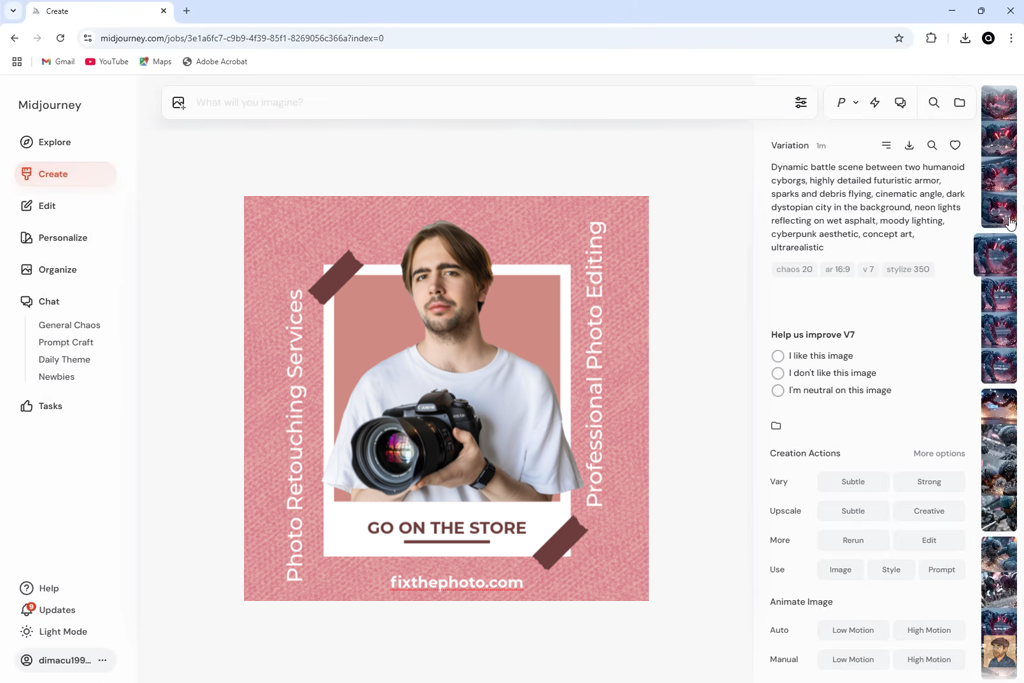
Midjourney stands out among many other services I’ve tested for its unique approach to content generation. Like in other cases, I used the prompt-based system to generate visuals for social media content. However, the outputs were much more detailed and had a distinct artistic feel. This platform exceeded my expectations because when using it I felt as if I was creating professional-level digital art.
I used various style references and tweaked my prompts to achieve better outputs. I used style adjustment and composition tools to improve my visuals. This service makes it easy t achieve consistency when creating images united by the same theme. The platform is especially suitable for those who want to maintain consistent branding when creating digital content.
“The image quality was simply mind-blowing. In terms of performance, it can beat most other services I’ve tested. However, it took me some time to learn how to write decent prompts. Besides, it was quite difficult for me to make minor adjustments.”

When testing this AI content creation software, I compared the content it generated with the outputs produced by other AI-driven image generators. The visuals produced by Midjourney were more attention-grabbing. They were more detailed, polished, and unique.
However, it took me a while to learn how to use this service to achieve consistent results. I discovered that it was important to write comprehensive prompts to achieve the desired result. Once I learned how to convey my ideas better, Midjourney became one of my favorite platforms for generating visuals with the help of AI.
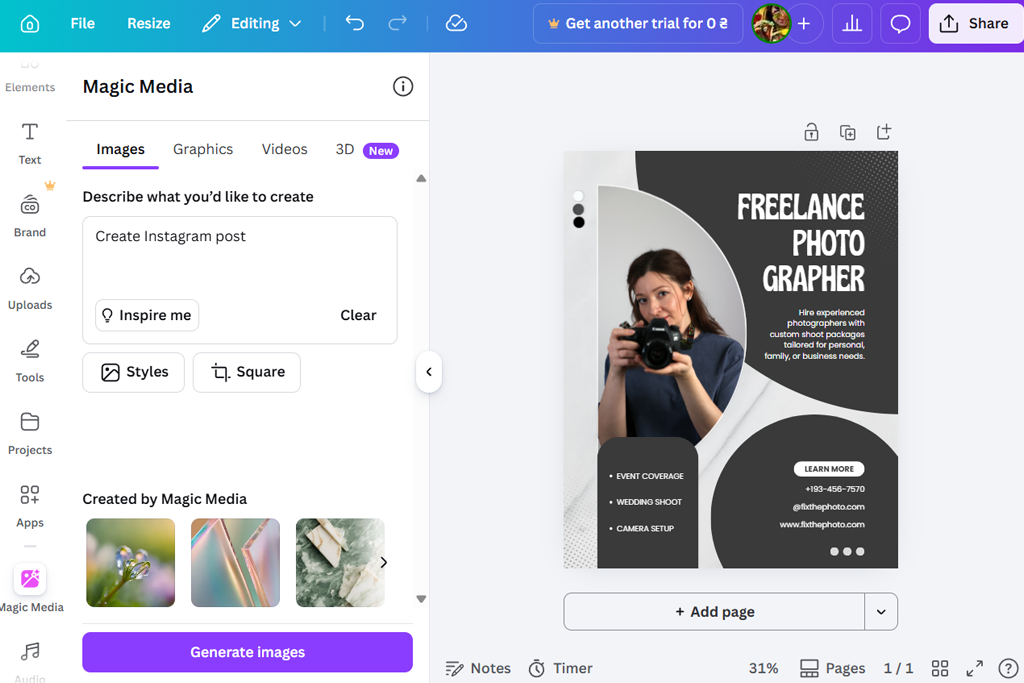
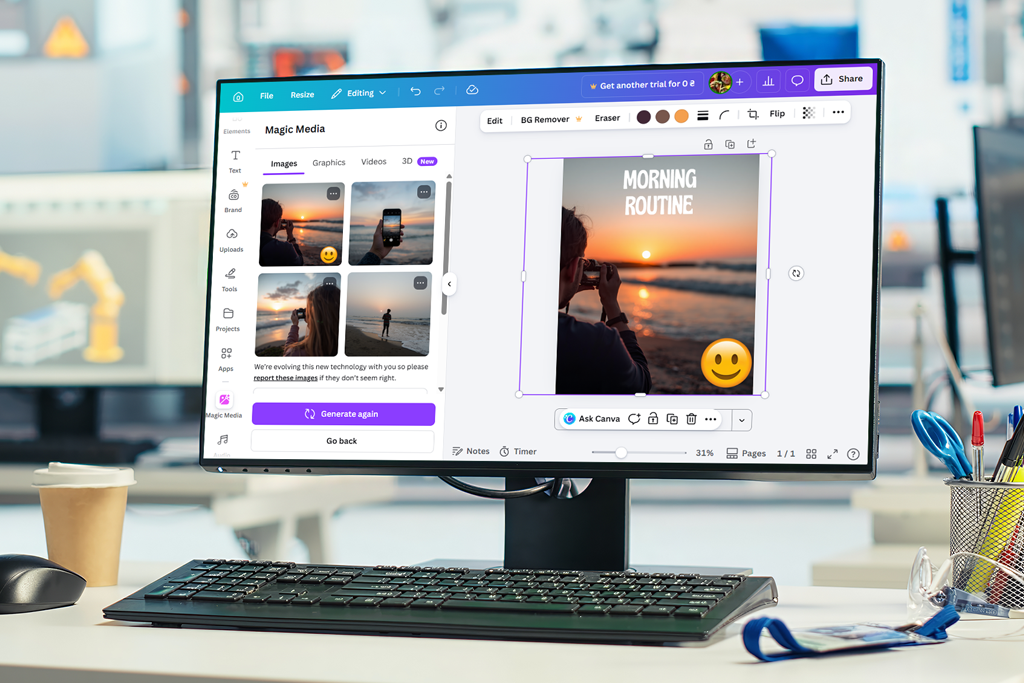
I tested Canva as I heard a lot about this intuitive software suitable for creating content quickly. Due to its drag-and-drop UI, it is suitable even for beginners. I used it to generate Instagram posts, thumbnails, and basic animations. The content creation process was quite streamlined.
With the help of the AI tools, I could solve every routine task more quickly. I liked its background removal feature and automatic design suggestions. They helped me produce polished content with ease. As a result, I did not need to spend a lot of time on manual editing.
“I use this platform mostly for creating Instagram content and basic graphics. It’s extremely intuitive, so you don’t need to have any prior experience in design. Some creators told me that using Canva makes them feel like experienced designers. I totally understand why they feel this way.”

In addition, I checked whether this service would be suitable for working with branding elements. I used the available templates and style presets to maintain consistency. They were quite useful when I had to create several posts united by the same theme. It helped me a lot of time and helped me achieve better image quality.
While testing Canva, I discovered that it was one of the best options for creating content with basic design quickly. Even though it has less advanced functionality than some other tools, it is suitable for simple needs. It’s a reliable solution for those who need to create content daily.
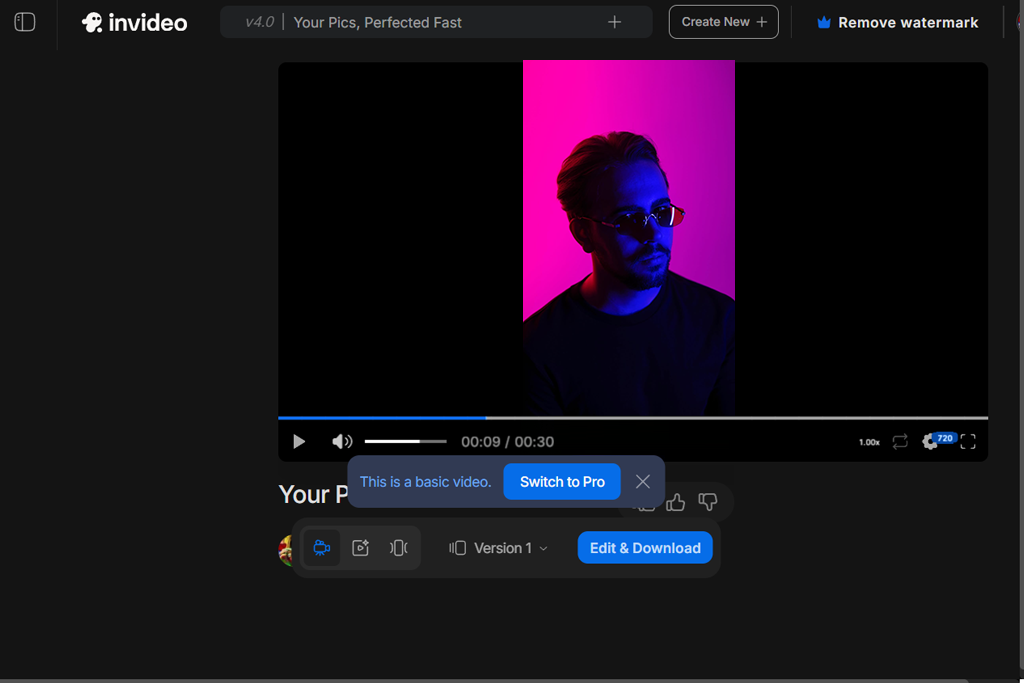
I decided to give InVideo a try when I wanted to create attention-grabbing videos without extensive experience in editing. I used templates from its collection to create videos based on text prompts. The process was quite intuitive. This software helped me automate my workflow and simplified video creation.
I used different templates to create short clips for social media and generate marketing videos. This AI video generator has a library of stock footage, music, and transitions. Using its free AI tools for content creation, I was able to produce videos without any third-party resources and optimize my workflow.
“This service exceeded my expectations. You can use it to visualize your ideas and create engaging videos quickly. Even though it has some shortcomings and outputs look quite generic, it still will save you a lot of time, as you won’t need to spend hours on manual editing.”

What I like most about this service is that it allows me to generate voiceovers automatically. With it, I can generate professional narration without recording myself. It allows me to produce high-quality content more quickly. Thanks to the support of multiple languages, I can reach out to a wider audience.
After testing this solution, I concluded that it was best suited for quick content production. It’s hardly the best choice for professional editing, but it will allow you to create basic clips for social media. The outputs have consistent quality.
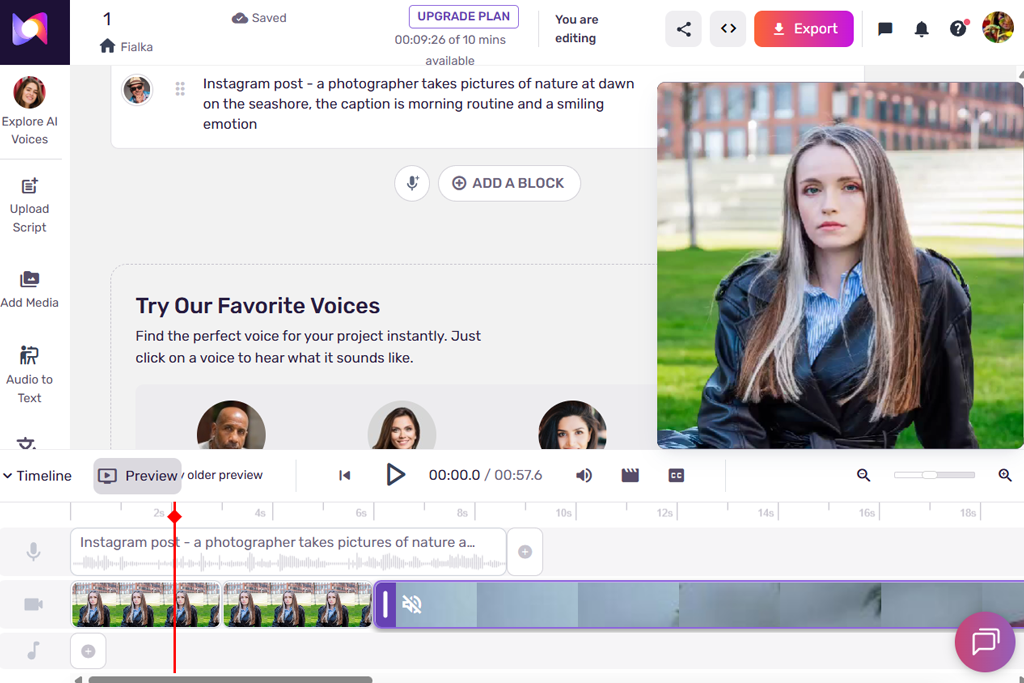
I tested Murf to see whether it would help me create natural-sounding voiceovers for my clips. I used the AI-generated voices from its collection instead of my own to save time. The outputs sounded quite professional, which helped me improve the quality of my content.
I tried using different voice styles and tones.
This AI voice cloning software has handy controls for changing pitch, speed, and emphasis. Its extensive functionality helped me customize my voiceovers and ensure that they do not sound robotic.
“I decided to use this service for voiceovers and was pleased with its quality. Some voices sounded perfectly realistic, while others had a robotic feel. It’s especially suitable for working on quick projects, as I no longer need to record everything myself.”

I decided to use this service when working on a real project that involved the creation of a short real video. The generated voiceovers matched the visuals perfectly, which made my videos more interesting to watch. Besides, they were easier to comprehend, which is crucial for tutorials.
After using Murf for some time, I concluded that this powerful service is especially suitable for creating audio content. It allows me to produce voiceovers more quickly and makes it unnecessary to use recording equipment. Murf is the top choice for creators who do not want to spend too much time recording their voice.
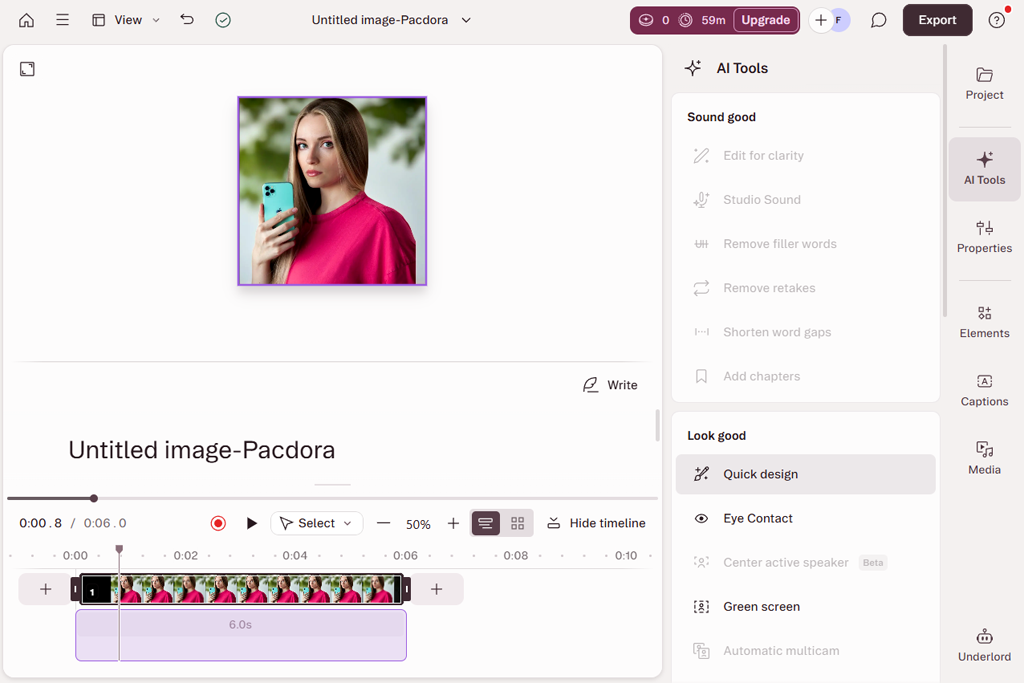
I was surprised to discover that Descript supports a completely unique video editing approach. While it does not support timeline editing, it allows users to change videos by editing text. When I uploaded my video, this free AI video transcriber produced a transcript automatically. It saved me a lot of time and effort.
I used the available text-based editing tools to cut out video segments. When I deleted sentences from the transcript, these scenes were automatically removed from the video as well. This service helps me complete my projects much faster than when I use traditional editing tools. Its AI tools for content creation are perfect for workflow optimization.
“It might take you some time to get used to the available editing tools, as you need to edit text to change your video. However, it will help you significantly expedite your workflow once you get used to it. It's an excellent option for podcasts and talking videos.”

In addition, I decided to test voice cloning and overdub features. Using them, I was able to make edits without re-recording audio from scratch. It saved me a lot of time and helped me achieve better outputs. These tools are especially useful for those who often produce longer videos.
After testing this service, I concluded that this practical solution is an excellent choice for creators who often work with spoken content. It helped me optimize my workflow and make processes more streamlined.
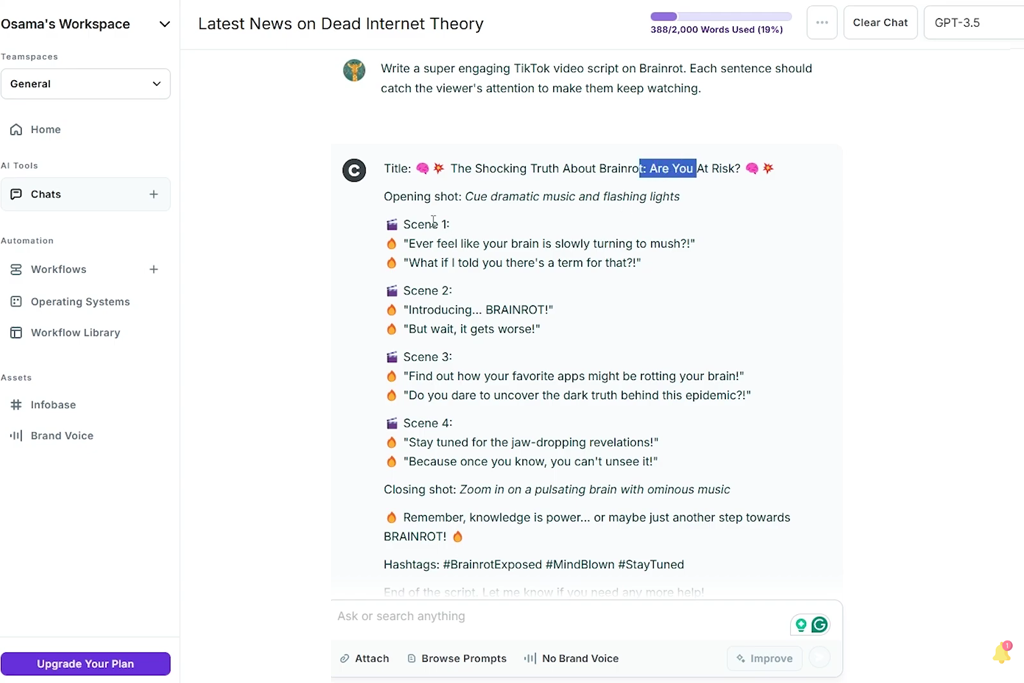
I decided to test CopyAI as I wanted to see whether it would be suitable for creating marketing materials and short-form content. With it, I created captions, ads, and product descriptions. This service generated several variations in different styles, which helped me choose the best option. Besides, I was able to test how much engagement certain content generated.
Next, I tried using the templates created for different types of content. There were templates suitable for creating emails, social media posts, and landing pages. By customizing them to my liking, I was able to create content for different platforms quickly without switching to third-party software.
“This service is especially suitable for creating captions and ad copy quickly. It generates several variations to choose from, which helped me achieve the desired output with ease. However, as outputs may sound a bit repetitive, I had to edit them manually afterward.”

I also wanted to see whether this service would help me maintain a consistent brand tone. Even though, unlike some other AI tools for designers, it’s not a professional-level solution, it still helped me achieve consistent outputs. I still had to edit them, but the outputs it produced were pretty decent, so I did not need to start from scratch.
After testing this service, I concluded that it’s perfectly suitable for content creation. It’s especially suitable for creating short clips and marketing content. This solution is a great choice for creators who prioritize speed and are looking for an AI-powered service for creating content for many uses.
Together with my colleagues, Ann Young, Nataly Omelchenko, and Tati Tailor, I decided to test these programs by following the same workflow we use when creating content for Instagram, YouTube, and other social media platforms. We did not want to rely on isolated tests, as we were interested in the complete cycle, from coming up with an idea to uploading the output to online platforms. This approach helped us understand how each solution handles real tasks.
Firstly, we decided to check whether these services were suitable for content planning and scripting. We used ChatGPT, Claude, and other similar solutions to generate new ideas, create captions, and produce polished video scripts. Ann tested each service to see how quickly it would allow her to create a weekly content plan.
Nataly was more interested in tone consistency that could be achieved with the help of these tools. We estimated how much manual editing was needed after producing content and checked whether the outputs looked natural. In many situations, the AI tools helped us spend less time planning. However, we still had to manually improve outputs in some cases.
Next, we focused on visual creation and design. Tati wanted to learn whether AI tools for content creation, like Adobe Firefly and Canva, were suitable for creating polished stories, thumbnails, and social media content. We tested auto-resizing features, used AI to remove backgrounds, and customized templates to save our content in different formats. We decided to use these services to try creating the same design for three different social media platforms. Our goal was to see whether it would take us less than 10 minutes to do it automatically. As a result, we discovered that AI tools helped us significantly simplify routine tasks and expedite our workflow.
As we also wanted to assess the video production capabilities of these platforms, we used InVideo and Descript to assess video editing speed and automation tools. We used these services to produce short videos with voiceovers, subtitles, and transitions.
Next, we compared how long it would take us to complete the same manually and with the help of AI tools. Nataly focused on measuring export time and evaluating production speed. Ann was more interested in quality and viewer engagement. In many scenarios, AI tools helped us reduce time spent on editing by 40–60% without quality loss.
Finally, we considered the overall performance and practical usability. We uploaded the produced videos to online platforms and analyzed viewer engagement using such metrics as the number of views, clicks, and interactions. We discovered that we managed to achieve better results when we started uploading content regularly.
AI tools helped us to publish new content on schedule without burnout. Together with my colleagues, we decided that the best AI tools helped us focus on creative tasks and spend less time on technical processes associated with content production.



![7 Minecraft Banner Makers [Design Examples]](http://fixthephoto.com/blog/images/gallery/news_main__preview_28947.jpg)

![Top 7 Bookmark Makers [Printable & Custom]](http://fixthephoto.com/blog/images/gallery/news_main__preview_28951.jpg)


![9 Best Play HT Alternatives in {{%year}} [100% FREE]](http://fixthephoto.com/blog/images/gallery/news_main__preview_28920.jpg)
![Add Skeleton Filter on Photo Online [FREE]](http://fixthephoto.com/blog/images/gallery/news_main__preview_28921.jpg)

















