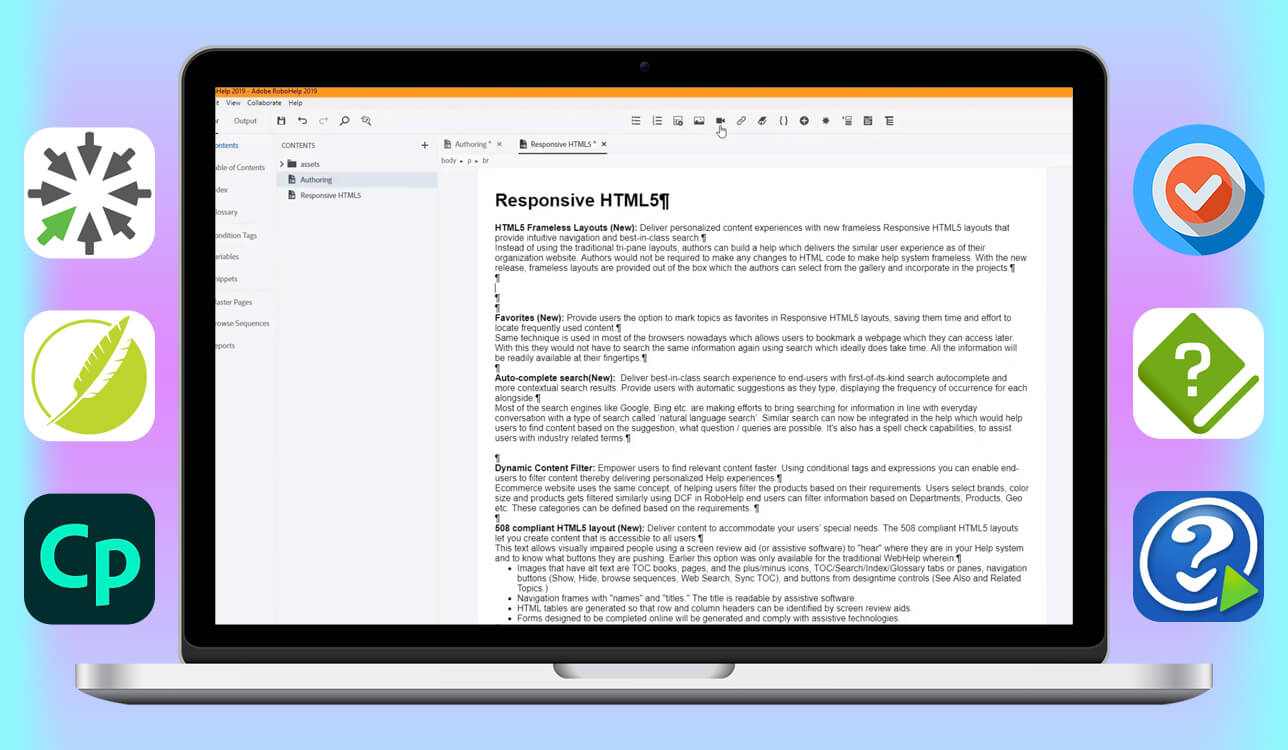
I began searching for a RoboHelp alternative software when my daily work at FixThePhoto moved from mainly static help articles to interactive tutorials, multimedia training content, and collaborative documentation projects.
RoboHelp was still good for traditional help documentation, but as our services grew and we started using more content formats, it no longer matched our changing technical documentation needs or our team’s faster workflow.
As a technical content specialist, I collaborate with retouchers, marketers, and editors in different time zones. That made me look for RoboHelp alternatives that offer more than traditional documentation and feel more flexible, modern, and able to grow with our needs.
I spoke with my team, read Reddit discussions, watched YouTube reviews, and checked professional forums. Together, we tested 25+ tools similar to RoboHelp. My goal wasn’t just to choose a personal favorite, but to find the best alternatives for different teams, budgets, and workflows - from traditional help authoring software to cloud-based platforms.
What I look for in a good RoboHelp alternative:
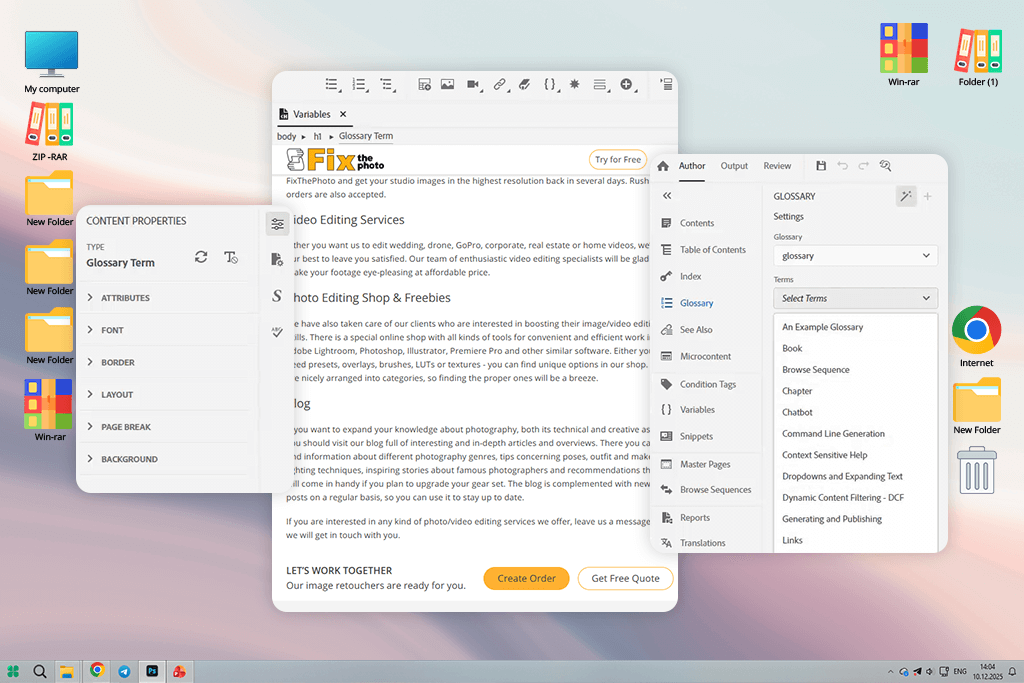
Adobe RoboHelp is a traditional help authoring and instructional design software used to build organized documentation such as user guides, FAQs, and technical help systems. For many years, it was seen as a reliable tool for creating HTML5 help files, PDFs, and older formats like CHM - especially for teams already using Adobe products.
When FixThePhoto began expanding its knowledge base, RoboHelp was a logical choice. We needed clear order guides, service details, and internal documents quickly. To be fair, RoboHelp worked well for us. It helped us arrange service topics, reuse content, and publish documents without starting from scratch.
But as time went on, my job and what the company needed both shifted - and that’s when things started feeling difficult. It wasn’t that RoboHelp was a bad tool. It was more like we had simply grown past it.
Here are the main problems my team and I faced - along with the RoboHelp alternative that worked better for each issue.
Best for: Mid-size teams, visual-first services, training-heavy docs
Integrations: Adobe Creative Cloud, Photoshop, Lightroom, SCORM/LMS, HTML5, MP4, PowerPoint
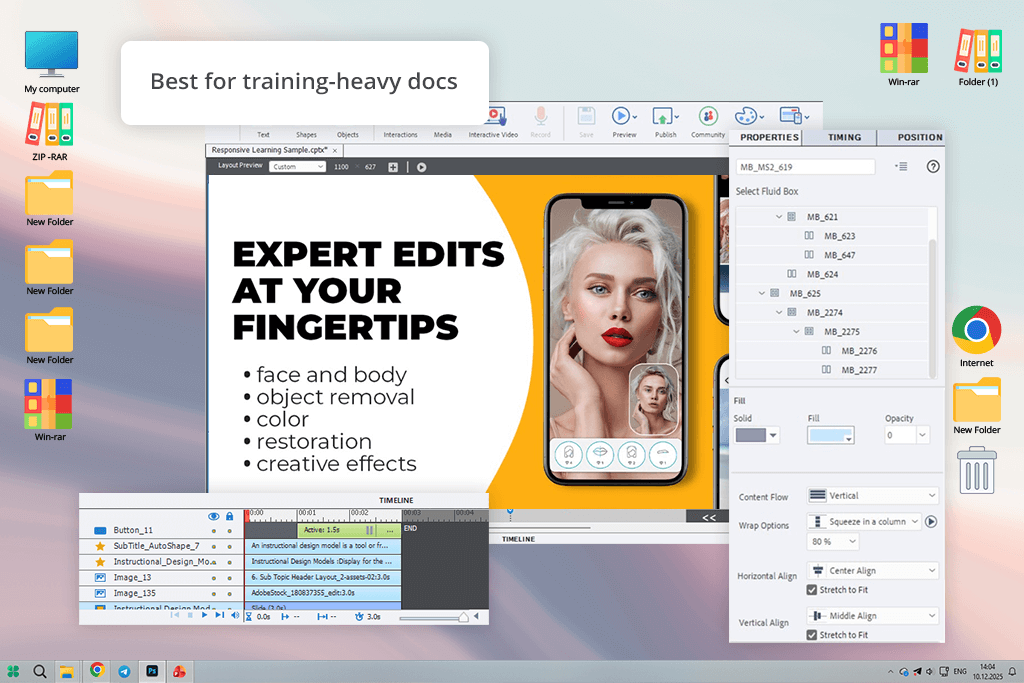
During my search for RoboHelp alternatives, I spent time reading Reddit threads and watching YouTube reviews. One name kept coming up - Adobe Captivate. Seasoned technical writers and instructional designers weren’t calling it a RoboHelp copy. Instead, they described it as a more advanced solution for teams that no longer rely on simple, static help pages. That clicked for me.
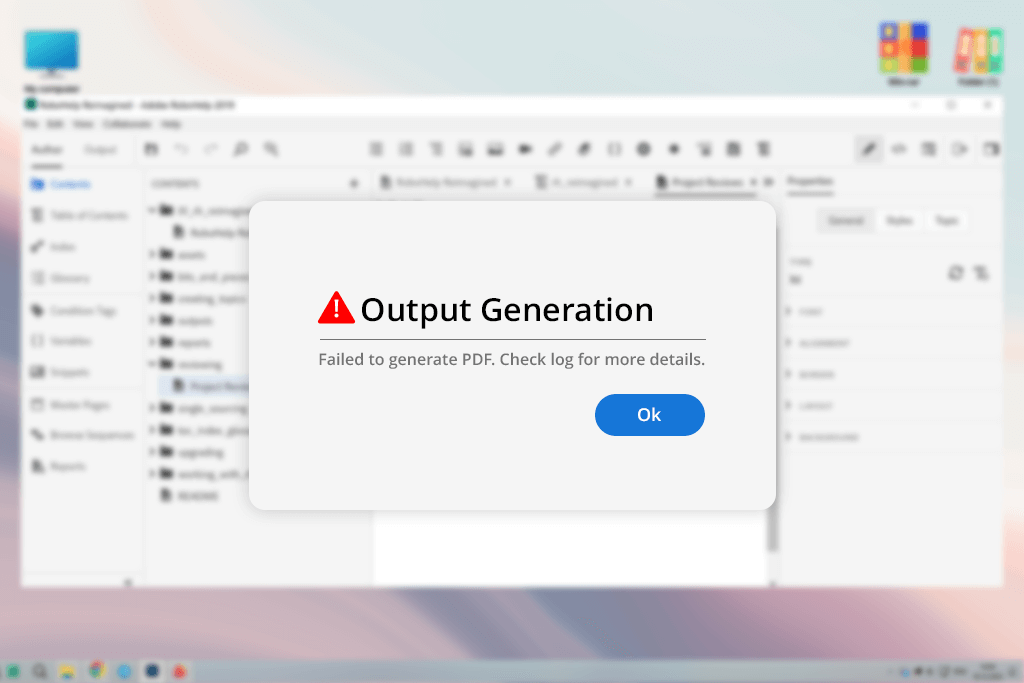
I didn’t test Captivate as a simple eLearning add-on. I evaluated it as a full replacement for RoboHelp. To see how it performs in real conditions, I rebuilt one of our actual FixThePhoto processes - a detailed portrait retouching guide with visual comparisons, step-by-step order details, and typical errors to avoid.
From the first day, the contrast was clear. Captivate shifts the focus from writing explanations to visually guiding users through a task. Instead of presenting retouching steps as long text sections, which many Captivate alternatives still rely on, I designed interactive simulations that let users actively test and apply the adjustments on their own.
What convinced me most was how smoothly Captivate works within a modern documentation setup. I could bring in PSD visuals, sync files through Creative Cloud, and add automatic captions to videos without extra hassle. It all felt built for teams like ours, where images and visuals are just as important as the written content.
“Unlike RoboHelp, which follows a more traditional help-authoring structure, Captivate works more like a blend of documentation and hands-on training.”

Still, using Captivate means adjusting your approach. If you go in expecting a standard topic-focused editor, it can feel confusing in the beginning.
My advice: begin with one real workflow instead of moving everything at once. Use ready-made templates, focus on interactive elements, and let AI take care of repetitive work like captions or slide organization. When you approach it this way, Captivate turns into one of the strongest RoboHelp alternatives - designed for modern users, not outdated manuals.
Pricing: Adobe Captivate free trial with limitations; From $39.99/month
Adobe Captivate vs RoboHelp at a glance:
| Feature | Adobe Captivate | Adobe RoboHelp |
|---|---|---|
|
Content type
|
Interactive & multimedia
|
Text-centric
|
|
Learning curve
|
3/5
|
2/5
|
|
Collaboration
|
Cloud-based
|
Limited
|
|
AI features
|
✔️
|
Minimal
|
|
Best use case
|
Training & demos
|
Static help
|
|
Output formats
|
HTML5, video, LMS
|
HTML5, PDF
|
|
Scalability
|
5/5
|
4/5
|
Best for: Large teams, enterprise documentation, SaaS
Integrations: Git, CMS platforms, HTML5, PDF engines, Translation tools, XML, CSS
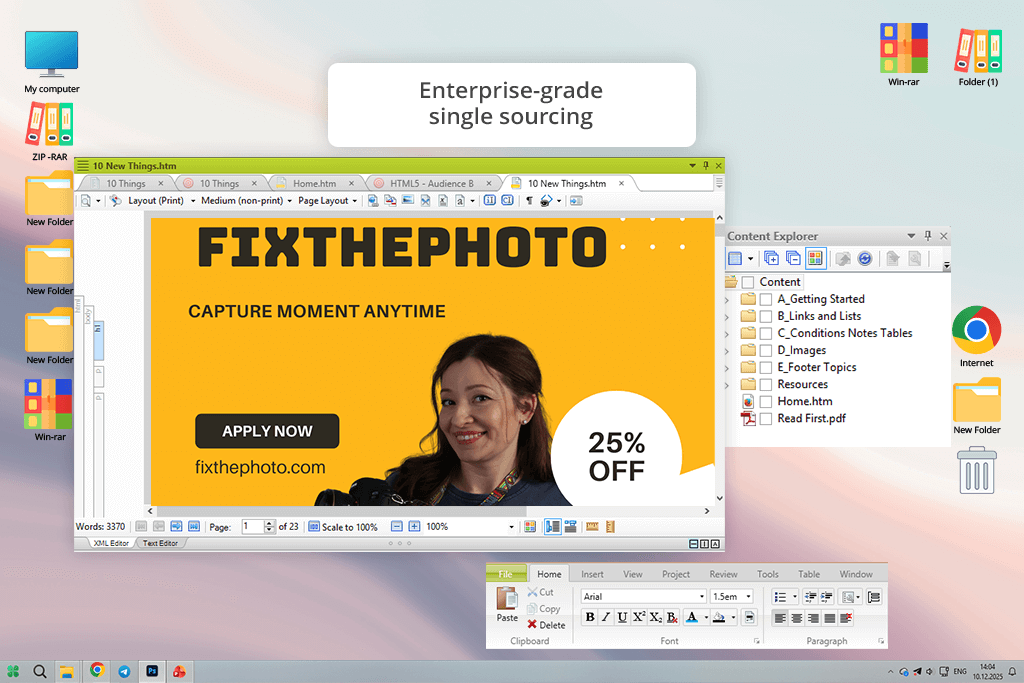
On Reddit, MadCap Flare was the RoboHelp alternative people mentioned most often - especially in discussions where users were frustrated with scaling problems, reusing content, and managing large-scale enterprise documentation.
I started testing Flare with high hopes and a clear mission: could it truly replace RoboHelp with this software documentation tool? The short answer is yes, but only if complex, structured documentation is exactly what you’re after.
I put Flare to the test by moving over some of our internal FixThePhoto docs - pricing rules, region-specific content, and reusable text blocks that appear across multiple manuals. This is exactly where Flare stands out. Features like variables, conditions, and single-sourcing aren’t just extras; they’re built right into the core of the tool. Compared to RoboHelp, Flare feels less flexible but more exact.
“If RoboHelp can’t handle your growing projects anymore, Flare isn’t just a replacement - it’s a step up.”

What really stood out to me was the level of control. You’re not just writing - you’re carefully building content from the ground up. The output is reliable, even big projects remain stable, and the whole structure is clearly built with long-term upkeep in mind. That’s exactly why Flare is usually picked as a serious technical documentation tool for RoboHelp users, not just a basic help editor.
The catch? Flare doesn’t cut you much slack. It expects you to know your way around the documentation structure. If your team focuses more on visual tutorials or marketing-style content, it might feel like too many tools for the job.
My advice: Flare shines when you put in the work early - planning templates, variables, and styles. Do that once, and every future update becomes incredibly fast.
Pricing: No free version; From $2,195/year
MadCap Flare vs RoboHelp at a glance:
| Feature | MadCap Flare | Adobe RoboHelp |
|---|---|---|
|
Target audience
|
Enterprise teams
|
SMB & mid-size
|
|
Content reuse
|
5/5
|
3/5
|
|
Stability at scale
|
5/5
|
4/5
|
|
Learning curve
|
5/5
|
2/5
|
|
Visual training
|
Limited
|
Limited
|
|
Documentation depth
|
5/5
|
4/5
|
|
Best use case
|
Complex tech docs
|
General help
|
Best for: Remote teams, SaaS, online help centers
Integrations: GitHub, Azure DevOps, Zendesk, HTML5, SSO, Google Analytics, API
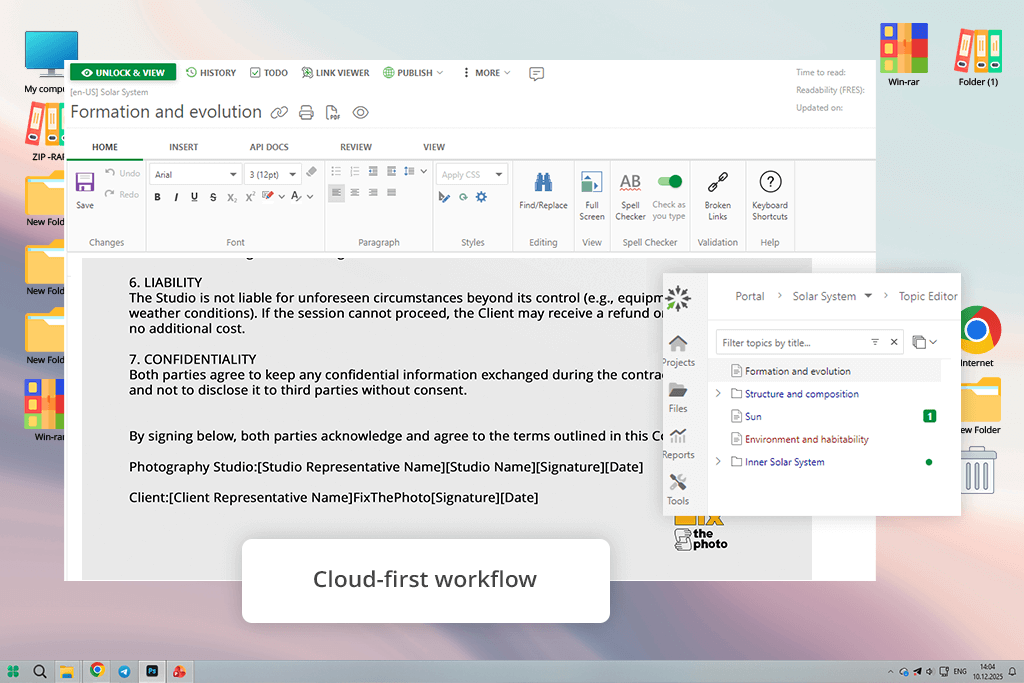
I first heard about ClickHelp from someone on our documentation team. They were fed up with dealing with local files, doing reviews through endless emails, and chasing down broken versions. Around that time, I was already looking for cloud RoboHelp alternatives, so instead of just watching a quick demo, I decided to really test it out properly.
I put ClickHelp to the test by rebuilding an actual FixThePhoto help section from scratch. It included order instructions, explanations of turnaround times, and service notes tailored for photographers in different regions.
The first thing I noticed was how smoothly everyone could work together. With RoboHelp, collaborating always felt like a hack. ClickHelp is clearly designed for teams from the ground up. Multiple people editing, commenting, and reviewing content in real time felt natural - never risky.
The main difference from RoboHelp is the approach. ClickHelp isn’t built like traditional help authoring software - it works more like document management software. Features like user roles, permissions, article history, internal comments, and instant publishing are especially useful for remote or distributed teams.
“I liked how simple it was to organize content without making it too complex - no deep XML setup, but still enough control to keep the documentation neat and well-structured.”

That said, ClickHelp isn’t meant to replace advanced training platforms or high-end enterprise authoring systems.
My advice: if your priority is speed, clarity, and smooth teamwork - rather than deep customization - this tool makes a lot of sense. Keep your templates uniform, rely on the built-in review features, and allow the platform to manage version control automatically. For today’s teams, it stands out as one of the most practical alternatives to RoboHelp I’ve tested.
Pricing: Free trial (limited users/projects); From $175/month
ClickHelp vs RoboHelp at a glance:
| Feature | ClickHelp | Adobe RoboHelp |
|---|---|---|
|
Deployment
|
Fully cloud
|
Desktop-first
|
|
Collaboration
|
Real-time
|
Limited
|
|
Built-in
|
Manual
|
|
|
Learning curve
|
2/5
|
2/5
|
|
Offline editing
|
❌
|
✔️
|
|
Best use case
|
Team docs
|
Classic help
|
|
Publishing speed
|
5/5
|
3/5
|
Best for: Solo writers, small teams, simple docs
Integrations: HTML5, PDF engines, Word, CHM, Markdown, CSS
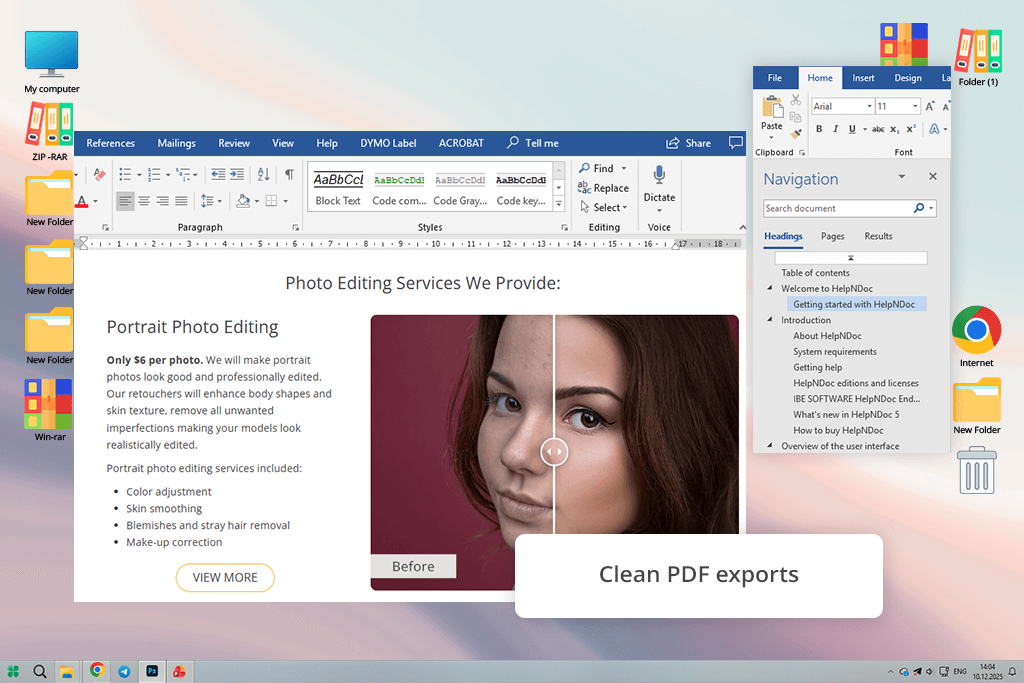
I came across HelpNDoc on YouTube while watching videos comparing lightweight alternatives to RoboHelp. A lot of reviewers kept calling it “simple,” which actually made me doubt it at first. But after trying it out myself, I realized that being simple can actually be a good thing.
I used HelpNDoc to recreate a small internal guide we had - service descriptions, image-heavy instructions, and PDFs for clients. What really stood out to me was how fast and smooth it ran. Even with tons of images and cross-links, everything stayed stable. Compared to RoboHelp, HelpNDoc just feels light and clean - no unnecessary extras, no clutter getting in the way.
“What impressed me most was how consistent the output was. PDFs, HTML, and Word exports all looked exactly right - no unexpected formatting issues like you often get with bigger tools.”

HelpNDoc isn’t trying to be a cloud-based platform or an interactive training tool. It’s a focused RoboHelp documentation alternative for people who simply want to write, organize, and publish documentation without any unnecessary hassle. Of course, it’s not designed to function like report writing software for large teams or real-time collaboration - that’s just not what it’s built for.
My advice: If you’re a solo writer or part of a small team, and you just want things to work quickly and reliably without all the extra complexity, HelpNDoc is a great fit. It focuses on delivering clean, stable exports rather than overwhelming you with advanced features. When RoboHelp starts feeling bloated for what you need, moving to HelpNDoc can feel like a relief – simpler and lighter.
Pricing: Free version (watermarks); From $12/month
HelpNDoc vs RoboHelp at a glance:
| Feature | HelpNDoc | Adobe RoboHelp |
|---|---|---|
|
Performance
|
5/5
|
3/5
|
|
Ease of use
|
5/5
|
4/5
|
|
Collaboration
|
3/5
|
3/5
|
|
Output stability
|
5/5
|
4/5
|
|
Cloud support
|
❌
|
Partial
|
|
Best use case
|
Small docs
|
Mixed use
|
|
Learning curve
|
1/5
|
2/5
|
Best for: Small teams, classic documentation
Integrations: HTML5, PDF, Word, CHM, XML, CSS, SVN
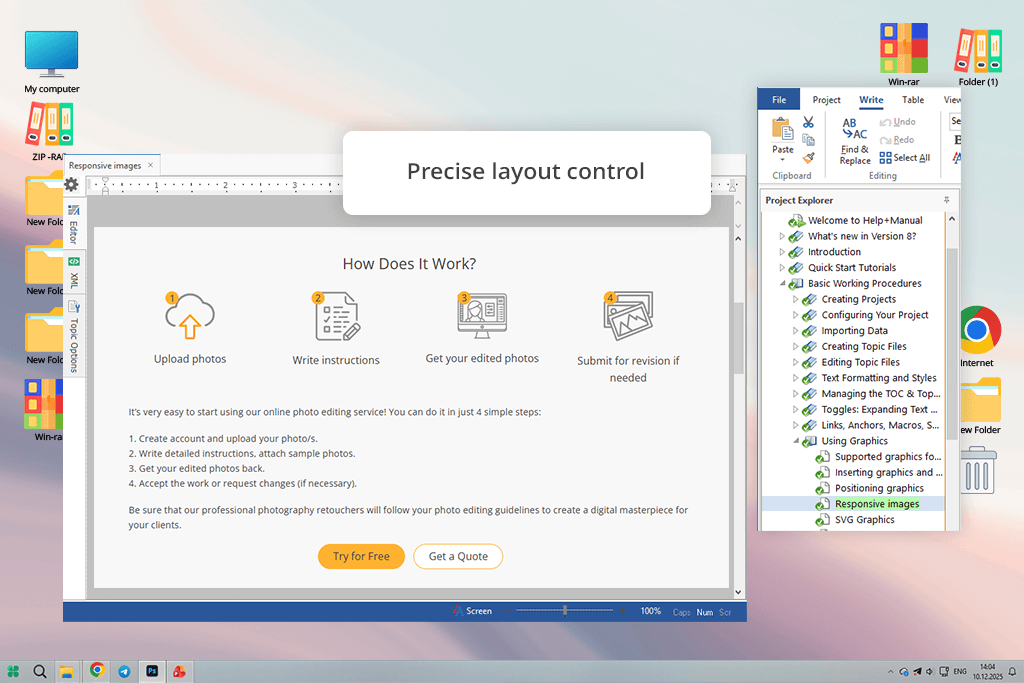
I was already familiar with Help+Manual from a past job where we used it for standard desktop documentation. So when I tested it again as a RoboHelp alternative, I came in with practical expectations - not just curiosity.
I rebuilt an image-heavy FixThePhoto guide with Help+Manual - service descriptions, screenshots, and a client PDF. What impressed me was how predictable it was. No publishing surprises, no layout issues, no slowdowns. Compared to RoboHelp, it just feels more focused and less bloated.
“For classic documentation work, it’s one of the most dependable RoboHelp-style tools I’ve tried.”

The key difference is how each tool thinks. Help+Manual doesn’t chase trends like cloud features or interactivity. It’s a straightforward desktop tool for writers who want full control over how things look and flow. Unlike RoboHelp, which constantly updates its interface, Help+Manual feels steady and focused. Just keep in mind - it’s not made for teams that need to collaborate in real time.
My advice: Help+Manual really shines when your documentation needs are consistent and well-planned from the start. Put in the effort early to set up your styles and templates - once that’s done, cranking out content becomes smooth and efficient.
Pricing: Free trial (output limitations); From $29/month
Help+Manual vs RoboHelp at a glance:
| Feature | Help+Manual | Adobe RoboHelp |
|---|---|---|
|
Stability
|
5/5
|
3/5
|
|
Collaboration
|
2/5
|
Limited
|
|
Output control
|
5/5
|
3/5
|
|
Cloud support
|
❌
|
Learning curve
|
|
Learning curve
|
2/5
|
2/5
|
|
Best use case
|
Classic docs
|
Mixed
|
Best for: UI-heavy apps, internal tools
Integrations: HTML5, PDF, Word, CHM, Image editors
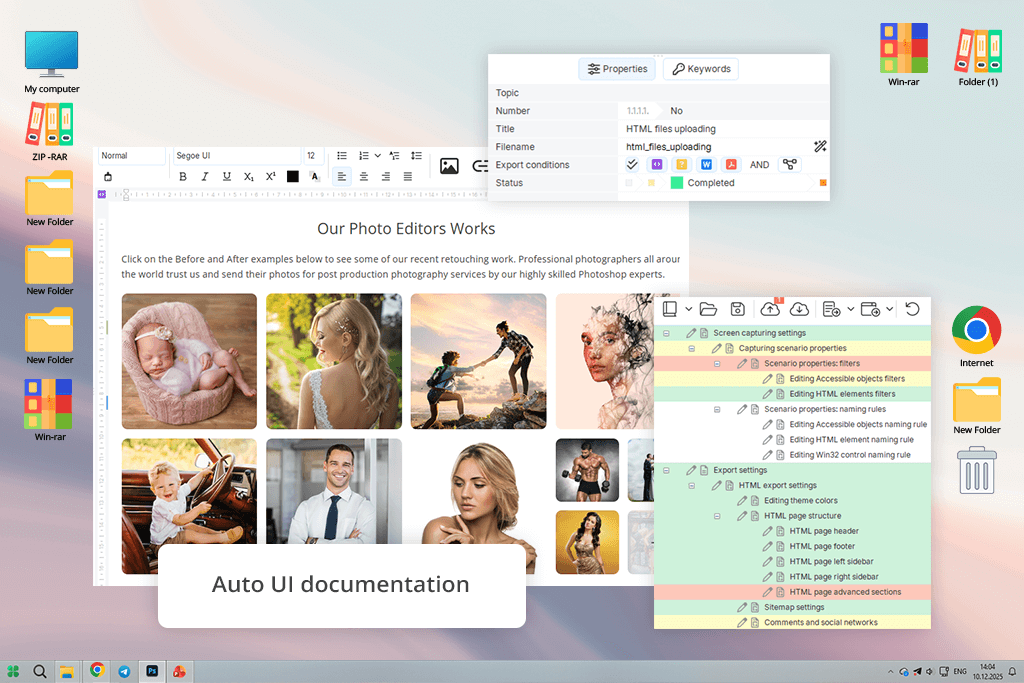
A coworker suggested Dr.Explain when I said I needed a quicker way to document interfaces. At first, it seemed like a very specific tool, but after trying it as a RoboHelp alternative, I saw why people like it.
I tested Dr.Explain on one of our internal order dashboards. Its best feature is automatic UI documentation. You upload screenshots, and it creates labeled steps and explanations for you. Compared to RoboHelp, it saved a lot of preparation time, especially for software-based guides.
“It’s not a full documentation system. Unlike RoboHelp’s manual structure, Dr.Explain focuses on speed and clarity - perfect for fast UI updates.”

The limitation is flexibility. It’s not built for complex content reuse, conditional logic, or very large documentation projects.
My advice: Dr.Explain is a great fit for projects that rely heavily on screenshots and visuals - like interface guides, internal tools, or MVP documentation. It really shines when what you see on screen matters more than complex structure. In those specific situations, it’s a very practical RoboHelp help authoring software.
Pricing: Free version (watermarks); From $18/month
Dr.Explain vs RoboHelp at a glance:
| Feature | Dr.Explain | Adobe RoboHelp |
|---|---|---|
|
UI automation
|
✔️
|
❌
|
|
Speed
|
5/5
|
3/5
|
|
Scalability
|
3/5
|
3/5
|
|
Collaboration
|
Minimal
|
Limited
|
|
Best use case
|
UI docs
|
|
|
Learning curve
|
2/5
|
3/5
|
Best for: Enterprise teams, large doc sets
Integrations: GitHub, CMS, Translation tools, HTML5, PDF, API, SSO
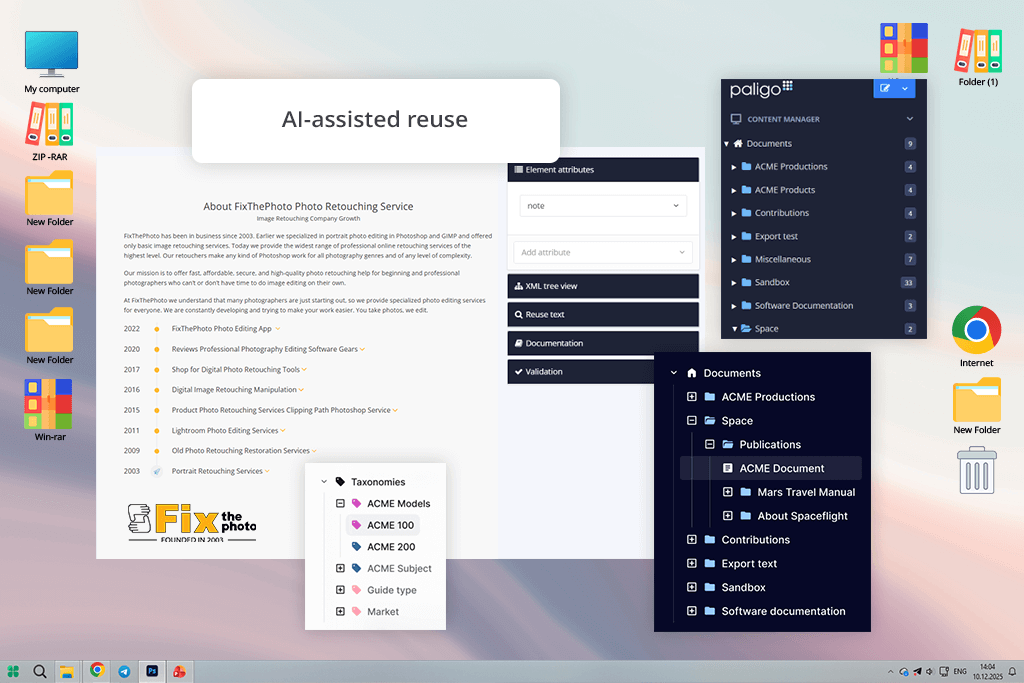
I first heard about Paligo from a colleague involved in enterprise documentation. When I tried it as a generative AI tool comparable to RoboHelp, it felt completely different. It’s not just for writing content; it functions more like a structured content system.
I tested Paligo by reusing service descriptions across different formats. The key feature is component-based authoring - content blocks live independently and can be reused anywhere. Compared to RoboHelp, this eliminates duplication entirely.
“Paligo is built for teamwork with long-term documentation in mind. It even uses AI to suggest ways to reuse content and structure things smarter - features you won’t find in RoboHelp.”

That said, Paligo requires discipline. It’s not for quick one-off guides. My advice: commit fully - plan your content structure upfront and train your team. Done right, it’s one of the most powerful RoboHelp alternatives available.
Pricing: No free version; From $299/month
Paligo vs RoboHelp at a glance:
| Feature | Paligo | Adobe RoboHelp |
|---|---|---|
|
Architecture
|
Component-based
|
Topic-based
|
|
Collaboration
|
Real-time
|
Limited
|
|
AI features
|
✔️
|
Minimal
|
|
Scalability
|
5/5
|
3/5
|
|
Cloud support
|
Full
|
Partial
|
|
Best use case
|
Enterprise docs
|
SMB docs
|
As someone who works with documentation, tutorials, and training materials every day, I didn’t want this article to just list specs or marketing claims. So, I teamed up with my colleagues at FixThePhoto - a team of photo editors, retouchers, and tech experts who handle thousands of real customer projects.
Together, we tested over 20 RoboHelp alternatives in our actual daily workflows, not just in quick demos. We began by gathering suggestions from coworkers from other teams, discussions on Reddit within technical writing and documentation groups, reviews on YouTube, and any tools we had either tried briefly before or kept hearing about as potential RoboHelp replacements.
From there, I filtered the list down to platforms that were clearly designed as help authoring tools, documentation software, or direct RoboHelp competitors - not just general-purpose note apps or wikis.
For the testing, I took real FixThePhoto content and rebuilt it from scratch in each tool - stuff like service instructions, image-heavy guides, internal process docs, and onboarding materials. My team also got involved: they reviewed the outputs, tested collaboration features, and helped me see how each tool performed in different real-world situations.
We tested each tool using our FixThePhoto review process. We focused on setup speed, UI clarity, performance with large projects, remote collaboration, and output quality, especially HTML and PDF, since visuals are key for photo documentation.
Some tools didn’t make our final list. Confluence felt more like a knowledge base than a real help authoring platform. Notion didn’t offer strong documentation outputs. Zendesk Guide wasn’t powerful enough for full-scale documentation. GitBook had limits in advanced customization and export options. And Document360 felt too restricted by its subscription plans for our needs.
We also looked carefully at AI features, but only when they were truly useful. I tested options like automatic topic organization, smart content reuse, AI captions for tutorials, and better search indexing. If an AI tool felt like it was added just for marketing and didn’t actually save time, we didn’t treat it as a real benefit.
Setup and onboarding speed were also very important. I measured how quickly I could go from creating an account to publishing my first real help article. If a tool required long setup steps, complicated configuration, or confusing workflows, it lost points - especially because our team often needs to work fast.
Ease of use and a clear interface were more important to me than fancy features. I spent hours writing and editing in each tool, noticing how the panels were arranged, how simple the navigation was, and whether the interface felt distracting over time. Clean, well-organized layouts helped me stay focused, while cluttered ones quickly slowed me down.
We tested collaboration workflows with my team, including real-time editing, comments, review modes, and version history. Since FixThePhoto works across time zones, tools without proper collaboration or with risky manual merging were immediately downgraded.
We tested how well each tool handled teamwork - things like editing at the same time, leaving comments, reviewing content, and tracking version history. Because our FixThePhoto team works across different time zones, any tool that made collaboration difficult or relied on risky manual merging was quickly ruled out.
Performance and stability were essential for us, especially when dealing with bigger documentation projects. I purposely challenged each tool with image-heavy guides, lengthy manuals, and multiple output formats. If a platform slowed down, froze, or crashed while publishing, it didn’t make it past our testing phase.
We also took a close look at output quality, especially with HTML and PDF exports. I checked whether layouts stayed consistent, how images were handled, if links worked properly, and how typography held up. Any tool that messed up visuals or needed manual fixing after export got flagged - because documentation should look professional right away, not require more work later.
Finally, we looked at pricing, what limitations each tool had, and whether it offered real value. I’m totally okay with paying for software that genuinely makes my work faster and easier. But if a tool locked basic features behind expensive plans or had strict limits that didn’t make sense, it quickly lost our interest. At the end of the day, real value mattered more to us than brand names.





![Fish Eye Filter Online [FREE]](http://fixthephoto.com/blog/images/gallery/news_main__preview_28873.png)
![7 Best CDA to MP3 Converters in {{%year}} [100% FREE]](http://fixthephoto.com/blog/images/gallery/news_main__preview_28878.jpg)


![9 Best DALL-E Alternatives in {{%year}} [100% FREE]](http://fixthephoto.com/blog/images/gallery/news_main__preview_28491.jpg)

















