
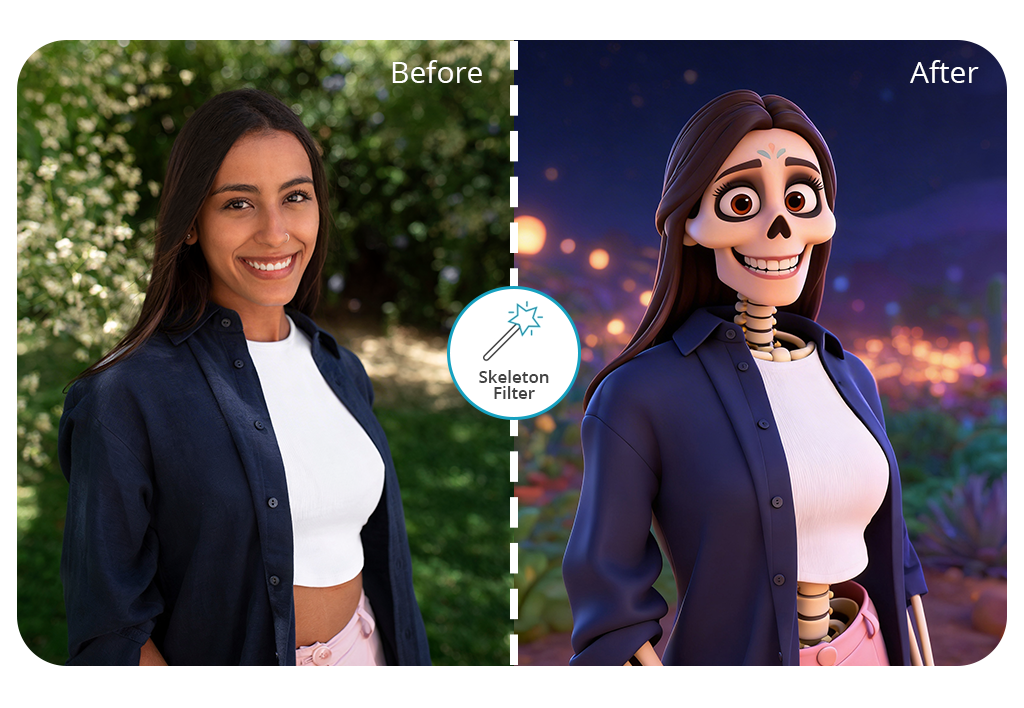


The FixThePhoto skeleton effect app stands out because it uses AI to create the basic skeleton effect first, and then professional editors improve it manually, making the final picture look natural and well-blended, not fake or poorly edited.
When you choose to add a skeleton effect, you can explain what style you want. For example, you can ask for a light skull effect over your face or a full skeleton transformation. The finished photo looks realistic, as if the skeleton effect were part of the original image.
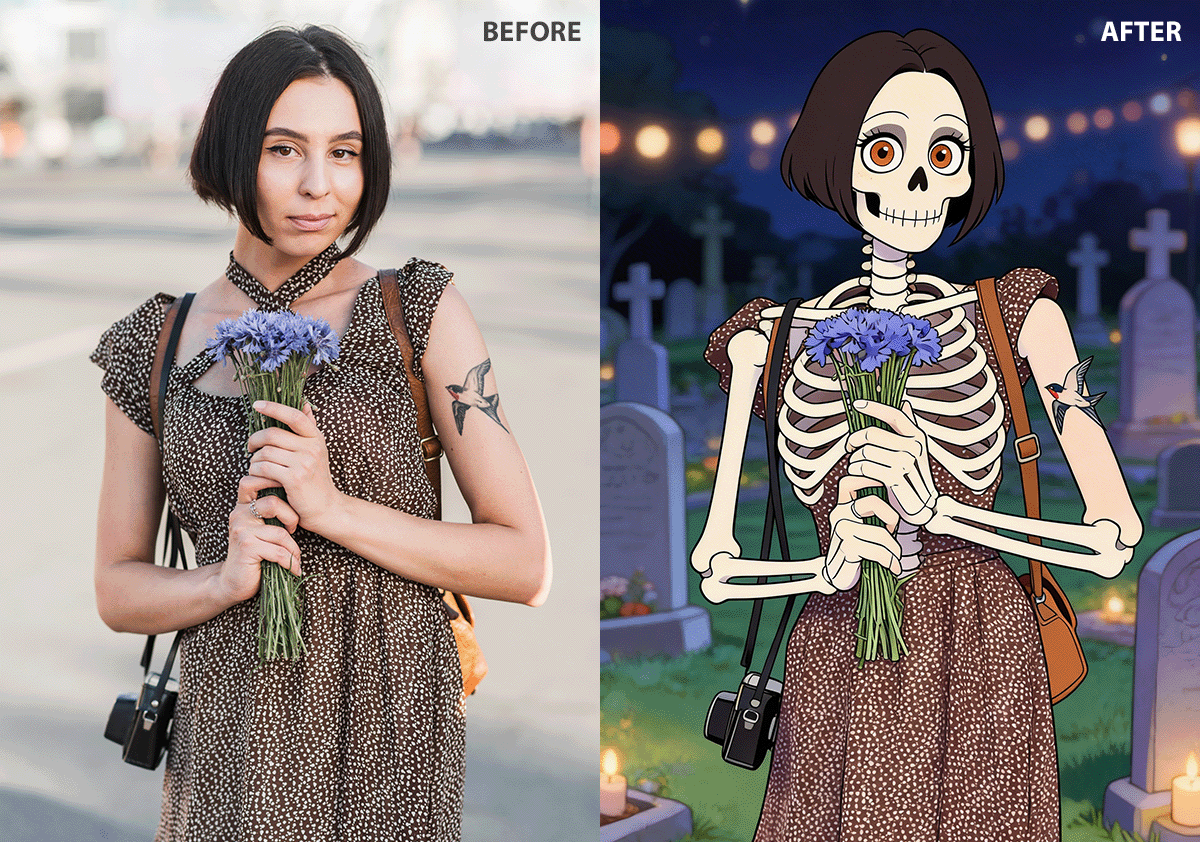


Using both AI and human editing has clear benefits. First, you get your edited photo quickly. Second, the skeleton matches your face shape, lighting, and body position, so it looks realistic.
Inside the app, you can also request extra edits to make your photo more Halloween-themed. Your first edited photo is free, so you can try the app and see how it works without paying.
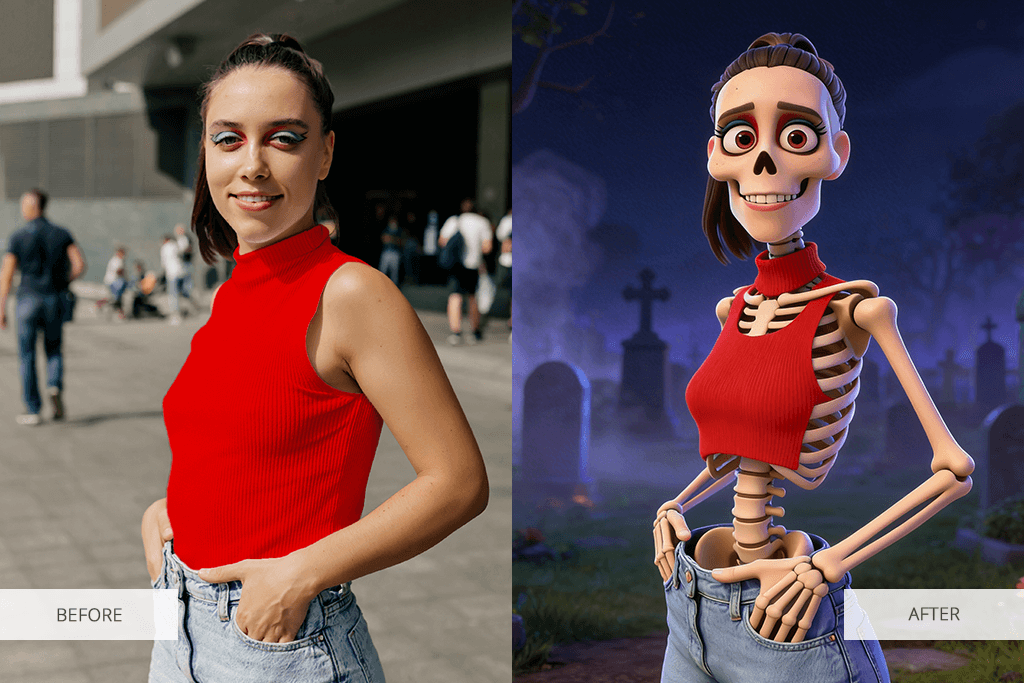
Skeleton edits are not just simple skull filters. There are many creative ideas and styles you can try. You can even mix the skeleton effect with other edits, such as hair changer for women) to better fit the mood of the picture. Here are some popular skeleton edit ideas:
Classic skull face filter. This option turns your face into a skull but keeps the original head shape and facial expression. It is one of the most common skeleton styles and works well for portraits.
X-ray skeleton effect. This effect makes it look like bones are visible under your skin. It gives a medical or fiction look. It works best on bright, clear photos.
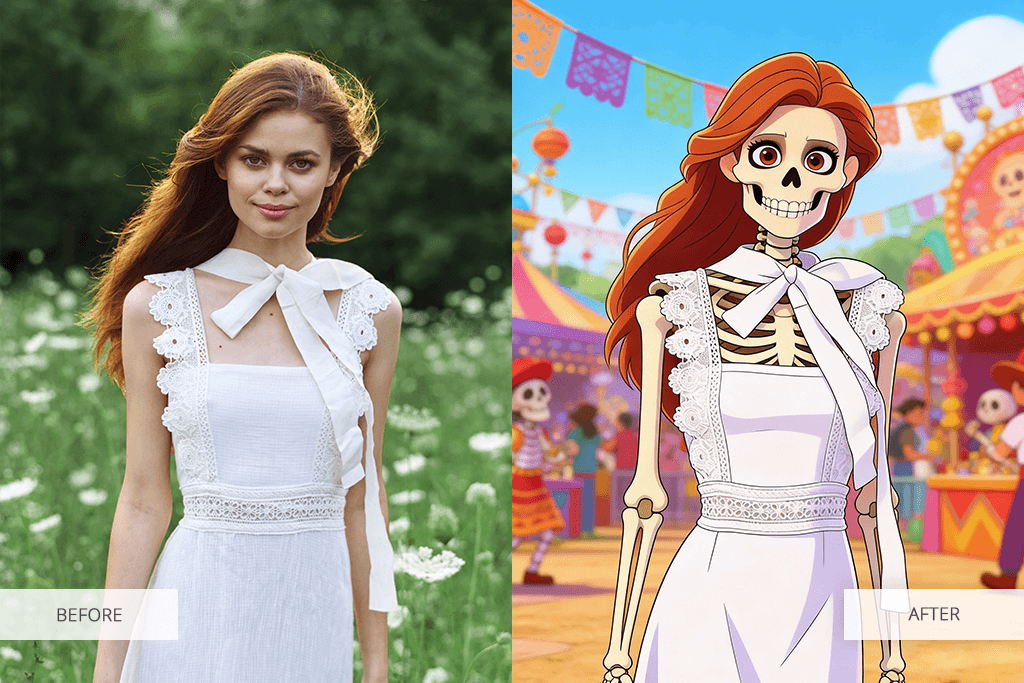
Sugar skull (Catrina) style. Inspired by Día de Muertos traditions, this style mixes skull details with decorative patterns, flowers, and artistic face designs.
Cartoon skeletons. These effects use simple shapes and exaggerated features. They are great for fun Halloween posts, children’s photos, or playful edits.
Glowing skeleton effects. This option adds light outlines, shining bones, or neon-style details. It looks good in dark scenes or night backgrounds.
Half-skeleton face. Only one side of the face becomes a skull, creating a split look. It looks dramatic and works best when the skin is clean and smooth. Some people also remove tattoos first to keep attention on the skeleton effect.
Full-body skeleton overlays. This style shows a full skeleton that matches your body position. It works best with full-length photos and simple backgrounds.
Animated skeleton elements. You can add moving skulls, dancing skeletons, or other animated bone effects to create energy in Halloween posts or stories.
Mini skeleton accents. Small skulls or bones can be added to hats, shoulders, or the background. This is a softer way to add a Halloween touch.
Custom skeleton designs. You can ask for a unique skeleton style with specific details, bone shapes, or realism level to get a one-of-a-kind result.
It is fast and easy to add a skeleton effect: just take a selfie or pick a photo from your gallery, upload it to the app, and describe the style you want. After a few minutes, your edited image will be ready.
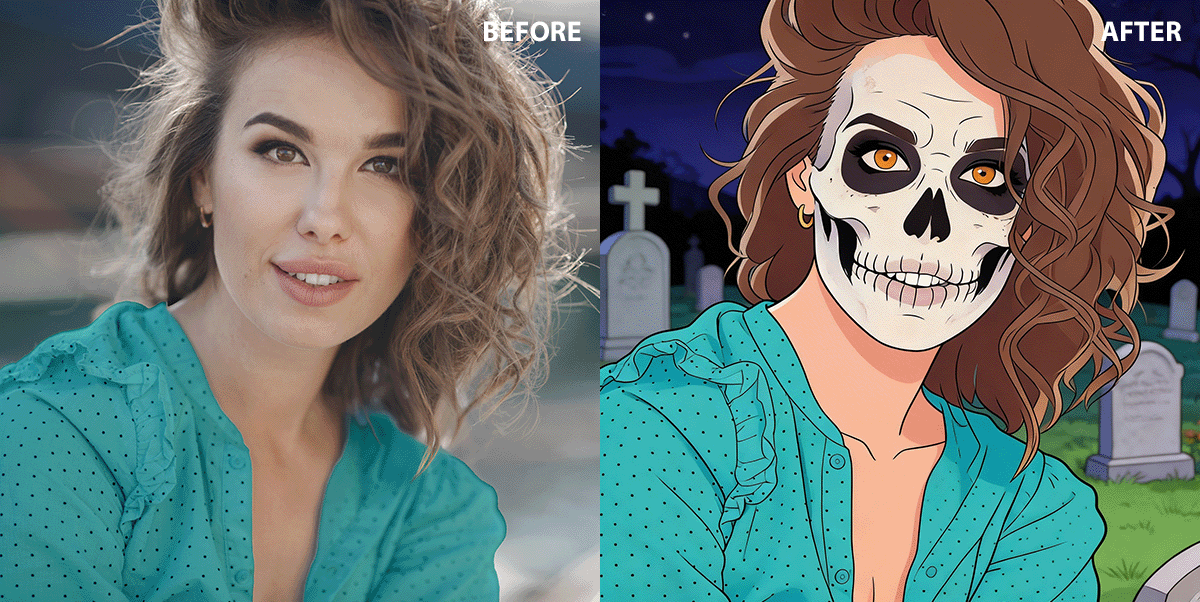
If you want a stronger Halloween vibe, you can add extra edits. For example, the retouchers can dim the background or change it to a Halloween-style backdrop, improve shadows, add smoke, and glowing effects for a more dramatic look.
You can also combine the skeleton effect with a clothes editor app to adjust outfits so they better match the spooky theme.
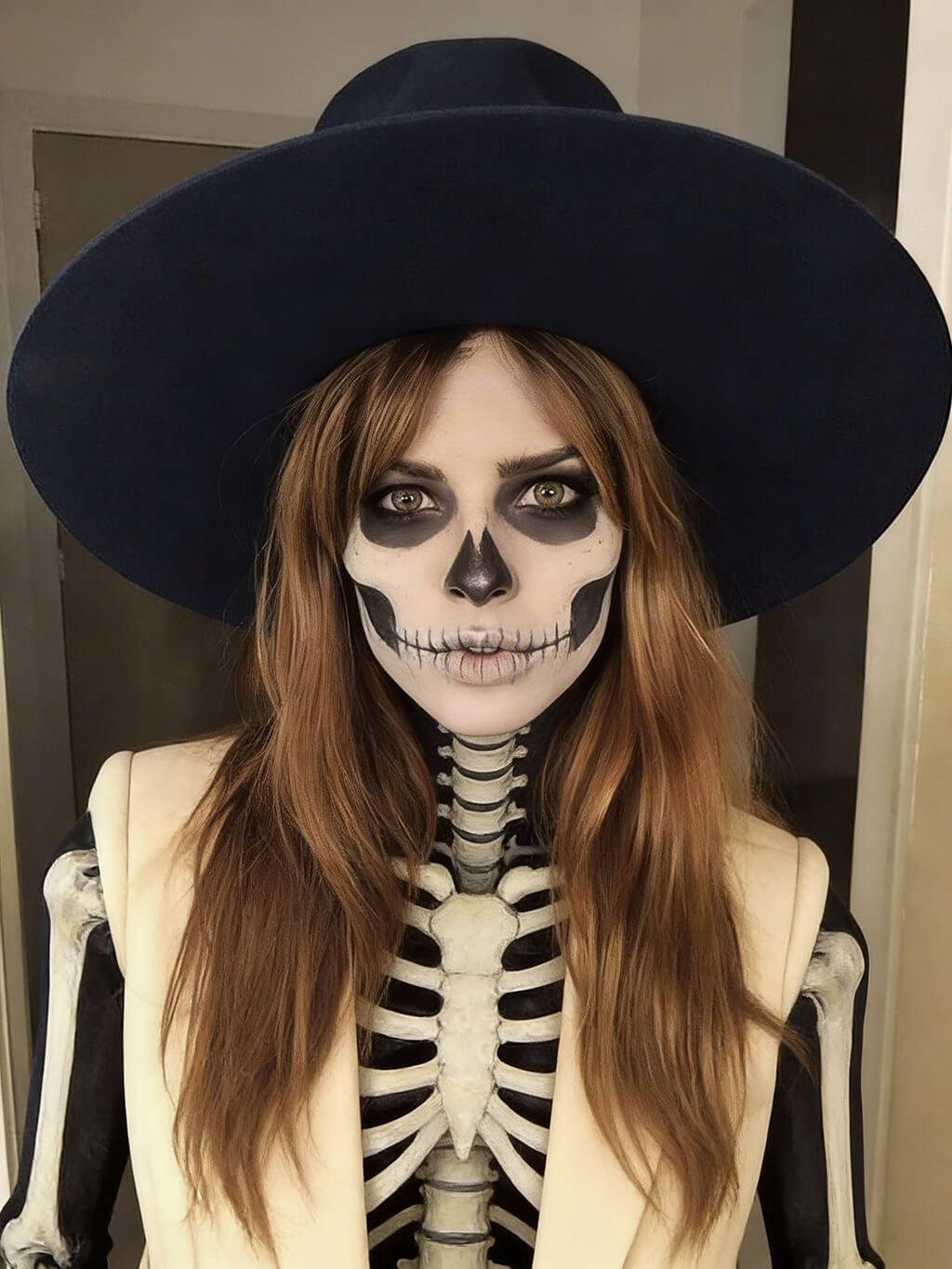
The Fix The Photo Body Editor&Tune app works 24/7. You can send your request at any time, and your result is usually delivered within minutes. If you have a specific idea in mind, it helps to attach a reference picture or clearly explain the details you want.
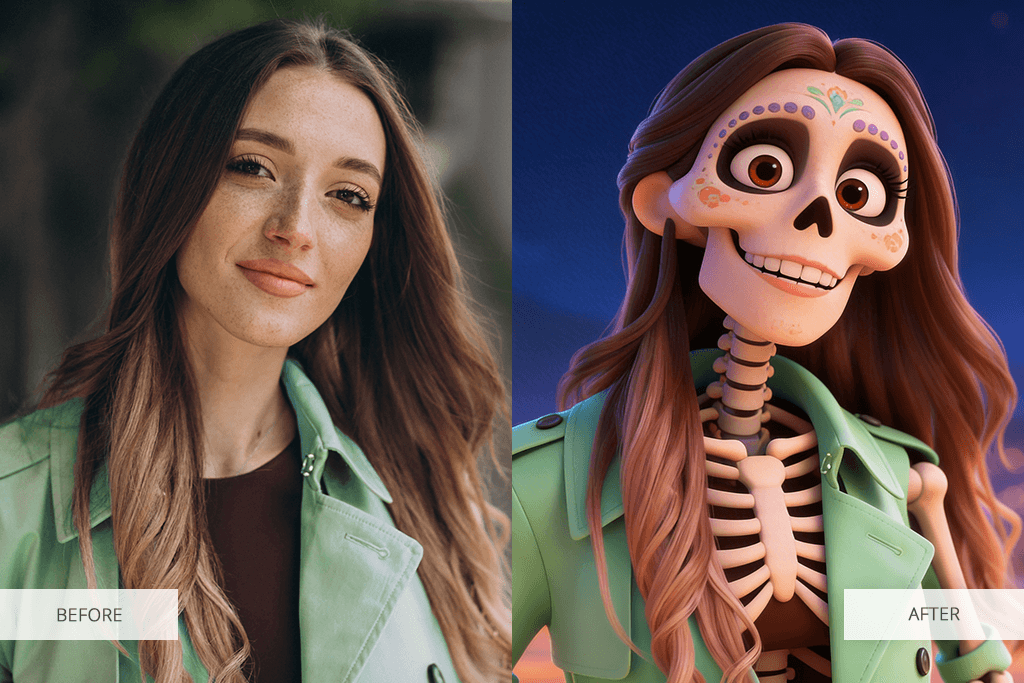
Follow these simple steps to add a skeleton effect to the picture:
Fix The Photo Body Editor&Tune is made to fit each person’s request. The editors look at your instructions carefully, so the skeleton filter blends naturally into your photo. They do more than place a simple skull on top of your face – they adjust the size, lighting, angles, and small details so everything matches your original image.
The app also gives you access to other helpful editing tools that can improve your photo. For example, you can clean up skin, fix brightness, soften or blur the background, add sparkles to a photo for a fantasy-style skeleton look, or add eyelashes to a photo to balance strong skull effects with softer facial features.
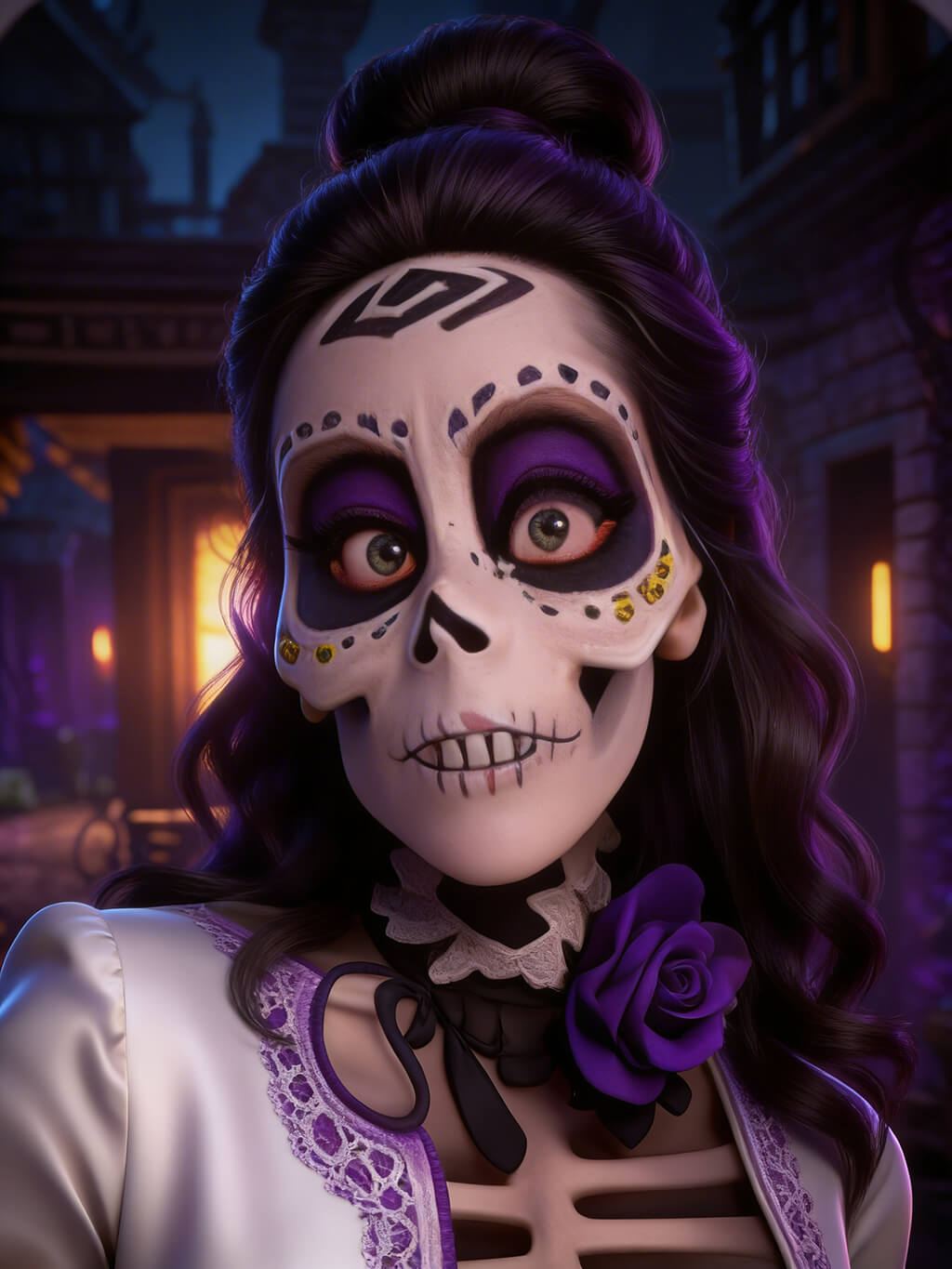
Here are seven creative ways to use skeleton effects, not just for basic Halloween pictures:
Daily life with a skeleton twist. Edit a normal moment (like walking outside, sitting in a café, or working at a desk) and turn the person into a skeleton. The mix of an ordinary scene and a skeleton effect can look funny and creative.
Skeleton fashion style. Apply the skeleton filter, but keep the clothes, pose, and accessories the same. This creates a mix of fashion and Halloween style, which works well for stylish portraits.
Skeleton in the mirror. Leave the person unchanged but show a skeleton version in a mirror or window reflection. This makes the image look unusual and eye-catching.
Half normal, half skeleton. Make a split image where one side shows the regular face, and the other side shows the skeleton underneath. This creates a strong, dramatic effect.
Skeleton shadow. Instead of changing the face, add a skeleton-shaped shadow behind the person. This keeps the photo simple but still gives it a spooky feeling.
Skeletons in the background. Keep the main person normal and place skeleton figures behind them to make it look like the skeletons are part of the scene.
Small skeleton details. Add only tiny skeleton parts, such as hands, ribs, or a light skull outline. This softer style can look more creative than turning the whole person into a skeleton.






![Fish Eye Filter Online [FREE]](http://fixthephoto.com/blog/images/gallery/news_main__preview_28873.png)

![The Best Lecture Recording App for Students [Tested & Ranked]](http://fixthephoto.com/blog/images/gallery/news_main__preview_28904.jpg)
![5 Best Real Estate Datasets for Machine Learning [{{%year}} FixThePhoto Choice]](http://fixthephoto.com/blog/images/gallery/news_main__preview_28903.jpg)
![9 Best DALL-E Alternatives in {{%year}} [100% FREE]](http://fixthephoto.com/blog/images/gallery/news_main__preview_28491.jpg)
![11 Best Videoleap Alternatives for Filmmakers [Online & Free]](http://fixthephoto.com/blog/images/gallery/news_main__preview_28875.jpg)
![9 Best Runway Alternatives [{{%year}} FixThePhoto Choice]](http://fixthephoto.com/blog/images/gallery/news_main__preview_28896.jpg)

















