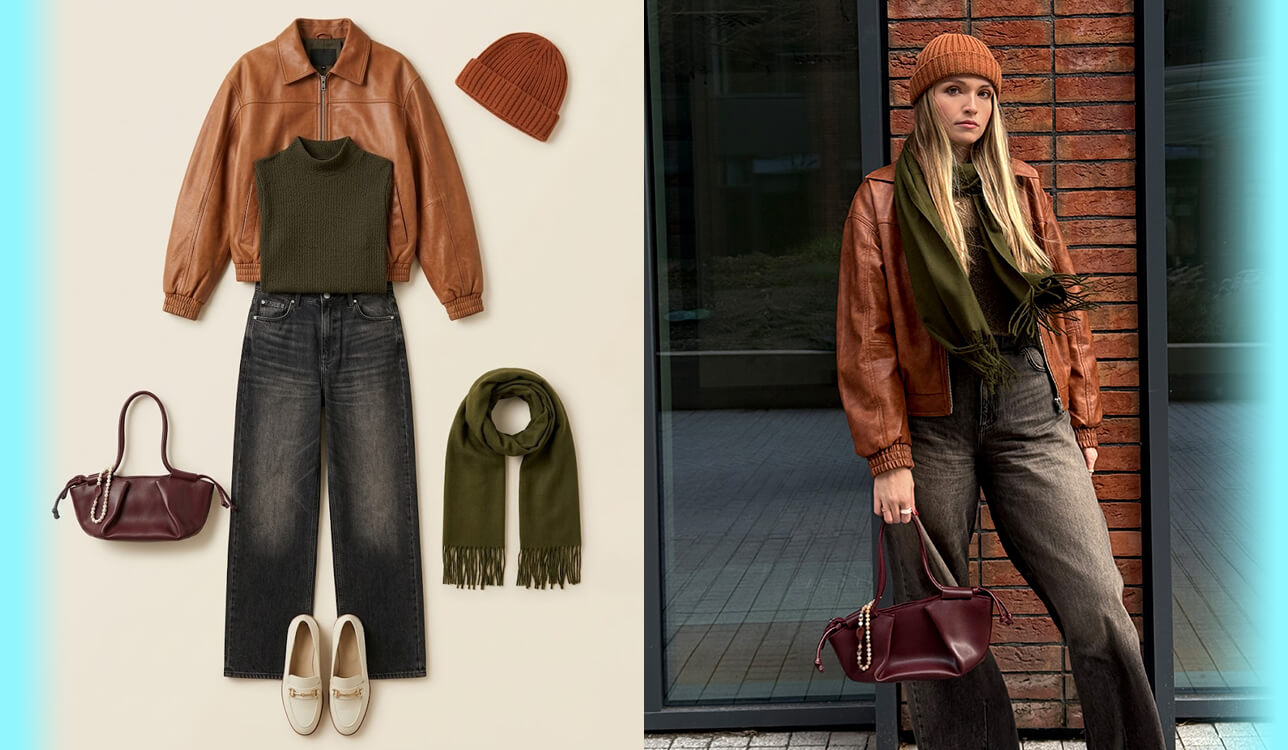
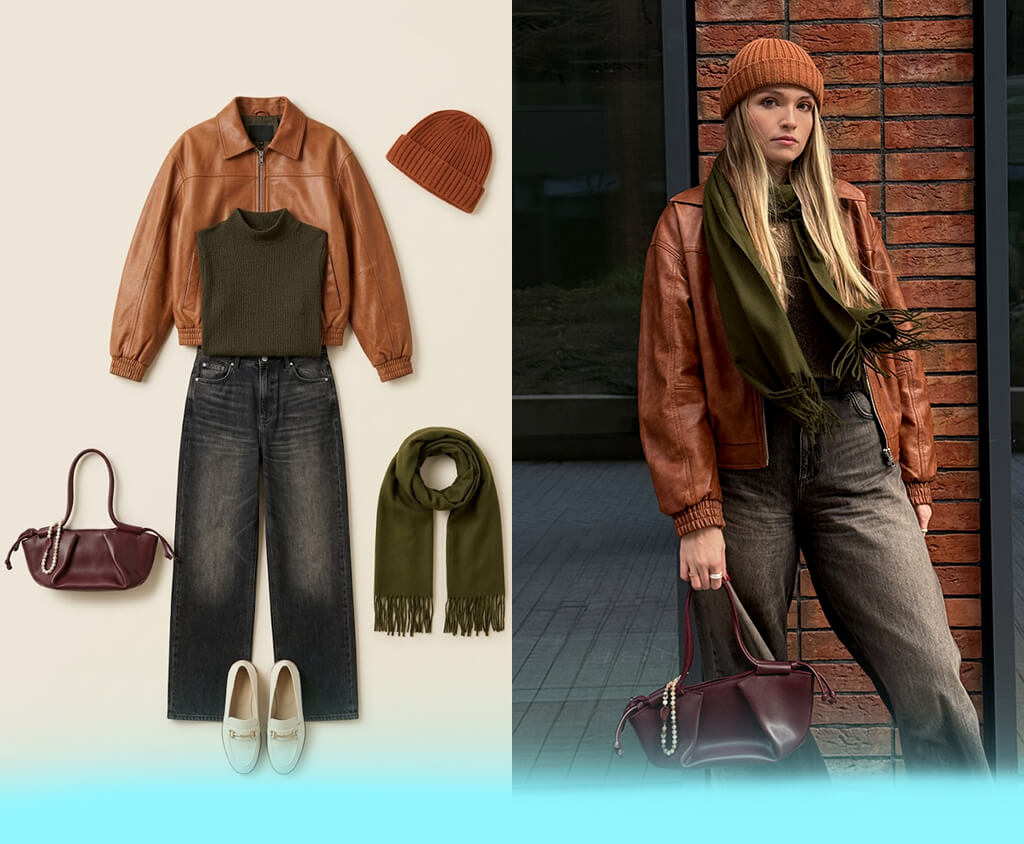
I began looking for the best AI virtual try-on outfits tools when I needed to prepare product visuals for a social media marketing campaign. Proper fashion photoshoots are too money-consuming, so I needed a quicker solution to experiment with different outfits and create on-model pictures. Additionally, these tools can be helpful for coming up with outfit ideas and visualizing different styles before purchasing clothes online.
Certain AI solutions delivered unrealistic fabrics, distorted body shapes, or transformed clothing details entirely, while others produced highly realistic fashion photos within minutes. To narrow down the best options, I evaluated over 15 tools, and multiple of my coworkers collaborated with me to compare the results, their quality level, and overall workflow.
When deciding which AI outfit try-on apps to try, I prioritized solutions that delivered realistic results and generated natural fabric details, body proportions, and lighting. Additionally, I examined how convenient the workflow was, the import speed, UI complexity, and whether I could easily generate outfits without having to take any extra steps.
I also accounted for the functionality of each tool, learning whether they’re suitable for real-world scenarios that involve eCommerce product photos, model swapping, digital fitting rooms, or personal styling. Other important factors include the quality of the results, export parameters, and how consistent the output was across different clothing styles and models.
During my time experimenting with various AI virtual try-on clothes tools, I noted that even subtle input adjustments can dramatically enhance the realism of the results. I recommend you do the following:
Price: Free (watermark) or from $8/month
OS: Web, iOS, Android
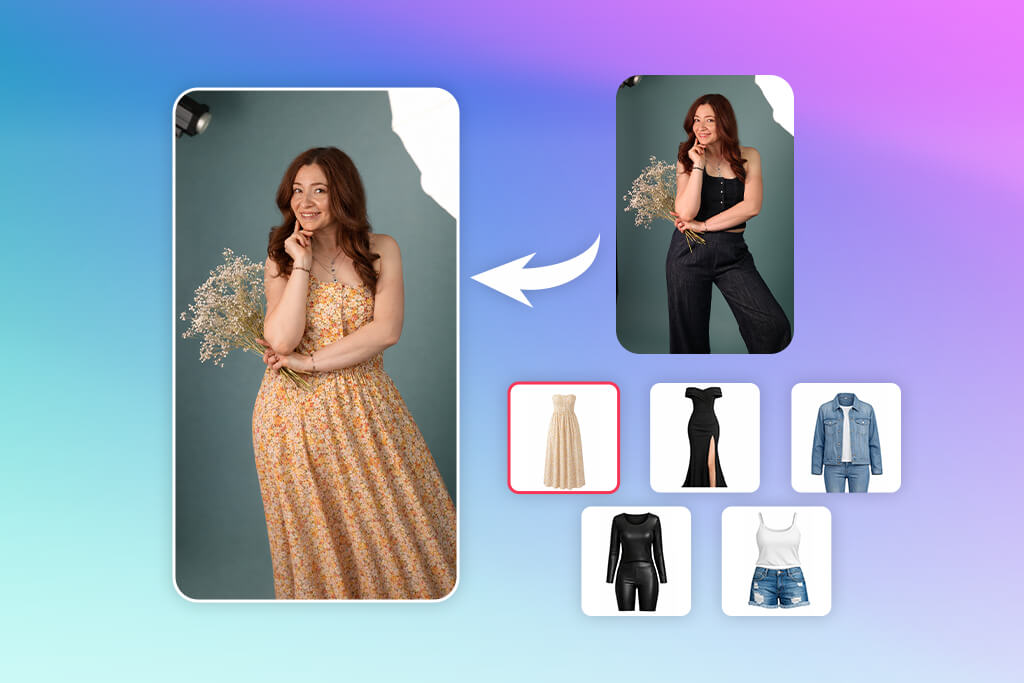
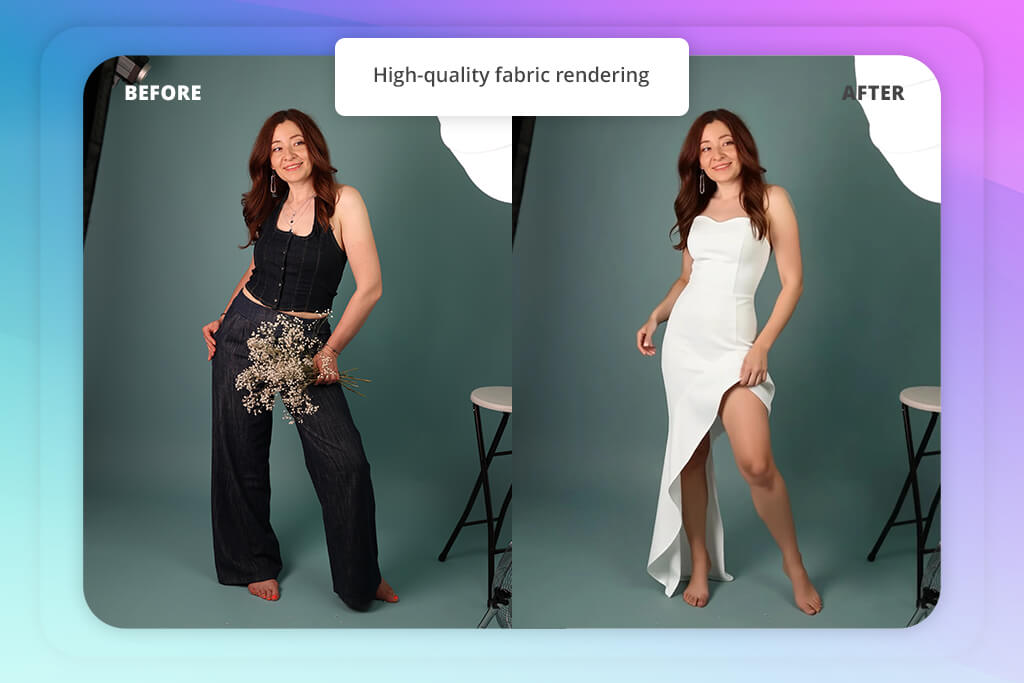
FitRoom is the best AI virtual try-on outfit tool when it comes to realism. I imported multiple clothing pictures, which included dresses, jackets, and knitwear, then applied them to both my own full-body portraits and the provided AI models. The workflow was pleasantly straightforward: import outfit, pick a model photo, and entrust the AI to generate the try-on automatically. You can use this tool on the web, iOS, and Android, which is extremely convenient.
I particularly liked how precisely FitRoom deals with fabric details like folds, shadows, wool textures, and silk reflections. The generated clothing looked incredibly realistic, particularly compared to solutions that let you try on outfits online without being able to handle the textures. It’s a great fit for both eCommerce projects and personal styling experiments.
However, the free edition is quite restrictive, as you only receive 10 monthly credits and FitRoom applies watermarks to your outputs. Additionally, while some results looked realistic, they didn’t manage to properly show how the outfit would actually fit or feel in real life.


Price: Free or from $34.99/month
OS: iOS, Android
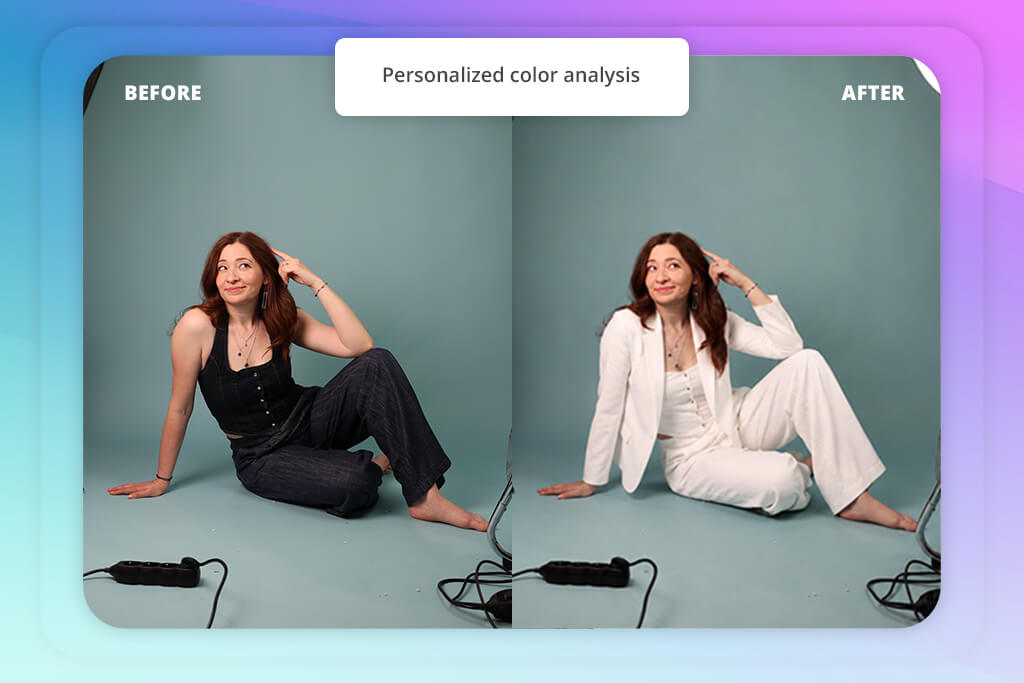
Rather than blindly adding a new outfit to a model, Dressly prioritizes personal styling and wardrobe planning. When using this AI clothes changer, I imported a full-body portrait, imported a couple of casual and formal outfits, and evaluated how accurately the AI could suggest looks for my body type and color palette. The process is straightforward: import a picture, let the AI examine your features, pick outfits, and view digital try-on previews straight on your image.
What I particularly enjoyed were the digital closet and outfit planning features. I could import my own outfits, combine them with AI suggestions, and receive daily outfit ideas for various occasions. The Color Scanner and Outfit Scanner features are also helpful for determining which tones were a better fit for me and receiving instant feedback on outfit combinations.
The UI of this photo editing app is minimalistic and intuitive, but some try-on previews looked less natural if they involved oversized or layered outfits. Compared to other solutions I tried, Dressly provides superior styling inspiration, wardrobe planning, and outfit organization while generating highly realistic results.
“It’s a great choice for daily styling, but the try-on precision can be inconsistent when dealing with layered clothes.”

Price: Free or from $9.99/month
OS: iOS, Android
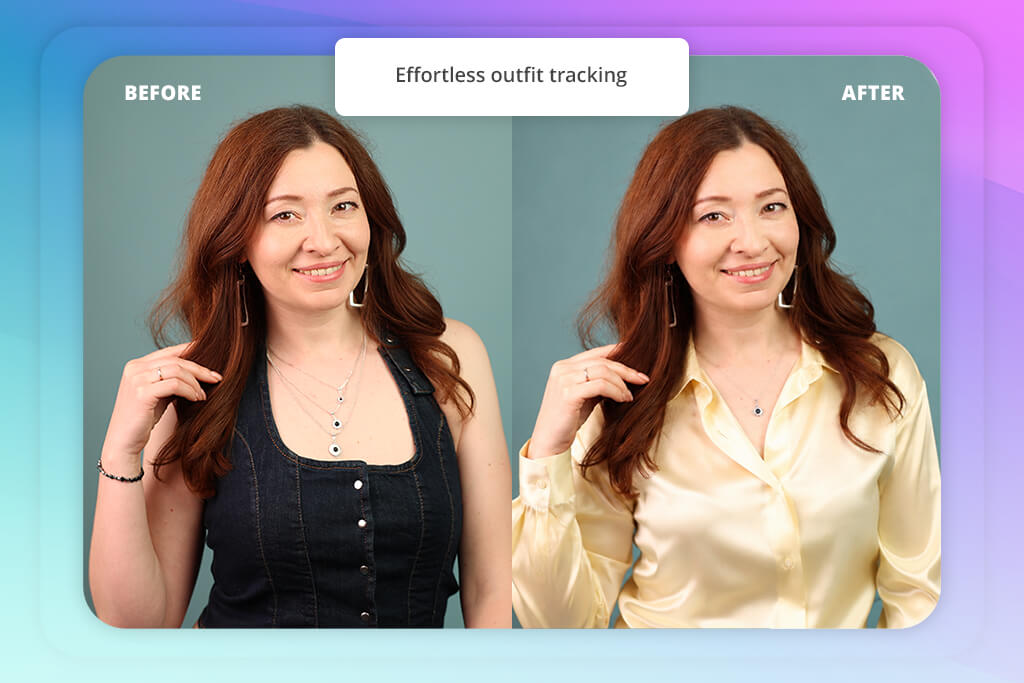
To check this AI virtual try-on solution, I imported items from my closet, added tags related to their style, color, season, and brand, and then created a personalized profile with the help of my selfie and body type. Next, I began generating clothes from my own wardrobe and examined how precisely the AI could generate entire looks. The workflow was straightforward: import clothes, organize them, and get to digitally experimenting with different combinations.
I especially liked how the feature for trying on clothes felt. It allowed me to apply outfits from my closet and add items I don’t own, including wedding dresses and statement pieces, by adding them to a wishlist and using the AI try-on from that menu. The results were pleasantly realistic since
Fits employs the newest OpenAI image model, delivering detailed and visually impactful outputs compared to most alternative solutions. It resembles an actual styling rather than a basic collage creator, particularly when dealing with complete outfits.
You can also use this application as a digital closet with smart tagging, an outfit planning calendar, an AI stylist chat, and for making outfit inspiration moodboards. Such functionality ensures you can conveniently organize looks over time and receive different styling ideas without having to plan everything manually.
Price: From $15/month
OS: Web
The New Black represents a combination of AI fashion design software and a virtual fitting room, prioritizing creative styling and conceptualization over basic fitting.
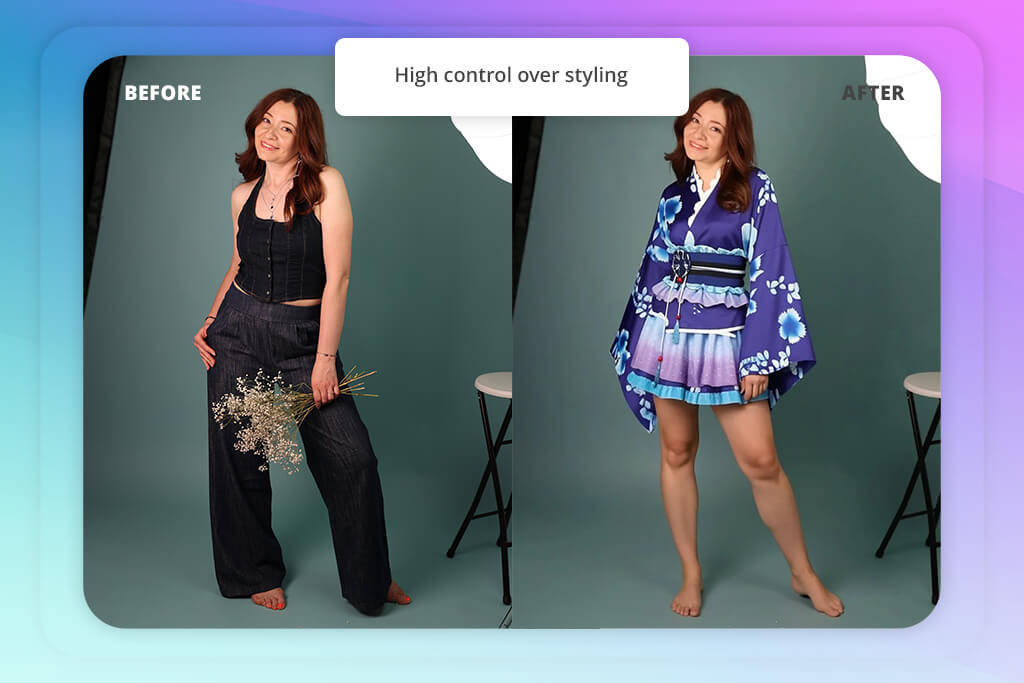
I started by importing a clear picture of myself and combined it with photos of different clothing items to check how the AI would recreate entire outfits. The workflow is very streamlined: import an image, provide clothing references, and generate a styled look based on prompts or images.
I was particularly impressed by how experimental The New Black feels. It allows me to add any item to any portrait photo while adapting proportions, lighting, and perspective to ensure the result looks realistic. Moreover, it allows applying jewelry and accessories like hats and shades, blending them naturally into the photo while accounting for the context.
Shoe replacement functions well, and this virtual clothing try-on app can also upscale visuals to ensure they’re campaign-ready. Additionally, you can bring looks to life in motion, which makes the result resemble real advertising content. The output usually resembles editorial or lookbook visuals instead of strict, realistic try-ons. Unlike most other tools I used, The New Black is less about precision fitting and more about experimental fashion visualization and ideation.
“It offers AI clothes changing, prompt-based outfit generation, and community inspiration, so I can create entire fashion concepts and then apply them to models.”

Price: Free (50 credits) or from $9/month
OS: Web
Claid is a highly eCommerce-oriented solution, especially when it comes to fashion visualization and on-model outfit generation. I imported multiple flatlay and ghost mannequin clothing pictures, chose various AI-generated clothing models, and produced complete outfit previews within seconds. The UI is minimalistic and optimized for an efficient workflow.

You can pick from over 100 digital fashion models or import your own model pictures for more cohesive brand representation across different projects.
This AI fashion simulator is highly precise when adding clothing items to AI models while ensuring the details look clean and natural. I experimented with dresses, tops, and matching sets, then applied complementary pieces like jackets and jeans to make styled looks.
Claid is perfect for scalable eCommerce content, and I enjoyed the ability to preview the same outfit on various body types and model styles. That said, you can only receive high-quality results if you use clean studio-style clothing photos, and some generations can feel repetitive.
Price: Free or from $8.99/month
OS: Web
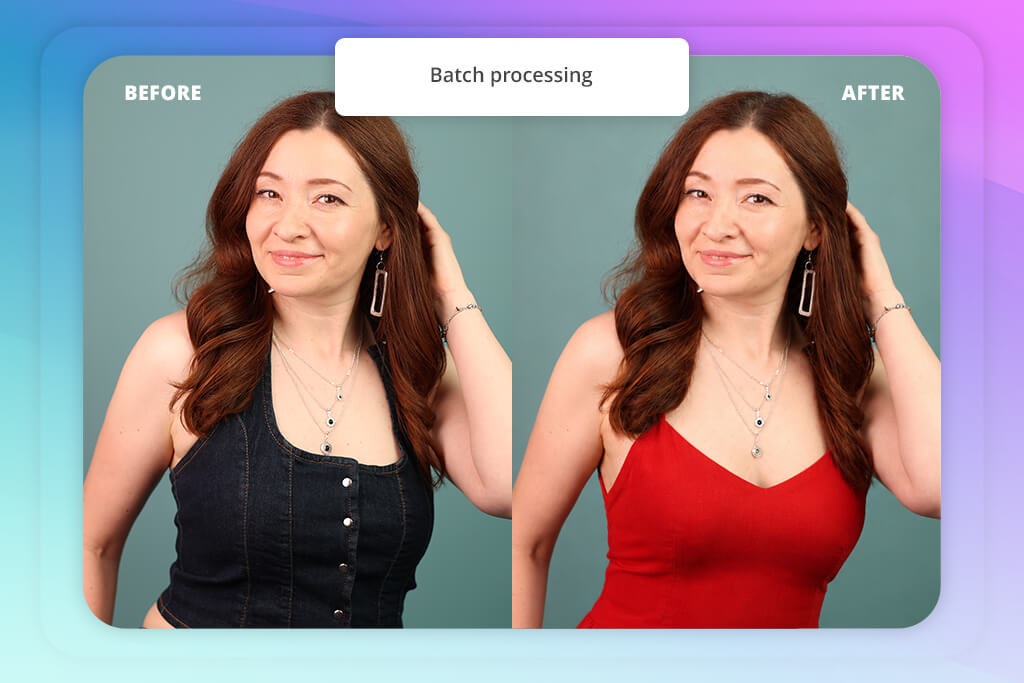
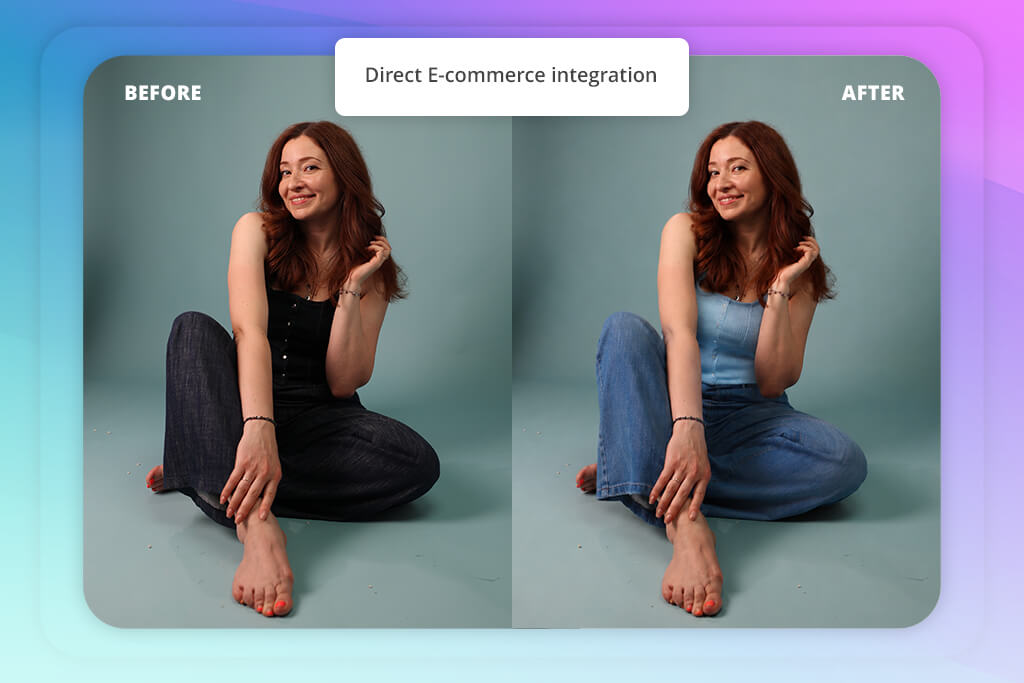
Pic Copilot is a great option if you want to try on clothes online, turning regular product pictures into realistic fashion visuals. During my test, I imported multiple flatlay clothing photos, chose multiple AI models, and generated on-body previews for dresses, tops, and matching sets.
I particularly enjoyed using the AI model replacement feature. This AI app for iPhone and Android can swap out mannequins or existing models while maintaining the lighting, fabric drape, and camera angles, ensuring the output looks natural.
Additionally, I tried out custom AI fashion models for different target audiences, which makes Pic Copilot suitable for both eCommerce brands and social media projects. The results are of high resolution and can be used for product marketing without requiring extra editing. That said, I recommend using this solution primarily for flatlay photos with white backgrounds. Sadly, certain fabrics and oversized items can look unnatural on some body types.
“It comes with batch-style generation tools, allowing you to easily experiment with multiple clothing items across different model settings.”
Price: Free (10 credits) or from $19/month
OS: Web, iOS
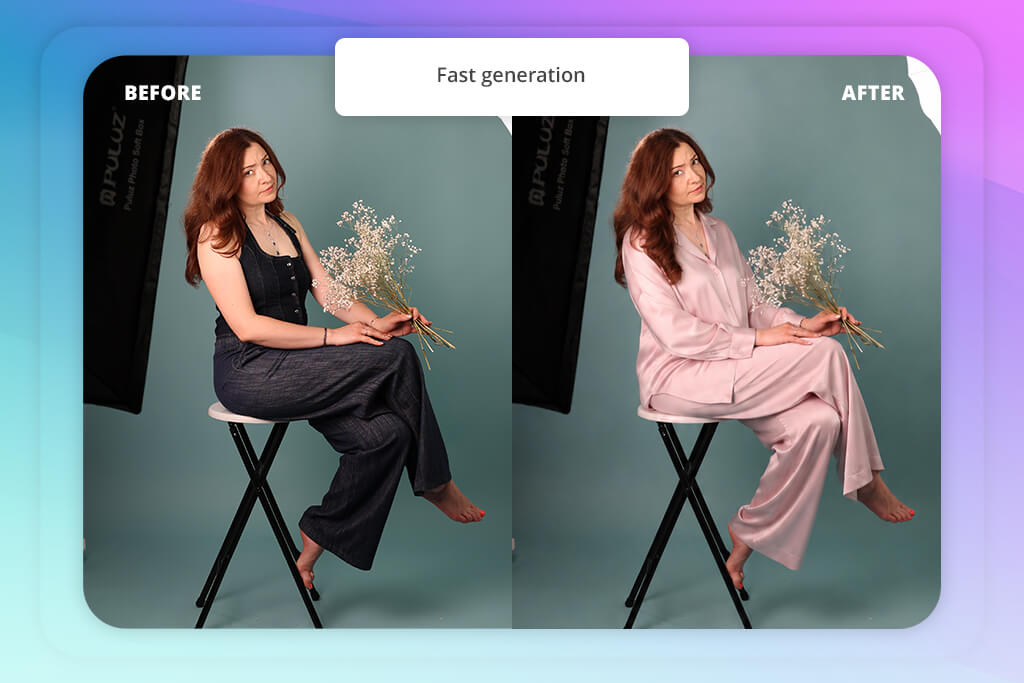
FASHN offers superior speed and accuracy compared to most AI outfit generators. Using this tool is very easy – you import a photo and receive a highly realistic result within 10 seconds. I particularly liked this tool’s ability to preserve garment details. Graphic prints, textures, logos, and even small text elements remained pleasantly precise throughout the entire process, which is a rarity for such tools.
Additionally, FASHN’s AI preserves natural body proportions without making the subject seem artificially slimmer or altering their body type. The output is eCommerce-ready and can be added to product pages and fashion publications. The tool’s advanced API lets you add the virtual try-on feature straight to your storefront. That said, FASHN is more technical and less fashion-oriented when it comes to styling functionality, and the credit-based pricing feels somewhat confusing.
Price: Free
OS: iOS
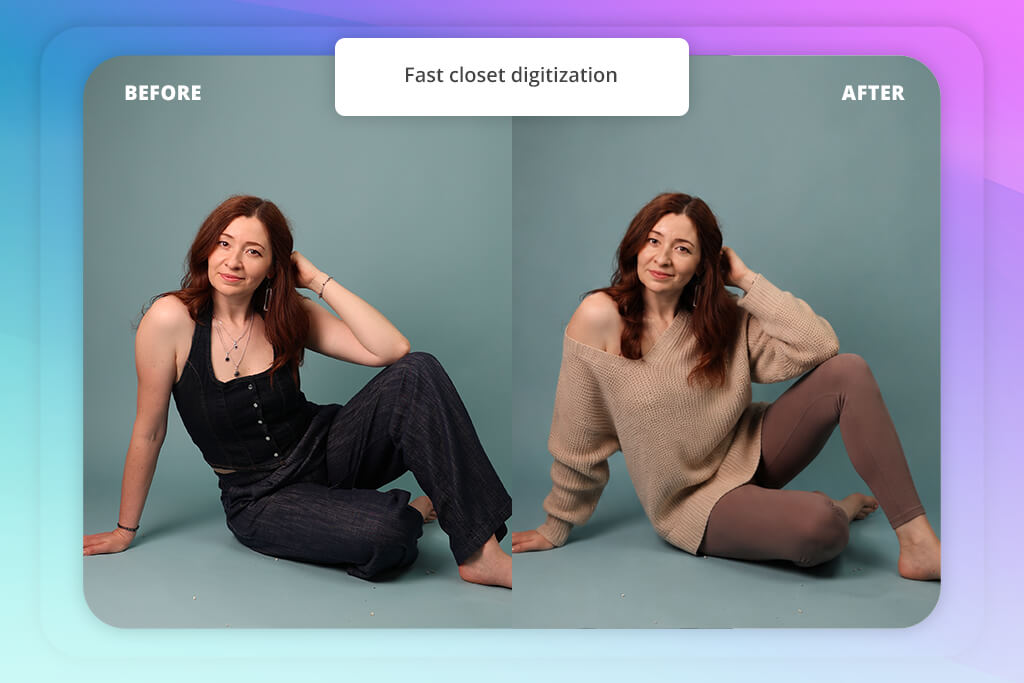
ALTA provides a mix of wardrobe management and virtual outfit try-on functionality. I used it to make a digital closet based on images of my clothes. Next, I employed the digital fitting room to preview outfits on a customized avatar. This app automatically organized my wardrobe, ensuring the entire process was quick and intuitive.
I really liked how efficient this artificial intelligence software is for daily outfit planning. The AI recommends outfits based on weather, occasions, and clothes I have in my wardrobe, while the trip planner and style calendar allow me to organize clothes in advance.
The AI virtual try-on feature is great for fast styling previews, but some fabrics and colors can look unnatural in certain combinations. Unlike competing solutions, ALTA prioritizes practical wardrobe organization and personal styling over providing ultra-realistic results.
“ALTA feels like a personal AI stylist, adapting its toolset to your wardrobe.”
Price: Free (200 points) or from $9.99/month
OS: Web
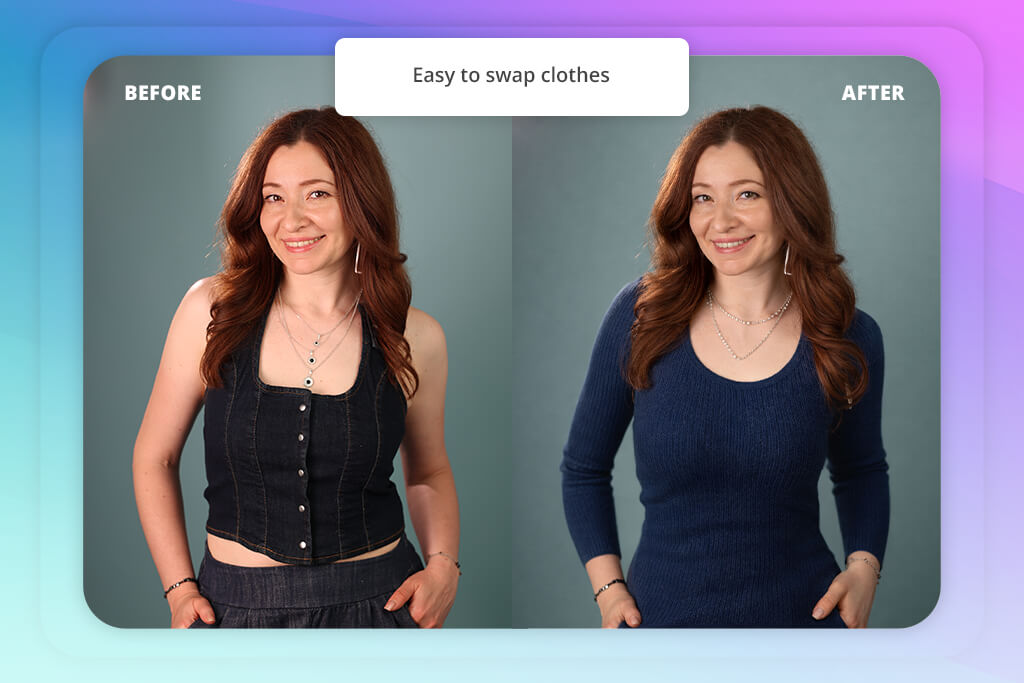
WeShop acts as an AI fitting room that was tailor-made for eCommerce brands rather than the casual audience. I used it to import flatlay clothing pictures and mannequin photos before generating outfits on various AI models and body types. Using this tool was pleasantly easy, and it can even handle making multiple product visuals simultaneously.
WeShop lets you conveniently swap clothes without re-shooting, while also enabling you to reuse the same model and scene for different outfits and product variations, seasonal sales, and styling ideas, which is why it’s perfect for experimentation. Additionally, it lets you combine apparel with accessories and trendy elements.
This solution can also be used for preparing product listings and marketing, as I downloaded ad-ready visuals for online stores and social media. That said, the quality of the results is largely dependent on the source photos, as low-quality inputs lead to distortions.
Along with my colleagues from FixThePhoto, I tried the best AI virtual try-on outfits tools on the market to check how they perform when handling real projects. Some popular solutions like Aiuta, BetterMirror, Vybe, Facetune, Kling, Camclo, Look, YouCam Makeup, Tryo, SellerPic, VModel, Botika, and Nightjar failed to make this list.
The main reason for their exclusion is the lack of consistency across different use cases that covered eCommerce editing, model generation, and realistic outfit fitting. Certain AI fitting rooms offered impressive style generation but lacked realism, while others were a good fit for social media edits but couldn’t accurately represent specific products.
We tested all the solutions while following these rules:
Here’s a convenient comparison of the best virtual try-on clothes solutions:
| Tool | Realism | Fit Accuracy | Detail Quality | Speed | Notes |
|---|---|---|---|---|---|

FitRoom
|
High
|
High
|
High
|
Medium
|
Highly realistic try-on results, accurate garment behavior
|

Dressley
|
Medium
|
Medium
|
Medium
|
Fast
|
User-friendly, but less accurate fitting
|

Fits
|
Medium
|
Medium
|
Medium
|
Fast
|
Great choice for simple outfits, less stable with complex items
|

The New Black
|
High
|
High
|
High
|
Medium
|
Robust fashion-oriented results, high styling quality
|

Claid
|
High
|
Medium
|
High
|
Fast
|
Perfect for eCommerce product images and scaling
|

Pic Copilot
|
Medium
|
Medium
|
Medium
|
Very fast
|
Fantastic for batch workflows, but decreased realism
|

FASHN
|
High
|
High
|
High
|
Medium
|
Balanced performance between realism and usability
|

Alta
|
Medium
|
Medium
|
Medium
|
Fast
|
Simple and fast, but limited customization
|

WeShop
|
High
|
High
|
High
|
Medium
|
Among the best for eCommerce consistency and bulk usage
|
Some solutions are a better fit for personal styling and wardrobe planning, while others are aimed at eCommerce projects and large-scale fashion content. The leading options offer a combination of realistic try-on quality, efficient workflow, and flexible customization without feeling too complex.




![Photoshop App on Android [NEW Release] {{%year}} Update](http://fixthephoto.com/blog/images/gallery/news_main__preview_29048.jpg)
![7 Best AI Quote Generators [People Actually Save & Share]](http://fixthephoto.com/blog/images/gallery/news_main__preview_28979.jpg)

![7 Best AI Baby Dance Video Generators [For Trendy Moms]](http://fixthephoto.com/blog/images/gallery/news_main__preview_29020.jpg)
![9 Best Wan AI Alternatives [{{%year}} FixThePhoto Choice]](http://fixthephoto.com/blog/images/gallery/news_main__preview_28961.jpg)



















