I started actively looking for Pictory AI alternatives after several months of using it for my day-to-day work. At first, it seemed like the perfect solution: it quickly turns text into video, which is convenient for drafts, previews for clients, or social media content.
However, over time, as a video editor and content creator at FixThePhoto, I began to constantly notice the same issues. The editor often glitched and slowed down my work. Sometimes, the AI would select completely unrelated videos. For example, in my video about real estate in Chicago, beach scenes suddenly appeared.
Plus, there's the payment system: it's constantly pushing me to buy additional “credits” for features that were supposed to be part of the basic package. In the end, I did what I usually do before making any recommendations in my articles: I really delved into the subject.
I discussed it with the team at FixThePhoto, read Reddit and Quora, watched reviews on YouTube, and compiled a list for testing 50+ Pictory AI alternatives that people actually recommend. To ensure a fair comparison, we used the same prompt across all services:
“Create a 30–45 second viral-style video about a freelancer trying to meet a deadline while everything goes wrong (Wi-Fi drops, coffee spills, laptop freezes). Use fast-paced editing, relatable humor, meme-style captions, and trendy background music. Include dynamic cuts, zoom-ins, and expressive stock footage that matches each situation. The tone should be funny, slightly dramatic, and highly engaging for TikTok and Instagram Reels.”
This allowed us to directly see how different AI generators handle video logic, shot selection, pace, and editing capabilities. For the testing process to start, I identified what is truly important in a good app similar to Pictory AI:
Pictory AI is a service that automatically turns text (such as an article or script) into a video. Essentially, it assembles a video from stock clips, adds subtitles, and provides a voiceover.
And at the beginning, it's very convenient. If you need to quickly create a draft or convert text into a video, it can do the job. But then the problems start. And, judging by the reviews, I'm not the only one experiencing this.
Nowadays, the demands on video have increased significantly. According to Wyzowl report, 91% of businesses already use video in marketing, and 63% have tried AI tools. In other words, the quality bar is now set at a completely different level, and Pictory doesn't always meet it. The following reasons prompted me to look for a Pictory alternative for video creation:
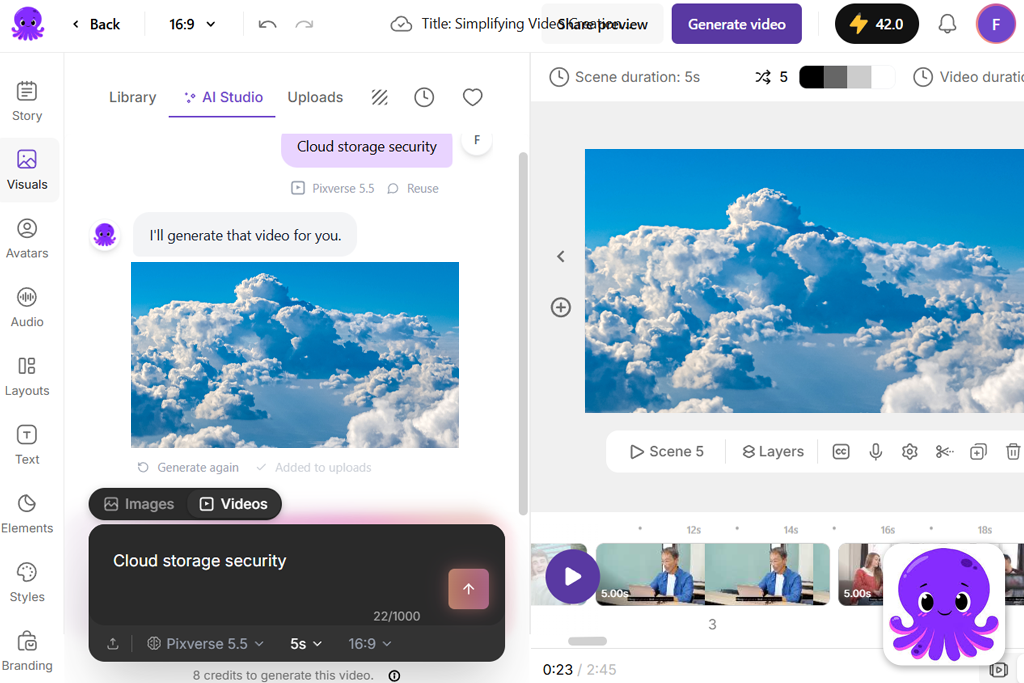
“I typed ‘cloud storage security’ and it literally showed clouds in the sky.”

It sounds ridiculous, but for client projects, it's unacceptable.
👉 Best alternative if this annoys you: RunwayML’s visual selection works much better.
“It feels like you're fighting the editor instead of working with it.”

👉 Best alternative: Descript offers stable, script-based editing, and everything works reliably.
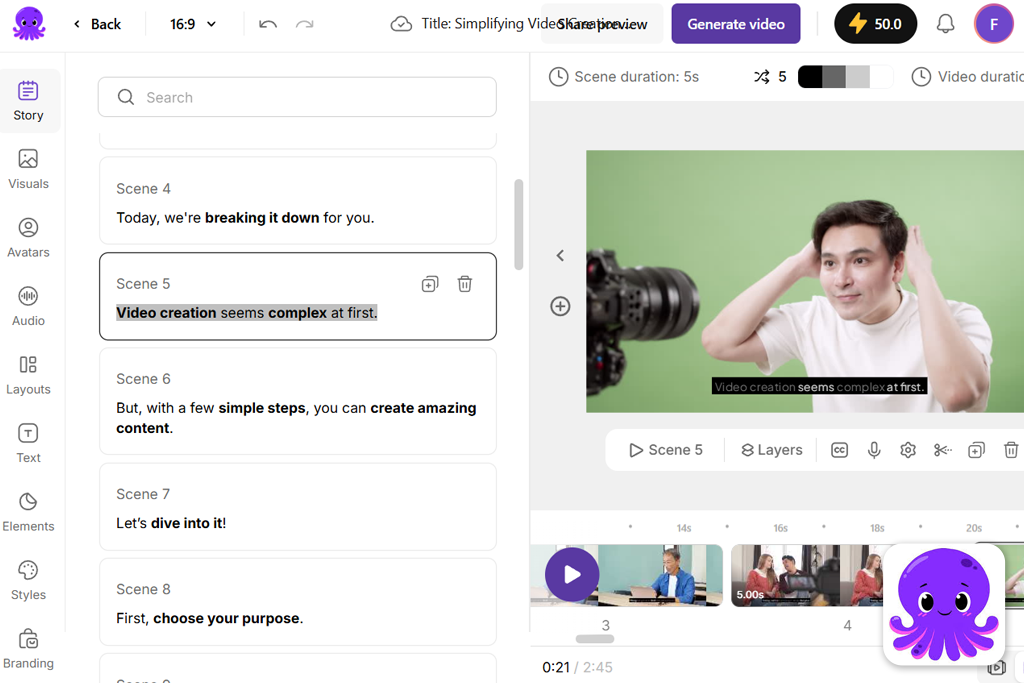
👉 Best alternative: Synthesia with more lifelike voices and avatars.
👉 Best alternative: RunwayML offers plenty of customization options, and InVideo has a wide range of templates and settings.
👉 Best alternative: Adobe Firefly is perfect free Pictory AI alternative (especially if you already use Adobe), and Fliki, which has a clear payment system for content creators.
“For a slideshow from an article, it's fine. For regular content, it's not.”

Best for: creators needing high-quality visuals
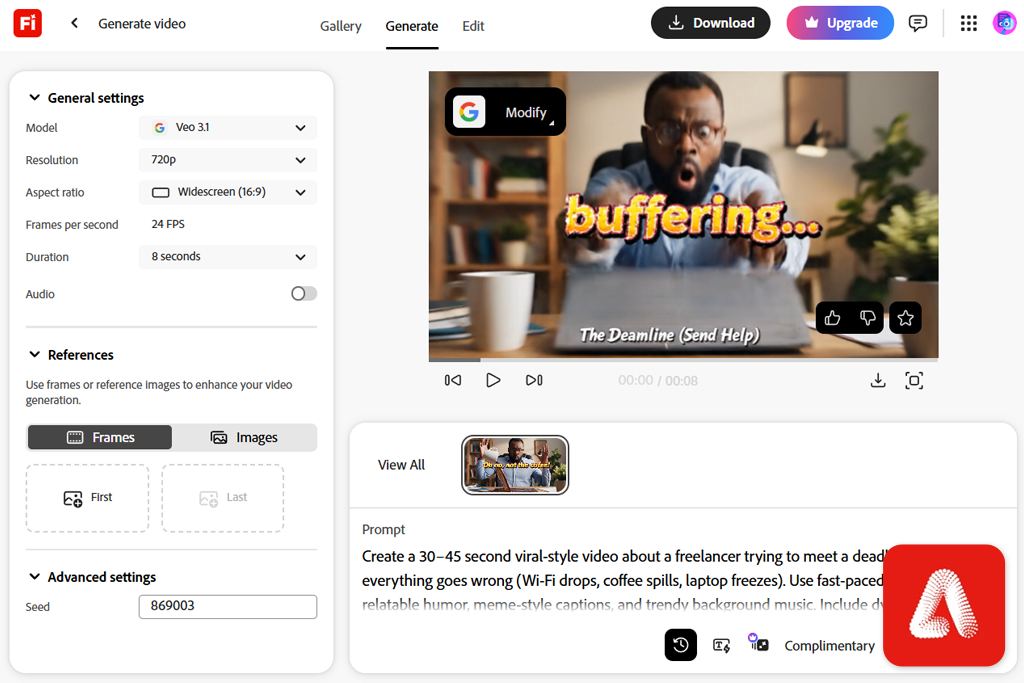
I already work within the Adobe Creative Cloud every day, so when a colleague recommended that I try Adobe Firefly video model, I decided to give it a test. And this was the first tool in my testing that felt like a real step forward, not just another AI video generator like Pictory.
The main difference is that Firefly doesn't collect videos from random stock libraries. It generates the scenes itself. And that immediately solves one of Pictory's most annoying problems – weird, out-of-place footage.
Firefly runs on Adobe's own AI models, which are trained on licensed and safe datasets. This is important to me, especially on client projects. There's no need to worry about content rights.
“Adobe Firefly is perfect for those who want to get a more polished result without having to do a fully manual edit.”

What I liked most was that I could actually influence the result here. I could refine the prompt separately for each scene, change the style, and steer the visual in the right direction. It's not just another text to video AI tool like Pictory and many other Adobe Firefly alternatives; rather, it's working with AI as an assistant.
After generation, I usually move on to Adobe Express. Especially after the update, where they added automatic captions right in the editor. I make short videos in Firefly, then I quickly add and format subtitles in Express, and that's it – my video for TikTok or Reels is ready, without any extra tools.
But yes, Firefly is still evolving. Generation isn't the fastest, and it doesn't offer as many templates as InVideo. But for me personally, that's a reasonable trade-off.
My advice: Write prompts that are as specific as possible. Add mood, camera movement, and style. Firefly really takes all that into account. And that's exactly why it's at the top of my list.
Best features:
Pricing: free (limited generations), from $4.99/mo, from $49.99/year
Best for: business videos, training content
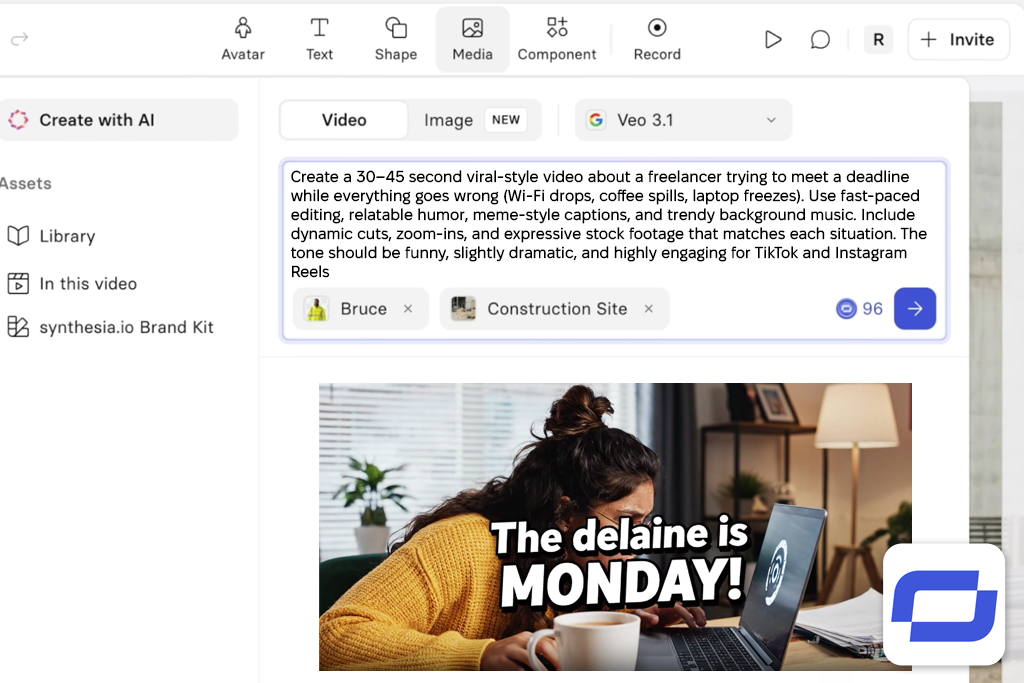
When I was reading Reddit discussions about more advanced AI video generators, most people recommended Synthesia for professional content. So, I went to test it. And it was immediately clear: this is a completely different type of tool. It doesn't assemble videos from clips, and it doesn't generate any scenes. Here, everything revolves around AI avatars that voice your text.
What struck me most about the result was that everything was neat, with no strange inconsistencies, glitches, or random frames, unlike with Pictory. However, it's important to understand what it's actually intended for. This isn't a tool for trendy videos or TikTok-style storytelling. However, it's great for instructional videos, presentations, or client explanations.
“I would say it's a fairly niche but powerful AI video generator like Pictory, especially if you need a “talking head” format but don't want to film yourself.”

My advice: Write the text in as conversational a style as possible and break it down into short scenes. And be sure to try out different avatars; some look and sound much more lifelike than others.
Best features:
Pricing: free (demo only), from $22/mo, from $264/year
Best for: quick social media videos
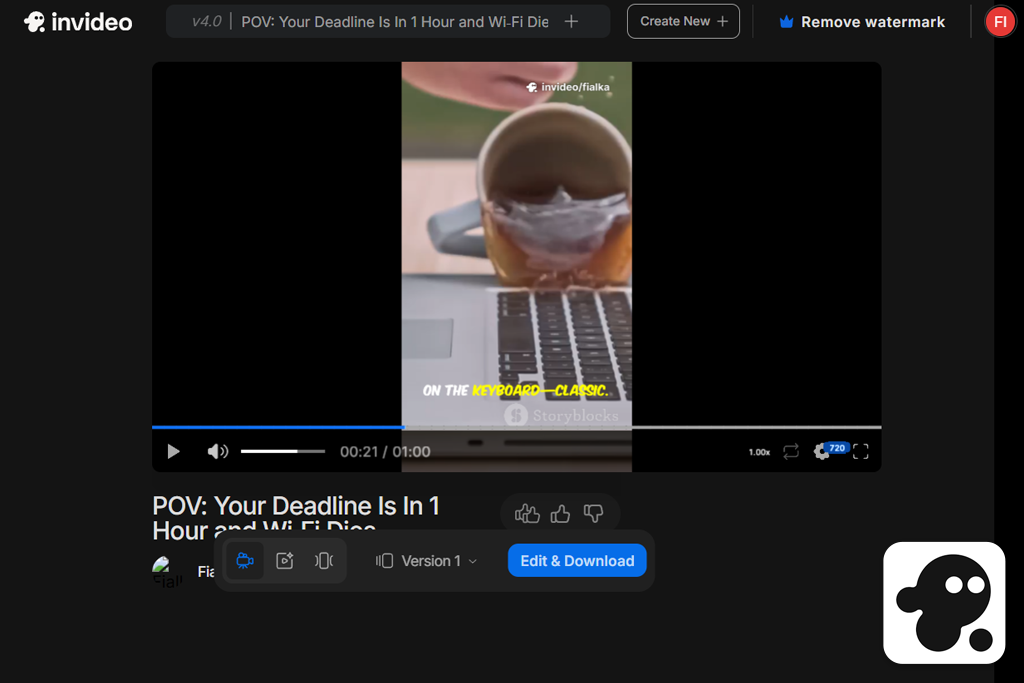
I found out about InVideo on YouTube. It was mentioned in half of the videos about the best AI video generators, so I wondered if it really was that good as an alternative to Pictory.
After testing it on my own script, I quickly understood why people love it. Unlike Pictory, here the video isn't just put together from random pieces; it's built around a template, which makes it look more thoughtful.
Personally, I liked that I can work in different ways here. If you want, you can quickly generate a video, and that's it. Or, if you prefer, you can open the timeline and calmly tweak everything to suit your needs. That's what I missed in Pictory.
Plus, it's clear that this generative AI tool is geared toward modern content, since it offers vertical formats, templates for social media, and everything you need for quick editing. If you're making videos for Reels, TikTok, or ads, this free Pictory AI alternative is right on point.
“It made our top list because it genuinely saves time while delivering a decent result, without the need for lengthy rephrasing of prompts or reworking the video.”

Of course, it has its downsides. It doesn't offer generation capabilities as powerful as Firefly, and if you don't edit the templates, the videos might start to look the same.
My advice: Don't rely entirely on auto-generation. First, choose a suitable template, and then tweak the scenes a bit manually; that's how you can get the most out of it.
Best features:
Pricing: free (watermark), from $15/mo, from $180/year
Best for: editors, podcasters, storytellers
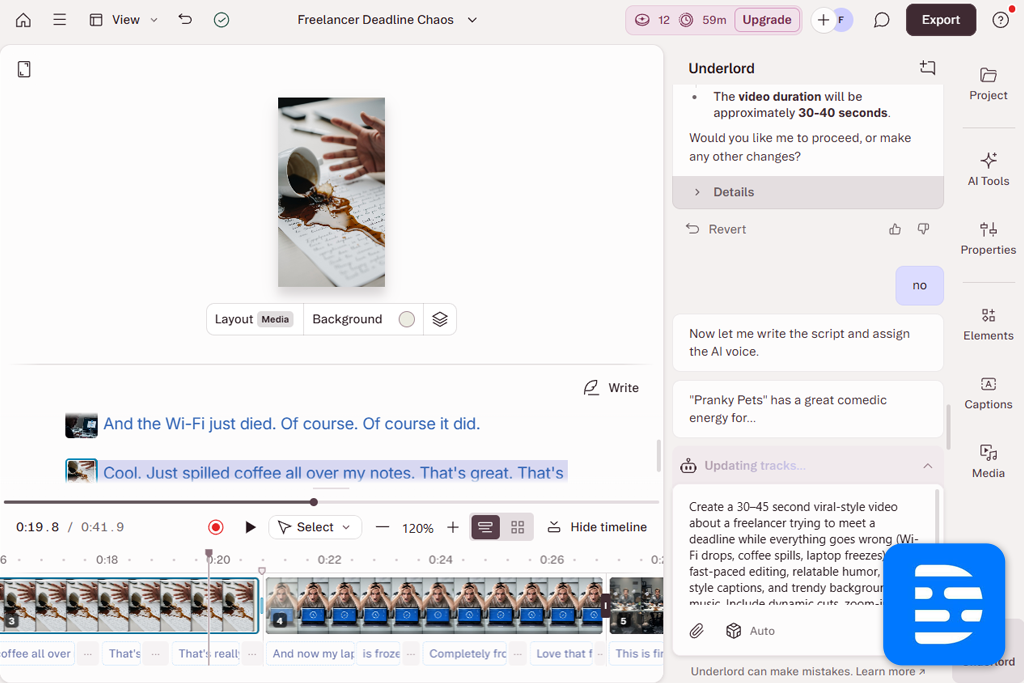
I found out about Descript from my subscribers; they kept recommending it in the comments on my videos, especially when I complained about Pictory. At some point, I decided to give it a try, and the experience was completely different.
Descript doesn't work like typical Pictory and Descript alternatives. It doesn't create the video itself. Here, everything revolves around the text. You essentially edit the video through the text.
The AI features here aren't obvious, but they're useful. For example, I tried Overdub for editing, and the voice sounded quite natural. And the ability to remove filler words with a single click really saves a lot of time. However, if you need results right away and effortlessly, this AI video editor might seem slow.
“What I liked most was that there's no sense of randomness here. I would recommend Descript to anyone who is tired of weird AI solutions and wants more control over the process.”

My advice: It's best to use this Pictory AI competitor in combination with other tools, for example, by getting visuals from Firefly or Runway. Descript works well as the foundation for a story, and you can layer on the visuals separately.
Best features:
Pricing: free (limited export & features), from $12/mo, from $144/year

Best for: creatives, filmmakers, pro editors
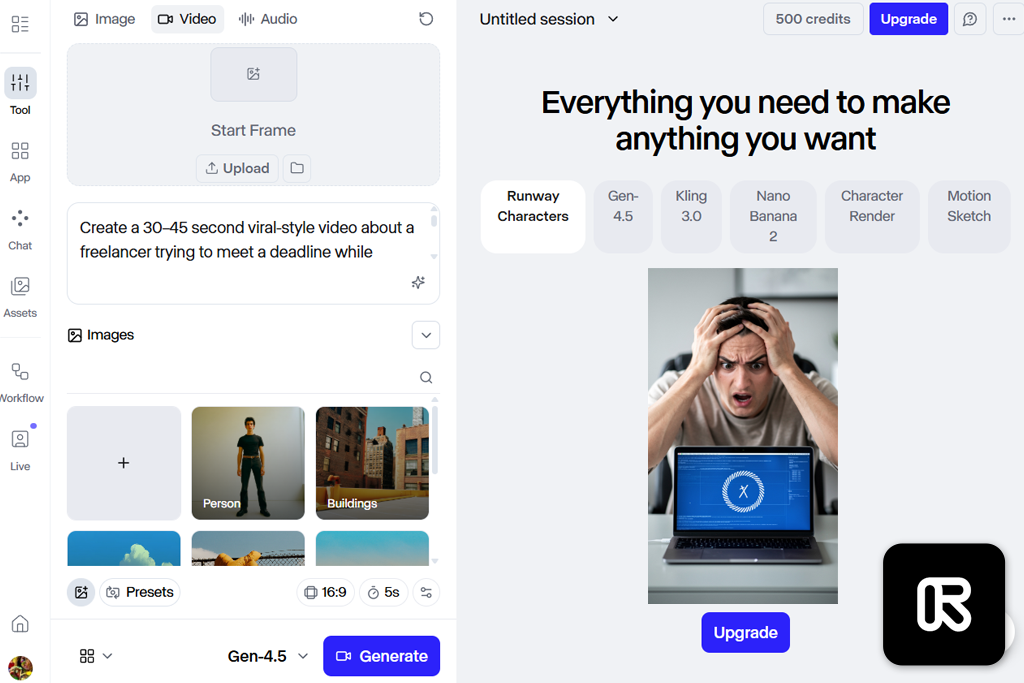
I found out about RunwayML from a colleague at FixThePhoto, who loves all kinds of experimental AI tools. She said she discovered it while looking for something that could genuinely replace stock footage, and it turned out to be the perfect find. After I tested it, I saw what she meant. It's a Pictory alternative for video creation that you can really experiment with and create something of your own.
It runs on models like Gen-2 and Gen-3, and you can tell by the movement and the overall look. It's not perfect, of course, but it's much closer to what you expect than Pictory or other RunwayML alternatives. The tools are also worth mentioning. For example, you can animate specific parts of the frame or set camera movement. More basic services don't offer this at all.
“It's not the easiest tool to use. I had to fiddle with the settings and make a few unsuccessful attempts. But once you start to understand how it works, it's addictive.”

My advice: Don't limit yourself to just one version. Generate several versions, then choose the best parts. And try combining text and images. This way, you get more consistent results.
Best features:
Pricing: free (limited credits), from $15/mo, from $144/year
Best for: quick content, beginners
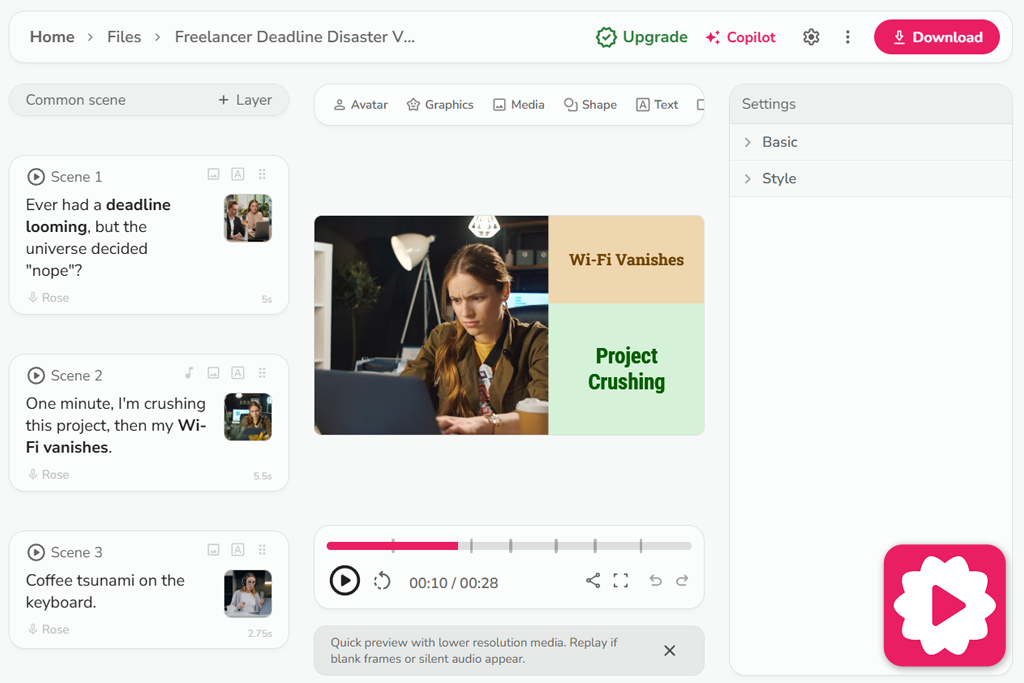
I discovered Fliki quite by chance – I conducted a poll on Instagram while looking for alternatives to Pictory, and it surprisingly received a lot of votes. That immediately piqued my interest, so I added it to my test.
What impressed me the most about this AI art generator was the voiceover. This is where Fliki really shines. The voices sound more natural, without that “robotic” effect. I even tried to use a slightly sarcastic tone, and it came across well.
In terms of visuals, it still uses stock footage, but the selection is a bit better. There are fewer random shots and more on-topic content. It's not perfect, but it's already noticeably more pleasant. The main advantage is simplicity. There's no overload of settings here; everything is designed to get results quickly without having to delve into the details.
“It made our list simply because it's genuinely easy to use. Sometimes that's exactly what you need – to quickly create a video without any unnecessary fuss.”

But if you want in-depth customization or some kind of “wow” visual, this isn't the place. It's more about speed than creativity.
My advice: Don't be lazy and spend a little time working on the voiceover and tempo. And it's better to manually replace a couple of clips, even small edits significantly improve the final video.
Best features:
Pricing: free (watermark, limited minutes), from $21/mo, from $252/year
Best for: marketers, social media content
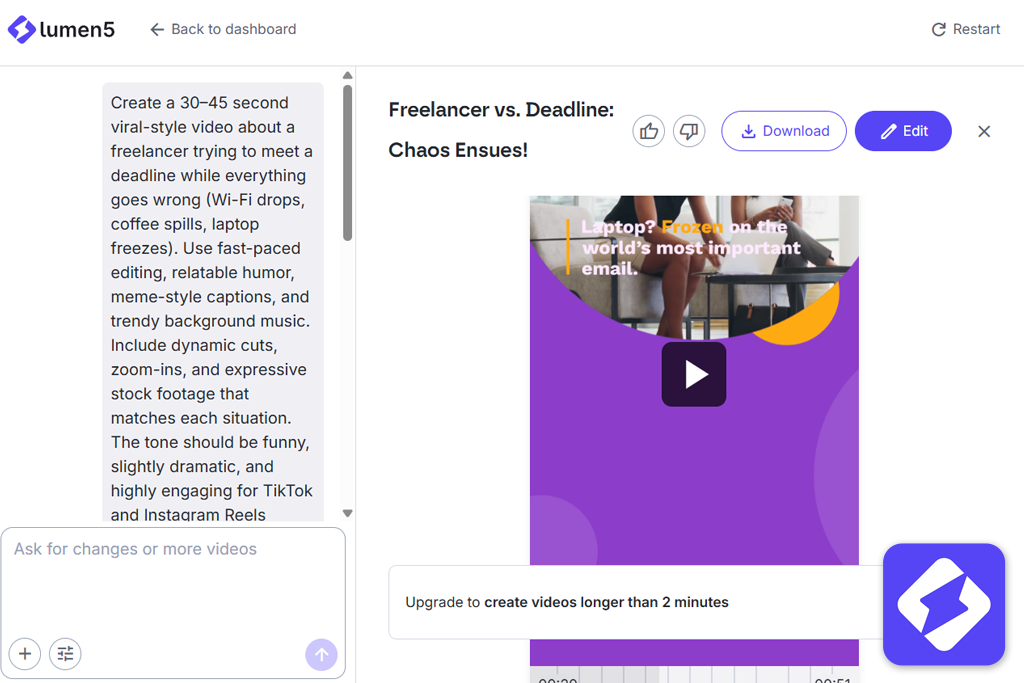
I found out about Lumen5 on YouTube, where many creators recommended it as a reliable alternative to Pictory, especially for marketing videos. I decided to give it a try with my standard script. Here, the video is built like a storyboard: each phrase becomes a separate scene, and you can lay everything out and edit it before the final render.
Another plus is the ability to work with branding. You can set the colors, fonts, and style, and they are applied to the entire video. For client projects, this is really convenient.
Compared to Pictory and other Lumen5 alternatives, it uses stock videos, but thanks to its structure, you're less likely to encounter odd inconsistencies. On the downside, if you leave everything as it is, the videos start to look the same.
“It made our list because it consistently delivers decent results, especially for marketing purposes, even if it’s not the most creative tool out there.”

My advice: Don't leave everything on autopilot. Go through the scenes, adjust the timing and placement of elements, and you'll get much better results.
Best features:
Pricing: free (watermark, limited exports), from $19/mo, from $228/year
Best for: quick explainer videos
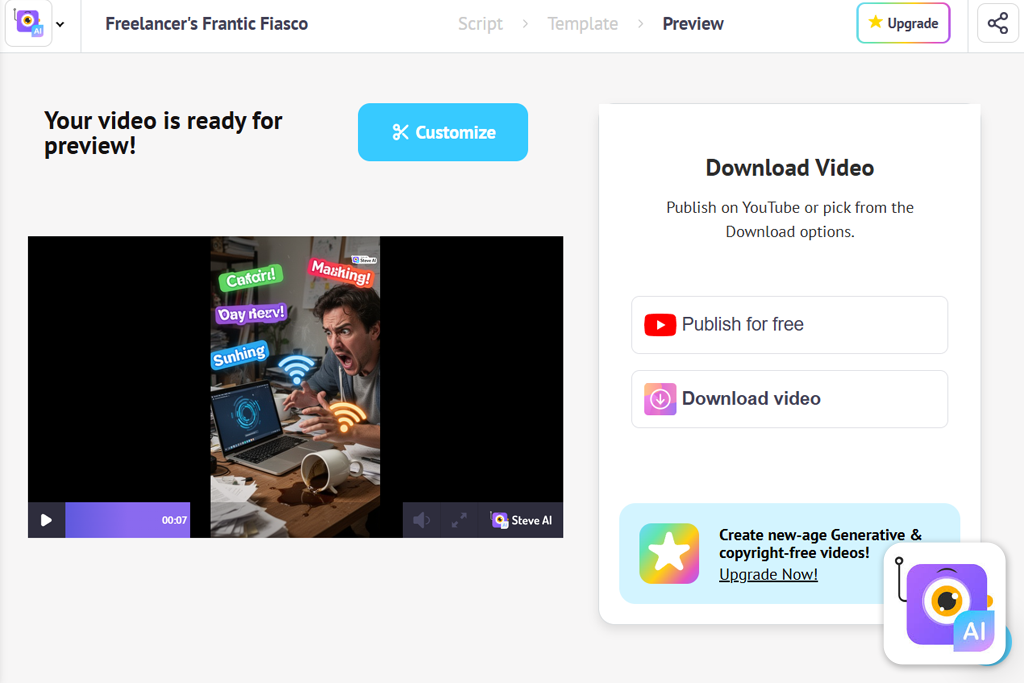
Steve AI kept popping up in my search results when I was putting together a list of alternatives to Pictory, so I decided to include it in the test as well. It's clear that the tool is designed for beginners. Everything is structured step by step: from the text to the finished video, you are guided through the process. Compared to Pictory, everything is more consistent and that's convenient.
Sure, it's not about cinematic or ultra-realistic quality. But at least it doesn't feel like the video was put together from random pieces. Sometimes that's more important. An interesting feature is that you can choose the format: either work with stock video or create an animation. Not all services offer this option.
“I would consider it for educational videos, how-to guides, or simple social media content. But for an ad or something with a more “high-end” visual style, it might seem too basic.”

My advice: It's better to go for animation right away, rather than trying to force realism out of it. And keep the text simple – short, clear phrases work much better here.
Best features:
Pricing: free (limited exports, watermark), from $20/mo, from $240/year
Best for: content planning, video automation
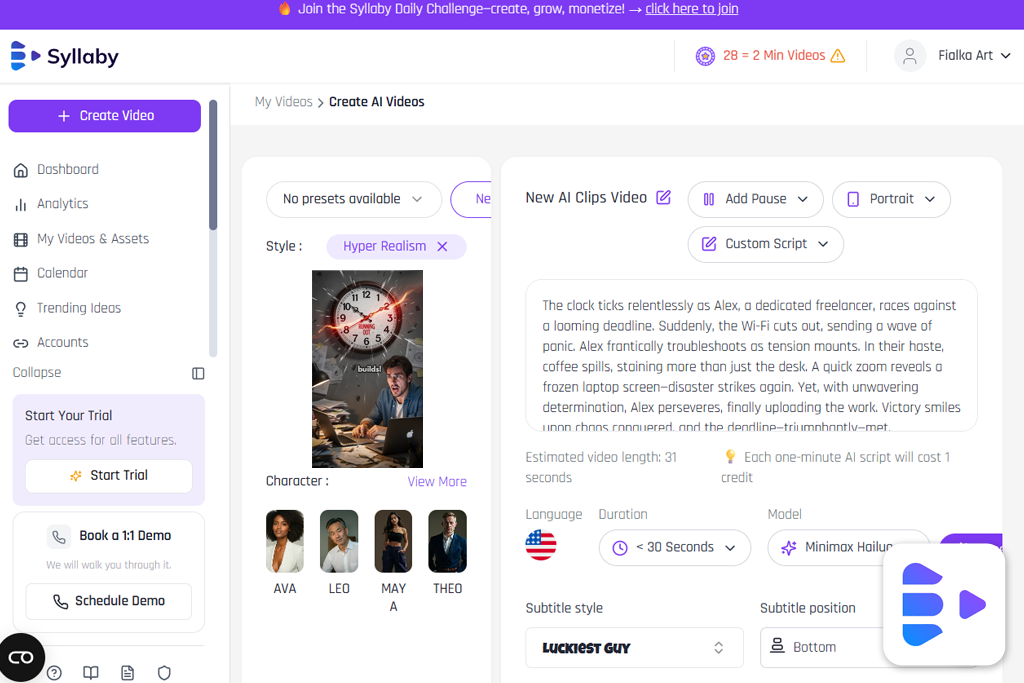
I also found Syllaby through Google when I was looking for a decent alternative to Pictory. But what really caught my attention was that it's more like a system for managing content as a whole rather than just a video tool.
When I started testing it with my script, the process began even before the video was generated. The tool itself suggested ideas, prompts, and presentation options, guided by trends. I haven't seen anything like this in other services. Unlike Pictory, here everything is closer to the real content creation process: first the idea, then the text, then the video, and finally the publication.
The main advantage is that this AI clip maker simplifies the process and helps you stay on schedule if you regularly create content for TikTok, Instagram, or Shorts.
“It made my list not because of the visuals, but because it helps with ideas and planning, not just with the video itself.”

I would recommend it to people who get stuck more at the “what to post at all” stage than at the “how to edit it” stage. But if you need complex editing or a more polished visual, it's better to look into other Pictory alternatives for video creation.
My advice: Don't overlook the idea generator; it's genuinely useful. However, it's still best to fine-tune the text a bit manually before creating the video.
Best features:
Pricing: free (limited features), from $25/mo, from $300/year
Testing Pictory AI alternatives turned into a regular workflow that I went through with the FixThePhoto team. We work with video, social media, and client projects every day, so our task was simple: to find tools that can actually handle the workload.
First, I put together a long list of over 50 AI services. I drew from a variety of sources: Reddit, YouTube, Quora, and even my followers. Then my team and I selected about 30 options for a full-fledged test. Some popular services did not make it to the final round.
For example, Veed.io, Kapwing, Animoto, Wave.video, and Peech. They have some decent features, but in practice, they are either too basic, heavily reliant on templates, or simply do not offer a real advantage over Pictory. In some cases, the AI there feels like regular automation using stock footage.
To ensure a fair comparison, I used the same test prompt for all the Pictory AI alternatives. Plus, we ran the tests multiple times; the team insisted on this to check for consistency. Here's what we looked at:



![7 Best Speechify Alternatives [{{%year}} FixThePhoto Choice]](http://fixthephoto.com/blog/images/gallery/news_main__preview_28954.jpg)
![7 Best YouTube Shorts to MP4 Converters [Fast & Free]](http://fixthephoto.com/blog/images/gallery/news_main__preview_28927.jpg)

![5 Best SWF Players [{{%year}} FixThePhoto Choice]](http://fixthephoto.com/blog/images/gallery/news_main__preview_28899.jpg)


![Add Leprechaun to Photo Online [Free]](http://fixthephoto.com/blog/images/gallery/news_main__preview_28919.png)
![7 Best Sketchbook Alternatives [{{%year}} FixThePhoto Choice]](http://fixthephoto.com/blog/images/gallery/news_main__preview_28913.jpg)

















