I decided to find a reliable Descript alternative after noticing that this program had several issues that slowed down my workflow. The program supports text-based editing and has AI tools for those who prefer to automate their routines. Even though it has impressive functionality, it may not be the best choice for many creators who are interested in more nuanced editing, want to edit long-form content, and are on tight budgets.
While I was using Descript, I noticed occasional crashes. It requires powerful hardware to function without any lag. Besides, unlike Adobe Premiere Pro or Final Cut Pro, it does not have some professional editing tools. I would often need to fix mistakes manually after using its automated transcription feature. Besides, as all the processes run in the cloud, there might be delays during file uploads. The free version adds watermarks and allows users to edit only up to 60 minutes of content per month. Paid subscription plans start at $24/month.
After realizing that this software has some limitations, I decided to find suitable alternatives. I tested over 20 tools. Some of them prioritized AI editing, while others were more suitable for those who preferred manual editing workflows. I compared these programs in terms of their usability, analyzed user feedback by reading forum threads on Reddit and Quora, and asked my colleagues for insights.
| Tool | Stability & reliability | Best For | Free Plan/Trial |
|---|---|---|---|

|
★★★★★
|
Professional video editing
|
✔️
|

|
★★★★★
|
Podcasts, interviews
|
✔️
|

|
★★★★☆
|
Social media videos
|
✔️
|

|
★★★★☆
|
Podcasts
|
✔️
|

|
★★★★☆
|
Research, long-form
|
✔️
|

|
★★★★★
|
Marketing videos
|
✔️
|

|
★★★★☆
|
Faceless videos
|
✔️
|

|
★★★★★
|
Pro production
|
✔️
|

|
★★★★★
|
Meetings, notes
|
✔️
|
When looking for the best Descript alternatives, I wanted to discover practical programs that could help me streamline my workflow. Together with other members of the FixThePhoto team, I assessed each software in terms of transcription accuracy, intuitive functionality, performance, AI usability, and text-based editing support. In addition, I checked whether these services were suitable for different scenarios, from editing podcasts to creating short-form content for social media, and working on long-form video projects.
When testing these services, I evaluated their performance speed, stability, and output quality. Besides, I wanted to see whether they had unique features that would make them better than Descript. I also considered the available pricing tiers and free plan limitations. I wanted to discover solutions that would be suitable for budget-conscious content creators as well. As a result, I decided to select only the services that helped me streamline my workflow, had unique features, and were suitable for niche use cases.
Price: 7-day free trial, then $22.99/per month.
Availability: Windows, MacOS
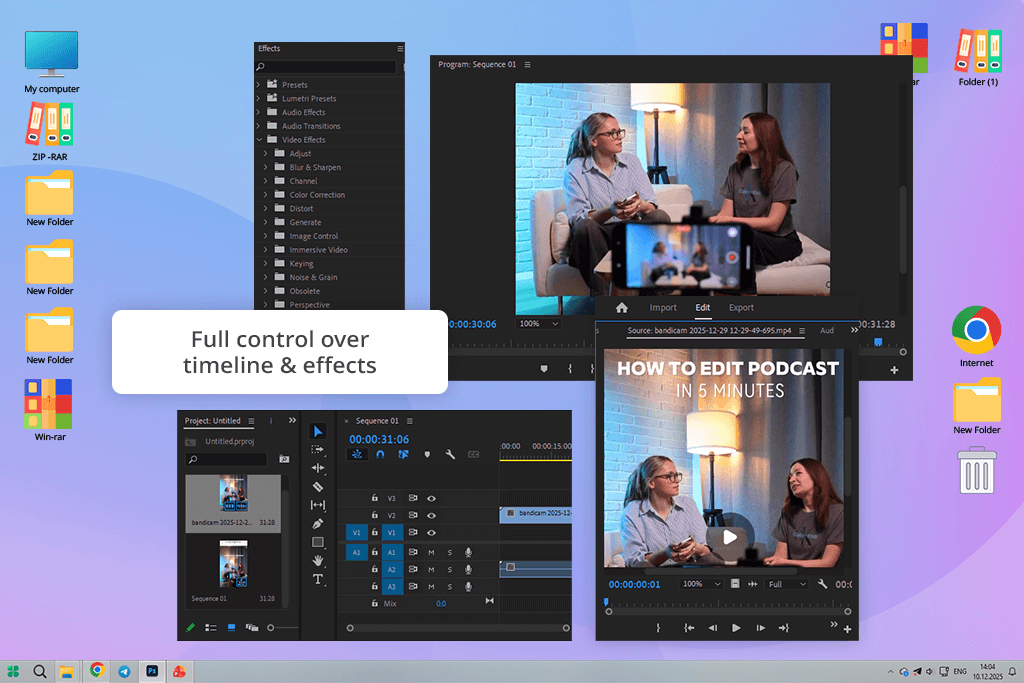
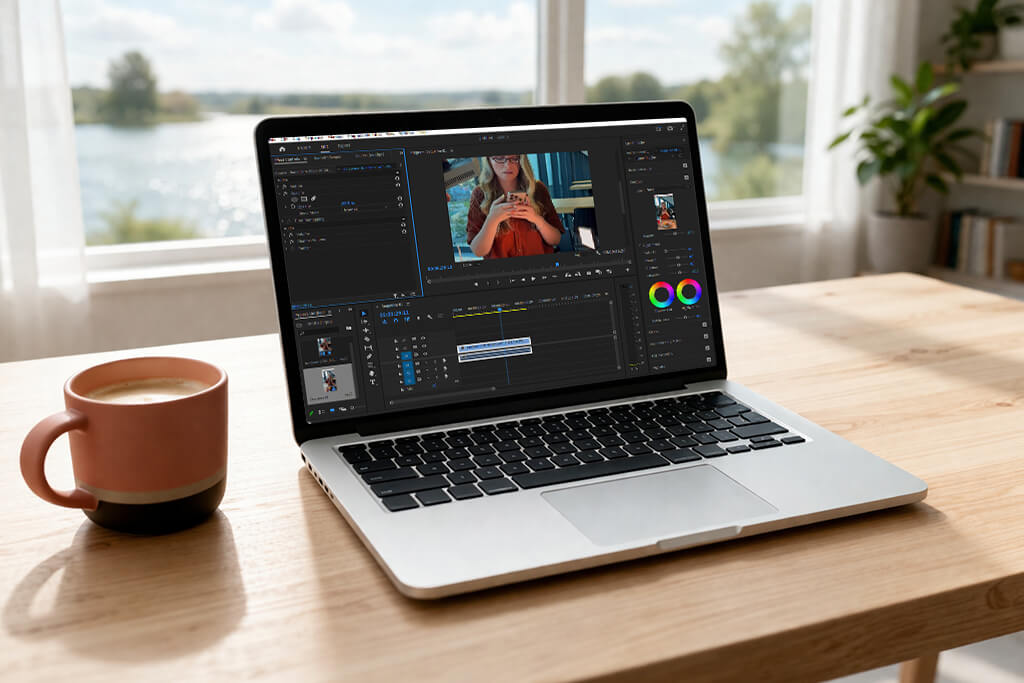
Adobe Premiere Pro is a powerful Descript alternative that required me to adjust my workflow when I started to use it. Even though both programs have text-based editing tools, have transcription features, and allow one to generate captions automatically, Descript prioritizes AI tools and high editing speed. In contrast, Adobe Premiere Pro supports more nuanced frame-by-frame editing, allows one to work with multi-track audio, has a collection of professional effects, and supports advanced color grading.
When I started to use Premiere, I was pleased with its seamless integration with After Effects, Audition, and Photoshop. It enabled me to work with motion graphics, edit audio, and apply visual effects without leaving the platform. This solution does not rely only on AI tools like Descript. It is more convenient to use, as it supports multi-camera timelines, nested sequences, and keyframe animations.
While Descript is completely cloud-based, this Adobe video editor runs on your device. Even though you will need to use a powerful computer, it will allow you to work with high-resolution footage without experiencing any lag.
In addition, I liked the pro-grade audio tools available in Premiere. They make this solution suitable for podcast-style editing. Using them, I was able to reduce noise and adjust EQ and loudness across multiple tracks. This service allows one to customize captions and subtitles.
Besides, I could add transitions and make high-accuracy playback adjustments. Even though this Descript alternative for podcast editing is less suitable for beginners than Descript, Premiere Pro also has handy text-based editing tools. In addition, it allows one to perform in-depth editing, making it perfect for those who work on complex projects.
“I like using Premiere, as I prefer to edit my content frame-by-frame. Even though it’s quite advanced and takes time to master, it has more extensive functionality than Descript.”

Price: Free (with watermark) or from $29/per month.
Availability: Web, iOS, Android
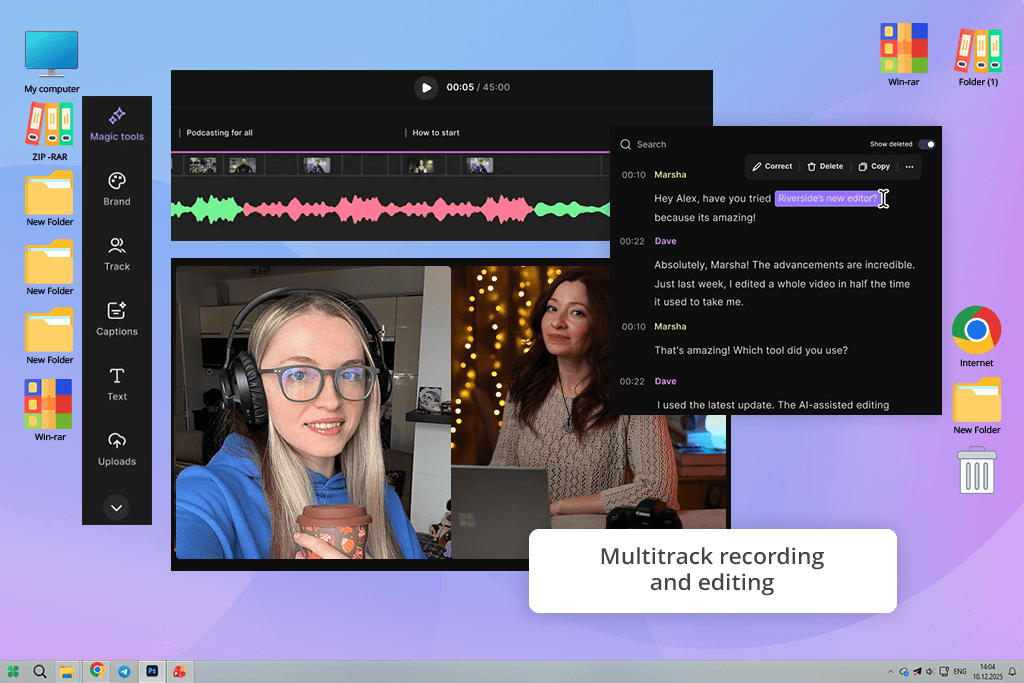
When I started to use Riverside, I immediately noticed how different it was from Descript. While the latter supports the AI-first workflow and prioritizes high editing speed, the former supports high-quality recording in 4K and allows one to produce studio-level audio tracks.
Using this online Descript alternative for creators, I recorded a podcast with multiple guests and was pleased to see that it cleaned the audio better and produced videos that did not require a lot of post-processing. At the same time, Descript delivered a faster performance when trimming filler words.
Riverside has a convenient text-based editor, which allows me to edit my content by adjusting transcripts. With it, I can remove unnecessary segments and use the AI Magic Clips feature to produce engaging social media content. It became much easier for me to record, edit, and publish my videos using this service.
Besides, it supports speaker/gallery view switching and has a collection of templates, which facilitates content repurposing. You can use Riverside as a program to record webcam footage. It’s easy to use and has a streamlined interface with pro-grade tools.
After testing Riverside, I concluded that it’s quite similar to Descript but allows one to access recording and editing tools in one place. I used this Descript competitor to edit a multi-guest podcast and was pleased with the output quality and consistent performance.
Even though it cannot compare with Descript’s efficiency when it comes to using AI for removing filler words, it’s suitable for high-fidelity remote recording and quick text-based editing. The only shortcoming is that it stores recordings locally, which slows down file uploads.
Price: 7-day free trial or from $9.99/per month.
Availability: Web, Windows, MacOS, iOS, Android
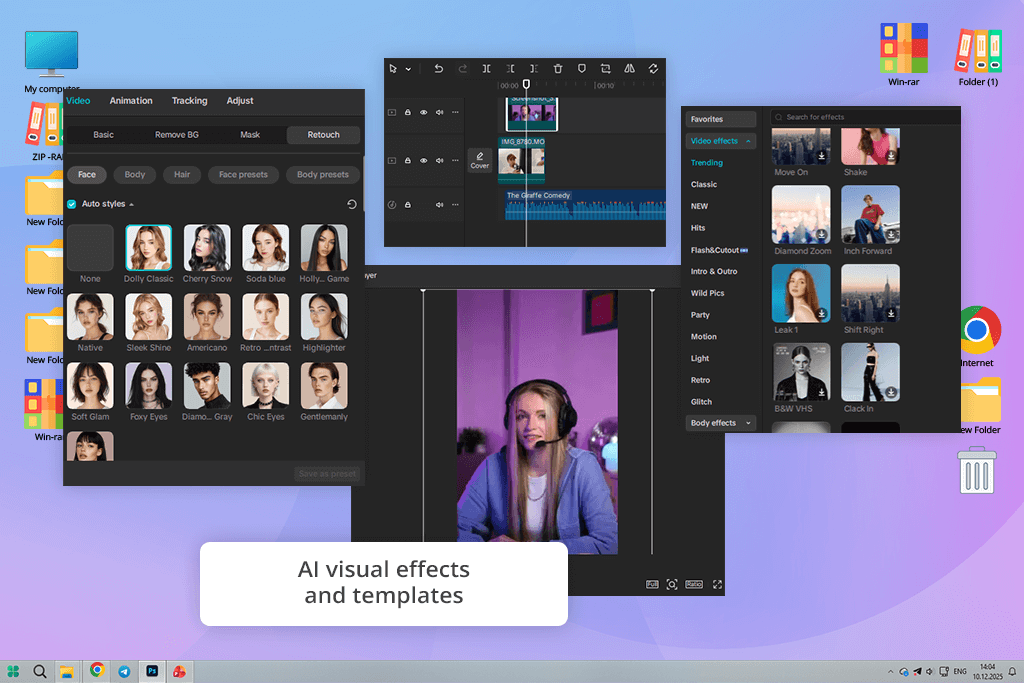
CapCut is a free clip editing service that can be considered an excellent Descript alternative for video editing. Descript might be a better choice for those who are interested in text-based editing and mostly edit audio. However, CapCut stands out for its AI effects, a collection of templates, and accessibility from mobile and desktop devices. It’s an excellent service for producing short clips for social media.
I compared CapCut vs Descript when creating clips for TikTok and Instagram. The former helped me trim filler words quickly, but the timeline editing and creative tools available in the latter significantly streamlined my routine and allowed me to produce attention-grabbing content with little to no effort.
Similar to Descript, CapCut has convenient text-based editing tools. You can edit your videos by adjusting transcripts. Besides, it has a drag-and-drop timeline, which significantly streamlines content creation. I was pleased with the built-in automated tools for generating captions. Besides, unlike many apps like Descript, it has a collection of trendy templates and AI-driven effects.
Using them, it was easy for me to repurpose my content. Even though Descript might be a better option for producing studio-grade audio and performing voice cloning, CapCut is the top choice for those who are interested in quick editing and want to produce professional-looking content for social media.
This Descript alternative for transcription is easy to use and has advanced tools. It allows me to delete filler words, trim clips, create subtitles automatically, and create content for social networks with ease. The main shortcoming of this service is that its audio editing tools are less precise than those of Descript. However, it can still be considered one of the best solutions for transcription and video production.
“I tested desktop and mobile versions of CapCut and can conclude that it’s an excellent solution for editing short-form content. Descript is more suitable for editing audio, while CapCut has excellent tools for producing social media clips.”

Price: 7-day free trial or from $38/per month.
Availability: Web
Alitu is an excellent Descript alternative that can be used even by novices. It streamlined podcast creation and makes it easy to record, edit, and host episodes. At the same time, Descript seems to be more focused on in-depth audio and video editing.
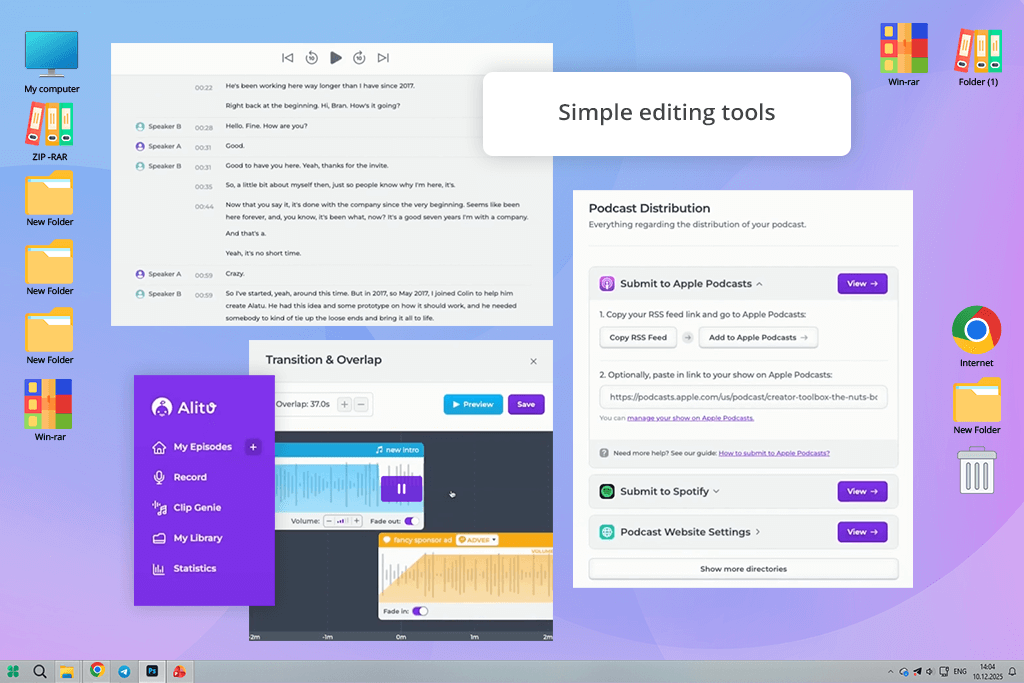
I tested both services when creating a short interview episode. Descript helped me control the waveform and transcripts with better precision. However, Alitu has handy automated tools for cleaning up audio, reducing noise, and performing volume leveling. Using them, I was able to produce a polished episode more quickly.
The key advantage of Alitu is that it has a handy Episode Builder feature. Using it, I was able to quickly drag and drop intros, ads, and other audio segments to create a professional episode. Like Descript, it has convenient text-based editing and filler word removal tools. Besides, it facilitates podcast hosting and distribution.
Even though Descript had a more extensive choice of multitrack and video features, Alitu is an excellent podcast recording software for those who want to simplify their podcast creation workflow. It can be used even by novices to streamline every task, from recording audio to publishing podcast episodes.
I tested this service when working on solo and call recordings. I liked how quickly it made my audio clean and created a transcription. The main shortcomings of Alitu are that it does not support multitrack editing, lacks video editing tools, and costs too much if you already pay for some similar software like Descript.
Price: Free trial (5 hours of free transcription) or from $15/per month.
Availability: Web
After testing Reduct Video, I concluded that it’s a great Descript alternative for transcription and creators who often work with long videos. Even though Descript is more suitable for creating short social media clips, Reduct is a better choice for processing long footage. It can help you edit documentaries, research interviews, and legal depositions.
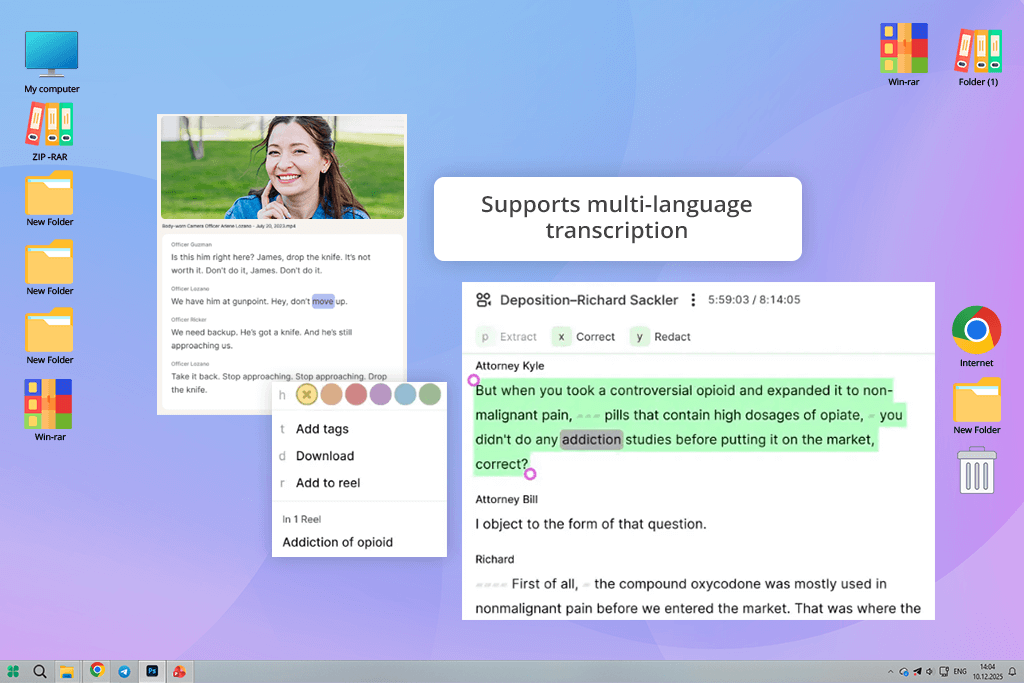
I tested this transcription software for Mac and Windows when working on long interviews. I liked the precision of its AI transcription tools. Besides, it allows me to add tags, use collaboration tools, and find video highlights quickly.
This Descript alternative for content creators allows you to use text-based editing features, remove filler words, and use AI to cut footage. However, Reduct is more suitable for organizing large libraries instead of applying visual effects. I liked its highlight reel feature. It allows me to select the most important quotes across several videos and create a single summary. Reduct has multi-language transcription and translation features. Using its collaboration tools, team members can add comments and tags to transcripts in real time.
The only shortcoming of Reduct is that it’s hardly the best fit for advanced video editing or applying visual effects to short-form content. It prioritizes transcription, has searchable video libraries, and supports team collaboration.
“I used Reduct to edit several long research interviews and was impressed by its text-based editing tools and highlights. It’s quite similar to Descript, but it’s perfectly suitable for processing long-form footage.”

Price: Free (watermark and 720p) or from $19/per month.
Availability: Web
VEED is an advanced alternative to Descript available from any browser. It was built specifically for those who want to produce engaging social media content quickly. While Descript is known for its text-based audio and video editing tools, VEED is better suited for content production.
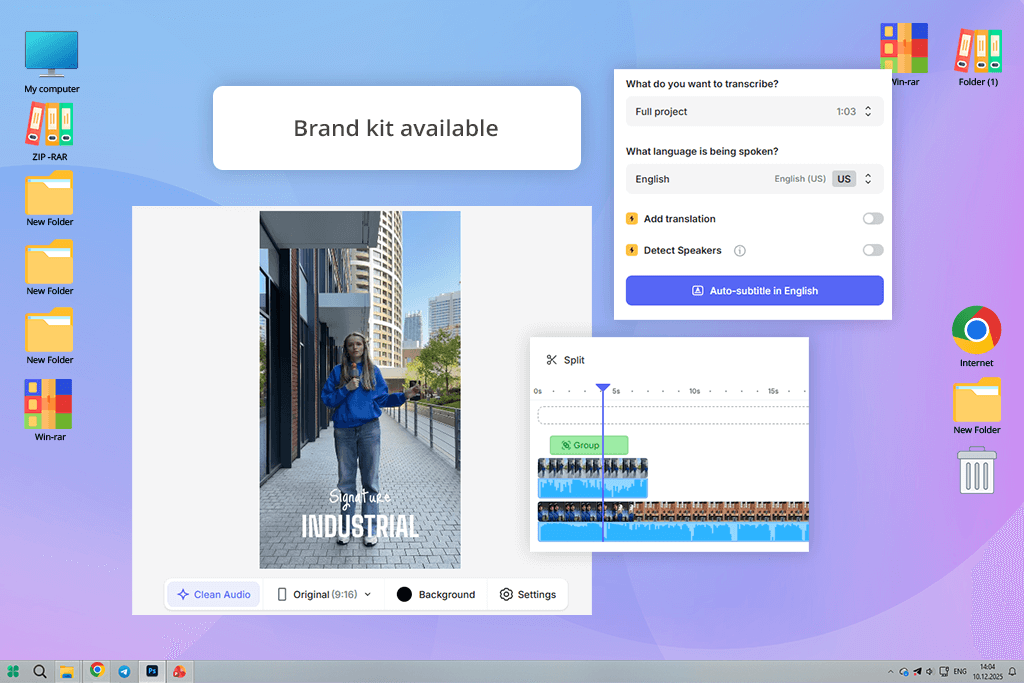
It has a collection of templates, a stock footage library, and AI-driven tools for generating subtitles, translation, and AI avatars. I tested both services to create short-form videos. With this Descript alternative for video editing, I was able to quickly produce professional-level content using RAW footage, add captions, and keep brand colors consistent without using any third-party software.
VEED also doubles as video editing software for Windows and Mac. It supports basic text-based editing. However, its main advantages are its high speed and intuitive functionality. I was pleased with its AI features and collection of templates.
Using them, it was easy for me to produce Instagram or TikTok videos. What makes it different from Descript is that it is less suitable for producing long-form content like podcasts. However, it’s an excellent free Descript alternative for marketing professionals and content creators who want to create polished videos using AI tools.
Price: Free (with watermark and 15 video minutes) or from $29/per month.
Availability: Web
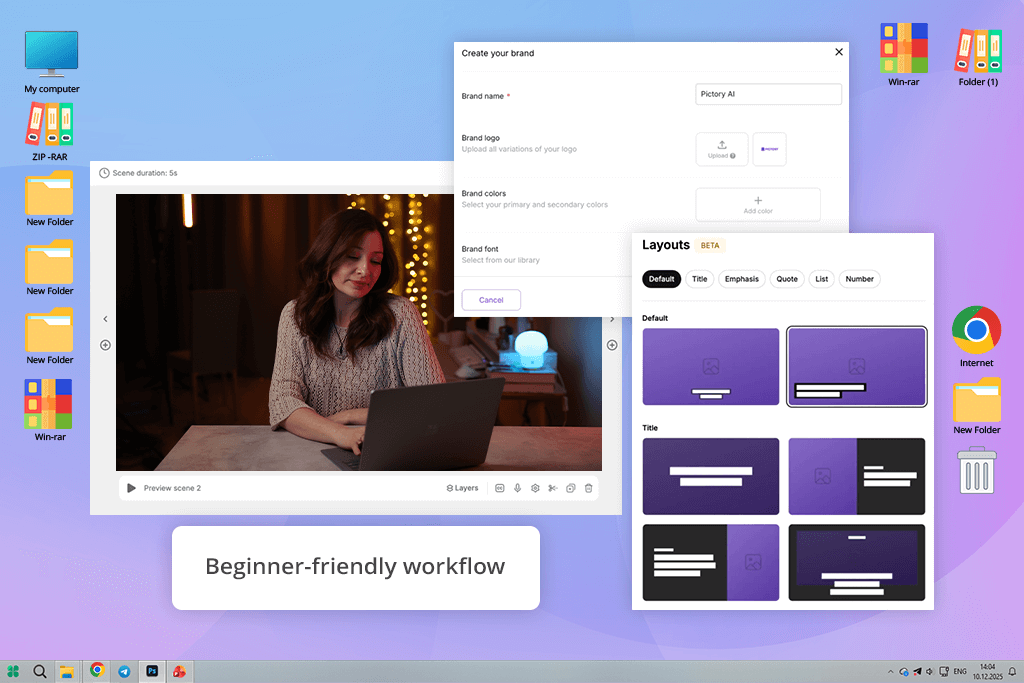
I decided to test Pictory as I heard a lot of positive things about this online Descript alternative. This is why I wanted to check whether it is indeed perfect for converting text into video. Descript was built specifically for editing recorded audio, whereas Pictory focuses on creating short and engaging marketing videos using stock footage, captions, and AI voiceovers. Using its “Script to Video” and “Blog to Video” tools, I was able to produce polished videos in a few minutes. When using Descripts, I had to spend more time on manual edits to improve the quality of my audio and transcripts.
Pictory supports one-click scene editing. It’s extremely intuitive, making it the best fit for novices and those who want to create short-form content for social media and produce explainer videos. Descript supports more advanced control waveform and multitrack audio. I believe that Pictory is more suitable for marketers who want to automate their workflows and complete projects faster.
However, the functionality of this AI video generator may seem a bit limited for those who are interested in in-depth audio editing and multitrack workflows. Pictory is an excellent Descript replacement software for those who want to quickly edit their content by changing text.
“I used Pictory to create social media content and was pleased with its fast performance. Even though, unlike Descript, it does not support in-depth audio control, it’s perfect for editing videos quickly.”
Price: Free or for $295/one-time purchase
Availability: Windows, MacOS
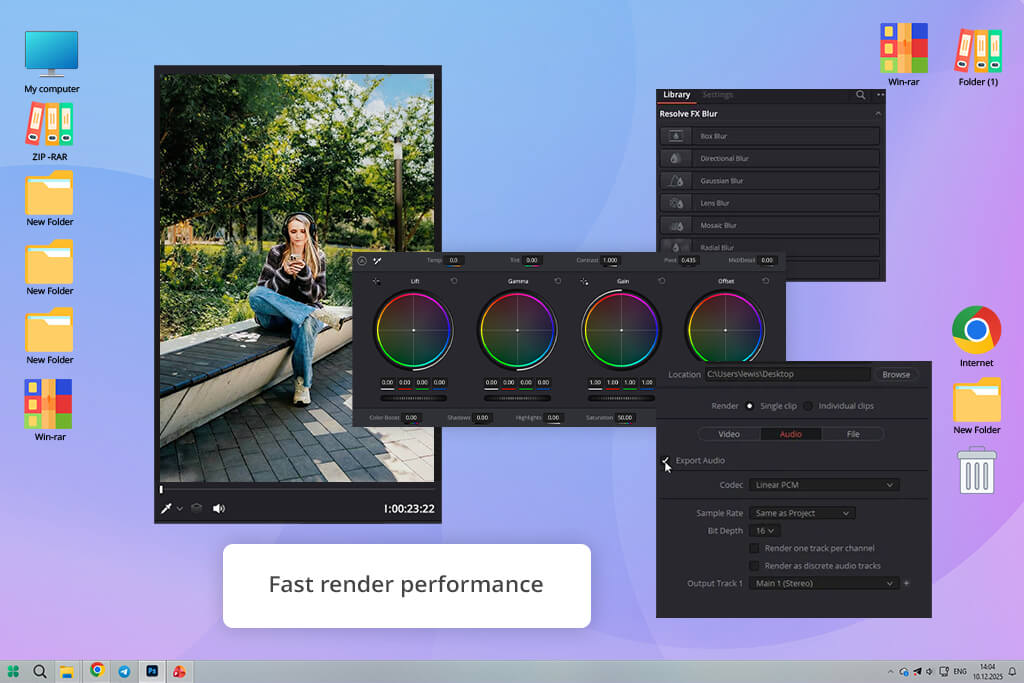
DaVinci Resolve is an advanced Descript alternative for Mac and Windows. It supports traditional timeline editing and has text-based editing features based on AI. While Descript is perfectly suitable for novices and supports intuitive audio and video editing, DaVinci allows you to create transcripts and edit clips by changing text.
Besides, it supports advanced color grading, has a collection of visual effects, allows one to work with motion graphics, and has dedicated tools for editing audio. I used both solutions when working on a video with multiple scenes. DaVinci is more suitable for professional editing, as it has handy text-based search tools and supports timeline editing. Descript is a better choice for producing short-form content or podcasts.
The key advantage of DaVinci Resolve lies in the fact that it is suitable for pro-grade tasks. I used Fusion to add cinematic effects, organized hundreds of audio files with the help of Fairlight, and performed advanced color correction. This Descript replacement software is more difficult to master and requires a more powerful hardware configuration.
However, it’s one of the best options for those who want to access precise timeline editing tools and use advanced effects. Besides, it’s available as a one-time purchase, making it an excellent solution for those who are interested in professional video editing.
Price: Free (3 file imports) or from $16.99/per month.
Availability: Web, iOS, Android
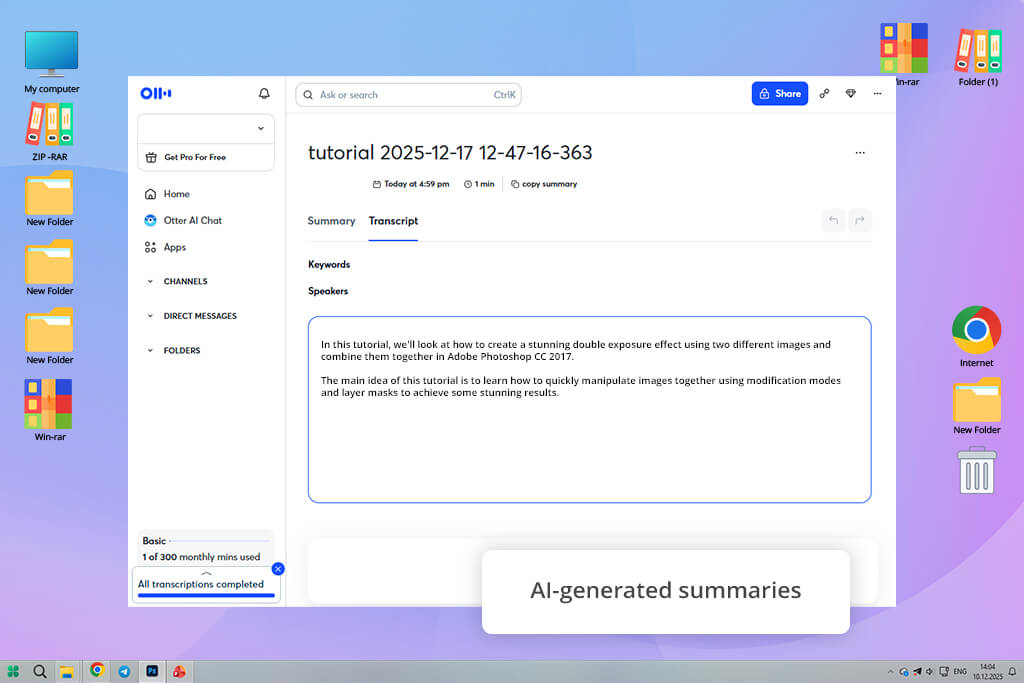
After testing Otter, I concluded that it’s an excellent Descript alternative for transcription. With it, you can quickly prepare meeting transcripts and collaborate together with your team members. Even though Descript might be the best option for in-depth audio and video editing, Otter is a dedicated transcription app that prioritizes live transcription, supports speaker labeling, has AI tools for generating summaries, and allows one to create searchable transcripts.
I tested both solutions during Zoom and Google Meet meetings. I was especially pleased with live captions and automated summaries generated by Otter. Using them, I was able to remember the most important points better and share them with other members of my team. Descript does not focus on such functionality.
Another advantage of this Descript alternative for Mac is that it integrates with many other platforms and services, including Slack, Salesforce, HubSpot, and Microsoft SharePoint. Such integrations streamline collaboration and sharing. Even though its highlighting and text editing tools may seem too basic, I was able to use them to fix mistakes without wasting a lot of time.
However, this software is hardly the best choice for professional-level audio or video production.
If you are interested in quick, highly precise transcription and collaboration tools, Otter is an excellent alternative to Descript. However, it’s less suitable for creators who prioritize editing and creating top-quality media content.
“I often use Otter during our meetings. I like the accuracy of its live transcription tools. Besides, unlike Descript, it allows me to share notes quickly.”

If you are interested in AI-powered solutions like Descript but want to find software with more extensive functionality, you can use Adobe Premiere, as it supports pro-grade editing. Riverside is more suitable for podcasting, CapCut is the best fit for those who create short-form content for social media, and Reduct Video is perfect for longer videos. Each solution was built for specific tasks. Whether you are interested in automated transcription or advanced video effects, choose the tool that suits your needs best.
Yes. VEED, Pictory, and Riverside are cloud-focused solutions accessible from any browser. Using them, you can edit your videos without installing any resource-consuming software. Descript also supports cloud integration, but some of its alternatives deliver a faster performance, making them more suitable for those who need to quickly edit their content online.
Yes. DaVinci Resolve and Adobe Premiere support text-based or AI-based transcript editing. When using them, you will be able, just like in Descript, to use text to enhance your content. They also support pro-grade timeline editing, color correction, and audio editing, making them especially suitable for creators who value both high precision and speed.
Yes. CapCut, VEED, and Pictory are perfect for working with short-form social content, including TikTok videos, Reels, and Shorts. They have collections of templates, allow users t access stock footage, have AI tools for generating subtitles, and support quick scene editing. They will help you expedite your social media workflow.
When working on long-form content, it’s better to use Adobe Premiere and Reduct Video. They will help you edit hours of footage, create searchable transcripts, label speakers with high accuracy, and create highlight reels. Unlike Descript, they are built for working on research, as well as editing documentaries and multi-hour recordings.
Some solutions, like CapCut, VEED, and Alitu, have intuitive functionality, making them perfect even for beginners. Pro-grade software like DaVinci Resolve or Adobe Premiere Pro might be too difficult to master. When looking for the most suitable solution, consider what parameters are most important for your needs, be it high speed, automated tools, or creative control.
Together with my colleagues from FixThePhoto, I tested a variety of Descript alternatives, as I wanted to discover the best solutions for creators, podcasters, and video editors. We tested a variety of programs, but only the most efficient ones were included in the final version of our list.
We decided against including such solutions as Kapwing, Camtasia, Sonix, eesel AI, Podcastle, Vook, Canva, Audapolis, Jamie, oTranscribe, Maestra, Trint, Rev, Trebble, and Tella. Our primary objective was to discover programs with extensive functionality that could become a part of all sorts of workflows.
Besides, we were mostly interested in products compatible with multiple platforms. We excluded some tools because of their basic features, inconsistent performance, or similarity to more practical alternatives.
Here are the main things we focused on when we tested these solutions:
By using this approach, we managed to choose the best Descript alternatives that stood out among the rest for their high performance speed, handy automation tools, and professional editing features.





![7 Best HeyGen Alternatives [{{%year}} FixThePhoto Choice]](http://fixthephoto.com/blog/images/gallery/news_main__preview_28944.jpg)

![9 REVE Alternatives with Better Results [Free & Paid]](http://fixthephoto.com/blog/images/gallery/news_main__preview_28905.jpg)

![7 Best Speechify Alternatives [{{%year}} FixThePhoto Choice]](http://fixthephoto.com/blog/images/gallery/news_main__preview_28954.jpg)
![12 Best AI Flyer Generators [Online & Free]](http://fixthephoto.com/blog/images/gallery/news_main__preview_28910.jpg)

















