I use HeyGen regularly and believe that it’s one of the most powerful tools for my needs. With it, I can quickly convert text into talking-head videos with realistic avatars and expedite my production workflow. Recently, many subscribers started to ask me about the alternatives to HeyGen.
Some of them consider it too expensive for smaller projects, while others want to customize their avatar and achieve higher multilingual accuracy. Besides, some people want to find tools similar to HeyGen that integrate with their workflows better. This is why I decided to test 30+ HeyGen alternatives from free AI software to more powerful solutions suitable for enterprise needs.
Together with FixThePhoto team, we assessed these HeyGen alternatives in terms of video quality, avatar realism, voice options, and intuitive functionality. Below, you will find the list of the best alternatives to HeyGen, some of which can outperform it in certain areas.
| Realistic avatars | Multilingual support | Voice customization | Built-in video editing | |
|---|---|---|---|---|
|
HeyGen |
High realism, expressive faces
|
40+ languages
|
Adjustable tone & pacing
|
Basic timeline editor
|
|
✔️ Text-to-Avatar (Beta)
|
✔️ 20+ languages
|
✔️ Deep emotional control
|
❌
|
|
|
✔️ Polished, business-style avatars
|
✔️ 120+ languages
|
❌ Basic tone options
|
✔️ Scene-based editor
|
|
|
✔️ Professional avatars
|
✔️ 100+ languages
|
❌ Limited emotion control
|
✔️ Scene editing tools
|
|
|
✔️ Highly realistic avatars
|
✔️ 30+ languages
|
✔️ Tone & emotion control
|
❌
|
|
|
❌ Few AI avatars
|
✔️ Multilingual subtitles
|
✔️ Audio adjustments
|
✔️ Full video editor
|
|
|
❌ No avatars
|
✔️ 20+ languages
|
❌ Pre-set AI voices only
|
✔️ Advanced editing tools
|
|
|
✔️ Custom avatar cloning
|
✔️ 75+ languages
|
✔️ Emotion, pacing, tone
|
❌
|
I’ve always liked using Adobe’s software. Many of these programs have been part of my creative workflow for years. This is why I decided to test Adobe Firefly’s new AI text-to-speech converter right after hearing about it.
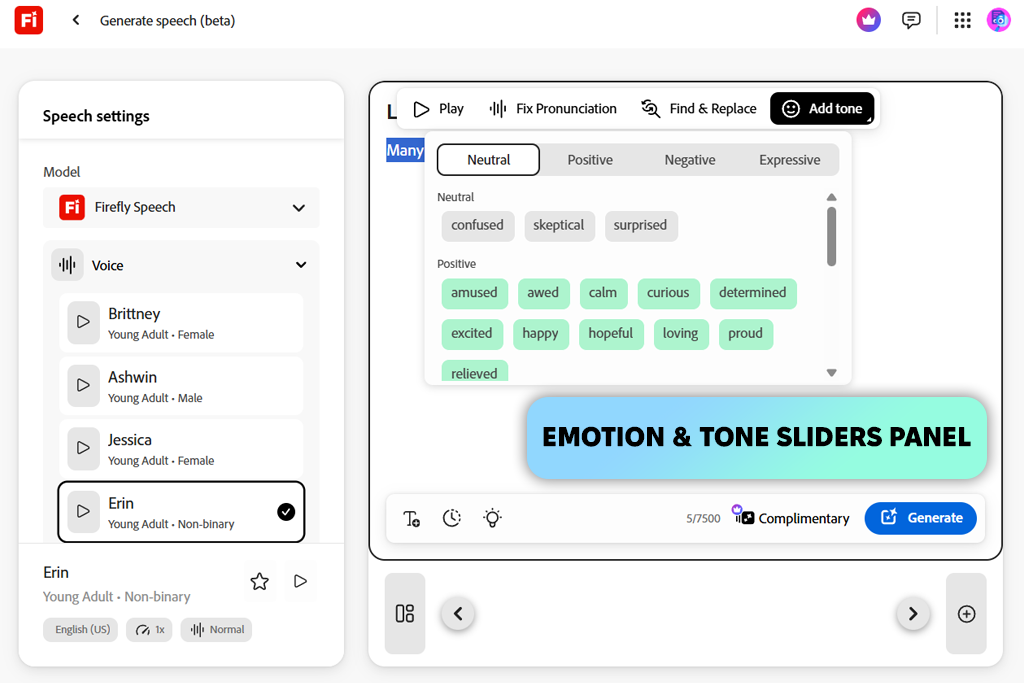
After opening the Firefly homepage, I clicked on the Audio module and selected “Generate Speech.” Then, I pasted my existing HeyGen scripts. The service generated human-sounding outputs that were more nuanced than HeyGen’s voices.
“Firefly’s voice controls are extremely convenient to use. They allow me to adjust pacing and emotion without using third-party apps.”

HeyGen supports limited voice adjustments, while Firefly allows me to configure every aspect, including tone, emotion, and pacing. Besides, I can change the pronunciation of individual words. I remember spending about 15 minutes adjusting sentences for an eLearning video. I was able to increase pitch on certain words a bit to make the narration more engaging.
In addition, I like the real-time preview. I was able to listen to each line without re-rendering the whole video. I wish HeyGen had similar features.
Unlike HeyGen, Firefly wasn’t specifically created for generating avatar-based videos. However, it allows one to create AI-powered voiceovers and export them as WAV files to Premiere Pro or Audition.
I like using this service when working on projects that require professional narration, such as client explainers or training videos. Using HeyGen’s avatars and the audio files I generated with the help of Firefly helped me achieve the best results.
I had been using Synthesia for several years before I discovered HeyGen. This is why I decided to compare these AI video generators. I like the streamlined interface of Synthesia’s dashboard. It makes it especially convenient to use it when working on large projects.
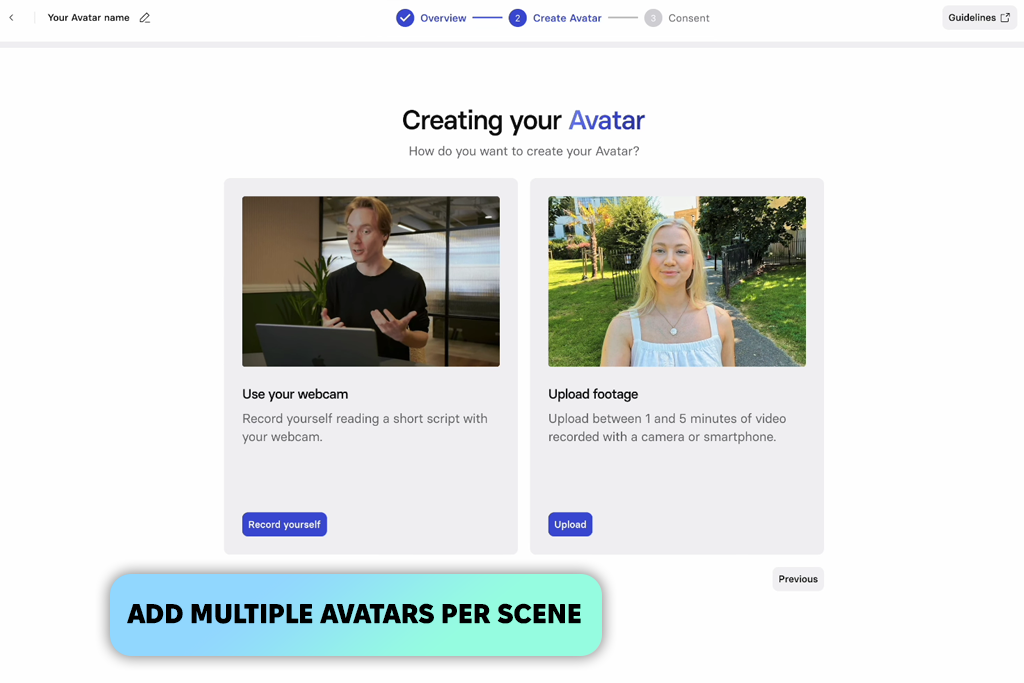
With the help of Synthesia, I recreated a training script to produce a tutorial on how one can streamline their editing workflow. I used an avatar from the built-in asset library and uploaded two more avatars using the “Multiple Avatars in a Scene” feature. Unlike HeyGen, Synthesia allows users to add up to 20 avatars on screen, making it especially suitable for producing conversation-style content.
I decided to use one avatar to visualize an instructor and used another one as a student. The dialogue between them sounded natural and dynamic.
Another advantage of Synthesia that I have discovered is that its rendering pipeline is quite stable. I clicked the “Generate Video” button and was able to download the output in three minutes. Synthesia’s avatars are more basic and less expensive than the ones available in HeyGen, but they look sharper and look good in a video.
Besides, unlike many free HeyGen alternatives, Synthesia supports many languages, so I was able to work on the same script in English, French, and Japanese. As a result, I rendered perfect videos with accurate lip-synchronization.
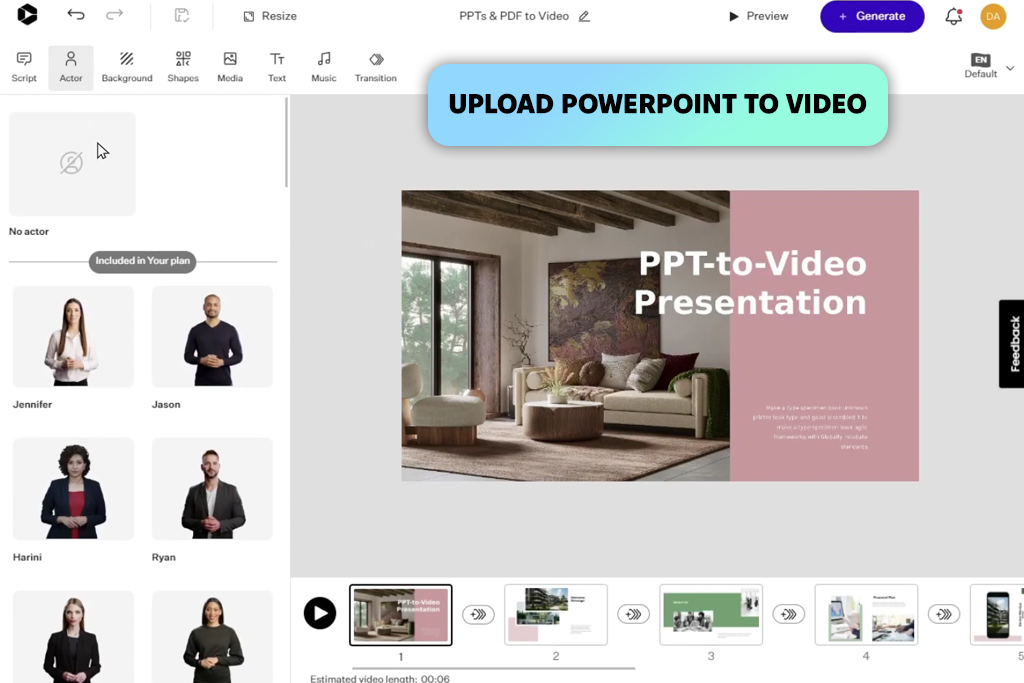
I discovered Colossyan when searching for HeyGen alternatives on Google. I saw it in the top results and became curious about its functionality. Unlike HeyGen, I have a perfectly visible “Upload PowerPoint or PDF” button on the home screen, making it more convenient to use.
I started by uploading a quick internal training deck to see whether this platform would help me create a scenario-based educational video. Colossyan automatically converted the slides one by one to create believable scenes. I was able to choose different AI avatars for every section.
I liked using the built-in branching scenarios feature. With it, I was able to add interactive decision points to the video. HeyGen is better suited for marketing and creative storytelling purposes, while Colossyan is more suitable for those who work on L&D projects.
Unlike many AI video generator alternatives to HeyGen, it’s often used by teams that develop interactive modules or need to create onboarding tutorials. Knowing that it supports 100+ languages, I decided to test its AI video translator and was pleased with the accuracy of the results.
However, Colossyan does not support versioning or real-time collaboration, making it hardly suitable for those who want to work together with other members of their team. Besides, unlike HeyGen, Colossyan doesn’t have built-in video analytics, so I wasn’t able to analyze viewer engagement and retention.
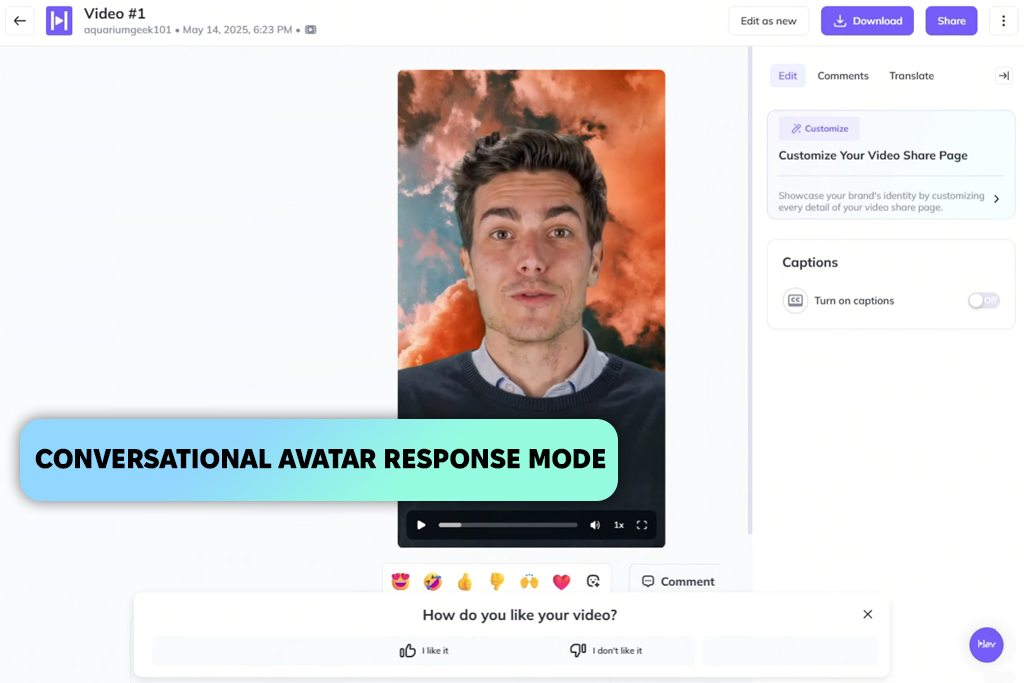
My colleague Nataly had often been using D-ID when creating client training videos, so I decided to test this HeyGen alternative software when she recommended it to me. The dashboard feels well-organized. I was able to quickly find the “Create Video” button under the studio section. However, the UI seems to be more technical than HeyGen’s, making it better suited for teamwork.
After choosing a human-sounding avatar, I uploaded my script and used the “Conversational Video” feature. It helped me generate an interactive video based on my prompt.
“I often use D-ID when working on internal training videos. I like the conversational format, as it allows me to explain updates quickly. Such videos sound more natural than static tutorials.”

The avatars have an impressive level of realism. The facial movements, lip-synchronization, and eye tracking contribute to the natural result. I especially liked English and Spanish voiceovers.
I used the Live Portrait option to animate a still photo and used the Script Wizard to break my text down to several shorter segments. Unlike HeyGen, D-ID allows users to control the script with better precision. I was able to adjust pacing, tone, and transitions without using any third-party platforms.
In addition, I decided to test the API integration, as it’s necessary for every business that creates videos using automated tools. For example, we could use our CRM to send scripts to D-ID and produce custom clips automatically. With HeyGen, it’s more difficult to achieve a similar result.
However, when using D-ID, I was a bit disappointed that I had to wait for rendering videos that were over two minutes long. Besides, it was sometimes impossible to preview updates instantly.
When I started to use VEED, I discovered that it was not a typical HeyGen alternative, as it’s more similar to a complete online video editor with a dedicated feature for generating avatars.
After opening the AI Avatars tab, I chose a presenter-style avatar and imported the script we wanted to use for our marketing campaign. The choice of avatars is rather limited. The collection includes a couple of pro-level avatars, but you won’t find any options that are as realistic as HeyGen avatars. However, the main advantage of VEED lies not in its avatar collection.
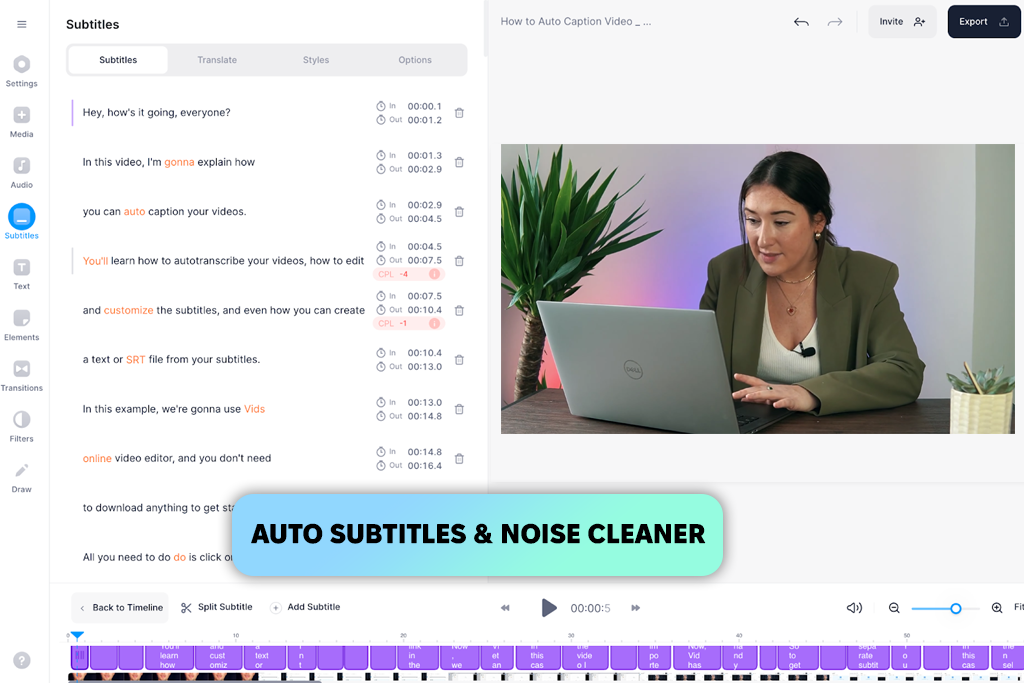
After creating a video, I switched to the timeline editor. It’s more similar to Premiere than a regular AI tool in terms of functionality. With the help of the Auto Subtitles option, I was able to create captions in a few seconds. Then, I used the Background Noise Remover feature and inserted transitions from the stock library. HeyGen does not support such an advanced level of editing control.
I was also pleased with the Auto Resize feature, as it allows me to save my videos in the formats supported by different platforms. The only significant shortcoming of this solution is rendering speed. When I tried to export videos that were longer than two minutes, there was a lag.
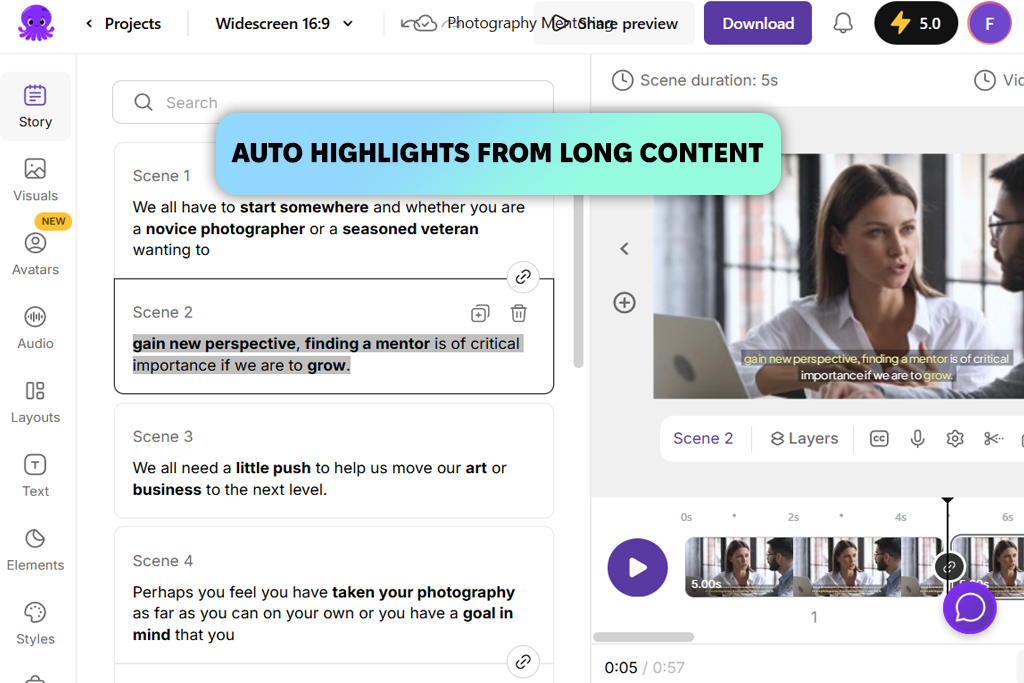
I discovered Pictory when I was testing popular AI YouTube Shorts generators. I found out that it could be useful for repurposing long videos. When testing it, I used the AI tool to analyze the text. It automatically detected key points and selected relevant stock footage from the integrated library. While Pictory is hardly suitable for complex projects, it’s perfect for simple tasks.
I uploaded a 1,000-word blog post, and Pictory generated a 60-second highlight reel in less than three minutes. It was fully ready for publication. I clicked on the Visuals tab to swap stock videos, trim segments, and customize captions on the timeline.
I also liked the built-in voiceover generator, as I was able to choose from a variety of AI voices. However, while they sound clear and have a natural pace, they sound less emotional than HeyGen’s avatars.
Pictory prioritizes high speed and automation. There is no need to capture footage manually, perform lip synchronization, or change lighting. It allows me to fully automate my workflow when I work with audio and visuals. Besides, I can use a large library of royalty-free stock assets.
The Auto Caption feature allows me to achieve higher accuracy when editing punctuation than when I use other tools. Pictory is one of the best HeyGen alternatives for those who need to manage social media channels and scale video production.
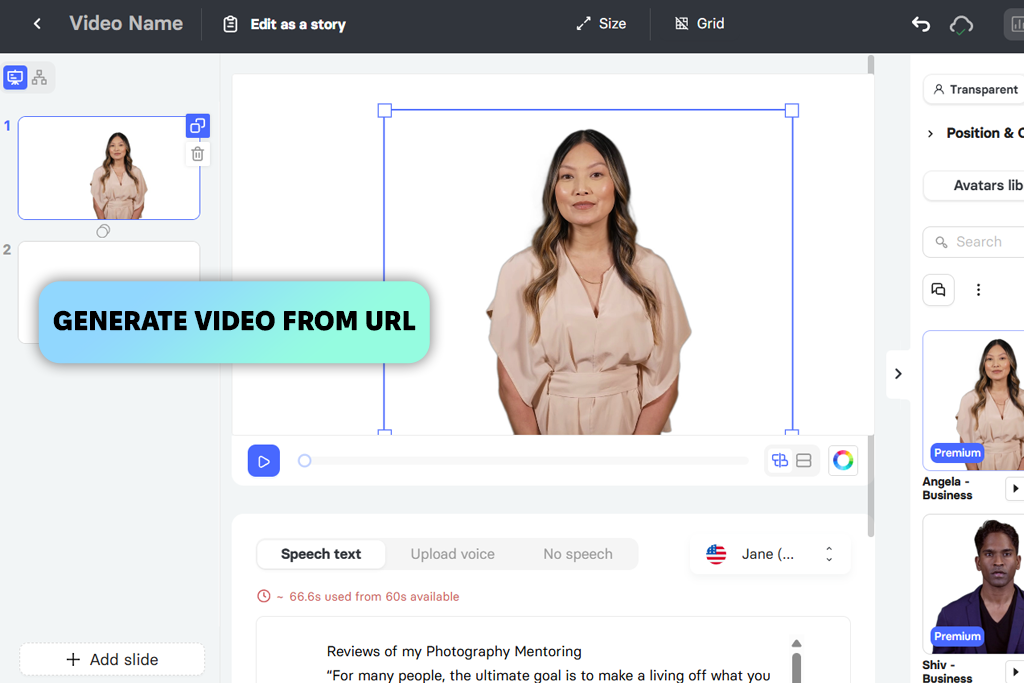
I started to test Elai after reading other creators’ recommendations on the forums frequented by creators who produce enterprise-level AI videos. I was impressed by its “Script to Video” feature. After pasting a blog URL into the prompt field, I clicked the “Generate Video” button. The AI scanned the article, created a script, and produced scenes with an avatar.
It would take me several hours to achieve a similar result using HeyGen, as I would have to import, segment, and edit scripts manually.
“I used a blog URL to convert a script to a video. The results exceeded my expectations. While the premium plan is too expensive, it’s worth it if you need to scale up content production.”

Elai supports 75+ languages. The quality of translations was consistently high. I liked that French and Spanish voice-overs sounded realistic. However, there were some lip-sync issues with non-Latin scripts like Korean. The Custom Avatar Cloning feature was especially useful. Unlike HeyGen, Elai is built for enterprise needs. It allows one to scale workflows and achieve higher automation.
The only shortcoming is that you will need to pay to access the advanced features, export your content in 4K, use premium voices, or enjoy full API access. However, unlike many avatar video alternatives to HeyGen, this solution has great value for money for companies that create global training and marketing content.
If you want to generate natural-sounding voiceovers or avatar narration, use Adobe Firefly. It comes with handy Text-to-Speech and Text-to-Avatar tools that allow you to adjust tone, pacing, and emotion. These solutions are especially suitable for those who prioritize voice quality and visuals equally. Many creators who create eLearning or branded content use this service.
If you work on corporate training and large-scale communication projects, take a closer look at Synthesia. It was created specifically for teams interested in professional, multilingual, and consistent outputs. Whether you need to create HR onboarding videos, compliance training, or international tutorials, Synthesia will help you produce pro-level avatars with ease.
Those who focus on education or learning design projects will appreciate Colossyan. It is suitable for interactive training projects, producing lessons based on scripts, and converting PowerPoint presentations to videos. This allows one to branch learning paths and supports SCORM export, making it popular among L&D teams who prioritize flexibility and do not want to use any third-party software.
If you are more interested in interactive or conversational video content, take a closer look at D-ID. It comes with Conversational Video and Live Portrait features that allow you to improve engagement. With it, you can create AI presenters who react to a viewer. While it might be difficult to master, it’s perfectly suitable for teams that often produce customer-facing or support content.
If you are looking for an all-in-one video editor for creating social or marketing content, it’s better to use VEED. It is suitable for creating avatars, subtitles, and transitions. Besides, you can use it to edit sound and resize your content. It’s perfect for creators producing content for several platforms, as it makes it unnecessary to use any additional editing software.
Those who are interested in quick content repurposing will benefit from using Pictory. This AI clip maker creates attention-grabbing clips based on all types of content, including blog posts and webinars. You can use it to create YouTube shorts or content for LinkedIn and TikTok. If you prioritize speed and automation, this option will suit you perfectly.
If you have developed a global content strategy or need to launch a multilingual training program, Elai might be exactly what you are looking for. It has an AI-driven Script-to-Video feature that allows one to create videos based on blog URLs. Besides, it allows one to create custom avatar clones, making it suitable for teams that need to maintain brand presence in 75+ languages.
To achieve consistent testing results, the FixThePhoto team and I considered the performance delivered by HeyGen as the standard every AI video generator should meet. During our testing process, we wanted to see whether AI talking avatar alternatives to HeyGen could deliver a similar performance or even outperform HeyGen in some aspects.
The first thing we did was to focus on the realism of generated avatars and emotional delivery. HeyGen is famous for its natural-looking avatars, so we wanted to find something similar. I used the same script for all platforms and considered whether the produced avatars looked natural when speaking.
I focused on facial detail, subtle expressions, and lip-sync accuracy. Some solutions delivered outputs that were similar to the results that could be achieved with HeyGen. Others produced more static avatars in a corporate style.
Besides, we wanted to test voice quality and the support of multiple languages. HeyGen’s voices became even more realistic recently, which is why Tati wanted to understand whether the alternatives could produce avatars that would sound just as clear and human-like.
She generated videos in multiple languages, including English, Spanish, and Japanese. She wanted to assess punctuation accuracy and the emotional impact. Some services supported more languages, but, unlike HeyGen, only some of them stood out for consistent lip-sync, especially when voicing non-Latin scripts.
We were also interested in workflow efficiency. We wanted to see how long it would take us to progress from uploading a script to getting the output. HeyGen is easy to use, but it slows down when processing multiple videos.
This is why Nataly wanted to check render times, assess editor responsiveness, and test scene management tools. We ranked the platforms higher if they supported live previews and quick scene wrapping, as HeyGen is less impressive in these areas.
Finally, we wanted to find services that integrated with other solutions, were easy to scale, and delivered great value for money. Many professionals use HeyGen for marketing and training purposes, so I checked whether its alternatives supported API automation, 4K exports, collaboration, and bulk rendering.
Besides, we assessed pricing. While HeyGen is affordable for creators, people interested in enterprise-level solutions should look for a more scalable service elsewhere.
Summing up, we did not just want to find potential HeyGen replacements. We wanted to understand what tasks the alternatives were best suited for. As a result, we were able to understand what platforms were perfect for creators who work on certain projects and assess the capabilities of these services in practice.





![7 Best JFIF to JPG Converters in {{%year}} [Fast & Free]](http://fixthephoto.com/blog/images/gallery/news_main__preview_28570.jpg)

![Add Skeleton Filter on Photo Online [FREE]](http://fixthephoto.com/blog/images/gallery/news_main__preview_28921.jpg)


















