In my HR work at FixThePhoto, the bingo card generator has long been one of my most useful tools. When you need to come up with activities, whether for team building, an online meeting, or just a quick “warm-up” between tasks, you start to appreciate simple things. And bingo is one of those: easy to adapt to any topic, gets started quickly, and engages people without awkward moments.
Previously, it took too much time to prepare the cards. Everything had to be put together manually.
Now, I simply open the online generator, and in a couple of minutes, I have ready-made options. Everything is already randomized and looks neat. You can use it right away without spending extra hours on preparation.
I’m not a fan of using complex tools for simple tasks. That’s why I was looking for services that were as user-friendly as possible: without an overload of features, with a pleasant design, and with reasonable flexibility for different formats. In the end, I tested 30+ bingo card generators most frequently recommended on Reddit, YouTube, and in the event community to find the ones that work.
And, honestly, the market has grown a lot during this time. Now it’s no longer just about “generating a card.” Many services provide help with ideas, offer ready-made options for a specific theme, automatically populate content, and even provide versions that can be printed out right away. Based on my experience, here’s what’s really important:
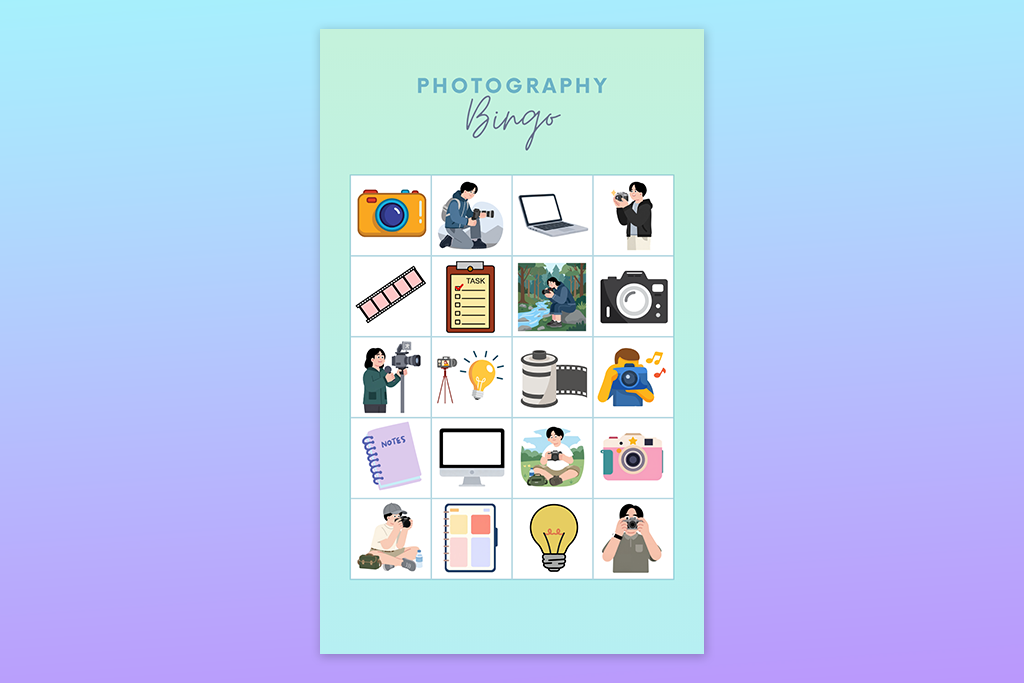
Over time, I realized that bingo is not just “something to keep people busy for a few minutes.” When properly thought out, it is one of the most effective tools for building team cohesion. This is especially true in a remote or hybrid work environment, like we have at FixThePhoto. A well-designed game helps people relax, start talking, and reveals personality traits.
And this is where bingo card generators really come in handy. You can quickly put together a version for a specific purpose, whether it’s for onboarding, a holiday gathering, or just a casual Friday check-in. Plus, everything is online, so sometimes I create cards just a few minutes before the meeting starts.
Here’s why bingo works so well for teams, based on what I’ve observed in practice after several sessions:
However, there are also things that can ruin the experience:
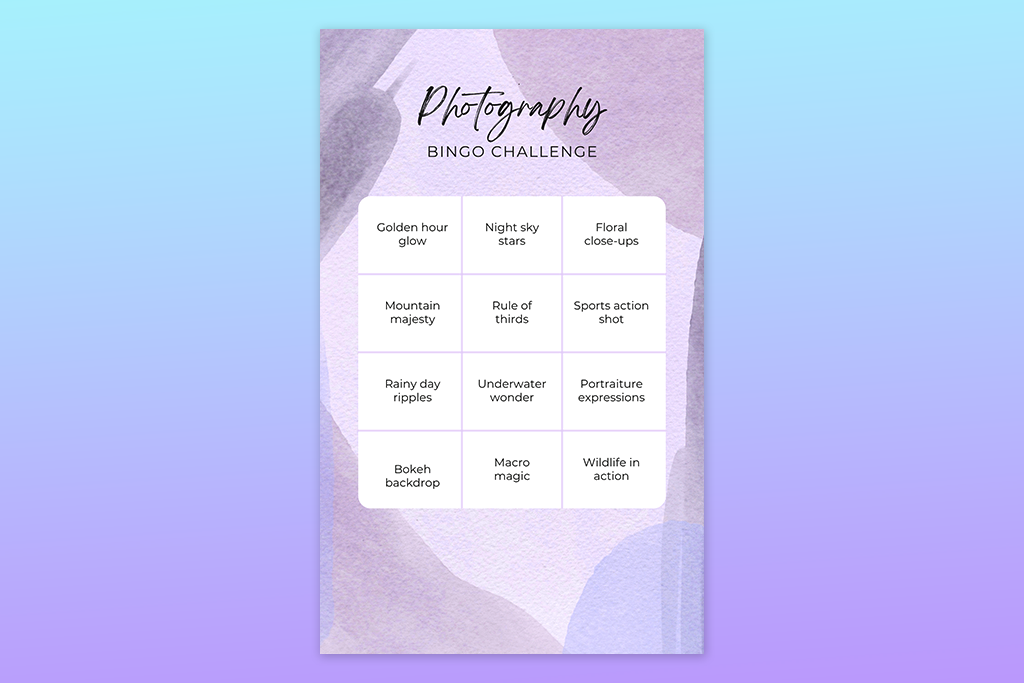
Create “About Us” cards. Include things that people can really relate to, like “drinks coffee during conference calls” or “worked past midnight this week.”
Mix work-related content with lighthearted content. If everything is just about work, it’s boring; if it’s just jokes, that won’t work either. The key is balance.
Combine formats. For in-person events, I prefer printable bingo card generators, and for online events, I make digital cards. This is convenient and doesn’t require any extra steps.
If you run out of ideas, bring in AI. Sometimes AI bingo card generators suggests options that I wouldn’t have thought of on my own.
Don’t overcomplicate the design. The simpler and cleaner the card looks, the better it works.
Run a test before the meeting. I always create several versions in advance to see how it will look in real life.
1. “Getting to Know You” (ideal for onboarding). This format is great when new people join or when you need to introduce teams to each other. Examples:
👉 Tip: I usually make several different cards at once so that not everyone has the same options.
2. “Work habits” (best for remote work). This format almost always makes people laugh, because everyone recognizes themselves. Examples:
👉 Here, it’s important that the cards are different. This makes the game more lively and honest.
3. “Theme of an event or holiday” (for seasonal parties). Great for New Year’s, Halloween, or company anniversaries. Examples:
👉 In these situations, I usually tailor the cards to the style of the event: colors, mood, details. This instantly creates a special atmosphere.
Best for: branded team events & HR
Ease of use: 5/5
Bingo card templates: 1000+
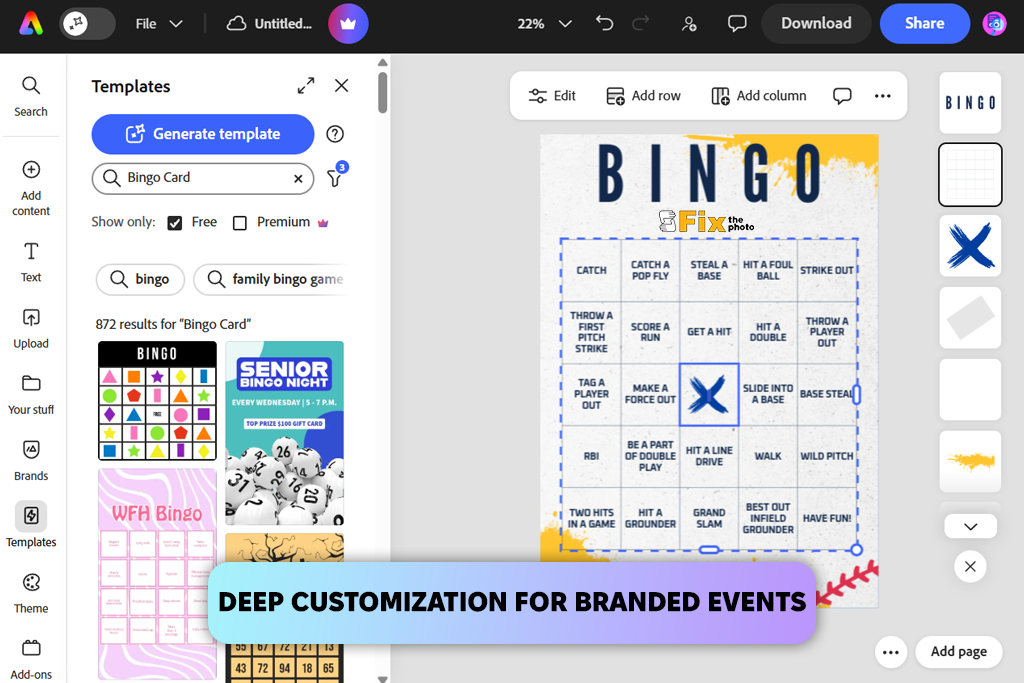
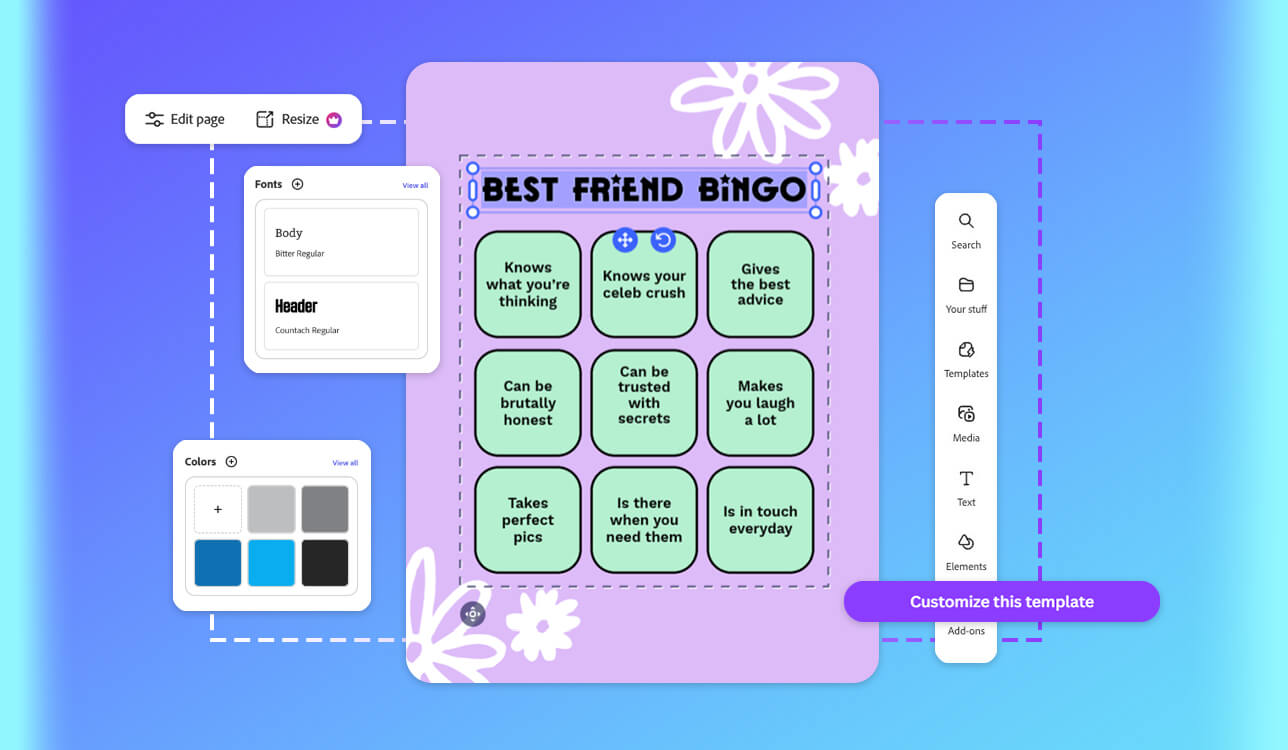
I’ve been using Adobe Express for work for a long time. I use it to create posters, emails, and quick visuals for internal events. The interface is familiar, the templates are neat, and everything is clear.
But I found out about the bingo generator by accident, when I was preparing an activity for my team at the last minute.
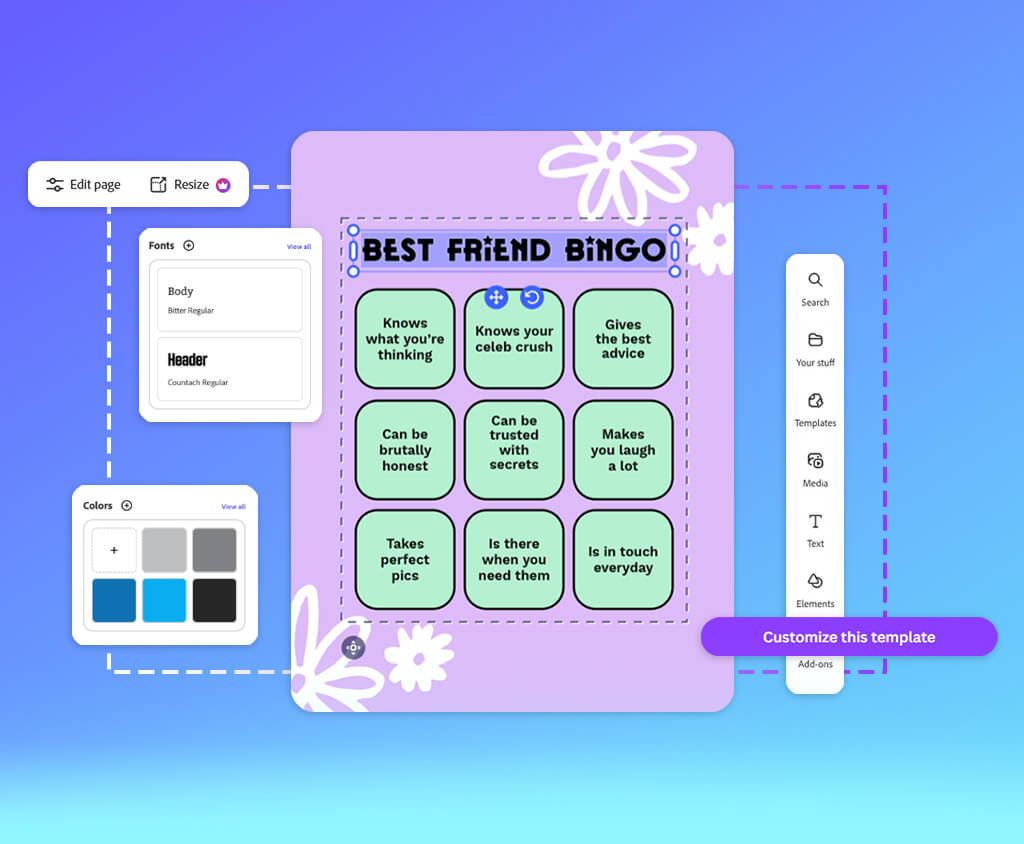
And that’s when it pleasantly surprised me. Essentially, it’s not a standalone simple bingo card generator but a full-fledged design tool, simply adapted for bingo. I took a ready-made template and immediately noticed the difference - it looks modern. Good typography, proper indentation, and everything is neat. Not like the old printouts “from the internet.”
“I liked that there are AI suggestions and pre-made element layouts – this speeds up the process, but it doesn’t limit you. You can still do it your way.”

I used it for a thematic HR campaign: I changed the colors to match our brand, rewrote the text, and added my own wording. Editing is very simple: you drag and drop elements, change fonts and spacing, and you can even add icons. Most other free bingo card generators simply don’t offer this level of control.
In the end, the cards turned out neat and well-organized. I printed them for in-person events, and everything looks fine, and there’s no loss of quality.
One downside is that some templates are available only with a subscription. But if you’re not looking for complicated free business card software, the free version is more than enough to quickly create good cards.
Pricing: free (limited assets), from $9.99/mo, from $99.99/year
Best for: quick stylish team bingo
Ease of use: 5/5
Bingo card templates: 5000+
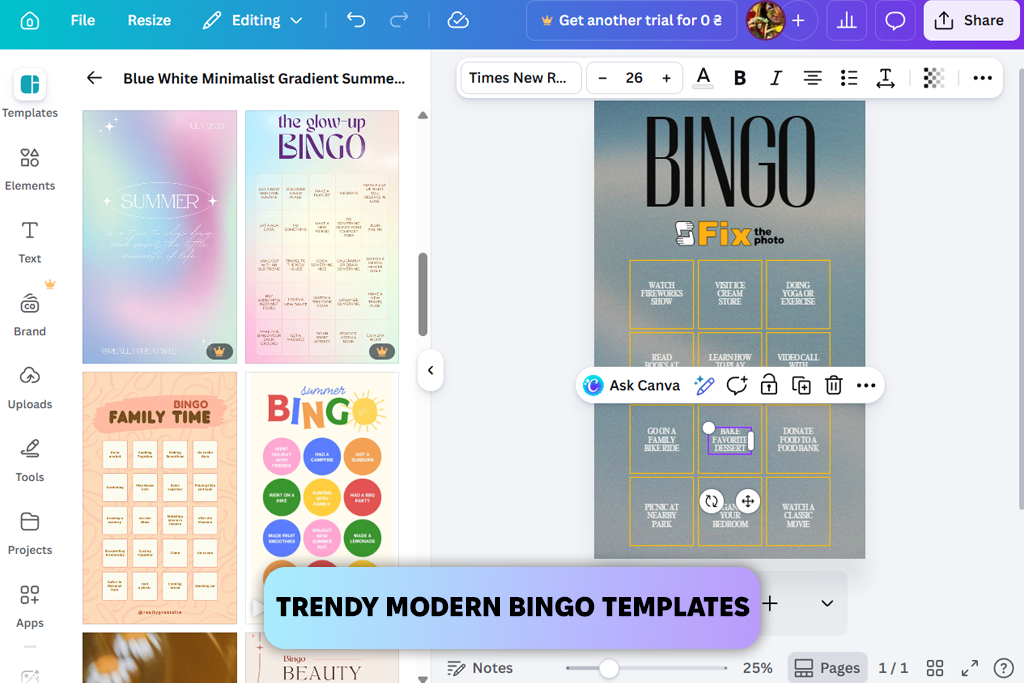
I found out about Canva as a free online bingo card generator from YouTube. It was constantly recommended as the easiest way to quickly design something. And my first impression was positive: everything is very clear, but at the same time, there’s room to experiment.
I started with a ready-made template, and I immediately felt the difference: you’re not “boxed in”, unlike some holiday card makers. You can easily change the text, move elements around, and customize the card to suit your needs.
I could quickly create several versions: I just duplicated the page, made a few changes to the content, and I was done. This method is a great alternative to randomization when you don’t want to rely on automatic generators.
“Another plus is the quality of the final bingo card. I’ve printed them multiple times, and the PDFs are clear, neat, and have no layout issues.”

The templates look modern: good colors, pleasant fonts, nothing outdated. I created a bingo game for a remote team: I added icons, made the fonts a bit more lively, and the result was neither boring nor overly formal.
It’s also convenient that Canva suggests solutions as you work. It’s not full-fledged AI bingo card generator, but it offers simple recommendations that speed up the process. One thing to note: the free version is more than sufficient if you don’t use paid features.
My advice: turn on the “Free templates” filter right away so you don’t waste time on options that will later turn out to be unavailable.
Pricing: free (limited assets), from $12.99/mo, from $119.99/year
Best for: large teams & bulk bingo
Ease of use: 4/5
Bingo card templates: minimal
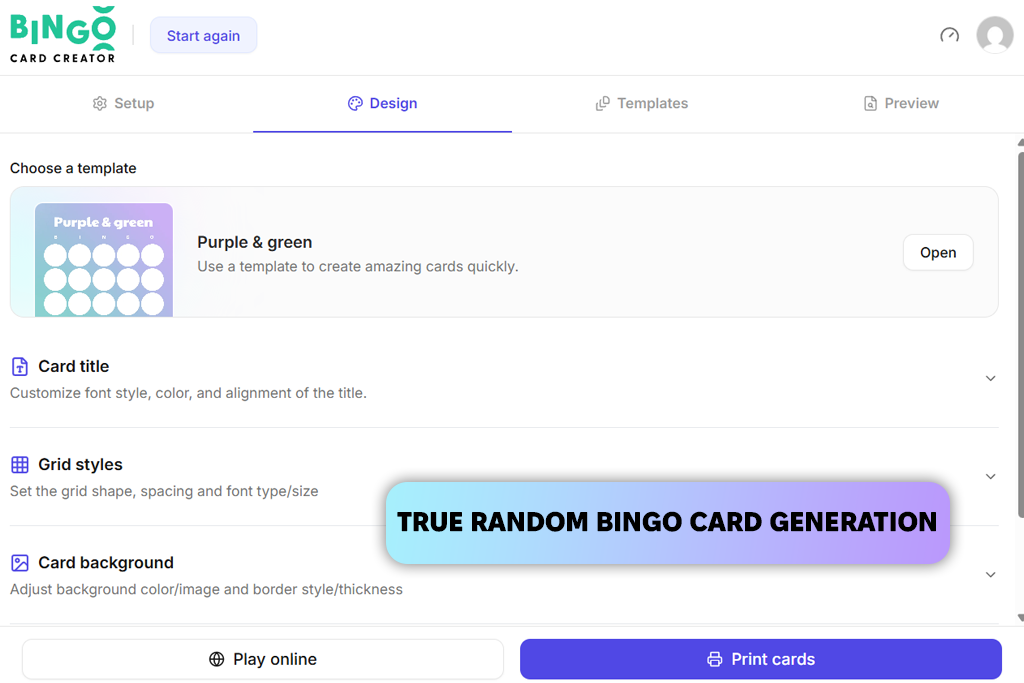
I learned about Bingo Card Creator from a colleague: she strongly insisted that there was nothing better for serious events. At first, I was skeptical: compared to Canva or Adobe Express, it looks too basic. But after trying it out, I understood its value.
It’s a completely different approach. Unlike many free greeting card software, the focus is not on appearance here, but on functionality. I used it for a large internal event where we needed to create a lot of different cards, and it performed excellently. In just a couple of clicks, it generates a bunch of unique options, and everything is nicely mixed up, with no duplicates.
“The result is neat, evenly spaced cards that are easy to print. There’s no “wow design,” but everything is stable, and there are no surprises, which is more important for real tasks.”

There are no trendy templates or complicated settings here. You just enter words or phrases, and then the system itself distributes everything across the flashcards. And this saves a lot of time.
On the downside, it’s not entirely free bingo card generator on an ongoing basis; you need a subscription for full access. But if you hold events regularly, it pays off.
My advice: plan out your list of words in advance. Here, everything hinges on the content – the better the input, the better the result.
Pricing: free trial, from $10/mo, from $96/year
Best for: quick last-minute bingo
Ease of use: 5/5
Bingo card templates: minimal
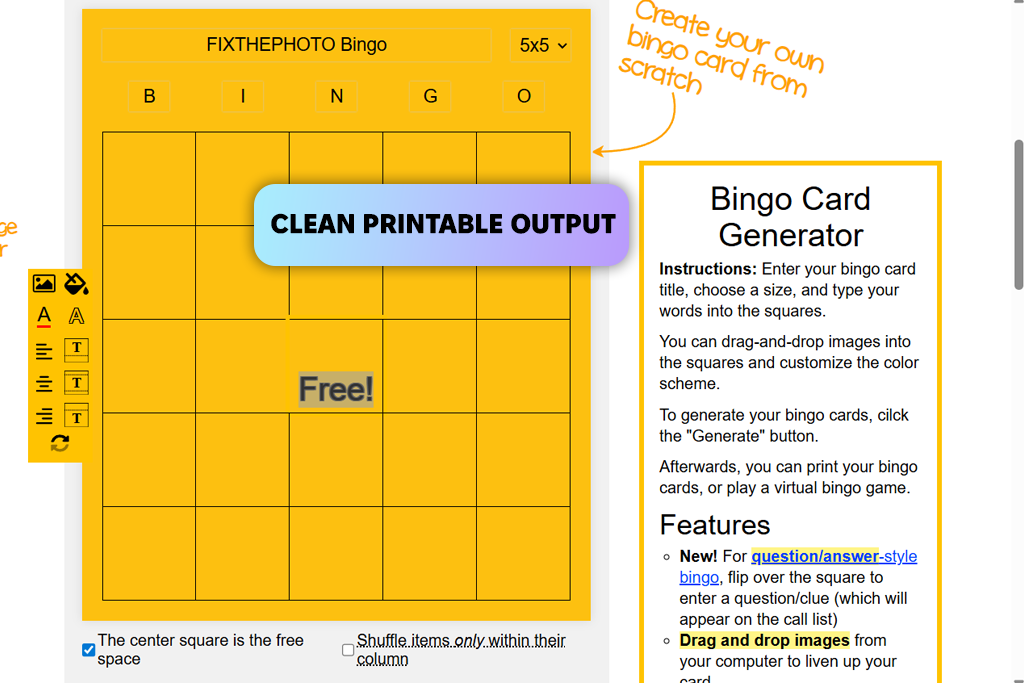
I found out about BingoBaker on Reddit, where it was constantly recommended as the fastest bingo card generator. After testing it, I understood why.
This is probably the simplest tool I’ve ever tried. No unnecessary features, no complicated settings, and no cluttered interface. You just paste in a list, and you instantly get ready-made cards. I actually used it in a situation where I had less than 10 minutes, and it took care of the task completely.
“There are no trendy templates or AI features here, like in more “designer” services. But that’s the advantage. It does exactly what you need, without distractions.”

At the same time, it’s not entirely “bare bones.” The cards are automatically shuffled, so you get different variations, and you can tweak the basic elements a bit – title, description, and a little bit of structure. That’s enough to avoid feeling restricted.
The result is neat cards that look good both digitally and in print if you send them to online business card printing services. Sure, they’re no-frills, but for most purposes, that’s more than enough.
My advice: Use this random bingo card generator when speed is more important than appearance. The free version is sufficient in most cases, but if you need more cards or features, you can upgrade to a paid plan.
Pricing: free (limited cards), from $9/mo, from $90/year
Best for: large team events
Ease of use: 4/5
Bingo card templates: 100+
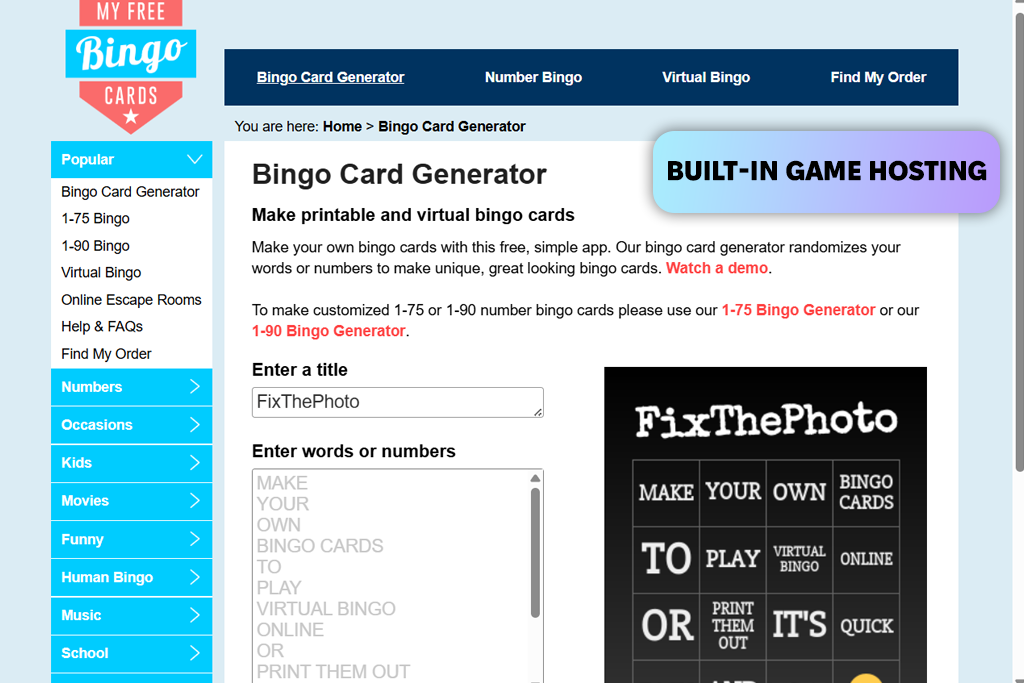
I found out about MyFreeBingoCards through Google, where it kept popping up in my search results when I was looking for free bingo card generators. I decided to give it a try, and overall, it’s easy to see why it shows up so often.
It’s a classic online tool: no emphasis on design, but everything is geared toward usability. I used it for a large team activity that required a lot of cards, and it handled it without any issues. The randomization feature works especially well: it quickly creates lots of different options without any extra steps.
“I’d recommend it when the scale and convenience of running the game are more important than the look and feel. Plus, it’s nice that the basic functionality is sufficient without a subscription.”

What really sets this service apart is the ability to run the game right away. In other words, you don’t just create cards; you can organize the entire process right within the platform. This bingo card maker online is very convenient for remote teams.
In terms of settings, it’s more about text than visuals. You can fully control the content of the cards, but the design is quite basic with no templates and AI features. On the plus side, everything works reliably, and the resulting cards are neat and suitable for printing.
Pricing: free (basic use), from $10/mo, from $96/year
Best for: small teams & casual events
Ease of use: 5/5
Bingo card templates: minimal
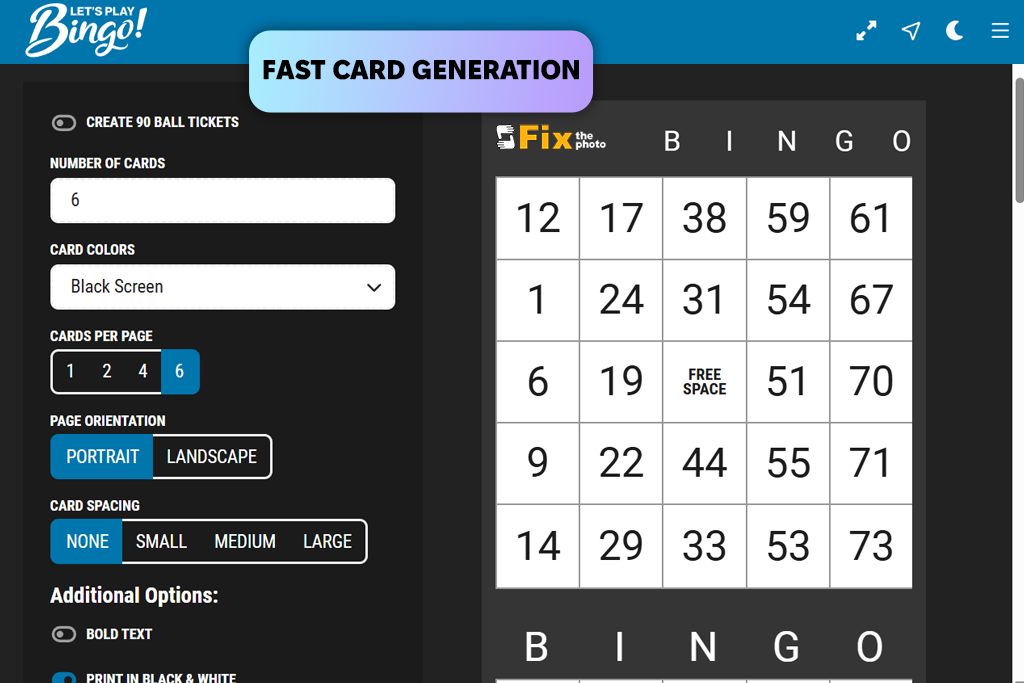
I found out about LetsPlayBingo by chance. My mom used it for a family celebration and said, “Try it for your work activities.” I didn’t expect anything special, but in the end, the service to create bingo cards online turned out to be more useful than it initially seemed.
The main thing that captivates me about it is its simplicity. The interface is clean, not cluttered, and everything is clear right away. I used it to create a themed bingo for a small team. I added my own phrases, tweaked the settings a bit, and that was it. No fuss.
“You don’t need a subscription at all for basic tasks, and that’s a big plus, especially if you’re doing something occasionally or for small events.”

In terms of features, it allows for customization, but in a more “guided” format. It’s not like Canva or other apps to make Valentine Day cards, where you can tweak everything down to the smallest detail; instead, it helps you avoid getting bogged down in the details.
No AI, and a minimum of templates, but that’s speeds up the work – there’s less temptation to endlessly edit the visuals. Everything is simple and to the point. The resulting cards are neat and easy to send or print.
My advice: Use it when you need to quickly create something clear, without unnecessary stress.
Pricing: free (basic use), from $5/mo, from $50/year
Best for: no-frills quick bingo
Ease of use: 4/5
Bingo card templates: none
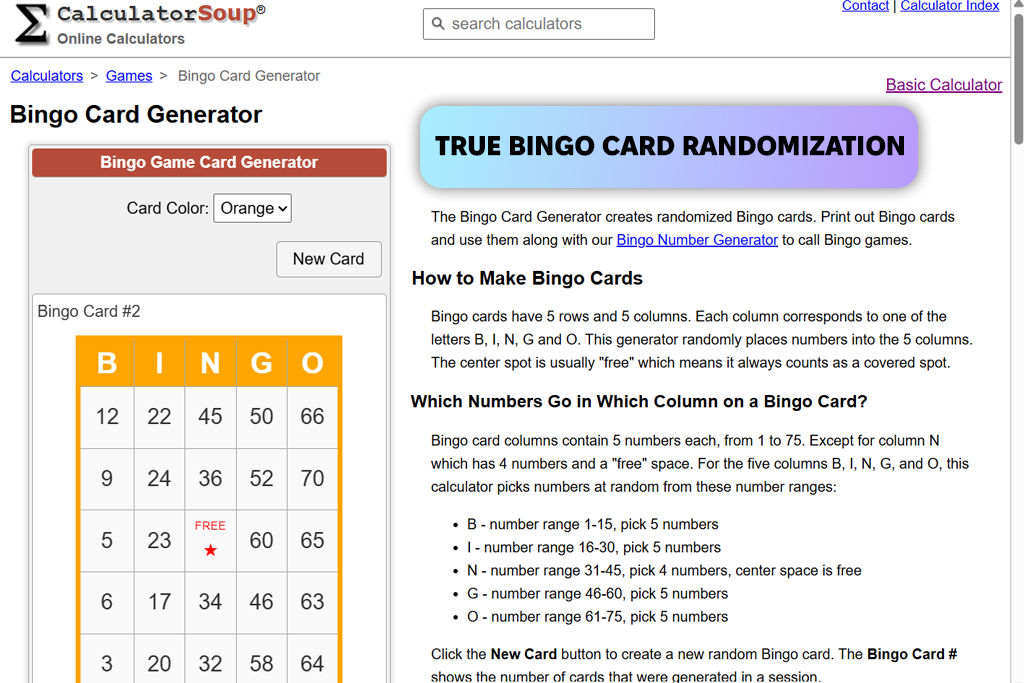
CalculatorSoup kept popping up in my searches as the simplest possible bingo card generator, and I wondered if such “minimalism” could actually be useful in real HR work.
It turned out to be probably the most basic tool of all the ones I’ve tried. There’s no design, no templates, and no AI. You just enter your text, choose the bingo card or business card size, and the service instantly generates the result.
I used it for an internal test where the visual appearance didn’t matter at all, as we needed a quick activity for a meeting. And in this scenario, it performed perfectly.
“The cards are as simple as possible. No design, but still legible and easy to print. No “aesthetics,” but everything is clear and free of unnecessary frills.”

It feels like a calculator: clear, predictable, and free of distracting details. Sometimes that’s even an advantage, as nothing gets in the way, and everything is to the point. Completely free, with no subscriptions.
My advice: Use it when speed and simplicity are important, not appearance or engagement.
Pricing: free (no limits)
Best for: fun casual team games
Ease of use: 5/5
Bingo card templates: 100+
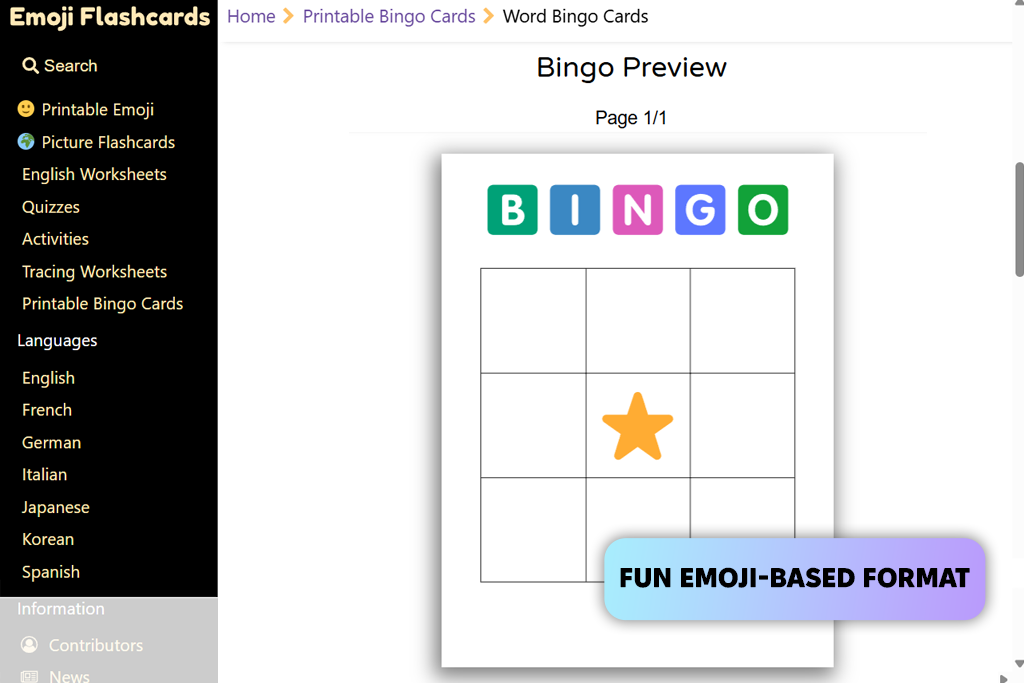
I tried EmojiFlashcards when I was looking for something less “formal” and more dynamic than the usual bingo card generators. It’s clear at first glance that it’s different. Here, the focus is not on text, but on emojis and visuals.
I used it for a light Friday team activity, and the results were better than I expected. Instead of coming up with long phrases, I simply chose topics using emojis. It turned out to be faster and easier. The format is a bit unusual, but that’s the beauty of it: less thinking, more engagement.
“This works especially well for remote teams. With emojis, people respond more quickly, and there’s no need for lengthy explanations of what was meant.”

Yes, there’s no AI or flexible customization here, and the templates are quite basic. But they are neat and look consistent. They’re also suitable for printing: the cards turn out bright and easy to read.
The main limitation is the limited control over content. You can’t customize everything in detail like with other services. But for quick and fun activities, this is more than enough.
My advice: Use it when you want to add energy and lightness, rather than fine-tuning every detail.
Pricing: free (basic use), paid print packs
Best for: creative AI-driven bingo
Ease of use: 3/5
Bingo card templates: none
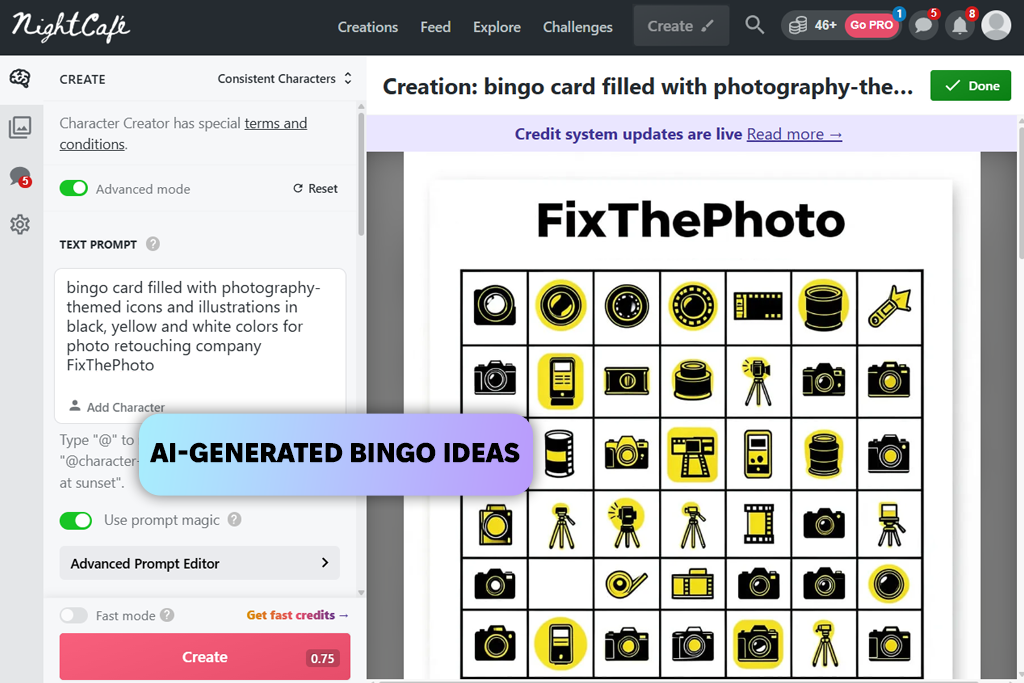
I’ve been using NightCafe for a long time to generate images, so I was surprised to learn that it can also be used for bingo. Of all the options I’ve tried, this is perhaps the most unusual custom bingo card generator.
Here, you don’t start with a template. Everything is based on ideas: you set a topic through a prompt, and the service suggests options. I’ve tried topics like “creative habits” or “funny moments while working remotely,” and it came up with ideas I never would have thought of on my own. Sometimes, they’re even quite funny.
That’s its main feature. it’s not so much about creating cards as it is about generating ideas. When you’re tired of the same old formats, this is a real lifesaver.
“You There is one caveat: you will still have to put the card itself together separately. It’s best to use it in conjunction with other services that already offer decent layout capabilities.”

The quality of the final result largely depends on how you refine the ideas. If you want, you can also create a printable version, but it takes a little more work. There is free access with limitations, but if you use it frequently, you will need a subscription.
My advice: Use it as a source of ideas, not as your main tool for creating cards.
Pricing: free (limited credits), from $5/mo, from $50/year
Testing all these bingo card generators became a regular process that I went through with the FixThePhoto team. We regularly conduct team-building events, onboarding, and internal activities, so we needed tools that actually work in real life, not just look good on a website.
First, I gathered recommendations from Reddit, YouTube, and various event communities. The result was a list of over 30 services. Then my team and I selected about 20 that made sense to test more thoroughly. And we didn’t just “push buttons”; we tested each tool in real-life scenarios: during conference calls, during onboarding, and even in small offline activities.
In the end, some of the services didn’t pass the test. For example, BingoBlitz Generator, BingoMaker.io, BingoCardsFree.org, Educaplay, and SuperTeacherTools. Some had an outdated look, some offered few customization options, and some struggled to handle a large number of cards.
There were also some free bingo card generators where the free version was so limited that it couldn’t be used properly. Here are the testing criteria we used to evaluate them:
How quickly you can get started. I immediately check how long it takes to get started. If it takes a long time to set up, that’s a minus. In real life, you often have to get everything ready right before the meeting.
Flexibility and templates. Can I easily change the content and adapt it to the topic, brand, or format? Plus, the visual appearance is important: if the cards look neat and are suitable for printing, that’s an immediate plus.
Randomization and scale. For large teams, this is critical. I deliberately generated 20–50 cards at a time to check whether they were duplicated and how reliably the system worked.
Output quality (both on-screen and printed). I always exported the flashcards and, if necessary, printed them out. I checked to see how readable everything was and whether there were any issues with indentation or formatting.
Additional features (including AI). If there is help with ideas or automation, that’s a plus. It’s not essential, but sometimes it saves a lot of time.
Price and real value. I’m fine with paid tools if they genuinely make my work easier. But if basic features are locked behind a paywall, that’s an instant minus.
In the end, the list includes only those services that consistently perform well: they save time, don’t crash during use, and make activities more dynamic. We simply eliminated anything that slowed us down, required extra effort, or was unreliable.




![5 Best EML File Converters to PST in {{%year}} [Windows & Mac]](http://fixthephoto.com/blog/images/gallery/news_main__preview_28894.jpg)

![Add Leprechaun to Photo Online [Free]](http://fixthephoto.com/blog/images/gallery/news_main__preview_28919.png)

![7 Adobe Capture Alternatives [Free for iOS & Android]](http://fixthephoto.com/blog/images/gallery/news_main__preview_28909.jpg)
![Golden Hour Filter Online [FREE]](http://fixthephoto.com/blog/images/gallery/news_main__preview_28916.png)


















