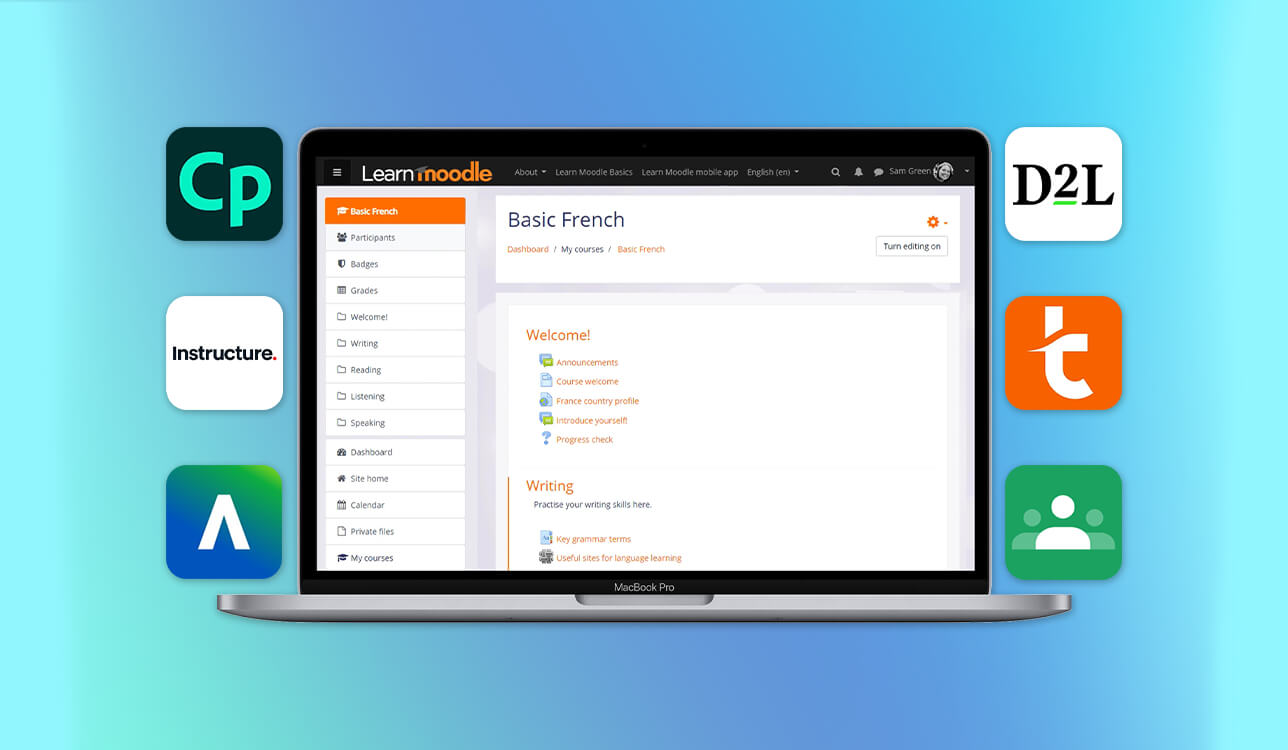
For many years, Moodle has been treated as a default choice for education and training. It’s widely used by universities, schools, and companies, but everyday work with the platform often feels heavier than expected.
In practice, Moodle is largely optimized for administration rather than for teaching or learning. Building a clear course structure usually requires plugins and extra configuration, while routine tasks like updating content, managing users, or tracking progress can feel unnecessarily slow. The experience also varies significantly: technical teams value flexibility, while instructors and learners often struggle with usability, especially on mobile devices.
Instead of continuing to adapt Moodle, we shifted focus to platforms designed for modern online learning. These systems are typically cloud-based, easier to launch, and built around clarity and accessibility rather than technical control.
To understand which solutions actually work in real learning scenarios, we tested 40+ Moodle alternative platforms following our internal methodology. The evaluation was based on hands-on use, real course setup, cross-device experience, and how easily each platform adapts to different education and training needs.
Rather than asking “Which LMS replaces Moodle?”, the more relevant question became: which platform fits the way learning actually happens today? That’s why our evaluation focused on practical criteria instead of long feature lists:
Moodle remains popular because of its flexibility and open-source nature. However, modern learning environments increasingly require faster deployment, cleaner interfaces, and better learner engagement. For many teams, maintaining Moodle has become more effort than value — especially when alternatives provide built-in analytics, hosting, and updates.
While LMS platforms manage structure and delivery, Adobe tools shape the actual learning experience. For teams creating professional educational content, Adobe software plays a key role in producing high-quality materials.
Using Adobe Captivate, educators can build interactive courses, quizzes, simulations, and video-based lessons that integrate smoothly with most LMS platforms, including Moodle alternatives.
Video tutorials, visual guides, and downloadable resources are often created using Adobe Creative Cloud, ensuring consistent design, clear visuals, and professional presentation across all learning materials.

Best for: Interactive online courses, corporate training, simulations
Compatibility: Windows, macOS
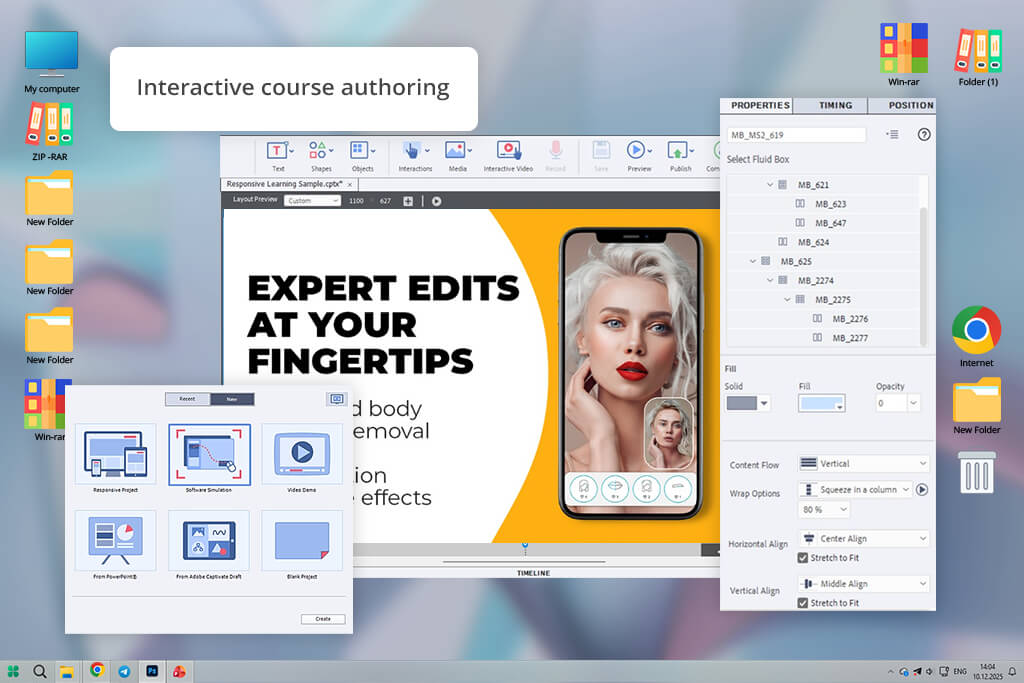
Adobe Captivate download for free approaches online learning from a completely different angle than Moodle. Instead of managing users and course structures, it focuses on how learning content is created and experienced. During testing, it proved especially strong for building interactive lessons, software simulations, branching scenarios, and assessment-heavy courses.
While Moodle relies on plugins to extend functionality, Captivate allows course creators to design rich learning experiences from scratch. Video lessons, quizzes, clickable elements, and responsive layouts are all handled inside one authoring environment, then exported to work with Moodle or any Moodle alternative LMS.
“The simulation tool was useful because learners could click through steps instead of just watching a screen recording.”

What stood out most was how well Captivate fits professional training workflows. For compliance training, onboarding programs, or technical education, it delivered far more engaging results than standard text-based LMS content.
Key features:
Pricing: from $33.99/month
Best for: Universities, educators, structured academic courses
Compatibility: Web, iOS, Android
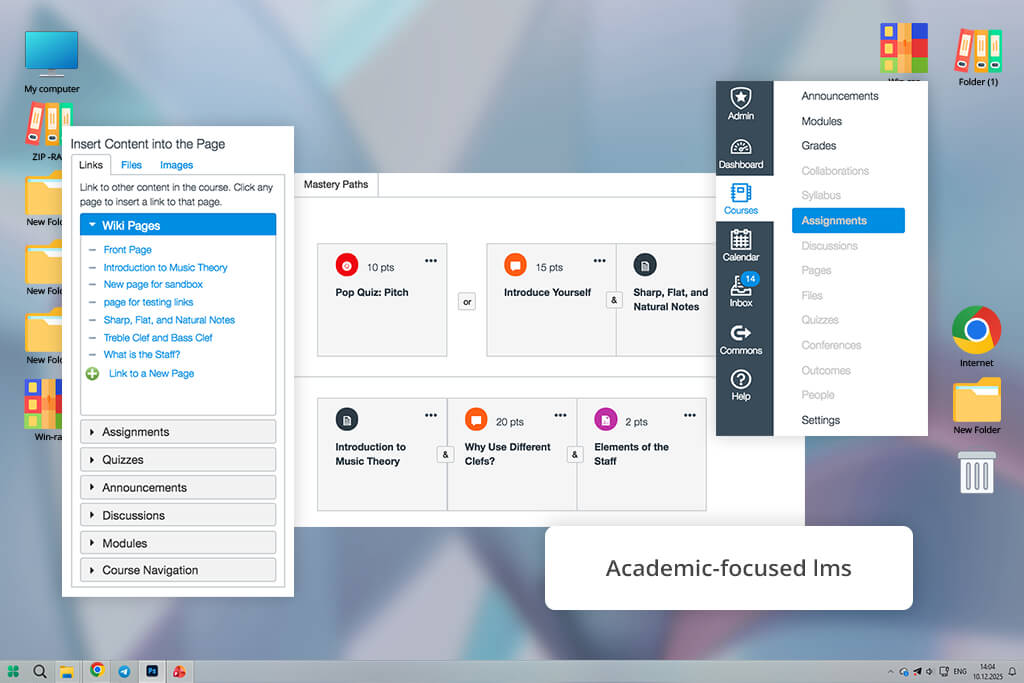
Canvas feels like a response to many of Moodle’s long-standing pain points. From the first interaction, the platform prioritizes clarity — both for instructors creating courses and for students navigating them. During testing, setting up modules, assignments, and grading workflows required far less configuration than in Moodle.
Unlike Moodle’s plugin-heavy structure, Canvas offers most essential tools out of the box. Course layouts are predictable, navigation is consistent, and the overall experience feels far more intuitive, especially for learners accessing content on mobile devices.
“The module structure helped keep lessons in order, so students didn’t jump randomly between topics.”

Canvas works best in academic environments where structure, deadlines, and assessment tracking are critical. It doesn’t try to be endlessly flexible — instead, it focuses on delivering a smooth and reliable learning experience.
Key features:
Pricing: free or $20–40 per user/year
Best for: Large universities, enterprise education, compliance training
Compatibility: Web, iOS, Android
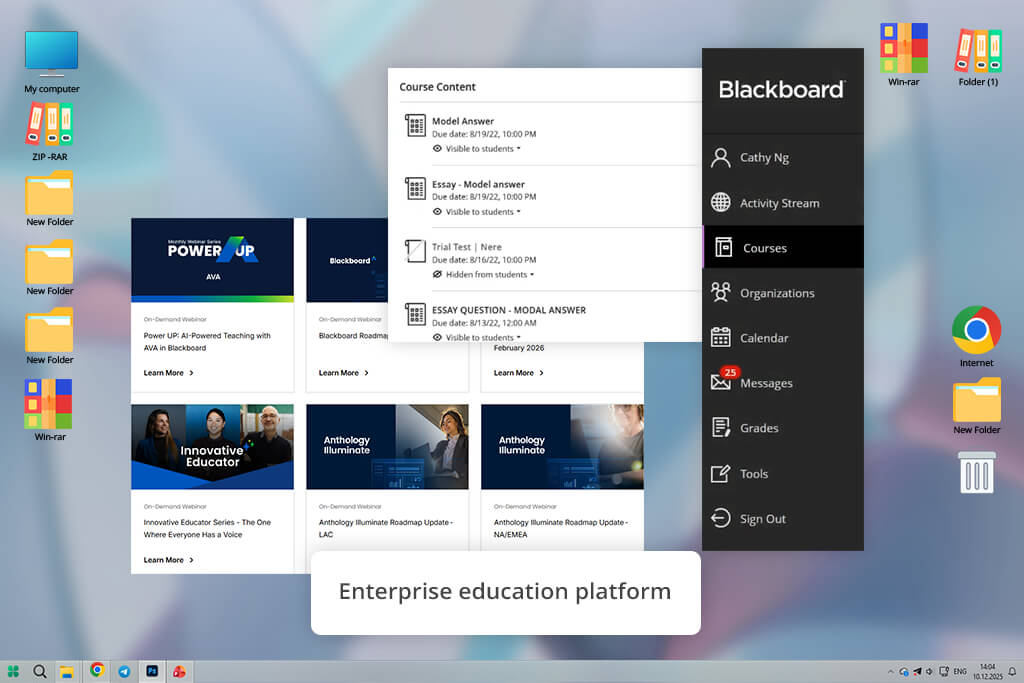
Blackboard Learn is designed for institutions that need strict control, detailed reporting, and large-scale course management. Compared to Moodle, it offers a more structured enterprise environment, but at the cost of flexibility and ease of use.
During testing, it performed best in scenarios where governance, compliance, and standardized education processes were priorities, especially when combined with free webinar software for live lectures and large-scale online sessions.
For instructors and learners, the interface can feel dense and less intuitive than newer cloud-based LMS platforms. However, for universities and organizations managing thousands of users, Blackboard remains a reliable Moodle competitor.
“Blackboard made sense only when working with a lot of students — for small groups it felt too heavy.”

Key features:
Pricing: $25–$60/user/year (institutional plans).
Best for: Universities, corporate training, learner-centric education
Compatibility: Web, iOS, Android
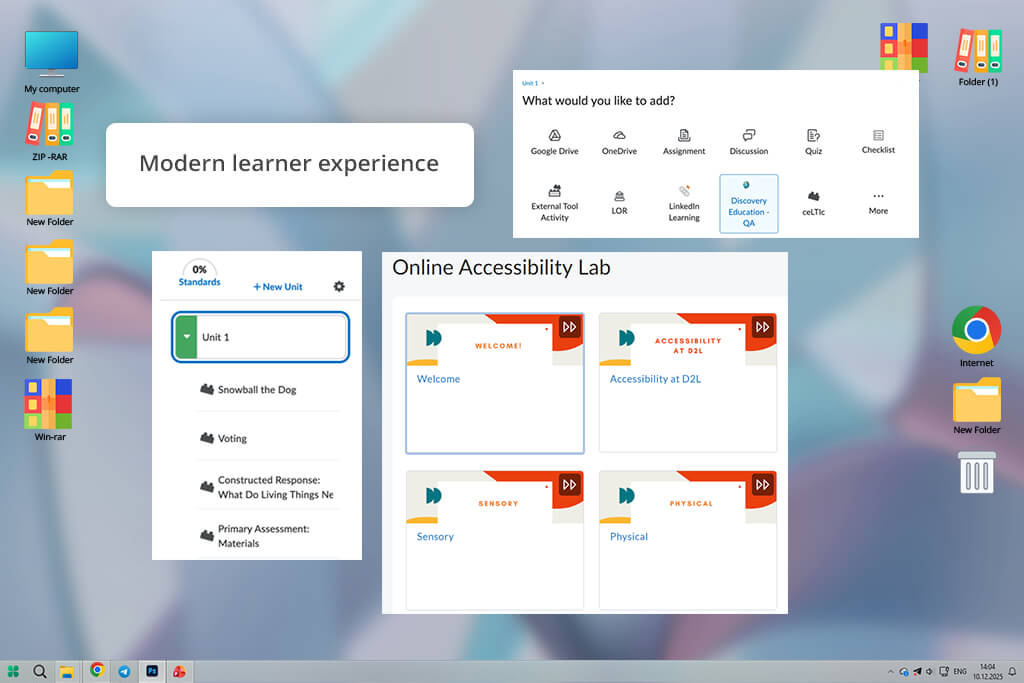
D2L Brightspace feels like a platform designed around how people actually learn, not how systems are administered. Compared to Moodle, it removes much of the friction around course navigation, progress tracking, and daily learner interaction. During testing, both instructors and students needed far less guidance to get started, which immediately reduced onboarding time.
One of Brightspace’s strongest advantages is its focus on learner engagement and accessibility. Features like adaptive release, personalized learning paths, and built-in accessibility checks make it especially suitable for modern education standards. Instead of relying on plugins, many tools that Moodle users often add manually are already integrated.
“In Brightspace, I often use release conditions to open lessons step by step instead of showing the whole course at once.”

From a course-creation standpoint, Brightspace balances structure and flexibility well. It doesn’t offer unlimited customization like Moodle, but that limitation actually results in a more consistent and predictable learning experience.
For institutions and companies that want reliability, analytics, and a clean UX without constant technical tuning, Brightspace proved to be one of the strongest Moodle competitors we tested.
Key features:
Pricing: $15–$30/user/year
Best for: Corporate training, onboarding, small–mid teams
Compatibility: Web, iOS, Android
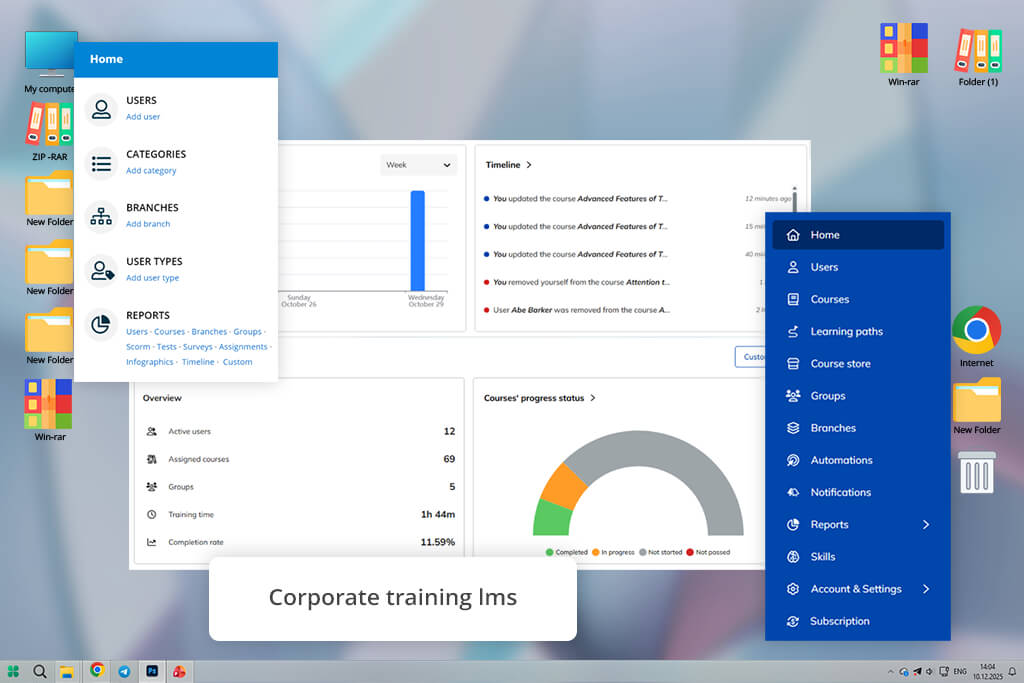
TalentLMS is built for speed and simplicity as a cloud-based elearning software solution. Unlike Moodle, which often requires planning, plugins, and technical oversight, TalentLMS lets teams launch training programs almost immediately.
During testing, we were able to create a complete onboarding course — lessons, quizzes, and certificates — in under an hour. The platform works especially well for business training scenarios: employee onboarding, internal knowledge bases, compliance courses, and skill refreshers.
Navigation is straightforward, and both instructors and learners can find what they need without explanations or tutorials. This ease of use is where TalentLMS clearly outperforms Moodle.
“I usually build a basic course first and watch how people go through it, then adjust lessons and tasks based on where they actually get stuck.”

That simplicity does come with trade-offs. TalentLMS doesn’t offer the same depth for academic learning or highly structured multi-semester programs. Course customization is limited compared to Moodle or Brightspace, but for companies that value speed, clarity, and low maintenance, this is often a benefit rather than a drawback.
Overall, TalentLMS proved to be one of the most practical cloud-based Moodle alternatives for teams that want results without complexity.
Key features:
Pricing: $0 (up to 5 users), then from $69/month for paid plans.
Best for: Schools, teachers, simple online classes
Compatibility: Web, iOS, Android
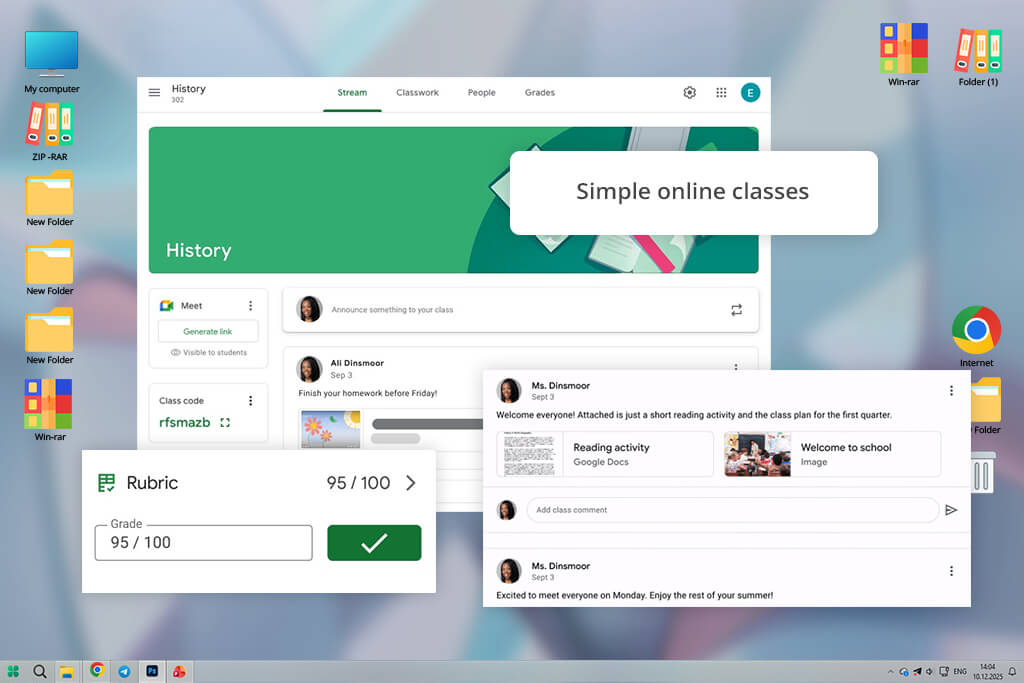
Google Classroom works best when simplicity is the main goal. Compared to Moodle, it removes almost all technical barriers – creating a class, sharing materials, and communicating with students takes minutes, not hours. During testing, onboarding new users required virtually no explanation, which is a major advantage in school environments.
However, Google Classroom is closer to a classroom management tool than a full learning management system. It lacks advanced assessment logic, detailed progress tracking, and deep course structuring. For long-term programs, corporate training, or multi-level education, it quickly reaches its limits.
“If you teach similar classes, copy assignments instead of recreating them — it saves time and avoids small grading mistakes.”

That said, for schools and teachers who already rely on Google Docs, Drive, and Meet, Classroom feels like a natural extension of the existing workflow and a very lightweight Moodle alternative.
Key features:
Pricing: free
Best for: Universities, large-scale online education, open courses
Compatibility: Web
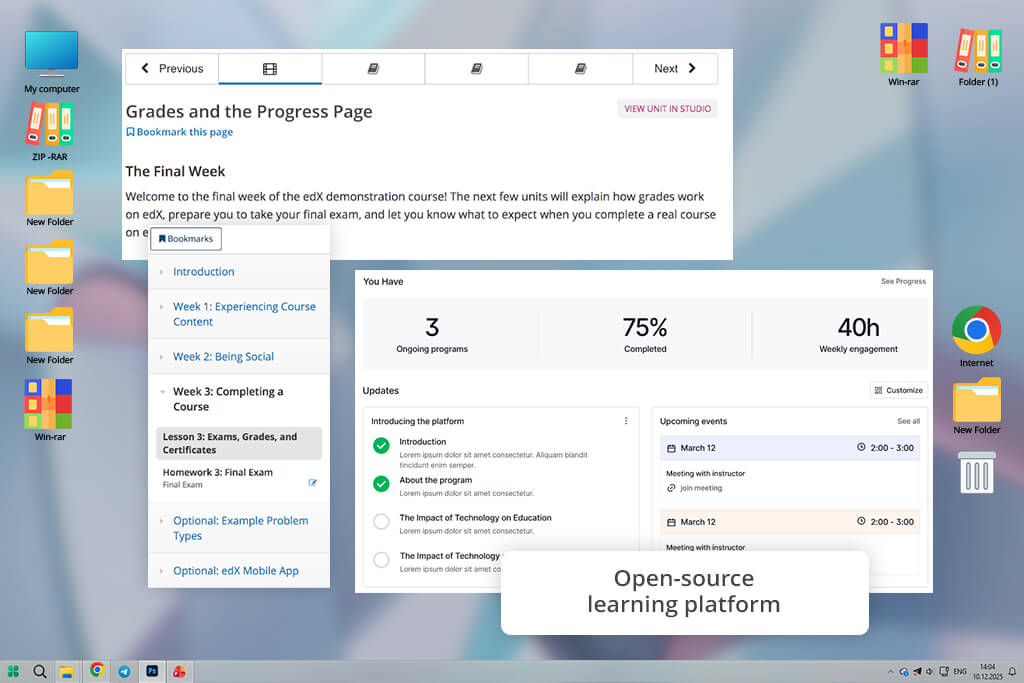
Open edX is often compared to Moodle because both are open-source and widely used in higher education. The key difference is scale and focus: Open edX is designed for massive online learning, supporting thousands of learners at once, which makes it popular with universities and public education initiatives that rely on insights similar to those found in the best data analytics platforms.
During testing, Open edX delivered strong results in content delivery and analytics, especially for video-heavy courses. However, the platform requires significant technical expertise to deploy and maintain. Unlike cloud-based Moodle alternatives, it’s not a plug-and-play solution.
“Before choosing Open edX, make sure your team is ready to handle setup and maintenance on their own.”

For institutions with development resources and long-term education strategies, Open edX can outperform Moodle in scalability and data insights. For smaller teams, the complexity often outweighs the benefits.
Key features:
Pricing: Free software, but hosting and maintenance typically cost $100–500+/month.
Although they didn’t make it into the main list of Moodle competitors, these online learning platforms still showed strong results during testing and may work well for specific learning scenarios:
Chamilo is a lightweight open-source LMS that feels much simpler than Moodle and is often chosen by smaller educational institutions with limited technical resources.
LearnDash is a WordPress-based LMS that works well for creators who already run content websites and want to add structured courses without switching platforms.
SAP Litmos focuses on corporate training and compliance, offering solid reporting tools but limited flexibility for academic-style courses.
Teachable is easy to use and great for selling courses, though it lacks deeper LMS controls needed for long-term education programs.
Thinkific offers a clean interface and fast setup but is more suited to individual instructors than large teams.
Each of these platforms performs well within its own niche, but none of them offer the same balance of flexibility, scalability, and customization required to fully replace Moodle across all use cases.
Testing different learning management systems revealed several important patterns:
To evaluate Moodle alternatives objectively, we followed a structured testing process based on real educational and training scenarios. The goal was not to compare feature lists, but to understand how each platform performs in everyday use — from course creation to learner experience.
We tested each LMS by building real courses: onboarding programs, video-based lessons, assessment-heavy modules, and long-form structured training. This allowed us to see how quickly instructors could launch content, how intuitive the interface felt for learners, and how stable each system remained as courses grew in size.
A major part of testing focused on usability across devices. Since many learners access courses from phones or tablets, we checked mobile navigation, content readability, and performance on iOS and Android. Platforms that required constant zooming, scrolling, or manual fixes were marked down immediately.
Our FixThePhoto team also evaluated core learning tools — quizzes, assignments, certificates, progress tracking, and analytics. Preference was given to platforms that included these features natively, without relying on third-party plugins or complex configurations.
Finally, we reviewed pricing models and scalability. Many LMS platforms advertise low entry costs but become expensive as user numbers grow. We compared free plans, entry-level tiers, and institutional pricing to understand which tools remain practical for small teams, growing organizations, and large institutions.
This approach helped us identify Moodle alternatives that are not only powerful on paper, but genuinely practical for modern online education and training.
Some of the best Moodle alternatives include Canvas, D2L Brightspace, TalentLMS, and Google Classroom, depending on whether the focus is education or corporate training.
Yes, platforms like Google Classroom offer free access for education, while TalentLMS provides a free plan for small teams. Open-source options like Open edX are free to use but require paid hosting and maintenance.
TalentLMS and Adobe Captivate work best for corporate training, onboarding, and compliance-focused courses due to fast setup, strong assessments, and easy integration with report writing software for progress and compliance documentation.
Cloud-based LMS alternatives usually offer faster setup, automatic updates, and better mobile experience, while Moodle often requires manual configuration and server management.
Yes, platforms like Canvas, Blackboard Learn, and Open edX are designed to support thousands of learners and are commonly used by large institutions.
Most modern Moodle competitors provide dedicated iOS and Android apps or fully responsive web interfaces, making them more suitable for mobile-first learning.
Yes, tools like Adobe Captivate integrate with most LMS platforms, allowing educators to create interactive courses and export them to Moodle alternatives via SCORM or xAPI.




![7 Best ODT to PDF Converters [{{%year}} FixThePhoto Choice]](http://fixthephoto.com/blog/images/gallery/news_main__preview_28601.jpg)
![7 Best AI ASMR Video Generators in {{%year}} [100% WORKING]](http://fixthephoto.com/blog/images/gallery/news_main__preview_28804.jpg)
![5 Best EML File Converters to PST in {{%year}} [Windows & Mac]](http://fixthephoto.com/blog/images/gallery/news_main__preview_28894.jpg)
![11 Best Jasper AI Alternatives in {{%year}} [Reviewed & Tested]](http://fixthephoto.com/blog/images/gallery/news_main__preview_28888.jpg)

![9 Best Online PDF Translators in {{%year}} [Reviewed & Tested]](http://fixthephoto.com/blog/images/gallery/news_main__preview_28499.jpg)


















