
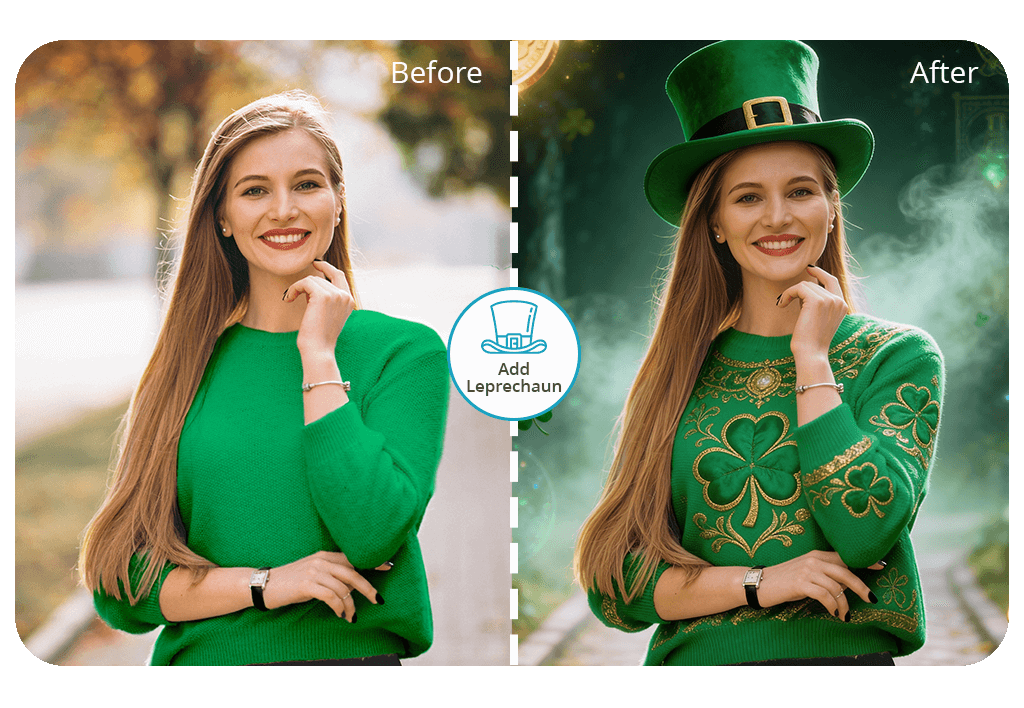


The application mixes AI smarts with actual people fixing up your photos. The basic settings, namely, positioning and lighting gets done by the computer right away, then real editing pros jump in to enhance everything so your leprechaun fits naturally into the picture.
Using this tool, you can choose exactly what your leprechaun does, how large it appears, and what kind of face it makes. Whether you want something goofy perched on your shoulder, or perhaps a mini one tucked away near a gold pot, this leprechaun app is perfect for such tweaks. Everything turns out looking believable and festive, like you actually photographed some enchanted little being.
Want to spruce up your photo with more Irish vibes? This catch a leprechaun photo app lets you throw in shamrocks, rainbows, or a golden coin path to really amp up the festive feels. The best part is that your first edit won't cost you anything, meaning you can test out what the app does without any risk. Go ahead and drop your photo in now. You'll be amazed at how FixThePhoto sprinkles that Irish charm onto your pictures.
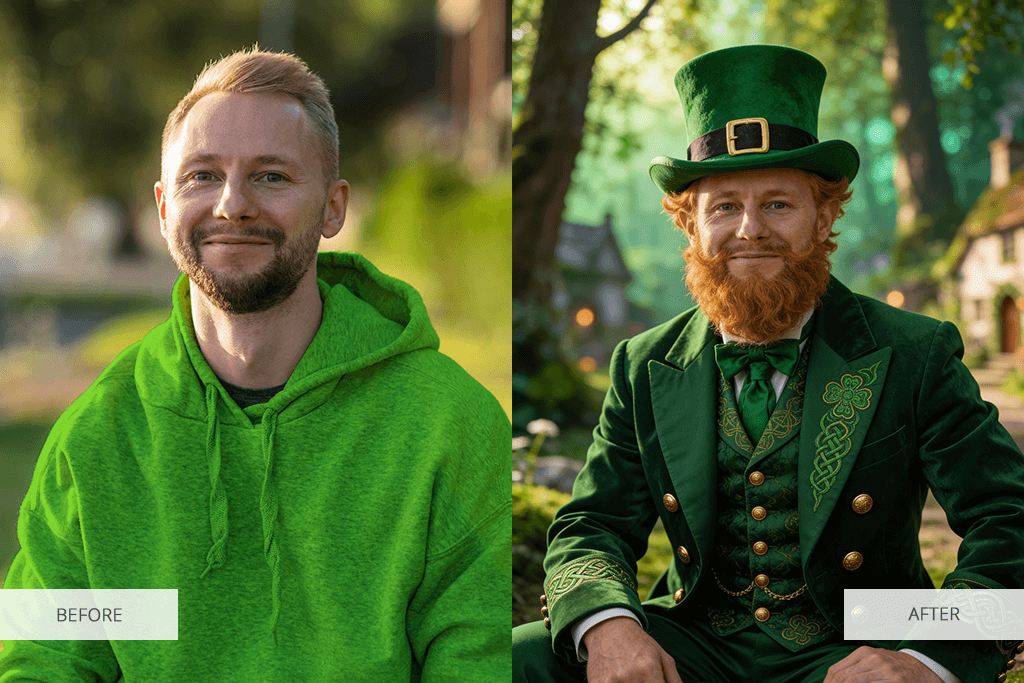


There's more to leprechaun photo edits than just dropping a small Irish character into your picture. Want a completely personalized setup? You get it – whether that's placing a cheerful leprechaun nearby or actually turning into one yourself. The options for fun, imaginative, and silly transformations never run out. Check out these entertaining approaches to play around with St. Patrick's Day picture concepts:
Add a leprechaun to your photo. Pop a happy little leprechaun wearing green clothes, glossy dark boots, and a hat with a buckle into your picture. This is great for bringing some Irish flair to portraits or party shots.
Go full leprechaun mode. Have the editor swap your clothes, tweak how your face looks, or throw on a hat and whiskers so you appear like a playful Irish fairy creature. Perfect for costume bashes or greeting cards on St. Patrick's Day.
Rainbow plus treasure pot tweaks. Drop in a bright rainbow ending with a treasure pot, building a magical storybook scene that represents good luck and riches.

Four-leaf clover and shamrock touches. Request tiny green shamrocks scattered near you or held in your palms for a simple yet special holiday vibe in a leprechaun selfie.
Enchanted glow additions. Gentle gold shimmering fog or adding sparkles to photo can give your leprechaun picture a more mystical and movie-like feel.
Multi-leprechaun group changes. Looking for something more fun? Drop in multiple leprechauns dancing around, giggling, or peeking from behind objects for a funny, narrative-driven photo.
Green buckle hats. Skip going all-out and just add a festive emerald topper with gold trim. It'll instantly bring some Irish charm to your shot.
Animal transformations. Let your furry friend rock a tiny festive hat, too. It's an adorable way to get them celebrating alongside you.
Custom magical backdrops. Mix pots of gold, clovers, frosty pints, and colorful arches to create a pic that feels plucked from Celtic folklore.
Using a leprechaun camera app to drop one into your pic is fast and straightforward. Just snap a fresh photo or grab one you already have saved, toss it into the app, and indicate what kind of leprechaun vibe you're going for. Maybe a small one popping up behind you or a full-size buddy next to you – either way, it's done in moments.
After image editing is over, you get a realistic result like an actual leprechaun photobombed your picture. The transformation is pretty wild, because your images is vibrant, fun, and celebration-ready.
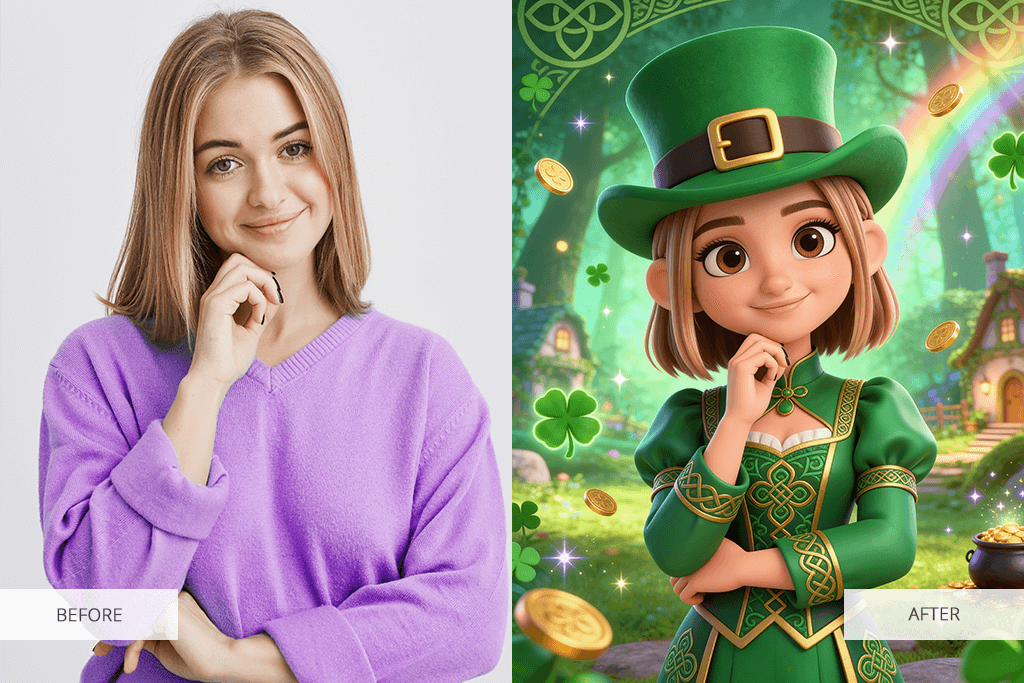
Want to jazz up your photos even more? There are some cool extras to try. You're not stuck with just adding the little green guy. Here, it is possible to switch up the backdrop to something totally St. Patrick's Day vibes, toss in some rainbows, pots of gold, lucky clovers, or fix the lighting until it feels just right. Many people dig using that leprechaun photo filter, too. It creates a dreamy, magical shine or a chill green wash that really pumps up the festive energy.
The Fix The Photo Body Editor & Tune runs nonstop, meaning you can create your Irish-style pics whenever you want. Your edits usually come back very fast, so you have something share-worthy without sitting around forever. If you have specific edits in mind, like a certain stance, costume, or scene, just drop a sample picture or spell out what you're thinking pretty clearly. Do that and your leprechaun selfie will turn out exactly how you pictured it.

Take these steps to put leprechaun in photo:
The Fix The Photo Body Editor & Tune app helps you bring your creative ideas to life. Professional editors take time to review what you're asking for, making sure the final image looks natural and quality as quickly as they can. Instead of just dropping a leprechaun into your picture, they'll adjust the shadows, sizing, and facial details so everything looks totally real together. Want to put your face on a leprechaun or make it seem like you actually captured one in real life? Either way, you'll get awesome and believable photos.
Plus, this catch a leprechaun app gives you many editing features to elevate your images. You can try out a blemish remover or use tools to blur background.
Check out these 7 playful and entertaining methods for dropping a leprechaun into your snapshot or becoming one yourself. Whether you're after a goofy leprechaun selfie or a more whimsical, fantasy-inspired pic, these concepts will motivate you to explore something different and celebrate the season.
The iconic "gotcha!" moment. Set it up so it appears you've just photographed a tricky little leprechaun in action. With the leprechaun caught on camera app, you can drop in a miniature figure lurking behind you or resting on your shoulder, giving off the vibe that you stumbled upon him in his secret hideout.
Become a leprechaun yourself. With a leprechaun picture app, you can become a star in your very own Irish fantasy story. Put on an emerald outfit, fiery red beard, and twinkling eyes to receive fun selfies or holiday social media updates.
Leprechaun-themed pet pictures. Let your furry friend get in on the festive action. Stick a tiny hat on them or make it seem like a leprechaun was captured mid-play with your kitty or chilling beside your pup. You'll end up with super cute, hilarious shots people will love sharing.
Sneak leprechauns into your group shots. Snap a group picture and use the merry leprechaun app to hide a couple of little guys in the back. Challenge everyone to find them all. It's an awesome way to crack up your group and bring some intrigue to your snapshot.
Leprechauns where they don't belong. For a hilarious spin, put a leprechaun in photo scenes that are totally random, e.g., popping out of your mug, chilling on your keyboard, or ducking behind a houseplant. These quirky setups are incredibly popular on social media.
Treasure hunt with rainbows and gold. Transform your picture into an exciting quest for hidden riches. The leprechaun camera app lets you drop in a shimmering rainbow plus a gold pot waiting at its end. This is perfect for making fantasy photo edits or one-of-a-kind digital greetings.
Playful selfies with leprechaun effects. Slap on a leprechaun photo filter and watch yourself turn into a cheeky magical trickster with sparkling green dust, shining eyes, and signature smirk. The merry leprechaun app works great for creating fun, scroll-stopping selfies you'll want to post everywhere.






![7 Best TXT to PDF Converters [Free Desktop, Online & for Mobile]](http://fixthephoto.com/blog/images/gallery/news_main__preview_28480.jpg)

![7 Best Sketchbook Alternatives [{{%year}} FixThePhoto Choice]](http://fixthephoto.com/blog/images/gallery/news_main__preview_28913.jpg)

![7 Best Loom Alternatives [{{%year}} FixThePhoto Choice]](http://fixthephoto.com/blog/images/gallery/news_main__preview_28902.jpg)


![Best Leonardo AI Alternatives [FixThePhoto Choice]](http://fixthephoto.com/blog/images/gallery/news_main__preview_28887.jpg)

















