While working on wedding photo galleries for clients, I decided to try both Aftershoot and Imagen to see how much time AI could actually save me. At first, they look similar because both help with choosing photos and editing them faster. But when I tested them, I noticed they work in very different ways.
Aftershoot stood out because it works on your computer instead of the cloud. It has a fixed price, keeps your photos private, and gives you full control. This makes it a good choice if you want to save money and manage everything yourself.
Imagen, on the other hand, works online. It learns your style and gives very consistent results. You pay per photo, which can work well if you handle large numbers of images.
When I tested Aftershoot vs Imagen, I looked at how well they picked the best photos, how consistent the edits were, how fast they worked, how clear the pricing was, and how easy they were to use within my current workflow. I also tested them on real jobs like weddings, portraits, and commercial shoots, where speed and consistency matter a lot.
Final Verdict: Aftershoot is best for speed, working offline, and simple pricing. It’s great if you want fast photo selection and batch edits. Imagen is better for consistent edits using AI, especially if you shoot large galleries and want more automation. Aftershoot is more flexible for different types of work, while Imagen is stronger for large, editing-heavy projects.
|
|

Aftershoot |

Imagen |
|
Key features
|
AI culling, auto-tagging, basic editing, offline processing
|
AI editing, style consistency, cloud-based culling and retouching
|
|
Speed
|
Fast for local processing, no upload needed
|
Depends on internet speed; cloud processing may be slower for large batches
|
|
Free plan
|
30-day trial
|
1,000 free edits
|
|
Pricing
|
From $9.99/mo
|
From $0.05/photo or $67.5/mo
|
|
Primary use
|
Privacy-focused culling and batch editing for small-to-medium projects
|
High-volume, professional galleries needing consistent AI edits
|
|
Ease of use
|
★★★★★
|
★★★★☆
|
|
Platforms
|
Windows, MacOS
|
Web
|
|
AI features
|
Smart culling, auto-rating, face detection, basic color adjustments
|
Personalized AI edits, consistent style application, batch enhancements
|
|
Customization
|
Moderate: basic editing options, adjustable culling
|
High: can train AI for personalized editing style
|
|
Collaboration
|
Limited; mainly local use, can export edited galleries
|
Strong collaboration: shareable projects, team access via cloud
|
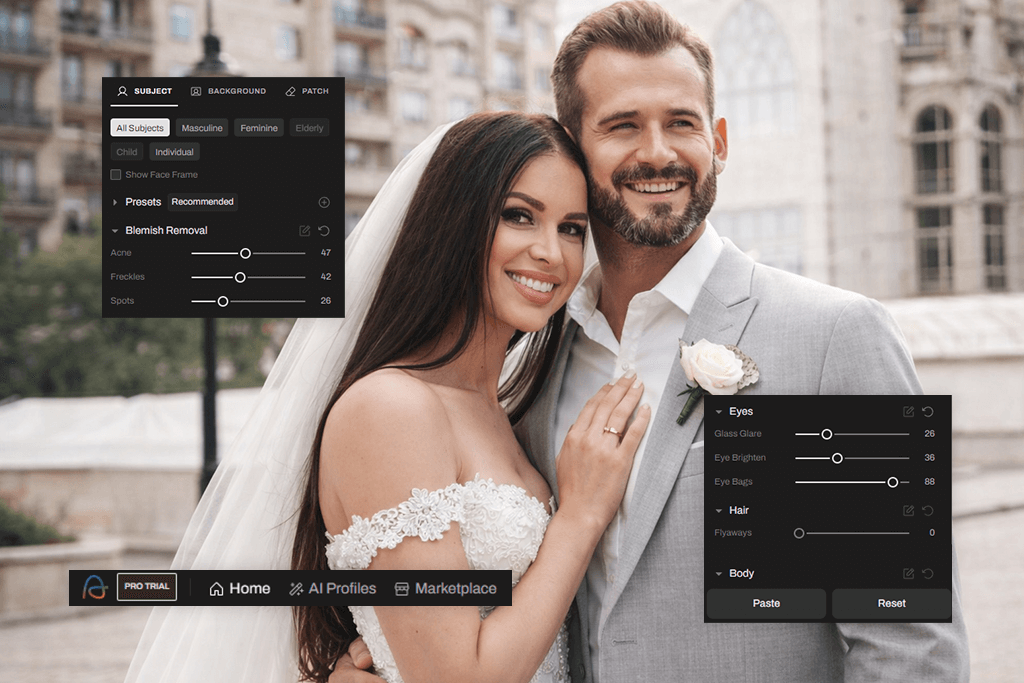
Aftershoot is a smart photo tool that helps photographers save time by sorting and editing pictures using AI. It can go through hundreds or thousands of photos and pick the best ones, remove duplicates, and spot blurry images. One important thing is that it works directly on your computer, not online, so your photos stay private and under your control.
The photo editing software for PC and MacOS has two main parts: Cull and Edit. The Cull feature scans your photos and shows you the best shots, which you can then send to different editing programs.
The Edit feature uses AI to copy your editing style and apply the adjustments to your photos, so everything looks consistent without you having to repeat the same steps. It uses a simple pricing system, which makes it a good choice for photographers who work with a medium or large number of photos.
When you compare Aftershoot vs Imagen, it’s clear that they focus on different things. Aftershoot is better for fast offline work, keeping files private, and managing costs. Imagen, on the other hand, is stronger in cloud-based editing, keeping edits consistent, and working with teams.
Some people also compare Aftershot Pro vs Lightroom, and I think Aftershot is faster for picking photos and doing basic AI edits, but Lightroom is still better when you want more detailed and creative editing options. Overall, Aftershoot is a good choice for photographers who want a simple, fast, and private way to handle their photos without losing quality.
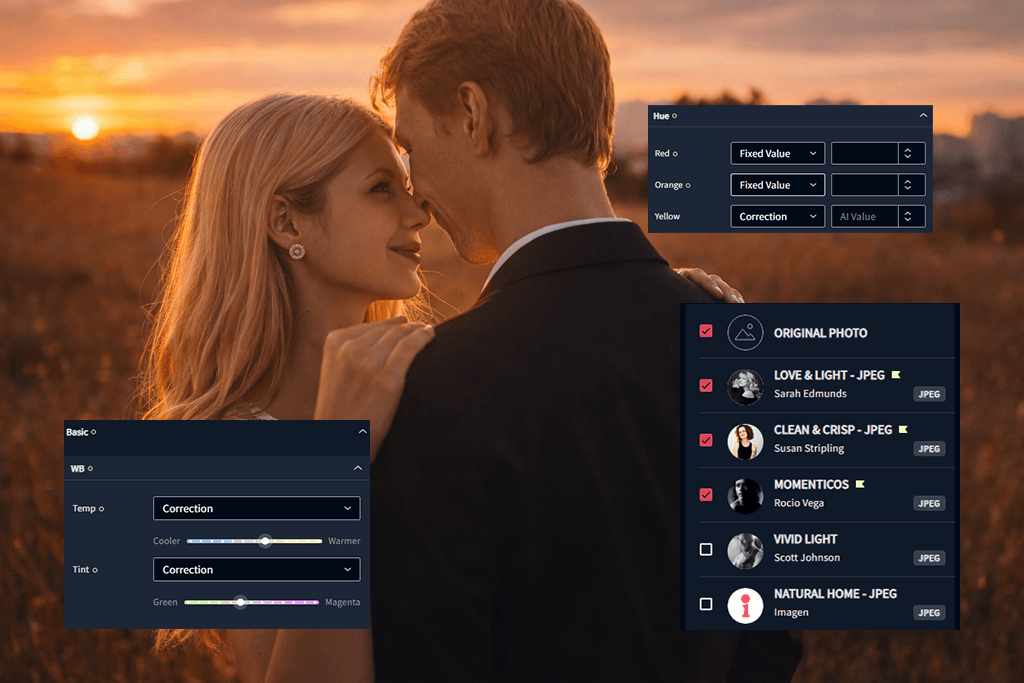
Imagen AI is another tool that uses AI to make photo editing easier and faster. Like Aftershoot, it can also help with culling, but its main strength is editing. Imagen learns how you edit your photos and then adjusts brightness, colors, and contrast across many photos at once automatically. Unlike Aftershoot, Imagen mostly works online and is designed for editing first.
Imagen works through a Personal AI Profile. It studies the changes you made in LR, such as exposure, white balance, colors, and tones in different lighting situations. Then it uses this information to edit new photos in the same way. You can still make small changes if needed. Imagen is better at keeping a consistent style and handling large groups of images.
Imagen also has extra AI tools for improving individual photos. Since it works in the cloud, you can send edited photos back to Lightroom without changing the original files, and the AI profile keeps getting better over time. Overall, Imagen is best if you want consistent AI edits based on your style, while Aftershoot is better for speed, privacy, and working offline.
Aftershoot is great for:
Imagen is great for:

Aftershoot has a simple and clean UI that focuses on speed. Because it works offline, you can start sorting and editing photos right away without much setup. It’s easy to review images, compare them side by side, and pick the best ones. You can also quickly change selections if needed, which is helpful when working with many photos.

Since Imagen is cloud-based, it works differently. Its interface is more modern and includes drag-and-drop features. You can choose AI profiles, add extra tools, and manage projects online. This gives you more options, but it may take a bit more time to learn. It is built for handling large galleries and multiple projects, which makes it useful for studios or teams.
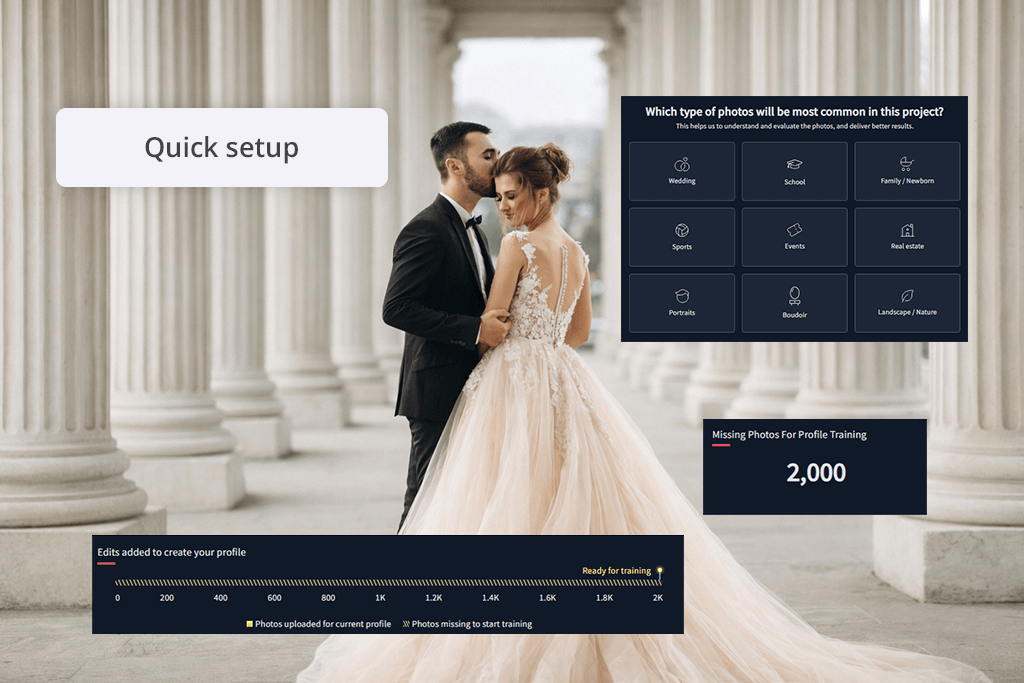
Both Aftershoot and Imagen use AI to learn how you edit photos and then apply that style to new images. Both AI photo editors let you create your AI profiles based on your style, helping keep all the photos consistent. They also offer ready-made styles if you don’t want to build your own from the beginning.
Imagen’s main strength is its Personal AI Profile. It studies thousands of your edited photos (usually around 3,000 or more) to copy your exact style. It also has Lite Profiles for smaller sets of images and Talent Profiles made by experienced photographers. The AI adjusts each photo based on lighting, exposure, and color, giving smooth and consistent results.
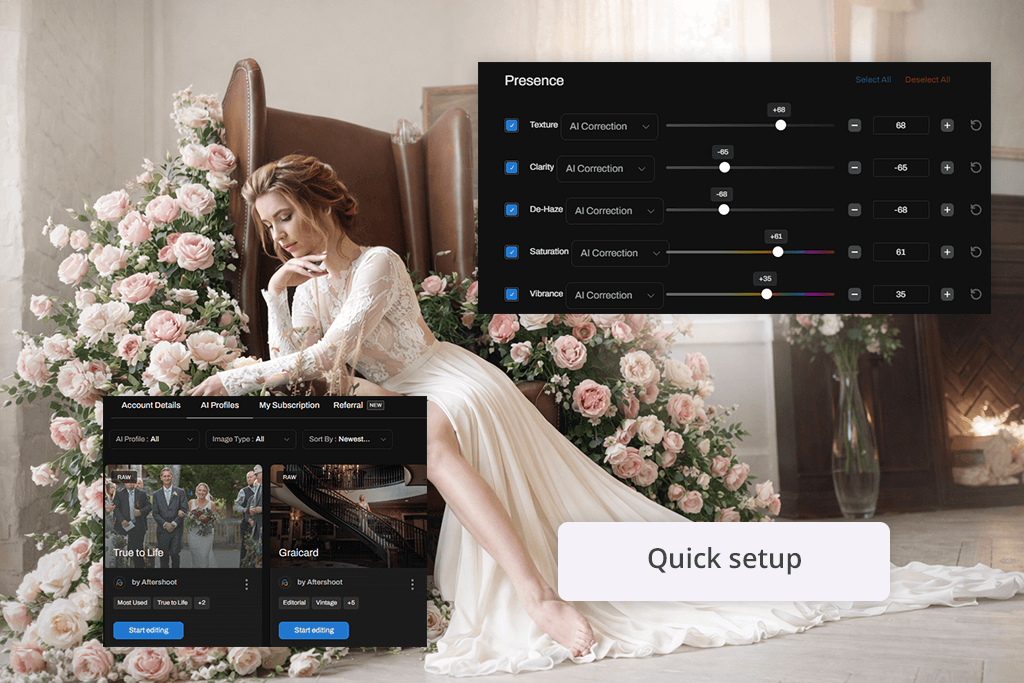
Aftershoot also uses AI Profiles and Styles, but it needs slightly fewer images to learn (about 2,500). It lets you adjust edits using simple sliders for tone, white balance, detail, and color. Its AI is designed to work fast on your computer, making it good for quick batch edits while still matching your style.
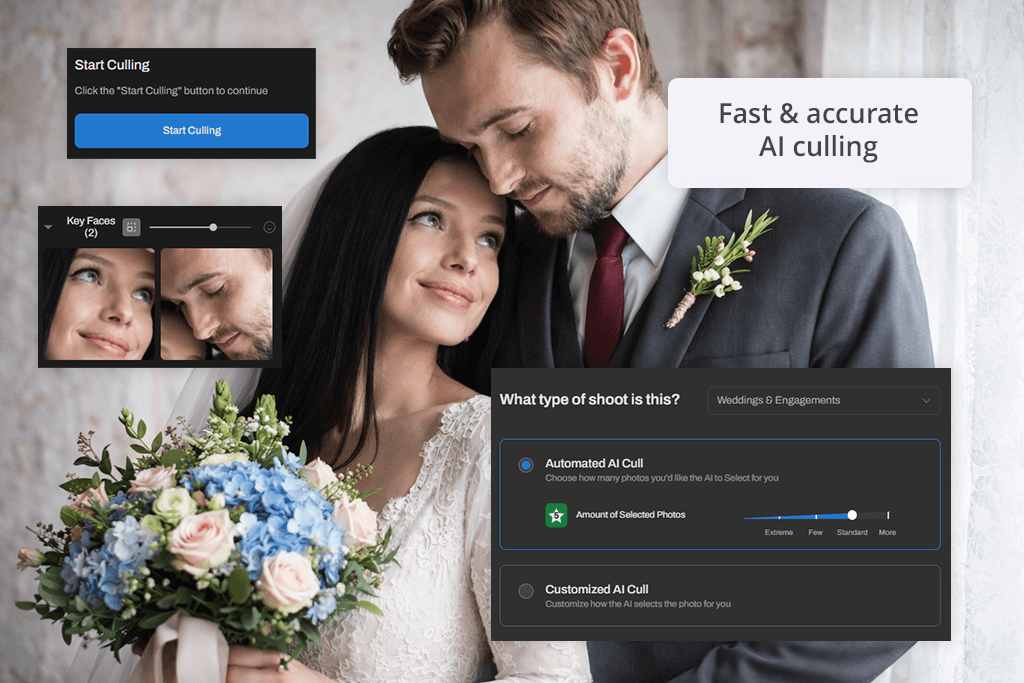
As a photo culling software, Aftershoot offers two modes: AI Automated Culling (fully automates the selection based on your preferences), and AI-Assisted Culling (gives you control while still using AI to help). You can group similar photos, use star ratings and colors, and export your selections. The AI also improves over time by learning from your choices.
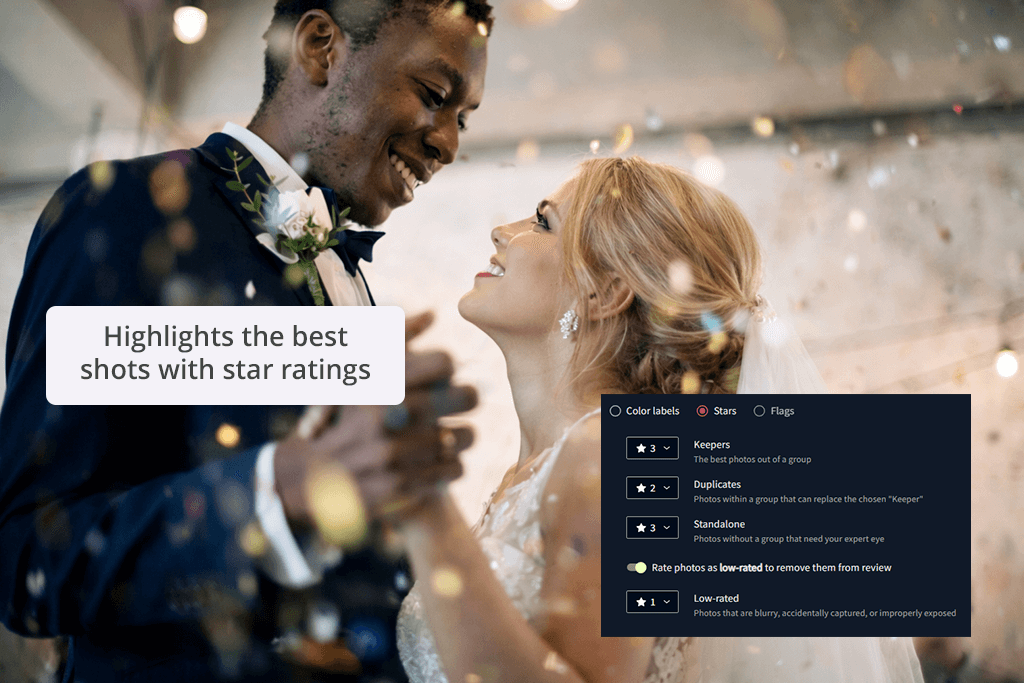
Imagen also supports culling, but in a slightly different way. It shows previews with your editing style already applied, so you can see how the final photos might look before choosing them. It groups similar images, detects issues like closed eyes or bad focus, and rates each photo. This helps you keep a consistent look across your gallery.
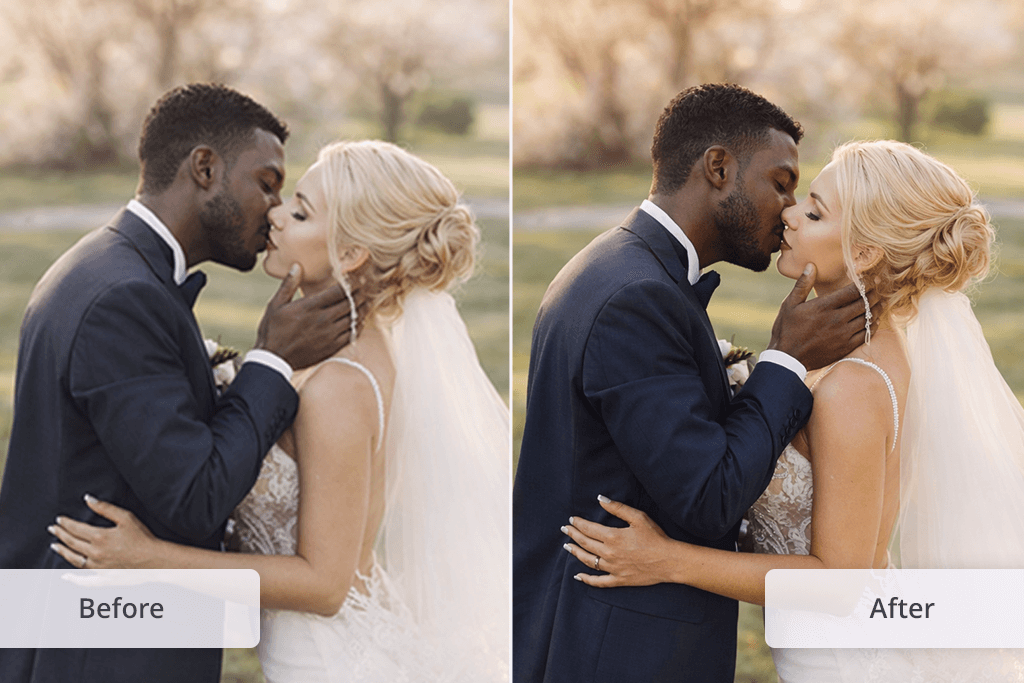
From my testing, Imagen gives smoother and more even results when working with large photo galleries. For example, during a wedding shoot with both indoor and outdoor lighting, Imagen balanced bright and dark areas very well. Skin tones looked natural, and details stayed clear without needing much extra editing.
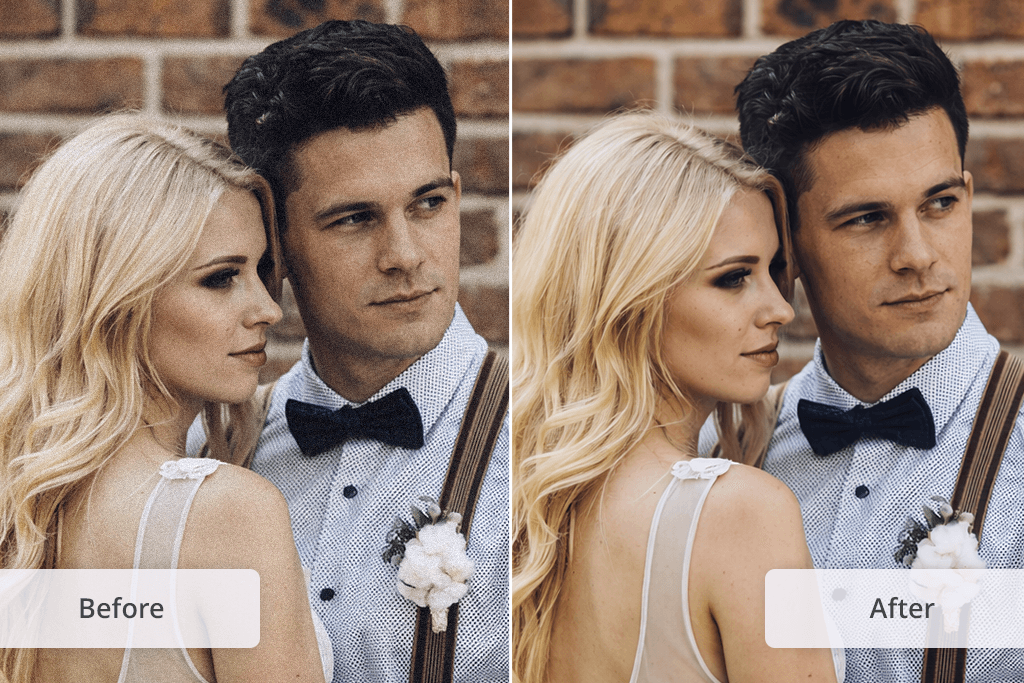
Aftershoot also does a good job but sometimes needs a bit of manual fixing. In a portrait shoot, this photo editing software for beginners quickly made faces brighter, improved contrast, and made eyes stand out.
However, small details like getting skin tones exactly right or adjusting the background still take a few extra minutes in Lightroom. Nevertheless, for most regular shoots, Aftershoot’s results are strong enough and save a lot of time.

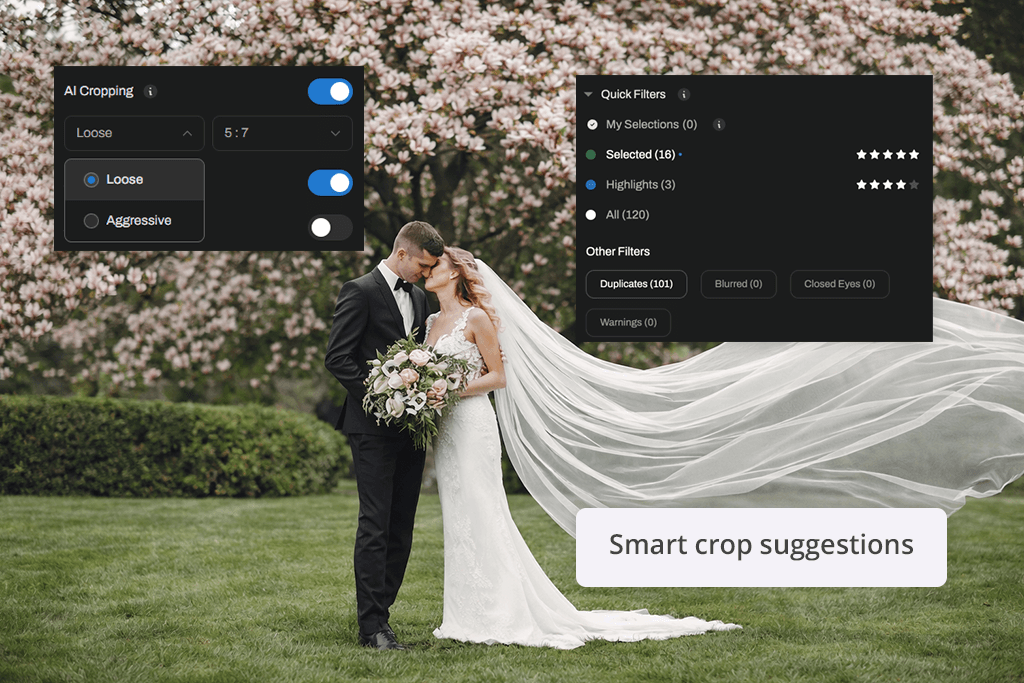
Aftershoot includes extra AI tools besides basic culling and editing. It can detect faces and focus on key people in your photos. It also groups similar images, which makes organizing galleries faster, and adds color labels automatically. The AI can suggest better cropping and composition, helping you prepare images quickly before final edits.
Imagen, on the other hand, offers more advanced AI features that usually take a long time to do manually. Along with copying your editing style, it can crop images based on composition, fix tilted horizons, and create masks to separate the subject from the background.
This means you can edit the subject and background separately. It also adds light skin smoothing, which helps improve portraits.
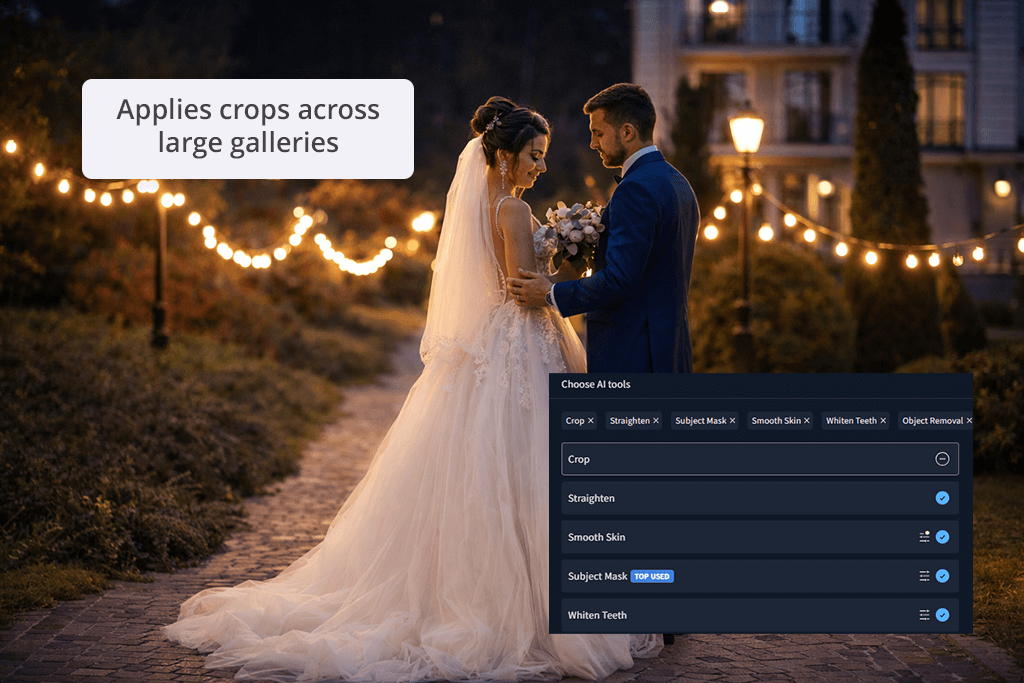
Both Aftershoot AI and Imagen AI are made to reduce manual work and speed up editing. The difference is that Aftershoot focuses on simple and fast tools with more control, while Imagen focuses on deeper automation and more detailed edits across large numbers of photos.
Aftershoot is designed to work quickly on your computer without needing the internet. Sorting and basic edits happen fast on newer computers, which makes it great for smaller shoots or quick deadlines. But if your computer is older or not very powerful, it can slow down, especially with big photo sets, since everything runs locally.
Imagen can take a bit longer at the start because you need to upload your photos and wait for cloud processing. However, once that is done, it saves time on large projects by editing hundreds or thousands of images consistently. For big shoots, the time you save on editing makes up for the waiting time.
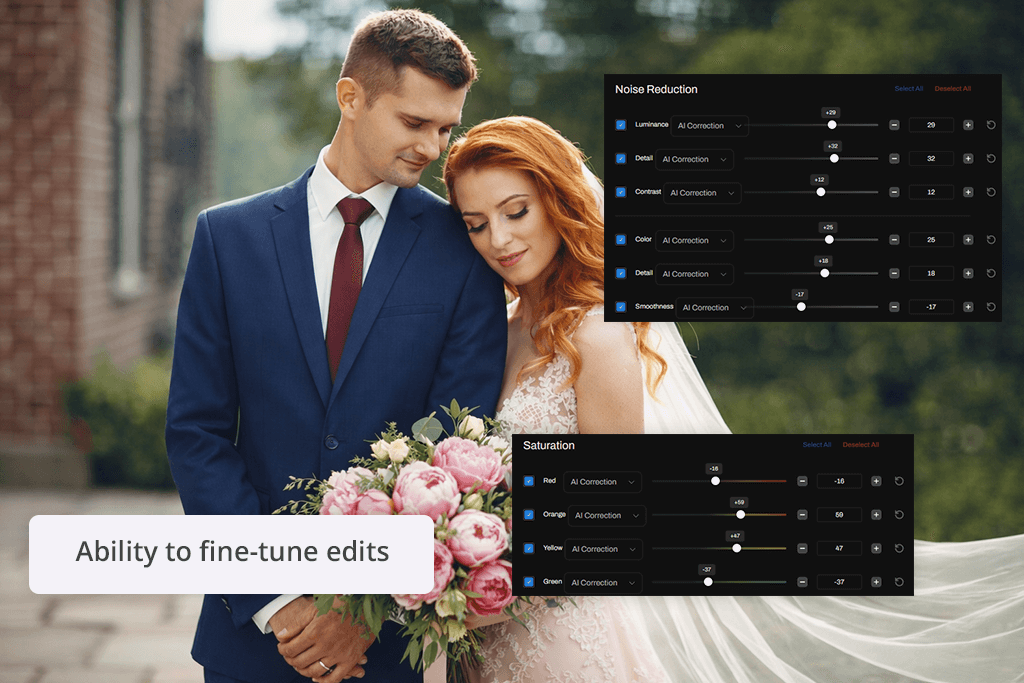
Aftershoot gives you more control over how you work. You can set your culling preferences, choose between automatic or assisted selection, group photos in different ways, and adjust edits using sliders (these include tone, white balance, color settings, detail, and curves).
This makes it easy to adjust your workflow for different types of photography, while still letting AI handle repetitive tasks.
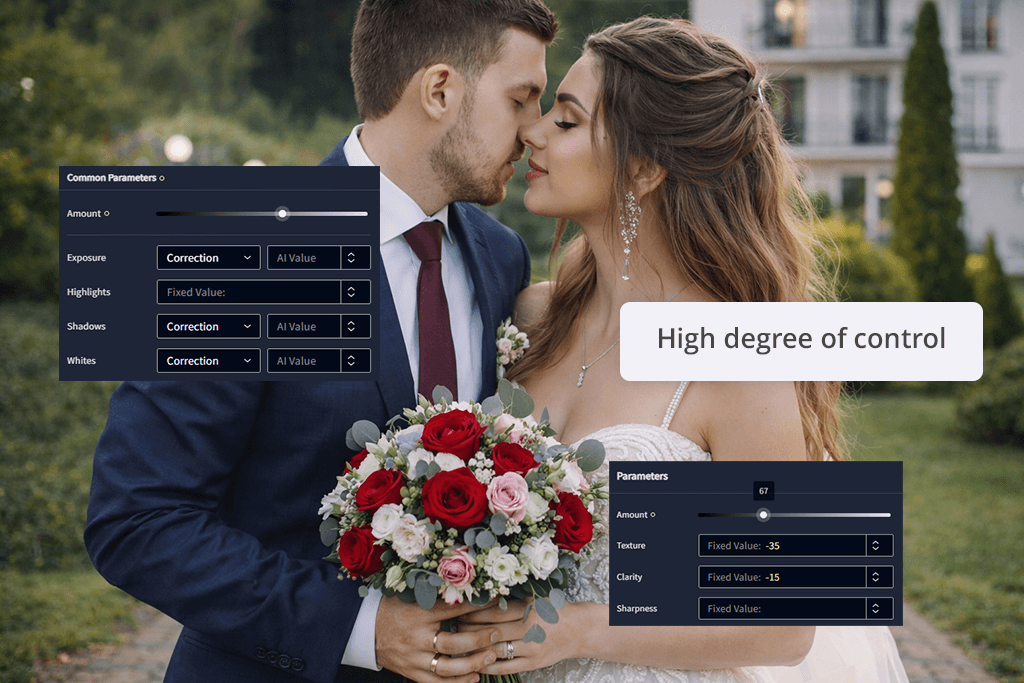
Compared to Aftershoot, Imagen focuses more on smart automation. As I mentioned before, the Personal AI Profiles learn your editing style, and Talent Profiles let you try styles made by professionals. You can also adjust results after editing, and the AI improves over time.
While this batch photo editor doesn’t offer as many manual controls as Aftershoot, it works well for fast, consistent editing across large batches of photos with less effort.
When it comes to collaboration, these two automatic photo editors are different. Imagen makes teamwork simple because everything is stored in the cloud. Multiple people can look at the same project, give feedback, and see updates. You can share galleries, assign AI profiles, and make sure everyone is viewing the latest version without needing to send files back and forth.
Aftershoot works more manually. You need to export your selected or edited photos to programs like Adobe Lightroom or Capture One, or save them in folders before sharing them with others. Although this gives you full control over your files, it takes more steps and doesn’t allow instant feedback as Imagen does.
Aftershoot’s pricing is simple and predictable. It uses a flat monthly fee, so you can process as many photos as you want without paying extra per image:
Imagen uses a different system where you pay for each photo you edit, along with optional AI tools. From my experience, this works fine for small projects, but can become costly with large galleries:
While Imagen gives more flexibility in pricing, it can end up costing more than Aftershoot when working with a large number of photos, especially if you use several AI features.
Both Aftershoot and Imagen are strong tools, but they are built for different photographers. Aftershoot is a great option if you want fast offline culling and editing on your computer, full control over your workflow, and a fixed price you can rely on. It works well for everyday shoots and medium to large galleries where speed and flexibility are important.
Imagen is better for handling large amounts of photos using cloud-based editing and advanced AI tools. It produces clean and consistent results and makes it easier to collaborate with teams or clients. However, the cost can increase quickly for bigger projects because of the pay-per-photo system.
To compare Aftershoot vs Imagen properly, I tested both tools in real situations. I focused on key areas like how accurate the AI is at selecting photos, how fast batch editing works, how good and consistent the edits look, what AI features are included, how smooth the workflow feels, if the collaboration tools are included, and overall usability.
I used different types of shoots, including portraits, product photography, and weddings, to see how each tool performs with different lighting and styles.
During this process, I also worked with my teammates at FixThePhoto. We shared ideas about professional workflows, what clients expect, and how easy each tool is to use based on our experience. Together, we looked at how simple each interface feels, how well the AI learns different editing styles, and how quickly a full gallery can be finished and delivered.
This testing procedure helped me clearly compare working offline versus in the cloud, fixed pricing versus paying per image, and manual control versus automatic editing, offering a balanced view of which tool is better depending on the type of photographer and the kind of projects they handle.






















