I work in a digital content studio that creates short video ads, product promotions, and social media content for e-commerce brands. As more clients started requesting motion graphics, animated product showcases, kinetic typography, and AI-generated videos, our old workflow became less efficient. Relying on manual animation in After Effects and stock motion assets made production slower and harder to scale.
That's why I started looking for the best AI motion graphics generator. Our workflow was becoming too slow and expensive. For example, creating a 25-second promo video with motion graphics could take 2-3 hours. We needed a faster way to go from a simple prompt to a finished animation instead of spending hours on manual editing and rendering. This became especially important when clients asked for several versions of the same campaign with tight deadlines.
Before testing the tools, I set clear requirements based on real production work. Each generator had to create smooth motion, not just simple zoom effects, and support animated text for marketing messages like "Limited Offer" or "New Drop." I also looked for control over timing, speed, and camera movement, along with a consistent visual style across different versions. Finally, high-quality exports in at least 1080p, and preferably 4K, were a must.
I also needed tools that could produce multiple versions quickly. For many projects, I create 5-10 variations of the same idea, such as a luxury product reveal with soft lighting and cinematic camera moves, to test different ads. Tools with API support or the ability to generate content at scale were a big advantage, since creating each version manually would slow down our workflow too much.
The goal of my work is to help e-commerce brands create more video content without needing an in-house motion design team. Together with the FixThePhoto team, we produce new ad creatives and marketing videos every week, so fast results, consistent quality, and automation are more important than creating every animation by hand. In the end, I wasn't just looking for another tool - I wanted a solution that could turn simple prompts into ready-to-use motion graphics in just a few minutes.
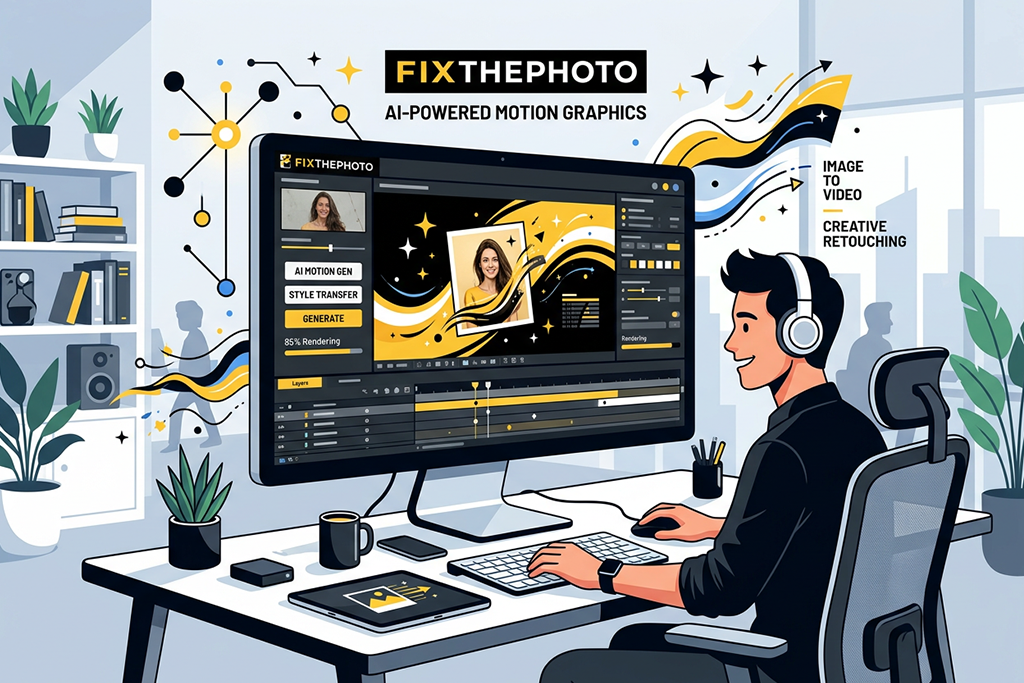
AI motion design tools can already produce professional-quality results, but the final quality depends on how you plan to use the videos and what level of polish your project requires.
During my testing, I found that today's AI tools can create videos that are ready to use in many digital projects. Short product promos, app demos, animated text, and simple brand videos often look polished enough for real marketing campaigns. With a clear prompt and a short animation, the results are usually smooth, professional, and require little or no extra editing.
These AI video generators also work especially well for fast marketing projects. When I created prompts like a luxury product rotating under soft studio lighting with smooth camera movement, the results were often good enough to use in social media ads or different A/B test versions without major changes.
For this type of work, professional quality is less about perfect animation and more about strong visuals, smooth motion, and how well the video delivers the marketing message. For many modern campaigns, that's more than enough.
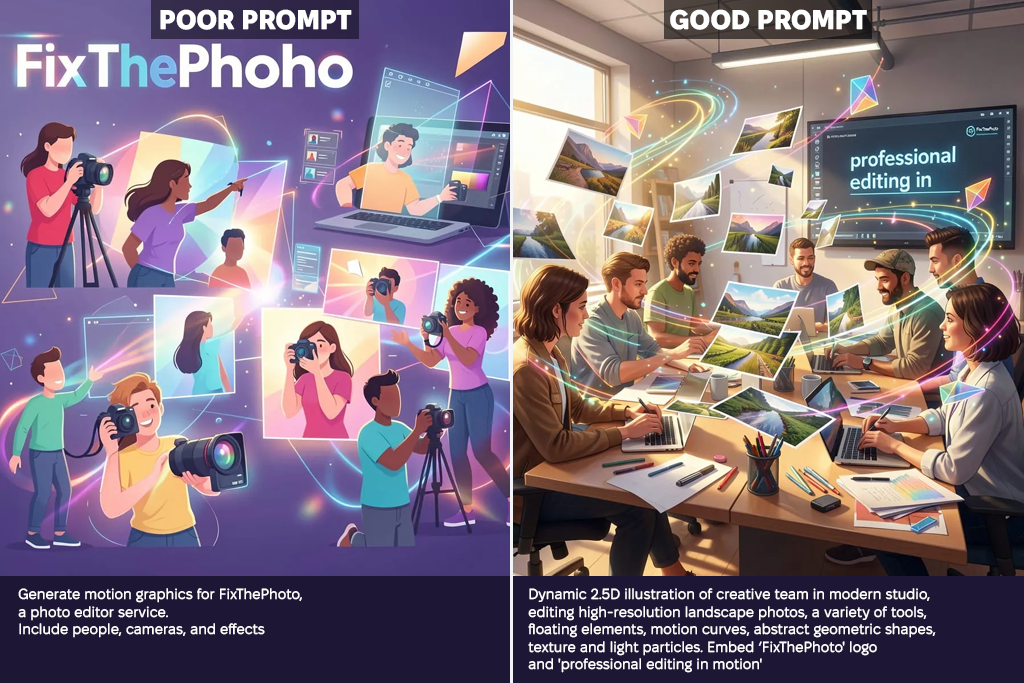
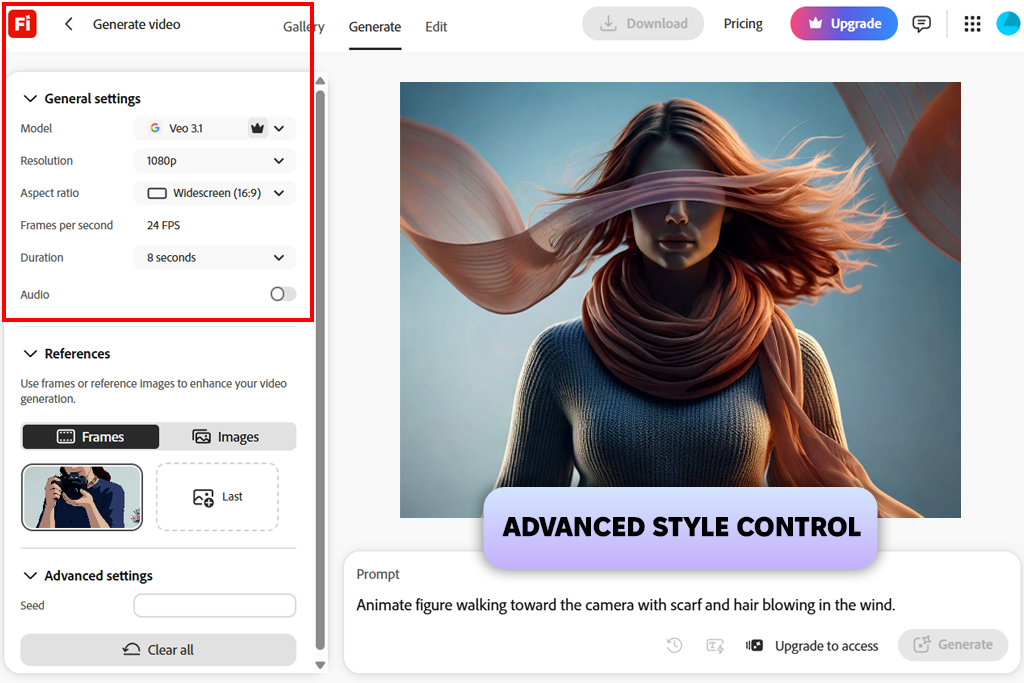
While testing Adobe Firefly Video, I focused on how well it handled real motion graphics tasks. I used prompts like "luxury product reveal with smooth camera movement," "animated sale announcement," and "minimal UI animation loop" to see how accurately it followed different motion requests. The first results already looked clean and polished enough for real projects. Instead of feeling unpredictable, Firefly gave me consistent output that was easy to use in a production workflow.
I also checked how consistent the results were when creating several versions of the same idea. I generated prompts like "hero product spin with soft lighting" in different styles and compared the timing and overall motion. Firefly kept the movement smooth and consistent across the different versions, which made it much easier to create multiple ads for A/B testing without spending extra time on editing.
“Getting clean, polished results takes very little effort. The output is consistent and reliable, although it can sometimes feel a bit too predictable instead of trying more creative ideas. Still, it's a great AI motion graphics maker when you need professional-looking motion graphics quickly.”

Creating new versions was quick and straightforward. Instead of rebuilding a project from scratch, small changes to the prompt were enough to generate another variation. That saved a lot of time, which is essential in a fast production workflow. Even with short or less detailed prompts, the results stayed clean, consistent, and easy to use.
In the end, Firefly proved to be the most reliable motion graphics tool I tested. It focuses on consistent, polished results instead of unusual effects, which makes it a great fit for real commercial projects. It quickly became my first choice whenever I needed dependable motion graphics.
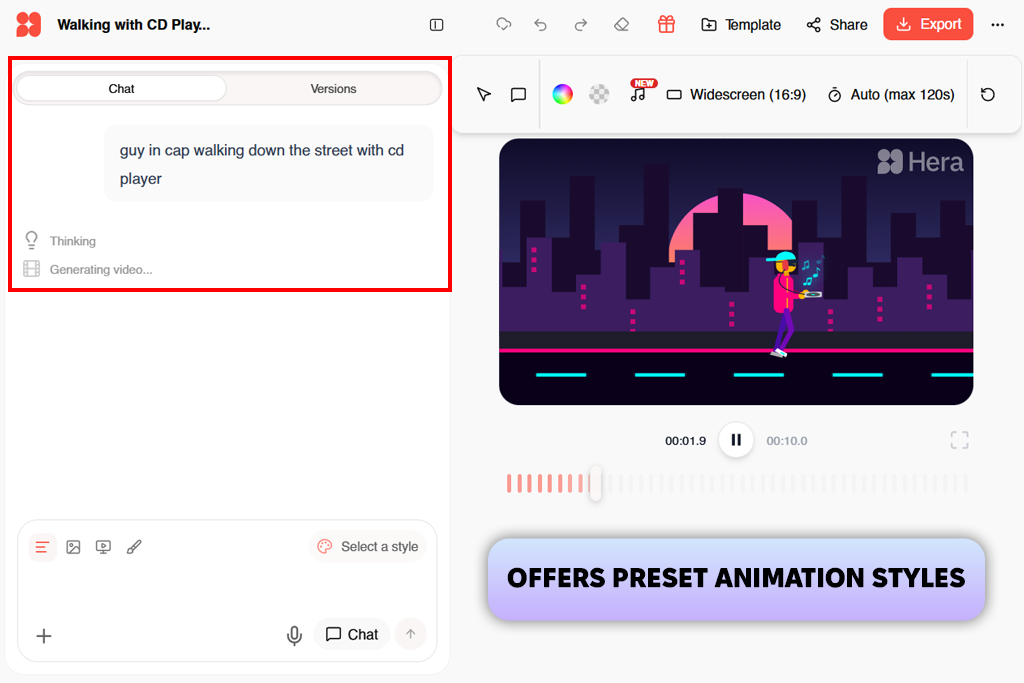
Hera was one of the most interesting AI tools for designers I tested because the results were often unpredictable. I tried prompts like "floating UI elements in a futuristic scene," "cinematic logo reveal with metallic transitions," and "abstract motion background for a tech ad."
Many of the videos looked impressive, but the motion and timing weren't always consistent. Instead of feeling like a production tool, Hera was better for exploring creative ideas and visual styles.
What stood out most was its focus on creative visuals instead of precise animation. Many results looked more like animated concept art than finished marketing videos. I often had to generate several versions of the same prompt to get the style and motion I wanted. Still, some outputs worked especially well for eye-catching social media intros.
Hera also reacts strongly to the feeling behind a prompt. When I used descriptions like "calm premium style" or "high-energy product launch mood," the overall look and movement changed noticeably. This gave me some creative control, but it also meant spending more time testing different versions. The results were not always predictable on the first attempt.
Overall, Hera felt like the most unpredictable motion graphics AI tool in my workflow. It is not the best choice for structured production tasks, but it works well when I need fresh ideas, unique motion styles, or experimental visual concepts.
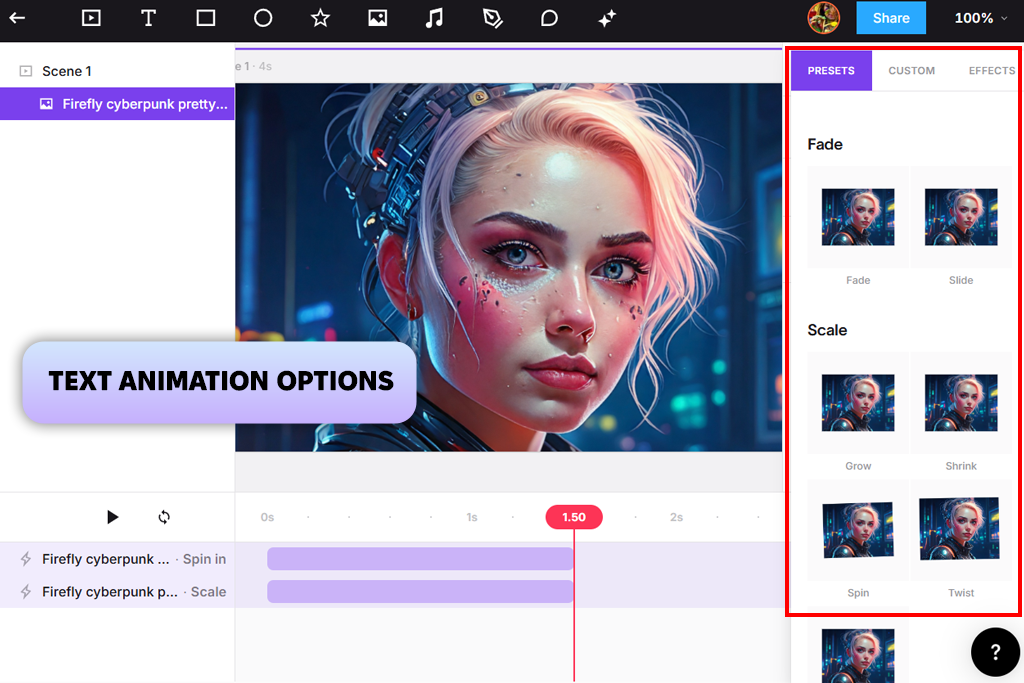
Jitter felt different from many other AI motion tools for content creation because it works more like a design-focused animation platform. I tested it with kinetic typography projects using text like "SALE ENDS TODAY," "New Product Drop," and "Limited Edition Release" to see how well it handled planned motion layouts.
The results were ready to use, especially for social media content. Instead of creating random effects, Jitter felt more like a tool for building controlled animations.
During testing, I paid close attention to how smooth the timing and transitions were. I changed text animation styles, transition speed, and layout movement to create marketing-style videos. Unlike many AI generators, Jitter gave me consistent control over how everything moved. This made it easy to keep the same animation style across different campaigns.
“Creating text and simple motion graphics was quick and easy. It worked well for short social media videos, but the available tools felt limiting for more advanced animations.”

I also tested how well it worked with static graphics and built-in animation presets. It handled simple UI-style motion, lower-thirds, and product captions without any issues. It wasn't designed for full cinematic scenes, but it worked well for focused motion design tasks.
In the end, Jitter became my go-to AI motion graphic creator for clean, simple motion graphics. It isn't meant for large cinematic projects, but it delivers polished animations quickly, making it a great choice for marketing and social media content.
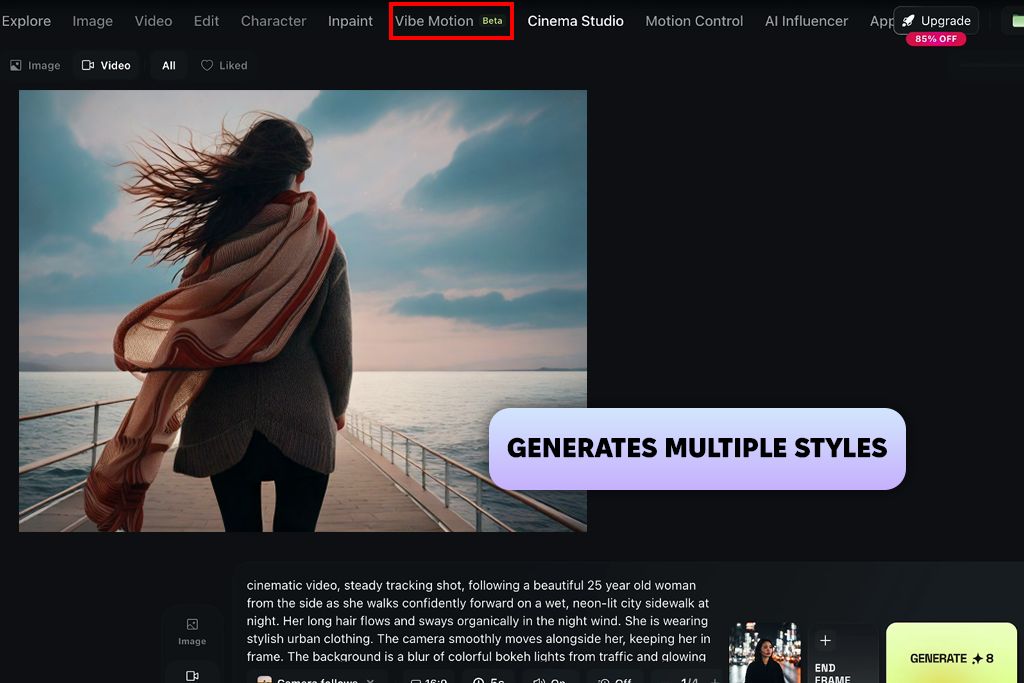
Higgsfield impressed me with its cinematic style, so I tested it using prompts such as "luxury product reveal with moody studio lighting," "fashion commercial with gentle smoke effects," and "smooth camera movement around a premium product on a glossy surface." Many of the results had a clear film-style motion, making them feel more like polished commercial shots than standard animated clips.
I also focused on camera movement and depth. Compared to simpler AI motion graphics software, Higgsfield created smoother camera motion and a stronger sense of space, making the videos feel more immersive. Some clips looked close to professionally produced ad footage, which worked especially well for premium product marketing.
However, I found that this AI motion graphics software sometimes gave more attention to visual style than consistent motion. In some tests, the transition timing didn't fully match my prompt, so I had to generate a few more versions before getting a result that was ready to use.
Even so, when it worked well, Higgsfield produced some of the best-looking videos I tested. I see it as a tool for high-end cinematic projects rather than everyday motion graphics work.
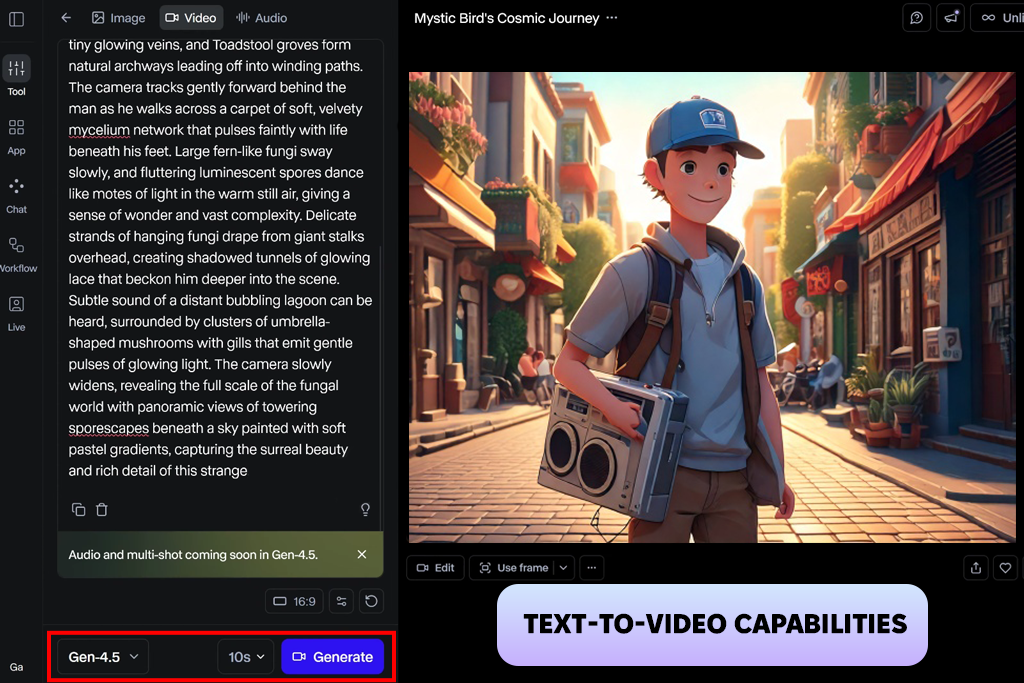
Runway quickly became one of the main AI clip makers I tested because it offered much more than basic video generation. I tried prompts like "AI-generated product commercial with dynamic camera movement," "cinematic flight through a modern city," and "abstract animated background for a technology brand." The generated clips were consistently high quality and worked especially well for developing video concepts and marketing projects.
What impressed me most was how easy it was to improve each result. Instead of starting over every time, I could make small changes and build on the previous version. This made it much easier to create more detailed motion sequences while keeping the workflow fast and organized.
“One of the strongest AI animation generators I've used for creating videos. It can produce impressive results, but learning all the features takes time, and the credits can run out faster than expected. Even so, it's still one of my top choices.”

I tried it with a wide range of projects, including realistic product commercials and abstract animated backgrounds. It handled both styles well, though more complex ideas occasionally needed a few extra generations. Even then, the results remained dependable and more consistent than most of the other platforms I tested.
In my workflow, Runway became the tool I used to turn ideas into finished videos. It does much more than generate motion - it provides everything I need to create, refine, and prepare videos for real projects.
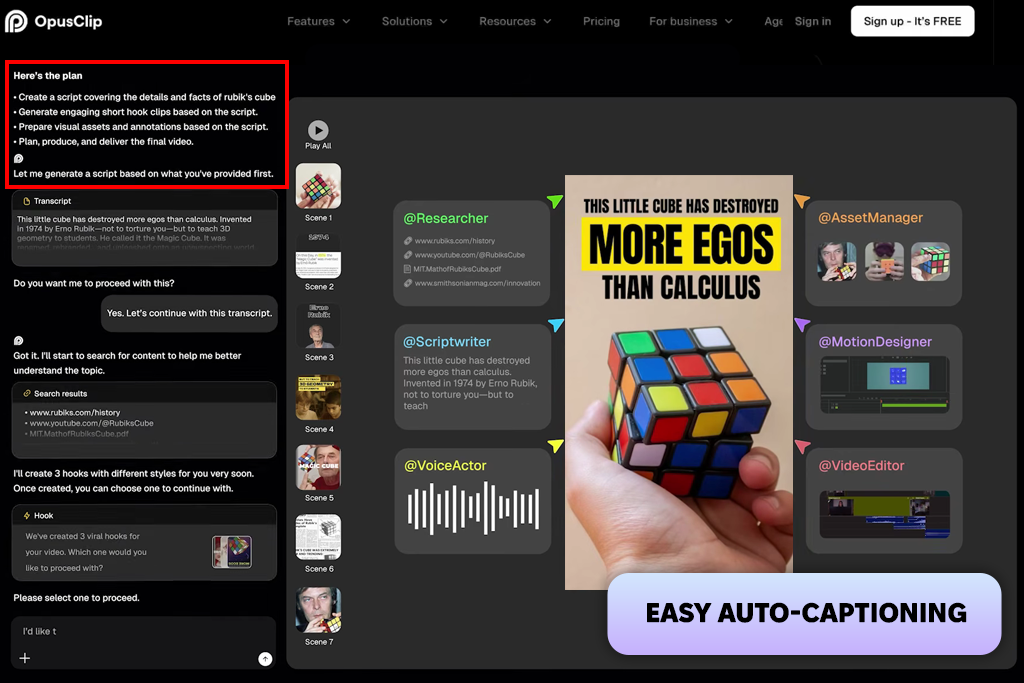
I tested Opus Clip in a different way because it's designed to turn long videos into short clips. I uploaded sample product demos and marketing videos to see how well it found the best moments. It automatically selected sections with key product features and attention-grabbing messages that worked well for short-form content.
What impressed me most was how quickly it turned one long video into several short clips. It created multiple 15-30 second versions without any manual timeline editing. This saved a lot of time and worked especially well for social media projects where fast delivery is more important than detailed editing.
However, this AI motion graphics generator works only with existing videos, so it isn't designed for creating new motion graphics from scratch. Instead, it edits and rearranges footage that's already there. Because of that, it's less suitable for projects that need original motion design.
Even with that limitation, Opus Clip became one of the most useful tools I tested for making short clips from long videos. It saved me a lot of time by automatically finding and trimming the best parts. That's why I also recommend it as an AI TikTok video generator.
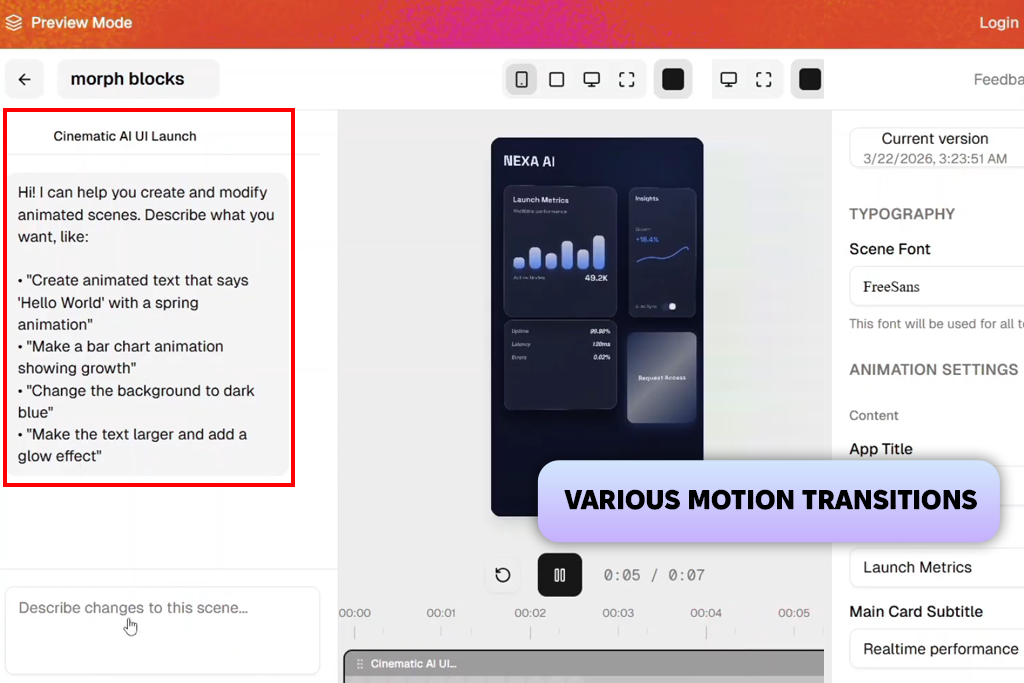
Swishy felt like a simple motion tool and app that brings photos to life, so I tested it with prompts like "smooth product reveal," "animated app promotion," and "soft moving gradient background." It created clean results very quickly, but the animations stayed fairly simple. Swishy is built for fast, easy motion graphics rather than detailed cinematic videos.
I mainly tested how fast it was and how easy it was to create different versions. New animations were generated almost instantly, so I could try several ideas in a short time. This made it a great tool for quickly exploring different motion styles without long waiting times.
“Swishy is great for quick motion graphics and social posts. It's fast and easy to use, but too limited for more advanced animation work.”

However, the trade-off is limited control. I couldn’t fine-tune motion behavior as deeply as in other tools. It works best when I need simple animations rather than structured storytelling sequences. In my workflow, Swishy ended up as a quick idea-testing tool rather than a production solution. It’s fast, lightweight, and good for early-stage exploration.
The biggest weakness of this AI video motion graphics generator is the lack of flexibility. It's well suited for quick animations, but not for projects that need more detailed motion or longer video sequences. I found it most useful for trying out ideas before switching to a more capable platform.
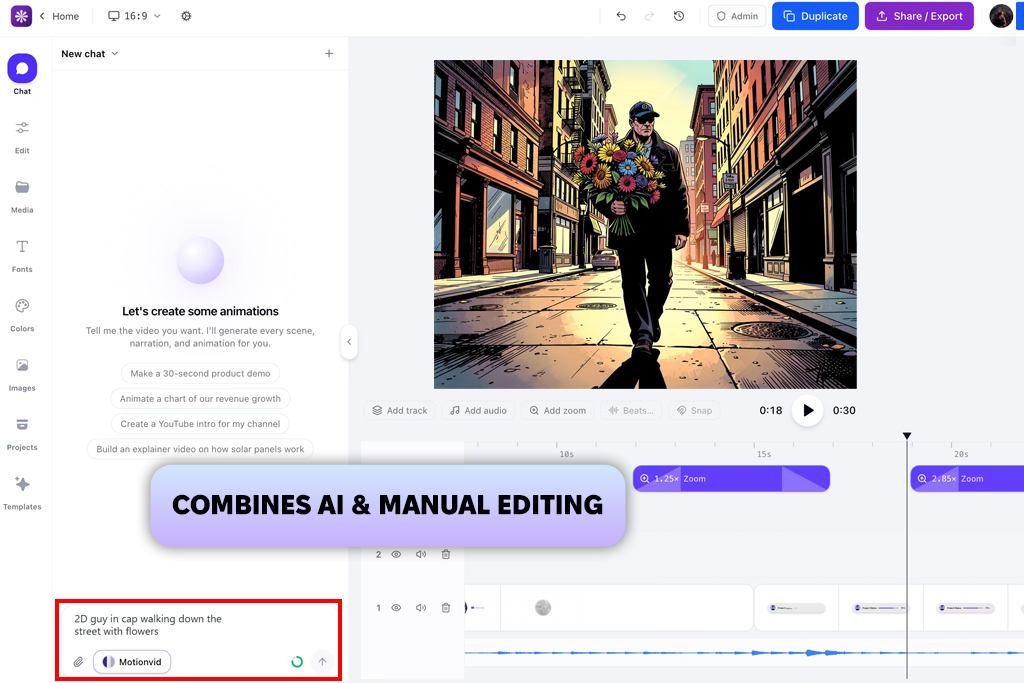
MotionVid was designed for creating structured marketing videos, so I tested it with prompts like "e-commerce product rotation," "product features with animated text," and "clean app presentation." The results were reliable and worked well for promotional videos, with consistent quality across different projects.
I also checked how well this AI motion graphics tool combined text with moving product visuals. It handled captions and animations smoothly, making it a good choice for promotional videos. The motion was simple rather than cinematic, but it stayed clear and easy to follow, which is often more important for marketing content.
I also tested batch-style generation to see if it could scale. It handled multiple variations reasonably well, though some outputs needed minor adjustments for timing alignment. Still, it remained stable across repeated use.
Overall, MotionVid felt like a practical tool with a built-in AI video editor. It worked best for simple marketing videos rather than creative experiments. I think it's a good fit for projects where clear, professional results are more important than complex visual effects.
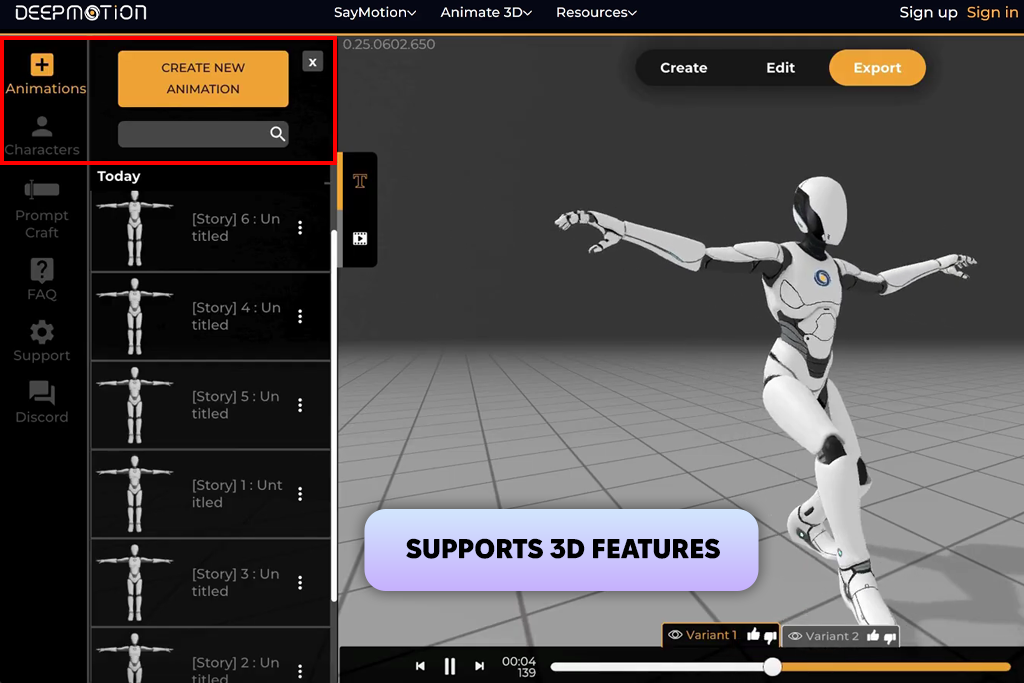
DeepMotion was the most specialized platform I tried because it was built around digital character movement. I tested it with prompts like "presenter walking beside a product," "speaker using hand movements during a presentation," and "animated host showing app features." Instead of creating regular video scenes, it was much better at producing natural character movements for animated avatars.
What impressed me most was how natural the movement looked. Characters moved with realistic balance and body motion, making the animations feel more believable than those from many other tools. It worked more like a motion capture system than a standard video generator.
“DeepMotion works well for character animation and 3D projects. The movement looks natural, but getting everything set up takes a bit of time.”

However, it required more structured input compared to other tools. If my prompts were too abstract, results became less predictable. I had to think in terms of actions rather than concepts, which changed my testing approach significantly. In my workflow, DeepMotion became useful for character-based motion sequences rather than marketing visuals. It’s more of an animation engine than a creative ad generator.
It also worked best with clear, specific prompts. When my instructions were too general, the results became less consistent. I got much better outcomes by describing actions instead of ideas. In my workflow, DeepMotion was most useful for character animation rather than marketing videos.
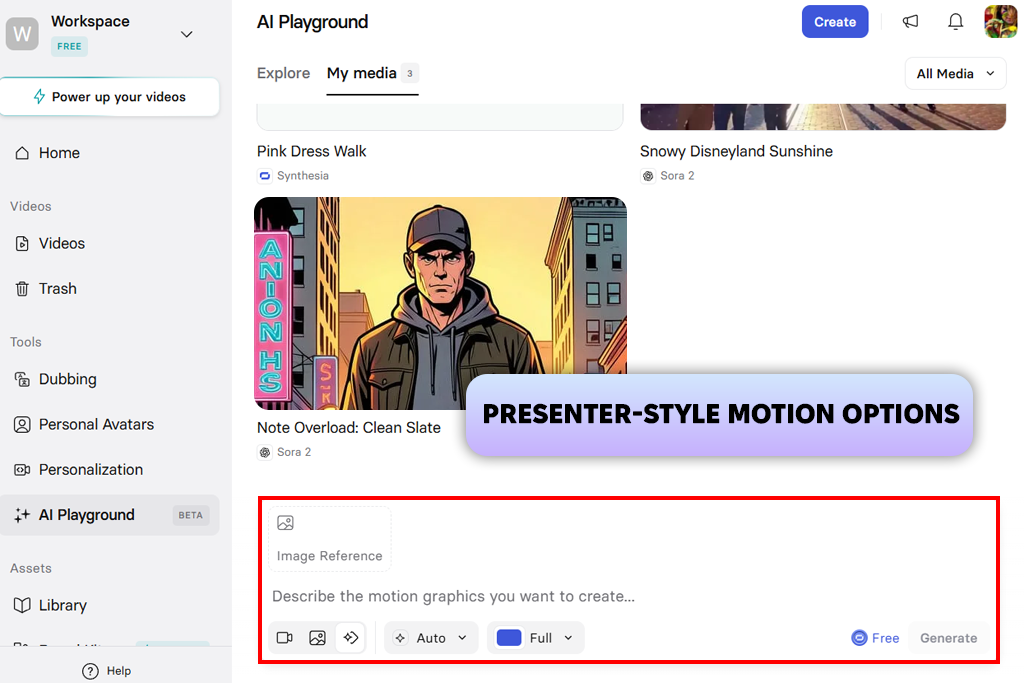
I tested Synthesia mainly for presenter-style videos. I created scripts such as "SaaS product introduction," "mobile app overview," and "startup pitch presentation" to see how well it delivered clear business content. The platform quickly turned my text into videos with realistic avatars and voice narration.
One of the biggest advantages was how quickly it created complete videos with narration, without needing extra editing in a free video editing app. I could produce explainer videos in just a few minutes instead of spending hours on production. The presenter avatars also made the videos feel more engaging and professional.
I also looked at how natural the presenter moved on screen. While the videos aren't cinematic, the avatar movements felt smooth enough for business presentations and training content. The animations are simple, but they help deliver information in a clear and professional way.
In my testing, Synthesia became my preferred AI motion graphics tool for explainer and business videos rather than creative motion projects. It works best when the goal is to deliver clear information quickly instead of creating complex visual effects.
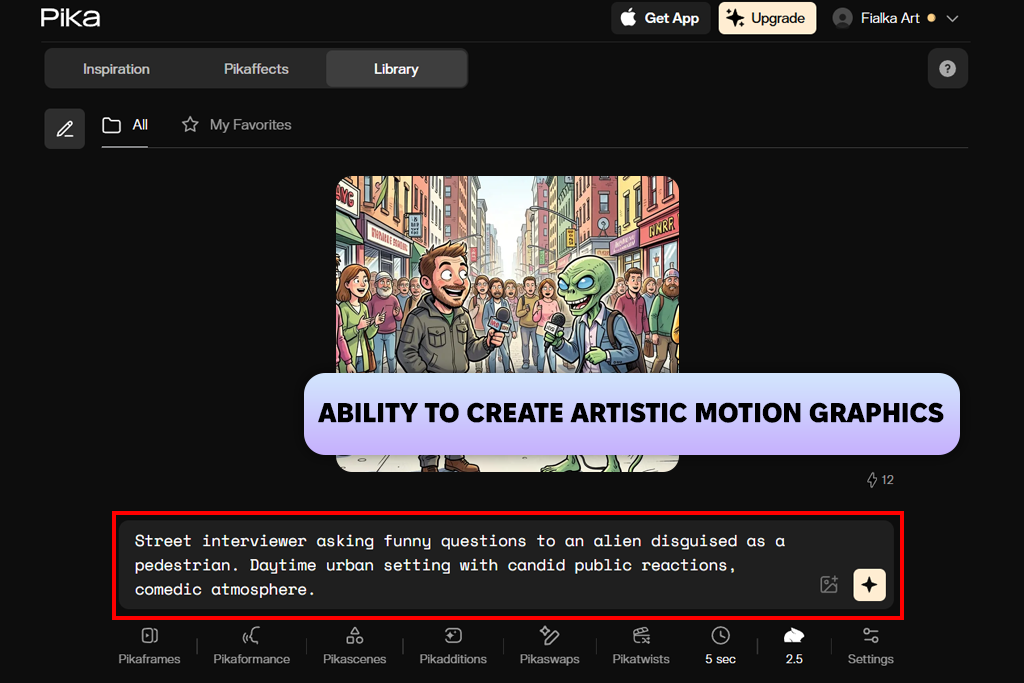
Pika was one of the most creative tools I tested, so I tried prompts like "floating product surrounded by neon mist," "fast camera move through a futuristic city," and "stylized commercial with glowing effects." The videos were often eye-catching and full of visual energy, even when I used short and simple prompts.
I also checked how smooth the motion looked and how well each scene stayed consistent. Many videos had natural movement, especially those with atmospheric backgrounds and effects. Even short clips often felt complete and told a clear visual story.
“Pika is fun for creative experiments. It can produce impressive videos, but the results don't always match the prompt.”

However, consistency varied depending on prompt complexity. Some results required multiple iterations to achieve usable structure. Still, when it worked, it produced some of the most visually striking motion clips in my entire test set.
In my workflow, Pika became the tool I used to explore new visual ideas. This AI animation generator worked best when I wanted creative results instead of precise, production-ready videos.
Together with the FixThePhoto team, including Tetiana Kostylieva, Eva Williams, and Vadym Antypenko, I tested the most popular AI motion graphics generators using the same workflow and evaluation criteria. Instead of simply trying their features, we focused on real production tasks such as ads, product promotions, and social media videos to see how each tool performed in everyday use.
To make the comparison fair, we first created a consistent testing process for every platform. I prepared a list of prompts based on real projects, including "luxury product reveal with smooth camera movement," "kinetic typography for a social media ad," and "futuristic UI motion background for a tech brand."
Each tool was tested with the same prompts. Tetiana Kostylieva evaluated visual quality and brand fit, Eva Williams focused on ease of use and workflow speed, while Vadym Antypenko checked stability, export quality, and overall performance.
During testing, we used both detailed and creative prompts to see how each tool performed in different situations. For example, we tried specific requests like "slow product rotation with soft studio lighting" and more imaginative ones like "floating neon architecture in a futuristic space." This helped us understand which platforms were better for polished marketing videos and which were more suitable for creative experiments and idea generation.
We also tested how the tools performed in real production workflows by creating multiple versions of the same project for A/B testing. This allowed us to see whether they could deliver consistent results while working fast enough for tight deadlines. Vadym Antypenko found that reliable performance across repeated generations was one of the biggest differences between tools ready for production and those better suited for experimentation.
Another important step was checking post-production compatibility. Eva Williams emphasized that even strong AI outputs lose value if they are difficult to edit or integrate into existing pipelines. We evaluated export quality, artifacts, and how smoothly clips could be used in editing software without additional fixing.
Another crucial part of our testing was evaluating post-production compatibility. Eva Williams pointed out that even high-quality results are less useful if they require too much extra work. We checked export quality, looked for visual issues, and tested how easily the clips could be imported into editing software without additional fixes.
In the end, we found that these tools are already powerful enough for short marketing videos, social media content, and product promotions. However, Tetiana Kostylieva noted that they still can't fully replace traditional motion design for more complex or story-driven projects. Instead, we see them as tools that speed up production while leaving the final creative adjustments to professionals.


![7 Best AI Baby Dance Video Generators [For Trendy Moms]](http://fixthephoto.com/blog/images/gallery/news_main__preview_29020.jpg)


![9 Best Image Brighteners Online [{{%year}} FixThePhoto Choice]](http://fixthephoto.com/blog/images/gallery/news_main__preview_29194.jpg)
![9 Best Higgsfield Alternatives [{{%year}} FixThePhoto Choice]](http://fixthephoto.com/blog/images/gallery/news_main__preview_29303.jpg)
![7 Best Photo Grid Makers [No Design Skills]](http://fixthephoto.com/blog/images/gallery/news_main__preview_29018.jpg)


















