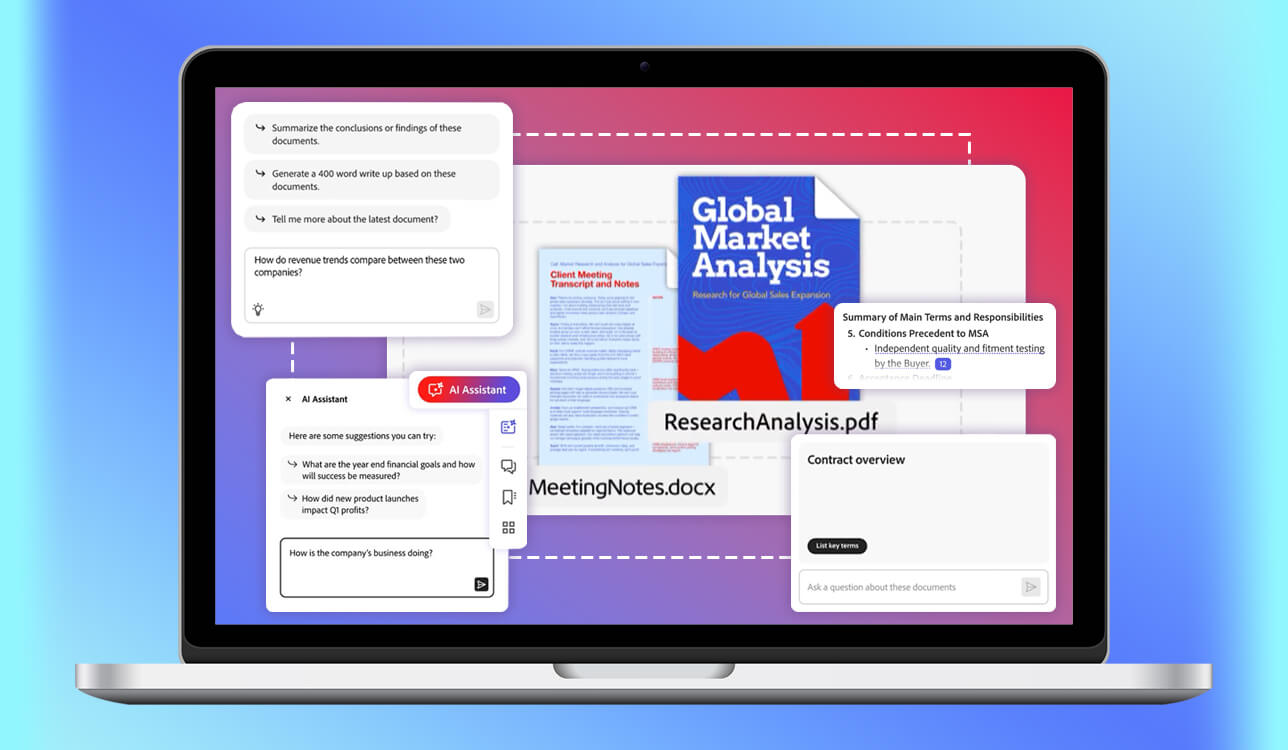
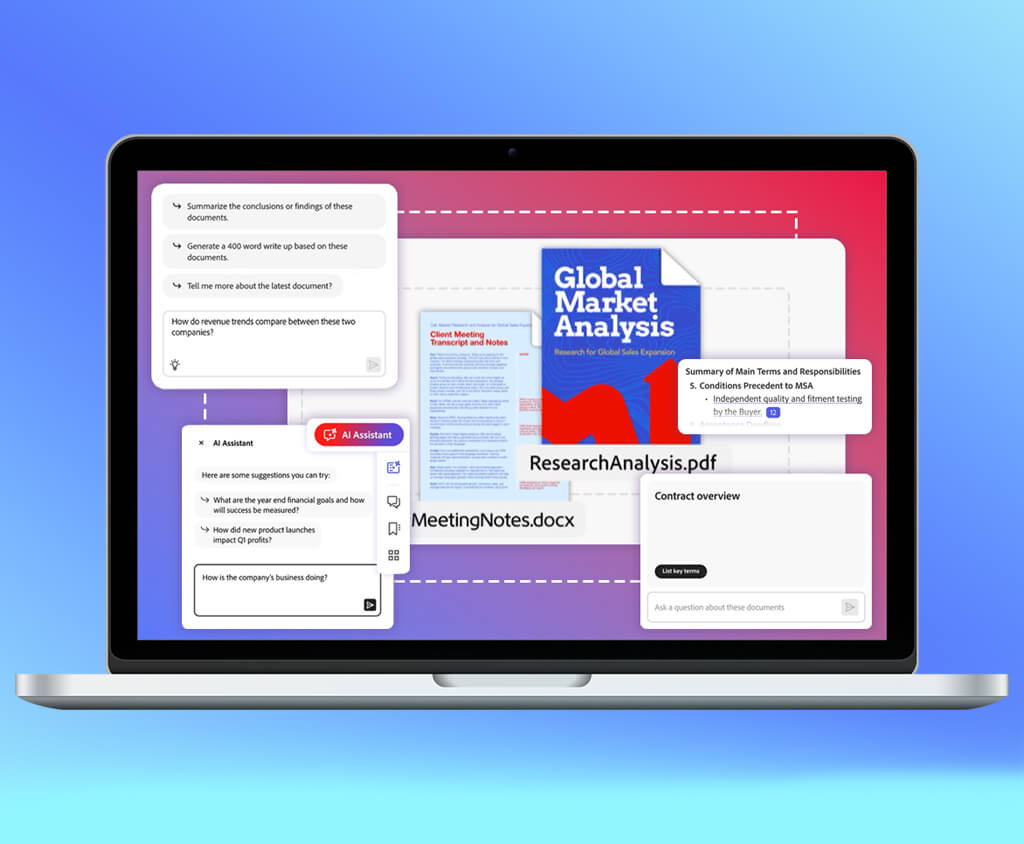
Reviewing AI document readers initially felt like a straightforward task: import a PDF, ask a question, receive a summary, and you’re done.
However, once I got a 90-page report, a contract with small clauses, a scanned invoice, a research paper filled with citations, and a client brief where the most relevant information was hidden in the middle of the document, saying “summarize this PDF” stopped feeling sufficient.
At that point, I concluded that the best AI document readers aren’t merely PDF summarizers. They should be able to:
With that in mind, I tested 40+ AI document readers that are meant to assist students, researchers, writers, lawyers, accountants, marketers, and business teams in handling their documents more efficiently.
I prioritized solutions capable of summarizing PDFs, answering questions, reading complex documents, extracting data, comparing sources, and making lengthy documents easier to manage.
| Tool | Best for | Price | Main Feature | OCR / Scanned Files |
|---|---|---|---|---|
|
PDF summaries & quick answers
|
From $4.99/mo
|
PDF Q&A
|
✔️
|
|
|
analyzing several files at once
|
Free; from $20/mo
|
multi-file analysis
|
✔️
|
|
|
reading long and complex documents
|
Free; from $20/mo
|
long-document reasoning
|
✔️
|
|
|
academic papers & research tasks
|
Free; from $49/mo
|
research extraction
|
❌
|
|
|
fast PDF chats
|
Free; from $4.99/mo
|
quick PDF Q&A
|
❌
|
|
|
extracting details from PDFs
|
From $49/mo
|
PDF data extraction
|
✔️
|
|
|
invoices, forms & business data
|
From $1.50/1K pages
|
structured extraction
|
✔️
|
|
|
notes based on uploaded sources
|
Free; from $19.99/mo
|
source-based answers
|
✔️
|
|
|
reading, editing & explaining PDFs
|
Free; from $15/quarter
|
PDF AI assistant
|
✔️
|
While reading short documents is usually a piece of cake, lengthier PDFs with tables, images, citations, scanned sections, and confusing phrasing can be a lot more challenging. This became especially apparent when I was handling contracts, software manuals, research papers, and client files, where a single missed detail could completely morph the meaning.
Prior to trying out all these AI document readers, I paid closer attention to how we typically handle PDFs at FixThePhoto: contracts, application reviews, pricing pages, technical guides, product documentation, and research articles. While manual reading is still often necessary, it’s not always a viable option if you need to meet a tight deadline.
The main issue is that users employ such tools solely for summaries, which is a great feature, but it often isn’t sufficient. The best tools also allow you to ask follow-up questions, locate specific sections, compare answers with the source, and break down complicated phrasing. Even the best AI tool for summarizing PDF needs to offer more than a basic document recap.
For a document-intensive workflow, a quality AI reader needs to help with:
The best AI document reader can’t fully replace diligent reading. Instead, it offers a quicker and more efficient method to enter the document, understand its structure, and determine which pages require your attention.
Best for: PDF summaries, quick document answers, contracts, reports, and users who already work inside Adobe Acrobat
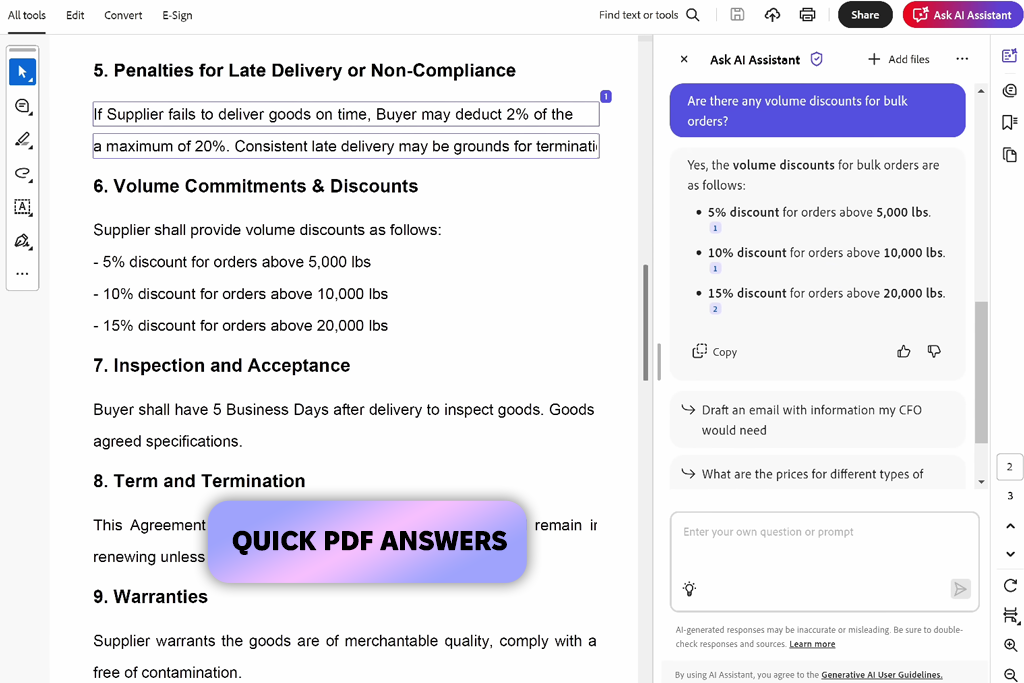
For PDF-intensive workloads, Acrobat AI Assistant should probably be the first AI document reader you try. I used it for contracts, lengthy PDF reports, software guides, and business documents whenever I wanted to learn all the main points fast without copying the text into a different application.
I particularly enjoyed using the PDF Q&A tool. It allowed me to freely ask questions like “What are the payment terms?”, “What are the most probable risks?”, or “Which part covers the cancellation clauses?”, and receive a concise answer based on the imported file.
Additionally, I leveraged the Document Summary feature whenever I wanted to receive a brief overview before determining which pages to read with more care.
One of the main benefits of using Acrobat AI Assistant is that the AI workflow is overlaid on top of the original PDF. After receiving an answer, you can go back to the document and read the section manually. This makes it more reliable compared to solutions that provide seemingly correct answers but make it difficult to check where the information was sourced from.
Acrobat AI Assistant lacks the flexibility necessary to compare multiple file formats or generate research notes based on different sources, but for daily PDF reading, contracts, manuals, reports, and quick document Q&A, it’s among the most efficient, familiar, and user-friendly options on the market.
“Begin with a specific question like ‘What are the potential downsides in this contract?’ rather than requesting an overall summary.”

Key features:
Best for: multi-file analysis, document summaries, rewriting complex text, comparing files, and transforming documents into usable content
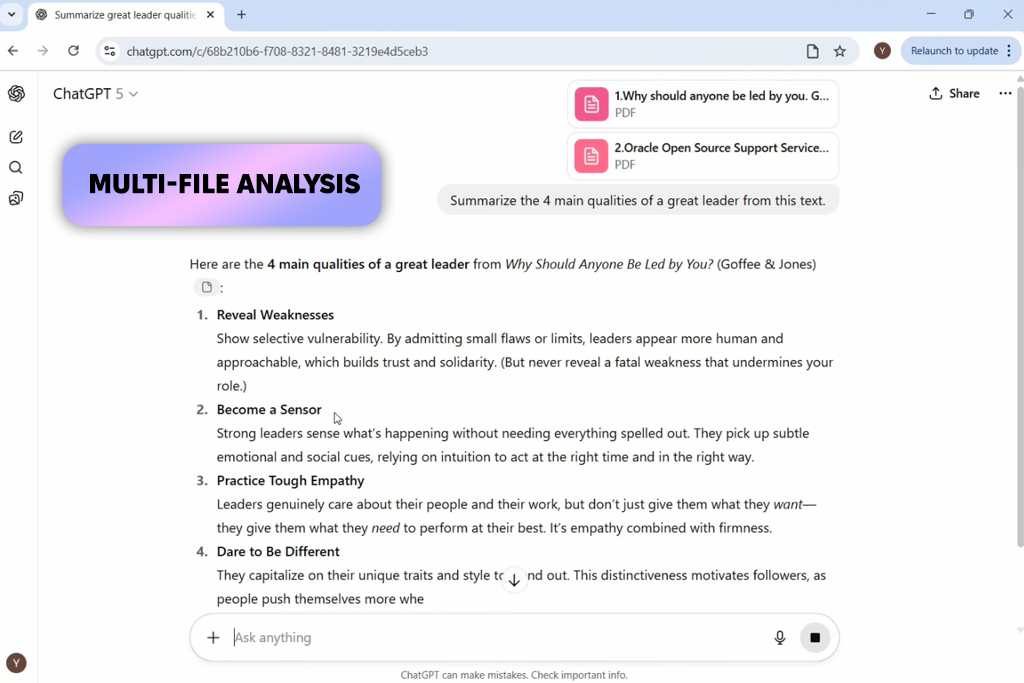
The main benefit that ChatGPT brings to the table is versatility. Not only can it be used as an AI document reader online, but it’s also a capable assistant that can convert regular documents into outlines, tables, checklists, emails, article structures, and brief summaries.
File Upload allows me to import either a single document or multiple files that I want to process in the same workflow. For instance, I imported a report and a brief, then asked ChatGPT to compare the main points, identify repeated concepts, and generate a basic summary table.
Additionally, I leveraged Multi-File Analysis whenever I wanted to figure out how different documents were connected.
ChatGPT is a particularly handy tool if a document is just the starting point of your project. A client brief can be transformed into a content plan, a multipage report can be broken down into a bullet-point summary, and a contract can be summarized into deadlines, risks, and questions for manual review.
However, you should never think that ChatGPT is an actual legal or financial reviewer. It can be very useful for explaining, summarizing, comparing, and restructuring documents, but names, numbers, dates, quotes, and other crucial clauses still have to be verified manually.
Key features:
Best for: long documents, detailed reasoning, policy files, contracts, reports, and complex PDFs
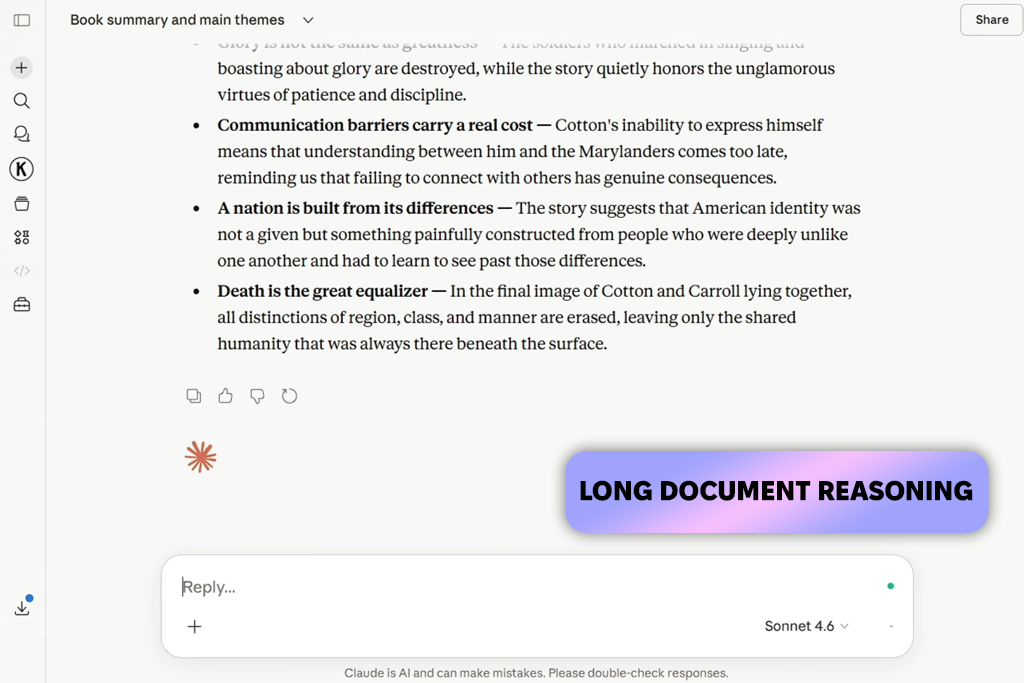
Claude is arguably the best AI document reader software when it comes to long, complex files. It can process both reports, policies, and contracts, as well as lengthy research papers that often require AI tools for content creation to properly organize data from complex sources.
I greatly enjoyed using the provided Long-Document Reasoning tool. Claude excels at understanding the larger context and breaking down how various sections of a file are connected to each other. Additionally, I employed Document Q&A to ask about individual text parts and Section Explanation if I felt that the phrasing was too formal or complex.
Claude is great for docs where the meaning is conveyed over multiple paragraphs rather than just a couple of sentences. It can explain a clause, compare multiple sections, and highlight details that require a more attentive manual reading. This is perfect for policies, agreements, reports, academic materials, and internal guidelines.
Claude is a lot more than a basic PDF summarizer, as its AI functionality is capable of providing reasoning, structure, and concise explanations of complex material. You still have to verify the answers, but the reading experience becomes a lot more streamlined and convenient.
“Claude is a great choice for longer PDFs with complicated phrasing since it excels at explaining more complex topics in simpler words.”

Key features:
Best for: research papers, literature reviews, academic summaries, evidence tables, and scientific document analysis
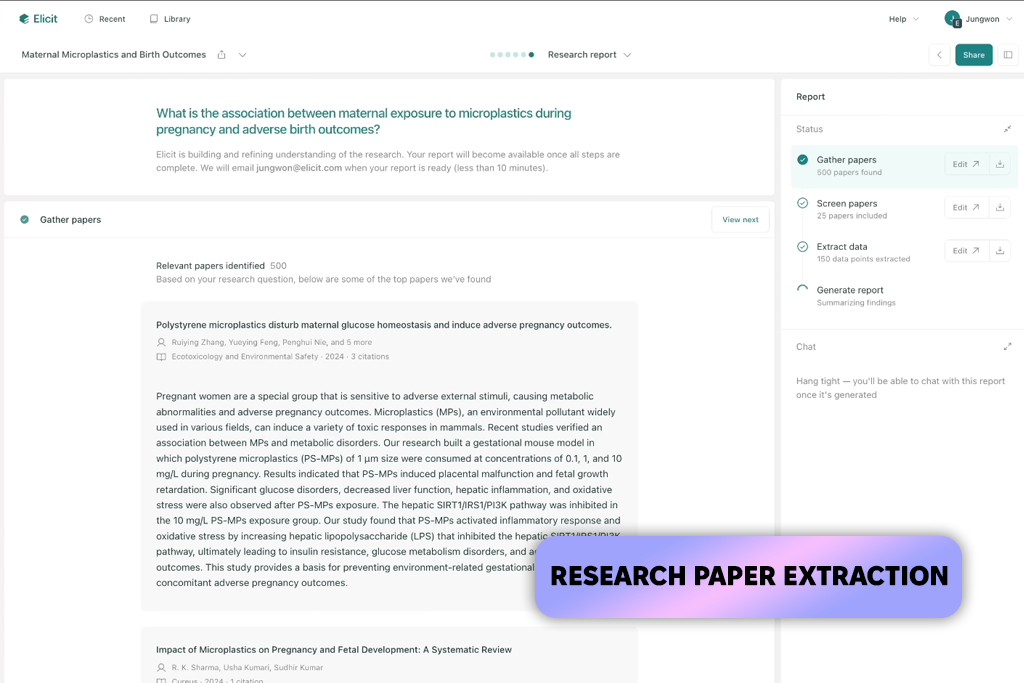
Research content requires a different type of AI document reading tools, and Elicit is perfect for the task. I used it for academic papers, literature review planning, and evidence-focused article research where I needed to not only summarize documents, but also figure out the main points of different studies.
I greatly relied on the Research Paper Search tool. I didn’t have to manually go through dozens of docs. Instead, I could write a research question and instantly be provided with relevant studies. I leveraged Paper Summary to quickly learn the main idea of every source and Data Extraction to retrieve research details like findings, methods, and limitations.
Elicit is a great fit for evidence-based workflows. It’s a lot better at structuring academic data compared to regular AI chatbots, particularly if you want to compare documents or put together a source-focused section for an article.
For contracts, invoices, user manuals, or everyday business files, Elicit can feel a bit too restrictive. However, for research papers, scientific articles, and literature reviews, it’s among the best AI document readers due to its focus on sources, research details, and organized evidence.
Key features:
Best for: quick PDF summaries, student reading, simple document Q&A, research articles, and quick answers from one PDF
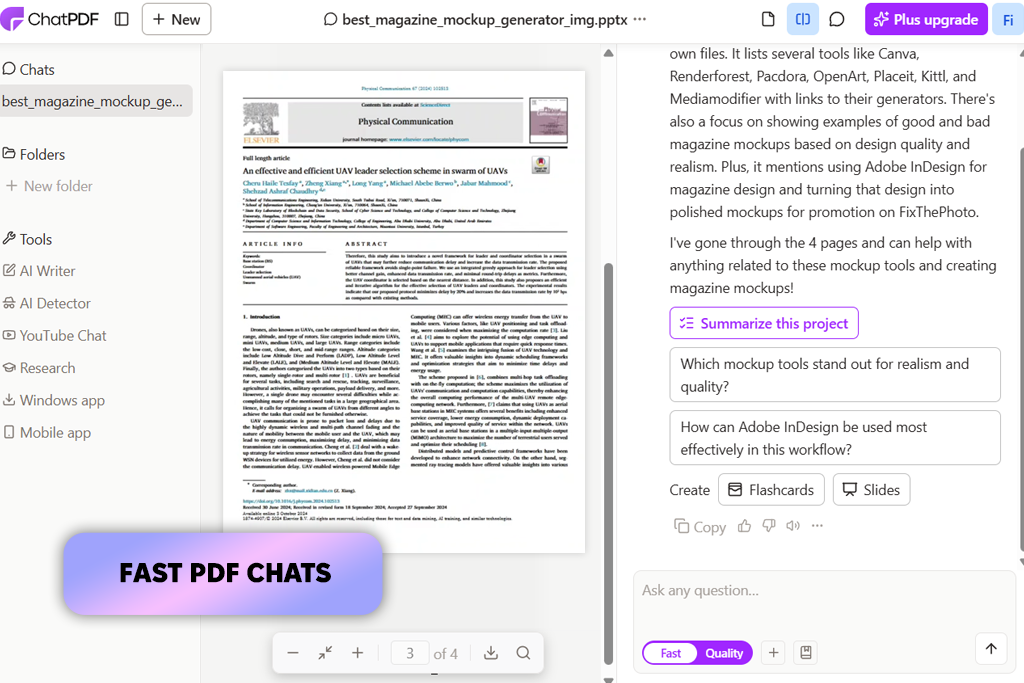
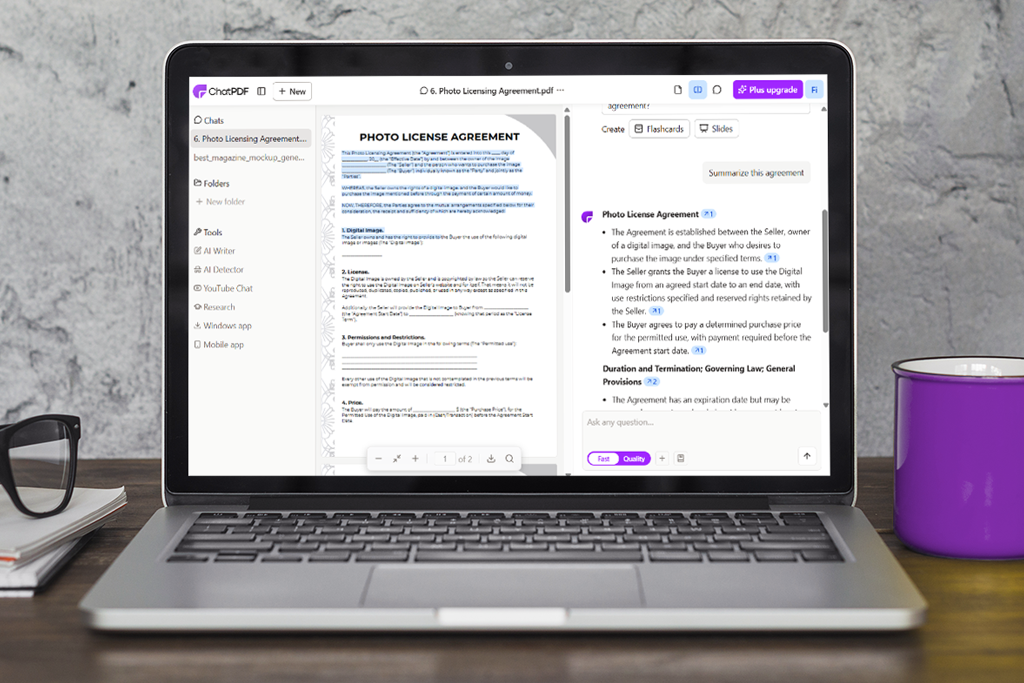
ChatPDF is among the most streamlined options on the market, and you can test this AI document reader for free. Using it is easy: import a PDF, ask a question, receive a relevant answer based on the information contained in the file.
If you pit Adobe AI Assistant Acrobat vs ChatPDF, you’ll notice that the latter is a lot more lightweight and easier to use, particularly for single-document projects.
I used PDF Chat to ask quick questions regarding different reports, guides, and research papers. It helped me easily receive explanations for one document without having to set up an entire research workspace. Additionally, I used PDF Summary to figure out the main points before studying the document more diligently.
ChatPDF is great for students, freelancers, and users interested in quickly learning what a PDF is about. It can break down sections, answer specific questions, and make a lengthier document feel a lot more approachable. The UI is pleasantly intuitive, allowing even completely inexperienced users to use this platform without having to learn any additional settings.
The trade-off is depth. ChatPDF is a great option for basic, quick tasks, but it’s inferior to other options when it comes to multi-document comparison, detailed extraction, or complex research projects. I recommend it for quick PDF reading, not for proper document-focused workflows.
“Stick to shorter, direct questions when handling a single PDF, since ChatPDF is better suited for quick answers rather than in-depth analysis.”

Key features:
Best for: PDF chat, document extraction, business files, PDF workflows, and users who need a dedicated PDF AI platform
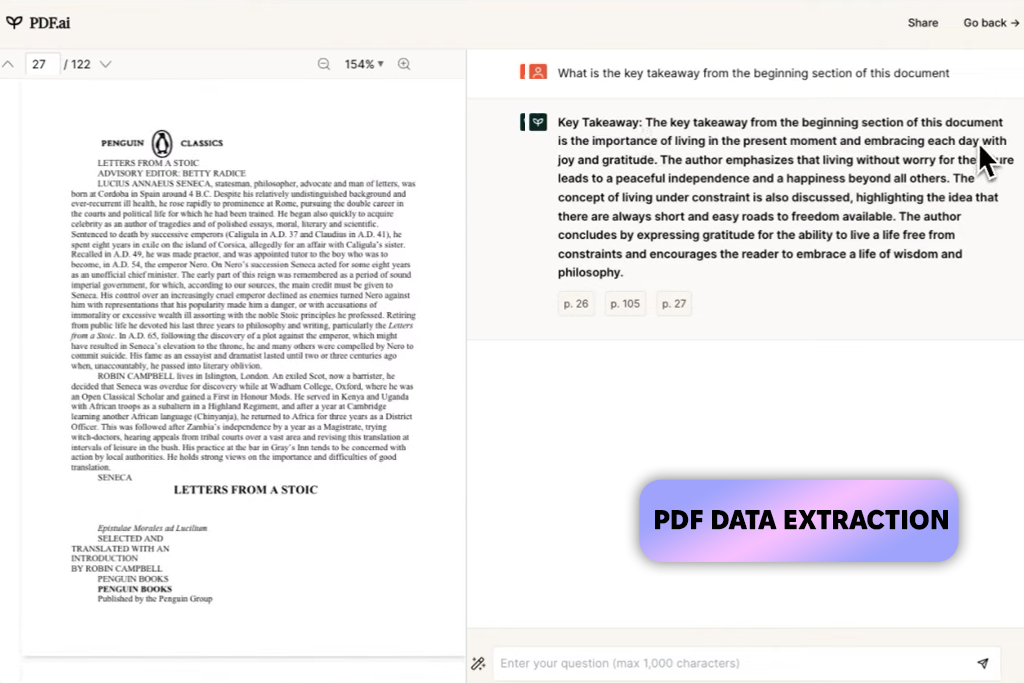
PDF AI is primarily aimed at people who work with PDFs daily. I used this AI document reader tool for business reports, company guides, manuals, and PDFs where I wanted to ask questions and extract key information.
The feature I used the most was Chat with PDF. It ensured the PDF was searchable in an organic manner. Additionally, I leveraged PDF Data Extraction to retrieve specific points from a document instead of having to read it in its entirety.
The specialized functionality of PDF.ai makes it a suitable option for business documents, contracts, reports, and manuals. However, this platform can’t match the flexibility of a regular chatbot since it was developed entirely around PDF interaction.
If your main goals are general research, academic paper discovery, or creative writing, consider choosing a different solution. PDF.ai prioritizes convenient PDF communication: import a file, ask your questions, receive answers, and have them all neatly organized in a separate section.
Key features:
Best for: invoices, forms, receipts, business data extraction, large-scale document processing, and enterprise workflows
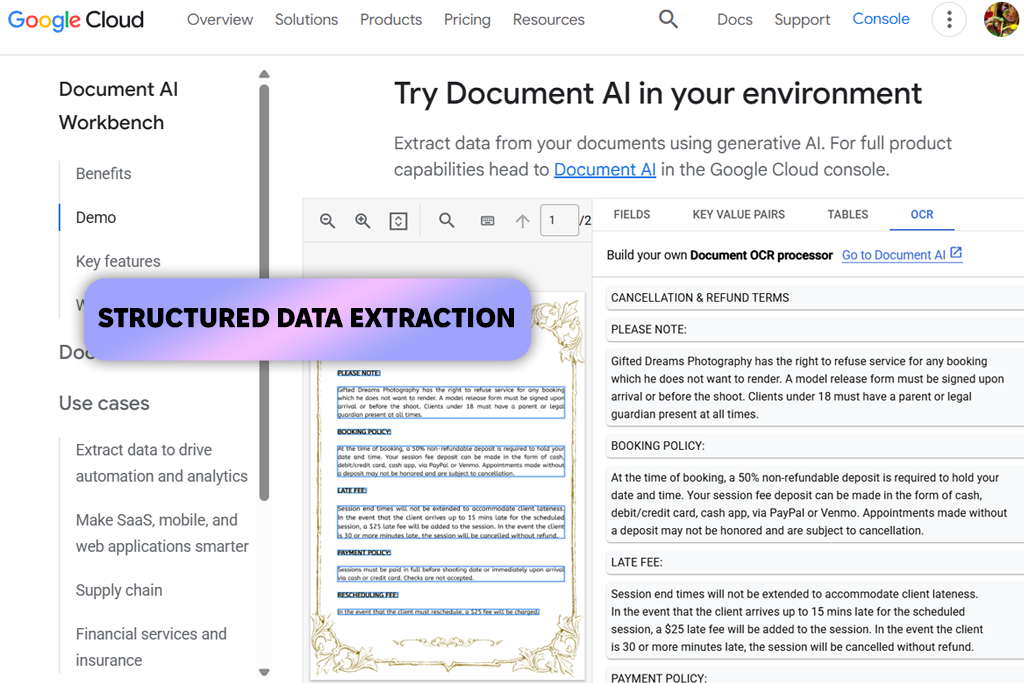
Unlike some of the free AI document readers featured in this overview, Google Cloud Document AI was created to act primarily as a business automation platform. During my test, I leveraged it for organized document processing while handling invoices, forms, receipts, and business files that contained an identical type of data that I wanted to extract.
This solution is most often used for its Structured Data Extraction feature. Rather than requesting a basic summary, you can retrieve data points like invoice numbers, dates, totals, vendor names, addresses, and line items. Moreover, I used its Form Parser and Document Classification to automatically categorize and break down a large number of files.
Google Cloud Document AI is a natural fit for document-heavy workflows. It’s widely used by accounting, logistics, finance, insurance, and enterprise teams to minimize manual data input and create automated document-centered pipelines.
It’s hard to recommend this platform to beginners or users who simply want to summarize a couple of PDFs. If you want to find the best AI tools to chat with PDF, then consider options like ChatPDF, Acrobat AI Assistant, or UPDF.
“Leverage this platform if you need to extract a specific type of data from a large number of invoices, forms, or receipts.”

Google Cloud Document AI requires quite a bit of setup and has a more technically challenging workflow. However, if your priorities are business automation and large-scale PDF processing, this is one of the best AI document readers on the market.
Key features:
Best for: source-based notes, research projects, study materials, long reports, and multi-document work
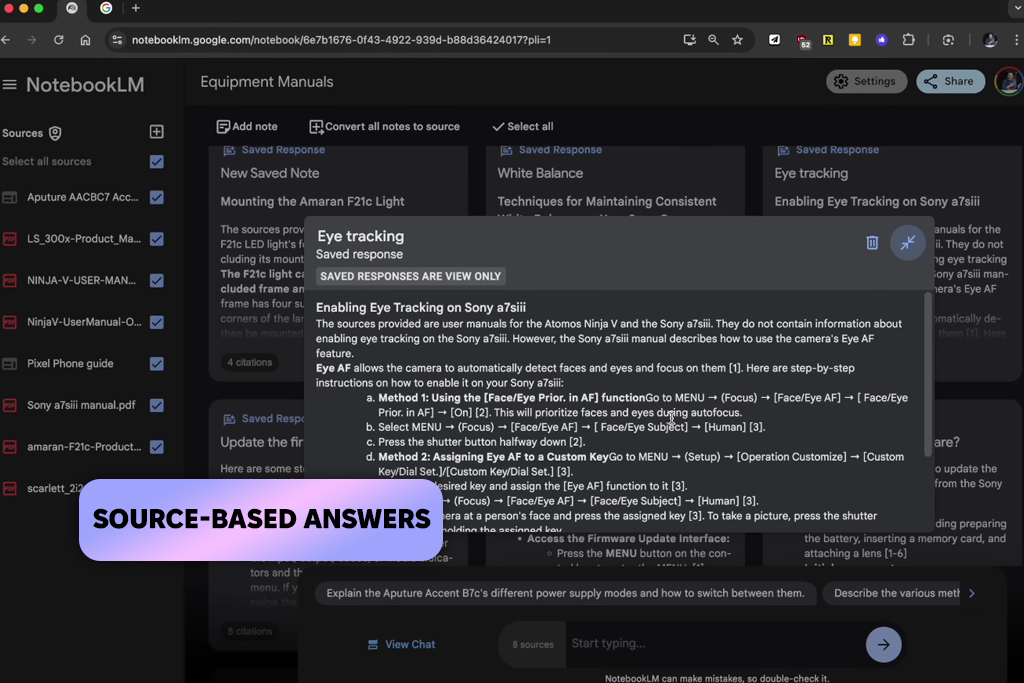
NotebookLM is quite different from regular AI document reader software, as its main purpose is to understand and analyze sources. I used it by importing multiple documents simultaneously, including reports, notes, research papers, and client-style references.
I got the most use out of the Source-Based Answers function. Rather than generating a typical AI answer, NotebookLM analyzes the imported sources, which is great if you want to ensure the response is tied to specific documents.
Additionally, I took advantage of the Notebook Organization feature to properly structure my materials and Document Summary to quickly learn the key points of each source.
It’s incapable of editing PDFs, and that was never its goal. NotebookLM’s main purpose is to ensure long, confusing documents are easier to understand, organize, and integrate into other projects.
Key features:
Best for: PDF reading, PDF editing, summaries, translations, explanations, and users who want AI inside a PDF editor
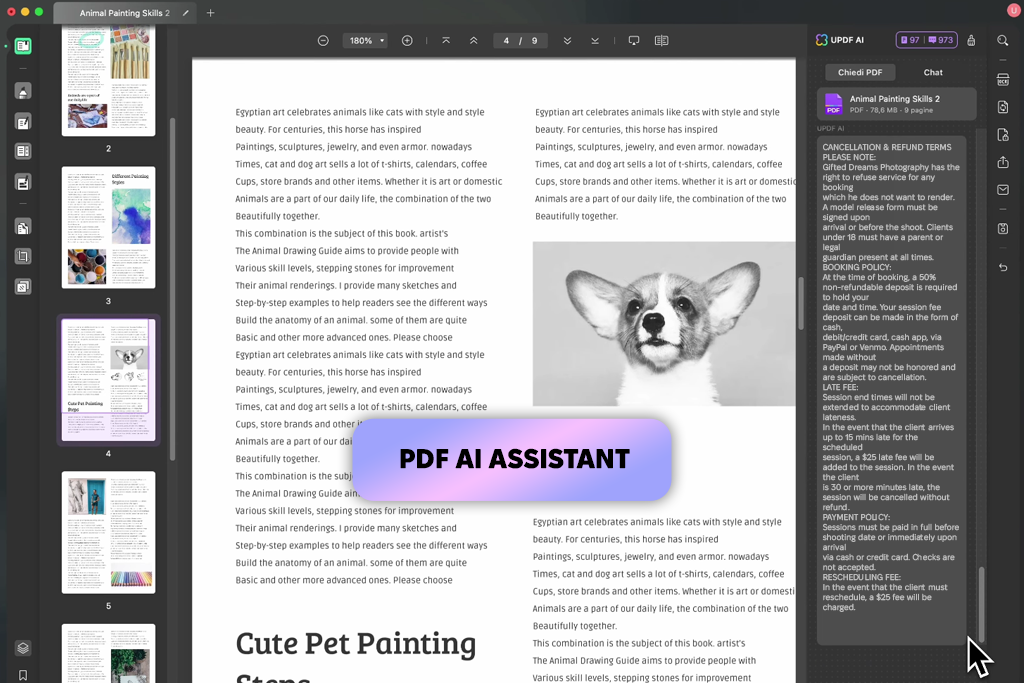
UPDF is a great AI reader for documents if you want a tool that can also be used as a PDF editor. It helped me with manuals, research materials, contracts, and guides where I had to read, highlight, summarize, and break down PDF content all within a single platform.
I particularly liked its Chat with PDF feature, since it’s great at responding to questions related to specific parts of a document. I was also happy with the results provided by the PDF Summary, PDF Translation, and PDF Explanation tools, as they all helped me make sense of overly technical sections or understand text that was written in a different language.
UPDF is a fantastic practical solution for daily document-related tasks. You can open a PDF, annotate and edit it, and utilize AI to explain confusing sections without having to use any other software.
It’s not as advanced as specialized research platforms like Elicit or enterprise-grade solutions like Google Cloud Document AI, but it’s fully capable of handling everyday PDF reading and editing while also feeling a lot more intuitive to use.
“Begin by summarizing your document, then employ translation or explanation features only for parts of the text that still feel confusing.”

Key features:
I adhered to our standard testing process), and the FixThePhoto team helped me evaluate all the best free and paid AI document readers based on how they handled actual files rather than blindly believing in marketing promises.
We prepared a variety of common document scenarios: a lengthy PDF report, a contract, a research article, a client brief, a scanned business document, a table-filled PDF, and multiple source materials for academic research. This allowed us to evaluate the speed of each solution and the accuracy of the answers.
The final rating was calculated based on factors like document understanding, summary quality, source relevance, variety of offered workflows, user-friendliness, PDF processing, research value, extraction features, and how useful each solution felt when handling actual projects.
Acrobat AI Assistant is great for PDFs, while ChatGPT, Claude, Elicit, and NotebookLM are better suited for multi-file analysis, longer documents, research papers, and source-focused projects.
An AI document reader is a solution capable of summarizing, explaining, and examining files as well as responding to questions based on the information contained within the uploaded PDFs, reports, contracts, research papers, invoices, and manuals.
Yes, multiple platforms provide free access or free beginner plans. ChatPDF is among the most convenient solutions to try for fast PDF questions, while ChatGPT, Claude, NotebookLM, Acrobat AI Assistant, and UPDF also offer free or limited-access options.
For quick PDF questions, ChatPDF is among the most user-friendly options you can check out. For more multifaceted document tasks, ChatGPT and Claude are a better fit, while NotebookLM is great at handling research notes.
Yes, solutions like UPDF were designed to read PDFs, summarize them, respond to questions, explain sections, and process scanned or visual content.
Yes, most options featured on this list are available online. The PDF AI is a great example of an online solution that allows chatting with PDFs and extracting key information.
Elicit is the most advanced solution for academic research since it prioritizes scientific papers, summaries, and data extraction.



![7 Best Photo Grid Makers [No Design Skills]](http://fixthephoto.com/blog/images/gallery/news_main__preview_29018.jpg)


![9 Best AI Car Video Generators [{{%year}} FixThePhoto Choice]](http://fixthephoto.com/blog/images/gallery/news_main__preview_29281.jpg)
![9 Best Image Brighteners Online [{{%year}} FixThePhoto Choice]](http://fixthephoto.com/blog/images/gallery/news_main__preview_29194.jpg)

![7 Best HEIC to JPG Converters [{{%year}} FixThePhoto Choice]](http://fixthephoto.com/blog/images/gallery/news_main__preview_29011.jpg)
![7 Best Badge Makers [Create Designs That Sell]](http://fixthephoto.com/blog/images/gallery/news_main__preview_28983.jpg)

















