Generative video is developing fast, and AI car video generators are one of the most demanding places. Vehicles are unforgiving, as every frame has shiny surfaces, complex geometry, and physics that viewers instinctively recognize when something is incorrect.
I work in AI-assisted content production professionally, and a few months ago I ran a commercial project that relied entirely on AI-generated driving clips for paid social campaigns. The results prompted a flood of questions from peers wanting to know exactly which tools I had used.
Rather than giving a quick answer, I treated the question as an opportunity to run a more structured comparison. Several colleagues from the FixThePhoto team joined the process so we would have multiple creative perspectives rather than a single point of view.
We tested 30+ AI car video generators interpreted prompts, whether vehicle proportions stayed stable during motion, what the reflections and lighting looked like, how quickly results came back, and whether the output was usable for client work without heavy correction.
We quickly figured out that the prompting technique affected outcomes more than the software you use. Because of that, I have included the universal automotive prompt I refined throughout this process. You can copy it, plug in your car model, and adapt it for whatever generation style you are working in.
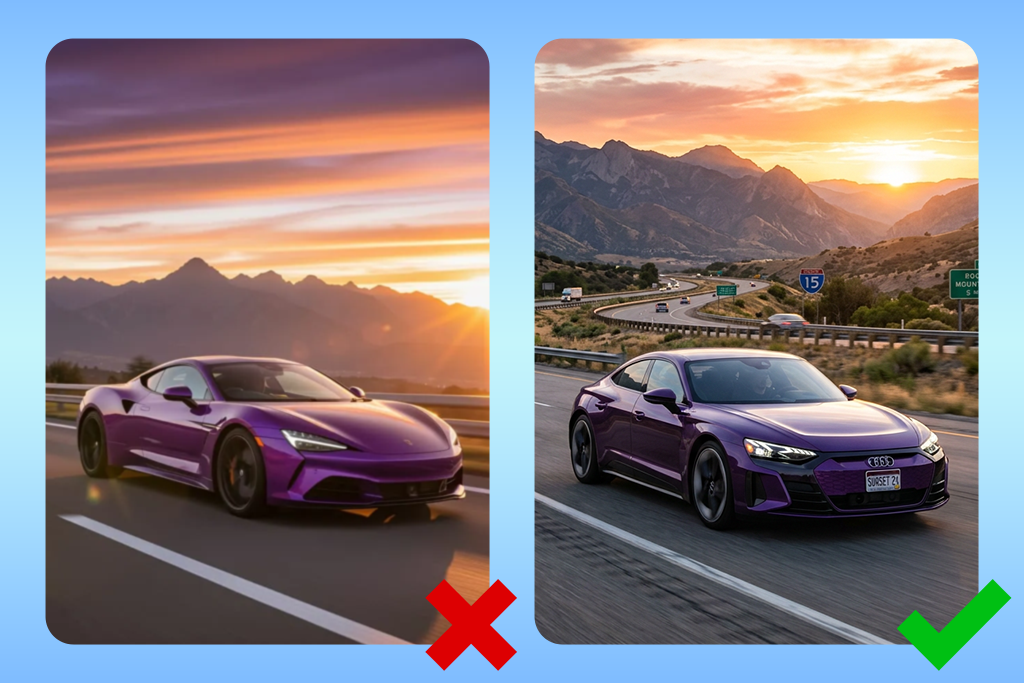
Switching to a better AI car video generator rarely fixes bad automotive footage. In the majority of cases, the problem is a vague prompt, a chaotic scene setup, or motion instructions that no physics engine would take seriously. These seven habits have a huge impact on the output quality across every platform we tested.
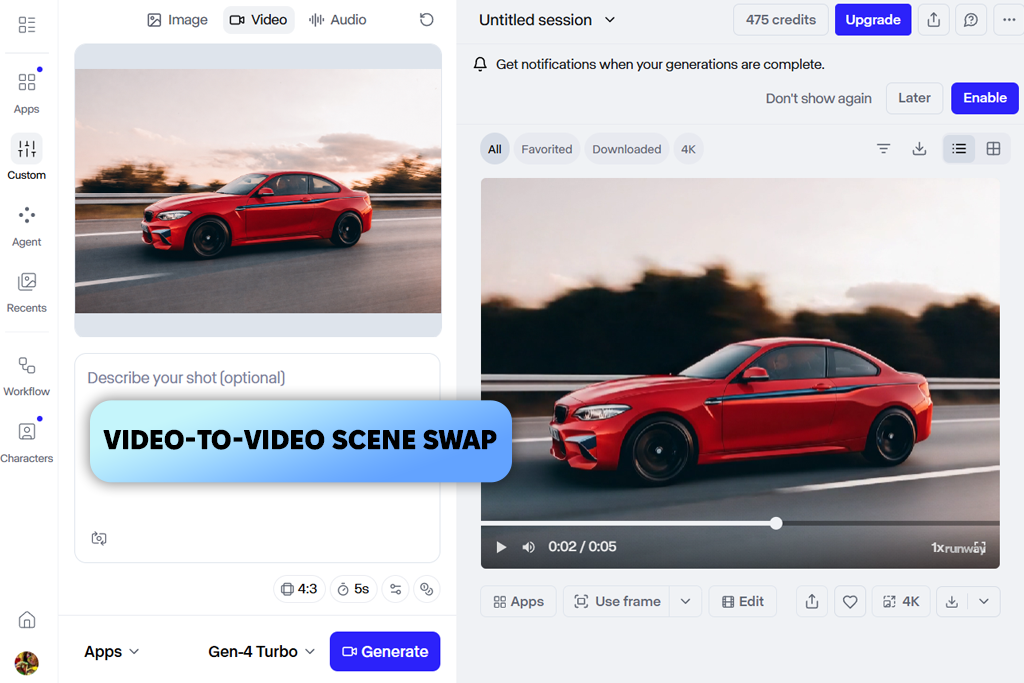
If there is one car AI video generator where the car looks like it has weight and momentum, it is Runway. Every member of our team who tested it independently ranked the motion quality above the other tools we evaluated. I ran both the text-to-video mode and the Image to Video alternative.
When making a recognizable model for a client or a branded car that needs to stay consistent, opt for image-based generation. I uploaded a front-angle still of a black Porsche, paired it with a prompt specifying rain-soaked downtown pavement and a rolling low-angle camera, and received the output that looked like something from a real location shoot.
Gen-4.5 combined with the manual camera controls is the bragging point of Runway. The platform does not just move the car. It understands what a tracking shot should look like and how a drone pull-back should be presented. Moreover, it fully discerns what a low-angle street perspective implies about speed and drama.
"Runway just handled the camera work. I set up a tracking shot for a dark SUV and didn't have to tweak anything. The movement came out clean on the first try."

I used Video-to-Video tools afterward to layer in subtle rain and fog, then upscaled for social delivery. Wheel geometry and headlight consistency during motion were noticeably stronger than in any of the Runway alternatives I tested.
Where other tools generate a car that happens to be moving, Runway generates footage that looks deliberately shot. Prompts using cinematic framing language, e.g., pull back, side pan, or pursuit camera, are interpreted smartly.
There were occasional background distortions during aggressive turns in longer clips, but for promotional driving footage and social advertising content, the output was consistently above the threshold for professional use.
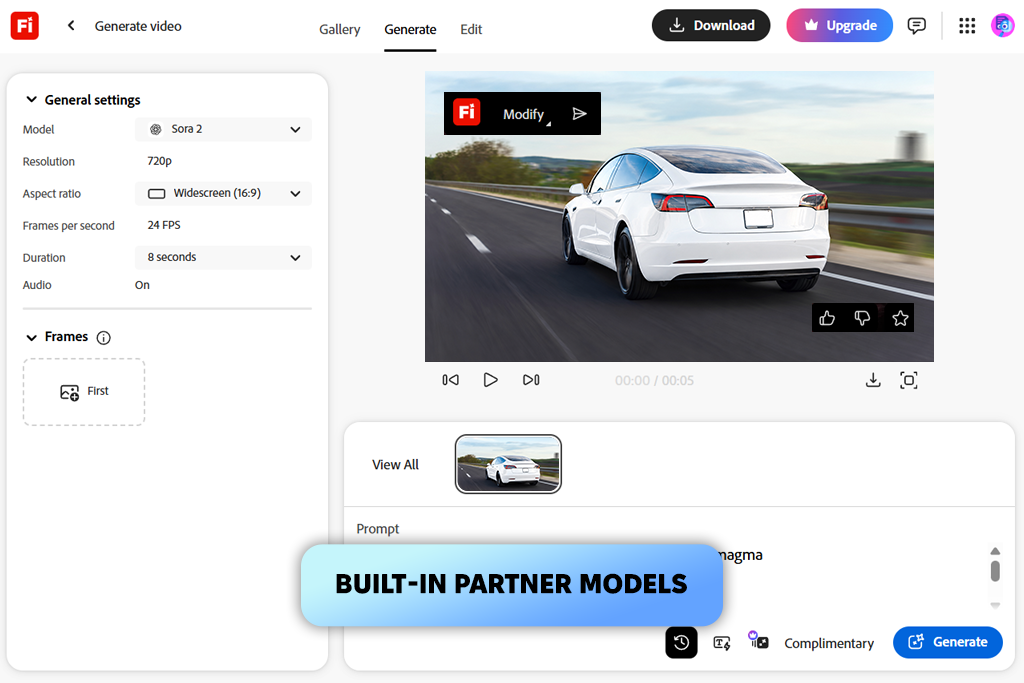
The reason Adobe Firefly video model became my default during this project was the fact that I could generate something, immediately open it in Premiere, cut it into the timeline, make a decision, and go back for another pass. For anyone already embedded in Adobe tools, that possibility matters enormously.
Most of my automotive scenes started from reference images rather than text alone. A clean side-profile photograph of a vehicle gives the model something concrete to work from, which means the resulting animation preserves the character of that specific car rather than producing a plausible-looking generic substitute.
"I like that I don’t have to jump between apps. Generate the clip, open Premiere, fix the pacing, done. Everything stays in one place."

I also discovered partway through testing that the built-in model switching was more useful than I had expected. Being able to flip between Adobe's own engine, Kling, Veo, or Runway within the same interface let me run a quick comparison without logging into four separate platforms.
What Firefly does particularly well is the finished look of the output. Even the first generation tends to come back good. The lighting is calibrated, while considered framing and the overall aesthetic sit comfortably in the premium automotive space.
Can it be called the best AI car video generator? Frankly speaking, it can, delivering results that look like advertising on the first try. For racing-style content or anything requiring physical aggression in the movement, I would reach for Runway. For commercial automotive content where polish and workflow efficiency matter as much as raw realism, Firefly is the stronger choice.
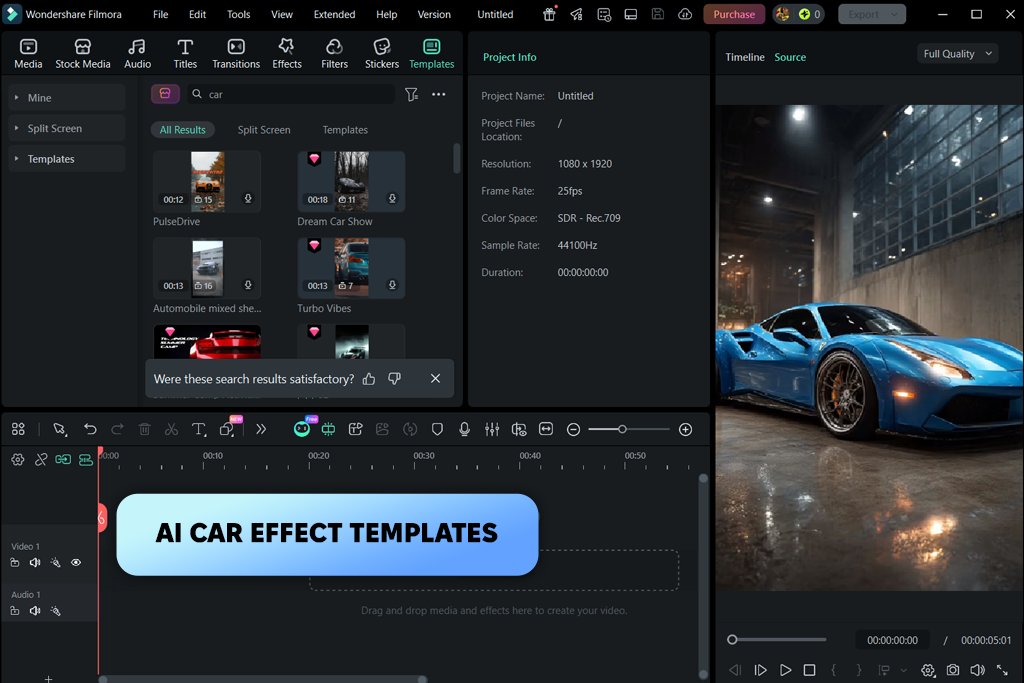
Filmora Filmora has spent years being categorized as an entry-level editing tool. That label has stuck long past the point where it stopped being accurate. The AI image-to-video features in the current version are handy and powerful. I opened it to run a few quick mobile tests and ended up staying far longer than I planned once the generator produced the results worth examining more carefully.
I focused on taking static car photos and using a combination of the built-in cinematic presets and custom prompts to generate short clips. A matte gray Nissan GT-R photo paired with a night highway prompt and a motion preset produced a transition that was surprisingly well-handled for something running entirely on a phone. The practical advantage here is the possibility to take the generated clip directly into the same editing timeline without any export step.
The place where Filmora stumbles is the heavier template effects. Some of them are designed to impress at first glance rather than produce footage that serves automotive content. Robotic transformations and exaggerated sci-fi motion have their audience, but that audience is not automotive marketing professionals.
The moment I moved away from those templates and built outputs around custom prompts and subtle scene presets, the results became substantially more useful. Still, for quick social content, review-format clips, or mobile creative work, Filmora is a good AI automotive video generator.
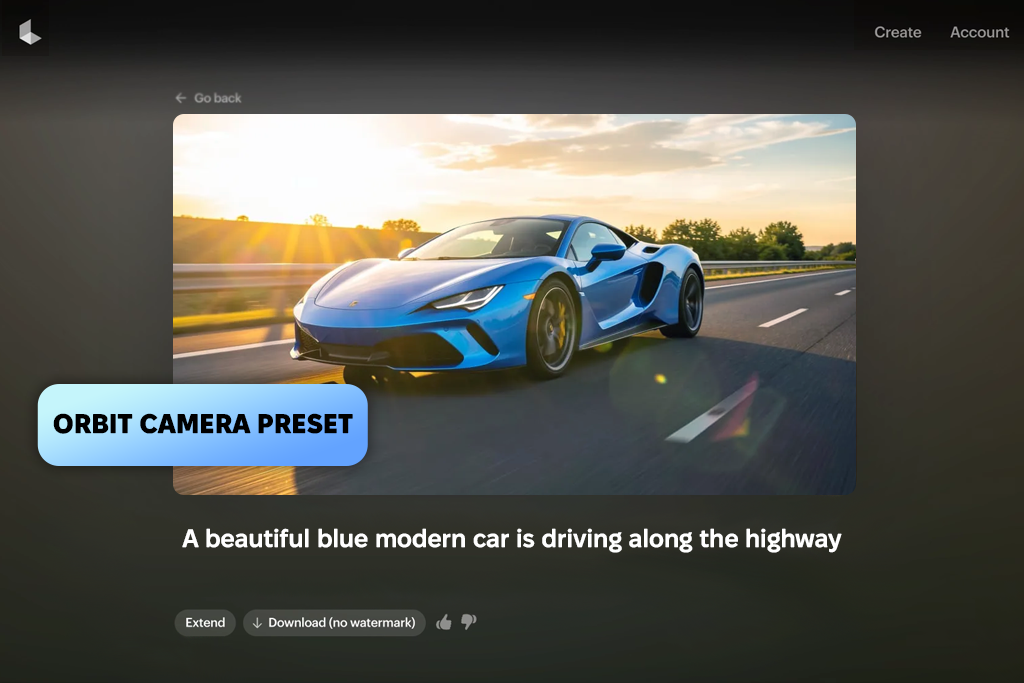
My first move in Luma Dream Machine was deliberately aggressive. I uploaded a car, set up a demanding prompt with an “Orbit” camera preset, and saw where the geometry started to break down. The headlights stayed put and the body proportions held. The tire smoke looked like it had actual mass.
Most tools reveal their weaknesses quickly when you push them. This generative AI tool took longer to find its ceiling than I expected.
"I spent less time fixing prompts and more time using the footage. Cinematic slow shots looked solid. But detailed city backgrounds tend to blur out a little once the camera starts moving faster."
The built-in camera presets make Luma stand out from the field. “Push In” and “Pan Right” are not just labels. They produce movement that reflects what those terms actually mean in cinematography. Showroom-style luxury shots using slow push movements looked polished enough to use directly without tweaking. The speed was high, so testing camera behaviors was easy.
Keyframing was the other feature that appeared more valuable than I anticipated. By setting both the opening frame and the closing frame, I could control how the car entered and exited the composition, namely, whether it approached the camera from a distance or departed cleanly to the edge of frame.
The main limitation to note is that urban scenes with dense lighting and reflective backgrounds became somewhat unstable during complex camera rotations. The car itself consistently held up. The environment behind it, in busy scenes, occasionally lost definition. For vehicle-focused footage where the car is the clear subject, that is a manageable tradeoff.
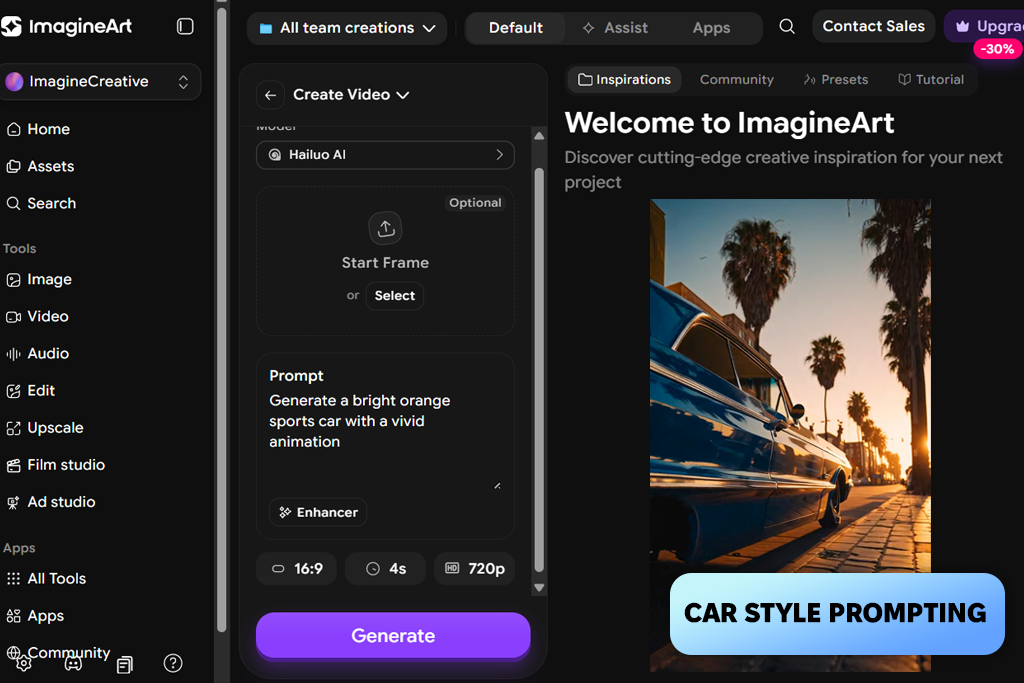
A colleague who does a lot of early-stage concept work kept recommending ImagineArt, and I came in with modest expectations. This tool occupies a specific and legitimate niche. It is exceptionally good at answering the question "what should this feel like?" before you know what it should literally look like.
For mood exploration and visual briefing, especially across automotive brand registers like futuristic, retro, or luxury, this automotive video generator AI moves faster than anything else on this list.
"Great for early creative decisions. I could jump between a retro look and a futuristic one in minutes. A few clips looked more like illustrations than footage, but when you're just exploring directions, that's not a big problem."

Working from text prompts rather than reference images, I tested how far the platform could take atmospheric styling. The clips it produced were clearly more designed than simulated. It was like a visual language of a high-end car teaser rather than footage someone could mistake for a real location shoot.
In the context of social media teasers, concept reels, and early-stage creative pitches, it is not as crucial as for a product commercial. For those use cases, the stylized quality is actually an asset.
The speed of iteration is useful when you are making directional decisions rather than production decisions. 5-second clips come back fast enough that you can cycle through several visual concepts without stopping to think about prompt architecture.
The limitation becomes apparent when you need precision. Detailed close-up work on reflective surfaces like wheel faces, door handles, and mirror housings becomes too soft and won’t pass review in a final production context.
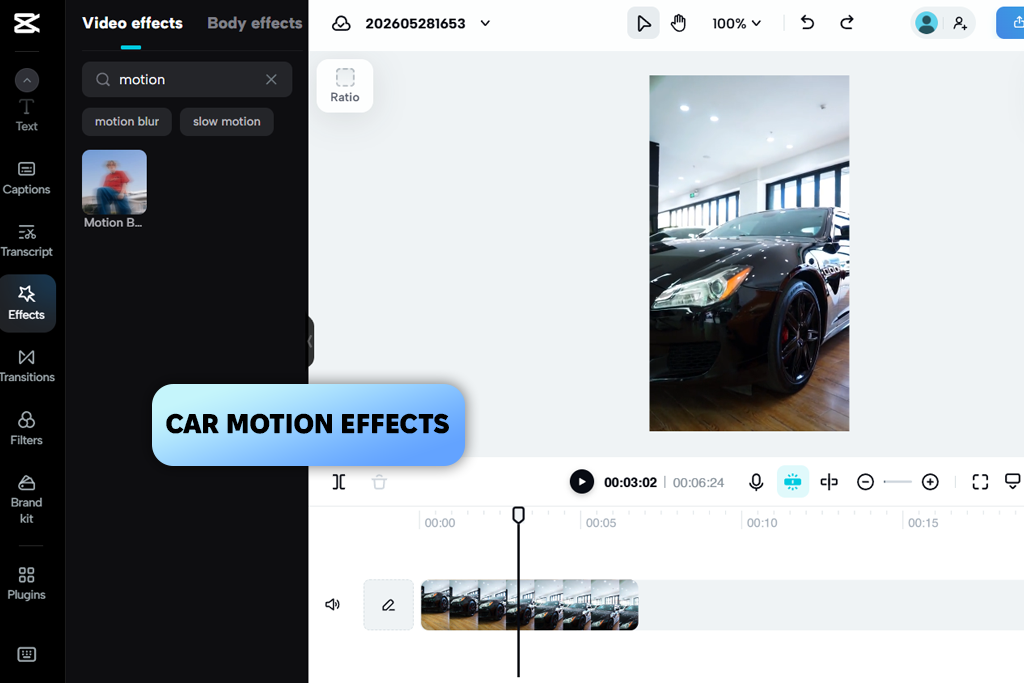
CapCut is not a generation-focused tool at its core. Rather than testing it for its ability to create footage from scratch, I treated it as a video editing app where existing automotive material could be shaped into something suitable for social channels. That is the more honest framing of what CapCut is, and once you approach it that way, it performs well above its casual reputation.
"It's good at making simple footage look like it's going somewhere. The effects work, but you have to pick carefully. A few of them crank everything up too much, and I had to adjust manually."
I brought in a straightforward highway driving clip and layered in speed ramping, directional blur, artificial camera shake, and aggressive cut timing. The result had more kinetic energy than the source material justified, in a good way.
The car-themed templates in CapCut are also more adaptable than they first appear. By using them as structural foundations and replacing the effect intensities and timing, I received better results than when using presets untouched or building from scratch.
The critical aspect when working in CapCut for automotive content is restraint. The platform makes it very easy to add effects, and each individual effect can seem reasonable on its own. Combined, they may create an overly artificial look.
You should pull effects back by 30-40% across the board by lowering blur intensity, reducing speed ramps, and using fewer simultaneous transitions to get a more natural outcome. CapCut is a strong AI car commercial generator, not a simulation platform, and it works best when you respect that distinction.
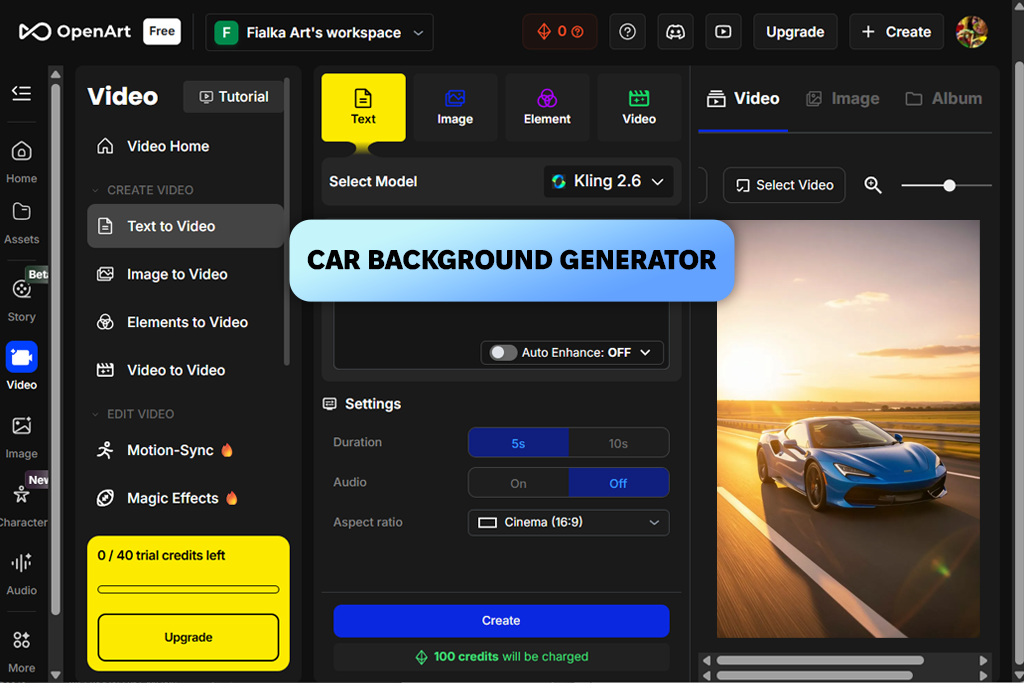
I went into OpenArt with a deliberate strategy, focusing not on physical realism, but on mood and atmosphere. “A white coupe in a neon-lit parking structure, slow camera rotation, and vertical format” became my test case.
Instead of chasing accurate vehicle dynamics, I used the style controls to push color grading, environmental character, and visual tone. The results came back faster and more usable than when I had previously pushed the platform toward complex simulation.
The most productive approach was building prompts around the environment and letting the vehicle function as a visual anchor within it. This AI clip maker handled retro urban lighting, minimal showroom interiors, and stylized street settings better than it handled demanding physics or intricate reflections.
The platform seems to be oriented toward a designer's sensibility, offering strong visual identity, confident color decisions, and fast iteration. This is genuinely useful for brand concepting and aesthetic exploration.
The tradeoff is that technically demanding automotive work like precise reflection behavior, mechanical motion accuracy, and complex camera choreography requires considerably more prompt refinement and patience. This AI car video editor rewards users who know when to use it and for what.
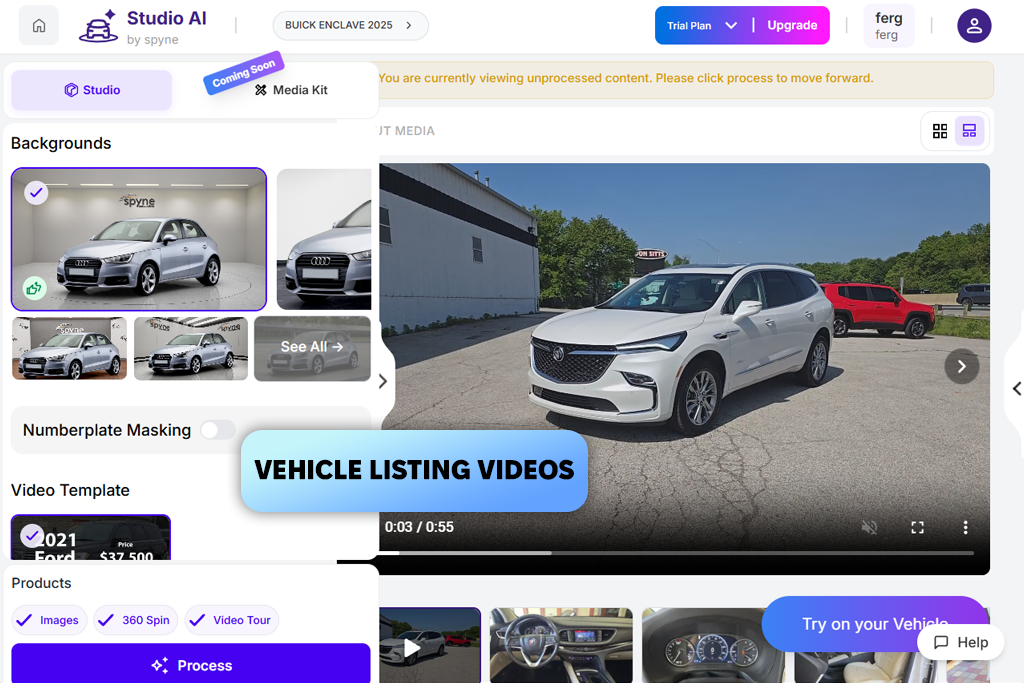
Spyne is the only tool on this list that was built with a specific business function in mind rather than a creative one. It is aimed at automotive retail. That focus is apparent from the first screen. Every other AI car promo video maker in this evaluation asks how to make a car look extraordinary, while Spyne is asking how to make a car look trustworthy and buyable.
I uploaded a standard walkaround photo set from a showroom and worked through the platform's presentation tools without trying to push it toward anything it was not designed for. The resulting content was clean, clearly composed, and immediately recognizable as professional inventory-level material.
The emphasis on legibility. Exterior panels are in focus with accurate proportions and balanced lighting. They reflect the actual needs of someone browsing a vehicle listing rather than watching a Super Bowl ad.
Trying to use Spyne for concept work or emotionally-driven automotive storytelling is the wrong thing to do. It did not fail at those tasks at all, but the output simply lacked the energy and visual drama that other platforms produce naturally in that territory.
Spyne belongs in the workflow of dealerships, inventory platforms, and automotive retailers who need consistent, professional video content from standard photography at scale. For that specific use case, nothing else on this list competes with it directly.
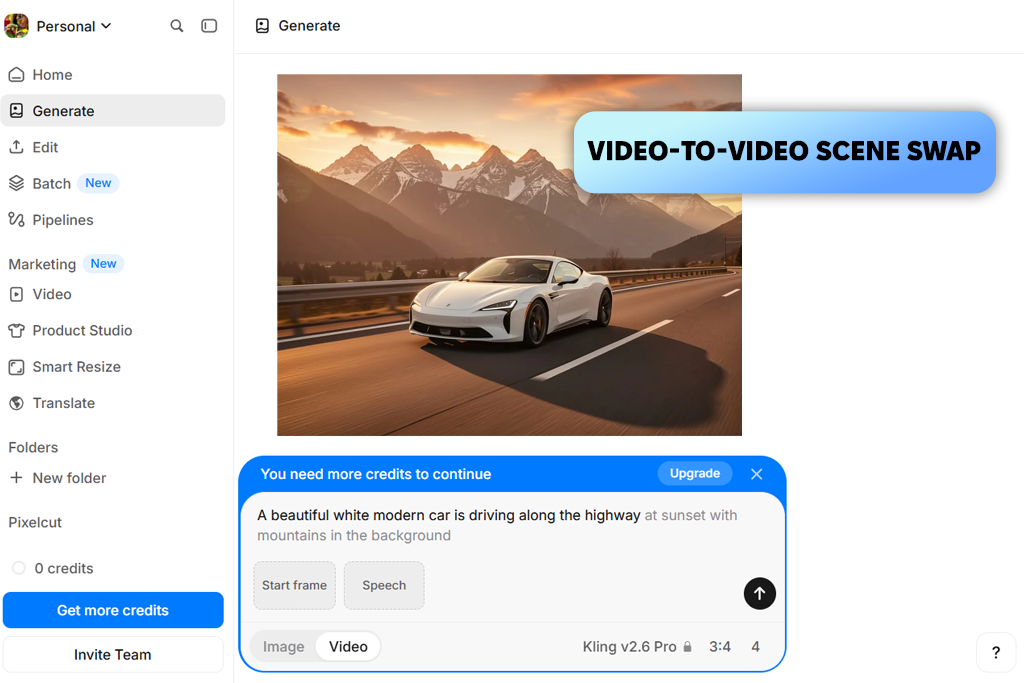
The appeal of Pixelcut is immediate. You upload a car photo, type a short description of the motion you want, and receive something usable in a very short time. Thanks to such simplicity, the platform is accessible to people who want animated content without building a prompt engineering practice or learning the vocabulary of AI cinematography.
I used a sharp photo of a dark blue Mustang and asked for a slow night cruise through lit streets with wheel movement and surface reflections in the neon glow. The quality of the source image was doing a lot of the work. Pixelcut's animation responds directly to the clarity and resolution of what you give it, more visibly so than most other AI car video generators. With a clean input, the motion it generated was controlled and visually coherent for social use.
The platform is clearly most comfortable with subtle, naturalistic movement, namely, a slight drift, a gentle roll forward, and ambient environmental motion around a stationary subject. When I pushed toward more complex physics, drifting sequences, or intricate camera paths, the output lost conviction.
Generic prompts produce generic results. The following examples were written around specific production contexts, not just visual descriptions, but defined use cases and filming approaches. Swap in your vehicle and adjust the environment as needed.
For luxury automotive commercials:
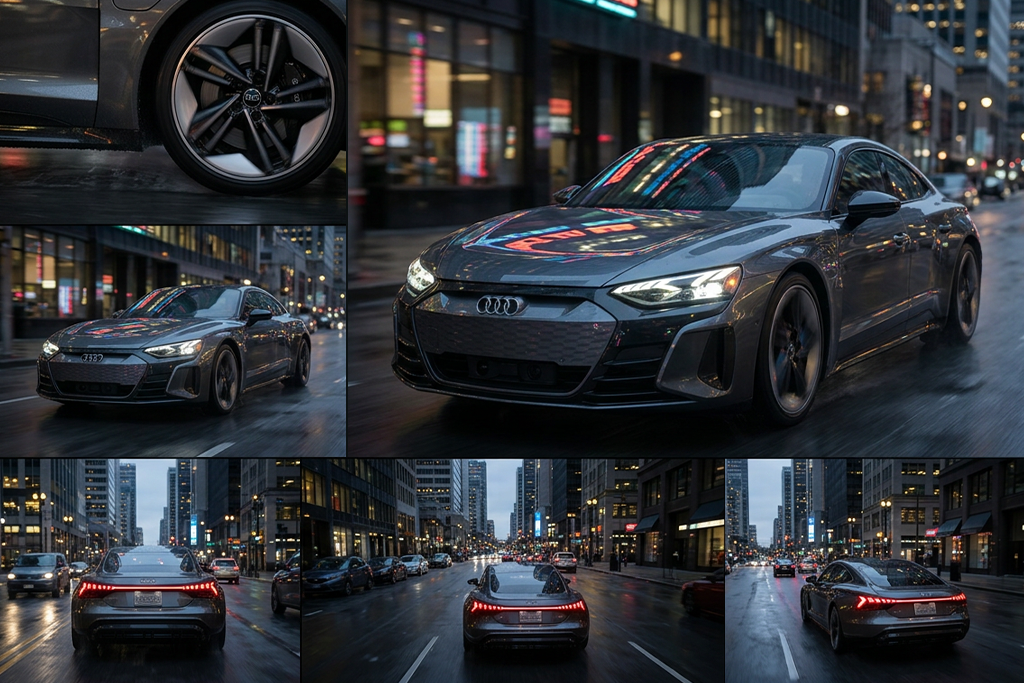
For realistic driving footage:
For social media car edits:
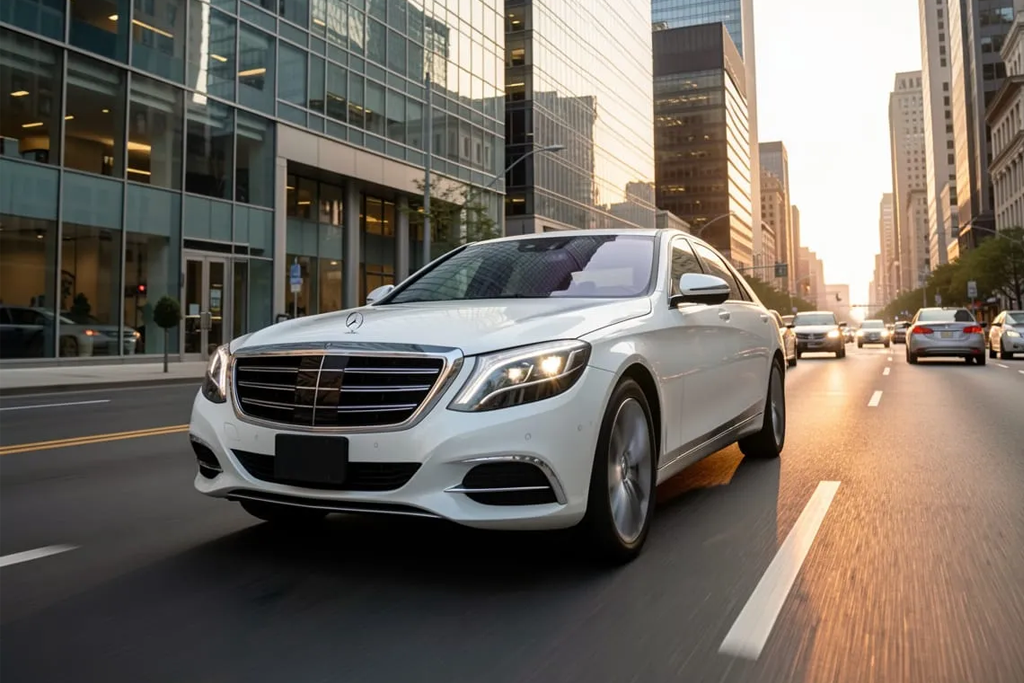
For dealership & inventory videos:
For concept cars & futuristic visuals:
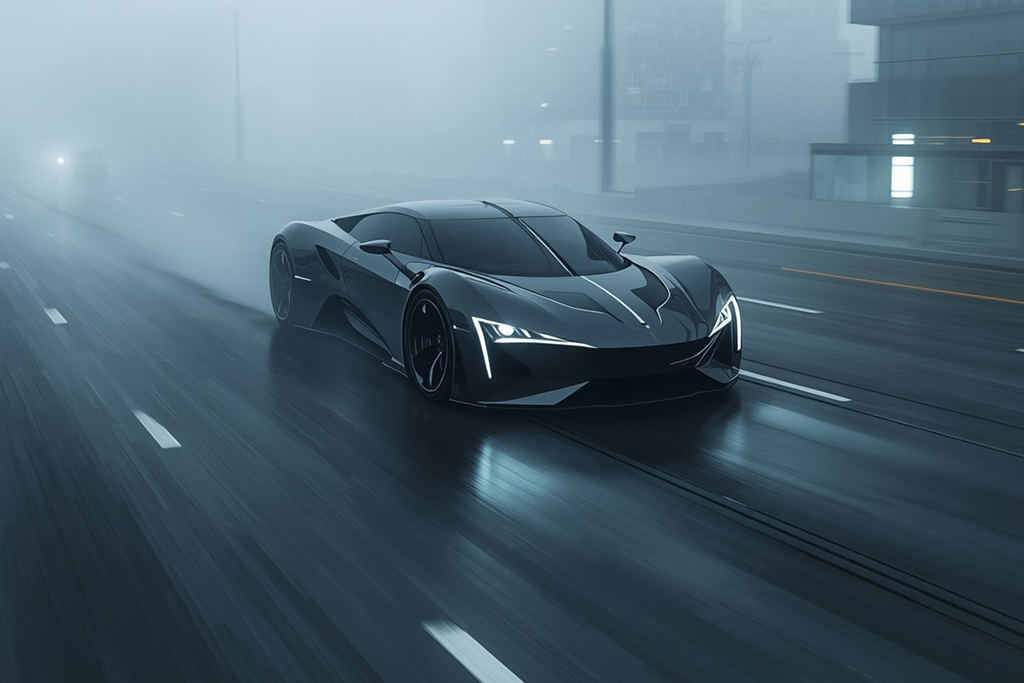
We set a single qualifying question before we started testing AI car video creators – does this tool produce footage that could appear in a real campaign without embarrassing whoever approved it?
Everything else followed from that. Demo clips curated by the platforms themselves were irrelevant to us. We were more interested in consistent, usable results under normal working conditions using standard prompts.
Vehicle motion quality was the first filter. I ran every platform through a range of driving scenarios, from smooth showroom rotations to faster road sequences, and the entire FixThePhoto team paid particular attention to whether the car looked like it had actual mass or was sliding across a background on a track.
Kate handled prompt responsiveness testing with detailed cinematic instructions that used the language a real director or cinematographer would use, covering camera movement type, lens behavior, lighting conditions, weather, and environmental context. The goal was to find out whether a car AI video generator was interpreting creative direction or just pattern-matching on keywords.
We also evaluated image-based workflow performance separately, since maintaining a specific vehicle's visual identity (critical for any branded automotive content) is a different challenge from generating a plausible car from a text description.
Eva examined the production practicality of each platform. She did her best to figure out how long renders took, what editing options were available after generation, whether the aspect ratio and format options matched real distribution needs, and how smoothly generated footage integrated into an editing timeline.
The final measure was output durability. A single impressive frame in a five-second clip is not enough. We looked at consistency across the full duration, stability during fast motion and camera transitions, and whether the results could anchor a real automotive ad, social campaign, dealership video, or concept reel without requiring corrective work that defeats the purpose of using AI generation in the first place.




![11 Best AI Sticker Generators [Simple for Non-Designers]](http://fixthephoto.com/blog/images/gallery/news_main__preview_28980.jpg)

![Photoshop App on Android [NEW Release] {{%year}} Update](http://fixthephoto.com/blog/images/gallery/news_main__preview_29048.jpg)


![9 Best Lumen5 Alternatives [{{%year}} FixThePhoto Choice]](http://fixthephoto.com/blog/images/gallery/news_main__preview_28975.jpg)


















