

I started looking for other options besides Veo when my work at FixThePhoto moved from simple images to AI videos, product animations, and social media content. At first, Veo was fine for basic video creation, but as our projects became more detailed and needed different styles, quicker results, and more realistic output, it stopped meeting all our needs.
Since I work within a creative team, we often collaborate with designers, editors, and marketers in different time zones. Because of that, we needed tools that are more flexible, easier to control, and able to handle a growing amount of content.
To find the best Veo alternatives, I checked feedback from Reddit, watched demos, and studied how people actually use the tools. My team and I tested 20+ tools similar to Veo. We focused on video quality, speed, and how easy they are to use for different types of content.
The goal was to see which tools work best for different tasks and which ones are better suited for more advanced video projects.
Here’s what matters when choosing a good Veo alternative:
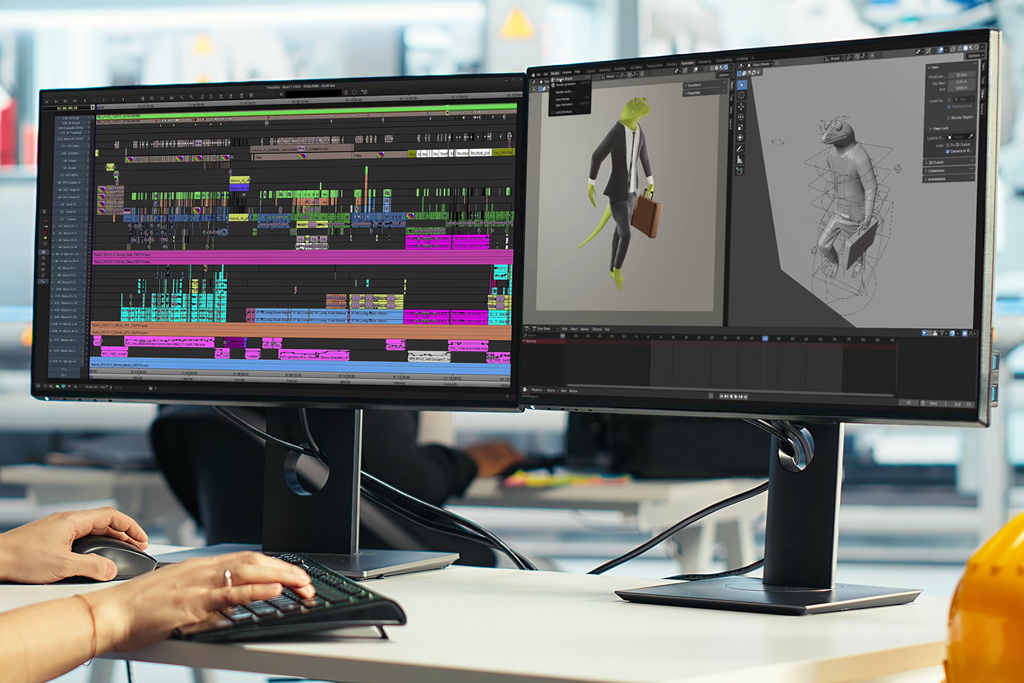
Veo itself is an advanced AI tool that turns text prompts into realistic videos. It’s often used for cinematic scenes and creative storytelling. At first, it looks impressive because of its visual quality. But in everyday use, especially for teams, it doesn’t always fit well.
As the demand for video content increases, its limits become clearer. Veo isn’t a bad tool, but it doesn’t adapt easily to fast and flexible workflows.
Here are some common problems teams face with this tool, along with better Veo alternatives:
Best for: Content creators, designers, social media teams
Integrations: Adobe Creative Cloud, Premiere Pro, After Effects, Photoshop, Illustrator
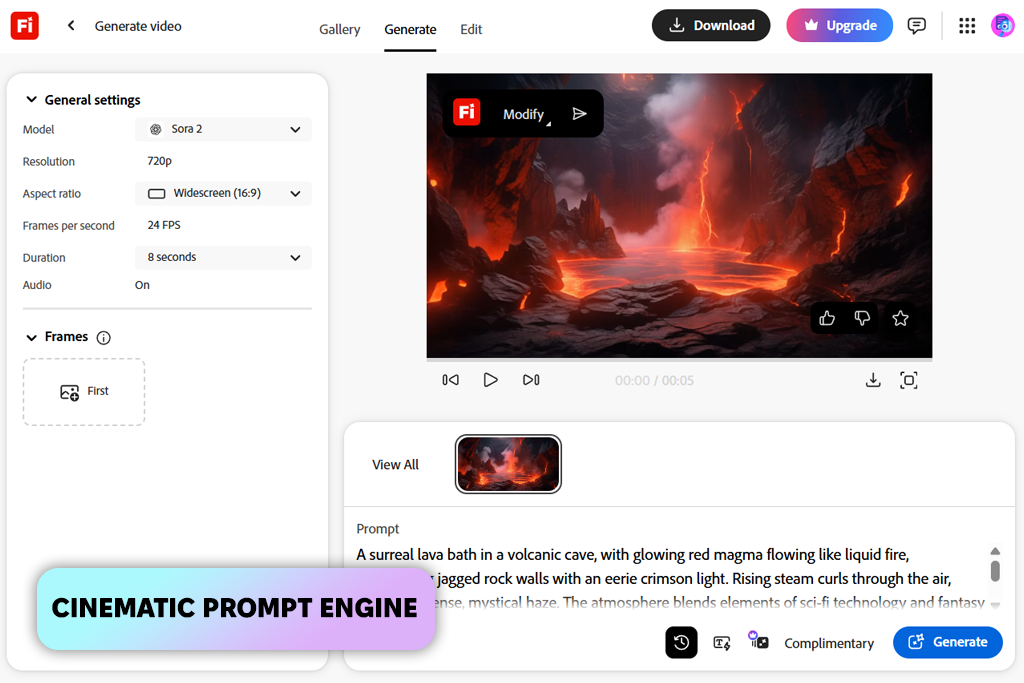
When looking at tools similar to Veo, Adobe Firefly video quickly stands out as something made not just for testing ideas, but for actual creative work. It focuses on making visuals that are easier to manage, adjust, and reuse in different projects.
When we tried it for product videos and short social media clips, the difference was easy to notice. Firefly gave more stable and consistent results compared to tools that depend a lot on random outputs from prompts.
One of its biggest strengths is how well it fits into a full workflow. You can enhance visuals, mix them with other elements, and get them ready for editing without interrupting the process. This makes it very useful for teams that create branded content and need to work quickly.
“Unlike Veo, Adobe Firefly gives better control over style, more reliable prompt results, and works smoothly with tools like Premiere Pro and After Effects. This makes it easier to create, adjust, and use videos in real projects.”

Firefly still requires a bit of practice when it comes to writing prompts. Instead of expecting perfect results right away, it works better if you improve the output step by step.
Tip: Keep prompts short and clear, and decide on important details like style, subject, and lighting early. This helps avoid random results and keeps your videos consistent.
Pricing: Free plan available; from $9.99/month
Best for: Creators, editors, content teams
Integrations: Web-based, export to Premiere Pro, After Effects
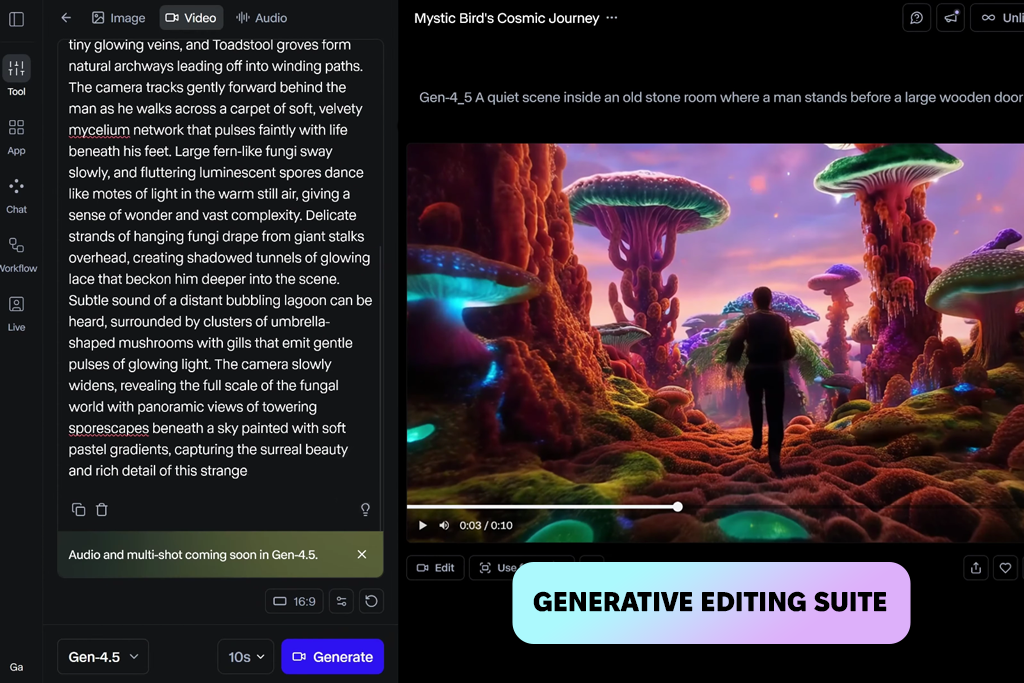
Runway takes a different approach compared to Veo. Instead of creating one final result from a single prompt, it allows you to build and improve your video step by step. This makes the process feel more like editing rather than just generating content.
During testing, it worked well for tasks that needed small changes over time. You can create different versions of the same scene, adjust movement, or fix details without starting again from the beginning. This is helpful when working on ads, social media posts, or product videos that need multiple versions.
Another strong point is speed. You can create short clips, check them, and make changes in just a few minutes. This is useful when trying out different ideas or visual styles. Even if the first result isn’t perfect, you can improve it quickly, which makes the tool more useful in daily work.
“If Veo feels slow or hard to control, Runway is a more practical choice for quick and controlled video creation.”

Runway isn’t meant to fully replace professional editing software, but it works well between basic AI generation and full editing. For projects that need speed, flexibility, and constant updates, it feels more ready for real use than tools that only generate content once.
Tip: First fix motion and layout, then improve quality or extend the clip. Solving problems early saves time and improves the final result.
Pricing: Free plan; from $12/month (Standard), $28/month (Pro), $76/month (Unlimited)
Best for: Quick content, creators, social media
Integrations: Web-based, Discord
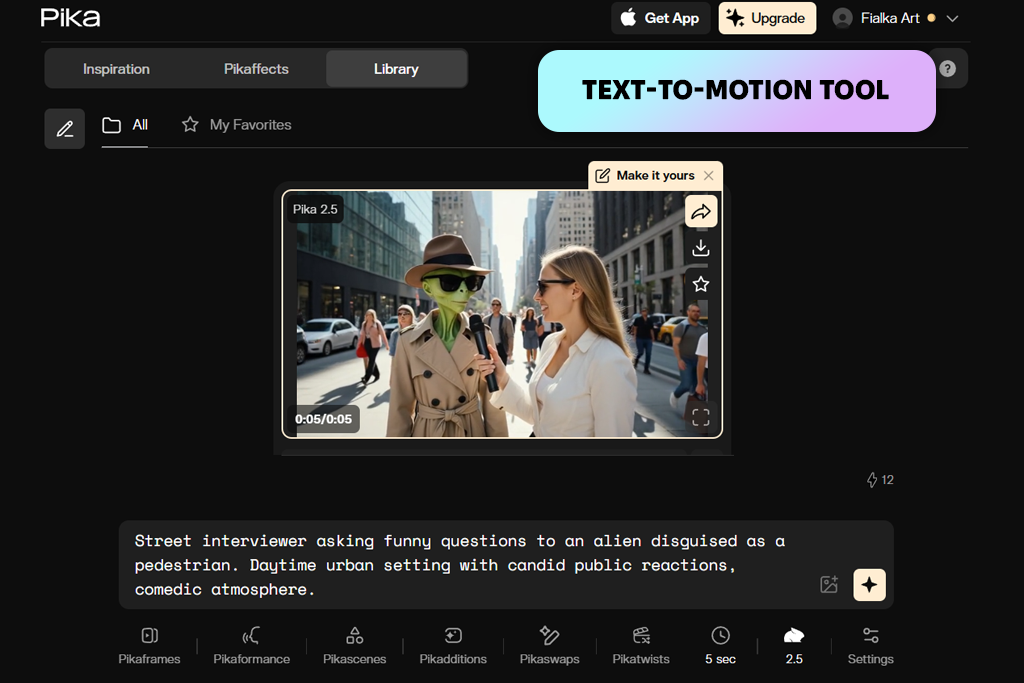
Pika Labs focuses on being fast and easy to use. The UI is simple, the prompt system is clear, and videos are created quickly without needing a lot of setup.
It doesn’t try to include too many features, so you can start using it right away. This makes this tool a good AI TikTok video generato, and a fast choice among the best Veo alternatives.
In testing, it worked best for making short videos and trying out ideas quickly. You can create many versions in a short time, which helps when exploring different concepts or story ideas at the early stage of creating content.
However, it’s not as strong when it comes to detailed control. Keeping the same style, adjusting small details, or getting consistent results across multiple clips can be difficult. Because of this, it works better as a starting tool instead of a final solution.
“What stands out is how quickly it helps generate ideas without making things complicated. The prompts are simple, results come fast, and it gives enough freedom to experiment without slowing things down.”

Pika Labs works best in situations where speed is more important than full control. It’s good for coming up with ideas, but usually, you will need other tools to create a decent video.
Tip: Write prompts in a clear order: subject, action, style, then lighting to help the tool understand your idea better and get more consistent results.
Pricing: Free plan or from $8/month

Best for: Realistic scenes, product visuals, 3D workflows
Integrations: Web-based, iOS capture tools, export for editing
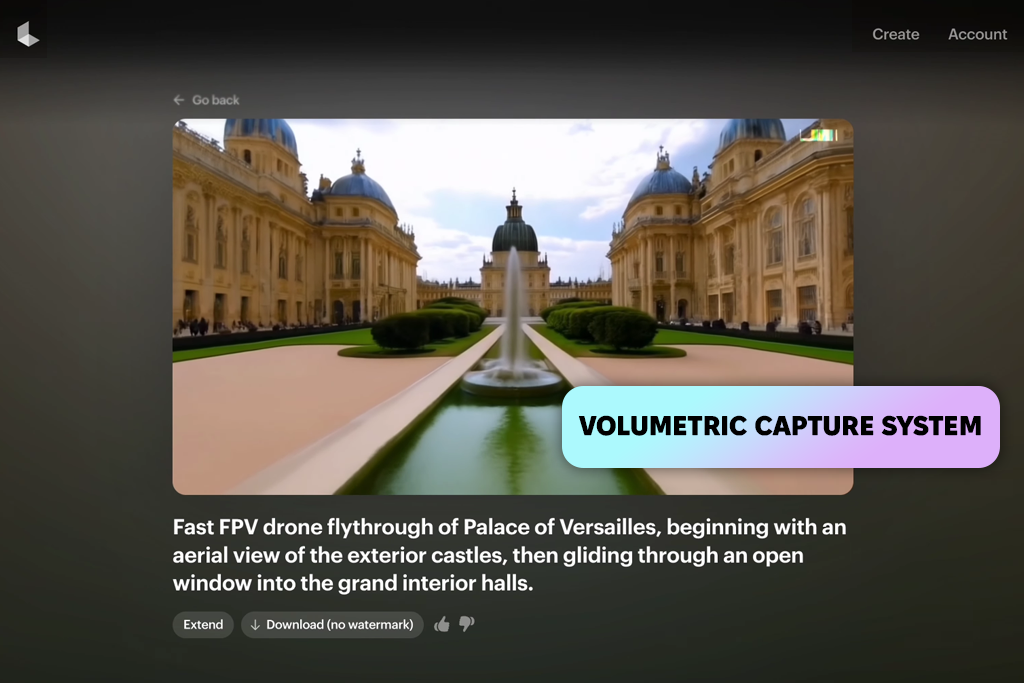
Luma AI takes a different approach to video creation: it focuses on capturing real environments and rebuilding them. Because of this, the results feel more natural and closer to real life compared to many tools that only generate videos from text.
During the testing process, this difference is clear in scenes with depth and movement. Objects move more naturally, camera motion feels smoother, and the overall look is less artificial than many AI-generated videos.
“Keep camera movement slow and steady when capturing scenes to improve depth and stop objects from looking distorted while moving.”

Luma AI works especially well for product-style videos, where accuracy is more important than creativity. Lighting, reflections, and object positions look more realistic, which makes it useful when you need precise visuals compared to the best AI 3D model generators that focus on producing creative ideas.
However, this Veo alternative is not as flexible for experimenting with different styles or ideas. It’s also not the fastest tool when you want to test many variations. It performs best when your goal is realism, not variety.
Tip: Use clean and stable footage when capturing scenes. Better input leads to better depth and higher-quality final videos.
Pricing: Free plan; from $29/month (Starter), $99/month (Pro)
Best for: Social media, Reels, TikTok, YouTube Shorts
Integrations: Web-based, export for editing
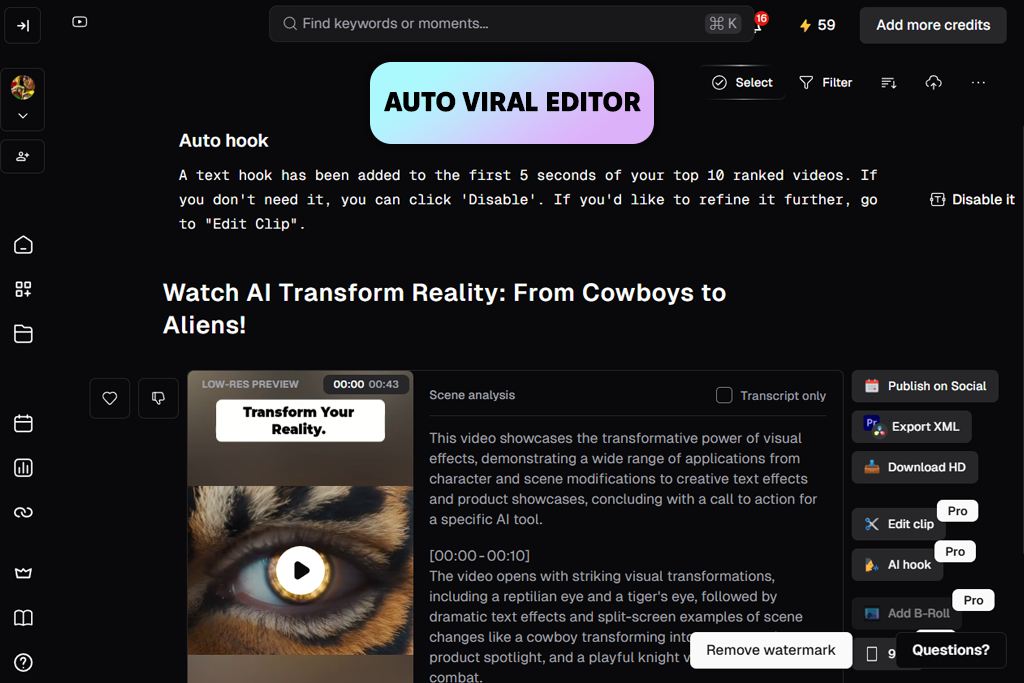
Opus Clip is designed to make content creation faster, not to generate videos from scratch. It looks at long videos and finds the most interesting parts, then turns them into short clips that are ready for posting, making it one of the best AI clip makers for social media.
When tested with interviews and tutorials, it was able to find key moments, add subtitles, and adjust the video format automatically. This makes it very useful for people who need to create a lot of short videos quickly.
“I like how Opus Clip picks the best parts and turns them into clips I can post right away, saving me a lot of time editing.”

One of its best features is efficiency. Instead of cutting clips, resizing them, and adding captions manually, the tool does most of the work for you, which can help creators stay consistent with posting.
However, it only works with videos that already exist. It doesn’t replace AI video generators like Veo but instead helps improve and reuse content you already have.
Tip: plan your original video with clear pauses and important topics. This makes it easier for the tool to find the best moments.
Pricing: from $19/month
Best for: Quick videos, experiments, content ideas
Integrations: Web-based
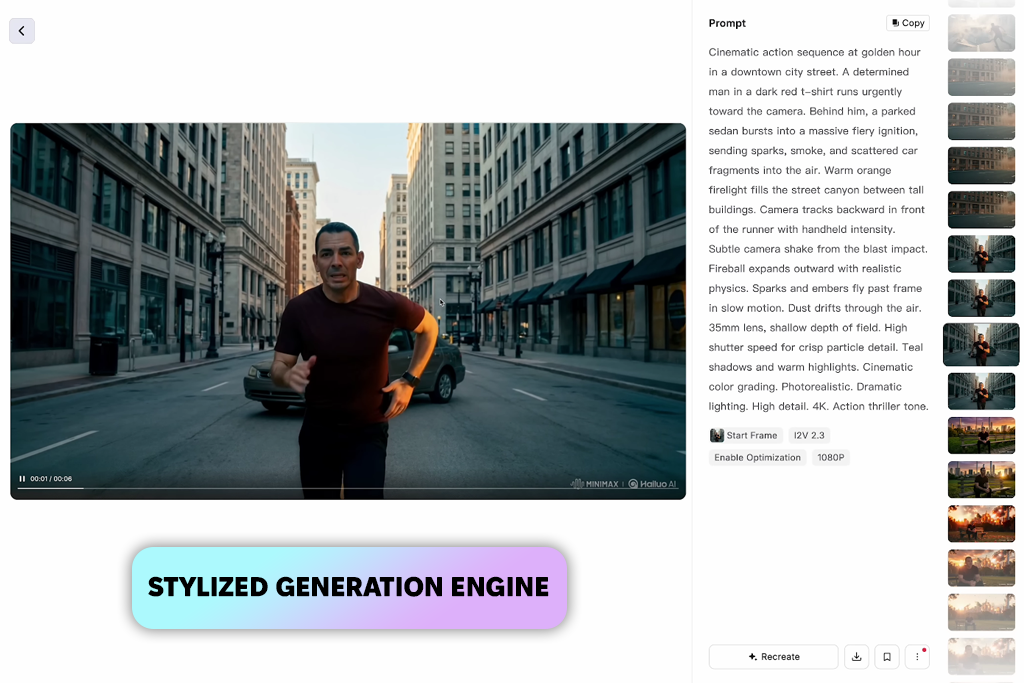
Hailuo AI focuses on quick and simple video creation. The interface is basic, so the process mainly involves writing a prompt and checking the result.
During testing, it was mostly used to create short scenes and try out different ideas. By making small changes to prompts, it was easy to generate several versions in a short time. This makes it useful when you are at the early idea creation stage.
The tool works best with simple prompts. When the subject, action, and setting are obvious, it can create usable results without much editing.
But when you try to control small details or keep the same style across multiple clips, it becomes harder. You may need to try several times to get the exact result, which can slow things down if you need precision.
“I used it to try out different scenes and ideas quickly, and it works best when the prompts are short and clear.”

Tip: It works best when you keep prompts short and focused. Adding too many details can confuse the system and lower the quality of the results.
Pricing: from $10/month
Best for: Creative experiments, unique visuals, concept videos
Integrations: Web-based
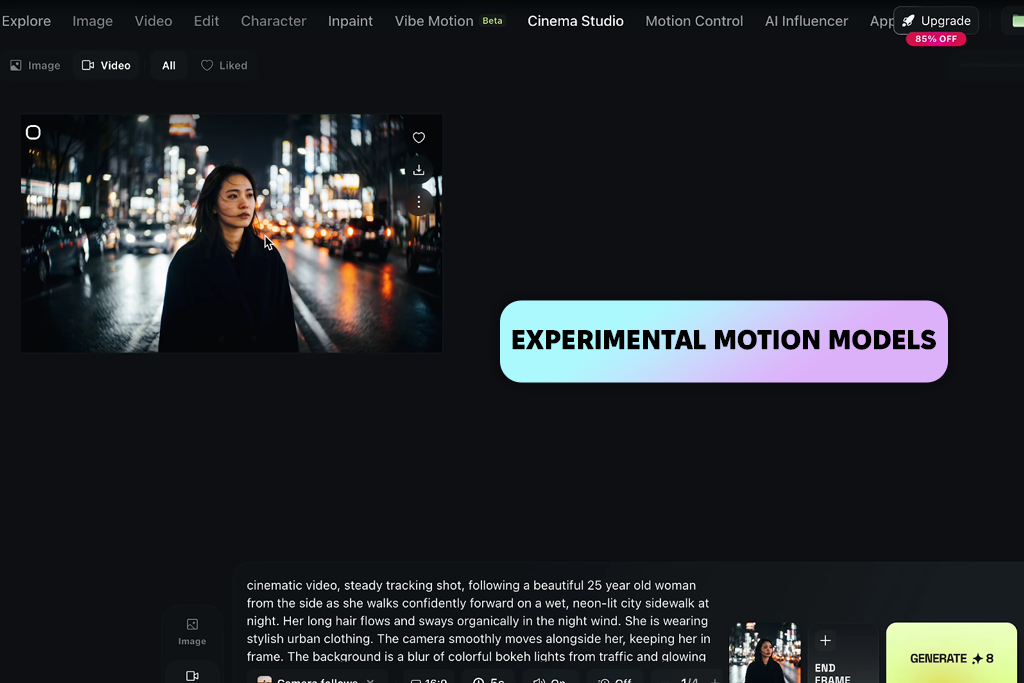
Higgsfield AI is made more for testing ideas than for creating finished, polished videos. It gives you more freedom in how your prompts are understood, so the results feel more open and experimental. This makes it a good option for creative or unusual projects, like the best AI handshake video generator, and puts it among the more creative alternatives to Veo.
When testing it, the tool worked well for building concept visuals and trying out ideas that go beyond the usual AI video style. By changing prompts and mixing different styles, it was possible to create more original and less typical scenes.
It works best when you care more about variety than accuracy. Even similar prompts can lead to different results, which helps you discover new ideas, but also makes it harder to keep the videos consistent.
“I used it to try different styles and directions, and it’s most helpful when you’re looking for unforeseen ideas instead of the same results every time.”

For professional work that needs consistency and control, it may not be the best Veo alternative. But for early stages, when you are still exploring ideas, it can help you find creative directions you might not expect.
Tip: Instead of trying to perfect one prompt, test several variations to find better results faster.
Pricing: from $12/month
If you are just starting, Pika Labs and Hailuo AI are good choices. Their layouts are simple, and you don’t need to set up anything complicated or write detailed prompts to get results.
For more advanced or professional use, Adobe Firefly and Runway are better options. They give you more control over your work, include editing tools, and can connect with other software used in production.
Luma AI stands out when it comes to realism. It works well for things like depth and movement, making it useful for product videos and scenes that look more lifelike.
Opus Clip is a strong choice for short-form content. It can take longer videos and turn them into shorter clips that fit TikTok and Instagram Reels.
Yes, some tools don’t rely only on text prompts. For example, Luma AI can capture and rebuild real-world scenes, which helps create more natural-looking results.
Runway, Pika Labs, and Hailuo AI are known for speed. They are helpful when you want to quickly make short clips or try out different ideas.
Higgsfield AI is a good option if you want to experiment. It often gives different and unexpected results, which can help you explore new creative styles.
This review is based on real experience working with visual content, AI tools, and video workflows, rather than just product descriptions or ads. I worked with the FixThePhoto team, including editors, retouchers, and content creators who regularly produce content for clients.
Together, we tested more than 20 Veo alternatives in real working conditions. We chose tools based on team suggestions, Reddit discussions, YouTube reviews, and what people actually use in AI video workflows.
After that, we narrowed the list down to tools that are built for AI video creation, editing, or improving content.
For testing, we recreated real FixThePhoto tasks, including making short videos, product visuals, and social media content. Every tool was tested under the same conditions so we could compare them fairly.
Some popular tools didn’t make the final list, such as Kaiber, Synthesia, DeepBrain AI, InVideo AI, Lumen5, Animoto, FlexClip, and Kapwing. Even though they can be useful in some cases, they either didn’t offer enough control, didn’t create realistic motion, or were too limited for steady video production work.
Here’s what we focused on during testing of tools like Veo:
These characteristics helped us see not just how the tools perform in theory, but how they actually work in real projects. The final results are based on how useful they are in practice, how consistent they are, and how much time they can save during everyday content creation.



![7 Best Sketchbook Alternatives [{{%year}} FixThePhoto Choice]](http://fixthephoto.com/blog/images/gallery/news_main__preview_28913.jpg)
![12 Best AI Flyer Generators [Online & Free]](http://fixthephoto.com/blog/images/gallery/news_main__preview_28910.jpg)

![9 Best Descript Alternatives in {{%year}} [Expert Insights]](http://fixthephoto.com/blog/images/gallery/news_main__preview_28971.jpg)

![Add Leprechaun to Photo Online [Free]](http://fixthephoto.com/blog/images/gallery/news_main__preview_28919.png)



















