
While working on social media videos and short-form content for clients, I regularly used both Adobe Express vs Capcut to see which one handled projects more efficiently. Since both platforms are popular choices for content creators, I wanted to compare how they perform in real-world editing tasks. I quickly noticed that they focus on different needs: Adobe Express is centered on easy design and ready-made templates, while CapCut is geared toward fast video editing and content made for social media trends.
What I liked about Adobe Express was how easy it was to create professional-looking content while keeping branding consistent across projects. Its connection with other Adobe tools also made the workflow smoother. CapCut focused more on fast video creation, offering plenty of effects, transitions, and editing features that work especially well for short-form content on platforms like TikTok and Instagram Reels.
For my Adobe Express vs Capcut testing, I focused on the features that matter most in everyday content creation. I compared how easy each platform was to use, how quickly I could edit and publish videos, the quality of templates and effects, export options, and how well they handled regular social media work. I also paid close attention to their performance when managing frequent posting schedules and tight deadlines.
Final Verdict: Adobe Express was my preferred choice because it made creating professional-looking content simple and efficient. The branding tools were easy to use, and the overall workflow felt smooth. It’s a great option for businesses and creators who want consistent, high-quality visuals without spending too much time editing.
|
|

Adobe Express |

Capcut |
|
Key features
|
Graphic design, video editing, brand kits, social media content creation, AI image generation, templates
|
Video editing, auto captions, trending effects, transitions, AI avatars, social media video creation
|
|
Speed
|
Fast content creation with ready-made templates and one-click AI tools
|
Fast video editing, especially for short-form content
|
|
Free plan
|
Yes, generous free plan with design and video tools
|
Yes, but some advanced features require Pro
|
|
Pricing
|
Free or from $11.99/mo.
|
Free or from $9.99/mo.
|
|
Primary use
|
All-in-one content creation for social media, marketing, and business
|
Video editing for TikTok, Reels, and Shorts
|
|
Ease of use
|
★★★★★
|
★★★★☆
|
|
Platforms
|
Web, Windows, MacOS, iOS, Android
|
Web, Windows, MacOS, iOS, Android
|
|
AI features
|
Generative Fill, Text-to-Image, AI Text Effects, Background Removal, AI templates
|
AI captions, AI avatars, Text-to-Speech, script generation
|
|
Stock assets
|
Access to Adobe Stock photos, videos, icons, and design elements
|
Built-in media, effects, music, and stickers
|
|
Customization
|
Advanced design controls, Brand Kit, fonts, colors, layouts, templates
|
Strong video customization with effects and animations
|
|
Collaboration
|
Real-time collaboration, shared projects, team workflows
|
Basic cloud sharing and project collaboration
|
As for Adobe Express vs Capcut pricing, the first tool offers a flexible pricing structure for individuals, businesses, and teams. It includes a free plan with basic editing and design tools, while paid plans unlock additional features.
Adobe Express also regularly offers Adobe discounts and special promotions, particularly for new users and those choosing annual subscriptions.
CapCut uses a free-first model, with plenty of editing features available at no cost. Users who need more advanced tools can upgrade to a Pro plan.
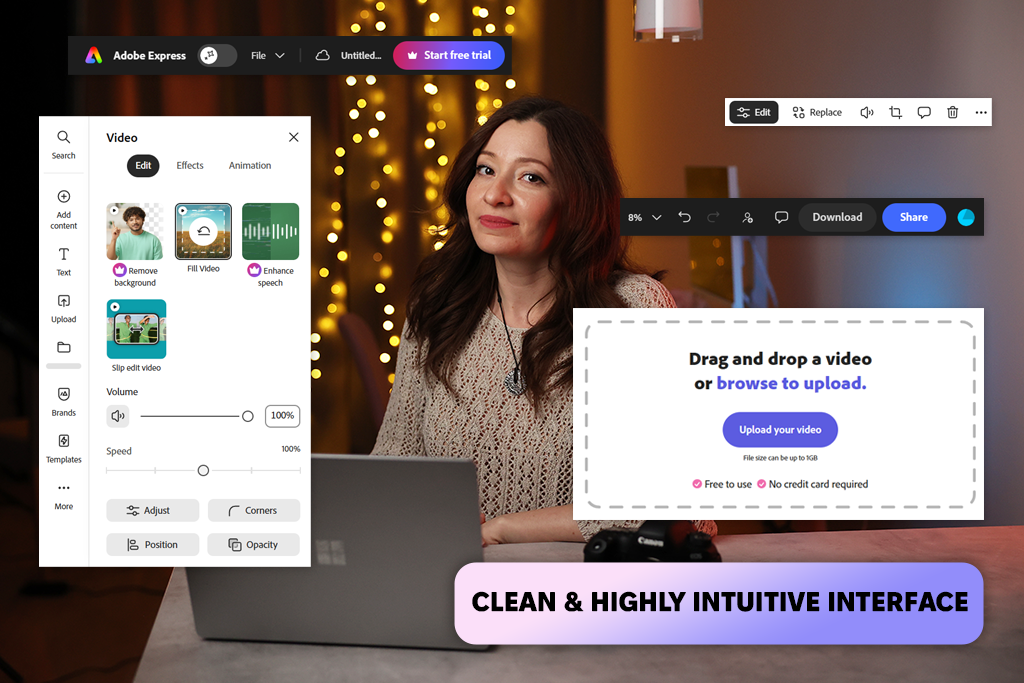
Adobe Express is my go-to CapCut alternative when a project includes both video and graphic content. CapCut is excellent for quick video editing, but Adobe Express offers a more complete creative workspace.
It lets me design social media posts, edit videos, access stock assets, and schedule content from one platform. Being able to create an Instagram post, a matching Reel, and a TikTok video without switching tools saves time and keeps everything visually consistent.
For Reels and TikTok content, Adobe Express provides a quick and easy workflow. I can start with a template, upload clips, add captions, remove backgrounds, create visuals, and export a finished video in just a few minutes.
CapCut offers more trendy effects and transition options, but Adobe Express works better for creating clean, professional content with a consistent look across different social media platforms.
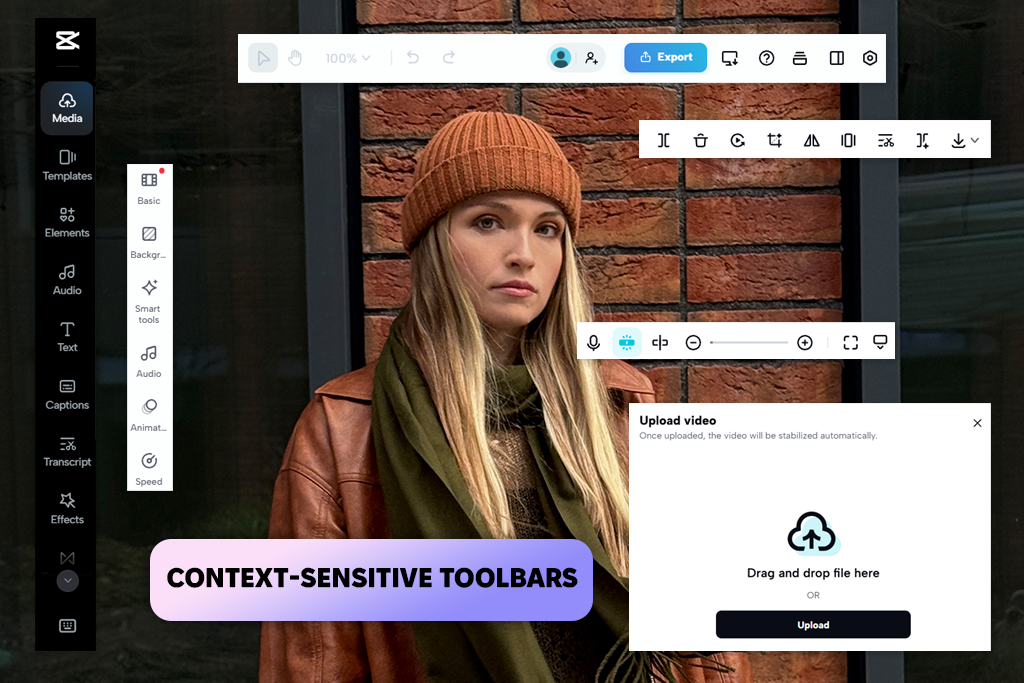
CapCut is a free video editing app built for creating content on TikTok, Reels, and YouTube Shorts. While Adobe Express covers both design and video projects, CapCut puts all its attention on video production. I mainly use it to clean up footage, add text, match clips to music, and apply visual effects, making it a quick way to prepare content for social media.
What I like most about CapCut is how quickly I can put a video together. I can trim footage, add captions, apply transitions, and export the final version in just a few minutes. In my CapCut vs Adobe Express testing, CapCut proved better for fast, trend-focused editing, while Adobe Express stood out for branding, templates, and creating a mix of content such as posts, ads, and videos.
It’s also often discussed in CapCut vs Adobe Premiere Pro comparisons, but the two tools serve different purposes. Premiere Pro is designed for advanced video editing, while CapCut focuses on quick and easy content creation.
Adobe Express is better for:
Capcut is better for:
Adobe Express has a simple and beginner-friendly interface that feels more like free graphic design software than a traditional video editor. Compared to CapCut, it’s easier to manage different types of content since I can switch between posts, videos, and templates without dealing with complicated timelines.
I also like how templates and creative tools are always easy to find, which helps speed up the workflow. The downside is that it doesn’t offer the same level of control over detailed video editing as CapCut.
CapCut, by contrast, uses a more traditional timeline-based layout. Comparing Adobe Express vs CapCut for video editing, the second option gives me more control over cuts, timing, and effects. I prefer it for detailed edits, although the interface feels a bit more crowded and takes longer to learn than Adobe Express.
Adobe Express feels more like a creative workspace that helps me make content from the ground up. It does more than speed up editing - I can create images from text prompts, remove backgrounds, add AI text effects, and start with ready-made templates. What I like most is that these tools work well together, making it easy to keep the same style across posts, videos, and other marketing content without much extra work.
CapCut uses AI mainly to make video editing faster and easier. I use this AI video editor for features like auto-captions, text-to-speech, beat-sync editing, background removal, and quick clip enhancements.
The AI is focused more on finishing videos than generating content from scratch, helping turn raw footage into polished short videos in just a few minutes. While it doesn’t offer as many content-creation tools as Adobe Express, it saves a lot of time during editing.
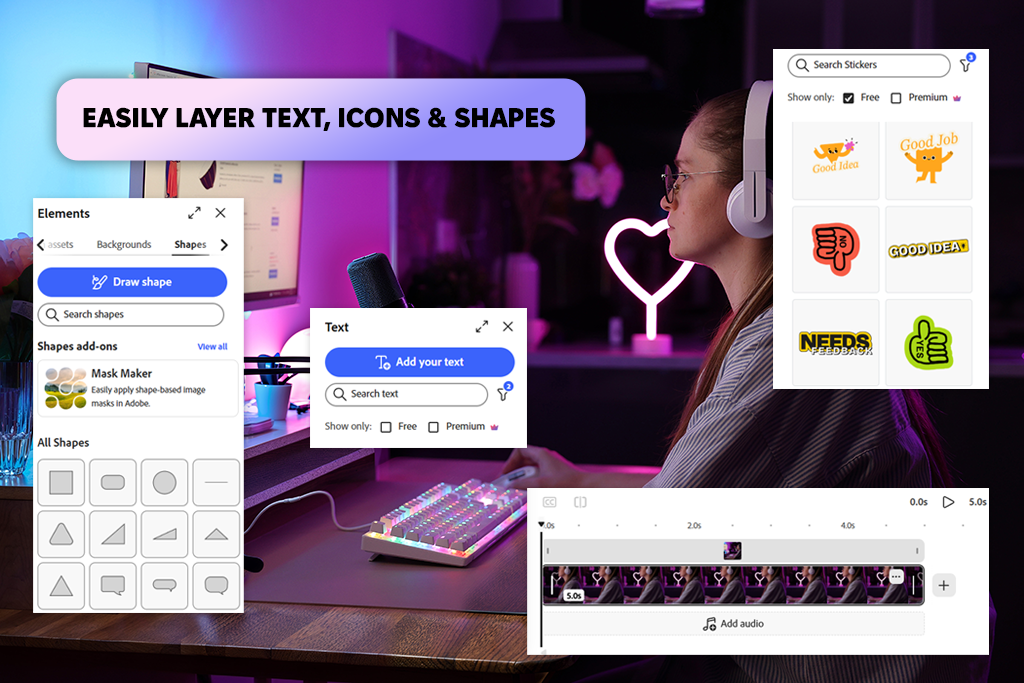
Adobe Express handles video editing in a simple, template-driven way. I can quickly put together videos by adding clips to ready-made layouts, then customize them with text, music, and brand elements. As for Adobe Express vs Capcut features, the first tool offers less control over the timeline, but it’s much faster when I need polished results without spending time on detailed editing. I found it especially useful for creating consistent videos for Instagram, ads, and other marketing content.
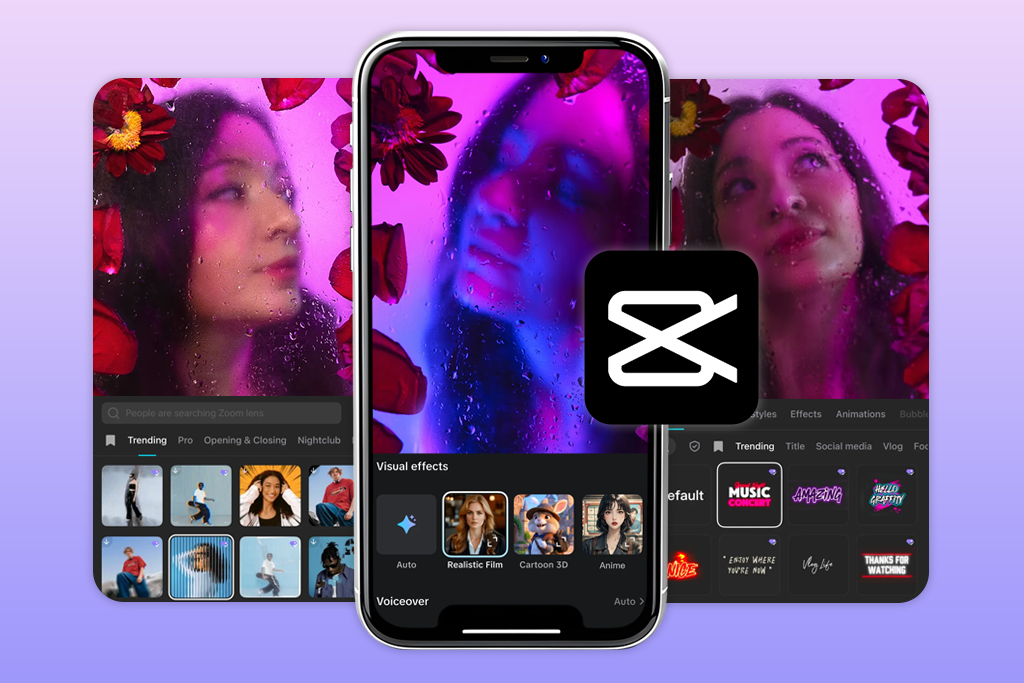
CapCut, by comparison, offers much more control over the editing process. I can work directly on the timeline, fine-tune cuts, add transitions, use keyframes, and apply effects with precision. As an Adobe Express alternative, CapCut feels more flexible, especially when timing and visual effects are important. The downside is that it usually takes more time than Adobe Express when I just need to create content quickly.
Both tools are well-suited for social media content, but they excel in different areas. Adobe Express is quicker and easier for creating polished videos with a structured workflow, while CapCut gives more creative freedom and stronger editing tools for trend-focused content.
When it comes to design, Adobe Express gives me much more flexibility. I use it for social media graphics, ads, thumbnails, and even as an Instagram banner maker. Compared to CapCut, it offers better control over colors, fonts, and layouts. I also like the Brand Kit feature, which helps me keep the same style across posts, stories, and other marketing content.
CapCut, on the other hand, has only basic design tools. I can add text, stickers, overlays, and simple graphics, but it’s mainly built for video editing. Unlike its competitor, it feels more limited. The program is fine for quick visual touches, but not for creating full marketing materials or branded designs.
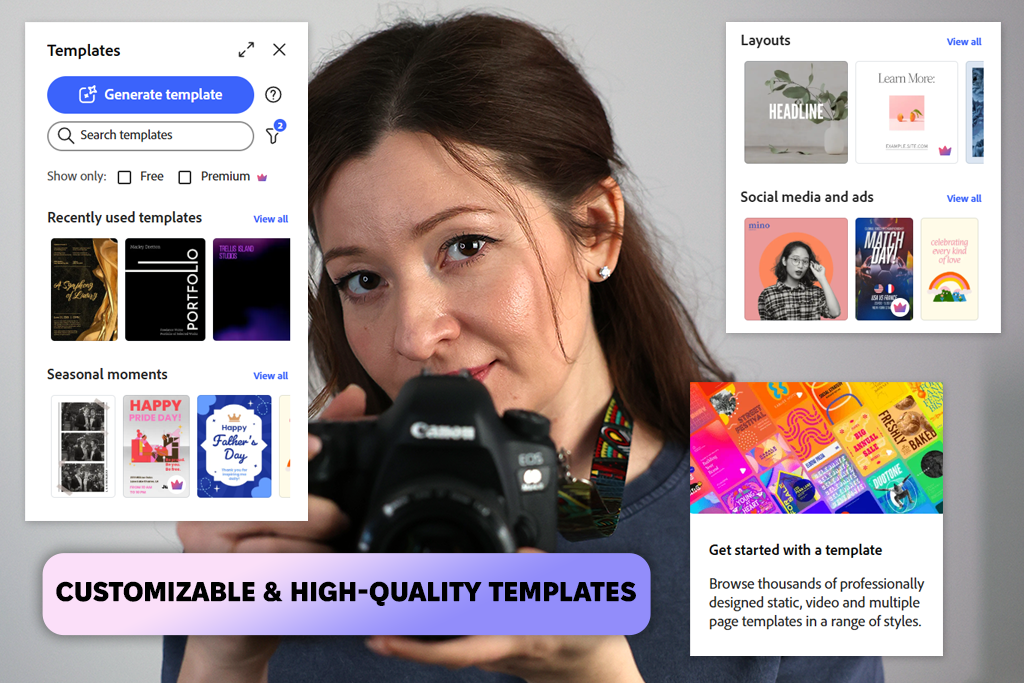
Adobe Express has a well-organized template library that makes creating content very easy. I can quickly pick templates for social media posts, ads, presentations, or short videos and customize them to match my brand. Compared to CapCut, it supports a wider range of content and works especially well for marketing graphics and branded materials.
Another feature I use regularly is its role as an AI post generator. Instead of building everything manually, I can start with a simple idea and quickly get a complete social media design with matching text, visuals, and layout. It saves a lot of time when I need content ready quickly.
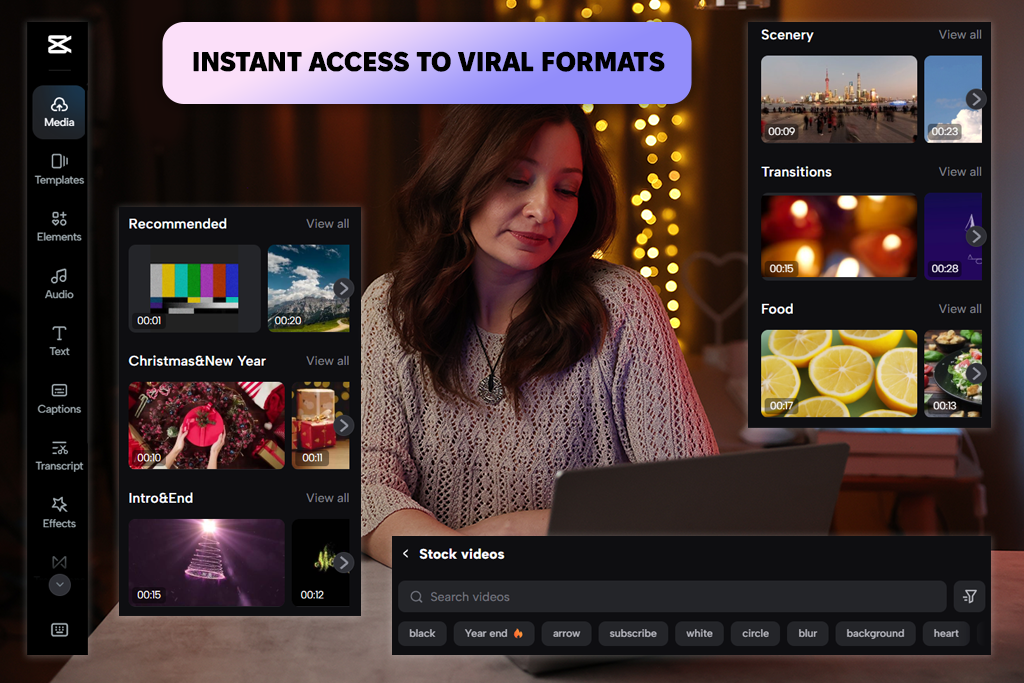
CapCut is built mainly around video templates. I use its collection of trendy formats to create Reels and Shorts quickly. It puts much more emphasis on video content, which makes it a great tool when I want to make a viral video, fast. However, it isn't as useful for other types of design work, such as banners, ads, or branded graphics.
While testing Adobe Express vs Capcut for social media, I found that speed means more than just how fast the apps load. What really mattered was how quickly I could turn an idea into finished content.
In everyday use: Adobe Express feels more stable and consistent in everyday use. I can switch between templates, design tools, and AI features without noticeable slowdowns, especially when creating posts or simple videos. Video exports may take a little longer than in CapCut, but the overall workflow stays smooth, even when I combine graphics and video in the same project.
Video speed: CapCut is faster when I’m focused only on the video. The timeline feels responsive, previews load quickly, and exporting short clips is usually quicker than in Adobe Express. However, once I add lots of effects, layers, or more complex edits, performance can become less consistent, especially on less powerful devices.
Adobe Express works well for collaboration. I can share a project with other people, and everyone stays on the same version, which helps avoid confusion. For brand projects, the Brand Kit keeps fonts, colors, and layouts consistent. This CapCut alternative offers a more organized setup for working with a team.
CapCut is more of a “create first, share later” tool. I can send projects and files to others, but collaboration isn’t its strongest feature. Compared to Adobe Express, this Reel editing app feels better suited for solo creators making TikToks or Reels. It’s less convenient when several people need to work on the same project or keep a consistent brand style.
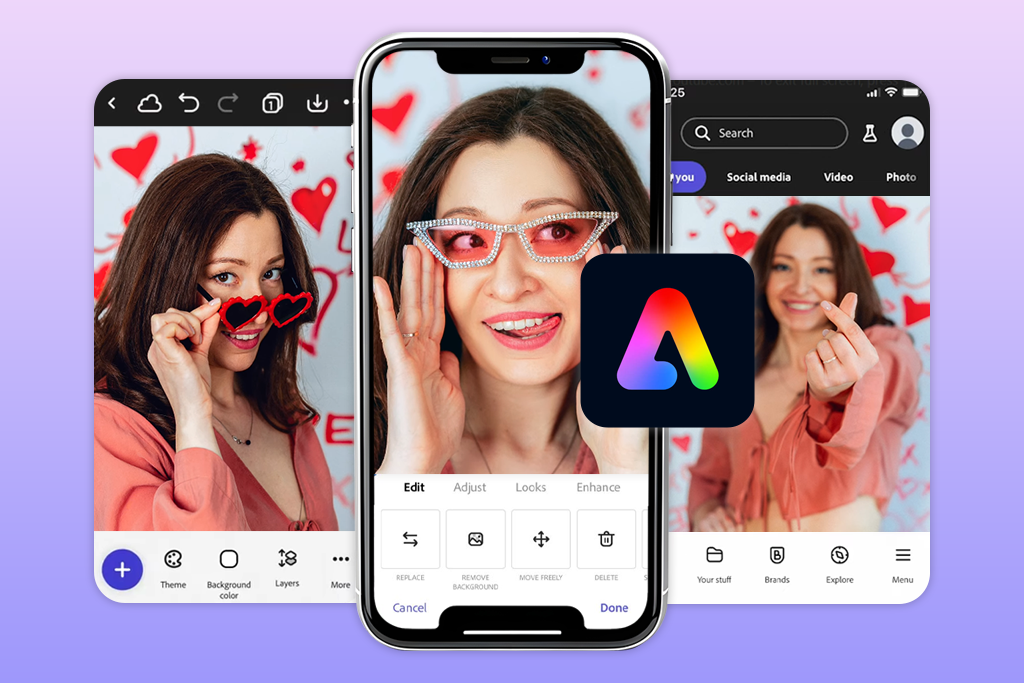
Adobe Express gives me more flexibility when I need different types of content. I can create videos, posts, and other marketing materials in one workflow while keeping everything visually consistent. Compared to its competitor, it’s easier to turn one idea into multiple formats, like a post, a story, and a short video. The only drawback is that exporting larger video projects can take a bit more time.
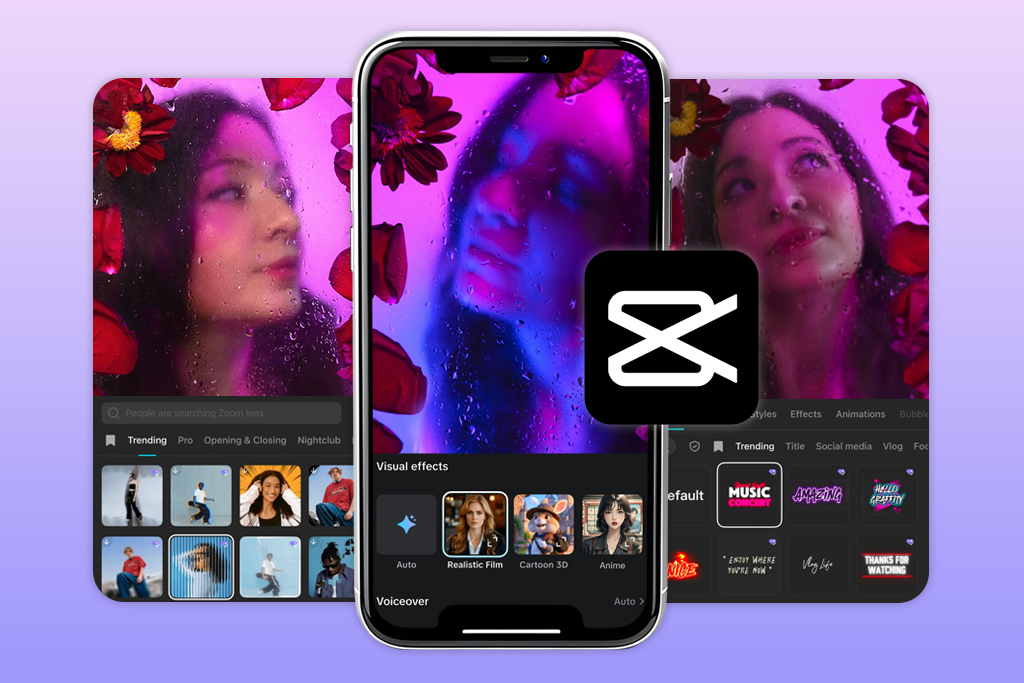
In its turn, CapCut is designed mainly for video. The exported Reels and TikToks look sharp and are ready for vertical platforms. CapCut outperforms Adobe Express in video rendering, especially when I use transitions, effects, and music. However, it focuses almost entirely on video, so it becomes less useful when I need graphics or several content formats from the same project.

After working with both Adobe Express video editor and Capcut on real projects, I realized they solve different creative tasks rather than trying to replace each other.
CapCut is the better option when video editing is the main priority, especially for TikTok, Shorts, or anyone looking for a reliable video editing app for Instagram. I found it fast and easy to use, with plenty of effects and smart tools that help turn raw clips into eye-catching videos quickly. Its biggest limitation is that it focuses almost entirely on video, making it less suitable for branding or creating different types of content.
Adobe Express, by comparison, works more like a complete content creation platform. It brings together design tools, templates, AI features, and video editing in one place, making it a great choice for maintaining a consistent brand, creating marketing materials, and helping beginners manage everything within a single workflow.
To compare Adobe Express and CapCut, I tested both platforms in real content creation scenarios, focusing on the features that matter most for social media work: editing speed, AI tools, templates, design options, export quality, and overall ease of use.
I used them for short videos, promotional posts, and branded content, including projects for Instagram accounts like Tetiana Kostylieva and Nataliia Omelchenko. This helped me see how each platform performs during everyday work with Reels, TikTok videos, and marketing content.
During the review process, I exchanged ideas with other FixThePhoto teammates to get feedback from people who regularly work with editing and content production. We compared how each platform performs in fast-paced social media workflows, how beginner-friendly the interfaces are, and whether the AI tools provide practical benefits in daily work instead of just adding extra features.
This approach let me compare Adobe Express and CapCut for Reels in everyday use. I tested Adobe Express for template-based content and AI tools, and CapCut for fast video editing. It gave me a clear picture of which platform works better for creating all kinds of content and which one is better for quick social media videos.



![9 Best AI PDF Editors in {{%year}} [Expert Tested Guide]](http://fixthephoto.com/blog/images/gallery/news_main__preview_29012.jpg)

![9 Best Image Brighteners Online [{{%year}} FixThePhoto Choice]](http://fixthephoto.com/blog/images/gallery/news_main__preview_29194.jpg)
![7 Best Photo Grid Makers [No Design Skills]](http://fixthephoto.com/blog/images/gallery/news_main__preview_29018.jpg)
![9 Best AI Virtual Try On Outfits Tools in {{%year}} [100% FREE]](http://fixthephoto.com/blog/images/gallery/news_main__preview_29082.jpg)



















